
读取mysql数据库表结构生成接口文档
1、引入依赖
<!-- 导出word --><dependency><groupId>org.freemarker</groupId><artifactId>freemarker</artifactId><version>2.3.30</version></dependency><!-- https://mvnrepository.com/artifact/e-iceblue/spire.doc.free --><dependency><groupId>e-iceblue</groupId><artifactId>spire.doc.free</artifactId><version>2.7.3</version></dependency><dependency><groupId>cn.hutool</groupId><artifactId>hutool-all</artifactId><version>5.7.20</version></dependency><!--mysql--><dependency><groupId>mysql</groupId><artifactId>mysql-connector-java</artifactId><version>8.0.22</version></dependency>3、工具类ApiDoc
package com.example.rediscache.utils;import com.baomidou.mybatisplus.core.toolkit.ExceptionUtils;
import freemarker.template.Configuration;
import freemarker.template.Template;
import org.apache.tomcat.util.http.fileupload.IOUtils;
import org.slf4j.Logger;
import org.slf4j.LoggerFactory;
import org.springframework.core.io.ClassPathResource;import java.io.*;
import java.util.Map;public class ApiDoc {public static final String MAC = "Mac";/*** Windows*/public static final String WINDOWS = "Windows";public static Logger log = LoggerFactory.getLogger(ApiDoc.class);/*** 将数据导入word模板生成word** @param params 数据* @return docx临时文件的全路径* @throws IOException*/public static String createWord(Map<String, Object> params) throws IOException {String templateFile = "api.doc.ftl";String filePath = "D://html";File file = null, templateFile1 = null;FileOutputStream fileOutputStream = null;Writer out = null;InputStream inputStream = null;try {File file1 = new File(filePath);//指定模板存放位置ClassPathResource tempFileResource = new ClassPathResource(templateFile);//创建临时文件file = File.createTempFile("接口文档-", ".docx", file1);//得到临时文件全路径  ,作为word生成的输出全路径使用String outputDir = file.getAbsolutePath();log.info("创建临时文件的路径为:{}", outputDir);//创建模板临时文件templateFile1 = File.createTempFile(templateFile, ".xml", file1);fileOutputStream = new FileOutputStream(templateFile1);inputStream = tempFileResource.getInputStream();IOUtils.copy(inputStream, fileOutputStream);//得到临时模板文件全路径String templateFilePath = templateFile1.getAbsolutePath();log.info("创建临时文件的路径为:{}", templateFilePath);//           new ClassPathResource("aaa").getInputStream().close();// 设置FreeMarker的版本和编码格式Configuration configuration = new Configuration();configuration.setDefaultEncoding("UTF-8");// 设置FreeMarker生成Word文档所需要的模板的路径configuration.setDirectoryForTemplateLoading(templateFile1.getParentFile());// 设置FreeMarker生成Word文档所需要的模板Template t = configuration.getTemplate(templateFile1.getName(), "UTF-8");// 创建一个Word文档的输出流out = new BufferedWriter(new OutputStreamWriter(new FileOutputStream(new File(outputDir)), "UTF-8"));//FreeMarker使用Word模板和数据生成Word文档t.process(params, out); //将填充数据填入模板文件并输出到目标文件} catch (Exception e) {log.error("word生成报错,错误信息{}", e.getMessage());e.printStackTrace();} finally {if (out != null) {out.flush();out.close();}if (inputStream != null) {inputStream.close();}if (fileOutputStream != null) {fileOutputStream.close();}if (templateFile1 != null) {templateFile1.delete();}}try {//获取系统信息String osName = System.getProperty("os.name");if (osName != null) {if (osName.contains(MAC)) {Runtime.getRuntime().exec("open " + file.getAbsolutePath());} else if (osName.contains(WINDOWS)) {Runtime.getRuntime().exec("cmd /c start " + file.getAbsolutePath());}}} catch (IOException e) {throw ExceptionUtils.mpe(e);}return file == null ? null : file.getAbsolutePath();}}
4、编写测试方法
package com.example.rediscache;import com.example.rediscache.utils.ApiDoc;
import org.junit.platform.commons.util.StringUtils;import java.io.IOException;
import java.sql.*;
import java.util.ArrayList;
import java.util.HashMap;
import java.util.List;
import java.util.Map;public class MysqlCreateApiDoc {//读取数据库生成接口文档public static void main(String[] args) {String database = "ry-cloud";String url = String.format("jdbc:mysql://localhost:3306/%s?useUnicode=true&characterEncoding=utf-8&allowMultiQueries=true&useSSL=false&serverTimezone=UTC", database);String username = "root";String password = "pyrx123";List<HashMap<String, Object>> list = new ArrayList<>();try {Connection conn = DriverManager.getConnection(url, username, password);Statement stmt = conn.createStatement();ResultSet tables = stmt.executeQuery(String.format("SELECT table_name, table_comment " + "FROM information_schema.tables WHERE table_schema = '%s'", database));while (tables.next()) {String tableName = tables.getString("table_name");String table_comment = tables.getString("table_comment");System.out.println("Table: " + tableName + "---table_comment: " + table_comment);PreparedStatement ps = conn.prepareStatement("show full columns from " + tableName);ResultSet c = ps.executeQuery();HashMap<String, Object> map = new HashMap<>();//模块名称if (StringUtils.isBlank(table_comment)) {map.put("model_name", toCamelCase(tableName));} else {map.put("model_name", table_comment.replace("表", ""));}map.put("requestUrl", "/" + toCamelCase(tableName));List<HashMap<String, String>> paramslist = new ArrayList<>();while (c.next()) {System.out.println("字段名:" + c.getString("Field") + "------" + "类型:" + convert(c.getString("Type")) + "------" + "备注: " + c.getString("Comment") + "------" + "是否必选: " + c.getString("Null"));String Null = c.getString("Null").contains("YES") ? "是" : "否";HashMap<String, String> methodParams = new HashMap<>();methodParams.put("FILENAME", toCamelCase(c.getString("Field")));methodParams.put("FILEType", convert(c.getString("Type")));methodParams.put("Null", Null);methodParams.put("FILEDESC", c.getString("Comment"));paramslist.add(methodParams);}map.put("paramslist", paramslist);map.put("resultslist", paramslist);list.add(map);}conn.close();stmt.close();int length = list.size();for (int i = 0; i < length; i += 7) {// 处理子列表,例如打印出来Map<String, Object> params = new HashMap<>();params.put("tmp_title", "远程智能巡视");params.put("apilist", list.subList(i, Math.min(length, i + 7)));//告警点位汇总new ApiDoc().createWord(params);}} catch (SQLException e) {e.printStackTrace();} catch (IOException e) {throw new RuntimeException(e);}}public static String convert(String fieldType) {if (fieldType.contains("varchar") || fieldType.contains("text")) {return "String";} else if (fieldType.contains("int")) {return "Integer";} else if (fieldType.contains("boolean") || fieldType.contains("char")) {return "Boolean";} else if (fieldType.contains("date") || fieldType.contains("time")) {return "Date";} else if (fieldType.contains("decimal") || fieldType.contains("double") || fieldType.contains("float")) {return "Double";}return "Object";}//下划线转驼峰public static String toCamelCase(CharSequence name) {if (null == name) {return null;}String name2 = name.toString();if (name2.contains("_")) {StringBuilder sb = new StringBuilder(name2.length());boolean upperCase = false;for (int i = 0; i < name2.length(); ++i) {char c = name2.charAt(i);if (c == '_') {upperCase = true;} else if (upperCase) {sb.append(Character.toUpperCase(c));upperCase = false;} else {sb.append(Character.toLowerCase(c));}}return sb.toString();}return name2;}}
5、resources 目录下存放api.doc.ftl 模版文件,点击下载可得
相关文章:

读取mysql数据库表结构生成接口文档
1、引入依赖 <!-- 导出word --><dependency><groupId>org.freemarker</groupId><artifactId>freemarker</artifactId><version>2.3.30</version></dependency><!-- https://mvnrepository.com/artifact/e-iceblue/s…...
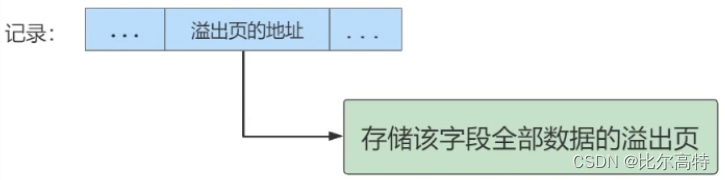
【MySQL索引与优化篇】InnoDB数据存储结构
文章目录 1. 数据库的存储结构:页1.1 磁盘与内存交互基本单位:页1.2 页结构概述1.3 页的上层结构 2. 页的内部结构3. InnoDB行格式(或记录格式)3.1 Compact行格式3.2 Dynamic和Compressed行格式3.3 Redundant行格式 4. 区、段与碎片区4.1 为什么要有区?4.2 为什么要…...
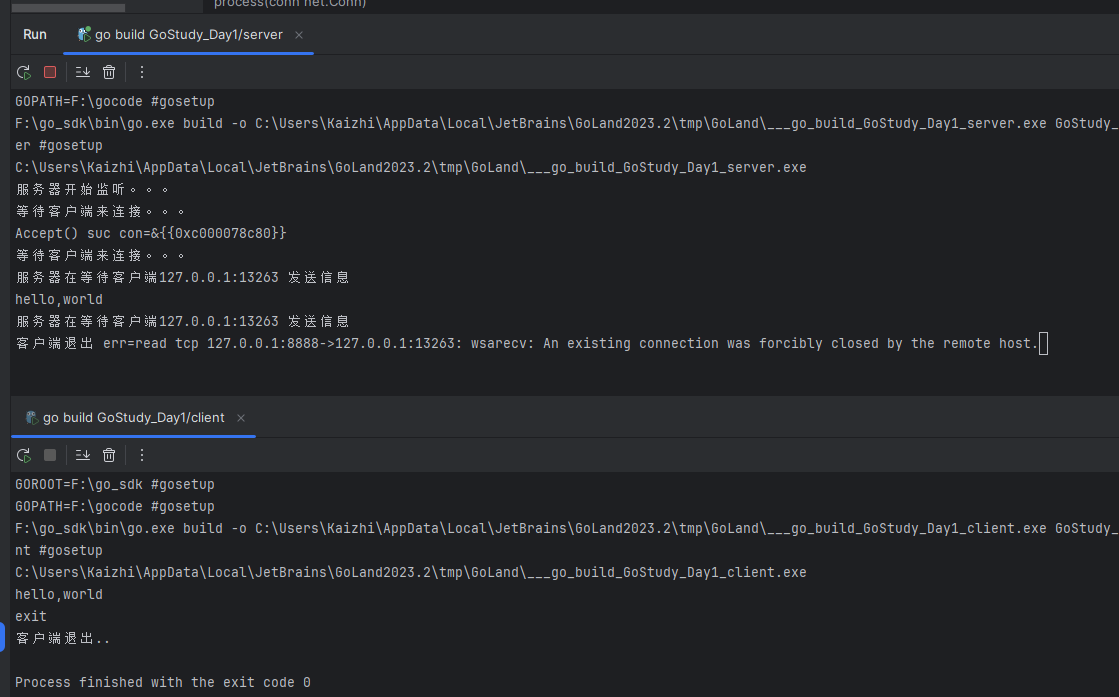
Go学习第十二章——Go反射与TCP编程
Go反射与TCP编程 1 反射1.1 基本介绍1.2 快速入门1.3 注意事项和细节说明1.4 最佳实践 2 Tcp Socket编程2.1 基本介绍2.2 入门案例2.3 服务器监听2.4 服务器接受客户端消息 1 反射 1.1 基本介绍 **反射:**在编译时静态类型语言中实现动态特性的一种机制。 Go语言…...

uniapp编译微信小程序富文本rich-text的图片样式不生效原因
this.detail.contents this.detail.contents.replace(/\<img/gi, <img style"display:block;max-width:90%;height:auto;border:2px solid #eee;box-shadow:5px 5px 5px rgba(100,100,100,0.8);margin-bottom:10px;text-align:center;" );开始采用这个replace…...

Django实战项目-学习任务系统-任务管理
接着上期代码框架,开发第3个功能,任务管理,再增加一个学习任务表,用来记录发布的学习任务的标题和内容,预计完成天数,奖励积分和任务状态等信息。 第一步:编写第三个功能-任务管理 1࿰…...
)
ubuntu18.04设置开机自动启动脚本(以自动启动odoo命令行为例讲解)
简介 ubuntu作为服务器使用时,常常需要在机器重启时能自动启动我们开发的服务。 Ubuntu 16.10开始不再使用initd管理系统,改用systemd,包括用systemctl命令来替换了service和chkconfig的功能。 systemd 默认读取 /etc/systemd/system 下的配…...

golang工程——grpc-gateway 转发http header中自定义字段到grpc上下文元数据
http header 转发到 grpc上下文 grpc网关可以将请求体内容转发到grpc对应消息中。那如何获取http header头中的信息,本文将介绍如何将http header转发到grpc上下文并采用拦截器,获取http header中的内容。 有些http header中的内置字段是会转发的比如Au…...
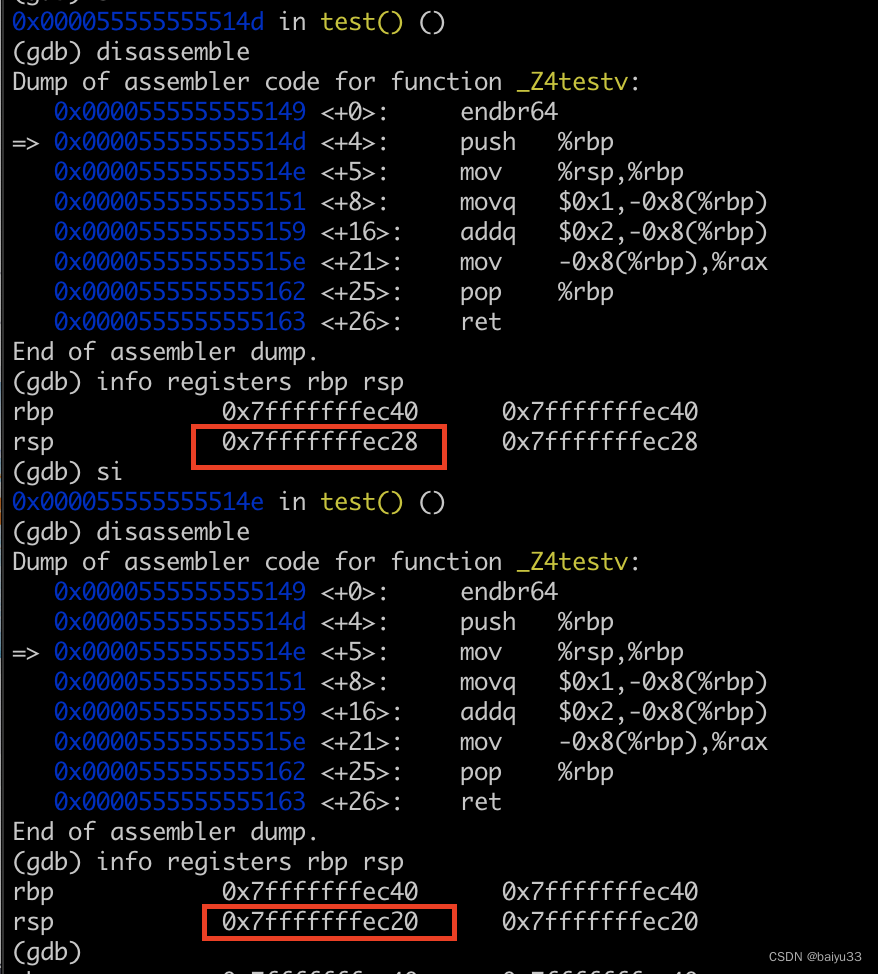
CPU眼里的C/C++: 1.3 汇编级单步调试函数执行过程
1. 目的 2. 基于 GDB 的汇编级单步调试 原始代码 #include <stdio.h>long test() {long a 1;a 2;return a; }int main() {int ret test();printf("test return %d\n", ret);return 0; }关键 gdb 命令 si 指令执行汇编级的单步调试info registers 读取寄…...
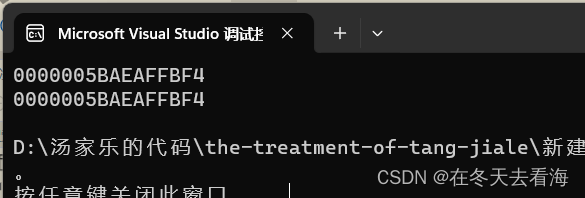
数据结构时间复杂度(补充)和空间复杂度
Hello,今天事10月27日,距离刚开始写博客已经过去挺久了,我也不知道是什么让我坚持这么久,但是学校的课真的很多,很少有时间多出来再学习,有些科目马上要考试了,我还不知道我呢不能过哈哈哈&…...
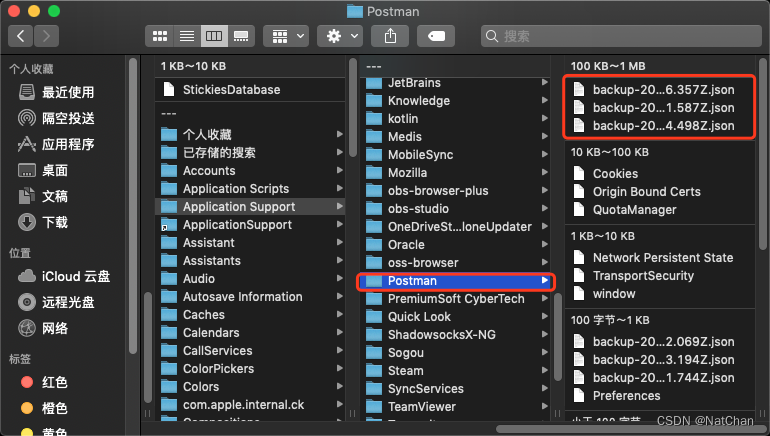
Mac-postman存储文件目录
今天postman弹窗要求登录账号才可访问之前的API文档数据。 但是这postman的账号又是前同事的账号,我没有他的账号和密码啊。 登录了我自己的postman账号后,所有的api文档都不见了....我服了。 首先去屏幕左上角---> 前往 --->个人 然后键盘按显…...
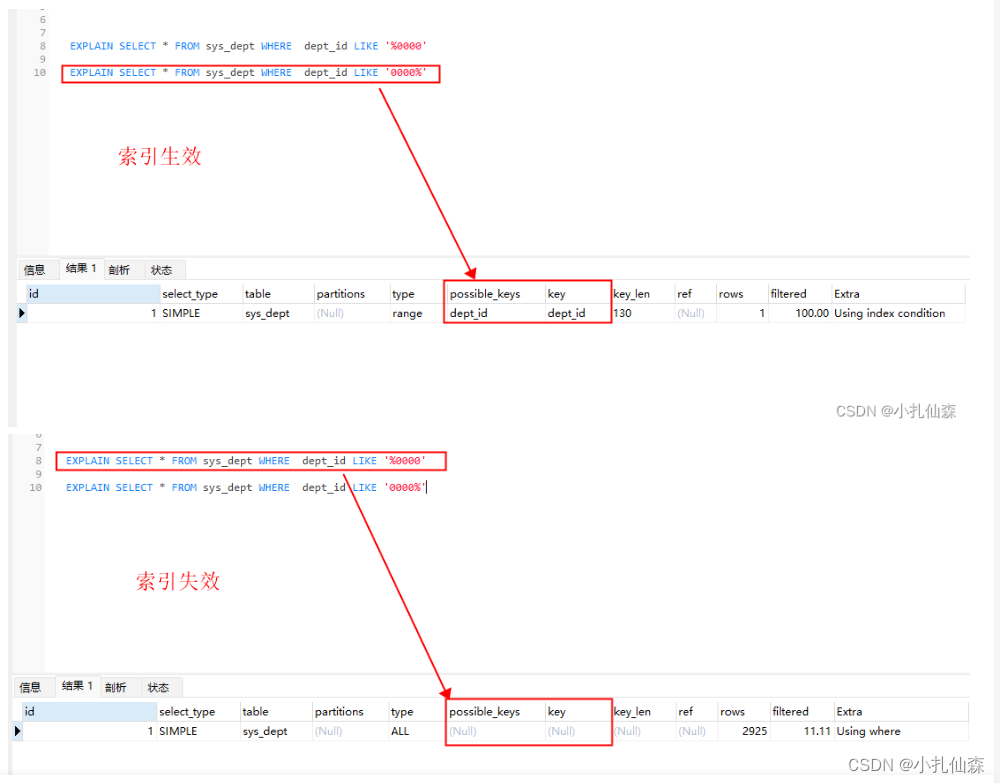
JAVA面试题简单整理
提示:文章写完后,目录可以自动生成,如何生成可参考右边的帮助文档 文章目录 前言一、重载和重写的区别一、&和&&的区别一、get和post请求的区别 delete、put一、cookie和session的区别一、Autowired和Resource区别一、”和equals…...

dd命令用法学习,是一个功能强大的工具
dd 命令是一个功能强大的工具,它有许多参数可以用来控制其行为。以下是 dd 命令中常用的一些参数: - ifinputfile:指定输入文件的路径。 - ofoutputfile:指定输出文件的路径。 - bssize:设置每个块的大小。可以使用不同…...
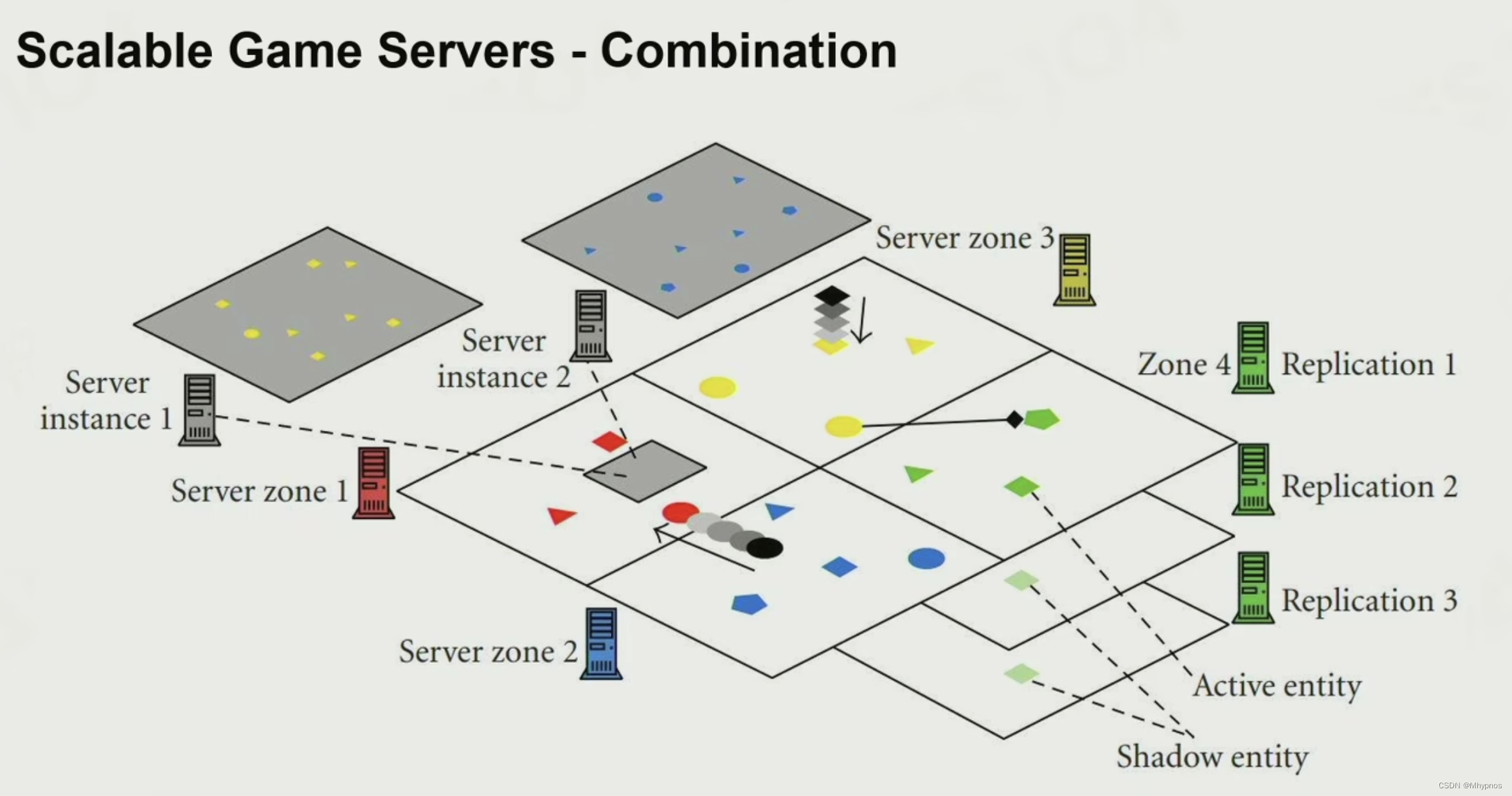
Games104现代游戏引擎笔记 网络游戏进阶架构
Character Movement Replication 角色位移同步 玩家2的视角看玩家1的移动是起伏一截一截,并且滞后的 interpolation:内插值,在两个旧的但已知的状态计算 extrapolation:外插值,本质是预测 内插值:但网络随着…...
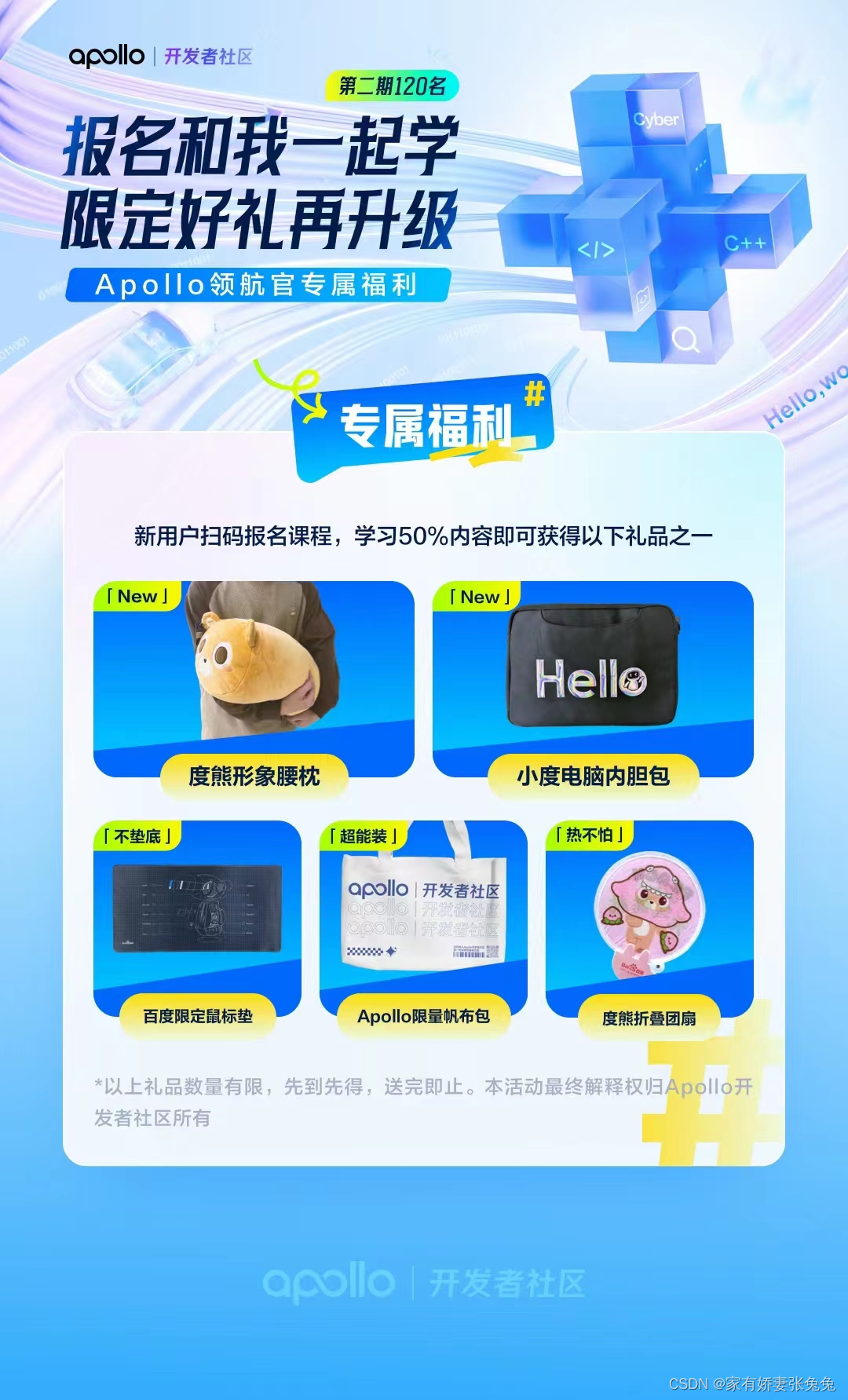
Apollo 快速上手指南:打造自动驾驶解决方案
快速上手 概述云端体验登录云端仿真环境 打开DreamView播放离线数据包PNC Monitor 内置的数据监视器cyber_monitor 实时通道信息视图福利活动 主页传送门:📀 传送 概述 Apollo 开放平台是一个开放的、完整的、安全的平台,将帮助汽车行业及自…...
笔记——预处理器)
C现代方法(第14章)笔记——预处理器
文章目录 第14章 预处理器14.1 预处理器的工作原理14.2 预处理指令14.3 宏定义14.3.1 简单的宏14.3.2 带参数的宏14.3.3 #运算符14.3.4 ##运算符14.3.5 宏的通用属性14.3.6 宏定义中的圆括号14.3.7 创建较长的宏14.3.8 预定义宏14.3.9 C99中新增的预定义宏14.3.10 空的宏参数(C…...

Kafka KRaft模式探索
1.概述 Kafka是一种高吞吐量的分布式发布订阅消息系统,它可以处理消费者在网站中的所有动作流数据。其核心组件包含Producer、Broker、Consumer,以及依赖的Zookeeper集群。其中Zookeeper集群是Kafka用来负责集群元数据的管理、控制器的选举等。 2.内容…...
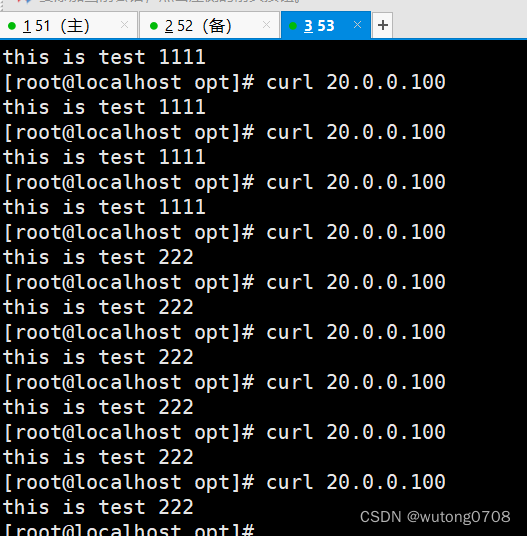
LVS-keepalived实现高可用
概念: 本章核心: Keepalived为LVS应运而生的高可用服务。LVS的调度无法做高可用,预算keepalived这个软件,实现了调度器的高可用。 但是:Keeplived不是专门为LVS集群服务的,也可以做其他服务器的高可用 LVS…...

Linux内核驱动开发的需要掌握的知识点
Linux内核驱动开发是一项复杂而有挑战性的任务,需要掌握多方面的知识和技能。下面是一些需要掌握的关键知识点,这些知识将有助于你成功地开发Linux内核驱动程序。 1. Linux内核基础知识 首先,了解Linux内核的基础知识至关重要。这包括Linux…...
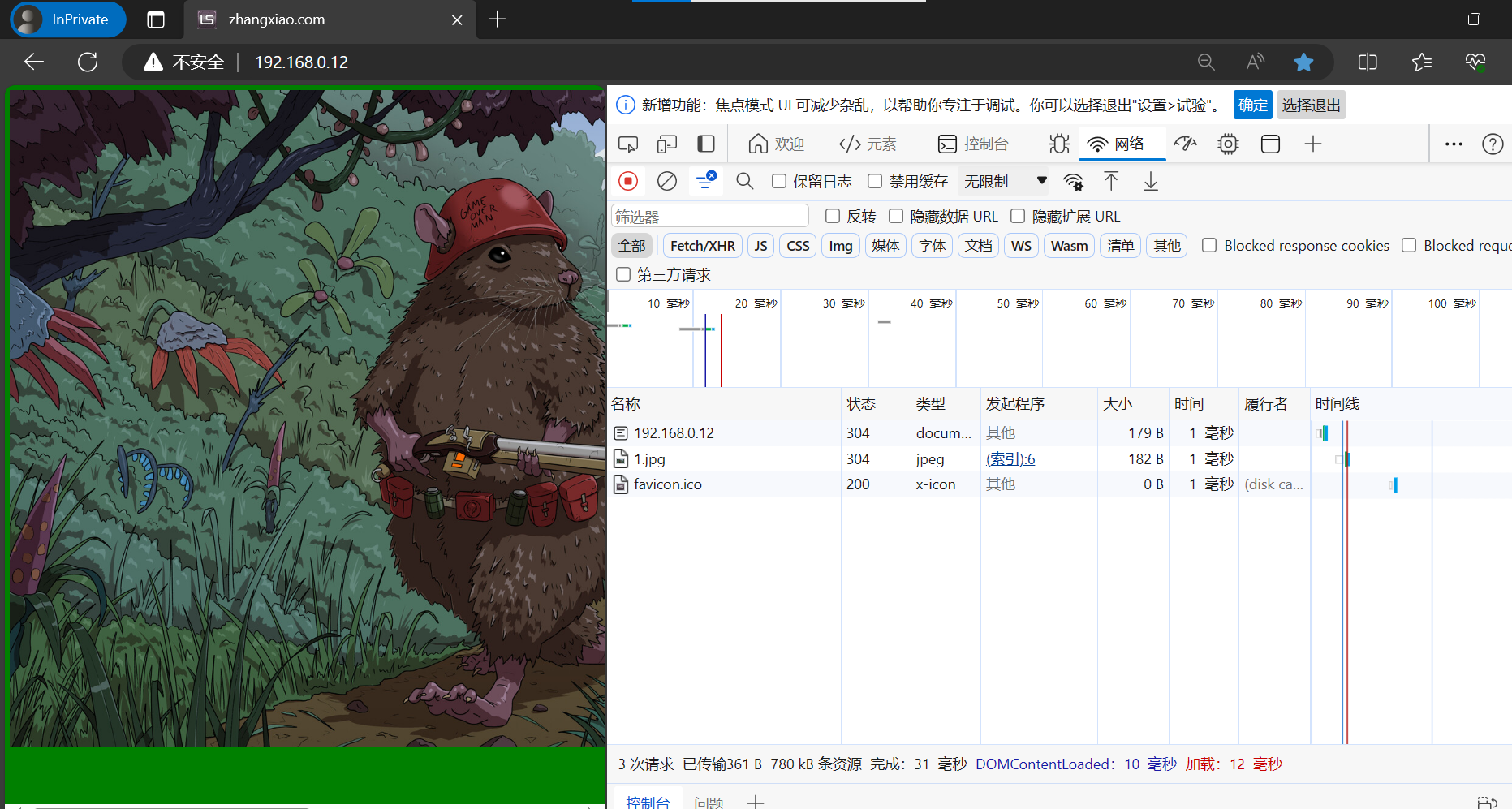
nginx 动静分离 防盗链
一、动静分离环境准备静态资源配置(10.36.192.169)安装nginx修改配置文件重启nginx 动态资源配置(192.168.20.135)yum安装php修改nginx配置文件重启nginx nginx代理机配置(192.168.20.134)修改nginx子自配置文件重启nginx 客户端访问 二、防盗链nginx防止…...
)
MYSQL(索引篇)
一、什么是索引 索引是一种数据结构,它用来帮助MYSQL更高效的获取数据 采用索引可以提高数据检索的效率,降低IO成本 通过索引对数据排序,降低数据排序成本,降低CPU消耗 常见的有:B树索引、B树索引、哈希索引。其中Inno…...

QMC音频解密终极指南:如何快速无损转换QQ音乐加密文件
QMC音频解密终极指南:如何快速无损转换QQ音乐加密文件 【免费下载链接】qmc-decoder Fastest & best convert qmc 2 mp3 | flac tools 项目地址: https://gitcode.com/gh_mirrors/qm/qmc-decoder 你是否曾经下载了QQ音乐平台的歌曲,却发现只能…...

机器学习加速电子-声子耦合计算:对称性描述符与蒙特卡洛采样实践
1. 项目概述:当机器学习遇见电子-声子耦合在计算材料科学领域,有一个长期存在的“效率瓶颈”:如何精确且高效地计算材料性质随温度的变化。比如,为什么半导体的带隙会随着温度升高而变窄?这背后是电子与晶格振动&#…...

2026年腾讯云OpenClaw/Hermes Agent配置Token Plan部署保姆级
2026年腾讯云OpenClaw/Hermes Agent配置Token Plan部署保姆级。OpenClaw是开源的个人AI助手,Hermes Agent则是一个能自我进化的AI智能体框架。阿里云提供计算巢、轻量服务器及无影云电脑三种部署OpenClaw 与 Hermes Agent的方案、百炼Token Plan兼容主流 AI 工具&am…...

BabelDOC:终极智能PDF翻译工具,完美保留格式布局的完整指南
BabelDOC:终极智能PDF翻译工具,完美保留格式布局的完整指南 【免费下载链接】BabelDOC Yet Another Document Translator 项目地址: https://gitcode.com/GitHub_Trending/ba/BabelDOC 你是否曾因学术论文翻译而烦恼?复杂的数学公式、…...

WeChatExporter:告别数据焦虑,轻松备份你的微信聊天记忆
WeChatExporter:告别数据焦虑,轻松备份你的微信聊天记忆 【免费下载链接】WeChatExporter 一个可以快速导出、查看你的微信聊天记录的工具 项目地址: https://gitcode.com/gh_mirrors/wec/WeChatExporter 在数字时代,微信聊天记录承载…...

Wand-Enhancer:如何通过本地客户端增强技术提升Wand应用体验
Wand-Enhancer:如何通过本地客户端增强技术提升Wand应用体验 【免费下载链接】Wand-Enhancer Advanced UX and interoperability extension for Wand (WeMod) app 项目地址: https://gitcode.com/gh_mirrors/we/Wand-Enhancer Wand-Enhancer是一款针对Wand&a…...

Windows远程桌面免费解锁指南:家庭版也能享受多用户并发连接
Windows远程桌面免费解锁指南:家庭版也能享受多用户并发连接 【免费下载链接】rdpwrap RDP Wrapper Library 项目地址: https://gitcode.com/gh_mirrors/rd/rdpwrap 你是否曾经因为Windows家庭版无法使用远程桌面而烦恼?或者需要多人同时访问同一…...

不是学框架,是看穿它
不是学框架,是看穿它:20 年政务开发里长出来的一种认知 写给那个拿到新框架先翻源码再写代码的自己。 文章目录不是学框架,是看穿它:20 年政务开发里长出来的一种认知从一个习惯说起一、看穿本质:框架在替你做什么例子…...

SpringBoot+Vue学校课程管理系统源码+论文
代码可以查看文章末尾⬇️联系方式获取,记得注明来意哦~🌹 分享万套开题报告任务书答辩PPT模板 作者完整代码目录供你选择: 《SpringBoot网站项目》1800套 《SSM网站项目》1500套 《小程序项目》1600套 《APP项目》1500套 《Python网站项目》…...

CoQMoE:面向FPGA的MoE-ViT量化与硬件协同设计实践
1. 项目概述:当视觉Transformer遇上FPGA,为何需要“协同设计”?最近几年,视觉Transformer(ViT)在图像识别、目标检测等任务上展现出了不输甚至超越传统卷积神经网络(CNN)的性能。但随…...