
iOS使用AVCaptureSession实现音视频采集
AVCaptureSession配置采集行为并协调从输入设备到采集输出的数据流。要执行实时音视频采集,需要实例化采集会话并添加适当的输入和输出。
- AVCaptureSession:管理输入输出音视频流
- AVCaptureDevice:相机硬件的接口,用于控制硬件特性,诸如镜头的位置(前后摄像头)、曝光、闪光灯等。
- AVCaptureInput:配置输入设备,提供来自设备的数据
- AVCaptureOutput:管理输出的音视频数据流
- AVCaptureConnection:输入与输出的连接
- AVCaptureVideoPreviewLayer:显示当前相机正在采集的状况
- AVAssetWriter:将媒体数据写入到容器文件
初始化AVCaptureSession
- (AVCaptureSession *)captureSession {if (_captureSession == nil){_captureSession = [[AVCaptureSession alloc] init];if ([_captureSession canSetSessionPreset:AVCaptureSessionPresetHigh]) {_captureSession.sessionPreset = AVCaptureSessionPreset1280x720;}}return _captureSession;
}- (dispatch_queue_t)videoQueue {if (!_videoQueue) {_videoQueue = dispatch_queue_create("VideoCapture", DISPATCH_QUEUE_SERIAL);}return _videoQueue;
}
添加视频输入
- (AVCaptureDevice *)getCameraDeviceWithPosition:(AVCaptureDevicePosition )position {AVCaptureDeviceDiscoverySession *deviceDiscoverySession =  [AVCaptureDeviceDiscoverySession discoverySessionWithDeviceTypes:@[AVCaptureDeviceTypeBuiltInWideAngleCamera] mediaType:AVMediaTypeVideo position:position];for (AVCaptureDevice *device in deviceDiscoverySession.devices) {if ([device position] == position) {return device;}}return nil;
}- (void)setupVideoInput {AVCaptureDevice *captureDevice = [self getCameraDeviceWithPosition:AVCaptureDevicePositionBack];if (!captureDevice){NSLog(@"captureDevice failed");return;}NSError *error = nil;self.videoInput = [[AVCaptureDeviceInput alloc] initWithDevice:captureDevice error:&error];if (error) {NSLog(@"videoInput error:%@", error);return;}if ([self.captureSession canAddInput:self.videoInput]) {[self.captureSession addInput:self.videoInput];}
}
添加音频输入
- (void)setupAudioInput {AVCaptureDevice *captureDevice = [AVCaptureDevice defaultDeviceWithMediaType:AVMediaTypeAudio];NSError *error = nil;self.audioInput = [[AVCaptureDeviceInput alloc] initWithDevice:captureDevice error:&error];if (error) {NSLog(@"audioInput error:%@", error);return;}if ([self.captureSession canAddInput:self.audioInput]) {[self.captureSession addInput:self.audioInput];}
}
添加视频输出
- (void)setupVideoOutput {self.videoOutput = [[AVCaptureVideoDataOutput alloc] init];self.videoOutput.alwaysDiscardsLateVideoFrames = YES;[self.videoOutput setSampleBufferDelegate:self queue:self.videoQueue];if ([self.captureSession canAddOutput:self.videoOutput]) {[self.captureSession addOutput:self.videoOutput];}
}
添加音频输出
- (void)setupAudioOutput {self.audioOutput = [[AVCaptureAudioDataOutput alloc] init];[self.audioOutput setSampleBufferDelegate:self queue:self.videoQueue];if ([self.captureSession canAddOutput:self.audioOutput]) {[self.captureSession addOutput:self.audioOutput];}
}
设置视频预览
- (void)setupCaptureVideoPreviewLayer:(UIView *)previewView {_captureVideoPreviewLayer = [[AVCaptureVideoPreviewLayer alloc] initWithSession:self.captureSession];CALayer *layer = previewView.layer;_captureVideoPreviewLayer.frame = previewView.bounds;_captureVideoPreviewLayer.videoGravity = AVLayerVideoGravityResizeAspect;_captureVideoPreviewLayer.videoGravity = AVLayerVideoGravityResizeAspectFill;_captureVideoPreviewLayer.connection.videoOrientation = AVCaptureVideoOrientationLandscapeRight;[layer insertSublayer:_captureVideoPreviewLayer atIndex:0];
}
开始和结束采集会话
- (void)startSession {if (![self.captureSession isRunning]) {[self.captureSession startRunning];}
}- (void)stopSession{if ([self.captureSession isRunning]) {[self.captureSession stopRunning];}
}
初始化AVAssetWriter,将音视频保存到视频文件
- (void)setUpWriter {if (self.videoURL == nil) {return;}self.assetWriter = [AVAssetWriter assetWriterWithURL:self.videoURL fileType:AVFileTypeMPEG4 error:nil];NSInteger numPixels = kScreenWidth * kScreenHeight;CGFloat bitsPerPixel = 12.0;NSInteger bitsPerSecond = numPixels * bitsPerPixel;NSDictionary *compressionProperties = @{ AVVideoAverageBitRateKey : @(bitsPerSecond),AVVideoExpectedSourceFrameRateKey : @(15),AVVideoMaxKeyFrameIntervalKey : @(15),AVVideoProfileLevelKey : AVVideoProfileLevelH264BaselineAutoLevel };self.videoCompressionSettings = @{ AVVideoCodecKey : AVVideoCodecTypeH264,AVVideoWidthKey : @(width * 2),AVVideoHeightKey : @(height * 2),AVVideoScalingModeKey : AVVideoScalingModeResizeAspect,AVVideoCompressionPropertiesKey : compressionProperties };_assetWriterVideoInput = [AVAssetWriterInput assetWriterInputWithMediaType:AVMediaTypeVideo outputSettings:self.videoCompressionSettings];_assetWriterVideoInput.expectsMediaDataInRealTime = YES;self.audioCompressionSettings = @{ AVEncoderBitRatePerChannelKey : @(28000),AVFormatIDKey : @(kAudioFormatMPEG4AAC),AVNumberOfChannelsKey : @(1),AVSampleRateKey : @(22050) };_assetWriterAudioInput = [AVAssetWriterInput assetWriterInputWithMediaType:AVMediaTypeAudio outputSettings:self.audioCompressionSettings];_assetWriterAudioInput.expectsMediaDataInRealTime = YES;if ([_assetWriter canAddInput:_assetWriterVideoInput]){[_assetWriter addInput:_assetWriterVideoInput];}else{NSLog(@"AssetWriter videoInput append Failed");}if ([_assetWriter canAddInput:_assetWriterAudioInput]){[_assetWriter addInput:_assetWriterAudioInput];}else{NSLog(@"AssetWriter audioInput Append Failed");}_canWrite = NO;
}
AVCaptureVideoDataOutputSampleBufferDelegate和AVCaptureAudioDataOutputSampleBufferDelegate音视频处理
#pragma mark - AVCaptureVideoDataOutputSampleBufferDelegate|AVCaptureAudioDataOutputSampleBufferDelegate
- (void)captureOutput:(AVCaptureOutput *)captureOutput didOutputSampleBuffer:(CMSampleBufferRef)sampleBuffer fromConnection:(AVCaptureConnection *)connection {@autoreleasepool{if (connection == [self.videoOutput connectionWithMediaType:AVMediaTypeVideo]) {@synchronized(self){[self appendSampleBuffer:sampleBuffer ofMediaType:AVMediaTypeVideo];}}if (connection == [self.audioOutput connectionWithMediaType:AVMediaTypeAudio]) {@synchronized(self) {[self appendSampleBuffer:sampleBuffer ofMediaType:AVMediaTypeAudio];}}}
}- (void)appendSampleBuffer:(CMSampleBufferRef)sampleBuffer ofMediaType:(NSString *)mediaType {if (sampleBuffer == NULL){NSLog(@"empty sampleBuffer");return;}@autoreleasepool{if (!self.canWrite && mediaType == AVMediaTypeVideo){[self.assetWriter startWriting];[self.assetWriter startSessionAtSourceTime:CMSampleBufferGetPresentationTimeStamp(sampleBuffer)];self.canWrite = YES;}if (mediaType == AVMediaTypeVideo){if (self.assetWriterVideoInput.readyForMoreMediaData){BOOL success = [self.assetWriterVideoInput appendSampleBuffer:sampleBuffer];if (!success){NSLog(@"assetWriterVideoInput appendSampleBuffer fail");@synchronized (self){[self stopVideoRecorder];}}}}if (mediaType == AVMediaTypeAudio){if (self.assetWriterAudioInput.readyForMoreMediaData){BOOL success = [self.assetWriterAudioInput appendSampleBuffer:sampleBuffer];if (!success){NSLog(@"assetWriterAudioInput appendSampleBuffer fail");@synchronized (self){[self stopVideoRecorder];}}}}}
}
停止视频录制
- (void)stopVideoRecorder {__weak __typeof(self)weakSelf = self;if(_assetWriter && _assetWriter.status == AVAssetWriterStatusWriting) {[_assetWriter finishWritingWithCompletionHandler:^{weakSelf.canWrite = NO;weakSelf.assetWriter = nil;weakSelf.assetWriterAudioInput = nil;weakSelf.assetWriterVideoInput = nil;}];}
}
相关文章:

iOS使用AVCaptureSession实现音视频采集
AVCaptureSession配置采集行为并协调从输入设备到采集输出的数据流。要执行实时音视频采集,需要实例化采集会话并添加适当的输入和输出。 AVCaptureSession:管理输入输出音视频流AVCaptureDevice:相机硬件的接口,用于控制硬件特性…...

springboot和flask整合nacos,使用openfeign实现服务调用,使用gateway实现网关的搭建(附带jwt续约的实现)
环境准备: 插件版本jdk21springboot 3.0.11 springcloud 2022.0.4 springcloudalibaba 2022.0.0.0 nacos2.2.3(稳定版)python3.8 nacos部署(docker) 先创建目录,分别创建config,logs…...
深入浅出排序算法之基数排序
目录 1. 前言 1.1 什么是基数排序⭐⭐⭐ 1.2 执行流程⭐⭐⭐⭐⭐ 2. 代码实现⭐⭐⭐ 3. 性能分析⭐⭐ 3.1 时间复杂度 3.2 空间复杂度 1. 前言 一个算法,只有理解算法的思路才是真正地认识该算法,不能单纯记住某个算法的实现代码! 1.…...
CSS选择器、CSS属性相关
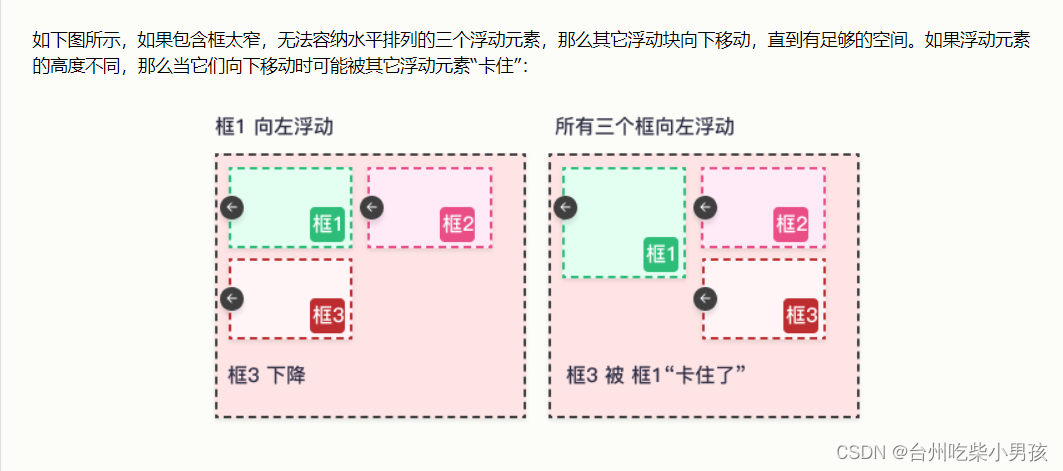
CSS选择器 CSS属性选择器 通过标签的属性来查找标签,标签都有属性 <div class"c1" id"d1"></div>id值和class值是每个标签都自带的属性,还有另外一种:自定义属性 <div class"c1" id"d1&…...
设计模式(21)中介者模式
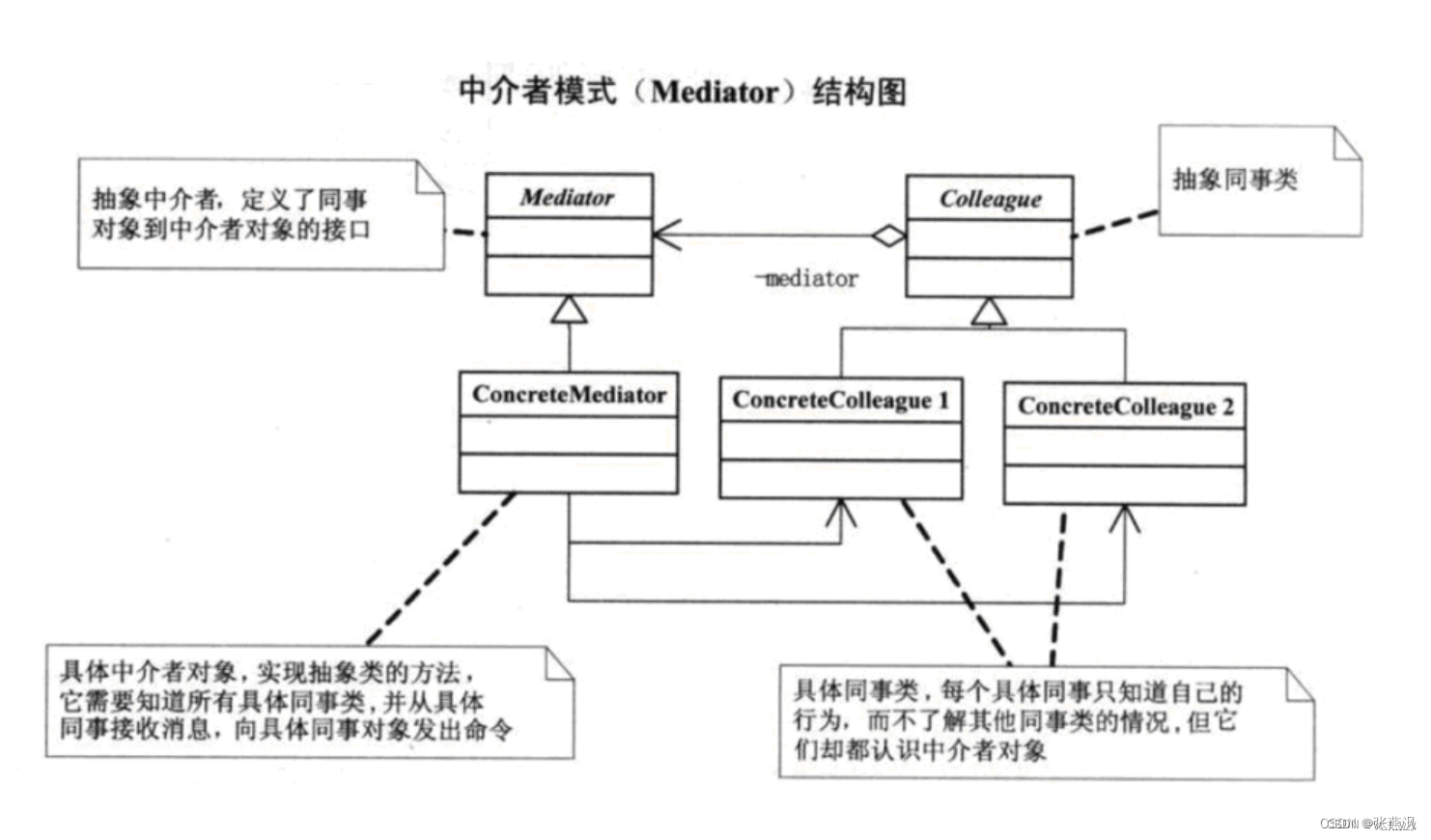
一、介绍: 1、定义:中介者模式(Mediator Pattern)是一种行为型设计模式,它通过引入一个中介者对象来降低多个对象之间的耦合度。在中介者模式中,各个对象之间不直接进行通信,而是通过中介者对象…...
JVM虚拟机:通过一个例子解释JVM中栈结构的使用
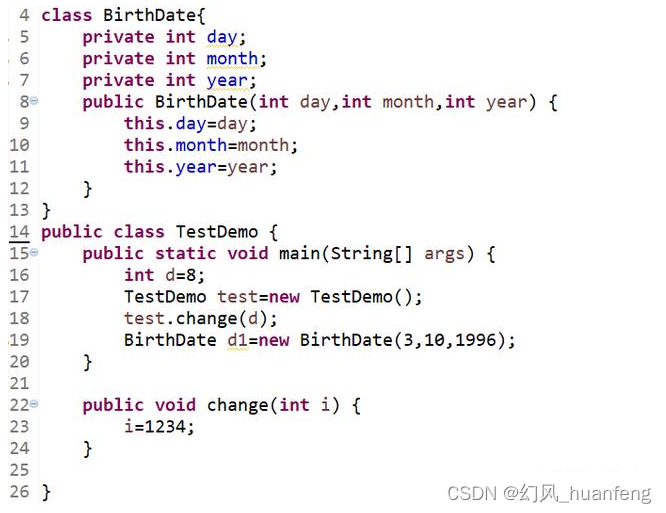
代码 代码解析 main方法执行,创建栈帧并压栈。 int d8,d为局部变量,是基础类型,它位于虚拟机栈的局部变量表中 然后创建了一个TestDemo的对象,这个对象在堆中,并且这个对象的成员变量(day&am…...
会自动写代码的AI大模型来了!阿里云推出智能编码助手通义灵码
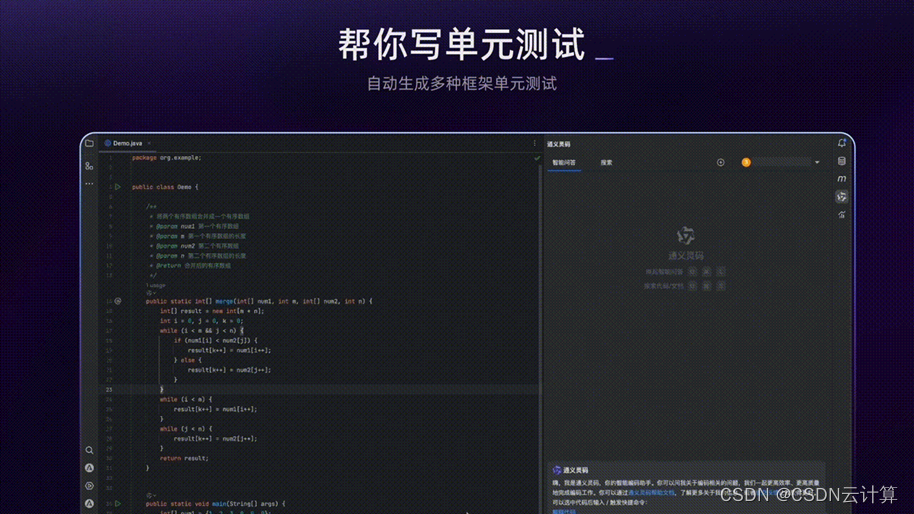
用大模型写代码是什么样的体验?10月31日,杭州云栖大会上,阿里云对外展示了一款可自动编写代码的 AI 助手,在编码软件的对话窗口输入“帮我用 python 写一个飞机游戏”,短短几秒,这款名为“通义灵码”的 AI …...

如何公网远程访问本地WebSocket服务端
本地websocket服务端暴露至公网访问【cpolar内网穿透】 文章目录 本地websocket服务端暴露至公网访问【cpolar内网穿透】1. Java 服务端demo环境2. 在pom文件引入第三包封装的netty框架maven坐标3. 创建服务端,以接口模式调用,方便外部调用4. 启动服务,出现以下信息表示启动成功…...

python 练习 在列表元素中合适的位置插入 输入值
目的: 有一列从小到大排好的数字元素列表, 现在想往其插入一个值,要求: 大于右边数字小于左边数字 列表元素: [1,4,6,13,16,19,28,40,100] # 方法: 往列表中添加一个数值,其目的方便元素位置往后…...
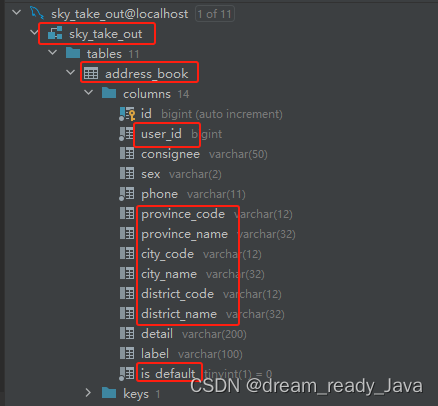
企业级JAVA、数据库等编程规范之命名风格 —— 超详细准确无误
🧸欢迎来到dream_ready的博客,📜相信你对这两篇博客也感兴趣o (ˉ▽ˉ;) 📜 表白墙/留言墙 —— 初级SpringBoot项目,练手项目前后端开发(带完整源码) 全方位全步骤手把手教学 📜 用户登录前后端…...
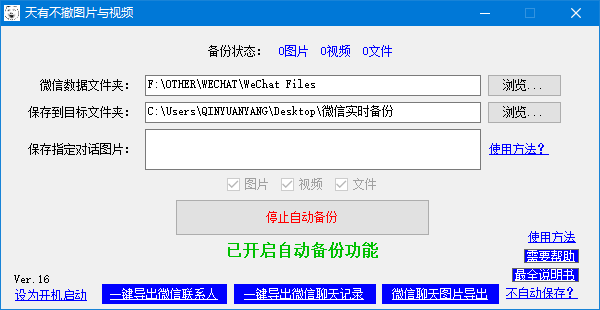
有什么可以自动保存微信收到的图片和视频的方法么
8-1 在一些有外勤工作的公司里,经常会需要在外面工作的同事把工作情况的图片发到指定微信或者指定的微信群里,以记录工作进展等,或者打卡等,对于外勤人员来说,也就发个图片的事,但是对于在公司里收图片的人…...
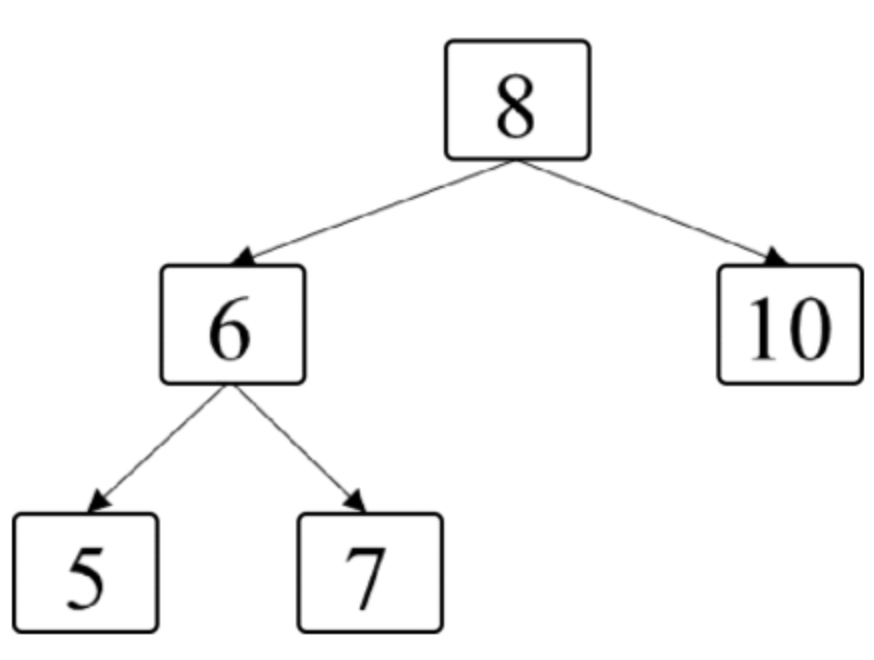
面试算法46:二叉树的右侧视图
题目 给定一棵二叉树,如果站在该二叉树的右侧,那么从上到下看到的节点构成二叉树的右侧视图。例如,图7.6中二叉树的右侧视图包含节点8、节点10和节点7。请写一个函数返回二叉树的右侧视图节点的值。 分析 既然这个题目和二叉树的层相关&a…...

R语言使用surveyCV包对NHANES数据(复杂调查加权数据)进行10折交叉验证
美国国家健康与营养调查( NHANES, National Health and Nutrition Examination Survey)是一项基于人群的横断面调查,旨在收集有关美国家庭人口健康和营养的信息。 地址为:https://wwwn.cdc.gov/nchs/nhanes/Default.aspx 既往咱们…...
WOS与CNKI数据库的citespace分析教程及常见问题解决
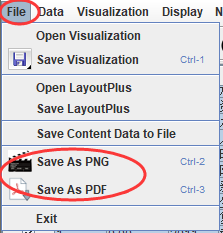
本教程为面向新手的基于citespace的数据可视化教程,旨在帮助大家更快了解行业前沿的研究内容。 获取最新版本的citespace软件 在citespace官网下载最新的版本(如果是老版本,可能会提示让你去官网更新为最新版,老版本不再提供服务…...
NEFU数字图像处理(三)图像分割
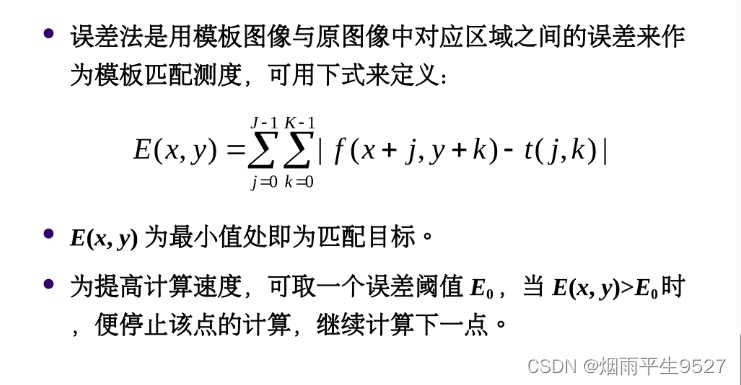
一、图像分割的基本概念 1.1专有名词 前景和背景 在图像分割中,我们通常需要将图像分为前景和背景两个部分。前景是指图像中我们感兴趣、要分割出来的部分,背景是指和前景不相关的部分。例如,对于一张人物照片,人物就是前景&…...
UEditorPlus v3.6.0 图标补全,精简代码,快捷操作重构,问题修复
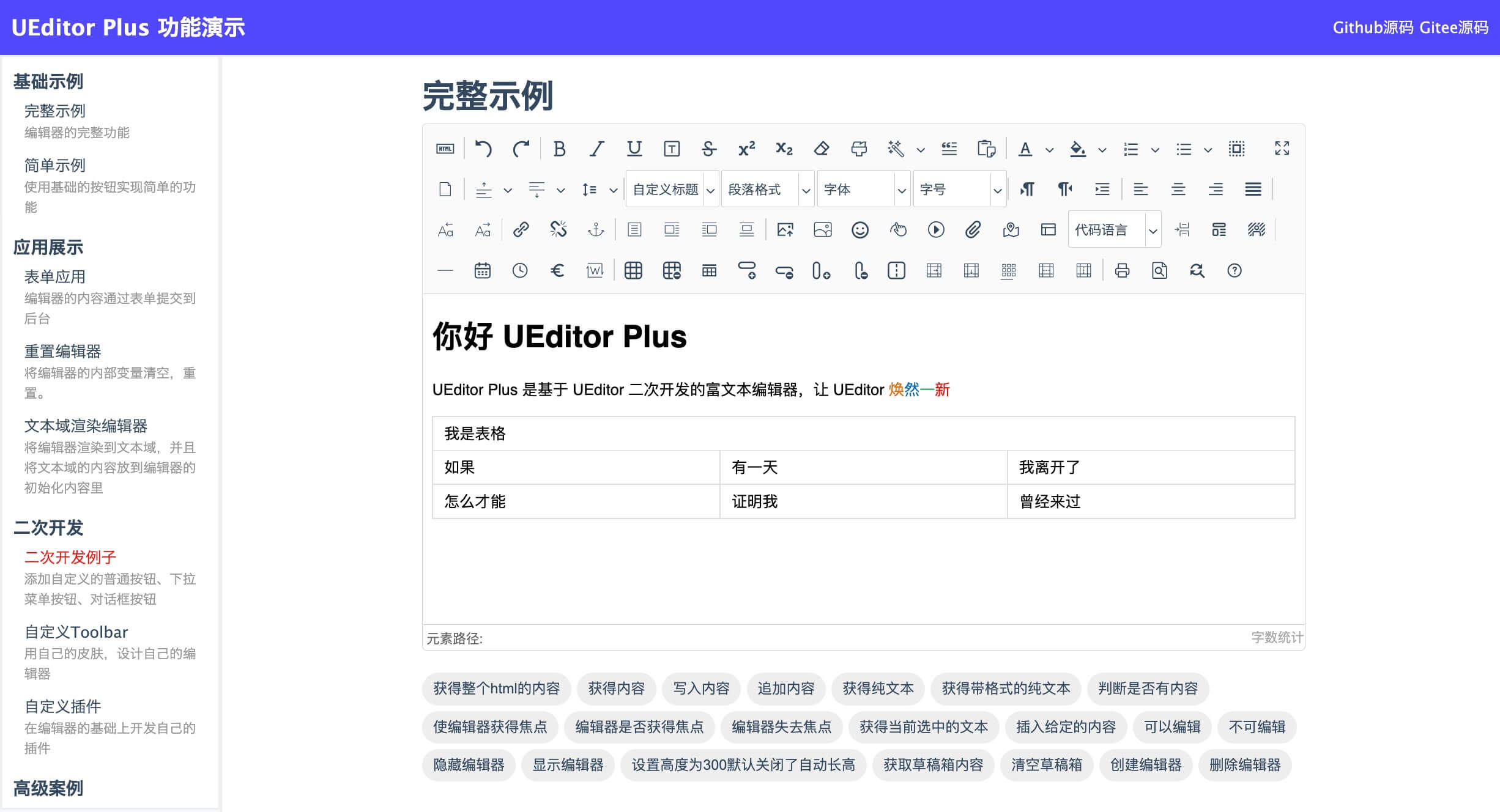
UEditor是由百度开发的所见即所得的开源富文本编辑器,基于MIT开源协议,该富文本编辑器帮助不少网站开发者解决富文本编辑器的难点。 UEditorPlus 是有 ModStart 团队基于 UEditor 二次开发的富文本编辑器,主要做了样式的定制,更符…...

C++ Set
定义 set不同于vector,strin,list这种存储容器,set是一种关联式容器,底层是搜二叉; 功能 set可以确定唯一的值,可以排序去重。 接口 insert() #include <iostream> #include<set> using namespace std;int main…...
基于知识库的chatbot或者FAQ
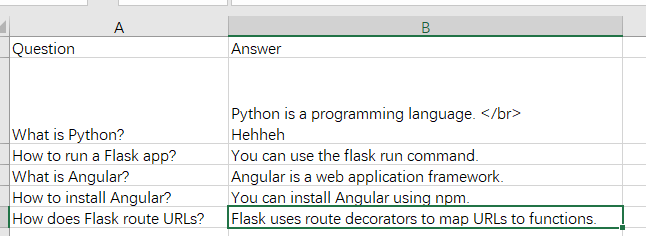
背景 最近突然想做一个基于自己的知识库(knowlegebase)的chatbot或者FAQ的项目。未来如果可以在公司用chatgpt或者gpt3.5之后的模型的话,还可以利用gpt强大的语言理解力和搜索出来的用户问题的相关业务文档来回答用户在业务中的问题。 Chat…...
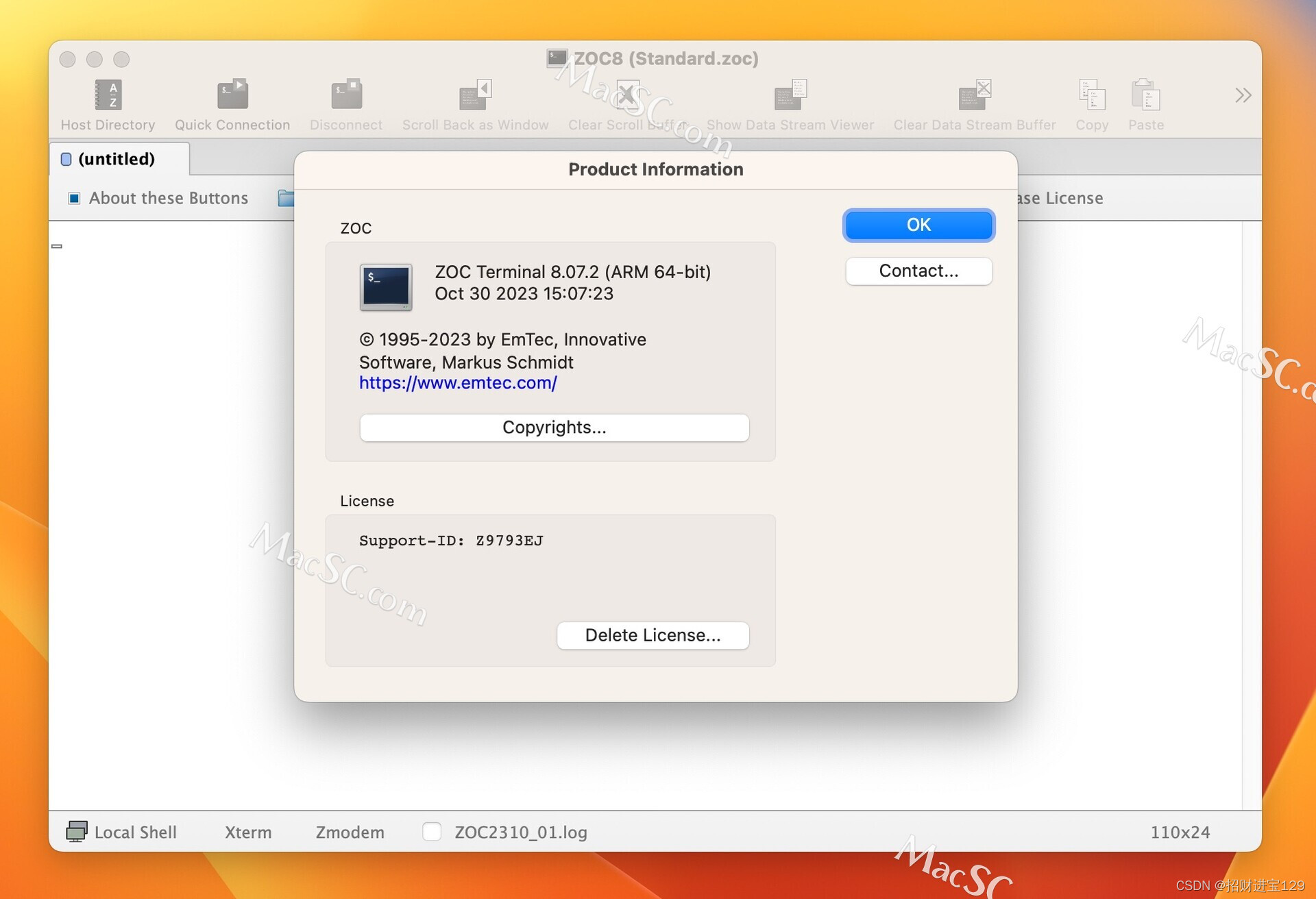
ZOC8 for Mac:超越期待的终端仿真器
在Mac上,一个优秀的终端仿真器是每位开发者和系统管理员的必备工具。ZOC8,作为一款广受好评的终端仿真器,以其强大的功能和易用性,已经在Mac用户中积累了良好的口碑。本文将为您详细介绍ZOC8的各项特性,以及为什么它会…...

第08章 FastAPI 与 SSE 流式 RAG 后端
第08章 FastAPI 与 SSE 流式 RAG 后端 到目前为止,知识库、检索工具、MCP 客户端都已经就绪,但仍缺少一个面向最终用户的入口。本章用 FastAPI 把整条 RAG 链路串起来:接收前端发来的自然语言问题,调用 MCP 工具检索相关工单&…...

穿越机老鸟踩坑实录:MPU6000传感器在F4飞控上的IMU方向“玄学”配置
穿越机IMU方向配置实战:从MPU6000异常自旋到飞控底层校准 当你的穿越机在通电瞬间像被无形大手狠狠抽了一记耳光般疯狂自旋,而Betaflight地面站里陀螺仪数据却显示"一切正常"时,这往往意味着你正遭遇IMU方向配置的"量子纠缠态…...

5分钟免费制作专业AI翻唱:AICoverGen完整指南
5分钟免费制作专业AI翻唱:AICoverGen完整指南 【免费下载链接】AICoverGen A WebUI to create song covers with any RVC v2 trained AI voice from YouTube videos or audio files. 项目地址: https://gitcode.com/gh_mirrors/ai/AICoverGen 想让AI帮你翻唱…...

Go语言开源漏洞扫描器Abyss-Scanner:架构解析与CI/CD集成实践
1. 项目概述:一个为安全而生的开源漏洞扫描器最近在整理自己的开源项目工具箱,发现一个挺有意思的工具,叫 Abyss-Scanner。这名字起得挺有深意,“深渊扫描器”,听起来就有点探索未知、发现潜在风险的味道。简单来说&am…...

Wand-Enhancer:免费解锁WeMod专业版功能的终极本地增强工具
Wand-Enhancer:免费解锁WeMod专业版功能的终极本地增强工具 【免费下载链接】Wand-Enhancer Advanced UX and interoperability extension for Wand (WeMod) app 项目地址: https://gitcode.com/gh_mirrors/we/Wand-Enhancer 还在为WeMod专业版的高昂订阅费用…...

告别ET1100?聊聊AX58100这颗高性价比EtherCAT从站芯片的升级体验
告别ET1100?AX58100高性价比EtherCAT从站芯片的工业升级实战 当工业设备制造商面临从传统控制架构向实时以太网迁移时,EtherCAT从站芯片的选型往往成为关键转折点。十年前,ET1100凭借其稳定的性能和相对友好的开发门槛,成为许多工…...

Arm Cortex-X2/X3架构解析与性能优化实践
1. Arm Cortex-X2/X3集群架构概述在Armv9架构的高性能计算领域,Cortex-X2和X3代表了当前最先进的CPU设计理念。作为DynamIQ共享单元(DSU)的核心组件,它们通过可配置的缓存层次结构和智能一致性协议,为现代异构计算提供了灵活的解决方案。1.1 …...
.name()到可读类型名)
C++运行时类型识别实战:从typeid().name()到可读类型名
1. 为什么我们需要关心运行时类型识别? 在C开发中,我们经常会遇到需要知道某个变量或表达式具体类型的情况。特别是在调试复杂代码、编写泛型程序或进行元编程时,能够准确获取类型信息就显得尤为重要。想象一下,当你看到一个日志输…...

Apache Burr框架:构建可观测有状态数据应用的核心原理与实践
1. 项目概述:一个用于构建和评估数据产品的Python框架如果你正在处理数据密集型应用,比如推荐系统、个性化广告或者任何需要根据用户行为实时调整策略的场景,你肯定遇到过这样的困境:模型训练和离线评估做得再好,一旦上…...

大气层系统深度解析:构建Switch的六层数字防护体系
大气层系统深度解析:构建Switch的六层数字防护体系 【免费下载链接】Atmosphere-stable 大气层整合包系统稳定版 项目地址: https://gitcode.com/gh_mirrors/at/Atmosphere-stable 在Nintendo Switch的定制固件生态中,Atmosphere(大气…...