
深度学习pytorch之hub模块
pytorchhub模块里面有很多模型
https://pytorch.org/hub/
github网址:https://github.com/pytorch/pytorch
import torch
model = torch.hub.load('pytorch/vision:v0.10.0', 'fcn_resnet50', pretrained=True)
# or
# model = torch.hub.load('pytorch/vision:v0.10.0', 'fcn_resnet101', pretrained=True)
model.eval()
All pre-trained models expect input images normalized in the same way, i.e. mini-batches of 3-channel RGB images of shape (N, 3, H, W), where N is the number of images, H and W are expected to be at least 224 pixels. The images have to be loaded in to a range of [0, 1] and then normalized using mean = [0.485, 0.456, 0.406] and std = [0.229, 0.224, 0.225].The model returns an OrderedDict with two Tensors that are of the same height and width as the input Tensor, but with 21 classes. output['out'] contains the semantic masks, and output['aux'] contains the auxillary loss values per-pixel. In inference mode, output['aux'] is not useful. So, output['out'] is of shape (N, 21, H, W). More documentation can be found here.# Download an example image from the pytorch website
import urllib
url, filename = ("https://github.com/pytorch/hub/raw/master/images/deeplab1.png", "deeplab1.png")
try: urllib.URLopener().retrieve(url, filename)
except: urllib.request.urlretrieve(url, filename)
# sample execution (requires torchvision)
from PIL import Image
from torchvision import transforms
input_image = Image.open(filename)
input_image = input_image.convert("RGB")
preprocess = transforms.Compose([transforms.ToTensor(),transforms.Normalize(mean=[0.485, 0.456, 0.406], std=[0.229, 0.224, 0.225]),
])input_tensor = preprocess(input_image)
input_batch = input_tensor.unsqueeze(0) # create a mini-batch as expected by the model# move the input and model to GPU for speed if available
if torch.cuda.is_available():input_batch = input_batch.to('cuda')model.to('cuda')with torch.no_grad():output = model(input_batch)['out'][0]
output_predictions = output.argmax(0)
The output here is of shape (21, H, W), and at each location, there are unnormalized probabilities corresponding to the prediction of each class. To get the maximum prediction of each class, and then use it for a downstream task, you can do output_predictions = output.argmax(0).Here’s a small snippet that plots the predictions, with each color being assigned to each class (see the visualized image on the left).# create a color pallette, selecting a color for each class
palette = torch.tensor([2 ** 25 - 1, 2 ** 15 - 1, 2 ** 21 - 1])
colors = torch.as_tensor([i for i in range(21)])[:, None] * palette
colors = (colors % 255).numpy().astype("uint8")# plot the semantic segmentation predictions of 21 classes in each color
r = Image.fromarray(output_predictions.byte().cpu().numpy()).resize(input_image.size)
r.putpalette(colors)import matplotlib.pyplot as plt
plt.imshow(r)
# plt.show()
Model Description
FCN-ResNet is constructed by a Fully-Convolutional Network model, using a ResNet-50 or a ResNet-101 backbone. The pre-trained models have been trained on a subset of COCO train2017, on the 20 categories that are present in the Pasca
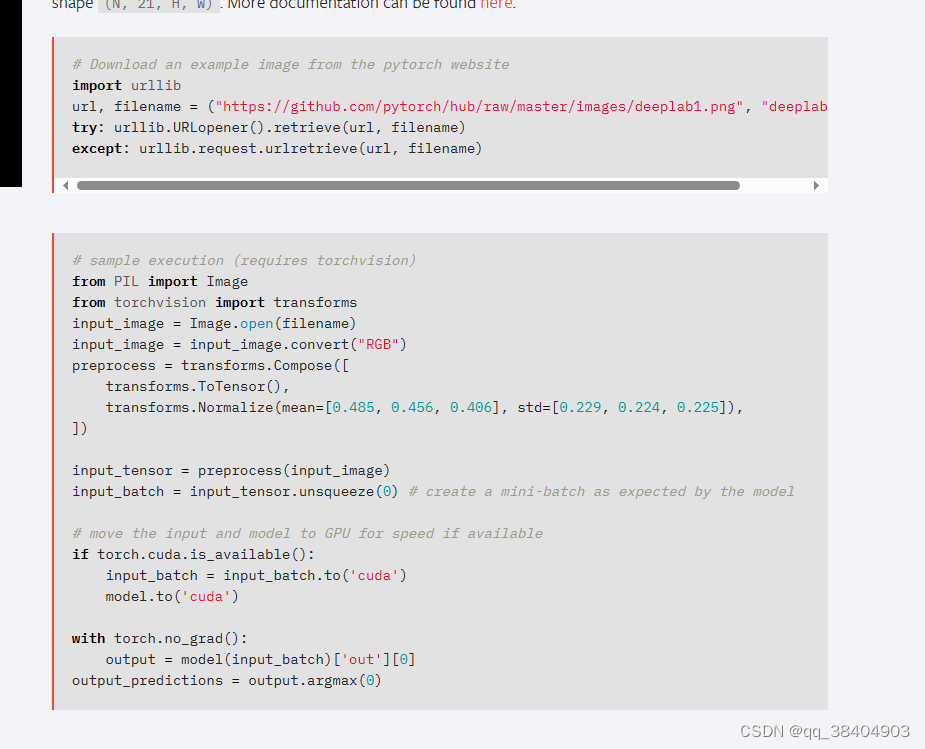
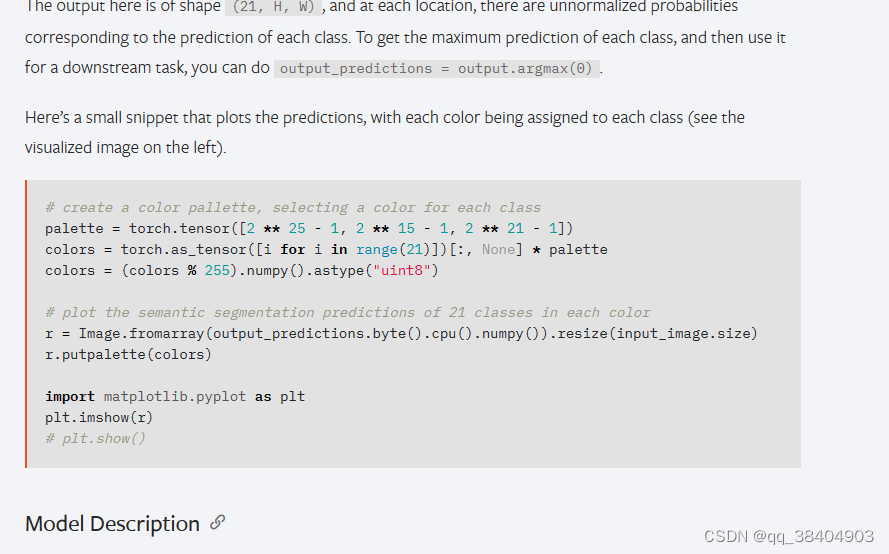
根据灰色的部分复制相应的代码
相关文章:
深度学习pytorch之hub模块
pytorchhub模块里面有很多模型 https://pytorch.org/hub/ github网址:https://github.com/pytorch/pytorch import torch model torch.hub.load(pytorch/vision:v0.10.0, fcn_resnet50, pretrainedTrue) # or # model torch.hub.load(pytorch/vision:v0.10.0, fc…...
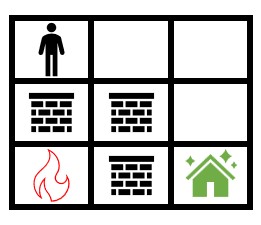
LeetCode 2258. 逃离火灾:BFS
【LetMeFly】2258.逃离火灾 力扣题目链接:https://leetcode.cn/problems/escape-the-spreading-fire/ 给你一个下标从 0 开始大小为 m x n 的二维整数数组 grid ,它表示一个网格图。每个格子为下面 3 个值之一: 0 表示草地。1 表示着火的格…...
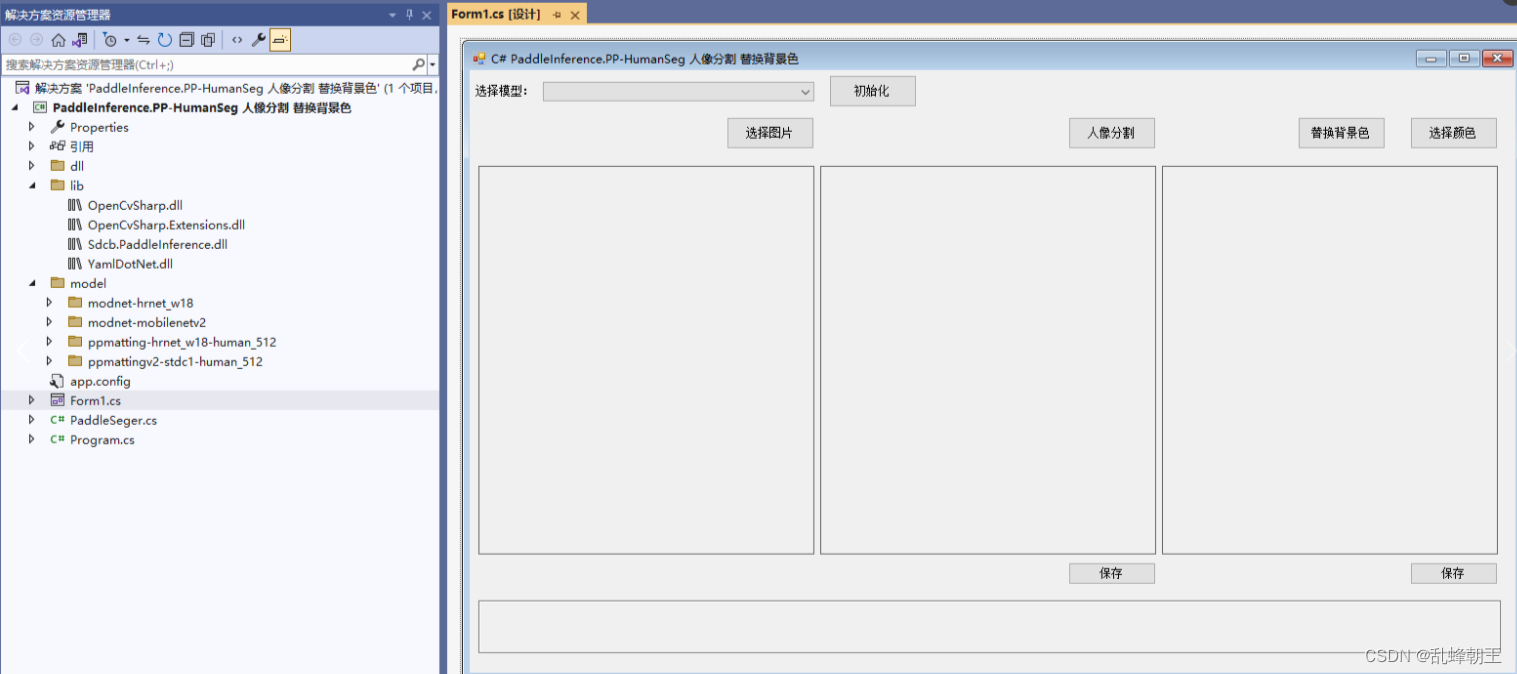
C# PaddleInference.PP-HumanSeg 人像分割 替换背景色
效果 项目 VS2022.net4.8OpenCvSharp4Sdcb.PaddleInference 包含4个分割模型 modnet-hrnet_w18 modnet-mobilenetv2 ppmatting-hrnet_w18-human_512 ppmattingv2-stdc1-human_512 代码 using OpenCvSharp; using Sdcb.PaddleInference; using System; using System.Col…...

Java 变量初始化的两种方式和优缺点比较
第一种初始化方式:(优先推荐) String fileRename null; File fileToSave null; 这种方式将变量的作用域限定在循环外部,即在整个代码块中都可以使用这些变量。初始值为null表示变量在开始时没有具体的数值。 这种方式更好的…...

15.三数之和
题目来源: leetcode题目,网址:15. 三数之和 - 力扣(LeetCode) 解题思路: 1.三重循环暴力遍历,超时原因,三重循环复杂度太高 2.双重循环哈希表,超时原因,哈…...
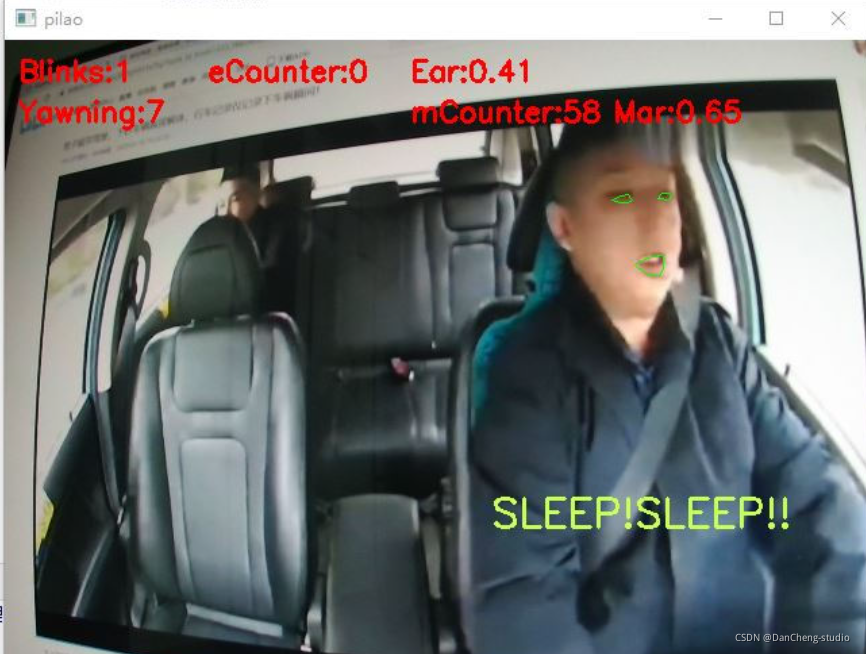
竞赛选题 深度学习疲劳驾驶检测 opencv python
文章目录 0 前言1 课题背景2 实现目标3 当前市面上疲劳驾驶检测的方法4 相关数据集5 基于头部姿态的驾驶疲劳检测5.1 如何确定疲劳状态5.2 算法步骤5.3 打瞌睡判断 6 基于CNN与SVM的疲劳检测方法6.1 网络结构6.2 疲劳图像分类训练6.3 训练结果 7 最后 0 前言 🔥 优…...
PROFINET和UDP、MODBUS-RTU通信速度对比实验
这篇博客我们介绍PROFINET 和MODBUS-RTU通信实验时的数据刷新速度,以及这种速度不同对控制系统带来的挑战都有哪些,在介绍这篇对比实验之前大家可以参考下面的文章链接: S7-1200PLC和SMART PLC的PN智能从站通信 S7-200 SMART 和 S7-1200PLC进行PROFINET IO通信-CSDN博客文…...
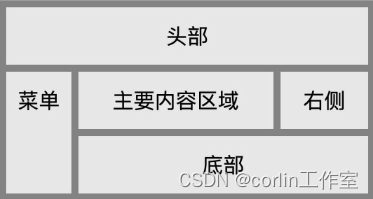
CSS3 多媒体查询、网格布局
一、CSS3多媒体查询: CSS3 多媒体查询继承了CSS2多媒体类型的所有思想,取代了查找设备的类型。CSS3根据设置自适应显示。 多媒体查询语法: media not|only mediatype and (expressions) { CSS 代码...; } not: not是用来排除掉某些特定…...
-- 配置文件优先级)
SpringBoot基础(九)-- 配置文件优先级
目录 1. 3种格式的配置文件的优先级 2. 案例演示 小结: 3. 小技巧:自动提示功能消失解决方案...
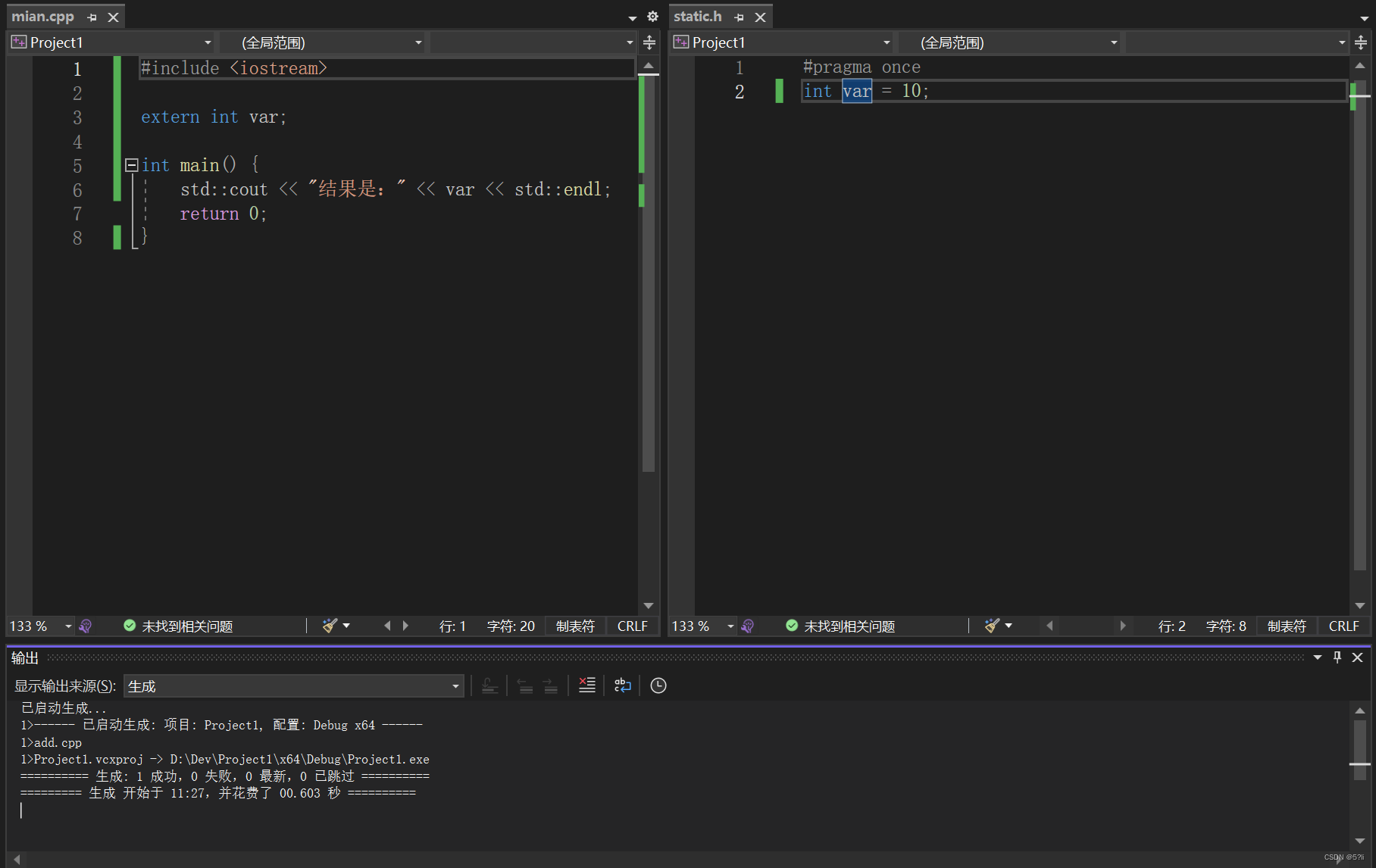
C++ static关键字
C static关键字 1、概述2、重要概念解释3、分情况案例解释3.1 static在类内使用3.2 static在类外使用案例一:案例二:案例三 1、概述 static关键字分为两种情况: 1.在类内使用 2.在类外使用 2、重要概念解释 (1)翻译…...
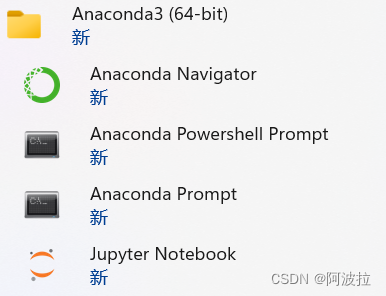
Anaconda Powershell Prompt和Anaconda Prompt的区别
先说结论:主要功能应该一样。区别在于powershell支持的命令更多。比如查询路径的命令pwd和列表命令ls。 Anaconda PowerShell Prompt和Anaconda Prompt是Anaconda发行版中两个不同的命令提示符工具。 Anaconda Prompt是Anaconda发布的默认命令提示符工具࿰…...

关于tcp发送成功但对端无法接收情况的思考
用到一个http服务,但调用频率很高,每次请求都使用短连接的话,有点浪费。 所以尝试复用http连接,请求的时候在头部添加Connection:Keep-alive,对端支持,但会在一定时常或一定请求次数后关闭该连接…...

01-解码-H264转YUV
整体方案: 采集端:摄像头采集(YUV)->编码(YUV转H264)->RTMP推流 客户端:RTMP拉流->解码(H264转YUV)->YUV显示(SDL2) H264码流转YUV是视频解码部分,具体的代码实现如下。 #include <stdio.h> #include <stdlib.h> #ifdef __cplusplus ext…...
keepalived+Nginx+邮件
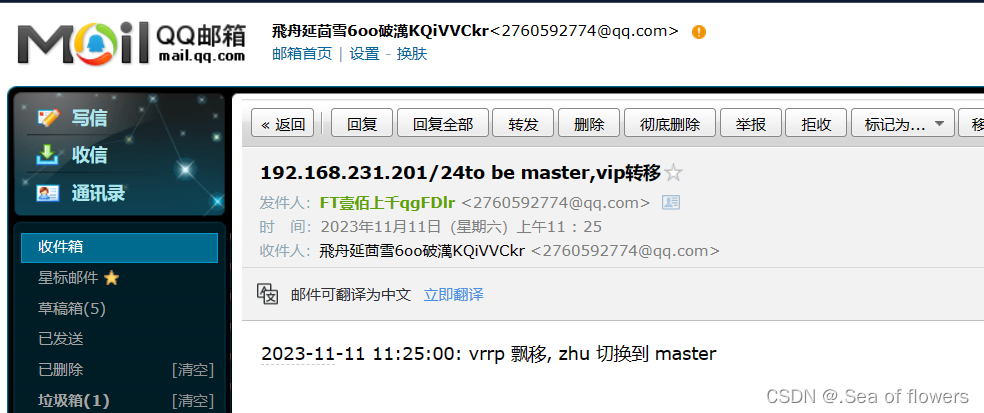
实验场景: 我使用keepalived保证nginx的高可用,我想知道什么时候ip发生漂移,可以让ip发生漂移的时候 我的邮箱收到消息. 如果对keepalived不了解,这有详细解释:keepalived与nginx与MySQL-CSDN博客https://blog.csdn.ne…...
CMakeCache.txt有什么用
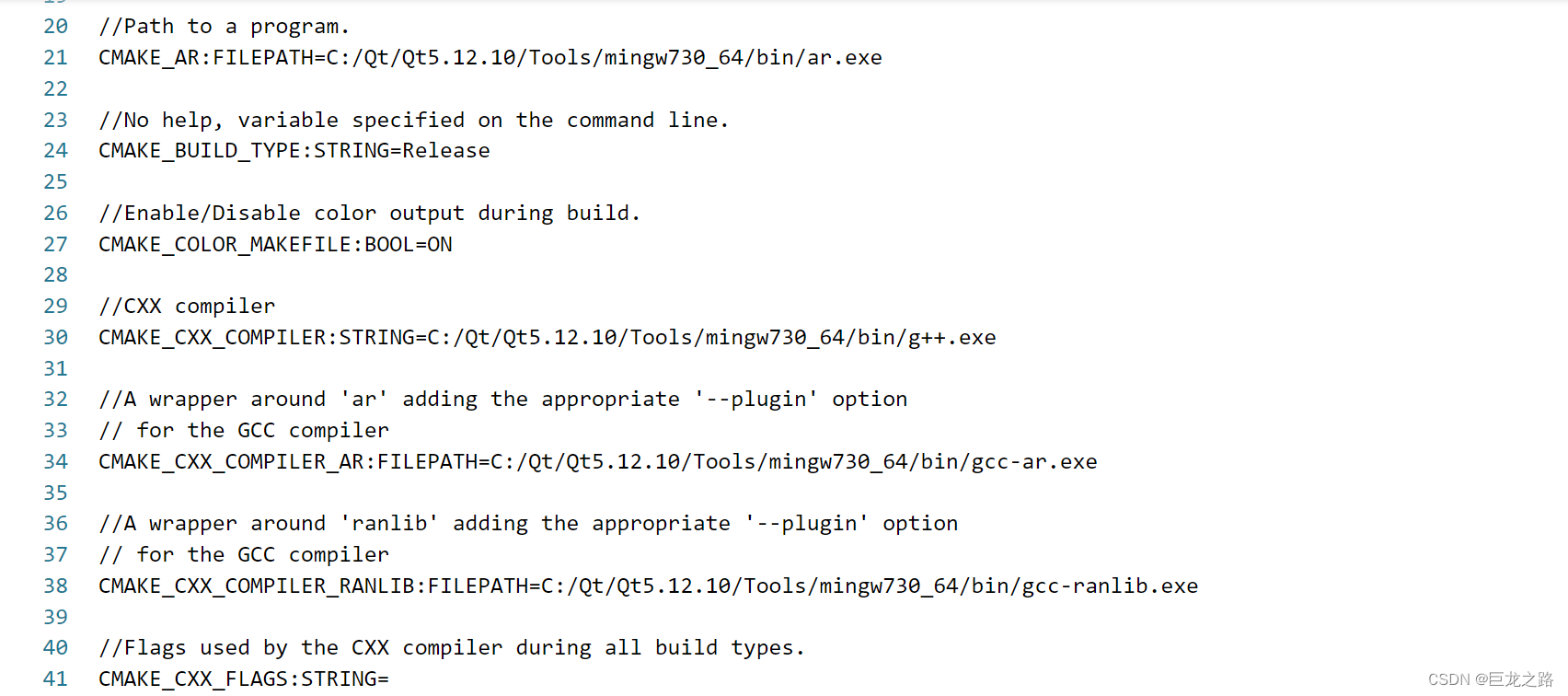
2023年11月11日,周六上午 CMakeCache.txt 是由 CMake 自动生成的一个缓存文件,用于记录在配置过程中生成的各种变量和选项的值。 在使用 CMake 构建项目时,CMake 会根据 CMakeLists.txt 文件中的配置和命令,解析项目的源代码并生…...
ZYNQ_project:key_breath
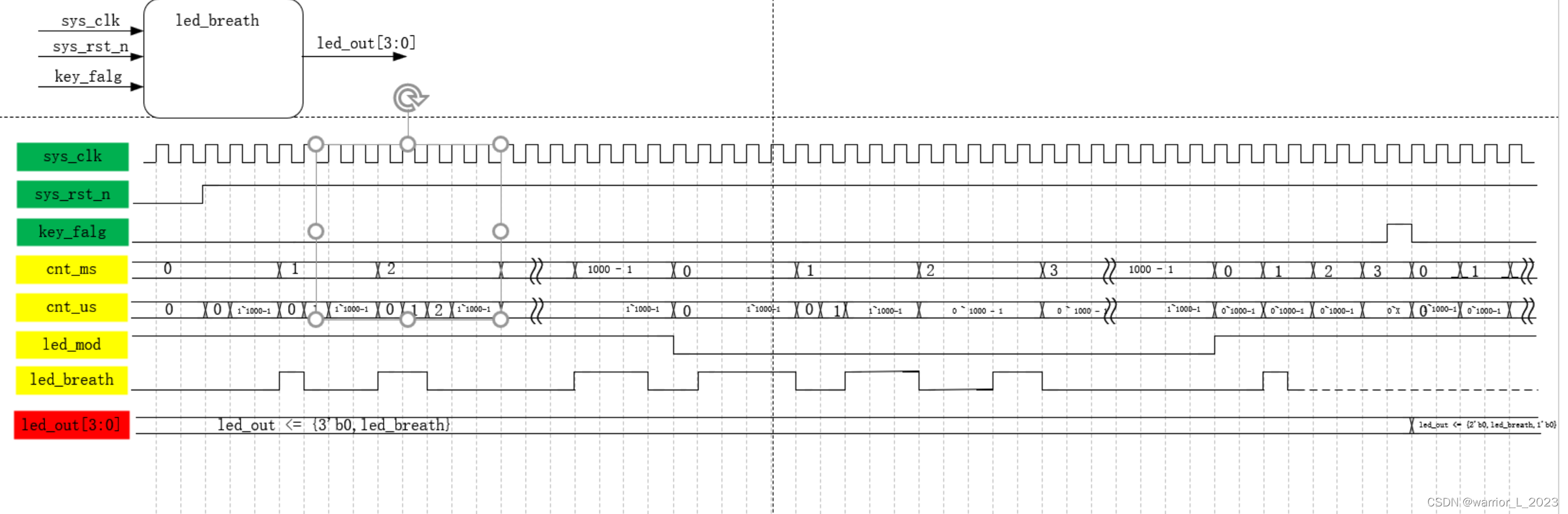
[Synth 8-327] inferring latch for variable led_breath_reg ["C:/Users/warrior/Desktop/ZYNQ/pl/key_breath/rtl/led_breath.v":66] 因为在组合逻辑中,用了非阻塞赋值的方式赋值信号。 组合逻辑自己给自己赋值会产生组合回环,输出不稳定。 …...
)
设计模式 (原则)
在软件开发中,为了提高软件系统的可维护性和可复用性,增加软件的可扩展性和灵活性,程序员要尽量根据6条原则来开发程序,从而提高软件开发效率、节约软件开发成本和维护成本 一、开闭原则 对扩展开放,对修改关闭。 案…...

LeetCode 每日一题 2023/11/6-2023/11/12
记录了初步解题思路 以及本地实现代码;并不一定为最优 也希望大家能一起探讨 一起进步 目录 11/6 318. 最大单词长度乘积11/7 2586. 统计范围内的元音字符串数11/8 2609. 最长平衡子字符串11/9 2258. 逃离火灾11/10 2300. 咒语和药水的成功对数11/11 765. 情侣牵手1…...
Linux 基于 LVM 逻辑卷的磁盘管理【简明教程】
一、传统磁盘管理的弊端 传统的磁盘管理:使用MBR先对硬盘分区,然后对分区进行文件系统的格式化最后再将该分区挂载上去。 传统的磁盘管理当分区没有空间使用进行扩展时,操作比较麻烦。分区使用空间已经满了,不再够用了ÿ…...
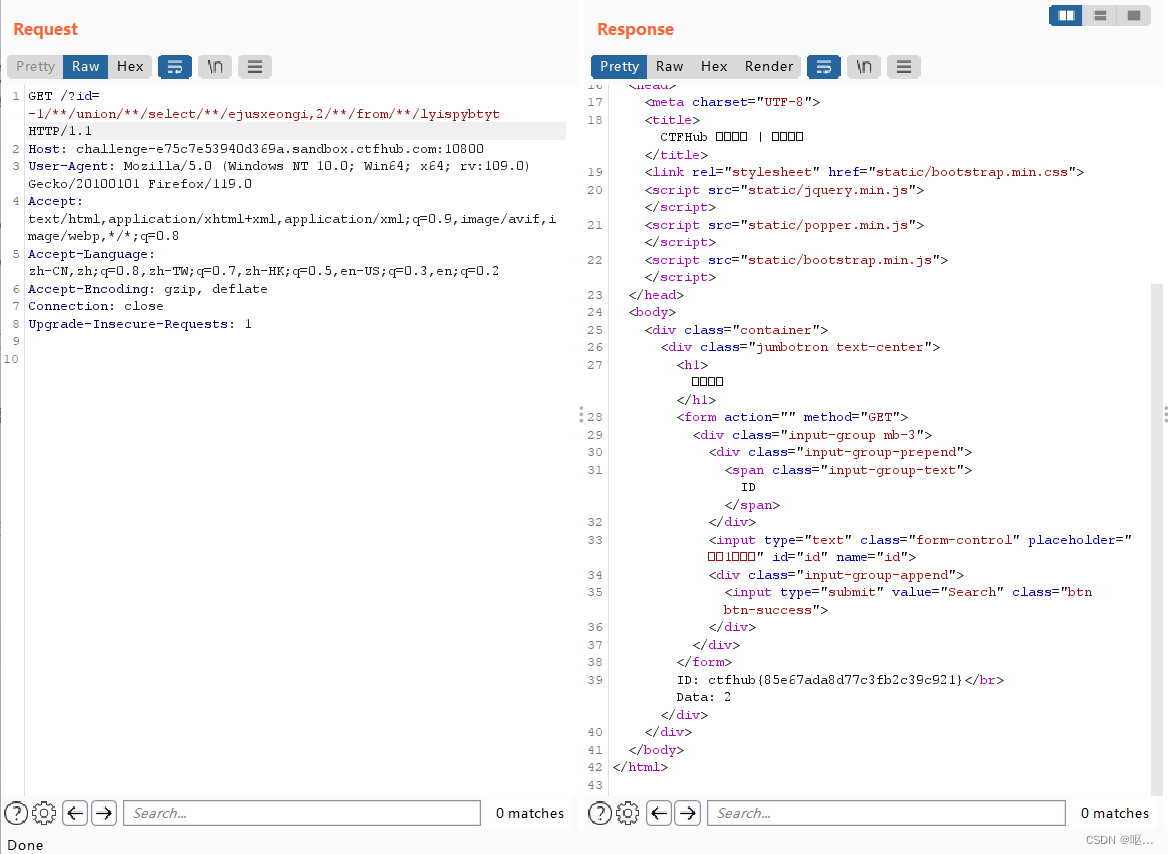
CTFHUB-WEB-SQL注入
sql学的太不好了,回炉重造 判断 Sql 注入漏洞的类型: 1.数字型 当输入的参 x 为整型时,通常 abc.php 中 Sql 语句类型大致如下:select * from <表名> where id x这种类型可以使用经典的 and 11 和 and 12 来判断ÿ…...

如何让10美元鼠标超越苹果触控板?Mac Mouse Fix终极指南
如何让10美元鼠标超越苹果触控板?Mac Mouse Fix终极指南 【免费下载链接】mac-mouse-fix Mac Mouse Fix - Make Your $10 Mouse Better Than an Apple Trackpad! 项目地址: https://gitcode.com/GitHub_Trending/ma/mac-mouse-fix 还在为macOS上鼠标体验不佳…...

华硕笔记本性能控制新选择:5分钟学会G-Helper轻量化解决方案
华硕笔记本性能控制新选择:5分钟学会G-Helper轻量化解决方案 【免费下载链接】g-helper Lightweight, open-source control tool for ASUS laptops and ROG Ally. Manage performance modes, fans, GPU, battery, and RGB lighting across Zephyrus, Flow, TUF, Str…...
)
AGI可解释性革命,从黑箱到因果推演:符号逻辑嵌入Transformer的4种工程化方案(附GitHub开源框架清单)
第一章:AGI的符号推理与连接主义融合 2026奇点智能技术大会(https://ml-summit.org) 人工通用智能(AGI)的实现路径长期面临“符号主义”与“连接主义”的范式张力。符号系统擅长形式化逻辑推演、可解释性规则表达和组合泛化,而深…...

小心数据被‘卷’没!玩转24C02页写时必须搞懂的地址翻转与边界检查
小心数据被‘卷’没!玩转24C02页写时必须搞懂的地址翻转与边界检查 在嵌入式开发中,I2C EEPROM存储器的使用频率极高,而24C02作为经典型号,其页写功能既能提升效率又暗藏风险。许多开发者都曾遭遇过这样的噩梦:明明写入…...

Scrcpy Mask:终极Android设备控制解决方案,让电脑变身游戏模拟器
Scrcpy Mask:终极Android设备控制解决方案,让电脑变身游戏模拟器 【免费下载链接】scrcpy-mask A Scrcpy client in Rust, Bevy and React, aimed at providing mouse and key mapping to control Android device, similar to a game emulator 项目地址…...

PUBG-Logitech自动压枪系统深度解析与技术优化指南
PUBG-Logitech自动压枪系统深度解析与技术优化指南 【免费下载链接】PUBG-Logitech PUBG罗技鼠标宏自动识别压枪 项目地址: https://gitcode.com/gh_mirrors/pu/PUBG-Logitech PUBG-Logitech是一款基于罗技鼠标宏API与计算机视觉技术的高级游戏辅助工具,通过…...
)
sql_exporter配置避坑指南:手把手教你处理多表关联查询和动态标签(以用户订单分析为例)
SQL Exporter高级配置实战:多表关联查询与动态标签优化指南 当业务监控需求从简单的单表统计升级到跨多表的复杂分析时,很多使用sql_exporter的工程师会遇到指标映射混乱、查询性能低下等问题。本文将聚焦三个典型痛点场景:多表JOIN时的指标设…...

解锁学术新秘籍:书匠策AI——你的期刊论文智囊团
在学术探索的浩瀚海洋中,每一位学者都渴望拥有一盏明灯,照亮前行的道路,尤其是在撰写期刊论文这一复杂而精细的任务面前。今天,就让我们一起揭开一个神秘而强大的工具——书匠策AI的神秘面纱,探索它如何成为你期刊论文…...

告别英文困扰:Android Studio中文界面3步配置完整指南
告别英文困扰:Android Studio中文界面3步配置完整指南 【免费下载链接】AndroidStudioChineseLanguagePack AndroidStudio中文插件(官方修改版本) 项目地址: https://gitcode.com/gh_mirrors/an/AndroidStudioChineseLanguagePack 你是否曾经面对…...

SPIRAN ART SUMMONERGPU利用率提升:从72%到98%的CUDA内核调度优化案例
SPIRAN ART SUMMONER GPU利用率提升:从72%到98%的CUDA内核调度优化案例 1. 项目背景与性能挑战 SPIRAN ART SUMMONER是一个基于Flux.1-Dev模型的图像生成平台,融合了《最终幻想10》的美学风格,为用户提供沉浸式的视觉创作体验。在初期部署阶…...