
springboot生成PDF,并且添加水印
/***  导出调查问卷*/@ApiLog("导出调查问卷")@PostMapping("/print/{id}")@ApiOperationSupport(order = 23)@ApiOperation(value = "导出报告", notes = "导出报告")public void print(@PathVariable Long id, HttpServletResponse response) {BackendGradeEntity record = backendGradeService.getById(id);//如果record为空,直接返回错误信息if(record == null){throw new RuntimeException("未找到该记录");}Map<String, Object> values = new HashMap<>();Field[] fields = BackendGradeEntity.class.getDeclaredFields();//通过反射拿到对象的属性名并且赋值给mapfor (Field field : fields) {field.setAccessible(true);try {Object value = field.get(record);values.put(field.getName(), value);} catch (IllegalAccessException e) {// 处理访问异常e.printStackTrace();}}//通过用户id查询用户信息BackendUserinformationEntity user = backendUserinformationService.getById(record.getUserId());//获取用户性别Integer sex = null;if (user!= null){sex = user.getSex();}//添加用户性别values.put("sex", sex==1?"男":"女");String totalTime = values.get("totalTime").toString();double timeInSeconds = Double.parseDouble(totalTime) * 60; // 将分钟转换为秒int minutes = (int) timeInSeconds / 60;int seconds = (int) timeInSeconds % 60;String formattedTime = minutes + "分钟" + seconds + "秒";values.put("totalTime", formattedTime);//增加打印日期为当前日期values.put("printDate", DateUtil.format(LocalDate.now(), "yyyy年MM月dd日"));//修改map中的startTime 和 endTime 格式由2023-09-19T15:34:25  为 2023-09-19 15:34:25String startTime = values.get("startTime").toString().replace("T", " ");String endTime = values.get("endTime").toString().replace("T", " ");values.put("startTime", startTime);values.put("endTime", endTime);//将 正确率 错误率 未答题率 乘100再填回,因为数据存的是小数values.put("errorRate", Double.parseDouble(values.get("errorRate").toString())*100);values.put("accuracy", Double.parseDouble(values.get("accuracy").toString())*100);values.put("unansweredRate", Double.parseDouble(values.get("unansweredRate").toString())*100);String fileName = null;String tplName = null;if(true){fileName = "报告";tplName = "intuitionReport.ftl";}fileName = fileName + "-" + (values.get("userName")==null?UUID.randomUUID():values.get("userName"));String file = printer.print(values, tplName, fileName);//下载文件InputStream inStream = null;try {inStream = new FileInputStream(file);response.reset();response.setContentType("application/pdf");response.setHeader("Content-Disposition", "attachment;filename=" + URLEncoder.encode(new File(file).getName(), "UTF-8"));response.setCharacterEncoding("UTF-8");IoUtil.copy(inStream, response.getOutputStream());} catch (Exception e) {e.printStackTrace();} finally {if (inStream != null) {try { inStream.close(); } catch (IOException e) { e.printStackTrace(); }}}}/***  批量导出报告*/@ApiLog("批量导出报告")@PostMapping("/print/batch")@ApiOperationSupport(order = 23)@ApiOperation(value = "批量导出", notes = "批量导出报告")public void printBatch(@RequestParam String ids, HttpServletResponse response) {List<BackendGradeEntity> records = backendGradeService.listByIds(Func.toLongList(ids));String uuid = UUID.randomUUID().toString();int size = records.size();DateTimeFormatter formatter = DateTimeFormatter.ofPattern("yyyyMMddHHmmss");String zipName = LocalDateTime.now().format(formatter)+"-"+size+"records.zip";Path zipPath = Paths.get(pathProperties.getPdf(), zipName);File zipFile = zipPath.toFile();if(zipFile.exists()){zipFile.delete();//如果文件存在则先删除旧的文件}List<File> files = null;try{if(!zipFile.getParentFile().exists()){Files.createDirectories(zipPath.getParent());}files = records.stream()
//				.filter(j -> j.getStatus() == 4).map(record -> {Map<String, Object> values = new HashMap<>();Field[] fields = BackendGradeEntity.class.getDeclaredFields();//通过反射拿到对象的属性名并且赋值给mapfor (Field field : fields) {field.setAccessible(true);try {Object value = field.get(record);values.put(field.getName(), value);} catch (IllegalAccessException e) {// 处理访问异常e.printStackTrace();}}//通过用户id查询用户信息BackendUserinformationEntity user = backendUserinformationService.getById(record.getUserId());//获取用户性别Integer sex = null;if (user!= null){sex = user.getSex();}//添加用户性别values.put("sex", sex==1?"男":"女");//处理总时长String totalTime = values.get("totalTime").toString();double timeInSeconds = Double.parseDouble(totalTime) * 60; // 将分钟转换为秒int minutes = (int) timeInSeconds / 60;int seconds = (int) timeInSeconds % 60;String formattedTime = minutes + "分钟" + seconds + "秒";values.put("totalTime", formattedTime);//增加打印日期为当前日期values.put("printDate", DateUtil.format(LocalDate.now(), "yyyy年MM月dd日"));//修改map中的startTime 和 endTime 格式由2023-09-19T15:34:25  为 2023-09-19 15:34:25String startTime = values.get("startTime").toString().replace("T", " ");String endTime = values.get("endTime").toString().replace("T", " ");values.put("startTime", startTime);values.put("endTime", endTime);//将 正确率 错误率 未答题率 乘100再填回,因为数据存的是小数values.put("errorRate", Double.parseDouble(values.get("errorRate").toString())*100);values.put("accuracy", Double.parseDouble(values.get("accuracy").toString())*100);values.put("unansweredRate", Double.parseDouble(values.get("unansweredRate").toString())*100);String fileName = null;String tplName = null;if(true){fileName = "报告";tplName = "intuitionReport.ftl";}fileName = fileName + "-" + (values.get("userName")==null?UUID.randomUUID():values.get("userName")+UUID.randomUUID().toString());String f = printer.print(values, tplName, uuid+"/"+fileName);return new File(f);}).collect(Collectors.toList());//			Path tempDir = Files.createTempDirectory("temp");
//			List<File> copiedFiles = new ArrayList<>();
//			for (File file : files) {
//				Path source = Paths.get(file.getPath());
//				Path destination = tempDir.resolve(file.getName());
//				Files.copy(source, destination);
//				copiedFiles.add(destination.toFile());
//			}
//			// 在这里调用添加水印的方法
//			PDFWatermarkExample.addWatermarkExample(copiedFiles);
//
//			files = copiedFiles;
//			try {
//				// 删除临时文件夹及其所有文件
//				FileUtils.deleteDirectory(tempDir.toFile());
//			} catch (IOException e) {
//				// 处理删除错误
//				e.printStackTrace();
//			}ZipTool.zipFile(files, zipPath.toFile().getAbsolutePath());}catch(Exception e){e.printStackTrace();}finally {if(files != null){for(File f : files){if(f.exists()) f.delete();}}Path dirPath = Paths.get(pathProperties.getPdf(), uuid);if(dirPath.toFile().exists()){dirPath.toFile().delete();}}//下载文件InputStream inStream = null;try {if(!zipFile.exists()){return ;}inStream = new FileInputStream(zipFile);response.reset();response.setContentType("application/zip");response.setHeader("Content-Disposition", "attachment;filename=" + URLEncoder.encode(zipFile.getName(), "UTF-8"));response.setCharacterEncoding("UTF-8");IoUtil.copy(inStream, response.getOutputStream());} catch (Exception e) {e.printStackTrace();} finally {if (inStream != null) {try { inStream.close(); } catch (IOException e) { e.printStackTrace(); }}}//这里删除临时文件夹内的压缩包,因为存着也没什么用浪费空间//通过zipPath获取绝对路径String absolutePath = zipPath.toFile().getAbsolutePath();//删除absolutepath文件夹,以及所有文件deleteDirectoryRecursively(new File(absolutePath));}
下面是加水印
package org.springblade.common.tool;
import com.itextpdf.text.*;
import com.itextpdf.text.pdf.*;import java.io.File;
import java.io.FileOutputStream;
import java.util.List;public class PDFWatermarkExample {public static void addWatermark(String inputFile, String outputFile, String watermarkText) {try {PdfReader reader = new PdfReader(inputFile);PdfStamper stamper = new PdfStamper(reader, new FileOutputStream(outputFile));int numberOfPages = reader.getNumberOfPages();for (int i = 1; i <= numberOfPages; i++) {PdfContentByte content = stamper.getUnderContent(i);PdfGState gs = new PdfGState();gs.setFillOpacity(0.5f); // 设置水印透明度content.setGState(gs);ColumnText.showTextAligned(content,Element.ALIGN_CENTER,new Phrase(watermarkText, new Font(Font.FontFamily.HELVETICA, 40)),reader.getPageSizeWithRotation(i).getWidth() / 2,reader.getPageSizeWithRotation(i).getHeight() / 2,45);}stamper.close();reader.close();} catch (Exception e) {e.printStackTrace();}}public static void addWatermarkMulti(String inputFile, String outputFile, String watermarkText) {try {PdfReader reader = new PdfReader(inputFile);PdfStamper stamper = new PdfStamper(reader, new FileOutputStream(outputFile));int numberOfPages = reader.getNumberOfPages();for (int i = 1; i <= numberOfPages; i++) {PdfContentByte content = stamper.getOverContent(i);PdfGState gs = new PdfGState();gs.setFillOpacity(0.05f); // 设置水印透明度content.setGState(gs);Rectangle pageSize = reader.getPageSizeWithRotation(i);float pageWidth = pageSize.getWidth();float pageHeight = pageSize.getHeight();// 设置水印间隔float xInterval = 200; // X轴间隔float yInterval = 50; // Y轴间隔// 计算水印个数int xCount = (int) Math.ceil(pageWidth / xInterval);int yCount = (int) Math.ceil(pageHeight / yInterval);// 平铺水印for (int x = 0; x < xCount; x++) {for (int y = 0; y < yCount; y++) {float xPosition = x * xInterval;float yPosition = y * yInterval;ColumnText.showTextAligned(content,Element.ALIGN_CENTER,new Phrase(watermarkText, new Font(Font.FontFamily.HELVETICA, 40)),xPosition,yPosition,0);}}}stamper.close();reader.close();} catch (Exception e) {e.printStackTrace();}}public static void addWatermarkExample(List<File> files) {// 在这里编写添加水印的代码逻辑,使用上面提到的添加水印的示例代码for (File file : files) {addWatermark(file.getPath(), file.getPath(), "Watermark Text");}}public static void main(String[] args) {String inputFile = "C:\\Users\\admin\\Downloads\\123.pdf";String outputFile = "C:\\Users\\admin\\Downloads\\789.pdf";String watermarkText = "zhijue.com";addWatermarkMulti(inputFile, outputFile, watermarkText);}
}
相关文章:

springboot生成PDF,并且添加水印
/*** 导出调查问卷*/ApiLog("导出调查问卷")PostMapping("/print/{id}")ApiOperationSupport(order 23)ApiOperation(value "导出报告", notes "导出报告")public void print(PathVariable Long id, HttpServletResponse response…...

Tensorflow2.0:CNN、ResNet实现MNIST分类识别
以下仅是个人的学习笔记 ,内容可能是错误 CNN: import tensorflow as tf from tensorflow import keras from tensorflow.keras import layers# 导入数据 (x_train, y_train), (x_test, y_test) keras.datasets.mnist.load_data()# 数据预处理 x_tra…...
本地jar导入maven
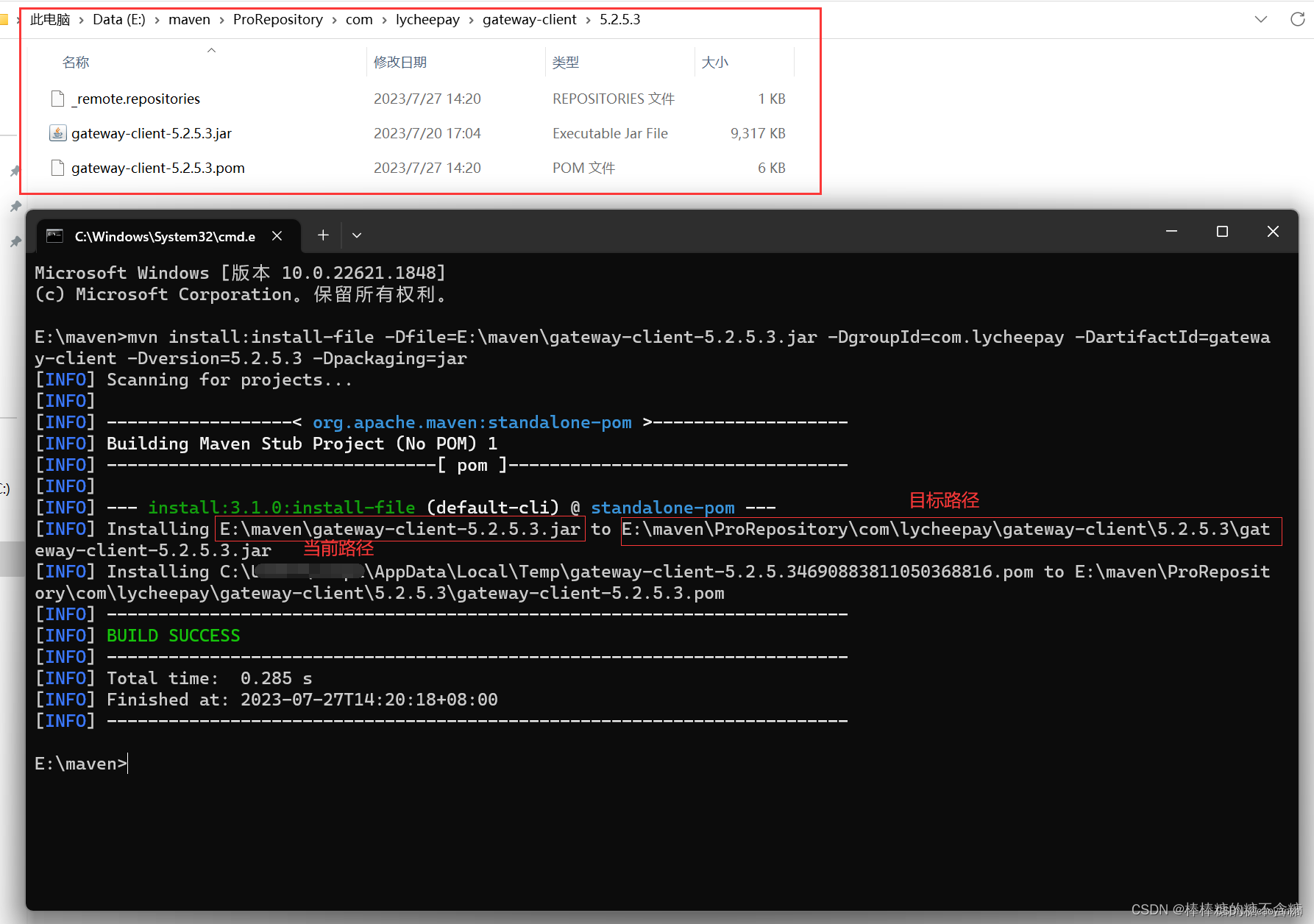
一、通过dependency引入 1.1. jar包放置,建造lib目录 1.2. pom.xml文件 <dependency><groupId>zip4j</groupId><artifactId>zip4j</artifactId><version>1.3.2</version><!--system,类似provided&#x…...
数据结构与算法【堆】的Java实现
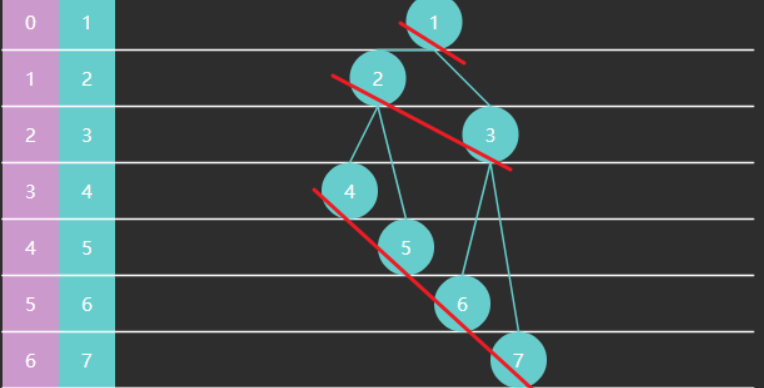
前言 之前已经说过堆的特点了,具体文章在数据结构与算法【队列】的Java实现-CSDN博客。因此直接实现堆的其他功能。 建堆 所谓建堆,就是将一个初始的堆变为大顶堆或是小顶堆。这里以大顶堆为例。展示如何建堆。 找到最后一个非叶子节点从后向前&…...
同创永益联合红帽打造一站式数字韧性解决方案
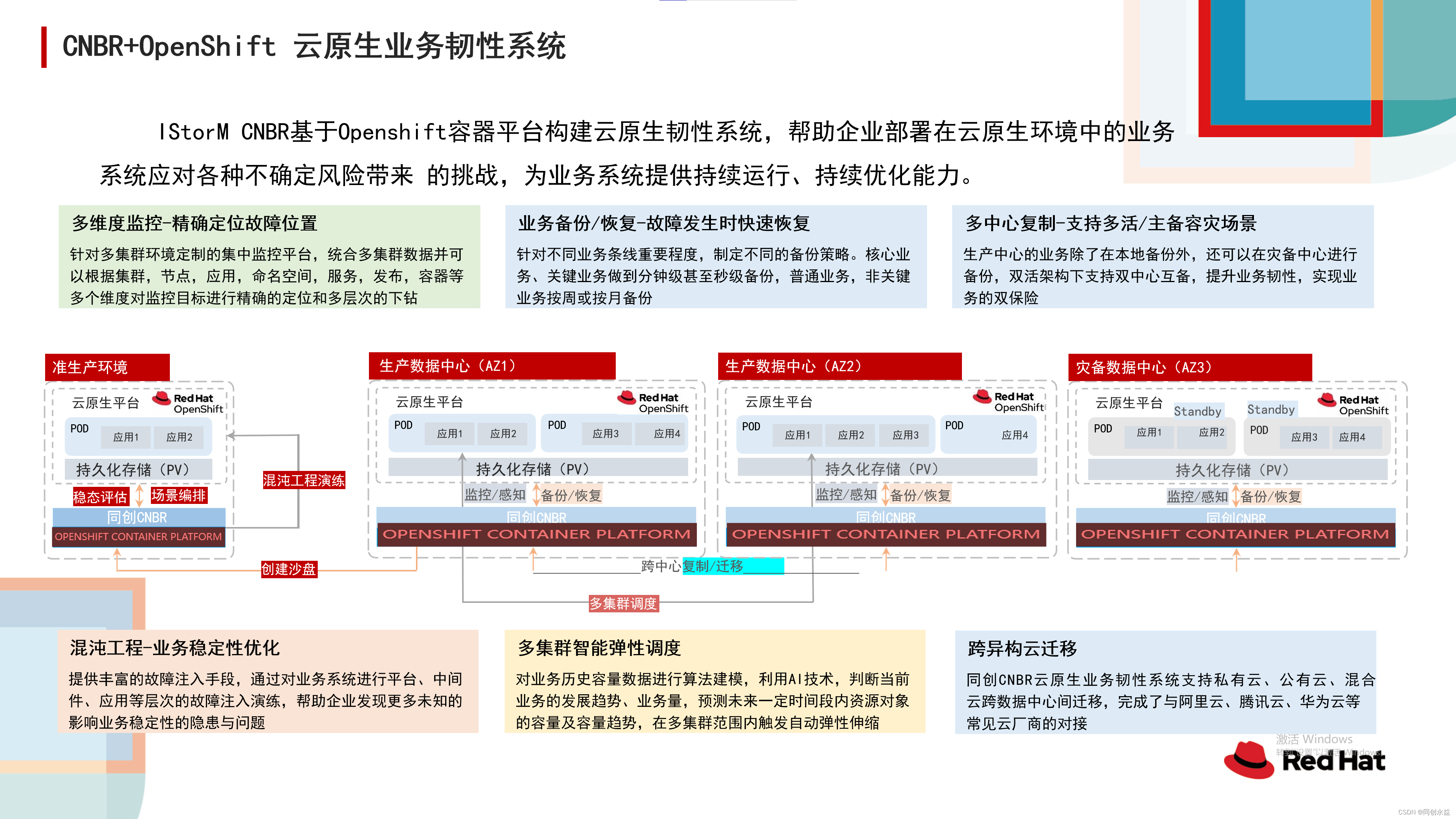
随着AI技术的快速兴起,IT技术已成为推动业务持续增长的重要驱动力,这要求企业不断尝试新事物,改变固有流程,加强IT技术与业务的合作,同时提升数字韧性能力,以实现业务目标。10月26日,红帽2023中…...

c++ call_once 使用详解
c call_once 使用详解 std::call_once 头文件 #include <mutex>。 函数原型: template<class Callable, class... Args> void call_once(std::once_flag& flag, Callable&& f, Args&&... args);flag:标志对象…...

【rosrun diagnostic_analysis】报错No module named rospkg | ubuntu 20.04
ubuntu20.04使用指令报错 现象 rosrun diagnostic_analysis export_csv.py my.bag -d ~/Desktop报错 Traceback (most recent call last): File "/opt/ros/noetic/lib/diagnostic_analysis/export_csv.py", line 40, in <module> import roslib; roslib.load_m…...

高防CDN有什么作用?
分布式拒绝服务攻击(DDoS攻击)是一种针对目标系统的恶意网络攻击行为,DDoS攻击经常会导致被攻击者的业务无法正常访问,也就是所谓的拒绝服务。 常见的DDoS攻击包括以下几类: 网络层攻击:比较典型的攻击类…...

盛元广通开放实训室管理系统2.0
开放实训室管理系统是一种基于网络和数据库的实训室信息管理系统,旨在提高实训室的管理水平,实现实训资源的优化配置和高效利用。该系统通常包括用户管理、设备管理、课程管理、考核管理等功能模块,能够实现实训室的预约、设备借用、课程安排…...
3D建模基础教程:编辑多边形功能命令快捷方式
一、打开3D软件并创建新模型 首先,打开你的3D建模软件,比如Blender、Maya或3ds Max。然后,创建一个新的3D模型。你可以使用基本几何体来创建模型,也可以导入现有的模型。 二、进入编辑多边形模式 在主工具栏中,找到并…...

SaleSmartly新增AI意图识别触发器!让客户享受更精准的自动化服务
AI意图识别技术是对话式AI中很重要的组成部分,通俗点来说就是一种可以识别用户在对话中表达的意图的技术。通过对大量数据的分析和学习,AI可以理解用户想要获得的信息,并根据这些信息来采取相应的行动或提供相应的响应。而在对话式AI中&#…...
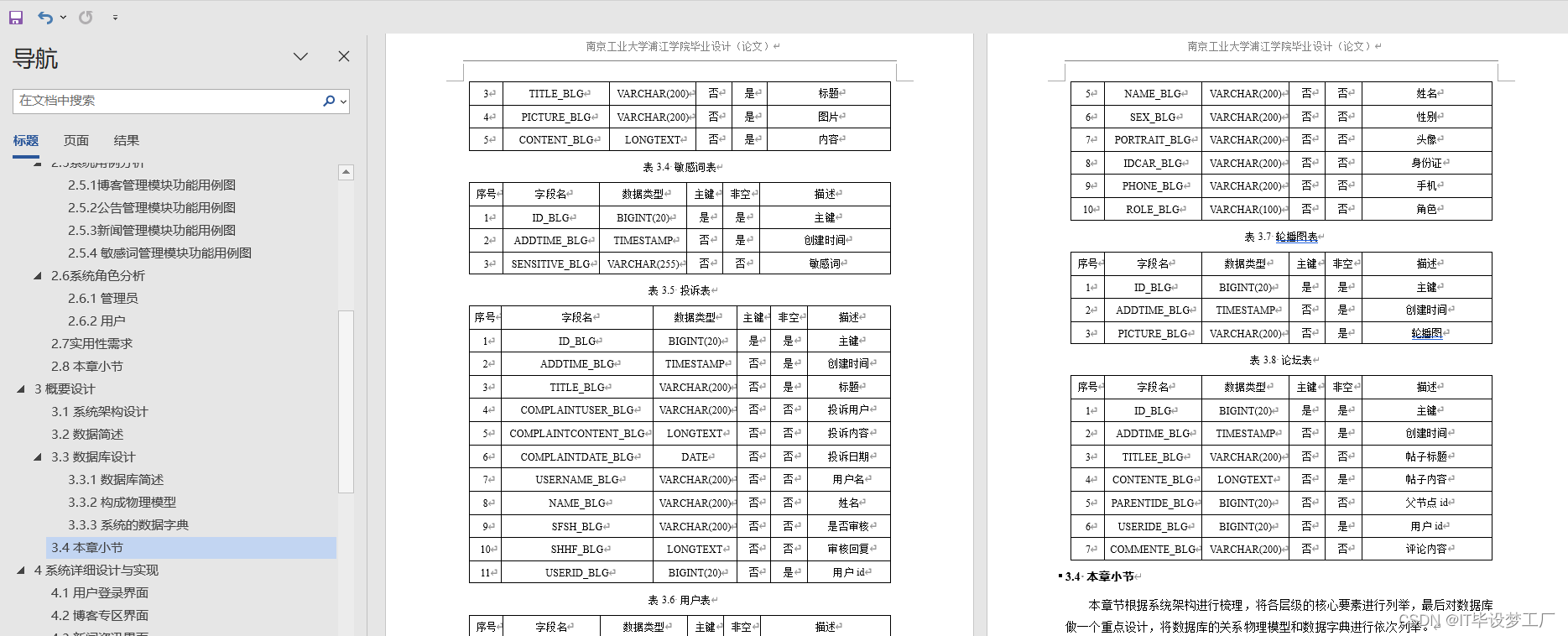
计算机毕业设计选题推荐-个人博客微信小程序/安卓APP-项目实战
✨作者主页:IT毕设梦工厂✨ 个人简介:曾从事计算机专业培训教学,擅长Java、Python、微信小程序、Golang、安卓Android等项目实战。接项目定制开发、代码讲解、答辩教学、文档编写、降重等。 ☑文末获取源码☑ 精彩专栏推荐⬇⬇⬇ Java项目 Py…...
一篇详解,Postman设置token依赖步骤
前言 postman做接口测试时,大多数的接口必须在有token的情况下才能运行,我们可以获取token后设置一个环境变量供所在同一个集合中的所有接口使用。 一般是通过调用登录接口,获取到token的值 实战项目:jeecg boot项目 项目官网…...

音频录制实现 绘制频谱
思路 获取设备信息 获取录音的频谱数据 绘制频谱图 具体实现 封装 loadDevices.js /*** 是否支持录音*/ const recordingSupport () > {const scope navigator.mediaDevices || {};if (!scope.getUserMedia) {scope navigatorscope.getUserMedia || (scope.getUserM…...
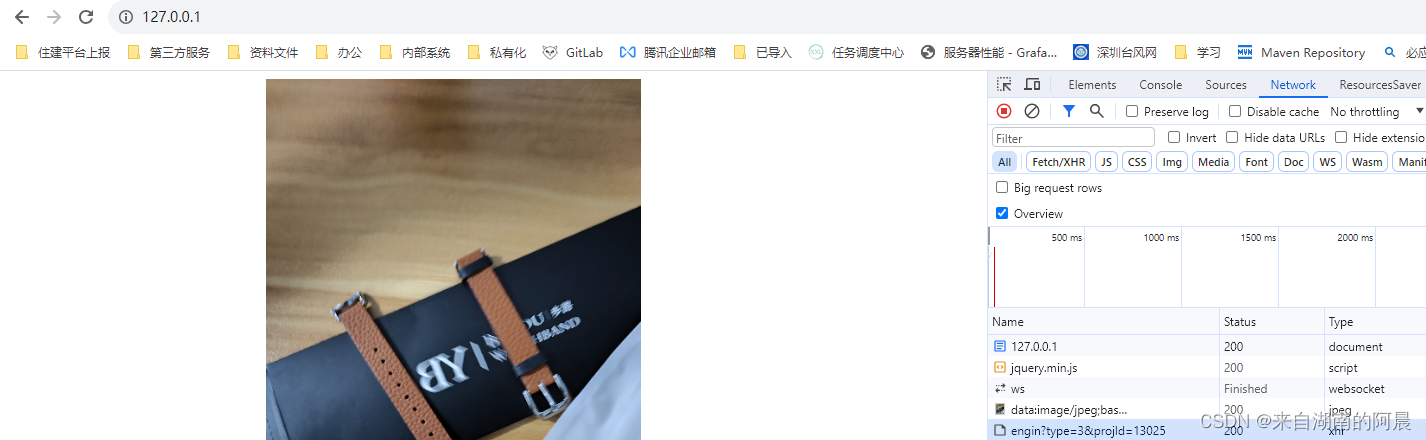
nginx代理本地服务请求,避免跨域;前端图片压缩并上传
痛点 有时用vscode进行一些测试 请求不同端口服务、或者其他服务接口时时,老是会报跨域,非常的烦 所有就想用 nginx 进行请求代理,来解决这个痛点 nginx 下载地址:nginx: download 下载到某一目录: window下nginx相关…...
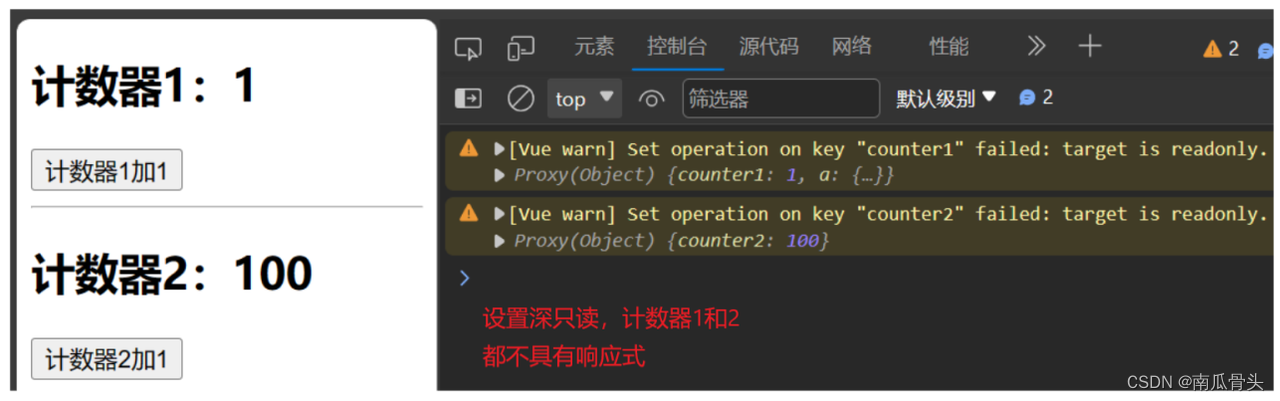
Vue3-readonly(深只读) 与 shallowReadonly(浅只读)
Vue3-readonly(深只读) 与 shallowReadonly(浅只读) readonly(深只读):具有响应式对象中所有的属性,其所有值都是只读且不可修改的。shallowReadonly(浅只读):具有响应式对象的第一层属性值是只读且不可修改的&#x…...

中小企业怎么实现数字化转型?有什么实用的工单管理系统?
当前,世界经济数字化转型已是大势所趋。在这个数字化转型的大潮中,如果企业仍然逆水而行,不随大流,那么,企业将有可能会被抛弃,被对手超越,甚至被市场边缘化,导致最终的结果是&#…...

vue3.x中父组件添加自定义参数后,如何获取子组件$emit传递过来的参数
之前写过一篇文章,vue中父组件添加自定义参数后,如何获取子组件$emit传递过来的参数 现在已经进入vue3.x开发的时代了,那么vue3.x中父组件添加自定义参数后,如何获取子组件$emit传递过来的参数? 1、子组件使用emit传…...

【Machine Learning in R - Next Generation • mlr3】
本篇主要介绍mlr3包的基本使用。 一个简单的机器学习流程在mlr3中可被分解为以下几个部分: 创建任务 比如回归、分裂、生存分析、降维、密度任务等等挑选学习器(算法/模型) 比如随机森林、决策树、SVM、KNN等等训练和预测 创建任务 本次示…...

CorelDraw2024(CDR)- 矢量图制作软件介绍
在当今数字化时代,平面设计已成为营销、品牌推广和创意表达中不可或缺的元素。平面设计必备三大软件Adebo PhotoShop、CorelDraw、Adobe illustrator, 今天小编就详细介绍其中之一的CorelDraw软件。为什么这款软件在设计界赢得了声誉,并成为了设计师的无…...

将Taotoken作为统一网关整合到企业现有微服务架构中的设计考量
🚀 告别海外账号与网络限制!稳定直连全球优质大模型,限时半价接入中。 👉 点击领取海量免费额度 将Taotoken作为统一网关整合到企业现有微服务架构中的设计考量 当企业内部多个业务线或团队开始独立探索和应用大模型能力时&#…...

YgoMaster终极指南:如何在电脑上免费畅玩游戏王大师决斗
YgoMaster终极指南:如何在电脑上免费畅玩游戏王大师决斗 【免费下载链接】YgoMaster Offline Yu-Gi-Oh! Master Duel 项目地址: https://gitcode.com/gh_mirrors/yg/YgoMaster 你是否渴望随时随地体验《游戏王大师决斗》的精彩对决,却受限于网络连…...

暗黑2存档修改终极指南:5分钟学会免费d2s文件编辑器
暗黑2存档修改终极指南:5分钟学会免费d2s文件编辑器 【免费下载链接】d2s-editor 项目地址: https://gitcode.com/gh_mirrors/d2/d2s-editor 暗黑破坏神2的d2s存档编辑器是一款专为玩家设计的强大工具,让你能够轻松修改角色属性、管理装备和调整…...

为内部ai工具平台选择统一api网关时taotoken的接入与管理价值
🚀 告别海外账号与网络限制!稳定直连全球优质大模型,限时半价接入中。 👉 点击领取海量免费额度 为内部AI工具平台选择统一API网关时Taotoken的接入与管理价值 当公司内部需要构建一个集成多种AI能力的工具平台时,技术…...
)
人机协作新范式:高效论文写作全流程AI论文平台推荐(2026 最新)
2026年AI论文平台持续升级,论文写作全流程可拆解为文献调研→选题/开题→大纲/初稿→文献综述→降重/去AI味→润色/格式→查重/投稿七大环节,以下工具按环节精准匹配,兼顾中文适配、降重能力、去AI痕迹、学术合规四大核心需求,覆盖…...

MobileSAM深度解析:轻量化图像分割架构揭秘与实战应用
MobileSAM深度解析:轻量化图像分割架构揭秘与实战应用 【免费下载链接】MobileSAM This is the official code for MobileSAM project that makes SAM lightweight for mobile applications and beyond! 项目地址: https://gitcode.com/gh_mirrors/mo/MobileSAM …...

Unity 2D基础:2D相机Orthographic的参数调节
Unity 2D基础:2D相机Orthographic的参数调节📚 本章学习目标:深入理解2D相机Orthographic的参数调节的核心概念与实践方法,掌握关键技术要点,了解实际应用场景与最佳实践。本文属于《Unity工程师成长之路教程》Unity 2…...

PPT怎么转PDF?一键快捷操作与全方位转换方法测评
在日常工作中,我们经常需要将PowerPoint演示文稿转换成PDF格式。无论是为了保证演示文件的兼容性、方便分享给他人,还是用于打印和存档,PPT转PDF都是一项必不可少的技能。本文将为你深入讲解PPT转PDF的多种方法,包括快捷键操作、软…...

5步终极指南:如何永久免费使用Cursor Pro AI编程助手
5步终极指南:如何永久免费使用Cursor Pro AI编程助手 【免费下载链接】cursor-free-vip [Support 0.45](Multi Language 多语言)自动注册 Cursor Ai ,自动重置机器ID , 免费升级使用Pro 功能: Youve reached your tria…...

终极指南:5分钟搭建Rust高性能HTTP文件服务器,告别繁琐配置
终极指南:5分钟搭建Rust高性能HTTP文件服务器,告别繁琐配置 【免费下载链接】simple-http-server Simple http server in Rust (Windows/Mac/Linux) 项目地址: https://gitcode.com/gh_mirrors/si/simple-http-server Simple HTTP Server是一款基…...