
【高级网络程序设计】Week2-3 HTML
一、The Basics
1. HTML&HTML file
| HTML | Markup language | |
| Hyper Text Markup Language | ||
| HTML file | Text file with markup tags | |
| .htm/.html extension | ||
| Create an html file | Open an editor Type: <html><head><titile><body> Save it as .html Open it using a browser | |
2. HTML tags & HTML elements
| HTML tags | mark-up HTML elements | |
| <element content> | ||
| HTML elements | defined using HTML tags | |
| HTML documents | text files made up of HTML elements | |
| Basic HTML tags | Paragraphs | <p></p> (browsers automatically add an empty line before and after a paragraph) |
| Headings | <h></h> | |
| Line breaks | <br/> (to enter line breaks, not to seperate paragraphs) | |
| Horizontal rule | <hr> | |
| Comments | <!-- --> | |
| HTML document | <html> | |
| document's body | <body> | |
| the document's area for header/control infomation | <head> | |
| document's title | <title> | |
二、Build a Web Page
1. HTML Attributes & HTML Text Formatting
| HTML Attributes | provide additional information to an HTML element |
| case insensitive | |
| HTML Text Formatting | <b></b> bold |
| <strong></strong>strong | |
| <bid></big>big | |
| <em></em>emphasized | |
| <i></i>italic | |
| <small></small>small | |
| <sub></sub>subscripted | |
| <sup></sup>superscripted | |
| <ins></ins>inserted | |
| <del></del>deleted |
2. Character Entities
| non-breaking space |   |
| less than | < |
| greater than | > |
| ampersand | & |
| quotation mark | " |
| pound | £ |
| yen | ¥ |
| euro | &euro |
| section | § |
| copyright | © |
| registered trademark | ® |
| multiplication | × |
| division | ÷ |
3. HTML Links
| link to another document on the Web | <a href="linkpage.html">This text</a> <a href="http://www.qmul.ac.uk/">This text</a> |
| an image as a link | <a href="linkpage.html"> <img border="0" src="image.jpg" width ="65" height="38"></a> |
| Target: where to open the linked document | _blank: open in a new window or tab <a href="http://www.qmul.ac.uk/" target="_blank"></a> _self: open in the same frame as it was clicked _parent: open in the parent frame _top: open in the full body of the window framename: open in a named frame |
| name and section | <a name="top">top of the page</a> <a href="section.html"#top>Jump to the top</a> |
4. HTML Tables/Lists/Images & Colors
| HTML Tables | a table | <table> |
| a table header | <th> | |
| table row | <tr> | |
| table cell | <td> | |
| table caption | <caption> | |
| table head | <thead> | |
| table body | <tbody> | |
| table footer | <tfoot> | |
| 其他 | Align the text: <td align = "left/right/center"></td> Background colour: <table border = "1" bgcolor="red"> Background image: <table border = "1" background = "bg.jpg"> | |
| HTML Lists | Unordered list | <ul> <li></li> </ul> |
| Ordered list | <ol> <li></li> </ol> | |
| Type of ordered list | <ol type = "A/a/Ⅰ/i"> | |
| HTML Images & Colors | Insert an image <img> | <img src = "image.gif" width = "144" height = "50"> |
| alt attribute | define an "alternate text" for an image <img src = "me.jpg" alt = "This is me"> | |
| Background image | <body background="background.jpg"> | |
| Background color | <body bgcolor="#d0d0d0"> | |
| Text colour | <body bgcolor="#d0d0d0" text="yellow"> |
三、Handling User Input
1. HTML Forms and Input
| HTML Forms | select different kinds of user input |
| an area that contain form elements that allow user to enter information | |
| <form> <input></input> </form> | |
| Input | type is specified with type attribute |
2. Text Fields/Password Fields/Radio Buttons/Check Boxes/Simple dropdown box/Fieldset/Textarea/Button
| Text Fields | |
| name: the identifier that is sent to the server when you submit the form | |
| Password Fields | |
| displays asterisks or bullet points instead of characters | |
| Radio Buttons | |
| select one of the choices | |
| Check Boxes | |
| select one or more options | |
| Defining <label> for button | Each button should have a label <label>: defines a label for an <input> element; allow a user to click on the label as well as the button The for attribute of the <label> tag = the id attribute of the related element |
| |
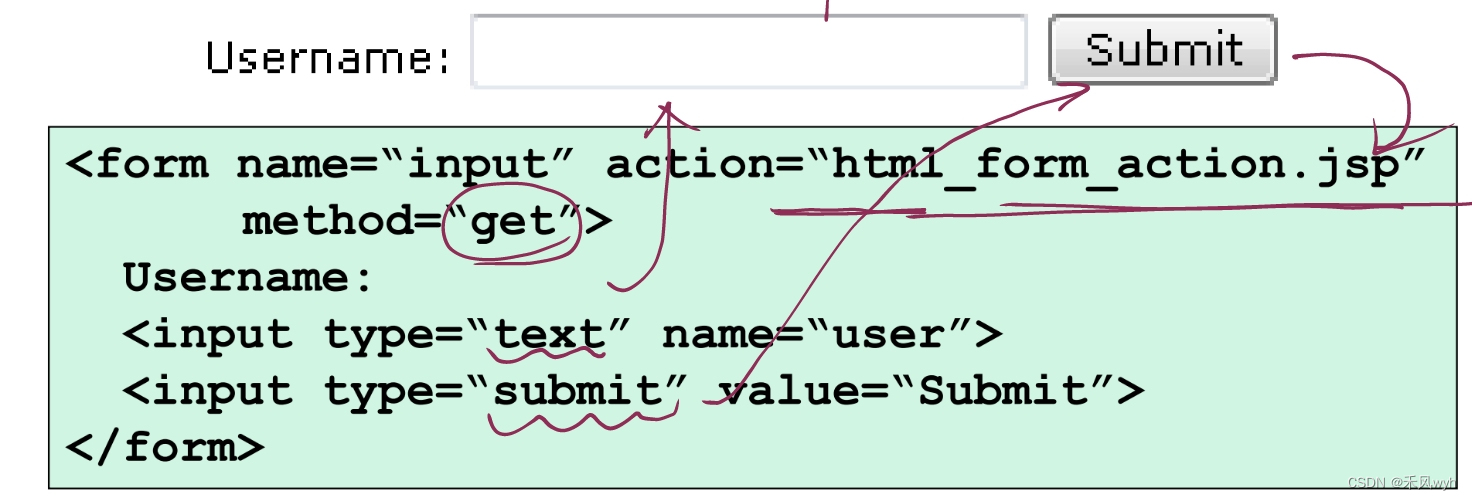
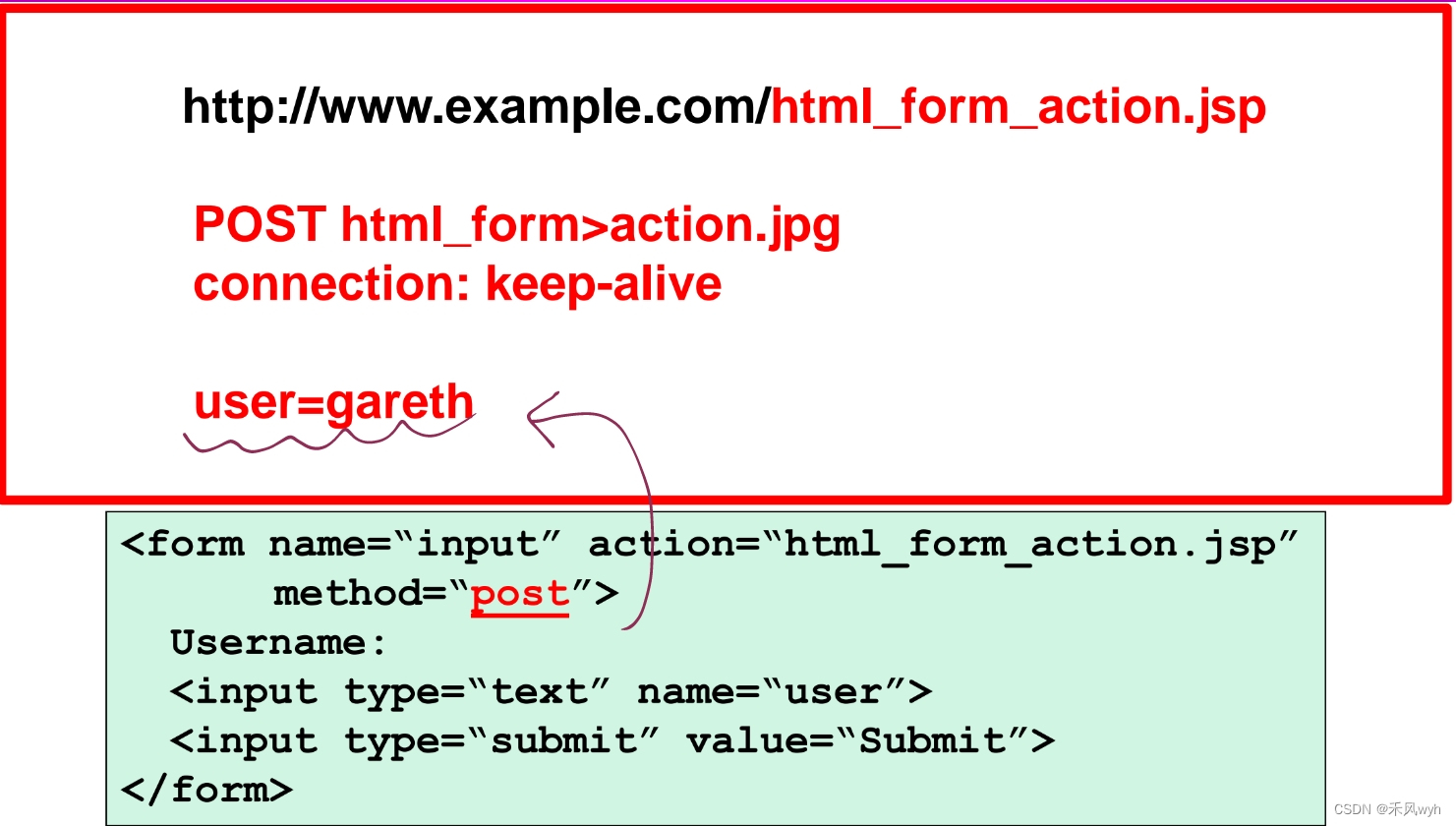
| Action attribute | define the name of the file to send the content to the file defined in the action usually does something with the received input |
| Submit attribute | the content of the form is sent to another file
|
| Image act as a submit button | The image type is by default a form submitting button |
| Simple dropdown box |
|
| Fieldset |
|
| Textarea | |
| Button | |
| Difference between button and submit | <input type="button">: will not submit a form on their own——they don't do anying by default. <input type="submit">: will submit the form they are in when the user clicks on them |
| Difference between id and name | The name attribute: what is sent when the form is submitted. The id attribute: uniquely identifies any element on the page. When the form is submitted, only the selected option is sent. |

3. Form Tags
| <form> | a form for user input |
| <input> | an input field |
| <textarea> | a text-area |
| <label> | a label to a control |
| <fieldset> | a fieldset |
| <legend> | a caption for a fieldset |
| <select> | a selectable list |
| <optgroup> | an option group |
| <option> | an option in the drop-down box |
| <button> | a push button |
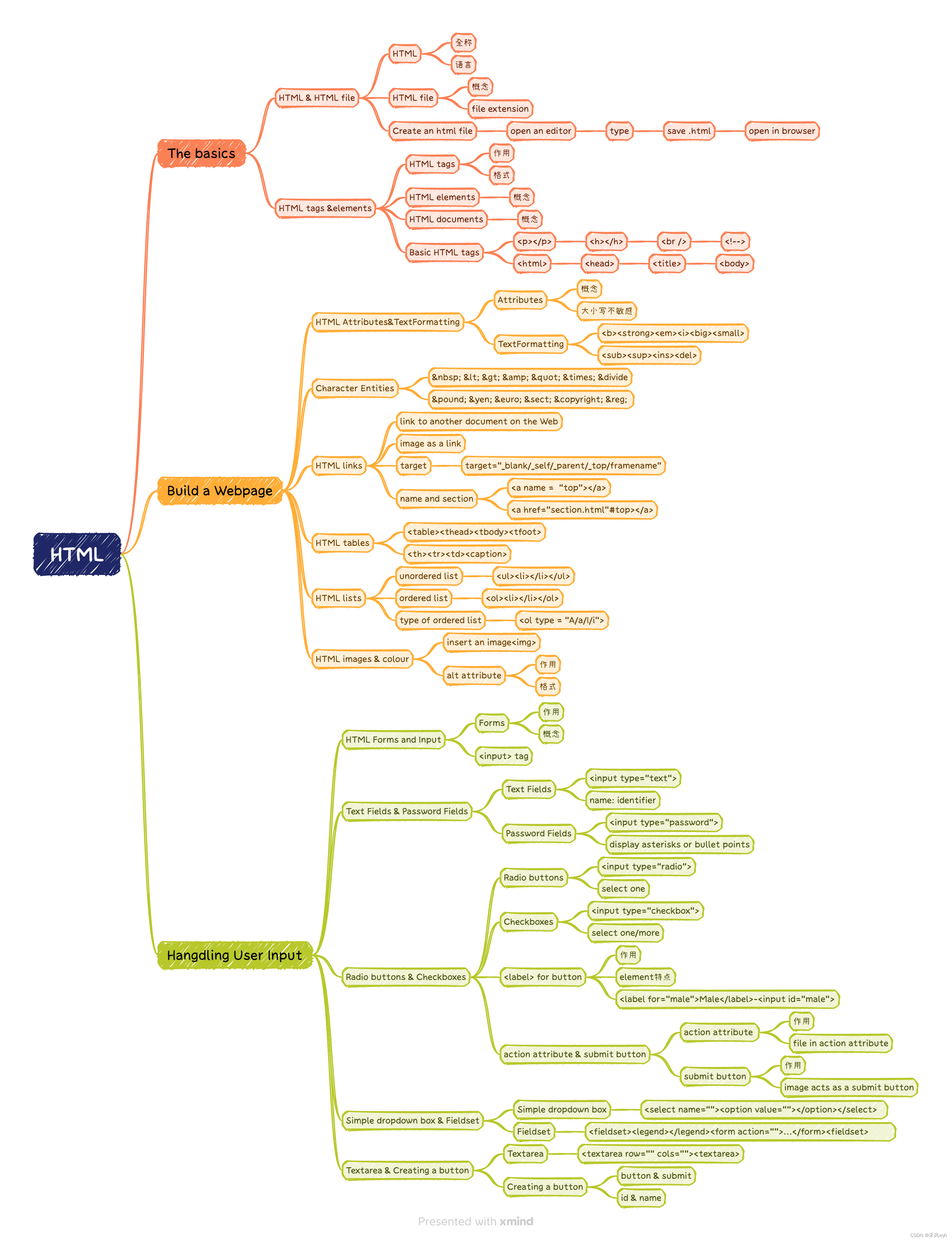
思维导图
Exercise

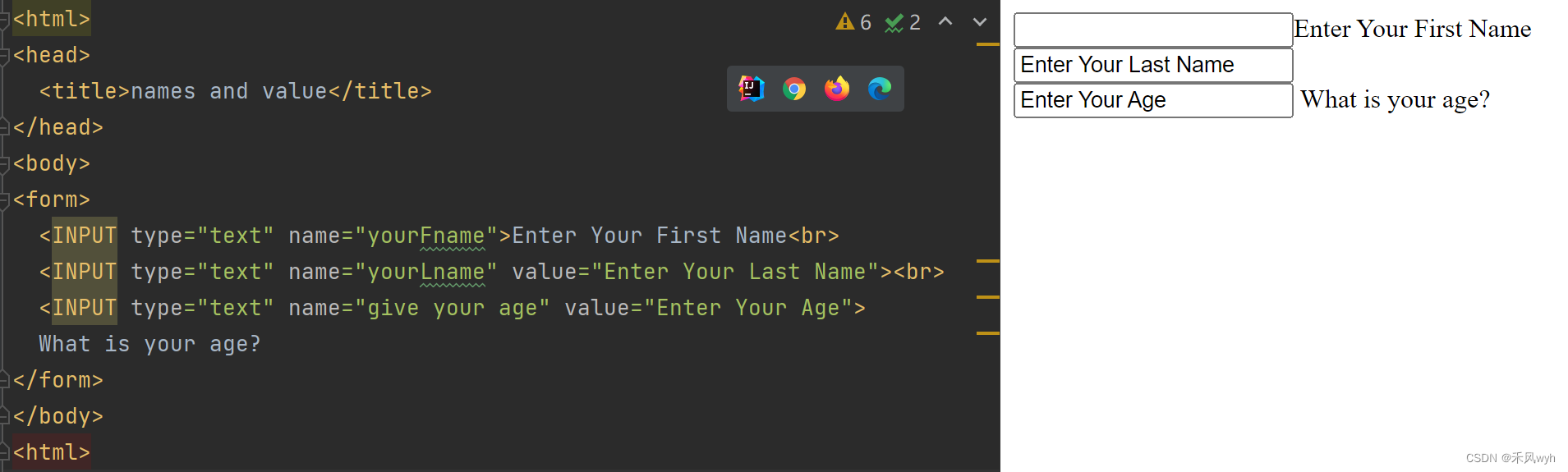
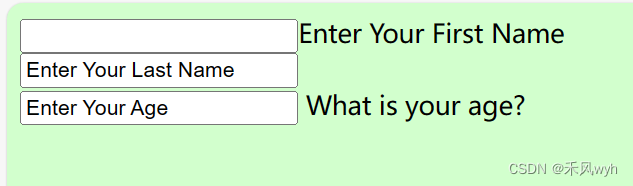
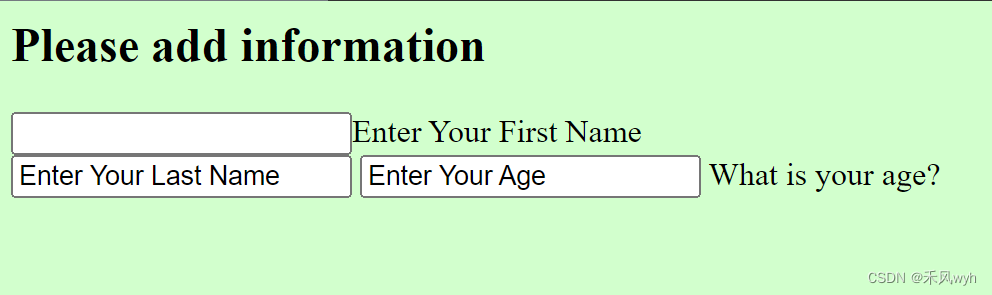
1. What is the difference between the three text boxes?
The values of them are different.
2. What happens if you change this tag <body> to <body bgcolor=ccffcc>?
3. What happens if you add this tag after the body tag: <front face=arial>?
4. What happens if you delete a <br> tag?
5. What happens if you add this before the first text box:<h2>Please add information</h2>
6. What happens if you do NOT include the closing tag i.e. </h2>?



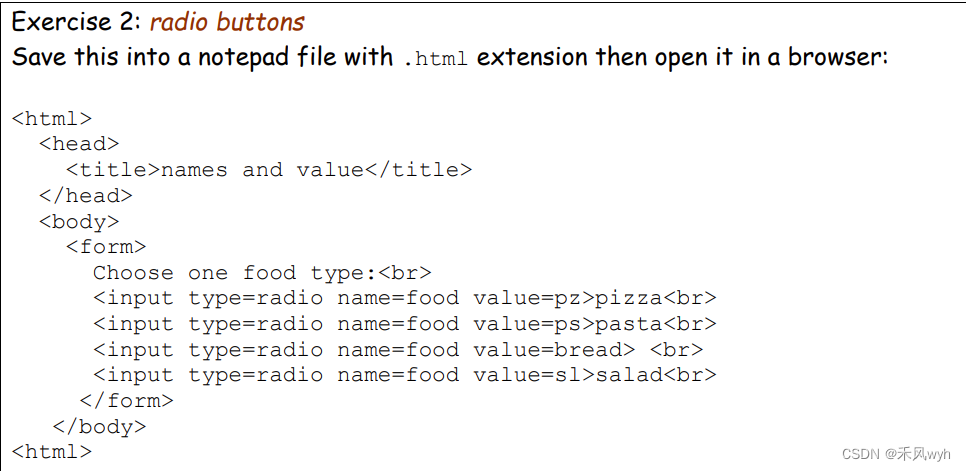

1. Does the page display what is written in the value attribute (e.g. pz) or what is written after the tag (e.g. pizza)?
No.
2. Can a user select more than one food type?
No. Checkbox can.
3. Change the name of the last radio button (i.e. the one for the salad), from name=food to name=morefood. Can the user now select more than one food type (e.g. salad and pasta)?
No.
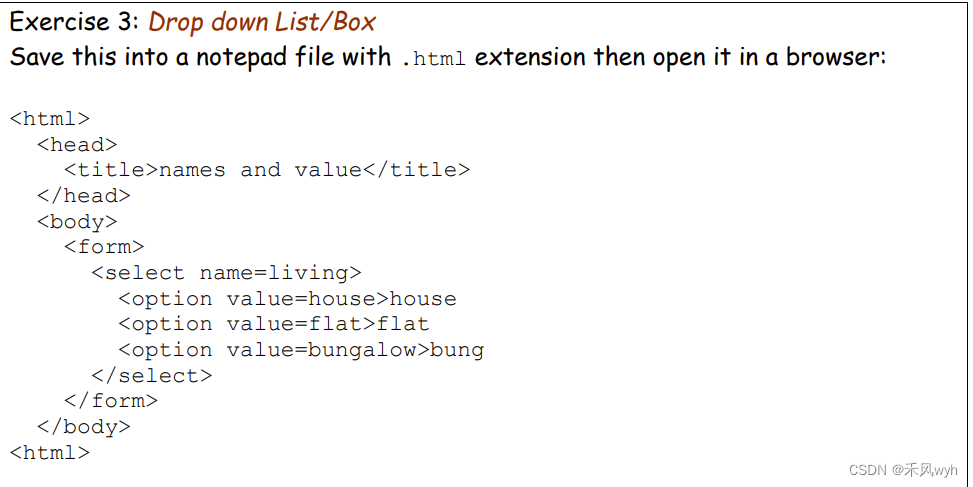
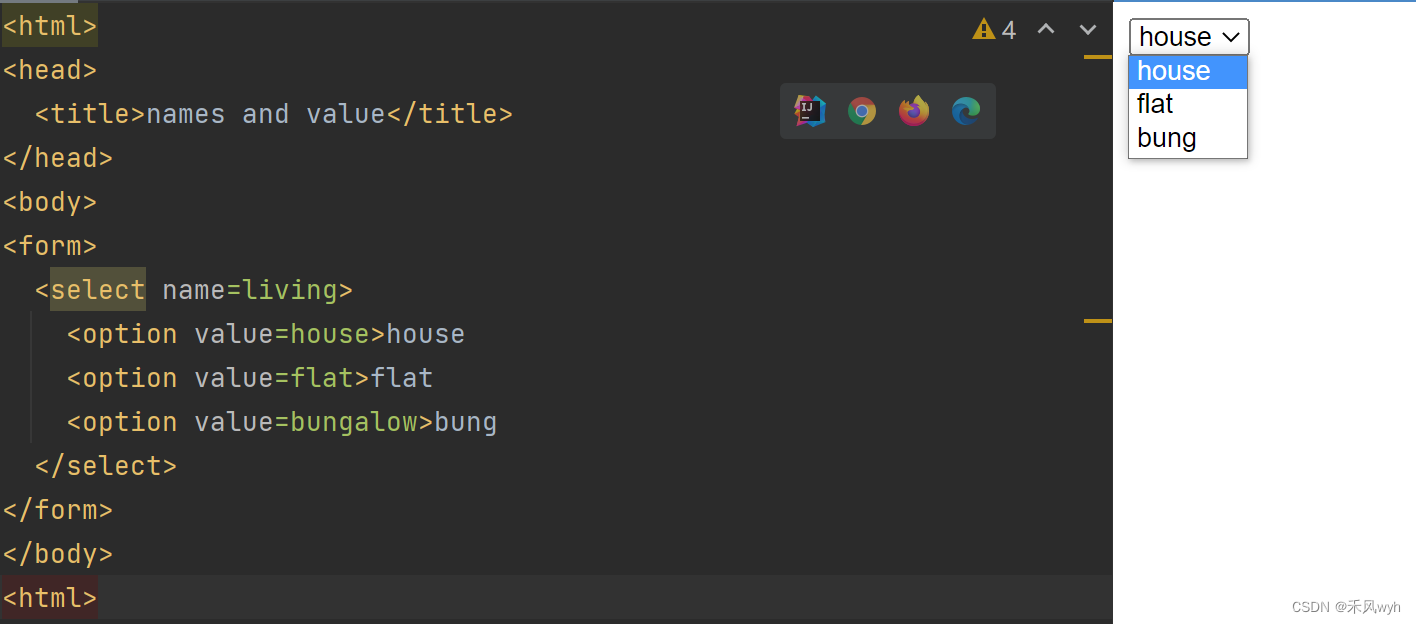
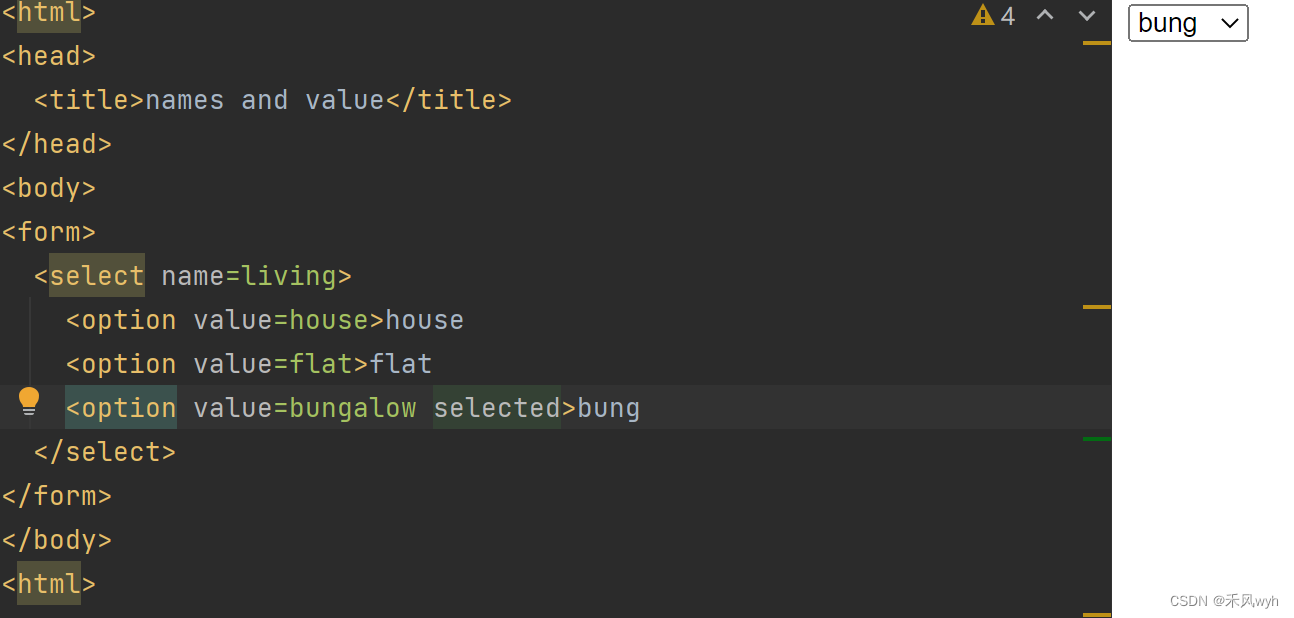
1. Does the list show the word bungalow or bung?
bung.
2. In Internet Explorer (IE), add a space followed by the word selected after bungalow. Save the file and refresh the browser. What has changed?
bung is selected by default.

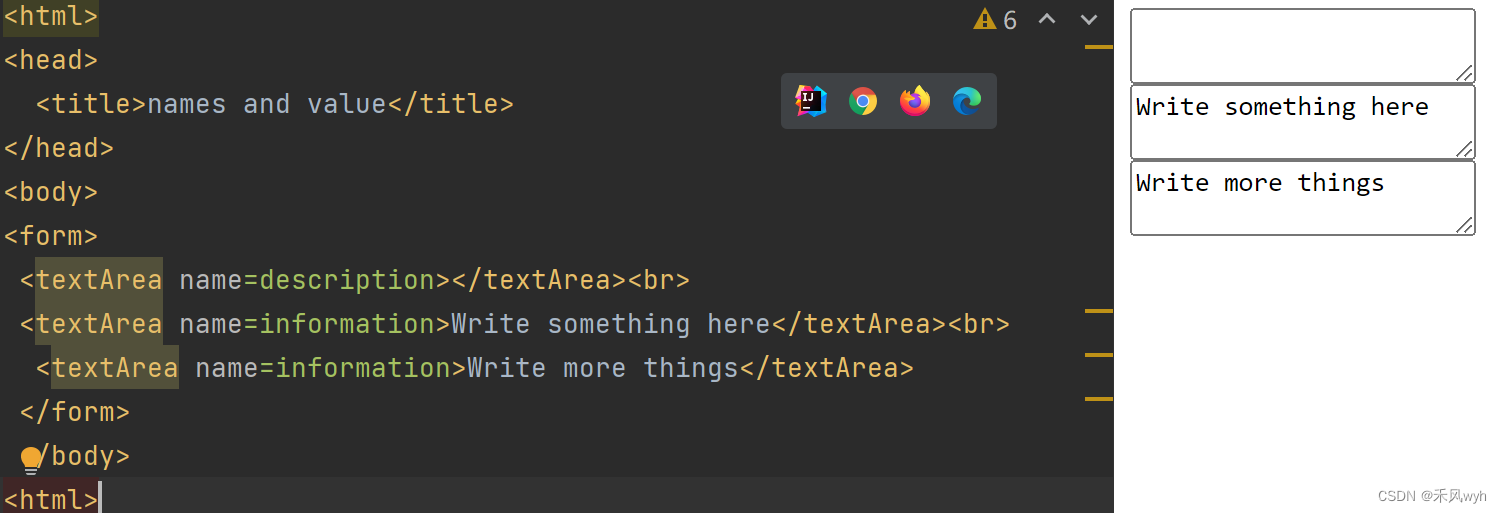
1. Write the difference between the three textAreas? 1) 2) 3)
The name and default content
2. How would you correct the third textArea?
3. There is no value attribute – what is the value of a textArea?
The text content of it.
Lab2——html
Questions
1. What is HTML? How does it relate to HTTP?
· HTML is a mark-up language, which is used to build a web page and handle user input.
· HTTP is the application protocol which is used to request and response on the browser and client.
· HTML build the web page, and HTTP send and receive the web page.
2. In HTML, you can have input of type submit, together with an associated button (like the Submit button in Error! Reference source not found.). What is supposed to happen when you click that button?
Button will not submit a form on their own, they don't do anything by default. However, submit buttons will submit the form they are in when the user clicks on them
相关文章:
【高级网络程序设计】Week2-3 HTML
一、The Basics 1. HTML&HTML file HTMLMarkup languageHyper Text Markup LanguageHTML fileText file with markup tags.htm/.html extension Create an html file Open an editor Type: <html><head><titile><body> Save it as .html Open i…...
来聊聊JVM中的类加载过程以及双亲委派模型(学习Java必知内容)
文章目录 1. 类加载过程加载验证准备解析初始化 2. 双亲委派模型一个类的加载流程双亲委派模型的优点 总结 1. 类加载过程 在整个 JVM 执行过程中, 和我们程序员关系最密切的就是类加载的过程, 所以接下来我们来看下类加载的执行流程. 对于一个类来说, 它的生命周期是这样的:…...

scala的类介绍
scala的类、抽象类、接口、对象 class :类, 通过new关键字来实例化,每次实例化都会创建一个新的对象;用来定义普通的类。object:对象,用来定义一个单例对象的,它只有一个实例,且在程序运行期间…...
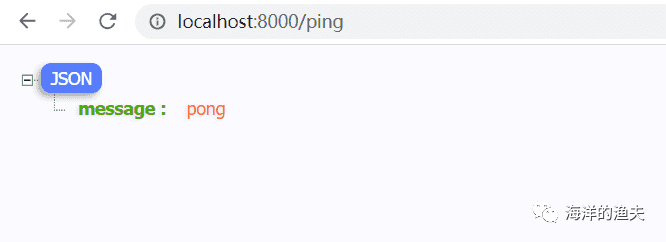
1.Gin 介绍
1.Gin 介绍 介绍 Gin 是一个 Go (Golang) 编写的轻量级 http web 框架,运行速度非常快,如果你是性能和高效的追求者,我们推荐你使用 Gin 框架。 Gin 最擅长的就是 Api 接口的高并发,如果项目的规模不大,业务相对简单&a…...

华三无线控制器WX2540H配合准入做Portal认证
数据通信 - 建设篇 - 无线 第四章 华三无线控制器WX2540H配合准入做Portal认证 数据通信 - 建设篇 - 无线系列文章回顾华三无线控制器WX2540H配合准入做Portal认证前言其他配置优化参考来源系列文章回顾 第一章 华三无线控制器配置本地转发 第二章 华三无线控制器配置802.1X认…...
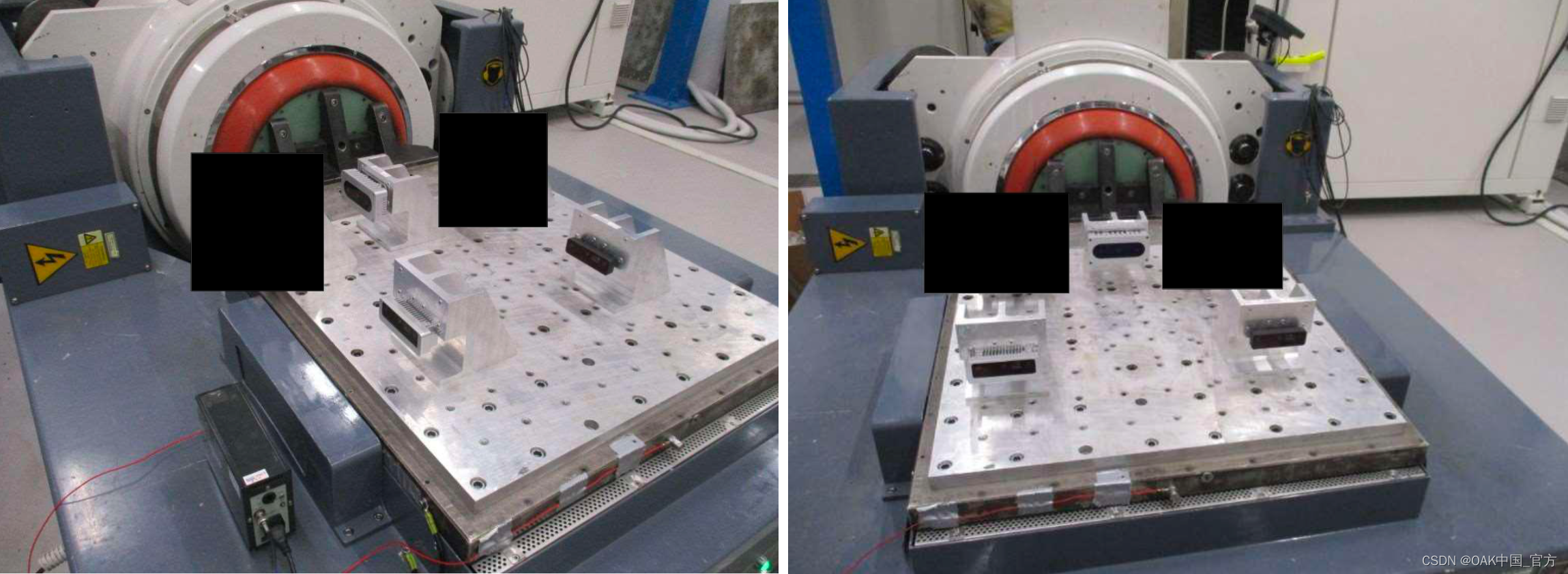
OAK相机通过振动测试!
编辑:OAK中国 首发:oakchina.cn 喜欢的话,请多多👍⭐️✍ 内容可能会不定期更新,官网内容都是最新的,请查看首发地址链接。 Hello,大家好,这里是OAK中国,我是助手君。 当…...

使用Pytorch从零开始构建RNN
在这篇文章中,我们将了解 RNN(即循环神经网络),并尝试通过 PyTorch 从头开始实现其中的部分内容。是的,这并不完全是从头开始,因为我们仍然依赖 PyTorch autograd 来计算梯度并实现反向传播,…...
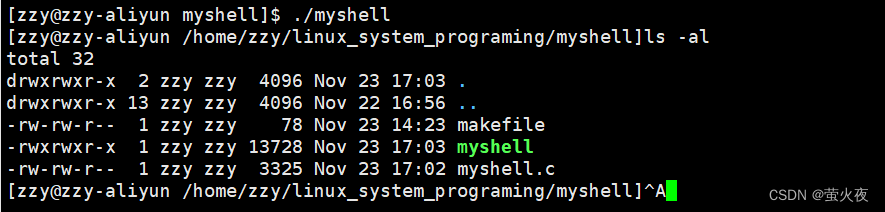
Linux之实现简易的shell
1.打印提示符并获取命令行 我们在使用shell的时候,发现我们在输入命令是,前面会有:有用户名,版本,当前路径等信息,这里我们可以用环境变量去获取: 1 #include <stdio.h>2 #include <stdlib.h>…...
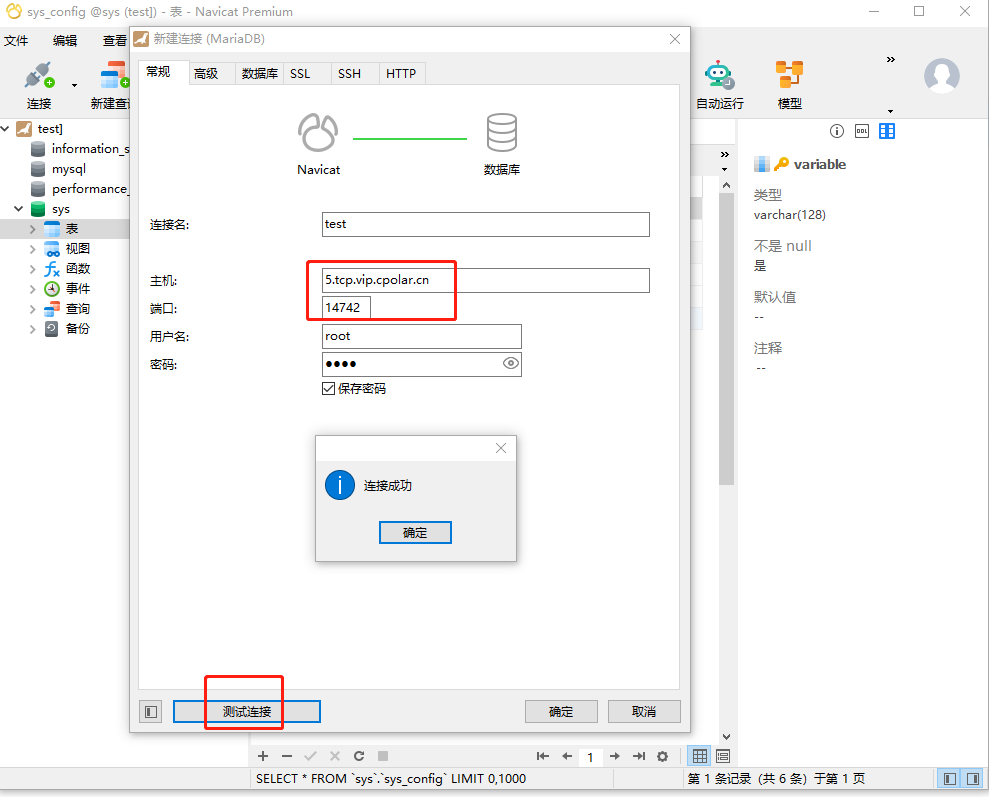
如何实现在公网下使用navicat图形化工具远程连接本地内网的MariaDB数据库
公网远程连接MariaDB数据库【cpolar内网穿透】 文章目录 公网远程连接MariaDB数据库【cpolar内网穿透】1. 配置MariaDB数据库1.1 安装MariaDB数据库1.2 测试局域网内远程连接 2. 内网穿透2.1 创建隧道映射2.2 测试随机地址公网远程访问3. 配置固定TCP端口地址3.1 保留一个固定的…...
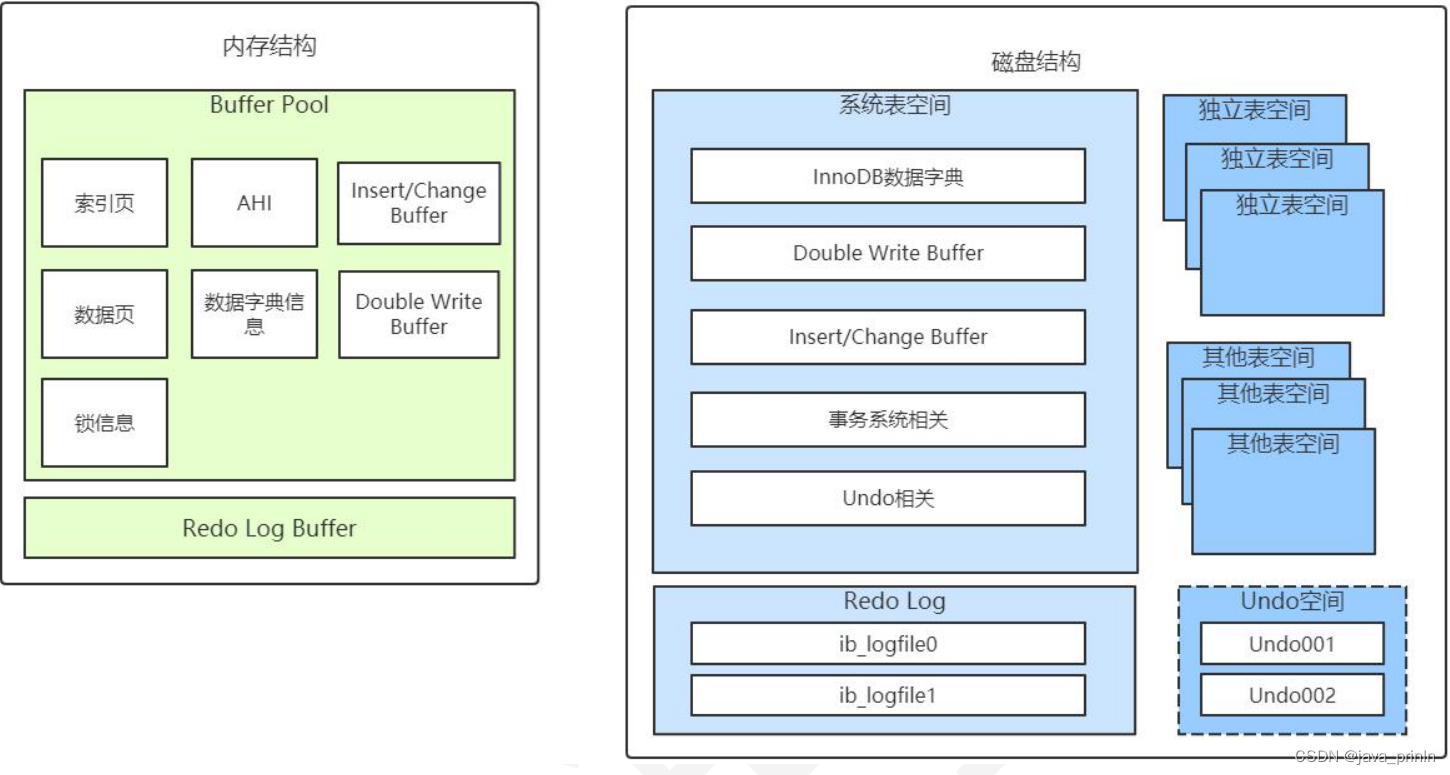
MySQL InnoDB 引擎底层解析(三)
6.3.3. InnoDB 的内存结构总结 InnoDB 的内存结构和磁盘存储结构图总结如下: 其中的 Insert/Change Buffer 主要是用于对二级索引的写入优化,Undo 空间则是 undo 日志一般放在系统表空间,但是通过参数配置后,也可以用独立表空 间…...
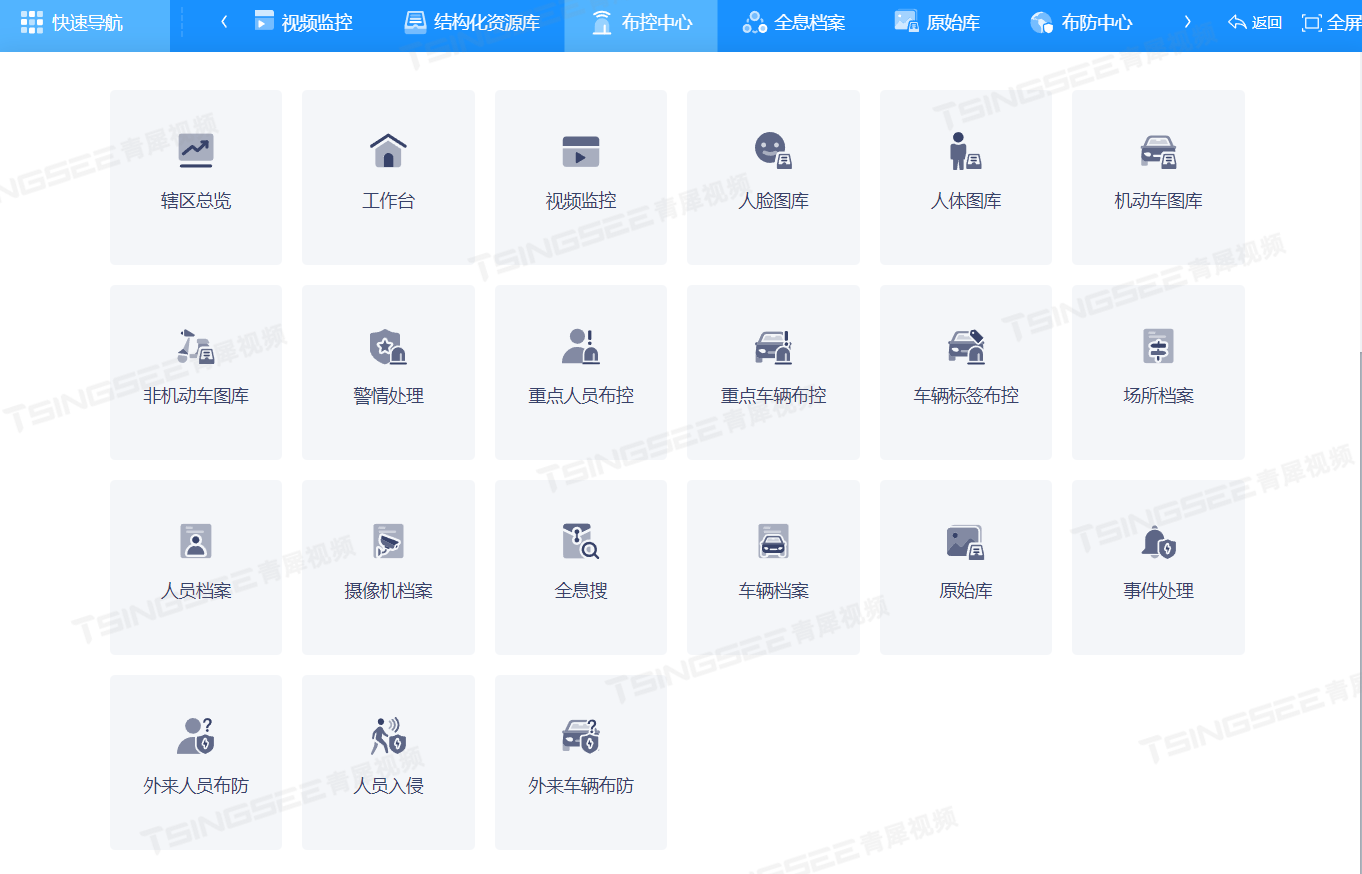
浅析基于智能音视频技术的城市重要场馆智能监控系统设计
了解旭帆科技的朋友都知道,旭帆科技一直都乐于和大家分享各类场景的视频解决方案,今天小编就基于智能音视频技术的城市重要场馆智能监控系统设计和大家探讨一下。 基于智能音视频技术的城市重要场馆智能监控系统设计,主要包含以下要素&#x…...
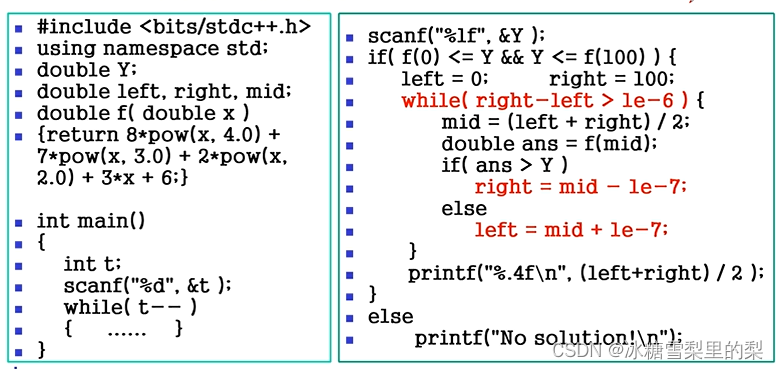
hdu-lcy算法培训班 入门第一讲 数学基础
习题 F题...

获取ip属地(ip2region本地离线包-超简单)
背景 最近有涉及要显示ip属地,但我想白嫖,结果就是白嫖的api接口太慢了,要延迟3到4秒左右,很影响体验,而且不一定稳定。 结果突然看到了这个【ip2region】开源项目,离线识别ip属地,精度自己测…...
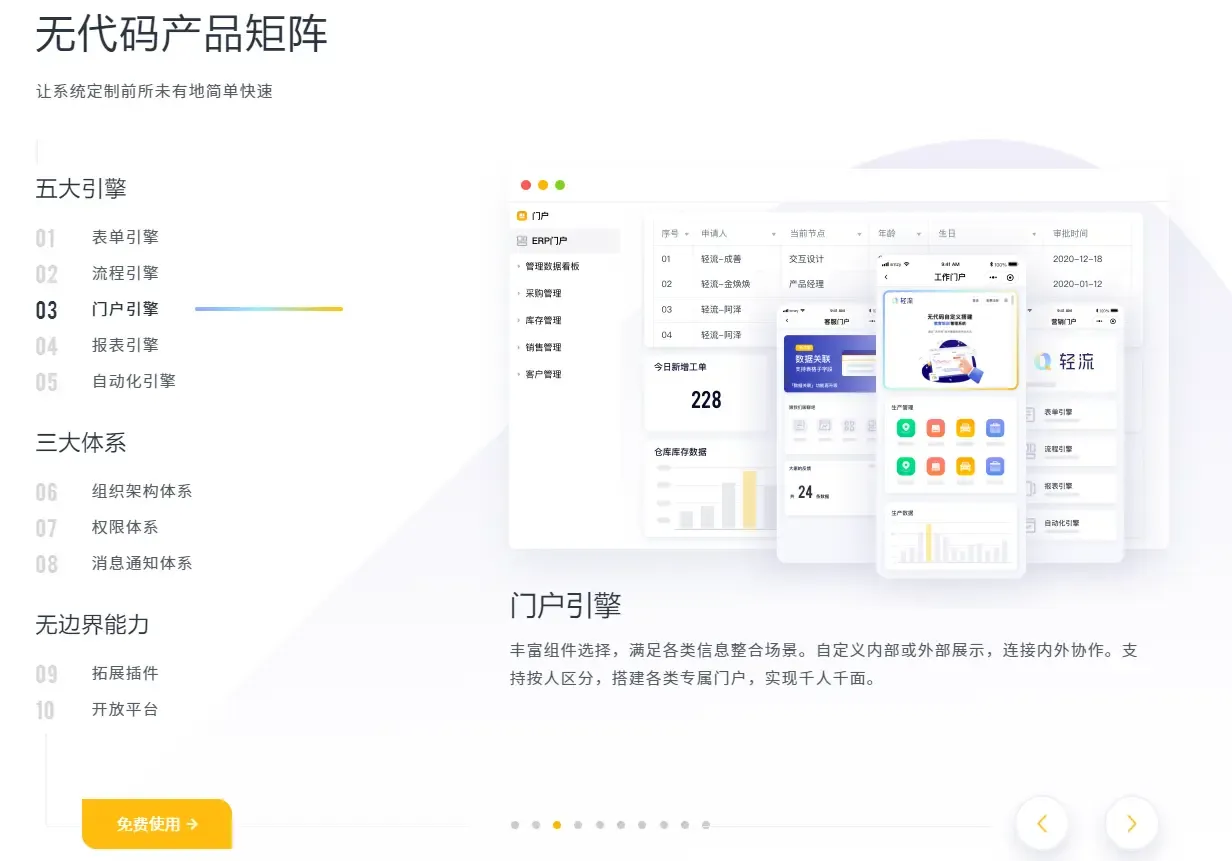
主流的低代码平台有哪些?程序员应该如何与低代码相处?
本文主要阐述低代码的概念,介绍目前主流的低代码平台,总结低代码平台的典型特征、存在优势以及未来发展趋势。并站在程序员的角度,分析如何在已经到来的低代码战争中,找到自己的定位,一展所长。 什么是低代码ÿ…...

华为---OSPF网络虚连接(Virtual Link)简介及示例配置
【1】OSPF网络虚连接(Virtual Link)简介 为了避免区域间的环路,OSPF规定不允许直接在两个非骨干区域之间发布路由信息,只允许在一个区域内部或者在骨干区域和非骨干区域之间发布路由信息。因此,每个ABR都必须连接到骨干…...
Python函数式编程:让你的代码更优雅更简洁
概要 函数式编程(Functional Programming)是一种编程范式,它将计算视为函数的求值,并且避免使用可变状态和循环。 函数式编程强调的是函数的计算,而不是它的副作用。 在函数式编程中,函数是第一类公民&a…...
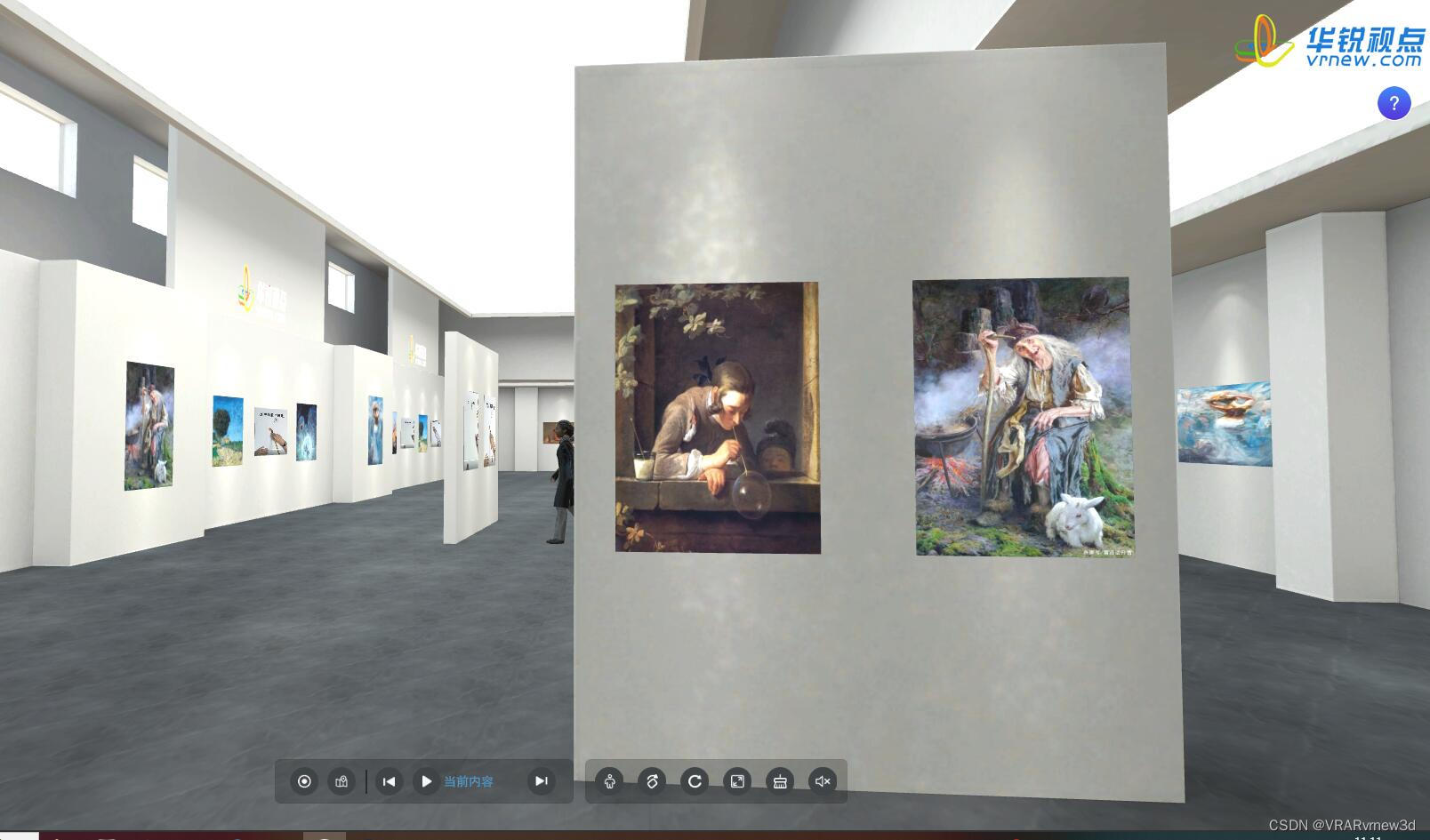
艺术作品3D虚拟云展厅能让客户远程身临其境地欣赏美
艺术品由于货物昂贵、易碎且保存难度大,因此在艺术品售卖中极易受时空限制,艺术品三维云展平台在线制作是基于web端将艺术品的图文、模型及视频等资料进行上传搭配,构建一个线上艺术品3D虚拟展厅,为艺术家和观众提供了全新的展示和…...
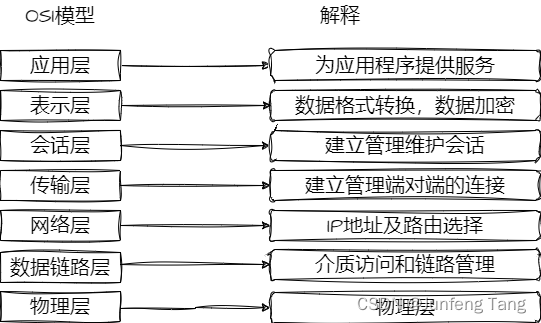
负载均衡简介
负载均衡 负载均衡(Load Balance,简称 LB)是高并发、高可用系统必不可少的关键组件,目标是 尽力将网络流量平均分发到多个服务器上,以提高系统整体的响应速度和可用性。 负载均衡的分类和OSI模型息息相关,…...
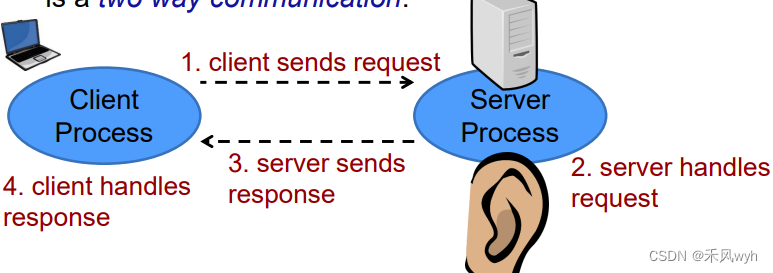
【高级网络程序设计】Week2-1 Sockets
一、The Basics 1. Sockets 定义An abstraction of a network interface应用 use the Socket API to create connections to remote computers send data(bytes) receive data(bytes) 2. Java network programming the java network libraryimport java.net.*;similar to…...

quickapp_快应用_requestHeader
和客户端相同,在进行请求交互中,后端会需要获取当前设备信息,此时需要使用应用上下文app与设备信息 应用版本号 const app require(system.app)app.getInfo().versionName // versionName:应用版本名称 (manifest.json中versio…...

COM-HPC Mini边缘计算模块技术解析与应用
1. 边缘计算硬件新纪元:COM-HPC Mini技术解析在5G和AI技术爆发的今天,边缘计算正经历着从"能用"到"好用"的质变。作为PICMG首席技术官,我与数十家成员单位共同见证了COM-HPC标准的诞生——这个专为高性能边缘计算设计的计…...

抖音无水印下载器:5步解决你的视频采集难题
抖音无水印下载器:5步解决你的视频采集难题 【免费下载链接】douyin-downloader A practical Douyin downloader for both single-item and profile batch downloads, with progress display, retries, SQLite deduplication, and browser fallback support. 抖音批…...

告别模糊!用Qwen-Image-Edit-2511-Unblur-Upscale轻松修复人脸照片
告别模糊!用Qwen-Image-Edit-2511-Unblur-Upscale轻松修复人脸照片 1. 为什么你需要这款图像修复神器 你是否遇到过这样的情况:手机拍下的珍贵照片因为手抖变得模糊,或者老照片经过多次翻拍后细节全无?传统修图软件往往对这些模…...

别再死记硬背了!用Python代码和Excel表格,手把手带你算清VGG16的参数量和FLOPs
用Python和Excel拆解VGG16:参数量与FLOPs的实战计算指南 当你第一次看到VGG16的1.38亿参数量时,是否好奇这个数字从何而来?作为计算机视觉领域的里程碑模型,VGG16的精妙之处不仅在于它的深度,更在于其规整的结构设计。…...

知识库架构最易踩的坑:Claude 链路位置放错,全流程白忙活!
在知识库搭建的实际开发中,很多开发者都会陷入一个认知误区:将知识库简单等同于RAG,进而把Claude的位置直接放在链路最后——检索获取片段后,由Claude生成最终答案。从工程落地角度看,这套方案确实能正常运行ÿ…...
)
告别显存焦虑:用bitsandbytes的8位优化器,让你的RTX 3060也能跑大模型(保姆级配置)
用8位优化器释放RTX 3060潜力:低成本玩转LLaMA-7B全攻略 当你在Colab上看到"CUDA out of memory"的红色警告时,是否想过自己的RTX 3060其实也能跑动70亿参数的大模型?2023年柏林工业大学发布的实验数据显示,通过8位量化…...

网络安全渗透测试入门|无线安全渗透与防御完整教程
前言 这是给粉丝盆友们整理的网络安全渗透测试入门阶段无线安全渗透与防御教程 喜欢的朋友们,记得给我点赞支持和收藏一下,关注我,学习黑客技术。 1.Aircrack-ng简介 Aircrack- NG是一个完整的工具来评估Wi-Fi网络安全套件。 捕获&#x…...

Firefox Focus多语言支持完整指南:如何为全球用户提供本地化体验
Firefox Focus多语言支持完整指南:如何为全球用户提供本地化体验 【免费下载链接】focus-android ⚠️ Firefox Focus (Android) moved to a new repository. It is now developed and maintained as part of: https://github.com/mozilla-mobile/firefox-android …...

AI智能体开发框架agent-pack-n-go:开箱即用的快速构建与部署指南
1. 项目概述:一个开箱即用的智能体开发与部署框架最近在探索AI智能体(Agent)的落地应用时,发现了一个痛点:从构思一个智能体到真正把它跑起来,中间隔着“十万八千里”。你需要考虑框架选型、环境配置、工具…...

如何通过DellFanManagement实现戴尔笔记本风扇的精准控制
如何通过DellFanManagement实现戴尔笔记本风扇的精准控制 【免费下载链接】DellFanManagement A suite of tools for managing the fans in many Dell laptops. 项目地址: https://gitcode.com/gh_mirrors/de/DellFanManagement 戴尔笔记本用户常常面临散热管理困境&…...