
【ClickHouse源码】物化视图的写入过程
本文对 ClickHouse 物化视图的写入流程源码做个详细说明,基于 v22.8.14.53-lts 版本。
StorageMaterializedView
首先来看物化视图的构造函数:
StorageMaterializedView::StorageMaterializedView(const StorageID & table_id_,ContextPtr local_context,const ASTCreateQuery & query,const ColumnsDescription & columns_,bool attach_,const String & comment): IStorage(table_id_), WithMutableContext(local_context->getGlobalContext())
{StorageInMemoryMetadata storage_metadata;storage_metadata.setColumns(columns_);......if (!has_inner_table){target_table_id = query.to_table_id;}else if (attach_){/// If there is an ATTACH request, then the internal table must already be created.target_table_id = StorageID(getStorageID().database_name, generateInnerTableName(getStorageID()), query.to_inner_uuid);}else{/// We will create a query to create an internal table.auto create_context = Context::createCopy(local_context);auto manual_create_query = std::make_shared<ASTCreateQuery>();manual_create_query->setDatabase(getStorageID().database_name);manual_create_query->setTable(generateInnerTableName(getStorageID()));manual_create_query->uuid = query.to_inner_uuid;auto new_columns_list = std::make_shared<ASTColumns>();new_columns_list->set(new_columns_list->columns, query.columns_list->columns->ptr());manual_create_query->set(manual_create_query->columns_list, new_columns_list);manual_create_query->set(manual_create_query->storage, query.storage->ptr());InterpreterCreateQuery create_interpreter(manual_create_query, create_context);create_interpreter.setInternal(true);create_interpreter.execute();target_table_id = DatabaseCatalog::instance().getTable({manual_create_query->getDatabase(), manual_create_query->getTable()}, getContext())->getStorageID();}
}
通过以上代码可以发现物化视图支持几种创建语法,总的来说可以归为 3 类:
-
指定了目的表的情况:
create table src(id Int32) Engine=Memory();
create table dest(id Int32) Engine=Memory();create materialized view mv to dest as select * from src;
使用以上形式时,
target_table_id会选择 dest 表的table_id。 -
不指定目的表的情况:
create table src(id Int32) Engine=Memory();create materialized view mv Engine=Memory() as select * from src;使用以上形式时,首先会根据源表的
table_id生成一个以.inner.开头的目的表名,如.inner.5ef4ec2c-efb1-4918-bf6c-59de2edb54cf,然后在生成一个随机的uuid作为目的表的table_id并同时作为target_table_id。 -
第 3 种其实不是创建语法,而是在 ClickHouse 启动或者物化视图被 detach 掉后,执行 attach 的实现。
StorageMaterializedView::read
void StorageMaterializedView::read(QueryPlan & query_plan,const Names & column_names,const StorageSnapshotPtr & storage_snapshot,SelectQueryInfo & query_info,ContextPtr local_context,QueryProcessingStage::Enum processed_stage,const size_t max_block_size,const size_t num_streams)
{/// 获取目的表实例auto storage = getTargetTable();auto lock = storage->lockForShare(local_context->getCurrentQueryId(), local_context->getSettingsRef().lock_acquire_timeout);auto target_metadata_snapshot = storage->getInMemoryMetadataPtr();auto target_storage_snapshot = storage->getStorageSnapshot(target_metadata_snapshot, local_context);if (query_info.order_optimizer)query_info.input_order_info = query_info.order_optimizer->getInputOrder(target_metadata_snapshot, local_context);storage->read(query_plan, column_names, target_storage_snapshot, query_info, local_context, processed_stage, max_block_size, num_streams);if (query_plan.isInitialized()){/// 获取物化视图 stream 中对应的 block 结构auto mv_header = getHeaderForProcessingStage(column_names, storage_snapshot, query_info, local_context, processed_stage);/// 获取查询语句中所需的列对应的 block 结构auto target_header = query_plan.getCurrentDataStream().header;/// 从查询的列中去除那些mv不存在的列removeNonCommonColumns(mv_header, target_header);/// 分布式表引擎在查询处理到指定阶段,header 中可能不包含物化视图中的所有列,例如 group by/// 所以从 mv_header 中去除那些查询不需要的列removeNonCommonColumns(target_header, mv_header);/// 当查询中得到的 mv_header 和 target_header 有不同结构时,会通过在 pipeline 中添加表达式计算来进行转换/// 比如 Decimal(38, 6) -> Decimal(16, 6),或者一些聚合运算,如 sum 等if (!blocksHaveEqualStructure(mv_header, target_header)){auto converting_actions = ActionsDAG::makeConvertingActions(target_header.getColumnsWithTypeAndName(),mv_header.getColumnsWithTypeAndName(),ActionsDAG::MatchColumnsMode::Name);auto converting_step = std::make_unique<ExpressionStep>(query_plan.getCurrentDataStream(), converting_actions);converting_step->setStepDescription("Convert target table structure to MaterializedView structure");query_plan.addStep(std::move(converting_step));}query_plan.addStorageHolder(storage);query_plan.addTableLock(std::move(lock));}
}
通过以上代码可以看出,物化视图是一种逻辑描述,数据都是存储在目的表中,读取时实际操作的目的表,并且在在查询过程中还会涉及到多阶段 block 的转换,以及表达式的计算。
StorageMaterializedView::write
SinkToStoragePtr StorageMaterializedView::write(const ASTPtr & query, const StorageMetadataPtr & /*metadata_snapshot*/, ContextPtr local_context)
{auto storage = getTargetTable();auto lock = storage->lockForShare(local_context->getCurrentQueryId(), local_context->getSettingsRef().lock_acquire_timeout);auto metadata_snapshot = storage->getInMemoryMetadataPtr();auto sink = storage->write(query, metadata_snapshot, local_context);sink->addTableLock(lock);return sink;
}
同样写也是将数据存入了目的表。
我们都知道数据写源表时会触发写物化视图,从而将数据写入目的表,下面就看一下是如何实现的。SQL 的执行都是通过 IInterpreter 到 InterpreterXxx 的,这里就不再多说,一个写入操作最中会调用 InterpreterInsertQuery,所以从 InterpreterInsertQuery::execute() 开始跟踪。
InterpreterInsertQuery::execute()
BlockIO InterpreterInsertQuery::execute()
{......std::vector<Chain> out_chains;if (!distributed_pipeline || query.watch){size_t out_streams_size = 1;......for (size_t i = 0; i < out_streams_size; ++i){auto out = buildChainImpl(table, metadata_snapshot, query_sample_block, nullptr, nullptr);out_chains.emplace_back(std::move(out));}}......
}
execute() 中通过 buildChainImpl() 来构建输出链, buildChainImpl() 会判断当前表是否有物化视图关联,如果有就会调用 buildPushingToViewsChain() 。
buildPushingToViewsChain()
这个方法非常长,这里只展示和本文想说明的问题相关的部分。
Chain buildPushingToViewsChain(const StoragePtr & storage,const StorageMetadataPtr & metadata_snapshot,ContextPtr context,const ASTPtr & query_ptr,bool no_destination,ThreadStatusesHolderPtr thread_status_holder,std::atomic_uint64_t * elapsed_counter_ms,const Block & live_view_header)
{......auto table_id = storage->getStorageID();auto views = DatabaseCatalog::instance().getDependentViews(table_id);......std::vector<Chain> chains;for (const auto & view_id : views){auto view = DatabaseCatalog::instance().tryGetTable(view_id, context);......if (auto * materialized_view = dynamic_cast<StorageMaterializedView *>(view.get())){......StoragePtr inner_table = materialized_view->getTargetTable();auto inner_table_id = inner_table->getStorageID();auto inner_metadata_snapshot = inner_table->getInMemoryMetadataPtr();query = view_metadata_snapshot->getSelectQuery().inner_query;target_name = inner_table_id.getFullTableName();Block header;/// Get list of columns we get from select query.if (select_context->getSettingsRef().allow_experimental_analyzer)header = InterpreterSelectQueryAnalyzer::getSampleBlock(query, select_context);elseheader = InterpreterSelectQuery(query, select_context, SelectQueryOptions().analyze()).getSampleBlock();/// Insert only columns returned by select.Names insert_columns;const auto & inner_table_columns = inner_metadata_snapshot->getColumns();for (const auto & column : header){/// But skip columns which storage doesn't have.if (inner_table_columns.hasPhysical(column.name))insert_columns.emplace_back(column.name);}InterpreterInsertQuery interpreter(nullptr, insert_context, false, false, false);out = interpreter.buildChain(inner_table, inner_metadata_snapshot, insert_columns, thread_status_holder, view_counter_ms);out.addStorageHolder(view);out.addStorageHolder(inner_table);}else if (auto * live_view = dynamic_cast<StorageLiveView *>(view.get())){runtime_stats->type = QueryViewsLogElement::ViewType::LIVE;query = live_view->getInnerQuery(); // Used only to log in system.query_views_logout = buildPushingToViewsChain(view, view_metadata_snapshot, insert_context, ASTPtr(), true, thread_status_holder, view_counter_ms, storage_header);}else if (auto * window_view = dynamic_cast<StorageWindowView *>(view.get())){runtime_stats->type = QueryViewsLogElement::ViewType::WINDOW;query = window_view->getMergeableQuery(); // Used only to log in system.query_views_logout = buildPushingToViewsChain(view, view_metadata_snapshot, insert_context, ASTPtr(), true, thread_status_holder, view_counter_ms);}elseout = buildPushingToViewsChain(view, view_metadata_snapshot, insert_context, ASTPtr(), false, thread_status_holder, view_counter_ms);......
}
buildPushingToViewsChain() 会检查当前表是否有视图依赖,通过几个判断可以看出视图分为三种:物化视图、实时视图和窗口视图,最后的 else 是指当前表是个普通表。如果当前表是源表且有物化视图依赖,就会调用 buildPushingToViewsChain() 来构建链,这是个递归调用,首次进入当前表是普通表,其依赖的物化视图会再次调用该方法,再次进入就会物化视图的 if 逻辑,最终是通过 buildChain() 来构建链。
buildChainImpl
buildChain() 中是调用了 buildChainImpl() 这个实现类。
Chain InterpreterInsertQuery::buildChainImpl(const StoragePtr & table,const StorageMetadataPtr & metadata_snapshot,const Block & query_sample_block,ThreadStatusesHolderPtr thread_status_holder,std::atomic_uint64_t * elapsed_counter_ms)
{....../// We create a pipeline of several streams, into which we will write data.Chain out;/// Keep a reference to the context to make sure it stays alive until the chain is executed and destroyedout.addInterpreterContext(context_ptr);/// NOTE: we explicitly ignore bound materialized views when inserting into Kafka Storage.///       Otherwise we'll get duplicates when MV reads same rows again from Kafka.if (table->noPushingToViews() && !no_destination){auto sink = table->write(query_ptr, metadata_snapshot, context_ptr);sink->setRuntimeData(thread_status, elapsed_counter_ms);out.addSource(std::move(sink));}else{out = buildPushingToViewsChain(table, metadata_snapshot, context_ptr, query_ptr, no_destination, thread_status_holder, elapsed_counter_ms);}......
}
buildChainImpl() 会根据当前表(或视图)是否有依赖的视图或目的表,来做不同的操作,这里就可以处理视图级连视图的情况,会不断递归构造相应的链节点,使之连接起来。
Chain InterpreterInsertQuery::buildChainImpl(const StoragePtr & table,const StorageMetadataPtr & metadata_snapshot,const Block & query_sample_block,ThreadStatusesHolderPtr thread_status_holder,std::atomic_uint64_t * elapsed_counter_ms)
{.../// We create a pipeline of several streams, into which we will write data.Chain out;/// Keep a reference to the context to make sure it stays alive until the chain is executed and destroyedout.addInterpreterContext(context_ptr);/// NOTE: we explicitly ignore bound materialized views when inserting into Kafka Storage.///       Otherwise we'll get duplicates when MV reads same rows again from Kafka.if (table->noPushingToViews() && !no_destination)  // table->noPushingToViews() 用于禁止物化视图插入数据到 KafkaEngine{auto sink = table->write(query_ptr, metadata_snapshot, context_ptr);sink->setRuntimeData(thread_status, elapsed_counter_ms);out.addSource(std::move(sink));}else  // 构建物化视图插入 pushingToViewChain,重点!!!{out = buildPushingToViewsChain(table, metadata_snapshot, context_ptr, query_ptr, no_destination, thread_status_holder, elapsed_counter_ms);}...return out;
}
小结
所以源表和物化视图在写入时是构造了多个输出链,数据也是只能对当前写入的数据做操作,不会影响源表现有数据。而且写入源表和目的表的过程是一个 pipeline,需要全部完成才算写入成功,当然 pipeline 可以并行处理,可以加快写入速度。
欢迎添加微信:xiedeyantu,讨论技术问题。
相关文章:

【ClickHouse源码】物化视图的写入过程
本文对 ClickHouse 物化视图的写入流程源码做个详细说明,基于 v22.8.14.53-lts 版本。 StorageMaterializedView 首先来看物化视图的构造函数: StorageMaterializedView::StorageMaterializedView(const StorageID & table_id_,ContextPtr local_…...
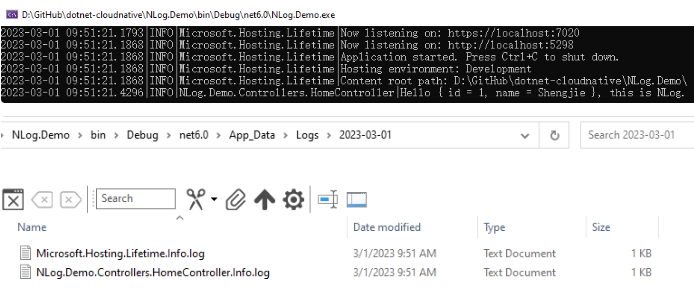
.NET 使用NLog增强日志输出
引言 不管你是开发单体应用还是微服务应用,在实际的软件的开发、测试和运行阶段,开发者都需要借助日志来定位问题。因此一款好的日志组件将至关重要,在.NET 的开源生态中,目前主要有Serilog、Log4Net和NLog三款优秀的日志组件&…...
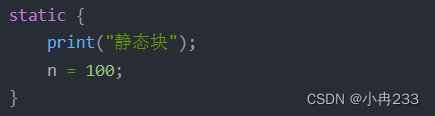
一道阿里类的初始化顺序笔试题
问题很简单,就是下面的代码打印出什么? public class InitializeDemo {private static int k 1;private static InitializeDemo t1 new InitializeDemo("t1" );private static InitializeDemo t2 new InitializeDemo("t2");priv…...

cuda找不到路径报错
编译C文件时出现:error: [Errno 2] No such file or directory: :/usr/local/cuda:/usr/local/cuda/bin/nvcc 在终端输入: export CUDA_HOME/usr/local/cuda...
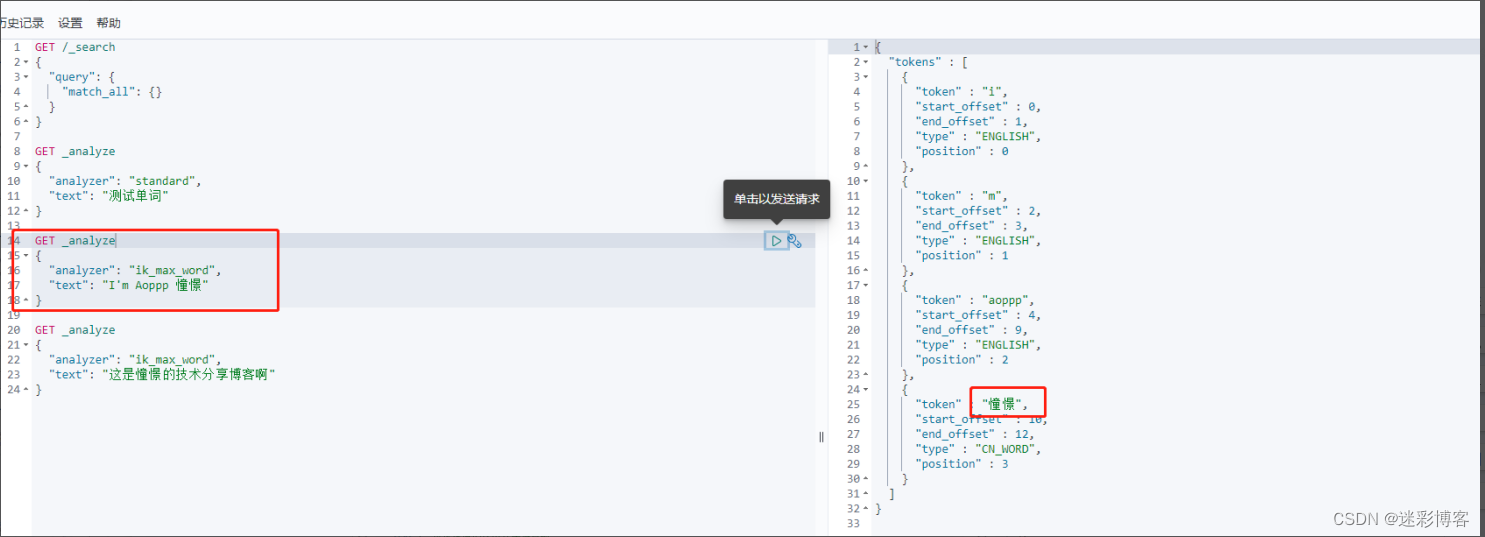
Elasticsearch进阶之(核心概念、系统架构、路由计算、倒排索引、分词、Kibana)
Elasticsearch进阶之(核心概念、系统架构、路由计算、倒排索引、分词、Kibana) 1、核心概念: 1.1、索引(Index) 一个索引就是一个拥有几分相似特征的文档的集合。比如说,你可以有一个客户数据的索引&…...

Android包体积缩减
关于减小包体积的方案: 一、所有的图片压缩,采用webp 格式。 (当然有些图片采用webp格式反而变大了,可以仍采用png格式) 二、语音资源过滤 只保留中文 resConfigs "zh-rCN", "zh” 可以减少resourc…...
)
【华为OD机试】 网上商城优惠活动(C++ Java Javascript Python)
文章目录 题目描述输入描述输出描述备注用例题目解析C++JavaScriptJavaPython题目描述 某网上商场举办优惠活动,发布了满减、打折、无门槛3种优惠券,分别为: 每满100元优惠10元,无使用数限制,如100199元可以使用1张减10元,200299可使用2张减20元,以此类推;92折券,1次…...
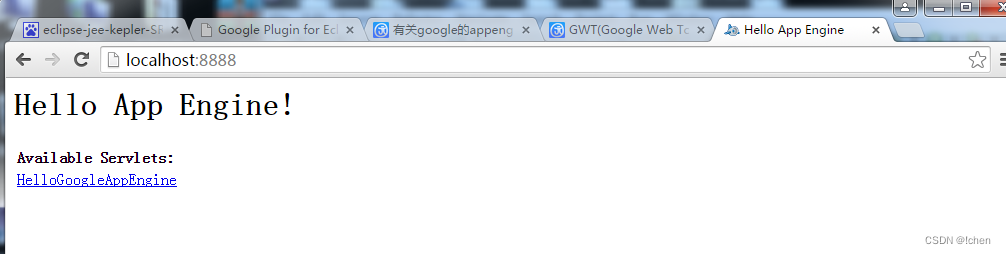
GWT安装过程
1:安装前准备 (可以问我要) appengine-java-sdk-1.9.8 com.google.gdt.eclipse.suite.4.3.update.site_3.8.0 gwt-2.5.1 eclipse-jee-kepler-SR2-win32-x86_64.zip 2:安装环境上 打开eclipse Help –Install New Software… 选择Add –…...
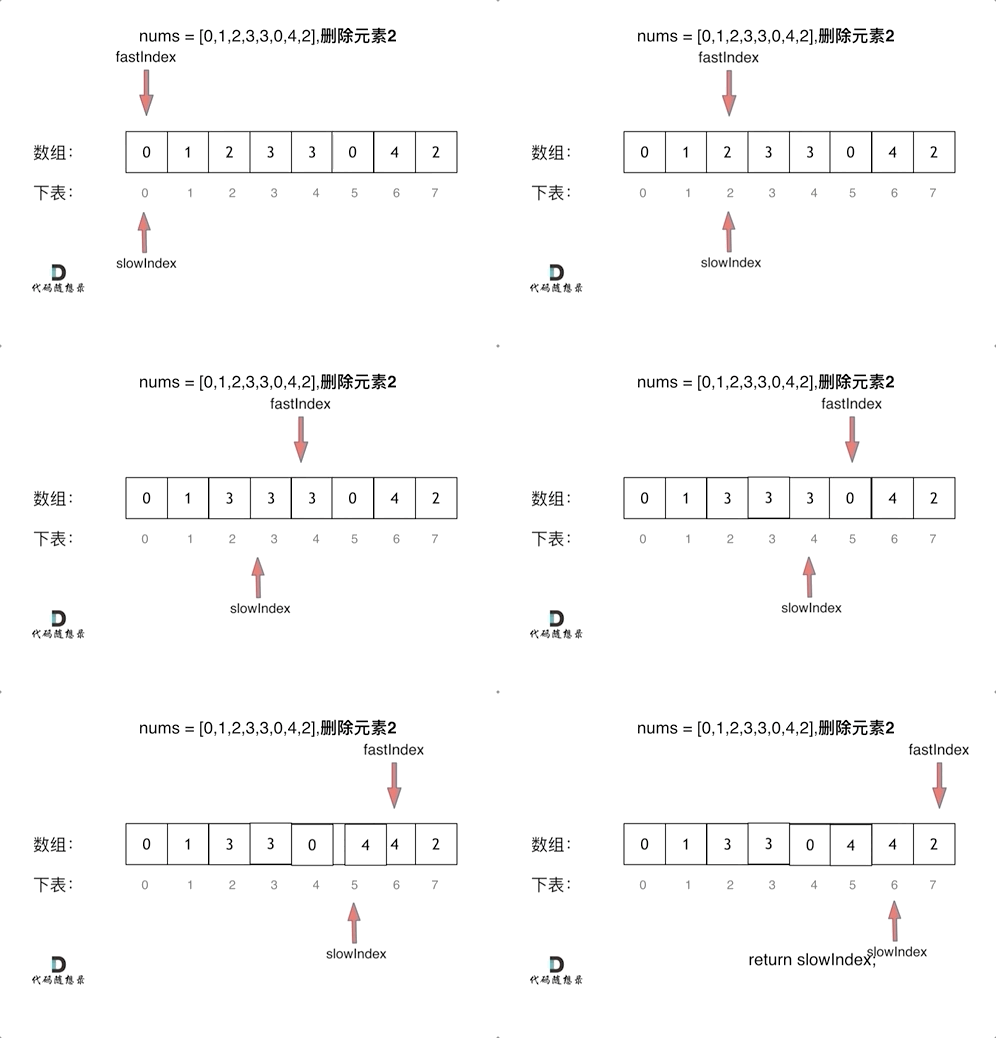
代码随想录算法训练营第一天| 704. 二分查找、27. 移除元素
Leetcode 704 二分查找题目链接:704二分查找介绍给定一个 n 个元素有序的(升序)整型数组 nums 和一个目标值 target ,写一个函数搜索 nums 中的 target,如果目标值存在返回下标,否则返回 -1。思路先看看一个…...

office@word@ppt启用mathtype组件方法整理
文章目录将mathtype添加到word中ref查看office安装路径文件操作法Note附PPT中使用mathtype将mathtype添加到word中 先安装office,再安装mathtype,那么这个过程是自动的如果是先安装mathtype,再安装office,那么有以下选择: 重新安装一遍mathtype(比较简单,不需要说明)执行文件操…...
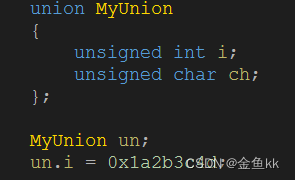
计算机大小端
我们先假定内存结构为上下型的,上代表内存高地址,下代表内存低地址。 电脑读取内存数据时,是从低位地址到高位地址进行读取(从下到上)。 1、何为大小端 大端:数据的高位字节存放在低地址,数据…...
)
Matplotlib绘图从零入门到实践(含各类用法详解)
一、引入 Matplotlib 是一个Python的综合库,用于在 Python 中创建静态、动画和交互式可视化。 本教程包含笔者在使用Matplotlib库过程中遇到的各类完整实例与用法还有遇到的库理论问题,可以根据自己的需要在目录中查询对应的用法、实例以及第四部分关于…...
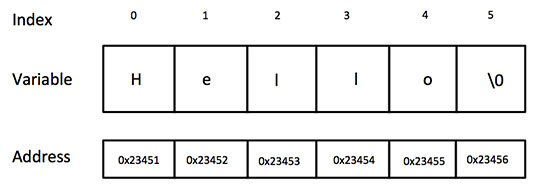
C语言 入门教程||C语言 指针||C语言 字符串
C语言 指针 学习 C 语言的指针既简单又有趣。通过指针,可以简化一些 C 编程任务的执行,还有一些任务,如动态内存分配,没有指针是无法执行的。所以,想要成为一名优秀的 C 程序员,学习指针是很有必要的。 …...

Nacos2.x+Nginx集群配置
一、配置 nacos 集群 注意:需要先配置好 nacos 连接本地数据库 1、拷贝三份 nacos 2、修改配置文件(cluster.conf) 修改启动端口: nacos1:8818 nacos2:8828 nacos3:8838 当nacos客户端升级为…...
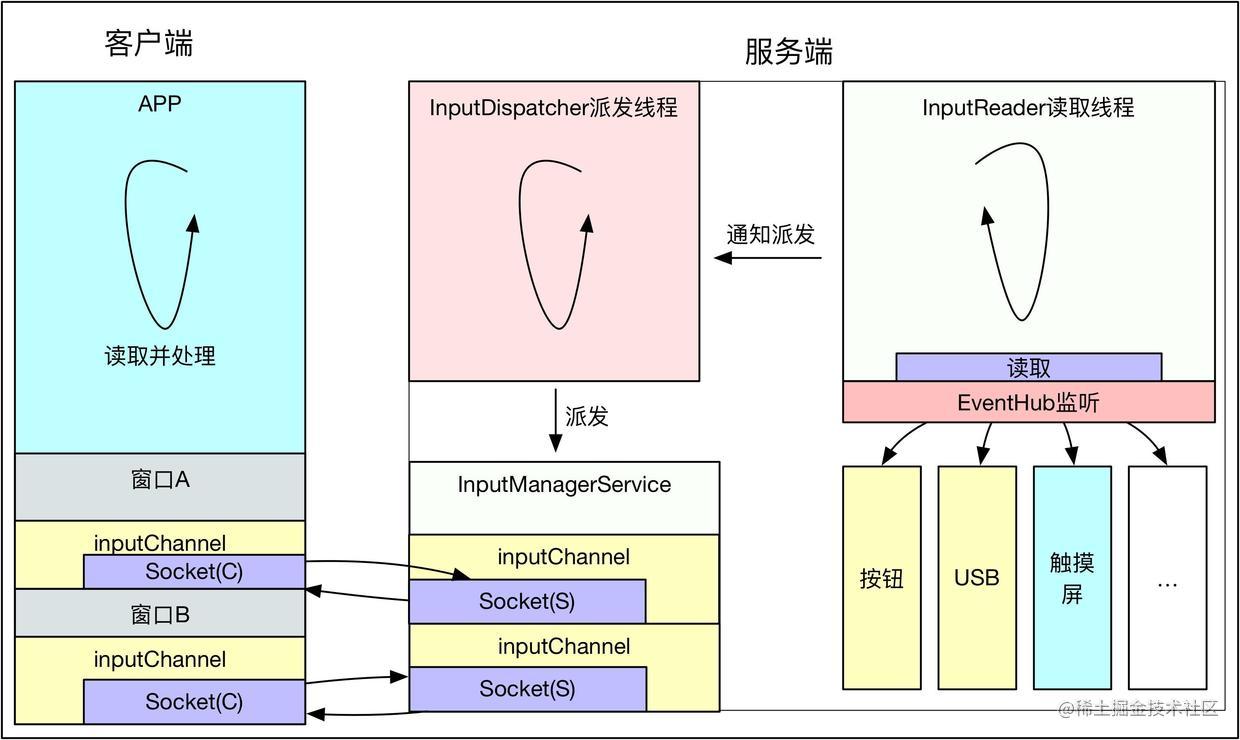
Android源码分析 - InputManagerService与触摸事件
0. 前言 有人问到:“通过TouchEvent,你可以获得到当前的触点,它更新的频率和屏幕刷新的频率一样吗?”。听到这个问题的时候我感到很诧异,我们知道Android是事件驱动机制的设计,可以从多种服务中通过IPC通信…...

python库--urllib
目录 一.urllib导入 二.urllib爬取网页 三.Headers属性 1.使用build_opener()修改报头 2.使用add_header()添加报头 四.超时设置 五.get和post请求 1.get请求 2.post请求 urllib库和request库作用差不多,但比较起来request库更加容易上手,但该了…...

美团前端二面常考react面试题及答案
什么原因会促使你脱离 create-react-app 的依赖 当你想去配置 webpack 或 babel presets。 React 16中新生命周期有哪些 关于 React16 开始应用的新生命周期: 可以看出,React16 自上而下地对生命周期做了另一种维度的解读: Render 阶段&a…...
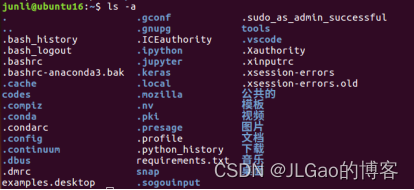
环境搭建04-Ubuntu16.04更改conda,pip的镜像源
我常用的pipy国内镜像源: https://pypi.tuna.tsinghua.edu.cn/simple # 清华 http://mirrors.aliyun.com/pypi/simple/ # 阿里云 https://pypi.mirrors.ustc.edu.cn/simple/ #中国科技大学1、将conda的镜像源修改为国内的镜像源 先查看conda安装的信息…...

【C++进阶】四、STL---set和map的介绍和使用
目录 一、关联式容器 二、键值对 三、树形结构的关联式容器 四、set的介绍及使用 4.1 set的介绍 4.2 set的使用 五、multiset的介绍及使用 六、map的介绍和使用 6.1 map的介绍 6.2 map的使用 七、multimap的介绍和使用 一、关联式容器 前面已经接触过 STL 中的部分…...
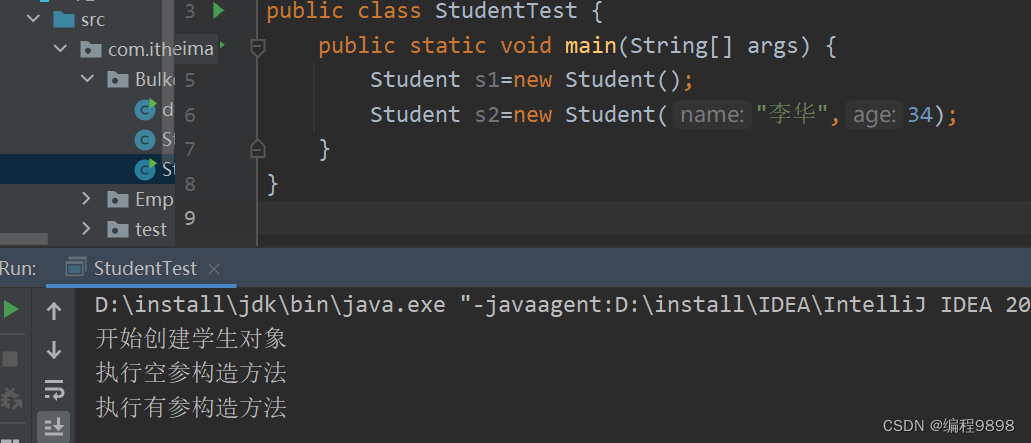
JavaSE学习进阶 day1_01 static关键字和静态代码块的使用
好的现在我们进入进阶部分的学习,看一张版图: 前面我们已经学习完基础班的内容了,现在我们已经来到了第二板块——基础进阶,这部分内容就不是那么容易了。学完第二板块,慢慢就在向java程序员靠拢了。 面向对象进阶部分…...

基于Lepton AI构建对话式搜索引擎:RAG技术实践指南
1. 项目概述:用Lepton AI构建你的对话式搜索引擎 如果你对AI应用开发感兴趣,尤其是想快速搭建一个能理解自然语言、并能联网搜索的智能助手,那么“Search with Lepton”这个项目绝对值得你花时间研究。它本质上是一个开源的对话式搜索引擎框…...

OAI 5G核心网搭建后,如何用Docker命令进行日常运维和故障排查?
OAI 5G核心网Docker运维实战:从日志分析到故障排查 当OAI 5G核心网完成基础部署后,真正的挑战才刚刚开始。面对由多个容器组成的复杂系统,如何快速定位AMF拒绝注册的原因?SMF的PDU会话建立失败该如何排查?本文将分享一…...

深度解析20辆电动汽车29个月真实充电数据:电池容量衰减评估与健康监测关键技术
深度解析20辆电动汽车29个月真实充电数据:电池容量衰减评估与健康监测关键技术 【免费下载链接】battery-charging-data-of-on-road-electric-vehicles This repository is transfered from the personal account of Dr. Zhognwei Deng (Michael Teng) 项目地址: …...

给手机直尺界面添加logo
我已经说完了...

ESP8266+STM32远程控制实战:如何通过华为云中转指令与数据
ESP8266STM32远程控制实战:华为云物联网全链路开发指南 在智能家居和工业监控领域,远程设备控制一直是核心技术痛点。当ESP8266遇上STM32,再通过华为云物联网平台搭建通信桥梁,这个组合能爆发出怎样的生产力?本文将带您…...

Cursor Pro功能解锁:3步实现免费无限制使用AI编辑器完整指南
Cursor Pro功能解锁:3步实现免费无限制使用AI编辑器完整指南 【免费下载链接】cursor-free-vip [Support 0.45](Multi Language 多语言)自动注册 Cursor Ai ,自动重置机器ID , 免费升级使用Pro 功能: Youve reached yo…...

ARMv8-A开发实战:DC IVAC指令详解,手把手教你正确清理数据缓存
ARMv8-A开发实战:DC IVAC指令深度解析与缓存一致性实战指南 在嵌入式系统开发中,缓存一致性问题是导致许多"幽灵bug"的罪魁祸首。当DMA控制器直接操作内存而处理器核心毫不知情,或者当多个核心共享同一块内存区域时,缓存…...

GitHub Enterprise MCP服务器:企业级代码管理的AI智能助手
1. 项目概述:当GitHub Enterprise遇上MCP,企业级代码管理的“智能副驾”最近在折腾企业内部的开发工具链,发现一个痛点:我们团队重度依赖GitHub Enterprise Server(GHES)进行代码托管和协作,但日…...

Jira、ONES、ClickUp 对比:哪款研发管理软件更适合中国研发团队?
快速迭代的互联网和软件行业,研发团队的效率管理工具几乎决定了产品交付的速度与质量。研发管理软件不仅是“任务分派”的工具,更是团队 需求管理、版本迭代、缺陷跟踪、研发效能度量 的基础设施。 目前市面上主流的研发管理软件众多,不同工…...

Axure中文汉化终极指南:3分钟搞定英文界面,让原型设计更顺手
Axure中文汉化终极指南:3分钟搞定英文界面,让原型设计更顺手 【免费下载链接】axure-cn Chinese language file for Axure RP. Axure RP 简体中文语言包。支持 Axure 11、10、9。不定期更新。 项目地址: https://gitcode.com/gh_mirrors/ax/axure-cn …...