
VUE篇之日历组件
1.简单日历组件展示

思路:根据当前月的第一天是星期几,来显示日期
<template><div class="wrap"><el-button @click="preMonth">上个月</el-button><el-tag>当前年份{{ curYear }}</el-tag><el-tag>当前月份{{ curMonth }}</el-tag><el-button @click="nextMonth">下个月</el-button><div class="weeks"><div v-for="item in week" :key="item" class="week">{{ item }}</div></div><div class="days"><!-- 当月 --><div v-for="item in curDays" :key="item + 'cur'" class="curday">{{ item }}</div></div></div>
</template>
<script>
import moment from 'moment';
moment.suppressDeprecationWarnings = true;
export default {data() {return {curYear: moment().year(), //当前年curMonth: moment().month() + 1, //当前月week: ['一', '二', '三', '四', '五', '六', '七'],firstDay: moment(`${moment().year()}-${moment().month() + 1}`).startOf('month').day(), //获取当月第一天是星期几;星期日为 0,星期六为 6curDays: moment().daysInMonth() //获取当月一共有多少天};},methods: {preMonth() {this.curMonth--;// 如果小于1表示上一年;重置日期if (this.curMonth < 1) {this.curYear--;this.curMonth = 12;}this.curDays = moment(`${this.curYear}-${this.curMonth}`).daysInMonth();this.firstDay = moment(`${this.curYear}-${this.curMonth}`).startOf('month').day();if (this.firstDay == 0) {this.firstDay = 7;}},nextMonth() {this.curMonth++;// 如果超过12表示下一年;重置日期if (this.curMonth > 12) {this.curYear++;this.curMonth = 1;}this.curDays = moment(`${this.curYear}-${this.curMonth}`).daysInMonth();this.firstDay = moment(`${this.curYear}-${this.curMonth}`).startOf('month').day();if (this.firstDay == 0) {this.firstDay = 7;}}}
};
</script><style lang="scss">
.wrap {width: 700px;height: 100%;.weeks {width: 100%;height: 50px;display: flex;.week {width: 100px;line-height: 50px;text-align: center;background: gainsboro;}}.days {display: flex;flex-wrap: wrap;.lastday,.curday {width: 100px;line-height: 50px;text-align: center;}.lastday {color: gold;}}
}
</style>
2.日历组件增强版------带有上个月或者下个月日期

较比上一版本,这个版本多了2个方法,主要用于更新上个月剩余日期,以及下个月最新日期
上个月日期:
// 获取上个月剩余天数getPreMonthDays() {if (this.firstDay == 1) return; //表示上个月无剩余天数let month = this.curMonth;let year = this.curYear;month--;if (month == 0) {year--;month = 12;}// 获取上个月的天数const days = moment(`${year}-${month}`).daysInMonth();this.preDays = days;},下个月日期:
// 获取下个月要显示的天数getNextMonthDays() {let month = this.curMonth;let year = this.curYear;// 获取当月最后一天是星期几const lastDay = moment(`${year}-${month}`).endOf('month').day();this.nextDays = lastDay == 0 ? 7 : lastDay;}整体代码:
<template><div class="wrap"><el-button @click="preMonth">上个月</el-button><el-tag>当前年份{{ curYear }}</el-tag><el-tag>当前月份{{ curMonth }}</el-tag><el-button @click="nextMonth">下个月</el-button><div class="weeks"><div v-for="item in week" :key="item" class="week">{{ item }}</div></div><div class="days"><!-- 上个月 --><div v-for="item in firstDay - 1" :key="item + 'pre'" class="lastday">{{ preDays - (firstDay - 1 - item) }}</div><!-- 当月 --><div v-for="item in curDays" :key="item + 'cur'" class="curday">{{ item }}</div><!-- 下个月 --><div v-for="item in 7 - nextDays" :key="item + 'next'" class="lastday">{{ item }}</div></div></div>
</template>
<script>
import moment from 'moment';
moment.suppressDeprecationWarnings = true;
export default {data() {return {preDays: 30,nextDays: 7,curYear: moment().year(), //当前年curMonth: moment().month() + 1, //当前月week: ['一', '二', '三', '四', '五', '六', '七'],firstDay: moment(`${moment().year()}-${moment().month() + 1}`).startOf('month').day(), //获取当月第一天是星期几;星期日为 0,星期六为 6curDays: moment().daysInMonth() //获取当月一共有多少天};},mounted() {this.getPreMonthDays();this.getNextMonthDays();},methods: {preMonth() {this.curMonth--;// 如果小于1表示上一年;重置日期if (this.curMonth < 1) {this.curYear--;this.curMonth = 12;}this.curDays = moment(`${this.curYear}-${this.curMonth}`).daysInMonth();this.firstDay = moment(`${this.curYear}-${this.curMonth}`).startOf('month').day();if (this.firstDay == 0) {this.firstDay = 7;}// 显示上个月日期this.getPreMonthDays();this.getNextMonthDays();},nextMonth() {this.curMonth++;// 如果超过12表示下一年;重置日期if (this.curMonth > 12) {this.curYear++;this.curMonth = 1;}this.curDays = moment(`${this.curYear}-${this.curMonth}`).daysInMonth();this.firstDay = moment(`${this.curYear}-${this.curMonth}`).startOf('month').day();if (this.firstDay == 0) {this.firstDay = 7;}// 显示上个月日期this.getPreMonthDays();this.getNextMonthDays();},// 获取上个月剩余天数getPreMonthDays() {if (this.firstDay == 1) return; //表示上个月无剩余天数let month = this.curMonth;let year = this.curYear;month--;if (month == 0) {year--;month = 12;}// 获取上个月的天数const days = moment(`${year}-${month}`).daysInMonth();this.preDays = days;},// 获取下个月要显示的天数getNextMonthDays() {let month = this.curMonth;let year = this.curYear;// 获取当月最后一天是星期几const lastDay = moment(`${year}-${month}`).endOf('month').day();this.nextDays = lastDay == 0 ? 7 : lastDay;}}
};
</script><style lang="scss">
.wrap {width: 700px;height: 100%;.weeks {width: 100%;height: 50px;display: flex;.week {width: 100px;line-height: 50px;text-align: center;background: gainsboro;}}.days {display: flex;flex-wrap: wrap;.lastday,.curday {width: 100px;line-height: 50px;text-align: center;}.lastday {color: gold;}}
}
</style>
3.日历组件增强版------可选择区间日期
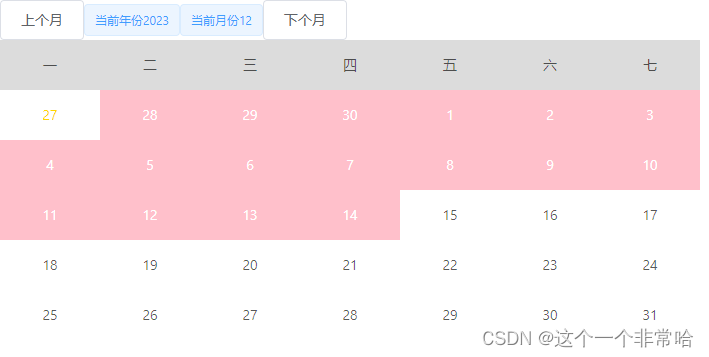
思路:通过clickCount记录点击区间次数,默认是0,点击第一次是1,第二次是2;如果clickCount==2重置clickCount=0
页面渲染:通过判断日期是否在选择区间的最大和最小之间,来更改背景色
相比较之前,更新的代码:
方法新增一个点击事件
selectDate(year, day) {this.clickCount++;const date = new Date(`${year}-${this.curMonth}-${day}`);if (this.clickCount == 1) {this.startTime = date;} else if (this.clickCount == 2) {this.endTime = date;this.clickCount = 0;}if (this.endTime && +this.startTime > +this.endTime) {[this.startTime, this.endTime] = [this.endTime, this.startTime];}// console.log(// this.clickCount,// moment(this.startTime).format('YYYY-MM-DD'),// moment(this.endTime).format('YYYY-MM-DD')// );} computed: {isSelected() {return (year, day) => {const date = new Date(`${year}-${this.curMonth}-${day}`);return ((+this.startTime <= +date && +this.endTime >= +date) || +date == +this.startTime || +date == +this.endTime);};}},整体代码:
<template><div class="wrap"><el-button @click="preMonth">上个月</el-button><el-tag>当前年份{{ curYear }}</el-tag><el-tag>当前月份{{ curMonth }}</el-tag><el-button @click="nextMonth">下个月</el-button><div class="weeks"><div v-for="item in week" :key="item" class="week">{{ item }}</div></div><div class="days"><!-- 上个月 --><divv-for="item in firstDay - 1":key="item + 'pre'":class="['lastday', { select: isSelected(curYear - 1, preDays - (firstDay - 1 - item)) }]"@click="selectDate(curYear - 1, preDays - (firstDay - 1 - item))">{{ preDays - (firstDay - 1 - item) }}</div><!-- 当月 --><divv-for="item in curDays":key="item + 'cur'":class="['curday', { select: isSelected(curYear, item) }]"@click="selectDate(curYear, item)">{{ item }}</div><!-- 下个月 --><divv-for="item in 7 - nextDays":key="item + 'next'":class="['lastday', { select: isSelected(curYear + 1, item) }]"@click="selectDate(curYear + 1, item)">{{ item }}</div></div></div>
</template>
<script>
import moment from 'moment';
moment.suppressDeprecationWarnings = true;
export default {data() {return {startTime: null, //记录区间开始时间endTime: null, //记录区间结束时间clickCount: 0, //用于记录点击次数preDays: 30, //上个月天数nextDays: 7, //下个月天数curYear: moment().year(), //当前年curMonth: moment().month() + 1, //当前月week: ['一', '二', '三', '四', '五', '六', '七'],firstDay: moment(`${moment().year()}-${moment().month() + 1}`).startOf('month').day(), //获取当月第一天是星期几;星期日为 0,星期六为 6curDays: moment().daysInMonth() //获取当月一共有多少天};},computed: {isSelected() {return (year, day) => {const date = new Date(`${year}-${this.curMonth}-${day}`);return ((+this.startTime <= +date && +this.endTime >= +date) || +date == +this.startTime || +date == +this.endTime);};}},mounted() {this.getPreMonthDays();this.getNextMonthDays();},methods: {preMonth() {this.curMonth--;// 如果小于1表示上一年;重置日期if (this.curMonth < 1) {this.curYear--;this.curMonth = 12;}this.curDays = moment(`${this.curYear}-${this.curMonth}`).daysInMonth();this.firstDay = moment(`${this.curYear}-${this.curMonth}`).startOf('month').day();if (this.firstDay == 0) {this.firstDay = 7;}// 显示上个月日期this.getPreMonthDays();this.getNextMonthDays();},nextMonth() {this.curMonth++;// 如果超过12表示下一年;重置日期if (this.curMonth > 12) {this.curYear++;this.curMonth = 1;}this.curDays = moment(`${this.curYear}-${this.curMonth}`).daysInMonth();this.firstDay = moment(`${this.curYear}-${this.curMonth}`).startOf('month').day();if (this.firstDay == 0) {this.firstDay = 7;}// 显示上个月日期this.getPreMonthDays();this.getNextMonthDays();},// 获取上个月剩余天数getPreMonthDays() {if (this.firstDay == 1) return; //表示上个月无剩余天数let month = this.curMonth;let year = this.curYear;month--;if (month == 0) {year--;month = 12;}// 获取上个月的天数const days = moment(`${year}-${month}`).daysInMonth();this.preDays = days;},// 获取下个月要显示的天数getNextMonthDays() {let month = this.curMonth;let year = this.curYear;// 获取当月最后一天是星期几const lastDay = moment(`${year}-${month}`).endOf('month').day();this.nextDays = lastDay == 0 ? 7 : lastDay;},selectDate(year, day) {this.clickCount++;const date = new Date(`${year}-${this.curMonth}-${day}`);if (this.clickCount == 1) {this.startTime = date;} else if (this.clickCount == 2) {this.endTime = date;this.clickCount = 0;}if (this.endTime && +this.startTime > +this.endTime) {[this.startTime, this.endTime] = [this.endTime, this.startTime];}// console.log(//   this.clickCount,//   moment(this.startTime).format('YYYY-MM-DD'),//   moment(this.endTime).format('YYYY-MM-DD')// );}}
};
</script><style lang="scss">
.wrap {width: 700px;height: 100%;.weeks {width: 100%;height: 50px;display: flex;.week {width: 100px;line-height: 50px;text-align: center;background: gainsboro;}}.days {display: flex;flex-wrap: wrap;.lastday,.curday {width: 100px;line-height: 50px;text-align: center;cursor: pointer;}.lastday {color: gold;}.select {background: pink;color: #fff;}}
}
</style>
4.日历组件增强版------可自定义日期内容
未完待续
相关文章:
VUE篇之日历组件
1.简单日历组件展示 思路:根据当前月的第一天是星期几,来显示日期 <template><div class"wrap"><el-button click"preMonth">上个月</el-button><el-tag>当前年份{{ curYear }}</el-tag><e…...

【selenium】自动化使用 chrome 的 user-data-dir
jwensh2023.12.18 文章目录 背景当前位置默认位置windowsMac OS XLinuxChrome操作系统AndroidiOS系统 覆盖用户数据目录命令行环境(Linux)编写 AppleScript 包装器 (Mac OS X) 用户缓存目录在 Mac OS X 和 iOS 上,用户缓存目录源自配置文件目…...

pythonUnitTest框架
UnitTest框架 UnitTest参考文章:https://blog.csdn.net/qq_54219272/article/details/123265794 目标(看完UnitTest框架该有的收获) 掌握UnitTest框架的基本使用方法掌握断言(判断实际结果和预期结果是否一致)的使用方…...
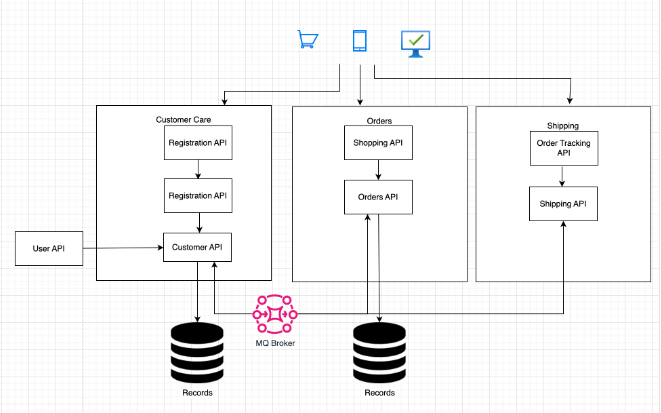
微服务最佳实践:构建可扩展且高效的系统
微服务架构彻底改变了现代软件开发,提供了无与伦比的敏捷性、可扩展性和可维护性。然而,有效实施微服务需要深入了解最佳实践,以充分发挥微服务的潜力,同时避免常见的陷阱。在这份综合指南中,我们将深入研究微服务的关…...
)
源码赏析: 数据结构转换工具 configor (一)
一、configor 先贴地址 configor,先看configor的特性: Header-only & STL-likeCustom type conversion & serializationComplete Unicode supportASCII & Wide-character support 说白了,这个工具用于自定义类型的转换和序列化…...
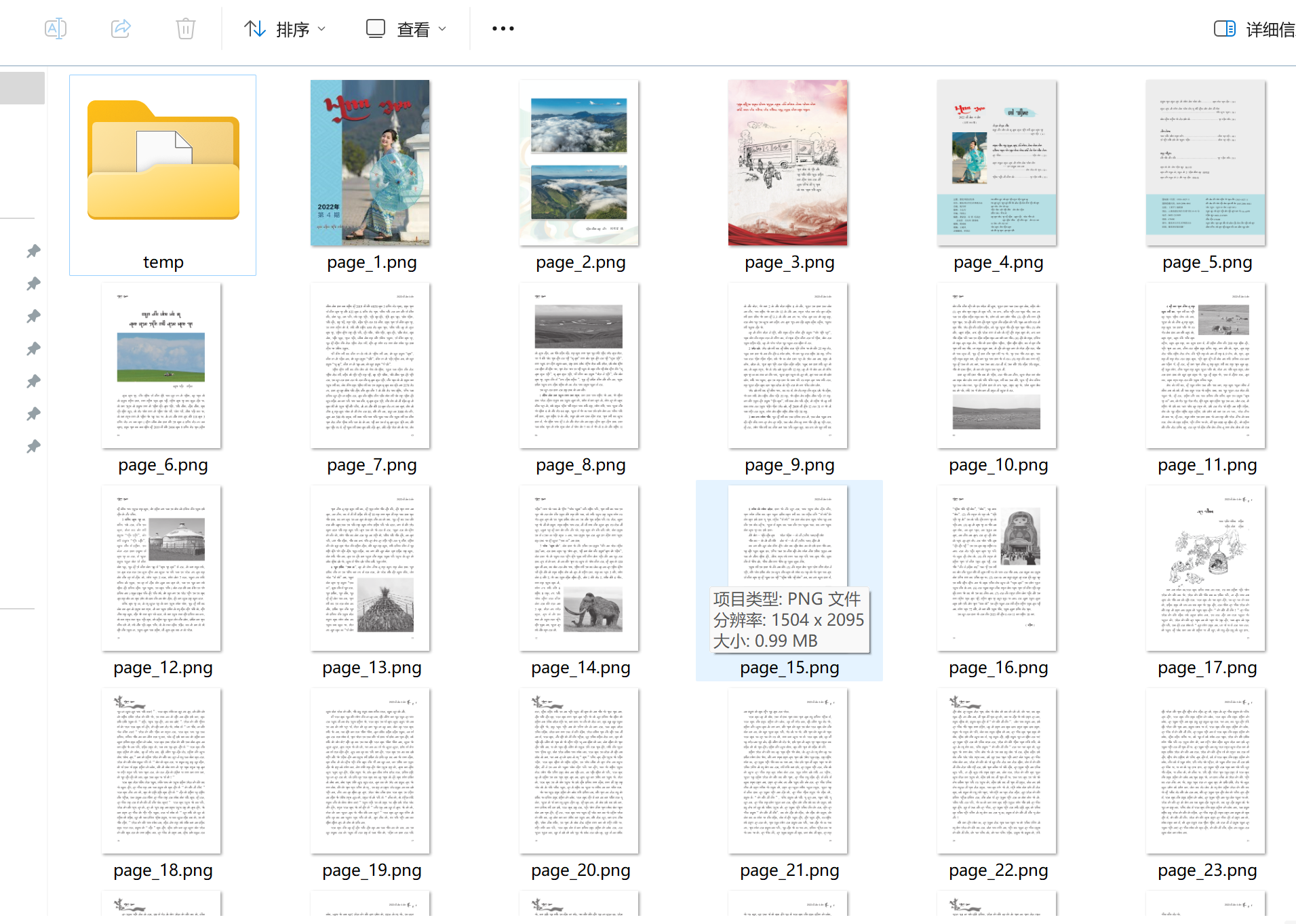
使用java调用python批处理将pdf转为图片
你可以使用Java中的ProcessBuilder来调用Python脚本,并将PDF转换为图片。以下是一个简单的Java代码示例,假设你的Python脚本名为pdf2img.py: import java.io.BufferedReader; import java.io.IOException; import java.io.InputStreamReader…...

机器学习——自领域适应作业
任务 游戏里面的话有很多跟现实不一样的情况。 想办法让中间的特征更加的接近,让feat A适应feat B,产生相对正常的输出。 在有标签数据和没有数据的上面进行训练,并能预测绘画图像。 数据集 训练5000张总数,每类有500张测试100…...

ValidatorUtil字段验证工具类
字段验证工具类 package com.aa.bb.cc.common.utils;import com.aa.bb.cc.common.exception.BusinessException; import org.apache.commons.collections.CollectionUtils; import org.apache.commons.lang3.StringUtils;import javax.validation.ConstraintViolation; import…...
)
Python 自动化之处理图片(一)
图片美化与大小调整 文章目录 图片美化与大小调整前言一、基本结构二、引入库三、用户输入模块四、图片美化模块五、大小调整模块总结 前言 本文主要分为两部分。一是图片的美化吧算是,主要从亮度、对比、色彩饱和度、锐度四个方面进行美化;二是图片的像…...

Axure动态面板的应用与ERP系统登录界面、主页左侧菜单栏、公告栏的绘制
目录 一、动态面板 1.1 简介 1.2 使用动态面板的原因 二、动态面板之轮播图实现案例 2.1 完成步骤 2.2 最终效果 三、动态面版之多方式登录案例 四、动态面板之后台主界面左侧菜单栏 五、ERP登录界面 六、ERP主界面菜单栏 七、ERP公告栏 八、登录页面跳转公告栏 一…...

电机(按工作电源分类)介绍
文章目录 一、什么是电机?二、按工作电源分类直流电机1.直流有刷电机结构工作原理:直流减速电机 2.直流无刷电机结构工作原理: 3.总结结构和工作原理:效率和功率损耗:调速性能:寿命和可靠性:应用…...
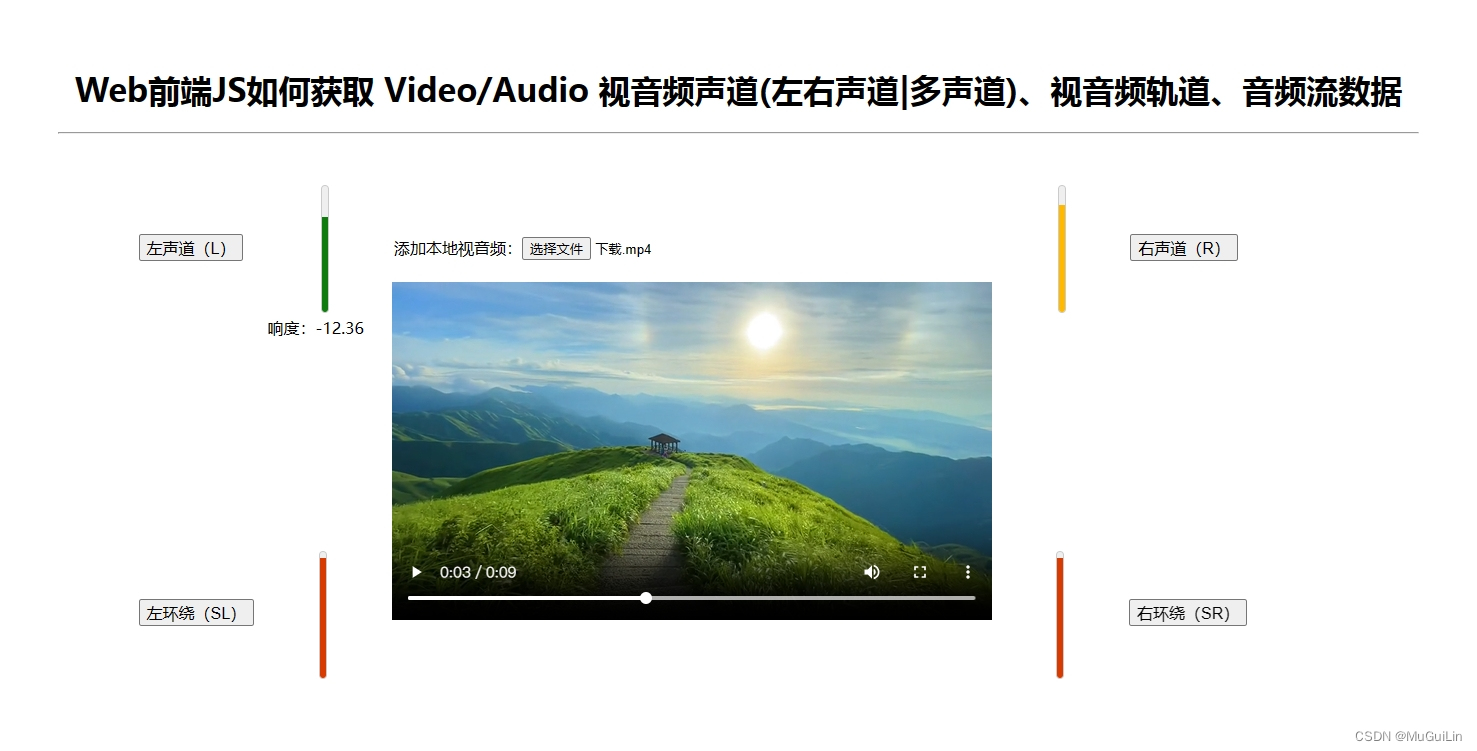
Web前端JS通过使用AudioWorkletNode() 获取 Video/Audio 视音频声道(左右声道|多声道)
写在前面: 在之前的博文Web前端JS如何获取 Video/Audio 视音频声道(左右声道|多声道)、视音频轨道、音频流数据中,介绍了通过使用AudioContext.createScriptProcessor()方法来获取视音频音轨(声道)数据。但由于W3C不再推荐使用该A…...

力扣LeetCode75题
为了面试,小伙伴们可以平时练下算法题,有备无患。 LeetCode 75 - 学习计划 - 力扣(LeetCode)全球极客挚爱的技术成长平台...

如何向领导汇报工作?一篇文章告诉你!
给领导汇报工作可以从两个方面考虑:一是工作汇报文件的制作;一是汇报方式。一份全面、清晰且准确的文件,加上一目了然的、科技满满的汇报方式,相比领导不满意都难~下面就让你全部get! 一、工作汇报的文字内…...
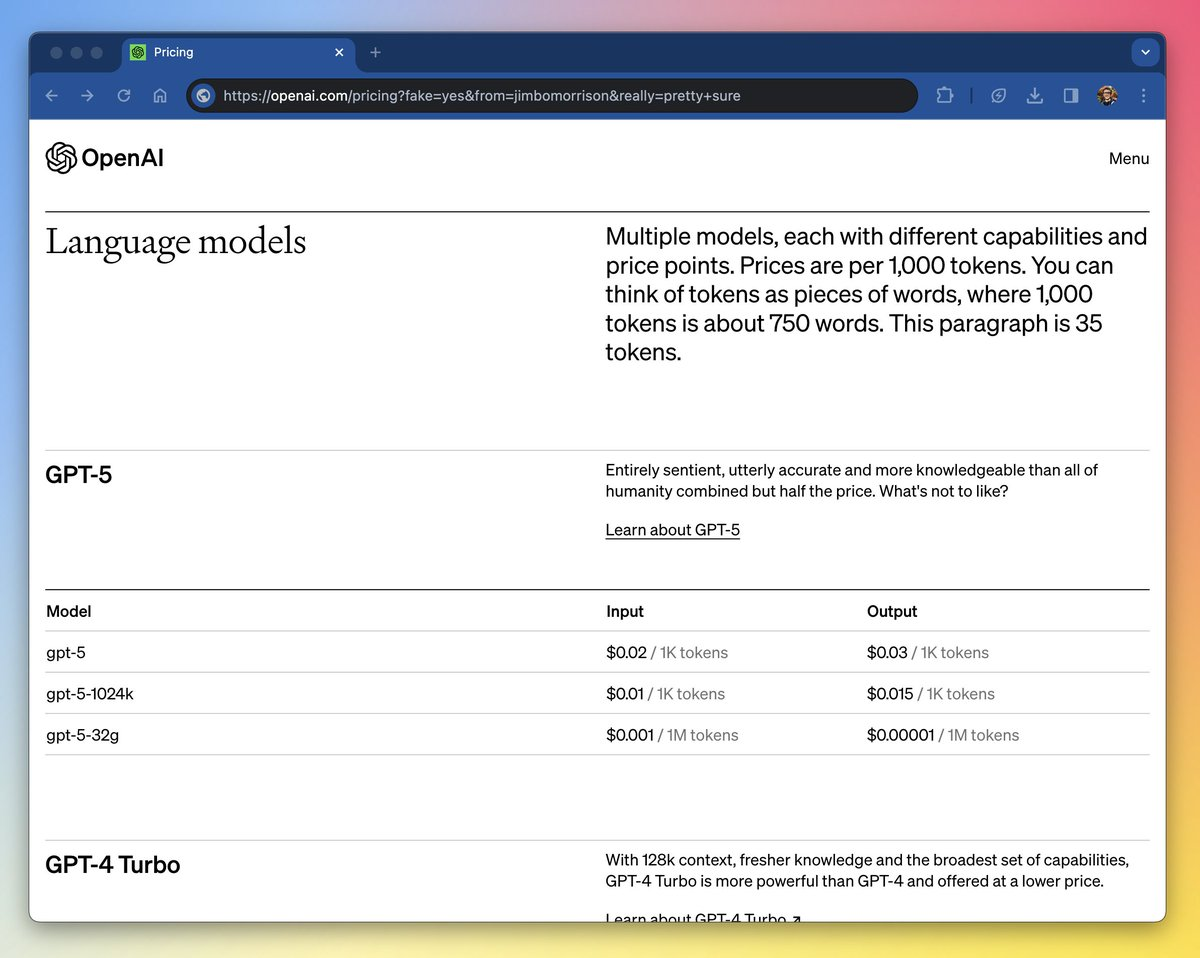
GPT-4.5!!!
GPT-4 还没用明白,GPT-4.5 就要发布了。 最近,OpenAI 泄露了 GPT-4.5 的发布页面,除了进一步增强复杂推理和跨模态理解,GPT-4.5 增加了一个更加强大的功能——3D。 3D 功能的进一步支持,也就意味着多模态最后一块版图…...
:kafka生产者发送消息)
kafka入门(四):kafka生产者发送消息
创建生产者实例和构建消息之后,就可以开始发送消息了。 发送消息主要有三种模式:发后即忘、同步、异步。 发后即忘: 就是直接调用 生产者的 send方法发送。 发后即完,只管往 kafka中发送消息,而不关心消息是否正确…...

redis集群模糊获取缓存redisKey
redis cluster集群删除指定模糊redisKey的信息 **public int deleteRedisKey(String key){AtomicReference<Integer> result new AtomicReference<>(0);busnessLogger.info("开始删除指定业务的模糊Key,deleteRedisKey:{}",key);try{Set<HostAndPor…...

100GPTS计划-AI翻译TransLingoPro
地址 https://poe.com/TransLingoPro https://chat.openai.com/g/g-CfT8Otig6-translingo-pro 测试 输入: 我想吃中国菜。 预期翻译: I want to eat Chinese food. 输入: 请告诉我最近的医院在哪里。 预期翻译: Please tell me where the nearest hospital is. 输入: 明天…...

Linux install manual 1Panel
前言 1Panel 是一个现代化、开源的 Linux 服务器运维管理面板。1Panel 的功能和优势包括: 快速建站:深度集成 Wordpress 和 Halo,域名绑定、SSL 证书配置等一键搞定;高效管理:通过 Web 端轻松管理 Linux 服务器,包括主机监控、文件管理、数据库管理、容器管理等;安全可…...

母婴服务品牌网站的效果如何
随着三胎政策落实及人们生活水平提升,母婴市场发展迅速上升,加之以90后、00后适龄生育的人群悦己消费加强,孕前孕后及婴儿本身就会使用相当好的服务,这也为市场带来了较大机会。 近几年,老品牌在不断加力,…...

5步构建智能建筑通信系统:BACnet4J纯Java协议栈的架构师指南
5步构建智能建筑通信系统:BACnet4J纯Java协议栈的架构师指南 【免费下载链接】BACnet4J BACnet/IP stack written in Java. Forked from http://sourceforge.net/projects/bacnet4j/ 项目地址: https://gitcode.com/gh_mirrors/ba/BACnet4J 在智能建筑和工业…...

开源物联网网关openclaw-gateway:架构解析与本地化智能家居部署实践
1. 项目概述与核心价值最近在折腾一些物联网和智能家居项目,发现一个挺有意思的东西,叫openclaw-gateway。这名字听起来有点“机械感”,claw是爪子,gateway是网关,合起来像是一个“开放爪子的网关”。乍一看可能有点摸…...

Git 核心操作:rebase 与 merge 的区别,以及分支管理最佳实践
Git 核心操作:rebase 与 merge 的区别,以及分支管理最佳实践 在日常开发中,Git 是不可或缺的版本控制工具。而 git merge 和 git rebase 是整合分支最常用的两个命令,很多人对它们的概念模糊,不知道何时用哪个。同时&a…...

3分钟掌握DeepMosaics:AI智能马赛克处理与图像修复的终极指南
3分钟掌握DeepMosaics:AI智能马赛克处理与图像修复的终极指南 【免费下载链接】DeepMosaics Automatically remove the mosaics in images and videos, or add mosaics to them. 项目地址: https://gitcode.com/gh_mirrors/de/DeepMosaics 在数字时代&#x…...

命令行AI工具gemini-cli:无缝集成Gemini大模型提升终端效率
1. 项目概述:一个与AI对话的命令行工具 如果你和我一样,大部分工作时间都泡在终端里,那么 eliben/gemini-cli 这个项目可能会让你眼前一亮。简单来说,它是一个让你能在命令行里直接与 Google 的 Gemini 大模型对话的工具。你不…...
)
Shell 相关基础入门,在 Ubuntu 与 CentOS Shell 中的语法差异总结(bash、dash、sh)
新建的test.sh文件,vim进去,每行开头都默认有一个~符号,是什么意思,而且在里面鼠标也失效了? 你问的这两个问题,恰好是初学者刚接触 vim 编辑器时最常遇到的两个困惑。它们完全正常,不是系统出错…...
)
从原理到实战:拆解LCR表如何实现0.1%精度的电容测量(附寄生效应消除指南)
从原理到实战:拆解LCR表如何实现0.1%精度的电容测量(附寄生效应消除指南) 在电子工程领域,精确测量电容值是一项基础却极具挑战性的任务。无论是研发高频电路的设计师,还是调试精密仪表的工程师,亦或是研究…...

ClawLink:配置驱动的数据抓取与链接工具实战解析
1. 项目概述与核心价值最近在折腾一些自动化流程和跨平台数据同步时,发现了一个挺有意思的项目,叫 ClawLink。乍一看这个名字,可能有点摸不着头脑,但如果你也在为如何把不同平台、不同格式的数据“抓取”并“链接”起来而头疼&…...
)
NotebookLM大纲自动生成失效真相(2024年最新API行为逆向分析报告)
更多请点击: https://intelliparadigm.com 第一章:NotebookLM大纲自动生成失效现象全景速览 NotebookLM 的大纲自动生成功能在近期多个用户反馈中出现非预期中断,表现为输入结构化文本后无响应、输出空大纲或仅返回占位符标题。该问题并非全…...

数据笔记:LargeST——如何构建与评估一个面向未来的大规模交通预测基准数据集
1. 为什么我们需要LargeST这样的交通预测基准数据集 交通预测是智慧城市建设的核心技术之一,但长期以来这个领域面临一个尴尬局面:算法模型越来越复杂,却缺乏足够规模和质量的数据来验证其真实效果。这就像给赛车手一辆玩具车来测试性能——模…...