
运用AI搭建中间服务层(四)
MiddlewareService文件夹
在这个文件夹中,我们需要添加以下文件:
-
名人服务.cs
-
名人服务.cs
-
名人结果.cs
-
ILandmarkService.cs
-
地标服务 .cs
-
地标结果 .cs
ICelebrityService.cs – 包装多个串行的认知服务来实现名人识别的中间服务层的接口定义,需要依赖注入
using System.Threading.Tasks;namespace CognitiveMiddlewareService.MiddlewareService
{public interface ICelebrityService{Task<CelebrityResult> Do(byte[] imgData);}
}
CelebrityService.cs – 包装多个串行的认知服务来实现名人识别中间服务层的逻辑代码
using CognitiveMiddlewareService.CognitiveServices;
using Newtonsoft.Json;
using System.Threading.Tasks;namespace CognitiveMiddlewareService.MiddlewareService
{public class CelebrityService : ICelebrityService{private readonly IVisionService visionService;private readonly IEntitySearchService entityService;public CelebrityService(IVisionService vs, IEntitySearchService ess){this.visionService = vs;this.entityService = ess;}public async Task<CelebrityResult> Do(byte[] imgData){// get original recognized resultvar stream = Helper.GetStream(imgData);Celebrity celebrity = await this.visionService.RecognizeCelebrityAsync(stream);if (celebrity != null){// get entity search resultstring entityName = celebrity.name;string jsonResult = await this.entityService.SearchEntityAsync(entityName);EntityResult er = JsonConvert.DeserializeObject<EntityResult>(jsonResult);if (er?.entities?.value.Length > 0){// isolation layer: decouple data structure then return abstract resultCelebrityResult cr = new CelebrityResult(){Name = er.entities.value[0].name,Description = er.entities.value[0].description,Url = er.entities.value[0].url,ThumbnailUrl = er.entities.value[0].image.thumbnailUrl,Confidence = celebrity.confidence};return cr;}}return null;}}
}
小提示:上面的代码中,用CelebrityResult接管了实体搜索结果和名人识别结果的部分有效字段,以达到解耦/隔离的作用,后面的代码只关心CelebrityResult如何定义的即可。
CelebrityResult.cs – 抽象出来的名人识别服务的返回结果
namespace CognitiveMiddlewareService.MiddlewareService
{public class CelebrityResult{public string Name { get; set; }public double Confidence { get; set; }public string Url { get; set; }public string Description { get; set; }public string ThumbnailUrl { get; set; }}
}
ILandmarkService.cs – 包装多个串行的认知服务来实现地标识别的中间服务层的接口定义,需要依赖注入
using CognitiveMiddlewareService.CognitiveServices;
using System;
using System.Collections.Generic;
using System.Linq;
using System.Threading.Tasks;namespace CognitiveMiddlewareService.MiddlewareService
{public interface ILandmarkService{Task<LandmarkResult> Do(byte[] imgData);}
}
LandmarkService.cs – 包装多个串行的认知服务来实现地标识别的中间服务层的逻辑代码
using CognitiveMiddlewareService.CognitiveServices;
using Newtonsoft.Json;
using System;
using System.Collections.Generic;
using System.Linq;
using System.Threading.Tasks;namespace CognitiveMiddlewareService.MiddlewareService
{public class LandmarkService : ILandmarkService{private readonly IVisionService visionService;private readonly IEntitySearchService entityService;public LandmarkService(IVisionService vs, IEntitySearchService ess){this.visionService = vs;this.entityService = ess;}public async Task<LandmarkResult> Do(byte[] imgData){// get original recognized resultvar streamLandmark = Helper.GetStream(imgData);Landmark landmark = await this.visionService.RecognizeLandmarkAsync(streamLandmark);if (landmark != null){// get entity search resultstring entityName = landmark.name;string jsonResult = await this.entityService.SearchEntityAsync(entityName);EntityResult er = JsonConvert.DeserializeObject<EntityResult>(jsonResult);// isolation layer: decouple data structure then return abstract resultLandmarkResult lr = new LandmarkResult(){Name = er.entities.value[0].name,Description = er.entities.value[0].description,Url = er.entities.value[0].url,ThumbnailUrl = er.entities.value[0].image.thumbnailUrl,Confidence = landmark.confidence};return lr;}return null;}}
}
小提示:上面的代码中,用LandmarkResult接管了实体搜索结果和地标识别结果的部分有效字段,以达到解耦/隔离的作用,后面的代码只关心LandmarkResult如何定义的即可。
LandmarkResult.cs – 抽象出来的地标识别服务的返回结果
namespace CognitiveMiddlewareService.MiddlewareService
{public class LandmarkResult{public string Name { get; set; }public double Confidence { get; set; }public string Url { get; set; }public string Description { get; set; }public string ThumbnailUrl { get; set; }}
}
Processors文件夹
在这个文件夹中,我们需要添加以下文件:
-
IProcessService.cs
-
进程服务 .cs
-
聚合结果.cs
IProcessService.cs – 任务调度层服务的接口定义,需要依赖注入
using System.Threading.Tasks;namespace CognitiveMiddlewareService.Processors
{public interface IProcessService{Task<AggregatedResult> Process(byte[] imgData);}
}
ProcessService.cs – 任务调度层服务的逻辑代码
using CognitiveMiddlewareService.MiddlewareService;
using System.Collections.Generic;
using System.Threading.Tasks;namespace CognitiveMiddlewareService.Processors
{public class ProcessService : IProcessService{private readonly ILandmarkService landmarkService;private readonly ICelebrityService celebrityService;public ProcessService(ILandmarkService ls, ICelebrityService cs){this.landmarkService = ls;this.celebrityService = cs;}public async Task<AggregatedResult> Process(byte[] imgData){// preprocess// todo: create screening image classifier to get a rough category, then decide call which service// task dispatcher: parallelized run 'Do'// todo: put this logic into Dispatcher serviceList<Task> listTask = new List<Task>();var taskLandmark = this.landmarkService.Do(imgData);listTask.Add(taskLandmark);var taskCelebrity = this.celebrityService.Do(imgData);listTask.Add(taskCelebrity);await Task.WhenAll(listTask);LandmarkResult lmResult = taskLandmark.Result;CelebrityResult cbResult = taskCelebrity.Result;// aggregator// todo: put this logic into Aggregator serviceAggregatedResult ar = new AggregatedResult(){Landmark = lmResult,Celebrity = cbResult};return ar;// ranker// todo: if there have more than one result in AgregatedResult, need give them a ranking// output generator// todo: generate specified JSON data, such as Adptive Card}}
}
小提示:大家可以看到上面这个文件中有很多绿色的注释,带有todo文字的,对于一个更复杂的系统,可以用这些todo中的描述来设计独立的模块。
AggregatedResult.cs – 任务调度层服务的最终聚合结果定义
using CognitiveMiddlewareService.MiddlewareService;namespace CognitiveMiddlewareService.Processors
{public class AggregatedResult{public LandmarkResult Landmark { get; set; }public CelebrityResult Celebrity { get; set; }}
}
相关文章:
)
运用AI搭建中间服务层(四)
MiddlewareService文件夹 在这个文件夹中,我们需要添加以下文件: 名人服务.cs 名人服务.cs 名人结果.cs ILandmarkService.cs 地标服务 .cs 地标结果 .cs ICelebrityService.cs – 包装多个串行的认知服务来实现名人识别的中间服务层的接口定义&…...

[C#]winform部署yolov5-onnx模型
【官方框架地址】 https://github.com/ultralytics/yolov5 【算法介绍】 Yolov5,全称为You Only Look Once version 5,是计算机视觉领域目标检测算法的一个里程碑式模型。该模型由ultralytics团队开发,并因其简洁高效的特点而备受关注。Yol…...
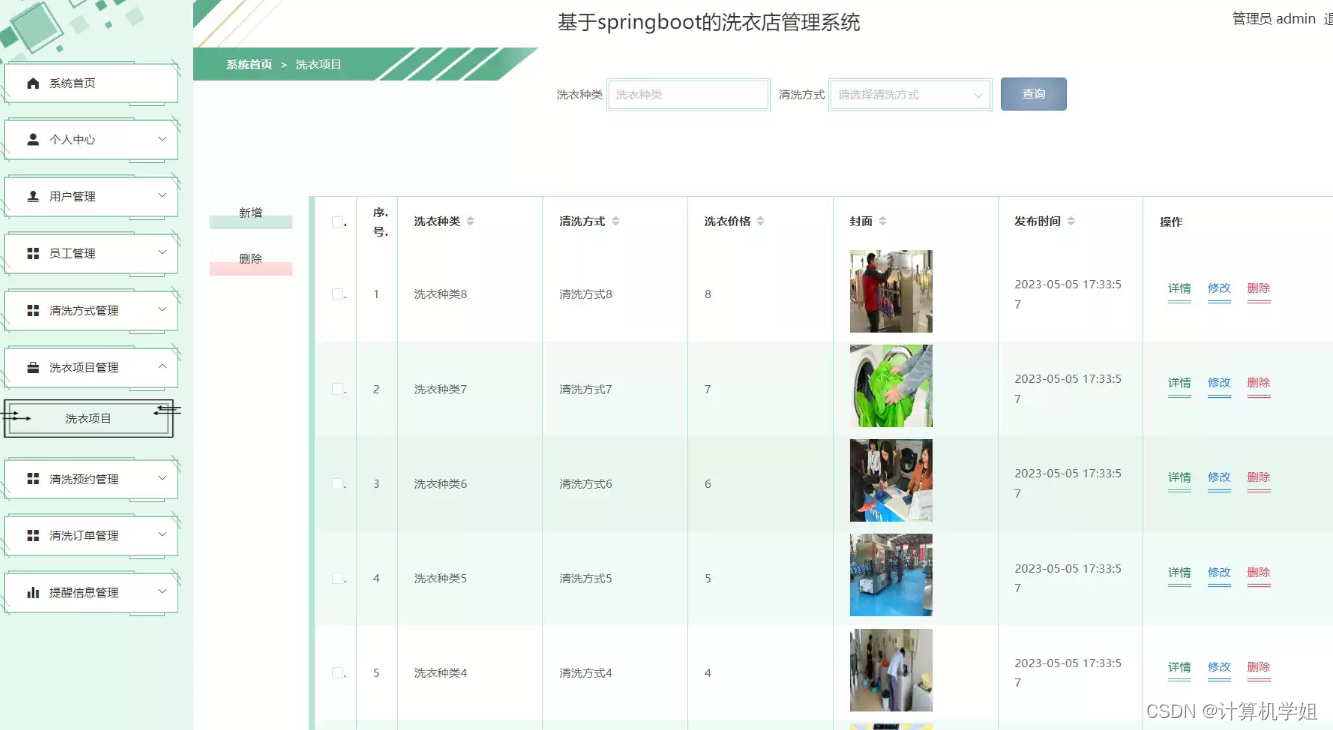
基于SpringBoot的洗衣店管理系统
基于SpringBoot的洗衣店管理系统的设计与实现~ 开发语言:Java数据库:MySQL技术:SpringBootMyBatis工具:IDEA/Ecilpse、Navicat、Maven 系统展示 登录界面 可视化展示 用户界面 管理员界面 摘要 洗衣店管理系统基于Spring Boot框…...
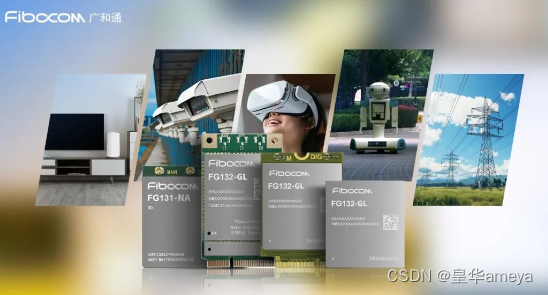
AMEYA360:广和通RedCap模组FG131FG132系列
2024年1月,广和通RedCap模组FG131&FG132系列已进入工程送样阶段,可为终端客户提供样片。广和通RedCap模组系列满足不同终端对5G速率、功耗、尺寸、成本的需求,全面助力RedCap技术的行业应用。 FG131&FG132系列基于骁龙X35 5G调制解调…...

RGB,RGB-D,单目,双目,sterro相机,实例相机介绍
相机—特点及区别 1.相机种类 RGB,RGB-D,单目,双目,sterro相机,实例相机 2.相机特点 2.1单目 只使用一个摄像头进行SLAM,结构简单,成本低 三维空间的二维投影 必须移动相机,才…...

【linux】history命令显示时间的例子
在Linux中,你可以通过设置HISTTIMEFORMAT环境变量来显示命令的执行时间。这个环境变量定义了history命令中时间的显示格式。以下是设置和说明的步骤: 打开终端: 打开你的终端应用。 编辑配置文件: 使用文本编辑器(如n…...
Nginx负载均衡以及常用的7层协议和4层协议的介绍
一、引言 明人不说暗话,下面来解析一下 Nginx 的负载均衡。需要有 Linux 和 Nginx 环境哈。 二、nginx负载均衡的作用 高并发:负载均衡通过算法调整负载,尽力均匀的分配应用集群中各节点的工作量,以此提高应用集群的并发处理能力…...

【机器学习300问】4、机器学习到底在学习什么?
首先我们先了解一个前置问题,再回答机器学习到底在学习什么。 一、求机器学习问题有哪几步? 求解机器学习问题的步骤可以分为“学习”和“推理”两个阶段。首先,在学习阶段进行模型的学习,然后,在推理阶段用学到的模型…...
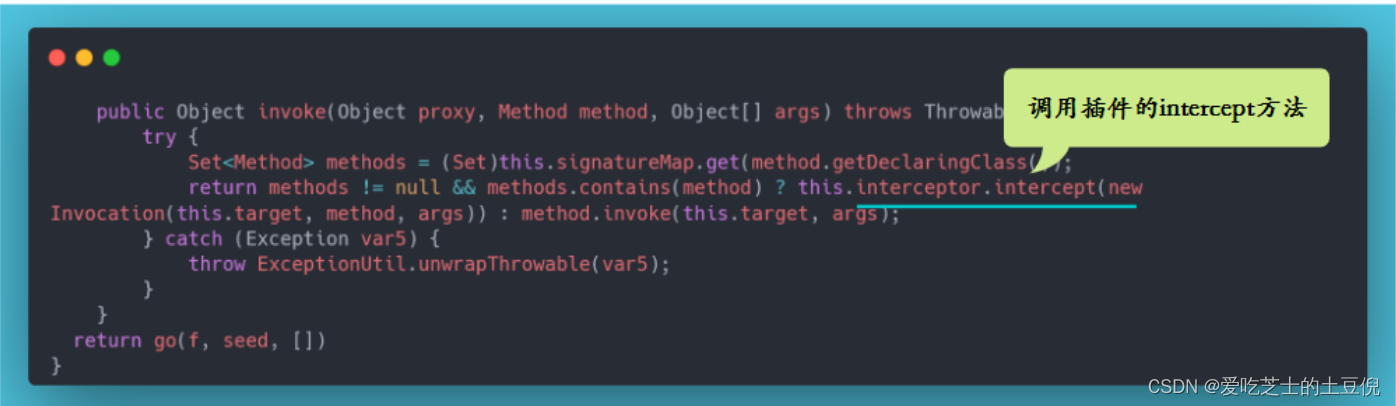
设计一个简易版的数据库路由
👏作者简介:大家好,我是爱吃芝士的土豆倪,24届校招生Java选手,很高兴认识大家📕系列专栏:Spring原理、JUC原理、Kafka原理、分布式技术原理、数据库技术🔥如果感觉博主的文章还不错的…...

接口自动化测试面试题
前言 前面总结了一篇关于接口测试的常规面试题,现在接口自动化测试用的比较多,也是被很多公司看好。那么想做接口自动化测试需要具备哪些能力呢? 也就是面试的过程中,面试官会考哪些问题,知道你是不是真的做过接口自动…...

Tampermonkey油猴插件-各大网盘批量分享,解放双手-上
Unity3D特效百例案例项目实战源码Android-Unity实战问题汇总游戏脚本-辅助自动化Android控件全解手册再战Android系列...
【DB2】installSAM执行后会重启这件事
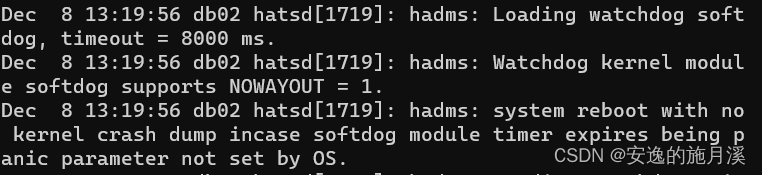
碎碎念 在使用自动化工具安装TSAMP的过程中,机器会自动重启这件事。 TSAMP真的挺折磨的,一个月居然因为这件事情debug两次了。 在测试自动化脚本的时候,第一遍安装都是好好的,从第二遍开始(因为要测试脚本的幂等性&…...
RTSP网络视频协议
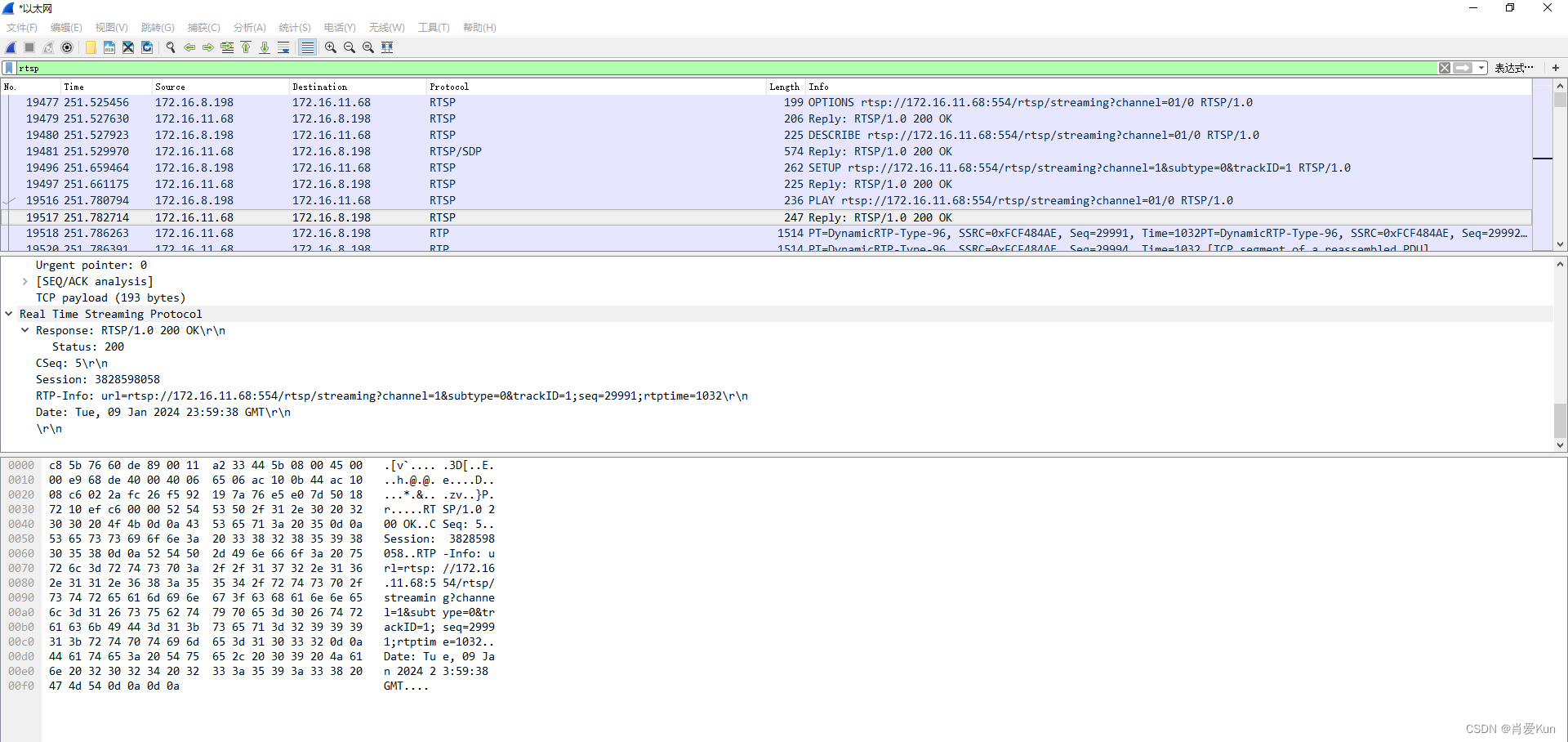
一.RTSP网络视频协议介绍 RTSP是类似HTTP的应用层协议,一个典型的流媒体框架网络体系可参考下图,其中rtsp主要用于控制命令,rtcp主要用于视频质量的反馈,rtp用于视频、音频流从传输。 1、RTSP(Real Time Streaming P…...
Python 网络数据采集(四):Selenium 自动化
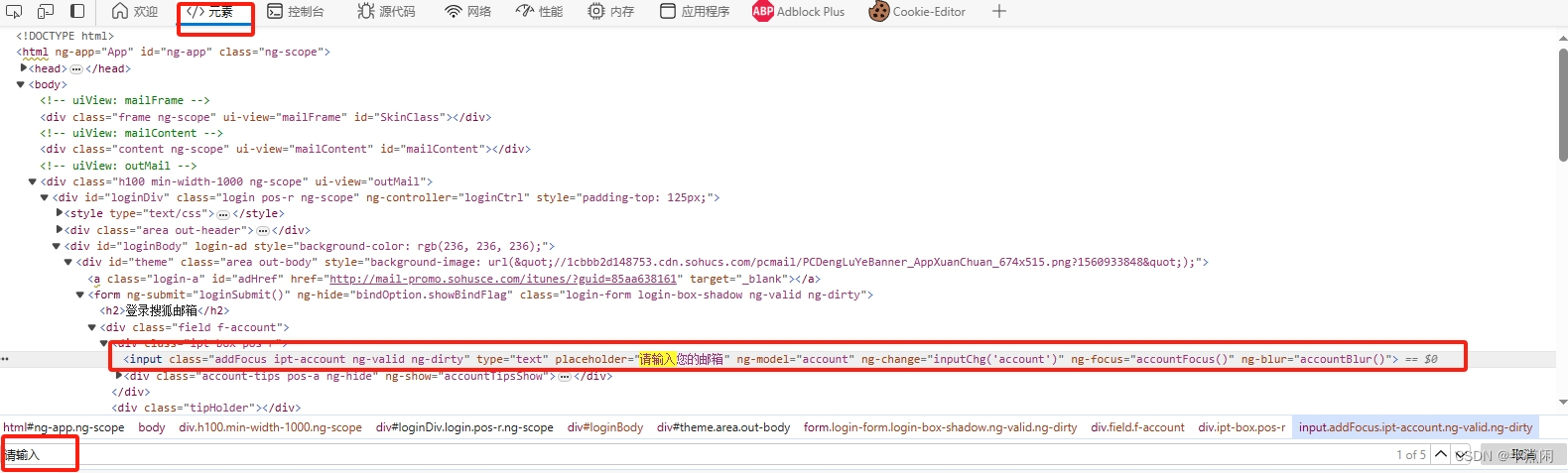
Python 网络数据采集(四):Selenium 自动化 前言一、背景知识Selenium 4Selenium WebDriver 二、Selenium WebDriver 的安装与配置2.1 下载 Chrome 浏览器的驱动程序2.2 配置环境变量三、Python 安装 Selenium四、页面元素定位4.1 选择浏览器开…...
实现秒杀功能设计
页面 登录页面 登录成功后,跳转商品列表 商品列表页 加载商品信息 商品详情页 根据商品id查出商品信息返回VO(包括rmiaoshaStatus、emainSeconds)前端根据数据展示秒杀按钮,点击开始秒杀 订单详情页 秒杀页面设置 后端返回秒杀…...
每天刷两道题——第十四天
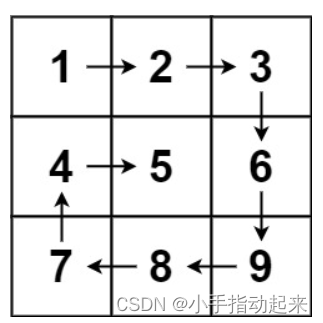
1.1矩阵置零 给定一个 m x n 的矩阵,如果一个元素为 0 ,则将其所在行和列的所有元素都设为 0 。请使用原地算法。 输入:matrix [[0,1,2,0],[3,4,5,2],[1,3,1,5]] 输出:[[0,0,0,0],[0,4,5,0],[0,3,1,0]] 原地算法(…...

快速掌握Postman实现接口测试
快速掌握Postman实现接口测试 Postman简介 Postman是谷歌开发的一款网页调试和接口测试工具,能够发送任何类型的http请求,支持GET/PUT/POST/DELETE等方法。Postman非常简单易用,可以直接填写URL,header,body等就可以发…...
jmeter--3.使用提取器进行接口关联
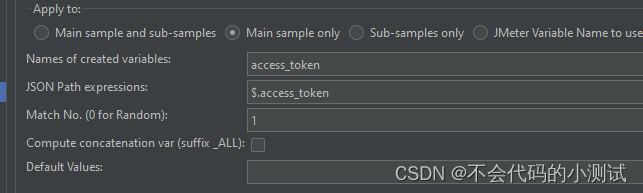
目录 1. 正则表达式提取器 1.1 提取单个数据 1.2 名词解释 1.3 提取多个数据 2. 边界值提取器 2.2 名词解释 3. JSON提取器 3.1 Json语法 3.2 名词解释 3.3 如果有多组数据,同正则方式引用数据 1. 正则表达式提取器 示例数据:{"access_to…...
移动通信系统关键技术多址接入MIMO学习(8)
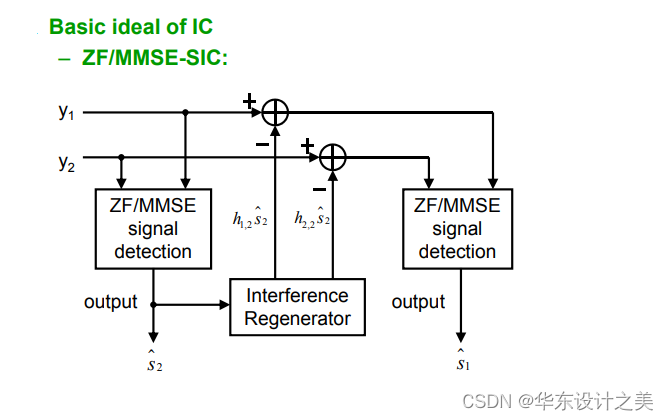
1.Multiple-antenna Techniques多天线技术MIMO,从SISO到SIMO到MISO到如今的MIMO; 2.SIMO单发多收,分为选择合并、增益合并;SIMO,基站通过两路路径将信号发送到终端,因为终端接收到的两路信号都是来自同一天…...

WorkPlus AI助理为企业提供智能客服的机器人解决方案
在数字化时代,企业面临着客户服务的重要挑战。AI客服机器人成为了提升客户体验和提高工作效率的关键工具。作为一款优秀的AI助理,WorkPlus AI助理以其智能化的特点和卓越的功能,为企业提供了全新的客服机器人解决方案。 为什么选择WorkPlus A…...

GPT-SoVITS应用场景解析:为视频配音、做有声书,简单又实用
GPT-SoVITS应用场景解析:为视频配音、做有声书,简单又实用 1. 引言:声音克隆技术带来的变革 想象一下,你正在制作一个短视频,需要为不同角色配音。传统方式要么自己录制(效果可能不专业)&…...

IDEA插件Apipost-Helper:一站式接口测试与文档生成利器
1. 为什么开发者需要Apipost-Helper插件? 每次写完接口代码都要切换到Postman测试?文档和代码分开维护导致接口更新不同步?作为经历过这些痛点的老开发,我发现Apipost-Helper插件简直是IDEA里的瑞士军刀。它直接把接口调试、文档生…...

Gemma-3 Pixel Studio开源镜像:CI/CD自动化测试流水线配置
Gemma-3 Pixel Studio开源镜像:CI/CD自动化测试流水线配置 1. 项目概述 Gemma-3 Pixel Studio是基于Google最新开源的Gemma-3-12b-it多模态大模型构建的高性能对话终端应用。它不仅具备强大的文本理解和生成能力,还集成了卓越的视觉理解功能࿰…...

UniHacker技术探索:Unity引擎全功能体验与开源研究指南
UniHacker技术探索:Unity引擎全功能体验与开源研究指南 【免费下载链接】UniHacker 为Windows、MacOS、Linux和Docker修补所有版本的Unity3D和UnityHub 项目地址: https://gitcode.com/GitHub_Trending/un/UniHacker 一、核心价值解析:技术研究视…...

PvZ Toolkit:植物大战僵尸游戏体验增强工具全解析
PvZ Toolkit:植物大战僵尸游戏体验增强工具全解析 【免费下载链接】pvztoolkit 植物大战僵尸 PC 版综合修改器 项目地址: https://gitcode.com/gh_mirrors/pv/pvztoolkit 问题引入:植物大战僵尸玩家的共同痛点 在植物大战僵尸游戏过程中…...
)
Python实战:用NumPy实现酉矩阵的生成与验证(附完整代码)
Python实战:用NumPy实现酉矩阵的生成与验证(附完整代码) 在量子计算、信号处理和机器学习等领域,复数矩阵运算正变得越来越重要。酉矩阵(Unitary Matrix)作为复数域上的"正交矩阵",保…...

3个实用技巧:如何用LeagueAkari提升你的英雄联盟游戏体验
3个实用技巧:如何用LeagueAkari提升你的英雄联盟游戏体验 【免费下载链接】League-Toolkit 兴趣使然的、简单易用的英雄联盟工具集。支持战绩查询、自动秒选等功能。基于 LCU API。 项目地址: https://gitcode.com/gh_mirrors/le/League-Toolkit 还在为英雄联…...

5分钟搞定!Cesium/Leaflet/OpenLayers调用免费瓦片地图资源全攻略
三大地图框架快速调用免费瓦片资源实战指南 第一次接触GIS开发时,最让人头疼的莫过于地图底图资源的获取。作为项目的基础支撑,地图瓦片的质量和稳定性直接影响最终用户体验。但商业地图API往往价格不菲,对个人开发者和小型项目来说成本压力较…...

常量和常量表达式1
一、基础定义(C/C通用核心定义) 1. 常量(Constant) 程序整个生命周期内值不可修改、固定不变的量,是值的实体(单个固定值/命名固定值),其值的确定时机可在编译期/预处理期࿰…...

S2-Pro大模型CentOS 7生产环境部署全攻略:安全与高可用配置
S2-Pro大模型CentOS 7生产环境部署全攻略:安全与高可用配置 1. 前言:为什么需要生产级部署方案 当你第一次在测试环境跑通S2-Pro大模型时,那种兴奋感可能让你迫不及待想上线使用。但现实往往很骨感——测试环境能跑通,不代表生产…...