
深入浅出 diffusion(3):pytorch 实现 diffusion 中的 U-Net
导入python包
import mathimport torch
import torch.nn as nn
import torch.nn.functional as F
silu激活函数
class SiLU(nn.Module): # SiLU激活函数@staticmethoddef forward(x):return x * torch.sigmoid(x)归一化设置
def get_norm(norm, num_channels, num_groups):if norm == "in":return nn.InstanceNorm2d(num_channels, affine=True)elif norm == "bn":return nn.BatchNorm2d(num_channels)elif norm == "gn":return nn.GroupNorm(num_groups, num_channels)elif norm is None:return nn.Identity()else:raise ValueError("unknown normalization type")
计算时间步长的位置嵌入,一半为sin,一半为cos
class PositionalEmbedding(nn.Module):def __init__(self, dim, scale=1.0):super().__init__()assert dim % 2 == 0self.dim = dimself.scale = scaledef forward(self, x):device = x.devicehalf_dim = self.dim // 2emb = math.log(10000) / half_dimemb = torch.exp(torch.arange(half_dim, device=device) * -emb)# x * self.scale和emb外积emb = torch.outer(x * self.scale, emb)emb = torch.cat((emb.sin(), emb.cos()), dim=-1)return emb
上下采样层设置
class Downsample(nn.Module):def __init__(self, in_channels):super().__init__()self.downsample = nn.Conv2d(in_channels, in_channels, 3, stride=2, padding=1)def forward(self, x, time_emb, y):if x.shape[2] % 2 == 1:raise ValueError("downsampling tensor height should be even")if x.shape[3] % 2 == 1:raise ValueError("downsampling tensor width should be even")return self.downsample(x)class Upsample(nn.Module):def __init__(self, in_channels):super().__init__()self.upsample = nn.Sequential(nn.Upsample(scale_factor=2, mode="nearest"),nn.Conv2d(in_channels, in_channels, 3, padding=1),)def forward(self, x, time_emb, y):return self.upsample(x)
使用Self-Attention注意力机制,做一个全局的Self-Attention
class AttentionBlock(nn.Module):def __init__(self, in_channels, norm="gn", num_groups=32):super().__init__()self.in_channels = in_channelsself.norm = get_norm(norm, in_channels, num_groups)self.to_qkv = nn.Conv2d(in_channels, in_channels * 3, 1)self.to_out = nn.Conv2d(in_channels, in_channels, 1)def forward(self, x):b, c, h, w = x.shapeq, k, v = torch.split(self.to_qkv(self.norm(x)), self.in_channels, dim=1)q = q.permute(0, 2, 3, 1).view(b, h * w, c)k = k.view(b, c, h * w)v = v.permute(0, 2, 3, 1).view(b, h * w, c)dot_products = torch.bmm(q, k) * (c ** (-0.5))assert dot_products.shape == (b, h * w, h * w)attention = torch.softmax(dot_products, dim=-1)out = torch.bmm(attention, v)assert out.shape == (b, h * w, c)out = out.view(b, h, w, c).permute(0, 3, 1, 2)return self.to_out(out) + x用于特征提取的残差结构
class ResidualBlock(nn.Module):def __init__(self, in_channels, out_channels, dropout, time_emb_dim=None, num_classes=None, activation=F.relu,norm="gn", num_groups=32, use_attention=False,):super().__init__()self.activation = activationself.norm_1 = get_norm(norm, in_channels, num_groups)self.conv_1 = nn.Conv2d(in_channels, out_channels, 3, padding=1)self.norm_2 = get_norm(norm, out_channels, num_groups)self.conv_2 = nn.Sequential(nn.Dropout(p=dropout), nn.Conv2d(out_channels, out_channels, 3, padding=1),)self.time_bias = nn.Linear(time_emb_dim, out_channels) if time_emb_dim is not None else Noneself.class_bias = nn.Embedding(num_classes, out_channels) if num_classes is not None else Noneself.residual_connection = nn.Conv2d(in_channels, out_channels, 1) if in_channels != out_channels else nn.Identity()self.attention = nn.Identity() if not use_attention else AttentionBlock(out_channels, norm, num_groups)def forward(self, x, time_emb=None, y=None):out = self.activation(self.norm_1(x))# 第一个卷积out = self.conv_1(out)# 对时间time_emb做一个全连接,施加在通道上if self.time_bias is not None:if time_emb is None:raise ValueError("time conditioning was specified but time_emb is not passed")out += self.time_bias(self.activation(time_emb))[:, :, None, None]# 对种类y_emb做一个全连接,施加在通道上if self.class_bias is not None:if y is None:raise ValueError("class conditioning was specified but y is not passed")out += self.class_bias(y)[:, :, None, None]out = self.activation(self.norm_2(out))# 第二个卷积+残差边out = self.conv_2(out) + self.residual_connection(x)# 最后做个Attentionout = self.attention(out)return outU-Net模型设计
class UNet(nn.Module):def __init__(self, img_channels, base_channels=128, channel_mults=(1, 2, 2, 2),num_res_blocks=2, time_emb_dim=128 * 4, time_emb_scale=1.0, num_classes=None, activation=F.silu,dropout=0.1, attention_resolutions=(1,), norm="gn", num_groups=32, initial_pad=0,):super().__init__()# 使用到的激活函数,一般为SILUself.activation = activation# 是否对输入进行paddingself.initial_pad = initial_pad# 需要去区分的类别数self.num_classes = num_classes# 对时间轴输入的全连接层self.time_mlp = nn.Sequential(PositionalEmbedding(base_channels, time_emb_scale),nn.Linear(base_channels, time_emb_dim),nn.SiLU(),nn.Linear(time_emb_dim, time_emb_dim),) if time_emb_dim is not None else None# 对输入图片的第一个卷积self.init_conv = nn.Conv2d(img_channels, base_channels, 3, padding=1)# self.downs用于存储下采样用到的层,首先利用ResidualBlock提取特征# 然后利用Downsample降低特征图的高宽self.downs = nn.ModuleList()self.ups = nn.ModuleList()# channels指的是每一个模块处理后的通道数# now_channels是一个中间变量,代表中间的通道数channels = [base_channels]now_channels = base_channelsfor i, mult in enumerate(channel_mults):out_channels = base_channels * multfor _ in range(num_res_blocks):self.downs.append(ResidualBlock(now_channels, out_channels, dropout,time_emb_dim=time_emb_dim, num_classes=num_classes, activation=activation,norm=norm, num_groups=num_groups, use_attention=i in attention_resolutions,))now_channels = out_channelschannels.append(now_channels)if i != len(channel_mults) - 1:self.downs.append(Downsample(now_channels))channels.append(now_channels)# 可以看作是特征整合,中间的一个特征提取模块self.mid = nn.ModuleList([ResidualBlock(now_channels, now_channels, dropout,time_emb_dim=time_emb_dim, num_classes=num_classes, activation=activation,norm=norm, num_groups=num_groups, use_attention=True,),ResidualBlock(now_channels, now_channels, dropout,time_emb_dim=time_emb_dim, num_classes=num_classes, activation=activation, norm=norm, num_groups=num_groups, use_attention=False,),])# 进行上采样,进行特征融合for i, mult in reversed(list(enumerate(channel_mults))):out_channels = base_channels * multfor _ in range(num_res_blocks + 1):self.ups.append(ResidualBlock(channels.pop() + now_channels, out_channels, dropout, time_emb_dim=time_emb_dim, num_classes=num_classes, activation=activation, norm=norm, num_groups=num_groups, use_attention=i in attention_resolutions,))now_channels = out_channelsif i != 0:self.ups.append(Upsample(now_channels))assert len(channels) == 0self.out_norm = get_norm(norm, base_channels, num_groups)self.out_conv = nn.Conv2d(base_channels, img_channels, 3, padding=1)def forward(self, x, time=None, y=None):# 是否对输入进行paddingip = self.initial_padif ip != 0:x = F.pad(x, (ip,) * 4)# 对时间轴输入的全连接层if self.time_mlp is not None:if time is None:raise ValueError("time conditioning was specified but tim is not passed")time_emb = self.time_mlp(time)else:time_emb = Noneif self.num_classes is not None and y is None:raise ValueError("class conditioning was specified but y is not passed")# 对输入图片的第一个卷积x = self.init_conv(x)# skips用于存放下采样的中间层skips = [x]for layer in self.downs:x = layer(x, time_emb, y)skips.append(x)# 特征整合与提取for layer in self.mid:x = layer(x, time_emb, y)# 上采样并进行特征融合for layer in self.ups:if isinstance(layer, ResidualBlock):x = torch.cat([x, skips.pop()], dim=1)x = layer(x, time_emb, y)# 上采样并进行特征融合x = self.activation(self.out_norm(x))x = self.out_conv(x)if self.initial_pad != 0:return x[:, :, ip:-ip, ip:-ip]else:return x
参考链接:GitCode - 开发者的代码家园 https://gitcode.com/bubbliiiing/ddpm-pytorch/tree/master?utm_source=csdn_github_accelerator&isLogin=1
相关文章:
深入浅出 diffusion(3):pytorch 实现 diffusion 中的 U-Net
导入python包 import mathimport torch import torch.nn as nn import torch.nn.functional as F silu激活函数 class SiLU(nn.Module): # SiLU激活函数staticmethoddef forward(x):return x * torch.sigmoid(x) 归一化设置 def get_norm(norm, num_channels, num_groups)…...
C#使用RabbitMQ-2_详解工作队列模式
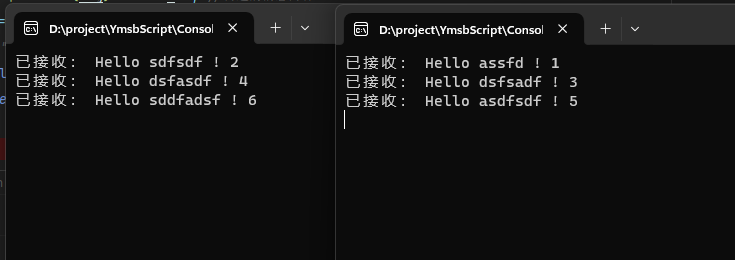
简介 🍀RabbitMQ中的工作队列模式是指将任务分配给多个消费者并行处理。在工作队列模式中,生产者将任务发送到RabbitMQ交换器,然后交换器将任务路由到一个或多个队列。消费者从队列中获取任务并进行处理。处理完成后,消费者可以向…...
Day37 56合并区间 738单调递增的数字 968监控二叉树
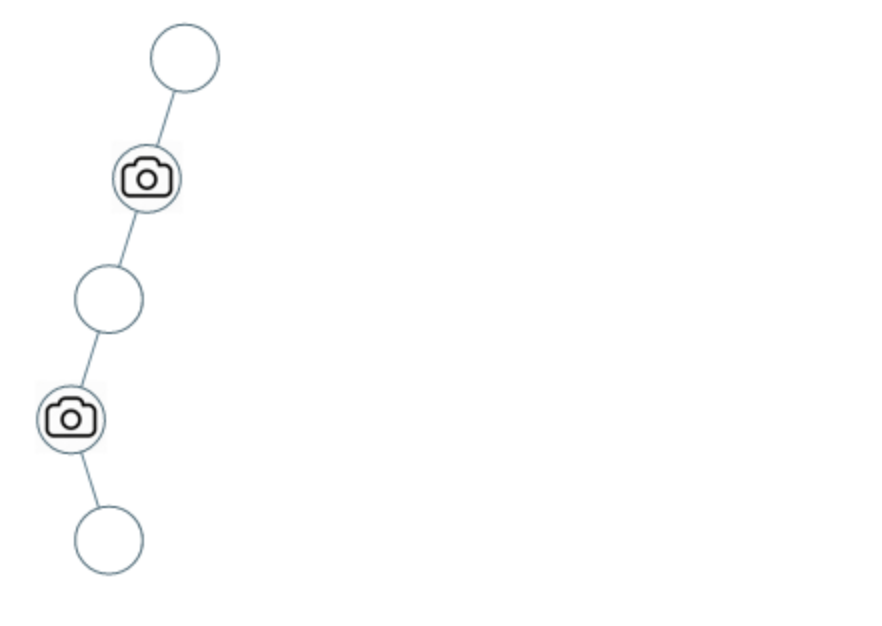
56 合并区间 给出一个区间的集合,请合并所有重叠的区间。 示例 1: 输入: intervals [[1,3],[2,6],[8,10],[15,18]]输出: [[1,6],[8,10],[15,18]]解释: 区间 [1,3] 和 [2,6] 重叠, 将它们合并为 [1,6]. class Solution { public:vector<vector<int>>…...
【Android】在WSA安卓子系统中进行新实验性功能试用与抓包(2311.4.5.0)
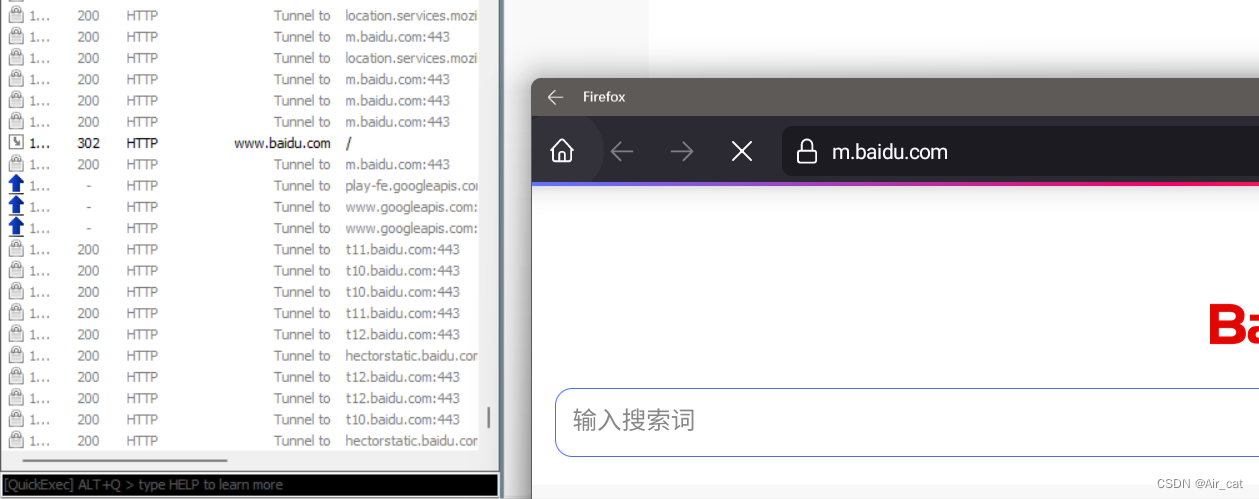
前言 在根据几篇22和23的WSA抓包文章进行尝试时遇到了问题,同时发现新版Wsa的一些实验性功能能优化抓包配置时的一些步骤,因而写下此篇以作记录。 Wsa版本:2311.40000.5.0 本文出现的项目: MagiskOnWSALocal MagiskTrustUserCer…...

【服务器】服务器的管理口和网口
服务器通常会有两种不同类型的网络接口,即管理口(Management Port)和网口(Ethernet Port),它们的作用和用途不同。 一、管理口 管理口通常是用于服务器管理的网络接口,也被称为外带网卡或带外接…...

一个小例子,演示函数指针
结构体里经常看到函数指针的写法,函数指针其实就是函数的名字。但是结构体里你要是直接把一个函数摆上去,那就变成成员变量,就会发生混乱 1. 函数指针 #include <unistd.h> #include <stdio.h>struct Kiwia{void (*func)(int )…...
python12-Python的字符串之使用input获取用户输入
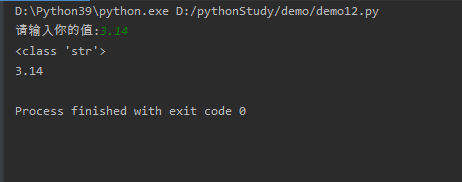
input()函数用于向用户生成一条提示,然后获取用户输入的内容。由于input0函数总会将用户输入的内容放入字符串中,因此用户可以输入任何内容,input()函数总是返回一个字符串。例如如下程序。 # !/usr/bin/env python# -*- coding: utf-8 -*-# @Time : 2024/01# @Author : Lao…...

【代码随想录-数组】移除元素
💝💝💝欢迎来到我的博客,很高兴能够在这里和您见面!希望您在这里可以感受到一份轻松愉快的氛围,不仅可以获得有趣的内容和知识,也可以畅所欲言、分享您的想法和见解。 推荐:kwan 的首页,持续学习,不断总结,共同进步,活到老学到老导航 檀越剑指大厂系列:全面总结 jav…...

springboot事务管理
/*spring事务管理注解:Transactional位置:业务(service)层的方法上、类上、接口上作用:将当前方法交给spring进行事务管理,方法执行前,开启事务:成功执行完毕,提交事务:出现常,回滚事务需要在配置文件是加上开启spring事务yml文件…...

数据结构——链式二叉树(2)
目录 🍁一、二叉树的销毁 🍁二、在二叉树中查找某个数,并返回该结点 🍁三、LeetCode——检查两棵二叉树是否相等 🌕(一)、题目链接:100. 相同的树 - 力扣(LeetCode&a…...

spring-boot-starter-validation常用注解
文章目录 一、使用二、常用注解三、Valid or Validated ?四、分组校验1. 分组校验的基本概念2. 定义验证组3. 应用分组到模型4. 在控制器中使用分组5. 总结 一、使用 要使用这些注解,首先确保在你的 Spring Boot 应用的 pom.xml 文件中添加了 spring-bo…...

AF700 NHS 酯,AF 700 Succinimidyl Ester,一种明亮且具有光稳定性的近红外染料
AF700 NHS 酯,AF 700 Succinimidyl Ester,一种明亮且具有光稳定性的近红外染料,AF700-NHS-酯,具有水溶性和 pH 值不敏感性 您好,欢迎来到新研之家 文章关键词:AF700 NHS 酯,AF 700 Succinimid…...
C#常见内存泄漏
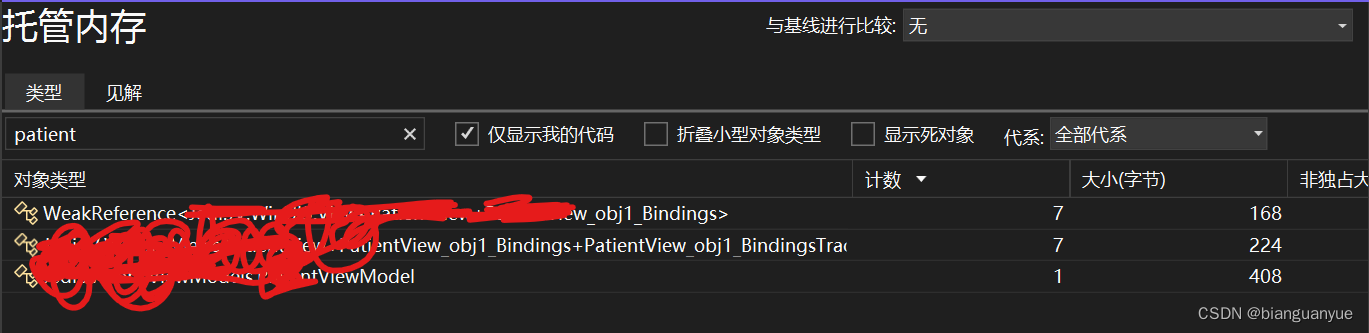
背景 在开发中由于对语言特性不了解或经验不足或疏忽,往往会造成一些低级bug。而内存泄漏就是最常见的一个,这个问题在测试过程中,因为操作频次低,而不能完全被暴露出来;而在正式使用时,由于使用次数增加&…...

Xmind安装到指定目录
Xmind安装到指定目录 默认情况下安装包自动引导安装在C盘(注册表默认位置) T1:修改注册表,比较麻烦 T2:安装时命令行指定安装位置,快捷省事 1)下载安装包(exe可执行文件) 2)安装…...
[GXYCTF2019]BabyUpload1
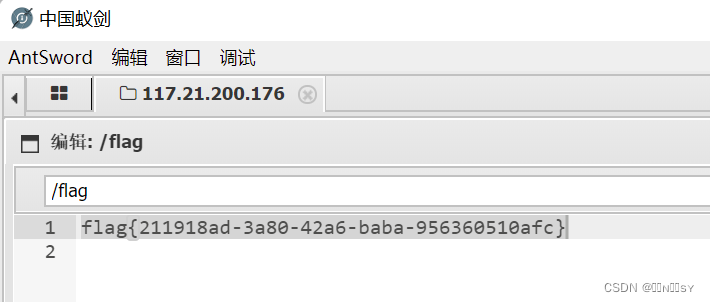
尝试各种文件,黑名单过滤后缀ph,content-type限制image/jpeg 内容过滤<?,木马改用<script languagephp>eval($_POST[cmdjs]);</script> 上传.htaccess将上传的文件当作php解析 蚁剑连接得到flag...

SpringBoot之分页查询的使用
背景 在业务中我们在前端总是需要展示数据,将后端得到的数据进行分页处理,通过pagehelper实现动态的分页查询,将查询页数和分页数通过前端发送到后端,后端使用pagehelper,底层是封装threadlocal得到页数和分页数并动态…...
【shell-10】shell实现的各种kafka脚本
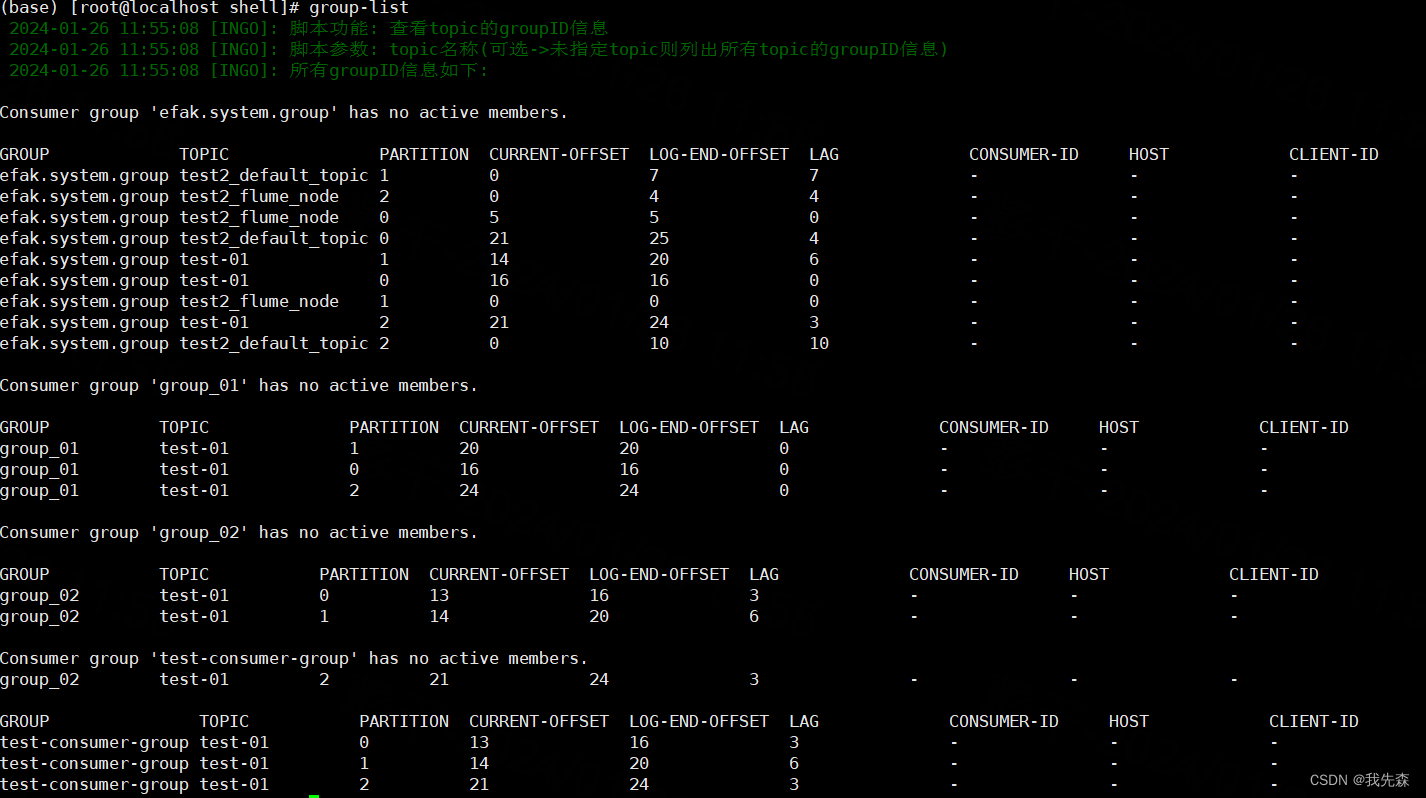
kafka-shell工具 背景日志 log一.启动kafka->(start-kafka)二.停止kafka->(stop-kafka)三.创建topic->(create-topic)四.删除topic->(delete-topic)五.获取topic列表->(list-topic)六. 将文件数据 录入到kafka->(file-to-kafka)七.将kafka数据 下载到文件-&g…...

【模型压缩】模型剪枝详解
参考链接:https://zhuanlan.zhihu.com/p/635454943 https 文章目录 1. 前言1.1 为什么要进行模型剪枝1.2 为什么可以进行模型剪枝2. 剪枝方式的几种分类2.1 结构化剪枝 和 非结构化剪枝2.1.1 结构化剪枝2.1.2 非结构化剪枝2.2 静态剪枝与动态剪枝2.2.1 静态剪枝2.2.2 动态剪枝…...

Log4j2-01-log4j2 hello world 入门使用
拓展阅读 Log4j2 系统学习 Logback 系统学习 Slf4j Slf4j-02-slf4j 与 logback 整合 SLF4j MDC-日志添加唯一标识 分布式链路追踪-05-mdc 等信息如何跨线程? Log4j2 与 logback 的实现方式 日志开源组件(一)java 注解结合 spring aop 实现自动输…...
Mysql-日志介绍 日志配置
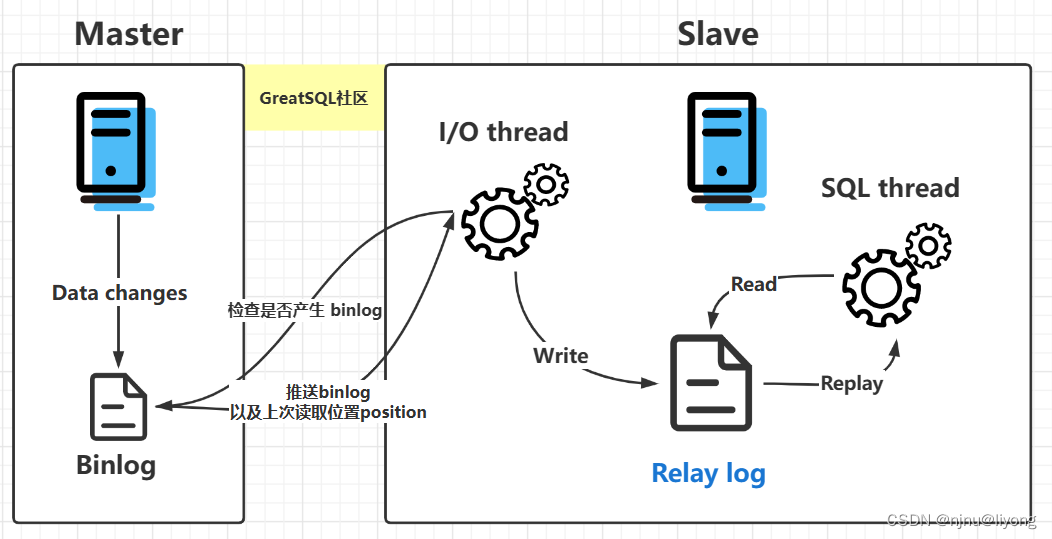
环境部署 docker run -d -p 3306:3306 --privilegedtrue -v $(pwd)/logs:/var/lib/logs -v $(pwd)/conf:/etc/mysql/conf.d -v $(pwd)/data:/var/lib/mysql -e MYSQL_ROOT_PASSWORD654321 --name mysql mysql:5.7运行指令的目录下新建好这些文件: 日志类型 日…...

求职自动化工具箱:用爬虫与状态机构建高效求职管理系统
1. 项目概述:一个求职者的工具箱如果你正在找工作,或者未来某天需要找工作,你大概率会和我有一样的感受:整个过程繁琐、重复,且充满不确定性。从海投简历到追踪进度,从准备面试到复盘总结,每个环…...

WandEnhancer技术解密:如何通过本地化增强重新定义游戏修改体验
WandEnhancer技术解密:如何通过本地化增强重新定义游戏修改体验 【免费下载链接】Wand-Enhancer Advanced UX and interoperability extension for Wand (WeMod) app 项目地址: https://gitcode.com/gh_mirrors/we/Wand-Enhancer 你是否曾经面对游戏修改工具…...

构建高可用AI模型代理服务:统一接口、智能路由与生产级部署
1. 项目概述:一个无处不在的AI助手接口最近在折腾AI应用开发的朋友,可能都遇到过这样一个痛点:想在自己的项目里快速接入一个靠谱的、能处理复杂对话的AI模型,但要么被OpenAI的API调用限制和网络问题搞得焦头烂额,要么…...

Claude-Code-KnowCraft:轻量级代码知识库构建与智能问答实践
1. 项目概述与核心价值最近在跟几个做AI应用开发的朋友聊天,大家普遍有个痛点:想把Claude这类大语言模型(LLM)的能力深度集成到自己的代码库分析工具里,但发现现有的方案要么太重,要么太浅。太重的是指那些…...

AI智能体记忆系统设计:从RAG到长期记忆的工程实践
1. 项目概述:从“记忆”到“智能”的跨越在AI智能体(Agent)的开发浪潮中,我们常常面临一个核心挑战:如何让智能体在复杂的、多轮次的交互中,表现得像一个真正有“记忆”和“经验”的专家?传统的…...

基于CircuitPython与加速度计的魔法9号球:嵌入式交互项目实践
1. 项目概述:当硬件遇上玄学,用代码打造你的专属“决策神器”在嵌入式开发的世界里,我们常常与传感器、显示屏和逻辑代码打交道,构建着一个个解决实际问题的智能设备。但谁说硬件项目就一定要严肃刻板?今天,…...

CI/CD安全最佳实践:保护软件交付流程
CI/CD安全最佳实践:保护软件交付流程 一、CI/CD安全最佳实践概述 1.1 CI/CD安全最佳实践的定义 CI/CD安全最佳实践是指在持续集成和持续部署流程中实施的安全策略和措施。它涵盖代码提交、构建、测试、部署等各个阶段的安全防护。 1.2 CI/CD安全最佳实践的价值 安全…...

FastAPI+AI应用脚手架:模块化架构与生产级实践指南
1. 项目概述:一个为AI应用量身定制的FastAPI脚手架如果你正在寻找一个能快速启动、结构清晰且功能强大的AI应用后端框架,那么fastapi-genai-boilerplate这个项目绝对值得你花时间研究。它不是一个简单的“Hello World”示例,而是一个面向生产…...

PowerInfer:基于稀疏激活的LLM推理引擎,消费级GPU运行百亿大模型
1. 项目概述:当大模型推理遇见“热点激活”最近在折腾本地大模型部署的朋友,可能都绕不开一个核心痛点:显存。动辄几十GB的模型,配上动辄几十GB的推理显存需求,让消费级显卡(比如我们常见的24GB显存的RTX 4…...

低配置电脑适配 OpenClaw 搭配 Ollama 流畅使用技巧
前置准备 获取小龙虾open claw一键安装包(www.totom.top)并安装电脑已成功安装运行 OpenClaw 客户端,顶部 Gateway 状态保持在线网络正常,可顺利访问 Ollama 官方网站电脑空余磁盘空间充足,本地 AI 模型占用体积较大提…...