
qt - 19种精美软件样式
qt - 19种精美软件样式
- 一、效果演示
- 二、核心程序
- 三、下载链接
一、效果演示
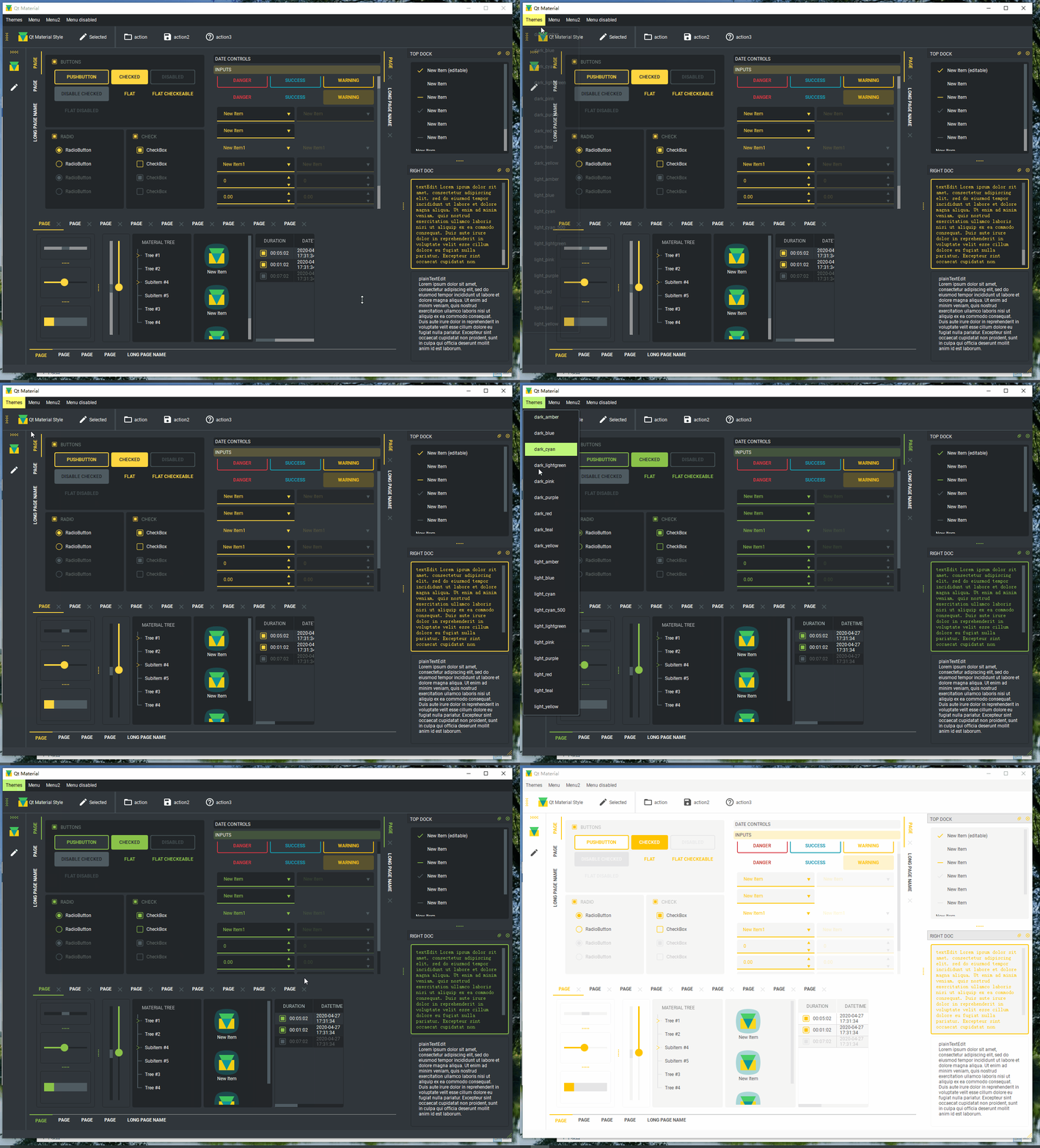
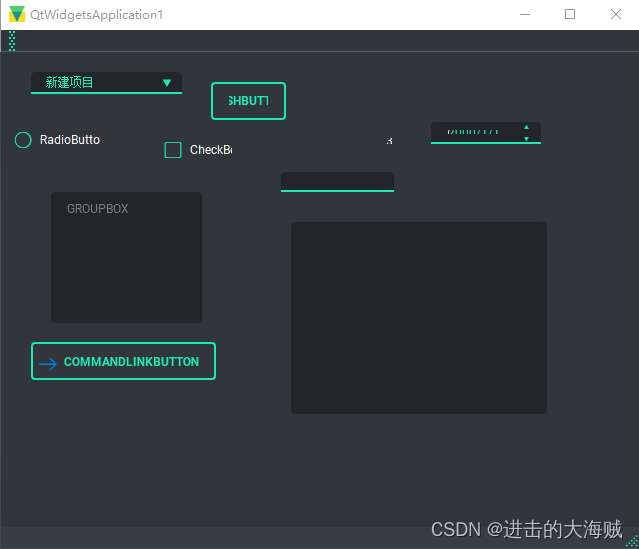
二、核心程序
#include "mainwindow.h"#include <QtAdvancedStylesheet.h>
#include <QmlStyleUrlInterceptor.h>#include "ui_mainwindow.h"
#include <QDir>
#include <QApplication>
#include <QAction>
#include <QListWidgetItem>
#include <QDockWidget>
#include <QVBoxLayout>
#include <QPushButton>
#include <QColorDialog>
#include <QDebug>
#include <QQmlEngine>#include <iostream>#define _STR(x) #x
#define STRINGIFY(x)  _STR(x)/*** Private data class - pimpl*/
struct MainWindowPrivate
{CMainWindow* _this;Ui::MainWindow ui;acss::QtAdvancedStylesheet* AdvancedStyleSheet;QVector<QPushButton*> ThemeColorButtons;/*** Private data constructor*/MainWindowPrivate(CMainWindow* _public) : _this(_public) {}void createThemeColorDockWidget();void fillThemeMenu();void setSomeIcons();void setupQuickWidget();void updateThemeColorButtons();void updateQuickWidget();/*** Loads theme aware icons for the actions in the toolbar*/void loadThemeAwareToolbarActionIcons();
};void MainWindowPrivate::createThemeColorDockWidget()
{QDockWidget* dock = new QDockWidget(("Change Theme"), _this);QWidget* w = new QWidget(dock);auto Layout = new QVBoxLayout(w);Layout->setContentsMargins(12, 12, 12, 12);Layout->setSpacing(12);w->setLayout(Layout);dock->setWidget(w);_this->addDockWidget(Qt::LeftDockWidgetArea, dock);dock->setFloating(true);const auto& ThemeColors = AdvancedStyleSheet->themeColorVariables();for (auto itc = ThemeColors.constBegin(); itc != ThemeColors.constEnd(); ++itc){auto Button = new QPushButton(itc.key());QObject::connect(Button, &QPushButton::clicked, _this, &CMainWindow::onThemeColorButtonClicked);Layout->addWidget(Button);ThemeColorButtons.append(Button);}updateThemeColorButtons();
}void MainWindowPrivate::updateThemeColorButtons()
{for (auto Button : ThemeColorButtons){auto Color = AdvancedStyleSheet->themeColor(Button->text());QString TextColor = (Color.value() < 128) ? "#ffffff" : "#000000";QString ButtonStylesheet = QString("background-color: %1; color: %2;""border: none;").arg(Color.name()).arg(TextColor);Button->setStyleSheet(ButtonStylesheet);}
}void MainWindowPrivate::updateQuickWidget()
{const auto Source = ui.quickWidget->source();ui.quickWidget->setSource({});ui.quickWidget->engine()->clearComponentCache();ui.quickWidget->setSource(Source);ui.quickWidget->setStyleSheet(AdvancedStyleSheet->styleSheet());
}void MainWindowPrivate::fillThemeMenu()
{// Add actions for theme selectionauto m = ui.menuThemes;for (const auto& Theme : AdvancedStyleSheet->themes()){QAction* a = new QAction(Theme);m->addAction(a);QObject::connect(a, &QAction::triggered, _this, &CMainWindow::onThemeActionTriggered);}}void MainWindowPrivate::setSomeIcons()
{ui.actionToolbar->setIcon(AdvancedStyleSheet->styleIcon());QIcon Icon(":/full_features/images/logo_frame.svg");for (int i = 0; i < ui.listWidget_2->count(); ++i){ui.listWidget_2->item(i)->setIcon(Icon);}
}void MainWindowPrivate::setupQuickWidget()
{ui.quickWidget->engine()->setUrlInterceptor(new acss::CQmlStyleUrlInterceptor(AdvancedStyleSheet));ui.quickWidget->setStyleSheet(AdvancedStyleSheet->styleSheet());ui.quickWidget->setSource(QUrl("qrc:/full_features/qml/simple_demo.qml"));ui.quickWidget->setAttribute(Qt::WA_AlwaysStackOnTop);ui.quickWidget->setAttribute(Qt::WA_TranslucentBackground);ui.quickWidget->setClearColor(Qt::transparent);
}void MainWindowPrivate::loadThemeAwareToolbarActionIcons()
{ui.actionSelected->setIcon(AdvancedStyleSheet->loadThemeAwareSvgIcon(":/full_features/images/edit.svg"));ui.actionaction->setIcon(AdvancedStyleSheet->loadThemeAwareSvgIcon(":/full_features/images/folder_open.svg"));ui.actionaction2->setIcon(AdvancedStyleSheet->loadThemeAwareSvgIcon(":/full_features/images/save.svg"));ui.actionaction3->setIcon(AdvancedStyleSheet->loadThemeAwareSvgIcon(":/full_features/images/help_outline.svg"));
}CMainWindow::CMainWindow(QWidget *parent): QMainWindow(parent),d(new MainWindowPrivate(this))
{d->ui.setupUi(this);QString AppDir = qApp->applicationDirPath();QString StylesDir = STRINGIFY(STYLES_DIR);d->AdvancedStyleSheet = new acss::QtAdvancedStylesheet(this);d->AdvancedStyleSheet->setStylesDirPath(StylesDir);d->AdvancedStyleSheet->setOutputDirPath(AppDir + "/output");d->AdvancedStyleSheet->setCurrentStyle("qt_material");d->AdvancedStyleSheet->setDefaultTheme();d->AdvancedStyleSheet->updateStylesheet();setWindowIcon(d->AdvancedStyleSheet->styleIcon());qApp->setStyleSheet(d->AdvancedStyleSheet->styleSheet());connect(d->AdvancedStyleSheet, SIGNAL(stylesheetChanged()), this,SLOT(onStyleManagerStylesheetChanged()));d->createThemeColorDockWidget();d->fillThemeMenu();d->setSomeIcons();d->setupQuickWidget();d->loadThemeAwareToolbarActionIcons();
}CMainWindow::~CMainWindow()
{delete d;
}void CMainWindow::onThemeActionTriggered()
{auto Action = qobject_cast<QAction*>(sender());d->AdvancedStyleSheet->setCurrentTheme(Action->text());d->AdvancedStyleSheet->updateStylesheet();
}void CMainWindow::onStyleManagerStylesheetChanged()
{qApp->setStyleSheet(d->AdvancedStyleSheet->styleSheet());d->updateThemeColorButtons();d->updateQuickWidget();
}void CMainWindow::onThemeColorButtonClicked()
{auto Button = qobject_cast<QPushButton*>(sender());QColorDialog ColorDialog;auto Color = d->AdvancedStyleSheet->themeColor(Button->text());ColorDialog.setCurrentColor(Color);if (ColorDialog.exec() != QDialog::Accepted){return;}Color = ColorDialog.currentColor();d->AdvancedStyleSheet->setThemeVariableValue(Button->text(), Color.name());d->AdvancedStyleSheet->updateStylesheet();
}
三、下载链接
https://download.csdn.net/download/u013083044/88856325
相关文章:
qt - 19种精美软件样式
qt - 19种精美软件样式 一、效果演示二、核心程序三、下载链接 一、效果演示 二、核心程序 #include "mainwindow.h"#include <QtAdvancedStylesheet.h> #include <QmlStyleUrlInterceptor.h>#include "ui_mainwindow.h" #include <QDir&g…...

vue 使用docx库生成word表格文档
在Vue.js中生成Word表格文档,可以通过前端库来实现。这些库可以帮助我们轻松地将HTML表格转换为Word文档(通常是.docx格式)。以下是一些流行的前端库,它们可以用于在Vue项目中生成Word表格文档: docx…...
ElementUI table表格组件实现双击编辑单元格失去焦点还原,支持多单元格
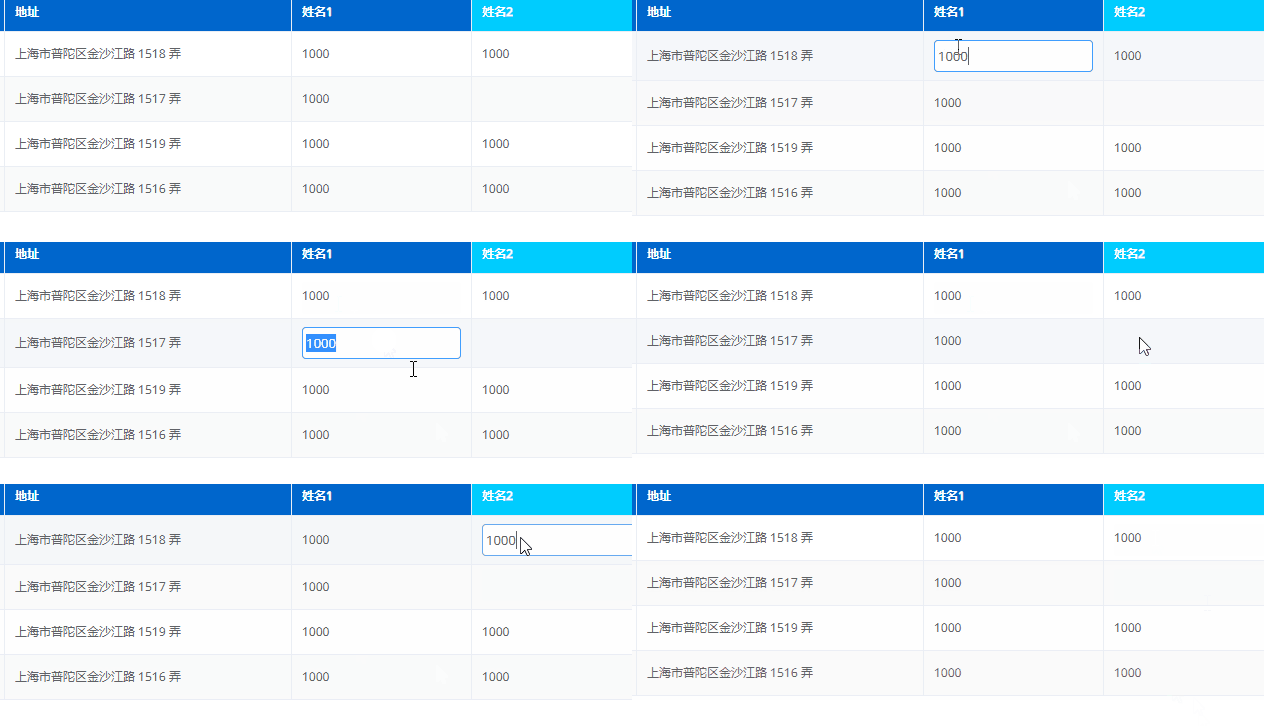
在使用ElementUI table表格组件时有时需要双击单元格显示编辑状态,失去焦点时还原表格显示。 实现思路: 在数据中增加isFocus:false.控制是否显示在table中用cell-dblclick双击方法 先看效果: 上源码:在表格模板中用scope.row…...
Java基于SpringBoot+Vue的图书管理系统
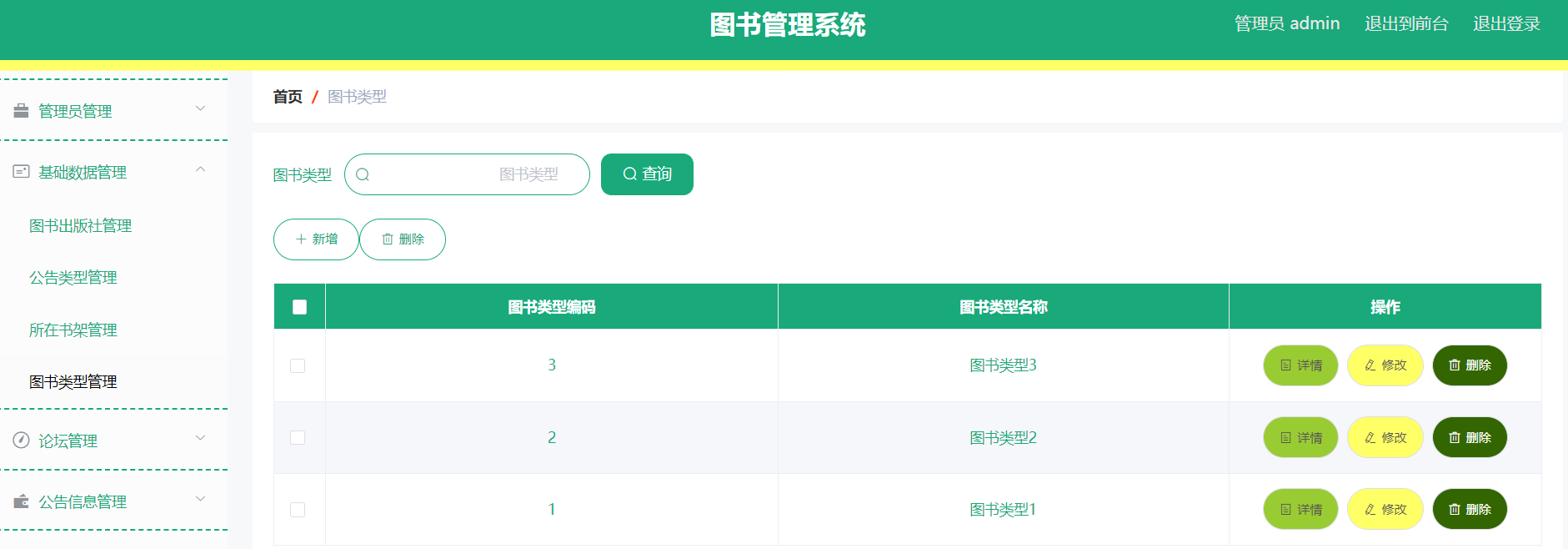
博主介绍:✌程序员徐师兄、7年大厂程序员经历。全网粉丝12w、csdn博客专家、掘金/华为云/阿里云/InfoQ等平台优质作者、专注于Java技术领域和毕业项目实战✌ 🍅文末获取源码联系🍅 👇🏻 精彩专栏推荐订阅👇…...

【云安全】Hypervisor与虚拟机
Hypervisor 也被称为虚拟机监视器(Virtual Machine Monitor,VMM),主要作用是让多个操作系统可以在同一台物理机上运行。 Type-1 Hypervisor 与 Typer-2 Hypervisor Type-1 Hypervisor 直接安装在物理服务器上,不依赖…...
JS文本加密方法探究
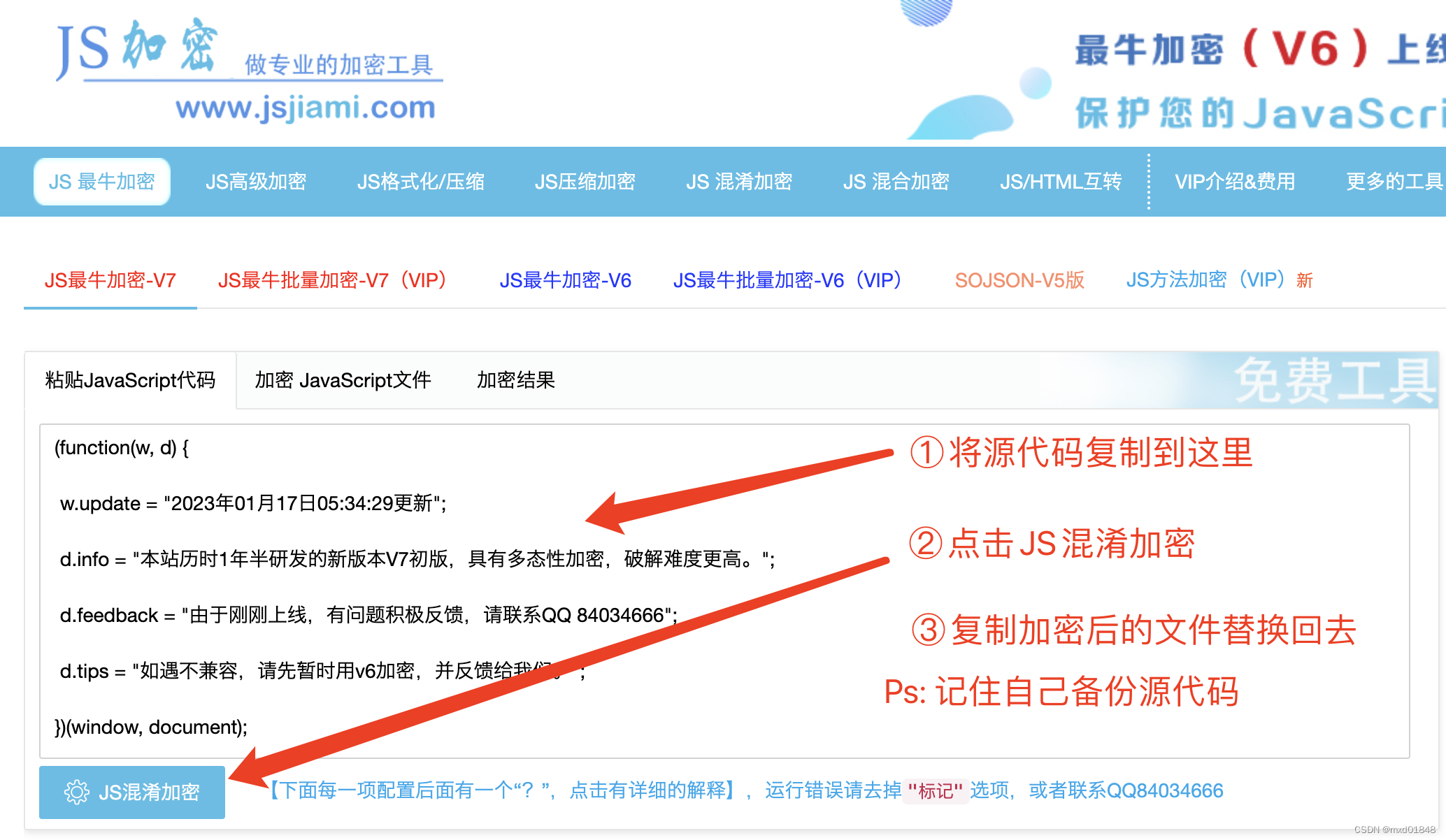
在前端开发中,有时候我们需要对敏感文本进行简单的加密,以提高安全性。本文将介绍一种基于 JavaScript 实现的文本加密方法,使用了 Base64、Unicode 和 ROT13 编码。 示例代码 function encodeText(text) {// Base64编码var base64Encoded …...
推荐彩虹知识付费商城免授权7.0源码
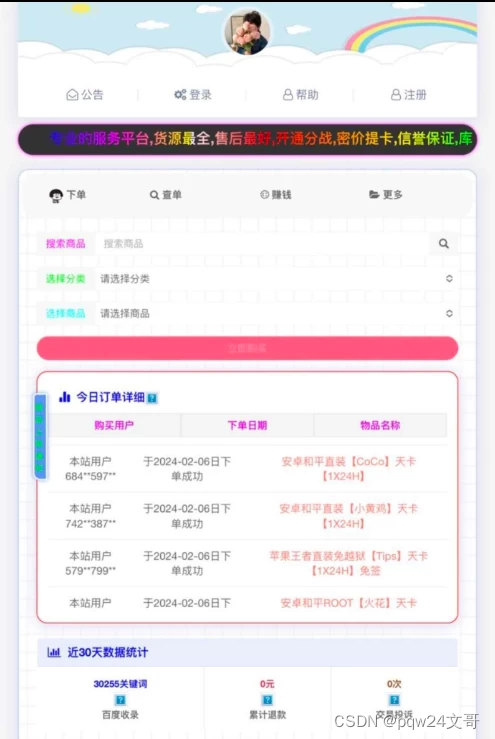
彩虹知识付费商城免授权7.0源码,最低配置环境 PHP7.2 1、上传源码到网站根目录,导入数据库文件:xydai.sql 2、修改数据库配置文件:/config.php 3、后台:/admin 账号:admin 密码:123456 4、前…...
【天衍系列 04】深入理解Flink的ElasticsearchSink组件:实时数据流如何无缝地流向Elasticsearch
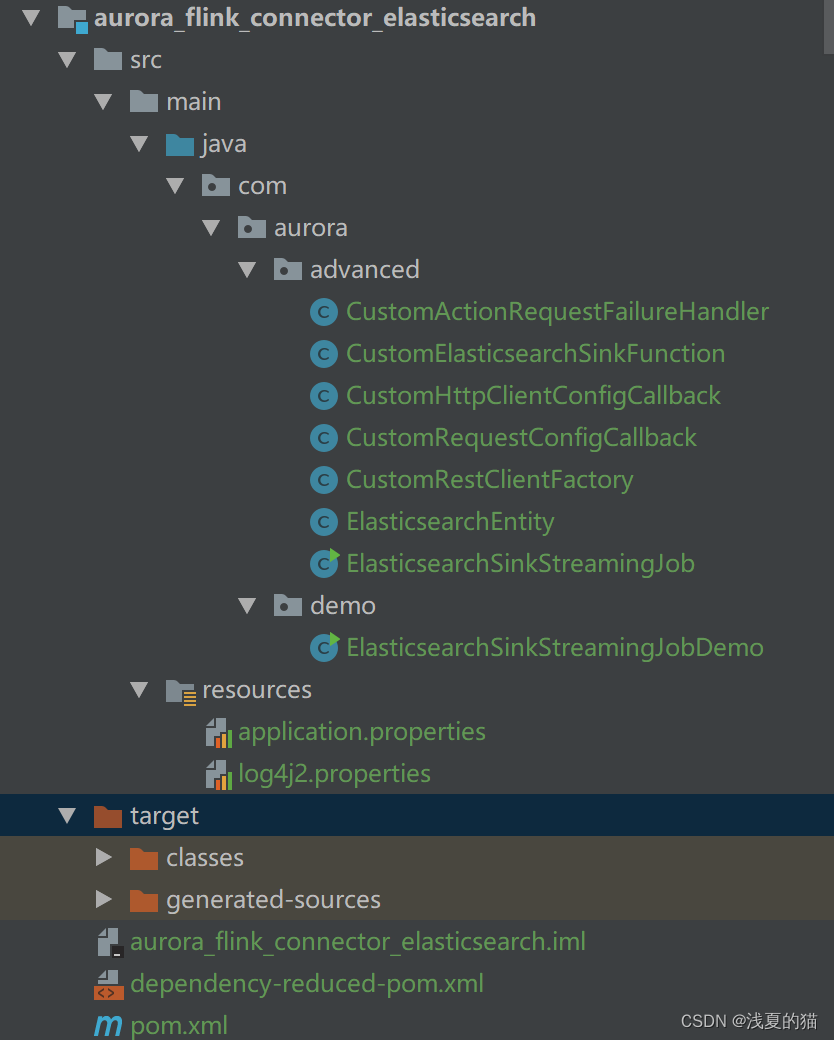
文章目录 01 Elasticsearch Sink 基础概念02 Elasticsearch Sink 工作原理03 Elasticsearch Sink 核心组件04 Elasticsearch Sink 配置参数05 Elasticsearch Sink 依赖管理06 Elasticsearch Sink 初阶实战07 Elasticsearch Sink 进阶实战7.1 包结构 & 项目配置项目配置appl…...
一、ActiveMQ介绍
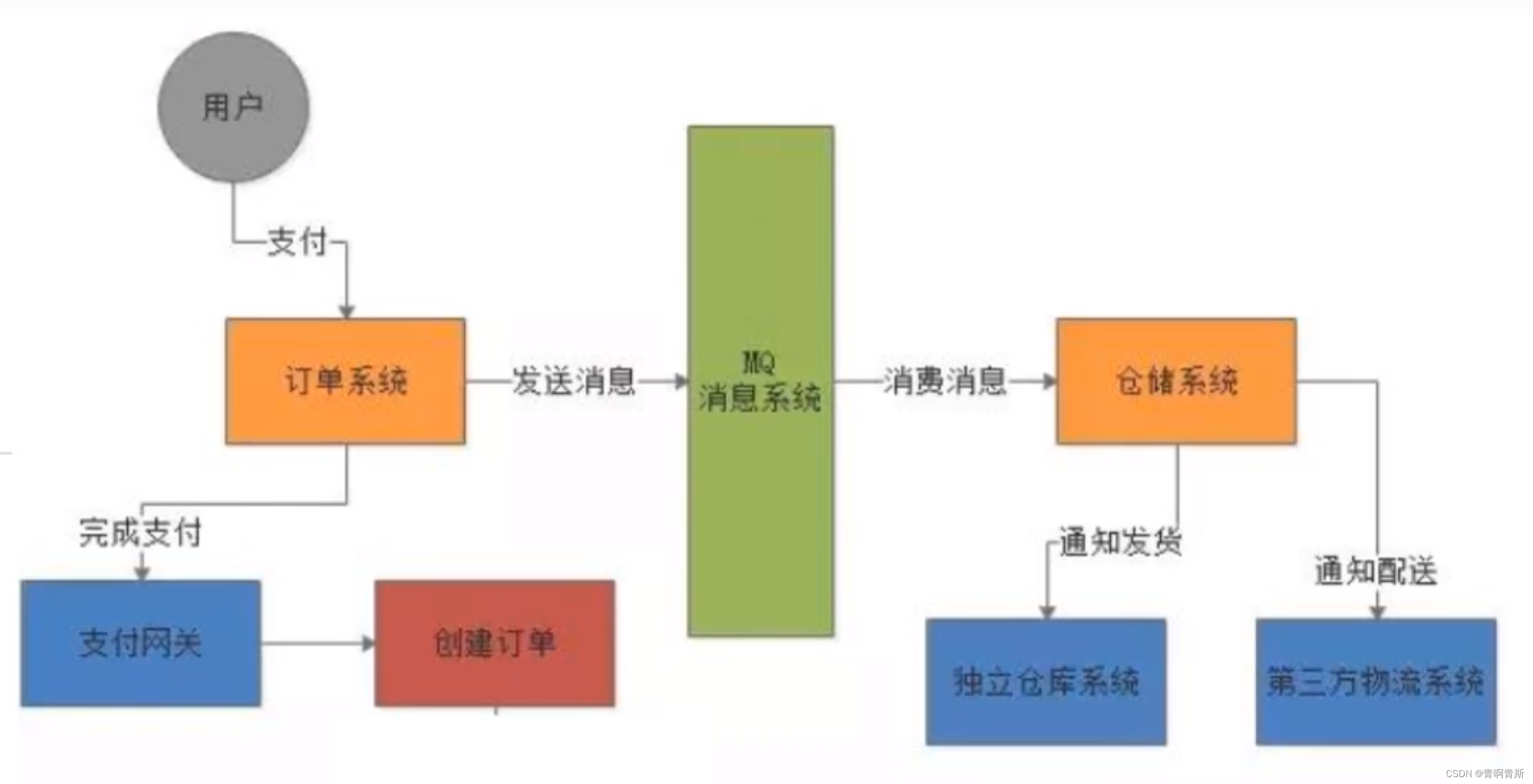
ActiveMQ介绍 一、JMS1.jms介绍2.jms消息传递模式3.JMS编码总体架构 二、消息中间件三、ActiveMQ介绍1.引入的原因1.1 原因1.2 遇到的问题1.3 解决思路 2.定义3.特点3.1 异步处理3.2 应用系统之间解耦3.3 实际-整体架构 4.作用 一、JMS 1.jms介绍 jms是java消息服务接口规范&…...

【牛客】寒假训练营1 I-It‘s bertrand paradox. Again! 题解
传送门:It’s bertrand paradox. Again! 标签:随机 题目大意 有两个人分别用两种方式在二维平面上随机生成1e5个圆,每个圆上的每一个点(x,y)都满足-100<x<100且-100<y<100,现在将某个人生成的1e5个圆的圆心和半径告…...
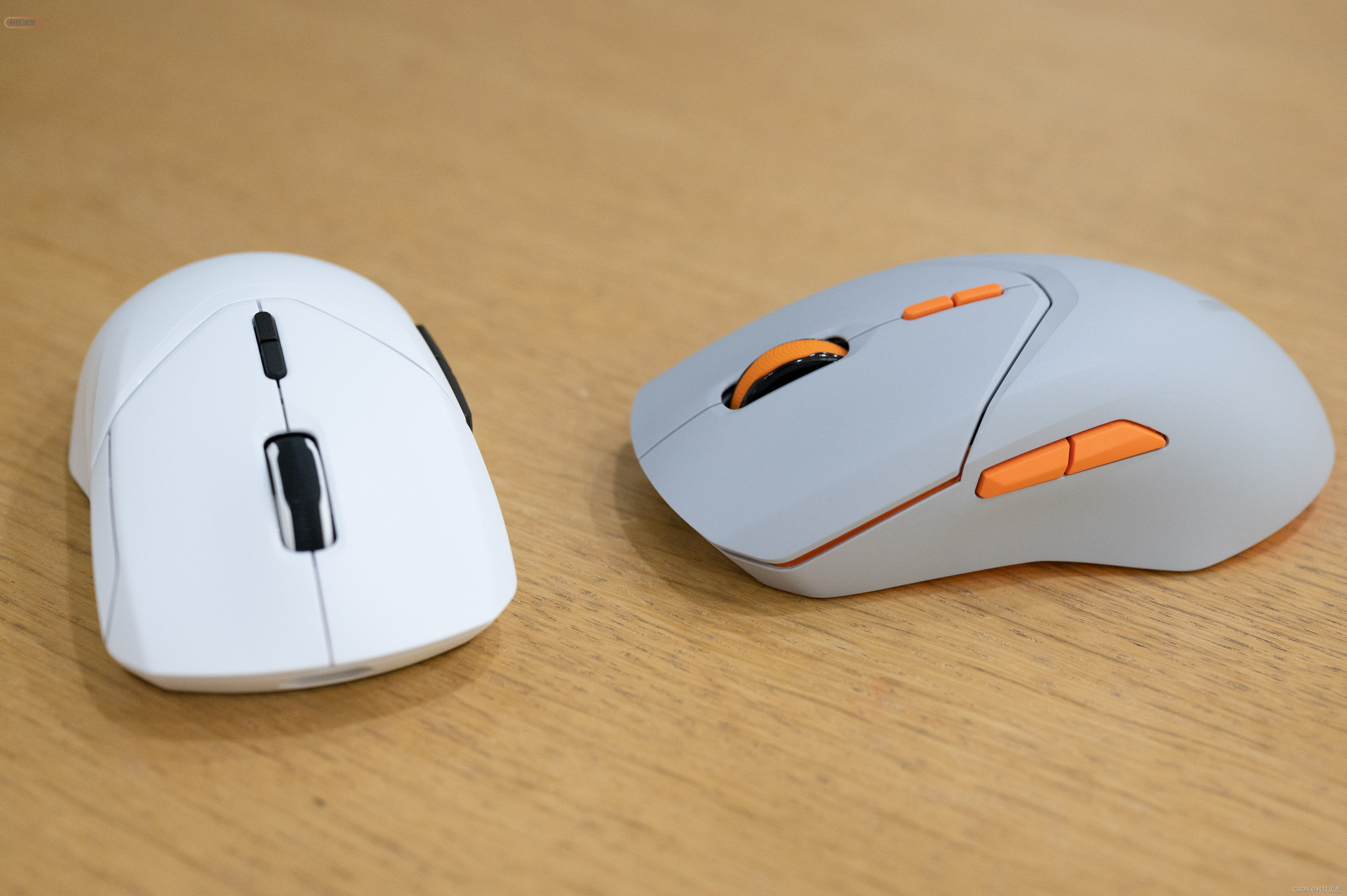
各种手型都合适,功能高度可定制,雷柏VT9PRO mini和VT9PRO游戏鼠标上手
去年雷柏推出了一系列支持4KHz回报率的鼠标,有着非常敏捷的反应速度,在游戏中操作体验十分出色。尤其是这系列4K鼠标不仅型号丰富,而且对玩家的操作习惯、手型适应也很好,像是VT9系列就主打轻巧,还有专门针对小手用户的…...

sql建库,建表基础操作
当涉及到SQL建库和建表操作时,以下是一个简单的示例: 1. 建库(创建数据库) sql复制代码 CREATE DATABASE mydatabase; 上述语句将创建一个名为mydatabase的数据库。 2. 选择数据库 在创建表之前,需要选择要在其中…...

算法训练营day32,贪心算法6
import "strconv" //738. 单调递增的数字 func monotoneIncreasingDigits(n int) int { str : strconv.Itoa(n) nums : []byte(str) length : len(nums) if length < 1 { return n } for i : length - 1; i > 0; i-- { //如果前一个数字比当前值大࿰…...
CTR之行为序列建模用户兴趣:DIN
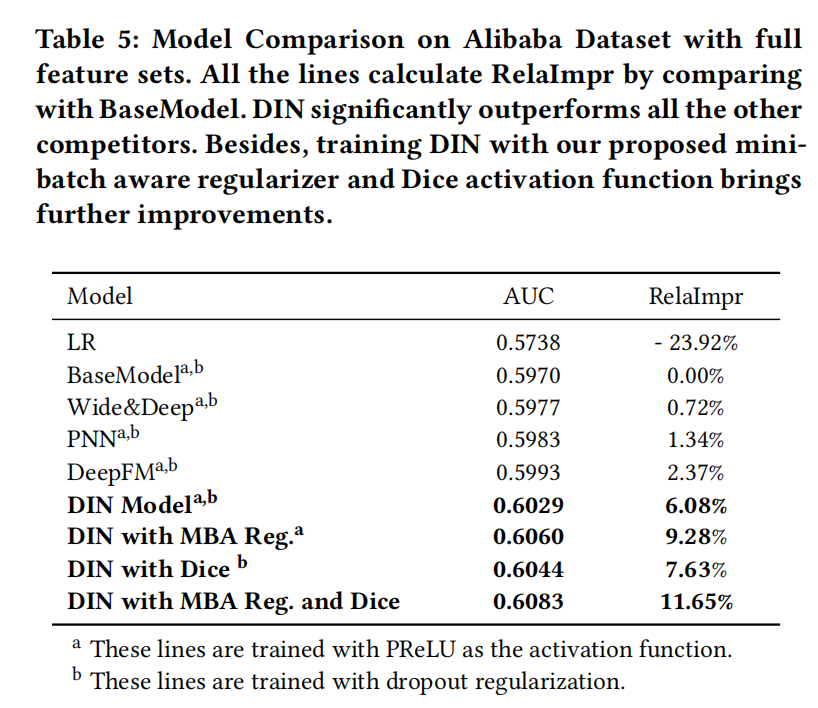
在前面的文章中,已经介绍了很多关于推荐系统中CTR预估的相关技术,今天这篇文章也是延续这个主题。但不同的,重点是关于用户行为序列建模,阿里出品。 概要 论文:Deep Interest Network for Click-Through Rate Predict…...

Java使用Redis实现分页功能
分页功能实现应该是比较常见的,对于redis来说,近期刷题就发现了lrange、zrange这些指令,这个指令怎么使用呢? 我们接下来就来讲解下。 目录 指令简介lrangezrange Java实现Redis实现分页功能 指令简介 lrange lrange 是 Redis 中…...

Qt标准对话框设置
Qt标准对话框设置,设置字体、调色板、进度条等。 #include "mainwindow.h" #include "ui_mainwindow.h"MainWindow::MainWindow(QWidget *parent): QMainWindow(parent), ui(new Ui::MainWindow) {ui->setupUi(this); }MainWindow::~MainWi…...
如何让Obsidian实现电脑端和安卓端同步
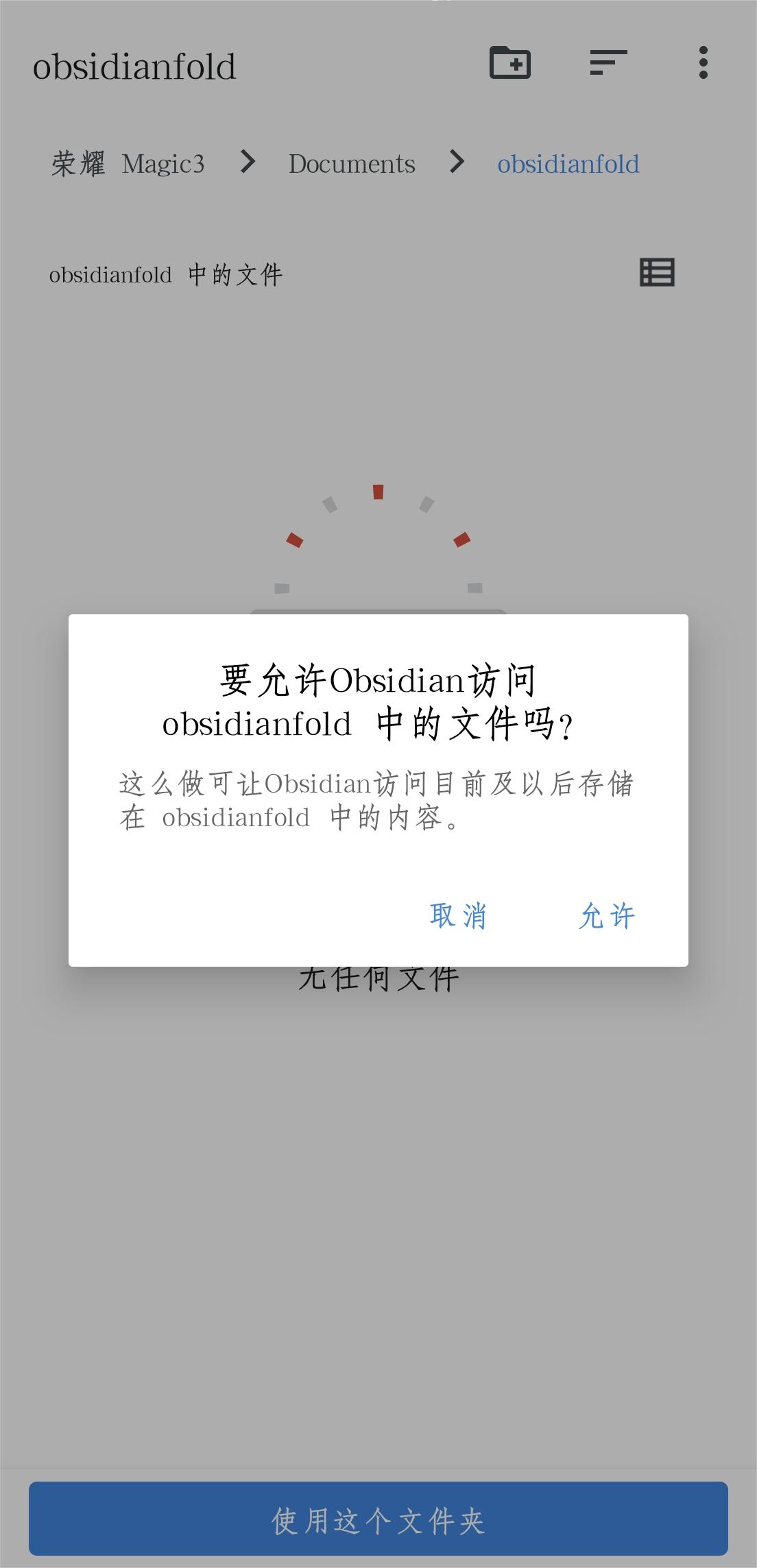
Obsidian是一款知名的笔记软件,支持Markdown语法,它允许用户在多个设备之间同步文件。要在安卓设备上实现同步,可以使用remote save插件,以下是具体操作步骤: 首先是安装电脑端的obsidian,然后依次下载obs…...

windows系统中jenkins构建报错提示“拒绝访问”
一.背景 之前徒弟在windows中安装的jenkins,运行的时候用的是java -jar jenkins.war来运行的。服务器只有1个盘符C盘。今天说构建错误了,问我修改了啥,我年前是修改过构建思路的。 二.问题分析 先看jenkins构建任务的日志,大概是xcopy命令执…...

服务器防火墙的应用技术有哪些?
随着互联网的发展,网络安全问题更加严峻。服务器防火墙技术作为一种基础的网络安全技术,对于保障我们的网络安全至关重要。本文将介绍服务器防火墙的概念和作用,以及主要的服务器防火墙技术,包括数据包过滤、状态检测、代理服务、…...

力扣:40. 组合总和 II
回溯: 1.先声明好大集合和小集合,在调用回溯函数,终止条件为sumtarget,要进行剪枝操作减少遍历的次数,去重操作防止数组中有两个相同的值来组成的集合相同。 class Solution {List<List<Integer>> li1ne…...

深夜连上服务器,我再也不想敲命令行
前言 那是晚上十一点,我第五次输错IPtables规则,服务器直接失联了。赶紧给机房打电话,求助工程师帮忙重启。电话里听着对方说"下次小心点",我只能苦笑——命令行这东西,真不是熬夜能hold住的。 就在这时&a…...

Claude Code 接入 GLM-4-Flash 永久免费模型 完整配置指南
🚀 Claude Code 接入 GLM-4-Flash 永久免费模型 完整配置指南 下面是从注册 API Key 到 Claude Code 配置的全流程步骤,Windows 系统可直接照搬操作,全程零成本。 第一步:获取智谱 AI GLM-4-Flash API Key 注册账号访问智谱 AI …...

涡流检测驱动的发动机气门硬度分选技术【附算法】
✨ 长期致力于核环境机器人、机器人运动学、机械臂振动抑制、自适应动力学控制研究工作,擅长数据搜集与处理、建模仿真、程序编写、仿真设计。 ✅ 专业定制毕设、代码 ✅ 如需沟通交流,点击《获取方式》 (1)核辐射环境下涡流检测机…...

长期使用中观察Taotoken账单的透明度与预测准确性
🚀 告别海外账号与网络限制!稳定直连全球优质大模型,限时半价接入中。 👉 点击领取海量免费额度 长期使用中观察Taotoken账单的透明度与预测准确性 在将多个大模型API集成到日常开发或业务流后,成本的可观测性与可控性…...

10分钟掌握XGBoost:机器学习竞赛的终极梯度提升库
10分钟掌握XGBoost:机器学习竞赛的终极梯度提升库 【免费下载链接】xgboost Scalable, Portable and Distributed Gradient Boosting (GBDT, GBRT or GBM) Library, for Python, R, Java, Scala, C and more. Runs on single machine, Hadoop, Spark, Dask, Flink a…...

GitHub Desktop中文汉化解决方案:智能文本映射技术实现界面本地化
GitHub Desktop中文汉化解决方案:智能文本映射技术实现界面本地化 【免费下载链接】GitHubDesktop2Chinese GithubDesktop语言本地化(汉化)工具 【GitHub桌面客户端中文汉化】 项目地址: https://gitcode.com/gh_mirrors/gi/GitHubDesktop2Chinese GitHub De…...

JetBrains IDE试用期重置终极指南:轻松解决IDE过期问题
JetBrains IDE试用期重置终极指南:轻松解决IDE过期问题 【免费下载链接】ide-eval-resetter 项目地址: https://gitcode.com/gh_mirrors/id/ide-eval-resetter 你是否曾经遇到过这样的困扰:正在专注编码时,突然弹出的"试用期已结…...

【上篇】SenseNova-U1:基于NEO-unify架构统一多模态理解与生成
📣 更新动态 [2026.05.15] 发布 SenseNova-U1-8B-MoT-信息图表 📊,优化信息图表生成功能。详情请参阅 U1信息图表模型,并查看 ✨ 信息图表展示 获取100个生成示例。 ✨ 点击展开历史动态 [2026.05.10] 发布🔥SenseNo…...

苏姿丰来华,AMD能否借中国市场突破英伟达生态封锁?
苏姿丰访华与AMD战略布局黄仁勋走后第四天,苏姿丰来到上海。上周,黄仁勋在最后一刻挤进特朗普访华队伍,想把英伟达重新带回中国。但他离开北京后,随行企业家很多拿到大单,H200在中国落地仍无明确说法。紧接着ÿ…...

IPBan:企业级服务器安全防护解决方案的架构设计与实现
IPBan:企业级服务器安全防护解决方案的架构设计与实现 【免费下载链接】IPBan Since 2011, IPBan is the worlds most trusted, free security software to block hackers and botnets. With both Windows and Linux support, IPBan has your dedicated or cloud se…...