
2403C++,C++20协程库
原文
基于C++20协程的http库--cinatra
cinatra是基于C++20无栈协程实现的跨平台,仅头,高性能,易用的http/https库(http1.1),包括httpserver和httpclient,功能完备,不仅支持最普通的getpost等请求,还支持restfulapi,websocket,chunked,ranges,multipart,静态文件服务和反向代理等功能.
后面会分别介绍这些功能,文末也专门附上benchmark测试代码.
2.基本http请求
2.1.启动http服务器
#include <include/cinatra.hpp>
using namespace cinatra;
void start_server() {coro_http_server server(/*`thread_num=`*/std::thread::hardware_concurrency(), 9001);server.set_http_handler<GET>("/", [](coro_http_request &req, coro_http_response &resp) {resp.set_status_and_content(status_type::ok, "ok"); //`IO`线程中的响应});server.set_http_handler<GET, POST>("/in_thread_pool",[](coro_http_request &req,coro_http_response &resp) -> async_simple::coro::Lazy<void> {//在线程池中休息.co_await coro_io::post([&] {resp.set_status_and_content(status_type::ok, "ok in thread pool");});});server.sync_start();
}
几行代码即可创建一个http服务,先设置httpserver工作线程数和端口.然后设置http服务的url,httpmethod和对应的处理函数.
可在io线程或线程池中处理http请求.
2.2.client发请求
#include <include/cinatra.hpp>
using namespace cinatra;
async_simple::coro::Lazy<void> do_request() {coro_http_client client{};auto result = co_await client.async_get("http://127.0.0.1:9001/");assert(result.status == 200);assert(result.resp_body == "ok");for (auto [key, val] : result.resp_headers) {std::cout << key << ": " << val << "\n";}result = co_await client.async_get("/in_thread_pool");assert(result.status == 200);
}
httpclient异步请求服务器,返回结果中包括服务端响应的状态码,httpcontent及http头,如果网络错误,可从result.net_err中取错码和错误message.
2.3.restfulapi
coro_http_server server(/*`thread_num=`*/std::thread::hardware_concurrency(), 9001);server.set_http_handler<cinatra::GET, cinatra::POST>("/test2/{}/test3/{}",[](coro_http_request &req,coro_http_response &resp) -> async_simple::coro::Lazy<void> {co_await coro_io::post([&]() {CHECK(req.matches_.str(1) == "name");CHECK(req.matches_.str(2) == "test");resp.set_status_and_content(cinatra::status_type::ok, "hello world");});co_return;});server.set_http_handler<cinatra::GET, cinatra::POST>(R"(/numbers/(\d+)/test/(\d+))",[](coro_http_request &req, coro_http_response &response) {CHECK(req.matches_.str(1) == "100");CHECK(req.matches_.str(2) == "200");response.set_status_and_content(status_type::ok, "number regex ok");});server.set_http_handler<cinatra::GET, cinatra::POST>("/user/:id", [](coro_http_request &req, coro_http_response &response) {CHECK(req.params_["id"] == "cinatra");response.set_status_and_content(status_type::ok, "ok");});server.set_http_handler<cinatra::GET, cinatra::POST>("/user/:id/subscriptions",[](coro_http_request &req, coro_http_response &response) {CHECK(req.params_["id"] == "subid");response.set_status_and_content(status_type::ok, "ok");});server.set_http_handler<cinatra::GET, cinatra::POST>("/values/:x/:y/:z",[](coro_http_request &req, coro_http_response &response) {CHECK(req.params_["x"] == "guilliman");CHECK(req.params_["y"] == "cawl");CHECK(req.params_["z"] == "yvraine");response.set_status_and_content(status_type::ok, "ok");});server.async_start();coro_http_client client;client.get("http://127.0.0.1:9001/test2/name/test3/test");client.get("http://127.0.0.1:9001/numbers/100/test/200");client.get("http://127.0.0.1:9001/user/cinatra");client.get("http://127.0.0.1:9001/user/subid/subscriptions");client.get("http://127.0.0.1:9001/value/guilliman/cawl/yvraine");2.4. https访问
#ifdef CINATRA_ENABLE_SSLcoro_http_client client{};result = co_await client.async_get("https://www.taobao.com");assert(result.status == 200);
#endif
访问https网站时,确保已安装了openssl并开启了ENABLE_SSL.
3. websocket
cinatra::coro_http_server server(1, 9001);server.set_http_handler<cinatra::GET>("/ws_echo",[](cinatra::coro_http_request &req,cinatra::coro_http_response &resp) -> async_simple::coro::Lazy<void> {cinatra::websocket_result result{};while (true) {result = co_await req.get_conn()->read_websocket();if (result.ec) {break;}if (result.type == cinatra::ws_frame_type::WS_CLOSE_FRAME) {REQUIRE(result.data == "test close");break;}auto ec = co_await req.get_conn()->write_websocket(result.data);if (ec) {break;}}});server.sync_start();
在协程处理函数中,while循环异步读写websocket数据.
client端:
cinatra::coro_http_client client{};std::string message(100, 'x');client.on_ws_close([](std::string_view reason) {std::cout << "web socket close " << reason << std::endl;});client.on_ws_msg([message](cinatra::resp_data data) {if (data.net_err) {std::cout << "ws_msg net error " << data.net_err.message() << "\n";return;}std::cout << "ws msg len: " << data.resp_body.size() << std::endl;REQUIRE(data.resp_body == message);});co_await client.async_ws_connect("ws://127.0.0.1:9001/ws_echo");co_await client.async_send_ws(message);co_await client.async_send_ws_close("test close");
client设置读回调和close回调分别处理收到的websocket消息和websocketclose消息.
4.静态文件服务
std::string filename = "temp.txt";create_file(filename, 64);coro_http_server server(1, 9001);std::string virtual_path = "download";std::string files_root_path = ""; //当前路径server.set_static_res_dir(virtual_path,files_root_path);//在服务器启动之前设置此项,如果添加新文件,则需要重启服务器.server.async_start();coro_http_client client{};auto result =co_await client.async_get("http://127.0.0.1:9001/download/temp.txt");assert(result.status == 200);assert(result.resp_body.size() == 64);
服务端设置虚路径和实际文件路径,下载文件时输入虚路径和实际路径下的文件名即可实现下载.
5.反向代理
假设有3个服务器需要代理,代理服务器根据负载均衡算法来选择其中的一个来访问并把结果返回给客户.
5.1.先启动3个被代理的服务器
cinatra::coro_http_server web_one(1, 9001);web_one.set_http_handler<cinatra::GET, cinatra::POST>("/",[](coro_http_request &req,coro_http_response &response) -> async_simple::coro::Lazy<void> {co_await coro_io::post([&]() {response.set_status_and_content(status_type::ok, "web1");});});web_one.async_start();cinatra::coro_http_server web_two(1, 9002);web_two.set_http_handler<cinatra::GET, cinatra::POST>("/",[](coro_http_request &req,coro_http_response &response) -> async_simple::coro::Lazy<void> {co_await coro_io::post([&]() {response.set_status_and_content(status_type::ok, "web2");});});web_two.async_start();cinatra::coro_http_server web_three(1, 9003);web_three.set_http_handler<cinatra::GET, cinatra::POST>("/", [](coro_http_request &req, coro_http_response &response) {response.set_status_and_content(status_type::ok, "web3");});web_three.async_start();
5.2.启动代理服务器
设置roundrobin策略的代理服务器:
coro_http_server proxy_rr(2, 8091);proxy_rr.set_http_proxy_handler<GET, POST>("/rr", {"127.0.0.1:9001", "127.0.0.1:9002", "127.0.0.1:9003"},coro_io::load_blance_algorithm::RR);proxy_rr.sync_start();
设置random策略的代理服务器:
coro_http_server proxy_random(2, 8092);proxy_random.set_http_proxy_handler<GET, POST>("/random", {"127.0.0.1:9001", "127.0.0.1:9002", "127.0.0.1:9003"});proxy_random.sync_start();
设置weightroundrobin策略的代理服务器:
coro_http_server proxy_wrr(2, 8090);proxy_wrr.set_http_proxy_handler<GET, POST>("/wrr", {"127.0.0.1:9001", "127.0.0.1:9002", "127.0.0.1:9003"},coro_io::load_blance_algorithm::WRR, {10, 5, 5});proxy_wrr.sync_start();
5.3.client请求代理服务器
coro_http_client client_rr;resp_data resp_rr = client_rr.get("http://127.0.0.1:8091/rr");assert(resp_rr.resp_body == "web1");resp_rr = client_rr.get("http://127.0.0.1:8091/rr");assert(resp_rr.resp_body == "web2");resp_rr = client_rr.get("http://127.0.0.1:8091/rr");assert(resp_rr.resp_body == "web3");coro_http_client client_wrr;resp_data resp = client_wrr.get("http://127.0.0.1:8090/wrr");assert(resp.resp_body == "web1");resp = client_wrr.get("http://127.0.0.1:8090/wrr");assert(resp.resp_body == "web1");resp = client_wrr.get("http://127.0.0.1:8090/wrr");assert(resp.resp_body == "web2");resp = client_wrr.get("http://127.0.0.1:8090/wrr");assert(resp.resp_body == "web3");
6.增加切面
6.1.创建任意切面
struct log_t {bool before(coro_http_request &, coro_http_response &) {std::cout << "before log" << std::endl;return true;}bool after(coro_http_request &, coro_http_response &res) {std::cout << "after log" << std::endl;res.add_header("aaaa", "bbcc");return true;}
};
struct get_data {bool before(coro_http_request &req, coro_http_response &res) {req.set_aspect_data("hello world");return true;}
};
切面是实现了before或after函数的类.
6.2.应用切面
async_simple::coro::Lazy<void> use_aspects() {coro_http_server server(1, 9001);server.set_http_handler<GET>("/get",[](coro_http_request &req, coro_http_response &resp) {auto val = req.get_aspect_data();assert(val[0] == "hello world");resp.set_status_and_content(status_type::ok, "ok");},log_t{}, get_data{});//设置了两个切面,可按需设置任意个切面server.async_start();coro_http_client client{};auto result = co_await client.async_get("http://127.0.0.1:9001/get");assert(result.status == 200);
}
注册httphandler时设置了两个切面,该url的处理会先进入切面,切面返回true,才会继续往下执行业务逻辑,如果返回false则不会执行后续逻辑,返回false时,要在切面中调用resp.set_status_and_content设置状态码和返回内容.
7.chunked,ranges,multipart
7.1.chunked上传下载
chunked协议适合大文件上传和下载:
async_simple::coro::Lazy<void> chunked_upload_download() {coro_http_server server(1, 9001);server.set_http_handler<GET, POST>("/chunked",[](coro_http_request &req,coro_http_response &resp) -> async_simple::coro::Lazy<void> {assert(req.get_content_type() == content_type::chunked);chunked_result result{};std::string content;while (true) {result = co_await req.get_conn()->read_chunked();if (result.ec) {co_return;}if (result.eof) {break;}content.append(result.data);}std::cout << "content size: " << content.size() << "\n";std::cout << content << "\n";resp.set_format_type(format_type::chunked);resp.set_status_and_content(status_type::ok, "chunked ok");});server.set_http_handler<GET, POST>("/write_chunked",[](coro_http_request &req,coro_http_response &resp) -> async_simple::coro::Lazy<void> {resp.set_format_type(format_type::chunked);bool ok;if (ok = co_await resp.get_conn()->begin_chunked(); !ok) {co_return;}std::vector<std::string> vec{"hello", " world", " ok"};for (auto &str : vec) {if (ok = co_await resp.get_conn()->write_chunked(str); !ok) {co_return;}}ok = co_await resp.get_conn()->end_chunked();});server.sync_start();result = co_await client.async_get("http://127.0.0.1:9001/write_chunked");assert(result.status == 200);assert(result.resp_body == "hello world ok");
}
clientchunked上传文件
coro_http_client client{};std::string filename = "test.txt";create_file(filename, 1010);coro_io::coro_file file{};co_await file.async_open(filename, coro_io::flags::read_only);std::string buf;detail::resize(buf, 100);auto fn = [&file, &buf]() -> async_simple::coro::Lazy<read_result> {auto [ec, size] = co_await file.async_read(buf.data(), buf.size());co_return read_result{buf, file.eof(), ec};};auto result = co_await client.async_upload_chunked("http://127.0.0.1:9001/chunked"sv, http_method::POST, std::move(fn));
client从读文件到分块上传文件整个过程都是异步的.
clientchunked下载文件:
auto result = co_await client.async_get("http://127.0.0.1:9001/write_chunked");assert(result.status == 200);assert(result.resp_body == "hello world ok");
这样下载到内存中,也可下载到文件中.
auto result = co_await client.async_download("http://127.0.0.1:9001/write_chunked", "download.txt");CHECK(std::filesystem::file_size("download.txt")==1010);
7.2.ranges下载
async_simple::coro::Lazy<void> byte_ranges_download() {create_file("test_multiple_range.txt", 64);coro_http_server server(1, 8090);server.set_static_res_dir("", "");server.async_start();std::this_thread::sleep_for(200ms);std::string uri = "http://127.0.0.1:8090/test_multiple_range.txt";{std::string filename = "test1.txt";std::error_code ec{};std::filesystem::remove(filename, ec);coro_http_client client{};resp_data result = co_await client.async_download(uri, filename, "1-10");assert(result.status == 206);assert(std::filesystem::file_size(filename) == 10);filename = "test2.txt";std::filesystem::remove(filename, ec);result = co_await client.async_download(uri, filename, "10-15");assert(result.status == 206);assert(std::filesystem::file_size(filename) == 6);}{coro_http_client client{};std::string uri = "http://127.0.0.1:8090/test_multiple_range.txt";client.add_header("Range", "bytes=1-10,20-30");auto result = co_await client.async_get(uri);assert(result.status == 206);assert(result.resp_body.size() == 21);std::string filename = "test_ranges.txt";client.add_header("Range", "bytes=0-10,21-30");result = co_await client.async_download(uri, filename);assert(result.status == 206);assert(fs::file_size(filename) == 21);}
}
7.3.multipart上传下载
coro_http_server server(1, 8090);server.set_http_handler<cinatra::PUT, cinatra::POST>("/multipart_upload",[](coro_http_request &req,coro_http_response &resp) -> async_simple::coro::Lazy<void> {assert(req.get_content_type() == content_type::multipart);auto boundary = req.get_boundary();multipart_reader_t multipart(req.get_conn());while (true) {auto part_head = co_await multipart.read_part_head();if (part_head.ec) {co_return;}std::cout << part_head.name << "\n";std::cout << part_head.filename << "\n";std::shared_ptr<coro_io::coro_file> file;std::string filename;if (!part_head.filename.empty()) {file = std::make_shared<coro_io::coro_file>();filename = std::to_string(std::chrono::system_clock::now().time_since_epoch().count());size_t pos = part_head.filename.rfind('.');if (pos != std::string::npos) {auto extent = part_head.filename.substr(pos);filename += extent;}std::cout << filename << "\n";co_await file->async_open(filename, coro_io::flags::create_write);if (!file->is_open()) {resp.set_status_and_content(status_type::internal_server_error, "file open failed");co_return;}}auto part_body = co_await multipart.read_part_body(boundary);if (part_body.ec) {co_return;}if (!filename.empty()) {auto ec = co_await file->async_write(part_body.data.data(), part_body.data.size());if (ec) {co_return;}file->close();CHECK(fs::file_size(filename) == 1024);}else {std::cout << part_body.data << "\n";}if (part_body.eof) {break;}}resp.set_status_and_content(status_type::ok, "ok");co_return;});server.async_start();std::string filename = "test_1024.txt";create_file(filename);coro_http_client client{};std::string uri = "http://127.0.0.1:8090/multipart_upload";client.add_str_part("test", "test value");client.add_file_part("test file", filename);auto result =async_simple::coro::syncAwait(client.async_upload_multipart(uri));CHECK(result.status == 200);
8.benchmarkcode
8.1. brpc http benchmark code
DEFINE_int32(port, 9001, "TCP Port of this server");
DEFINE_int32(idle_timeout_s, -1,"Connection will be closed if there is no ""read/write operations during the last `idle_timeout_s'");
class HttpServiceImpl : public HttpService {
public:HttpServiceImpl() {}virtual ~HttpServiceImpl() {}void Echo(google::protobuf::RpcController *cntl_base, const HttpRequest *,HttpResponse *, google::protobuf::Closure *done) {brpc::ClosureGuard done_guard(done);brpc::Controller *cntl = static_cast<brpc::Controller *>(cntl_base);std::string date_str{get_gmt_time_str()};cntl->http_response().SetHeader("Date", date_str);cntl->http_response().SetHeader("Server", "brpc");cntl->http_response().set_content_type("text/plain");butil::IOBufBuilder os;os << "hello, world!";os.move_to(cntl->response_attachment());}
};
int main(int argc, char *argv[]) {GFLAGS_NS::ParseCommandLineFlags(&argc, &argv, true);brpc::Server server;example::HttpServiceImpl http_svc;if (server.AddService(&http_svc, brpc::SERVER_DOESNT_OWN_SERVICE) != 0) {LOG(ERROR) << "Fail to add http_svc";return -1;}brpc::ServerOptions options;options.idle_timeout_sec = FLAGS_idle_timeout_s;if (server.Start(FLAGS_port, &options) != 0) {LOG(ERROR) << "Fail to start HttpServer";return -1;}server.RunUntilAskedToQuit();return 0;
}
8.2.drogonbenchmarkcode
#include <drogon/drogon.h>
using namespace drogon;
int main() {app().setLogPath("./").setLogLevel(trantor::Logger::kWarn).addListener("0.0.0.0", 9001).setThreadNum(0).registerSyncAdvice([](const HttpRequestPtr &req) -> HttpResponsePtr {auto response = HttpResponse::newHttpResponse();response->setBody("Hello, world!");return response;}).run();
}
8.3.nginxhttp配置
user nginx;
worker_processes auto;
worker_cpu_affinity auto;
error_log stderr error;
#worker_rlimit_nofile 1024000;
timer_resolution 1s;
daemon off;
events {worker_connections 32768;multi_accept off; #default
}
http {include /etc/nginx/mime.types;access_log off;server_tokens off;msie_padding off;sendfile off; #defaulttcp_nopush off; #defaulttcp_nodelay on; #defaultkeepalive_timeout 65;keepalive_disable none; #default msie6keepalive_requests 300000; #default 100server {listen 9001 default_server reuseport deferred fastopen=4096;root /;location = /plaintext {default_type text/plain;return 200 "Hello, World!";}}
}
8.4.cinatrabenchmarkcode
#include <cinatra.hpp>
using namespace cinatra;
using namespace std::chrono_literals;
int main() {coro_http_server server(std::thread::hardware_concurrency(), 8090);server.set_http_handler<GET>("/plaintext", [](coro_http_request& req, coro_http_response& resp) {resp.get_conn()->set_multi_buf(false);resp.set_content_type<resp_content_type::txt>();resp.set_status_and_content(status_type::ok, "Hello, world!");});server.sync_start();
}
相关文章:

2403C++,C++20协程库
原文 基于C20协程的http库--cinatra cinatra是基于C20无栈协程实现的跨平台,仅头,高性能,易用的http/https库(http1.1),包括httpserver和httpclient,功能完备,不仅支持最普通的getpost等请求,还支持restfulapi,websocket,chunked,ranges,multipart,静态文件服务和反向代理等功…...

mybatis动态加载mapper.xml
mybatis动态加载mapper.xml mybatis动态加载mapper.xml、springboot mybatis动态加载mapper.xml 教程连接:https://blog.csdn.net/weixin_44480167/article/details/136356398...
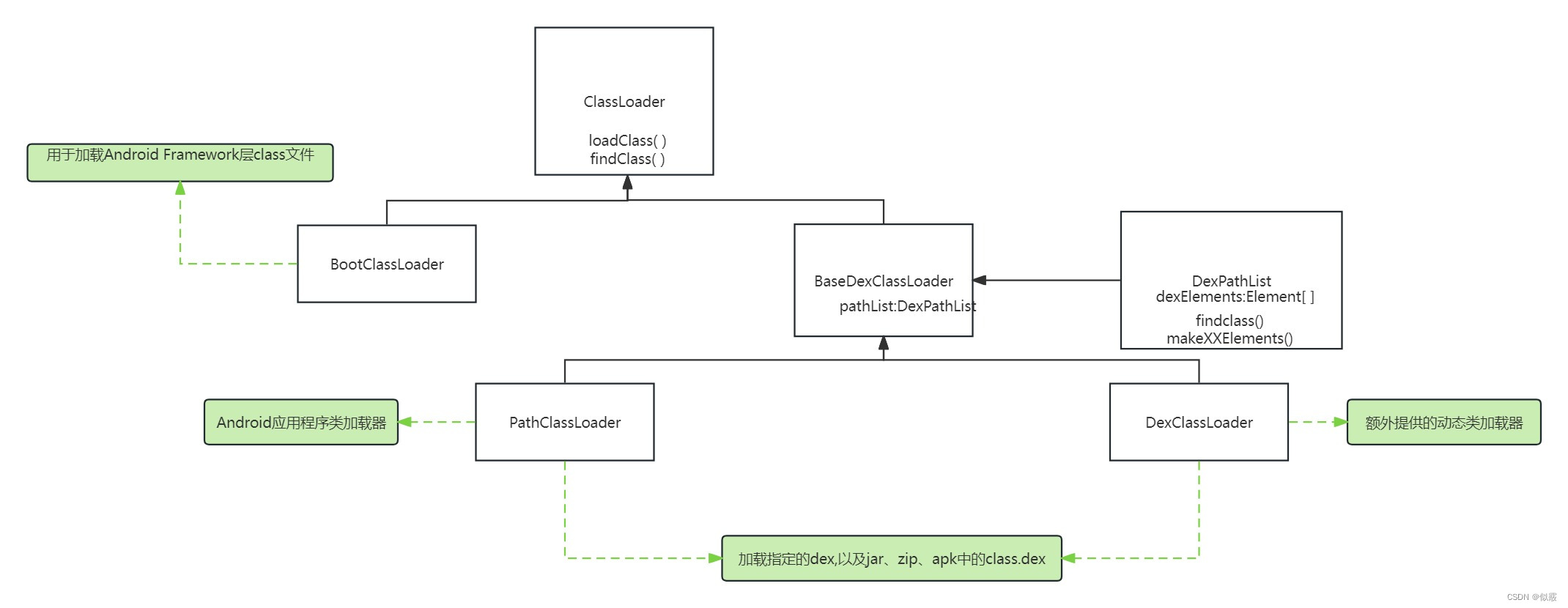
安卓类加载机制
目录 一、ClassLoader介绍二、双亲委托机制三、类的加载过程 一、ClassLoader介绍 任何一个 Java 程序都是由一个或多个 class 文件组成,在程序运行时,需要将 class 文件加载到 JVM 中才可以使用,负责加载这些 class 文件的就是 Java 的类加…...
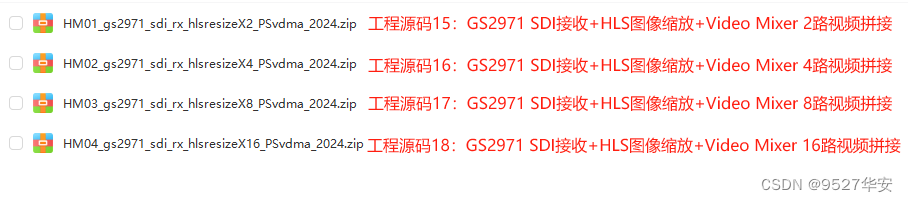
FPGA高端项目:FPGA基于GS2971的SDI视频接收+HLS图像缩放+多路视频拼接,提供4套工程源码和技术支持
目录 1、前言免责声明 2、相关方案推荐本博已有的 SDI 编解码方案本方案的SDI接收转HDMI输出应用本方案的SDI接收图像缩放应用本方案的SDI接收纯verilog图像缩放纯verilog多路视频拼接应用本方案的SDI接收HLS动态字符叠加输出应用本方案的SDI接收HLS多路视频融合叠加应用本方案…...

[计算机网络]--五种IO模型和select
前言 作者:小蜗牛向前冲 名言:我可以接受失败,但我不能接受放弃 如果觉的博主的文章还不错的话,还请点赞,收藏,关注👀支持博主。如果发现有问题的地方欢迎❀大家在评论区指正 目录 一、五种IO…...
【力扣经典面试题】14. 最长公共前缀
目录 一、题目描述 二、解题思路 三、解题步骤 四、代码实现(C版详细注释) 五、总结 欢迎点赞关注哦!创作不易,你的支持是我的不竭动力,更多精彩等你哦。 一、题目描述 编写一个函数来查找字符串数组中的最长公共前缀。…...
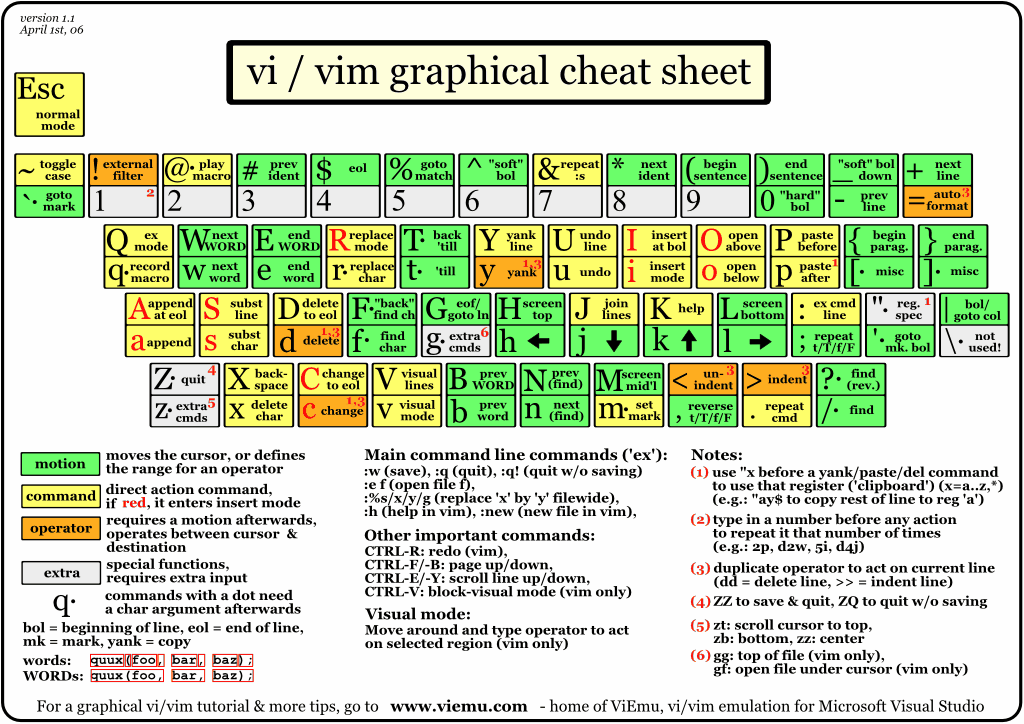
Linux操作系统的vim常用命令和vim 键盘图
在vi编辑器的命令模式下,命令的组成格式是:nnc。其中,字符c是命令,nn是整数值,它表示该命令将重复执行nn次,如果不给出重复次数的nn值,则命令将只执行一次。例如,在命令模式下按j键表…...
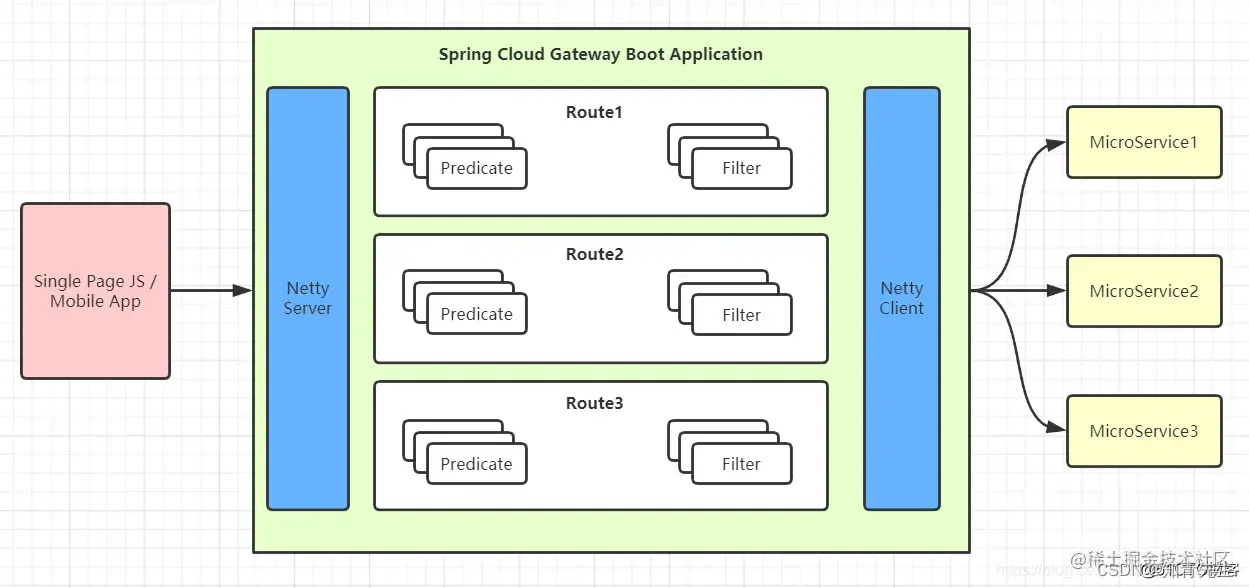
SpringCloudGateway工作原理与链路图
SpringCloudGateway基本介绍 Spring Cloud Gateway 构建于Spring Boot 2.x、 Spring WebFlux和Project Reactor之上。因此,在使用 Spring Cloud Gateway 时,您可能不会应用许多熟悉的同步库(例如 Spring Data 和 Spring Security)和模式。 Spring Cloud Gateway 需要 Sprin…...

VUE2与VUE3之间的主要区别
当谈到 Vue.js 的版本时,Vue 2 和 Vue 3 是最常被提及的两个版本。下面是 Vue 2 和 Vue 3 之间的一些主要区别: 1. 性能提升: Vue 3 在底层核心重写了响应式系统,采用了 Proxy 对象,大幅提高了性能。Vue 3 还引入了静…...
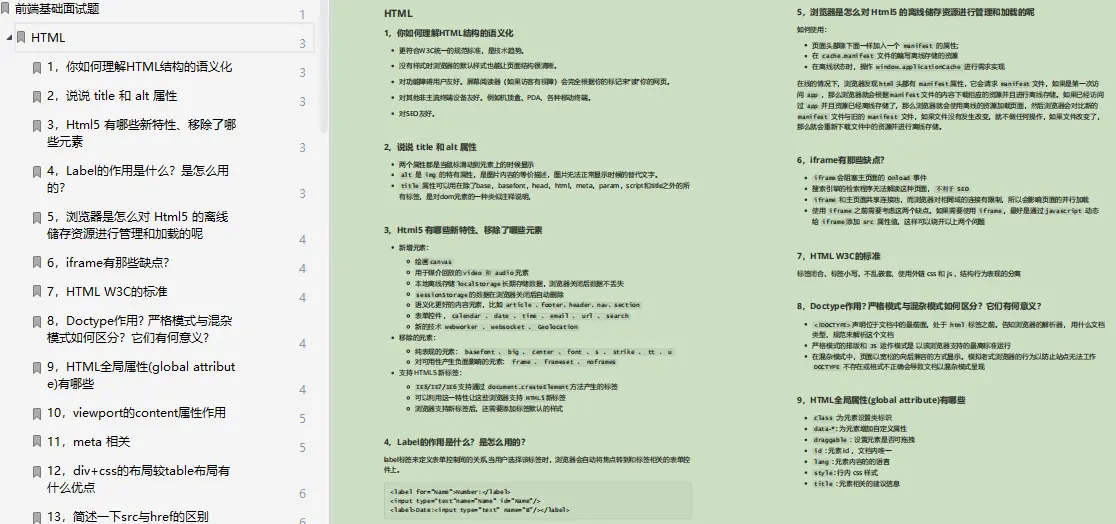
CSS浮动实战,经典好文
零基础学web前端开发要怎么去学? 首先要学习的就是基础知识:html、css和JavaScript。HTML是内容,CSS是表现,JavaScript是行为。前端开发的门槛其实非常低,与服务器端语言先慢后快的学习曲线相比,前端开发的学习曲线是…...
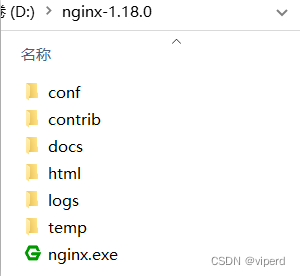
如何搭建Nacos集群
1.搭建Nacos集群 众所周知,在实际的工作中,Nacos的生成环境下一定要部署为集群状态 其中包含3个nacos节点,然后一个负载均衡器代理3个Nacos。这里负载均衡器可以使用nginx。 我们计划的集群结构: 我就直接在本机上开三个Nacos来搭…...
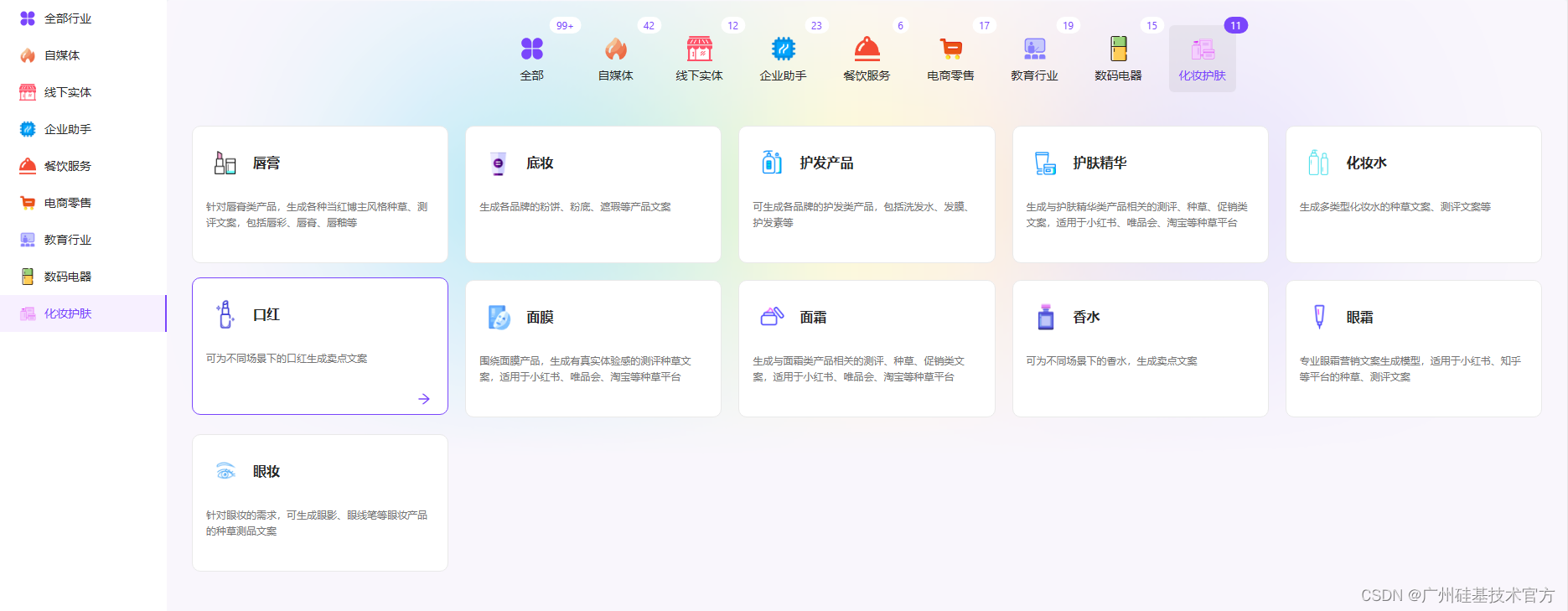
未来已来!AI大模型引领科技革命
未来已来!AI大模型正以惊人的速度引领着科技革命。随着科技的发展,人工智能在各个领域展现出了非凡的能力和潜力,大模型更是成为了科技领域的明星。从自然语言处理到图像识别,从智能推荐到语音识别,大模型的应用正在改…...
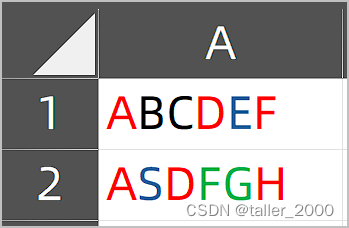
VBA如何记录单元格中字符内容和格式
实例需求:Excel单元格中的字符可以设置不同的字体格式(大小、颜色等),有时需要将这些信息保存起来,以便于后续代码的处理(例如替换后恢复原字体颜色,或者统计某种指定格式字符个数等等ÿ…...
逻辑漏洞(pikachu)
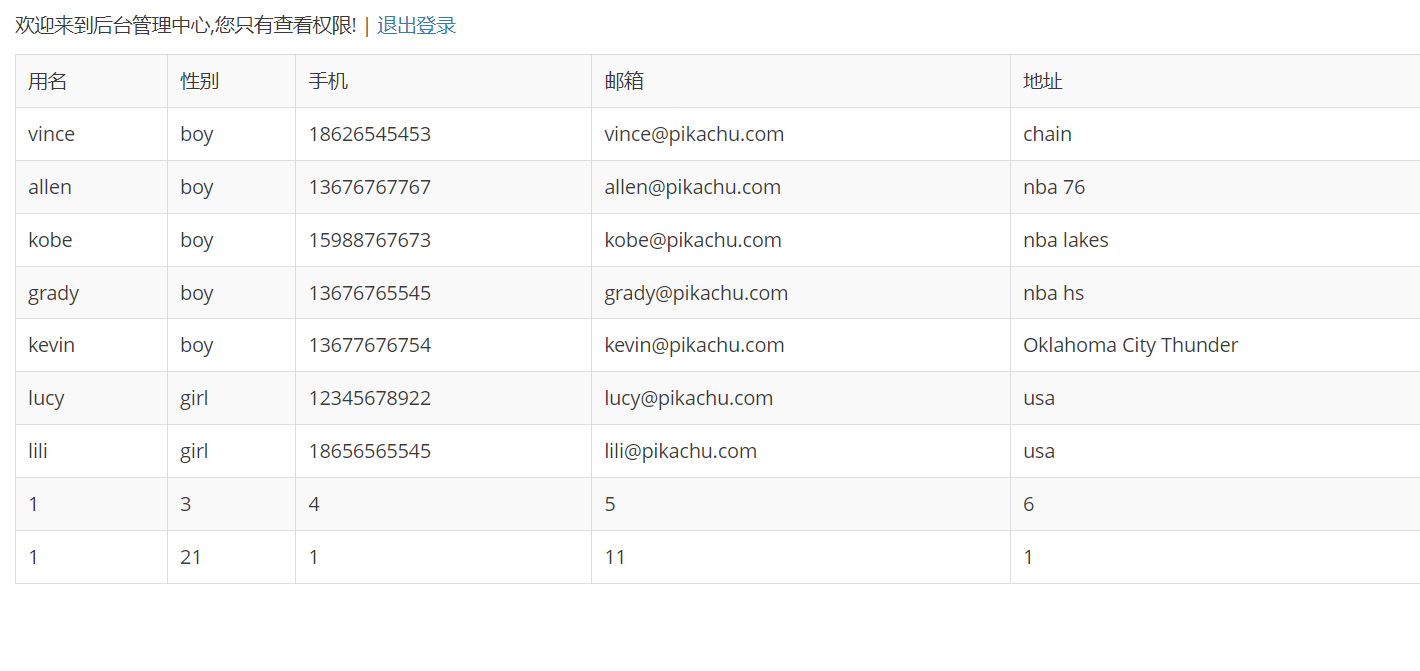
#水平,垂直越权,未授权访问 通过个更换某个id之类的身份标识,从而使A账号获取(修改、删除)B账号数据 使用低权限身份的账号,发送高权限账号才能有的请求,获得其高权限操作 通过删除请求中的认…...

阿里云服务器2核4G多少钱?支持多少在线?并发数性能测试
阿里云2核4G服务器多少钱一年?2核4G配置1个月多少钱?2核4G服务器30元3个月、轻量应用服务器2核4G4M带宽165元一年、企业用户2核4G5M带宽199元一年。可以在阿里云CLUB中心查看 aliyun.club 当前最新2核4G服务器精准报价、优惠券和活动信息。 阿里云官方2…...

粘包与拆包
优质博文:IT-BLOG-CN 一、粘包出现的原因 服务端与客户端没有约定好要使用的数据结构。Socket Client实际是将数据包发送到一个缓存buffer中,通过buffer刷到数据链路层。因服务端接收数据包时,不能断定数据包1何时结束,就有可能出…...
基于QGIS的研究区域遥感影像裁切下载方法-以岳麓区为例
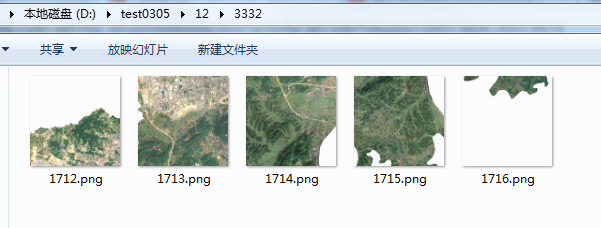
目录 前言 一、数据说明 1、遥感影像 2、矢量范围 二、按矢量范围导出 1、第一步、导出影像 2、第二步、设置输出格式 3、设置裁切范围 4、设置分辨率 三、按矢量范围掩膜 1、第一步、打开裁剪工具 2、第二步、参数设置 编辑 3、执行掩膜 四、webgis支持 1、生成运行…...
YOLOv8-Openvino-ByteTrack【CPU】
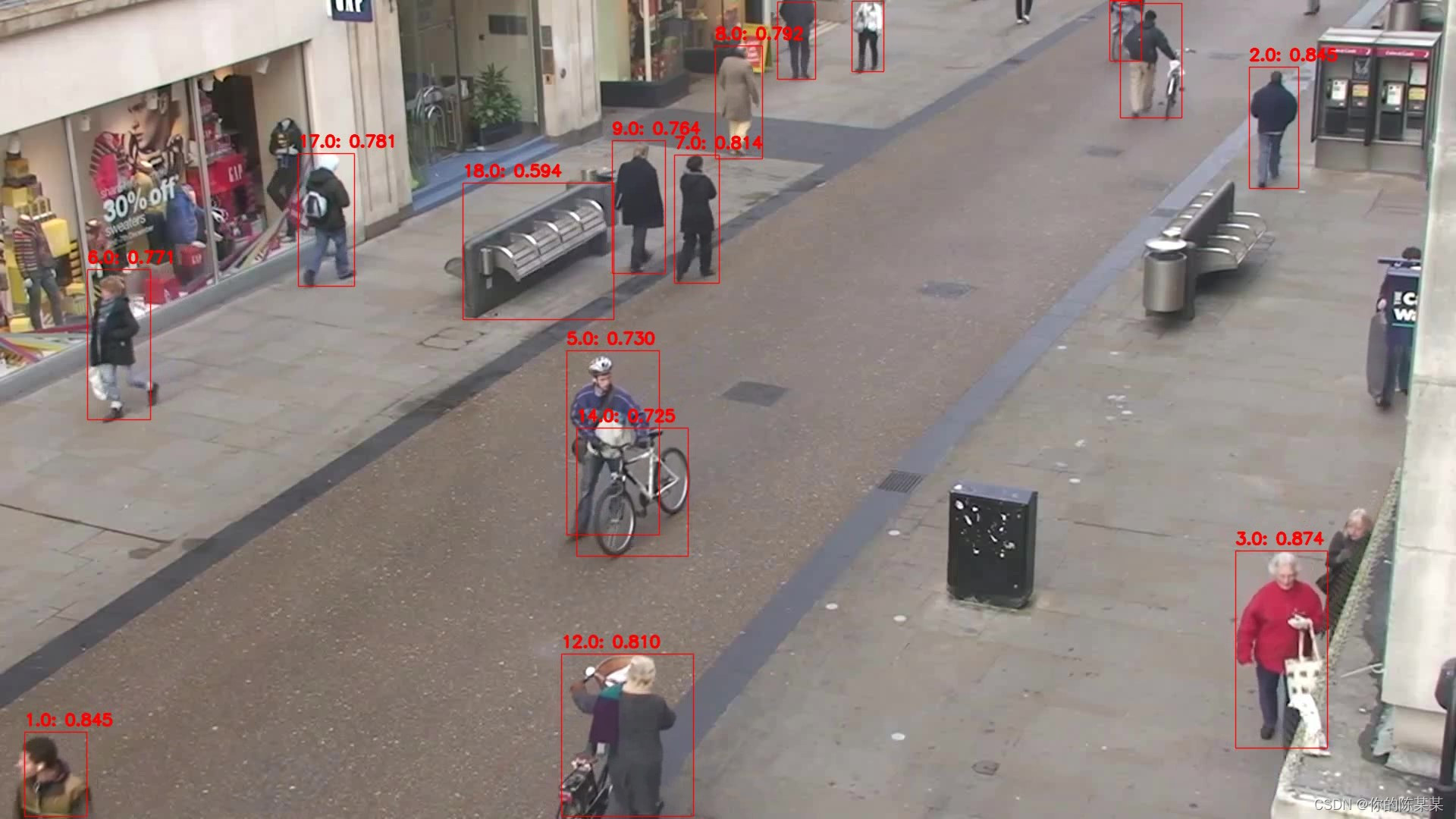
纯检测如下: YOLOv5-Openvino和ONNXRuntime推理【CPU】 YOLOv6-Openvino和ONNXRuntime推理【CPU】 YOLOv8-Openvino和ONNXRuntime推理【CPU】 YOLOv9-Openvino和ONNXRuntime推理【CPU】 注:YOLOv8和YOLOv9代码内容基本一致! 全部代码Github&…...
【Linux命令】tload
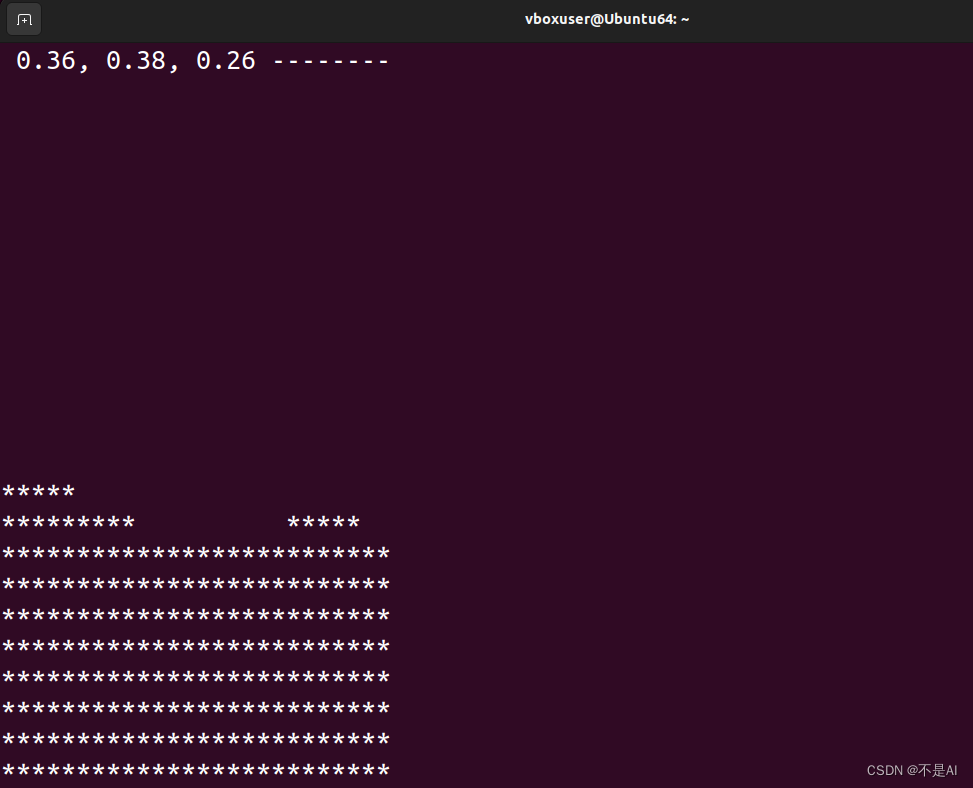
tload 显示系统负载状况。 详细 tload命令以图形化的方式输出当前系统的平均负载到指定的终端。假设不给予终端机编号,则会在执行tload指令的终端机显示负载情形。 语法 tload (选项)(参数)选项 -s : 指定闲时的…...

Qt 通过pdfium将网络上的pdf显示为图片
前言 遇到个需求,就是在qt客户端显示服务器上的pdf文档,文档以base64格式返回给客户端。以下是实现方法: 1、在pro文件增加以下代码: INCLUDEPATH $$PWD/PDFiumSDK/include/publicDEPENDPATH $$PWD/PDFiumSDK/include/public…...

告别云服务器开销:手把手教你用Docker Compose在本地Linux虚拟机部署Dify
告别云服务器开销:手把手教你用Docker Compose在本地Linux虚拟机部署Dify 在云计算成本不断攀升的今天,越来越多的独立开发者和小团队开始寻求更经济高效的解决方案。对于数据敏感型项目或内部测试环境而言,本地化部署不仅能显著降低长期运营…...

KW45芯片的安全启动
KW45芯片的安全启动是一个硬件强制执行的完整性验证机制,确保芯片始终只运行由设备所有者(OEM)授权和签名的固件。它的核心目标是防止未授权或恶意代码在设备上执行,是构建设备安全体系的基石。🛡️ 安全启动的核心机制…...

数字人开发新范式:Fay-UE5虚拟交互引擎零基础实战指南
数字人开发新范式:Fay-UE5虚拟交互引擎零基础实战指南 【免费下载链接】fay-ue5 项目地址: https://gitcode.com/gh_mirrors/fa/fay-ue5 在数字内容创作与智能交互需求爆发的当下,开发者面临三大核心挑战:如何快速构建高逼真度虚拟形…...

7步突破Cursor Pro限制:多语言环境下的AI编程工具全功能解锁指南
7步突破Cursor Pro限制:多语言环境下的AI编程工具全功能解锁指南 【免费下载链接】cursor-free-vip [Support 0.45](Multi Language 多语言)自动注册 Cursor Ai ,自动重置机器ID , 免费升级使用Pro 功能: Youve reache…...

机器人控制入门:用Pi0具身智能v1镜像5分钟搭建你的第一个动作预测Demo
机器人控制入门:用Pi0具身智能v1镜像5分钟搭建你的第一个动作预测Demo 1. 快速部署Pi0具身智能镜像 1.1 选择并启动镜像 在云平台镜像市场中搜索并选择"ins-pi0-independent-v1"镜像,点击"部署实例"按钮。首次启动大约需要1-2分钟…...

Python AI推理延迟骤降62%的秘密:一张未公开的Cuvil架构设计图,含3大专利级调度模块
第一章:Python AI推理延迟骤降62%的秘密:一张未公开的Cuvil架构设计图,含3大专利级调度模块Cuvil 架构并非传统加速器堆叠方案,而是一种面向 Python 原生执行栈深度协同的异构推理引擎。其核心突破在于绕过 PyTorch/TensorFlow 的…...

PhotoMaker行业应用报告:广告、影视与游戏领域的案例分析
PhotoMaker行业应用报告:广告、影视与游戏领域的案例分析 【免费下载链接】PhotoMaker 项目地址: https://ai.gitcode.com/hf_mirrors/TencentARC/PhotoMaker PhotoMaker是一款通过堆叠ID嵌入技术实现逼真人物照片定制的AI工具,能够帮助创作者快…...

ESP芯片烧录终极指南:5分钟掌握esptool.py完整操作流程
ESP芯片烧录终极指南:5分钟掌握esptool.py完整操作流程 【免费下载链接】esptool Serial utility for flashing, provisioning, and interacting with Espressif SoCs 项目地址: https://gitcode.com/gh_mirrors/es/esptool ESP芯片烧录工具esptool.py是Espr…...

如何快速掌握gdrivedl:面向新手的Google Drive下载终极指南
如何快速掌握gdrivedl:面向新手的Google Drive下载终极指南 【免费下载链接】gdrivedl Google Drive Download Python Script 项目地址: https://gitcode.com/gh_mirrors/gd/gdrivedl 你是否经常需要从Google Drive下载共享文件,但总是遇到下载速…...

从图像处理到推荐系统:特征值不等式在工程中的5个妙用
从图像处理到推荐系统:特征值不等式在工程中的5个妙用 在工程实践中,数学工具往往能带来意想不到的优化效果。特征值不等式作为线性代数中的重要结论,其应用范围远超理论推导,能解决图像处理、推荐系统等多个领域的实际问题。本文…...