
BOOST_SREATCH
BOOST
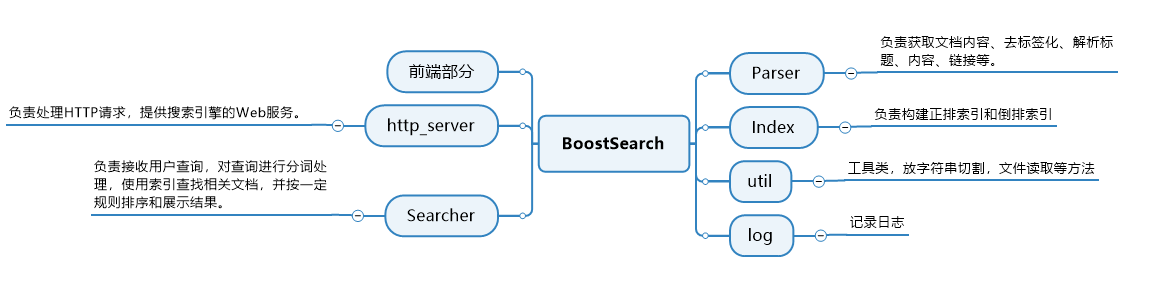
Boost是一个由C++社区开发的开源库,为C++语言标准库提供扩展。这个库由C++标准委员会库工作组成员发起,旨在提供大量功能和工具,帮助C++开发者更高效地编写代码。Boost库强调跨平台性和对标准C++的遵循,因此与编写平台无关,是C++标准化进程的重要开发引擎之一。
但是BOOST没有站内的搜索引擎,我们在使用想快速查找信息的时候十分不方便,所以我们自己动手实现一个。
技术栈与项目环境
技术栈:
- 用C/C++作为主要编程语言,并利用STL中的容器等功能
- cpp-httplib:轻量级HTTP库,用于构建HTTP服务器和处理HTTP请求
- cppjieba:中文分词工具,用于对查询词和文档进行分词处理。
- HTML/CSS:用于前端开发,构建用户搜索界面和展示搜索结果。
项目环境:
- CentOS7云服务器,作为项目的运行环境
- vim/gcc/g++/Makefile:代码编辑、构建
搜索引擎的原理
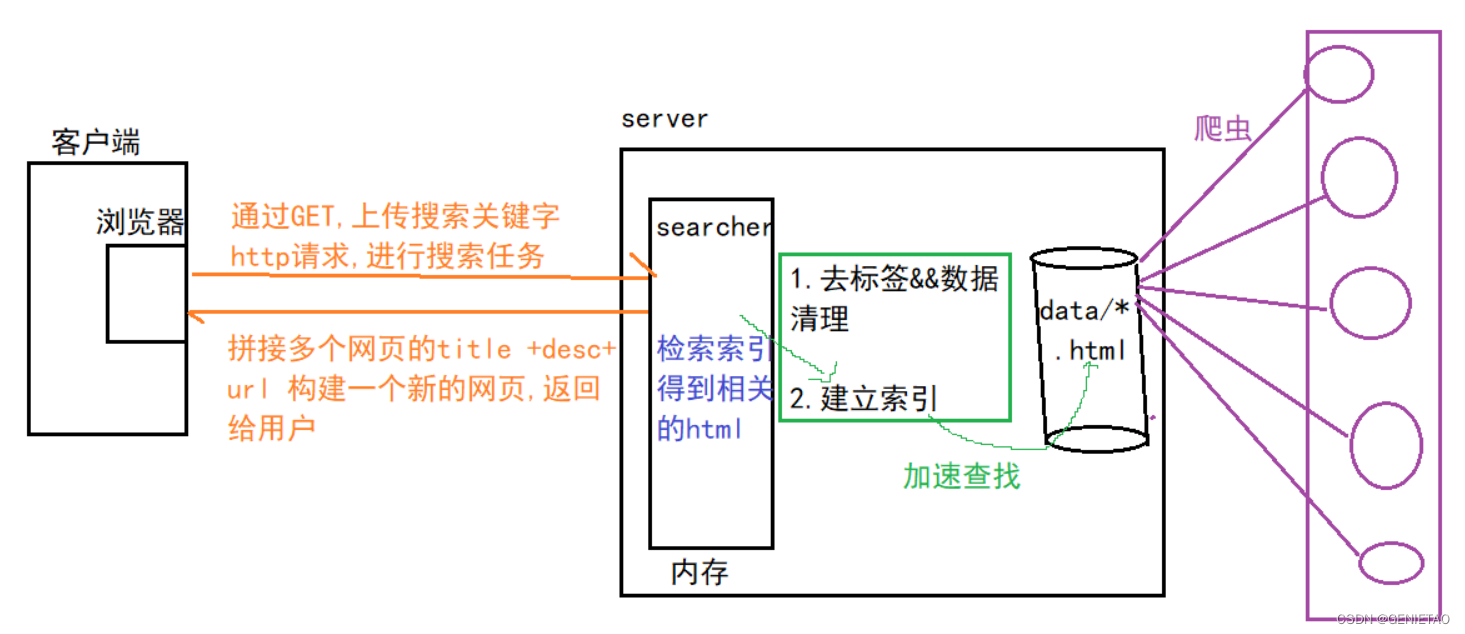
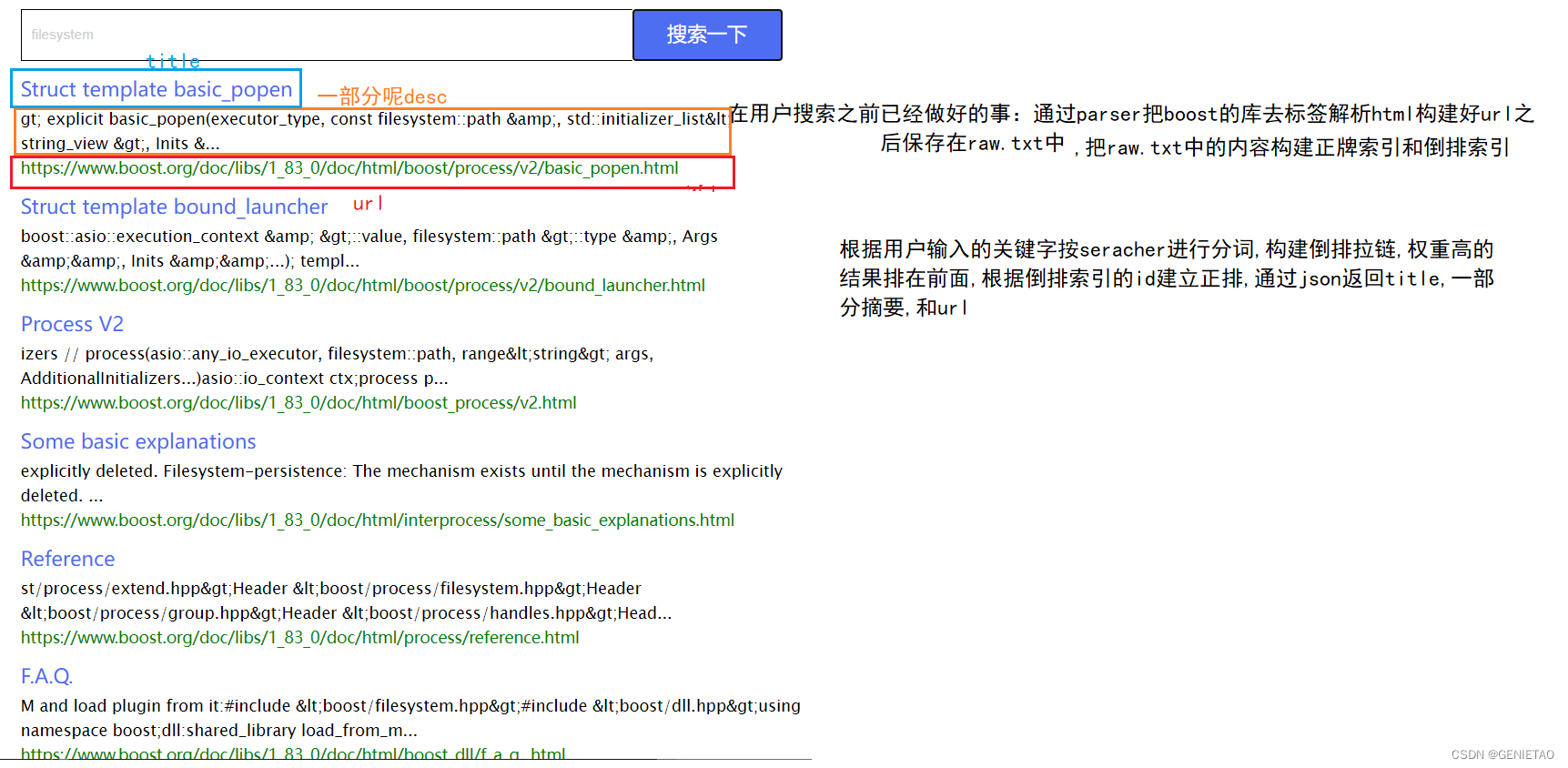
正排索引(Forward Index)
正排索引是以文档的ID为关键字,表中记录文档中每个词的位置信息。
| 文档ID | 文档内容 |
|---|---|
| 1 | 张三在吃饭 |
| 2 | 张三在买东西 |
索引的ID和文档的内容是一一对应的,记录了文档中出现的关键词及其出现次数和位置信息。正排索引的优势在于可以快速地查找某个文档里包含哪些词项,但不适用于查找包含某个词项的文档有哪些。
倒排索引(Inverted Index)
倒排索引是以词为关键字的索引结构,表中记录了出现这个词的所有文档的ID和位置信息,或者记录了这个词在哪些文档的哪些位置出现过,以及出现多少次。
| 关键字(具有唯一性) | 文档ID,weight(权重) |
|---|---|
| 张三 | 文档1,文档2 |
| 吃饭 | 文档1 |
| 买东西 | 文档2 |
查找过程: 用户输入张三-> 倒排索引->提取文档ID(1,2)->根据正排索引->找到文档的内容 ->title +conent(desc)+url 文档结果进行摘要 ->构建响应结果
项目实现
数据部分
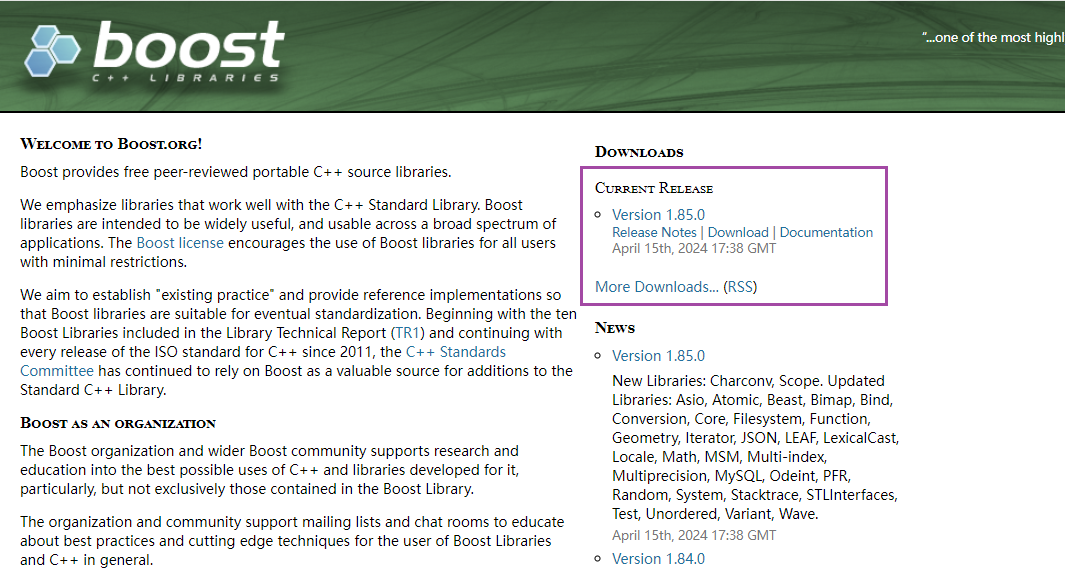
在boost官网把boost的内容下载下来,并在CentOS7下解压。
创建一个data的目录,把boost_1_83_0/doc/html/data拷贝到data目录下的input中来,此时data/input就是我们的数据源。
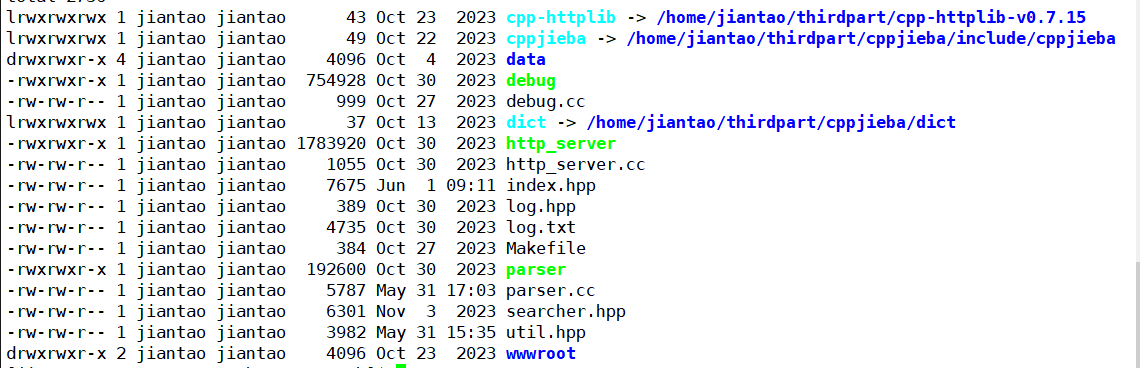
去标签与数据清洗Parser
上面说到的data/input数据源中我们随便打开一个html文件
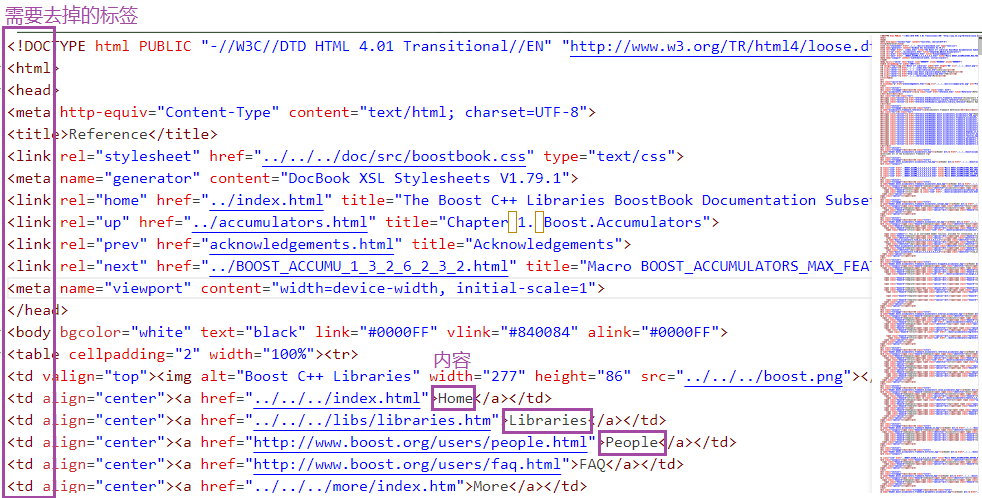
可以看到我们需要的是文档中的内容,所以需要把标签去掉,写入到raw_html目录中。
typedef struct DocInfo
{std::string title;   // 文档的标题std::string content; // 文档的内容 --body里面有内容信息std::string url;     // 该文档在官网中的url
} DocInfo_t;int main()
{std::vector<std::string> files_list;// 1.递归式的把每个html文件命带路径,保存到files_list中// 方便后期进行一个一个文件的读取if (!EnumFile(src_path, &files_list)){std::cerr << "euum file name error!" << std::endl;return 1;}// 2.按照files_list 读取每个文件的内容,并进行解析std::vector<DocInfo_t> results; // 解析后的结果存放在results中if (!ParseHtml(files_list, &results)){std::cerr << "parse html error" << std::endl;return 2;}// 3.把解析完毕的各个文件内容,写入到output中,按照\3作为分隔符if (!SaveHtml(results, output)){std::cerr << "sava html error" << std::endl;return 3;}return 0;
}
遍历数据源下所有以 .html 扩展名的文件路径,然后将这些路径存储在一个files_list中。
bool EnumFile(const std::string &src_path, std::vector<std::string> *files_list)
{namespace fs = boost::filesystem; // 给boost命名空间起别名fs::path root_path(src_path);if (!fs::exists(root_path)) // 路径不存在直接退出{std::cerr << src_path << "not exists" << std::endl;return false;}// 定义一个迭代器来判断递归的结束fs::recursive_directory_iterator end;// 遍历文件路径for (fs::recursive_directory_iterator iter(root_path); iter != end; iter++){// 判断是不是普通文件if (!fs::is_regular_file(*iter)){continue;}// 判断文件名的后缀是否符合要求if (iter->path().extension() != ".html"){continue;}files_list->push_back(iter->path().string()); // 把带路径的html保存在files_list中}return true;
}
从files_list的HTML文件列表中解析信息,提取titile、continue并构建URL到一个个DocInfo_t中。
bool ParseHtml(const std::vector<std::string> &files_list, std::vector<DocInfo_t> *results)
{for (const std::string &file : files_list){std::string result;// 读文件if (!ns_util::FileUtil::ReadFile(file, &result)){continue;}DocInfo_t doc;// 解析文件,提取titleif (!ParseTitle(result, &doc.title)){continue;}// 解析文件,提取continue--去标签if (!ParseContent(result, &doc.content)){continue;}// 解析文件路径,构建urlif (!ParseUrl(file, &doc.url)){continue;}// 完成解析任务,解析结果保存在doc中results->push_back(std::move(doc)); // 减少拷贝}return true;
}//<title> 我们要的内容 <title>
static bool ParseTitle(const std::string &file, std::string *title)
{std::size_t begin = file.find("<title>");if (begin == std::string::npos){return false;}std::size_t end = file.find("</title>");if (end == std::string::npos){return false;}begin += std::string("<title>").size(); if (begin > end){return false; }*title = file.substr(begin, end - begin);return true;
}/*<td align="center"><a href="../../../index.html">Home</a></td>
<td align="center"><a href="../../../libs/libraries.htm">Libraries</a></td>
<td align="center"><a href="http://www.boost.org/users/people.html">People</a></td>
<td align="center"><a href="http://www.boost.org/users/faq.html">FAQ</a></td>
<td align="center"><a href="../../../more/index.htm">More</a></td>*/
//上面的标签都清洗掉
/*<div class="titlepage"><div><div><h2 class="title" style="clear: both">
<a name="array.ack"></a>Acknowledgements</h2></div></div></div>
<p>Doug Gregor </p>*/
//标签中的Acknowledgements 、Doug Gregor保留下来
static bool ParseContent(const std::string &file, std::string *content)
{//状态机enum status{LABLE,CONTENT};enum status s = LABLE; // 默认为LABLE状态for (char c : file) //以字符方式遍历file{switch (s){case LABLE:if (c == '>') // 碰到>就意味着标签处理完毕s = CONTENT;break;case CONTENT:if (c == '<')  //碰到<就意味着内容处理完毕s = LABLE;else{// 不保留原始文件的\n, \n用来做html解析之后的文本分割符if (c == '\n')c = ' ';content->push_back(c);}break;default:break;}}return true;
}/*
boost库的官方文档和下载下来的文档是有路径对应关系的
//官网URL
https://www.boost.org/doc/libs/1_83_0/doc/html/accumulators.html
//linux中URL
data/input/accumulators.html//下载下来的boost库url_head ="https://boost.org/doc/libs/1_83_0/doc/html/"
url_tail= data/input/accumulators.html data/input(删除)--> /accumulators.html
url = url_head + url_tail  //相当于一个官网连接 */static bool ParseUrl(const std::string &file_path, std::string *url)
{std::string url_head = "https://www.boost.org/doc/libs/1_83_0/doc/html";std::string url_tail = file_path.substr(src_path.size()); //subsrt去掉data/input*url = url_head + url_tail;return true;
}
将一组DocInfo_t类型的数据也就是上面解析出来的内容保存到output中。
#define SEP '\3' //分割符号
bool SaveHtml(const std::vector<DocInfo_t> &results, const std::string &output)
{// 二进制写入--写入什么文档保存就是什么std::ofstream out(output, std::ios::out | std::ios::binary); if (!out.is_open()){std::cerr << "open " << output << "failed" << std::endl;return false;}//title\3content\3url \n  title\3content\3url \n ....//方便getline(ifsream,line)直接获取文档全部内容 title\3content\3url(getline以\n结束) for (auto &item : results){std::string out_string;out_string = item.title;out_string += SEP;out_string += item.content;out_string += SEP;out_string += item.url;out_string += '\n'; // 文档和文档之间的分隔out.write(out_string.c_str(), out_string.size());}out.close();return true;
}
索引Index
对清洗过的内容构建正排、倒排索引
struct DocInfo
{ std::string title;   //文档的标题std::string content; //文档对应的去标签之后的内容std::string url;     //官网文档urluint64_t doc_id;     //文档的ID,用uint64_t:为了防止索引越界
};//倒排结构
struct InvertedElem
{    uint64_t doc_id;//对应的文档idstd::string word;//关键字int weight; //权重  可以根据权重决定文档显示的先后顺序InvertedElem():weight(0){}
};typedef std::vector<InvertedElem> InvertedList;// 倒排拉链
//单例模式
class Index
{
private:std::vector<DocInfo> forward_index;// 正排拉链//存放关键字和倒排拉链的映射关系std::unordered_map<std::string, InvertedList> inverted_index;
public:Index(){} //但是一定要有函数体,不能delete~Index(){}Index(const Index&) = delete;Index& operator=(const Index&) = delete;static Index* instance;//指向全局唯一的单例对象static std::mutex mtx;
public://获取全局唯一的单例对象static Index* GetInstance(){//第一次需要加锁,后面都不需要加锁的场景,可以使用双检查加锁//特点:第一次加锁,后面不加锁,保护线程安全,同时提高效率if(nullptr == instance){//加锁只有第一次有意义,后面再有线程来没必要加锁,加锁会引发效率低下mtx.lock();if(nullptr == instance){instance = new Index();}mtx.unlock();}return instance;//返回这个全局的单例对象}//根据文档id找到找到文档内容   DocInfo* GetForwardIndex(uint64_t doc_id) {    if(doc_id >= forward_index.size()) //没有该文档id{std::cerr << "doc_id out range, error!" << std::endl;return nullptr;}return &forward_index[doc_id]; //数组的下标天然就是文档id,所以直接返回数组对应的内容的地址}//根据关键字word,获得倒排拉链 InvertedList *GetInvertedList(const std::string &word){//在哈希表当中查找是否存在这个关键字对应的倒排拉链auto iter = inverted_index.find(word);if(iter == inverted_index.end()){std::cerr << word << " have no InvertedList" << std::endl;return nullptr;}return &(iter->second);}//根据文档内容构造索引,参数:经过数据清洗之后的文档bool BuildIndex(const std::string &input) {std::ifstream in(input, std::ios::in | std::ios::binary);if(!in.is_open()){ std::cerr << "build index error, open " << input << " failed" << std::endl;return false;}int count = 0;//方便观察当前建立的索引个数std::string line; //读取一行数据 //对每一个html文件格式化之后的内容进行正排和倒排索引while(std::getline(in, line)) {//建立正排索引,返回描述这个文档内容的节点DocInfo * doc = BuildForwardIndex(line); if(nullptr == doc){ std::cerr << "build " << line << " error" << std::endl; //for deubgcontinue;}BuildInvertedIndex(*doc);//根据上面返回的正排索引节点,建立倒排索引count ++;if(count % 150 == 0){LOG(NORMAL,"当前的已经建立的索引文档:"+std::to_string(count));}}return true;}
};
建立正排索引
//line:就是一个html文件里面去标签,格式化之后的文档内容DocInfo *BuildForwardIndex(const std::string &line) {//1. 解析line->本质是进行字符串切分,解析成:title, content, url std::vector<std::string> results;//保存切分好的内容const std::string sep = "\3"; //分隔符//切分字符串ns_util::StringUtil::Split(line, &results, sep);if(results.size() != 3) //判断切分结果是否正确,要切分为3部分{ return nullptr;}//2. 切分好的字符串进行填充到DocIinfoDocInfo doc;doc.title = results[0]; //titledoc.content = results[1]; //contentdoc.url = results[2]; ///urldoc.doc_id = forward_index.size(); //3. 插入到正排索引数组当中forward_index.push_back(std::move(doc)); return &forward_index.back(); }
建立倒排索引
bool BuildInvertedIndex(const DocInfo &doc)//建立倒排索引,参数是正排索引节点{//DocInfo里面包含一个html文件的:{title, content, url, doc_id}struct word_cnt //针对一个词的数据统计{ int title_cnt;//在标题出现次数int content_cnt;//在内容中出现次数word_cnt():title_cnt(0), content_cnt(0){} };std::unordered_map<std::string, word_cnt> word_map; //暂存词频的映射表/* 根据文档标题和内容,分词并进行词频统计 *///对标题进行分词std::vector<std::string> title_words;ns_util::JiebaUtil::CutString(doc.title, &title_words);//对标题分词之后的结果进行词频统计for(std::string s : title_words){ boost::to_lower(s); //忽略大小写//查找对应关键词,如果存在就++,不存在就新建 word_map[s].title_cnt++; }//对内容进行分词std::vector<std::string> content_words;ns_util::JiebaUtil::CutString(doc.content, &content_words);//对内容进行词频统计for(std::string s : content_words) {boost::to_lower(s);//忽略大小写word_map[s].content_cnt++;}// 自定义相关性#define X 15 //标题当中出现的词,权重更高#define Y 1//建立倒排拉链for(auto &word_pair : word_map){InvertedElem item;item.doc_id = doc.doc_id;item.word = word_pair.first;//设置权重item.weight = X*word_pair.second.title_cnt +Y*word_pair.second.content_cnt; InvertedList& inverted_list = inverted_index[word_pair.first];inverted_list.push_back(std::move(item));}return true;}
搜索服务Searcher
前面的部分都是前期的准备工作,Searcher提供搜索服务,对用户输入的字符串进行分词,使用倒排索引查找与查询词相关的内容,并进行排序。
namespace ns_searcher
{struct InvertedElemPrint{uint64_t doc_id;                // 文档idint weight;                     // 累加权重std::vector<std::string> words; // 一个doc_id对应多个关键字InvertedElemPrint() : doc_id(0), weight(0){}};class Searcher{private:ns_index::Index *index; // 供系统进行查找的索引public:Searcher() {}~Searcher() {}void InitSearcher(const std::string &input){// 1. 获取或者创建index对象index = ns_index::Index::GetInstance();LOG(NORMAL, "获取index单例成功");// 2. 根据index对象建立索引index->BuildIndex(input);LOG(NORMAL, "建立正排和倒排索引成功...");}// 获取一部分内容std::string GetDesc(const std::string &html_content, const std::string &word){// 1.在html_content范围内,找word首次出现的位置auto cmp = [](char x, char y)  { return (std::tolower(static_cast<unsigned char>(x)) == std::tolower(static_cast<unsigned char>(y))); };  auto iter = std::search(html_content.begin(), html_content.end(),   word.begin(), word.end(), cmp);  if (iter == html_content.end()){return "None1";}int pos = iter - html_content.begin();// 2. 获取start,end的位置int start = 0;                     // 默认就是在文本的起始位置int end = html_content.size() - 1; // 默认是文本的结尾// 找到word在html_content中的首次出现的位置,然后往前找30字节,如果没有,就从	start开始// 往后找80字节如果没有,到end就可以的 ,然后截取出这部分内容const int prev_step = 30;const int next_step = 80;if (pos - prev_step > 0)start = pos - prev_step;if (pos + next_step < end)end = pos + next_step;// 3. 截取子串,然后returnif (start >= end)return "None2";// 从start开始,截取end - start个字节的内容std::string desc = html_content.substr(start, end - start);desc += "...";return desc;}// query:用户搜索关键字  json_string: 返回给用户浏览器的搜索结果void Search(const std::string &query, std::string *json_string){// 1.对query进行按照searcher的要求进行分词std::vector<std::string> words;ns_util::JiebaUtil::CutString(query, &words);// 2.就是根据分词的各个"词",进行index索引查找std::vector<InvertedElemPrint> inverted_list_all; // 存放所有经过去重之后的倒排拉链// 根据doc_id进行去重,凡是id相同的倒排索引节点,其关键字都放在InvertedElemPrint的vector里面std::unordered_map<uint64_t, InvertedElemPrint> tokens_map;// 因为我们建立索引的时候,建立index是忽略大小写,所以搜索的时候关键字也需要忽略大小写for (std::string word : words){boost::to_lower(word); // 将切分之后的查找关键字转为小写// 先查倒排ns_index::InvertedList *inverted_list = index->GetInvertedList(word); // 通过关键字获得倒排拉链if (nullptr == inverted_list)                                         {continue; // 检测下一个关键词}for (const auto &elem : *inverted_list) // 遍历倒排拉链,合并索引节点{//[]:如果存在直接获取,如果不存在新建auto &item = tokens_map[elem.doc_id]; // 根据文档id获得其对应的关键字集合// 此时item一定是doc_id相同的倒排拉链打印节点item.doc_id = elem.doc_id;item.weight += elem.weight;      // 权值累加item.words.push_back(elem.word); // 把当前的关键字放到去重的倒排拉链打印节点当中的vector当中保存}}for (const auto &item : tokens_map) // 遍历去重之后的map{inverted_list_all.push_back(std::move(item.second)); // 插入倒排拉链打印节点到inverted_list_all}// 3.汇总查找结果,按照相关性(weight)进行降序排序auto cmp = [](const InvertedElemPrint &e1, const InvertedElemPrint &e2){return e1.weight > e2.weight;};std::sort(inverted_list_all.begin(), inverted_list_all.end(), cmp);// 4.根据查找出来的结果,构建json串 -- jsoncpp --通过jsoncpp完成序列化&&反序列化Json::Value root;for (auto &item : inverted_list_all){// item就是倒排索引打印节点ns_index::DocInfo *doc = index->GetForwardIndex(item.doc_id); // 根据文档id->查询正排,返回正排索引节点if (nullptr == doc){continue;}// doc里面就有title,url,content,文档id// 我们想给浏览器返回的是网页的title,内容摘要,链接Json::Value elem;elem["title"] = doc->title;//只需要一部分文档内容elem["desc"] = GetDesc(doc->content, item.words[0]);elem["url"] = doc->url;// for deubg, for deleteelem["id"] = (int)item.doc_id; // doc_id是uint64 ,json可能报错,所以转为intelem["weight"] = item.weight;  // doc_id,weight虽然是int,但是json会帮我们自动转为stringroot.append(elem);}// Json::StyledWriter writer; //为了方便调试观看Json::FastWriter writer;*json_string = writer.write(root);}};
}
http_server
监听HTTP请求,解析用户输入的参数,调用Searcher进行搜索,把给结果响应回给客户。
#include "cpp-httplib/httplib.h"
#include "searcher.hpp"//引入搜索引擎
const std::string input = "data/raw_html/raw.txt";//html文件经过parser之后存放的结果的路径
const std::string root_path = "./wwwroot"; //wwroot作为服务器的主页int main()
{ns_searcher::Searcher search;search.InitSearcher(input);httplib::Server svr;svr.set_base_dir(root_path.c_str());svr.Get("/s", [&search](const httplib::Request &req, httplib::Response &rsp) {if (!req.has_param("word")){rsp.set_content("必须要有搜索关键字!", "text/plain; charset=utf-8");return;}std::string word = req.get_param_value("word");LOG(NORMAL,"用户在搜索:"+word);std::string json_string;search.Search(word, &json_string);//返回给客户端rsp.set_content(json_string, "application/json"); });LOG(NORMAL,"服务器启动成功...");svr.listen("0.0.0.0", 8081);return 0;
}
工具util
//文件读取
class FileUtil{public:static bool ReadFile(const std::string &file_path, std::string *out){std::ifstream in(file_path, std::ios::in); // 读文件if (!in.is_open()){std::cerr << "open file" << file_path << "error" << std::endl;return false;}std::string line;// 为什么getline的返回值是流的引用&,while是bool,能进行判断呢?// 重载了强制类型转换while (std::getline(in, line)){*out += line;}in.close();return true;}};// 字符串切割class StringUtil{public:static void Split(const std::string &target, std::vector<std::string> *out, std::string sep){//  token_compress_on on:压缩打开 --将所有相连的分隔符压缩成一个         				aa\3\3\3\3\3bbb-->aa   bbb// off:压缩关闭boost::split(*out, target, boost::is_any_of(sep), boost::token_compress_on);}};//Jieba分词
// dict路径const char *const DICT_PATH = "./dict/jieba.dict.utf8";const char *const HMM_PATH = "./dict/hmm_model.utf8";const char *const USER_DICT_PATH = "./dict/user.dict.utf8";const char *const IDF_PATH = "./dict/idf.utf8";const char *const STOP_WORD_PATH = "./dict/stop_words.utf8";class JiebaUtil{private:// static cppjieba::Jieba jieba;cppjieba::Jieba jieba;std::unordered_map<std::string, bool> stop_words;private:JiebaUtil() : jieba(DICT_PATH, HMM_PATH, USER_DICT_PATH, IDF_PATH, STOP_WORD_PATH){}JiebaUtil(const JiebaUtil &) = delete;static JiebaUtil *instance;public:static JiebaUtil *get_instance(){static std::mutex mtx;if (nullptr == instance){mtx.lock();if (nullptr == instance){instance = new JiebaUtil();instance->InitJiebaUtil();}mtx.unlock();}return instance;}// 把暂停词加载进来void InitJiebaUtil(){std::ifstream in(STOP_WORD_PATH);if (!in.is_open()){LOG(FATAL, "load stop words file error");return;}std::string line;while (std::getline(in, line)){stop_words.insert({line, true});}in.close();}
/*去掉暂停词暂停词是对我们搜索没意义的词语,如:“的”、“地”、“吧”等*/void CutStringHelper(const std::string &src, std::vector<std::string> *out){jieba.CutForSearch(src, *out);for (auto iter = out->begin(); iter != out->end();){auto it = stop_words.find(*iter);if (it != stop_words.end()){ // 说明当前的string 是暂停词,需要去掉iter = out->erase(iter);}else{iter++;}}}public:static void CutString(const std::string &src, std::vector<std::string> *out){ns_util::JiebaUtil::get_instance()->CutStringHelper(src, out);// jieba.CutForSearch(src,*out);}};
log
#pragma once
#include<iostream>
#include<string>
#include<ctime>
#define NORMAL  1
#define WARNING 2
#define DEBUG   3
#define FATAL   4
#define LOG(LEVEL,MESSAGE) log(#LEVEL,MESSAGE,__FILE__,__LINE__)void log(std::string level,std::string message,std::string file,int line)
{std::cout<<"["<<level<<"]"<<time(nullptr)<<"["<<message<<"]"<<"["<<file<<":"<<line<<"]"<<std::endl;
}
编写js
用原生js成本高,jQuery好
<script>function Search(){// 是浏览器的一个弹出框//alert("hello js!");// 1. 提取数据, $可以理解成就是JQuery的别称let query = $(".container .search input").val();console.log("query = " + query); //console是浏览器的对话框,可以用来进行查看js数据//2. 发起http请求,ajax: 属于一个和后端进行数据交互的函数,JQuery中的$.ajax({type: "GET",url: "/s?word=" + query,success: function(data){console.log(data);BuildHtml(data);}});}function BuildHtml(data){// if(data==''||data==ull)// {//     document.write("搜索不到");//     return;// }// 获取html中的result标签let result_lable = $(".container .result");// 清空历史搜索结果result_lable.empty();for( let elem of data){ let a_lable = $("<a>", {text: elem.title,href: elem.url,// 跳转到新的页面target: "_blank"});let p_lable = $("<p>", {text: elem.desc});let i_lable = $("<i>", {text: elem.url});let div_lable = $("<div>", {class: "item"});a_lable.appendTo(div_lable);p_lable.appendTo(div_lable);i_lable.appendTo(div_lable);div_lable.appenesult_lable);}}</script>
项目扩展
- 建立整个站的搜索,把boost库的各个版本都进行正排倒排建立索引
- 数据部分设计一个在线更新网页内容,利用爬虫,信号等进行设计
- 添加整站搜索、竞价排名、热词统计等,进一步丰富项目的功能和用户体验。
- 设计登录注册功能,引入mysql
遇到问题
1.存在搜索出相同的内容的问题
解决:在searcher模块用unordered_map对建立的倒排拉链进行去重。
2.查看权重值的时候发现对不上
原因:分词的时候会出现包含单词也会统计的情况,比如我搜sprlit,sprlitabc也会被搜到。
3.使用jieba库的时候出现找不到Log的错误
jieba的include下的头文件有方法,jieba/dict里有分词的库(具体怎么分词),我们采取链接的方式,jieba有一个问题就是需要把deps/limonp拷贝到include/cppjieba下,不然会报错找不到log
相关文章:
BOOST_SREATCH
BOOST Boost是一个由C社区开发的开源库,为C语言标准库提供扩展。这个库由C标准委员会库工作组成员发起,旨在提供大量功能和工具,帮助C开发者更高效地编写代码。Boost库强调跨平台性和对标准C的遵循,因此与编写平台无关࿰…...

MySQL学习——获取数据库和表格的信息
如果忘记了数据库或表的名称,或者不确定给定表的结构(例如,其列的名称),该怎么办呢?MySQL通过几个语句解决了这个问题,这些语句提供了有关它支持的数据库和表的信息。 你之前已经看过SHOW DATA…...

Go语言redis框架 — go-redis
https://zhuanlan.zhihu.com/p/645669818 一、简述 1. API友好,命令名称和参数与Redis原生命令一致,使用简单方便。 2. 支持完整的Redis命令集,覆盖了字符串、哈希、列表、集合、有序集合、HyperLogLog等数据结构。 3. 支持连接池&#x…...
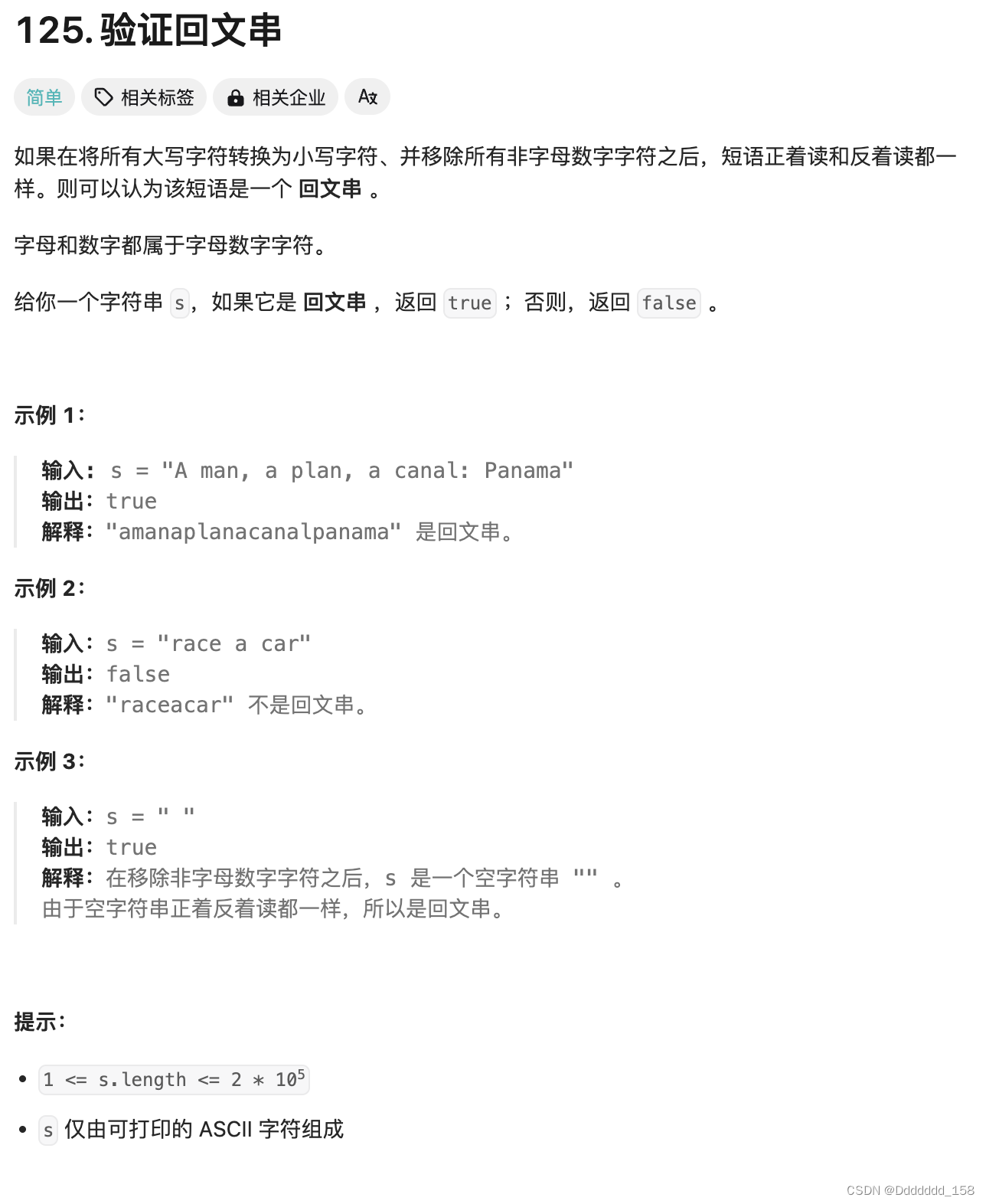
C++ | Leetcode C++题解之第125题验证回文串
题目: 题解: class Solution { public:bool isPalindrome(string s) {int n s.size();int left 0, right n - 1;while (left < right) {while (left < right && !isalnum(s[left])) {left;}while (left < right && !isalnu…...
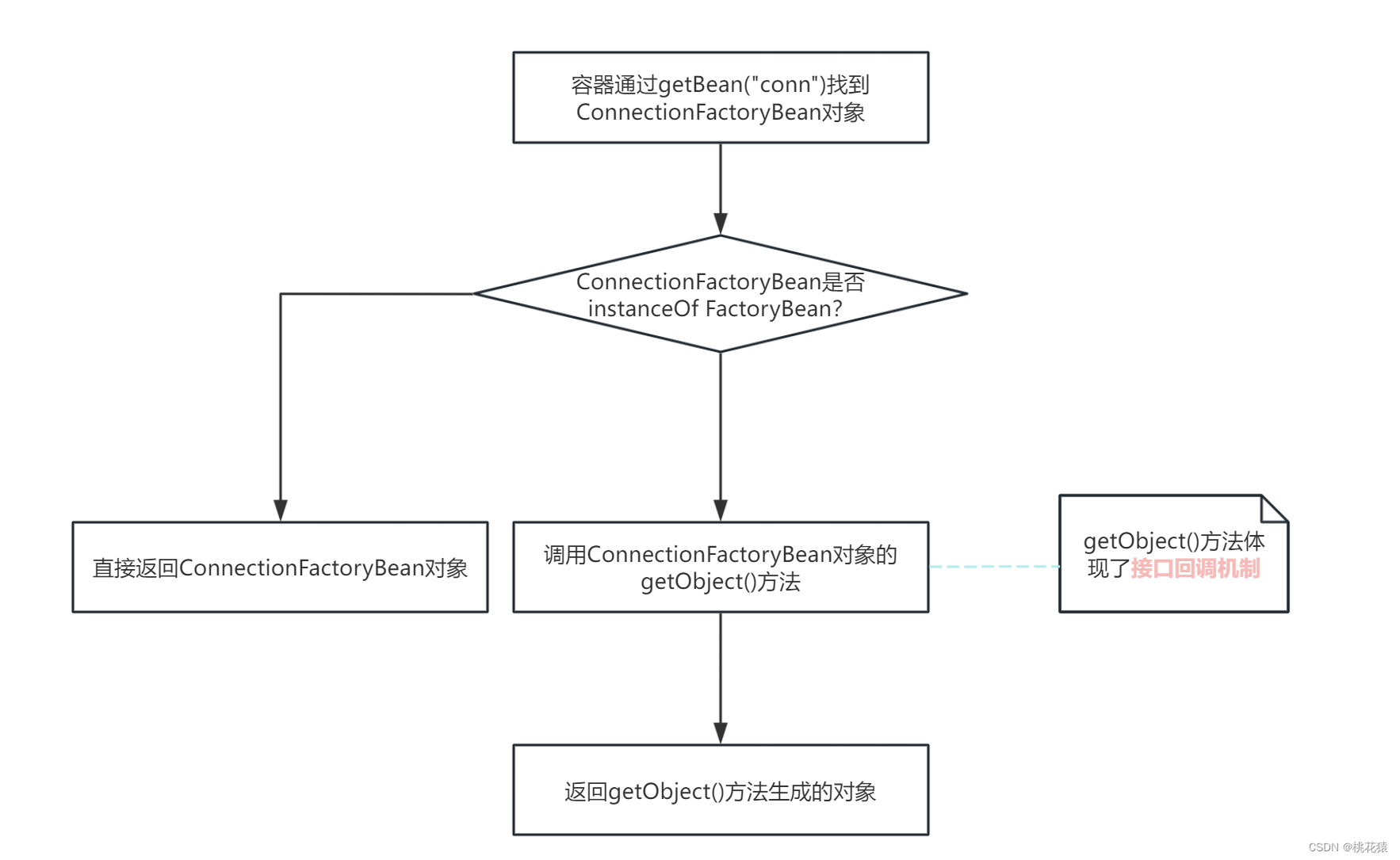
Spring创建对象的多种方式
一、对象分类 简单对象:使用new Obj()方式创建的对象 复杂对象:无法使用new Obj()方式创建的对象。例如: 1. AOP创建代理对象。ProxyFactoryBean; 2. Mybatis中的SqlSessionFactoryBean; 3. Hibernate中的SessionFactoryBean。二、创建对象方…...
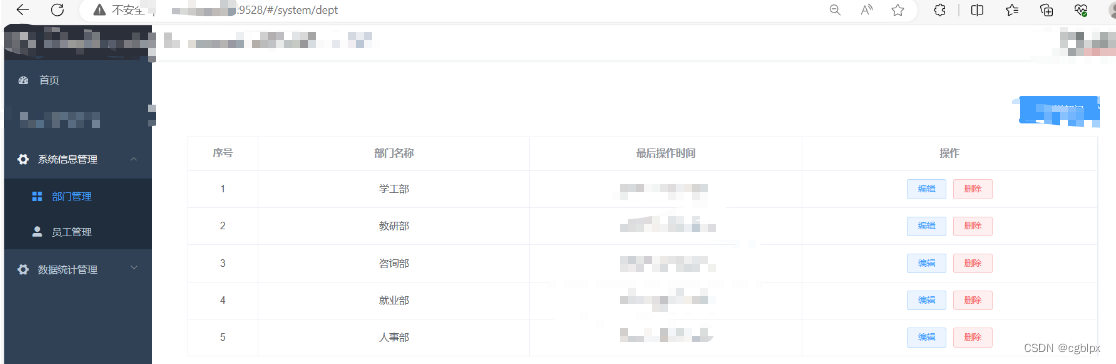
宝塔部署前后端分离项目手册
文章目录 安装宝塔安装环境开始部署1. 前端Vue项目1.先本地启动前端项目(记住端口号)2.打包前端项目3.上传前端项目4.创建PHP站点5.安全里开放端口号6.测试前端 2. 后端boot项目1. 先在本地跑起来2.修改数据库的配置信息3. 项目打包4. nohup启动项目4.1 …...

Leetcode 第 397 场周赛题解
Leetcode 第 397 场周赛题解 Leetcode 第 397 场周赛题解题目1:3146. 两个字符串的排列差思路代码复杂度分析 题目2:思路代码复杂度分析 题目3:3148. 矩阵中的最大得分思路代码复杂度分析 题目4:3149. 找出分数最低的排列思路代码…...

Python+Selenium自动化测试项目实战
第 1 章 自动化测试 1.1、自动化测试介绍 自动化测试就是通过自动化测试工具帮我们打开浏览器,输入网址,输入账号密码登录,及登录后的操作,总的说来自动化测试就是通过自动化测试脚本来帮我们从繁琐重复的手工测试里面解脱出来&…...
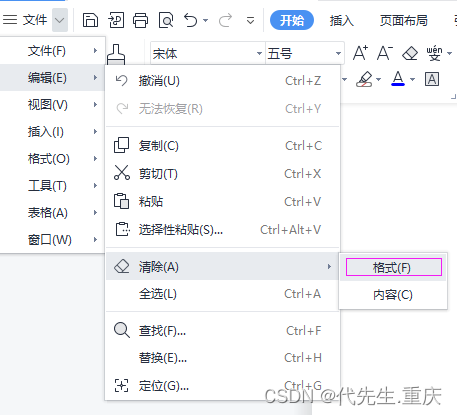
WPS部分快捷操作汇总
记录一些个人常用的WPS快捷操作 一、去除文档中所有的超链接: 1、用WPS打开文档; 2、用Ctrla全选,或者点击上方的【选择】-【全选】,选中文档全部内容; 3、按CTRLSHIFTF9组合键,即可一次性将取文档中所有…...
 普及指南)
Kubernetes (K8s) 普及指南
在当今的云计算和微服务时代,Kubernetes(简称K8s)已经成为容器编排的标准工具。它帮助开发者和运维人员管理和部署应用程序,实现高可用性、可伸缩性和自我修复。本文将详细介绍Kubernetes的基本概念、核心组件、工作原理及其优势。…...

Oracle RAC 集群配置共享目录ACFS
Oracle RAC 集群配置共享目录ACFS 应用场景:创建的ACFS文件系统用于部署OGG做数据同步使用。 1、创建共享磁盘组 create diskgroup OGG external redundancy disk /dev/mapper/ASM08, /dev/mapper/ASM09; 2、创建 acfs 文件系统 ACFS文件系统 在ASM磁盘组中通过A…...

Google Cloudbuild yaml file 中 entrypoint 和 args 的写法
编写cloudbuild.yaml 时有几个关键参数 entrypoint 和 args 的基本介绍 id: 显示在 cloud build logs 里的item 名字 name: docker 镜像名字 - 下面的命令会在这个镜像的1个容器instance 内执行 entrypoint: 执行的命令入口 , 只能有1个对象 args: 命名…...

鸿蒙开发接口图形图像:【@ohos.window (窗口)】
窗口 窗口提供管理窗口的一些基础能力,包括对当前窗口的创建、销毁、各属性设置,以及对各窗口间的管理调度。 该模块提供以下窗口相关的常用功能: [Window]:当前窗口实例,窗口管理器管理的基本单元。[WindowStage]&…...

LLM 基准测试的深入指南
随着越来越多的 LLM 可用,对于组织和用户来说,快速浏览不断增长的环境并确定哪些模型最适合他们的需求至关重要。实现这一目标的最可靠方法之一是了解基准分数。 考虑到这一点,本指南深入探讨了 LLM 基准的概念、最常见的基准是什么以及它们需要什么,以及仅依赖基准作为模…...

深入理解Redis事务、事务异常、乐观锁、管道
Redis事务与MySQL事务 不一样。原子性:MySQL有Undo Log机制,支持强原子性,和回滚。Redis只能保证事务内指令可以不被干扰的在同一批次执行,且没有机制保证全部成功则提交,部分失败则回滚。隔离性:MySQL的隔…...

17、Spring系列-SpringMVC-请求源码流程
前言 Spring官网的MVC模块介绍: Spring Web MVC是基于Servlet API构建的原始Web框架,从一开始就已包含在Spring框架中。正式名称“ Spring Web MVC”来自其源模块的名称(spring-webmvc),但它通常被称为“ Spring MVC…...

对简单工厂模式、工厂方法模式、抽象工厂模式的简单理解
简单工厂模式 三部分组成 抽象类一些抽象类的具体实现类工厂类 把创建对象的任务交给一个工厂类来实现,对业务进行封装。 优点:实现了任务分离,客户端不用关心业务的具体实现,交由工厂来“生产”。 缺点:违背开闭原…...

PostgreSQL常用插件
PostgreSQL 拥有许多常用插件,这些插件可以大大增强其功能和性能。以下是一些常用的 PostgreSQL 插件: 性能监控和优化 pg_stat_statements 1.提供对所有 SQL 语句执行情况的统计信息。对调优和监控非常有用。 2.安装和使用: pg_stat_k…...
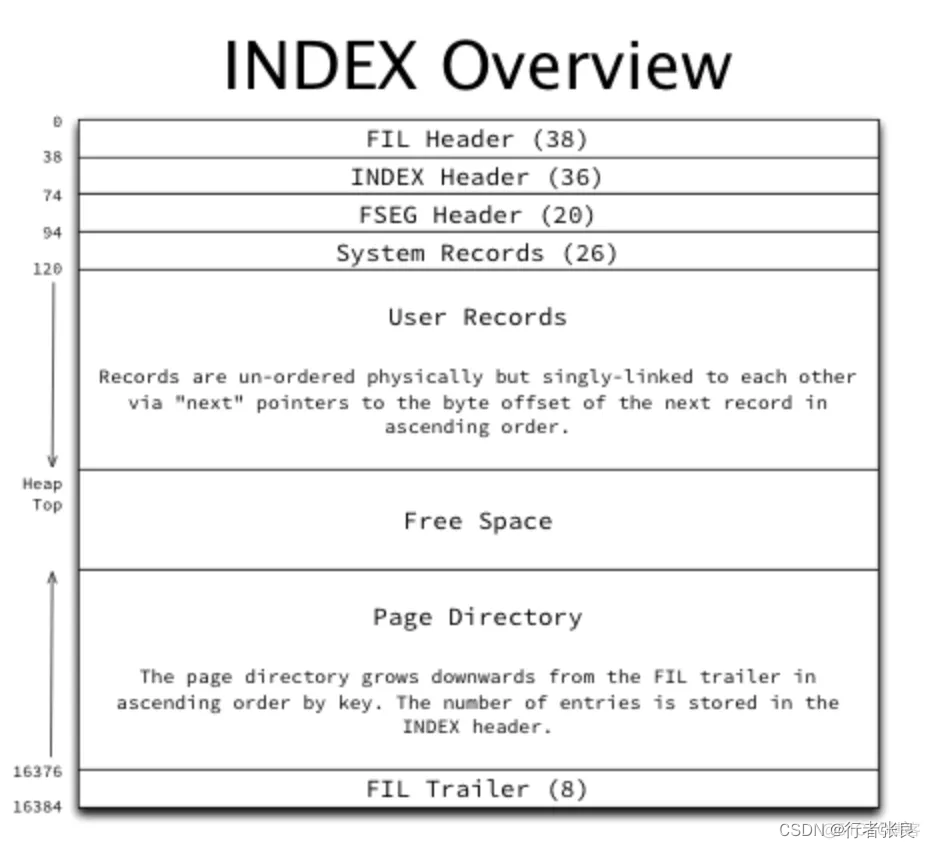
mysql表字段超过多少影响性能 mysql表多少效率会下降
一直有传言说,MySQL 表的数据只要超过 2000 万行,其性能就会下降。而本文作者用实验分析证明:至少在 2023 年,这已不再是 MySQL 表的有效软限制。 传言 互联网上有一则传言说,我们应该避免单个 MySQL 表中的数据超过 …...
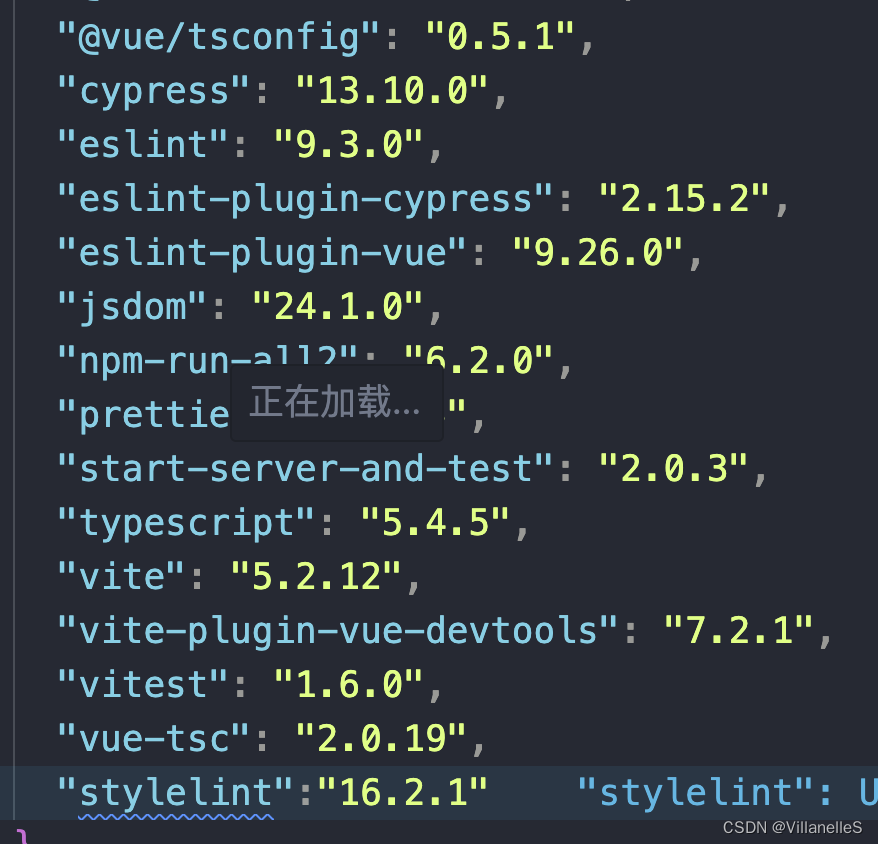
Vue进阶之Vue无代码可视化项目(一)
Vue无代码可视化项目 项目搭建初始步骤拓展:工程项目从0-1项目规范化package.jsoncpell.jsoncustom-words.txtts-eslint规则.eslintrc.cjsgit钩子检查有没有问题type-checkspellchecklint:stylehusky操作安装pre-commitpnpm的commit规范package.json:commitlint.config.cjs安装…...

AI Agent Harness Engineering 产品经理指南:如何定义智能体的“人设”与能力边界?
AI Agent Harness Engineering 产品经理指南:如何定义智能体的「人设」与能力边界 关键词:AI Agent、智能体管控工程(Harness Engineering)、产品经理、人设对齐、能力边界、智能体治理、生成式AI落地 摘要 随着生成式AI技术的成熟,AI Agent已经从概念验证阶段进入大规…...

Real-ESRGAN-GUI 终极指南:免费AI图像增强工具如何让模糊照片重获高清新生
Real-ESRGAN-GUI 终极指南:免费AI图像增强工具如何让模糊照片重获高清新生 【免费下载链接】Real-ESRGAN-GUI Lovely Real-ESRGAN / Real-CUGAN GUI Wrapper 项目地址: https://gitcode.com/gh_mirrors/re/Real-ESRGAN-GUI 你是否曾为模糊的老照片感到无奈&a…...

DLSS Swapper终极指南:免费开源工具让游戏DLSS管理变得简单快速
DLSS Swapper终极指南:免费开源工具让游戏DLSS管理变得简单快速 【免费下载链接】dlss-swapper 项目地址: https://gitcode.com/GitHub_Trending/dl/dlss-swapper 如果你正在寻找一款能够智能管理游戏DLSS、FSR和XeSS文件的免费开源工具,那么DLS…...

框架式幕墙与单元式幕墙的价格差异
框架式幕墙与单元式幕墙的价格差异 框架式幕墙与单元式幕墙由于结构及安装方式的不同,在价格方面存着很大的差异。主要表现在以下几个方面: 铝型材的用量: 框架式幕墙铝型材用量一般在7—9 kg/平方米左右。 单元式幕墙铝型材用量一般在13—15kg/平方米左右。 两者每平方…...

从零构建大语言模型:Transformer架构、训练技巧与实战指南
1. 项目概述:从零构建你自己的大语言模型最近几年,大语言模型(LLM)的热度居高不下,从ChatGPT到Claude,再到国内外的各种开源模型,它们展现出的理解和生成能力让人惊叹。但你是否也和我一样&…...
)
别再只会Commit了!用Git Desktop搞定分支合并与冲突解决(附真实开发场景)
别再只会Commit了!用Git Desktop搞定分支合并与冲突解决(附真实开发场景) 当你第一次接触Git时,可能觉得它就是个"保存按钮"——每次改完代码就commit一下。但随着项目规模扩大,特别是多人协作时,…...

基于React的记忆管理UI组件库:openclaw-memory-ui实战指南
1. 项目概述:一个为记忆管理而生的开源UI组件库最近在折腾一个需要处理大量结构化记忆数据的项目,比如知识库、笔记应用或者智能助手的历史对话管理。这类应用的核心痛点在于,数据本身是复杂的、多维的,但传统的列表或表格展示方式…...

AI模型GUI开发实战:从架构设计到部署的完整指南
1. 项目概述:一个为AI模型打造的图形化交互界面最近在GitHub上看到一个挺有意思的项目,叫GrahamMiranda-AI/openclaw-model-gui。光看名字,就能猜个八九不离十:这大概率是一个为某个名为“OpenClaw”的AI模型配套开发的图形用户界…...

轻量级Web框架Oli:从核心原理到生产实践
1. 项目概述:一个轻量级、可扩展的Web应用框架最近在梳理手头几个小项目的技术栈时,我又把amrit110/oli这个仓库翻了出来。这是一个在GitHub上由开发者amrit110创建并维护的名为oli的项目。乍一看标题,你可能会有点懵,oli是什么&a…...

Akebi-GC游戏辅助工具:5个核心模块深度解析与实战应用指南
Akebi-GC游戏辅助工具:5个核心模块深度解析与实战应用指南 【免费下载链接】Akebi-GC (Fork) The great software for some game that exploiting anime girls (and boys). 项目地址: https://gitcode.com/gh_mirrors/ak/Akebi-GC Akebi-GC是一款专为特定游戏…...