
Spring Boot整合Redis缓存(Lettuce)
spring-boot-demo-cache-redis
此 demo 主要演示了 Spring Boot 如何整合 redis,操作redis中的数据,并使用redis缓存数据。连接池使用 Lettuce。
Lettuce官网
pom.xml
<!-- data-redis -->
<dependency><groupId>org.springframework.boot</groupId><artifactId>spring-boot-starter-data-redis</artifactId>
</dependency><!--基于spring aop的方式 为函数添加缓存的 框架-->
<dependency><groupId>org.springframework.boot</groupId><artifactId>spring-boot-starter-cache</artifactId>
</dependency><!-- 对象池,使用redis连接池时必须引入 -->
<dependency><groupId>org.apache.commons</groupId><artifactId>commons-pool2</artifactId>
</dependency><!-- 引入 jackson 对象json转换 -->
<dependency><groupId>org.springframework.boot</groupId><artifactId>spring-boot-starter-json</artifactId>
</dependency>
application.yml
spring:redis:host: localhost timeout: 10000ms # 连接超时时间(记得添加单位,Duration)database: 0 # Redis默认情况下有16个分片,这里配置具体使用的分片 (默认0)port: 6379 # Redis服务器连接端口lettuce:pool:# 连接池最大连接数(使用负值表示没有限制) 默认 8max-active: 8# 连接池最大阻塞等待时间(使用负值表示没有限制) 默认 -1max-wait: -1ms# 连接池中的最大空闲连接 默认 8max-idle: 8# 连接池中的最小空闲连接 默认 0min-idle: 0cache:# 一般来说是不用配置的,Spring Cache 会根据依赖的包自行装配type: redis
非高度配置RedisConfig.java
/*** <p>*     redis配置* </p>**/
@Configuration
@AutoConfigureAfter(RedisAutoConfiguration.class)
@EnableCaching //开启缓存
public class RedisConfig extends CachingConfigurerSupport{/*** 自定义RedisTemplate序列化*/@Beanpublic RedisTemplate<Object, Object> redisCacheTemplate(LettuceConnectionFactory redisConnectionFactory) {RedisTemplate<Object, Object> template = new RedisTemplate<>();StringRedisSerializer stringRedisSerializer = new StringRedisSerializer();
GenericJackson2JsonRedisSerializer jsonRedisSerializer = new GenericJackson2JsonRedisSerializer();// 设置key序列化类,否则key前面会多了一些乱码template.setKeySerializer(stringRedisSerializer);template.setHashKeySerializer(stringRedisSerializer);template.setValueSerializer(jsonRedisSerializer);template.setHashValueSerializer(jsonRedisSerializer);// 如果value没设置都是使用默认jdk序列化// 如果取value出现序列化问题,修改为使用默认jdk new JdkSerializationRedisSerializer()template.setConnectionFactory(redisConnectionFactory);template.afterPropertiesSet();return template;}/*** 配置使用注解的时候缓存配置,默认是序列化反序列化的形式,加上此配置则为 json 形式*/@Beanpublic CacheManager cacheManager(RedisConnectionFactory factory) {// 配置序列化RedisCacheConfiguration config = RedisCacheConfiguration.defaultCacheConfig();RedisCacheConfiguration redisCacheConfiguration = config.serializeKeysWith(RedisSerializationContext.SerializationPair.fromSerializer(new StringRedisSerializer())).serializeValuesWith(RedisSerializationContext.SerializationPair.fromSerializer(new GenericJackson2JsonRedisSerializer()));return RedisCacheManager.builder(factory).cacheDefaults(redisCacheConfiguration).build();}/*** 自定义Redis连接池其他属性** @return LettuceClientConfigurationBuilderCustomizer* @author: ZhiHao* @date: 2023/3/9*/@Beanpublic LettuceClientConfigurationBuilderCustomizer lettuceClientConfigurationBuilderCustomizer(){// LettuceConnectionConfiguration.java #getLettuceClientConfiguration()后置设置属性return new LettuceClientConfigurationBuilderCustomizer() {@Overridepublic void customize(LettuceClientConfiguration.LettuceClientConfigurationBuilder clientConfigurationBuilder) {LettucePoolingClientConfiguration build = (LettucePoolingClientConfiguration) clientConfigurationBuilder.build();GenericObjectPoolConfig poolConfig = build.getPoolConfig();poolConfig.setTestOnBorrow(Boolean.TRUE);poolConfig.setTestWhileIdle(Boolean.TRUE);// 无连接不阻塞, 进行报错poolConfig.setBlockWhenExhausted(Boolean.FALSE);}};}
}
官网自定义配置说明:
You can also register an arbitrary number of beans that implement
LettuceClientConfigurationBuilderCustomizerfor more advanced customizations.ClientResourcescan also be customized usingClientResourcesBuilderCustomizer. If you use Jedis,JedisClientConfigurationBuilderCustomizeris also available. Alternatively, you can register a bean of typeRedisStandaloneConfiguration,RedisSentinelConfiguration, orRedisClusterConfigurationto take full control over the configuration.
深度自定义配置RedisConfig (工厂和池配置)
import io.lettuce.core.ClientOptions;
import io.lettuce.core.SocketOptions;
import io.lettuce.core.TimeoutOptions;
import io.lettuce.core.cluster.ClusterClientOptions;
import io.lettuce.core.cluster.ClusterTopologyRefreshOptions;
import io.lettuce.core.resource.ClientResources;
import lombok.Data;
import org.apache.commons.pool2.impl.GenericObjectPoolConfig;
import org.springframework.boot.autoconfigure.AutoConfigureAfter;
import org.springframework.boot.autoconfigure.data.redis.RedisAutoConfiguration;
import org.springframework.boot.autoconfigure.data.redis.RedisProperties;
import org.springframework.boot.context.properties.EnableConfigurationProperties;
import org.springframework.context.annotation.Bean;
import org.springframework.context.annotation.Configuration;
import org.springframework.data.redis.connection.RedisPassword;
import org.springframework.data.redis.connection.RedisStandaloneConfiguration;
import org.springframework.data.redis.connection.lettuce.LettuceConnectionFactory;
import org.springframework.data.redis.connection.lettuce.LettucePoolingClientConfiguration;
import org.springframework.data.redis.core.RedisTemplate;
import org.springframework.data.redis.serializer.GenericJackson2JsonRedisSerializer;
import org.springframework.data.redis.serializer.StringRedisSerializer;
import org.springframework.util.StringUtils;import java.io.Serializable;
import java.net.URI;
import java.net.URISyntaxException;
import java.time.Duration;/*** <p>* redis配置* </p>**/
@Configuration
@AutoConfigureAfter(RedisAutoConfiguration.class)
@EnableConfigurationProperties(RedisProperties.class)
public class RedisLettuceConfig {@Beanpublic RedisTemplate<Object, Object> redisCacheTemplate(LettuceConnectionFactory redisConnectionFactory) {// 省略, 参考上面}/*** 自定义LettuceConnectionFactory工厂** @param redisProperties* @param clientResources* @return LettuceConnectionFactory* @author: ZhiHao* @date: 2023/3/9*/@Beanpublic LettuceConnectionFactory redisConnectionFactory(RedisProperties redisProperties,ClientResources clientResources) {LettucePoolingClientConfiguration lettucePoolingClientConfiguration = this.getLettucePoolingClientConfiguration(redisProperties, clientResources);RedisStandaloneConfiguration redisStandaloneConfiguration = this.getRedisStandaloneConfiguration(redisProperties);LettuceConnectionFactory lettuceConnectionFactory = new LettuceConnectionFactory(redisStandaloneConfiguration, lettucePoolingClientConfiguration);// 开启使用连接前先检测, 开启性能下降默认false// lettuce开启一个共享的物理连接,是一个长连接,所以默认情况下是不会校验连接是否可用的//lettuceConnectionFactory.setValidateConnection(Boolean.TRUE);// 这个属性默认是true,允许多个连接公用一个物理连接。如果设置false ,// 每一个连接的操作都会开启和关闭socket连接。如果设置为false,会导致性能下降//lettuceConnectionFactory.setShareNativeConnection(Boolean.FALSE);return lettuceConnectionFactory;}/*** 自定义LettucePoolingClientConfiguration连接池配置** @param redisProperties* @param clientResources* @return LettucePoolingClientConfiguration* @author: ZhiHao* @date: 2023/3/9*/private LettucePoolingClientConfiguration getLettucePoolingClientConfiguration(RedisProperties redisProperties,ClientResources clientResources) {RedisProperties.Lettuce lettuce = redisProperties.getLettuce();RedisProperties.Pool pool = lettuce.getPool();LettucePoolingClientConfiguration.LettucePoolingClientConfigurationBuilderbuilder = LettucePoolingClientConfiguration.builder().poolConfig(this.getPoolConfig(pool));if (redisProperties.isSsl()) {builder.useSsl();}if (redisProperties.getTimeout() != null) {builder.commandTimeout(redisProperties.getTimeout());}if (lettuce.getShutdownTimeout() != null && !lettuce.getShutdownTimeout().isZero()) {builder.shutdownTimeout(redisProperties.getLettuce().getShutdownTimeout());}if (StringUtils.hasText(redisProperties.getClientName())) {builder.clientName(redisProperties.getClientName());}builder.clientOptions(this.createClientOptions(redisProperties));builder.clientResources(clientResources);return builder.build();}/*** 自定义 RedisStandaloneConfiguration** @param redisProperties* @return RedisStandaloneConfiguration* @author: ZhiHao* @date: 2023/3/9*/private RedisStandaloneConfiguration getRedisStandaloneConfiguration(RedisProperties redisProperties){RedisStandaloneConfiguration config = new RedisStandaloneConfiguration();if (StringUtils.hasText(redisProperties.getUrl())) {ConnectionInfo connectionInfo = parseUrl(redisProperties.getUrl());config.setHostName(connectionInfo.getHostName());config.setPort(connectionInfo.getPort());config.setUsername(connectionInfo.getUsername());config.setPassword(RedisPassword.of(connectionInfo.getPassword()));}else {config.setHostName(redisProperties.getHost());config.setPort(redisProperties.getPort());config.setUsername(redisProperties.getUsername());config.setPassword(RedisPassword.of(redisProperties.getPassword()));}config.setDatabase(redisProperties.getDatabase());return config;}private ClientOptions createClientOptions(RedisProperties redisProperties) {ClientOptions.Builder builder = this.initializeClientOptionsBuilder(redisProperties);Duration connectTimeout = redisProperties.getConnectTimeout();if (connectTimeout != null) {builder.socketOptions(SocketOptions.builder().connectTimeout(connectTimeout).build());}return builder.timeoutOptions(TimeoutOptions.enabled()).build();}private ClientOptions.Builder initializeClientOptionsBuilder(RedisProperties redisProperties) {if (redisProperties.getCluster() != null) {ClusterClientOptions.Builder builder = ClusterClientOptions.builder();RedisProperties.Lettuce.Cluster.Refresh refreshProperties = redisProperties.getLettuce().getCluster().getRefresh();ClusterTopologyRefreshOptions.Builder refreshBuilder = ClusterTopologyRefreshOptions.builder().dynamicRefreshSources(refreshProperties.isDynamicRefreshSources());if (refreshProperties.getPeriod() != null) {refreshBuilder.enablePeriodicRefresh(refreshProperties.getPeriod());}if (refreshProperties.isAdaptive()) {refreshBuilder.enableAllAdaptiveRefreshTriggers();}return builder.topologyRefreshOptions(refreshBuilder.build());}return ClientOptions.builder();}// BaseObjectPoolConfig与GenericObjectPoolConfig 还有很多连接池属性可以配置, 可以自行查看官网或者源码private GenericObjectPoolConfig<?> getPoolConfig(RedisProperties.Pool pool) {GenericObjectPoolConfig<?> config = new GenericObjectPoolConfig<>();config.setMaxTotal(pool.getMaxActive());config.setMaxIdle(pool.getMaxIdle());config.setMinIdle(pool.getMinIdle());config.setTestOnBorrow(Boolean.TRUE);if (pool.getTimeBetweenEvictionRuns() != null) {config.setTimeBetweenEvictionRuns(pool.getTimeBetweenEvictionRuns());}if (pool.getMaxWait() != null) {config.setMaxWait(pool.getMaxWait());}return config;}protected ConnectionInfo parseUrl(String url) {try {URI uri = new URI(url);String scheme = uri.getScheme();if (!"redis".equals(scheme) && !"rediss".equals(scheme)) {throw new RuntimeException("url异常"+url);}boolean useSsl = ("rediss".equals(scheme));String username = null;String password = null;if (uri.getUserInfo() != null) {String candidate = uri.getUserInfo();int index = candidate.indexOf(':');if (index >= 0) {username = candidate.substring(0, index);password = candidate.substring(index + 1);}else {password = candidate;}}return new ConnectionInfo(uri, useSsl, username, password);}catch (URISyntaxException ex) {throw new RuntimeException("url异常"+url,ex);}}@Dataprotected static class ConnectionInfo {private final URI uri;private final boolean useSsl;private final String username;private final String password;ConnectionInfo(URI uri, boolean useSsl, String username, String password) {this.uri = uri;this.useSsl = useSsl;this.username = username;this.password = password;}boolean isUseSsl() {return this.useSsl;}String getHostName() {return this.uri.getHost();}int getPort() {return this.uri.getPort();}String getUsername() {return this.username;}String getPassword() {return this.password;}}}
UserServiceImpl.java
/*** <p>* UserService* </p>** @description: UserService 使用的是cache集成了redis是使用redis*/
@Service
@Slf4j
public class UserServiceImpl implements UserService {/*** 模拟数据库*/private static final Map<Long, User> DATABASES = Maps.newConcurrentMap();/*** 初始化数据*/static {DATABASES.put(1L, new User(1L, "user1"));DATABASES.put(2L, new User(2L, "user2"));DATABASES.put(3L, new User(3L, "user3"));}/*** 保存或修改用户** @param user 用户对象* @return 操作结果*/@CachePut(value = "user", key = "#user.id")@Overridepublic User saveOrUpdate(User user) {DATABASES.put(user.getId(), user);log.info("保存用户【user】= {}", user);return user;}/*** 获取用户** @param id key值* @return 返回结果*/@Cacheable(value = "user", key = "#id")@Overridepublic User get(Long id) {// 我们假设从数据库读取log.info("查询用户【id】= {}", id);return DATABASES.get(id);}/*** 删除** @param id key值*/@CacheEvict(value = "user", key = "#id")@Overridepublic void delete(Long id) {DATABASES.remove(id);log.info("删除用户【id】= {}", id);}
}
RedisTest.java
主要测试使用
RedisTemplate操作Redis中的数据:
- opsForValue:对应 String(字符串)
- opsForZSet:对应 ZSet(有序集合)
- opsForHash:对应 Hash(哈希)
- opsForList:对应 List(列表)
- opsForSet:对应 Set(集合)
- opsForGeo:** 对应 GEO(地理位置)
/*** <p>* Redis测试* </p>** @package: com.xkcoding.cache.redis* @description: Redis测试* @author: yangkai.shen* @date: Created in 2018/11/15 17:17* @copyright: Copyright (c) 2018* @version: V1.0* @modified: yangkai.shen*/
@Slf4j
public class RedisTest extends SpringBootDemoCacheRedisApplicationTests {@Autowiredprivate StringRedisTemplate stringRedisTemplate;@Autowiredprivate RedisTemplate<Object, Object> redisCacheTemplate;/*** 测试 Redis 操作*/@Testpublic void get() {// 测试线程安全,程序结束查看redis中count的值是否为1000ExecutorService executorService = Executors.newFixedThreadPool(1000);IntStream.range(0, 1000).forEach(i -> executorService.execute(() -> stringRedisTemplate.opsForValue().increment("count", 1)));stringRedisTemplate.opsForValue().set("k1", "v1");String k1 = stringRedisTemplate.opsForValue().get("k1");log.debug("【k1】= {}", k1);// 以下演示整合,具体Redis命令可以参考官方文档String key = "xkcoding:user:1";redisCacheTemplate.opsForValue().set(key, new User(1L, "user1"));// 对应 String(字符串)User user = (User) redisCacheTemplate.opsForValue().get(key);log.debug("【user】= {}", user);}
}
UserServiceTest.java
主要测试使用Redis缓存是否起效
/*** <p>* Redis - 缓存测试* </p>** @package: com.xkcoding.cache.redis.service* @description: Redis - 缓存测试* @author: yangkai.shen* @date: Created in 2018/11/15 16:53* @copyright: Copyright (c) 2018* @version: V1.0* @modified: yangkai.shen*/
@Slf4j
public class UserServiceTest extends SpringBootDemoCacheRedisApplicationTests {@Autowiredprivate UserService userService;/*** 获取两次,查看日志验证缓存*/@Testpublic void getTwice() {// 模拟查询id为1的用户User user1 = userService.get(1L);log.debug("【user1】= {}", user1);// 再次查询User user2 = userService.get(1L);log.debug("【user2】= {}", user2);// 查看日志,只打印一次日志,证明缓存生效}/*** 先存,再查询,查看日志验证缓存*/@Testpublic void getAfterSave() {userService.saveOrUpdate(new User(4L, "测试中文"));User user = userService.get(4L);log.debug("【user】= {}", user);// 查看日志,只打印保存用户的日志,查询是未触发查询日志,因此缓存生效}/*** 测试删除,查看redis是否存在缓存数据*/@Testpublic void deleteUser() {// 查询一次,使redis中存在缓存数据userService.get(1L);// 删除,查看redis是否存在缓存数据userService.delete(1L);}}
参考资料
- spring-data-redis 官方文档:https://docs.spring.io/spring-data/redis/docs/2.0.1.RELEASE/reference/html/
- redis 文档:https://redis.io/documentation
- redis 中文文档:http://www.redis.cn/commands.html
扩展
StringRedisTemplate和RedisTemplate的区别及使用方法
这里,总结下 Spring 提供的 4 种 RedisSerializer(Redis 序列化器):
默认情况下,RedisTemplate 使用 JdkSerializationRedisSerializer,也就是 JDK 序列化,容易产生 Redis 中保存了乱码的错觉。
通常考虑到易读性,可以设置 Key 的序列化器为 StringRedisSerializer。但直接使用 RedisSerializer.string(),相当于使用了 UTF_8 编码的 StringRedisSerializer,需要注意字符集问题。
如果希望 Value 也是使用 JSON 序列化的话,可以把 Value 序列化器设置为 Jackson2JsonRedisSerializer。默认情况下,不会把类型信息保存在 Value 中,即使我们定义 RedisTemplate 的 Value 泛型为实际类型,查询出的 Value 也只能是 LinkedHashMap 类型。如果希望直接获取真实的数据类型,你可以启用 Jackson ObjectMapper 的 activateDefaultTyping 方法,把类型信息一起序列化保存在 Value 中。
如果希望 Value 以 JSON 保存并带上类型信息,更简单的方式是,直接使用 RedisSerializer.json() 快捷方法来获取序列化器。
Cache注解:
是spring自带的缓存,本质就是缓存方法返回的结果,下次在访问这个方法就是从缓存取.默认Spring Cache是缓存到jvm虚拟机缓存中,这样的并不好,所有一般使用整合dataRedis一起使用,就是缓存在Redis中!
使用scan 命令模糊查询key
/*** 使用scan模糊查询key** @param key* @return java.util.Set<K> 匹配到的Key集合* @author: ZhiHao* @date: 2021/5/13*/public <K> Set<K> fuzzyQueryKey(K key) {// 需要模糊搜索的KeyString keys = String.format(key.toString(), "*");Set<byte[]> rawKeys = (Set<byte[]>) redisTemplate.execute((RedisCallback<Set<byte[]>>) connection -> {Set<byte[]> set = new HashSet<>();Cursor<byte[]> cursor = connection.scan(ScanOptions.scanOptions().match(keys).count(1000L).build());while (cursor.hasNext()) {set.add(cursor.next());}return set;}, true);RedisSerializer keySerializer = redisTemplate.getKeySerializer();return keySerializer != null ? SerializationUtils.deserialize(rawKeys, keySerializer) : (Set<K>) rawKeys;}
lettuce连接池生效
要想使lettuce连接池生效,即使用多个redis物理连接。这行设置不能缺少
genericObjectPoolConfig.setTimeBetweenEvictionRunsMillis(100); 这个设置是,每隔多少毫秒,空闲线程驱逐器关闭多余的空闲连接,且保持最少空闲连接可用,这个值最好设置大一点,否者影响性能。同时 genericObjectPoolConfig.setMinIdle(minIdle); 中minldle值要大于0。
lettuce连接池属性timeBetweenEvictionRunsMillis如果不设置 默认是 -1,当该属性值为负值时,lettuce连接池要维护的最小空闲连接数的目标minIdle就不会生效 。源码中的解释如下:
/*** Target for the minimum number of idle connections to maintain in the pool. This* setting only has an effect if both it and time between eviction runs are* positive.*/private int minIdle = 0;
1
相关文章:
)
Spring Boot整合Redis缓存(Lettuce)
spring-boot-demo-cache-redis 此 demo 主要演示了 Spring Boot 如何整合 redis,操作redis中的数据,并使用redis缓存数据。连接池使用 Lettuce。 Lettuce官网 pom.xml <!-- data-redis --> <dependency><groupId>org.springframework…...
Feign
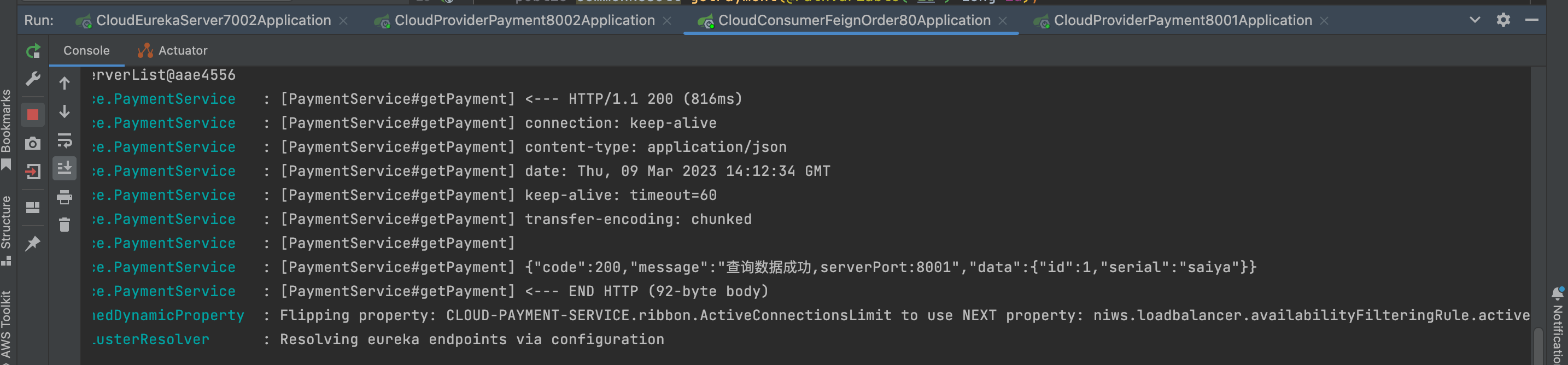
而Feign则会完全代理HTTP请求,我们只需要像调用方法一样调用它就可以完成服务请求及相关处理。Feign整合了Ribbon和Hystrix,可以让我们不再需要显式地使用这两个组件。 Feign具有如下特性: 支持可插拔的HTTP编码器和解码器; 支持Hystrix和…...

【代码训练营】day54 | 392.判断子序列 115.不同的子序列
所用代码 java 判断子序列 LeetCode 392 题目链接:判断子序列 LeetCode 392 - 简单 思路 这题和之前求最长公共子序列一样。 dp[i] [j]:以i-1为结尾的字符串s 和 以j-1为结尾的字符串t 组成的相同子序列的长度 递推公式: 相等dp[i][j] d…...
【unity3D】创建TextMeshPro(TMP)中文字体(解决输入中文乱码问题)
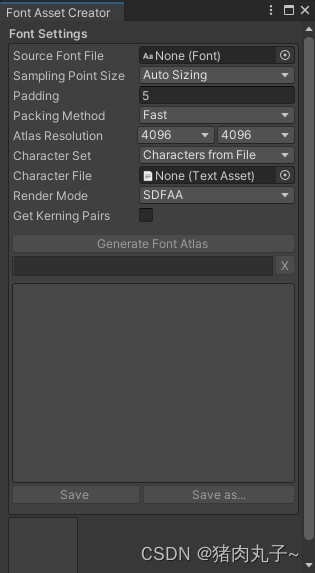
💗 未来的游戏开发程序媛,现在的努力学习菜鸡 💦本专栏是我关于游戏开发的学习笔记 🈶本篇是unity的TMP中文输入显示乱码的解决方式 创建 TextMeshPro 中文字体遇到的问题描述解决方式Font Asset Creator 面板扩展中文字体文本遇到…...

JAVA开发(JAVA中的异常)
在java开发与代码运行过程中,我们经常会遇到需要处理异常的时候。有时候是在用编辑器写代码,点击保存的时候,编辑器就提示我们某块代码有异常,强制需要处理。有时候是我们启动,运行JAVA代码的时候的,日志里…...
lesson8-Linux多线程
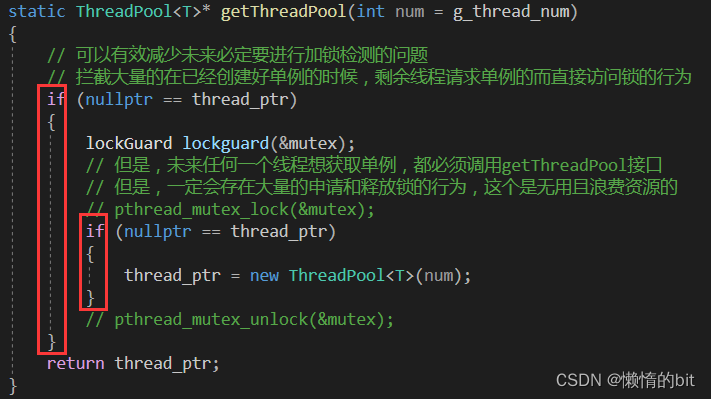
Linux线程概念 线程在进程内部执行,是OS调度的基本单位OS是可以做到让进程进行资源的细粒度划分的物理内存是以4kb为单位的我们的.exe可执行程序本来就是按照地址空间的方式进行编译的页表映射 - 详细图 理解线程 线程在进程的地址空间内运行, 进程内部具有多个执行流的,而线程…...

python的django框架从入门到熟练【保姆式教学】第四篇
在前三篇博客中,我们介绍了Django的模型层、数据库迁移、视图层和URL路由。本篇博客将介绍Django的模板层,讲解如何使用模板来创建美观的Web页面。 模板层(Template) Django的模板层是Django应用程序的另一个核心组件。模板是一…...
)
Codeforces Round 852 (Div. 2)
A Yet Another Promotion 题意:要买n千克物品,第一天的价格为a,第二天的价格为b。第一天有促销活动,每买m千克物品,可以额外获得1千克物品。问最少花费多少可以获得至少n千克的物品。 思路:分类讨论&…...
】7-2 Reversing Linked List)
【PTA Data Structures and Algorithms (English)】7-2 Reversing Linked List
Given a constant K and a singly linked list L, you are supposed to reverse the links of every K elements on L. For example, given L being 1→2→3→4→5→6, if K3, then you must output 3→2→1→6→5→4; if K4, you must output 4→3→2→1→5→6. Input Specif…...

Jetpack Compose 学习汇总
关于 Jetpack Compose 的学习本想只是简单的快速学习一下,结果万万没想到,竟然一下子折腾了好几个月。。。 下面将之前记录的 Jetpack Compose 相关的学习博文进行一个汇总链接整理,方便我以后自己查阅,也希望能帮到一些有正在学…...

【OpenCv】c++ 图像初级操作 | 图像灰度化
文章目录一、图像1、图像信息2、图像种类1)二值图像:2)灰度图:3)彩色图:二、图像转化1、分离彩色图三个通道2、图像灰度化处理一、图像 1、图像信息 Q:图像在计算机中怎么储存? A:…...
VIT(vision transformer)onnx模型解析
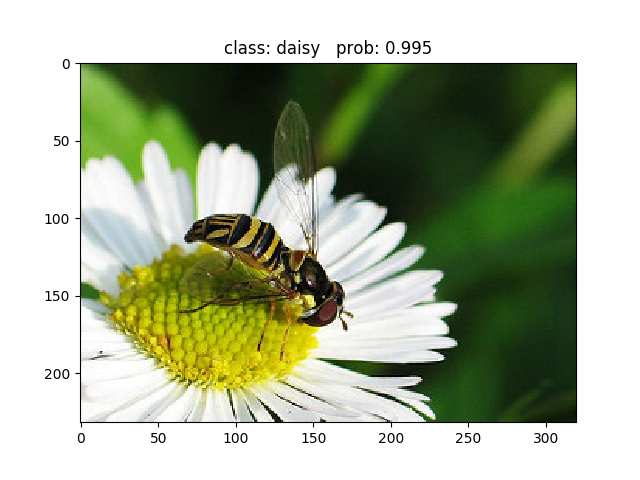
背景:transformer在CV领域的应用论文下载链接:https://arxiv.org/abs/2010.11929Pytorch实现代码: pytorch_classification/vision_transformer(太阳花的小绿豆博主实现的代码)有一些大神在研究关于CNNtransformer或者纯用transformer实现。原…...
红黑树的介绍和实现
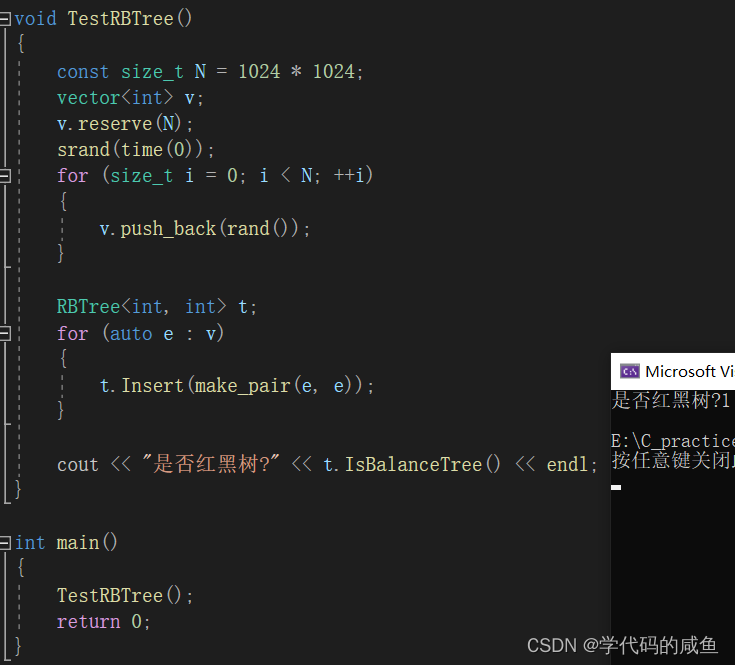
文章目录1. 红黑树1.1 红黑树的概念1.2 红黑树的性质1.3 红黑树节点的定义1.4 红黑树的插入1.5 红黑树的验证1.6 红黑树与AVL树的比较1. 红黑树 1.1 红黑树的概念 红黑树,是一种二叉搜索树,但在每个结点上增加一个存储位表示结点的颜色,可以…...

C/C++每日一练(20230310)
目录 1. 用栈实现队列 ★★ 2. 单词搜索 II ★★★ 3. 直线上最多的点数 ★★★ 1. 用栈实现队列 请你仅使用两个栈实现先入先出队列。队列应当支持一般队列支持的所有操作(push、pop、peek、empty): 实现 MyQueue 类: v…...

Go语言基础知识
常量//定义方式 const a int12;//指定变量类型 const b12;//不指定变量类型,由编译时go自动确认 const(//多行定义方式a12b23 ) //说到const,不得不得不提到的一个参数iota,初始值为0,在用const多行定义的方式中, 如果第一行定义了…...
案例06-没有复用思想的接口和sql--mybatis,spring
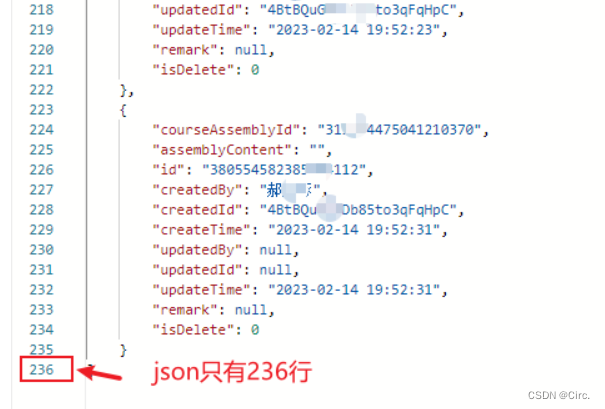
目录一、背景二、思路&方案问题1优化问题2优化三、总结四、升华一、背景 写这篇文章的目的是通过对没有复用思想接口的代码例子优化告诉大家,没有复用思想的代码不要写,用这种思维方式和习惯来指导我们写代码。 项目中有两处没有复用思想代码&#…...

如何将项目部署到服务器:从选择服务器到维护应用程序的全流程指南
将项目部署到服务器是一个重要的技能,对于开发人员来说,它是必不可少的。在本文中,我将介绍一些关于如何将项目部署到服务器的最佳实践。一、选择服务器在部署项目之前,你需要先选择一个适合你的服务器。如果你已经有一个可用的服…...

怎么做才能不丢消息?
现在主流的消息队列产品都提供了非常完善的消息可靠性保证机制,可以做到在消息传递的过程中,即使发生网络中断或者硬件故障,也能确保消息的可靠传递、不丢消息。 绝大部分丢消息的原因都是由于开发者不熟悉消息队列,没有正确使用…...

前端基础(十六)_数组对象
数组对象 1、创建数组 // 字面量创建const arr [1, 2, 3, 4, 5, 6]// 构造函数创建const arr2 new Array(1, 2, 3, 4, 5, 6)const arr3 Array(1, 2, 3, 4, 5, 6)2.push (从数组末尾添加元素) a.数组.push(要添加进数组的数组项) b.作用:将要添加的数组项 添加到…...

数据结构-带头双向循环链表
前言: 链表有很多种,上一章结,我复盘了单链表,这一章节,主要针对双链表的知识点进行,整理复盘,如果将链表分类的话,有很多种,我就学习的方向考察的重点,主要…...

当AI开始写代码,测试工程师的挑战才刚刚开始
最近,我让五款主流的AI编程工具完成了同一个开发需求,结果让我这个做了八年测试的老兵深受震撼。不是为了比较谁写的代码更“优雅”,而是从测试的角度,我看到了未来五年软件质量保障工作的全新图景。 我们测试从业者正站在一个十…...

飞蜂窝技术:从概念到5G室内覆盖核心的实战演进
1. 从“未来可期”到“正在爆发”:飞蜂窝技术的十年之约在通信行业里待久了,你总会听到一些技术名词被反复提起,它们像流星一样划过天际,被分析师们预言将“改变一切”,然后……似乎又沉寂了下去。飞蜂窝(F…...

Shoelace自动加载器:终极懒加载Web组件完整指南 [特殊字符]
Shoelace自动加载器:终极懒加载Web组件完整指南 🚀 【免费下载链接】shoelace Shoelace is now Web Awesome. Come see what’s new! 项目地址: https://gitcode.com/gh_mirrors/sh/shoelace Shoelace自动加载器是Shoelace Web组件库中一个革命性…...

POTS与VoIP技术演进:从电路交换到分组交换的可靠性之争与实战指南
1. 项目概述:当技术演进遭遇“顽固”的用户体验作为一名在通信行业摸爬滚打了十几年的工程师,我最近读到一篇2015年的老文章,标题挺有意思,叫《给POTS(普通老式电话服务)的心脏钉上木桩?》。作者…...

终极指南:如何一键下载网易云音乐无损FLAC格式歌曲
终极指南:如何一键下载网易云音乐无损FLAC格式歌曲 【免费下载链接】NeteaseCloudMusicFlac 根据网易云音乐的歌单, 下载flac无损音乐到本地.。 项目地址: https://gitcode.com/gh_mirrors/nete/NeteaseCloudMusicFlac 你是否曾为无法下载网易云音乐的无损音…...

如何利用Marketing-for-Engineers营销自动化工具:节省90%时间的终极指南
如何利用Marketing-for-Engineers营销自动化工具:节省90%时间的终极指南 【免费下载链接】Marketing-for-Engineers A curated collection of marketing articles & tools to grow your product. 项目地址: https://gitcode.com/gh_mirrors/ma/Marketing-for…...

为个人开源项目寻找高性价比大模型API的选型与实践
🚀 告别海外账号与网络限制!稳定直连全球优质大模型,限时半价接入中。 👉 点击领取海量免费额度 为个人开源项目寻找高性价比大模型API的选型与实践 对于个人开发者或学生而言,运营一个GitHub开源项目常常需要在有限的…...

三步高效配置:快速实现百度网盘直链下载的完整指南
三步高效配置:快速实现百度网盘直链下载的完整指南 【免费下载链接】baiduyun 油猴脚本 - 一个免费开源的网盘下载助手 项目地址: https://gitcode.com/gh_mirrors/ba/baiduyun 你是否还在为百度网盘下载速度缓慢而烦恼?是否厌倦了客户端限速的困…...

基于RAG与向量数据库的智能知识库构建实战指南
1. 项目概述:一个开源的深度知识库构建与问答引擎最近在折腾一个挺有意思的开源项目,叫deepwiki-open。简单来说,它就是一个帮你把一堆文档(比如公司内部Wiki、产品手册、技术文档)变成一个能“听懂人话”并“对答如流…...

本地AI任务编排工具AgentForge:从看板管理到多代理协作
1. 项目概述:一个能调度AI编码代理的本地看板工具如果你和我一样,日常开发中经常需要让Claude Code这类AI编码助手去执行一些重复性的代码审查、重构或者生成任务,并且希望这些任务能像CI/CD流水线一样被编排、调度和监控,那么你一…...