
SpringSecurity入门(三)
12、密码加密
12.1、不指定具体加密方式,通过DelegatingPasswordEncoder,根据前缀自动选择
PasswordEncoder passwordEncoder =PasswordEncoderFactories.createDelegatingPasswordEncoder();

12.2、指定具体加密方式
// Create an encoder with strength 16
BCryptPasswordEncoder encoder = new BCryptPasswordEncoder(16);
String result = encoder.encode("myPassword");
assertTrue(encoder.matches("myPassword", result));// Create an encoder with all the defaults
Argon2PasswordEncoder encoder = new Argon2PasswordEncoder();
String result = encoder.encode("myPassword");
assertTrue(encoder.matches("myPassword", result));// Create an encoder with all the defaults
Pbkdf2PasswordEncoder encoder = new Pbkdf2PasswordEncoder();
String result = encoder.encode("myPassword");
assertTrue(encoder.matches("myPassword", result));// Create an encoder with all the defaults
SCryptPasswordEncoder encoder = new SCryptPasswordEncoder();
String result = encoder.encode("myPassword");
assertTrue(encoder.matches("myPassword", result));
13、密码自动更新

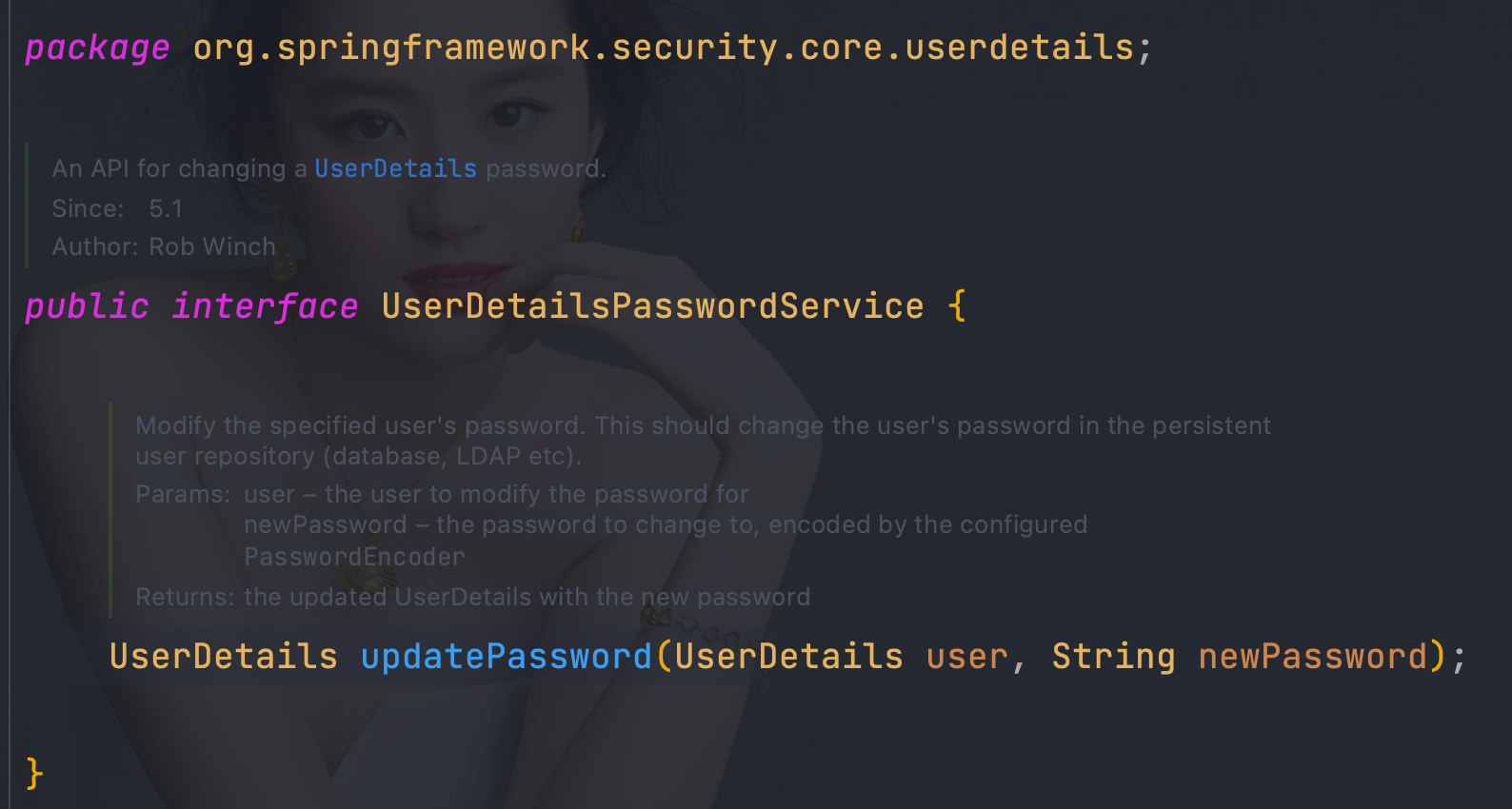
实现UserDetailsPasswordService接口即可
@Component("userDetailsImpl")
public class UserDetailsImpl implements UserDetailsService, UserDetailsPasswordService {@Autowiredprivate UserMapper userMapper;@Autowiredprivate RoleMapper roleMapper;@Overridepublic org.springframework.security.core.userdetails.UserDetails loadUserByUsername(String username) throws UsernameNotFoundException {User user = userMapper.loadUserByUsername(username);if(user == null){throw new UsernameNotFoundException("用户名不存在");}List<Role> roles = roleMapper.getRoleByUserId(user.getUserId());user.setRoles(roles);return user;}@Overridepublic UserDetails updatePassword(UserDetails user, String newPassword) {int state = userMapper.updatePassword(newPassword, user.getUsername());if (state == 1) {((User) user).setPassword(newPassword);}return user;}
}
14、Remember-Me
14.1、传统web方式
14.1.1、login.html
<!DOCTYPE html>
<html lang="en" xmlns:th="http://www.thymeleaf.org"xmlns:sec="http://www.thymeleaf.org/extras/spring-security">
<head><meta charset="UTF-8"><title>login</title>
</head>
<body>
<form th:action="@{/doLogin}" method="post"><p>用户名:<label><input name="uname" type="text"/></label></p><p>密码:<label><input name="pwd" type="password"/></label></p><p>记住我:<label><input name="remember-me" type="checkbox"/></label></p><p><input type="submit"></p>
</form></body>
</html>
14.1.2、开启rememberMeServices
- 基于内存实现
package com.wanqi.config;import org.springframework.context.annotation.Bean;
import org.springframework.context.annotation.Configuration;
import org.springframework.security.config.annotation.web.builders.HttpSecurity;
import org.springframework.security.config.annotation.web.configuration.EnableWebSecurity;
import org.springframework.security.core.userdetails.User;
import org.springframework.security.core.userdetails.UserDetails;
import org.springframework.security.core.userdetails.UserDetailsService;
import org.springframework.security.crypto.factory.PasswordEncoderFactories;
import org.springframework.security.crypto.password.PasswordEncoder;
import org.springframework.security.provisioning.InMemoryUserDetailsManager;
import org.springframework.security.web.SecurityFilterChain;
import org.springframework.security.web.authentication.rememberme.JdbcTokenRepositoryImpl;
import org.springframework.security.web.authentication.rememberme.PersistentTokenBasedRememberMeServices;
import org.springframework.security.web.util.matcher.AntPathRequestMatcher;
import org.springframework.security.web.util.matcher.OrRequestMatcher;import java.util.UUID;@Configuration
@EnableWebSecurity
public class WebSecurityConfigurer {@Beanpublic PasswordEncoder bcryptPasswordEncoder() {return PasswordEncoderFactories.createDelegatingPasswordEncoder();}public UserDetailsService inMemoryUsers(PasswordEncoder encoder) {// The builder will ensure the passwords are encoded before saving in memoryUserDetails user = User.withUsername("user").password(encoder.encode("123")).roles("USER").build();UserDetails admin = User.withUsername("admin").password(encoder.encode("123")).roles("USER", "ADMIN").build();return new InMemoryUserDetailsManager(user, admin);}@Bean(name = "rememberMeServices")public PersistentTokenBasedRememberMeServices rememberMeServices(){return new PersistentTokenBasedRememberMeServices(UUID.randomUUID().toString(), inMemoryUsers(bcryptPasswordEncoder()), new InMemoryTokenRepositoryImpl());}@BeanSecurityFilterChain filterChain(HttpSecurity httpSecurity) throws Exception {return//开启权限验证httpSecurity.authorizeRequests()//permitAll直接放行,必须在anyRequest().authenticated()前面.mvcMatchers("/toLogin").permitAll()//anyRequest所有请求都需要认证.anyRequest().authenticated().and()//使用form表单验证.formLogin(login ->login//自定义登陆页面.loginPage("/toLogin")//自定义登陆页面后必须指定处理登陆请求的url.loginProcessingUrl("/doLogin")// 自定义接收用户名的参数名为uname.usernameParameter("uname")//自定义接收密码的参数名为pwd.passwordParameter("pwd")// 认证成功后跳转的页面(转发),必须使用POST请求//.successForwardUrl("/test")// 证成功后跳转的页面(重定向),必须使用GET请求//.defaultSuccessUrl("/test")//不会每次都跳转定义的页面,默认会记录认证拦截的请求,如果是拦截的受限资源会优先跳转到之前被拦截的请求。需要每次都跳转使defaultSuccessUrl("/test",true).defaultSuccessUrl("/toLogout",true)//前后端分离时代自定义认证成功处理
//                                        .successHandler(new MyAuthenticationSuccessHandler())//前后端分离时代自定义认证失败处理
//                                        .failureHandler(new MyAuthenticationFailureHandler()).failureUrl("/404"))//注销.logout(logout -> {logout//指定默认注销url,默认请求方式GET
//                                    .logoutUrl("/logout").logoutRequestMatcher(//自定义注销urlnew OrRequestMatcher(new AntPathRequestMatcher("/aa", "GET"),new AntPathRequestMatcher("/bb", "POST")))//注销成功后跳转页面.logoutSuccessUrl("/toLogin")//前后端分离时代自定义注销登录处理器
//                                    .logoutSuccessHandler(new MyLogoutSuccessHandler())//销毁session,默认为true.invalidateHttpSession(true)//清除认证信息,默认为true.clearAuthentication(true);})//指定UserDetailsService来切换认证信息不同的存储方式(数据源).userDetailsService(inMemoryUsers(bcryptPasswordEncoder()))//开启rememberMe.rememberMe()//自定义rememberMe参数名
//                        .rememberMeParameter();.rememberMeServices(rememberMeServices()).and()//禁止csrf跨站请求保护.csrf().disable().build();}
}
- 持久化,基于mysql实现
    @Beanpublic PersistentTokenRepository jdbcTokenRepository(){JdbcTokenRepositoryImpl jdbcTokenRepository = new JdbcTokenRepositoryImpl();jdbcTokenRepository.setDataSource(dataSource);//自动创建表结构,首次启动设置为true
//        jdbcTokenRepository.setCreateTableOnStartup(true);return jdbcTokenRepository;}@BeanSecurityFilterChain filterChain(HttpSecurity httpSecurity) throws Exception {return//开启权限验证httpSecurity.authorizeRequests()//permitAll直接放行,必须在anyRequest().authenticated()前面.mvcMatchers("/toLogin").permitAll().mvcMatchers("/404").permitAll()//anyRequest所有请求都需要认证.anyRequest().authenticated().and()//使用form表单验证.formLogin(login ->login//自定义登陆页面.loginPage("/toLogin")//自定义登陆页面后必须指定处理登陆请求的url.loginProcessingUrl("/doLogin")// 自定义接收用户名的参数名为uname.usernameParameter("uname")//自定义接收密码的参数名为pwd.passwordParameter("pwd")// 认证成功后跳转的页面(转发),必须使用POST请求//.successForwardUrl("/test")// 证成功后跳转的页面(重定向),必须使用GET请求//.defaultSuccessUrl("/test")//不会每次都跳转定义的页面,默认会记录认证拦截的请求,如果是拦截的受限资源会优先跳转到之前被拦截的请求。需要每次都跳转使defaultSuccessUrl("/test",true).defaultSuccessUrl("/toLogout",true)//前后端分离时代自定义认证成功处理
//                                        .successHandler(new MyAuthenticationSuccessHandler())//前后端分离时代自定义认证失败处理
//                                        .failureHandler(new MyAuthenticationFailureHandler()).failureUrl("/404"))//注销.logout(logout -> {logout//指定默认注销url,默认请求方式GET
//                                    .logoutUrl("/logout").logoutRequestMatcher(//自定义注销urlnew OrRequestMatcher(new AntPathRequestMatcher("/aa", "GET"),new AntPathRequestMatcher("/bb", "POST")))//注销成功后跳转页面.logoutSuccessUrl("/toLogin")//前后端分离时代自定义注销登录处理器
//                                    .logoutSuccessHandler(new MyLogoutSuccessHandler())//销毁session,默认为true.invalidateHttpSession(true)//清除认证信息,默认为true.clearAuthentication(true);})//指定UserDetailsService来切换认证信息不同的存储方式(数据源).userDetailsService(inMemoryUsers(bcryptPasswordEncoder()))//开启rememberMe.rememberMe().tokenRepository(jdbcTokenRepository()).and()//禁止csrf跨站请求保护.csrf().disable().build();}
}
14.2、前后端分离
14.2.1、自定义RememberMeServices实现类
package com.wanqi.service;import org.springframework.security.core.userdetails.UserDetailsService;
import org.springframework.security.web.authentication.rememberme.AbstractRememberMeServices;
import org.springframework.security.web.authentication.rememberme.PersistentTokenBasedRememberMeServices;
import org.springframework.security.web.authentication.rememberme.PersistentTokenRepository;import javax.servlet.http.HttpServletRequest;/*** @Description 自定义RememberMeServices实现类* @Version 1.0.0* @Date 2022/9/5* @Author wandaren*/public class RememberMeServices extends PersistentTokenBasedRememberMeServices {public RememberMeServices(String key, UserDetailsService userDetailsService, PersistentTokenRepository tokenRepository) {super(key, userDetailsService, tokenRepository);}@Overrideprotected boolean rememberMeRequested(HttpServletRequest request, String parameter) {String paramValue = request.getAttribute(AbstractRememberMeServices.DEFAULT_PARAMETER).toString();return paramValue.equalsIgnoreCase("true") || paramValue.equalsIgnoreCase("on")|| paramValue.equalsIgnoreCase("yes") || paramValue.equals("1");}
}
14.2.2、自定义认证方式
package com.wanqi.security.filter;import com.fasterxml.jackson.databind.ObjectMapper;
import org.springframework.http.MediaType;
import org.springframework.security.authentication.AuthenticationManager;
import org.springframework.security.authentication.AuthenticationServiceException;
import org.springframework.security.authentication.UsernamePasswordAuthenticationToken;
import org.springframework.security.core.Authentication;
import org.springframework.security.core.AuthenticationException;
import org.springframework.security.web.authentication.UsernamePasswordAuthenticationFilter;
import org.springframework.security.web.authentication.rememberme.AbstractRememberMeServices;
import org.springframework.util.ObjectUtils;import javax.servlet.http.HttpServletRequest;
import javax.servlet.http.HttpServletResponse;
import java.io.IOException;
import java.util.Map;/*** @Description 处理Json方式的登录请求* @Version 1.0.0* @Date 2022/8/21* @Author wandaren*/
public class JsonLoginFilter extends UsernamePasswordAuthenticationFilter {public JsonLoginFilter(AuthenticationManager authenticationManager) {super(authenticationManager);}@Overridepublic Authentication attemptAuthentication(HttpServletRequest request, HttpServletResponse response) throws AuthenticationException {if (!request.getMethod().equals("POST")) {throw new AuthenticationServiceException("Authentication method not supported: " + request.getMethod());}if (request.getContentType().equalsIgnoreCase(MediaType.APPLICATION_JSON_VALUE)) {try {Map<String, String> map = new ObjectMapper().readValue(request.getInputStream(), Map.class);String username = map.get(getUsernameParameter());username = (username != null) ? username.trim() : "";String password = map.get(getPasswordParameter());password = (password != null) ? password : "";String rememberMe = map.get(AbstractRememberMeServices.DEFAULT_PARAMETER);if (!ObjectUtils.isEmpty(rememberMe)) {request.setAttribute(AbstractRememberMeServices.DEFAULT_PARAMETER, rememberMe);}UsernamePasswordAuthenticationToken authRequest = UsernamePasswordAuthenticationToken.unauthenticated(username,password);System.out.println(username);System.out.println(password);setDetails(request, authRequest);return getAuthenticationManager().authenticate(authRequest);} catch (IOException e) {e.printStackTrace();}}throw new AuthenticationServiceException("Authentication ContentType not supported: " + request.getContentType());}
}
14.2.3、配置
filter.setRememberMeServices(rememberMeServices());.rememberMe()
.rememberMeServices(rememberMeServices())
.tokenRepository(jdbcTokenRepository())
package com.wanqi.config;import com.fasterxml.jackson.databind.ObjectMapper;
import com.wanqi.security.filter.JsonLoginFilter;
import com.wanqi.service.RememberMeServices;
import com.wanqi.service.impl.UserDetailsImpl;
import org.springframework.beans.factory.annotation.Autowired;
import org.springframework.context.annotation.Bean;
import org.springframework.context.annotation.Configuration;
import org.springframework.http.HttpStatus;
import org.springframework.security.authentication.AuthenticationManager;
import org.springframework.security.config.annotation.authentication.configuration.AuthenticationConfiguration;
import org.springframework.security.config.annotation.web.builders.HttpSecurity;
import org.springframework.security.config.annotation.web.configuration.EnableWebSecurity;
import org.springframework.security.core.Authentication;
import org.springframework.security.crypto.factory.PasswordEncoderFactories;
import org.springframework.security.crypto.password.PasswordEncoder;
import org.springframework.security.web.SecurityFilterChain;
import org.springframework.security.web.authentication.AuthenticationSuccessHandler;
import org.springframework.security.web.authentication.UsernamePasswordAuthenticationFilter;
import org.springframework.security.web.authentication.logout.LogoutSuccessHandler;
import org.springframework.security.web.authentication.rememberme.JdbcTokenRepositoryImpl;
import org.springframework.security.web.authentication.rememberme.PersistentTokenBasedRememberMeServices;
import org.springframework.security.web.authentication.rememberme.PersistentTokenRepository;
import org.springframework.security.web.util.matcher.AntPathRequestMatcher;
import org.springframework.security.web.util.matcher.OrRequestMatcher;import javax.servlet.ServletException;
import javax.servlet.http.HttpServletRequest;
import javax.servlet.http.HttpServletResponse;
import javax.sql.DataSource;
import java.io.IOException;
import java.util.HashMap;
import java.util.Map;
import java.util.UUID;/*** @Description TODO* @Version 1.0.0* @Date 2022/9/5* @Author wandaren*/
@Configuration
@EnableWebSecurity
public class SecurityConfig {@AutowiredDataSource dataSource;UserDetailsImpl userDetailsImpl;@Autowiredpublic void setUserDetailsImpl(UserDetailsImpl userDetailsImpl) {this.userDetailsImpl = userDetailsImpl;}@Beanpublic PasswordEncoder bcryptPasswordEncoder() {return PasswordEncoderFactories.createDelegatingPasswordEncoder();}@Autowiredpublic AuthenticationConfiguration authenticationConfiguration;/*** 获取AuthenticationManager(认证管理器),登录时认证使用** @return* @throws Exception*/@Beanpublic AuthenticationManager authenticationManager() throws Exception {return authenticationConfiguration.getAuthenticationManager();}@Beanpublic JsonLoginFilter jsonLoginFilter() throws Exception {JsonLoginFilter filter = new JsonLoginFilter(authenticationManager());//指定认证urlfilter.setFilterProcessesUrl("/doLogin");//指定接收json,用户名keyfilter.setUsernameParameter("uname");//指定接收json,密码keyfilter.setPasswordParameter("pwd");filter.setAuthenticationManager(authenticationManager());filter.setRememberMeServices(rememberMeServices());//前后端分离时代自定义认证成功处理filter.setAuthenticationSuccessHandler(new AuthenticationSuccessHandler() {@Overridepublic void onAuthenticationSuccess(HttpServletRequest request, HttpServletResponse response, Authentication authentication) throws IOException, ServletException {Map<String, Object> map = new HashMap<>();map.put("msg", "登陆成功");map.put("code", HttpStatus.OK.value());map.put("authentication", authentication);String s = new ObjectMapper().writeValueAsString(map);response.setContentType("application/json;charset=UTF-8");response.getWriter().write(s);}});//前后端分离时代自定义认证失败处理filter.setAuthenticationFailureHandler((request, response, exception) -> {Map<String, Object> map = new HashMap<>();map.put("msg", exception.getMessage());map.put("code", HttpStatus.INTERNAL_SERVER_ERROR.value());String s = new ObjectMapper().writeValueAsString(map);response.setContentType("application/json;charset=UTF-8");response.getWriter().write(s);});return filter;}@Beanpublic PersistentTokenRepository jdbcTokenRepository(){JdbcTokenRepositoryImpl jdbcTokenRepository = new JdbcTokenRepositoryImpl();jdbcTokenRepository.setDataSource(dataSource);//自动创建表结构,首次启动设置为true
//        jdbcTokenRepository.setCreateTableOnStartup(true);return jdbcTokenRepository;}@Beanpublic RememberMeServices rememberMeServices(){return new RememberMeServices(UUID.randomUUID().toString(), userDetailsImpl, jdbcTokenRepository());}@Beanpublic SecurityFilterChain filterChain(HttpSecurity httpSecurity) throws Exception {return httpSecurity.authorizeRequests().anyRequest().authenticated().and().formLogin().and().addFilterAt(jsonLoginFilter(), UsernamePasswordAuthenticationFilter.class).logout(logout -> {logout.logoutRequestMatcher(//自定义注销urlnew OrRequestMatcher(new AntPathRequestMatcher("/aa", "GET"),new AntPathRequestMatcher("/bb", "POST")))//前后端分离时代自定义注销登录处理器.logoutSuccessHandler(new LogoutSuccessHandler() {@Overridepublic void onLogoutSuccess(HttpServletRequest request, HttpServletResponse response, Authentication authentication) throws IOException, ServletException {Map<String, Object> map = new HashMap<>();map.put("msg", "注销成功");map.put("code", HttpStatus.OK.value());map.put("authentication", authentication);String s = new ObjectMapper().writeValueAsString(map);response.setContentType("application/json;charset=UTF-8");response.getWriter().write(s);}})//销毁session,默认为true.invalidateHttpSession(true)//清除认证信息,默认为true.clearAuthentication(true);})//指定UserDetailsService来切换认证信息不同的存储方式(数据源).userDetailsService(userDetailsImpl).exceptionHandling().authenticationEntryPoint((request, response, authException) -> {
//                            response.setContentType(MediaType.APPLICATION_JSON_UTF8_VALUE);response.setHeader("content-type", "application/json;charset=UTF-8");response.setStatus(HttpStatus.UNAUTHORIZED.value());response.getWriter().write("请先认证后重试!");}).and().rememberMe().rememberMeServices(rememberMeServices()).tokenRepository(jdbcTokenRepository()).and()//禁止csrf跨站请求保护.csrf().disable().build();}}
15、会话管理
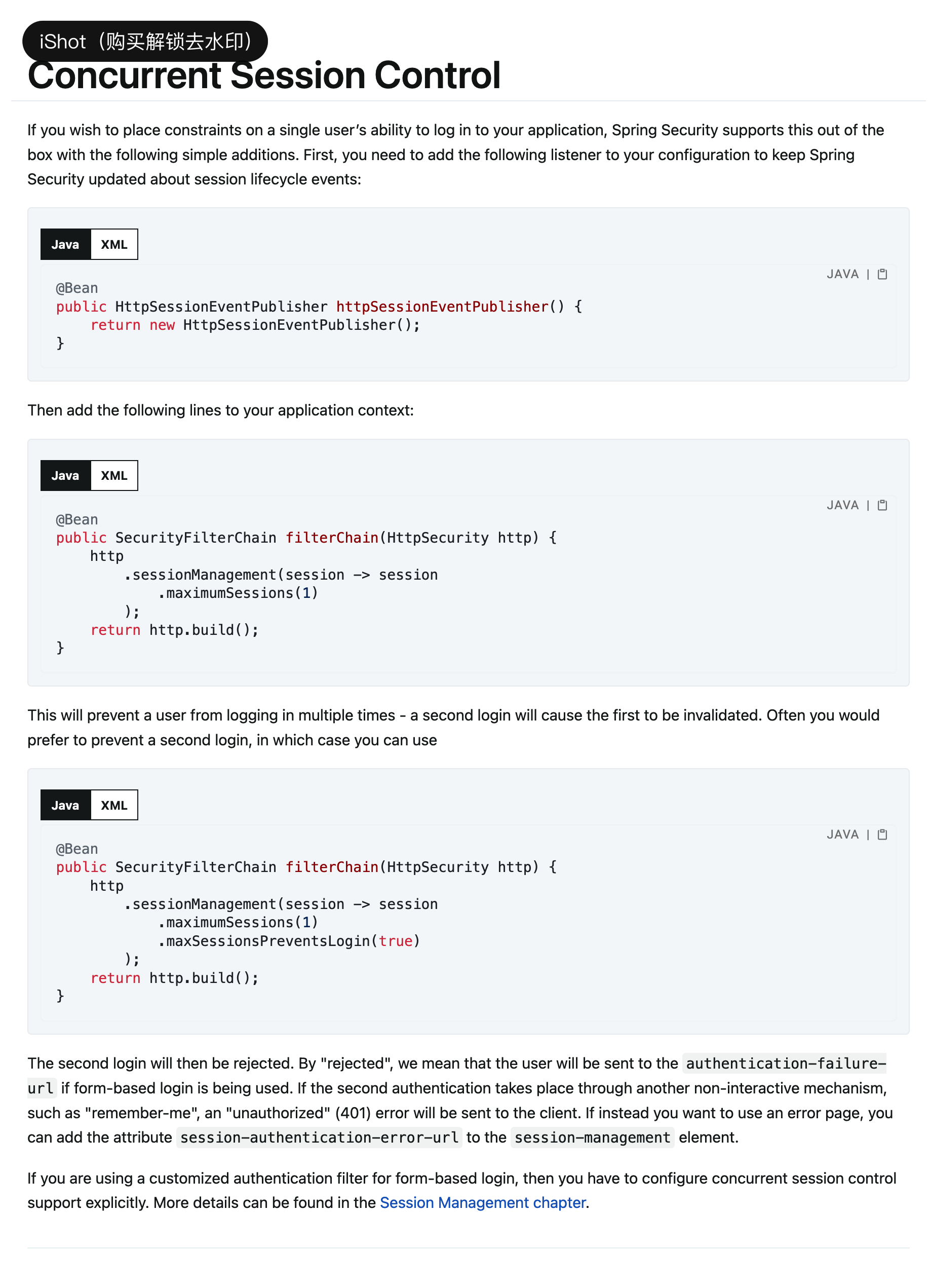
15.1、配置
package com.wanqi.config;import org.springframework.context.annotation.Bean;
import org.springframework.context.annotation.Configuration;
import org.springframework.security.config.annotation.web.builders.HttpSecurity;
import org.springframework.security.config.annotation.web.configuration.EnableWebSecurity;
import org.springframework.security.web.SecurityFilterChain;
import org.springframework.security.web.session.HttpSessionEventPublisher;/*** @Description TODO* @Version 1.0.0* @Date 2022/9/5* @Author wandaren*/
@Configuration
@EnableWebSecurity
public class SecurityConfig {@BeanSecurityFilterChain filterChain(HttpSecurity httpSecurity) throws Exception{httpSecurity.authorizeRequests().anyRequest().authenticated().and().formLogin().defaultSuccessUrl("/hello",true).and().csrf().disable().sessionManagement(session -> session//最多一个会话.maximumSessions(1)//true:超过会话上限不再容许登录
//                        .maxSessionsPreventsLogin(true)// 会话失效(用户被挤下线后)跳转地址// .expiredUrl("/login")//  前后端分离处理方式.expiredSessionStrategy(new SessionInformationExpiredStrategy() {@Overridepublic void onExpiredSessionDetected(SessionInformationExpiredEvent event) throws IOException, ServletException {event.getResponse().setHeader("content-type", "application/json;charset=UTF-8");event.getResponse().setStatus(HttpStatus.UNAUTHORIZED.value());event.getResponse().getWriter().write("会话超时!");}}));return httpSecurity.build();}@Beanpublic HttpSessionEventPublisher httpSessionEventPublisher() {return new HttpSessionEventPublisher();}
}
15.2、共享会话
15.2.1、引入依赖
<dependency><groupId>org.springframework.boot</groupId><artifactId>spring-boot-starter-data-redis</artifactId></dependency><dependency><groupId>org.springframework.session</groupId><artifactId>spring-session-data-redis</artifactId></dependency>
15.2.2、编写配置
- application.yml
spring:redis:host: 172.16.156.139port: 6379password: qifengdatabase: 0main:allow-circular-references: true
- RedisSessionConfig
package com.wanqi.config;import org.springframework.beans.factory.annotation.Value;
import org.springframework.context.annotation.Bean;
import org.springframework.context.annotation.Configuration;
import org.springframework.data.redis.connection.RedisStandaloneConfiguration;
import org.springframework.data.redis.connection.lettuce.LettuceConnectionFactory;
import org.springframework.security.web.session.HttpSessionEventPublisher;/*** @Description TODO* @Version 1.0.0* @Date 2022/9/5* @Author wandaren*/
@Configuration
@EnableRedisHttpSession
public class RedisSessionConfig {@Value("${spring.redis.host}")private String host;@Value("${spring.redis.port}")private int port;@Value("${spring.redis.password}")private String password;@Value("${spring.redis.database}")private int database;@BeanRedisStandaloneConfiguration redisStandaloneConfiguration() {RedisStandaloneConfiguration redisStandaloneConfiguration = new RedisStandaloneConfiguration();redisStandaloneConfiguration.setHostName(host);redisStandaloneConfiguration.setPort(port);redisStandaloneConfiguration.setPassword(password);redisStandaloneConfiguration.setDatabase(database);return redisStandaloneConfiguration;}@Beanpublic LettuceConnectionFactory redisConnectionFactory() {return new LettuceConnectionFactory(redisStandaloneConfiguration());}@Beanpublic HttpSessionEventPublisher httpSessionEventPublisher() {return new HttpSessionEventPublisher();}
}
- SecurityConfig
package com.wanqi.config;import org.springframework.beans.factory.annotation.Autowired;
import org.springframework.context.annotation.Bean;
import org.springframework.context.annotation.Configuration;
import org.springframework.http.HttpStatus;
import org.springframework.security.config.annotation.web.builders.HttpSecurity;
import org.springframework.security.config.annotation.web.configuration.EnableWebSecurity;
import org.springframework.security.core.userdetails.User;
import org.springframework.security.core.userdetails.UserDetails;
import org.springframework.security.core.userdetails.UserDetailsService;
import org.springframework.security.crypto.factory.PasswordEncoderFactories;
import org.springframework.security.crypto.password.PasswordEncoder;
import org.springframework.security.provisioning.InMemoryUserDetailsManager;
import org.springframework.security.web.SecurityFilterChain;
import org.springframework.security.web.session.HttpSessionEventPublisher;
import org.springframework.security.web.session.SessionInformationExpiredEvent;
import org.springframework.security.web.session.SessionInformationExpiredStrategy;
import org.springframework.session.FindByIndexNameSessionRepository;
import org.springframework.session.Session;
import org.springframework.session.data.redis.config.annotation.web.http.EnableRedisHttpSession;
import org.springframework.session.security.SpringSessionBackedSessionRegistry;import javax.servlet.ServletException;
import java.io.IOException;/*** @Description TODO* @Version 1.0.0* @Date 2022/9/5* @Author wandaren*/
@Configuration
@EnableWebSecurity
public class SecurityConfig<S extends Session> {@Autowiredprivate FindByIndexNameSessionRepository<S> sessionRepository;@Beanpublic PasswordEncoder bcryptPasswordEncoder() {return PasswordEncoderFactories.createDelegatingPasswordEncoder();}@Beanpublic UserDetailsService inMemoryUsers(PasswordEncoder encoder) {// The builder will ensure the passwords are encoded before saving in memoryUserDetails user = User.withUsername("user").password(encoder.encode("123")).roles("USER").build();UserDetails admin = User.withUsername("admin").password(encoder.encode("123")).roles("USER", "ADMIN").build();return new InMemoryUserDetailsManager(user, admin);}@BeanSecurityFilterChain filterChain(HttpSecurity httpSecurity) throws Exception{httpSecurity.authorizeRequests().anyRequest().authenticated().and().formLogin().defaultSuccessUrl("/hello",true).and().csrf().disable().sessionManagement(session -> session//最多一个会话.maximumSessions(1)//true超过会话上限不再容许登录.maxSessionsPreventsLogin(true)
//                        被踢下线后跳转地址
//                        .expiredUrl("/login").expiredSessionStrategy(new SessionInformationExpiredStrategy() {@Overridepublic void onExpiredSessionDetected(SessionInformationExpiredEvent event) throws IOException, ServletException {event.getResponse().setHeader("content-type", "application/json;charset=UTF-8");event.getResponse().setStatus(HttpStatus.UNAUTHORIZED.value());event.getResponse().getWriter().write("会话超时!");}}).sessionRegistry(sessionRegistry())).userDetailsService(inMemoryUsers(bcryptPasswordEncoder()));return httpSecurity.build();}@Beanpublic SpringSessionBackedSessionRegistry<S> sessionRegistry() {return new SpringSessionBackedSessionRegistry<>(this.sessionRepository);}}
16、CSRF防御
16.1、传统web开发
- 登录页面加上_csrf
<input type="hidden" name="_csrf" th:value="${_csrf.getToken()}">
- SecurityConfig配置修改
httpSecurity.csrf()
16.2、前后端分离开发
16.2.1、登陆页面不需要令牌
httpSecurity.csrf()//SpringSecurity处理登陆的默认方法不加令牌.ignoringAntMatchers("/doLogin")//将令牌保存到cookie,容许前端获取.csrfTokenRepository(CookieCsrfTokenRepository.withHttpOnlyFalse())
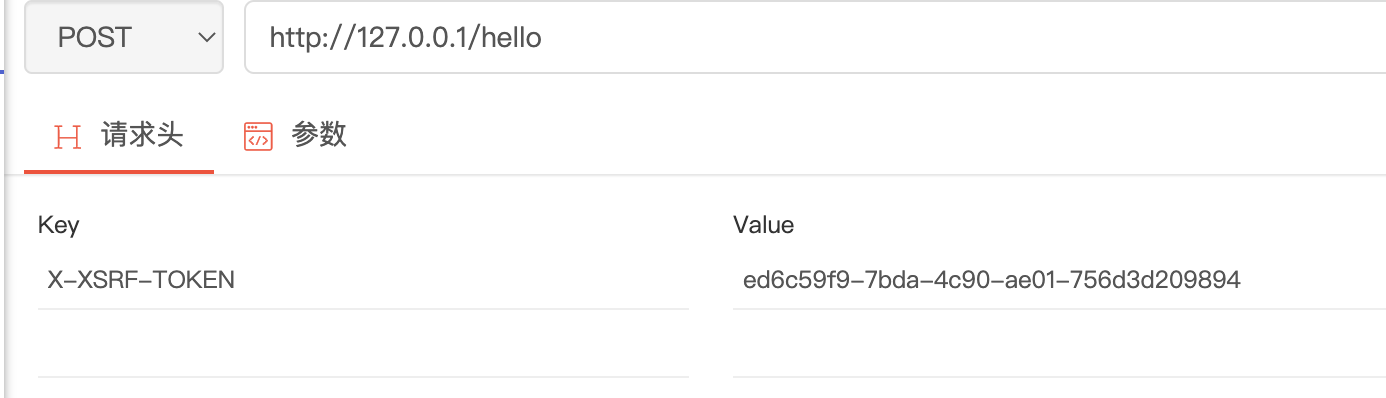
- 登陆后返回cookie中包含XSRF-TOKEN

- 后续请求在请求头增加X-XSRF-TOKEN,值为登陆cookie中的XSRF-TOKEN值
17、跨越处理
17.1、spring跨越处理
17.1.1、使用@CrossOrigin,可以作用到类上也可以作用到具体方法上
@RestController
public class HelloController {@RequestMapping("/hello")@CrossOriginpublic String hello(){return "hello";}
}
17.1.2、实现WebMvcConfigurer接口重写addCorsMappings方法
package com.wanqi.config;import org.springframework.context.annotation.Configuration;
import org.springframework.web.servlet.config.annotation.CorsRegistry;
import org.springframework.web.servlet.config.annotation.WebMvcConfigurer;/*** @Description TODO* @Version 1.0.0* @Date 2022/9/6* @Author wandaren*/
@Configuration
public class WebConfig implements WebMvcConfigurer {@Overridepublic void addCorsMappings(CorsRegistry registry) {//对哪些请求进行跨域处理registry.addMapping("/**").allowCredentials(false).allowedHeaders("*").allowedMethods("*").allowedOrigins("*").exposedHeaders("").maxAge(3600);}
}
17.1.3、使用CorsFilter
@BeanFilterRegistrationBean<CorsFilter> corsFilter() {FilterRegistrationBean<CorsFilter> registrationBean = new FilterRegistrationBean<>();CorsConfiguration corsConfiguration = new CorsConfiguration();corsConfiguration.setAllowedOrigins(Collections.singletonList("*"));corsConfiguration.setAllowedHeaders(Collections.singletonList("*"));corsConfiguration.setAllowedMethods(Collections.singletonList("*"));corsConfiguration.setMaxAge(3600L);UrlBasedCorsConfigurationSource source = new UrlBasedCorsConfigurationSource();source.registerCorsConfiguration("/**", corsConfiguration);registrationBean.setFilter(new CorsFilter(source));//指定Filter执行顺序registrationBean.setOrder(-1);return registrationBean;}
17.2、SpringSecurity跨域处理
17.2.1、 Security配置
@Bean
public CorsConfigurationSource configurationSource() {CorsConfiguration corsConfiguration = new CorsConfiguration();corsConfiguration.setAllowedOrigins(Collections.singletonList("*"));corsConfiguration.setAllowedHeaders(Collections.singletonList("*"));corsConfiguration.setAllowedMethods(Collections.singletonList("*"));corsConfiguration.setMaxAge(3600L);UrlBasedCorsConfigurationSource source = new UrlBasedCorsConfigurationSource();source.registerCorsConfiguration("/**", corsConfiguration);return source;
}httpSecurity.cors().configurationSource(configurationSource())
相关文章
SpringSecurity入门(一)
SpringSecurity入门(二)
SpringSecurity入门(四)
未完待续
相关文章:
SpringSecurity入门(三)
12、密码加密 12.1、不指定具体加密方式,通过DelegatingPasswordEncoder,根据前缀自动选择 PasswordEncoder passwordEncoder PasswordEncoderFactories.createDelegatingPasswordEncoder();12.2、指定具体加密方式 // Create an encoder with streng…...
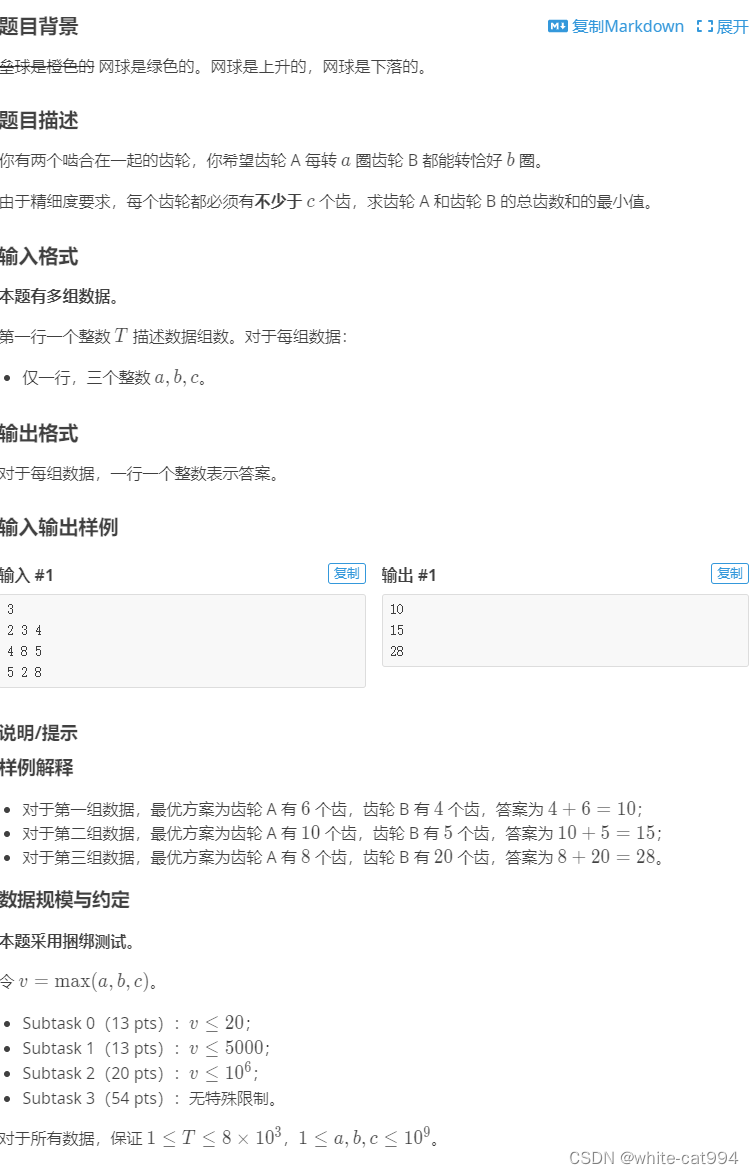
luogu-P10570 [JRKSJ R8] 网球
题目传送门: [JRKSJ R8] 网球 - 洛谷https://www.luogu.com.cn/problem/P10570 解题思路 数学问题,暴力这个范围会超时。 首先,找出这两个数的最大公因数,将这两个数分别除以最大公因数,则这两个数互质,判…...

ASP.NET的WebService跨域CORS问题解决方案
ASP.NET WebService 跨域(CORS, Cross-Origin Resource Sharing)问题通常发生在当您尝试从不同的源(域名、协议或端口)调用 WebService 时。浏览器由于安全原因,默认会阻止此类跨域请求。为了解决这个问题,您需要在 WebService 服务器端配置 CORS。 以下是在 ASP.NET We…...

大众点评全国爱车店铺POI采集177万家-2024年5月底
大众点评全国爱车店铺POI采集177万家-2024年5月底 店铺POI点位示例: 店铺id H69Y6l1Ixs2jLGg2 店铺名称 HEEJOO豪爵足道(伍家店) 十分制服务评分 7.7 十分制环境评分 7.7 十分制划算评分 7.7 人均价格 134 评价数量 2982 店铺地址 桔城路2号盛景商业广场1-3…...

【文献阅读】LORA: LOW-RANK ADAPTATION OF LARGE LANGUAGE MODELS
目录 1. motivation2. overall3. model3.1 low rank parametrized update matrices3.2 applying lora to transformer 4. limitation5. experiment6. 代码7. 补充参考文献 1. motivation 常规的adaptation需要的微调成本过大现有方法的不足: Adapter Layers Introd…...
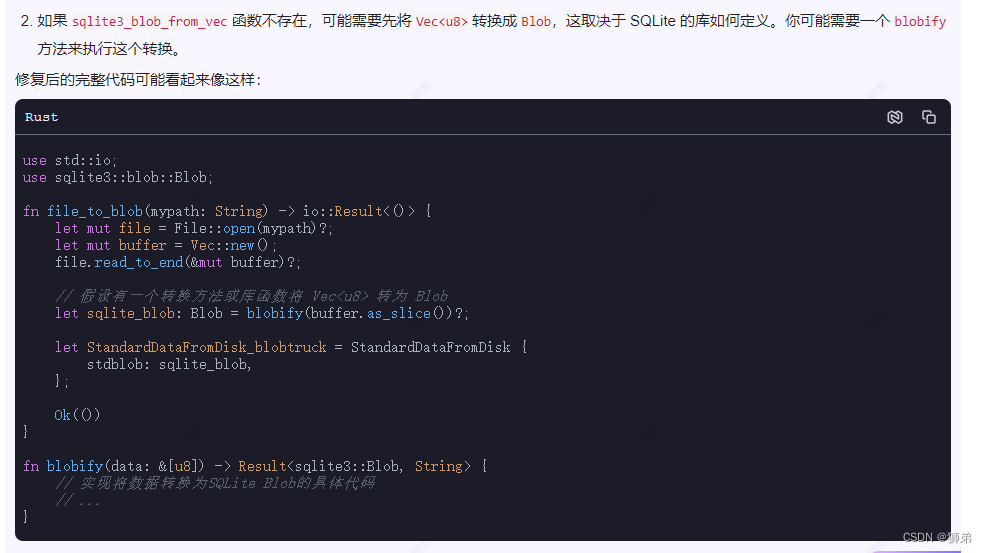
Rust学习06:使用CSDN的AI工具“C知道”分析代码错误
朋友们,我最近真的是在绝望的边缘了! Rust咋这么蓝涅! 资料咋这们少涅! 记得学Python的时候,基本上你遇到的所有问题都可以在书上或者网上找到答案,中文世界找不到那么在英文世界一定能找到答案。 我猜&…...
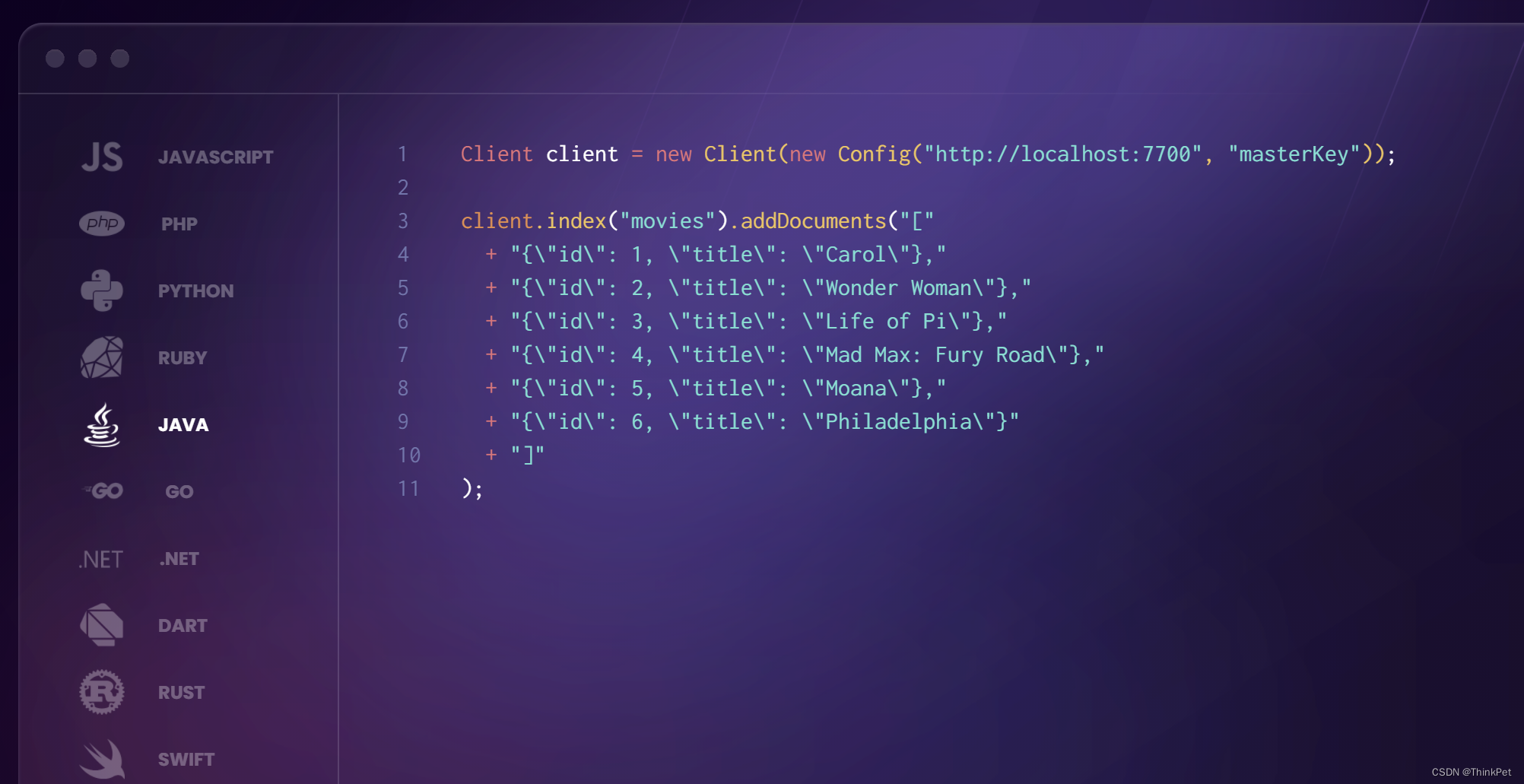
MeiliSearch-轻量级且美丽的搜索引擎
MeiliSearch-轻量级且美丽的搜索引擎 MeiliSearch 是一个功能强大、快速、开源、易于使用和部署的搜索引擎。它具有以下特点: 支持中文搜索:MeiliSearch 对中文有良好的支持,不需要额外的配置。高度可定制:搜索和索引都可以高度…...

python使用wkhtmltopdf将html字符串保存pdf,解决出现方框的问题
出现的问题: 解决办法: <html> <head><meta charset"UTF-8"/> </head> <style> * {font-family: Arial,SimSun !important; } </style> </html>在html字符串前面加上上面代码,意思是设…...
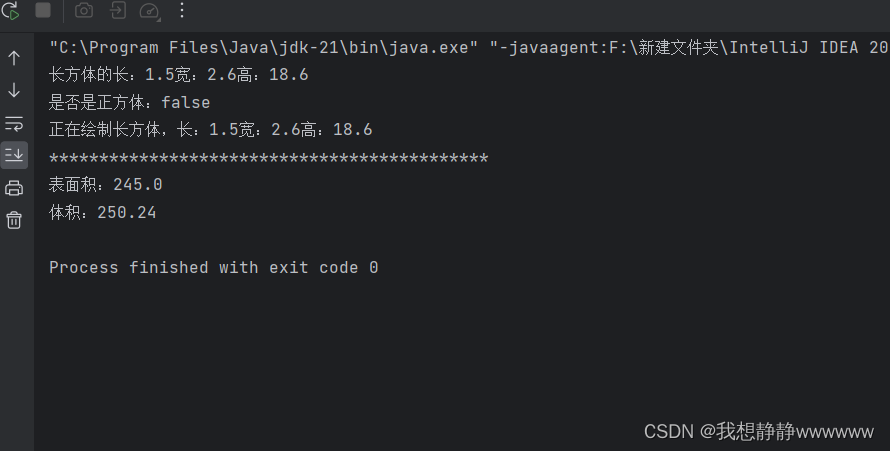
Java练习题
题目: 1. 定义长方体类Cuboid,要求如下:(1)私有成员变量包括长length、宽width和高height;(2)构造方法包括一个公共的空构造方法,一个能够初始化所有成员变量的构造方法…...
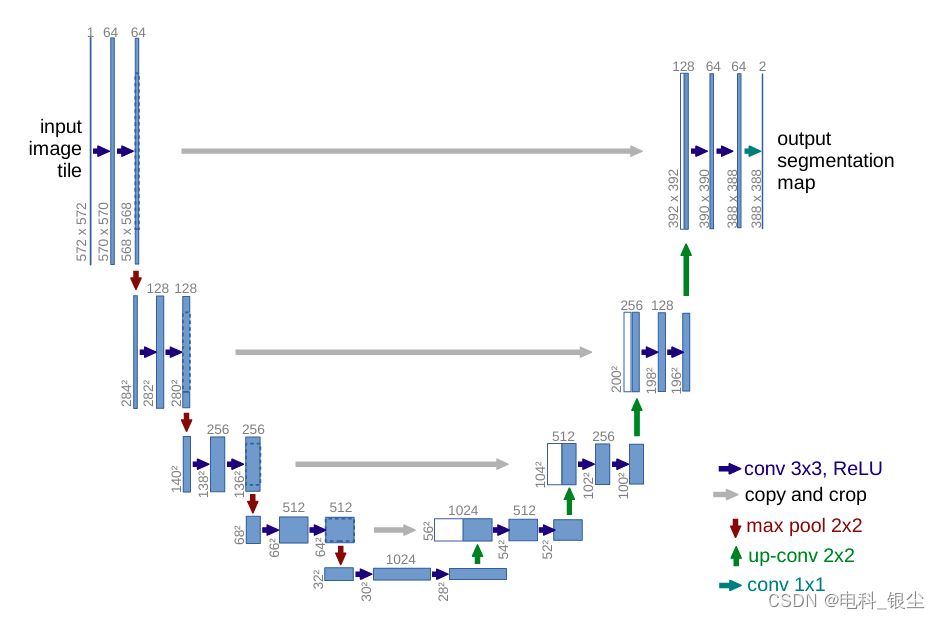
【Python/Pytorch - 网络模型】-- 手把手搭建U-Net模型
文章目录 文章目录 00 写在前面01 基于Pytorch版本的UNet代码02 论文下载 00 写在前面 通过U-Net代码学习,可以学习基于Pytorch的网络结构模块化编程,对于后续学习其他更复杂网络模型,有很大的帮助作用。 在01中,可以根据U-Net…...

Ansible-doc 命令
目录 常用参数 基本用法 查看指定模块的文档 列出所有可用模块 搜索模块 显示模块参数的简单列表 显示详细的说明和示例 详细示例 查看 file 模块的文档 简略查看 copy 模块的参数 ansible-doc 是 Ansible 中的一个非常有用的命令行工具,它可以帮助你查找…...
面试题:什么是线程的上下文切换?
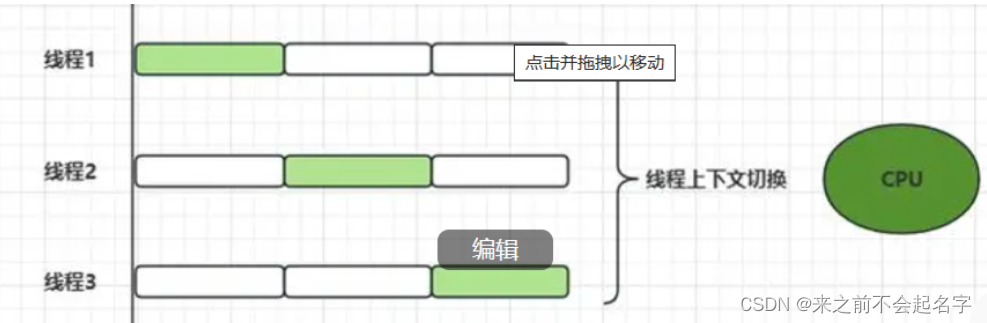
线程的上下文切换是指在操作系统中,CPU从执行一个线程的任务切换到执行另一个线程任务的过程。在现代操作系统中,为了实现多任务处理和充分利用CPU资源,会同时管理多个线程的执行。由于CPU在任意时刻只能执行一个线程,因此需要在这…...

【简单讲解Perl语言】
🎥博主:程序员不想YY啊 💫CSDN优质创作者,CSDN实力新星,CSDN博客专家 🤗点赞🎈收藏⭐再看💫养成习惯 ✨希望本文对您有所裨益,如有不足之处,欢迎在评论区提出…...

专硕初试科目一样,但各专业的复试线差距不小!江南大学计算机考研考情分析!
江南大学物联网工程学院,是由江南大学信息工程学院和江南大学通信与控制工程学院,于2009年合并组建成立“物联网工程学院”,也是全国第一个物联网工程学院。 江南大学数字媒体学院是以江南大学设计学院动画系和信息工程学院数字媒体技术系为…...

“华为Ascend 910B AI芯片挑战NVIDIA A100:效能比肩,市场角逐加剧“
华为自主研发的人工智能芯片——Ascend 910B,近期在世界半导体大会及南京国际半导体博览会上由华为ICT基础设施管理委员会执行董事、主任王涛发表声明称,该芯片在训练大规模语言模型时的效率高达80%,与NVIDIA的A100相比毫不逊色,且…...
针对多智能体协作框架的元编程——METAGPT
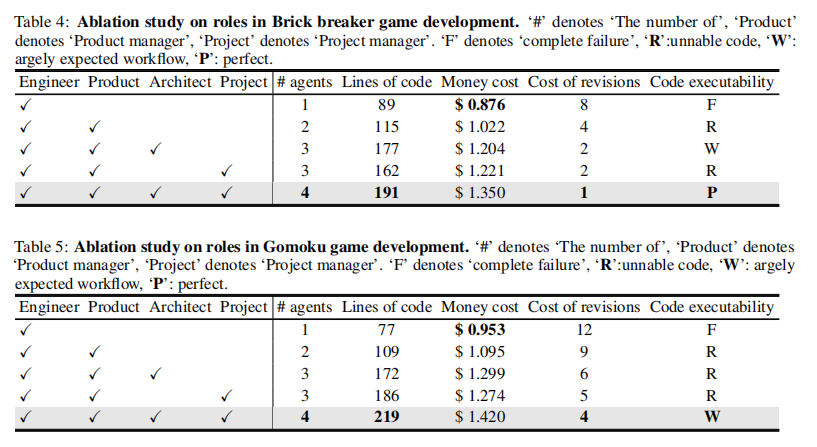
M ETA GPT: M ETA P ROGRAMMING FOR M ULTI -A GENT COLLABORATIVE F RAMEWORK 1.概述 现有的多智能体系统主要面临以下问题: 复杂性处理不足:传统的多智能体系统主要关注简单任务,对于复杂任务的处理能力有限,缺乏深入探索和…...

Django自定义CSS
创建一个CSS文件(例如admin_custom.css),并在其中添加针对你希望修改的字段的CSS规则。在你的Django项目的settings.py文件中,添加自定义CSS文件的路径到STATICFILES_DIRS。 # settings.py STATICFILES_DIRS [ os.path.join(BA…...
Rust基础学习-标准库
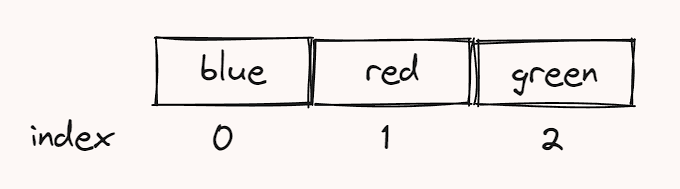
栈和堆是我们Rust代码在运行时可以使用的内存部分。Rust是一种内存安全的编程语言。为了确保Rust是内存安全的,它引入了所有权、引用和借用等概念。要理解这些概念,我们必须首先了解如何在栈和堆中分配和释放内存。 栈 栈可以被看作一堆书。当我们添加更…...

django连接达梦数据库
为了在Django中连接达梦数据库,你需要确保你有达梦的数据库驱动。Django默认支持的数据库有PostgreSQL, MySQL, SQLite, Oracle等,但不包括达梦数据库。不过,对于大多数数据库,Django的数据库API是通用的,你可以通过第…...

Python深度学习基于Tensorflow(17)基于Transformer的图像处理实例VIT和Swin-T
文章目录 VIT 模型搭建Swin-T 模型搭建参考 这里使用 VIT 和 Swin-T 在数据集 cifar10 上进行训练 VIT 模型搭建 导入需要的外部库 import numpy as np import tensorflow as tf import matplotlib.pyplot as plt import matplotlib.gridspec as gridspec这里我们接着使用 ci…...

忍者像素绘卷惊艳效果:宇智波佐助千鸟刃×16-Bit闪电特效像素动效展示
忍者像素绘卷惊艳效果:宇智波佐助千鸟刃16-Bit闪电特效像素动效展示 1. 作品概览 忍者像素绘卷是基于Z-Image-Turbo深度优化的图像生成工作站,它将传统忍者文化与16-Bit复古游戏美学完美融合。这款工具特别适合创作具有强烈视觉冲击力的像素风格动漫角…...

预制指标、宽表、SQL、本体ABC:真正决定长期成本的,是一次变更会波及多少层
企业做智能问数,最常见的比较题是:预制指标、宽表、人工 SQL、本体ABC,到底哪条路线维护成本更低?如果只给一个笼统答案,往往容易失真。因为真正决定长期成本的,不是“今天开发快不快”,也不是“…...

3步解锁Windows运行安卓应用:APK-Installer轻量解决方案
3步解锁Windows运行安卓应用:APK-Installer轻量解决方案 【免费下载链接】APK-Installer An Android Application Installer for Windows 项目地址: https://gitcode.com/GitHub_Trending/ap/APK-Installer 在数字化办公与娱乐融合的今天,安卓应用…...

Phi-3-mini-4k-instruct-gguf一文详解:从网页问答到摘要改写的全流程应用
Phi-3-mini-4k-instruct-gguf一文详解:从网页问答到摘要改写的全流程应用 1. 认识Phi-3-mini-4k-instruct-gguf Phi-3-mini-4k-instruct-gguf是微软Phi-3系列中的轻量级文本生成模型GGUF版本。这个模型特别适合处理问答、文本改写、摘要整理和简短创作等任务。想象…...

Ubuntu 20.04上为Franka Panda安装libfranka 0.8.0:我如何绕开实时内核的版本陷阱
Ubuntu 20.04下Franka Panda的libfranka 0.8.0安装实战:实时内核版本选择的深度解析 当我在实验室第一次启动Franka Panda机械臂时,完全没预料到会在看似简单的环境配置环节耗费整整三天时间。作为一款广泛应用于科研和工业场景的协作机器人,…...

企业级低代码平台JeecgBoot快速搭建指南:从环境配置到实战应用
企业级低代码平台JeecgBoot快速搭建指南:从环境配置到实战应用 【免费下载链接】jeecg-boot 一款 AI 驱动的低代码平台,提供"零代码"与"代码生成"双模式——零代码模式一句话搭建系统,代码生成模式自动输出前后端代码与建…...

在模具设计领域,结构受压变形分析就像给钢铁骨架做“压力测试“。COMSOL的稳态研究模块能快速完成这类强度验证,但实际操作中有几个魔鬼细节需要特别注意
用comsol软件进行结构的受压变形分析,计算结构受压时应力分布及应变情况,预测模具的强度是否符合要求。 模型采用装配体,可以使用稳态研究,加快计算速度,在各零件接触的面设置接触对,对顶针施加位移&#x…...

Linux系统CPU负载与使用率详解及性能监控
1. CPU负载与CPU使用率的本质区别在Linux系统监控和性能调优过程中,CPU负载和CPU使用率这两个指标经常被混淆使用。作为系统管理员,我曾多次遇到团队成员将这两个概念混为一谈的情况,这往往导致对系统性能问题的误判。让我们先从一个实际案例…...

从BUUCTF的Hack World靶场,聊聊那些年我们踩过的SQL注入“异或”盲注坑
从BUUCTF的Hack World靶场,聊聊那些年我们踩过的SQL注入"异或"盲注坑 在CTF竞赛的Web安全赛道上,SQL注入始终是经久不衰的考点。当新手们刚掌握联合查询和报错注入时,往往会在一道名为Hack World的题目前栽跟头——这道来自CISCN2…...

NHSE完全指南:3步掌握动物森友会存档编辑器的核心功能
NHSE完全指南:3步掌握动物森友会存档编辑器的核心功能 【免费下载链接】NHSE Animal Crossing: New Horizons save editor 项目地址: https://gitcode.com/gh_mirrors/nh/NHSE NHSE(Animal Crossing: New Horizons Save Editor)是一款…...