
简单游戏制作——飞行棋
控制台初始化
int w = 50;
int h = 50;
ConsoleInit(w, h);
static void ConsoleInit(int w, int h)
{//基础设置//光标的隐藏Console.CursorVisible = false;//舞台的大小Console.SetWindowSize(w, h);Console.SetBufferSize(w, h);
}
场景选择相关
#region 场景选择相关
//声明一个表示场景标识的变量
E_SceneType nowSceneType = E_SceneType.Begin;
while (true)
{switch (nowSceneType){case E_SceneType.Begin://开始场景逻辑Console.Clear();break;case E_SceneType.Game://游戏场景逻辑Console.Clear();break;case E_SceneType.End://结束场景逻辑Console.Clear();break;default:break;}
}
#endregion
/// <summary>
/// 游戏场景枚举类型
/// </summary>
enum E_SceneType
{/// <summary>/// 开始场景/// </summary>Begin,/// <summary>/// 游戏场景/// </summary>Game,/// <summary>/// 结束场景/// </summary>End
}开始场景逻辑实现
static void GameScene(int w, int h, ref E_SceneType nowSceneType)
{Console.SetCursorPosition(w / 2 - 3, 8);Console.Write("飞行棋");//当前选项的编号int nowSelIndex = 0;bool isQuitBengin = false;//开始场景逻辑处理函数while (true){Console.SetCursorPosition(w / 2 - 4, 13);Console.ForegroundColor = nowSelIndex == 0 ? ConsoleColor.Red : ConsoleColor.White;Console.Write("开始游戏");Console.SetCursorPosition(w / 2 - 4, 15);Console.ForegroundColor = nowSelIndex == 1 ? ConsoleColor.Red : ConsoleColor.White;Console.Write("退出游戏");//通过ReadKey可以得到一个输入的枚举类型switch (Console.ReadKey(true).Key){case ConsoleKey.W:--nowSelIndex;if (nowSelIndex < 0){nowSelIndex = 0;}break;case ConsoleKey.S:++nowSelIndex;if (nowSelIndex > 1){nowSelIndex = 1;}break;case ConsoleKey.J:if (nowSelIndex == 0){//进入游戏场景//1.改变当前场景的IDnowSceneType = E_SceneType.Game;//退出当前循环isQuitBengin = true;}else{//退出游戏Environment.Exit(0);}break;}//通过标识决定是否跳出开始场景的循环if (isQuitBengin){break;}}
}
游戏场景逻辑实现
不变的红墙
static void DrawWall(int w, int h)
{Console.ForegroundColor = ConsoleColor.Red;//画墙//横着的墙for (int i = 0; i < w; i += 2){//最上方的墙Console.SetCursorPosition(i, 0);Console.Write("■");//最下面的墙Console.SetCursorPosition(i, h - 1);Console.Write('■');//中间的墙Console.SetCursorPosition(i, h - 6);Console.Write('■');Console.SetCursorPosition(i, h - 11);Console.Write('■');}//竖着的墙for (int i = 0; i < h; i++){//最左边Console.SetCursorPosition(0, i);Console.Write('■');Console.SetCursorPosition(w - 2, i);Console.Write('■');}//文字信息Console.ForegroundColor = ConsoleColor.White;Console.SetCursorPosition(2, h - 10);Console.Write("□:普通格子");Console.ForegroundColor = ConsoleColor.Blue;Console.SetCursorPosition(2, h - 9);Console.Write("‖:暂停,一回合不动");Console.ForegroundColor = ConsoleColor.Red;Console.SetCursorPosition(26, h - 9);Console.Write("●:炸弹,倒退5格");Console.ForegroundColor = ConsoleColor.Yellow;Console.SetCursorPosition(2, h - 8);Console.Write("¤:时空隧道,随机倒退,暂停,换位置");Console.ForegroundColor = ConsoleColor.Cyan;Console.SetCursorPosition(2, h - 7);Console.Write("★:玩家");Console.ForegroundColor = ConsoleColor.Magenta;Console.SetCursorPosition(12, h - 7);Console.Write("▲:电脑");Console.ForegroundColor = ConsoleColor.DarkGreen;Console.SetCursorPosition(22, h - 7);Console.Write("◎:玩家和电脑重合");Console.ForegroundColor = ConsoleColor.White;Console.SetCursorPosition(2, h - 5);Console.Write("按任意键开始扔色子");
}
格子结构体和格子枚举
/// <summary>
/// 格子类型枚举
/// </summary>
enum E_Grid_type
{/// <summary>/// 普通格子/// </summary>Normal,/// <summary>/// 炸弹/// </summary>Boom,/// <summary>/// 暂停/// </summary>Pause,/// <summary>/// 时空隧道,随机倒退,暂停,换位置/// </summary>Tunnel,
}struct Vector2
{public int x;public int y;public Vector2(int x, int y){this.x = x;this.y = y;}
}struct Grid
{//格子的类型E_Grid_type type;//格子的位置public Vector2 pos;//初始化构造函数public Grid(int x, int y, E_Grid_type type){pos.x = x;pos.y = y;this.type = type;}public void Draw(){//提出来的目的,就是少写几行代码,因为它们不管哪种类型,都要设置了位置再画Console.SetCursorPosition(pos.x, pos.y);switch (type){//普通格子怎么画case E_Grid_type.Normal:Console.ForegroundColor = ConsoleColor.White;Console.Write("□");break;//炸弹怎么画case E_Grid_type.Boom:Console.ForegroundColor = ConsoleColor.Red;Console.Write("●");break;//暂停怎么画case E_Grid_type.Pause:Console.ForegroundColor = ConsoleColor.Blue;Console.Write("‖");break;//时空隧道怎么画case E_Grid_type.Tunnel:Console.ForegroundColor = ConsoleColor.Yellow;Console.Write("¤");break;}}
}
地图结构体
struct Map
{public Grid[] grids;//初始化中初始了各个格子类型和位置public Map(int x, int y, int num){grids = new Grid[num];//用于位置变化计数的变量//表示X变化的次数int indexX = 0;//表示Y变化的次数int indexY = 0;//x的步长int stepNum = 2;Random r = new Random();int randomNum;for (int i = 0; i < num; i++){//应该初始化格子类型randomNum = r.Next(0, 101);//设置类型,普通格子//有85%几率是普通格子(首尾两个格子,必为普通格子)if (randomNum < 85 || i == 0 || i == num - 1){grids[i].type = E_Grid_type.Normal;}//有5%的几率是炸弹else if (randomNum >= 85 && randomNum < 90){grids[i].type = E_Grid_type.Boom;}//有5%的几率是暂停else if (randomNum >= 90 && randomNum < 95){grids[i].type = E_Grid_type.Pause;}//有5%的几率是时空隧道else{grids[i].type = E_Grid_type.Tunnel;}//位置应该如何设置grids[i].pos = new Vector2(x, y);//每次循环都应该按一定规则去变化位置//加十次if (indexX == 10){y += 1;//加一次Y记一次数++indexY;if (indexY == 2){//y加了2次过后,把x加的次数记0indexX = 0;indexY = 0;//反向步长stepNum = -stepNum;}}else{x += stepNum;//加一次x记一次数++indexX;}}}public void Draw(){for (int i = 0; i < grids.Length; i++){grids[i].Draw();}}
}
玩家枚举和玩家结构体
/// <summary>
/// 玩家枚举类型
/// </summary>
enum E_PlayType
{/// <summary>/// 玩家/// </summary>Player,/// <summary>/// 电脑/// </summary>Computer,
}struct Player
{//玩家类型public E_PlayType type;//当前所在地图哪一个索引的格子public int nowIndex;public Player(int index, E_PlayType type){nowIndex = index;this.type = type;}public void Draw(Map mapInfo){//必需要先得到地图才能够得到玩家在地图上的哪一个格子//从传入的地图中得到格子信息Grid grid = mapInfo.grids[nowIndex];//设置位置Console.SetCursorPosition(grid.pos.x, grid.pos.y);//画,设置颜色,设置图标switch (type){case E_PlayType.Player:Console.ForegroundColor = ConsoleColor.Cyan;Console.Write("★");break;case E_PlayType.Computer:Console.ForegroundColor = ConsoleColor.Magenta;Console.Write("▲");break;default:break;}}
}
static void DrawPlayer(Player player, Player computer, Map map)
{//重合时if (player.nowIndex == computer.nowIndex){//得到重合的位置Grid grid = map.grids[player.nowIndex];Console.SetCursorPosition(grid.pos.x, grid.pos.y);Console.ForegroundColor = ConsoleColor.DarkGreen;Console.Write("◎");}//不重合的时候else{player.Draw(map);computer.Draw(map);}
}扔色子逻辑
//擦除提示的函数
static void ClearInfo(int h)
{Console.SetCursorPosition(2, h - 5);Console.Write("                                      ");Console.SetCursorPosition(2, h - 4);Console.Write("                                      ");Console.SetCursorPosition(2, h - 3);Console.Write("                                      ");Console.SetCursorPosition(2, h - 2);Console.Write("                                      ");
}///<summary>
///扔色子函数
///</summary>
///<param name="w">窗口的宽</param>
///<param name="h">窗口的高</param>
///<param name="p">扔色子的对象</param>
///<param name="map">地图信息</param>
///<returns>默认返回false,代表没有结束</returns>
static bool RandomMove(int w, int h, ref Player p, ref Player otherp, Map map)
{//擦除之前显示的信息ClearInfo(h);//根据扔色子的玩家类型,决定信息的颜色Console.ForegroundColor = p.type == E_PlayType.Player ? ConsoleColor.Cyan : ConsoleColor.Magenta;//扔色子之前判断玩家是否处于暂停状态if (p.isPause){Console.SetCursorPosition(2, h - 5);Console.Write("处于暂停点,{0}需要暂停一回合", p.type == E_PlayType.Player ? "你" : "电脑");Console.SetCursorPosition(2, h - 4);Console.Write("请按任意键,让{0}开始扔色子", p.type == E_PlayType.Player ? "电脑" : "你");//停止暂停p.isPause = false;return false;}//扔色子的目的是改变玩家或者电脑的位置,计算位置的变化//默认没有结束//扔色子,随机一个1到6的数加上去Random r = new Random();int randomNum = r.Next(1, 7);p.nowIndex += randomNum;//打印扔的点数Console.SetCursorPosition(2, h - 5);Console.Write("{0}扔出的点数为:{1}", p.type == E_PlayType.Player ? "你" : "电脑", randomNum);//首先判断是否到终点了if (p.nowIndex >= map.grids.Length - 1){p.nowIndex = map.grids.Length - 1;Console.SetCursorPosition(2, h - 4);if (p.type == E_PlayType.Player){Console.Write("恭喜你,你率先到达了终点");}else{Console.Write("很遗憾,电脑率先到达了终点");}Console.SetCursorPosition(2, h - 3);Console.Write("请按任意键结束游戏");return true;}else{//没有到达终点就判断当前对象倒了一个什么样的格子Grid grid = map.grids[p.nowIndex];switch (grid.type){case E_Grid_type.Normal://普通格子不用处理Console.SetCursorPosition(2, h - 4);Console.Write("{0}到了一个安全的位置", p.type == E_PlayType.Player ?"你" : "电脑");Console.SetCursorPosition(2, h - 3);Console.Write("请按任意键,让{0}开始扔色子", p.type == E_PlayType.Player ? "你" : "电脑");break;case E_Grid_type.Boom://炸弹退格p.nowIndex -= 5;//不能比起点还小if (p.nowIndex < 0){p.nowIndex = 0;}Console.SetCursorPosition(2, h - 4);Console.Write("{0}踩到了炸弹,后退5格", p.type == E_PlayType.Player ?"你" : "电脑");Console.SetCursorPosition(2, h - 3);Console.Write("请按任意键,让{0}开始扔色子", p.type == E_PlayType.Player ? "你" : "电脑");break;case E_Grid_type.Pause://暂停一回合//暂停目的,只有加一个对象的暂停标识,才能知道下一回合它是不是不能扔色子p.isPause = true;Console.SetCursorPosition(2, h - 4);Console.Write("{0}踩到了炸弹,退后5格", p.type == E_PlayType.Player ?"你" : "电脑");Console.SetCursorPosition(2, h - 3);Console.Write("请按任意键,让{0}开始扔色子", p.type == E_PlayType.Player ? "你" : "电脑");break;case E_Grid_type.Tunnel:Console.SetCursorPosition(2, h - 4);Console.Write("{0}踩到了时空隧道", p.type == E_PlayType.Player ?"你" : "电脑");Console.SetCursorPosition(2, h - 3);Console.Write("请按任意键,让{0}开始扔色子", p.type == E_PlayType.Player ? "你" : "电脑");//随机randomNum = r.Next(1, 91);//触发倒退if (randomNum <= 30){p.nowIndex -= 5;if (p.nowIndex < 0){p.nowIndex = 0;}Console.SetCursorPosition(2, h - 3);Console.Write("触发倒退5格");}//触发暂停else if (randomNum <= 60){p.isPause = true;Console.SetCursorPosition(2, h - 3);Console.Write("触发暂停一回合");}//触发交换位置else{int temp = p.nowIndex;p.nowIndex = otherp.nowIndex;otherp.nowIndex = temp;Console.SetCursorPosition(2, h - 3);Console.Write("惊喜,惊喜,双方交换位置");}break;default:break;}}//默认没有结束return false;}
结束场景逻辑实现
static void BeginOrEndScene(int w, int h, ref E_SceneType nowSceneType)
{Console.ForegroundColor = ConsoleColor.White;Console.SetCursorPosition(nowSceneType == E_SceneType.Begin ? w / 2 - 3 : w / 2 - 4, 8);Console.Write(nowSceneType == E_SceneType.Begin ? "飞行棋" : "游戏结束");//当前选项的编号int nowSelIndex = 0;bool isQuitBengin = false;//开始场景逻辑处理函数while (true){Console.SetCursorPosition(nowSceneType == E_SceneType.Begin ? w / 2 - 4 : w / 2 - 5, 13);Console.ForegroundColor = nowSelIndex == 0 ? ConsoleColor.Red : ConsoleColor.White;Console.Write(nowSceneType == E_SceneType.Begin ? "开始游戏" : "回到主菜单");Console.SetCursorPosition(w / 2 - 4, 15);Console.ForegroundColor = nowSelIndex == 1 ? ConsoleColor.Red : ConsoleColor.White;Console.Write("退出游戏");//通过ReadKey可以得到一个输入的枚举类型switch (Console.ReadKey(true).Key){case ConsoleKey.W:--nowSelIndex;if (nowSelIndex < 0){nowSelIndex = 0;}break;case ConsoleKey.S:++nowSelIndex;if (nowSelIndex > 1){nowSelIndex = 1;}break;case ConsoleKey.J:if (nowSelIndex == 0){//进入游戏场景//1.改变当前场景的IDnowSceneType = nowSceneType == E_SceneType.Begin ? E_SceneType.Game : E_SceneType.Begin;//退出当前循环isQuitBengin = true;}else{//退出游戏Environment.Exit(0);}break;}//通过标识决定是否跳出开始场景的循环if (isQuitBengin){break;}}
}
相关文章:

简单游戏制作——飞行棋
控制台初始化 int w 50; int h 50; ConsoleInit(w, h); static void ConsoleInit(int w, int h) {//基础设置//光标的隐藏Console.CursorVisible false;//舞台的大小Console.SetWindowSize(w, h);Console.SetBufferSize(w, h); } 场景选择相关 #region 场景选择相关 //声…...

等保一体机
等保一体机是面向等保场景推出的合规型安全防护产品。基于“一个中心,三重防护”的设计理念,通过内置全面、多样的安全能力,为政府、医疗、教育、企业等中小型客户提供快速合规、按需赋能的一站式等保合规解决方案。 等保一体机要求管理网络和…...
什么是寄存器文件(Register File)?
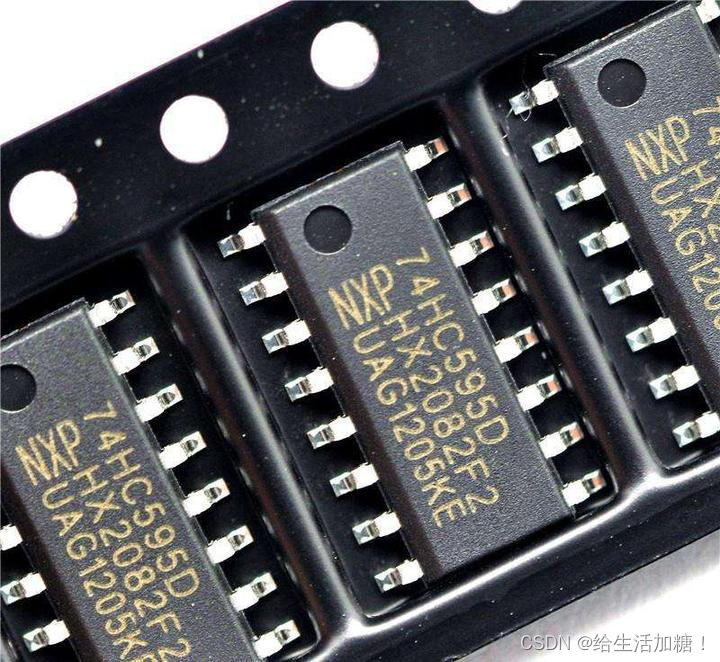
寄存器文件(Register File)是计算机系统中用于存储处理器操作数的小型、快速的存储单元集。它在 CPU 内部,提供极高的访问速度,通常用于存储临时数据、操作数和指令执行过程中的中间结果。 寄存器文件的组成和特点 寄存器集&…...
6月15号作业
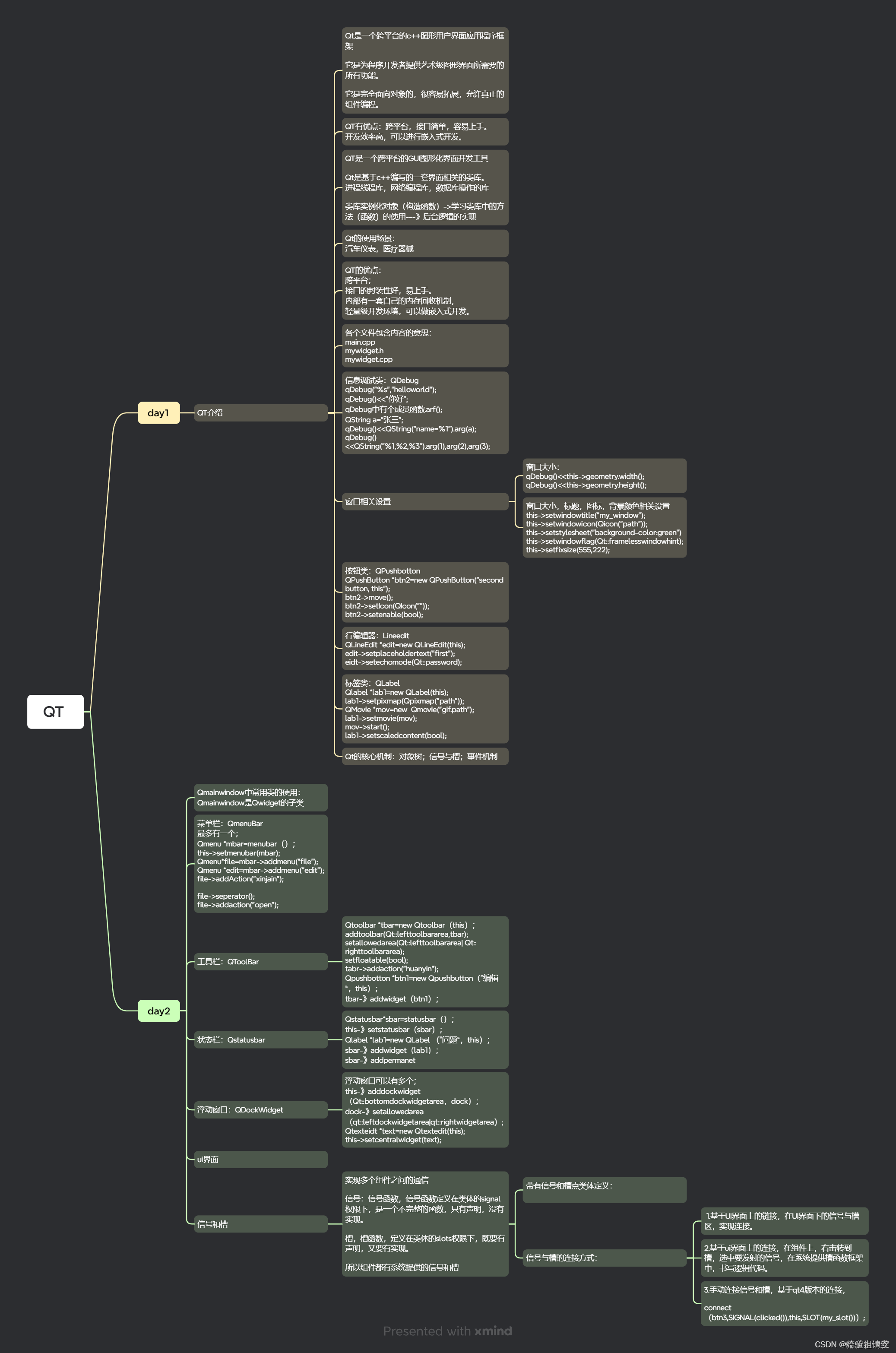
使用手动连接,将登录框中的取消按钮使用第二中连接方式,右击转到槽,在该槽函数中,调用关闭函数 将登录按钮使用qt4版本的连接到自定义的槽函数中,在槽函数中判断ui界面上输入的账号是否为"admin"࿰…...
零基础入门学用Arduino 第三部分(三)
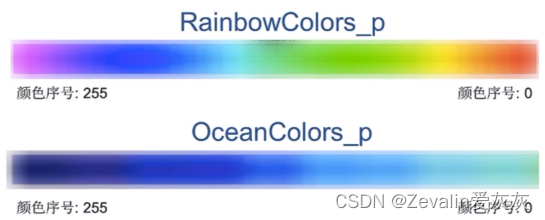
重要的内容写在前面: 该系列是以up主太极创客的零基础入门学用Arduino教程为基础制作的学习笔记。个人把这个教程学完之后,整体感觉是很好的,如果有条件的可以先学习一些相关课程,学起来会更加轻松,相关课程有数字电路…...

Trusty qemu + android环境搭建详细步骤
下载源码 mkdir trusty cd trusty repo init -u https://android.googlesource.com/trusty/manifest -b master repo sync -j32 编译 ./trusty/vendor/google/aosp/scripts/build.py generic-arm64 查看编译结果 ls build-root/build-generic-arm64/lk.bin 安装运行依赖 …...

杀戮尖塔游戏
Java 你正在玩策略卡牌杀戮尖塔游戏,轮到你出牌,手里N张攻击卡,每张都需要花金币coust[i]和获得伤害dmager[i]。 最多花3金币能造成的最大伤害是多少? class Solution{public int calc(int[] cost, int[] dmager, N){int[][] db …...
 和 Spring Cloud 的区别)
Kubernetes (K8s) 和 Spring Cloud 的区别
Kubernetes (K8s) 和 Spring Cloud 是两种常用的云原生技术,它们在微服务架构和云计算领域中扮演着重要的角色。尽管两者都有助于开发和部署微服务,但它们的功能和目标存在显著差异。本文将详细讨论 Kubernetes 和 Spring Cloud 的区别,从它们…...
定个小目标之刷LeetCode热题(21)
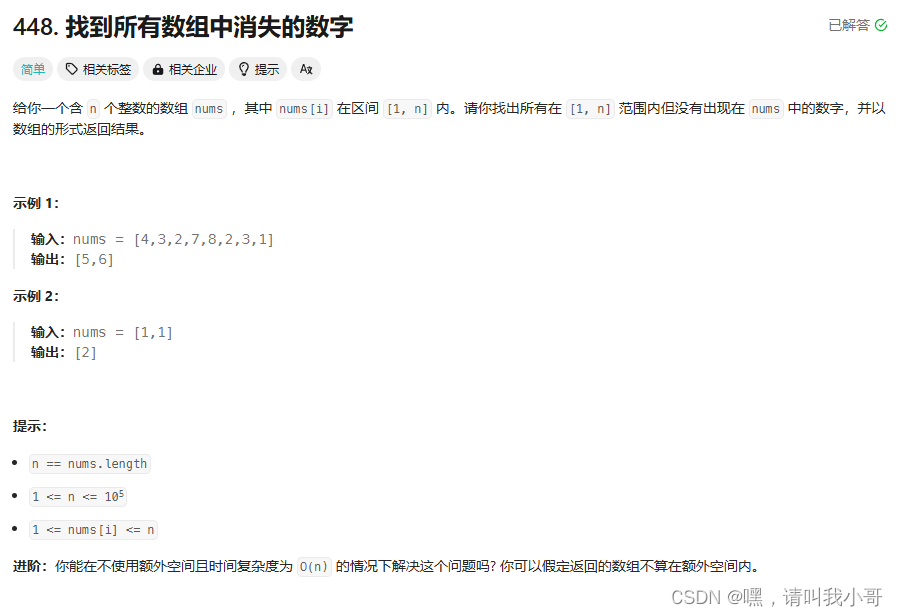
这是道技巧题,利用了 (num - 1)% n 计算下标的形式来将数组元素与数组索引产生映射关系,代码如下,可以看下注释 class Solution {public List<Integer> findDisappearedNumbers(int[] nums) {int n nums.lengt…...
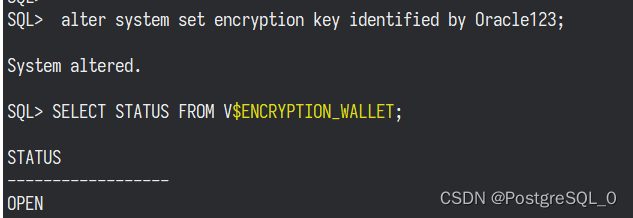
Oracle 打开钱包 ORA-28368: cannot auto-create wallet
ORA-28368: cannot auto-create wallet 开启钱包抱错,看下钱包信息 SQL> select * from v$encryption_wallet;WRL_TYPE -------------------- WRL_PARAMETER -------------------------------------------------------------------------------- STATUS ------…...
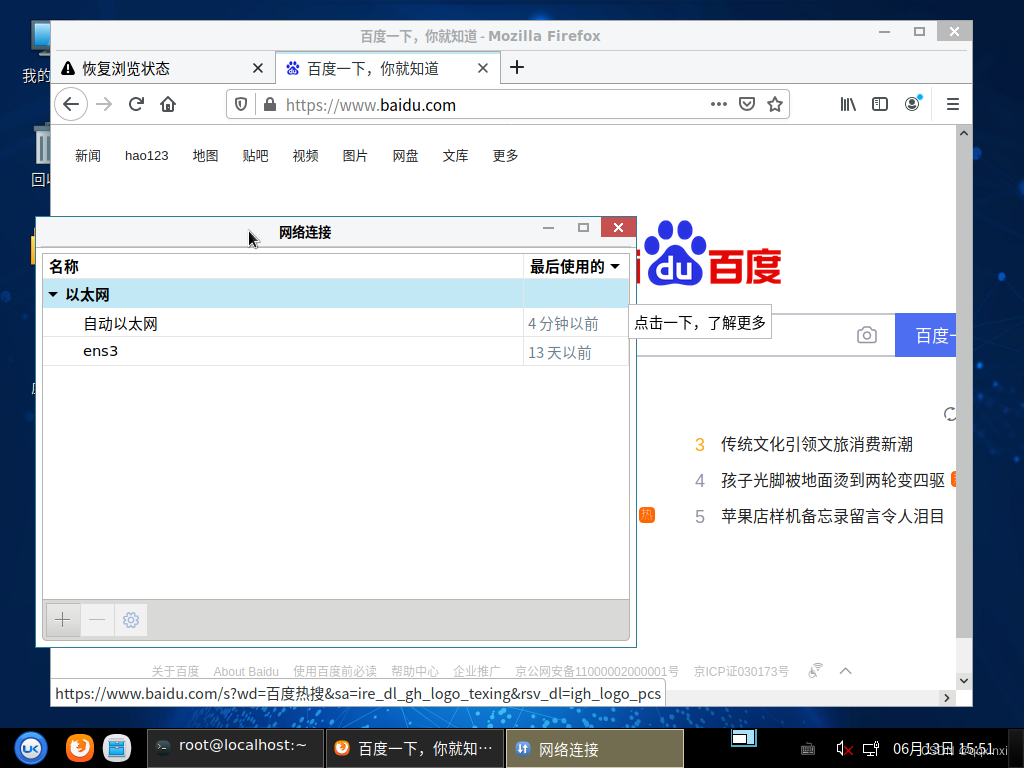
【麒麟虚拟机】NetworkManager没有运行
麒麟V10 建linux麒麟虚拟机,发现,网络没有配置 提示,NetworkManager没有运行。编辑联接也不能配置 解决方法,在终端输入命令: sudo systemctl start NetworkManager 启动以后,编辑连接选自动以太网&…...
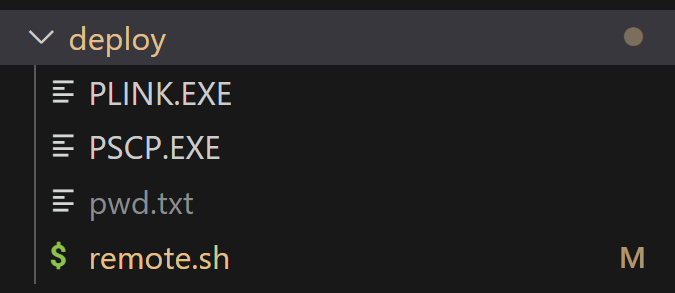
vue之一键部署的shell脚本和它的点.bat文件、海螺AI、ChatGPT
MENU 前言vite.config.ts的配置deploy文件夹的其他内容remote.shpwd.txtdeploy.bat 前言 1、在src同级新建deploy.bat文件; 2、在src同级新建deploy文件夹,文件夹中新建pwd.txt和remote.sh文件; 3、配置好后,直接双击deploy.bat文…...

pg和oracle的区别
1、从功能上来说pg要比oracle数据库弱。 2、pg不支持索引组织表。 pg和oracle的相似之处: 1、使用共享内存的进程结构,客户端与数据库服务器建立一个连接后,数据库服务器就启动一个进程为这个连接服务。这与mysql的线程模型不一样。 2、p…...
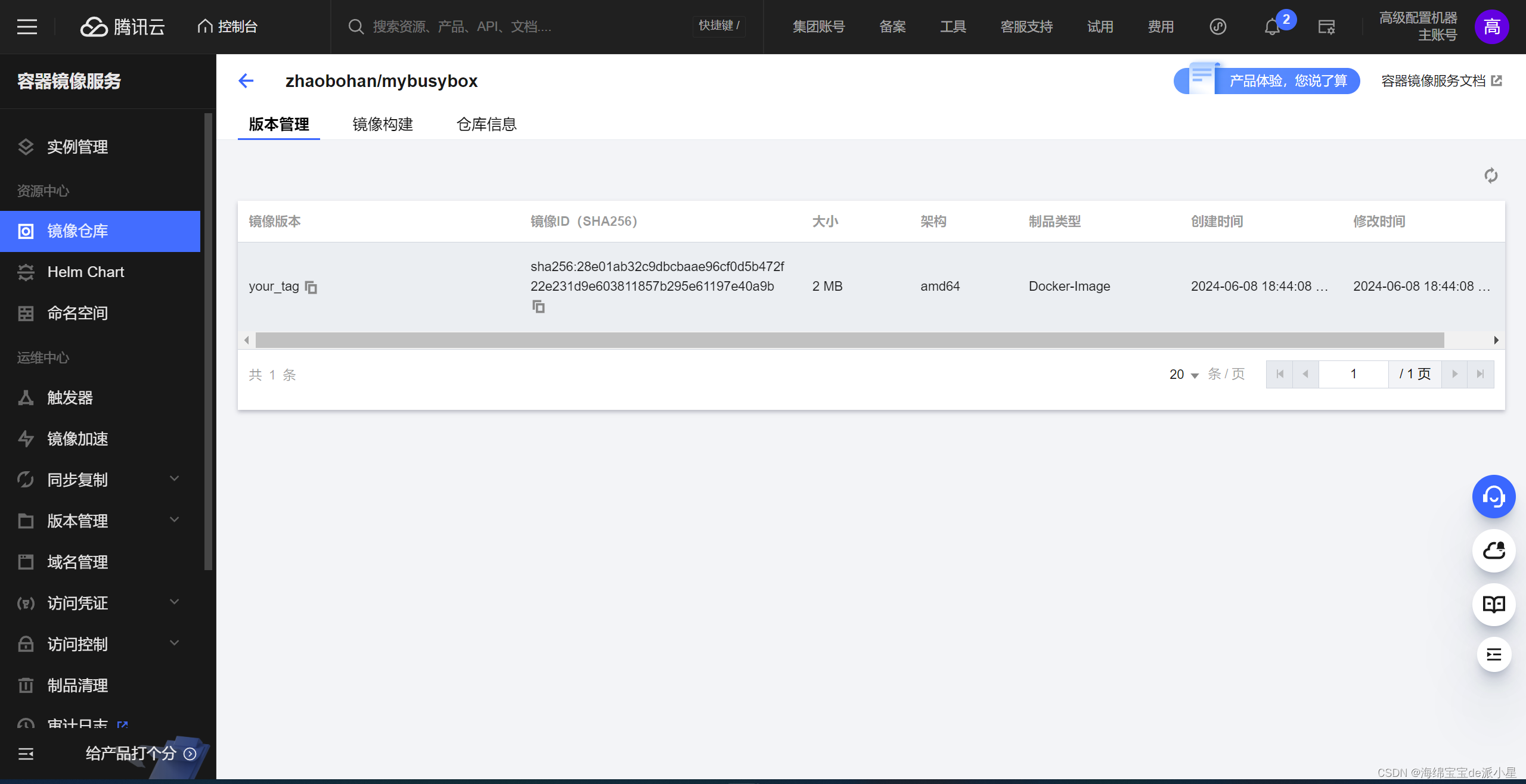
Docker:在DockerHub上创建私有仓库
文章目录 Busybox创建仓库推送镜像到仓库 本篇开始要学习在DockerHub上搭建一个自己的私有仓库 Busybox Busybox是一个集成了三百多个最常用Linux命令和工具的软件,BusyBox包含了很多工具,这里拉取该镜像推送到仓库中: 安装 apt install …...
框架的使用
什么是框架? 盖房子,框架结构 框架结构就是房子主体,基本功能 把很多基础功能已经实现(封装了) 框架:在基础语言之上,对各种基础功能进行封装,方便开发者,提高开发效…...

Autosar-DEM诊断事件管理流程
文章目录 前言一、故障事件监控二、故障信息上报三、故障信息处理Event的使能条件四、故障信息存储五、故障系统降级关联文章:Autosar实践——DEM配置 前言 DEM全称“Diagnostic Event Management”,该模块是AUTOSAR架构中的BSW模块之一。谈到故障,我们首先会想到如何去监控…...
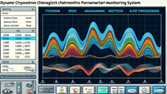
LabVIEW输送机动态特性参数监测系统
开发了一套基于LabVIEW软件和STM32F103ZET6单片机的带式输送机动态特性参数监测系统。该系统通过电阻应变式压力传感器和光电编码器实时采集输送带的张力和带速信息,通过5G模块将数据传输至上位机,实现数据的可视化处理与实时预警,有效提高输…...
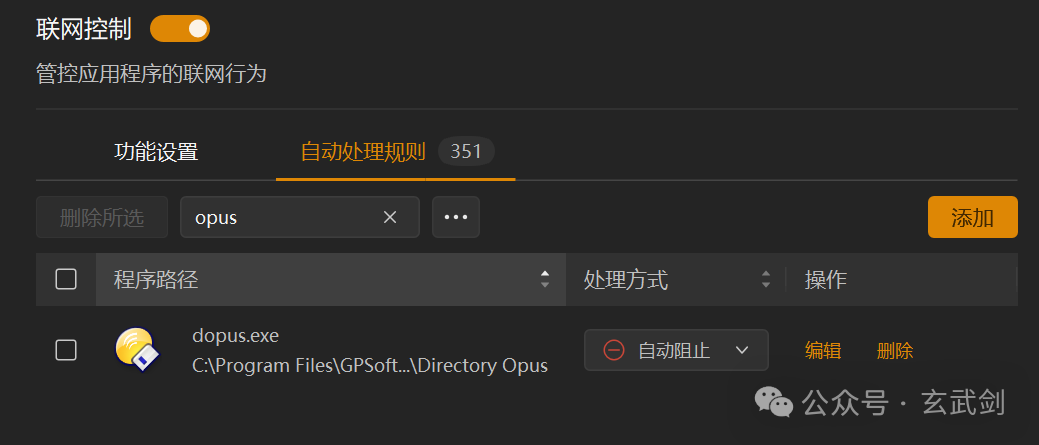
绿色版DirectoryOpus功能强大且高度可定制的Windows文件管理器
Directory Opus(通常简称为DOpus)是一款功能强大且高度可定制的Windows文件管理器。它提供了许多超越Windows默认文件资源管理器(Explorer)的功能,使得文件和文件夹的管理变得更加高效和直观。以下是对Directory Opus的…...

Cocos Creator,Youtube 小游戏!
YouTube 官方前段时间发布了一则重磅通知,宣布平台旗下小游戏功能 Youtube Playables 正式登录全平台(安卓、iOS、网页),并内置了数十款精选小游戏。 Youtube Playables 入口: https://www.youtube.com/playables Coco…...

分层解耦
三层架构 controller:控制层,接收前端发送的请求,对请求进行处理,并响应数据, service:业务逻辑层,处理具体的业务逻辑。 dao:数据访问层(Data Access Object)(持久层),负责数据访问操作,包括数…...

DeepSeek-R1大模型微调实战:从LoRA原理到完整项目部署指南
1. 项目概述:一个面向开发者的开源大模型微调项目最近在开源社区里,一个名为FareedKhan-dev/train-deepseek-r1的项目引起了我的注意。乍一看,这只是一个托管在代码托管平台上的仓库,但如果你像我一样,在过去几年里深度…...

5 月 8 日 AIoT 双标落地,中国智能基础设施建设开启十年竞速!
AIoT 产业里程碑:5 月 8 日双标落地2026 年 5 月 8 日,注定会被写进中国 AIoT 产业的发展史。多个国家级部委在同一天落下两枚关乎未来十年的战略锚点。第一枚,是国家网信办、国家发展改革委、工业和信息化部联合印发的 《智能体规范应用与创…...

ROS2机械臂实战:ros2_control、moveit2与move_group核心问题排查与解决
1. ROS2机械臂开发中的常见问题与调试思路 最近在做一个ROS2机械臂项目,用到了ros2_control、moveit2和move_group这几个核心组件。说实话,从零开始搭建这套系统踩了不少坑,特别是硬件接口初始化、控制器配置这些环节。今天就把我遇到的一些典…...

别再傻傻分不清!用Python+Matplotlib手把手教你画出NBI和WBI的频谱与时频图
用PythonMatplotlib实战解析NBI与WBI的频谱与时频特性 在信号处理领域,窄带干扰(NBI)和宽带干扰(WBI)的区分对雷达系统、通信工程等应用至关重要。理论教材中复杂的数学公式常常让初学者望而生畏,而可视化呈现能瞬间让抽象概念变得直观可感。本文将带您用…...

嵌入式处理器IP选型指南:从ARM到RISC-V的权衡与实战
1. 从一场早餐会聊起:为什么32位处理器IP依然是嵌入式开发的硬通货最近在整理资料时,翻到一篇十多年前的老新闻,说的是IP供应商CAST要在DesignCon 2012上办一场免费的早餐研讨会,主题是他们新推出的BA22 32位处理器IP核。新闻里笔…...

在Google Cloud上构建OpenAI兼容API网关:无缝对接Vertex AI模型
1. 项目概述:在Google Cloud上搭建你自己的OpenAI兼容API网关 如果你正在寻找一种方法,能够让你手头那些原本为OpenAI ChatGPT设计的应用,无缝对接上Google Cloud Vertex AI的强大模型,比如Gemini Pro、PaLM 2或者Codeyÿ…...

【DeepSeek API接入实战指南】:20年架构师亲授5大避坑法则与3小时极速接入方案
更多请点击: https://intelliparadigm.com 第一章:DeepSeek API接入开发教程 DeepSeek 提供了稳定、高性能的大模型 API 接口,支持文本生成、对话补全与函数调用等多种能力。开发者需通过 RESTful 方式调用其 OpenAPI v1 接口,所…...

智能图像去重引擎:解放数字存储空间的完整解决方案
智能图像去重引擎:解放数字存储空间的完整解决方案 【免费下载链接】AntiDupl A program to search similar and defect pictures on the disk 项目地址: https://gitcode.com/gh_mirrors/an/AntiDupl 在数字内容爆炸的时代,重复图片问题已成为技…...
)
告别串口助手:用STM32CubeIDE和HAL库,手把手教你打造自己的IAP上位机(附源码)
从零构建STM32 IAP上位机:C#实战与协议解析全指南 在嵌入式开发中,IAP(In Application Programming)技术为设备固件升级提供了极大便利,但一个稳定可靠的上位机软件往往是整个流程中最薄弱的环节。市面上通用的串口助手…...

Ninja构建系统实战:手写BUILD.ninja为你的Python/Go小工具加速
Ninja构建系统实战:手写BUILD.ninja为你的Python/Go小工具加速 在快速迭代的现代开发中,构建流程的效率往往成为瓶颈。当你的Python脚本需要打包成可执行文件,Go模块需要交叉编译,同时还要处理资源文件复制、依赖下载等一系列任务…...