
2023-03-15:屏幕录制并且显示视频,不要用命令。代码用go语言编写。
2023-03-15:屏幕录制并且显示视频,不要用命令。代码用go语言编写。
答案2023-03-15:
使用moonfdd/ffmpeg-go和moonfdd/sdl2-go库来实现屏幕录制并显示视频,大体流程如下:
1.使用libavdevice库中的AVInputFormat(输入格式)、AVDeviceCapabilitiesQuery(设备能力查询)和AVFormatContext(格式上下文)获取桌面录制器的设备信息。
2.使用libavcodec库中的AVCodec、AVCodecContext、AVFrame和AVPacket结构体编码和解码视频帧。
3.使用libavutil库中的函数分配内存空间,并创建一个SwsContext(色彩空间转换上下文)对象,以及SDL库中的窗口和渲染器对象。
4.在循环中,读取屏幕捕获器的每一帧数据并将其解码。然后,直接将YUV420P格式的图像传递给SDL库中的渲染器进行显示。
代码调用了以下结构体:
AVInputFormat
AVDeviceCapabilitiesQuery
AVFormatContext
AVCodec
AVCodecContext
AVFrame
AVPacket
SwsContext
SDL窗口对象
SDL渲染器对象
释放资源的步骤包括:
1.关闭SDL渲染器和窗口。
2.释放AVFrame和AVPacket对象。
3.关闭libavcodec库中的AVCodecContext。
4.关闭libavformat库中的AVFormatContext。
5.关闭libavdevice库中的AVInputFormat。
6.释放libavutil库中的内存空间。
代码见github.com/moonfdd/ffmpeg-go-examples。
执行命令:
go run ./examples/leixiaohua1020/simplest_ffmpeg_grabdesktop/main.go
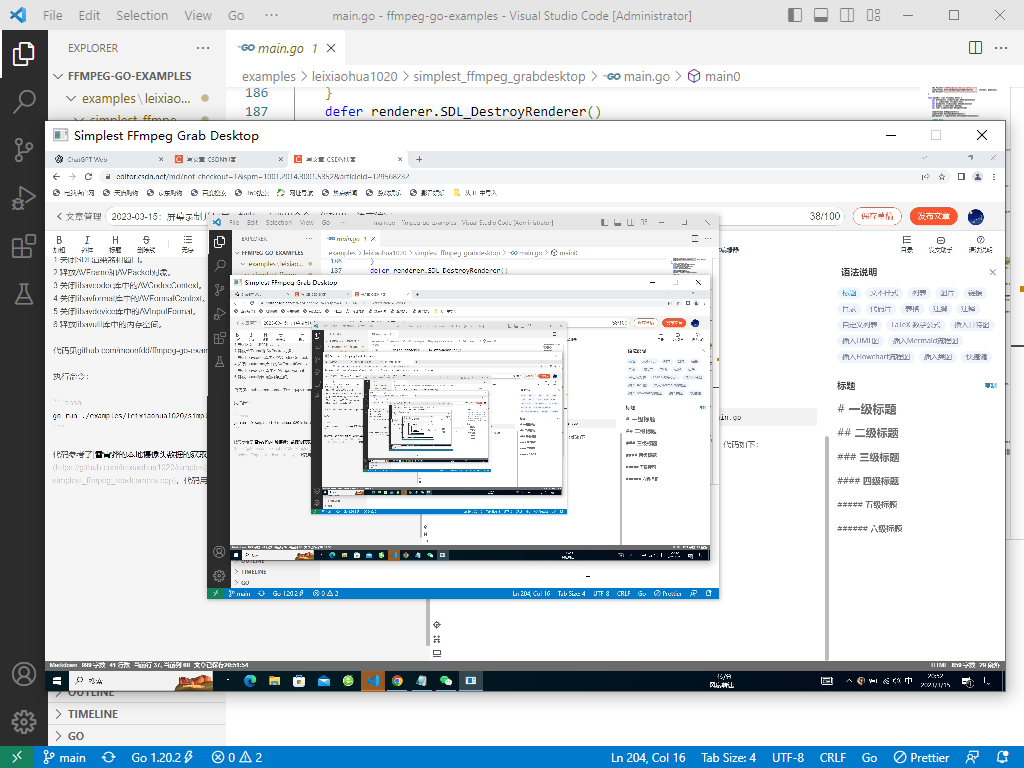
代码参考了雷霄骅的屏幕录制并播放显示,代码用golang编写。代码如下:
// https://github.com/leixiaohua1020/simplest_ffmpeg_device/blob/master/simplest_ffmpeg_grabdesktop/simplest_ffmpeg_grabdesktop.cpp
package mainimport ("fmt""os""time""unsafe""github.com/moonfdd/ffmpeg-go/ffcommon""github.com/moonfdd/ffmpeg-go/libavcodec""github.com/moonfdd/ffmpeg-go/libavdevice""github.com/moonfdd/ffmpeg-go/libavformat""github.com/moonfdd/ffmpeg-go/libavutil""github.com/moonfdd/ffmpeg-go/libswscale"sdl "github.com/moonfdd/sdl2-go/sdl2""github.com/moonfdd/sdl2-go/sdlcommon"
)// Output YUV420P
const OUTPUT_YUV420P = 0// '1' Use Dshow
// '0' Use GDIgrab
const USE_DSHOW = 0// Refresh Event
const SFM_REFRESH_EVENT = (sdl.SDL_USEREVENT + 1)
const SFM_BREAK_EVENT = (sdl.SDL_USEREVENT + 2)var thread_exit ffcommon.FInt = 0
var ispush = truefunc sfp_refresh_thread(opaque ffcommon.FVoidP) uintptr {// thread_exit = 0for thread_exit == 0 {var event sdl.SDL_Eventevent.Type = SFM_REFRESH_EVENTif ispush {event.SDL_PushEvent()ispush = false}sdl.SDL_Delay(40)}fmt.Println("sfp_refresh_thread 发送退出事件")// thread_exit = 0//Breakvar event sdl.SDL_Eventevent.Type = SFM_BREAK_EVENTevent.SDL_PushEvent()return 0
}// Show Dshow Device
func show_dshow_device() {pFormatCtx := libavformat.AvformatAllocContext()var options *libavutil.AVDictionarylibavutil.AvDictSet(&options, "list_devices", "true", 0)iformat := libavformat.AvFindInputFormat("dshow")fmt.Printf("========Device Info=============\n")libavformat.AvformatOpenInput(&pFormatCtx, "video=dummy", iformat, &options)fmt.Printf("================================\n")
}// Show AVFoundation Device
func show_avfoundation_device() {pFormatCtx := libavformat.AvformatAllocContext()var options *libavutil.AVDictionarylibavutil.AvDictSet(&options, "list_devices", "true", 0)iformat := libavformat.AvFindInputFormat("avfoundation")fmt.Printf("==AVFoundation Device Info===\n")libavformat.AvformatOpenInput(&pFormatCtx, "", iformat, &options)fmt.Printf("=============================\n")
}func main0() (ret ffcommon.FInt) {var pFormatCtx *libavformat.AVFormatContextvar i, videoindex ffcommon.FIntvar pCodecCtx *libavcodec.AVCodecContextvar pCodec *libavcodec.AVCodecvar ifmt *libavformat.AVInputFormatlibavformat.AvRegisterAll()libavformat.AvformatNetworkInit()pFormatCtx = libavformat.AvformatAllocContext()//Open File//char filepath[]="src01_480x272_22.h265";//avformat_open_input(&pFormatCtx,filepath,NULL,NULL)//Register Devicelibavdevice.AvdeviceRegisterAll()//Windowsif USE_DSHOW != 0 {//Use dshow////Need to Install screen-capture-recorder//screen-capture-recorder//Website: http://sourceforge.net/projects/screencapturer///ifmt = libavformat.AvFindInputFormat("dshow")if libavformat.AvformatOpenInput(&pFormatCtx, "video=screen-capture-recorder", ifmt, nil) != 0 {fmt.Printf("Couldn't open input stream1.\n")return -1}} else {//Use gdigrabvar options *libavutil.AVDictionary//Set some options//grabbing frame rate//av_dict_set(&options,"framerate","5",0);//The distance from the left edge of the screen or desktop//av_dict_set(&options,"offset_x","20",0);//The distance from the top edge of the screen or desktop//av_dict_set(&options,"offset_y","40",0);//Video frame size. The default is to capture the full screen//av_dict_set(&options,"video_size","640x480",0);// libavutil.AvDictSet(&options, "probesize", "100000000", 0)ifmt = libavformat.AvFindInputFormat("gdigrab")if libavformat.AvformatOpenInput(&pFormatCtx, "desktop", ifmt, &options) != 0 {fmt.Printf("Couldn't open input stream2.\n")return -1}}if pFormatCtx.AvformatFindStreamInfo(nil) < 0 {fmt.Println("Couldn't find stream information.")return -1}videoindex = -1for i = 0; i < int32(pFormatCtx.NbStreams); i++ {if pFormatCtx.GetStream(uint32(i)).Codec.CodecType == libavutil.AVMEDIA_TYPE_VIDEO {videoindex = ibreak}}if videoindex == -1 {fmt.Printf("Didn't find a video stream.\n")return -1}pCodecCtx = pFormatCtx.GetStream(uint32(videoindex)).CodecpCodec = libavcodec.AvcodecFindDecoder(pCodecCtx.CodecId)if pCodec == nil {fmt.Printf("Codec not found.\n")return -1}if pCodecCtx.AvcodecOpen2(pCodec, nil) < 0 {fmt.Printf("Could not open codec.\n")return -1}var pFrame, pFrameYUV *libavutil.AVFramepFrame = libavutil.AvFrameAlloc()pFrameYUV = libavutil.AvFrameAlloc()//unsigned char *out_buffer=(unsigned char *)av_malloc(avpicture_get_size(AV_PIX_FMT_YUV420P, pCodecCtx->width, pCodecCtx->height));//avpicture_fill((AVPicture *)pFrameYUV, out_buffer, AV_PIX_FMT_YUV420P, pCodecCtx->width, pCodecCtx->height);out_buffer := (*byte)(unsafe.Pointer(libavutil.AvMalloc(uint64(libavcodec.AvpictureGetSize(int32(libavutil.AV_PIX_FMT_YUV420P), pCodecCtx.Width, pCodecCtx.Height)))))((*libavcodec.AVPicture)(unsafe.Pointer(pFrameYUV))).AvpictureFill(out_buffer, libavutil.AV_PIX_FMT_YUV420P, pCodecCtx.Width, pCodecCtx.Height)//SDL----------------------------// if sdl.SDL_Init(sdl.SDL_INIT_VIDEO|sdl.SDL_INIT_AUDIO|sdl.SDL_INIT_TIMER) != 0 {if sdl.SDL_Init(sdl.SDL_INIT_VIDEO) != 0 {fmt.Printf("Could not initialize SDL - %s\n", sdl.SDL_GetError())return -1}var screen_w, screen_h ffcommon.FInt = 640, 360var mode *sdl.SDL_DisplayMode = new(sdl.SDL_DisplayMode)if sdl.SDL_GetCurrentDisplayMode(0, mode) != 0 {fmt.Printf("SDL: could not get current display mode - exiting:%s\n", sdl.SDL_GetError())return -1}//Half of the Desktop's width and height.screen_w = mode.W / 2screen_h = mode.H / 2window := sdl.SDL_CreateWindow("Simplest FFmpeg Grab Desktop", sdl.SDL_WINDOWPOS_UNDEFINED, sdl.SDL_WINDOWPOS_UNDEFINED, screen_w, screen_h, 0)if window == nil {fmt.Printf("SDL: could not create window - exiting:%s\n", sdl.SDL_GetError())return -1}defer window.SDL_DestroyWindow()renderer := window.SDL_CreateRenderer(-1, 0)if renderer == nil {fmt.Printf("SDL: could not create renderer - exiting:%s\n", sdl.SDL_GetError())return -1}defer renderer.SDL_DestroyRenderer()texture := renderer.SDL_CreateTexture(sdl.SDL_PIXELFORMAT_YV12,sdl.SDL_TEXTUREACCESS_STREAMING,pCodecCtx.Width,pCodecCtx.Height)defer texture.SDL_DestroyTexture()window.SDL_ShowWindow()time.Sleep(2 * time.Second)var rect sdl.SDL_Rectrect.X = 0rect.Y = 0rect.W = screen_wrect.H = screen_hvar rect2 sdl.SDL_Rectrect2.X = 0rect2.Y = 0rect2.W = mode.Wrect2.H = mode.H//SDL End------------------------// var got_picture ffcommon.FInt//AVPacket *packet=(AVPacket *)av_malloc(sizeof(AVPacket));packet := &libavcodec.AVPacket{}var fp_yuv *os.Fileif OUTPUT_YUV420P != 0 {fp_yuv, _ = os.Create("output.yuv")}var img_convert_ctx *libswscale.SwsContextimg_convert_ctx = libswscale.SwsGetContext(pCodecCtx.Width, pCodecCtx.Height, pCodecCtx.PixFmt, pCodecCtx.Width, pCodecCtx.Height, libavutil.AV_PIX_FMT_YUV420P, libswscale.SWS_BICUBIC, nil, nil, nil)//------------------------------//video_tid := sdl.SDL_CreateThread(sfp_refresh_thread, nil)//go sfp_refresh_thread(uintptr(0))//sdl.SDL_CreateThread(sfp_refresh_thread, "", uintptr(0))//Event Loopvar event sdl.SDL_Eventfor {//Waitispush = trueevent.SDL_WaitEvent()if event.Type == SFM_REFRESH_EVENT {//------------------------------if pFormatCtx.AvReadFrame(packet) >= 0 {if int32(packet.StreamIndex) == videoindex {if pCodecCtx.AvcodecSendPacket(packet) < 0 {packet.AvPacketUnref()continue}ret = pCodecCtx.AvcodecReceiveFrame(pFrame)if ret < 0 {fmt.Printf("Decode Error.\n")return -1}if ret >= 0 {// if got_picture != 0 {img_convert_ctx.SwsScale((**byte)(unsafe.Pointer(&pFrame.Data)), (*int32)(unsafe.Pointer(&pFrame.Linesize)), 0, uint32(pCodecCtx.Height), (**byte)(unsafe.Pointer(&pFrameYUV.Data)), (*int32)(unsafe.Pointer(&pFrameYUV.Linesize)))if OUTPUT_YUV420P != 0 {y_size := pCodecCtx.Width * pCodecCtx.Heightfp_yuv.Write(ffcommon.ByteSliceFromByteP(pFrameYUV.Data[0], int(y_size)))   //Yfp_yuv.Write(ffcommon.ByteSliceFromByteP(pFrameYUV.Data[1], int(y_size)/4)) //Ufp_yuv.Write(ffcommon.ByteSliceFromByteP(pFrameYUV.Data[2], int(y_size)/4)) //V}texture.SDL_UpdateYUVTexture(&rect2,pFrameYUV.Data[0], pFrameYUV.Linesize[0],pFrameYUV.Data[1], pFrameYUV.Linesize[1],pFrameYUV.Data[2], pFrameYUV.Linesize[2])renderer.SDL_RenderClear()renderer.SDL_RenderCopy(texture, nil, &rect)renderer.SDL_RenderPresent()}}packet.AvPacketUnref()} else {//Exit Threadthread_exit = 1fmt.Println("main 准备退出 1")}} else if event.Type == sdl.SDL_QUIT {thread_exit = 1fmt.Println("main 准备退出 2")} else if event.Type == SFM_BREAK_EVENT {fmt.Println("退出循环 3")break}}img_convert_ctx.SwsFreeContext()if OUTPUT_YUV420P != 0 {fp_yuv.Close()}sdl.SDL_Quit()libavutil.AvFree(uintptr(unsafe.Pointer(out_buffer)))libavutil.AvFree(uintptr(unsafe.Pointer(pFrame)))libavutil.AvFree(uintptr(unsafe.Pointer(pFrameYUV)))pCodecCtx.AvcodecClose()libavformat.AvformatCloseInput(&pFormatCtx)return 0
}func main() {os.Setenv("Path", os.Getenv("Path")+";./lib/windows/ffmpeg")ffcommon.SetAvutilPath("./lib/windows/ffmpeg/avutil-56.dll")ffcommon.SetAvcodecPath("./lib/windows/ffmpeg/avcodec-58.dll")ffcommon.SetAvdevicePath("./lib/windows/ffmpeg/avdevice-58.dll")ffcommon.SetAvfilterPath("./lib/windows/ffmpeg/avfilter-56.dll")ffcommon.SetAvformatPath("./lib/windows/ffmpeg/avformat-58.dll")ffcommon.SetAvpostprocPath("./lib/windows/ffmpeg/postproc-55.dll")ffcommon.SetAvswresamplePath("./lib/windows/ffmpeg/swresample-3.dll")ffcommon.SetAvswscalePath("./lib/windows/ffmpeg/swscale-5.dll")sdlcommon.SetSDL2Path("./lib/windows/sdl/SDL2.0.16.dll")genDir := "./out"_, err := os.Stat(genDir)if err != nil {if os.IsNotExist(err) {os.Mkdir(genDir, 0777) //  Everyone can read write and execute}}// go func() {// 	time.Sleep(1000)// 	exec.Command("./lib/ffplay.exe", "rtmp://localhost/publishlive/livestream").Output()// 	if err != nil {// 		fmt.Println("play err = ", err)// 	}// }()main0()
}
相关文章:
2023-03-15:屏幕录制并且显示视频,不要用命令。代码用go语言编写。
2023-03-15:屏幕录制并且显示视频,不要用命令。代码用go语言编写。 答案2023-03-15: 使用moonfdd/ffmpeg-go和moonfdd/sdl2-go库来实现屏幕录制并显示视频,大体流程如下: 1.使用libavdevice库中的AVInputFormat&…...
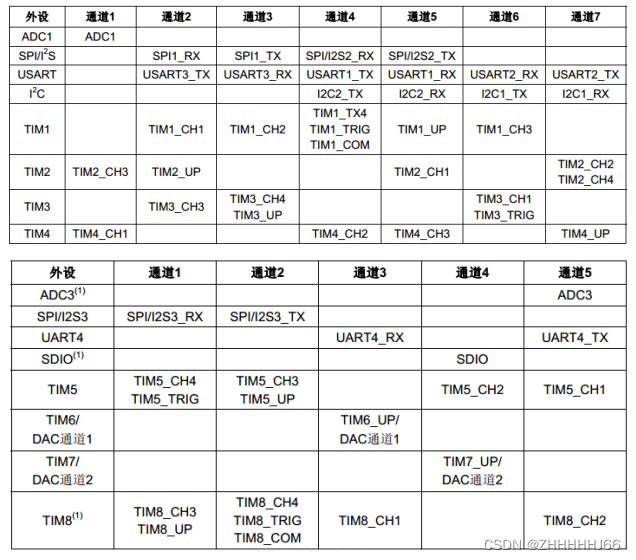
STM32外设-DMA
1. 简介 DMA(Direct Memory Access)—直接存储器存取,是单片机的一个外设,它的主要功能是用来搬数据,但是不需要占用 CPU,即在传输数据的时候, CPU 可以干其他的事情,好像是多线程一样。数据传输支持从外设…...
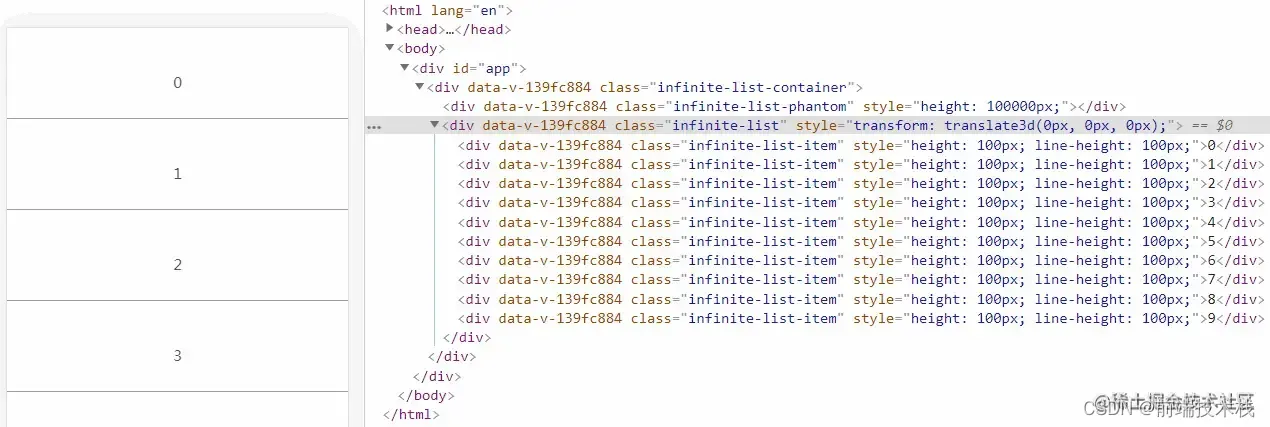
【面试题】面试官:如果后端给你 1w 条数据,你如何做展示?
最近一位朋友参加阿b的面试,然后面试官问了她这个问题,我问她咋写的,她一脸淡定的说:“虚拟列表。”大厂面试题分享 面试题库前后端面试题库 (面试必备) 推荐:★★★★★地址:前端面…...
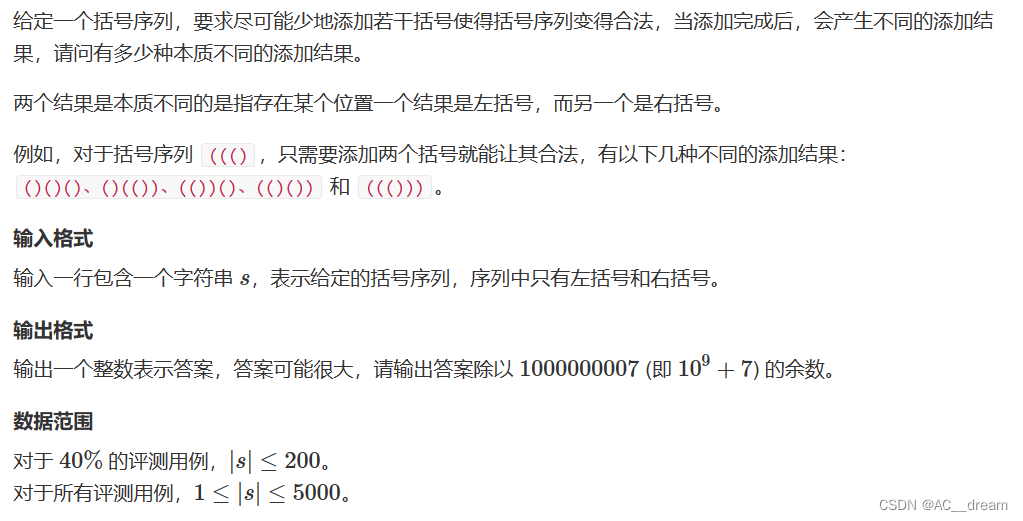
第十二届蓝桥杯省赛详解
试题A:空间 1B是8位,32位二进制数占用4B空间,1MB2^10KB2^20B 那么可以存放32位二进制数的个数为256*2^20*8/3267108864 试题B:卡片 分析:因为数据只有2021,所以直接模拟即可 结果为:3181&…...

ssh创建秘钥对
1. 使用ssh-keygen 生成秘钥对 [root6zix89b87qmvuv ~]# ssh-keygen Generating public/private rsa key pair. Enter file in which to save the key (/root/.ssh/id_rsa): 按回车键或设置密钥的存储路径 Enter passphrase (empty for no passphrase): 按回车键或设置密钥的存…...
方法返回值?)
JS中sort()方法返回值?
参考 https://segmentfault.com/q/1010000043489928 精辟解释 就是说 sort() 会修改原数组项的排序,sort() 结束后会返回一个数组结果,这个结果其实就是原数组。并不是说会返回一个新的数组。 原理讲解 JS 分为栈内存和堆内存,栈内存可以…...
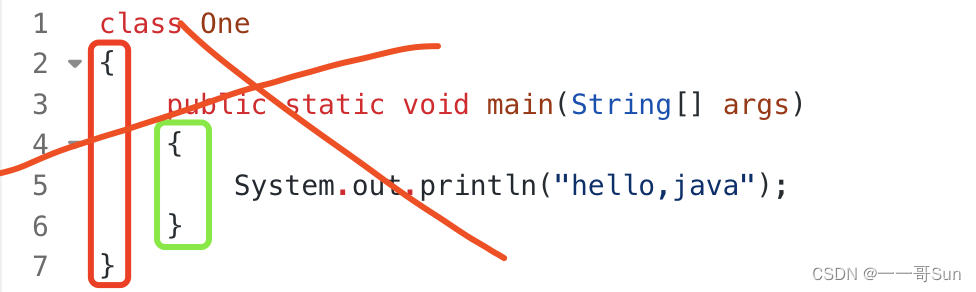
07从零开始学Java之如何正确的编写Java代码?
作者:孙玉昌,昵称【一一哥】,另外【壹壹哥】也是我哦CSDN博客专家、万粉博主、阿里云专家博主、掘金优质作者前言在上一篇文章中,壹哥带领大家开始编写了第一个Java案例,在我们的cmd命令窗口中输出了”Hello World“这…...

Python学习笔记14:网络编程
网络编程 几个网络模块 模块socket # 简单的服务器 import socket s socket.socket() host socket.gethostname() port 1234 s.bind((host, port))s.listen(5) while True: c, addr s.accept() print(Got connection from, addr) c.send(Thank you for connecting)c.…...
初入了解——什么是VUE
个人简介:云计算网络运维专业人员,了解运维知识,掌握TCP/IP协议,每天分享网络运维知识与技能。座右铭:海不辞水,故能成其大;山不辞石,故能成其高。个人主页:小李会科技的…...
)
代码规范(C++)
1.命名规范 1.目录/文件 字母、数字、下划线构成,不同单词用下划线隔开。 2.函数/接口 小驼峰命名法。 3.命名空间 字母、数字、下划线构成,不同单词用下划线隔开,但是尽量只使用一个单词。 4.结构体/类 大驼峰命名法,不包…...
)
React教程详解四(hooks、pureComponent、Context通信、错误边界、children props与render props)
前言 hooks是react16.8.0版本新增加的新特性/新语法,最大的特点是可以在开发者在函数组件中使用state以及其它React特性,下面分别对其介绍~ React.useState() state hook能让函数组件也可以拥有state状态,方便其进行state状态的…...

【Spring从成神到升仙系列 二】2023年再不会 IOC 源码,就要被淘汰了
👏作者简介:大家好,我是爱敲代码的小黄,独角兽企业的Java开发工程师,CSDN博客专家,阿里云专家博主📕系列专栏:Java设计模式、数据结构和算法、Kafka从入门到成神、Kafka从成神到升仙…...
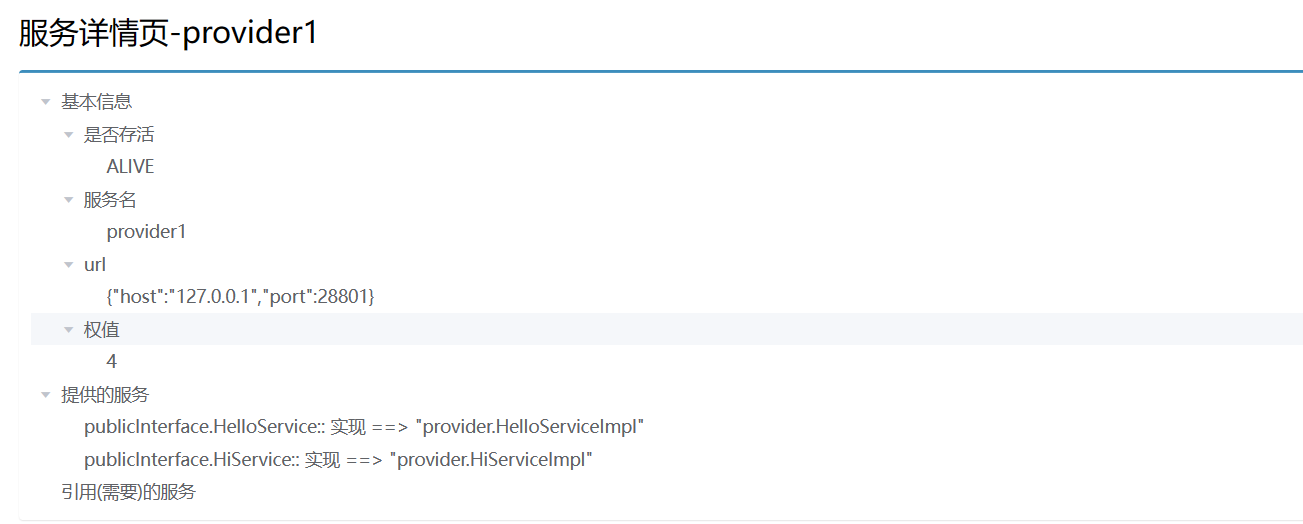
菜鸟的进阶--手写一个小型dubbo框架
1.rpc调用流程2.组件1.Redis注册中心3.编解码/序列化在本例的Netty通信中,由于每次调用rpc服务都要发送同一个类对象invoker,所以可以使用Protobuf。但是在接受方法调用结果的时候就不行了,因为我们无法提前确定对方方法返回结果的类型&#…...
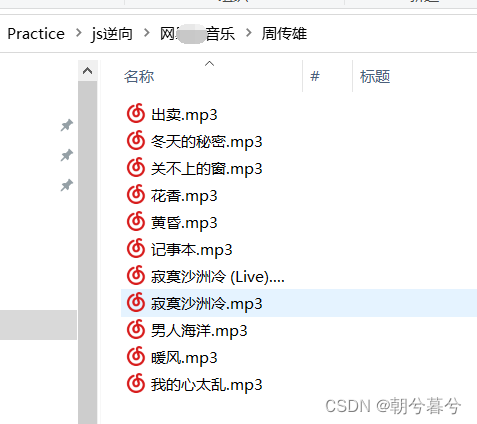
js逆向爬取某音乐网站某歌手的歌曲
js逆向爬取某音乐网站某歌手的歌曲一、分析网站1、案例介绍2、寻找列表页Ajax入口(1)页面展示图。(2)寻找部分歌曲信息Ajax的token。(3)寻找歌曲链接(4)获取歌曲名称和id信息3、寻找…...

为什么软件测试面试了几个月都没有offer,从HR角度分析
首先,我觉得你在软件测试面试的过程中,逻辑比较混乱的最大一个原因是,说明你没有形成一个一个整体的体系。 导致你说的时候很多东西都杂乱无章。 我个人认为软件测试,其实开始首先进行的是一些需求的分析工作,之后呢…...

DC-7 靶场学习
文章目录信息搜集账号密码获取修改密码反弹shell得到flag信息搜集 首先获取目标ip。 arp-scan -l nmap -sP 192.168.28.0/24得到目标ip为: 192.168.28.139先访问页面。 翻译一下。 欢迎来到 DC-7DC-7引入了一些“新”概念,但我会让你弄清楚它们是什么…...

深入理解JavaScript的事件冒泡与事件捕获
前言JavaScript中提供了很多操作DOM的API。事件冒泡和事件捕获是指浏览器中处理DOM元素上事件的两种不同方式。事件冒泡和事件捕获都是JavaScript事件模型中的一部分,可以用来处理事件。对于这个问题,在实际开发中,并不是非常重要,…...
格密码学习笔记(六):格中模运算
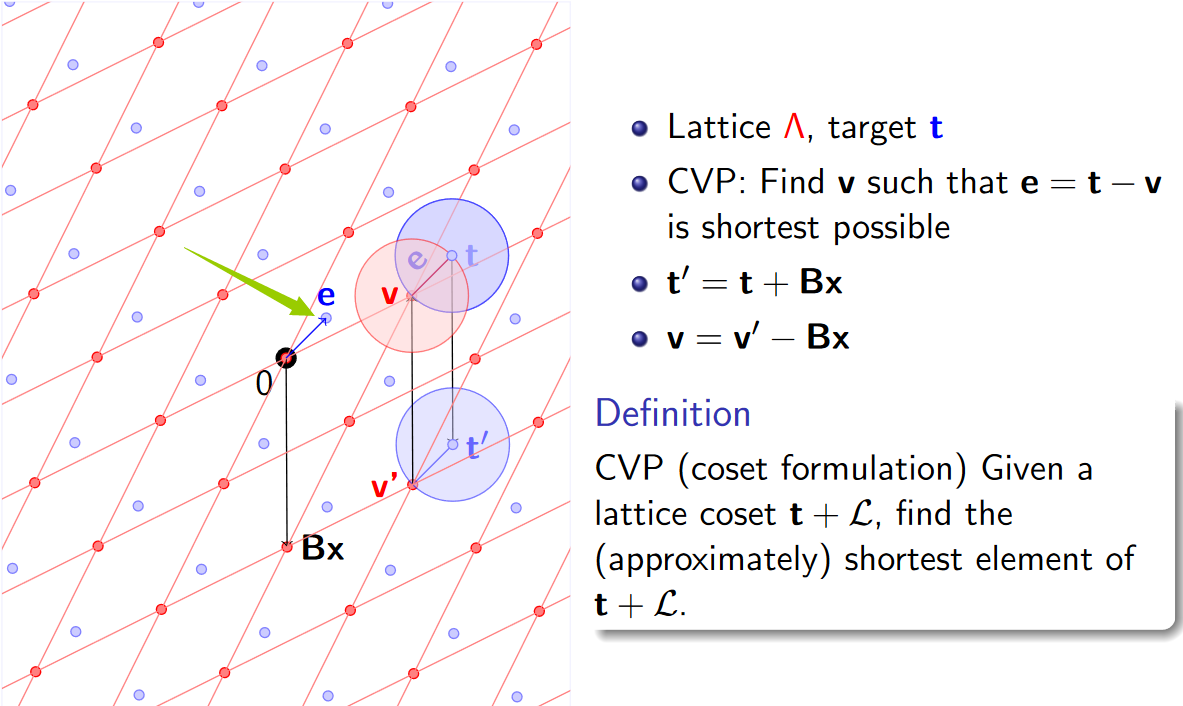
文章目录格中取模运算CVP和格的陪集致谢格中取模运算 定义(格的基本区域) P⊂Rn:{Px∣x∈L}\mathcal{P} \subset \mathbb{R}^n : \{ \mathcal{P} \bm{x} | \bm{x} \in \mathcal{L} \}P⊂Rn:{Px∣x∈L}是Rn\mathbb{R}^nRn的一种划分。 用P\mathcal{P}P对…...

【C++】非常重要的——多态
凡是面向对象的语言,都有三大特性,继承,封装和多态,但并不是只有这三个特性,是因为者三个特性是最重要的特性,那今天我们一起来看多态! 目录 1.多态的概念 1.1虚函数 1.2虚函数的重写 1.3虚…...
发票账单很多?python助你批量完成数据提取
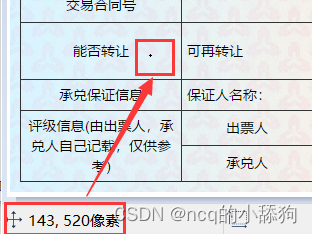
每天面对成堆的发票,无论是税务发票还是承兑单据,抑或是其他各类公司数据要从照片、PDF等不同格式的内容中提取,我们都有必要进行快速办公的能力提升。因此,我们的目标要求就十分明显了,首先要从图片中获取数据&#x…...

从DataOperation接口到QuickSort实现:探究适配器模式在算法整合中的应用
1. 适配器模式:解决接口不兼容的桥梁 想象一下你从国外带回来一个三脚插头的电器,但家里的插座都是两孔的。这时候你会怎么做?大多数人会选择买一个转换插头。在编程世界里,适配器模式就是这个万能的"转换插头"。 最近我…...

Unlock Music:3种创新用法让你重新掌控被加密的音乐收藏
Unlock Music:3种创新用法让你重新掌控被加密的音乐收藏 【免费下载链接】unlock-music 在浏览器中解锁加密的音乐文件。原仓库: 1. https://github.com/unlock-music/unlock-music ;2. https://git.unlock-music.dev/um/web 项目地址: htt…...

告别玄学调参:用Python+NumPy手把手复现MIMO信道SVD分解与注水算法
告别玄学调参:用PythonNumPy手把手复现MIMO信道SVD分解与注水算法 在无线通信领域,MIMO(多输入多输出)技术通过利用空间维度显著提升了系统容量和可靠性。然而,许多工程师在实际应用中常陷入"玄学调参"的困境…...
)
Mac小白必看:手把手教你找回丢失的Recovery HD分区(附diskutil命令详解)
Mac用户必备技能:深度解析Recovery HD分区修复与diskutil实战指南 当你按下CommandR却只看到闪烁的问号图标时,那种手足无措的感觉我深有体会。Recovery HD分区就像是Mac的急救箱,藏着系统恢复、磁盘修复和时间机器备份等关键工具。但很多用户…...

AI-Trader性能优化:提升AI代理交易速度的10个终极技巧
AI-Trader性能优化:提升AI代理交易速度的10个终极技巧 【免费下载链接】AI-Trader "AI-Trader: 100% Fully-Automated Agent-Native Trading" 项目地址: https://gitcode.com/GitHub_Trending/aitrad/AI-Trader AI-Trader作为100%全自动化的AI代理…...

告别并行接口:手把手教你用Stm32F4的SPI高效读取AD7606八通道数据
告别并行接口:手把手教你用Stm32F4的SPI高效读取AD7606八通道数据 在嵌入式系统设计中,AD7606作为一款高性能八通道16位ADC芯片,常被用于电力监测、工业控制等需要多通道高精度采样的场景。传统方案往往依赖其并行接口实现数据读取ÿ…...

暗黑破坏神2存档编辑终极指南:5分钟掌握免费Web修改器
暗黑破坏神2存档编辑终极指南:5分钟掌握免费Web修改器 【免费下载链接】d2s-editor 项目地址: https://gitcode.com/gh_mirrors/d2/d2s-editor 还在为暗黑破坏神2中无尽的刷装备和重复练级而苦恼吗?想快速体验不同职业的build却不想投入数百小时…...
)
STM32+RS485实战:用Modbus RTU协议读取液压传感器数据(附自动收发电路避坑)
STM32与RS485实战:从电路设计到Modbus RTU协议解析 液压传感器数据采集在工业自动化领域有着广泛应用,而RS485总线因其抗干扰能力强、传输距离远等优势成为首选通信方式。本文将深入探讨如何基于STM32微控制器搭建RS485硬件电路,并通过Modbus…...

46页可编辑PPT | 企业数字化转型总体规划与实践汇报方案
很多企业在数字化转型过程中会遇到一些共同的痛点。比如,数据孤岛问题,不同部门的数据互不相通,导致信息共享困难;业务流程繁琐,效率低下,难以快速响应市场变化;技术更新换代快,现有…...
)
别再复制粘贴了!手把手教你用Simscape Language从零创建自定义物理模块(附完整代码)
从零构建Simscape自定义物理模块:工程师的深度实践指南 在物理系统建模领域,预置的标准化组件库往往无法满足复杂工程场景的需求。当您面对一个特殊的齿轮传动机构、非线性的液压元件或是定制化的传感器模型时,掌握Simscape Language的自定义…...