
普元EOS学习笔记-某些版本的EOS提供的maven获取依赖失败的问题解决
前言
普元EOS的开发包中,提供了maven,因为EOS项目的某些依赖只能从普元官方仓库获取,因此,编译EOS项目必须使用EOS提供的maven。

maven拉取依赖失败
某些版本的EOS提供的maven在编译EOS项目的时候会出现拉取失败的现象。
[FATAL] Non-resolvable parent POM for com.primeton.eos:express10:1.0.0: The following artifacts could not be resolved: com.primeton.eos:eos-pom:pom:8.3.1 (absent): Could not transfer artifact com.primeton.eos:eos-pom:pom:8.3.1 from/to primeton-public-repository (http://ge.primeton.com:31100/repository/primeton_public_repositories/): Connect to ge.primeton.com:31100 [ge.primeton.com/101.230.129.77] failed: Connection refused: connect and 'parent.relativePath' points at wrong local POM @ line 4, column 13@
[ERROR] The build could not read 1 project -> [Help 1]
[ERROR]
[ERROR]   The project com.primeton.eos:express10:1.0.0 (D:\primeton\eos-8.3.1-dev\ide\workspace\express10\pom.xml) has 1 error
[ERROR]     Non-resolvable parent POM for com.primeton.eos:express10:1.0.0: The following artifacts could not be resolved: com.primeton.eos:eos-pom:pom:8.3.1 (absent): Could not transfer artifact com.primeton.eos:eos-pom:pom:8.3.1 from/to primeton-public-repository (http://ge.primeton.com:31100/repository/primeton_public_repositories/): Connect to ge.primeton.com:31100 [ge.primeton.com/101.230.129.77] failed: Connection refused: connect and 'parent.relativePath' points at wrong local POM @ line 4, column 13 -> [Help 2]
解决方案
熟悉maven的同学可以看出这是maven的settings.xml文件出了问题。
替换 settings.xml文件如下即可:
<?xml version="1.0" encoding="UTF-8"?>
<settings xmlns="http://maven.apache.org/SETTINGS/1.0.0"xmlns:xsi="http://www.w3.org/2001/XMLSchema-instance"xsi:schemaLocation="http://maven.apache.org/SETTINGS/1.0.0 http://maven.apache.org/xsd/settings-1.0.0.xsd"><localRepository>d:/primeton/eos-8.3-dev/repository</localRepository><mirrors><mirror><id>mirror</id><mirrorOf>central,jcenter,!aliyun-rdc-releases,!aliyun-rdc-snapshots</mirrorOf><name>mirror</name><url>https://maven.aliyun.com/nexus/content/groups/public</url></mirror></mirrors><profiles><profile><id>primeton</id><repositories><repository><id>central</id><url>https://maven.aliyun.com/nexus/content/groups/public</url><releases><enabled>true</enabled></releases><snapshots><enabled>false</enabled></snapshots></repository><repository><id>snapshots</id><url>https://maven.aliyun.com/nexus/content/groups/public</url><releases><enabled>false</enabled></releases><snapshots><enabled>true</enabled></snapshots></repository><repository><id>aliyun-rdc-releases</id><url>https://packages.aliyun.com/maven/repository/2208165-release-FizKV7/</url><releases><enabled>true</enabled></releases><snapshots><enabled>false</enabled></snapshots></repository><repository><id>aliyun-rdc-snapshots</id><url>https://packages.aliyun.com/maven/repository/2208165-snapshot-deBt2F/</url><releases><enabled>false</enabled></releases><snapshots><enabled>true</enabled></snapshots></repository><repository><id>primeton-solution-release</id><url>http://ge.primeton.com:31100/repository/solution-release</url><releases><enabled>true</enabled></releases><snapshots><enabled>false</enabled></snapshots></repository><repository><id>primeton-solution-snapshot</id><url>http://ge.primeton.com:31100/repository/solution-snapshot</url><releases><enabled>false</enabled></releases><snapshots><enabled>true</enabled></snapshots></repository><repository><id>primeton-solution-public</id><url>http://ge.primeton.com:31100/repository/solution-public</url><releases><enabled>true</enabled></releases><snapshots><enabled>true</enabled></snapshots></repository></repositories><pluginRepositories><pluginRepository><id>central</id><url>https://maven.aliyun.com/nexus/content/groups/public</url><releases><enabled>true</enabled></releases><snapshots><enabled>false</enabled></snapshots></pluginRepository><pluginRepository><id>snapshots</id><url>https://maven.aliyun.com/nexus/content/groups/public</url><releases><enabled>false</enabled></releases><snapshots><enabled>true</enabled></snapshots></pluginRepository><pluginRepository><id>aliyun-rdc-releases</id><url>https://packages.aliyun.com/maven/repository/2208165-release-FizKV7/</url><releases><enabled>true</enabled></releases><snapshots><enabled>false</enabled></snapshots></pluginRepository><pluginRepository><id>aliyun-rdc-snapshots</id><url>https://packages.aliyun.com/maven/repository/2208165-snapshot-deBt2F/</url><releases><enabled>false</enabled></releases><snapshots><enabled>true</enabled></snapshots></pluginRepository></pluginRepositories></profile></profiles><activeProfiles><activeProfile>primeton</activeProfile></activeProfiles><servers><server><id>aliyun-rdc-releases</id><username>623db7e13c6b5273a0764cb4</username><password>UP1dH-IITR[I</password></server><server><id>aliyun-rdc-snapshots</id><username>623db7e13c6b5273a0764cb4</username><password>UP1dH-IITR[I</password></server></servers>
</settings>
相关文章:

普元EOS学习笔记-某些版本的EOS提供的maven获取依赖失败的问题解决
前言 普元EOS的开发包中,提供了maven,因为EOS项目的某些依赖只能从普元官方仓库获取,因此,编译EOS项目必须使用EOS提供的maven。 maven拉取依赖失败 某些版本的EOS提供的maven在编译EOS项目的时候会出现拉取失败的现象。 [FATA…...

Pycharm + Pyside6
1. 使用 Qt designer 创建 UI 文件 2. 使用 UIC 工具生成 ui_.py 文件 3. 自定义类导入ui.py 文件的窗口类 4.自定义窗口继承UI窗体类 5. self.setupUi(self) from PySide6.QtWidgets import QApplication, QWidget, QComboBox, QVBoxLayout from ui_test import Ui_Formc…...
最优策略及最优状态价值函数)
强化学习之价值迭代算法动态规划求解悬崖漫步环境(CliffWalking)最优策略及最优状态价值函数
class CliffWalkingEnv:def __init__(self,ncol12,nrow4):self.ncolncol#定义网格世界的列self.nrownrow#定义网格世界的行self.Pself.createP()#转移矩阵P[state][action][(p,next_state,reward,done)]包含下一个状态和奖励def createP(self):P[[[]for i in range(4)]for j in…...
由主密钥派生出新的密钥进行加密)
javascript deriveKey和deriveBits()由主密钥派生出新的密钥进行加密
deriveKey 方法的完整示例,演示如何使用 HMAC 作为密钥派生函数(KDF)来从一个给定的秘密(如密码)派生出一个新的 AES 加密密钥。 //创建一个函数来生成随机盐function getRandomSalt(length){let arraynew Uint8Array…...

基于微信小程序的自习室选座系统/基于Java的自习室选座系统/自习室管理系统的设计与实现
获取源码联系方式请查看文章结尾🍅 摘要 自习室选座是学校针对用户必不可少的一个部分。在学校的整个过程中,学生担负着最重要的角色。为满足如今日益复杂的管理需求,各类微信小程序自习室选座也在不断改进。本课题所设计的小程序自习室选座系…...

echarts所遇到的问题,个人记录
TreeMap 矩形树图,label设置富文本之后,无法垂直居中 font-size 支持rem,其余不支持 font-size 支持 rem,但是其余的属性如height,width等不支持 echarts-for-react 绑定事件,会覆盖实例上绑定的 当给cha…...
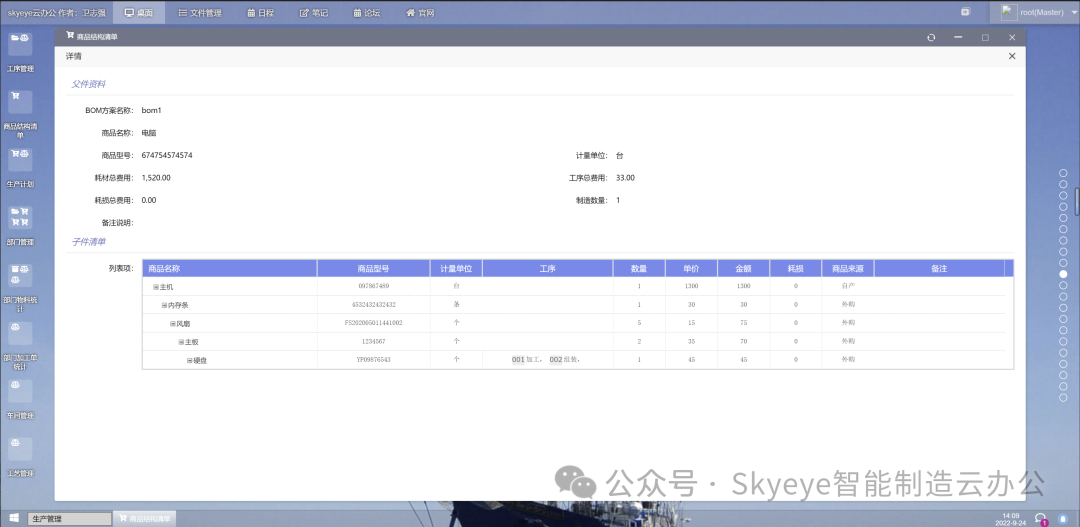
Skyeye云智能制造企业版源代码全部开放
智能制造一体化管理系统 [SpringBoot2 - 快速开发平台],适用于制造业、建筑业、汽车行业、互联网、教育、政府机关等机构的管理。包含文件在线操作、工作日志、多班次考勤、CRM、ERP 进销存、项目管理、EHR、拖拽式生成问卷、日程、笔记、工作计划、行政办公、薪资模…...

Springboot 整合Elasticsearch
1 java操作ES方式 1.1 操作ES 9300端口(TCP) 但开发中不在9300进行操作 ES集群节点通信使用的也是9300端口如果通过9300操作ES,需要与ES建立长连接 可通过引入spring-data-elasticsearch:transport-api.jar不在9300操作原因:1.springboot版本不同&…...

WeNet环境配置与aishell模型训练
WeNet环境配置与aishell模型训练 1环境配置 踩坑记录: 系统使用win11,我根据wenet官方文档,使用conda虚拟环境安装了cuda12.1,安装wenet依赖库,其中deepspeed报错,根据报错信息查询github,发现…...

【C++的剃刀】我不允许你还不会AVL树
学习编程就得循环渐进,扎实基础,勿在浮沙筑高台 循环渐进Forward-CSDN博客 Hello,这里是kiki,今天继续更新C部分,我们继续来扩充我们的知识面,我希望能努力把抽象繁多的知识讲的生动又通俗易懂,今天要…...

React搭建Vite项目及各种项目配置
1. 创建Vite项目 在操作系统的命令终端,输入以下命令: yarn create vite 输入完成以后输入项目名称、选择开发框架,选择开发语言,如下图所示,即可完成项目创建。 注意事项: 1. Node版本必须符合要求&…...

Linux Vim教程:多文件编辑与窗口管理
目录 1. 多文件编辑基础 1.1 缓冲区管理 1.2 标签页管理 1.3 分屏管理 2. 多文件编辑的高级技巧 2.1 同时编辑多个文件 2.2 使用会话 2.3 使用寄存器 3. 窗口管理的实用技巧 3.1 窗口调整 3.2 窗口排列 3.3 快速切换 4. 使用插件增强多文件编辑与窗口管理 4.1 NE…...

C语言进阶 11.结构体
C语言进阶 11.结构体 文章目录 C语言进阶 11.结构体11.1. 枚举11.2. 结构类型11.3. 结构与函数11.4. 结构中的结构11.5. 类型定义11.6. 联合11.7. PAT11-0. 平面向量加法(10)11-1. 通讯录的录入与显示(10) 11.1. 枚举 常量符号化: 用符号而不是具体的数字表示程序中的数字 cons…...

Vue--解决error:0308010C:digital envelope routines::unsupported
原文网址:Vue--解决error:0308010C:digital envelope routines::unsupported_IT利刃出鞘的博客-CSDN博客 简介 本文介绍如何解决node.js在运行Vue项目时的报错:error:0308010C:digital envelope routines::unsupported。 问题描述 使用node.js运行Vu…...

go-kratos 学习笔记(6) 数据库gorm使用
数据库是项目的核心,数据库的链接数据是data层的操作,选择了比较简单好用的gorm作为数据库的工具;之前是PHP开发,各种框架都是orm的操作;gorm还是很相似的,使用起来比较顺手 go-kratos官网的实例是ent&…...

记录:vite打包报错 error during build: Error: Parse error @:1:1
vant从3升级到4后,本地运行没问题, 但是打包就会报如下错误:error during build: Error: Parse error :1:1 一直以为是vant的问题,各种升级,替换插件,发现没什么用, 网上搜索了下,…...

Python 消费Kafka手动提交 批量存入Elasticsearch
一、第三方包选择 pip install kafka,对比了kafka和pykafka,还是选择kafka,消费速度更快pip install elasticsearch7.12.0(ES版本) 二、创建es连接对象 from elasticsearch import Elasticsearch from elasticsearch.helpers import bulkc…...

oracle 基础知识表的主键
一、表的约束条件 •约束条件是施加在表的字段上的一组限制条件,它使得只有符合限制条件要求的数据才能输入表。 •保证了表中的数据的正确性 i.约束条件包括了:非空和唯一和核对,即not null 和unique 和check null的含义:不确定 3个人去捡苹…...

opencascade AIS_MouseGesture AIS_MultipleConnectedInteractive源码学习
AIS_MouseGesture //! 鼠标手势 - 同一时刻只能激活一个。 enum AIS_MouseGesture { AIS_MouseGesture_NONE, //!< 无激活手势 // AIS_MouseGesture_SelectRectangle, //!< 矩形选择; //! 按下按钮开始,移动鼠标定义矩形&…...
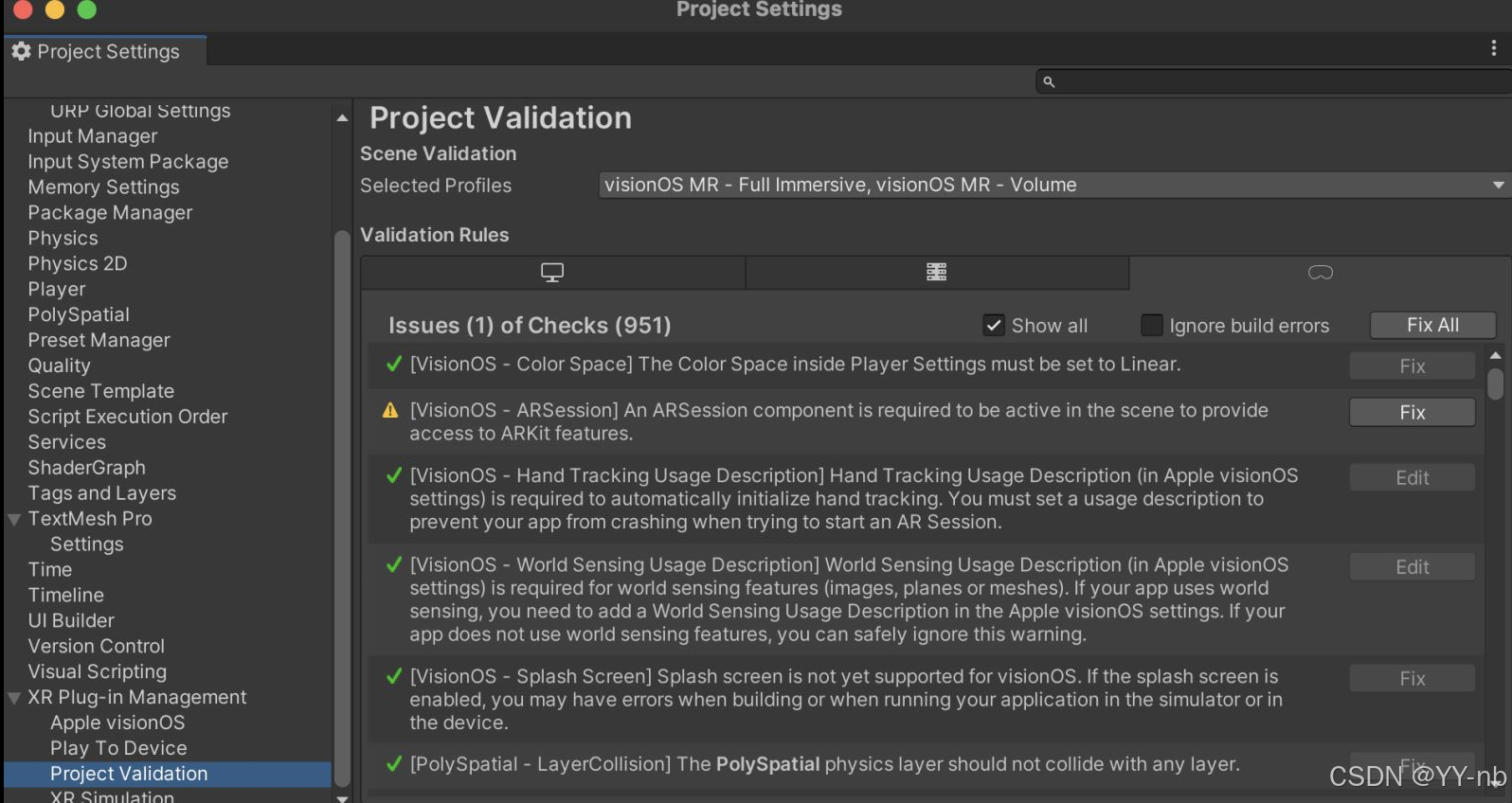
Unity Apple Vision Pro 开发:如何把 PolySpatial 和 Play To Device 的版本从 1.2.3 升级为 1.3.1
XR 开发社区: SpatialXR社区:完整课程、项目下载、项目孵化宣发、答疑、投融资、专属圈子 📕教程说明 本教程将介绍如何把 Unity 的 PolySpatial 和 Play To Device 版本从 1.2.3 升级为 1.3.1。 📕Play To Device 软件升级 ht…...

免费LLM API资源全攻略:从开源模型到工程化实践
1. 项目概述:一个汇集免费LLM API资源的宝藏仓库 如果你正在开发一个需要集成大语言模型(LLM)的应用,无论是聊天机器人、内容生成工具,还是数据分析助手,第一个拦路虎往往就是API成本。OpenAI、Anthropic这…...

别再用默认表格了!手把手教你定制SPSS输出样式,打造专属报告模板
别再用默认表格了!手把手教你定制SPSS输出样式,打造专属报告模板 在数据分析领域,SPSS作为经典工具被广泛应用于市场研究、学术论文和商业决策中。然而,许多专业用户长期被一个问题困扰:系统默认生成的表格样式过于基础…...
)
保姆级教程:在Windows 10上搞定QGroundControl 4.2源码编译与打包(附VS+QT配置)
Windows 10下QGroundControl 4.2开发环境全栈搭建指南 第一次接触无人机地面站开发时,我被QGroundControl强大的功能所吸引,但配置开发环境的过程却让我踩了不少坑。从VS安装版本选择到QT组件配置,再到最后的打包发布,每个环节都可…...

FigmaCN中文界面实战指南:深度解析浏览器插件本地化技术实现
FigmaCN中文界面实战指南:深度解析浏览器插件本地化技术实现 【免费下载链接】figmaCN 中文 Figma 插件,设计师人工翻译校验 项目地址: https://gitcode.com/gh_mirrors/fi/figmaCN Figma作为全球领先的云端设计协作平台,其英文界面一…...

KeyboardChatterBlocker:拯救老旧机械键盘的免费开源防连击工具
KeyboardChatterBlocker:拯救老旧机械键盘的免费开源防连击工具 【免费下载链接】KeyboardChatterBlocker A handy quick tool for blocking mechanical keyboard chatter. 项目地址: https://gitcode.com/gh_mirrors/ke/KeyboardChatterBlocker 你是否遇到过…...

SKILLS All-in-one:开源AI Agent技能库,标准化Prompt与工具函数,提升开发效率
1. 项目定位与核心价值如果你和我一样,在过去一年里深度使用过 Claude Code、ChatGPT 或者尝试搭建自己的 AI Agent 工作流,那你一定遇到过这个痛点:每次想给 AI 装个新“技能”,都得自己从头写 Prompt、设计工具调用逻辑、处理错…...

【必收藏】2026年大模型学习全指南|小白程序员入门捷径,抓住百万年薪红利
2026年的AI行业,机遇早已从风口走向实锤——应用层依旧是那片肉眼可见的黄金赛道!从大厂技术布局到招聘市场风向标,所有信号都在一致指向:大模型应用开发,已然成为程序员突破职业瓶颈、实现薪资跃升的核心赛道。 字节跳…...

3.C语言笔记:指针数组、函数
1.指针数组有若干相同类型的指针变量构成的数组。数据类型 * 数组名[大小] 指针数组:int * p[3];数组指针:int (*p)[4] a;int a 10,b 20, c 20; int * p[3]; p[0] &a; p[1] &b; p[2] &c;printf("a-b-c:%d %d %d\n",…...

全球扩张加剧法律复杂性,但仅有7%的企业实现全面合规
• 47%的总法律顾问表示,实际控制人规则对法律运营构成了最大的风险 • 44%的企业对能否满足跨境数据安全要求缺乏信心 随着企业在2026年加速全球扩张,合规工作却未能跟上步伐。事实上,根据全球领先的商业管理与合规解决方案提供商CSC的一项最…...

Quality Guardian MCP:为AI编程助手设计的实时代码质量聚合与基线管理工具
1. 项目概述:为AI编程助手打造的代码质量守门员如果你和我一样,日常重度依赖 Claude Code、Cursor 这类 AI 编程助手来写代码,那你肯定也遇到过这个头疼的问题:AI 助手确实能快速生成代码,但它对项目里已有的“技术债”…...