
C#图片批量下载Demo

目录
效果
项目
代码
下载
效果

C#图片批量下载
项目

代码
using Aspose.Cells;
using NLog;
using System;
using System.Collections.Generic;
using System.Data;
using System.Diagnostics;
using System.Drawing;
using System.IO;
using System.Linq;
using System.Net;
using System.Threading;
using System.Threading.Tasks;
using System.Windows.Forms;
namespace DownloadDemo
{
public partial class frmMain : Form
{
public frmMain()
{
InitializeComponent();
NLog.Windows.Forms.RichTextBoxTarget.ReInitializeAllTextboxes(this);
}
String startupPath;
private string excelFileFilter = "表格|*.xlsx;*.xls;";
private Logger log = NLog.LogManager.GetCurrentClassLogger();
CancellationTokenSource cts;
List<ImgInfo> ltImgInfo = new List<ImgInfo>();
bool saveImg = false;
private void frmMain_Load(object sender, EventArgs e)
{
startupPath = System.Windows.Forms.Application.StartupPath;
ServicePointManager.Expect100Continue = false;
ServicePointManager.DefaultConnectionLimit = 512;
}
/// <summary>
/// 选择表格
/// </summary>
/// <param name="sender"></param>
/// <param name="e"></param>
private void button2_Click(object sender, EventArgs e)
{
try
{
OpenFileDialog ofd = new OpenFileDialog();
ofd.Filter = excelFileFilter;
if (ofd.ShowDialog() != DialogResult.OK) return;
string excelPath = ofd.FileName;
Workbook workbook = new Workbook(excelPath);
Cells cells = workbook.Worksheets[0].Cells;
System.Data.DataTable dataTable1 = cells.ExportDataTable(1, 0, cells.MaxDataRow, cells.MaxColumn + 1);//noneTitle
//遍历
ltImgInfo.Clear();
ImgInfo temp;
int imgCount = 0;
foreach (DataRow row in dataTable1.Rows)
{
temp = new ImgInfo();
temp.id = row[0].ToString();
temp.title = row[1].ToString();
List<string> list = new List<string>();
for (int i = 2; i < cells.MaxColumn + 1; i++)
{
string tempStr = row[i].ToString();
if (!string.IsNullOrEmpty(tempStr))
{
list.Add(tempStr);
}
}
temp.images = list;
imgCount = imgCount + list.Count();
ltImgInfo.Add(temp);
}
log.Info("解析完毕,一共[" + ltImgInfo.Count + "]条记录,[" + imgCount + "]张图片!");
}
catch (Exception ex)
{
log.Error("解析表格异常:" + ex.Message);
MessageBox.Show("解析表格异常:" + ex.Message);
}
}
void ShowCostTime(string total, string ocrNum, long time)
{
txtTotal.Invoke(new Action(() =>
{
TimeSpan ts = TimeSpan.FromMilliseconds(time);
txtTotal.Text = string.Format("完成:{0}/{1},用时:{2}"
, ocrNum
, total
, ts.ToString()
);
}));
}
/// <summary>
/// 下载
/// </summary>
/// <param name="sender"></param>
/// <param name="e"></param>
private void button1_Click(object sender, EventArgs e)
{
if (ltImgInfo.Count == 0)
{
MessageBox.Show("请先选择表格!");
return;
}
if (!Directory.Exists("img"))
{
Directory.CreateDirectory("img");
}
if (!Directory.Exists("result"))
{
Directory.CreateDirectory("result");
}
btnStop.Enabled = true;
chkSaveImg.Enabled = false;
if (chkSaveImg.Checked)
{
saveImg = true;
}
else
{
saveImg = false;
}
Application.DoEvents();
cts = new CancellationTokenSource();
Task.Factory.StartNew(() =>
{
int totalCount = ltImgInfo.Count();
Stopwatch total = new Stopwatch();
total.Start(); //开始计时
for (int i = 0; i < ltImgInfo.Count(); i++)
{
//判断是否被取消;
if (cts.Token.IsCancellationRequested)
{
return;
}
Stopwatch perID = new Stopwatch();
perID.Start();//开始计时
int imagesCount = ltImgInfo[i].images.Count();
for (int j = 0; j < imagesCount; j++)
{
try
{
Stopwatch sw = new Stopwatch();
sw.Start(); //开始计时
HttpWebRequest request = WebRequest.Create(ltImgInfo[i].images[j]) as HttpWebRequest;
request.KeepAlive = false;
request.ServicePoint.Expect100Continue = false;
request.Timeout = 1000;// 1秒
request.ReadWriteTimeout = 1000;//1秒
request.ServicePoint.UseNagleAlgorithm = false;
request.ServicePoint.ConnectionLimit = 65500;
request.AllowWriteStreamBuffering = false;
request.Proxy = null;
request.CookieContainer = new CookieContainer();
request.CookieContainer.Add(new Cookie("AspxAutoDetectCookieSupport", "1") { Domain = new Uri(ltImgInfo[i].images[j]).Host });
HttpWebResponse wresp = (HttpWebResponse)request.GetResponse();
Stream s = wresp.GetResponseStream();
Bitmap bmp = (Bitmap)System.Drawing.Image.FromStream(s);
s.Dispose();
wresp.Close();
wresp.Dispose();
request.Abort();
sw.Stop();
log.Info(" " + j + "-->下载用时:" + sw.ElapsedMilliseconds + "毫秒");
sw.Restart();
if (saveImg)
{
bmp.Save("img//" + i + "_" + j + ".jpg");
}
}
catch (Exception ex)
{
log.Error(i + "/" + totalCount + "---->id:" + ltImgInfo[i].id + ",url[" + ltImgInfo[i].images[j] + "],异常:" + ex.Message);
}
}
perID.Stop();
log.Info(i + "/" + totalCount + "---->id:" + ltImgInfo[i].id + ",图片张数[" + imagesCount + "],小计用时:" + perID.ElapsedMilliseconds + "毫秒");
ShowCostTime(totalCount.ToString(), i.ToString(), total.ElapsedMilliseconds);
}
total.Stop();
log.Info("全部[" + totalCount + "]共计用时:" + total.ElapsedMilliseconds + "毫秒");
}, TaskCreationOptions.LongRunning);
}
/// <summary>
/// 停止
/// </summary>
/// <param name="sender"></param>
/// <param name="e"></param>
private void button3_Click(object sender, EventArgs e)
{
cts.Cancel();
btnStop.Enabled = false;
btnStart.Enabled = true;
chkSaveImg.Enabled = true;
}
}
}
using Aspose.Cells;
using NLog;
using System;
using System.Collections.Generic;
using System.Data;
using System.Diagnostics;
using System.Drawing;
using System.IO;
using System.Linq;
using System.Net;
using System.Threading;
using System.Threading.Tasks;
using System.Windows.Forms;namespace DownloadDemo
{public partial class frmMain : Form{public frmMain(){InitializeComponent();NLog.Windows.Forms.RichTextBoxTarget.ReInitializeAllTextboxes(this);}String startupPath;private string excelFileFilter = "表格|*.xlsx;*.xls;";private Logger log = NLog.LogManager.GetCurrentClassLogger();CancellationTokenSource cts;List<ImgInfo> ltImgInfo = new List<ImgInfo>();bool saveImg = false;private void frmMain_Load(object sender, EventArgs e){startupPath = System.Windows.Forms.Application.StartupPath;ServicePointManager.Expect100Continue = false;ServicePointManager.DefaultConnectionLimit = 512;}/// <summary>/// 选择表格/// </summary>/// <param name="sender"></param>/// <param name="e"></param>private void button2_Click(object sender, EventArgs e){try{OpenFileDialog ofd = new OpenFileDialog();ofd.Filter = excelFileFilter;if (ofd.ShowDialog() != DialogResult.OK) return;string excelPath = ofd.FileName;Workbook workbook = new Workbook(excelPath);Cells cells = workbook.Worksheets[0].Cells;System.Data.DataTable dataTable1 = cells.ExportDataTable(1, 0, cells.MaxDataRow, cells.MaxColumn + 1);//noneTitle//遍历ltImgInfo.Clear();ImgInfo temp;int imgCount = 0;foreach (DataRow row in dataTable1.Rows){temp = new ImgInfo();temp.id = row[0].ToString();temp.title = row[1].ToString();List<string> list = new List<string>();for (int i = 2; i < cells.MaxColumn + 1; i++){string tempStr = row[i].ToString();if (!string.IsNullOrEmpty(tempStr)){list.Add(tempStr);}}temp.images = list;imgCount = imgCount + list.Count();ltImgInfo.Add(temp);}log.Info("解析完毕,一共[" + ltImgInfo.Count + "]条记录,[" + imgCount + "]张图片!");}catch (Exception ex){log.Error("解析表格异常:" + ex.Message);MessageBox.Show("解析表格异常:" + ex.Message);}}void ShowCostTime(string total, string ocrNum, long time){txtTotal.Invoke(new Action(() =>{TimeSpan ts = TimeSpan.FromMilliseconds(time);txtTotal.Text = string.Format("完成:{0}/{1},用时:{2}", ocrNum, total, ts.ToString());}));}/// <summary>/// 下载识别/// </summary>/// <param name="sender"></param>/// <param name="e"></param>private void button1_Click(object sender, EventArgs e){if (ltImgInfo.Count == 0){MessageBox.Show("请先选择表格!");return;}if (!Directory.Exists("img")){Directory.CreateDirectory("img");}if (!Directory.Exists("result")){Directory.CreateDirectory("result");}btnStop.Enabled = true;chkSaveImg.Enabled = false;if (chkSaveImg.Checked){saveImg = true;}else{saveImg = false;}Application.DoEvents();cts = new CancellationTokenSource();Task.Factory.StartNew(() =>{int totalCount = ltImgInfo.Count();Stopwatch total = new Stopwatch();total.Start();  //开始计时for (int i = 0; i < ltImgInfo.Count(); i++){//判断是否被取消;if (cts.Token.IsCancellationRequested){return;}Stopwatch perID = new Stopwatch();perID.Start();//开始计时int imagesCount = ltImgInfo[i].images.Count();for (int j = 0; j < imagesCount; j++){try{Stopwatch sw = new Stopwatch();sw.Start();  //开始计时HttpWebRequest request = WebRequest.Create(ltImgInfo[i].images[j]) as HttpWebRequest;request.KeepAlive = false;request.ServicePoint.Expect100Continue = false;request.Timeout = 1000;// 1秒request.ReadWriteTimeout = 1000;//1秒request.ServicePoint.UseNagleAlgorithm = false;request.ServicePoint.ConnectionLimit = 65500;request.AllowWriteStreamBuffering = false;request.Proxy = null;request.CookieContainer = new CookieContainer();request.CookieContainer.Add(new Cookie("AspxAutoDetectCookieSupport", "1") { Domain = new Uri(ltImgInfo[i].images[j]).Host });HttpWebResponse wresp = (HttpWebResponse)request.GetResponse();Stream s = wresp.GetResponseStream();Bitmap bmp = (Bitmap)System.Drawing.Image.FromStream(s);s.Dispose();wresp.Close();wresp.Dispose();request.Abort();sw.Stop();log.Info("  " + j + "-->下载用时:" + sw.ElapsedMilliseconds + "毫秒");sw.Restart();if (saveImg){bmp.Save("img//" + i + "_" + j + ".jpg");}}catch (Exception ex){log.Error(i + "/" + totalCount + "---->id:" + ltImgInfo[i].id + ",url[" + ltImgInfo[i].images[j] + "],异常:" + ex.Message);}}perID.Stop();log.Info(i + "/" + totalCount + "---->id:" + ltImgInfo[i].id + ",图片张数[" + imagesCount + "],小计用时:" + perID.ElapsedMilliseconds + "毫秒");ShowCostTime(totalCount.ToString(), i.ToString(), total.ElapsedMilliseconds);}total.Stop();log.Info("全部[" + totalCount + "]共计用时:" + total.ElapsedMilliseconds + "毫秒");}, TaskCreationOptions.LongRunning);}/// <summary>/// 停止/// </summary>/// <param name="sender"></param>/// <param name="e"></param>private void button3_Click(object sender, EventArgs e){cts.Cancel();btnStop.Enabled = false;btnStart.Enabled = true;chkSaveImg.Enabled = true;}}
}
下载
源码下载
相关文章:
C#图片批量下载Demo
目录 效果 项目 代码 下载 效果 C#图片批量下载 项目 代码 using Aspose.Cells; using NLog; using System; using System.Collections.Generic; using System.Data; using System.Diagnostics; using System.Drawing; using System.IO; using System.Linq; using System.…...

部署Springboot + Vue 项目到远程服务器Windows10系统的详细配置
远程服务器操作系统为Windows系统,Java程序环境,Maven环境都安装有,Mysql ,Redis等都有的前提下 1. mysql数据库导入,非常简单很好操作,这里省略。。比如用HeidiSql 或者Navicat 工具导入数据库 2. 后端javaSpringb…...
智驭灌区,科技领航—— 高效灌区信息化系统管理平台
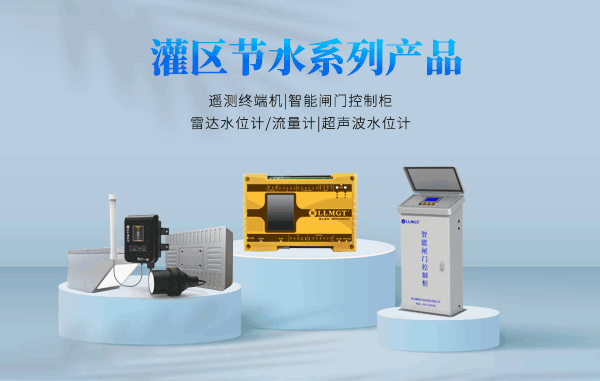
在水资源日益珍贵的今天,传统灌区的粗放式管理模式已难以满足现代农业的发展需求。我们自豪地推出——灌区信息化系统管理平台,以科技赋能水利,引领灌溉管理进入智能化、精细化新时代。 【智能决策,精准灌溉】 告别传统灌溉的盲目…...
下载免费设计素材,有这7个网站就够了
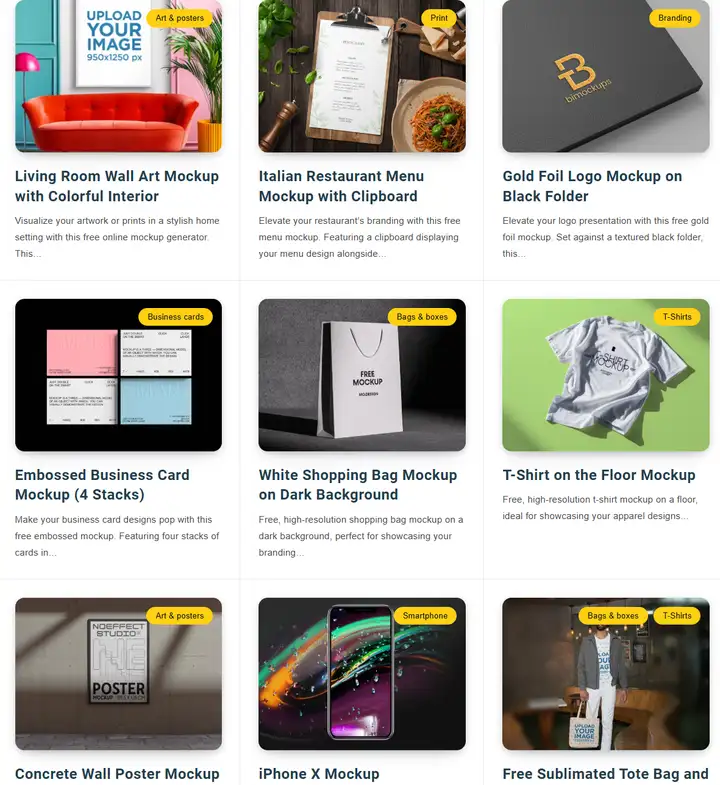
7个免费设计素材网站,这些网站提供了大量的免费资源,包括图片、字体、图标、模板等,涵盖了多种风格和主题,能够满足不同设计师和创作者的需求。无论是用于个人项目还是商业用途,这些网站都能给你提供丰富的选择&#x…...

【漏洞复现】某赛通数据泄露防护(DLP)系统 NetSecConfigAjax SQL注入漏洞
0x01 产品简介 某赛通新一代数据泄露防护系统(简称 DLP),以服务企事业单位进行数据资产梳理、数据安全防护为目标。系统采用平台化管理,将终端DLP、网络DLP、邮件DLP、存储扫描DLP、API 接口DLP 进行统一管理,模块化控…...

c++中的仿函数
目录 什么是仿函数? 仿函数的定义与使用 仿函数与普通函数的比较 实际应用场景 总结 当谈论到 C 编程中的灵活性和效率时,仿函数(Functor)是一个重要的概念。它不仅可以提供比普通函数更多的功能,还能够在很多情况…...

springboot整合mybatis-plus和pagehelper插件报错,
在springboot和myabtisplus版本没有冲突的情况下,MybatisPlusAutoConfiguration配置类没有生效,查看该类发现存在生效条件,即: 1.必须存在数据源的Bean对象 2.必须存在SqlSessionFactory和SqlSessionFactoryBean类(这…...

趋动科技荣登「AIGC赋能金融创新引领者TOP20」
2023年11月28日,“极新AIGC行业峰会”在北京召开,峰会以“AI落地”为指引,探究AI实践与产业化。 从制造业到金融服务业,从医疗保健到交通运输,从文化娱乐到消费零售,智能客服、数字人直播、智能巡检机器人&…...

SOPHGO算能科技BM1684盒子占用空间满的问题解决
目录 1 问题由来 2 问题排查与解决 1 问题由来 安装软件的时候发现,软件根本安装不上了,用df -h看到根目录已经满了 rootbm1684:~# df -h Filesystem Size Used Avail Use% Mounted on overlay 5.8G 5.7G 0 100% / devtmpfs …...

Spring Boot实用小技巧 - - 第523篇
《国内最全的Spring Boot系列之一》 《国内最全的Spring Boot系列之二》 《国内最全的Spring Boot系列之三》 《国内最全的Spring Boot系列之四》 《国内最全的Spring Boot系列之五》 《国内最全的Spring Boot系列之六》 《国内最全的Spring Boot系列之七》 Spring的Sma…...

安卓App开发 篇二:Android UI和布局
文章目录 系列文章Jetpack Compose基本语法可组合函数预览布局元素基于槽位(slot-based)的布局横屏处理实现布局设计布局检查器工具Material Design使用字符串等资源列表和动画LazyColumn 和 LazyRowremember 和 mutableStateOf事件mutableStateOfremember局部更新组件(官方…...

k8s基本介绍
Kubernetes, also known as K8s, is an open source system for automating deployment, scaling, and management of containerized applications. Kubernetes,也称为k8,是一个用于自动化部署、扩展和管理容器化应用程序的开源系统。 使用go语言编写ht…...

go http启动应用程序
udpserver udpserver 是go程序需要启动的程序 #include <iostream> #include <unistd.h> #include <string.h> #include <sys/socket.h> #include <netinet/in.h> #include <thread>const int BUFFER_SIZE 1024;int udpSocket; struct …...

Redis:概念、部署、配置、优化
目录 关系型数据库与非关系型数据库 关系型数据库 非关系型数据库 非关系型数据库存在的原因 Redis 概念 优点 Redis部署流程 初步设置 安装 初始化 初始化时指定的参数说明 Redis配置文件 修改监听地址 Redis远程连接 远程连接 测试服务端状态 redis-benchm…...

华为OD-D卷找座位
在一个大型体育场内举办了一场大型活动,由于疫情防控的需要,要求每位观众的必须间隔至少一个空位才允许落座。现在给出一排观众座位分布图,座位中存在已落座的观众,请计算出,在不移动现有观众座位的情况下,…...

Go sdk下载和配置环境变量
本文目录 SDK下载环境变量配置测试 SDK下载 下载地址:https://golang.google.cn/dl/ 更多版本,找到1.9.2 我是win10 64位的,我找到这个下载 下载之后解压,可以看到bin文件夹。 环境变量配置 我的电脑 -> 属性 -> 高级…...

qt的项目结构
目录 创建新的项目 第一个hell0程序,qt的项目结构 main函数 Widget头文件: pro文件 命名规范 QtCreator 常用快捷键 Qt里边绝大部分的类都是继承自QObject是一个顶层类 父子关系 Qt坐标系 QT常用API函数 对象树 信号和槽机制 自定义信号和槽 自定义信号…...

【NLP】文本特征处理:n-gram特征和文本长度规范
文章目录 1、本章目标2、n-gram特征2.1、概念2.2、举个例子2.3、代码 3、文本长度规范及其作用4、小结 🍃作者介绍:双非本科大三网络工程专业在读,阿里云专家博主,专注于Java领域学习,擅长web应用开发、数据结构和算法…...
)
ESP32人脸识别开发 ---partitions.csv配置的一些说明(五)
配置的文件在这个位置 esp-who/examples/esp32-s3-eye/partitions.csv factory, app, factory, 0x010000, 4000K, model, data, spiffs, , 3900K, (这个是语音相关的) nvs, data, nvs, , 16K, fr, data, ,…...

【学习笔记】Matlab和python双语言的学习(图论最短路径)
文章目录 前言一、图论基本概念示例 二、代码实现----Matlab三、代码实现----python总结 前言 通过模型算法,熟练对Matlab和python的应用。 学习视频链接: https://www.bilibili.com/video/BV1EK41187QF?p36&vd_source67471d3a1b4f517b7a7964093e6…...

Visual Studio 项目属性页开发完全教程:从基础到高级
Visual Studio 项目属性页开发完全教程:从基础到高级 【免费下载链接】project-system The .NET Project System for Visual Studio 项目地址: https://gitcode.com/gh_mirrors/pr/project-system Visual Studio 项目属性页是开发者管理项目配置的核心界面&a…...

对称与负电源测试:动态直流电子负载的设计、原理与应用
1. 项目概述:对称与负电源的静态与动态直流负载在电子实验室里,测试一个电源的性能,尤其是它的动态响应能力,是件既基础又关键的事。我们常说的“直流电子负载”就是这个领域的核心工具。我之前设计并分享过一个用于正电源测试的静…...

BLE四大广播模式详解:可连接/不可连接/定向/周期广播
一、前言在低功耗蓝牙(BLE)开发中,广播(Advertising)是设备发现、连接建立、数据广播、设备重连的核心基石,所有BLE交互流程均始于广播报文的收发。不同于传统经典蓝牙,BLE所有广播行为标准化、…...

Unity主题系统设计:状态驱动的主题抽象与自动注入方案
1. 这不是换个颜色那么简单:为什么Unity项目里“换肤”总在发布前夜崩盘?你有没有经历过这样的场景:美术同学凌晨两点发来一套新主题资源包,UI设计师说“这次配色更符合品牌调性”,产品说“上线前必须支持深色模式”&a…...

Python合并Excel文档
有若干个Excel文档,每个文档格式一致,及第一行为文件标题,第二行为表格表头(表头不完全一致)。现需要将他们合并。合并规则为:去掉每个文档的第一行,以第二行为表头,将每个文档的第三…...

长期使用Taotoken聚合服务对项目月度账单的可预测性提升
🚀 告别海外账号与网络限制!稳定直连全球优质大模型,限时半价接入中。 👉 点击领取海量免费额度 长期使用Taotoken聚合服务对项目月度账单的可预测性提升 在AI驱动的项目开发与运营中,成本控制与预算规划是团队管理者…...

中兴光猫终极管理指南:解锁工厂模式与Telnet权限的实战教程
中兴光猫终极管理指南:解锁工厂模式与Telnet权限的实战教程 【免费下载链接】zteOnu A tool that can open ZTE onu device factory mode 项目地址: https://gitcode.com/gh_mirrors/zt/zteOnu 掌握中兴光猫的设备管理和权限获取能力是网络管理员和技术爱好者…...

C++ vector容器总结
vector基本概念功能:vector数据结构和数组非常相似,也称为单端数组vector与普通数组区别:不同之处在于数组是静态空间,而vector可以动态扩展动态扩展:并不是在原空间之后续接新空间,而是找更大的内存空间&a…...

<背包问题>
背包问题是一类组合优化问题,其基本形式是给定一组物品,每个物品都有一个重量和一个价值,以及一个有限的背包容量,目标是在不超过背包容量的前提下,选择物品使得背包中的物品价值最大化。动态规划是解决背包问题的常用…...

3分钟开启PC游戏分屏派对:NucleusCoop让单机游戏秒变多人同屏神器
3分钟开启PC游戏分屏派对:NucleusCoop让单机游戏秒变多人同屏神器 【免费下载链接】nucleuscoop Starts multiple instances of a game for split-screen multiplayer gaming! 项目地址: https://gitcode.com/gh_mirrors/nu/nucleuscoop 还在为热门PC游戏不支…...