
YoloV10 训练自己的数据集(推理,转化,C#部署)
目录
一、下载
三、开始训练
train.py
detect.py
export.py
超参数都在这个路径下
四、C#读取yolov10模型进行部署推理
如下程序是用来配置openvino
配置好引用后就可以生成dll了 再创建一个控件,作为显示 net framework 4.8版本的
再nuget工具箱里下载 opencvsharp4 以及openvino
然后主流程代码
效果
我的yolov10 训练源码
C#部署yolov10源码
一、下载
GitHub - THU-MIG/yolov10: YOLOv10: Real-Time End-to-End Object Detection
或者你可以再浏览器搜索框里直接搜索 yolov10 github
二、环境配置
下载anaconda 并安装 在网上随意下载一个2022版本的就行
yolov10和yolov8的文件结构差不多 所以如果你训练过其他的yolov5以上的yolo,你可以直接拷贝环境进行使用,当然你如果想配置gpu
就需要cuda cudnn 和 gpu版本的torch
其他的直接pip install 即可
pip install requirements.txt -i https://pypi.tuna.tsinghua.edu.cn/simple
下方网站中下载你需要的版本下载时要注意对应关系,
cuda和cudnn各个版本的Pytorch下载网页版,onnx,ncnn,pt模型转化工具_cuda国内镜像下载网站-CSDN博客
也可以看我另一篇文章
Yolov10训练,转化onnx,推理_yolov10转onnx-CSDN博客
三、开始训练
有一点要注意v10版本其实是从v8版本上面改的 所以v10的预训练模型你需要自行下载 否则就会下载成v8的
首先标注数据集 在pycharm 中下载labelimg
pip install labelimg -i https://pypi.tuna.tsinghua.edu.cn/simple
下载好后直接在终端输入labelimg 开始标注 训练流程基本和yolov5差不多
在yolov10的根目录下创建一个名为data的文件夹 里面再创建一个data.yaml文件 用于数据集的读取

再在根目录创建三个py文件 分别是 train.py detect.py export.py
train.py
from ultralytics import YOLOv10model_yaml_path = "ultralytics/cfg/models/v10/yolov10s.yaml"
#数据集配置文件
data_yaml_path = 'data/data.yaml'
#预训练模型
pre_model_name = 'yolov10s.pt'if __name__ == '__main__':#加载预训练模型model = YOLOv10(model_yaml_path).load(pre_model_name)#训练模型results = model.train(data=data_yaml_path,epochs=450,batch=8,device=0,name='train/exp')# yolo export model="H:\\DL\\yolov10-main\\runs\\detect\\train\\exp\\weights\\best.pt" format=onnx opset=13 simplify
detect.py
from ultralytics import YOLOv10import torch
if  torch.cuda.is_available():device = torch.device("cuda")
else:raise Exception("CUDA is not")model_path = r"H:\\DL\\yolov10-main\\runs\\detect\\train\\exp4\\weights\\best.pt"
model = YOLOv10(model_path)
results = model(source=r'H:\DL\yolov10-main\dataDakeset\two_CD_double\test',name='predict/exp',conf=0.45,save=True,device='0')
export.py
from ultralytics import YOLOv10
model=YOLOv10("H:\\DL\\yolov10-main\\runs\\detect\\train\\exp\\weights\\best.pt")model.export(format='onnx')# 'torchscript, onnx, openvino, engine, coreml, saved_model, pb, tflite, edgetpu, tfjs, paddle'
超参数都在这个路径下


然后设置好参数就可以直接训练了
推理用detect.py 推理 转化用export.py 转化, 转化为哪种模型 就替换即可

四、C#读取yolov10模型进行部署推理
我们需要设定yolov10的模型结构
using OpenCvSharp;
using OpenVinoSharp.Extensions.result;
using System;
using System.Collections.Generic;
using System.Linq;
using System.Text;
using System.Threading.Tasks;namespace Yolov10_DLLnet
{public class YOLOv10Det : YOLO{public YOLOv10Det(string model_path, string engine, string device, int categ_nums, float det_thresh, float det_nms_thresh, int input_size): base(model_path, engine, device, categ_nums, det_thresh, det_nms_thresh, new int[] { 1, 3, input_size, input_size },new List<string> { "images" }, new List<int[]> { new int[] { 1, 4 + categ_nums, 8400 } }, new List<string> { "output0" }){}protected override BaseResult postprocess(List<float[]> results){List<Rect> positionBoxes = new List<Rect>();List<int> classIds = new List<int>();List<float> confidences = new List<float>();// Preprocessing output resultsfor (int i = 0; i < results[0].Length / 6; i++){int s = 6 * i;if ((float)results[0][s + 4] > 0.5){float cx = results[0][s + 0];float cy = results[0][s + 1];float dx = results[0][s + 2];float dy = results[0][s + 3];int x = (int)((cx) * m_factor);int y = (int)((cy) * m_factor);int width = (int)((dx - cx) * m_factor);int height = (int)((dy - cy) * m_factor);Rect box = new Rect();box.X = x;box.Y = y;box.Width = width;box.Height = height;positionBoxes.Add(box);classIds.Add((int)results[0][s + 5]);confidences.Add((float)results[0][s + 4]);}}DetResult re = new DetResult();// for (int i = 0; i < positionBoxes.Count; i++){re.add(classIds[i], confidences[i], positionBoxes[i]);}return re;}}
}
然后再设置各项参数 你可以再其中自己定义一个文件 里面写上你需要的类 比如置信度,类别 以及类别数量等等。为后续的dll生成做准备。

如下程序是用来配置openvino
using OpenCvSharp.Dnn;
using OpenCvSharp;
using OpenVinoSharp;
using System;
using System.Collections.Generic;
using System.Linq;
using System.Runtime.InteropServices;
using System.Text;
using System.Threading.Tasks;
using System.Reflection;
//using static System.Windows.Forms.Design.AxImporter;namespace Yolov10_DLLnet
{public class Predictor : IDisposable{private Core core;private Model model;private CompiledModel compiled;private InferRequest openvino_infer;private Net opencv_infer;private string engine = null;public Predictor() { }public Predictor(string model_path, string engine, string device){if (model_path == null){throw new ArgumentNullException(nameof(model_path));}this.engine = engine;if (engine == "OpenVINO"){core = new Core();model = core.read_model(model_path);compiled = core.compile_model(model, device);openvino_infer = compiled.create_infer_request();}}public void Dispose(){openvino_infer.Dispose();compiled.Dispose();model.Dispose();core.Dispose();GC.Collect();}public List<float[]> infer(float[] input_data, List<string> input_names, int[] input_size, List<string> output_names, List<int[]> output_sizes){List<float[]> returns = new List<float[]>();var input_tensor = openvino_infer.get_input_tensor();input_tensor.set_data(input_data);openvino_infer.infer();foreach (var name in output_names){var output_tensor = openvino_infer.get_tensor(name);returns.Add(output_tensor.get_data<float>((int)output_tensor.get_size()));}return returns;}}
}
创建一个名为yolo的cs文件用于 将yolov10模型结构做引用
//using Microsoft.VisualBasic.Logging;
using OpenCvSharp;
using OpenVinoSharp.Extensions.model;
using OpenVinoSharp.Extensions.process;
using OpenVinoSharp.Extensions.result;
using System;
using System.Collections.Generic;
using System.Diagnostics;
using System.Linq;
using System.Text;
using System.Threading.Tasks;
//using Yolov10_DLLnet;
using static OpenVinoSharp.Node;namespace Yolov10_DLLnet
{public class YOLO : IDisposable{protected int m_categ_nums;protected float m_det_thresh;protected float m_det_nms_thresh;protected float m_factor;protected int[] m_input_size;protected List<int[]> m_output_sizes;protected List<string> m_input_names;protected List<string> m_output_names;protected List<int> m_image_size = new List<int>();private Predictor m_predictor;Stopwatch sw = new Stopwatch();public YOLO(){m_predictor = new Predictor();}public YOLO(string model_path, string engine, string device, int categ_nums, float det_thresh,float det_nms_thresh, int[] input_size, List<string> input_names, List<int[]> output_sizes, List<string> output_names){m_predictor = new Predictor(model_path, engine, device);m_categ_nums = categ_nums;m_det_thresh = det_thresh;m_det_nms_thresh = det_nms_thresh;m_input_size = input_size;m_output_sizes = output_sizes;m_input_names = input_names;m_output_names = output_names;}float[] preprocess(Mat img){m_image_size = new List<int> { (int)img.Size().Width, (int)img.Size().Height };Mat mat = new Mat();Cv2.CvtColor(img, mat, ColorConversionCodes.BGR2RGB);mat = Resize.letterbox_img(mat, (int)m_input_size[2], out m_factor);mat = Normalize.run(mat, true);return Permute.run(mat);}List<float[]> infer(Mat img){List<float[]> re;float[] data = preprocess(img);re = m_predictor.infer(data, m_input_names, m_input_size, m_output_names, m_output_sizes);return re;}public BaseResult predict(Mat img){List<float[]> result_data = infer(img);BaseResult re = postprocess(result_data);return re;}protected virtual BaseResult postprocess(List<float[]> results){return new BaseResult();}public void Dispose(){m_predictor.Dispose();}public static YOLO GetYolo(string model_type, string model_path, string engine, string device,int categ_nums, float det_thresh, float det_nms_thresh, int input_size){return new YOLOv10Det(model_path, engine, device, categ_nums, det_thresh, det_nms_thresh, input_size);}protected static float sigmoid(float a){float b = 1.0f / (1.0f + (float)Math.Exp(-a));return b;}}
}
配置好引用后就可以生成dll了 再创建一个控件,作为显示 net framework 4.8版本的
再nuget工具箱里下载 opencvsharp4 以及openvino

然后主流程代码
//using Microsoft.VisualBasic.Logging;
using OpenCvSharp;
using OpenVinoSharp.Extensions.process;
using OpenVinoSharp.Extensions.result;
using OpenVinoSharp.Extensions.utility;
using SharpCompress.Common;
using System.Collections.Generic;
using System;
using System.Diagnostics;
using System.Runtime.CompilerServices;
using System.Windows.Forms;
using static OpenVinoSharp.Node;
using static System.Windows.Forms.VisualStyles.VisualStyleElement;
using Point = OpenCvSharp.Point;using Yolov10_DLLnet;
using System.Drawing;
using ZstdSharp.Unsafe;namespace YOLOV10_WinformDemo
{public partial class Form1 : Form{//string filePath = "";private YOLO yolo;public Form1(){InitializeComponent();yolo = new YOLO();//string model_path = "best_0613.onnx";}/// <summary>/// yolov10 onnx模型文件路径/// </summary>private string model_path = "H:\\YCDandPCB_Yolov5_net\\Yolov10_and_Yolov5Seg\\yolov10_Detztest\\YOLOV10_WinformDemo\\bestV10det.onnx";/// <summary>/// 开始识别/// </summary>/// <param name="sender"></param>/// <param name="e"></param>private void button2_Click(object sender, EventArgs e){Stopwatch sw = new Stopwatch();OpenFileDialog openFile = new OpenFileDialog();string filePath = "";if (openFile.ShowDialog() == DialogResult.OK){filePath = openFile.FileName;}//目标检测//string model_path = "best_0613.onnx";classesLabel label = new classesLabel();string model_type = "YOLOv10Det";string engine_type = "OpenVINO";string device = "CPU";//#################   阈值   #######################################float score = label.Score_Threshold;float nms = label.NMS_Threshold;int categ_num = label.classes_count_1;int input_size = label.W_H_size_1;yolo = YOLO.GetYolo(model_type, model_path, engine_type, device, categ_num, score, nms, input_size);//#####################  图片推理阶段  #######################//System.Drawing.Image image = Image.FromFile(openFile.FileName);//string input_path = openFile;Mat img = Cv2.ImRead(filePath);pictureBox1.Image = OpenCvSharp.Extensions.BitmapConverter.ToBitmap(img);sw.Restart();(Mat, BaseResult) re_img = image_predict(img);sw.Stop();pictureBox2.Image = OpenCvSharp.Extensions.BitmapConverter.ToBitmap(re_img.Item1);DetResult detResult = re_img.Item2 as DetResult;for (int i = 0; i < detResult.count; i++){//textBox1.Text = detResult.datas[i].lable;//置信度//textBox2.Text = detResult.datas[i].score.ToString("0.00");int X = detResult.datas[i].box.TopLeft.X;int Y = detResult.datas[i].box.TopLeft.Y;int W = detResult.datas[i].box.Width;int H = detResult.datas[i].box.Height;//textBox3.Text = X.ToString();//textBox4.Text = Y.ToString();//textBox5.Text = W.ToString();//textBox6.Text = H.ToString();Console.WriteLine(X);Console.WriteLine(Y);}// 获取并打印运行时间//TimeSpan ts = sw.Elapsed;textBox7.Text = sw.ElapsedMilliseconds.ToString();}(Mat, BaseResult) image_predict(Mat img, bool is_video = false){Mat re_img = new Mat();//#############################  classes  ###################################classesLabel label = new classesLabel();List<string> class_names = label.class_names;//开始识别,并返回识别结果BaseResult result = yolo.predict(img);result.update_lable(class_names);re_img = Visualize.draw_det_result(result, img);return (re_img, result);}}
}
效果

我的yolov10 训练源码
【免费】yolov10优化代码,包含,train.py,detect.py,export.py脚本以及预训练模型资源-CSDN文库
C#部署yolov10源码
C#部署YoloV10目标检测.netframework4.8,打开即用内有(主程序和dll生成程序)资源-CSDN文库
相关文章:
YoloV10 训练自己的数据集(推理,转化,C#部署)
目录 一、下载 三、开始训练 train.py detect.py export.py 超参数都在这个路径下 四、C#读取yolov10模型进行部署推理 如下程序是用来配置openvino 配置好引用后就可以生成dll了 再创建一个控件,作为显示 net framework 4.8版本的 再nuget工具箱里下载 …...

Science Robotic 内在触觉实现直观的物理人机交互
触觉传感器和电子皮肤是为机器人提供物理交互感的常见设备,但当用于机器人的大面积覆盖时,它们会变得复杂且昂贵。德国宇航中心近期发表的Science Robotics研究工作,使用内部高分辨率关节力扭矩传感器,在机械臂中实现了固有的全身…...

string类(C++)
哈喽各位!,久违了,最近怎么样捏,本次进入C的string类,加油加油呀! 随记:鼓励创新,宽容失败! 1.标准库的string类 1.1string类的了解 string的文献参考链接-->strin…...

【C语言】自定义类型——结构体
目录 一、结构体的类型的声明 二、结构体变量的创建和初始化 三、匿名结构体类型 四、结构体自引用 五、结构体内存对齐 (1)对齐规则 (2)计算结构体大小练习 (3)需要内存对齐的原因 (4…...

MySQL练手题--日期连续类型(困难)
一、准备工作 Create table If Not Exists Failed (fail_date date); Create table If Not Exists Succeeded (success_date date); Truncate table Failed; insert into Failed (fail_date) values (2018-12-28); insert into Failed (fail_date) values (2018-12-29); inser…...

【AD24报错】运行DRC后出现 Un-Routed Net Constraint ### Net Not Assigned 的解决方案
AD24在运行PCB设计规则检查(DRC)后报错 Un-Routed Net Constraint ### Net Not Assigned 的解决方案 一、解决方案二、可能会报错Dead Copper的因素三、可能会报错Un-Routed Net Constraint的因素 Un-Routed Net Constraint ### Net Not Assigned 的解决…...

Linux嵌入式驱动开发指南(速记版)---Linux基础篇
第一章 Ubuntu系统入门 1.1 Linux磁盘管理 1.1.1 Linux磁盘管理基本概念 关键词: Linux 磁盘管理 挂载点 /etc/fstab文件 分区 ls /dev/sd* 联系描述: Linux 磁盘管理体系通过“挂载点”概念替代了 Windows 中的“分区”概念,将硬盘部分以文…...

PDF——压缩大小的方法
方法一:QQ浏览器->格式转换->PDF转纯图PDF...

无监督神经组合优化的扩散模型框架
文章目录 Abstract1. Introduction2. Problem Description2.1 无监督神经组合优化3. Neural Probabilistic Optimization Objective for Approximate Likelihood Models3.1 具有联合变分上界的训练扩散模型Abstract 从离散集合的不可处理分布中进行采样,而不依赖相应的训练数据…...

Web前端开发
首先打开,VS code新建文件夹,命名为index.HTML,然后先对内容进行输入,也就是在波蒂里面进行输入,将社会主义核心价值观的基本内容输入好,然后在页面呈现的效果是这样的 因为有一个alert警告框标签ÿ…...

transformer模型进行英译汉,汉译英
上面是在测试集上的表现 下面是在训练集上的表现 上面是在训练集上的评估效果 这是在测试集上的评估效果,模型是transformer模型,模型应该没问题,以上的是一个源序列没加结束符和加了结束符的情况。 transformer源序列做遮挡填充的自注意力,这就让编码器的输出中每个token的语…...

python 异步读取文件,速度变快了吗
“python 异步读取文件,速度变快了吗” 当我问出这个问题,大部分人第一反应应该是python新人,不懂异步 首先说一下我对异步的理解: asyncio 是 gevent greenlet 的组合gevent 底层使用了libev、selectors 模块,这两…...

【Python】Anaconda插件:Sublime Text中的Python开发利器
上班的时候没人问我苦不苦,下班的时候总有人问为什么走这么早。 Anaconda 是一个专为Sublime Text打造的开源Python开发插件,旨在为开发者提供类似于IDE的丰富功能,提升Python编码效率。该插件提供了代码补全、语法检查、代码片段提示等多项…...

Python酷库之旅-第三方库Pandas(123)
目录 一、用法精讲 546、pandas.DataFrame.ffill方法 546-1、语法 546-2、参数 546-3、功能 546-4、返回值 546-5、说明 546-6、用法 546-6-1、数据准备 546-6-2、代码示例 546-6-3、结果输出 547、pandas.DataFrame.fillna方法 547-1、语法 547-2、参数 547-3、…...
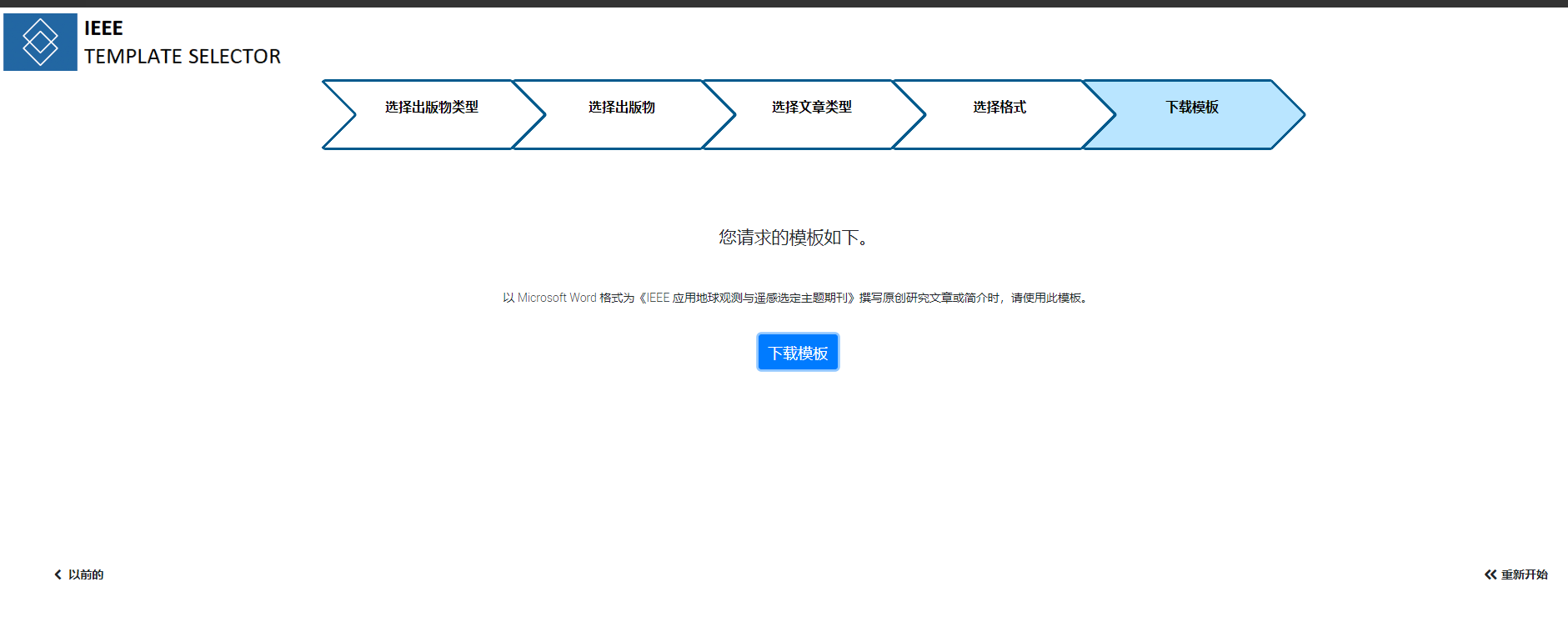
IEEE投稿 IEEE Geoscience and Remote Sensing Letters
IEEE 应用地球观测与遥感专题杂志 journal of Selected Topics in Applied Earth Observations and Remote Sensing IEEE 文章提交流程 撰写文章并准备好图形后,您可以提交文章以供审核。请按照以下步骤完成 IEEE 文章提交流程。 选择目标期刊 如果文章超出期刊范围…...

【华为杯】2024华为杯数模研赛D题 解题思路
题目 大数据驱动的地理综合问题 问题1: 19902020年间中国范围内降水量和土地利用/土地覆被类型的时空演化特征描述? 解题思路 详细分析:此问题要求对降水量(连续变化变量)和土地利用/覆被(离散变化变量)进行时空演…...

Ubuntu20.04 搜索不到任何蓝牙设备
电脑信息 联想扬天YangTianT4900k 问题描述 打开蓝牙之后,一直转圈,搜索不到任何蓝牙设备 排查 dmesg | grep -i blue 有如下错误: Bluetooth: hci0: RTL: unknown IC info, lmp subver 8852, hci rev 000b, hci ver 000b lsusb 芯片型号如…...

【2024】MySQL账户管理
当前MySQL版本为: mysql> select version(); ----------- | version() | ----------- | 8.4.2 | ----------- 1 row in set (0.01 sec)目录 创建普通用户为用户授权查看用户权限修改用户权限修改用户密码删除用户 创建普通用户 使用CREATE USER语句创建用户…...

轻量级流密码算法Trivium
轻量级流密码算法Trivium 0x0 Trivium算法简介 Trivium算法是由C.D Canniere和B.Preneel共同设计的一套对称加密算法,Trivium密码算法采用了分组密码和非线性反馈移位寄存器的设计思路。该密码算法总共288比特的内部状态,其中有…...

MapReduce基本原理
目录 整体执行流程 Map端执行流程 Reduce端执行流程 Shuffle执行流程 整体执行流程 八部曲 读取数据--> 定义map --> 分区 --> 排序 --> 规约 --> 分组 --> 定义reduce --> 输出数据 首先将文件进行切片(block)处理ÿ…...

【DeepSeek测试用例生成实战指南】:20年QA专家亲授5大高覆盖率生成模式与3个避坑红线
更多请点击: https://codechina.net 第一章:DeepSeek测试用例生成的核心价值与适用边界 DeepSeek系列大模型在代码理解与生成任务中展现出显著的上下文建模能力,其测试用例生成功能并非通用“黑盒测试器”,而是聚焦于**单元级、函…...
)
别再死磕USB HID了!用ESP32的Arduino框架手把手教你实现蓝牙鼠标键盘(附完整代码)
ESP32蓝牙HID实战:零基础打造自定义键盘鼠标 手里那块吃灰的ESP32开发板终于能派上用场了!上周我用它做了个无线演示控制器,在会议室里走着就能翻PPT,同事们都问是怎么实现的。其实秘诀就在于ESP32的蓝牙HID功能——不需要任何USB…...

NanaZip:现代Windows文件压缩问题的终极解决方案
NanaZip:现代Windows文件压缩问题的终极解决方案 【免费下载链接】NanaZip The 7-Zip derivative intended for the modern Windows experience 项目地址: https://gitcode.com/gh_mirrors/na/NanaZip 还在为Windows文件压缩工具界面老旧、功能单一而烦恼吗&…...

告别多头对接!DMXAPI 为企业打造国产大模型 “统一入口”
一、企业 AI 落地的普遍痛点:被接口和平台消耗的成本在企业数字化转型的浪潮中,AI 大模型已经成为标配,但很多企业在落地时,都会陷入一个共同的困境:为了满足不同业务场景的需求,需要同时对接 DeepSeek、阿…...

零基础怎么学Agent?这个工程师考试内容拆给你看
站在 AI Agent(智能体)爆发的十字路口,很多既没有深厚算法背景、也没有丰富写代码经验的“小白”常常感到迷茫:动辄谈及的大模型交互、复杂的业务编排,零基础真的能学会吗? 事实上,智能体开发早…...

Taotoken的稳定性与低延迟在实时对话应用中的实际体验
🚀 告别海外账号与网络限制!稳定直连全球优质大模型,限时半价接入中。 👉 点击领取海量免费额度 Taotoken的稳定性与低延迟在实时对话应用中的实际体验 在开发需要快速响应的AI聊天应用时,后端API的稳定性和延迟表现是…...

8款网盘直链下载助手:彻底告别限速烦恼,实现高速下载自由
8款网盘直链下载助手:彻底告别限速烦恼,实现高速下载自由 【免费下载链接】Online-disk-direct-link-download-assistant 一个基于 JavaScript 的网盘文件下载地址获取工具。基于【网盘直链下载助手】修改 ,支持 百度网盘 / 阿里云盘 / 中国移…...

昇腾CANN elec-ops-simulation 实战:电力系统仿真——潮流计算与暂态稳定分析在 NPU 上的加速
电力系统仿真:500 节点电网的牛顿-拉夫逊潮流计算 → 解 10001000 稀疏雅可比矩阵(每迭代 1 次矩阵求逆)→ CPU 迭代 15 次 2.4s。实时调度要求 < 100ms → NPU 加速:雅可比矩阵求解用 Cube 单元做批量小矩阵 LU 分解 → 每迭…...
)
告别复杂模型:用Python+OpenCV+dlib实现简易驾驶员疲劳监测(附完整代码)
轻量级驾驶员疲劳监测系统:PythonOpenCVdlib实战指南 在长途驾驶或夜间行车时,疲劳是导致交通事故的重要因素之一。传统基于嵌入式设备的疲劳监测系统往往需要专用硬件,增加了开发成本和部署难度。本文将介绍如何利用Python生态中的OpenCV和d…...

终极崩坏星穹铁道自动化指南:3分钟掌握解放双手的智能游戏伴侣
终极崩坏星穹铁道自动化指南:3分钟掌握解放双手的智能游戏伴侣 【免费下载链接】StarRailAssistant 崩坏:星穹铁道自动化 | 崩坏:星穹铁道自动锄大地 | 崩坏:星穹铁道锄大地 | 自动锄大地 | 基于模拟按键 项目地址: https://git…...