
RHCE-web篇
一.web服务器
Web 服务器是一种软件或硬件系统,用于接收、处理和响应来自客户端(通常是浏览器)的 HTTP 请求。它的主要功能是存储和提供网站内容,比如 HTML 页面、图像、视频等。
Web 服务器的主要功能
处理请求: 当用户在浏览器中输入网址时,浏览器会发送一个 HTTP 请求到 Web 服务器。服务器接收到请求后,处理该请求并生成响应。
提供内容: Web 服务器根据请求的资源类型(例如 HTML、CSS、JavaScript 文件)从存储中检索并发送相应的内容。
运行应用程序: 一些 Web 服务器还可以处理动态内容,运行服务器端脚本(如 PHP、Python、Node.js),生成用户请求时所需的页面。
安全性和权限管理: Web 服务器通常提供安全特性,如 SSL/TLS 加密,确保数据在传输过程中的安全性,并且可以设置访问控制权限。
负载均衡: 在高流量情况下,Web 服务器可以与负载均衡器配合使用,将请求分配到多个服务器,从而提高性能和可用性。
常见的 Web 服务器软件
Apache HTTP Server:开源,功能强大,广泛使用。
Nginx:高性能,支持高并发,常用于反向代理和负载均衡。
Microsoft Internet Information Services (IIS):专为 Windows 服务器设计。
LiteSpeed:轻量级,支持高效的动态内容处理。
URL 的结构
一个典型的 URL 通常包含以下几个部分:
协议(Scheme): 指定访问资源的协议,如 http、https、ftp 等。例如,https:// 表示使用安全的 HTTP 协议。
主机名(Host): 指明资源所在的服务器的域名或 IP 地址,例如 www.example.com。
端口(Port)(可选): 指定与服务器通信的端口号。默认情况下,HTTP 使用端口 80,HTTPS 使用端口 443。例如,http://www.example.com:8080 表示使用 8080 端口。
知名端口(Well-Known Ports):
范围:0-1023
这些端口由 IANA(互联网号码分配局)分配给常见的网络服务和协议,例如:
HTTP: 80
HTTPS: 443
FTP: 21
SSH: 22
注册端口(Registered Ports):
范围:1024-49151
这些端口可以被应用程序使用,但需向 IANA 注册。常见的服务有:
MySQL: 3306
PostgreSQL: 5432
Microsoft SQL Server: 1433
动态或私有端口(Dynamic or Private Ports):
范围:49152-65535
这些端口通常由客户端应用程序动态分配,用于临时连接。它们不需要注册,通常用于与服务器进行通信时的临时会话。
路径(Path): 指向特定资源的路径,通常是服务器上的文件或目录。例如,/folder/page.html 表示访问 folder 目录下的 page.html 文件。
查询字符串(Query String)(可选): 包含以 ? 开始的键值对,用于传递额外参数。例如,?id=123&sort=asc。
片段(Fragment)(可选): 以 # 开始,指向文档内的特定部分。例如,#section1 指向页面中的某个锚点。
示例
以下是一个完整的 URL 示例:
https://www.example.com:443/folder/page.html?id=123&sort=asc#section1
协议:https
主机名:www.example.com
端口:443(HTTPS 默认端口,可以省略)
路径:/folder/page.html
查询字符串:?id=123&sort=asc
片段:#section1
————————————————
[root@localhost ~]# dnf install nginx -y
[root@localhost ~]# nginx -v
[root@localhost ~]# rpm -ql nginx  #查看nginx产生的文件
[root@localhost ~]# tree /usr/share/nginx/html/ #默认的nginx网站根目录
[root@localhost ~]# tree /var/log/nginx/ #nginx的日志文件所在目录#nginx服务主配置文件nginx.conf的结构
[root@localhost nginx]# grep ^[^#] /etc/nginx/nginx.conf
=========全局配置(无{}标志)=======================
user nginx; #进程所属用户
worker_processes auto; #worker数量
error_log /var/log/nginx/error.log; #错误日志存放路径
pid /run/nginx.pid; #pid文件路径
include /usr/share/nginx/modules/*.conf; #include导入的功能模块配置文件
=========全局配置(无{}标志)=======================
==========性能配置(有{}标志)=================
events {
worker_connections 1024; #TCP连接数
}
==========性能配置(有{}标志)=================
=========http模块配置(有{}标志)==================
http { #http区块开始
log_format main '$remote_addr - $remote_user [$time_local] "$request"
'
'$status $body_bytes_sent "$http_referer" '
'"$http_user_agent" "$http_x_forwarded_for"'; #错误日
志格式
access_log /var/log/nginx/access.log main; #访问日志路径
sendfile on; #开启高效文件传输模式
tcp_nopush on; #性能优化参数
tcp_nodelay on; #性能优化参数
keepalive_timeout 65; #持久连接时间或超时时间
types_hash_max_size 4096; #性能优化参数
include /etc/nginx/mime.types; #可解析的静态资源类型include /etc/nginx/conf.d/*.conf; #子配置文件存放路径
server { #server区块开始
listen 80; #监听端口
listen [::]:80;
server_name _; #服务器的名字
root /usr/share/nginx/html; #主页存放路径
# Load configuration files for the default server block.
include /etc/nginx/default.d/*.conf; #子配置文件存放路径
error_page 404 /404.html; #404错误返回的页面
location = /40x.html { #使用location定义用户请求的uri
}
error_page 500 502 503 504 /50x.html; #500、502、503、504返回的页面
location = /50x.html {
}
} #server区块结束
} #http区块结束
=========http模块配置(有{}标志)==================
常用命令:
[root@localhost ~]#systemctl disable firewalld --now
[root@localhost ~]# setenforce 0
[root@localhost ~]# getenforce
Permissive
[root@localhost ~]# systemctl restart nginx
#测试可以使用curl命令访问web服务器或者使用浏览器访问
[root@localhost ~]# curl -I localhost
HTTP/1.1 200 OK
Server: nginx/1.21.5
Date: Fri, 17 Nov 2023 08:40:28 GMT
Content-Type: text/html
Content-Length: 3510
Last-Modified: Mon, 23 Oct 2023 15:48:29 GMT
Connection: keep-alive
ETag: "653695cd-db6"
Accept-Ranges: bytes[root@localhost ~]# echo "hello world" > /usr/share/nginx/html/index.html
[root@localhost ~]# curl localhost
hello world
[root@localhost ~]# curl 192.168.168.153
hello world#添加ip地址
[root@localhost ~]# nmcli connection modify ens33 +ipv4.addresses
192.168.168.100/24 +ipv4.gateway 192.168.168.2 ipv4.dns 114.114.114.114
ipv4.method manual autoconnect yes
[root@localhost ~]# nmcli connection modify ens33 +ipv4.addresses
192.168.168.200/24
[root@localhost ~]# nmcli connection up ens33
#创建两个网页文件根目录,并定义网页内容
[root@localhost ~]# mkdir -pv /www/ip/{100,200}
[root@localhost ~]# echo this is 100 > /www/ip/100/index.html
[root@localhost ~]# echo this is 200 > /www/ip/200/index.html
#设置selinux,必须设置,否则无法看到网页页面内容
[root@server html]# setenforce 0
[root@server html]# getenforce
Permissive
#定义基于不同ip地址来访问网站的配置文件
#新建文件,写入如下配置
[root@localhost ~]# vim /etc/nginx/conf.d/test_ip.conf
server {
listen 192.168.168.100:80;
root /www/ip/100;
location / {
}
}
server {
listen 192.168.168.200:80;
root /www/ip/200;
location / {
}
}
[root@localhost ~]# systemctl restart nginx
[root@localhost ~]# curl 192.168.168.100
this is 100
[root@localhost ~]# curl 192.168.168.200
this is 200[root@localhost ~]# mkdir -pv /www/port/{80,10000}
[root@localhost ~]# echo the port is 80 > /www/port/80/index.html
[root@localhost ~]# echo the port is 10000 > /www/port/10000/index.html
[root@localhost ~]# nmcli connection modify ens33 +ipv4.addresses
192.168.168.153/24
[root@localhost ~]# nmcli connection up ens33
[root@localhost ~]# cat /etc/nginx/conf.d/test_port.conf
server {
listen 192.168.168.153:80;
root /www/port/80;
location / {
}
}
server {
listen 192.168.168.153:10000;
root /www/port/10000;
location / {
}
}
[root@localhost ~]# systemctl restart nginx
[root@localhost ~]# curl 192.168.168.153:10000
the port is 10000
[root@localhost ~]# curl 192.168.168.153
the port is 80[root@localhost conf.d]# nmcli connection modify ens33 +ipv4.addresses
192.168.168.154/24
[root@localhost conf.d]# nmcli connection up ens33
[root@localhost ~]# mkdir /www/{name,ce}
[root@localhost ~]# echo this is test > /www/name/index.html
[root@localhost ~]# echo today is first day of class > /www/ce/index.html
[root@localhost ~]# vim /etc/nginx/conf.d/test_servername.conf
server {
listen 192.168.168.154:80;
server_name www.ceshi.com;
root /www/name;
location / {
}
}
server {
listen 192.168.168.154:80;
server_name rhce.first.day ce.first.day;
root /www/ce;
location / {
}
}
[root@localhost ~]# vim /etc/hosts
192.168.168.154 www.ceshi.com rhce.first.day ce.first.day
[root@localhost ~]# systemctl restart nginx
[root@localhost ~]# curl www.ceshi.com
this is test
[root@localhost ~]# curl rhce.first.day
today is first day of class
[root@localhost ~]# curl ce.first.day
today is first day of class#虚拟目录实现
[root@localhost conf.d]# nmcli connection modify ens33 +ipv4.addresses
192.168.168.155/24
[root@localhost conf.d]# nmcli connection up ens33
[root@localhost ~]# vim /etc/nginx/conf.d/test_virtualdir.conf
server {
listen 192.168.168.155:80;
root /usr/share/nginx/html;
location /real {
alias /www/real;
}
}
[root@localhost ~]# mkdir /www/real/
[root@localhost ~]# echo real-virtual > /www/real/index.html
[root@localhost ~]# systemctl restart nginx
[root@localhost ~]# curl 192.168.168.155/real/
real-virtual
#用户访问控制
[root@localhost ~]# vim /etc/nginx/conf.d/test_virtualdir.conf
server {
listen 192.168.168.155:80;
root /usr/share/nginx/html;
location /real {
alias /www/real;
auth_basic on;
auth_basic_user_file /etc/nginx/conf.d/auth-password;
}
}
[root@localhost ~]# dnf install httpd-tools -y
[root@localhost ~]# htpasswd -cb /etc/nginx/conf.d/auth-password user1
123456
[root@localhost ~]# systemctl restart nginx
[root@localhost ~]# curl 192.168.168.155/real/
<html>
<head><title>401 Authorization Required</title></head>
<body>
<center><h1>401 Authorization Required</h1></center>
<hr><center>nginx/1.21.5</center>
</body>
</html>
[root@localhost ~]# curl 192.168.168.155/real/ -u user1
Enter host password for user 'user1':
real-virtual
[root@localhost ~]# curl user1:123456@192.168.168.155/real
<html>
<head><title>301 Moved Permanently</title></head>
<body>
<center><h1>301 Moved Permanently</h1></center>
<hr><center>nginx/1.21.5</center>
</body>
</html>
[root@localhost ~]# curl user1:123456@192.168.168.155/real/
real-virtual#https功能由ngx_http_ssl_module模块提供
[rootlocalhost ~]# nmcli connection modify ens33 +ipv4.addresses
192.168.168.156/24
[root@localhost ~]# nmcli connection up ens33
[root@localhost ~]# mkdir -pv /www/https/
[root@localhost ~]# echo https > /www/https/index.html
[root@localhost conf.d]# cd /etc/pki/tls/certs/
#key是私钥文件
[root@localhost certs]# openssl genrsa -out https.key
#crt是由证书颁发机构(CA)签名后的证书,或者是开发者自签名的证书,包含证书持有人的信息,持
有人的公钥,以及签署者的签名等信息
[root@localhost certs]# openssl req -utf8 -new -key https.key -x509 -days
100 -out https.crt
[[root@localhost ~]# cat /etc/nginx/conf.d/test_https.conf
server {
# listen 80;
listen 192.168.168.156:443 ssl;
root /www/https;
ssl_certificate /etc/pki/tls/certs/https.crt;
ssl_certificate_key /etc/pki/tls/certs/https.key;
location / {
}
}
[root@localhost ~]# systemctl restart nginx
[root@localhost ~]# curl --insecure https://192.168.168.156
https
[root@localhost ~]# curl -k https://192.168.168.156
https[root@localhost nginx]# nmcli connection modify ens33 +ipv4.addresses
192.168.168.157/24
[root@localhost nginx]# nmcli connection up ens33
[root@localhost ~]# dnf install php php-fpm -y
[root@localhost ~]# systemctl restart nginx php-fpm
[root@ntp-server ~]# echo "<?php phpinfo(); ?>" >
/usr/share/nginx/html/index.php
#使用浏览器访问相关文章:

RHCE-web篇
一.web服务器 Web 服务器是一种软件或硬件系统,用于接收、处理和响应来自客户端(通常是浏览器)的 HTTP 请求。它的主要功能是存储和提供网站内容,比如 HTML 页面、图像、视频等。 Web 服务器的主要功能 处理请求…...

Java - 人工智能;SpringAI
一、人工智能(Artificial Intelligence,缩写为AI) 人工智能(Artificial Intelligence,缩写为AI)是一门新的技术科学,旨在开发、研究用于模拟、延伸和扩展人的智能的理论、方法、技术及应用系统…...
MFC开发,给对话框添加定时器
定时器简介 定时器的主要功能是设置以毫秒为单位的定时周期,然后进行连续定时或单次定时。 定时器是用于设置有规律的去触发某种动作所用的,这种场景也是软件中经常可以用到的,比如用户设置规定时间推送提示的功能,又比如程序定…...

LED灯珠:技术、类型与选择指南
目录 1. LED灯珠的类型 2. LED灯珠技术 3. 如何选择LED灯珠 4. 相关案例和使用情况 5. 结论 LED(Light Emitting Diode)灯珠是一种半导体发光器件,通过电流在固体半导体中流动时,其工作原理是电子与空穴的结合,通过…...

C语言二刷
const #include<stdio.h> int main() {const int amount 100;int price 0;scanf("%d", &price);int change amount - price;printf("找您%d元\n", change);return 0; } 浮点数类型 输入输出float(单精度)%f%f %l…...

C++模块化程序设计举例
1、模块1 在main.cpp里输入下面的程序: #include "stdio.h" //使能printf()函数 #include <stdlib.h> //使能exit(); #include "Static_Variable.h" //argc 是指命令行输入参数的个数; //argv[]存储了所有的命令行参数; //argv[0]通常…...

毕业设计选题:基于Python的招聘信息爬取和可视化平台
开发语言:Python框架:djangoPython版本:python3.7.7数据库:mysql 5.7数据库工具:Navicat11开发软件:PyCharm 系统展示 采集的数据列表 招聘数据大屏 摘要 本系统通过对网络爬虫的分析,研究智…...

机器人学习仿真框架
机器人学习仿真框架一般包含(自底向上): 3D仿真物理引擎:对现实世界的模拟仿真机器人仿真平台:用于搭建工作场景,以实现agent与环境的交互学习学习算法框架集合:不同的策略学习算法的实现算法测…...

力扣每日一题打卡 3180. 执行操作可获得的最大总奖励 I
给你一个整数数组 rewardValues,长度为 n,代表奖励的值。 最初,你的总奖励 x 为 0,所有下标都是 未标记 的。你可以执行以下操作 任意次 : 从区间 [0, n - 1] 中选择一个 未标记 的下标 i。如果 rewardValues[i] 大于…...
NVR录像机汇聚管理EasyNVR多品牌NVR管理工具/设备视频报警功能详解
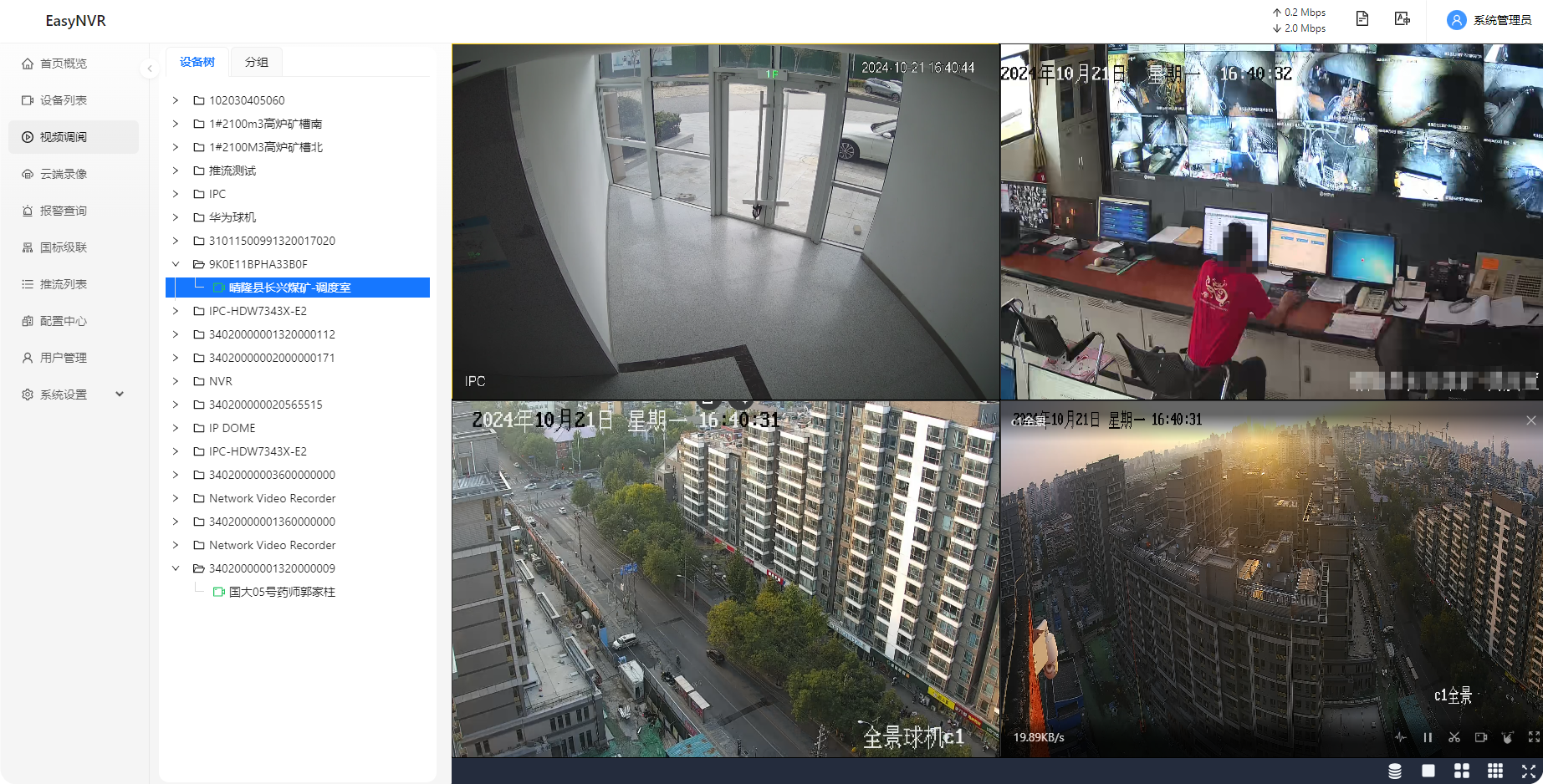
在科技日新月异的今天,视频监控系统作为现代社会的“第三只眼”,正以前所未有的方式深刻影响着我们的生活与社会结构。从公共场所的安全监控到个人生活的记录分享,视频监控系统以其独特的视角和功能,为社会带来了诸多好处…...
springboot073车辆管理系统设计与实现(论文+源码)_kaic.zip
车辆管理系统 摘要 随着信息技术在管理上越来越深入而广泛的应用,管理信息系统的实施在技术上已逐步成熟。本文介绍了车辆管理系统的开发全过程。通过分析车辆管理系统管理的不足,创建了一个计算机管理车辆管理系统的方案。文章介绍了车辆管理系统的系统…...

2024.10月22日- MySql的 补充知识点
1、什么是数据库事务? 数据库事务: 是数据库管理系统执行过程中的一个逻辑单位,由一个有限的数据库操作序列构成,这些操作要么全部执行,要么全部不执行,是一个不可分割的工作单位。 2、Mysql事务的四大特性是什么? …...

Java中的对象——生命周期详解
1. 对象的创建 1.1 使用 new 关键字 执行过程:当使用 new 关键字创建对象时,JVM 会为新对象在堆内存中分配一块空间,并调用对应的构造器来初始化对象。 示例代码: MyClass obj new MyClass(); 内存变化:JVM 在堆…...
vue文件报Cannot find module ‘webpack/lib/RuleSet‘错误处理
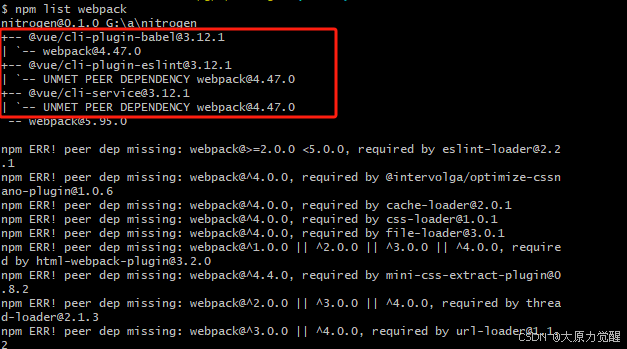
检查 Node.js 版本:这个问题可能与 Node.js 的版本有关。你可以尝试将 Node.js 的版本切换到 12 或更低。如果没有安装 nvm(Node Version Manager),可以通过以下命令安装: curl -o- https://raw.githubusercontent.co…...

第 6 章 机器人系统仿真
对于ROS新手而言,可能会有疑问:学习机器人操作系统,实体机器人是必须的吗?答案是否定的,机器人一般价格不菲,为了降低机器人学习、调试成本,在ROS中提供了系统的机器人仿真实现,通过仿真&#x…...

爬虫——scrapy的基本使用
一,scrapy的概念和流程 1. scrapy的概念 Scrapy是一个Python编写的开源网络爬虫框架。它是一个被设计用于爬取网络数据、提取结构性数据的框架。 框架就是把之前简单的操作抽象成一套系统,这样我们在使用框架的时候,它会自动的帮我们完成很…...
聚类分析算法——K-means聚类 详解
K-means 聚类是一种常用的基于距离的聚类算法,旨在将数据集划分为 个簇。算法的目标是最小化簇内的点到簇中心的距离总和。下面,我们将从 K-means 的底层原理、算法步骤、数学基础、距离度量方法、参数选择、优缺点 和 源代码实现 等角度进行详细解析。…...
【Sublime Text】设置中文 最新最详细
在编程的艺术世界里,代码和灵感需要寻找到最佳的交融点,才能打造出令人为之惊叹的作品。而在这座秋知叶i博客的殿堂里,我们将共同追寻这种完美结合,为未来的世界留下属于我们的独特印记。 【Sublime Text】设置中文 最新最详细 开…...
C++学习路线(二十四)
静态成员函数 类的静态方法: 1.可以直接通过类来访问【更常用】,也可以通过对象(实例)来访问。 2.在类的静态方法中,不能访问普通数据成员和普通成员函数(对象的数据成员和成员函数) 1)静态数据成员 可以直接访问“静态数据成员”对象的成…...

MySQL-存储过程/函数/触发器
文章目录 什么是存储过程存储过程的优缺点存储过程的基本使用存储过程的创建存储过程的调用存储过程的删除存储过程的查看delimiter命令 MySQL中的变量系统变量用户变量局部变量参数 if语句case语句while循环repeat循环loop循环游标cursor捕获异常并处理存储函数触发器触发器概…...

3分钟免费转换:PNG/JPG图片如何无损转为SVG矢量图?
3分钟免费转换:PNG/JPG图片如何无损转为SVG矢量图? 【免费下载链接】vectorizer Potrace based multi-colored raster to vector tracer. Inputs PNG/JPG returns SVG 项目地址: https://gitcode.com/gh_mirrors/ve/vectorizer vectorizer是一款基…...

Code-Captain:一体化开发工作流自动化工具的设计与实践
1. 项目概述:一个为开发者打造的“全能副驾”最近在 GitHub 上看到一个挺有意思的项目,叫devobsessed/code-captain。光看这个名字,你可能会联想到“代码船长”或者“开发指挥官”之类的形象。没错,这个项目的核心定位,…...

Cursor智能体工具包:从代码助手到自主编程代理的进化
1. 项目概述:从“智能代码补全”到“自主编程代理”的进化如果你和我一样,在过去一两年里深度使用过Cursor,那么你对它的第一印象大概率是“一个集成了AI的现代化代码编辑器”。它确实把智能代码补全、聊天式编程和代码理解做到了一个新高度&…...

AutoGen框架解析:多智能体协作如何重塑AI应用开发范式
1. 项目概述:当AI学会“开会”,AutoGen如何重塑智能体协作范式 如果你和我一样,在过去几年里深度参与过AI应用开发,尤其是基于大语言模型的智能体构建,那你一定体会过那种“保姆式”的疲惫感。为了让一个智能体完成稍微…...

[IdeaLoop · 灵感回路] 独立开发者创业/副业灵感日报 · 2026-05-14
灵感日报 2026年05月14日 从今日全网热点提炼,精选 5 个值得关注的商业方向。— 灵感回路 IdeaLoop 完整报告(含竞品分析、MVP 规划、冷启动策略):idealoop.top 🏆 #1 胶片一键调色助手 综合评分:65 / 10…...

C++面向对象编程实验:从封装到多态的实战训练与工程化实践
1. 项目概述与核心价值最近在整理硬盘,翻出来一个老项目——Ayat-Gamal/Cpp_OOP_Labs。这名字一看,就是当年学C面向对象编程(OOP)时,为了应付课程实验或者自己练习攒下来的代码仓库。这类项目在GitHub上成千上万&#…...

设备树和api 关系
// 包含头文件(定义宏和常量) #include <dt-bindings/interrupt-controller/arm-gic.h> #include <dt-bindings/gpio/gpio.h> #include <dt-bindings/clock/stm32mp1-clks.h> #include <dt-bindings/reset/stm32mp1-resets.h>/ …...

国星宇航冲刺港股:年营收7亿亏2.6亿 刚募资36亿 估值116亿 刚发射两颗实验卫星失败
雷递网 雷建平 5月14日成都国星宇航科技股份有限公司(简称:“国星宇航”)日前更新招股书,准备在港交所上市。在2023年12月底,国星宇航完成了5.22亿元融资,投后估值为41.2亿元,2024年12月底&…...

Perplexity搜索ACM结果不排序?揭秘影响因子加权算法逆向工程,自定义排序脚本已开源
更多请点击: https://intelliparadigm.com 第一章:Perplexity ACM论文查询 Perplexity 是一款基于大语言模型的智能研究助手,支持对 ACM Digital Library 等权威学术资源进行语义化检索。与传统关键词搜索不同,它能理解自然语言提…...

保姆级教程:用GeoServer 2.24发布SRTM3地形图,从下载到配色一站式搞定
从零到一:GeoServer发布SRTM3地形图的完整实践指南 当你第一次看到专业GIS系统中那些色彩斑斓的地形图时,是否好奇过它们是如何从原始数据变成可视化作品的?SRTM3作为全球覆盖的90米分辨率高程数据,是地形分析的基础素材ÿ…...