
搭建一个基于Spring Boot的数码分享网站
搭建一个基于Spring Boot的数码分享网站可以涵盖多个功能模块,例如用户管理、数码产品分享、评论、点赞、收藏、搜索等。以下是一个简化的步骤指南,帮助你快速搭建一个基础的数码分享平台。
—
1. 项目初始化
使用 Spring Initializr 生成一个Spring Boot项目:
- 访问 Spring Initializr。
- 选择以下依赖:
- Spring Web(用于构建RESTful API或MVC应用)
- Spring Data JPA(用于数据库操作)
- Spring Security(用于用户认证和授权)
- Thymeleaf(可选,用于前端页面渲染)
- MySQL Driver(或其他数据库驱动)
- Lombok(简化代码)
- 点击“Generate”下载项目。
2. 项目结构
项目结构大致如下:
src/main/java/com/example/digitalshare├── controller├── service├── repository├── model├── config└── DigitalShareApplication.java
src/main/resources├── static├── templates└── application.properties
3. 配置数据库
在application.properties中配置数据库连接:
spring.datasource.url=jdbc:mysql://localhost:3306/digital_share
spring.datasource.username=root
spring.datasource.password=yourpassword
spring.jpa.hibernate.ddl-auto=update
spring.jpa.show-sql=true
4. 创建实体类
在model包中创建实体类,例如User、Product、Comment、Like等。
用户实体类 (User)
package com.example.digitalshare.model;import javax.persistence.*;
import java.util.Set;@Entity
public class User {@Id@GeneratedValue(strategy = GenerationType.IDENTITY)private Long id;private String username;private String password;private String email;@OneToMany(mappedBy = "user", cascade = CascadeType.ALL)private Set<Product> products;@OneToMany(mappedBy = "user", cascade = CascadeType.ALL)private Set<Comment> comments;@OneToMany(mappedBy = "user", cascade = CascadeType.ALL)private Set<Like> likes;// Getters and Setters
}
数码产品实体类 (Product)
package com.example.digitalshare.model;import javax.persistence.*;
import java.util.Set;@Entity
public class Product {@Id@GeneratedValue(strategy = GenerationType.IDENTITY)private Long id;private String name;private String description;private String imageUrl;@ManyToOne@JoinColumn(name = "user_id")private User user;@OneToMany(mappedBy = "product", cascade = CascadeType.ALL)private Set<Comment> comments;@OneToMany(mappedBy = "product", cascade = CascadeType.ALL)private Set<Like> likes;// Getters and Setters
}
评论实体类 (Comment)
package com.example.digitalshare.model;import javax.persistence.*;@Entity
public class Comment {@Id@GeneratedValue(strategy = GenerationType.IDENTITY)private Long id;private String content;@ManyToOne@JoinColumn(name = "user_id")private User user;@ManyToOne@JoinColumn(name = "product_id")private Product product;// Getters and Setters
}
点赞实体类 (Like)
package com.example.digitalshare.model;import javax.persistence.*;@Entity
public class Like {@Id@GeneratedValue(strategy = GenerationType.IDENTITY)private Long id;@ManyToOne@JoinColumn(name = "user_id")private User user;@ManyToOne@JoinColumn(name = "product_id")private Product product;// Getters and Setters
}
5. 创建Repository接口
在repository包中创建JPA Repository接口。
package com.example.digitalshare.repository;import com.example.digitalshare.model.Product;
import org.springframework.data.jpa.repository.JpaRepository;public interface ProductRepository extends JpaRepository<Product, Long> {
}
6. 创建Service层
在service包中创建服务类。
package com.example.digitalshare.service;import com.example.digitalshare.model.Product;
import com.example.digitalshare.repository.ProductRepository;
import org.springframework.beans.factory.annotation.Autowired;
import org.springframework.stereotype.Service;import java.util.List;@Service
public class ProductService {@Autowiredprivate ProductRepository productRepository;public List<Product> getAllProducts() {return productRepository.findAll();}public Product getProductById(Long id) {return productRepository.findById(id).orElse(null);}public Product saveProduct(Product product) {return productRepository.save(product);}public void deleteProduct(Long id) {productRepository.deleteById(id);}
}
7. 创建Controller层
在controller包中创建控制器类。
package com.example.digitalshare.controller;import com.example.digitalshare.model.Product;
import com.example.digitalshare.service.ProductService;
import org.springframework.beans.factory.annotation.Autowired;
import org.springframework.stereotype.Controller;
import org.springframework.ui.Model;
import org.springframework.web.bind.annotation.*;@Controller
@RequestMapping("/products")
public class ProductController {@Autowiredprivate ProductService productService;@GetMappingpublic String listProducts(Model model) {model.addAttribute("products", productService.getAllProducts());return "products";}@GetMapping("/new")public String showProductForm(Model model) {model.addAttribute("product", new Product());return "product-form";}@PostMappingpublic String saveProduct(@ModelAttribute Product product) {productService.saveProduct(product);return "redirect:/products";}@GetMapping("/edit/{id}")public String showEditForm(@PathVariable Long id, Model model) {model.addAttribute("product", productService.getProductById(id));return "product-form";}@GetMapping("/delete/{id}")public String deleteProduct(@PathVariable Long id) {productService.deleteProduct(id);return "redirect:/products";}
}
8. 创建前端页面
在src/main/resources/templates目录下创建Thymeleaf模板文件。
products.html
<!DOCTYPE html>
<html xmlns:th="http://www.thymeleaf.org">
<head><title>Products</title>
</head>
<body><h1>Products</h1><a href="/products/new">Add New Product</a><table><thead><tr><th>ID</th><th>Name</th><th>Description</th><th>Image</th><th>Actions</th></tr></thead><tbody><tr th:each="product : ${products}"><td th:text="${product.id}"></td><td th:text="${product.name}"></td><td th:text="${product.description}"></td><td><img th:src="${product.imageUrl}" width="100" /></td><td><a th:href="@{/products/edit/{id}(id=${product.id})}">Edit</a><a th:href="@{/products/delete/{id}(id=${product.id})}">Delete</a></td></tr></tbody></table>
</body>
</html>
product-form.html
<!DOCTYPE html>
<html xmlns:th="http://www.thymeleaf.org">
<head><title>Product Form</title>
</head>
<body><h1>Product Form</h1><form th:action="@{/products}" th:object="${product}" method="post"><input type="hidden" th:field="*{id}" /><label>Name:</label><input type="text" th:field="*{name}" /><br/><label>Description:</label><input type="text" th:field="*{description}" /><br/><label>Image URL:</label><input type="text" th:field="*{imageUrl}" /><br/><button type="submit">Save</button></form>
</body>
</html>
9. 运行项目
在IDE中运行DigitalShareApplication.java,访问http://localhost:8080/products即可看到数码产品列表页面。
帮助链接:通过网盘分享的文件:share
链接: https://pan.baidu.com/s/1Vu-rUCm2Ql5zIOtZEvndgw?pwd=5k2h 提取码: 5k2h
10. 进一步扩展
- 用户管理:实现用户注册、登录、权限管理等功能。
- 评论功能:用户可以对数码产品进行评论。
- 点赞功能:用户可以对数码产品点赞。
- 收藏功能:用户可以收藏喜欢的数码产品。
- 搜索功能:实现数码产品的搜索功能。
- 分页功能:对数码产品列表进行分页显示。
通过以上步骤,你可以搭建一个基础的数码分享平台,并根据需求进一步扩展功能。
相关文章:
搭建一个基于Spring Boot的数码分享网站
搭建一个基于Spring Boot的数码分享网站可以涵盖多个功能模块,例如用户管理、数码产品分享、评论、点赞、收藏、搜索等。以下是一个简化的步骤指南,帮助你快速搭建一个基础的数码分享平台。 — 1. 项目初始化 使用 Spring Initializr 生成一个Spring …...

K210视觉识别模块
K210视觉识别模块是一款功能强大的AI视觉模块,以下是对其的详细介绍: 一、核心特性 强大的视觉识别功能:K210视觉识别模块支持多种视觉功能,包括但不限于人脸识别、口罩识别、条形码和二维码识别、特征检测、数字识别、颜色识别…...

JAVA:在IDEA引入本地jar包的方法(不读取maven目录jar包)
问题: 有时maven使用的jar包版本是最新版,但项目需要的是旧版本,每次重新install会自动将mavan的jar包覆盖到项目的lib目录中,导致项目报错。 解决: 在IDEA中手动配置该jar包对应的目录。 点击菜单File->Projec…...
)
存在重复元素(217)
217. 存在重复元素 - 力扣(LeetCode) class Solution { public:bool containsDuplicate(vector<int>& nums) {//stl sortsort(nums.begin(), nums.end());for (int i 0; i < nums.size() - 1; i) {if (nums[i] nums[i1]) {return true;}…...

聊聊如何实现Android 放大镜效果
一、前言 很久没有更新Android 原生技术内容了,前些年一直在做跨端方向开发,最近换工作用重新回到原生技术,又回到了熟悉但有些生疏的环境,真是感慨万分。 近期也是因为准备做地图交互相关的需求,功能非常复杂&#x…...

linux 安装mysql5.6
下载mysql安装包 https://dev.mysql.com/downloads/mysql/5.6.html卸载系统自带的mariadb [rootgpap-prod-3 ~]# rpm -qa| grep mariadb mariadb-libs-5.5.68-1.el7.x86_64 [rootgpap-prod-3 ~]# rpm -e --nodeps mariadb-libs-5.5.68-1.el7.x86_64 warning: /etc/my.cnf sav…...

【Vue3 入门到实战】3. ref 和 reactive区别和适用场景
目录 编辑 1. ref 部分 1.1 ref定义基本数据类型 1.2 ref 定义引用数据类型 2. reactive 函数 3. ref 和 reactive 对比 3.1 原理 3.2 区别 3.3 使用原则 在 Vue 3 中 ref 和 reactive 是用于创建响应式数据的两个核心函数。它们都属于 Composition API 的一部分&…...

edge浏览器恢复旧版滚动条
1、地址栏输入edge://flags 2、搜索Fluent scrollbars.,选择disabled,重启即可...

Flink(十):DataStream API (七) 状态
1. 状态的定义 在 Apache Flink 中,状态(State) 是指在数据流处理过程中需要持久化和追踪的中间数据,它允许 Flink 在处理事件时保持上下文信息,从而支持复杂的流式计算任务,如聚合、窗口计算、联接等。状…...

AWTK fscript 中的 输入/出流 扩展函数
fscript 是 AWTK 内置的脚本引擎,开发者可以在 UI XML 文件中直接嵌入 fscript 脚本,提高开发效率。本文介绍一下 fscript 中的 iostream 扩展函数 1.iostream_get_istream 获取输入流对象。 原型 iostream_get_istream(iostream) > object示例 va…...
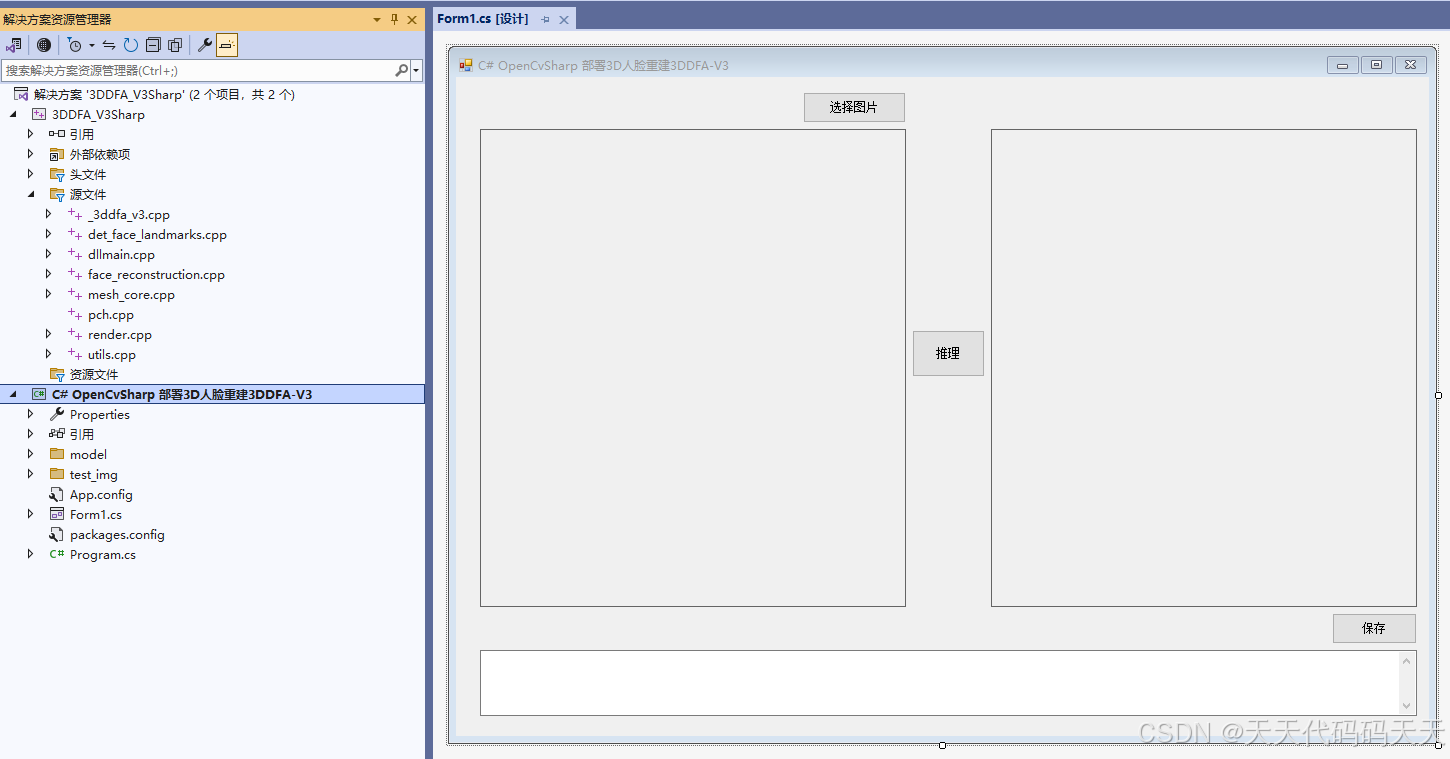
C# OpenCvSharp 部署3D人脸重建3DDFA-V3
目录 说明 效果 模型信息 landmark.onnx net_recon.onnx net_recon_mbnet.onnx retinaface_resnet50.onnx 项目 代码 下载 参考 C# OpenCvSharp 部署3D人脸重建3DDFA-V3 说明 地址:https://github.com/wang-zidu/3DDFA-V3 3DDFA_V3 uses the geometri…...
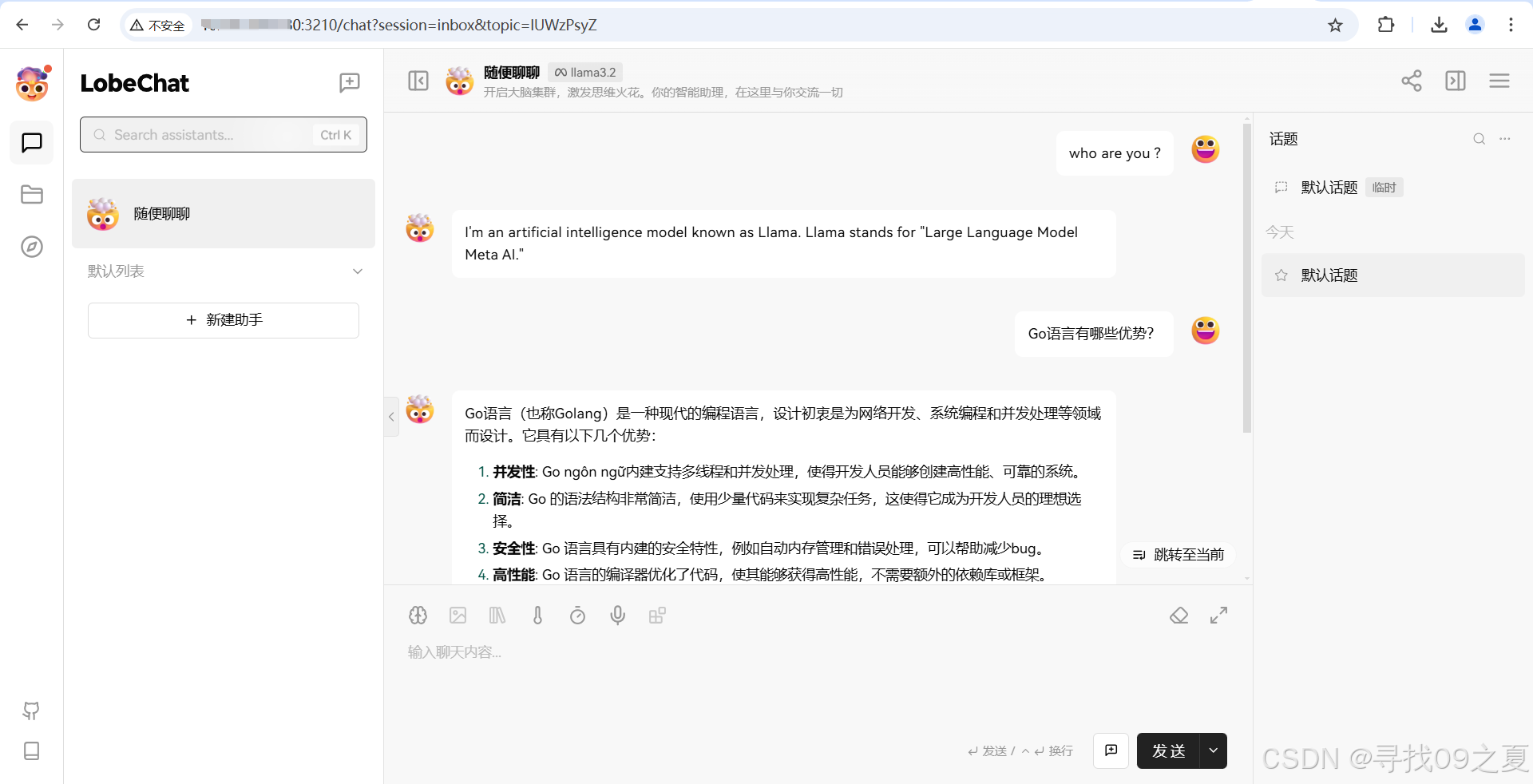
【人工智能】:搭建本地AI服务——Ollama、LobeChat和Go语言的全方位实践指南
前言 随着自然语言处理(NLP)技术的快速发展,越来越多的企业和个人开发者寻求在本地环境中运行大型语言模型(LLM),以确保数据隐私和提高响应速度。Ollama 作为一个强大的本地运行框架,支持多种先…...

数据结构——堆(介绍,堆的基本操作、堆排序)
我是一个计算机专业研0的学生卡蒙Camel🐫🐫🐫(刚保研) 记录每天学习过程(主要学习Java、python、人工智能),总结知识点(内容来自:自我总结网上借鉴࿰…...
的用法)
Excel中函数ABS( )的用法
Excel中函数ABS的用法 1. 函数详细讲解1.1 函数解释1.2 使用格式1.3 参数定义1.4 要点 2. 实用演示示例3. 注意事项4. 文档下载5. 其他文章6. 获取全部Excel练习素材快来试试吧🥰 函数练习素材👈点击即可进行下载操作操作注意只能下载不能在线操作 1. 函…...

【数据分析】02- A/B 测试:玩转假设检验、t 检验与卡方检验
一、背景:当“审判”成为科学 1.1 虚拟场景——法庭审判 想象这样一个场景:有一天,你在王国里担任“首席审判官”。你面前站着一位嫌疑人,有人指控他说“偷了国王珍贵的金冠”。但究竟是他干的,还是他是被冤枉的&…...
介绍及使用)
Windows下的C++内存泄漏检测工具Visual Leak Detector (VLD)介绍及使用
在软件开发过程中,内存管理是一个至关重要的环节。内存泄漏不仅会导致程序占用越来越多的内存资源,还可能引发系统性能下降甚至程序崩溃。对于Linux平台来说,内存检测工具非常丰富,GCC自带的AddressSanitizer (asan) 就是一个功能…...

[苍穹外卖] 1-项目介绍及环境搭建
项目介绍 定位:专门为餐饮企业(餐厅、饭店)定制的一款软件产品 功能架构: 管理端 - 外卖商家使用 用户端 - 点餐用户使用 技术栈: 开发环境的搭建 整体结构: 前端环境 前端工程基于 nginx 运行 - Ngi…...

人物一致性训练测评数据集
1.Pulid 训练:由1.5M张从互联网收集的高质量人类图像组成,图像标题由blip2自动生成。 测试:从互联网上收集了一个多样化的肖像测试集,该数据集涵盖了多种肤色、年龄和性别,共计120张图像,我们称之为DivID-120,作为补充资源,还使用了最近开源的测试集Unsplash-50,包含…...

AI的出现,是否能替代IT从业者?
AI的出现,是否能替代IT从业者? AI在IT领域中的应用已成趋势,IT 从业者们站在这风暴之眼,面临着一个尖锐问题:AI 是否会成为 “职业终结者”?有人担忧 AI 将取代 IT 行业的大部分工作,也有人坚信…...

乘联会:1月汽车零售预计175万辆 环比暴跌33.6%
快科技1月18日消息,据乘联会的初步推算,2025年1月狭义乘用车零售总市场规模预计将达到约175万辆左右。与去年同期相比,这一数据呈现了-14.6%的同比下降态势;而相较于上个月,则出现了-33.6%的环比暴跌情况。 为了更清晰…...
)
【2026年最新600套毕设项目分享】在线课堂微信小程序(30036)
有需要的同学,源代码和配套文档领取,加文章最下方的名片哦 一、项目演示 项目演示视频 二、资料介绍 完整源代码(前后端源代码SQL脚本)配套文档(LWPPT开题报告/任务书)远程调试控屏包运行一键启动项目&…...
:显卡驱动问题的终极解决方案)
Display Driver Uninstaller (DDU):显卡驱动问题的终极解决方案
Display Driver Uninstaller (DDU):显卡驱动问题的终极解决方案 【免费下载链接】display-drivers-uninstaller Display Driver Uninstaller (DDU) a driver removal utility / cleaner utility 项目地址: https://gitcode.com/gh_mirrors/di/display-drivers-uni…...
)
从walking_dataset到MID360:LIO-SAM ROS2实战避坑全记录(含Docker配置、仿真插件、数据转换)
从walking_dataset到MID360:LIO-SAM ROS2实战避坑指南 当开发者尝试将LIO-SAM算法从理论验证迁移到实际机器人平台时,往往会遇到各种预料之外的挑战。本文将以Livox MID360激光雷达为例,分享从标准数据集验证到真实硬件部署的全流程实战经验&…...
)
OpenClaw人人养虾:仪表盘(Dashboard)
Gateway 仪表盘是默认在 / 路径提供的浏览器 Control UI(可通过 gateway.controlUi.basePath 覆盖)。 快速打开(本地 Gateway): http://127.0.0.1:18789/(或 http://localhost:18789/) 关键参…...
)
第3篇:ChatGPT引爆的AIGC革命——内容创作的新纪元(概念入门)
文章目录背景引入:当我的“周报”被AI抢了饭碗核心概念:什么是AIGC?类比解释:从“图书馆管理员”到“小说家”简单示例:看AIGC如何工作为什么说这是“新纪元”?小结:拥抱变化,聚焦“…...

模块电源PCB Layout实战:从元件摆放到噪声抑制的完整指南
1. 模块电源PCB Layout的核心挑战 刚拿到模块电源原理图时,很多工程师会直接开始画板,结果往往要反复修改。我做过十几个电源模块项目,发现PCB布局就像下棋,开局走错几步后面就很难挽回。模块电源的特殊性在于,它同时面…...
与阅读顺序预测(ROP)中的前沿应用与实践)
深度学习在文档图像矫正(Dewarp)与阅读顺序预测(ROP)中的前沿应用与实践
1. 文档图像矫正(Dewarp)技术的前世今生 第一次看到弯曲的发票被AI拉直时,我盯着屏幕愣了三秒——这简直像变魔术。你可能也遇到过类似场景:用手机拍摄纸质文档时,边缘总是扭曲变形,文字像被哈哈镜照过一样…...

静态代码分析:抽象语法树遍历与模式匹配
静态代码分析:抽象语法树遍历与模式匹配 在软件开发中,代码质量直接影响系统的稳定性和可维护性。静态代码分析作为一种无需运行程序即可检测潜在问题的方法,已成为现代开发流程中的重要工具。其中,抽象语法树(AST&am…...

解决Python虚拟环境激活脚本PowerShell执行权限问题
1. 为什么你的Python虚拟环境激活脚本无法运行? 最近在Windows上使用Python虚拟环境时,是不是经常遇到这样的错误提示:"无法加载文件...\Activate.ps1,因为在此系统上禁止运行脚本"?这个问题困扰过不少Pytho…...

终极光影增强指南:如何用Photon-GAMS将Minecraft变成电影级视觉盛宴
终极光影增强指南:如何用Photon-GAMS将Minecraft变成电影级视觉盛宴 【免费下载链接】Photon-GAMS Personal fork of Photon shaders 项目地址: https://gitcode.com/gh_mirrors/ph/Photon-GAMS 还在为Minecraft方块世界的单调画面感到乏味吗?想要…...