
Vue06
目录
一、声明式导航-导航链接
1.需求
2.解决方案
3.通过router-link自带的两个样式进行高亮
二、声明式导航的两个类名
1.router-link-active
2.router-link-exact-active
三、声明式导航-自定义类名(了解)
1.问题
2.解决方案
3.代码演示
四、声明式导航-查询参数传参
1.目标
2.跳转传参
3.查询参数传参
4.代码演示
五、声明式导航-动态路由传参
1.动态路由传参方式
2.查询参数传参 VS 动态路由传参
3.总结
七、Vue路由-重定向
1.问题
2.解决方案
3.语法
4.代码演示
八、Vue路由-404
1.作用
2.位置
3.语法
4.代码示例
九、Vue路由的模式设置
1.问题
2.语法
十、编程式导航-两种路由跳转方式
1.问题
2.方案
3.语法
4.通过path路由路径的方式跳转
5.代码演示 path跳转方式
6.name给路由规则命名,后跳转
十一、编程式导航-path路由路径跳转时传参
1.问题
2.两种传参方式
3.传参
4.path路由路径跳转时传参(查询参数传参)
5.path路径跳转传参(动态路由传参)
十二、编程式导航-name命名路由跳转时传参
1.name 命名路由跳转传参 (query传参)
2.name 命名路由跳转传参 (动态路由传参)
3.总结
一、声明式导航跳转-导航链接
1.需求
实现导航高亮效果

2.解决方案
vue-router中提供了一个全局组件 router-link 来取代a标签
-
能跳转,使用 to 属性指定跳转路径(必须) 。本质还是 a 标签 ,to 无需 #
-
能高亮,默认会提供用于高亮的类名,可以直接使用这两个类名设置高亮样式
语法: <router-link to="path的值">发现音乐</router-link>
<div><div class="footer_wrap"><router-link to="/find">发现音乐</router-link><router-link to="/my">我的音乐</router-link><router-link to="/friend">朋友</router-link></div><div class="top"><!-- 路由出口 → 匹配的组件所展示的位置 --><router-view></router-view></div></div>3.通过router-link自带的两个样式进行高亮
使用router-link跳转后,我们发现。当前点击的链接默认加了两个class的值 router-link-exact-active和router-link-active,此时可以编写css给任意一个class属性添加高亮样式即可实现功能
二、声明式导航跳转的两个类名
当使用<router-link></router-link>代替a标签时,会自动给当前导航加上两个类名

1.router-link-active
模糊匹配(用的多)
to="/my" 可以匹配 /my /my/a /my/b 等等路径
只要是以/my开头的路径 都可以和 to="/my"匹配到,就会加上router-link-active这个类名
2.router-link-exact-active
精确匹配
to="/my" 仅可以匹配 /my
三、声明式导航跳转-自定义类名(了解)
1.问题
router-link的两个高亮类名 太长了,我们希望能定制怎么办

2.解决方案
我们可以在创建路由对象时,额外配置两个属性即可。 linkActiveClass和linkExactActiveClass
const router = new VueRouter({routes: [...],linkActiveClass: "类名1",linkExactActiveClass: "类名2"
})
3.代码演示
// 创建了一个路由对象
const router = new VueRouter({routes: [...], linkActiveClass: 'active', // 配置模糊匹配的类名linkExactActiveClass: 'exact-active' // 配置精确匹配的类名
})
四、声明式导航跳转-查询参数传参
1.目标
在跳转路由时,将需要的参数传到其他组件中
比如:现在我们在搜索页点击了热门搜索链接,跳转到详情页,需要把点击的内容带到详情页

2.跳转传参
我们可以通过两种方式,在跳转的时候把所需要的参数传到其他页面中
-
查询参数传参
-
动态路由传参
3.查询参数传参
-
传参语法:和地址栏传参的格式一样
<router-link to="/path?参数名=参数值&..."></router-link>
-
如何接受参数
固定用法:在路由跳转的组件中使用 $router.query.参数名 接收参数值
4.代码演示
App.vue
<template><div id="app"><div class="link"><router-link to="/home">首页</router-link><router-link to="/search">搜索页</router-link></div><router-view></router-view></div>
</template><script>
export default {};
</script><style scoped>
.link {height: 50px;line-height: 50px;background-color: #495150;display: flex;margin: -8px -8px 0 -8px;margin-bottom: 50px;
}
.link a {display: block;text-decoration: none;background-color: #ad2a26;width: 100px;text-align: center;margin-right: 5px;color: #fff;border-radius: 5px;
}
</style>
Home.vue
<template><div class="home"><div class="logo-box"></div><div class="search-box"><input type="text"><button>搜索一下</button></div><div class="hot-link">热门搜索:<router-link to="/search?key=黑马程序员">黑马程序员</router-link><router-link to="/search?key=前端培训">前端培训</router-link><router-link to="/search?key=如何成为前端大牛">如何成为前端大牛</router-link></div></div>
</template><script>
export default {name: 'FindMusic'
}
</script><style>
.logo-box {height: 150px;background: url('@/assets/logo.jpeg') no-repeat center;
}
.search-box {display: flex;justify-content: center;
}
.search-box input {width: 400px;height: 30px;line-height: 30px;border: 2px solid #c4c7ce;border-radius: 4px 0 0 4px;outline: none;
}
.search-box input:focus {border: 2px solid #ad2a26;
}
.search-box button {width: 100px;height: 36px;border: none;background-color: #ad2a26;color: #fff;position: relative;left: -2px;border-radius: 0 4px 4px 0;
}
.hot-link {width: 508px;height: 60px;line-height: 60px;margin: 0 auto;
}
.hot-link a {margin: 0 5px;
}
</style>
Search.vue
<template><div class="search"><p>搜索关键字: {{ $route.query.key }} </p><p>搜索结果: </p><ul><li>.............</li><li>.............</li><li>.............</li><li>.............</li></ul></div>
</template><script>
export default {name: 'MyFriend',created () {// 在created中,获取路由参数// this.$route.query.参数名 获取console.log(this.$route.query.key);}
}
</script><style>
.search {width: 400px;height: 240px;padding: 0 20px;margin: 0 auto;border: 2px solid #c4c7ce;border-radius: 5px;
}
</style>
router/index.js
import Home from '@/views/Home'
import Search from '@/views/Search'
import Vue from 'vue'
import VueRouter from 'vue-router'
Vue.use(VueRouter) // VueRouter插件初始化// 创建了一个路由对象
const router = new VueRouter({routes: [{ path: '/home', component: Home },{ path: '/search', component: Search }]
})export default router
main.js
import Vue from 'vue'
import App from './App.vue'
import router from './router/index'Vue.config.productionTip = falsenew Vue({render: h => h(App),router
}).$mount('#app')
五、声明式导航跳转-动态路由传参
1.动态路由传参方式
-
在路由规则中,配置动态路由
动态路由后面的参数可以随便起名,但要有语义(:参数名)
import Home from '@/views/Home'
import Search from '@/views/Search'
import Vue from 'vue'
import VueRouter from 'vue-router'
Vue.use(VueRouter) // VueRouter插件初始化// 创建了一个路由对象
const router = new VueRouter({routes: [{ path: '/home', component: Home },{ path: '/search/:words', component: Search }]
})export default router-
配置导航链接
to="/path/参数值"
-
在对应的页面组件中接受参数
$route.params.参数名
params后面的参数名要和动态路由配置的参数保持一致
实例:
App.vue
<template><div id="app"><div class="link"><router-link to="/home">首页</router-link><router-link to="/search">搜索页</router-link></div><router-view></router-view></div>
</template><script>
export default {};
</script><style scoped>
.link {height: 50px;line-height: 50px;background-color: #495150;display: flex;margin: -8px -8px 0 -8px;margin-bottom: 50px;
}
.link a {display: block;text-decoration: none;background-color: #ad2a26;width: 100px;text-align: center;margin-right: 5px;color: #fff;border-radius: 5px;
}
</style>
router/index.js
import Home from '@/views/Home'
import Search from '@/views/Search'
import Vue from 'vue'
import VueRouter from 'vue-router'
Vue.use(VueRouter) // VueRouter插件初始化// 创建了一个路由对象
const router = new VueRouter({routes: [{ path: '/home', component: Home },{ path: '/search/:words', component: Search }]
})export default router
Home.vue
<template><div class="home"><div class="logo-box"></div><div class="search-box"><input type="text"><button>搜索一下</button></div><div class="hot-link">热门搜索:<router-link to="/search/黑马程序员">黑马程序员</router-link><router-link to="/search/前端培训">前端培训</router-link><router-link to="/search/如何成为前端大牛">如何成为前端大牛</router-link></div></div>
</template><script>
export default {name: 'FindMusic'
}
</script><style>
.logo-box {height: 150px;background: url('@/assets/logo.jpeg') no-repeat center;
}
.search-box {display: flex;justify-content: center;
}
.search-box input {width: 400px;height: 30px;line-height: 30px;border: 2px solid #c4c7ce;border-radius: 4px 0 0 4px;outline: none;
}
.search-box input:focus {border: 2px solid #ad2a26;
}
.search-box button {width: 100px;height: 36px;border: none;background-color: #ad2a26;color: #fff;position: relative;left: -2px;border-radius: 0 4px 4px 0;
}
.hot-link {width: 508px;height: 60px;line-height: 60px;margin: 0 auto;
}
.hot-link a {margin: 0 5px;
}
</style>
Search.vue
<template><div class="search"><p>搜索关键字: {{ $route.params.words }} </p><p>搜索结果: </p><ul><li>.............</li><li>.............</li><li>.............</li><li>.............</li></ul></div>
</template><script>
export default {name: 'MyFriend',created () {// 在created中,获取路由参数// this.$route.query.参数名 获取查询参数// this.$route.params.参数名 获取动态路由参数console.log(this.$route.params.words);}
}
</script><style>
.search {width: 400px;height: 240px;padding: 0 20px;margin: 0 auto;border: 2px solid #c4c7ce;border-radius: 5px;
}
</style>
2.查询参数传参 VS 动态路由传参
-
查询参数传参 (比较适合传多个参数)
-
跳转:to="/path?参数名=值&参数名2=值"
-
获取:$route.query.参数名
-
-
动态路由传参 (优雅简洁,传单个参数比较方便)
-
配置动态路由:path: "/path/:参数名"
-
跳转:to="/path/参数值"
-
获取:$route.params.参数名
注意:动态路由也可以传多个参数,但一般只传一个
-
3.总结
声明式导航跳转时, 有几种方式传值给路由页面?
-
查询参数传参(多个参数)
-
动态路由传参(一个参数,优雅简洁)
七、Vue路由-重定向
1.问题
网页打开时, url 默认是 / 路径,未匹配到组件时,会出现空白
2.解决方案
重定向 → 匹配某个路径path后, 强制跳转到 路由中的某个path路径
3.语法
{ path: 匹配路径, redirect: 重定向到的路径 }比如:
{ path:'/' ,redirect:'/home' }
4.代码演示
import Home from '@/views/Home'
import Search from '@/views/Search'
import Vue from 'vue'
import VueRouter from 'vue-router'
Vue.use(VueRouter) // VueRouter插件初始化// 创建了一个路由对象
const router = new VueRouter({routes: [{ path: '/', redirect: '/home' },{ path: '/home', component: Home },{ path: '/search/:words?', component: Search }]
})export default router
八、Vue路由-404
1.作用
当路径找不到匹配的组件时,给个提示页面
2.位置
404的路由,一般都配置在其他路由规则的最后面
3.语法
path: "*" (任意路径) – 当前面的路由规则都不匹配就会命中最后这个
import NotFind from '@/views/NotFind'const router = new VueRouter({routes: [...{ path: '*', component: NotFind } //最后一个]
})
4.代码示例
NotFound.vue
<template><div><h1>404 Not Found</h1></div>
</template><script>
export default {}
</script><style></style>
router/index.js
import Home from '@/views/Home'
import Search from '@/views/Search'
import NotFound from '@/views/NotFound'
import Vue from 'vue'
import VueRouter from 'vue-router'
Vue.use(VueRouter) // VueRouter插件初始化// 创建了一个路由对象
const router = new VueRouter({routes: [{ path: '/', redirect: '/home' },{ path: '/home', component: Home },{ path: '/search/:words?', component: Search },{ path: '*', component: NotFound }]
})export default router
九、Vue路由的模式设置
1.问题
路由的路径看起来不自然, 有#,能否切成真正路径形式?
-
hash路由(默认) 例如: http://localhost:8080/#/home
-
history路由(常用) 例如: http://localhost:8080/home (以后上线需要服务器端支持,开发环境webpack给规避掉了history模式的问题)
2.语法
创建VueRouter对象的时候多传一个mode属性进去即可去掉“#”号。
const router = new VueRouter({mode:'histroy', //默认是hashroutes:[]
})
代码:
import Home from '@/views/Home'
import Search from '@/views/Search'
import NotFound from '@/views/NotFound'
import Vue from 'vue'
import VueRouter from 'vue-router'
Vue.use(VueRouter) // VueRouter插件初始化// 创建了一个路由对象
const router = new VueRouter({// 注意:一旦采用了 history 模式,地址栏就没有 #,需要后台配置访问规则mode: 'history',routes: [{ path: '/', redirect: '/home' },{ path: '/home', component: Home },{ name: 'search', path: '/search/:words?', component: Search },{ path: '*', component: NotFound }]
})export default router
十、编程式导航跳转-两种路由跳转方式
1.问题
点击按钮进行跳转如何实现?点击按钮的跳转一般不会使用声明式导航跳转

2.方案
编程式导航:用JS代码来进行跳转
3.语法
两种语法:
-
通过path路由路径的方式跳转(简易方便)
-
name 命名路由跳转 (适合 path 路径长的场景)
4.通过path路由路径的方式跳转
特点:简易方便
要跳转访问哪个组件就写那个组件的路由路径
//简单写法
this.$router.push('路由路径')//完整写法
this.$router.push({path: '路由路径'
})
5.代码演示 path跳转方式
<template><div class="home"><div class="logo-box"></div><div class="search-box"><input type="text"><button @click="goSearch">搜索一下</button></div><div class="hot-link">热门搜索:<router-link to="/search/黑马程序员">黑马程序员</router-link><router-link to="/search/前端培训">前端培训</router-link><router-link to="/search/如何成为前端大牛">如何成为前端大牛</router-link></div></div>
</template><script>
export default {name: 'FindMusic',methods: {goSearch () {// 1. 通过路径的方式跳转// (1) this.$router.push('路由路径') [简写]this.$router.push('/search')// (2) this.$router.push({     [完整写法]//         path: '路由路径' //     })this.$router.push({path: '/search'})}}
}
</script><style>
.logo-box {height: 150px;background: url('@/assets/logo.jpeg') no-repeat center;
}
.search-box {display: flex;justify-content: center;
}
.search-box input {width: 400px;height: 30px;line-height: 30px;border: 2px solid #c4c7ce;border-radius: 4px 0 0 4px;outline: none;
}
.search-box input:focus {border: 2px solid #ad2a26;
}
.search-box button {width: 100px;height: 36px;border: none;background-color: #ad2a26;color: #fff;position: relative;left: -2px;border-radius: 0 4px 4px 0;
}
.hot-link {width: 508px;height: 60px;line-height: 60px;margin: 0 auto;
}
.hot-link a {margin: 0 5px;
}
</style>
6.name给路由规则命名,后跳转
特点:适合 path 路径长的场景
语法:
-
路由规则,先使用name属性命名路由
{ name: '路由名', path: '/path/xxx', component: XXX },- 然后通过name来进行跳转
this.$router.push({name: '路由名'
})
代码:
import Home from '@/views/Home'
import Search from '@/views/Search'
import NotFound from '@/views/NotFound'
import Vue from 'vue'
import VueRouter from 'vue-router'
Vue.use(VueRouter) // VueRouter插件初始化// 创建了一个路由对象
const router = new VueRouter({// 注意:一旦采用了 history 模式,地址栏就没有 #,需要后台配置访问规则mode: 'history',routes: [{ path: '/', redirect: '/home' },{ path: '/home', component: Home },{ name: 'search', path: '/search/:words?', component: Search },{ path: '*', component: NotFound }]
})export default router
Home.vue
<template><div class="home"><div class="logo-box"></div><div class="search-box"><input type="text"><button @click="goSearch">搜索一下</button></div><div class="hot-link">热门搜索:<router-link to="/search/黑马程序员">黑马程序员</router-link><router-link to="/search/前端培训">前端培训</router-link><router-link to="/search/如何成为前端大牛">如何成为前端大牛</router-link></div></div>
</template><script>
export default {name: 'FindMusic',methods: {goSearch () {// 2. 通过命名路由的方式跳转 (需要给路由起名字) 适合长路径//    this.$router.push({//        name: '路由名'//    })this.$router.push({name: 'search'})}}
}
</script><style>
.logo-box {height: 150px;background: url('@/assets/logo.jpeg') no-repeat center;
}
.search-box {display: flex;justify-content: center;
}
.search-box input {width: 400px;height: 30px;line-height: 30px;border: 2px solid #c4c7ce;border-radius: 4px 0 0 4px;outline: none;
}
.search-box input:focus {border: 2px solid #ad2a26;
}
.search-box button {width: 100px;height: 36px;border: none;background-color: #ad2a26;color: #fff;position: relative;left: -2px;border-radius: 0 4px 4px 0;
}
.hot-link {width: 508px;height: 60px;line-height: 60px;margin: 0 auto;
}
.hot-link a {margin: 0 5px;
}
</style>
十一、编程式导航跳转-path路由路径跳转时传参
1.问题
点击搜索按钮,跳转需要把文本框中输入的内容传到下一个页面如何实现?

2.两种传参方式
1.查询参数传参
2.动态路由传参
3.传参
两种跳转方式,对于两种传参方式都支持:
① path 路径跳转时传参
② name 命名路由跳转时传参
4.path路由路径跳转时传参(查询参数传参)
//简单写法:在路径后面使用地址栏传参的格式传参
this.$router.push('/路径?参数名1=参数值1&参数2=参数值2')//完整写法
this.$router.push({path: '/路径',query: {参数名1: '参数值1',参数名2: '参数值2'}
})
接受参数的方式依然是:在目标组件中使用 $route.query.参数名 接收
5.path路径跳转传参(动态路由传参)
//简单写法
this.$router.push('/路径/参数值')
//完整写法
this.$router.push({path: '/路径/参数值'
})
接受参数的方式依然是:在目标组件中使用 $route.params.参数值 接收
注意:path不能配合params使用
十二、编程式导航跳转-name命名路由跳转时传参
1.name 命名路由跳转传参 (query传参)
this.$router.push({name: '路由名字',query: {参数名1: '参数值1',参数名2: '参数值2'}
})
2.name 命名路由跳转传参 (动态路由传参)
this.$router.push({name: '路由名字',params: {参数名: '参数值',}
})
3.总结
编程式导航,如何跳转传参?
1.path路径跳转
- query传参
this.$router.push('/路径?参数名1=参数值1&参数2=参数值2')this.$router.push({path: '/路径',query: {参数名1: '参数值1',参数名2: '参数值2'}
})- 动态路由传参
this.$router.push('/路径/参数值')this.$router.push({path: '/路径/参数值'
})
2.name命名路由跳转
-
query传参
this.$router.push({name: '路由名字',query: {参数名1: '参数值1',参数名2: '参数值2'}
})- 动态路由传参 (需要配动态路由)
this.$router.push({name: '路由名字',params: {参数名: '参数值',}
})
十三、面经基础版-案例效果分析
1.面经效果演示
2.功能分析
-
通过演示效果发现,主要的功能页面有两个,一个是列表页,一个是详情页,并且在列表页点击时可以跳转到详情页
-
底部导航可以来回切换,并且切换时,只有上面的主题内容在动态渲染

3.实现思路分析:配置路由+功能实现
1.配置路由
-
首页和面经详情页,两个一级路由
-
首页内嵌套了4个可切换的页面(需要嵌套二级路由)
2.实现功能
-
首页请求渲染
-
跳转传参 到 详情页,详情页动态渲染
-
组件缓存,性能优化

十四、面经基础版-一级路由配置
1.把文档中准备的素材拷贝到项目中
2.针对router/index.js文件 进行一级路由配置
import Vue from 'vue'
import VueRouter from "vue-router";
Vue.use(VueRouter)import Layout from '@/views/Layout';
import ArticleDetail from '@/views/ArticleDetail';const router = new VueRouter({routes: [{ path: '/',component: Layout},{path: '/detail',component: ArticleDetail}]
})export default router
十五、面经基础版-二级路由配置
二级路由也叫嵌套路由,当然也可以嵌套三级、四级...
1.使用场景
当在页面中点击链接跳转,只是部分内容切换时,我们可以使用嵌套路由
2.语法
-
在一级路由下,配置children属性即可
-
配置二级路由的出口
1.在一级路由下,配置children属性
注意:一级的路由path 需要加 / 二级路由的path不需要加 /
import Vue from 'vue'
import VueRouter from "vue-router";
Vue.use(VueRouter)import Layout from '@/views/Layout';
import ArticleDetail from '@/views/ArticleDetail';
import Article from '@/views/Article';
import Collect from '@/views/Collect';
import Like from '@/views/Like';
import User from '@/views/User';const router = new VueRouter({routes: [{ path: '/',component: Layout,children: [{ path: '/article', component: Article },{path: '/collect', component: Collect},{ path: '/like', component: Like},{ path: '/user', component: User}]},{path: '/detail',component: ArticleDetail}]
})export default router
技巧:二级路由应该配置到哪个一级路由下呢?
这些二级路由对应的组件渲染到哪个一级路由的组件下,children就配置到哪个路由下边
2.配置二级路由的出口 <router-view></router-view>
注意: 配置了嵌套路由,要配置对应的路由出口,否则不会渲染出对应的组件
Layout.vue
<template><div class="h5-wrapper"><div class="content"><!-- 在首页中,配置二级路由的出口:那些组件在首页中切换 --><router-view></router-view>></div><nav class="tabbar"><a href="#/article">面经</a><a href="#/collect">收藏</a><a href="#/like">喜欢</a><a href="#/user">我的</a></nav></div>
</template><script>
// import router from '02-路由模块拆分/router';export default {name: "LayoutPage",
}
</script><style>
body {margin: 0;padding: 0;
}
</style>
<style lang="less" scoped>
.h5-wrapper {.content {margin-bottom: 51px;}.tabbar {position: fixed;left: 0;bottom: 0;width: 100%;height: 50px;line-height: 50px;text-align: center;display: flex;background: #fff;border-top: 1px solid #e4e4e4;a {flex: 1;text-decoration: none;font-size: 14px;color: #333;-webkit-tap-highlight-color: transparent;}}
}
</style>
十六、面经基础版-二级导航高亮
1.实现思路
-
将a标签替换成 <router-link></router-link>组件,配置to属性,不用加 #
-
结合高亮类名实现高亮效果 (推荐模糊匹配:router-link-active)
2.代码实现
Layout.vue
<template><div class="h5-wrapper"><div class="content"><!-- 在首页中,配置二级路由的出口:那些组件在首页中切换 --><router-view></router-view>></div><nav class="tabbar"><router-link to="/article">面经</router-link><router-link to="/collect">收藏</router-link><router-link to="/like">喜欢</router-link><router-link to="/user">我的</router-link></nav></div>
</template><script>
// import router from '02-路由模块拆分/router';export default {name: "LayoutPage",
}
</script><style>
body {margin: 0;padding: 0;
}
</style>
<style lang="less" scoped>
.h5-wrapper {.content {margin-bottom: 51px;}.tabbar {position: fixed;left: 0;bottom: 0;width: 100%;height: 50px;line-height: 50px;text-align: center;display: flex;background: #fff;border-top: 1px solid #e4e4e4;a {flex: 1;text-decoration: none;font-size: 14px;color: #333;-webkit-tap-highlight-color: transparent;}a.router-link-active {color: orange;}}
}
</style>
十七、面经基础版-实现首页请求渲染
实现首页的请求渲染,动态渲染出文章列表
1.步骤分析
1.安装axios
2.看接口文档,确认请求方式,请求地址,请求参数
3.created中发送请求,获取数据,存储到data中
4.页面动态渲染
2.代码实现
1.安装axios
yarn add axios npm i axios
2.接口文档
请求地址: https://mock.boxuegu.com/mock/3083/articles
请求方式: get
3.created中发送请求,获取数据,存储到data中
article.vue
<template><div class="article-page"><divv-for="item in articles":key="item.id"class="article-item"><div class="head"><img :src="item.creatorAvatar" alt="" /><div class="con"><p class="title">{{item.stem}}</p><p class="other">{{ item.creatorName }} | {{item.createdAt}}</p></div></div><div class="body">{{ item.content }}</div><div class="foot">{{ item.likeCount }} | {{ item.views }}</div></div></div>
</template><script>
import axios from 'axios';// 请求地址: https://mock.boxuegu.com/mock/3083/articles
// 请求方式: get
export default {name: 'ArticlePage',async created(){const res = await axios.get('https://mock.boxuegu.com/mock/3083/articles')this.articles = res.data.result.rows;  // 获取文章列表并绑定到 data 项中},data () {return {articles: []}}
}
</script><style lang="less" scoped>
.article-page {background: #f5f5f5;
}
.article-item {margin-bottom: 10px;background: #fff;padding: 10px 15px;.head {display: flex;img {width: 40px;height: 40px;border-radius: 50%;overflow: hidden;}.con {flex: 1;overflow: hidden;padding-left: 15px;p {margin: 0;line-height: 1.5;&.title {text-overflow: ellipsis;overflow: hidden;width: 100%;white-space: nowrap;}&.other {font-size: 10px;color: #999;}}}}.body {font-size: 14px;color: #666;line-height: 1.6;margin-top: 10px;overflow: hidden;text-overflow: ellipsis;display: -webkit-box;-webkit-line-clamp: 2;-webkit-box-orient: vertical;}.foot {font-size: 12px;color: #999;margin-top: 10px;}
}
</style>
十八、面经基础版-查询参数传参
1.说明
跳转到详情页时,需要把当前点击文章的id传给文章详情页,获取数据
-
查询参数传参 this.$router.push('/detail?参数1=参数值&参数2=参数值')
-
动态路由传参 先改造路由 在传参 this.$router.push('/detail/参数值')
Article.vue
<div class="article-page"><divv-for="item in articles":key="item.id"class="article-item"@click="$router.push(`/detail?id=${item.id}`)"><div class="head"><img :src="item.creatorAvatar" alt="" /><div class="con"><p class="title">{{item.stem}}</p><p class="other">{{ item.creatorName }} | {{item.createdAt}}</p></div></div><div class="body">{{ item.content }}</div><div class="foot">{{ item.likeCount }} | {{ item.views }}</div></div></div>ArticleDetail.vue
created(){console.log(this.$route.query.id)}十九、面经基础版-动态路由传参
1.实现步骤
-
改造路由
-
动态传参
-
在详情页获取参数
2.代码实现
改造路由
router/index.js
import Vue from 'vue'
import VueRouter from "vue-router";
Vue.use(VueRouter)import Layout from '@/views/Layout';
import ArticleDetail from '@/views/ArticleDetail';
import Article from '@/views/Article';
import Collect from '@/views/Collect';
import Like from '@/views/Like';
import User from '@/views/User';const router = new VueRouter({routes: [{ path: '/',component: Layout,children: [{ path: '/article', component: Article },{path: '/collect', component: Collect},{ path: '/like', component: Like},{ path: '/user', component: User}]},{path: '/detail/:id',component: ArticleDetail}]
})export default router
Article.vue
<div class="article-page"><divv-for="item in articles":key="item.id"class="article-item"@click="$router.push(`/detail/${item.id}`)"><div class="head"><img :src="item.creatorAvatar" alt="" /><div class="con"><p class="title">{{item.stem}}</p><p class="other">{{ item.creatorName }} | {{item.createdAt}}</p></div></div><div class="body">{{ item.content }}</div><div class="foot">{{ item.likeCount }} | {{ item.views }}</div></div></div>ArticleDetail.vue
created(){console.log(this.$route.params.id)}3.额外优化功能点-点击回退跳转到上一页
ArticleDetail.vue
<template><div class="article-detail-page"><nav class="nav"><span class="back" @click="$router.back()"><</span> 面经详情</nav>....</div>
</template>二十、面经基础版-实现详情页的渲染
1.实现步骤分析
-
导入axios
-
查看接口文档
-
在created中发送请求
-
页面动态渲染
2.代码实现
接口文档
请求地址: https://mock.boxuegu.com/mock/3083/articles/:id
请求方式: get
articleDetail.vue
<template><div class="article-detail-page" v-if="article.id"><nav class="nav"><span class="back" @click="$router.back()"><</span> 面经详情</nav><header class="header"><h1>{{ article.stem }}</h1><p>{{ article.createdAt }} | {{ article.views }} | {{ article.likeCount }}</p><p><img:src="article.creatorAvatar"alt=""/><span>{{ article.creatorName }}</span></p></header><main class="body">{{ article.content }}</main></div>
</template><script>
import axios from 'axios';// 请求地址: https://mock.boxuegu.com/mock/3083/articles/:id
// 请求方式: get
export default {name: "ArticleDetailPage",async created(){const id = this.$route.params.idconst {data} = await axios.get(`https://mock.boxuegu.com/mock/3083/articles/${id}`)this.article = data.result;console.log(this.article);},data() {return {article: {}}}
}
</script><style lang="less" scoped>
.article-detail-page {.nav {height: 44px;border-bottom: 1px solid #e4e4e4;line-height: 44px;text-align: center;.back {font-size: 18px;color: #666;position: absolute;left: 10px;top: 0;transform: scale(1, 1.5);}}.header {padding: 0 15px;p {color: #999;font-size: 12px;display: flex;align-items: center;}img {width: 40px;height: 40px;border-radius: 50%;overflow: hidden;}}.body {padding: 0 15px;}
}
</style>二十一、面经基础版-缓存组件
1.问题
从面经列表 点到 详情页,又点返回,数据重新加载了 → 希望回到原来的位置

2.原因
当路由被跳转后,原来所看到的组件就被销毁了(会执行组件内的beforeDestroy和destroyed生命周期钩子),重新返回后组件又被重新创建(会执行组件内的beforeCreate,created,beforeMount,Mounted生命周期钩子),所以数据被重新加载了
3.解决方案
利用keep-alive把原来的组件给缓存下来
4.什么是keep-alive
keep-alive 是 Vue 的内置组件,当它包裹动态组件时,会缓存不活动的组件实例,而不是销毁它们。
keep-alive 是一个抽象组件:它自身不会渲染成一个 DOM 元素,也不会出现在父组件中。
优点:
在组件切换过程中把切换出去的组件保留在内存中,防止重复渲染DOM,
减少加载时间及性能消耗,提高用户体验性。
App.vue
<template><div class="h5-wrapper"><keep-alive><router-view></router-view></keep-alive></div>
</template>
问题:
缓存了所有被切换的组件,文章详情页不用被缓存
5.keep-alive的三个属性
① include : 组件名数组,只有匹配的组件会被缓存
② exclude : 组件名数组,任何匹配的组件都不会被缓存
③ max : 最多可以缓存多少组件实例
App.vue
<template><div class="h5-wrapper"><keep-view :includes="['LayoutPage']"><router-view></router-view></keep-view></div>
</template>
6.额外的两个生命周期钩子
keep-alive的使用会触发两个生命周期函数
activated 当组件被激活(使用)的时候触发 → 进入这个页面的时候触发
deactivated 当组件不被使用的时候触发 → 离开这个页面的时候触发
组件缓存后就不会执行组件的created, mounted, destroyed 等钩子了
所以其提供了actived 和deactived钩子,帮我们实现业务需求。
7.总结
1.keep-alive是什么
2.keep-alive的优点
3.keep-alive的三个属性 (了解)
4.keep-alive的使用会触发两个生命周期函数(了解)
二十二、VueCli 自定义创建项目
基于VueCli自定义项目架子
1.安装脚手架 (已安装)
npm i @vue/cli -g2.创建项目
vue create hm-exp-mobile-
选项
Vue CLI v5.0.8
? Please pick a preset:Default ([Vue 3] babel, eslint)Default ([Vue 2] babel, eslint)
> Manually select features 选自定义-
手动选择功能

-
选择vue的版本
  3.x
> 2.x-
是否使用history模式

-
选择css预处理

-
选择eslint的风格 (eslint 代码规范的检验工具,检验代码是否符合规范)
-
比如:const age = 18; => 报错!多加了分号!后面有工具,一保存,全部格式化成最规范的样子

-
选择校验的时机 (直接回车)

-
选择配置文件的生成方式 (直接回车)

-
是否保存预设,下次直接使用? => 不保存,输入 N

-
等待安装,项目初始化完成

-
启动项目
npm run serve二十三、ESlint代码规范及手动修复
代码规范:一套写代码的约定规则。例如:赋值符号的左右是否需要空格?语句结束是否是要加;?...
没有规矩不成方圆
ESLint:是一个代码检查工具,用来检查你的代码是否符合指定的规则(你和你的团队可以自行约定一套规则)。在创建项目时,我们使用的是 JavaScript Standard Style 代码风格的规则。
1.JavaScript Standard Style 规范说明
建议把:JavaScript Standard Style 看一遍,然后在写的时候, 遇到错误就查询解决。
下面是这份规则中的一小部分:
-
字符串使用单引号 – 需要转义的地方除外
-
无分号 – 这没什么不好。不骗你!
-
关键字后加空格
if (condition) { ... } -
函数名后加空格
function name (arg) { ... } -
坚持使用全等
===摒弃==一但在需要检查null || undefined时可以使用obj == null -
......
2.代码规范错误
如果你的代码不符合standard的要求,eslint会跳出来刀子嘴,豆腐心地提示你。
下面我们在main.js中随意做一些改动:添加一些空行,空格。
import Vue from 'vue'
import App from './App.vue'import './styles/index.less'
import router from './router'
Vue.config.productionTip = falsenew Vue ( {render: h => h(App),router
}).$mount('#app')
按下保存代码之后:
你将会看在控制台中输出如下错误:

eslint 是来帮助你的。心态要好,有错,就改。
3.手动修正
根据错误提示来一项一项手动修正。
如果你不认识命令行中的语法报错是什么意思,你可以根据错误代码(func-call-spacing, space-in-parens,.....)去 ESLint 规则列表中查找其具体含义。
打开 ESLint 规则表,使用页面搜索(Ctrl + F)这个代码,查找对该规则的一个释义。

二十四、通过eslint插件来实现自动修正
eslint会自动高亮错误显示
通过配置,eslint会自动帮助我们修复错误
-
如何安装

-
如何配置
// 当保存的时候,eslint自动帮我们修复错误
"editor.codeActionsOnSave": {"source.fixAll": true
},
// 保存代码,不自动格式化
"editor.formatOnSave": false-
注意:eslint的配置文件必须在根目录下,这个插件才能才能生效。打开项目必须以根目录打开,一次打开一个项目
-
注意:使用了eslint校验之后,把vscode带的那些格式化工具全禁用了 Beatify
settings.json 参考
{"window.zoomLevel": 2,"workbench.iconTheme": "vscode-icons","editor.tabSize": 2,"emmet.triggerExpansionOnTab": true,// 当保存的时候,eslint自动帮我们修复错误"editor.codeActionsOnSave": {"source.fixAll": true},// 保存代码,不自动格式化"editor.formatOnSave": false
}
相关文章:
Vue06
目录 一、声明式导航-导航链接 1.需求 2.解决方案 3.通过router-link自带的两个样式进行高亮 二、声明式导航的两个类名 1.router-link-active 2.router-link-exact-active 三、声明式导航-自定义类名(了解) 1.问题 2.解决方案 3.代码演示 四…...

deepseek-r1模型本地win10部署
转载自大佬:高效快速教你deepseek如何进行本地部署并且可视化对话 deepseek 如果安装遇到这个问题 Error: Post “http://127.0.0.1:11434/api/show”: read tcp 127. 用管理员cmd打开 接着再去切换盘符d: cd 文件夹 重新下载模型:ollama run deepseek…...

自定义数据集 使用scikit-learn中SVM的包实现SVM分类
生成自定义数据集 生成一个简单的二维数据集,包含两类数据点,分别用不同的标签表示。 import numpy as np import matplotlib.pyplot as plt# 生成数据 np.random.seed(42) X np.r_[np.random.randn(100, 2) - [2, 2], np.random.randn(100, 2) [2, …...

pandas的melt方法使用
Pandas 的 melt 方法用于将宽格式(wide format)的 DataFrame 转换为长格式(long format)的 DataFrame。这种转换在数据处理和可视化中非常有用,尤其是在处理多列数据时。 宽格式 vs 长格式 宽格式(Wide F…...
一文讲解Spring中应用的设计模式
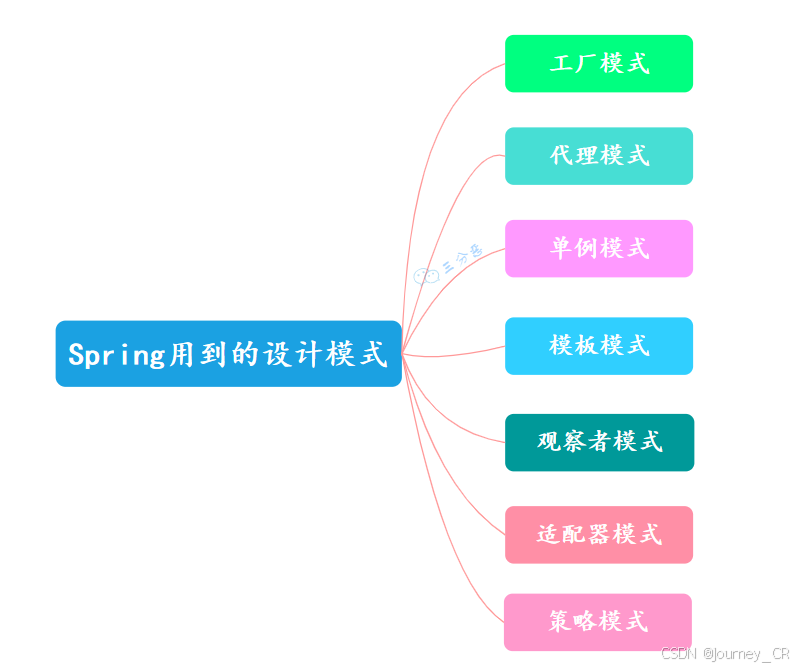
我们都知道Spring 框架中用了蛮多设计模式的: 工厂模式呢,就是用来创建对象的,把对象的创建和使用分开,这样代码更灵活。代理模式呢,是用一个代理对象来控制对真实对象的访问,可以在访问前后做一些处理。单…...

Linux的基本指令(下)
1.find指令 Linux下find命令在⽬录结构中搜索⽂件,并执⾏指定的操作。 Linux下find命令提供了相当多的查找条件,功能很强⼤。由于find具有强⼤的功能,所以它的选项也很多,其中⼤部分选项都值得我们花时间来了解⼀下。 即使系统中含…...

HAO的Graham学习笔记
前置知识:凸包 摘录oiwiki 在平面上能包含所有给定点的最小凸多边形叫做凸包。 其定义为:对于给定集合 X,所有包含 X 的凸集的交集 S 被称为 X 的 凸包。 说人话就是用一个橡皮筋包含住所有给定点的形态 如图: 正题:…...

Elasticsearch Queries
Elasticsearch Compound Queries Elasticsearch 的 Compound Queries 是一种强大的工具,用于组合多个查询子句,以实现更复杂的搜索逻辑。这些查询子句可以是叶查询(Leaf Queries)或复合查询(Compound Queries…...

利用matlab寻找矩阵中最大值及其位置
目录 一、问题描述1.1 max函数用法1.2 MATLAB中 : : :的作用1.3 ind2sub函数用法 二、实现方法2.1 方法一:max和find2.2 方法二:max和ind2sub2.3 方法对比 三、参考文献 一、问题描述 matlab中求最大值可使用函数max,对于一维向量࿰…...

SQL入门到精通 理论+实战 -- 在 MySQL 中学习SQL语言
目录 一、环境准备 1、MySQL 8.0 和 Navicat 下载安装 2、准备好的表和数据文件: 二、SQL语言简述 1、数据库基础概念 2、什么是SQL 3、SQL的分类 4、SQL通用语法 三、DDL(Data Definition Language):数据定义语言 1、操…...

【智力测试——二分、前缀和、乘法逆元、组合计数】
题目 代码 #include <bits/stdc.h> using namespace std; using ll long long; const int mod 1e9 7; const int N 1e5 10; int r[N], c[N], f[2 * N]; int nr[N], nc[N], nn, nm; int cntr[N], cntc[N]; int n, m, t;void init(int n) {f[0] f[1] 1;for (int i …...

Spring Security(maven项目) 3.0.2.9版本 --- 改
前言: 通过实践而发现真理,又通过实践而证实真理和发展真理。从感性认识而能动地发展到理性认识,又从理性认识而能动地指导革命实践,改造主观世界和客观世界。实践、认识、再实践、再认识,这种形式,循环往…...

并发编程中的常见问题
1 竞态条件 (Race Condition) 定义:竞态条件是指多个线程在访问共享资源时,由于执行顺序的不同导致结果不确定的情况。 示例: public class Counter {private int count = 0;public void increment() {count++;}public int getCount() {return count;} }在多线程环境下,…...

二维前缀和:高效求解矩阵区域和问题
在处理二维矩阵时,频繁计算某一子矩阵的和是一个常见的操作。传统的做法是直接遍历该子矩阵,时间复杂度较高。当矩阵非常大且有大量的查询时,直接计算将变得低效。为了提高效率,我们可以通过 二维前缀和 技巧在常数时间内解决这个…...

鸢尾花书《编程不难》02---学习书本里面的三个案例
文章目录 1.引言2.第一个例子---模拟硬币的投掷结果3.第二个例子---混合两个一元高斯分布的随机数4.第三个例子---线性回归的作图5.关于书中的问题的解决方案 1.引言 今天的这个文章主要是阅读学习鸢尾花书系列的第一本《编程不难》,今天主要是记录下书里面的两个例…...

MySQL(高级特性篇) 13 章——事务基础知识
一、数据库事务概述 事务是数据库区别于文件系统的重要特性之一 (1)存储引擎支持情况 SHOW ENGINES命令来查看当前MySQL支持的存储引擎都有哪些,以及这些存储引擎是否支持事务能看出在MySQL中,只有InnoDB是支持事务的 &#x…...

CSS Display属性完全指南
CSS Display属性完全指南 引言核心概念常用display值详解1. block(块级元素)2. inline(行内元素)3. inline-block(行内块级元素)4. flex(弹性布局)5. grid(网格布局&…...

【机器学习篇】K-Means 算法详解:从理论到实践的全面解析
网罗开发 (小红书、快手、视频号同名) 大家好,我是 展菲,目前在上市企业从事人工智能项目研发管理工作,平时热衷于分享各种编程领域的软硬技能知识以及前沿技术,包括iOS、前端、Harmony OS、Java、Python等…...

IntelliJ IDEA远程开发代理远程服务器端口(免费内网穿透)
IntelliJ IDEA远程开发代理远程服务器端口(免费内网穿透)(JetBrains家的其他IDE应该也支持) 之前看到宇宙第一IDE VS Code好像默认代理了远程的端口,但是一直没找到IDEA的同类功能,这次终于发现了 以Intell…...

内核定时器3-用户空间定时器
用户空间定时器与内核定时器的关系 虽然用户空间定时器和内核定时器在实现上各自独立,但用户空间定时器通常依赖于内核定时器提供的基础设施。以下是具体关系: 依赖性 用户空间定时器的实现基于内核定时器。 例如,POSIX 定时器使用内核的 h…...

设计工程化实践:将设计思维转化为开发者技能的工具探索
1. 项目概述:当设计思维遇上代码技能最近在GitHub上看到一个挺有意思的项目,叫Arthurescc/design-fusion.skill。光看这个名字,就让我这个在设计和开发交叉领域摸爬滚打了十来年的老手眼前一亮。“Design Fusion”直译是“设计融合”…...

从ValueError到精准评估:解决超分辨率重建中SSIM/PSNR计算的三大实战难题
1. 从报错到理解:新版skimage的SSIM/PSNR计算函数变迁 第一次用skimage计算超分辨率重建指标时,我就被当头一棒——熟悉的compare_ssim和compare_psnr居然报"ImportError"。这就像你习惯去小区东门拿快递,突然发现快递柜搬到了西门…...

手把手教你用YOLOv5训练VisDrone2019数据集:搞定无人机航拍小目标检测
无人机视角下的目标检测实战:YOLOv5与VisDrone2019数据集深度适配指南 无人机航拍图像的目标检测一直是计算机视觉领域的难点与热点。VisDrone2019作为当前最权威的无人机视角数据集之一,包含了丰富的场景变化和极具挑战性的小目标检测任务。本文将带您从…...

通过 Python 快速将现有应用接入 Taotoken 的多模型服务
🚀 告别海外账号与网络限制!稳定直连全球优质大模型,限时半价接入中。 👉 点击领取海量免费额度 通过 Python 快速将现有应用接入 Taotoken 的多模型服务 如果你正在使用 OpenAI 官方的 Python SDK 开发应用,并且希望…...

5个电脑硬件问题,这款开源工具帮你轻松解决
5个电脑硬件问题,这款开源工具帮你轻松解决 【免费下载链接】LibreHardwareMonitor Libre Hardware Monitor is free software that can monitor the temperature sensors, fan speeds, voltages, load and clock speeds of your computer. 项目地址: https://git…...
)
避坑指南:组态王7.5报表脚本中那些容易出错的细节(日报月报年报)
组态王7.5报表脚本深度排错手册:从日报到年报的实战避坑指南 在工业自动化系统中,数据报表的准确性和稳定性直接关系到生产管理的可靠性。组态王7.5作为广泛使用的SCADA软件,其报表功能在实际应用中却常常因为脚本细节问题导致数据异常、文件…...

颠覆性英雄联盟智能助手:如何用League Akari告别繁琐操作,专注游戏核心
颠覆性英雄联盟智能助手:如何用League Akari告别繁琐操作,专注游戏核心 【免费下载链接】League-Toolkit An all-in-one toolkit for LeagueClient. Gathering power 🚀. 项目地址: https://gitcode.com/gh_mirrors/le/League-Toolkit …...

Trigger.dev与GitOps集成:自动化工作流任务调度的终极指南
Trigger.dev与GitOps集成:自动化工作流任务调度的终极指南 【免费下载链接】trigger.dev Trigger.dev – build and deploy fully‑managed AI agents and workflows 项目地址: https://gitcode.com/gh_mirrors/tr/trigger.dev 在当今快速发展的软件开发环境…...

093、Python自动化测试:pytest框架
093、Python自动化测试:pytest框架 上周排查一个线上问题,凌晨两点盯着日志发现某个数据校验函数漏了边界条件。手动复现、加打印、重启服务,折腾到天亮才定位到是类型转换时的浮点精度问题。同事早上看到我黑眼圈,扔过来一句:“早用pytest写个参数化测试,这种边界问题跑…...

从零实现MD5算法:C语言详解与工程实践指南
1. 从零开始:为什么我们需要自己实现MD5?在信息安全领域,MD5(Message-Digest Algorithm 5)是一个绕不开的名字。尽管它早已被证明存在碰撞漏洞,不再适用于高安全级别的数字签名或证书场景,但它在…...