
【前端】react+ts 轮播图的实现
一、场景描述
在很多网站的页面中都有轮播图,所以我想利用react.js和ts实现一个轮播图。自动轮播图已经在前面实现过了,如:https://blog.csdn.net/weixin_43872912/article/details/145622444?sharetype=blogdetail&sharerId=145622444&sharerefer=PC&sharesource=weixin_43872912&spm=1011.2480.3001.8118。
思维导图可以在网站:https://download.csdn.net/download/weixin_43872912/90429355?spm=1001.2014.3001.5503下载高清原图。

二、问题拆解
轮播图(如下图轮播图所示)的实现可以分为三个:
第一个是自动轮播,就是每过一定的时间自动变成下一张图;
第二个是前后按钮的轮播,就是按左右的按钮,按左边的按钮时,跳转到前一张图,按右边的按钮时,跳转到后一张图。
第三个就是按底部的按钮切换轮播图。


三、相关知识
3.1 setTimeout与setInterval的用法与详解
setTimeout是指过了多久之后执行内部代码,一次性的;setInterval是每过多久就要执行一次代码。setTimeout里面开启计时器的话,就需要先过setTimeout的时间,然后过setInterval的一次时间才会运行第一次。
var time = 0;setInterval(() => {time += 1;console.log("当前时间为" + time + "秒");}, 1000);let count = 0;//test setTimeout & setIntervalvar testTimeFunction = function () {setTimeout(() => {setInterval(() => {count += 1;console.log("count输出了" + count + "次");}, 3000);}, 3000);};testTimeFunction();
运行结果如下图所示:

3.2 react中的ref,利用ref获取dom元素,并对dom元素的class进行操作
import React, { useState, useRef } from "react”;const divRef = useRef<HTMLDivElement>(null);
//tsx部分
<div ref={divRef}><buttononClick={() => {console.log(divRef);let target = divRef.current as HTMLElement;  //ts里面要将其定义为htmlElement再操作target.classList.add("preActive");console.log(target);}}>打印ref</button>
</div>
四、轮播图的按钮部分实现
4.1 上一张和下一张的按钮实现

上一张和下一张的按钮部分其实就是自动轮播部分的手动操作,这部分的内容关注一下自动轮播部分和手动轮播部分的联动就可以了。
按钮事件:
跳转的按钮事件, 可以看到其实就是设置了一下currentIndex,这是一个state,更新之后会引起组件渲染,然后就会更新dom元素的class。
//跳转到上一张图的按钮事件。
<buttonclassName="carousel-control-prev"type="button"data-bs-target="#carouselExample"onClick={() => {//clearCrouselClass();setCurrentIndex((pre) => {let nowCurrentIndex =currentIndex.currentIndex - 1 === -1? img.length - 1: currentIndex.currentIndex - 1;let nowPreIndex =nowCurrentIndex - 1 === -1? img.length - 1: nowCurrentIndex - 1;let nownextIndex =nowCurrentIndex + 1 === img.length ? 0 : nowCurrentIndex + 1;return {preIndex: nowPreIndex,currentIndex: nowCurrentIndex,nextIndex: nownextIndex,};});}}
>
//跳转到下一张图的按钮事件。
<buttonclassName="carousel-control-next"type="button"data-bs-target="#carouselExample"onClick={() => {//clearCrouselClass();setCurrentIndex((pre) => {let nowCurrentIndex =currentIndex.currentIndex + 1 === img.length? 0: currentIndex.currentIndex + 1;let nowPreIndex =nowCurrentIndex - 1 === -1? img.length - 1: nowCurrentIndex - 1;let nownextIndex =nowCurrentIndex + 1 === img.length ? 0 : nowCurrentIndex + 1;return {preIndex: nowPreIndex,currentIndex: nowCurrentIndex,nextIndex: nownextIndex,};});}}
>
手动换图与自动轮播图之间的不和谐在于,手动换图后自动轮播还在执行会导致换两次可能,所以手动换图的时候需要停止自动轮播,结束后开启。
换图每次都会伴随着cunrrentIndex的变动,所以在这里我们用useEffect去检测cunrrentIndex的变化,只要变化就停止计时器,然后重新开启。 — 这里我用了异步
//开启计时器,设置preIndex是当前index的前一个index(index-1),nextIndex是index+1const startAutoplay = async () => {interval.current = setInterval(() => {setCurrentIndex((preCurrentIndex) => {return {preIndex:((preCurrentIndex.currentIndex + 1) % img.length) - 1 === -1? img.length - 1: ((preCurrentIndex.currentIndex + 1) % img.length) - 1,currentIndex: (preCurrentIndex.currentIndex + 1) % img.length,nextIndex:((preCurrentIndex.currentIndex + 1) % img.length) + 1 === img.length? 0: ((preCurrentIndex.currentIndex + 1) % img.length) + 1,};});}, 3000);};const stopAutoPlay = () => {if (interval.current !== null) {clearInterval(interval.current as NodeJS.Timeout);interval.current = null;}}; useEffect(() => {clearInterval(interval.current as NodeJS.Timeout);interval.current = null;let target = imgRef.current as HTMLElement;console.log(target.childNodes);if (interval.current !== null) {stopAutoPlay();}if (interval.current === null) { //避免因为定时器什么的缘故导致计时器多开startAutoplay();}//eslint-disable-next-line react-hooks/exhaustive-deps}, [currentIndex]);
4.2 底部小圆点按钮
这块部分就是将点击按钮所对应的图片转到主页。这个要实现用setCurrentIndex()就可以,但是要加动画,首先需要将目标页先移到上一页或者下一页的位置,准备平移至主页位置。所以,需要预先将目标图移到动画的起始位置。

如上图所示,如果是目标页是当前页的前面几页(目标页的index比currentIndex小)。需要提前把目标页移到上一页的位置,反之,移到下一页的位置。
移完之后设置currentIndex进行重新渲染。
if (index < currentIndex.currentIndex) {target.classList.add("preActive”);        //移到上一页的位置,class设为preActive// target1.classList.add("nextActive");// target1.classList.remove("active");setTimeout(() => {setCurrentIndex((pre) => {console.log(currentIndex);// let nextIndex = index + 1 === img.length ? 0 : index + 1;// if(nextIndex === pre.currentIndex) return;return {preIndex:index - 1 === -1 ? img.length - 1 : index - 1,currentIndex: index,nextIndex: pre.currentIndex,};});}, 10);
} else if (index > currentIndex.currentIndex) {target.classList.add("nextActive”);     //移到下一页的位置,class设为nextActive// target1.classList.add("preActive");// target1.classList.remove("active");console.log(currentIndex);setTimeout(() => {setCurrentIndex((pre) => {return {nextIndex:index + 1 === img.length ? 0 : index + 1,currentIndex: index,preIndex: pre.currentIndex,};});}, 10);
}
到此为止出现的问题:
和“自动轮播和前后按钮换图”之前的联动出现的错误是:当跳到前面页面的时候,下一页的类名没有nextActive所以跳到下一页可能没有动画;相同的跳到前面页的时候,上一页的类名没有preActive,可能没有翻页动画。因此,我们要保证当前页的前一页类名有preActive,后一页类名有nextActive.
<div
key={index}
className={`carousel-item ${index === currentIndex.currentIndex ? "active" : ""
}${index ===(currentIndex.currentIndex - 1 === -1? img.length - 1: currentIndex.currentIndex - 1) ||(index === currentIndex.preIndex )? "preActive": ""
} ${index ===(currentIndex.currentIndex + 1 === img.length? 0: currentIndex.currentIndex + 1) ||index === currentIndex.nextIndex? "nextActive": ""
}`}
>
这样写存在的错误是会造成同一个图片有preActive和nextActive的情况

解决方案:按键跳转前的主页是目标页的下一页:因此,当preIndex等于currentIndex+1不给preIndex
<div
key={index}
className={`carousel-item ${index === currentIndex.currentIndex ? "active" : ""
}${index ===(currentIndex.currentIndex - 1 === -1? img.length - 1: currentIndex.currentIndex - 1) ||//下面这部分代码就是 当preIndex等于currentIndex+1不给preIndex(index === currentIndex.preIndex &¤tIndex.preIndex !==(currentIndex.currentIndex + 1 === img.length? 0: currentIndex.currentIndex + 1))? "preActive": ""
} ${index ===(currentIndex.currentIndex + 1 === img.length? 0: currentIndex.currentIndex + 1) ||index === currentIndex.nextIndex? "nextActive": ""
}`}
>

五、遇到的问题
    useEffect(() => {console.log("停止计时器");console.log(currentIndex);clearInterval(interval.current as NodeJS.Timeout);interval.current = null;let target = imgRef.current as HTMLElement;console.log(target.childNodes);if (interval.current !== null) {stopAutoPlay();}//如果这里这样写会出现问题,如果在这三秒内点的话,就会导致setCurrentIndex的值都变成NaNsetTimeout(()=>{if (interval.current === null) {startAutoplay();}},3000)//eslint-disable-next-line react-hooks/exhaustive-deps}, [currentIndex]);//改完之后的版本useEffect(() => {console.log("停止计时器");console.log(currentIndex);clearInterval(interval.current as NodeJS.Timeout);interval.current = null;let target = imgRef.current as HTMLElement;console.log(target.childNodes);if (interval.current !== null) {stopAutoPlay();}
//改成异步函数,或者setTimeout的事件变短一点if (interval.current === null) {startAutoplay();}//eslint-disable-next-line react-hooks/exhaustive-deps}, [currentIndex]);
整个项目可以在下面链接下载:https://download.csdn.net/download/weixin_43872912/90429357?spm=1001.2014.3001.5501
相关文章:
【前端】react+ts 轮播图的实现
一、场景描述 在很多网站的页面中都有轮播图,所以我想利用react.js和ts实现一个轮播图。自动轮播图已经在前面实现过了,如:https://blog.csdn.net/weixin_43872912/article/details/145622444?sharetypeblogdetail&sharerId145622444&a…...
清华大学出品DeepSeek 四部教程全收录(附下载包),清华deepseek文档下载地址
文章目录 前言一、清华大学deepseek教程(四部)二、清华大学deepseek教程全集1.清华大学第一版《DeepSeek:从入门到精通》2.清华大学第二版《DeepSeek赋能职场》3.清华大学第三版《普通人如何抓住DeepSeek红利》4.清华大学第四版:D…...
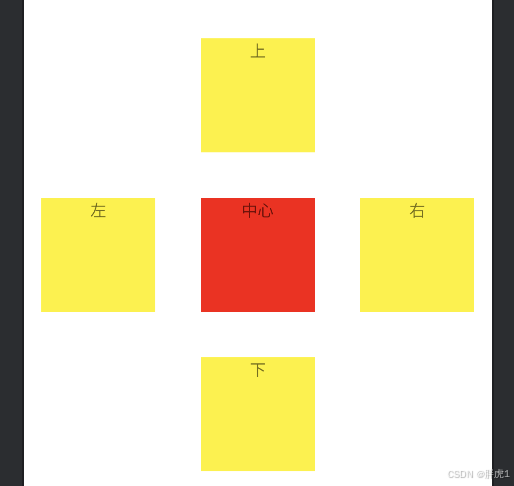
Android 布局系列(三):RelativeLayout 使用指南
引言 在 Android 开发中,布局管理是构建用户界面的核心。RelativeLayout 曾经是 Android 中非常流行的一种布局方式,广泛应用于各种项目中。它通过相对位置关系组织视图元素,使得我们可以根据父容器或者其他视图的位置来灵活调整子视图的布局…...

ubuntu20.04音频aplay调试
1、使用指定声卡,aplay 播放命令 aplay -D plughw:1,0 test2.wav2、 录音 arecord -Dhw:1,0 -d 10 -f cd -r 44100 -c 2 -t wav test.wav3、各个参数含义 -D 指定声卡编号 plughw:0,0 //0,0代表card0,device0,可以通过arecord -l获取 -f 录音格式 S16_LE…...

前缀和代码解析
前缀和是指数组一定范围的数的总和,常见的有两种,一维和二维,我会用两道题来分别解析 一维 DP34 【模板】前缀和 题目: 题目解析: 暴力解法 直接遍历数组,遍历到下标为 l 时,开始进行相加,直到遍历到下标为 r ,最后返回总和.这样做的时间复杂度为: O(n) public class Main …...
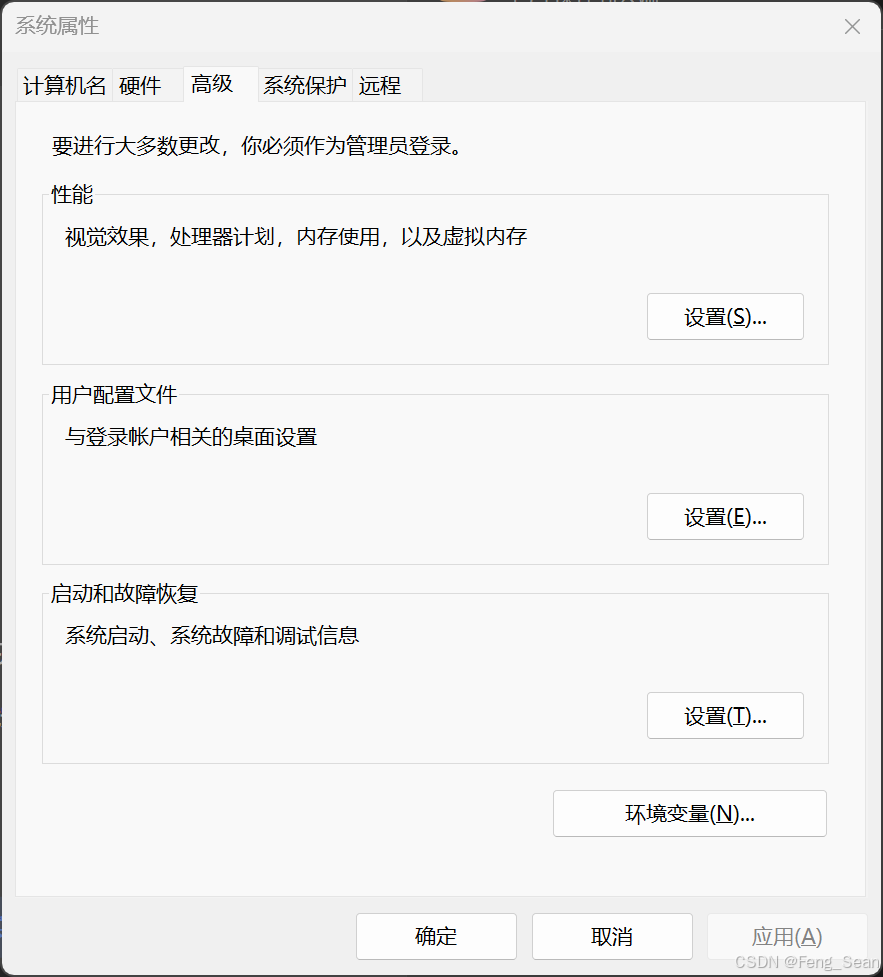
Windows 环境下安装 Anaconda 并配置
安装Anaconda 1. 下载安装包 官网下载:https://www.anaconda.com/download/success 也可以从国内镜像仓库下载: 中国科学技术大学 https://mirrors.ustc.edu.cn/ 清华大学开源软件镜像站 https://mirrors.tuna.tsinghua.edu.cn/ 2. 安装过程 双…...

大模型在尿潴留风险预测及围手术期方案制定中的应用研究
目录 一、引言 1.1 研究背景与意义 1.2 研究目的 1.3 研究方法与数据来源 二、大模型预测尿潴留的原理与方法 2.1 相关大模型介绍 2.2 模型构建与训练 2.3 模型评估指标与验证 三、术前尿潴留风险预测及方案制定 3.1 术前风险因素分析 3.2 大模型预测结果分析 3.3 …...

JavaScript 简单类型与复杂类型
在JavaScript中,根据数据存储的方式不同,变量可以分为两大类:简单类型(也称为基本数据类型或原始类型)和复杂类型(也称为引用数据类型)。理解这两者的区别对于编写高效且无误的代码至关重要。本…...

AI绘画软件Stable Diffusion详解教程(1):Windows系统本地化部署操作方法(专业版)
一、事前准备 1、一台配置不错的电脑,英伟达显卡,20系列起步,建议显存6G起步,安装win10或以上版本,我的显卡是40系列,16G显存,所以跑大部分的模型都比较快; 2、科学上网࿰…...

大白话Vue 双向数据绑定的实现原理与数据劫持技术
咱们来好好唠唠Vue双向数据绑定的实现原理和数据劫持技术,我会用特别通俗的例子给你讲明白。 啥是双向数据绑定 你可以把双向数据绑定想象成一个神奇的“同步器”。在网页里有两部分,一部分是数据,就像你记在小本本上的信息;另一…...

VUE 获取视频时长,无需修改数据库,前提当前查看视频可以得到时长
第一字段处 <el-table-column label"视频时长" align"center"> <template slot-scope"scope"> <span>{{ formatDuration(scope.row.duration) }}</span> </template> </el-ta…...

antv G6绘制流程图
效果图(优点:可以自定义每一条折线的颜色,可以自定义节点的颜色,以及折线的计算样式等): 代码: <!-- 流程图组件 --> <template><div id"container"></div>…...
)
完美隐藏滚动条方案 (2024 最新验证)
完美隐藏滚动条方案 (2024 最新验证) css /* 全局隐藏竖直滚动条但保留滚动功能 */ html {overflow: -moz-scrollbars-none; /* Firefox 旧版 */scrollbar-width: none; /* Firefox 64 */-ms-overflow-style: none; /* IE/Edge */overflow-y: overlay; …...

单片机的串口(USART)
Tx - 数据的发送引脚,Rx - 数据的接受引脚。 串口的数据帧格式 空闲状态高电平,起始位低电平,数据位有8位校验位,9位校验位,停止位是高电平保持一位或者半位,又或者两位的状态。 8位无校验位传输一个字节…...

实现分布式限流开源项目
以下是10个可以实现分布式限流中间件的开源项目推荐,这些项目基于不同的技术栈,适用于多种应用场景: 1. **Alibaba Sentinel** Sentinel 是阿里巴巴开源的分布式限流中间件,支持多种限流策略(如QPS、并发线程数等…...
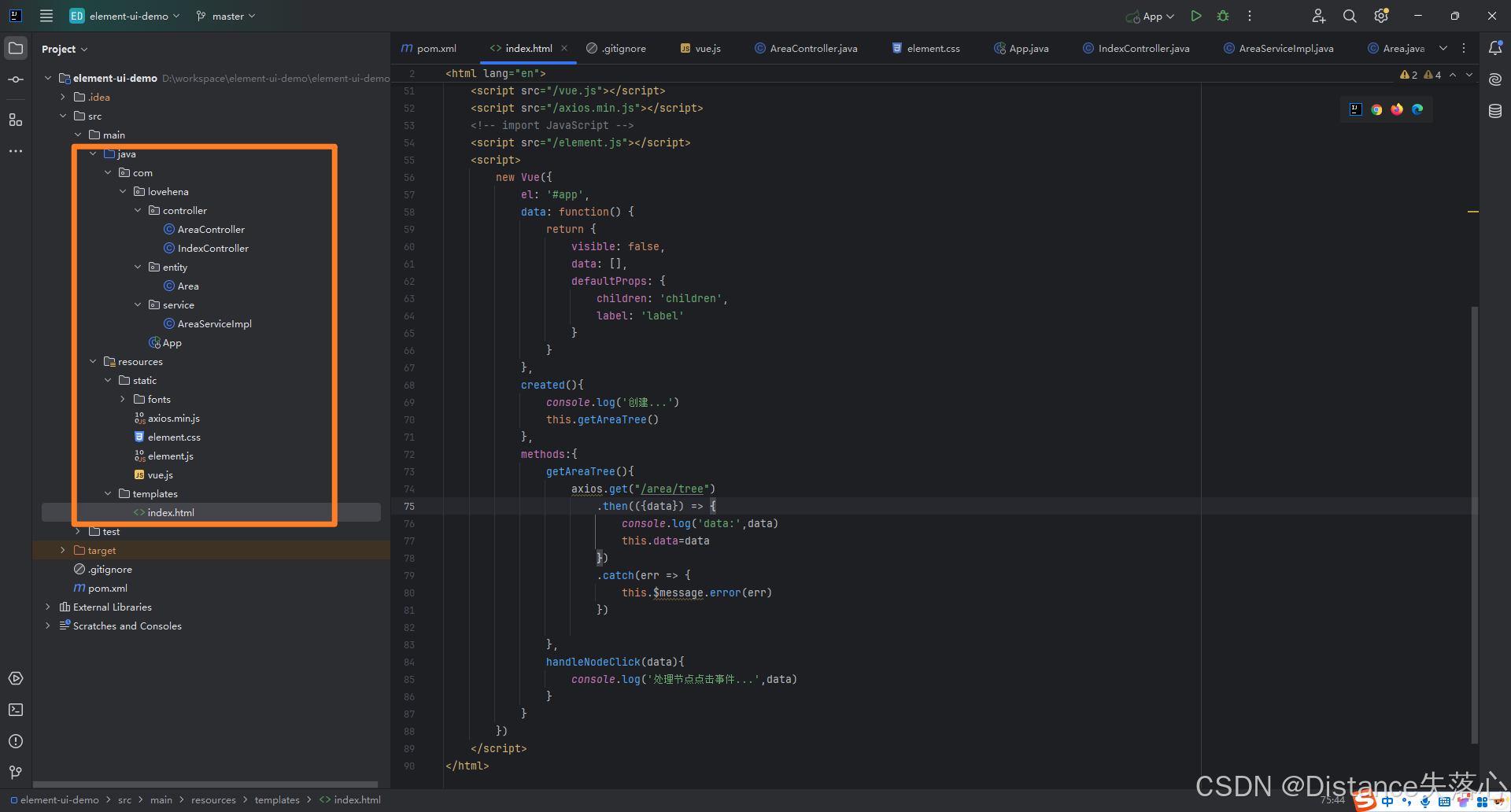
递归构建行政区域树(二)
概述 这篇博客中构建出的行政区域树利用element-ui的Tree组件展示出来。 实现 源码位于码云,欢迎点击哦。 项目结构 最后 好久没写基于element-ui的项目了,都有点生疏了。 好了,如果对你有帮助,欢迎点个免费的赞哦。...

AR技术下的电商:虚拟试穿/试用/试戴成新风尚
随着科技的日新月异,增强现实(AR)技术正悄然改变着我们的生活,尤其在电子商务领域,AR技术的融入正掀起一场前所未有的变革。那么,AR技术究竟是何方神圣?它在电商领域又展现出了哪些非凡的应用呢…...

社群团购平台的愿景构建与开源链动2+1模式S2B2C商城小程序应用探索
摘要:在数字经济背景下,社群团购作为一种新兴的商业模式,凭借其独特的互动性和便捷性,展现出巨大的市场潜力。本文旨在探讨社群团购平台愿景的构建策略,并结合开源链动21模式S2B2C商城小程序的应用,为创业者…...

笔记20250225
关于上拉电阻和下拉电阻的作用 原理 上拉电阻:在上拉电阻所连接的导线上,如果外部组件未启用,上拉电阻则“微弱地”将输入电压信号“拉高”。当外部组件未连接时,对输入端来说,外部“看上去”就是高阻抗的,…...

【项目】基于Boost自主实现搜索引擎
🔥 个人主页:大耳朵土土垚 🔥 所属专栏:Linux系统编程 这里将会不定期更新有关Linux的内容,欢迎大家点赞,收藏,评论🥳🥳🎉🎉🎉 文章目…...

YOLO免配置训练包+智能标注工具:支持YOLOv5/v8/v10/v11一键训练,含易语言调用示例
温馨提示:文末有联系方式免环境部署,真正开箱即用 无需安装Python、CUDA、PyTorch等复杂依赖,本YOLO训练套件已封装完整运行时环境,Windows系统双击即可启动,彻底解决环境冲突与配置报错问。全版本YOLO模型支持&#x…...

Claude Code 自定义 Agent 实战,打造三个专属智能体
Claude Code 内置了 Explore、Plan 和 general-purpose 三个 Sub-agent,日常使用已经够用了。但你有没有过这种体验:每次让 Claude 审查代码,都要重复一遍「关注安全漏洞、检查错误处理、看看有没有 N1 查询」——本质上你在用对话复述一个 s…...

ESP-12F腾讯云MQTT固件烧录避坑指南:常见问题与解决方案
ESP-12F腾讯云MQTT固件烧录实战:从问题排查到稳定连接 最近在帮朋友调试一个智能家居项目时,遇到了ESP-12F模块连接腾讯云MQTT服务器的问题。原本以为只是简单的固件烧录,没想到在实际操作中踩了不少坑。这篇文章将分享我在解决这些问题时积…...

自媒体增长引擎中内容量化成垂直领域知识库的思考
把高赞视频(尤其是剧情类)的内容量化成垂直领域知识库——这才是让agent真正“懂垂直领域”的核心护城河。 市面上很多AI工具只做“生成”,而如果把“爆款拆解→量化→知识库”做扎实,就能形成数据驱动的增长闭环,让选…...
)
手把手教你用YOLOv11和PyAutoGUI实现屏幕目标自动追踪(附完整Python代码)
基于YOLOv11与PyAutoGUI的屏幕目标自动化追踪技术实战 在数字化办公与自动化测试领域,屏幕目标识别与自动化操作正成为提升效率的关键技术。本文将深入探讨如何利用YOLOv11这一前沿目标检测算法,结合PyAutoGUI这一轻量级自动化工具,构建一个高…...

告别环境配置焦虑:在Ubuntu 22.04上为ESP32-S3搭建esp-idf v5.4.2的保姆级避坑指南
告别环境配置焦虑:在Ubuntu 22.04上为ESP32-S3搭建esp-idf v5.4.2的保姆级避坑指南 第一次在Ubuntu上配置ESP-IDF开发环境时,我盯着终端里密密麻麻的报错信息发了半小时呆——明明是按照官方文档一步步操作,为什么总是卡在奇怪的环节…...

UE4多版本共存必看:.uproject文件关联混乱与版本切换崩溃的终极修复指南
UE4多版本共存终极指南:精准控制.uproject关联与版本切换 每次双击.uproject文件都像开盲盒?明明想用UE4.26打开项目,却总是自动跳转到UE5.0导致崩溃?右键菜单里的"Generate Visual Studio Project Files"神秘消失&…...

手把手教你用MATLAB搞定图像格式转换:从真彩图到二值图的完整流程与避坑指南
MATLAB图像格式转换实战:从真彩到二值图的完整避坑手册 当你在深夜调试一个OCR项目时,突然发现所有二值化的文字边缘都出现了锯齿状毛刺;或者当你准备展示研究成果时,转换后的灰度图像意外出现了色块断层——这些场景是否似曾相识…...
)
GStreamer Appsink实战:从RTSP流中高效提取与处理帧数据(预览、截图与格式转换)
1. GStreamer Appsink核心价值与应用场景 当你需要从RTSP视频流中提取原始帧数据时,GStreamer的appsink元件就像个万能接口箱。我在智能摄像头项目中首次接触这个元件时,发现它比传统probe方式灵活得多——不仅能实时预览视频,还能轻松实现截…...

从实验室到千万级DAU,AI陪伴应用规模化落地的6大断层,SITS2026 12家头部厂商联合复盘数据全公开
第一章:从实验室到千万级DAU,AI陪伴应用规模化落地的6大断层,SITS2026 12家头部厂商联合复盘数据全公开 2026奇点智能技术大会(https://ml-summit.org) 在SITS2026大会上,来自小冰、星野、Kimi Companion、讯飞星火助手、百度文…...