
Helm3入门
目录
Helm三大概念
Chart
Repository
Release
Helm相关命令
helm 命令公共参数
helm search hub/repo - 查找可用的Charts
helm repo - 仓库操作
helm install - 安装Chart
helm status - 查看release状态
helm show values - 查看Chart的values.yaml内容
helm get values - 查看release设置的value
helm upgrade - release更新
helm history - 查看release版本历史信息
helm rollback - release版本回滚
helm uninstall - 删除(卸载)release
helm list / ls - 查看release
helm create - 创建自己的Chart
其他跟多helm子命令
参考文档
Helm三大概念
Chart
Chart是Helm的包。它包含在 Kubernetes 集群内部运行应用程序,工具或服务所需的所有资源定义。可视作Yum RPM 在Kubernetes 中的等价物。
Repository
Repository(仓库) 是用来存放和共享 charts 的地方。
Release
Release 是运行在 Kubernetes 集群中的 chart 的实例。一个 chart 通常可以在同一个集群中安装多次。每一次安装都会创建一个新的 release。
Helm 安装 charts 到 Kubernetes 集群中,每次安装都会创建一个新的 release。你可以在 Helm 的 chart repositories 中寻找新的 chart。
Helm相关命令
helm 命令公共参数
Global Flags:--debug enable verbose output--kube-apiserver string the address and the port for the Kubernetes API server--kube-as-group stringArray group to impersonate for the operation, this flag can be repeated to specify multiple groups.--kube-as-user string username to impersonate for the operation--kube-ca-file string the certificate authority file for the Kubernetes API server connection--kube-context string name of the kubeconfig context to use--kube-token string bearer token used for authentication--kubeconfig string path to the kubeconfig file-n, --namespace string namespace scope for this request--registry-config string path to the registry config file (default "/root/.config/helm/registry/config.json")--repository-cache string path to the file containing cached repository indexes (default "/root/.cache/helm/repository")--repository-config string path to the file containing repository names and URLs (default "/root/.config/helm/repositories.yaml")helm search hub/repo - 查找可用的Charts
- helm search hub 从 Artifact Hub 中查找并列出 helm charts。 Artifact Hub中存放了大量不同的仓库。
- helm search repo 从你添加(使用
helm repo add REPO_NAME URL)到本地 helm 客户端中的仓库中进行查找。该命令基于本地数据进行搜索,无需连接互联网。
helm repo - 仓库操作
- helm repo list - 查看配置的仓库
- helm repo add - 添加新的仓库
- helm repo remove - 移除仓库
helm install - 安装Chart
Usage:helm install [NAME] [CHART] [flags]Flags:--atomic if set, the installation process deletes the installation on failure. The --wait flag will be set automatically if --atomic is used--ca-file string verify certificates of HTTPS-enabled servers using this CA bundle--cert-file string identify HTTPS client using this SSL certificate file--create-namespace create the release namespace if not present--dependency-update update dependencies if they are missing before installing the chart--description string add a custom description--devel use development versions, too. Equivalent to version '>0.0.0-0'. If --version is set, this is ignored--disable-openapi-validation if set, the installation process will not validate rendered templates against the Kubernetes OpenAPI Schema--dry-run simulate an install-g, --generate-name generate the name (and omit the NAME parameter)-h, --help help for install--insecure-skip-tls-verify skip tls certificate checks for the chart download--key-file string identify HTTPS client using this SSL key file--keyring string location of public keys used for verification (default "/root/.gnupg/pubring.gpg")--name-template string specify template used to name the release--no-hooks prevent hooks from running during install-o, --output format prints the output in the specified format. Allowed values: table, json, yaml (default table)--pass-credentials pass credentials to all domains--password string chart repository password where to locate the requested chart--post-renderer postrenderer the path to an executable to be used for post rendering. If it exists in $PATH, the binary will be used, otherwise it will try to look for the executable at the given path (default exec)--render-subchart-notes if set, render subchart notes along with the parent--replace re-use the given name, only if that name is a deleted release which remains in the history. This is unsafe in production--repo string chart repository url where to locate the requested chart--set stringArray set values on the command line (can specify multiple or separate values with commas: key1=val1,key2=val2)--set-file stringArray set values from respective files specified via the command line (can specify multiple or separate values with commas: key1=path1,key2=path2)--set-string stringArray set STRING values on the command line (can specify multiple or separate values with commas: key1=val1,key2=val2)--skip-crds if set, no CRDs will be installed. By default, CRDs are installed if not already present--timeout duration time to wait for any individual Kubernetes operation (like Jobs for hooks) (default 5m0s)--username string chart repository username where to locate the requested chart-f, --values strings specify values in a YAML file or a URL (can specify multiple)--verify verify the package before using it--version string specify a version constraint for the chart version to use. This constraint can be a specific tag (e.g. 1.1.1) or it may reference a valid range (e.g. ^2.0.0). If this is not specified, the latest version is used--wait if set, will wait until all Pods, PVCs, Services, and minimum number of Pods of a Deployment, StatefulSet, or ReplicaSet are in a ready state before marking the release as successful. It will wait for as long as --timeout--wait-for-jobs if set and --wait enabled, will wait until all Jobs have been completed before marking the release as successful. It will wait for as long as --timeout
常用参数:
-n 指定namespace
--values / -f 使用 YAML 文件覆盖配置。可以指定多次,优先使用最右边的文件。
--set 通过命令行的方式对指定配置进行赋值。
helm install 命令可以从多个来源进行安装:
- chart 的仓库(如上所述)
- 本地 chart 压缩包(helm install foo foo-0.1.1.tgz)
- 解压后的 chart 目录(helm install foo path/to/foo)
- 完整的 URL(helm install foo https://example.com/charts/foo-1.2.3.tgz)
Helm按照以下顺序安装资源:
Namespace
NetworkPolicy
ResourceQuota
LimitRange
PodSecurityPolicy
PodDisruptionBudget
ServiceAccount
Secret
SecretList
ConfigMap
StorageClass
PersistentVolume
PersistentVolumeClaim
CustomResourceDefinition
ClusterRole
ClusterRoleList
ClusterRoleBinding
ClusterRoleBindingList
Role
RoleList
RoleBinding
RoleBindingList
Service
DaemonSet
Pod
ReplicationController
ReplicaSet
Deployment
HorizontalPodAutoscaler
StatefulSet
Job
CronJob
Ingress
APIService
helm status - 查看release状态
Usage:helm status RELEASE_NAME [flags]Flags:-h, --help help for status-o, --output format prints the output in the specified format. Allowed values: table, json, yaml (default table)--revision int if set, display the status of the named release with revision--show-desc if set, display the description message of the named release
helm show values - 查看Chart的values.yaml内容
Usage:helm show values [CHART] [flags]Flags:--ca-file string verify certificates of HTTPS-enabled servers using this CA bundle--cert-file string identify HTTPS client using this SSL certificate file--devel use development versions, too. Equivalent to version '>0.0.0-0'. If --version is set, this is ignored-h, --help help for values--insecure-skip-tls-verify skip tls certificate checks for the chart download--jsonpath string supply a JSONPath expression to filter the output--key-file string identify HTTPS client using this SSL key file--keyring string location of public keys used for verification (default "/root/.gnupg/pubring.gpg")--pass-credentials pass credentials to all domains--password string chart repository password where to locate the requested chart--repo string chart repository url where to locate the requested chart--username string chart repository username where to locate the requested chart--verify verify the package before using it--version string specify a version constraint for the chart version to use. This constraint can be a specific tag (e.g. 1.1.1) or it may reference a valid range (e.g. ^2.0.0). If this is not specified, the latest version is used
helm get values - 查看release设置的value
Usage:helm get values RELEASE_NAME [flags]Flags:-a, --all dump all (computed) values-h, --help help for values-o, --output format prints the output in the specified format. Allowed values: table, json, yaml (default table)--revision int get the named release with revision
helm upgrade - release更新
Usage:helm upgrade [RELEASE] [CHART] [flags]Flags:--atomic if set, upgrade process rolls back changes made in case of failed upgrade. The --wait flag will be set automatically if --atomic is used--ca-file string verify certificates of HTTPS-enabled servers using this CA bundle--cert-file string identify HTTPS client using this SSL certificate file--cleanup-on-fail allow deletion of new resources created in this upgrade when upgrade fails--create-namespace if --install is set, create the release namespace if not present--dependency-update update dependencies if they are missing before installing the chart--description string add a custom description--devel use development versions, too. Equivalent to version '>0.0.0-0'. If --version is set, this is ignored--disable-openapi-validation if set, the upgrade process will not validate rendered templates against the Kubernetes OpenAPI Schema--dry-run simulate an upgrade--force force resource updates through a replacement strategy-h, --help help for upgrade--history-max int limit the maximum number of revisions saved per release. Use 0 for no limit (default 10)--insecure-skip-tls-verify skip tls certificate checks for the chart download-i, --install if a release by this name doesn't already exist, run an install--key-file string identify HTTPS client using this SSL key file--keyring string location of public keys used for verification (default "/root/.gnupg/pubring.gpg")--no-hooks disable pre/post upgrade hooks-o, --output format prints the output in the specified format. Allowed values: table, json, yaml (default table)--pass-credentials pass credentials to all domains--password string chart repository password where to locate the requested chart--post-renderer postrenderer the path to an executable to be used for post rendering. If it exists in $PATH, the binary will be used, otherwise it will try to look for the executable at the given path (default exec)--render-subchart-notes if set, render subchart notes along with the parent--repo string chart repository url where to locate the requested chart--reset-values when upgrading, reset the values to the ones built into the chart--reuse-values when upgrading, reuse the last release's values and merge in any overrides from the command line via --set and -f. If '--reset-values' is specified, this is ignored--set stringArray set values on the command line (can specify multiple or separate values with commas: key1=val1,key2=val2)--set-file stringArray set values from respective files specified via the command line (can specify multiple or separate values with commas: key1=path1,key2=path2)--set-string stringArray set STRING values on the command line (can specify multiple or separate values with commas: key1=val1,key2=val2)--skip-crds if set, no CRDs will be installed when an upgrade is performed with install flag enabled. By default, CRDs are installed if not already present, when an upgrade is performed with install flag enabled--timeout duration time to wait for any individual Kubernetes operation (like Jobs for hooks) (default 5m0s)--username string chart repository username where to locate the requested chart-f, --values strings specify values in a YAML file or a URL (can specify multiple)--verify verify the package before using it--version string specify a version constraint for the chart version to use. This constraint can be a specific tag (e.g. 1.1.1) or it may reference a valid range (e.g. ^2.0.0). If this is not specified, the latest version is used--wait if set, will wait until all Pods, PVCs, Services, and minimum number of Pods of a Deployment, StatefulSet, or ReplicaSet are in a ready state before marking the release as successful. It will wait for as long as --timeout--wait-for-jobs if set and --wait enabled, will wait until all Jobs have been completed before marking the release as successful. It will wait for as long as --timeout常用
--description string 添加描述
每当发生了一次安装、升级或回滚操作,revision 的值就会加1。第一次 revision 的值永远是1。我们可以使用
helm history [RELEASE]命令来查看一个特定 release 的修订版本号。
helm history - 查看release版本历史信息
Usage:helm history RELEASE_NAME [flags]Aliases:history, histFlags:-h, --help help for history--max int maximum number of revision to include in history (default 256)-o, --output format prints the output in the specified format. Allowed values: table, json, yaml (default table)helm rollback - release版本回滚
Usage:helm rollback <RELEASE> [REVISION] [flags]Flags:--cleanup-on-fail allow deletion of new resources created in this rollback when rollback fails--dry-run simulate a rollback--force force resource update through delete/recreate if needed-h, --help help for rollback--history-max int limit the maximum number of revisions saved per release. Use 0 for no limit (default 10)--no-hooks prevent hooks from running during rollback--recreate-pods performs pods restart for the resource if applicable--timeout duration time to wait for any individual Kubernetes operation (like Jobs for hooks) (default 5m0s)--wait if set, will wait until all Pods, PVCs, Services, and minimum number of Pods of a Deployment, StatefulSet, or ReplicaSet are in a ready state before marking the release as successful. It will wait for as long as --timeout--wait-for-jobs if set and --wait enabled, will wait until all Jobs have been completed before marking the release as successful. It will wait for as long as --timeouthelm uninstall - 删除(卸载)release
Usage:helm uninstall RELEASE_NAME [...] [flags]Aliases:uninstall, del, delete, unFlags:--description string add a custom description--dry-run simulate a uninstall-h, --help help for uninstall--keep-history remove all associated resources and mark the release as deleted, but retain the release history--no-hooks prevent hooks from running during uninstallation--timeout duration time to wait for any individual Kubernetes operation (like Jobs for hooks) (default 5m0s)--wait if set, will wait until all the resources are deleted before returning. It will wait for as long as --timeout在 Helm 3 中,删除也会移除 release 的记录。 如果你想保留删除记录,使用
helm uninstall --keep-history。使用helm list --uninstalled只会展示使用了--keep-history删除的 release。
helm list --all会展示 Helm 保留的所有 release 记录,包括失败或删除的条目(指定了--keep-history)
helm list / ls - 查看release
Usage:helm list [flags]Aliases:list, lsFlags:-a, --all show all releases without any filter applied-A, --all-namespaces list releases across all namespaces-d, --date sort by release date--deployed show deployed releases. If no other is specified, this will be automatically enabled--failed show failed releases-f, --filter string a regular expression (Perl compatible). Any releases that match the expression will be included in the results-h, --help help for list-m, --max int maximum number of releases to fetch (default 256)--offset int next release index in the list, used to offset from start value-o, --output format prints the output in the specified format. Allowed values: table, json, yaml (default table)--pending show pending releases-r, --reverse reverse the sort order-l, --selector string Selector (label query) to filter on, supports '=', '==', and '!='.(e.g. -l key1=value1,key2=value2). Works only for secret(default) and configmap storage backends.-q, --short output short (quiet) listing format--superseded show superseded releases--time-format string format time using golang time formatter. Example: --time-format "2006-01-02 15:04:05Z0700"--uninstalled show uninstalled releases (if 'helm uninstall --keep-history' was used)--uninstalling show releases that are currently being uninstalledhelm create - 创建自己的Chart
Usage:helm create NAME [flags]Flags:-h, --help help for create-p, --starter string the name or absolute path to Helm starter scaffold其他更多helm子命令
Usage:helm [command]Available Commands:completion generate autocompletion scripts for the specified shellcreate create a new chart with the given namedependency manage a chart's dependenciesenv helm client environment informationget download extended information of a named releasehelp Help about any commandhistory fetch release historyinstall install a chartlint examine a chart for possible issueslist list releasespackage package a chart directory into a chart archiveplugin install, list, or uninstall Helm pluginspull download a chart from a repository and (optionally) unpack it in local directorypush push a chart to remoteregistry login to or logout from a registryrepo add, list, remove, update, and index chart repositoriesrollback roll back a release to a previous revisionsearch search for a keyword in chartsshow show information of a chartstatus display the status of the named releasetemplate locally render templatestest run tests for a releaseuninstall uninstall a releaseupgrade upgrade a releaseverify verify that a chart at the given path has been signed and is validversion print the client version information参考文档
Helm | 使用Helm
相关文章:

Helm3入门
目录 Helm三大概念 Chart Repository Release Helm相关命令 helm 命令公共参数 helm search hub/repo - 查找可用的Charts helm repo - 仓库操作 helm install - 安装Chart helm status - 查看release状态 helm show values - 查看Chart的values.yaml内容 helm get…...

动态规划-线性动态规划-最长上升子序列模型
title: 线性动态规划 date: 2023-05-12 08:49:10 categories: Algorithm动态规划 tags:动态规划 编辑距离 题目描述 设 A A A 和 B B B 是两个字符串。我们要用最少的字符操作次数,将字符串 A A A 转换为字符串 B B B。这里所说的字符操作共有三种࿱…...
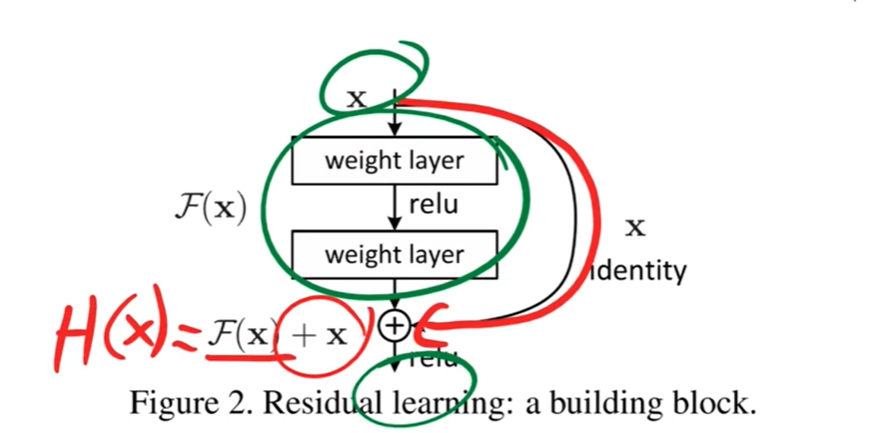
ResNet 论文理解含视频
ResNet 论文理解 论文理解 ResNet 网络的论文名字是《Deep Residual Learning for Image Recognition》,发表在2016年的 CVPR 上,获得了 最佳论文奖。ResNet 中的 Res 也是 Residual 的缩写,它的用意在于基于 残差 学习,让神经网…...
Java8之Stream操作
Java8之Stream操作 stream干啥用的?创建流中间操作终结操作好文推荐----接口优化思想 stream干啥用的? Stream 就是操作数据用的。使用起来很方便 创建流 → 中间操作 → 终结操作 Stream的操作可以分为两大类:中间操作、终结操作 中间操作可…...
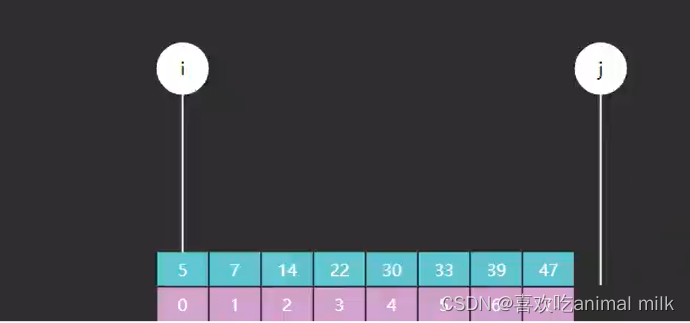
二分查找基础篇-JAVA
文章目录 前言 大家好,我是最爱吃兽奶,这篇博客给大家介绍一下二分查找,我们先从最基本的开始讲解,再慢慢深入,把优化和变形也和大家说一下,那么,跟着我的步伐,我们一起去看看吧! 一、什么是二分查找? 二分查找(Binary Search)也称作折半查找 二分查找的效率很高,每查找一次…...
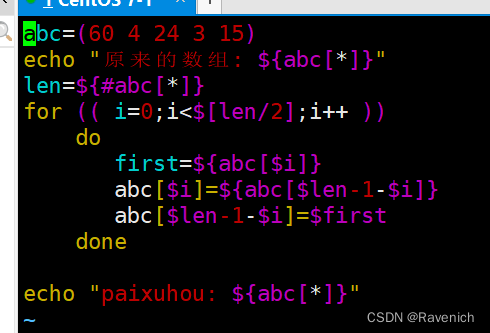
shell脚本5数组
文章目录 数组1 数组定义方法2 获取数组长度2.1 读取数组值2.2 数组切片2.3 数组替换2.4 数组删除2.5 追加数组元素 3 实验3.1 冒泡法3.2 直接选择法3.3 反排序法 数组 1 数组定义方法 数组名(value0 valuel value2 …) 数组名( [0]value [1]value [2]value …) 列表名“val…...
Kubernetes二进制部署 单节点
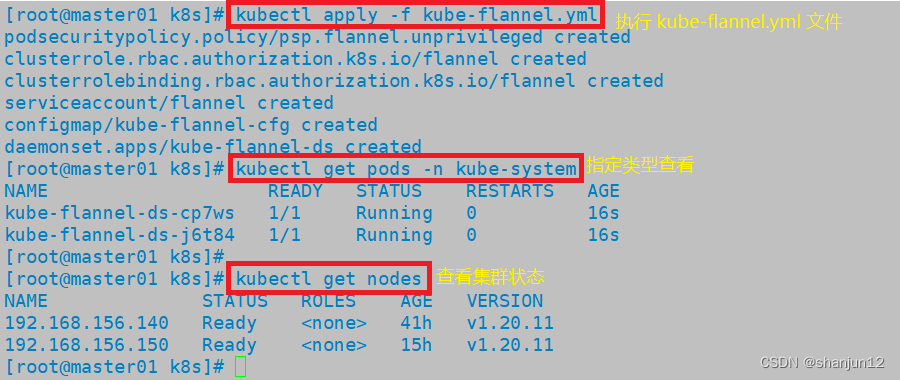
目录 1.环境准备 1.关闭防火墙和selinux 2.关闭swap 3.设置主机名 4.在master添加hosts 5.桥接的IPv4流量传递到iptables的链 6.时间同步 2.部署etcd集群 1.master节点部署 2.在node1与node2节点修改 3.在master1节点上进行启动 4.部署docker引擎 3.部署 Master 组…...
基于VC + MSSQL实现的县级医院医学影像PACS
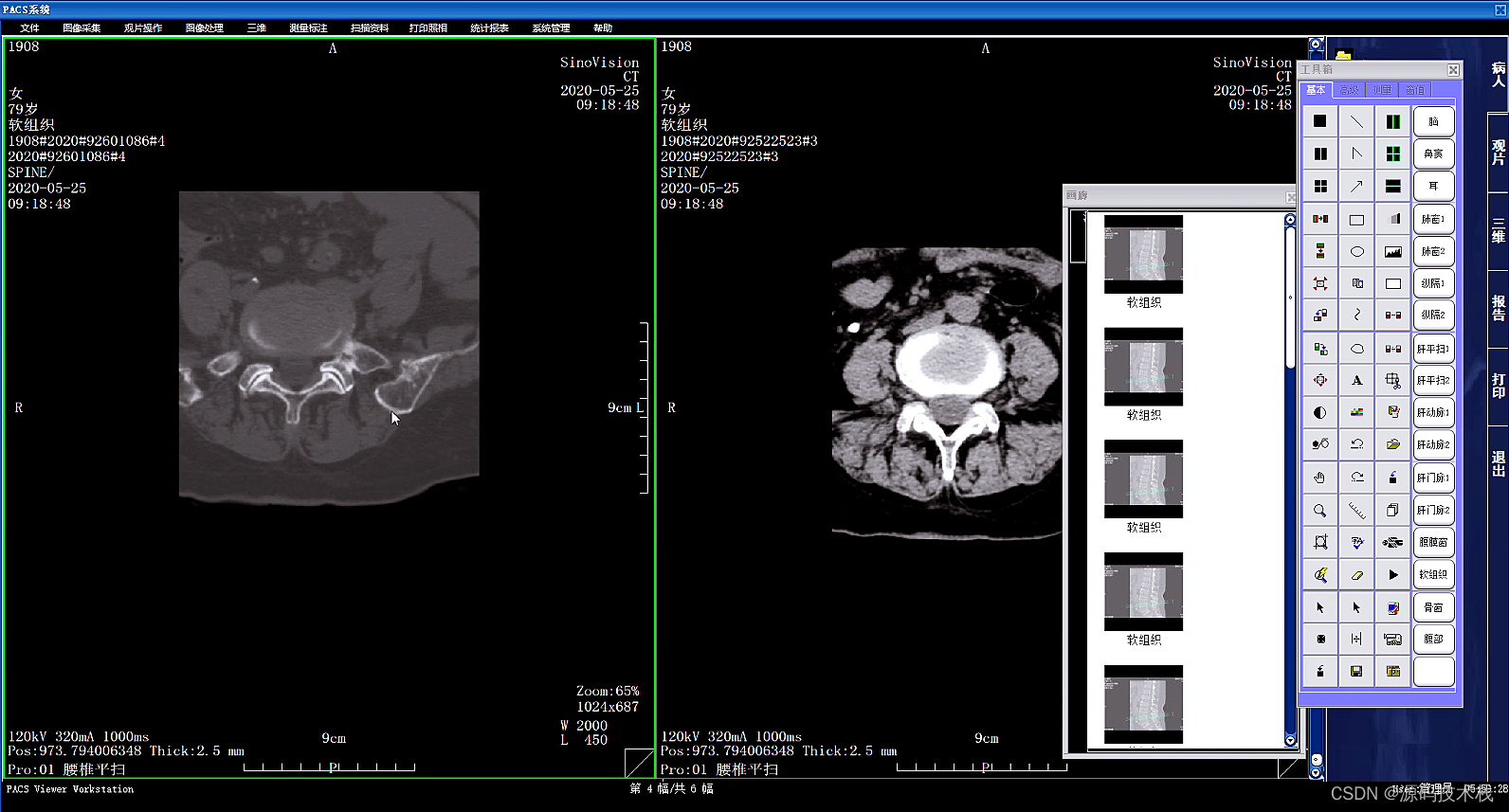
一、概述: 基于VC MSSQL实现的一套三甲医院医学影像PACS源码,集成3D后处理功能,包括三维多平面重建、三维容积重建、三维表面重建、三维虚拟内窥镜、最大/小密度投影、心脏动脉钙化分析等功能。 二、医学影像PACS实现功能: 1、…...
Jmeter 压测 QPS
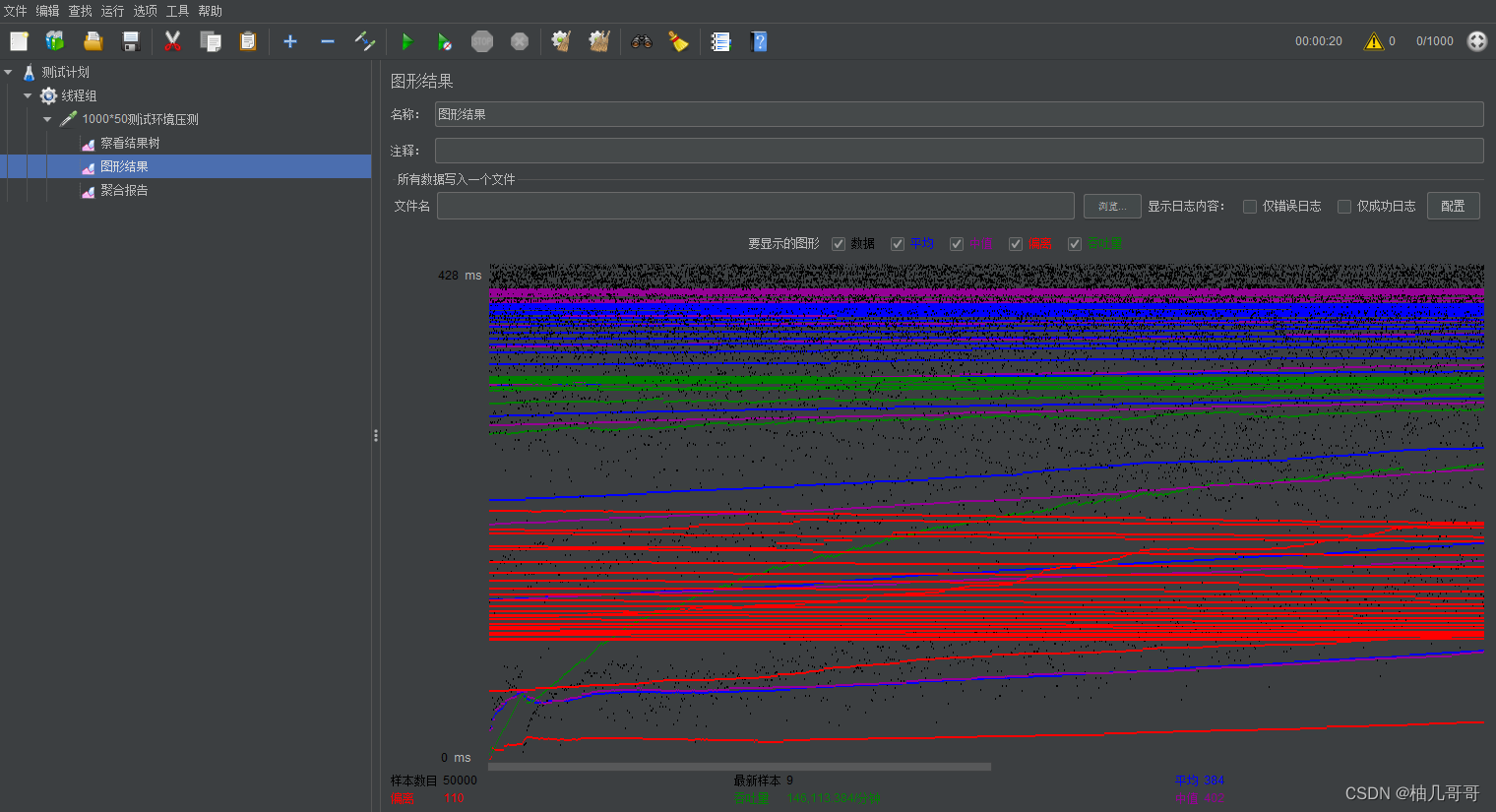
文章目录 1、准备工作1.1 Jmeter的基本概念1.2 Jmeter的作用1.3.Windows下Jmeter下载安装1.4 Jmeter的目录结构1.5 启动1.6 设置中文1.6.1 设置调整1.6.2 配置文件调整(一劳永逸) 2、Jmeter线程组基本操作2.1 线程组是什么2.2 线程组2.2.1 创建线程组2.2…...
如何在云上部署java项目
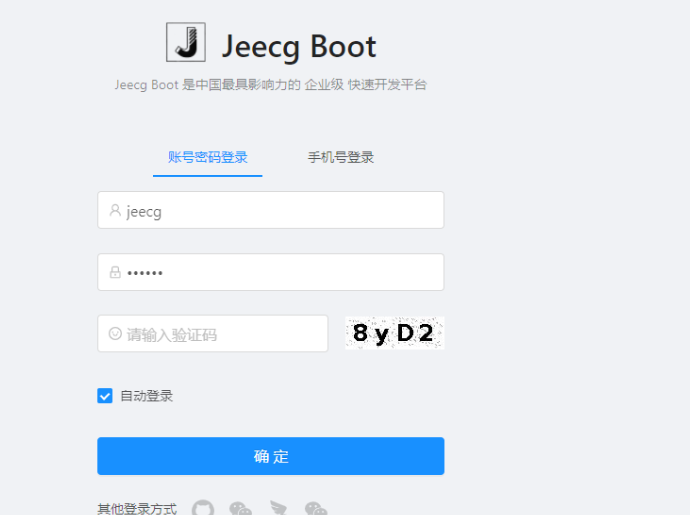
最近博主接了一波私活,由于上云的概念已经深入人心,客户要求博主也上云,本文将介绍上云的教程。 1.如何选择服务器 这里博主推荐阿里云服务器,阿里云云服务器ECS是一种安全可靠、弹性可伸缩的云计算服务,助您降低 IT…...
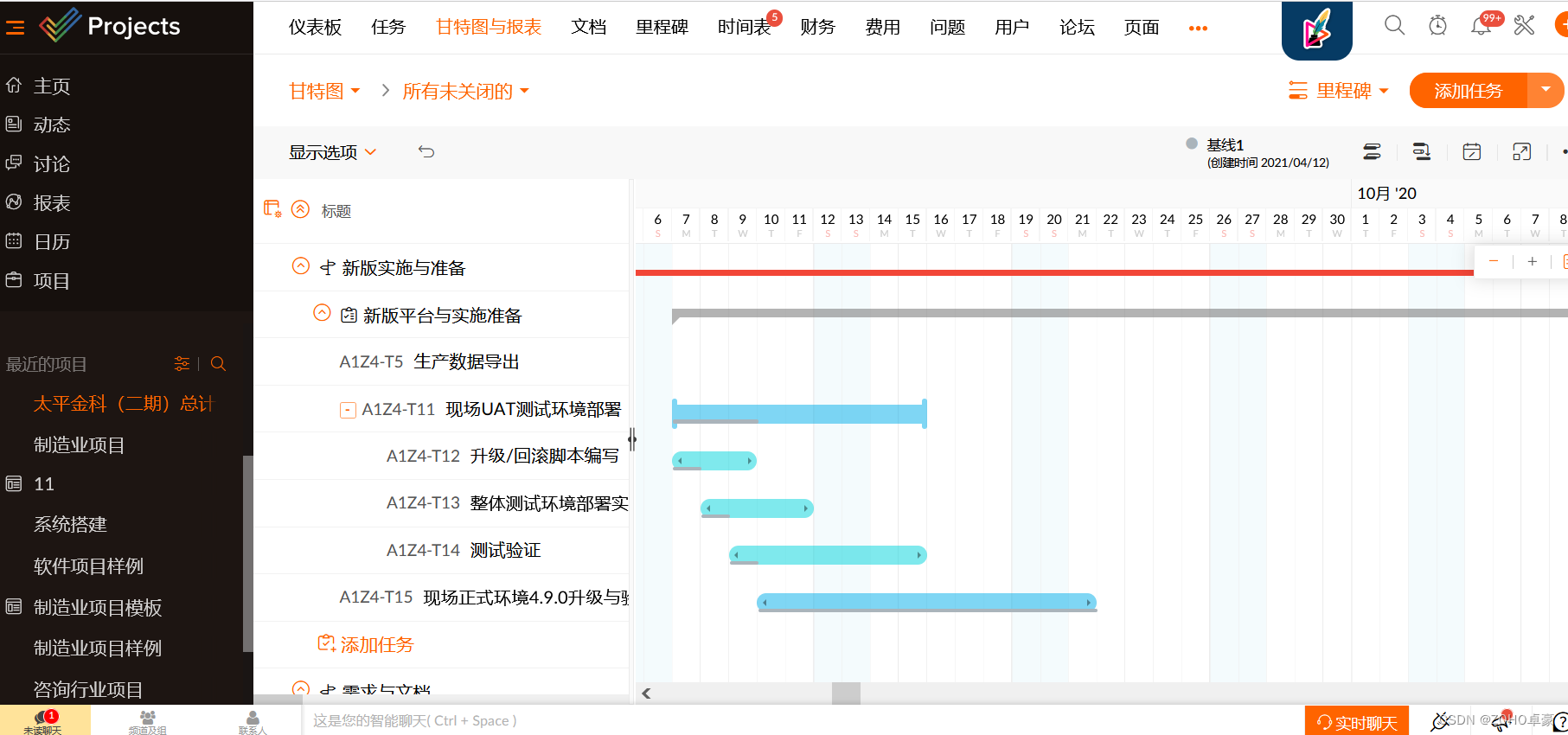
IT行业项目管理软件,你知道多少?
IT行业项目管理软件,主要得看用来管理的是软件研发还是做IT运维。如果是做软件研发,那还得看项目经理是用什么思路,是传统的瀑布式方法还是敏捷的方法或者是混合的方法。 如果用来管理的是IT运维工作,那么很多通用型的项目管理软件…...

小爱同学接入chatGPT
大致流程 最近入手了一款小爱音响,想着把小爱音响接入 chatGPT, 在 github 上找了一个非常优秀的开源项目,整个过程还是比较简单的,一次就完成了。 其中最难的技术点是 如何获取与小爱的对话记录?如何让小爱播放文本?…...

java运算符
1.运算符和表达式 运算符: 就是对常量或者变量进行操作的符号。 比如: - * / 表达式: 用运算符把常量或者变量连接起来的,符合Java语法的式子就是表达式。 比如:a b 这个整体就是表达式。 而其…...

StrongSORT_文献翻译
StrongSORT 【摘要】 现有的MOT方法可以被分为tracking-by-detection和joint-detection-association。后者引起了更多的关注,但对于跟踪精度而言,前者仍是最优的解决方案。StrongSORT在DeepSORT的基础之上,更新了它的检测、嵌入和关联等多个…...

Python每日一练(20230512) 跳跃游戏 V\VI\VII
目录 1. 跳跃游戏 V 2. 跳跃游戏 VI 3. 跳跃游戏 VII 🌟 每日一练刷题专栏 🌟 Golang每日一练 专栏 Python每日一练 专栏 C/C每日一练 专栏 Java每日一练 专栏 1. 跳跃游戏 V 给你一个整数数组 arr 和一个整数 d 。每一步你可以从下标 i 跳到&a…...

k8s部署mysql并使用nfs持久化数据
k8s部署mysql并使用nfs持久化数据 一、配置nfs服务器1.1 修改配置文件1.2. 载入配置1.3. 检查服务配置 二、创建K8S资源文件2.1 mysql-deployment.yml2.2 mysql-svc.yml 一、配置nfs服务器 参考文章: pod使用示例https://cloud.tencent.com/developer/article/1914388nfs配置…...

AI时代的赚钱思路:23岁女网红如何利用AI技术年入4亿?
一、AI技术为网红赚钱创造新途径 23岁美国网红Caryn Marjorie(卡琳玛乔丽)正同时交往1000多个男朋友。 作为一个在Snapchat上坐拥180万粉丝的美女,她利用人工智能(AI)技术,打造了一个AI版本的自己&#x…...

如何修复d3dcompiler_47.dll缺失?多种解决方法分享
在使用Windows操作系统的过程中,有时候会遇到d3dcompiler_47.dll缺失的情况。这个问题可能会导致某些应用程序无法正常运行,因此需要及时解决。本文将介绍如何修复d3dcompiler_47.dll缺失的问题。 一.什么是d3dcompiler_47.dll D3dcompiler_47.dll是Di…...

【项目实训】ATM自助取款系统
文章目录 1. 课程设计目的2. 课程设计任务与要求3. 课程设计说明书3.1 需求分析3.1.1 功能分析3.1.2 性能要求分析 3.2 概要设计3.2.1 功能模块图 3.3 详细设计3.3.1 实体类的设计3.3.2 实现数据库处理 3.4 主要程序功能流程图 4. 课程设计成果4.1 完整代码4.2 运行结果4.2.1 精…...
并查集算法
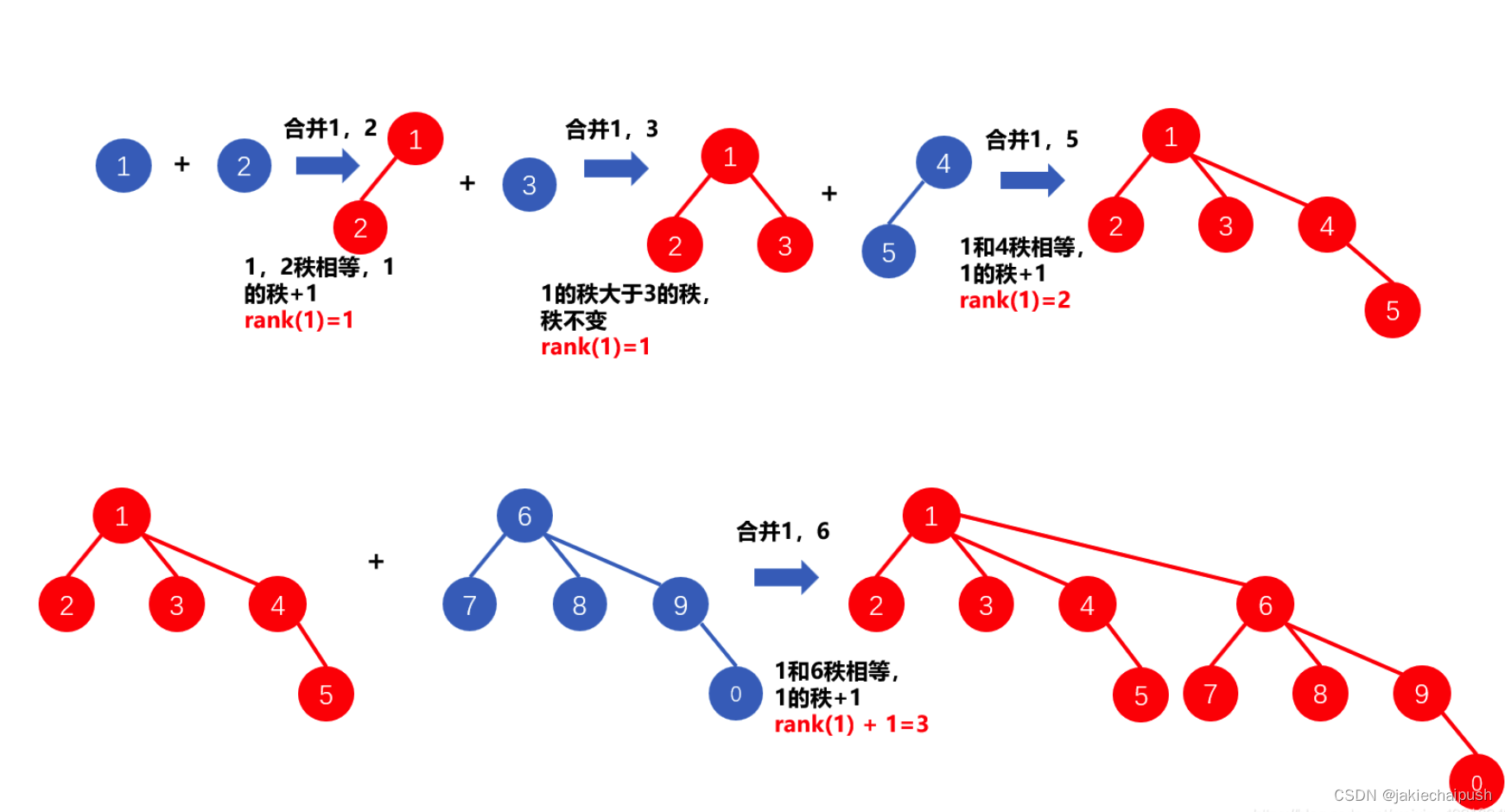
文章目录 1. 原理介绍2. 并查集的应用3. find()函数的定义与实现4. 并查集的join函数5. 路径压缩优化算法-优化find6. 路径压缩优化算法按秩合并算法 1. 原理介绍 并查集是一种用于维护集合关系的数据结构,它支持合并集合和查询元素所在的集合。它的基本思想是将元…...

TradingAgents-CN:多智能体LLM金融分析框架的技术架构与深度应用指南
TradingAgents-CN:多智能体LLM金融分析框架的技术架构与深度应用指南 【免费下载链接】TradingAgents-CN 基于多智能体LLM的中文金融交易框架 - TradingAgents中文增强版 项目地址: https://gitcode.com/GitHub_Trending/tr/TradingAgents-CN 第一部分&#…...

STM32F103C8T6连接HC-06蓝牙模块的完整避坑指南:从AT指令调试到数据收发异常处理
STM32F103C8T6与HC-06蓝牙模块实战避坑手册:从AT指令异常到数据收发的深度解决方案 当你第一次尝试用STM32F103C8T6驱动HC-06蓝牙模块时,是否遇到过这样的场景:AT指令发送后如同石沉大海,串口调试助手始终一片空白;或是…...

揭秘新篇!AI应用架构师的数据安全服务AI防护新思路
揭秘新篇!AI应用架构师的数据安全服务AI防护新思路 一、引言:AI时代的数据安全困局 当我们谈论AI应用时,数据是一切的核心——它是模型训练的“燃料”,是推理决策的“依据”,更是企业的核心资产。但随着AI技术的普及&a…...

StructBERT中文相似度模型GPU算力适配:显存占用峰值218MB,预留缓冲空间充足
StructBERT中文相似度模型GPU算力适配:显存占用峰值218MB,预留缓冲空间充足 1. 项目概述 StructBERT中文相似度计算工具是一个基于百度先进大模型技术的高精度语义匹配系统。这个工具能够智能分析两个中文句子之间的语义相似程度,为各类文本…...

【PyCon 2024闭门报告首发】:基于237个微基准测试的Python 3.14 JIT编译策略矩阵分析
第一章:PyCon 2024闭门报告核心结论与JIT演进全景核心共识:CPython JIT不再追求“全量即时编译” PyCon 2024闭门技术委员会明确指出,CPython 3.13 的JIT策略已从早期“通用LLVM后端”转向聚焦于“热点字节码的增量式优化”。其目标并非替代C…...
)
Flink 1.11.2 + ClickHouse实战:手把手教你搭建实时商品浏览看板(附Tableau自动刷新技巧)
Flink ClickHouse 实时商品热度分析系统:从数据管道到自动刷新看板的完整实践 电商运营团队每天最关心的问题之一,就是哪些商品正在被用户频繁浏览。这些实时数据如果能快速转化为可视化的热力图,就能帮助运营人员及时调整推荐策略、优化库存…...

Phi-3 Forest Lab效果展示:对CI/CD流水线失败日志的因果推理与修复路径推荐
Phi-3 Forest Lab效果展示:对CI/CD流水线失败日志的因果推理与修复路径推荐 1. 引言:当森林智慧遇见工程难题 在软件开发的世界里,CI/CD流水线就像一条永不停歇的生产线。但当这条生产线突然停止运转时,开发团队往往要花费数小时…...

OpenClaw新手避坑:Qwen3-32B镜像部署的10个常见错误
OpenClaw新手避坑:Qwen3-32B镜像部署的10个常见错误 1. 为什么Qwen3-32B镜像部署容易踩坑? 第一次在本地部署Qwen3-32B镜像对接OpenClaw时,我天真地以为只要按照文档操作就能一帆风顺。结果从环境配置到服务启动,整整折腾了两天…...

告别终端命令:Applite如何让macOS应用管理变得轻松有趣
告别终端命令:Applite如何让macOS应用管理变得轻松有趣 【免费下载链接】Applite User-friendly GUI macOS application for Homebrew Casks 项目地址: https://gitcode.com/gh_mirrors/ap/Applite 如果你曾因复杂的终端命令而对Homebrew望而却步,…...

解密Matplotlib字体机制:为什么你的中文总变成豆腐块?
解密Matplotlib字体机制:为什么你的中文总变成豆腐块? 当你在Python中使用Matplotlib绘制图表时,是否经常遇到这样的场景:精心设计的图表标题和标签,一旦包含中文就变成了令人头疼的"豆腐块"(□&…...