
Vue3全局化配置(ConfigProvider)
效果如下图:
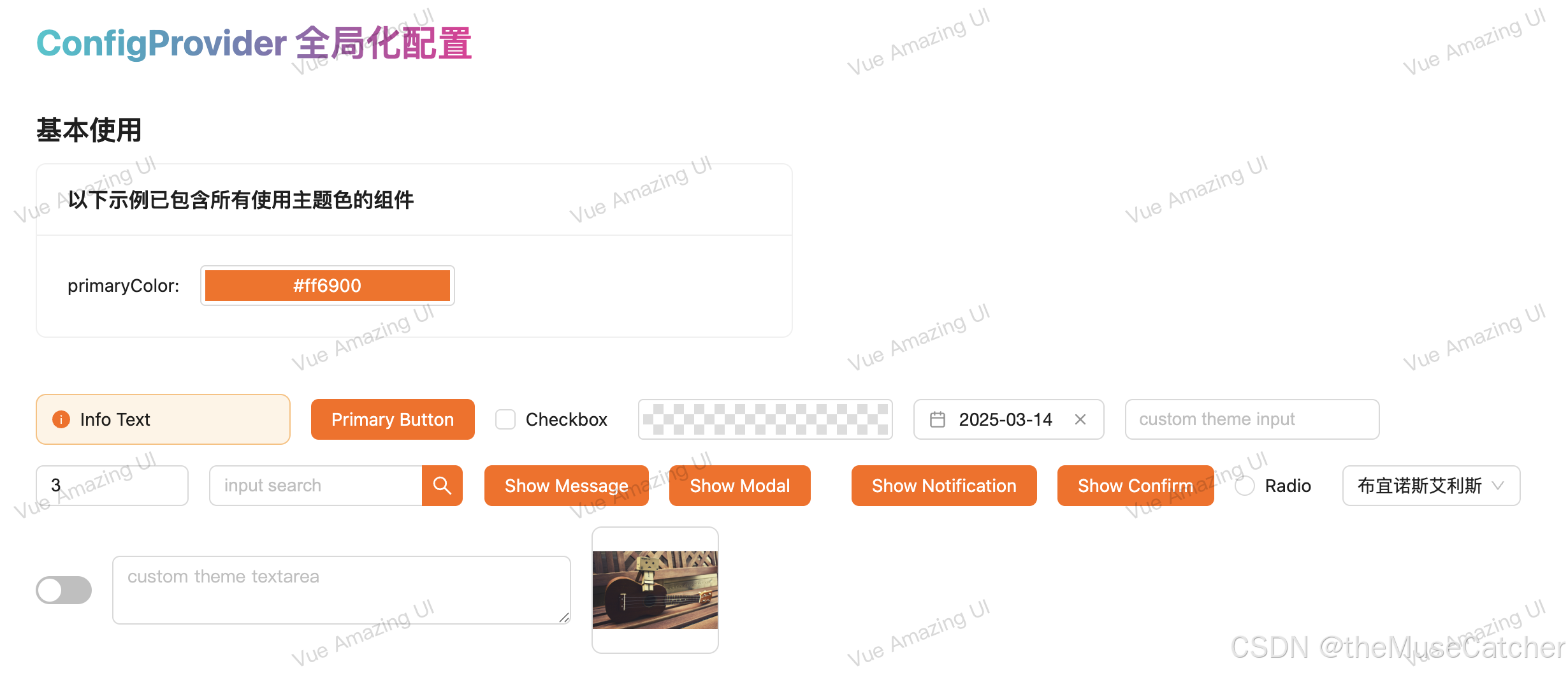
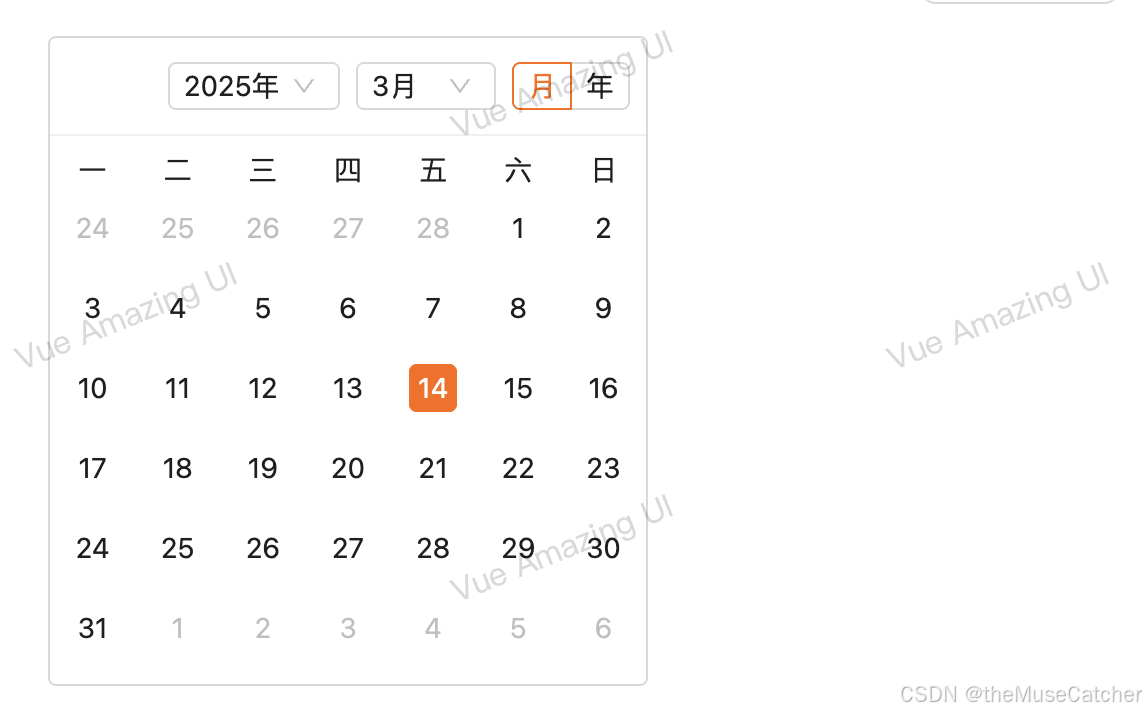
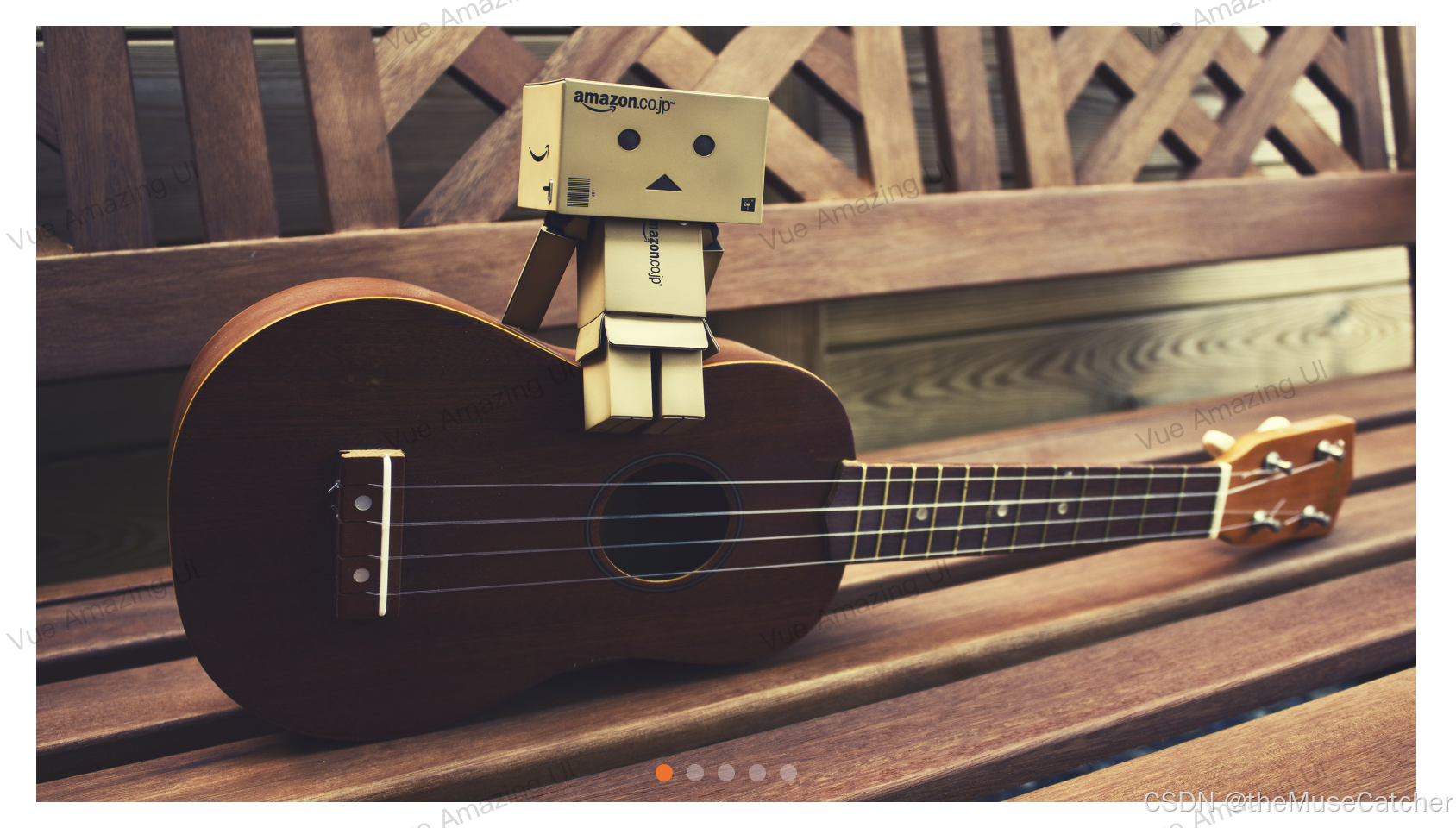
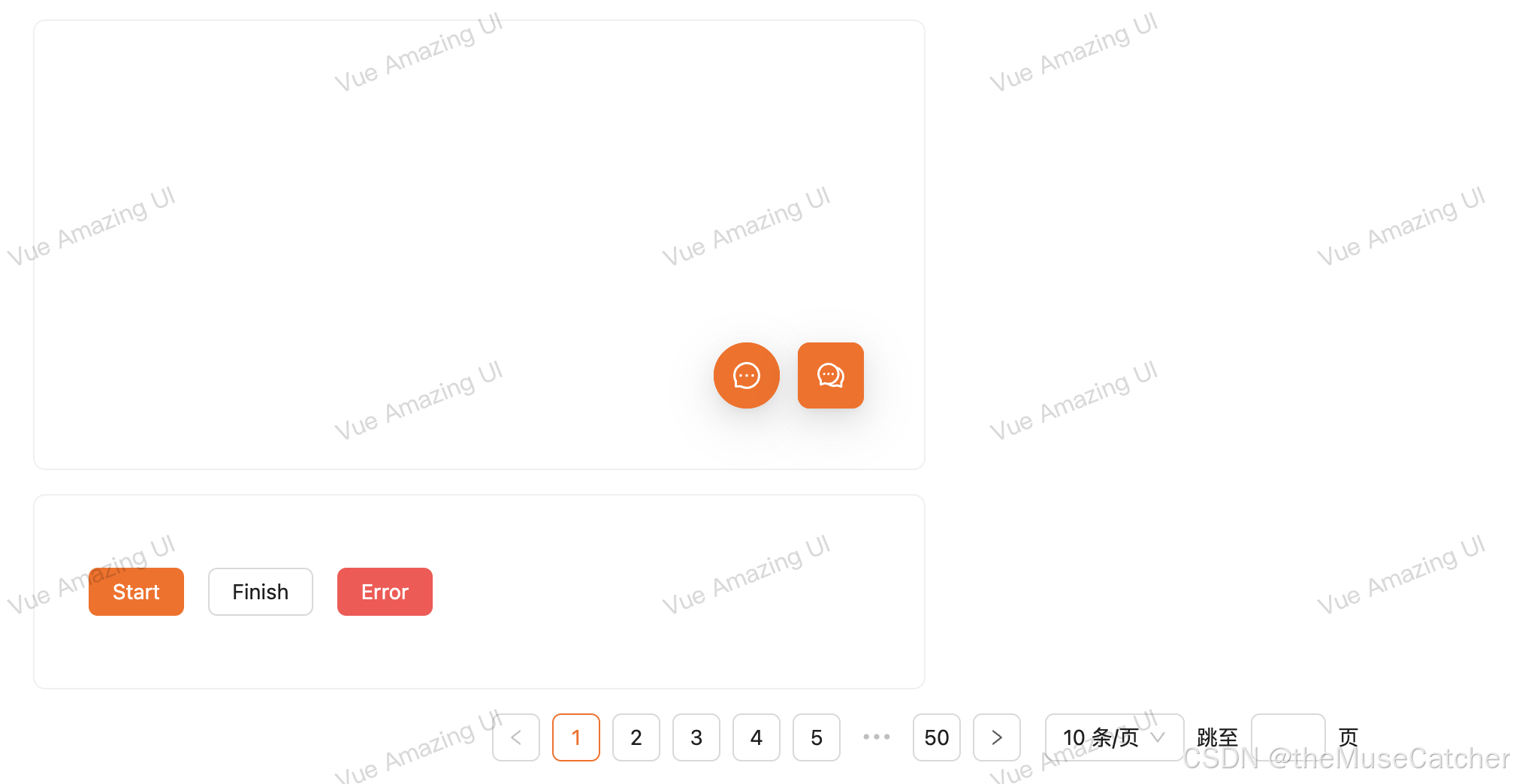
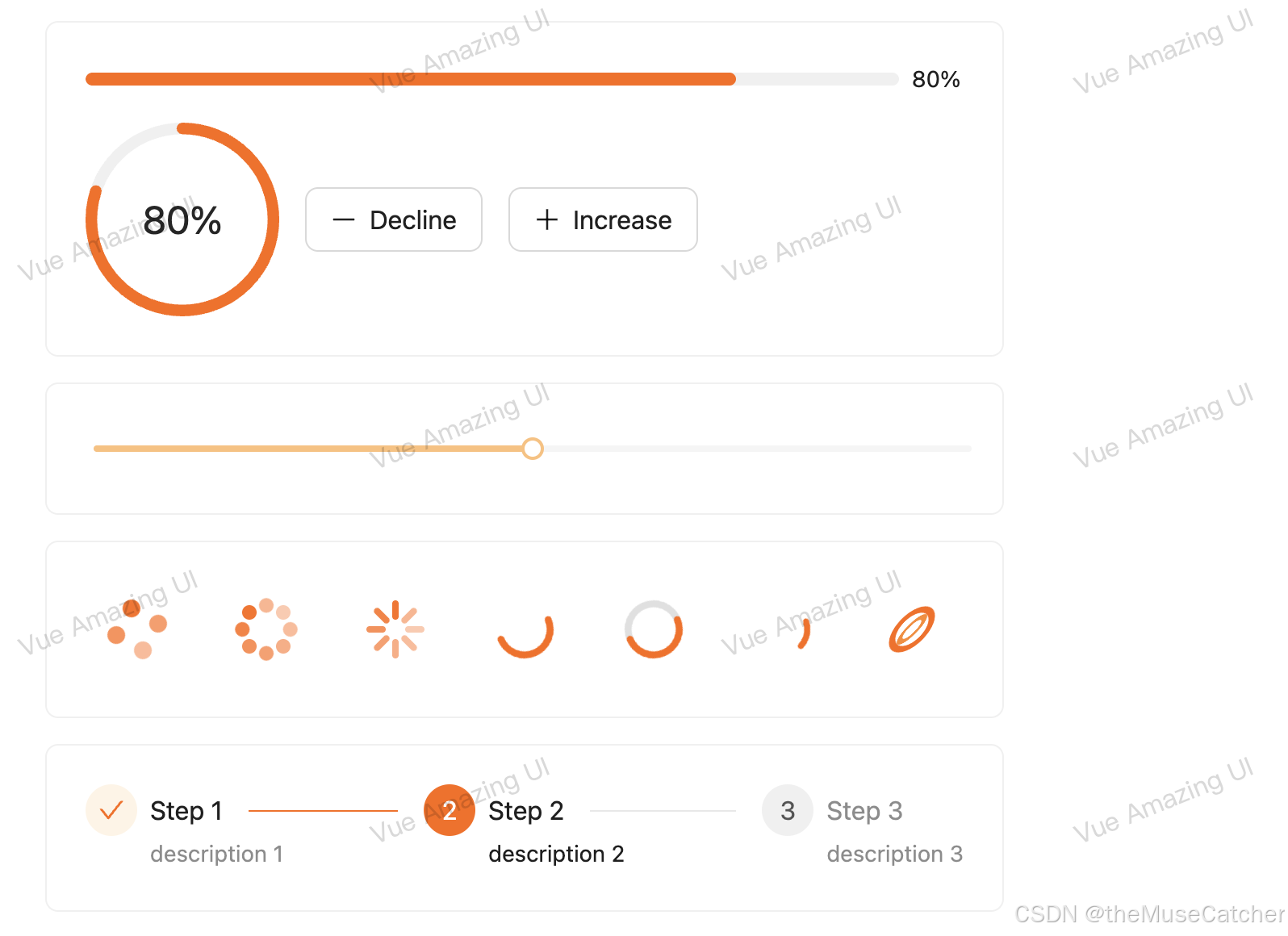
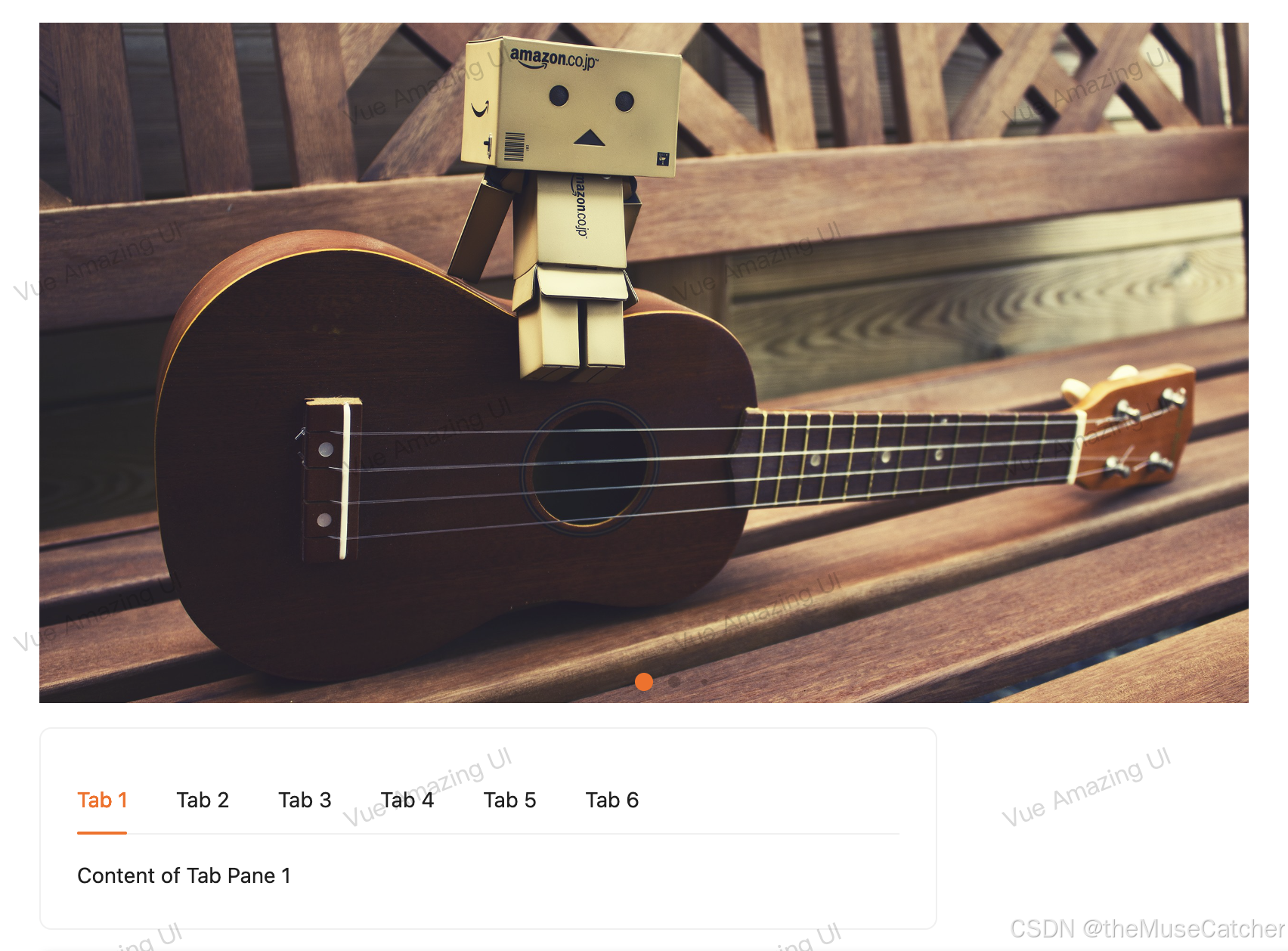
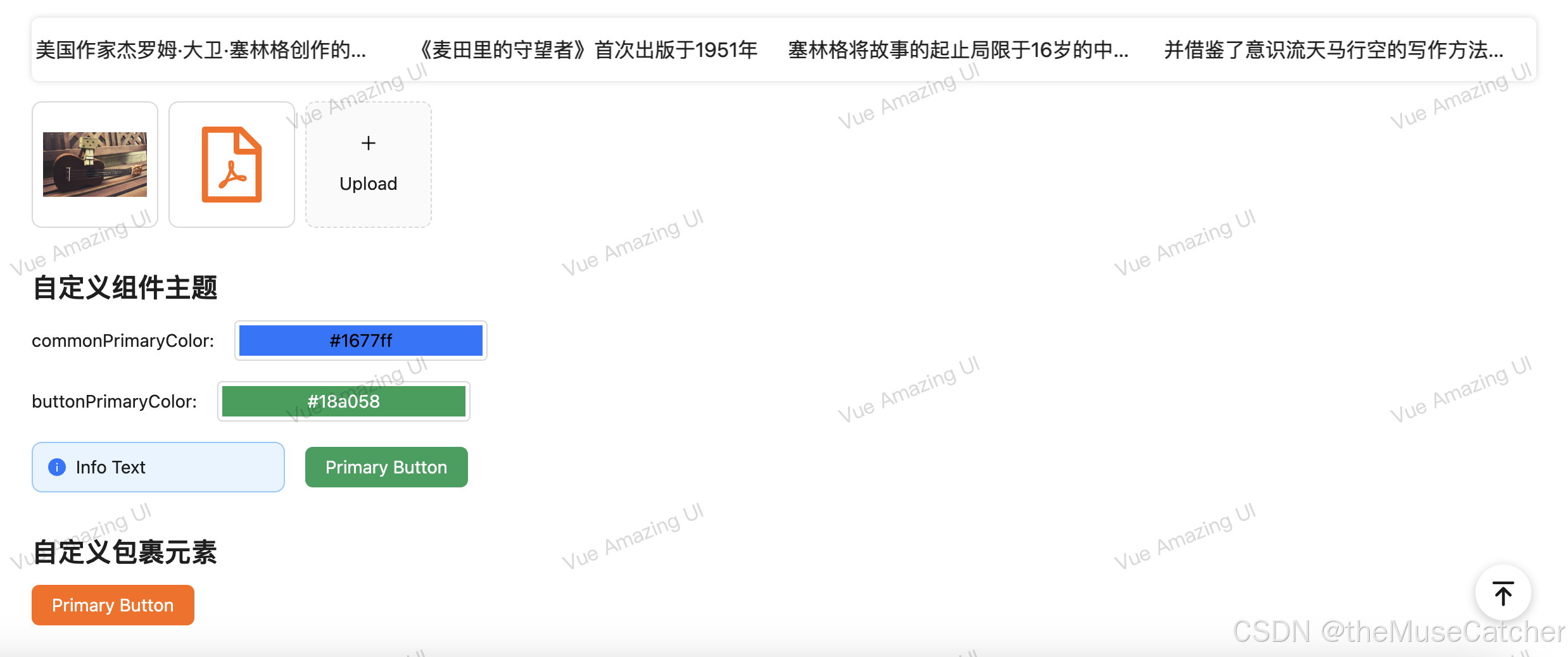
在线预览
APIs
ConfigProvider
| 参数 | 说明 | 类型 | 默认值 |
|---|---|---|---|
| theme | 主题对象 | Theme | {} |
| abstract | boolean | 是否不存在 DOM 包裹元素 | true |
| tag | string | ConfigProvider 被渲染成的元素,abstract 为 true 时有效 | ‘div’ |
Theme Type
| 名称 | 说明 | 类型 | 默认值 |
|---|---|---|---|
| common? | 全局通用配置,优先级低于组件配置 | Config | undefined |
| ComponentName? | 组件自定义配置 | Config | undefined |
Config Type
| 名称 | 说明 | 类型 | 默认值 |
|---|---|---|---|
| primaryColor? | 主题色 | string | undefined |
ComponentName Type
| 名称 | 值 |
|---|---|
| ComponentName | ‘Alert’ | ‘BackTop’ | ‘Button’ | ‘Calendar’ | ‘Carousel’ | ‘Checkbox’ | ‘ColorPicker’ | ‘DatePicker’ | ‘FloatButton’ | ‘Image’ | ‘Input’ | ‘InputNumber’ | ‘InputSearch’ | ‘LoadingBar’ | ‘Message’ | ‘Modal’ | ‘Notification’ | ‘Pagination’ | ‘Popconfirm’ | ‘Progress’ | ‘Radio’ | ‘Select’ | ‘Slider’ | ‘Spin’ | ‘Steps’ | ‘Swiper’ | ‘Switch’ | ‘Tabs’ | ‘Textarea’ | ‘TextScroll’ | ‘Upload’ |
Slots
| 名称 | 说明 | 类型 |
|---|---|---|
| default | 内容 | v-slot:default |
创建全局化配置组件 ConfigProvider.vue
<script setup lang="ts">
import { reactive, computed, watch, provide } from 'vue'
import { TinyColor } from '@ctrl/tinycolor'
import { generate } from '@ant-design/colors'
export interface Theme {common?: {// 优先级低于组件配置primaryColor?: string}Alert?: {primaryColor?: string}BackTop?: {primaryColor?: string}Button?: {primaryColor?: string}Calendar?: {primaryColor?: string}Carousel?: {primaryColor?: string}Checkbox?: {primaryColor?: string}ColorPicker?: {primaryColor?: string}DatePicker?: {primaryColor?: string}FloatButton?: {primaryColor?: string}Image?: {primaryColor?: string}Input?: {primaryColor?: string}InputNumber?: {primaryColor?: string}InputSearch?: {primaryColor?: string}LoadingBar?: {primaryColor?: string}Message?: {primaryColor?: string}Modal?: {primaryColor?: string}Notification?: {primaryColor?: string}Pagination?: {primaryColor?: string}Popconfirm?: {primaryColor?: string}Progress?: {primaryColor?: string}Radio?: {primaryColor?: string}Select?: {primaryColor?: string}Slider?: {primaryColor?: string}Spin?: {primaryColor?: string}Steps?: {primaryColor?: string}Swiper?: {primaryColor?: string}Switch?: {primaryColor?: string}Tabs?: {primaryColor?: string}Textarea?: {primaryColor?: string}TextScroll?: {primaryColor?: string}Upload?: {primaryColor?: string}
}
export interface Props {theme?: Theme // 主题对象abstract?: boolean // 是否不存在 DOM 包裹元素tag?: string // ConfigProvider 被渲染成的元素,abstract 为 true 时有效
}
const props = withDefaults(defineProps<Props>(), {theme: () => ({}),abstract: true,tag: 'div'
})
interface ThemeColor {colorPalettes: string[]shadowColor: string
}
// 通用主题颜色
const commonThemeColor = reactive<ThemeColor>({colorPalettes: [],shadowColor: ''
})
// 各个组件的主题颜色
const componentsThemeColor = reactive<Record<string, ThemeColor>>({Alert: {colorPalettes: [],shadowColor: ''},BackTop: {colorPalettes: [],shadowColor: ''},Button: {colorPalettes: [],shadowColor: ''},Calendar: {colorPalettes: [],shadowColor: ''},Carousel: {colorPalettes: [],shadowColor: ''},Checkbox: {colorPalettes: [],shadowColor: ''},ColorPicker: {colorPalettes: [],shadowColor: ''},DatePicker: {colorPalettes: [],shadowColor: ''},FloatButton: {colorPalettes: [],shadowColor: ''},Image: {colorPalettes: [],shadowColor: ''},Input: {colorPalettes: [],shadowColor: ''},InputNumber: {colorPalettes: [],shadowColor: ''},InputSearch: {colorPalettes: [],shadowColor: ''},LoadingBar: {colorPalettes: [],shadowColor: ''},Message: {colorPalettes: [],shadowColor: ''},Modal: {colorPalettes: [],shadowColor: ''},Notification: {colorPalettes: [],shadowColor: ''},Pagination: {colorPalettes: [],shadowColor: ''},Popconfirm: {colorPalettes: [],shadowColor: ''},Progress: {colorPalettes: [],shadowColor: ''},Radio: {colorPalettes: [],shadowColor: ''},Select: {colorPalettes: [],shadowColor: ''},Slider: {colorPalettes: [],shadowColor: ''},Spin: {colorPalettes: [],shadowColor: ''},Steps: {colorPalettes: [],shadowColor: ''},Swiper: {colorPalettes: [],shadowColor: ''},Switch: {colorPalettes: [],shadowColor: ''},Tabs: {colorPalettes: [],shadowColor: ''},Textarea: {colorPalettes: [],shadowColor: ''},TextScroll: {colorPalettes: [],shadowColor: ''},Upload: {colorPalettes: [],shadowColor: ''}
})
provide('common', commonThemeColor)
provide('components', componentsThemeColor)
const commonTheme = computed(() => {if ('common' in props.theme) {return props.theme.common}return null
})
const componentsTheme = computed(() => {const themes = { ...props.theme }if ('common' in themes) {delete themes.common}return themes
})
// 监听 common 主题变化
watch(commonTheme,(to) => {const colorPalettes = getColorPalettes(to?.primaryColor || '#1677ff')commonThemeColor.colorPalettes = colorPalettescommonThemeColor.shadowColor = getAlphaColor(colorPalettes[0])},{immediate: true}
)
// 监听各个组件主题变化
watch(componentsTheme,(to) => {Object.keys(to).forEach((key: string) => {const primaryColor = to[key as keyof Theme]?.primaryColor || commonTheme.value?.primaryColor || '#1677ff'const colorPalettes = getColorPalettes(primaryColor)componentsThemeColor[key].colorPalettes = colorPalettescomponentsThemeColor[key].shadowColor = getAlphaColor(colorPalettes[0])})},{immediate: true}
)
function getColorPalettes(primaryColor: string): string[] {return generate(primaryColor)
}
function isStableColor(color: number): boolean {return color >= 0 && color <= 255
}
function getAlphaColor(frontColor: string, backgroundColor: string = '#ffffff'): string {const { r: fR, g: fG, b: fB, a: originAlpha } = new TinyColor(frontColor).toRgb()if (originAlpha < 1) return frontColorconst { r: bR, g: bG, b: bB } = new TinyColor(backgroundColor).toRgb()for (let fA = 0.01; fA <= 1; fA += 0.01) {const r = Math.round((fR - bR * (1 - fA)) / fA)const g = Math.round((fG - bG * (1 - fA)) / fA)const b = Math.round((fB - bB * (1 - fA)) / fA)if (isStableColor(r) && isStableColor(g) && isStableColor(b)) {return new TinyColor({ r, g, b, a: Math.round(fA * 100) / 100 }).toRgbString()}}return new TinyColor({ r: fR, g: fG, b: fB, a: 1 }).toRgbString()
}
</script>
<template><slot v-if="abstract"></slot><component v-else :is="tag" class="m-config-provider"><slot></slot></component>
</template>
在要使用的页面引入
其中所有组件均源自 Vue Amazing UI 组件库,也包括本组件
<script setup lang="ts">
import Calendar from './Calendar.vue'
import { ref, h } from 'vue'
import { format } from 'date-fns'
import { MessageOutlined, CommentOutlined, MinusOutlined, PlusOutlined } from '@ant-design/icons-vue'
import type {ConfigProviderTheme,CarouselImage,SelectOption,StepsItem,TabsItem,TextScrollItem,UploadFileType
} from 'vue-amazing-ui'
const primaryColor = ref<string>('#ff6900')
const commonPrimaryColor = ref<string>('#1677ff')
const buttonPrimaryColor = ref<string>('#18a058')
const theme = ref<ConfigProviderTheme>({common: {primaryColor: commonPrimaryColor.value},Button: {primaryColor: buttonPrimaryColor.value}
})
const checkboxChecked = ref<boolean>(false)
const cardDate = ref<number>(Date.now())
const dateValue = ref<string>(format(new Date(), 'yyyy-MM-dd'))
const inputValue = ref<string>('')
const inputNumberValue = ref<number>(3)
const inputSearchValue = ref<string>('')
const cardRef = ref()
const loadingBarRef = ref()
const messageRef = ref()
const modalRef = ref()
const notificationRef = ref()
const page = ref<number>(1)
const radioChecked = ref<boolean>(false)
const images = ref<CarouselImage[]>([{name: 'image-1',src: 'https://cdn.jsdelivr.net/gh/themusecatcher/resources@0.1.2/1.jpg',link: 'https://cdn.jsdelivr.net/gh/themusecatcher/resources@0.1.2/1.jpg'},{name: 'image-2',src: 'https://cdn.jsdelivr.net/gh/themusecatcher/resources@0.1.2/2.jpg',link: 'https://cdn.jsdelivr.net/gh/themusecatcher/resources@0.1.2/2.jpg'},{name: 'image-3',src: 'https://cdn.jsdelivr.net/gh/themusecatcher/resources@0.1.2/3.jpg',link: 'https://cdn.jsdelivr.net/gh/themusecatcher/resources@0.1.2/3.jpg'},{name: 'image-4',src: 'https://cdn.jsdelivr.net/gh/themusecatcher/resources@0.1.2/4.jpg'},{name: 'image-5',src: 'https://cdn.jsdelivr.net/gh/themusecatcher/resources@0.1.2/5.jpg'}
])
const options = ref<SelectOption[]>([{label: '北京市',value: 1},{label: '上海市',value: 2},{label: '纽约市',value: 3},{label: '旧金山',value: 4},{label: '布宜诺斯艾利斯',value: 5},{label: '伊斯坦布尔',value: 6},{label: '拜占庭',value: 7},{label: '君士坦丁堡',value: 8}
])
const selectedValue = ref<number>(5)
const percent = ref<number>(80)
const sliderValue = ref<number>(50)
const stepsItems = ref<StepsItem[]>([{title: 'Step 1',description: 'description 1'},{title: 'Step 2',description: 'description 2'},{title: 'Step 3',description: 'description 3'}
])
const current = ref<number>(2)
const switchChecked = ref<boolean>(false)
const tabItems = ref<TabsItem[]>([{key: '1',tab: 'Tab 1',content: 'Content of Tab Pane 1'},{key: '2',tab: 'Tab 2',content: 'Content of Tab Pane 2'},{key: '3',tab: 'Tab 3',content: 'Content of Tab Pane 3'},{key: '4',tab: 'Tab 4',content: 'Content of Tab Pane 4'},{key: '5',tab: 'Tab 5',content: 'Content of Tab Pane 5'},{key: '6',tab: 'Tab 6',content: 'Content of Tab Pane 6'}
])
const activeKey = ref<string>('1')
const textareaValue = ref<string>('')
const scrollItems = ref<TextScrollItem[]>([{title: '美国作家杰罗姆·大卫·塞林格创作的唯一一部长篇小说',href: 'https://blog.csdn.net/Dandrose?type=blog',target: '_blank'},{title: '《麦田里的守望者》首次出版于1951年',href: 'https://blog.csdn.net/Dandrose?type=blog',target: '_blank'},{title: '塞林格将故事的起止局限于16岁的中学生霍尔顿·考尔菲德从离开学校到纽约游荡的三天时间内'},{title: '并借鉴了意识流天马行空的写作方法,充分探索了一个十几岁少年的内心世界',href: 'https://blog.csdn.net/Dandrose?type=blog',target: '_blank'},{title: '愤怒与焦虑是此书的两大主题,主人公的经历和思想在青少年中引起强烈共鸣',href: 'https://blog.csdn.net/Dandrose?type=blog',target: '_blank'}
])
const fileList = ref<UploadFileType[]>([{name: '1.jpg',url: 'https://cdn.jsdelivr.net/gh/themusecatcher/resources@0.1.2/1.jpg'},{name: 'Markdown.pdf',url: 'https://cdn.jsdelivr.net/gh/themusecatcher/resources@0.1.2/Markdown.pdf'}
])
function onIncrease(scale: number) {const res = percent.value + scaleif (res > 100) {percent.value = 100} else {percent.value = res}
}
function onDecline(scale: number) {const res = percent.value - scaleif (res < 0) {percent.value = 0} else {percent.value = res}
}
</script>
<template><div><h1>{{ $route.name }} {{ $route.meta.title }}</h1><h2 class="mt30 mb10">基本使用</h2><Card width="50%" title="以下示例已包含所有使用主题色的组件"><Space align="center"> primaryColor:<ColorPicker style="width: 200px" v-model:value="primaryColor" /> </Space></Card><br /><br /><ConfigProvider :theme="{ common: { primaryColor } }"><Flex vertical><Space align="center"><Alert style="width: 200px" message="Info Text" type="info" show-icon /><BackTop /><Button type="primary">Primary Button</Button><Checkbox v-model:checked="checkboxChecked">Checkbox</Checkbox><ColorPicker :width="200" /><DatePicker v-model="dateValue" format="yyyy-MM-dd" placeholder="请选择日期" /><Input :width="200" v-model:value="inputValue" placeholder="custom theme input" /><InputNumber :width="120" v-model:value="inputNumberValue" placeholder="please input" /><InputSearch:width="200"v-model:value="inputSearchValue":search-props="{ type: 'primary' }"placeholder="input search"/><Button type="primary" @click="messageRef.info('This is an info message')">Show Message</Button><Message ref="messageRef" /><Buttontype="primary"@click="modalRef.info({ title: 'This is an info modal', content: 'Some descriptions ...' })">Show Modal</Button><Modal ref="modalRef" /><Buttontype="primary"@click="notificationRef.info({ title: 'Notification Title', description: 'This is a normal notification' })">Show Notification</Button><Notification ref="notificationRef" /><Popconfirm title="Custom Theme" description="There will have some descriptions ..." icon="info"><Button type="primary">Show Confirm</Button></Popconfirm><Radio v-model:checked="radioChecked">Radio</Radio><Select :options="options" v-model="selectedValue" /><Switch v-model="switchChecked" /><Textarea :width="360" v-model:value="textareaValue" placeholder="custom theme textarea" /><Image src="https://cdn.jsdelivr.net/gh/themusecatcher/resources@0.1.2/1.jpg" /></Space><Calendar v-model:value="cardDate" display="card" /><Carousel style="margin-left: 0" :images="images" :width="800" :height="450" /><Card width="50%" style="height: 300px; transform: translate(0)"><FloatButton type="primary" :right="96"><template #icon><MessageOutlined /></template></FloatButton><FloatButton type="primary" shape="square"><template #icon><CommentOutlined /></template></FloatButton></Card><LoadingBar ref="loadingBarRef" :container-style="{ position: 'absolute' }" :to="cardRef" /><divref="cardRef"style="position: relative; width: 50%; padding: 48px 36px; border-radius: 8px; border: 1px solid #f0f0f0"><Space><Button type="primary" @click="loadingBarRef.start()">Start</Button><Button @click="loadingBarRef.finish()">Finish</Button><Button type="danger" @click="loadingBarRef.error()">Error</Button></Space></div><Pagination v-model:page="page" :total="500" show-quick-jumper /><Card width="50%"><Flex vertical><Progress :percent="percent" /><Space align="center"><Progress type="circle" :percent="percent" /><Button @click="onDecline(5)" size="large" :icon="() => h(MinusOutlined)">Decline</Button><Button @click="onIncrease(5)" size="large" :icon="() => h(PlusOutlined)">Increase</Button></Space></Flex></Card><Card width="50%"><Slider v-model:value="sliderValue" /></Card><Card width="50%"><Flex style="height: 60px"><Spin spinning /><Spin spinning indicator="spin-dot" /><Spin spinning indicator="spin-line" /><Spin spinning :spin-circle-percent="50" indicator="ring-circle" /><Spin spinning :spin-circle-percent="50" indicator="ring-rail" /><Spin spinning indicator="dynamic-circle" /><Spin spinning indicator="magic-ring" /></Flex></Card><Card width="50%"><Steps :items="stepsItems" v-model:current="current" /></Card><Swiperstyle="margin-left: 0":images="images":width="800":height="450":speed="800":pagination="{dynamicBullets: true,clickable: true}"/><Card width="50%"><Tabs :items="tabItems" v-model:active-key="activeKey" /></Card><TextScroll :items="scrollItems" /><Upload v-model:fileList="fileList" /></Flex></ConfigProvider><h2 class="mt30 mb10">自定义组件主题</h2><Flex vertical><Space align="center">commonPrimaryColor:<ColorPicker style="width: 200px" v-model:value="commonPrimaryColor" /></Space><Space align="center">buttonPrimaryColor:<ColorPicker style="width: 200px" v-model:value="buttonPrimaryColor" /></Space><ConfigProvider :theme="theme"><Space align="center"><Alert style="width: 200px" message="Info Text" type="info" show-icon /><Button type="primary">Primary Button</Button></Space></ConfigProvider></Flex><h2 class="mt30 mb10">自定义包裹元素</h2><ConfigProvider :abstract="false" tag="span" :theme="{ common: { primaryColor: '#ff6900' } }"><Button type="primary">Primary Button</Button></ConfigProvider></div>
</template>
相关文章:
Vue3全局化配置(ConfigProvider)
效果如下图: 在线预览 APIs ConfigProvider 参数说明类型默认值theme主题对象Theme{}abstractboolean是否不存在 DOM 包裹元素truetagstringConfigProvider 被渲染成的元素,abstract 为 true 时有效‘div’ Theme Type 名称说明类型默认值common?全…...

Centos7系统基于docker下载ollama部署Deepseek-r1(GPU版不踩坑)
目录 一、Docker下载安装 二、Ollama安装 三、部署Deepseek-R1 一、Docker下载安装 1、更新源 sudo yum update -y 2、下载依赖包 yum install -y yum-utils device-mapper-persistent-data lvm2 3、添加docker远程仓库地址 yum-config-manager --add-repo http://down…...

[目标检测] 训练之前要做什么
背景:训练一个Yolo8模型,在训练之前,数据集的处理是影响效果的关键因素。 Step1 定义规则 什么是人/车,比如人的话可能是站着的人,如果是骑电动车/自行车就不算是人。 Step2 收集数据集 1. 自己标注。如果是自己标…...

写了一个QT的定时器
主程序 #include <QCoreApplication> #include "mainwindow.h"int main(int argc, char *argv[]) {QCoreApplication a(argc, argv);MainWindow w;return a.exec(); }mainwindow.cpp程序 #include "mainwindow.h"#include <QDateTime>MainWi…...

LeetCode 力扣热题100 分割等和子集
题目解析 题目:给定一个正整数数组 nums,判断是否可以将数组分成两个和相等的子集。 等价问题: • 计算 nums 的总和 S • 如果 S 是奇数,直接返回 false(因为不能均分) • 目标是找到一个子集ÿ…...

Hyperlane:轻量级高性能的 Rust Web 后端框架
Hyperlane:开启 Rust Web 开发的新篇章 在当今数字化时代,Web 开发的效率与性能成为了开发者们关注的焦点。随着 Rust 语言的崛起,越来越多的开发者开始探索如何利用 Rust 的高性能和安全性来构建现代 Web 服务。今天,我们非常荣…...

【工具】C#游戏防沉迷小工具
背景介绍 嘿,各位小伙伴!今天想跟大家唠唠我为啥要搞这么个防沉迷小工具。 咱都清楚,现在这游戏啊,玩起来那叫一个带劲,但时间一长,不仅眼睛累,心也跟着累。有些游戏,规则定得挺有意…...

深圳南柯电子|净水器EMC测试整改:水质安全与电磁兼容性的双赢
在当今注重健康生活的时代,净水器作为家庭用水安全的第一道防线,其性能与安全性备受关注。其中,电磁兼容性(EMC)测试是净水器产品上市前不可或缺的一环,它直接关系到产品在复杂电磁环境中的稳定运行及不对其…...

SpeechCraf论文学习
Abstract 核心问题 挑战 语音风格包含细微的多样化信息(如情感、语调、节奏),传统基于标签/模板的标注方法难以充分捕捉,制约了语音-语言多模态模型的性能。 数据瓶颈: 大规模数据收集与高质量标注之间存在矛盾&…...

Work【2】:PGP-SAM —— 无需额外提示的自动化 SAM!
文章目录 前言AbstractIntroductionMethodsContextual Feature ModulationProgressive Prototype RefinementPrototype-based Prompt Generator ExperimentDatasetsImplementation DetailsResults and AnalysisAblation Study 总结 前言 和大家分享一下我们发表在 ISBI 2025 上…...

数据安全之策:备份文件的重要性与自动化实践
在信息化高速发展的今天,数据已成为企业运营和个人生活中不可或缺的重要资源。无论是企业的财务报表、客户资料,还是个人的家庭照片、学习笔记,数据的丢失或损坏都可能带来无法挽回的损失。因此,备份文件的重要性日益凸显…...

uniapp+Vue3 组件之间的传值方法
一、父子传值(props / $emit 、ref / $refs) 1、props / $emit 父组件通过 props 向子组件传递数据,子组件通过 $emit 触发事件向父组件传递数据。 父组件: // 父组件中<template><view class"container">…...

WebSocket生命周期和vue中使用
ing。。。晚点更新 进入页面,生命周期挂载后,window监听ws连接online 正常情况,心跳包检测避免断开 非正常情况,ws.onclose断开, 判断1000状态吗,触发重连函数。 定时器,重连,判断…...

blender使用初体验(甜甜圈教程)
使用blender 建模了甜甜圈,时间空闲了,但愿能创建点好玩的吸引人的东西...

web3区块链
Web3 是指下一代互联网,也被称为“去中心化互联网”或“区块链互联网”。它是基于区块链技术构建的,旨在创建一个更加开放、透明和用户主导的网络生态系统。以下是关于 Web3 的一些关键点: ### 1. **核心概念** - **去中心化**࿱…...

大模型学习笔记------Llama 3模型架构之旋转编码(RoPE)
大模型学习笔记------Llama 3模型架构之旋转编码(RoPE) 1、位置编码简介1.1 绝对位置编码1.2 相对位置编码 2、旋转编码(RoPE)2.1 基本概念---旋转矩阵2.2 RoPE计算原理2.2.1 绝对位置编码2.2.2 相对位置编码 3、旋转编码…...

04 1个路由器配置一个子网的dhcp服务
前言 这是最近一个朋友的 ensp 相关的问题, 这里来大致了解一下 ensp, 计算机网络拓扑 相关基础知识 这里一系列文章, 主要是参照了这位博主的 ensp 专栏 这里 我只是做了一个记录, 自己实际操作了一遍, 增强了一些 自己的理解 当然 这里仅仅是一个 简单的示例, 实际场景…...

安装open-webui
open-webui是一个开源的大语言模型交互界面 前提:Ollama已安装,并下载了deepseek-r1:1.5b模型 拉取镜像 docker pull ghcr.io/open-webui/open-webui:main 配置docker-compose.yml services:open-webui:image: ghcr.io/open-webui/open-webui:mainv…...

HCIA-11.以太网链路聚合与交换机堆叠、集群
链路聚合背景 拓扑组网时为了高可用,需要网络的冗余备份。但增加冗余容易后会出现环路,所以我们部署了STP协议来破除环路。 但是,根据实际业务的需要,为网络不停的增加冗余是现实需要的一部分。 那么,为了让网络冗余…...
)
不与最大数相同的数字之和(信息学奥赛一本通-1113)
【题目描述】 输出一个整数数列中不与最大数相同的数字之和。 【输入】 输入分为两行: 第一行为N(N为接下来数的个数,N < 100); 第二行N个整数,数与数之间以一个空格分开,每个整数的范围是-1000,000到1000,000。 【…...

Blender学习方法与技巧
以下是针对Blender零基础用户的学习教程推荐与高效学习方法总结,结合了多个优质资源整理而成,帮助快速入门: 一、Blender学习方法与技巧 制定学习计划与目标 明确短期目标(如掌握基础操作)和长期目标(如独立…...

Amazon RDS ProxySQL 探索(一)
:::info 💡 在日常开发中,开发者们会涉及到数据库的连接,在使用Amazon RDS数据库时,若使用集群模式或者多数据库时,会出现一写多读多个Endpoint,在实际开发中, 开发者们配置数据库连接通常希望走…...
)
HTML嵌入CSS样式超详解(尊享)
一、行内样式(Inline CSS) 1. 定义与语法 行内样式是直接在HTML标签中使用style属性来定义样式。这种方式只对当前标签生效。 <tagname style"css 样式">2. 示例 <p style"color: red; font-size: 14px;">这是一个红…...

[C语言基础]13.动态内存管理
动态内存管理 1. 动态内存分配2. 动态内存函数的介绍2.1 malloc2.2 free2.3 calloc2.4 realloc 3. 动态内存错误3.1 NULL指针解引用3.2 动态开辟空间越界访问3.3 非动态开辟内存使用free释放3.4 free释放动态开辟内存的一部分3.5 同一块动态内存多次释放3.6 动态开辟内存未释放…...

200多种算法应用于二维和三维无线传感器网络(WSN)覆盖场景
2.1 二元感知模型 在当前无线传感器网络(WSN)覆盖场景中,最常见且理想的感知模型是二元感知模型[27]。如图2所示, Q 1 Q_1 Q1和 Q 2 Q_2 Q2代表平面区域内的两个随机点。 Q 1 Q_1 Q1位于传感器的检测区域内,其感…...

模拟类似 DeepSeek 的对话
以下是一个完整的 JavaScript 数据流式获取实现方案,模拟类似 DeepSeek 的对话式逐段返回效果。包含前端实现、后端模拟和详细注释: <!DOCTYPE html> <html lang"en"> <head><meta charset"UTF-8"><titl…...
开发实现 息屏/亮屏 详情)
鸿蒙(OpenHarmony)开发实现 息屏/亮屏 详情
官网参考链接 实现点击关闭屏幕,定时5秒后唤醒屏幕 权限 {"name": "ohos.permission.POWER_OPTIMIZATION"}代码实现 import power from ohos.power;Entry Component struct Page3 {private timeoutID: number | null null; // 初始化 timeout…...

Flutter PopScope对于iOS设置canPop为false无效问题
这个问题应该出现很久了,之前的组件WillPopScope用的好好的,flutter做优化打算“软性”处理禁用返回手势,出了PopScope,这个组件也能处理在安卓设备上的左滑返回事件。但是iOS上面左滑返回手势禁用,一直无效。 当然之…...

SpringBoot + ResponseBodyEmitter 实时异步流式推送,优雅!
ChatGPT 的火爆,让流式输出技术迅速走进大众视野。在那段时间里,许多热爱钻研技术的小伙伴纷纷开始学习和实践 SSE 异步处理。 我当时也写过相关文章,今天,咱们换一种更为简便的方式来实现流式输出,那就是 Respon…...

网络运维学习笔记(DeepSeek优化版) 016 HCIA-Datacom综合实验01
文章目录 综合实验1实验需求总部特性 分支8分支9 配置一、 基本配置(IP二层VLAN链路聚合)ACC_SWSW-S1SW-S2SW-Ser1SW-CoreSW8SW9DHCPISPGW 二、 单臂路由GW 三、 vlanifSW8SW9 四、 OSPFSW8SW9GW 五、 DHCPDHCPGW 六、 NAT缺省路由GW 七、 HTTPGW 综合实…...