
圆球法线图,图生法线图 图片生成法线图
目录
圆球法线图
根据图片生成法线图
深度图计算法线图
圆球法线图

import numpy as np
import matplotlib.pyplot as plt
from mpl_toolkits.mplot3d import Axes3D# 定义球体的参数
radius = 1.0
resolution = 100# 生成球体表面的点
u = np.linspace(0, 2 * np.pi, resolution)
v = np.linspace(0, np.pi, resolution)
x = radius * np.outer(np.cos(u), np.sin(v))
y = radius * np.outer(np.sin(u), np.sin(v))
z = radius * np.outer(np.ones(np.size(u)), np.cos(v))# 计算法线
nx = x / radius
ny = y / radius
nz = z / radius# 创建 3D 图形
fig = plt.figure()
ax = fig.add_subplot(111, projection='3d')# 绘制球体
ax.plot_surface(x, y, z, color='b', alpha=0.5)# 绘制法线
step = 5
for i in range(0, resolution, step):for j in range(0, resolution, step):ax.quiver(x[i, j], y[i, j], z[i, j], nx[i, j], ny[i, j], nz[i, j], length=0.2, color='r')# 设置坐标轴
ax.set_xlabel('X')
ax.set_ylabel('Y')
ax.set_zlabel('Z')
ax.set_title('Sphere Normal Map')# 显示图形
plt.show()
根据图片生成法线图
【游戏开发进阶】带你玩转模型法线,实验一下大胆的想法(法线贴图 | shader | Unity | python | 爬虫)-CSDN博客 【游戏开发进阶】带你玩转模型法线,实验一下大胆的想法(法线贴图 | shader | Unity | python | 爬虫)-CSDN博客
import numpy as np
import scipy.ndimage
import scipy.misc
from scipy import ndimage
import argparse
import imageio
import shutil
import os# 高斯平滑函数,用于对图像进行平滑处理
def smooth_gaussian(im, sigma):if sigma == 0:return imim_smooth = im.astype(float)kernel_x = np.arange(-3 * sigma, 3 * sigma + 1).astype(float)  # 生成高斯核的横向坐标kernel_x = np.exp((-(kernel_x ** 2)) / (2 * (sigma ** 2)))  # 计算高斯核# 对图像进行卷积,先沿横向进行卷积,再沿纵向进行卷积im_smooth = scipy.ndimage.convolve(im_smooth, kernel_x[np.newaxis])im_smooth = scipy.ndimage.convolve(im_smooth, kernel_x[np.newaxis].T)return im_smooth# 使用Sobel算子计算梯度
def sobel(im_smooth):gradient_x = im_smooth.astype(float)gradient_y = im_smooth.astype(float)kernel = np.array([[-1, 0, 1], [-2, 0, 2], [-1, 0, 1]])  # Sobel核# 对图像进行卷积,分别计算X和Y方向的梯度gradient_x = scipy.ndimage.convolve(gradient_x, kernel)gradient_y = scipy.ndimage.convolve(gradient_y, kernel.T)return gradient_x, gradient_y# 根据计算的梯度值生成法线图
def compute_normal_map(gradient_x, gradient_y, intensity=1):width = gradient_x.shape[1]height = gradient_x.shape[0]max_x = np.max(gradient_x)  # 计算X方向的最大值max_y = np.max(gradient_y)  # 计算Y方向的最大值max_value = max(max_x,max_y) # 默认取X方向的最大值normal_map = np.zeros((height, width, 3), dtype=np.float32)  # 初始化法线图(3通道)intensity = 1 / intensity  # 法线强度调整strength = max_value / (max_value * intensity)  # 强度缩放# 计算法线图的X、Y、Z分量normal_map[..., 0] = gradient_x / max_valuenormal_map[..., 1] = gradient_y / max_valuenormal_map[..., 2] = 1 / strength# 对法线图进行归一化norm = np.sqrt(np.power(normal_map[..., 0], 2) + np.power(normal_map[..., 1], 2) + np.power(normal_map[..., 2], 2))normal_map[..., 0] /= normnormal_map[..., 1] /= normnormal_map[..., 2] /= norm# 调整法线图到0-1范围内normal_map *= 0.5normal_map += 0.5return normal_mapfrom natsort import natsorted
def main():# 创建输出目录os.makedirs(output_dir, exist_ok=True)# 解析命令行参数parser = argparse.ArgumentParser(description='Compute normal map of an image')# 可选参数:高斯平滑的标准差,法线图的强度parser.add_argument('-s', '--smooth', default=0., type=float, help='smooth gaussian blur applied on the image')parser.add_argument('-it', '--intensity', default=1., type=float, help='intensity of the normal map')args = parser.parse_args()sigma = args.smooth  # 获取平滑度参数intensity = args.intensity  # 获取法线图强度参数# 获取输入目录中的所有图片文件(按自然排序)img_files = ['%s/%s' % (i[0].replace("\\", "/"), j) for i in os.walk(input_dir) for j in i[-1] if j.lower().endswith(('jpg', 'png', 'jpeg'))]img_files = natsorted(img_files)# 遍历所有图片文件,生成法线图并保存for input_file in img_files:print(input_file)(_, output_file_name) = os.path.split(input_file)output_file = output_dir + '/_normal_' + output_file_name# 读取图片im = np.array(imageio.imread(input_file))if im.ndim == 3:  # 如果是彩色图像,转为灰度图像im_grey = np.zeros((im.shape[0], im.shape[1])).astype(float)im_grey = (im[..., 0] * 0.3 + im[..., 1] * 0.6 + im[..., 2] * 0.1)  # RGB加权平均im = im_grey# 对图像进行高斯平滑im_smooth = smooth_gaussian(im, sigma)# 计算Sobel梯度sobel_x, sobel_y = sobel(im_smooth)# 生成法线图normal_map = compute_normal_map(sobel_x, sobel_y, intensity)normal_map = np.uint8(normal_map * 255)  # 将法线图的值转换到0-255的范围内# 保存法线图imageio.imsave(output_file, normal_map)# 主程序入口
if __name__ == "__main__":input_dir = r'B:\360MoveData\Users\Administrator\Pictures\pinije\imgs'  # 输入目录路径output_dir = r'B:\360MoveData\Users\Administrator\Pictures\pinije\out'  # 输出目录路径main()
深度图计算法线图
from glob import globimport cv2
import numpy as np
import scipy.ndimage
import scipy.misc
from scipy import ndimage
import argparse
import imageio
import shutil
import os# 高斯平滑函数,用于对图像进行平滑处理
def smooth_gaussian(im, sigma):if sigma == 0:return imim_smooth = im.astype(float)kernel_x = np.arange(-3 * sigma, 3 * sigma + 1).astype(float)  # 生成高斯核的横向坐标kernel_x = np.exp((-(kernel_x ** 2)) / (2 * (sigma ** 2)))  # 计算高斯核# 对图像进行卷积,先沿横向进行卷积,再沿纵向进行卷积im_smooth = scipy.ndimage.convolve(im_smooth, kernel_x[np.newaxis])im_smooth = scipy.ndimage.convolve(im_smooth, kernel_x[np.newaxis].T)return im_smooth# 使用Sobel算子计算梯度
def sobel(im_smooth):gradient_x = im_smooth.astype(float)gradient_y = im_smooth.astype(float)kernel = np.array([[-1, 0, 1], [-2, 0, 2], [-1, 0, 1]])  # Sobel核# 对图像进行卷积,分别计算X和Y方向的梯度gradient_x = scipy.ndimage.convolve(gradient_x, kernel)gradient_y = scipy.ndimage.convolve(gradient_y, kernel.T)return gradient_x, gradient_ydef compute_depth_normals(depth_map):# 计算X和Y方向的深度梯度gradient_x = scipy.ndimage.sobel(depth_map.astype(float), axis=1)gradient_y = scipy.ndimage.sobel(depth_map.astype(float), axis=0)# 计算Z分量(Z轴的梯度可以近似为常数)normal_x = -gradient_xnormal_y = -gradient_ynormal_z = np.ones_like(depth_map)  # 这里假设Z方向是1# 归一化法线向量norm = np.sqrt(normal_x ** 2 + normal_y ** 2 + normal_z ** 2)normal_x /= normnormal_y /= normnormal_z /= norm# 转换到RGB格式(0-255范围)normal_map = np.stack((normal_x, normal_y, normal_z), axis=-1)normal_map = (normal_map + 1) / 2  # 将值从 [-1,1] 归一化到 [0,1]normal_map = (normal_map * 255).astype(np.uint8)return normal_mapdef compute_normal_map(gradient_x, gradient_y, intensity=1):width = gradient_x.shape[1]height = gradient_x.shape[0]max_x = np.max(gradient_x)  # 计算X方向的最大值max_y = np.max(gradient_y)  # 计算Y方向的最大值max_value = max(max_x,max_y) # 默认取X方向的最大值normal_map = np.zeros((height, width, 3), dtype=np.float32)  # 初始化法线图(3通道)intensity = 1 / intensity  # 法线强度调整strength = max_value / (max_value * intensity)  # 强度缩放# 计算法线图的X、Y、Z分量normal_map[..., 0] = gradient_x / max_valuenormal_map[..., 1] = gradient_y / max_valuenormal_map[..., 2] = 1 / strength# 对法线图进行归一化norm = np.sqrt(np.power(normal_map[..., 0], 2) + np.power(normal_map[..., 1], 2) + np.power(normal_map[..., 2], 2))normal_map[..., 0] /= normnormal_map[..., 1] /= normnormal_map[..., 2] /= norm# 调整法线图到0-1范围内normal_map *= 0.5normal_map += 0.5return normal_mapdef compute_normal_map(gradient_x, gradient_y, intensity=1.0):height, width = gradient_x.shapenormal_map = np.zeros((height, width, 3), dtype=np.float32)# 应用强度参数并调整方向normal_map[..., 0] = -gradient_x * intensity  # X分量取反normal_map[..., 1] = -gradient_y * intensity  # Y分量取反normal_map[..., 2] = 1.0  # Z分量固定# 逐像素归一化norm = np.linalg.norm(normal_map, axis=2)norm = np.stack([norm] * 3, axis=2)norm[norm == 0] = 1e-6  # 避免除以零normal_map /= norm# 转换到[0,1]范围并缩放为0-255normal_map = (normal_map * 0.5) + 0.5return np.clip(normal_map, 0.0, 1.0)from natsort import natsortedimport osdef load_video_frames(video_path):frames = []if os.path.isdir(video_path):files = glob(video_path + '/*.png') + glob(video_path + '/*.jpg')for file in files:img = cv2.imread(file)img = cv2.cvtColor(img, cv2.COLOR_BGR2RGB)frames.append(img)return frames, 25video = cv2.VideoCapture(video_path)fps = int(video.get(cv2.CAP_PROP_FPS))count = video.get(cv2.CAP_PROP_FRAME_COUNT)while True:ret, frame = video.read()if not ret: breakframes.append(cv2.cvtColor(frame, cv2.COLOR_BGR2RGB))if count != len(frames):print('video count err', count, len(frames))return frames, fps# 主程序入口
if __name__ == "__main__":output_dir='output1'os.makedirs(output_dir, exist_ok=True)# 解析命令行参数parser = argparse.ArgumentParser(description='Compute normal map of an image')# 可选参数:高斯平滑的标准差,法线图的强度parser.add_argument('-s', '--smooth', default=0., type=float, help='smooth gaussian blur applied on the image')parser.add_argument('-it', '--intensity', default=1., type=float, help='intensity of the normal map')args = parser.parse_args()sigma = args.smooth  # 获取平滑度参数intensity = args.intensity  # 获取法线图强度参数mp4_path=r"C:\Users\Administrator\Downloads\cc_vis.mp4"frames,fps = load_video_frames(mp4_path)for fi, frame in enumerate(frames):# 获取输入目录中的所有图片文件(按自然排序)output_file = output_dir + f'/_normal_{fi}.jpg'# 读取图片im = frameif im.ndim == 3:  # 如果是彩色图像,转为灰度图像im_grey = np.zeros((im.shape[0], im.shape[1])).astype(float)im_grey = (im[..., 0] * 0.3 + im[..., 1] * 0.6 + im[..., 2] * 0.1)  # RGB加权平均im = im_grey# 对图像进行高斯平滑im_smooth = smooth_gaussian(im, sigma)# 计算Sobel梯度sobel_x, sobel_y = sobel(im_smooth)# 生成法线图# normal_map = compute_depth_normals(im_smooth)normal_map = compute_normal_map(sobel_x, sobel_y, intensity)normal_map = np.uint8(normal_map * 255)  # 将法线图的值转换到0-255的范围内# 保存法线图imageio.imsave(output_file, normal_map)
相关文章:
圆球法线图,图生法线图 图片生成法线图
目录 圆球法线图 根据图片生成法线图 深度图计算法线图 圆球法线图 import numpy as np import matplotlib.pyplot as plt from mpl_toolkits.mplot3d import Axes3D# 定义球体的参数 radius 1.0 resolution 100# 生成球体表面的点 u np.linspace(0, 2 * np.pi, resoluti…...

notepad++ 正则表达式
注意:Notepad正则表达式字符串最长不能超过69个字符 \ 转义字符 如:要使用 “\” 本身, 则应该使用“\\” \t Tab制表符 注:扩展和正则表达式都支持 \r 回车符CR 注:扩展支持,正则表达式不支持 \n 换行符…...

Java基于SpringBoot的网络云端日记本系统,附源码+文档说明
博主介绍:✌Java老徐、7年大厂程序员经历。全网粉丝12w、csdn博客专家、掘金/华为云/阿里云/InfoQ等平台优质作者、专注于Java技术领域和毕业项目实战✌ 🍅文末获取源码联系🍅 👇🏻 精彩专栏推荐订阅👇&…...

【自用记录】本地关联GitHub以及遇到的问题
最近终于又想起GitHub,想上传代码和项目到仓库里。 由于很早之前有在本地连接过GitHub(但没怎么用),现在需要重新搞起(操作忘得差不多)。 在看教程实操的过程中遇到了一些小问题,遂记录一下。 前…...

页码设置相关问题记录
Q:中间没有显示页码怎么办? A:“页眉和页脚”-“页码”-“页面底端”-“普通数字2” Q:想让页码在某几节连续怎么办? A: ① 先保证节与节之间插入了“分节符”(如何插入分节符和如何显示分节符…...

什么是数据集市
数据集市(Data Mart)是数据管理领域的核心概念,其定义为面向特定业务领域或用户群体的小型数据仓库子集,专注于部门级业务分析,具有快速响应、灵活部署等特点。以下从定义、特点、类型、结构、应用场景及与其他数据架构…...

Python 的未来:在多元变革中持续领跑
一、从工具到生态:Python 的核心优势筑牢发展根基 Python 自诞生以来,始终以 “简洁易用” 和 “跨界融合” 为标签,在技术快速迭代的时代展现出惊人的韧性。其核心竞争力不仅在于语法的直观性 —— 让开发者专注于逻辑实现而非语法细节&…...

【HC-05蓝牙模块】主要性能指标与通信基础知识
一、HC-05 基础学习视频 HC-05蓝牙串口通信模块调试与应用1 二、HC-05学习视频课件...

深度学习中的数据类型
1. NumPy 数组 (numpy.ndarray) 核心定位:科学计算的基础工具,处理数值多维数组。 特点: 高效数值运算:底层用 C 实现,适合数学计算(如矩阵乘法、傅里叶变换)。 内存连续存储:数据…...

如何缩短研发周期,降低研发成本?全星APQP软件为您提供解决方案
如何缩短研发周期,降低研发成本?全星APQP软件为您提供解决方案 一、 系统概述 全星研发管理APQP软件系统是一款专为产品研发和质量管控打造的智能化平台,旨在帮助企业高效推进APQP(先期产品质量策划)流程,…...

嵌入式系统安全架构白皮书
嵌入式系统安全架构白皮书 一、安全威胁模型 1.1 典型攻击面分析 #mermaid-svg-mxWZ8IOtOmMv6YLV {font-family:"trebuchet ms",verdana,arial,sans-serif;font-size:16px;fill:#333;}#mermaid-svg-mxWZ8IOtOmMv6YLV .error-icon{fill:#552222;}#mermaid-svg-mxWZ8I…...
)
MQTT之重复消息(5、TCP重连和MQTT重连)
目录 1. TCP 协议层的重传(原生机制) 2. 触发 TCP 重传的具体场景 3、TCP 重传的关键参数(了解) 第一、重传超时(RTO - Retransmission Timeout) 第二、重传次数 第三、累计时间 vs 本次 RTO 的区别 第四.常见问题解答 第…...

Github Webhook 以及主动式
Github配置 GitHub 默认支持两种 Content-Type: application/json application/x-www-form-urlencoded 特别要注意 Content-Type 我们选择: application/json Flask代码 import os import shutil import subprocess from flask import Flask, request, jsonifyapp = Fla…...

猜猜我用的是哪个大模型?我的世界游戏界面简单的模拟效果
我的罗里吧嗦的,根据小朋友的要求,边听边写边输入的提示词: 请生成一段完整的在网页中用html5和javascript代码模拟“我的世界”中游戏场景的互动画面,要求提供若干人物选项可以选择,请自行选择需要使用哪些库或框架来…...

基于龙芯3A5000处理器,全国产标准6U VPX板卡解决方案
1,产品功能 本产品为一款高可靠性的基于龙芯3A5000处理器以及 7A2000芯片组的标准6U VPX板卡,具有以太网、SATA、PCIE,以及显示等接口,产品功能框图如图1所示: 图1 系统框图 2,技术指标 序号 项目 指标…...

Unity编辑器功能及拓展(3) —[Attribute]特性
在 Unity 中,[Attribute]格式的特性是用于扩展编辑器功能、控制序列化行为和调整 Inspector 显示,进行编辑器拓展的核心工具。 一.基础编辑器拓展 1.基础序列化控制 1.[SerializeField] 强制显示私有变量到Inspector 2.[HideInInspector] 隐藏该字段在Inspect…...

每日一题之既约分数
题目描述 本题为填空题,只需要算出结果后,在代码中使用输出语句将所填结果输出即可。 如果一个分数的分子和分母的最大公约数是 1,这个分数称为既约分数。 例如 3/4,1/8,7/1, 都是既约分数。 请问,有多少个既约分…...

C++作用域辨识详解
在 C 中,作用域(Scope)定义了变量、函数、类等标识符的可见性和生命周期。理解作用域对于编写清晰、高效的代码至关重要。以下是 C 中作用域的详细分类和说明。 1. 全局作用域(Global Scope) 全局作用域是指在所有函…...

wait的概念和使用方法
在C语言中,wait 函数主要用于进程管理,它是一个系统调用,定义在 <sys/wait.h> 头文件中,用于让父进程等待其子进程结束,并获取子进程的终止状态。下面为你详细介绍其概念和使用方法。 概念 wait 函数的原型如下…...
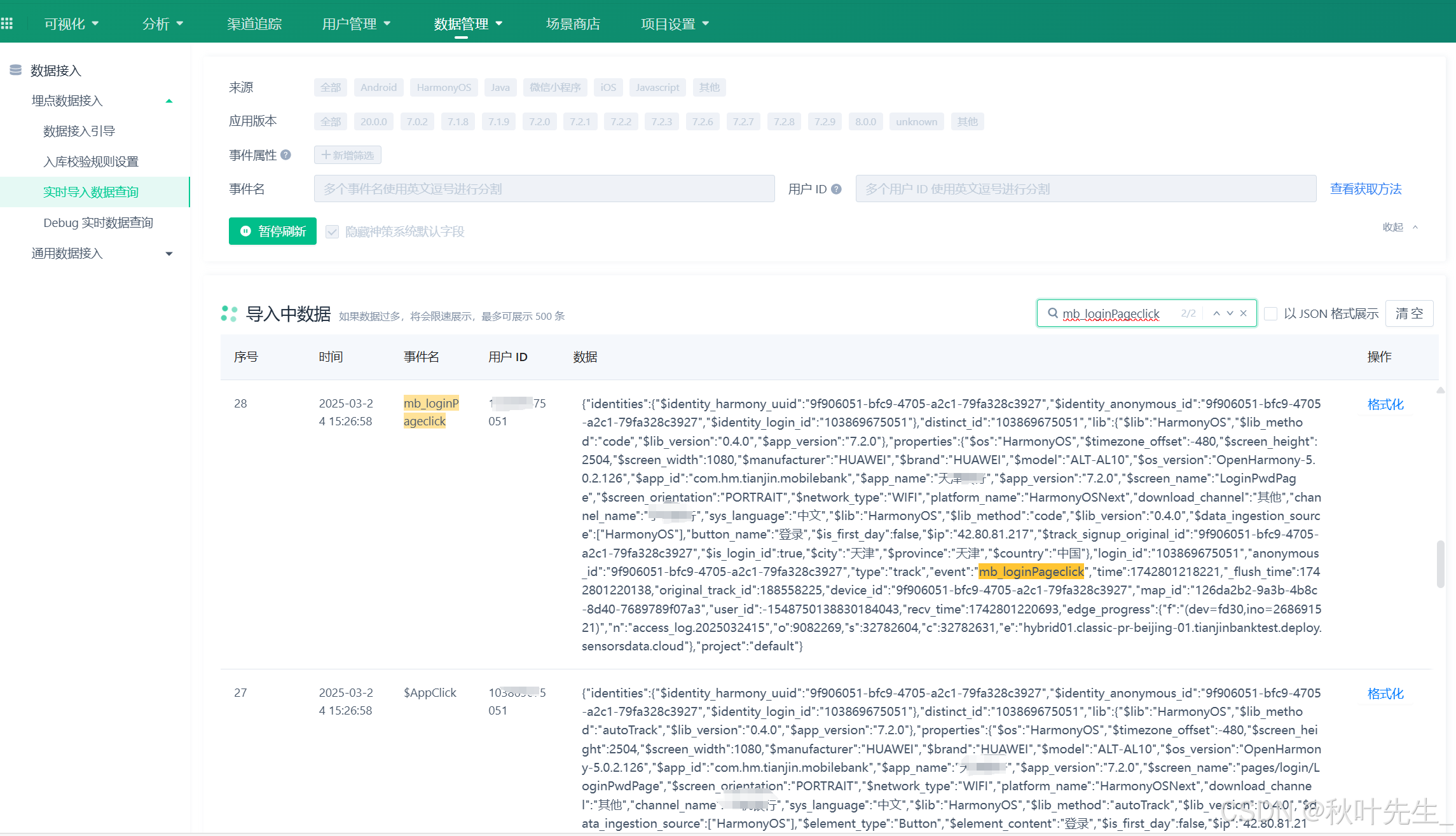
HarmonyOS NEXT——鸿蒙神策埋点(二)
在上一章我分享了鸿蒙客户端集成神策埋点sdk的过程,现在我们需要服务端的小伙伴配置集成服务端sdk接收处理数据信息,以下是集成的过程。 Java服务端sdk集成 1、获取神策数据平台url地址 1、导入集成: dependencies {compile com.sensorsda…...

编程考古-Borland JBuilder:一场关于Java灵魂的战争与救赎
本文也是填之前一位网友让谈谈JBuilder的一个坑,感谢各位技术爱好者的支持。感谢关注小编,你的关注,是我更新的动力。 本篇章节如下: 序章:JBuilder的黄金时代 Borland的JBuilder:纯技术主义的胜利 生死…...
【day4】数据结构刷题 树
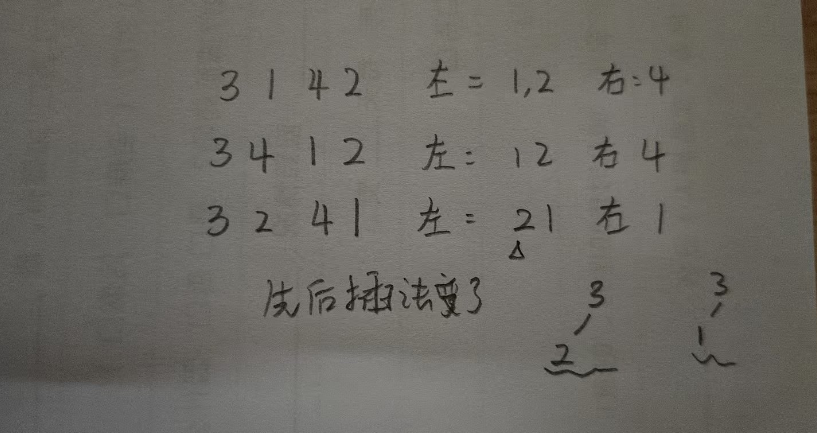
6-1 二叉树的遍历 函数接口定义: void InorderTraversal( BinTree BT ); void PreorderTraversal( BinTree BT ); void PostorderTraversal( BinTree BT ); void LevelorderTraversal( BinTree BT ); 其中BinTree结构定义如下: typedef struct TNode *Po…...

Elea AI:以人工智能之力推动病理实验室革新的技术突破与实践探索
Elea AI:以人工智能之力推动病理实验室革新的技术分析 一、病理实验室现状与 Elea AI 的革新契机 (一)传统病理实验室的痛点剖析 在医疗体系中,病理实验室扮演着至关重要的角色,其诊断结果是疾病确诊与后续治疗方案制定的关键依据。然而,当前传统病理实验室在实际运作过…...
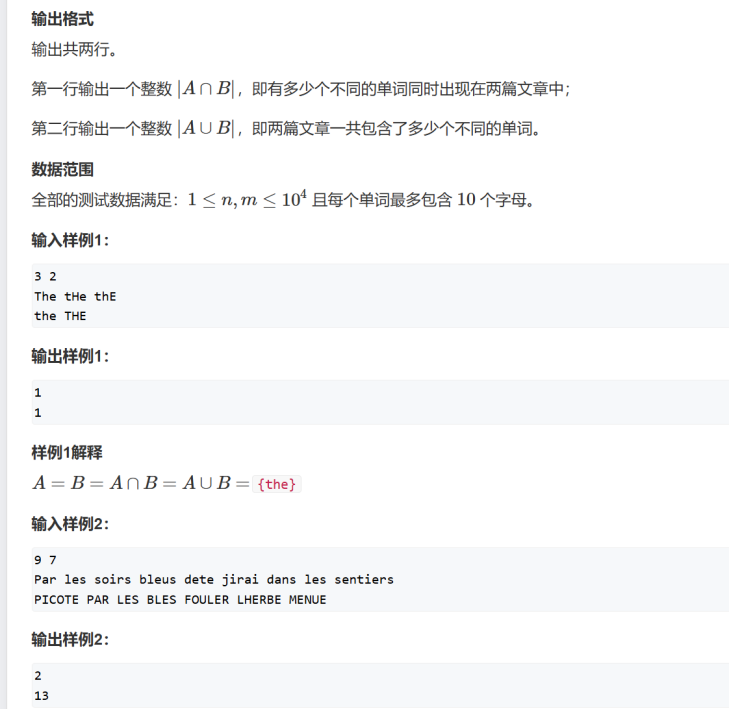
相似度计算 ccf-csp 2024-2-2
#include<bits/stdc.h> using namespace std;int main() {// 定义两个变量 n 和 m,分别用于存储两篇文章的单词个数int n, m;// 从标准输入读取 n 和 m 的值cin >> n >> m;// 定义三个 map 容器,A 用于存储并集,T 用于标记…...

多省发布!第27届中国机器人及人工智能大赛各赛区比赛通知
01 大赛介绍 中国机器人及人工智能大赛是由中国人工智能学会主办的极具影响力的全国性学科竞赛,旨在推动我国机器人及人工智能技术的创新与应用,促进相关专业的人才培养。作为全国高校学科竞赛A类赛事,该比赛吸引了众多高校和科研机构的积极…...

【Kafka】从理论到实践的深度解析
在当今数字化转型的时代,企业面临着数据量呈指数级增长、业务系统愈发复杂的挑战。在这样的背景下,高效的数据传输与处理技术成为了关键。Kafka,作为一款分布式消息队列系统,凭借其卓越的性能和丰富的特性,在众多企业的…...

对锁进行封装
目录 锁的封装 makefile编写 测试运行 RAII式封装 我们今天学习对锁进行封装。 我们在命名空间里面,在自己构建的类mutex里面完成对锁的封装。 锁的封装 我们要进行动态初始化锁,首先要有一个锁对象,所以mutex类里面的私有成员就是锁对…...
)
【学Rust写CAD】18 定点数2D仿射变换矩阵结构体(MatrixFixedPoint结构别名)
源码 // matrix/fixed.rs use crate::fixed::Fixed; use super::generic::Matrix;/// 定点数矩阵类型别名 pub type MatrixFixedPoint Matrix<Fixed, Fixed, Fixed, Fixed, Fixed, Fixed>;代码解析 这段代码定义了一个定点数矩阵的类型别名 MatrixFixedPointÿ…...

C++Primer学习(14.1 基本概念)
当运算符作用于类类型的运算对象时,可以通过运算符重载重新定义该运算符的含义。明智地使用运算符重载能令我们的程序更易于编写和阅读。举个例子,因为在Sales_item类中定义了输入、输出和加法运算符,所以可以通过下述形式输出两个Sales_item…...
)
接龙数列(最长上升 动规)
问题描述 对于一个长度为 KK 的整数数列:A1,A2,…,AKA1,A2,…,AK,我们称之为接龙数列当且仅当 AiAi 的首位数字恰好等于 Ai−1Ai−1 的末位数字 (2≤i≤K)(2≤i≤K)。例如 12,23,35,56,61,1112,23,35,56,61,11 是接龙数列;12,23,34…...