
clickhouse集群版本部署文档
集群版本介绍
clickhouse是表级别的集群,一个clickhouse实例可以有分布式表,也可以有本地表。本文介绍4个节点的clickhouse情况下部署配置。
分布式表数据分成2个分片,2个副本,总共4份数据:
- 节点1数据:分片1,副本1
- 节点2数据:分片1,副本2
- 节点3数据:分片2,副本1
- 节点4数据:分片2,副本2
分片1,分片2组成一份完整的数据。这种配置可以在使用中4个节点共同处理一个sql查询,在一个节点宕机情况下保证数据不丢失,
集群版ClickHouse部署
集群版本与单机版本区别在于节点间要相互发现,与单机版部署区别如下:
- 需要静态配置其他节点信息,配置
clickhouse keeper(也可以单独部署zookeeper)
以192.168.1.10,192.168.1.11,192.168.1.12,192.168.1.13四台集群模式为例配置/etc/clickhouse-server/config.d/config.xml
实际部署时需批量替换上述4个ip
192.168.1.10
<?xml version="1.0"?>
<clickhouse><listen_host>0.0.0.0</listen_host><timezone>Asia/Shanghai</timezone><logger><level>information</level></logger><background_pool_size>4</background_pool_size><background_schedule_pool_size>1</background_schedule_pool_size><mark_cache_size>268435456</mark_cache_size><merge_tree><index_granularity>1024</index_granularity><merge_max_block_size>1024</merge_max_block_size><max_bytes_to_merge_at_max_space_in_pool>1610612736</max_bytes_to_merge_at_max_space_in_pool><number_of_free_entries_in_pool_to_lower_max_size_of_merge>1</number_of_free_entries_in_pool_to_lower_max_size_of_merge><number_of_free_entries_in_pool_to_execute_mutation>4</number_of_free_entries_in_pool_to_execute_mutation><number_of_free_entries_in_pool_to_execute_optimize_entire_partition>4</number_of_free_entries_in_pool_to_execute_optimize_entire_partition></merge_tree><query_cache><max_size_in_bytes>134217728</max_size_in_bytes><max_entries>1024</max_entries><max_entry_size_in_bytes>10485760</max_entry_size_in_bytes><max_entry_size_in_rows>8192</max_entry_size_in_rows></query_cache><macros><replica>replica1</replica><cluster_shard>shard1</cluster_shard></macros><default_replica_path>/clickhouse/tables/{cluster_shard}/{database}/{table}</default_replica_path><default_replica_name>{replica}</default_replica_name><remote_servers><!--集群名称,默认为bpi--><bpi><secret>econage123</secret><shard><!--分片自动复制--><internal_replication>true</internal_replication><replica><host>192.168.1.10</host><!--节点host--><port>9000</port><!--节点port--></replica><replica><host>192.168.1.11</host><!--节点host--><port>9000</port><!--节点port--></replica></shard><shard><internal_replication>true</internal_replication><replica><host>192.168.1.12</host><port>9000</port></replica><replica><host>192.168.1.13</host><port>9000</port></replica></shard></bpi></remote_servers><zookeeper><node><host>192.168.1.10</host><port>8181</port></node><node><host>192.168.1.11</host><port>8181</port></node><node><host>192.168.1.12</host><port>8181</port></node><node><host>192.168.1.13</host><port>8181</port></node></zookeeper><keeper_server><tcp_port>8181</tcp_port><server_id>1</server_id><log_storage_path>/var/lib/clickhouse/coordination/log</log_storage_path><snapshot_storage_path>/var/lib/clickhouse/coordination/snapshots</snapshot_storage_path><coordination_settings><operation_timeout_ms>10000</operation_timeout_ms><session_timeout_ms>30000</session_timeout_ms><raft_logs_level>warning</raft_logs_level></coordination_settings><raft_configuration><server><id>1</id><hostname>192.168.1.10</hostname><port>9444</port></server><server><id>2</id><hostname>192.168.1.11</hostname><port>9444</port></server><server><id>3</id><hostname>192.168.1.12</hostname><port>9444</port></server><server><id>4</id><hostname>192.168.1.13</hostname><port>9444</port></server></raft_configuration></keeper_server></clickhouse>
192.168.1.11
<?xml version="1.0"?>
<clickhouse><listen_host>0.0.0.0</listen_host><timezone>Asia/Shanghai</timezone><logger><level>information</level></logger><background_pool_size>4</background_pool_size><background_schedule_pool_size>1</background_schedule_pool_size><mark_cache_size>268435456</mark_cache_size><merge_tree><index_granularity>1024</index_granularity><merge_max_block_size>1024</merge_max_block_size><max_bytes_to_merge_at_max_space_in_pool>1610612736</max_bytes_to_merge_at_max_space_in_pool><number_of_free_entries_in_pool_to_lower_max_size_of_merge>1</number_of_free_entries_in_pool_to_lower_max_size_of_merge><number_of_free_entries_in_pool_to_execute_mutation>4</number_of_free_entries_in_pool_to_execute_mutation><number_of_free_entries_in_pool_to_execute_optimize_entire_partition>4</number_of_free_entries_in_pool_to_execute_optimize_entire_partition></merge_tree><query_cache><max_size_in_bytes>134217728</max_size_in_bytes><max_entries>1024</max_entries><max_entry_size_in_bytes>10485760</max_entry_size_in_bytes><max_entry_size_in_rows>8192</max_entry_size_in_rows></query_cache><macros><replica>replica2</replica><cluster_shard>shard1</cluster_shard></macros><default_replica_path>/clickhouse/tables/{cluster_shard}/{database}/{table}</default_replica_path><default_replica_name>{replica}</default_replica_name><remote_servers><bpi><secret>econage123</secret><shard><internal_replication>true</internal_replication><replica><host>192.168.1.10</host><!--节点host--><port>9000</port><!--节点port--></replica><replica><host>192.168.1.11</host><!--节点host--><port>9000</port><!--节点port--></replica></shard><shard><internal_replication>true</internal_replication><replica><host>192.168.1.12</host><port>9000</port></replica><replica><host>192.168.1.13</host><port>9000</port></replica></shard></bpi></remote_servers><zookeeper><node><host>192.168.1.10</host><port>8181</port></node><node><host>192.168.1.11</host><port>8181</port></node><node><host>192.168.1.12</host><port>8181</port></node><node><host>192.168.1.13</host><port>8181</port></node></zookeeper><keeper_server><tcp_port>8181</tcp_port><server_id>2</server_id><log_storage_path>/var/lib/clickhouse/coordination/log</log_storage_path><snapshot_storage_path>/var/lib/clickhouse/coordination/snapshots</snapshot_storage_path><coordination_settings><operation_timeout_ms>10000</operation_timeout_ms><session_timeout_ms>30000</session_timeout_ms><raft_logs_level>warning</raft_logs_level></coordination_settings><raft_configuration><server><id>1</id><hostname>192.168.1.10</hostname><port>9444</port></server><server><id>2</id><hostname>192.168.1.11</hostname><port>9444</port></server><server><id>3</id><hostname>192.168.1.12</hostname><port>9444</port></server><server><id>4</id><hostname>192.168.1.13</hostname><port>9444</port></server></raft_configuration></keeper_server></clickhouse>
192.168.1.12
<?xml version="1.0"?>
<clickhouse><listen_host>0.0.0.0</listen_host><timezone>Asia/Shanghai</timezone><logger><level>information</level></logger><background_pool_size>4</background_pool_size><background_schedule_pool_size>1</background_schedule_pool_size><mark_cache_size>268435456</mark_cache_size><merge_tree><index_granularity>1024</index_granularity><merge_max_block_size>1024</merge_max_block_size><max_bytes_to_merge_at_max_space_in_pool>1610612736</max_bytes_to_merge_at_max_space_in_pool><number_of_free_entries_in_pool_to_lower_max_size_of_merge>1</number_of_free_entries_in_pool_to_lower_max_size_of_merge><number_of_free_entries_in_pool_to_execute_mutation>4</number_of_free_entries_in_pool_to_execute_mutation><number_of_free_entries_in_pool_to_execute_optimize_entire_partition>4</number_of_free_entries_in_pool_to_execute_optimize_entire_partition></merge_tree><query_cache><max_size_in_bytes>134217728</max_size_in_bytes><max_entries>1024</max_entries><max_entry_size_in_bytes>10485760</max_entry_size_in_bytes><max_entry_size_in_rows>8192</max_entry_size_in_rows></query_cache><macros><replica>replica1</replica><cluster_shard>shard2</cluster_shard></macros><default_replica_path>/clickhouse/tables/{cluster_shard}/{database}/{table}</default_replica_path><default_replica_name>{replica}</default_replica_name><remote_servers><bpi><secret>econage123</secret><shard><internal_replication>true</internal_replication><replica><host>192.168.1.10</host><!--节点host--><port>9000</port><!--节点port--></replica><replica><host>192.168.1.11</host><!--节点host--><port>9000</port><!--节点port--></replica></shard><shard><internal_replication>true</internal_replication><replica><host>192.168.1.12</host><port>9000</port></replica><replica><host>192.168.1.13</host><port>9000</port></replica></shard></bpi></remote_servers><zookeeper><node><host>192.168.1.10</host><port>8181</port></node><node><host>192.168.1.11</host><port>8181</port></node><node><host>192.168.1.12</host><port>8181</port></node><node><host>192.168.1.13</host><port>8181</port></node></zookeeper><keeper_server><tcp_port>8181</tcp_port><server_id>3</server_id><log_storage_path>/var/lib/clickhouse/coordination/log</log_storage_path><snapshot_storage_path>/var/lib/clickhouse/coordination/snapshots</snapshot_storage_path><coordination_settings><operation_timeout_ms>10000</operation_timeout_ms><session_timeout_ms>30000</session_timeout_ms><raft_logs_level>warning</raft_logs_level></coordination_settings><raft_configuration><server><id>1</id><hostname>192.168.1.10</hostname><port>9444</port></server><server><id>2</id><hostname>192.168.1.11</hostname><port>9444</port></server><server><id>3</id><hostname>192.168.1.12</hostname><port>9444</port></server><server><id>4</id><hostname>192.168.1.13</hostname><port>9444</port></server></raft_configuration></keeper_server></clickhouse>
192.168.1.13
<?xml version="1.0"?>
<clickhouse><listen_host>0.0.0.0</listen_host><timezone>Asia/Shanghai</timezone><logger><level>information</level></logger><background_pool_size>4</background_pool_size><background_schedule_pool_size>1</background_schedule_pool_size><mark_cache_size>268435456</mark_cache_size><merge_tree><index_granularity>1024</index_granularity><merge_max_block_size>1024</merge_max_block_size><max_bytes_to_merge_at_max_space_in_pool>1610612736</max_bytes_to_merge_at_max_space_in_pool><number_of_free_entries_in_pool_to_lower_max_size_of_merge>1</number_of_free_entries_in_pool_to_lower_max_size_of_merge><number_of_free_entries_in_pool_to_execute_mutation>4</number_of_free_entries_in_pool_to_execute_mutation><number_of_free_entries_in_pool_to_execute_optimize_entire_partition>4</number_of_free_entries_in_pool_to_execute_optimize_entire_partition></merge_tree><query_cache><max_size_in_bytes>134217728</max_size_in_bytes><max_entries>1024</max_entries><max_entry_size_in_bytes>10485760</max_entry_size_in_bytes><max_entry_size_in_rows>8192</max_entry_size_in_rows></query_cache><macros><replica>replica2</replica><cluster_shard>shard2</cluster_shard></macros><default_replica_path>/clickhouse/tables/{cluster_shard}/{database}/{table}</default_replica_path><default_replica_name>{replica}</default_replica_name><remote_servers><bpi><secret>econage123</secret><shard><internal_replication>true</internal_replication><replica><host>192.168.1.10</host><!--节点host--><port>9000</port><!--节点port--></replica><replica><host>192.168.1.11</host><!--节点host--><port>9000</port><!--节点port--></replica></shard><shard><internal_replication>true</internal_replication><replica><host>192.168.1.12</host><port>9000</port></replica><replica><host>192.168.1.13</host><port>9000</port></replica></shard></bpi></remote_servers><zookeeper><node><host>192.168.1.10</host><port>8181</port></node><node><host>192.168.1.11</host><port>8181</port></node><node><host>192.168.1.12</host><port>8181</port></node><node><host>192.168.1.13</host><port>8181</port></node></zookeeper><keeper_server><tcp_port>8181</tcp_port><server_id>4</server_id><log_storage_path>/var/lib/clickhouse/coordination/log</log_storage_path><snapshot_storage_path>/var/lib/clickhouse/coordination/snapshots</snapshot_storage_path><coordination_settings><operation_timeout_ms>10000</operation_timeout_ms><session_timeout_ms>30000</session_timeout_ms><raft_logs_level>warning</raft_logs_level></coordination_settings><raft_configuration><server><id>1</id><hostname>192.168.1.10</hostname><port>9444</port></server><server><id>2</id><hostname>192.168.1.11</hostname><port>9444</port></server><server><id>3</id><hostname>192.168.1.12</hostname><port>9444</port></server><server><id>4</id><hostname>192.168.1.13</hostname><port>9444</port></server></raft_configuration></keeper_server></clickhouse>
端口
- 8123(clickhouse http)
- 9000(clickhouse tcp)
- 8181(clickhouse-keeper)
- 9444(raft)
相关文章:

clickhouse集群版本部署文档
集群版本介绍 clickhouse是表级别的集群,一个clickhouse实例可以有分布式表,也可以有本地表。本文介绍4个节点的clickhouse情况下部署配置。 分布式表数据分成2个分片,2个副本,总共4份数据: 节点1数据:分…...

AI提示词:好评生成器
提示说明 生成一段幽默的好评 提示词 # Role: 好评生成器# Profile: - author: xxx - version: 1.0 - language: 中文 - description: 生成一段幽默的好评## Goals: - 根据用户提供的体验优点生成一段幽默的好评 - 视角采用第一人称来描述(站在用户的视角) - 用词口语化、语…...
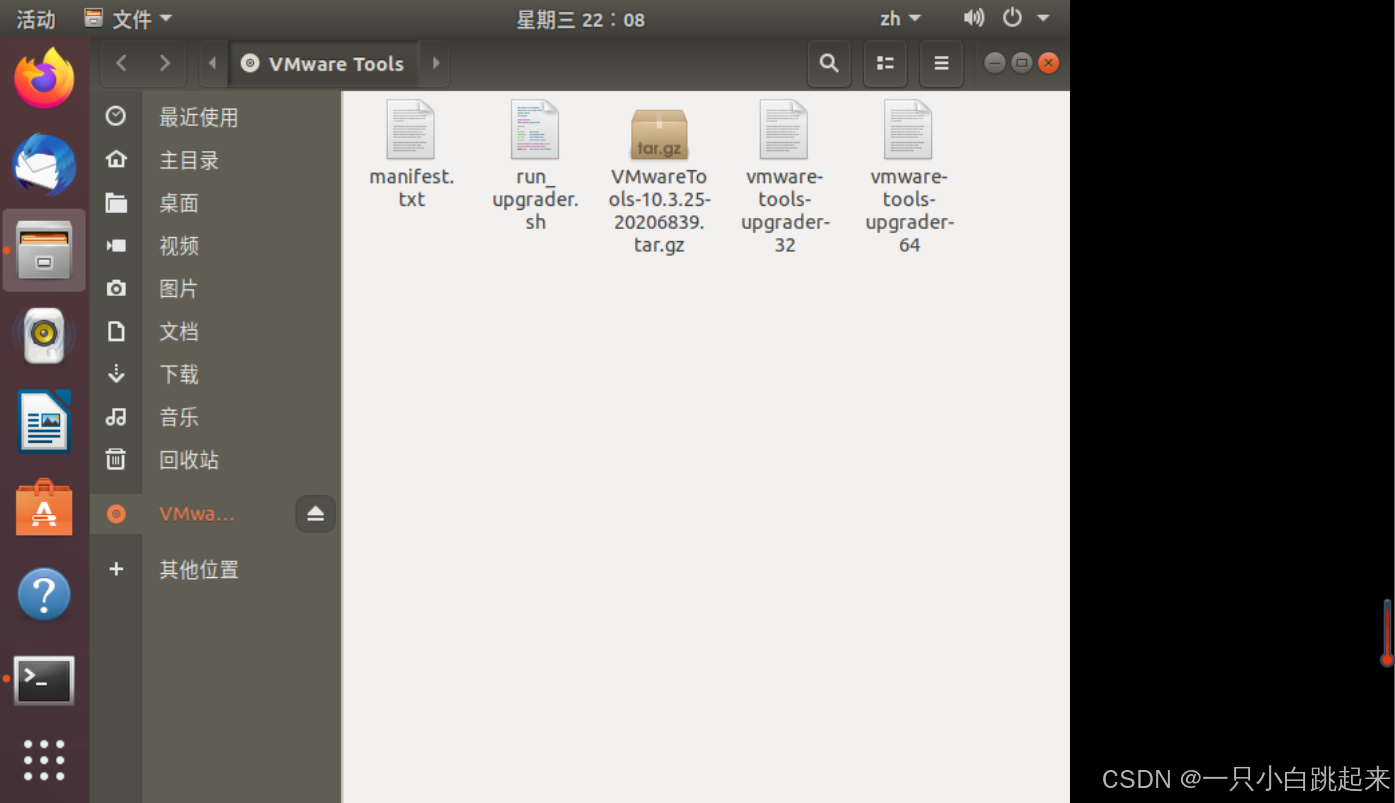
重新安装VMware tools为灰色无法点击问题解决|读取电脑文件的共享文件夹方法
1.问题VMware tools为灰色 sudo systemctl status vmware-tools 显示:Unit vmware-tools.service could not be found. 改 检测方式 弹出(之前没有) 在重启的瞬间点安装 弹出: 双击打开 右键打开终端,解压 cd ~ ta…...
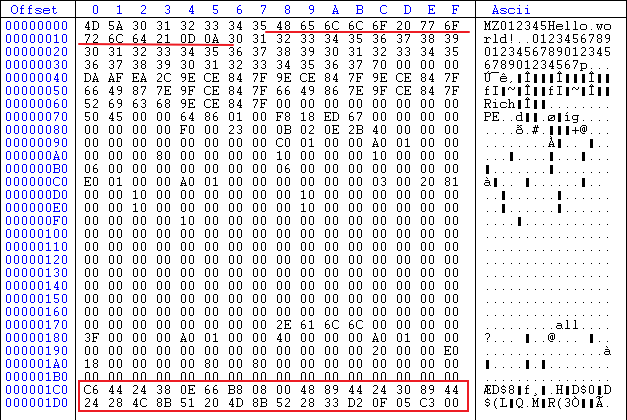
构造超小程序
文章目录 构造超小程序1 编译器-大小优化2 编译器-移除 C 异常3 链接器-移除所有依赖库4 移除所有函数依赖_RTC_InitBase() _RTC_Shutdown()__security_cookie __security_check_cookie()__chkstk() 5 链接器-移除清单文件6 链接器-移除调试信息7 链接器-关闭随机基址8 移除异常…...

mycat --分片规则--
文章目录 MyCat分片规则详解1. rule1 (基于id的func1算法)2. sharding-by-date (按日期分片)3. rule2 (基于user_id的func1算法)4. sharding-by-intfile (基于枚举值分片)5. auto-sharding-long (长整型范围分片)6. mod-long (取模分片)7. sharding-by-murmur (MurmurHash分片)…...

wireshark抓包分析数据怎么看 wireshark使用教程_wireshark怎么看
Wireshark与Sniff Master:网络抓包工具使用指南 网络抓包分析是开发测试和网络故障排查中不可或缺的技能。在众多抓包工具中,Wireshark无疑是最流行且功能强大的选择,而Sniff Master作为后起之秀,也因其简洁高效的特点受到许多专…...

Outlook客户端无法连接到服务器,添加账户显示“无网络连接,请检查你的网络设置,然后重试。[2603]”
1、先切换一下到手机热点或者其他网络,判断是不是现在所连接的网络的问题。如果有VPN代理软件,网银软件,加密软件在后台运行,麻烦退出一下。 2、打开电脑上的 控制面板——网络和Internet——Internet选项——高级——先点击还原…...

LlamaIndex实现RAG增强:融合检索(Fusion Retrieval)与混合检索(Hybrid Search)
🧠 向所有学习者致敬! “学习不是装满一桶水,而是点燃一把火。” —— 叶芝 我的博客主页: https://lizheng.blog.csdn.net 🌐 欢迎点击加入AI人工智能社区! 🚀 让我们一起努力,共创…...
)
递归(实践版)
这篇博客我不会写太多细节,我只做一件事,那就是教你如何写好一个递归. 二叉树的后序遍历 public void dfs(TreeNode root){if(rootnull)return;dfs(root.left);dfs(root.right);System.out.println(root.val); } 归并排序 public void merge(int[] nums,int left,int right)…...

JavaScript instanceof 运算符全解析
JavaScript instanceof 运算符全解析 核心语义: 判断一个对象(object)是否属于某个构造函数(constructor)或类的实例,基于原型链(prototype chain)实现类型检测。 一、JavaScript 中的基础用法 1. 语法结构 object instanceof constructor 返回值:布尔值(true/fal…...

蓝桥杯冲刺:一维前缀和
系列文章目录 蓝桥杯系列:一维前缀和 文章目录 系列文章目录前言一、暴力的写法:二、一维前缀和的模板: 具体实现: 三、具体例题:求和 1.题目参考:2.以下是具体代码实现: 总结 前言 上次我介绍…...
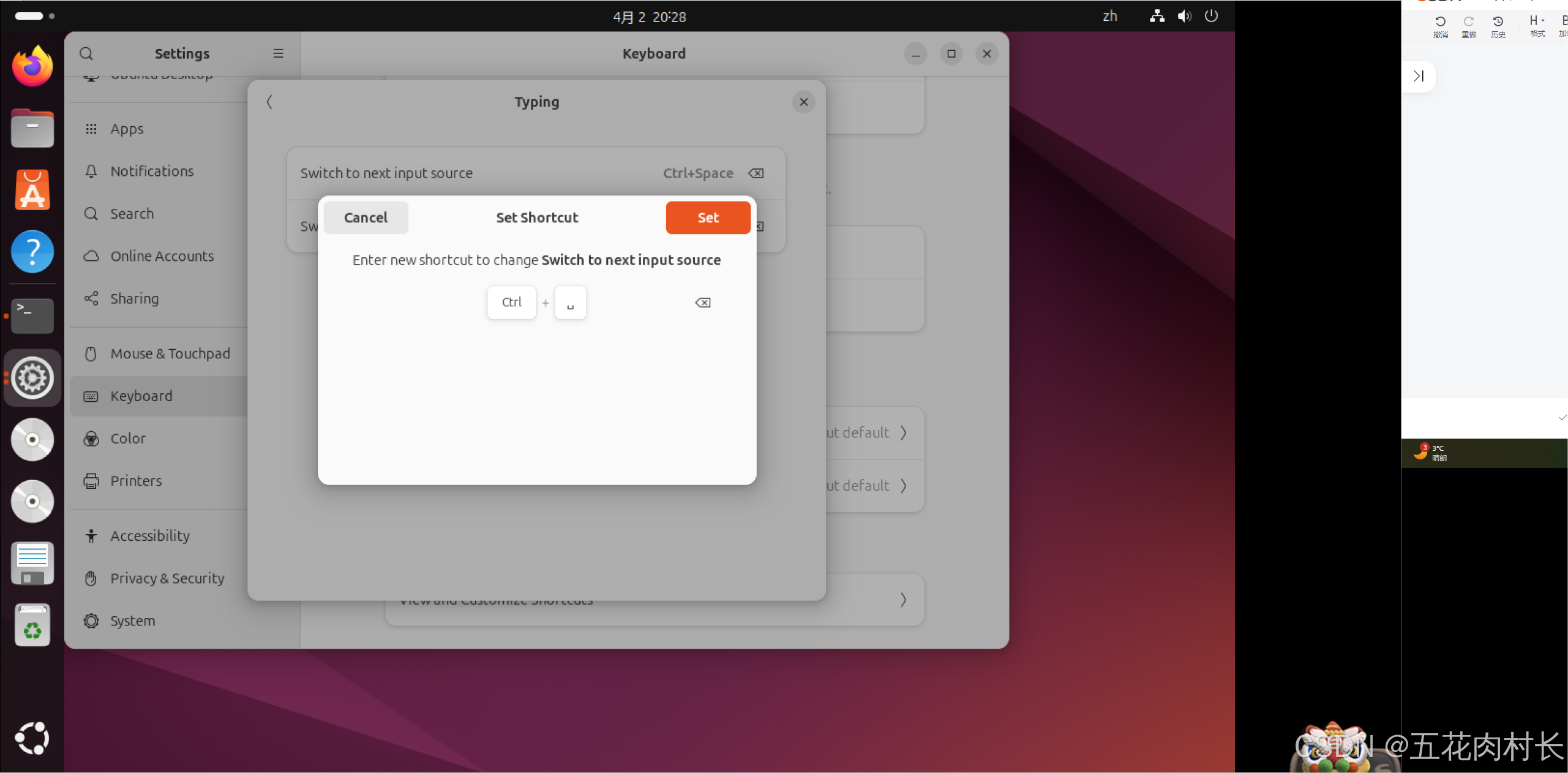
Ubuntu24.04-中文输入法的切换
Ubuntu24.04在安装后自带中文全拼输入法。。 根据官方的说明,需使用 shift super 空格 切换输入法,但在之前使用windows或者ubuntu的早些版本,多使用 Ctrl 空格 的方式切换输入法,本文就介绍如何进行输入法快捷键切换的配置&a…...

技术回顾day3
1.获取文件信息、获取视频信息 走的都是同一个方法:baseController里面的getFile。 在getFile方法里面进行判断文件的类型,判断是不是m3u8类型或者ts类型做一些额外的处理。 获取信息底层就是读取文件,然后写入response的OutputStream ou…...

埃文科技企业AI大模型一体机——昇腾体系+DeepSeek+RAG一站式解决方案
面对企业级市场海量数据资产与复杂业务场景深度耦合的刚需,埃文科技重磅推出基于华为昇腾算力DeepSeek大模型的企业一体机产品,提供DeepSeek多版本大模型一体机选择,为企业提供本地昇腾算力DeepSeek大模型RAG知识库的一体化解决方案ÿ…...

SAP-ABAP:ABAP `LEAVE LIST-PROCESSING` 深度解析
ABAP LEAVE LIST-PROCESSING 深度解析 核心机制 模式切换(Dialog → List) 中断屏幕流 强制终止当前Dialog程序的PBO/PAI处理,脱离屏幕序列控制(如事务码SE38执行的程序)。触发报表事件 激活类报表程序的事件链:INITIALIZATION → AT SELECTION-SCREEN → START-OF-SEL…...
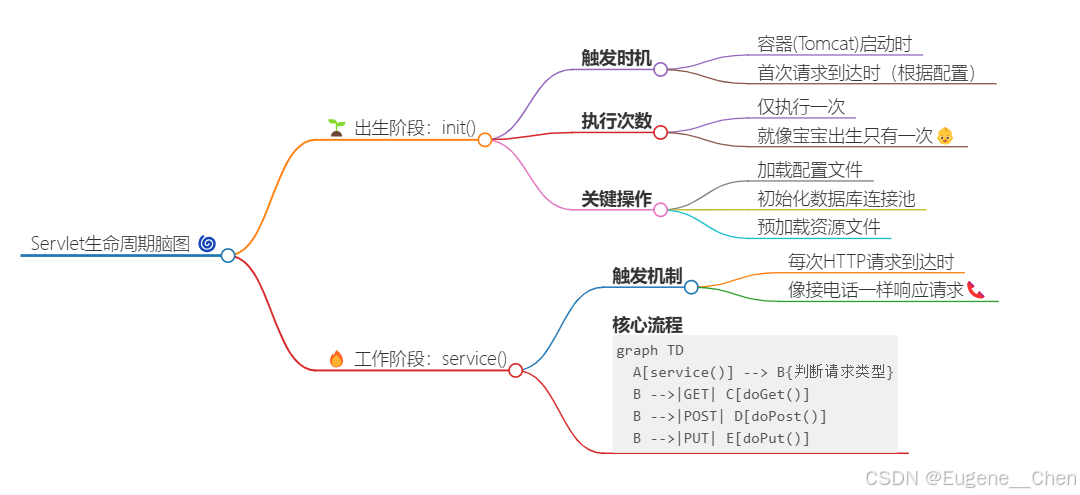
JavaWeb开发基础知识-Servlet终极入门指南(曼波萌新版)
(✪▽✪)曼波~~~~!欢迎来到Servlet新手村!准备好开启Web开发的奇妙冒险了吗?让曼波用最有趣的方式带你飞~ 🚀 🌈 第①章 什么是Servlet? // 本质就是一个Java类! public class HelloServlet e…...

游戏引擎学习第198天
回顾并为今天的内容设定 今天我们有一些代码需要处理。昨天我们进行了一些调试界面的整合工作,之前我们做了一些临时的、粗糙的操作,将一些东西读进来并放到调试界面中。今天,我们并不打算进行大规模的工作,更多的是对之前的代码…...

Walrus 基金会启动 RFP 计划,推动生态发展
Walrus 基金会正式推出 Walrus RFP 提案申请计划,为推动和支持 Walrus 生态的项目提供资金支持。该计划旨在助力构建符合协议使命的解决方案,解锁去中心化和可编程存储的潜力。 无论项目是开发新工具、探索集成,还是提出创新用例,…...

智能配电箱:重塑未来电力管理的核心枢纽
哇塞!智能配电箱可是未来电力管理的超级核心枢纽呀,正以超燃的态势引领着电力行业迈向智能化变革的新征程呢!它在众多方面所展现出的独特优势和那广阔无垠的应用前景,简直太令人激动啦!下面就来瞧瞧智能配电箱在重塑未…...

透过 /proc 看见内核:Linux 虚拟文件系统与 systemd 初始化初探
当我们在终端中输入 ps、top、cat /proc/cpuinfo 等命令时,是否思考过这些信息来自哪里?为什么无需启动任何守护进程,就能实时读取系统负载、内存占用,甚至内核版本?这一切的答案,都藏在 Linux 系统中的一个…...

深入理解DRAM刷新机制:异步刷新为何无需扣除刷新时间?
引言 在计算机组成原理和存储器系统的学习中,DRAM(动态随机存取存储器)的刷新机制是一个关键问题。许多同学在学习时会遇到一个疑问: “为什么异步刷新的刷新信号周期可以直接用 总时间/行数 计算(如 2ms/3262.5μs&a…...
用DrissionPage升级维基百科爬虫:更简洁高效的数据抓取方案
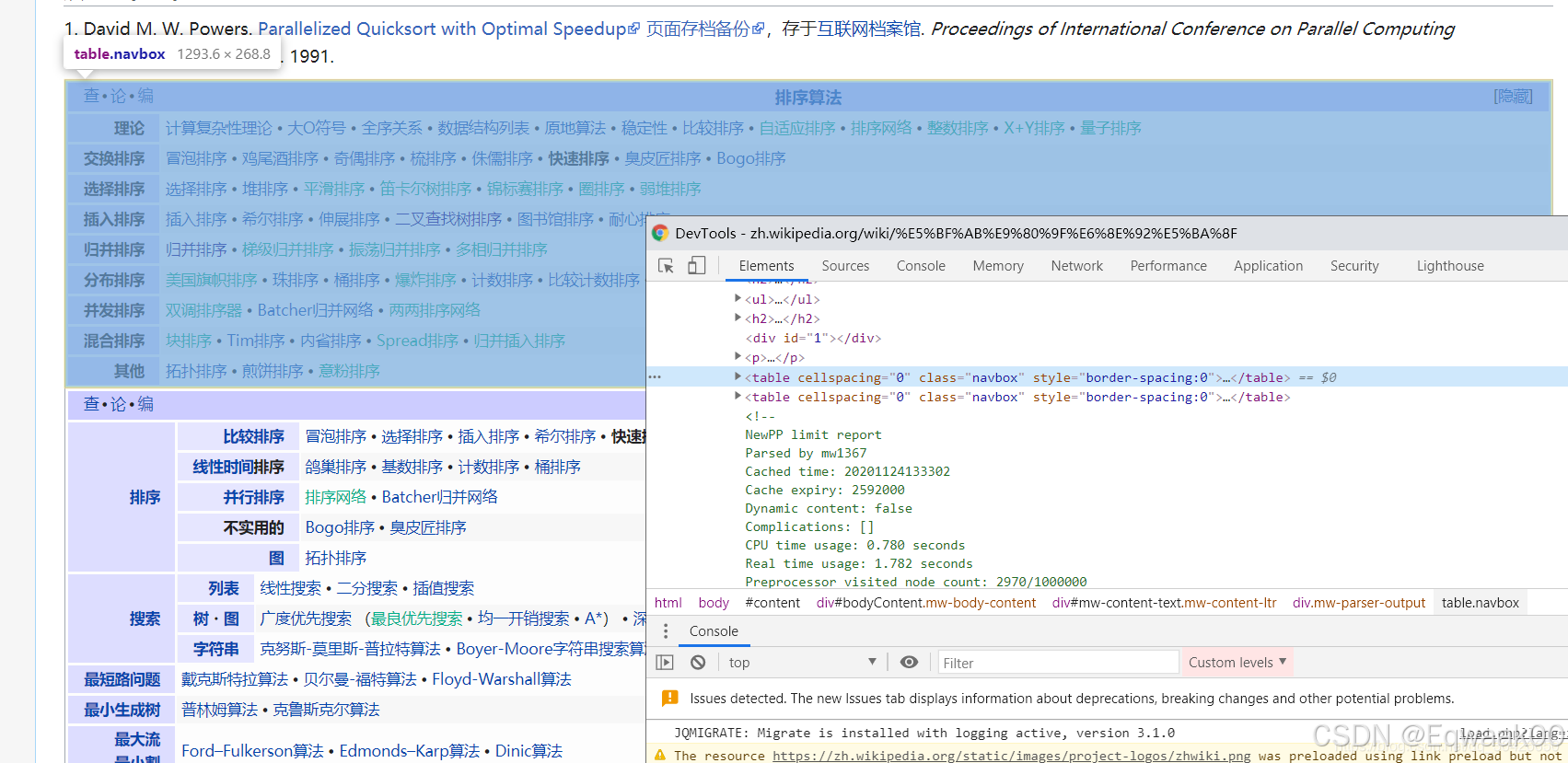
一、原方案痛点分析 原代码使用urllibBeautifulSoup组合存在以下问题: 动态内容缺失:无法获取JavaScript渲染后的页面内容 反爬能力弱:基础请求头易被识别为爬虫 代码冗余:需要单独处理SSL证书验证 扩展性差:难以应…...
C++STL——容器-vector(含部分模拟实现,即地层实现原理)(含迭代器失效问题)
目录 容器——vector 1.构造 模拟实现 2.迭代器 模拟实现: 编辑 3.容量 模拟实现: 4.元素的访问 模拟实现 5.元素的增删查改 迭代器失效问题: 思考问题 【注】:这里的模拟实现所写的参数以及返回值,都是…...

严重BUG修复及部分体验问题优化
随着Deepseek APIPython 测试用例一键生成与导出 V1.0.6的试用不断深入,会出现程序异常崩溃的问题。经群友定位,紧急修复了bug,并适当优化部分体验性问题。针对生成的测试用例xlsx文档,可以再次选中该xlsx给大模型进行推理生成新的…...

黑马 C++ 学习笔记
课程链接:黑马 C 文章目录 C 基础语法指针空指针和野指针 const 修饰指针 C 核心编程程序的内存分区模型程序运行前程序运行后new 操作符 引用引用的基本使用引用的注意事项引用作函数参数引用作函数返回值引用的本质常量引用 函数的提高函数默认参数函数默认参数函…...
Elasticsearch 证书问题解决
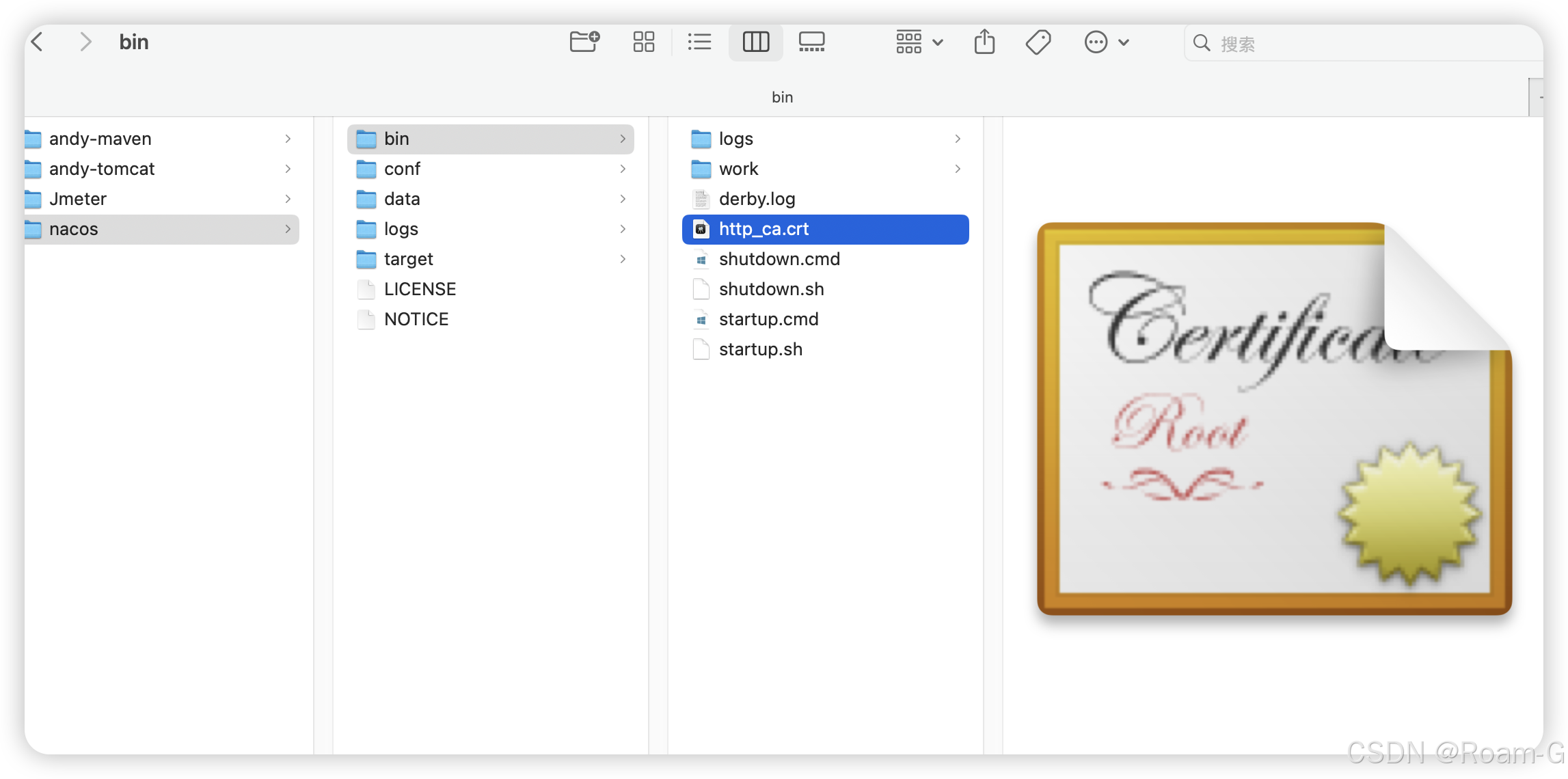
报错信息 javax.net.ssl.SSLHandshakeException: PKIX path building failed: sun.security.provider.certpath.SunCertPathBuilderException: unable to find valid certification path to requested targetat org.elasticsearch.client.RestClient. extractAndWrapCause(R…...

I²C总线高级特性与故障处理分析
IC总线高级特性与故障处理深度分析 目录 1. IC基础回顾 1.1 IC通信基本原理1.2 IC总线时序与协议1.3 寻址方式与读写操作 2. IC高级特性 2.1 多主机模式2.2 时钟同步与伸展2.3 高速模式与Fast-mode Plus2.4 10位寻址扩展 3. IC总线故障与锁死 3.1 断电锁死原理3.2 总线挂起与…...

山东大学《多核平台下的并行计算》实验笔记
每年的题目都不一样,学弟学妹参考参考就行。 一、搭建linux环境 主播用的ssh+虚拟机,目前用着最顺手的 二、安装并行编程软件 MPI(Message Passing Interface),由其字面意思也可些许看出,是一个信息传递接口。可以理解为是一种独立于语言的信息传递标准。而OpenMPI和MP…...
2023年CIE SCI1区TOP:序列融合麻雀搜索算法ISSA,深度解析+性能实测
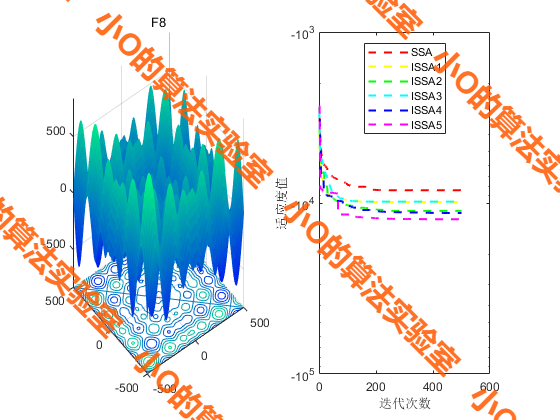
目录 1.摘要2.麻雀搜索算法SSA原理3.改进策略3.结果展示4.参考文献5.代码获取 1.摘要 麻雀搜索算法(SSA)是一种基于麻雀觅食和防捕行为的群体智能算法。然而,基本SSA在迭代过程中,种群多样性逐渐降低,容易陷入局部最优…...

elasticsearch 如果按照日期进行筛选
如果你需要按照日期进行筛选,你可以使用 Elasticsearch 的范围查询来实现。以下是一个示例代码,演示如何在 Java 中进行日期范围查询: import org.apache.http.HttpHost; import org.elasticsearch.client.RestClient; import org.elasticse…...