
React DndKit 实现类似slack 类别、频道拖动调整位置功能
一周调试终于实现了类 slack 类别、频道拖动调整位置功能。
历经四个版本迭代。
实现了类似slack 类别、频道拖动调整功能
从vue->react ;更喜欢React的生态及编程风格,新项目用React来重构了。
1.zustand全局状态
2.DndKit 拖动
功能视频:
dndKit 实现类似slack 类别、频道拖动调整位置功能
React DndKit 实现类似slack 类别、频道拖动调整位置功能_哔哩哔哩_bilibili
1.ChannelList.tsx
// ChannelList.tsx
import React, { useState } from 'react';
import useChannelsStore from "@/Stores/useChannelListStore";
import { DndContext, closestCenter, DragOverlay, pointerWithin, ragEndEvent, DragOverEvent, DragStartEvent, DragMoveEvent, DragEndEvent } from "@dnd-kit/core";
import { SortableContext, verticalListSortingStrategy, useSortable, arrayMove } from "@dnd-kit/sortable";
import { CSS } from "@dnd-kit/utilities";
import { GripVertical } from "lucide-react";
import { ChevronDown, ChevronRight } from "lucide-react"; // 图标库
import { Channel } from "@/Stores/useChannelListStore"interface ChannelProps {id: string;name: string;selected: boolean
}const ChannelItem: React.FC<ChannelProps> = ({ id, name, selected }) => {const { attributes, listeners, setNodeRef, transform, transition, isDragging, } = useSortable({ id, data: { type: 'channel' } });return (<divref={setNodeRef}{...attributes}{...listeners}style={{transform: CSS.Transform.toString(transform),transition,opacity: isDragging ? 0.5 : 1,cursor: "grab",}}><div className={` w-full  rounded-lg pl-1 ${selected ? "bg-gray-300 dark:bg-gray-700 font-bold" : ""} `} ># {name}</div></div>)
}interface CategoryProps {id: string;name: string;channels: Channel[];channelIds: string[];active: string | undefined;
}
const Category: React.FC<CategoryProps> = ({ id, name, channels, channelIds, active }) => {const { attributes, listeners, setNodeRef, transform, transition, isDragging, } = useSortable({ id, data: { type: 'category' }, });const [collapsed, setCollapsed] = useState(true); // 控制折叠状态const selectChannel = channels.find(channel => channel.id === active);return (<divref={setNodeRef}{...attributes}style={{transform: CSS.Transform.toString(transform),transition,opacity: isDragging ? 0.5 : 1,cursor: "grab",}}><div className="flex flex-row  text-nowrap   group"><div className=" flex flex-1 flex-row items-center cursor-pointer " onClick={() => setCollapsed(!collapsed)}>{collapsed ? <ChevronDown size={22} /> : <ChevronRight size={22} />}<div className="flex-1 ">{name}</div></div><div{...listeners}  // 绑定拖拽事件到这个点style={{cursor: "grab",}}className="opacity-0 group-hover:opacity-100 transition-opacity duration-200 cursor-grab"><GripVertical width={18} /></div></div>{collapsed ? (<SortableContext items={channelIds} strategy={verticalListSortingStrategy}>{channels.map((channel) => (<div  key={channel.id}  className='ml-2 m-1  rounded-lg  hover:dark:bg-gray-700   hover:bg-gray-300 cursor-pointer'><ChannelItem                                       id={channel.id}name={channel.name}selected={channel.id === active}/></div>))}</SortableContext>) : (channels.find(channel => channel.id === active) && (<div className="pl-1 ml-2 mr-1 mt-1 font-bold  rounded-lg   dark:bg-gray-700  bg-gray-300 cursor-pointer"># {selectChannel?.name}</div>))}</div>)}const ChannelList: React.FC = () => {const { categories, categoryIds, channelIds, setCategories } = useChannelsStore();const [activeItem, setActiveItem] = useState<{ id: string; name: string; type: string } | undefined>();const [moving, setMoving] = useState(false); // 移动时候渲染const handleDragStart = (event: DragStartEvent) => {//当前选中id ,以便组件中高亮显示const activeData = event.active.data.current as { id: string; name: string } | undefined;if (activeData) {setActiveItem({id: String(event.active.id),name: activeData.name,type: activeData?.type, // 类型});}}const handleDragOver = (event: DragOverEvent) => {setMoving(false)const { active, over } = event;if (!over) return;const activeId = active.id as string;const overId = over.id as string;// 处理类别排序if (activeItem?.type === "category") {setCategories((prevCategories) => {const oldIndex = prevCategories.findIndex((cat) => cat.id === activeId);const newIndex = prevCategories.findIndex((cat) => cat.id === overId);if (oldIndex === -1 || newIndex === -1) return prevCategories;return arrayMove([...prevCategories], oldIndex, newIndex);});return;}if (activeItem?.type === "channel") {setCategories((prevCategories) => {const newCategories = [...prevCategories];const fromCategory = newCategories.find((cat) =>cat.channels.some((ch) => ch.id === activeId));const toCategory = newCategories.find((cat) =>cat.channels.some((ch) => ch.id === overId));if (!fromCategory || !toCategory) return prevCategories;const fromCategoryId = fromCategory.id;const toCategoryId = toCategory.id;if (fromCategory !== toCategory) {const fromCat = newCategories.find((cat) => cat.id === fromCategoryId);const toCat = newCategories.find((cat) => cat.id === toCategoryId);if (!fromCat || !toCat) return prevCategories;const channelIndex = fromCat.channels.findIndex((ch) => ch.id === activeId);if (channelIndex === -1) return prevCategories;const [movedChannel] = fromCat.channels.splice(channelIndex, 1);toCat.channels = [...toCat.channels, movedChannel];return newCategories;} else {const fromCat = newCategories.find((cat) => cat.id === fromCategoryId);if (!fromCat) return prevCategories;const channelIndex = fromCat.channels.findIndex((ch) => ch.id === activeId);const targetIndex = fromCat.channels.findIndex((ch) => ch.id === overId);if (channelIndex !== targetIndex) {fromCat.channels = [...arrayMove([...fromCat.channels], channelIndex, targetIndex)];return newCategories;}return prevCategories;}});}}const handleDragEnd = (event: DragEndEvent) => {setMoving(false)const { active, over } = event;if (!over) return;}const handleDragMove = (event: DragEndEvent) => {setMoving(true)}const renderDragOverlay = (activeItem: { id: string; name: string; type: string }) => {switch (activeItem.type) {case "category":{const category = categories.find(category => category.id === activeItem.id);return (category && (<div><Categorykey={category.id}id={category.id}name={category.name}channels={category.channels}channelIds={[]}active={''} /></div>))}case "channel":{const channel = categories.flatMap(category => category.channels).find(channel => channel.id === activeItem.id);return (channel && (<div><ChannelItem id={channel.id} name={channel.name} selected={true} /></div>))}default:return null;}};return (<DndContextcollisionDetection={pointerWithin}onDragStart={handleDragStart}onDragEnd={handleDragEnd}onDragOver={handleDragOver}onDragMove={handleDragMove}><SortableContext items={categoryIds} strategy={verticalListSortingStrategy}>{categories.map((category) => (<Categorykey={category.id}id={category.id}name={category.name}channels={category.channels}channelIds={channelIds}active={activeItem?.id} />))}</SortableContext><DragOverlay>{moving && activeItem?.type && renderDragOverlay(activeItem)}</DragOverlay></DndContext>);
};export default ChannelList;
2.useChannelsStore.ts
//useChannelsStore.ts
import { create } from "zustand";// 频道接口
export interface Channel {id: string;name: string;
}// 频道类型接口
export interface Category {id: string;name: string;channels: Channel[];
}// 初始化频道类型
const initialChannelTypes: Category[] = [{id: "text",name: "文字",channels: [{ id: "1", name: "文字频道1" },{ id: "2", name: "文字频道2" },],},{id: "void",name: "语音",channels: [{ id: "3", name: "语音频道1" },{ id: "4", name: "语音频道2" },],},{id: "prv",name: "私密",channels: [{ id: "5", name: "私密频道1" },{ id: "6", name: "私密频道2" },],},
];interface ChannelsStore {categories: Category[];channelIds: string[];categoryIds: string[];setCategories: (update: Category[] | ((prev: Category[]) => Category[])) => void;}const useChannelsStore = create<ChannelsStore>((set) => ({categories: initialChannelTypes,channelIds: initialChannelTypes.flatMap((channelType) =>channelType.channels.map((channel) => channel.id)),categoryIds: initialChannelTypes.map((category) => category.id),setCategories: (update) => set((state) => ({categories: typeof update === "function" ? update(state.categories) : update,}))
}));export default useChannelsStore;
相关文章:

React DndKit 实现类似slack 类别、频道拖动调整位置功能
一周调试终于实现了类 slack 类别、频道拖动调整位置功能。 历经四个版本迭代。 实现了类似slack 类别、频道拖动调整功能 从vue->react ;更喜欢React的生态及编程风格,新项目用React来重构了。 1.zustand全局状态 2.DndKit 拖动 功能视频&…...
用于执行矩阵(或图像)与一个标量值的逐元素乘法操作函数mulC())
OpenCV 图形API(14)用于执行矩阵(或图像)与一个标量值的逐元素乘法操作函数mulC()
操作系统:ubuntu22.04 OpenCV版本:OpenCV4.9 IDE:Visual Studio Code 编程语言:C11 描述 将矩阵与标量相乘。 mulC 函数将给定矩阵 src 的每个元素乘以一个给定的标量值: dst ( I ) saturate ( src1 ( I ) ⋅ multiplier ) \…...

flutter provider状态管理使用
在 Flutter 中,Provider 是一个轻量级且易于使用的状态管理工具,它基于 InheritedWidget,并提供了一种高效的方式来管理和共享应用中的状态。相比其他复杂的状态管理方案(如 Bloc 或 Riverpod),Provider 更…...
)
1. 标准库的强依赖(核心原因)
1. 标准库的强依赖(核心原因) 容器操作(如 std::vector 扩容) 当标准库容器(如 std::vector)需要重新分配内存时,它会尝试移动现有元素到新内存,而非拷贝(为了性能&…...
USB3.0走线注意事项和其中的协议
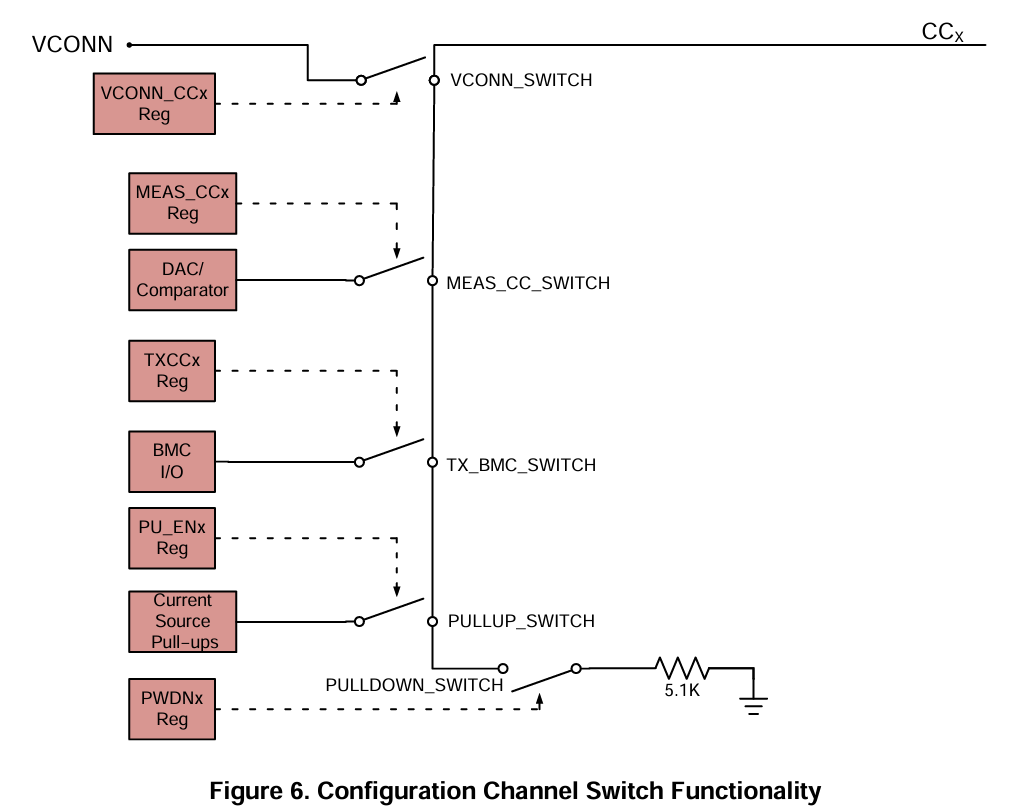
USB3.0走线的要求: 1、USB要走差分,阻抗控制为90欧姆,并包地处理,总长度最好不要超过1800mil. 2、尽可能缩短走线长度,优先考虑对高速USB差分(RX、TX差分)的布线,USB差分走线在走线…...

【Linux】iptables命令的基本使用
语法格式 iptables [-t 表名] 管理选项 [链名] [条件匹配] [-j 目标动作或跳转]注意事项 不指定表名时,默认使用 filter 表不指定链名时,默认表示该表内所有链除非设置规则链的缺省策略,否则需要指定匹配条件 设置规则内容 -A:…...
QML 菜单控件:MenuBar、MenuBarItem、Menu、MenuItem层级关系和用法
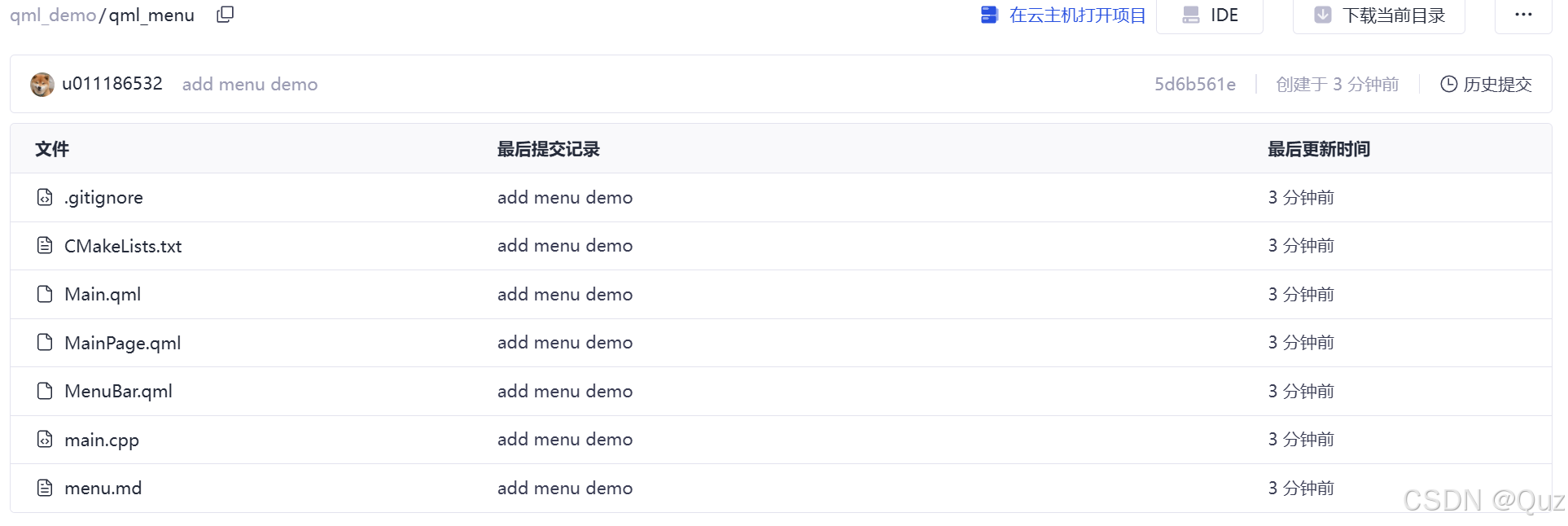
目录 引言相关阅读关于MenuBarItem核心代码1. 主菜单栏 (MenuBar.qml)2. 主页面,包含右键菜单 (MainPage.qml)3. 主界面绑定 (Main.qml)整体结构 运行效果总结工程下载 引言 在 GUI 开发中,菜单是用户交互的核心组件。QML 提供了一套灵活的菜单控件&…...
策略模式)
设计模式简述(十二)策略模式
策略模式 描述基本使用使用传统策略模式的缺陷以及规避方法 枚举策略描述基本使用使用 描述 定义一组策略,并将其封装起来到一个策略上下文中。 由调用者决定应该使用哪种策略,并且可以动态替换 基本使用 定义策略接口 public interface IStrategy {…...

Telegram机器人开发
注册机器人 :使用Botfather 按照提示快速注册,会得到一串密钥 格式类似 7878875019:BAGQ9AihJyE5jmSoWMt4O1j1CQThjfwR0nk # !/usr/bin/python3 # -*- coding:utf-8 -*- """ author: JHC000abcgmail.com file: TelegramBot.py time: 202…...

蓝桥杯嵌入式第十四届模拟二
一.LED 先配置LED的八个引脚为GPIO_OutPut,锁存器PD2也是,然后都设置为起始高电平,生成代码时还要去解决引脚冲突问题 二.按键 按键配置,由原理图按键所对引脚要GPIO_Input 生成代码,在文件夹中添加code文件夹,code中添加fun.c、fun.h、headfile.h文件,去资源包中把lc…...

java发送http请求
常用的方式 jdk自带的工具类apache的httpclient工具类spring的resttemplate工具类 如果是springboot项目,推荐resttemplate,其它项目推荐httpclient httpclient教程 httpclient教程...
Qt 入门 1 之第一个程序 Hello World
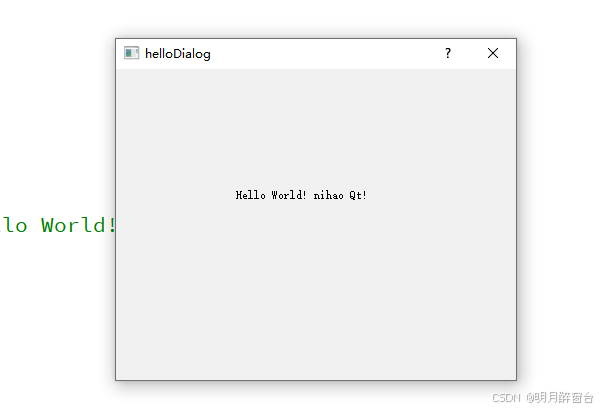
Qt 入门1之第一个程序 Hello World 直接上操作步骤从头开始认识,打开Qt Creator,创建一个新项目,并依次执行以下操作 在Qt Creator中,一个Kits 表示一个完整的构建环境,包括编译器、Qt版本、调试器等。在上图中可以直…...

架构思维: 全链路日志深度解析
文章目录 引言:微服务时代的日志挑战一、业务痛点与需求分析二、技术选型的六维评估模型1. 标准化支持 OpenTracing2. 存储扩展性3. 性能损耗4. 功能完备性5. 侵入性控制6. 社区生态 三、SkyWalking落地实践与调优1. 核心架构解析2. 关键配置示例: 采样率…...

PHP 项目搭建 ELK 日志监控体系完整指南
ELK (Elasticsearch Logstash Kibana) 是当前最流行的日志管理解决方案之一。下面详细介绍如何为 PHP 项目搭建完整的 ELK 日志监控体系。 一、基础架构组成 PHP应用 → Filebeat → Logstash → Elasticsearch → Kibana(可选) ↗ 二、环境准备 1. 服务器要求 建议独立服…...

唯美社区源码AM社区同款源码
源码介绍 唯美社区源码AM社区同款源码 后端修改application.properties文件内容为你的数据库 前端修改/config/config.js文件内容为你的后端地址 这两个文件里要修改的地方我已经用中文标注出来了 截图 源码免费下载 唯美社区源码AM社区同款源码...

《野史未必假》王磊
文章目录 前言一、禅让制的真相:让了,又没有完全让禅让制的真相尧舜禹之间的“禅让”实际上是一场权力斗争 二、美女间谍的下落:西施和范蠡终成眷属了吗范蠡的逃亡“美人计”的真相 三、“背叛”的名将:魏延真的有“反骨”吗?“子…...

Redis 热key问题怎么解决?
Redis 热 Key 问题分析与解决方案 热 Key(Hot Key)是指被高频访问的某个或多个 Key,导致单个 Redis 节点负载过高,可能引发性能瓶颈甚至服务崩溃。以下是常见原因及解决方案: 1. 热 Key 的常见原因 突发流量:如明星八卦、秒杀商品、热门直播等场景。缓存设计不合理:如全…...
:修改浏览器应用程序安装路径)
定制一款国密浏览器(3):修改浏览器应用程序安装路径
在上一章中介绍了如何修改 deb 包的包名,这一章讲一下如何修改浏览器应用程序安装路径。 chromium deb 包将程序文件安装在 /usr/share/chromium 下,但在很多系统中(比如统信 UOS 和 麒麟系统),规范要求应用程序安装在 /opt/apps 下。此外,对一些不可变系统(比如 deepi…...
3. go-zero中如何使用redis
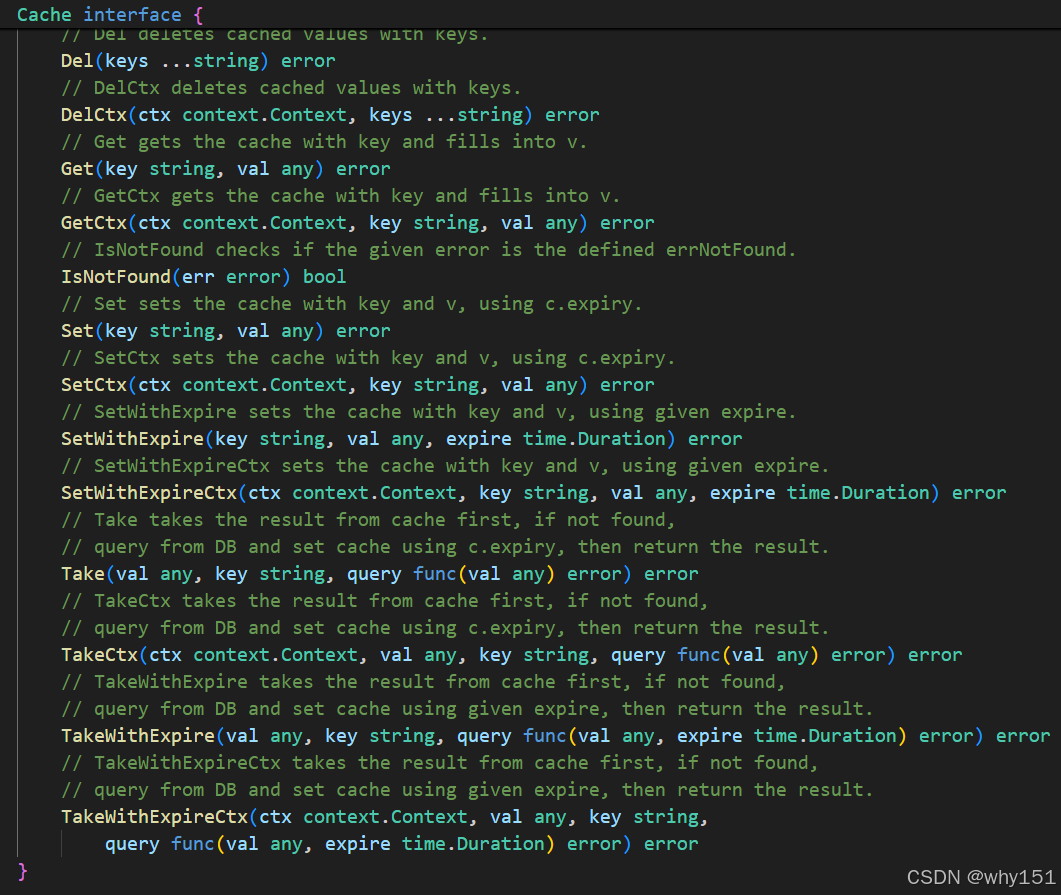
问题 go-zero项目相关文档中redis是这样配置的: Name: account.rpc ListenOn: 0.0.0.0:8080 Etcd:Hosts:- 127.0.0.1:2379Key: account.rpcMysql:Host: xxxx:3306User: rootPass: xxxData: mall-userCharset: utf8mb4Cache: - Host: 192.168.145.10:6379Type: nod…...
cpp自学 day19(多态)
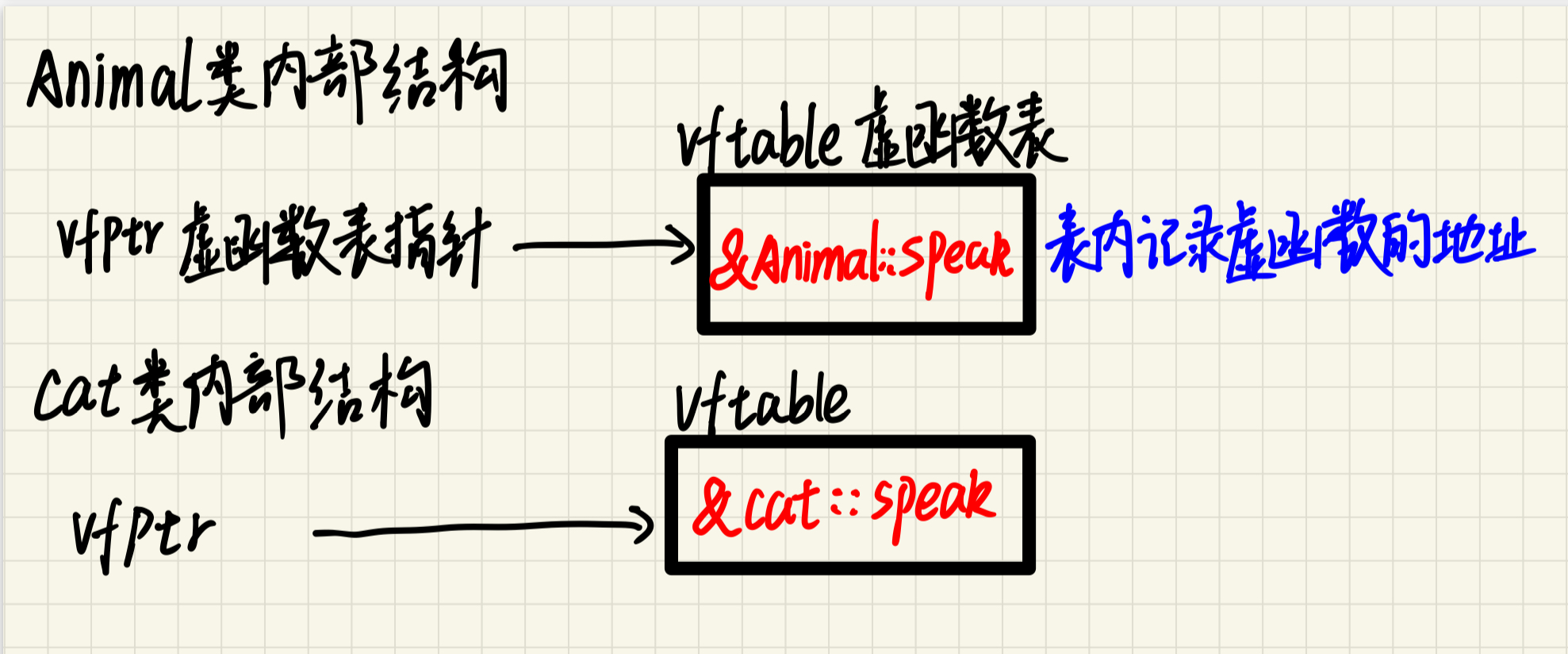
一、基本概念 同一操作作用于不同的对象,产生不同的执行结果 👉 就像「按F1键」:在Word弹出帮助文档,在PS弹出画笔设置,同一个按键触发不同功能 (1)多态类型 类型实现方式绑定时机静态多态…...
【算法/c++】利用中序遍历和后序遍历建二叉树
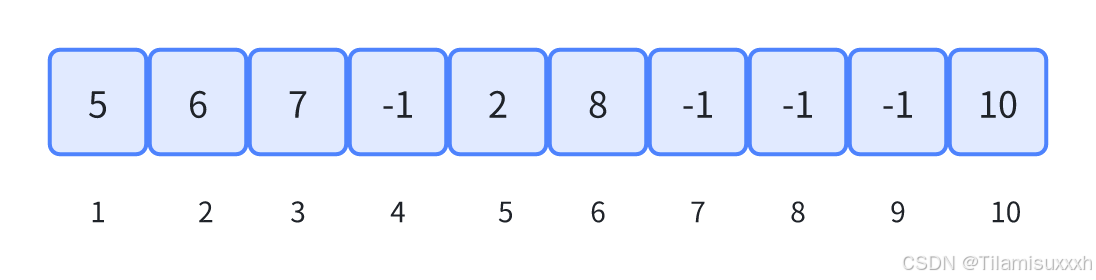
目录 题目:树的遍历前言题目来源树的数组存储基本思想存储规则示例 建树算法关键思路代码总代码 链表法 题目:树的遍历 前言 如果不是完全二叉树,使用数组模拟树,会很浪费空间。 题目来源 本题来自 PTA 天梯赛。 题目链接: 树…...
基于论文的大模型应用:基于SmartETL的arXiv论文数据接入与预处理(一)
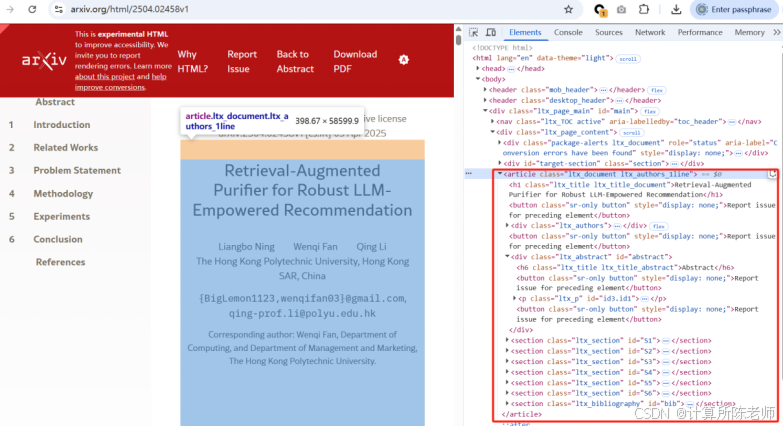
1. 背景 arXiv简介(参考DeepSeek大模型生成内容): arXiv(发音同“archive”,/ˈɑːrkaɪv/)是一个开放的学术预印本平台,主要用于研究人员分享和获取尚未正式发表或已完成投稿的学术论文。创…...
cpp经典数论问题
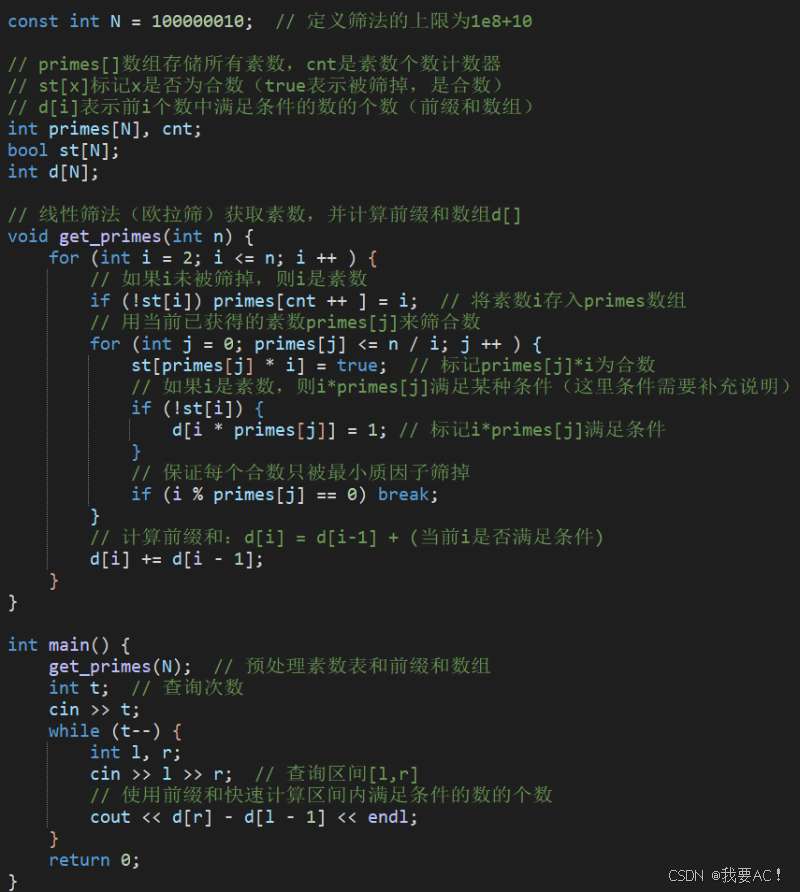
题目如下 思路 代码如下...
C++中如何比较两个字符串的大小--compare()函数实现
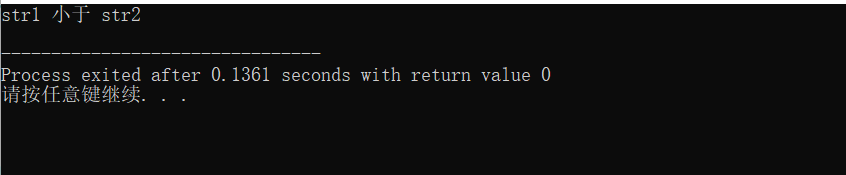
一、现在有一个问题描述:有两个字符串,要按照字典顺序比较它们的大小(注意所有的小写字母都大于所有的大写字母 )。 二、代码 #include <bits/stdc.h> using namespace std;int main() {string str1 "apple";…...

微软2025年AI技术深度解析:从多模态大模型到企业级代理服务
微软2025年AI技术深度解析:从多模态大模型到企业级代理服务 一、微软AI技术全景概览 在2025年的AI领域,微软通过Azure AI Foundry、多模态大模型、企业级AI代理三大核心技术,构建了覆盖开发、部署、应用全流程的AI生态体系。根据最新财报数…...

C++中的匿名函数
代码解析 auto getTicks [](QCPAxis *axis) -> QList<double> {QList<double> ticks;if(auto ticker static_cast<QCPAxisTickerFixed *>(axis->ticker().data())){double current axis->range().lower;const double step ticker->…...

浏览器 路由详解
Hash路由 URL 结构:http://example.com/#/path,# 后的部分称为哈希(Hash)。无刷新特性:浏览器不会将哈希部分发送到服务器,改变哈希值不会触发页面刷新。事件驱动:URL…...
Scala面向对象2
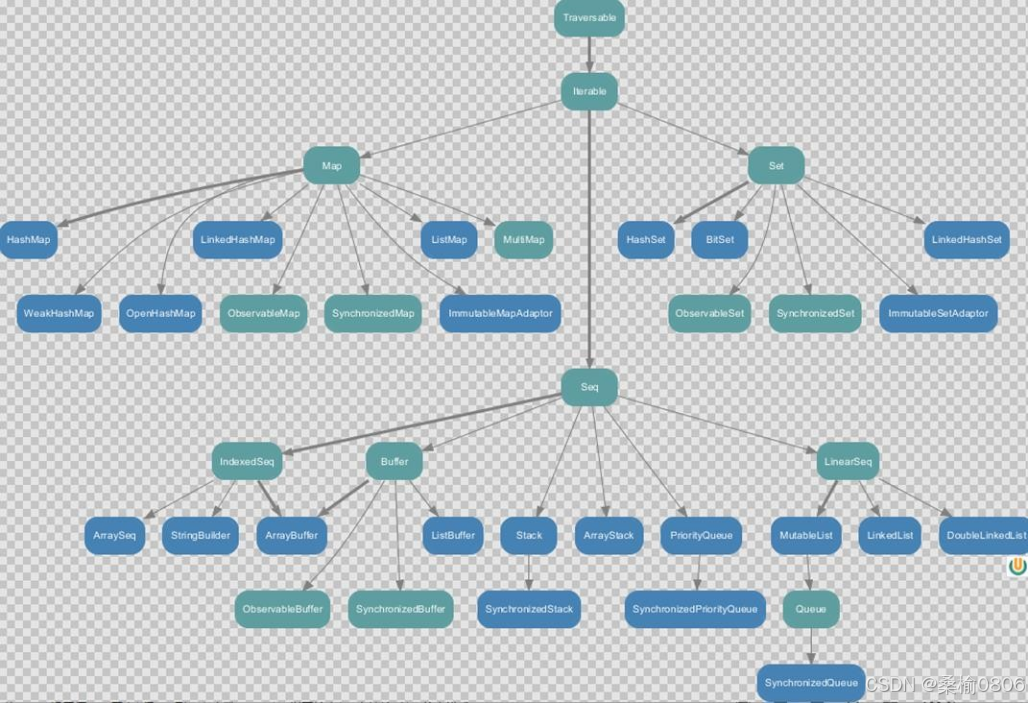
1. 抽象属性和方法:用 abstract 关键字定义抽象类,其中抽象属性无初始值,抽象方法无实现 。重写抽象方法需用 override ,重写抽象属性时,可变属性用 var ,不可变属性用 val 。 匿名子类:和 Jav…...
【FPGA基础学习】状态机思想实现流水灯
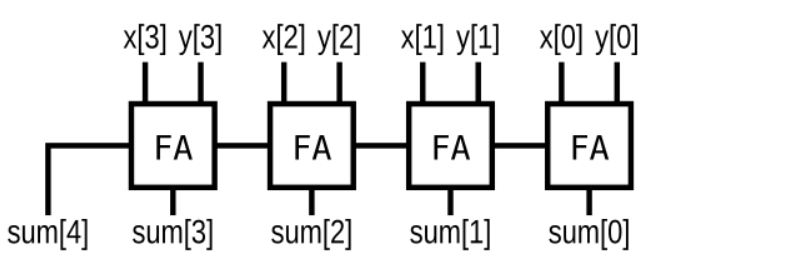
目录 一、用状态机实现LED流水灯1.状态机思想简介1. 1基本概念1.2.核心要素1.3分类与模型 2.LED流水灯 二、CPLD与FPGA1.技术区别2.应用场景3.设计选择建议 三、HDLbits组合逻辑题目 一、用状态机实现LED流水灯 1.状态机思想简介 1. 1基本概念 状态机(Finite …...

HTML表单属性2
HTML5针对<input>添加了许多属性: autofocus属性 页面加载时自动聚焦到输入字段 <form action"action_page.php" >名字: <input type"text" name"fnam" autofocus><br>姓氏:<in…...