
flink iceberg写数据到hdfs,hive同步读取
1、组件版本
| 名称 | 版本 |
| hadoop | 3.4.1 |
| flink | 1.20.1 |
| hive | 4.0.1 |
| kafka | 3.9.0 |
| zookeeper | 3.9.3 |
| tez | 0.10.4 |
| spark(hadoop3) | 3.5.4 |
| jdk | 11.0.13 |
| maven | 3.9.9 |
环境变量配置
vim编辑保存后,要执行source /etc/profile
LD_LIBRARY_PATH=/usr/local/lib
export LD_LIBRARY_PATH
# Java环境
export JAVA_HOME=/cluster/jdk
export CLASSPATH=.:$JAVA_HOME/lib:$JAVA_HOME/lib/tools.jar:$JAVA_HOME/lib/dt.jar
export TEZ_HOME=/cluster/tez/
export TEZ_CONF_DIR=$TEZ_HOME/conf
export TEZ_JARS=$TEZ_HOME/*.jar:$TEZ_HOME/lib/*.jar
# Hadoop生态
export HADOOP_HOME=/cluster/hadoop3
export HADOOP_CONF_DIR=$HADOOP_HOME/etc/hadoop
HADOOP_CLASSPATH=`hadoop classpath`
export HADOOP_CLASSPATH=$TEZ_CONF_DIR:$TEZ_JARS:$HADOOP_CLASSPATH
export HDFS_NAMENODE_USER=root
export HDFS_DATANODE_USER=root
export HDFS_SECONDARYNAMENODE_USER=root
export YARN_RESOURCEMANAGER_USER=root
export YARN_NODEMANAGER_USER=root
# Hive配置
export HIVE_HOME=/cluster/hive
export HIVE_CONF_DIR=$HIVE_HOME/conf
# Spark配置
export SPARK_HOME=/cluster/spark
export SPARK_LOCAL_IP=10.10.10.99
export SPARK_CONF_DIR=$SPARK_HOME/conf
# Flink配置
export FLINK_HOME=/cluster/flink
# ZooKeeper/Kafka
export ZOOKEEPER_HOME=/cluster/zookeeper
export KAFKA_HOME=/cluster/kafka
# 其他工具
export FLUME_HOME=/cluster/flume
export M2_HOME=/cluster/maven
# 动态链接库
export LD_LIBRARY_PATH=$HADOOP_HOME/lib/native/:$LD_LIBRARY_PATH
# 环境变量合并
export PATH=$PATH:$HIVE_HOME/bin:$JAVA_HOME/bin:$SPARK_HOME/bin:$SPARK_HOME/sbin:$HADOOP_HOME/bin:$HADOOP_HOME/sbin:$M2_HOME/bin:$FLINK_HOME/bin:$ZOOKEEPER_HOME/bin
export LC_ALL=zh_CN.UTF-8
export LANG=zh_CN.UTF-8
2、hadoop配置
hadoop-env.sh
#
# Licensed to the Apache Software Foundation (ASF) under one
# or more contributor license agreements. See the NOTICE file
# distributed with this work for additional information
# regarding copyright ownership. The ASF licenses this file
# to you under the Apache License, Version 2.0 (the
# "License"); you may not use this file except in compliance
# with the License. You may obtain a copy of the License at
#
# http://www.apache.org/licenses/LICENSE-2.0
#
# Unless required by applicable law or agreed to in writing, software
# distributed under the License is distributed on an "AS IS" BASIS,
# WITHOUT WARRANTIES OR CONDITIONS OF ANY KIND, either express or implied.
# See the License for the specific language governing permissions and
# limitations under the License.
# Set Hadoop-specific environment variables here.
##
## THIS FILE ACTS AS THE MASTER FILE FOR ALL HADOOP PROJECTS.
## SETTINGS HERE WILL BE READ BY ALL HADOOP COMMANDS. THEREFORE,
## ONE CAN USE THIS FILE TO SET YARN, HDFS, AND MAPREDUCE
## CONFIGURATION OPTIONS INSTEAD OF xxx-env.sh.
##
## Precedence rules:
##
## {yarn-env.sh|hdfs-env.sh} > hadoop-env.sh > hard-coded defaults
##
## {YARN_xyz|HDFS_xyz} > HADOOP_xyz > hard-coded defaults
##
# Many of the options here are built from the perspective that users
# may want to provide OVERWRITING values on the command line.
# For example:
#
# JAVA_HOME=/usr/java/testing hdfs dfs -ls
#
# Therefore, the vast majority (BUT NOT ALL!) of these defaults
# are configured for substitution and not append. If append
# is preferable, modify this file accordingly.
###
# Generic settings for HADOOP
###
# Technically, the only required environment variable is JAVA_HOME.
# All others are optional. However, the defaults are probably not
# preferred. Many sites configure these options outside of Hadoop,
# such as in /etc/profile.d
# The java implementation to use. By default, this environment
# variable is REQUIRED on ALL platforms except OS X!
# export JAVA_HOME=
# Location of Hadoop. By default, Hadoop will attempt to determine
# this location based upon its execution path.
# export HADOOP_HOME=
# Location of Hadoop's configuration information. i.e., where this
# file is living. If this is not defined, Hadoop will attempt to
# locate it based upon its execution path.
#
# NOTE: It is recommend that this variable not be set here but in
# /etc/profile.d or equivalent. Some options (such as
# --config) may react strangely otherwise.
#
# export HADOOP_CONF_DIR=${HADOOP_HOME}/etc/hadoop
# The maximum amount of heap to use (Java -Xmx). If no unit
# is provided, it will be converted to MB. Daemons will
# prefer any Xmx setting in their respective _OPT variable.
# There is no default; the JVM will autoscale based upon machine
# memory size.
# export HADOOP_HEAPSIZE_MAX=
# The minimum amount of heap to use (Java -Xms). If no unit
# is provided, it will be converted to MB. Daemons will
# prefer any Xms setting in their respective _OPT variable.
# There is no default; the JVM will autoscale based upon machine
# memory size.
# export HADOOP_HEAPSIZE_MIN=
# Enable extra debugging of Hadoop's JAAS binding, used to set up
# Kerberos security.
# export HADOOP_JAAS_DEBUG=true
# Extra Java runtime options for all Hadoop commands. We don't support
# IPv6 yet/still, so by default the preference is set to IPv4.
# export HADOOP_OPTS="-Djava.net.preferIPv4Stack=true"
# For Kerberos debugging, an extended option set logs more information
# export HADOOP_OPTS="-Djava.net.preferIPv4Stack=true -Dsun.security.krb5.debug=true -Dsun.security.spnego.debug"
# Some parts of the shell code may do special things dependent upon
# the operating system. We have to set this here. See the next
# section as to why....
export HADOOP_OS_TYPE=${HADOOP_OS_TYPE:-$(uname -s)}
# Extra Java runtime options for some Hadoop commands
# and clients (i.e., hdfs dfs -blah). These get appended to HADOOP_OPTS for
# such commands. In most cases, # this should be left empty and
# let users supply it on the command line.
# export HADOOP_CLIENT_OPTS=""
#
# A note about classpaths.
#
# By default, Apache Hadoop overrides Java's CLASSPATH
# environment variable. It is configured such
# that it starts out blank with new entries added after passing
# a series of checks (file/dir exists, not already listed aka
# de-deduplication). During de-deduplication, wildcards and/or
# directories are *NOT* expanded to keep it simple. Therefore,
# if the computed classpath has two specific mentions of
# awesome-methods-1.0.jar, only the first one added will be seen.
# If two directories are in the classpath that both contain
# awesome-methods-1.0.jar, then Java will pick up both versions.
# An additional, custom CLASSPATH. Site-wide configs should be
# handled via the shellprofile functionality, utilizing the
# hadoop_add_classpath function for greater control and much
# harder for apps/end-users to accidentally override.
# Similarly, end users should utilize ${HOME}/.hadooprc .
# This variable should ideally only be used as a short-cut,
# interactive way for temporary additions on the command line.
# export HADOOP_CLASSPATH="/some/cool/path/on/your/machine"
# Should HADOOP_CLASSPATH be first in the official CLASSPATH?
# export HADOOP_USER_CLASSPATH_FIRST="yes"
# If HADOOP_USE_CLIENT_CLASSLOADER is set, the classpath along
# with the main jar are handled by a separate isolated
# client classloader when 'hadoop jar', 'yarn jar', or 'mapred job'
# is utilized. If it is set, HADOOP_CLASSPATH and
# HADOOP_USER_CLASSPATH_FIRST are ignored.
# export HADOOP_USE_CLIENT_CLASSLOADER=true
# HADOOP_CLIENT_CLASSLOADER_SYSTEM_CLASSES overrides the default definition of
# system classes for the client classloader when HADOOP_USE_CLIENT_CLASSLOADER
# is enabled. Names ending in '.' (period) are treated as package names, and
# names starting with a '-' are treated as negative matches. For example,
# export HADOOP_CLIENT_CLASSLOADER_SYSTEM_CLASSES="-org.apache.hadoop.UserClass,java.,javax.,org.apache.hadoop."
# Enable optional, bundled Hadoop features
# This is a comma delimited list. It may NOT be overridden via .hadooprc
# Entries may be added/removed as needed.
# export HADOOP_OPTIONAL_TOOLS="hadoop-kafka,hadoop-aws,hadoop-azure-datalake,hadoop-aliyun,hadoop-azure"
###
# Options for remote shell connectivity
###
# There are some optional components of hadoop that allow for
# command and control of remote hosts. For example,
# start-dfs.sh will attempt to bring up all NNs, DNS, etc.
# Options to pass to SSH when one of the "log into a host and
# start/stop daemons" scripts is executed
# export HADOOP_SSH_OPTS="-o BatchMode=yes -o StrictHostKeyChecking=no -o ConnectTimeout=10s"
# The built-in ssh handler will limit itself to 10 simultaneous connections.
# For pdsh users, this sets the fanout size ( -f )
# Change this to increase/decrease as necessary.
# export HADOOP_SSH_PARALLEL=10
# Filename which contains all of the hosts for any remote execution
# helper scripts # such as workers.sh, start-dfs.sh, etc.
# export HADOOP_WORKERS="${HADOOP_CONF_DIR}/workers"
###
# Options for all daemons
###
#
#
# Many options may also be specified as Java properties. It is
# very common, and in many cases, desirable, to hard-set these
# in daemon _OPTS variables. Where applicable, the appropriate
# Java property is also identified. Note that many are re-used
# or set differently in certain contexts (e.g., secure vs
# non-secure)
#
# Where (primarily) daemon log files are stored.
# ${HADOOP_HOME}/logs by default.
# Java property: hadoop.log.dir
# export HADOOP_LOG_DIR=${HADOOP_HOME}/logs
# A string representing this instance of hadoop. $USER by default.
# This is used in writing log and pid files, so keep that in mind!
# Java property: hadoop.id.str
# export HADOOP_IDENT_STRING=$USER
# How many seconds to pause after stopping a daemon
# export HADOOP_STOP_TIMEOUT=5
# Where pid files are stored. /tmp by default.
# export HADOOP_PID_DIR=/tmp
# Default log4j setting for interactive commands
# Java property: hadoop.root.logger
# export HADOOP_ROOT_LOGGER=INFO,console
# Default log4j setting for daemons spawned explicitly by
# --daemon option of hadoop, hdfs, mapred and yarn command.
# Java property: hadoop.root.logger
# export HADOOP_DAEMON_ROOT_LOGGER=INFO,RFA
# Default log level and output location for security-related messages.
# You will almost certainly want to change this on a per-daemon basis via
# the Java property (i.e., -Dhadoop.security.logger=foo). (Note that the
# defaults for the NN and 2NN override this by default.)
# Java property: hadoop.security.logger
# export HADOOP_SECURITY_LOGGER=INFO,NullAppender
# Default process priority level
# Note that sub-processes will also run at this level!
# export HADOOP_NICENESS=0
# Default name for the service level authorization file
# Java property: hadoop.policy.file
# export HADOOP_POLICYFILE="hadoop-policy.xml"
#
# NOTE: this is not used by default! <-----
# You can define variables right here and then re-use them later on.
# For example, it is common to use the same garbage collection settings
# for all the daemons. So one could define:
#
# export HADOOP_GC_SETTINGS="-verbose:gc -XX:+PrintGCDetails -XX:+PrintGCTimeStamps -XX:+PrintGCDateStamps"
#
# .. and then use it as per the b option under the namenode.
###
# Secure/privileged execution
###
#
# Out of the box, Hadoop uses jsvc from Apache Commons to launch daemons
# on privileged ports. This functionality can be replaced by providing
# custom functions. See hadoop-functions.sh for more information.
#
# The jsvc implementation to use. Jsvc is required to run secure datanodes
# that bind to privileged ports to provide authentication of data transfer
# protocol. Jsvc is not required if SASL is configured for authentication of
# data transfer protocol using non-privileged ports.
# export JSVC_HOME=/usr/bin
#
# This directory contains pids for secure and privileged processes.
#export HADOOP_SECURE_PID_DIR=${HADOOP_PID_DIR}
#
# This directory contains the logs for secure and privileged processes.
# Java property: hadoop.log.dir
# export HADOOP_SECURE_LOG=${HADOOP_LOG_DIR}
#
# When running a secure daemon, the default value of HADOOP_IDENT_STRING
# ends up being a bit bogus. Therefore, by default, the code will
# replace HADOOP_IDENT_STRING with HADOOP_xx_SECURE_USER. If one wants
# to keep HADOOP_IDENT_STRING untouched, then uncomment this line.
# export HADOOP_SECURE_IDENT_PRESERVE="true"
###
# NameNode specific parameters
###
# Default log level and output location for file system related change
# messages. For non-namenode daemons, the Java property must be set in
# the appropriate _OPTS if one wants something other than INFO,NullAppender
# Java property: hdfs.audit.logger
# export HDFS_AUDIT_LOGGER=INFO,NullAppender
# Specify the JVM options to be used when starting the NameNode.
# These options will be appended to the options specified as HADOOP_OPTS
# and therefore may override any similar flags set in HADOOP_OPTS
#
# a) Set JMX options
# export HDFS_NAMENODE_OPTS="-Dcom.sun.management.jmxremote=true -Dcom.sun.management.jmxremote.authenticate=false -Dcom.sun.management.jmxremote.ssl=false -Dcom.sun.management.jmxremote.port=1026"
#
# b) Set garbage collection logs
# export HDFS_NAMENODE_OPTS="${HADOOP_GC_SETTINGS} -Xloggc:${HADOOP_LOG_DIR}/gc-rm.log-$(date +'%Y%m%d%H%M')"
#
# c) ... or set them directly
# export HDFS_NAMENODE_OPTS="-verbose:gc -XX:+PrintGCDetails -XX:+PrintGCTimeStamps -XX:+PrintGCDateStamps -Xloggc:${HADOOP_LOG_DIR}/gc-rm.log-$(date +'%Y%m%d%H%M')"
# this is the default:
# export HDFS_NAMENODE_OPTS="-Dhadoop.security.logger=INFO,RFAS"
###
# SecondaryNameNode specific parameters
###
# Specify the JVM options to be used when starting the SecondaryNameNode.
# These options will be appended to the options specified as HADOOP_OPTS
# and therefore may override any similar flags set in HADOOP_OPTS
#
# This is the default:
# export HDFS_SECONDARYNAMENODE_OPTS="-Dhadoop.security.logger=INFO,RFAS"
###
# DataNode specific parameters
###
# Specify the JVM options to be used when starting the DataNode.
# These options will be appended to the options specified as HADOOP_OPTS
# and therefore may override any similar flags set in HADOOP_OPTS
#
# This is the default:
# export HDFS_DATANODE_OPTS="-Dhadoop.security.logger=ERROR,RFAS"
# On secure datanodes, user to run the datanode as after dropping privileges.
# This **MUST** be uncommented to enable secure HDFS if using privileged ports
# to provide authentication of data transfer protocol. This **MUST NOT** be
# defined if SASL is configured for authentication of data transfer protocol
# using non-privileged ports.
# This will replace the hadoop.id.str Java property in secure mode.
# export HDFS_DATANODE_SECURE_USER=hdfs
# Supplemental options for secure datanodes
# By default, Hadoop uses jsvc which needs to know to launch a
# server jvm.
# export HDFS_DATANODE_SECURE_EXTRA_OPTS="-jvm server"
###
# NFS3 Gateway specific parameters
###
# Specify the JVM options to be used when starting the NFS3 Gateway.
# These options will be appended to the options specified as HADOOP_OPTS
# and therefore may override any similar flags set in HADOOP_OPTS
#
# export HDFS_NFS3_OPTS=""
# Specify the JVM options to be used when starting the Hadoop portmapper.
# These options will be appended to the options specified as HADOOP_OPTS
# and therefore may override any similar flags set in HADOOP_OPTS
#
# export HDFS_PORTMAP_OPTS="-Xmx512m"
# Supplemental options for priviliged gateways
# By default, Hadoop uses jsvc which needs to know to launch a
# server jvm.
# export HDFS_NFS3_SECURE_EXTRA_OPTS="-jvm server"
# On privileged gateways, user to run the gateway as after dropping privileges
# This will replace the hadoop.id.str Java property in secure mode.
# export HDFS_NFS3_SECURE_USER=nfsserver
###
# ZKFailoverController specific parameters
###
# Specify the JVM options to be used when starting the ZKFailoverController.
# These options will be appended to the options specified as HADOOP_OPTS
# and therefore may override any similar flags set in HADOOP_OPTS
#
# export HDFS_ZKFC_OPTS=""
###
# QuorumJournalNode specific parameters
###
# Specify the JVM options to be used when starting the QuorumJournalNode.
# These options will be appended to the options specified as HADOOP_OPTS
# and therefore may override any similar flags set in HADOOP_OPTS
#
# export HDFS_JOURNALNODE_OPTS=""
###
# HDFS Balancer specific parameters
###
# Specify the JVM options to be used when starting the HDFS Balancer.
# These options will be appended to the options specified as HADOOP_OPTS
# and therefore may override any similar flags set in HADOOP_OPTS
#
# export HDFS_BALANCER_OPTS=""
###
# HDFS Mover specific parameters
###
# Specify the JVM options to be used when starting the HDFS Mover.
# These options will be appended to the options specified as HADOOP_OPTS
# and therefore may override any similar flags set in HADOOP_OPTS
#
# export HDFS_MOVER_OPTS=""
###
# Router-based HDFS Federation specific parameters
# Specify the JVM options to be used when starting the RBF Routers.
# These options will be appended to the options specified as HADOOP_OPTS
# and therefore may override any similar flags set in HADOOP_OPTS
#
# export HDFS_DFSROUTER_OPTS=""
###
# HDFS StorageContainerManager specific parameters
###
# Specify the JVM options to be used when starting the HDFS Storage Container Manager.
# These options will be appended to the options specified as HADOOP_OPTS
# and therefore may override any similar flags set in HADOOP_OPTS
#
# export HDFS_STORAGECONTAINERMANAGER_OPTS=""
###
# Advanced Users Only!
###
#
# When building Hadoop, one can add the class paths to the commands
# via this special env var:
# export HADOOP_ENABLE_BUILD_PATHS="true"
#
# To prevent accidents, shell commands be (superficially) locked
# to only allow certain users to execute certain subcommands.
# It uses the format of (command)_(subcommand)_USER.
#
# For example, to limit who can execute the namenode command,
# export HDFS_NAMENODE_USER=hdfs
###
# Registry DNS specific parameters
###
# For privileged registry DNS, user to run as after dropping privileges
# This will replace the hadoop.id.str Java property in secure mode.
# export HADOOP_REGISTRYDNS_SECURE_USER=yarn
# Supplemental options for privileged registry DNS
# By default, Hadoop uses jsvc which needs to know to launch a
# server jvm.
# export HADOOP_REGISTRYDNS_SECURE_EXTRA_OPTS="-jvm server"
#export HADOOP_OS_TYPE=${HADOOP_OS_TYPE:-$(uname -s)}
export HDFS_NAMENODE_USER=root
export HDFS_DATANODE_USER=root
export HDFS_SECONDARYNAMENODE_USER=root
export YARN_RESOURCEMANAGER_USER=root
export YARN_NODEMANAGER_USER=root
export HIVE_HOME=/cluster/hive
export HIVE_CONF_DIR=$HIVE_HOME/conf
export JAVA_HOME=/cluster/jdk
export CLASSPATH=.:$JAVA_HOME/lib:$JAVA_HOME/lib/tools.jar:$JAVA_HOME/lib/dt.jar
export HADOOP_HOME=/cluster/hadoop3
export HADOOP_CONF_DIR=$HADOOP_HOME/etc/hadoop
export LD_LIBRARY_PATH=$HADOOP_HOME/lib/native/:$LD_LIBRARY_PATH
export SPARK_HOME=/cluster/spark
export SPARK_LOCAL_IP=10.10.10.99
export SPARK_CONF_DIR=$SPARK_HOME/conf
export PATH=$PATH:$JAVA_HOME/jre/bin:$JAVA_HOME/bin:$HADOOP_HOME/bin:$HADOOP_HOME/sbin:$SPARK_HOME/bin:$SPARK_HOME/sbin
core-site.xml
hdfs-site.xml
mapred-site.xml
yarn-site.xml
3、hive配置
hive-env.sh
hive-site.xml
<configuration>
<!-- 配置 JDO 连接到 PostgreSQL 数据库的 URL,用于存储 Hive 元数据 -->
<!-- 如果数据库不存在,会自动创建 -->
<property>
<name>javax.jdo.option.ConnectionURL</name>
<value>jdbc:postgresql://10.7.215.181:3024/hive?createDatabaseIfNotExist=true</value>
</property>
<!-- 配置 JDO 连接数据库使用的驱动程序类名 -->
<property>
<name>javax.jdo.option.ConnectionDriverName</name>
<value>org.postgresql.Driver</value>
</property>
<!-- 配置连接数据库使用的用户名 -->
<property>
<name>javax.jdo.option.ConnectionUserName</name>
<value>postgres</value>
</property>
<!-- 配置连接数据库使用的密码 -->
<property>
<name>javax.jdo.option.ConnectionPassword</name>
<value>postgres</value>
</property>
<!-- 配置 Hive 执行过程中临时文件的存储目录,位于 HDFS 上 -->
<property>
<name>hive.exec.scratchdir</name>
<value>hdfs://10.10.10.99:9000/cluster/hive/scratchdir</value>
</property>
<!-- 这是一个被注释掉的配置项,用于配置 Hive 用户安装目录 -->
<!--
<property>
<name>hive.user.install.directory</name>
<value>/cluster/hive/install_dir</value>
</property>
-->
<!-- 配置 Hive 查询日志的存储位置,位于 HDFS 上 -->
<property>
<name>hive.querylog.location</name>
<value>hdfs://10.10.10.99:9000/cluster/hive/scratchdir</value>
</property>
<!-- 配置元数据存储事件数据库通知 API 的认证是否开启,这里设置为关闭 -->
<property>
<name>metastore.metastore.event.db.notification.api.auth</name>
<value>false</value>
</property>
<!-- 配置 Hive 下载资源的存储目录 -->
<property>
<name>hive.downloaded.resources.dir</name>
<value>/cluster/hive/downloaded</value>
</property>
<!-- 是否启用 Hive Server2 日志记录操作 -->
<property>
<name>hive.>hive.server2.enable.doAs.logging.operation.enabled</name>
<value>true</value>
</property>
<!-- Hive Server2 操作日志的存储位置 -->
<property>
<name>hive.server2.logging.operation.log.location</name>
<value>/cluster/hive/logs</value>
</property>
<!-- Hive 元数据存储的 URI,通过 Thrift 协议连接到指定的主机和端口 -->
<property>
<name>hive.metastore.uris</name>
<value>thrift://10.10.10.99:9083</value>
</property>
<!-- Hive 元数据客户端套接字超时时间(以毫秒为单位) -->
<property>
<name>hive.metastore.client.socket.timeout</name>
<value>3000</value>
</property>
<!-- Hive 数据仓库目录,位于 HDFS 上 -->
<property>
<name>hive.metastore.warehouse.dir</name>
<value>hdfs://10.10.10.99:9000/cluster/hive/warehouse</value>
</property>
<!-- Spark SQL 数据仓库目录,位于 HDFS 上 -->
<property>
<name>spark.sql.warehouse.dir</name>
<value>hdfs://10.10.10.99:9000/cluster/hive/sparksql</value>
</property>
<!-- 是否自动转换连接类型的 Join 操作 -->
<property>
<name>hive.auto.convert.join</name>
<value>true</value>
</property>
<!-- 自动转换连接类型的 Join 操作时条件不满足的最大数据量(以字节为单位) -->
<property>
<name>hive.auto.convert.join.noconditionaltask.size</name>
<value>20971520</value>
</property>
<!-- 是否优化 Bucket Map Join 的 Sorted Merge -->
<property>
<name>hive.optimize.bucketmapjoin.sortedmerge</name>
<value>false</value>
</property>
<!-- SMB Join 操作缓存的行数 -->
<property>
<name>hive.smbjoin.cache.rows</name>
<value>10000</value>
</property>
<!-- MapReduce 作业的 Reduce 任务数,-1 表示由 Hive 自动决定 -->
<property>
<name>mapred.reduce.tasks</name>
<value>-1</value>
</property>
<!-- 每个 Reduce 任务的数据量(以字节为单位) -->
<property>
<name>hive.exec.reducers.bytes.per.reducer</name>
<value>67108864</value>
</property>
<!-- 最大允许复制文件的大小(以字节为单位) -->
<property>
<name>hive.exec.copyfile.maxsize</name>
<value>33554432</value>
</property>
<!-- 同时运行的最大 Reduce 任务数 -->
<property>
<name>hive.exec.reducers.max</name>
<value>1099</value>
</property>
<!-- Vectorized Group By 操作的检查间隔 -->
<property>
<name>hive.vectorized.groupby.checkinterval</name>
<value>4096</value>
</property>
<!-- Vectorized Group By 操作的 Flush 比例 -->
<property>
<name>hive.vectorized.groupby.flush.percent</name>
<value>0.1</value>
</property>
<!-- 是否使用统计信息来优化查询计划 -->
<property>
<name>hive.compute.query.using.stats</name>
<value>false</value>
</property>
<!-- 是否启用向量化执行引擎 -->
<!-- 从 Apache Iceberg 开始,将 Hive 与 Tez 一起使用时,您还必须禁用矢量化 暂时关了吧 -->
<property>
<name>hive.vectorized.execution.enabled</name>
<value>false</value>
</property>
<!-- 是否在 Reduce 阶段启用向量化执行 -->
<property>
<name>hive.vectorized.execution.reduce.enabled</name>
<value>true</value>
</property>
<!-- 是否使用向量化输入格式 -->
<property>
<name>hive.vectorized.use.vectorized.input.format</name>
<value>true</value>
</property>
<!-- 是否使用向量化序列化和反序列化 -->
<property>
<name>hive.vectorized.use.vector.serde.deserialize</name>
<value>false</value>
</property>
<!-- 向量化适配器的使用模式 -->
<property>
<name>hive.vectorized.adaptor.usage.mode</name>
<value>chosen</value>
</property>
<!-- 是否合并 Map 输出的小文件 -->
<property>
<name>hive.merge.mapfiles</name>
<value>true</value>
</property>
<!-- 是否合并 MapReduce 输出的小文件 -->
<property>
<name>hive.merge.mapredfiles</name>
<value>false</value>
</property>
<!-- 是否启用 CBO 优化 -->
<property>
<name>hive.cbo.enable</name>
<value>false</value>
</property>
<!-- Fetch 任务转换级别 -->
<property>
<name>hive.fetch.task.conversion</name>
<value>minimal</value>
</property>
<!-- 触发 Fetch 任务转换的数据量阈值(以字节为单位) -->
<property>
<name>hive.fetch.task.conversion.threshold</name>
<value>268435456</value>
</property>
<!-- Limit 操作的内存使用百分比 -->
<property>
<name>hive.limit.pushdown.memory.usage</name>
<value>0.1</value>
</property>
<!-- 合并小文件时的平均大小(以字节为单位) -->
<property>
<name>hive.merge.smallfiles.avgsize</name>
<value>134217728</value>
</property>
<!-- 每个任务合并的数据量(以字节为单位) -->
<property>
<name>hive.merge.size.per.task</name>
<value>268435456</value>
</property>
<!-- 是否启用重复消除优化 -->
<property>
<name>hive.optimize.reducededuplication</name>
<value>true</value>
</property>
<!-- 最小 Reduce 任务数以启用重复消除优化 -->
<property>
<name>hive.optimize.reducededuplication.min.reducer</name>
<value>4</value>
</property>
<!-- 是否启用 Map 端聚合 -->
<property>
<name>hive.map.aggr</name>
<value>true</value>
</property>
<!-- Map 端聚合的哈希表内存比例 -->
<property>
<name>hive.map.aggr.hash.percentmemory</name>
<value>0.5</value>
</property>
<!-- 是否自动收集列统计信息 -->
<property>
<name>hive.stats.column.autogather</name>
<value>false</value>
</property>
<!-- Hive 执行引擎类型(mr、tez、spark) -->
<!-- 原始配置引擎是 mr -->
<property>
<name>hive.execution.engine</name>
<value>tez</value>
</property>
<!-- Spark Executor 的内存大小 -->
<property>
<name>spark.executor.memory</name>
<value>2572261785b</value>
</property>
<!-- Spark Driver 的内存大小 -->
<property>
<name>spark.driver.memory</name>
<value>3865470566b</value>
</property>
<!-- 每个 Spark Executor 的核心数 -->
<property>
<name>spark.executor.cores</name>
<value>4</value>
</property>
<!-- Spark Driver 的内存 Overhead -->
<property>
<name>spark.yarn.driver.memoryOverhead</name>
<value>409m</value>
</property>
<!-- Spark Executor 的内存 Overhead -->
<property>
<name>spark.yarn.executor.memoryOverhead</name>
<value>432m</value>
</property>
<!-- 是否启用动态资源分配 -->
<property>
<name>spark.dynamicAllocation.enabled</name>
<value>true</value>
</property>
<!-- 动态资源分配的初始 Executor 数量 -->
<property>
<name>spark.dynamicAllocation.initialExecutors</name>
<value>1</value>
</property>
<!-- 动态资源分配的最大 Executor 数量 -->
<property>
<name>spark.dynamicAllocation.maxExecutors</name>
<value>2147483647</value>
</property>
<!-- 是否在 Hive 元数据存储中执行 setugi 操作 -->
<property>
<name>hive.metastore.execute.setugi</name>
<value>true</value>
</property>
<!-- 是否支持并发操作 -->
<property>
<name>hive.support.concurrency</name>
<value>true</value>
</property>
<!-- ZooKeeper 服务器列表 -->
<property>
<name>hive.zookeeper.quorum</name>
<value>10.10.10.99</value>
</property>
<!-- ZooKeeper 客户端端口号 -->
<property>
<name>hive.zookeeper.client.port</name>
<value>2181</value>
</property>
<!-- Hive 使用的 ZooKeeper 命名空间 -->
<property>
<name>hive.zookeeper.namespace</name>
<value>hive_zookeeper_namespace_hive</value>
</property>
<!-- 集群委派令牌存储类 -->
<property>
<name>hive.cluster.delegation.token.store.class</name>
<value>org.apache.hadoop.hive.thrift.MemoryTokenStore</value>
</property>
<!-- 是否启用 Hive Server2 用户代理模式 -->
<property>
<name>hive.server2.enable.doAs</name>
<value>false</value>
</property>
<!-- 是否启用 Spark Shuffle 服务 -->
<property>
<name>spark.shuffle.service.enabled</name>
<value>true</value>
</property>
<!-- 是否执行严格的类型安全性检查 -->
<property>
<name>hive.strict.checks.type.safety</name>
<value>true</value>
</property>
<!-- 是否执行严格的笛卡尔积检查 -->
<property>
<name>hive.strict.checks.cartesian.product</name>
<value>false</value>
</property>
<!-- 是否执行严格的桶排序检查 -->
<property>
<name>hive.strict.checks.bucketing</name>
<value>true</value>
</property>
<!-- 指定 hiveserver2 连接的端口号 -->
<property>
<name>hive.server2.thrift.port</name>
<value>10000</value>
</property>
<!-- 指定 hiveserver2 连接的 host -->
<property>
<name>hive.server2.thrift.bind.host</name>
<value>10.10.10.99</value>
</property>
<!-- hiveserver2 服务的 Web UI 绑定的 host -->
<property>
<name>hive.server2.webui.host</name>
<value>10.10.10.99</value>
</property>
<!-- hiveserver2 服务的 Web UI 端口 -->
<property>
<name>hive.server2.webui.port</name>
<value>10002</value>
</property>
<!-- Hive 元数据存储版本的验证 -->
<property>
<name>hive.metastore.schema.verification</name>
<value>false</value>
</property>
<!-- hive 方式访问客户端:打印 当前库 和 表头 -->
<property>
<name>hive.cli.print.header</name>
<value>true</value>
</property>
<property>
<name>hive.cli.print.current.db</name>
<value>true</value>
</property>
<!-- 动态分区模式,nonstrict 表示允许使用动态分区 -->
<property>
<name>hive.exec.dynamic.partition.mode</name>
<value>nonstrict</value>
</property>
<!-- Hive 事务管理器类名 -->
<property>
<name>hive.txn.manager</name>
<value>org.apache.hadoop.hive.ql.lockmgr.DbTxnManager</value>
</property>
<!-- 是否启用 Hive 压缩器初始化器 -->
<property>
<name>hive.compactor.initiator.on</name>
<value>true</value>
</property>
<!-- Hive 压缩器工作线程数 -->
<property>
<name>hive.compactor.worker.threads</name>
<value>1</value>
</property>
<!-- 用于测试环境的配置,设置为 true 可避免一些错误 -->
<!-- Error rolling back: Can't call rollback when autocommit=true -->
<property>
<name>hive.in.test</name>
<value>true</value>
</property>
<!-- 是否检查元数据客户端的能力 -->
<property>
<name>metastore.client.capability.check</name>
<value>false</value>
</property>
<!-- 是否启用 Iceberg 引擎与 Hive 的集成 -->
<property>
<name>iceberg.engine.hive.enabled</name>
<value>true</value>
</property>
<!-- 是否启用 Iceberg 在 Hive 中的共享扫描优化 -->
<property>
<name>hive.iceberg.optimize.shared.scan</name>
<value>true</value>
</property>
<!-- 启用 Iceberg 存储处理器 -->
<property>
<name>hive.iceberg.enabled</name>
<value>true</value>
</property>
<!-- 是否启用 Tez 执行的原地进度更新 -->
<property>
<name>hive.tez.exec.inplace.progress</name>
<value>false</value>
</property>
<!-- 是否启用 Tez 运行时的本地数据获取优化 -->
<property>
<name>tez.runtime.optimize.local.fetch</name>
<value>true</value>
</property>
<!-- 是否通过子进程提交本地任务 -->
<property>
<name>hive.exec.submit.local.task.via.child</name>
<value>false</value>
</property>
<!-- MapReduce 框架使用的资源管理器,这里使用 YARN -->
<property>
<name>mapreduce.framework.name</name>
<value>yarn</value>
</property>
<!-- 是否启用 Tez 本地模式 -->
<property>
<name>tez.local.mode</name>
<value>false</value>
</property>
<!-- Tez 库文件的存储位置,位于 HDFS 上 -->
<property>
<name>tez.lib.uris</name>
<value>hdfs://10.10.10.99:9000/cluster/tez/libs</value>
</property>
<!-- 限制单个 Reduce 任务使用的内存大小(以 MB 为单位) -->
<property>
<name>mapreduce.reduce.memory.mb</name>
<value>1024</value>
</property>
<!-- Reduce 任务 Java 进程的堆内存大小 -->
<property>
<name>mapreduce.reduce.java.opts</name>
<value>-Xmx819m</value>
</property>
<!-- 是否在任务完成后清理临时文件目录 -->
<property>
<name>hive.exec.cleanup.scratchdir</name>
<value>true</value>
</property>
<!-- 是否立即清理临时文件目录 -->
<property>
<name>hive.exec.cleanup.scratchdir.immediate</name>
<value>true</value>
</property>
<!-- 增加 Iceberg 写入配置 -->
<property>
<name>hive.iceberg.write.format</name>
<value>parquet</value>
</property>
<property>
<name>hive.iceberg.auto.create.snapshot</name>
<value>true</value>
</property>
<property>
<name>hive.tez.container.size</name>
<value>1024</value>
</property>
<property>
<name>hive.cli.tez.session.async</name>
<value>false</value>
</property>
</configuration>
4、flink配置
config.yaml
env:
java:
opts:
all: --add-exports=java.base/sun.net.util=ALL-UNNAMED --add-exports=java.rmi/sun.rmi.registry=ALL-UNNAMED --add-exports=jdk.compiler/com.sun.tools.javac.api=ALL-UNNAMED --add-exports=jdk.compiler/com.sun.tools.javac.file=ALL-UNNAMED --add-exports=jdk.compiler/com.sun.tools.javac.parser=ALL-UNNAMED --add-exports=jdk.compiler/com.sun.tools.javac.tree=ALL-UNNAMED --add-exports=jdk.compiler/com.sun.tools.javac.util=ALL-UNNAMED --add-exports=java.security.jgss/sun.security.krb5=ALL-UNNAMED --add-opens=java.base/java.lang=ALL-UNNAMED --add-opens=java.base/java.net=ALL-UNNAMED --add-opens=java.base/java.io=ALL-UNNAMED --add-opens=java.base/java.nio=ALL-UNNAMED --add-opens=java.base/sun.nio.ch=ALL-UNNAMED --add-opens=java.base/java.lang.reflect=ALL-UNNAMED --add-opens=java.base/java.text=ALL-UNNAMED --add-opens=java.base/java.time=ALL-UNNAMED --add-opens=java.base/java.util=ALL-UNNAMED --add-opens=java.base/java.util.concurrent=ALL-UNNAMED --add-opens=java.base/java.util.concurrent.atomic=ALL-UNNAMED --add-opens=java.base/java.util.concurrent.locks=ALL-UNNAMED
#jobmanager: "-agentlib:jdwp=transport=dt_socket,server=y,suspend=n,address=5006"
#taskmanager: "-agentlib:jdwp=transport=dt_socket,server=y,suspend=n,address=5005"
# jobmanager debug端口
#env.java.opts.jobmanager: "-agentlib:jdwp=transport=dt_socket,server=y,suspend=n,address=5006"
# taskmanager debug端口
#env.java.opts.taskmanager: "-agentlib:jdwp=transport=dt_socket,server=y,suspend=n,address=5005"
#==============================================================================
# Common
#==============================================================================
# Common
#==============================================================================
jobmanager:
bind-host: 0.0.0.0
rpc:
address: 0.0.0.0
port: 6123
memory:
process:
size: 1600m
execution:
failover-strategy: region
archive:
fs:
dir: hdfs://10.10.10.99:9000/flink/completed-jobs/
taskmanager:
bind-host: 0.0.0.0
host: 0.0.0.0
numberOfTaskSlots: 100
memory:
process:
size: 1728m
network:
fraction: 0.1
min: 64mb
max: 1gb
parallelism:
default: 1
fs:
default-scheme: hdfs://10.10.10.99:9000
#==============================================================================
# High Availability zookeeper没有开启认证,应该尝试下怎么开启zookeeper的认证方式
#==============================================================================
high-availability:
# The high-availability mode. Possible options are 'NONE' or 'zookeeper'.
type: zookeeper
# The path where metadata for master recovery is persisted. While ZooKeeper stores
# the small ground truth for checkpoint and leader election, this location stores
# the larger objects, like persisted dataflow graphs.
#
# Must be a durable file system that is accessible from all nodes
# (like HDFS, S3, Ceph, nfs, ...)
storageDir: hdfs:///flink/ha/
zookeeper:
# The list of ZooKeeper quorum peers that coordinate the high-availability
# setup. This must be a list of the form:
# "host1:clientPort,host2:clientPort,..." (default clientPort: 2181)
quorum: localhost:2181
client:
# ACL options are based on https://zookeeper.apache.org/doc/r3.1.2/zookeeperProgrammers.html#sc_BuiltinACLSchemes
# It can be either "creator" (ZOO_CREATE_ALL_ACL) or "open" (ZOO_OPEN_ACL_UNSAFE)
# The default value is "open" and it can be changed to "creator" if ZK security is enabled
acl: open
#==============================================================================
# Fault tolerance and checkpointing
#==============================================================================
# The backend that will be used to store operator state checkpoints if
# checkpointing is enabled. Checkpointing is enabled when execution.checkpointing.interval > 0.
# # Execution checkpointing related parameters. Please refer to CheckpointConfig and CheckpointingOptions for more details.
execution:
checkpointing:
interval: 3min
externalized-checkpoint-retention: DELETE_ON_CANCELLATION
max-concurrent-checkpoints: 1
min-pause: 0s
mode: EXACTLY_ONCE
timeout: 10min
tolerable-failed-checkpoints: 0
unaligned: false
state:
backend:
type: hashmap
incremental: false
checkpoints:
dir: hdfs://10.10.10.99:9000/flink/flink-checkpoints
savepoints:
dir: hdfs://10.10.10.99:9000/flink/flink-savepoints
#==============================================================================
# Rest & web frontend
#==============================================================================
rest:
address: 0.0.0.0
bind-address: 0.0.0.0
web:
submit:
enable: true
cancel:
enable: true
#==============================================================================
# Advanced
#==============================================================================
io:
tmp:
dirs: /tmp
classloader:
resolve:
order:parent-first
#order: child-first
#==============================================================================
# Flink Cluster Security Configuration
#==============================================================================
# Kerberos authentication for various components - Hadoop, ZooKeeper, and connectors -
# may be enabled in four steps:
# 1. configure the local krb5.conf file
# 2. provide Kerberos credentials (either a keytab or a ticket cache w/ kinit)
# 3. make the credentials available to various JAAS login contexts
# 4. configure the connector to use JAAS/SASL
# # The below configure how Kerberos credentials are provided. A keytab will be used instead of
# # a ticket cache if the keytab path and principal are set.
# security:
# kerberos:
# login:
# use-ticket-cache: true
# keytab: /path/to/kerberos/keytab
# principal: flink-user
# # The configuration below defines which JAAS login contexts
# contexts: Client,KafkaClient
#==============================================================================
# ZK Security Configuration
#==============================================================================
# zookeeper:
# sasl:
# # Below configurations are applicable if ZK ensemble is configured for security
# #
# # Override below configuration to provide custom ZK service name if configured
# # zookeeper.sasl.service-name: zookeeper
# #
# # The configuration below must match one of the values set in "security.kerberos.login.contexts"
# login-context-name: Client
#==============================================================================
# HistoryServer
#==============================================================================
historyserver:
web:
address: 0.0.0.0
port: 8082
archive:
fs:
dir: hdfs://10.10.10.99:9000/flink/historyserver/completed-jobs/
fs.refresh-interval: 10000
相关文章:

flink iceberg写数据到hdfs,hive同步读取
1、组件版本 名称版本hadoop3.4.1flink1.20.1hive4.0.1kafka3.9.0zookeeper3.9.3tez0.10.4spark(hadoop3)3.5.4jdk11.0.13maven3.9.9 环境变量配置 vim编辑保存后,要执行source /etc/profile LD_LIBRARY_PATH/usr/local/lib export LD_LIBR…...
蓝桥杯:日期统计
文章目录 问题描述解法一递归解法二:暴力破解 问题描述 首先我们要了解什么是子序列,就是一个序列之中可以忽略元素但是不能改变顺序之后获得的序列就叫做子序列。 如"123"就是"11234"的子序列而不是"11324"的子序列 解法…...
IQ解调原理#通信原理系列
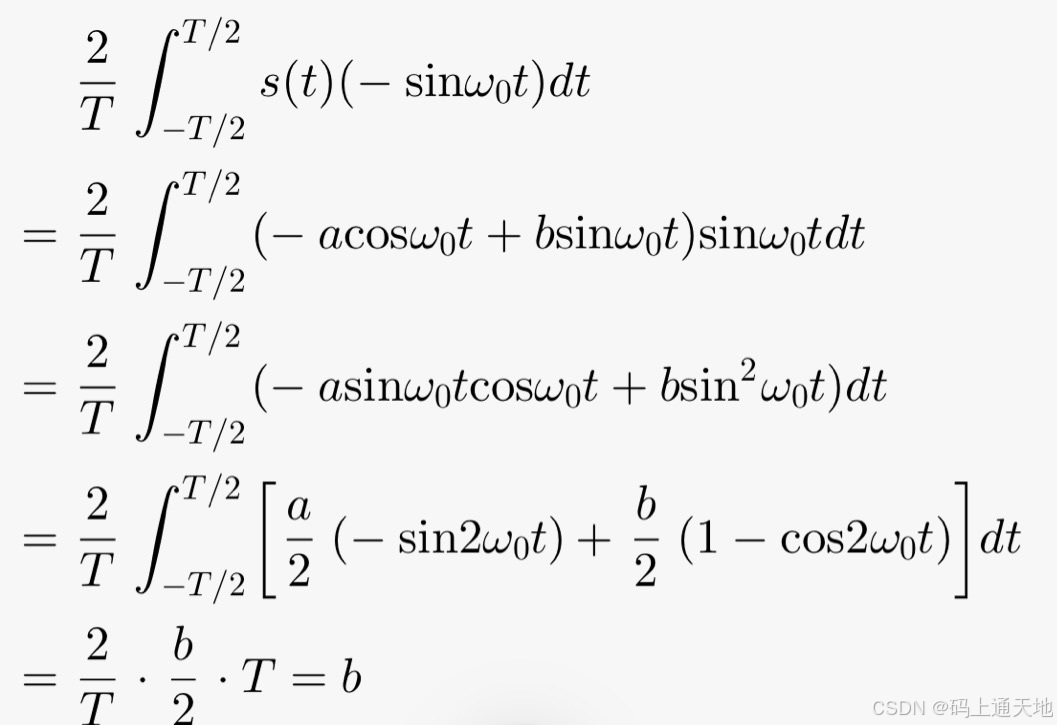
IQ解调原理:接收端收到s(t)信号后,分为两路: 一路信号乘以cosω₀t再积分,就可以得到a: 另一路乘以 -sinω₀t再积分,就可以得到b:...

C++蓝桥杯实训篇(三)
片头 嗨!小伙伴们,大家好~ 今天我们来学习前缀和与差分相关知识,准备好了吗?咱们开始咯! 一、一维前缀和 以上,是我们用数学知识求解区间和,现在我们使用前缀和来求解: 我们知道&am…...
【数据挖掘】岭回归(Ridge Regression)和线性回归(Linear Regression)对比实验
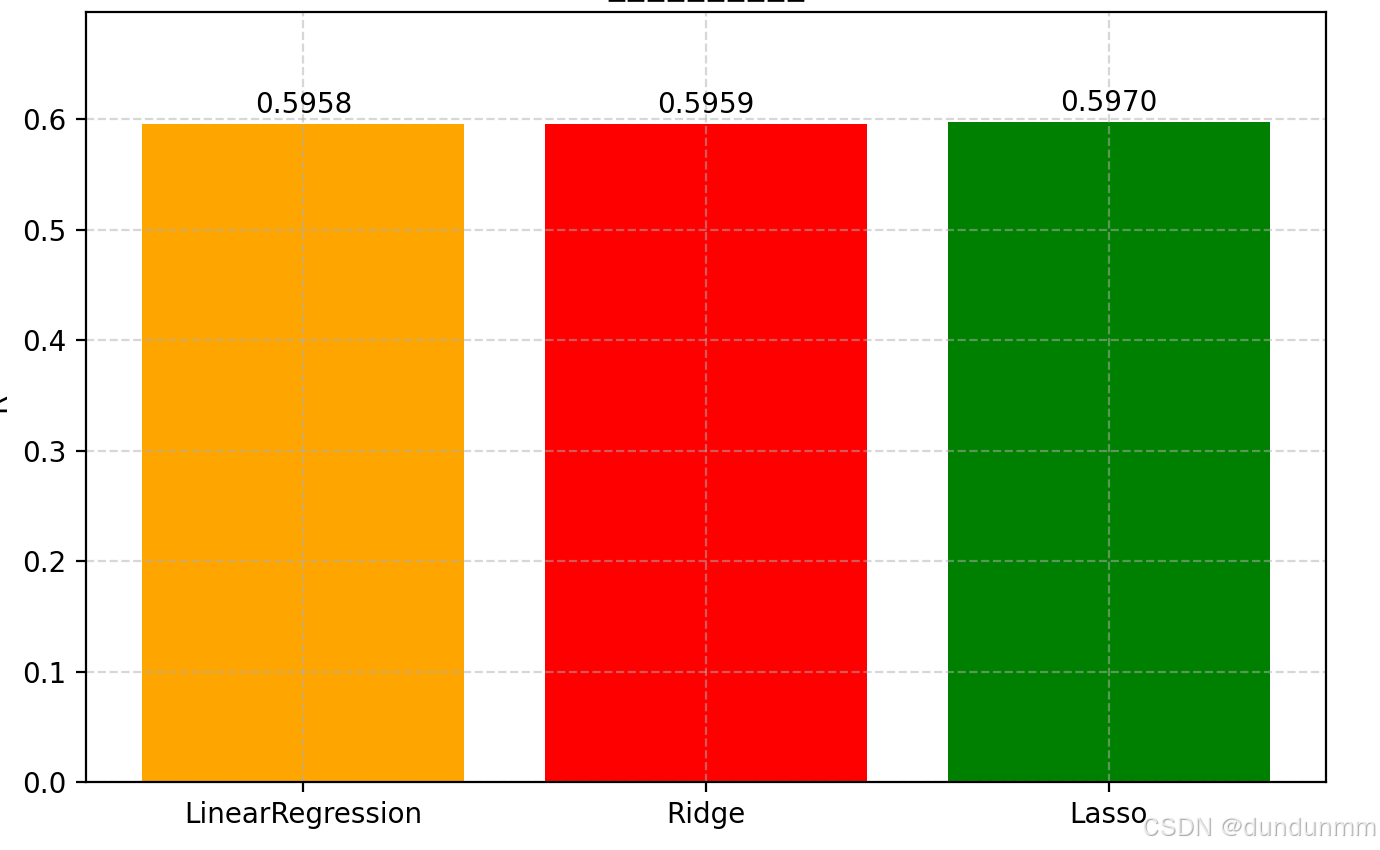
这是一个非常实用的 岭回归(Ridge Regression)和线性回归(Linear Regression)对比实验,使用了 scikit-learn 中的 California Housing 数据集 来预测房价。 📦 第一步:导入必要的库 import num…...

前言:为什么要学习爬虫和逆向,该如何学习?
更多内容请见: 爬虫和逆向教程-专栏介绍和目录 文章目录 一、为什么要学习爬虫与逆向?1.1 核心价值1.2 爬虫和应用场景对比1.3 逆向工程的应用场景二、爬虫技术学习路径2.1 基础阶段:包括原理、采集、解析和入库整套流程2.2 中级阶段:反爬对抗2.3 高级阶段:高效爬虫三、逆…...

CExercise_07_1指针和数组_1编写函数交换数组中两个下标的元素
题目: 要求编写函数将数组作为参数传递来实现: 1.编写函数交换数组中两个下标的元素。函数声明如下:void swap(int *arr, int i, int j) 。要求不使用[]运算符,将[]还原成解引用运算符和指针加法来完成。 关键点 通过指针交换数组…...

塔能科技:智能路灯物联运维产业发展现状与趋势分析
随着智慧城市建设的推进,智能路灯物联运维产业正经历快速发展,市场规模持续扩大。文章探讨了智能路灯物联运维的技术体系、市场机遇和挑战,并预测了未来发展趋势,为行业发展提供参考。 关键词 智能路灯;物联运维&#…...

解决 DBeaver 中 “Public Key Retrieval is not allowed“ 错误
解决 DBeaver 中 “Public Key Retrieval is not allowed” 错误 在 DBeaver 中遇到这个 MySQL 连接错误时,可以通过以下方法解决: 方法1:编辑连接配置 在 DBeaver 中右键点击有问题的 MySQL 连接,选择 编辑连接(Edit Connecti…...
ZW3D二次开发_普通对话框_设置对话框弹出位置
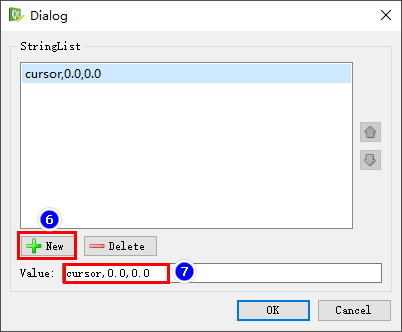
ZW3D的普通对话框可以在UI设计时静态地设置对话框弹出的位置,方法如下: 选中对话框的最顶级对象,即ZsCc::Form对象,在属性管理器中添加一个动态属性“form_pos”,类型为“StringList”,如下图所示 不同属性…...

低代码开发「JNPF」应用场景
政务系统快速搭建 在数字化政务转型的浪潮下,JNPF 快速开发平台扮演着关键角色,为政府部门提供了高效且便捷的审批流程自动化解决方案。 以 “一网通办” 为例,通过平台的可视化拖拽式配置功能,政府工作人员能够将原本复杂繁琐的…...

Arch视频播放CPU占用高
Arch Linux配置视频硬件加速 - DDoSolitary’s Blog 开源神器:加速你的视频体验 —— libvdpau-va-gl-CSDN博客 VDPAU(Video Decode and Presentation API for Unix) VA-API(Video Acceleration API) OpenGL 我的电…...

欧拉函数模板
1.欧拉函数模板 - 蓝桥云课 问题描述 这是一道模板题。 首先给出欧拉函数的定义:即 Φ(n) 表示的是小于等于 n 的数中和 n 互质的数的个数。 比如说 Φ(6)2,当 n 是质数的时候,显然有 Φ(n)n−1。 题目大意: 给定 n 个正整数…...
工业核心板说明书)
【资料分享】全志T536(异构多核ARMCortex-A55+玄铁E907 RISC-V)工业核心板说明书
核心板简介 创龙科技SOM-TLT536是一款基于全志科技T536MX-CEN2/T536MX-CXX四核ARM Cortex-A55 +...

屏幕空间反射SSR-笔记
屏幕空间反射SSR 相关文章: [OpenGL] 屏幕空间反射效果 Games202-RealTime GI in Screen Space github上的例子,使用visual studio2019 github例子对应的文章 使用OpenGL和C实现发光柱子的SSR倒影 下面是一个使用OpenGL和C实现屏幕空间反射(SSR)来创建…...
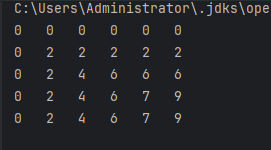
动态规划算法深度解析:0-1背包问题(含完整流程)
简介: 0-1背包问题是经典的组合优化问题:给定一组物品(每个物品有重量和价值),在背包容量限制下选择物品装入背包,要求总价值最大化且每个物品不可重复选取。 动态规划核心思想 通过构建二维状态表dp[i]…...
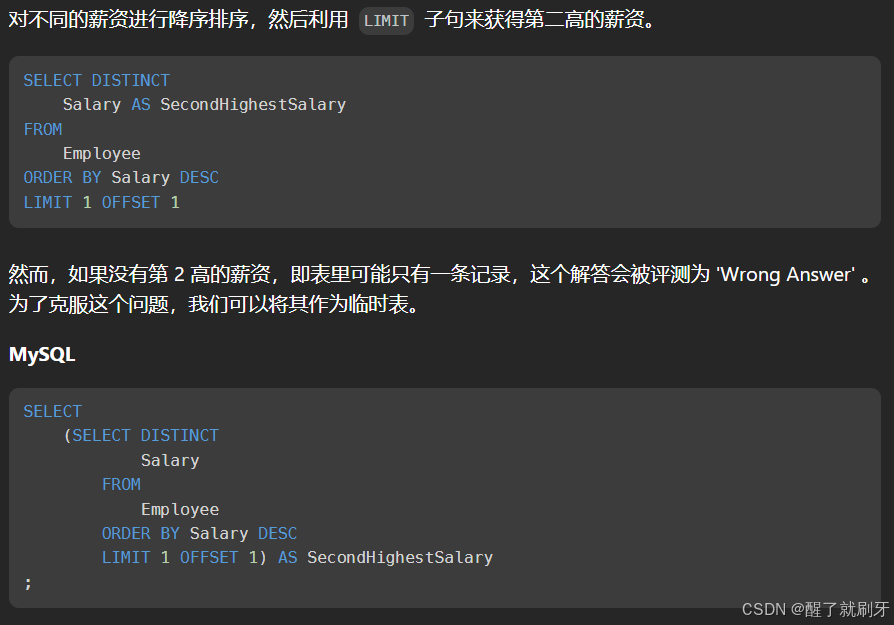
LeetCode刷题SQL笔记
系列博客目录 文章目录 系列博客目录1.distinct关键字 去除重复2.char_length()3.group by 与 count()连用4.date类型有个函数datediff()5.mod 函数6.join和left join的区别1. **JOIN(内连接,INNER JOIN)**示例: 2. **LEFT JOIN&a…...
并手动管理依赖(不使用 pom.xml))
如何使用 IntelliJ IDEA 开发命令行程序(或 Swing 程序)并手动管理依赖(不使用 pom.xml)
以下是详细步骤: 1. 创建项目 1.1 打开 IntelliJ IDEA。 1.2 在启动界面,点击 Create New Project(创建新项目)。 1.3 选择 Java,然后点击 Next。 1.4 确保 Project SDK 选择了正确的 JDK 版本&#x…...

循环神经网络 - 参数学习之随时间反向传播算法
本文中,我们以同步的序列到序列模式为例来介绍循环神经网络的参数学习。 循环神经网络中存在一个递归调用的函数 𝑓(⋅),因此其计算参数梯度的方式和前馈神经网络不太相同。在循环神经网络中主要有两种计算梯度的方式:随时间反向…...

球类(继承和多态)
父类Ball,设置为抽象类,调用get和set方法创建对象,将子类重写的功能函数抽象化。 // 抽象球类 abstract class Ball {private String name;private double radius; // 半径private double weight; // 重量private double price; // 价格// 构…...
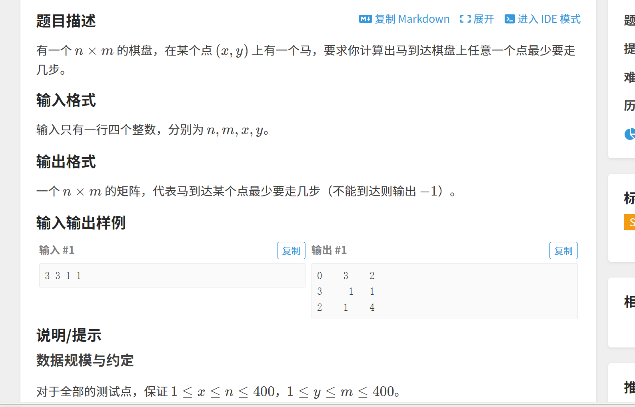
DFS和BFS的模版
dfs dfs金典例题理解就是走迷宫 P1605 迷宫 - 洛谷 dfs本质上在套一个模版: ///dfs #include<bits/stdc.h> using namespace std; int a[10][10]{0}; int m,n,t,ans0; int ex,ey; int v[10][10]{0}; int dx[4]{-1,0,1,0}; int dy[4]{0,1,0,-1}; void dfs(in…...
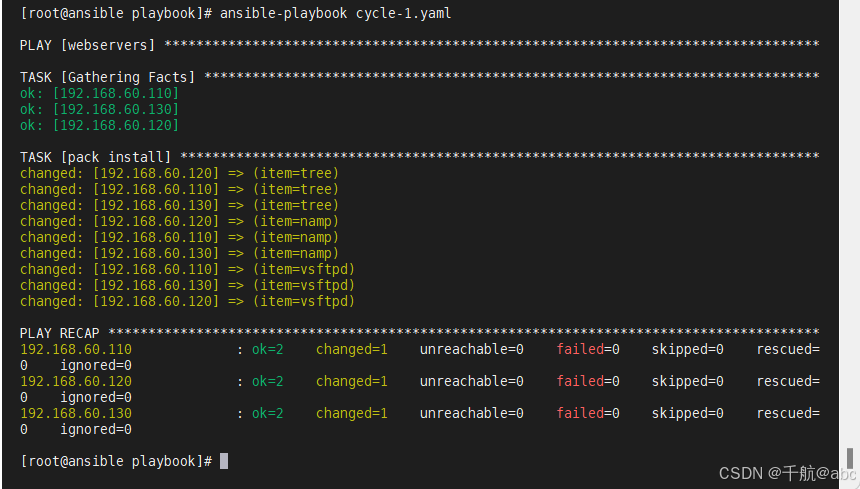
Ansible Playbook 进阶探秘:Handlers、变量、循环及条件判断全解析
192.168.60.100ansible.com192.168.60.110 client-1.com 192.168.60.120client-2.com192.168.60.130client-1.com 一、Handlers 介绍:在发生改变时执行的操作(类似puppet通知机制) 示例: 当apache的配置文件发生改变时,apache服务才会重启…...

大模型ui设计SVG输出
你是一位资深 SVG 绘画设计师,现需根据以下产品需求创建SVG方案: 产品需求 约拍app 画板尺寸: 宽度:375px(基于提供的HTML移动设计)高度:812px(iPhone X/XS 尺寸) 配…...

40--华为IPSec VPN实战指南:构建企业级加密通道
🛡️ 华为IPSec VPN实战指南:构建企业级加密通道 “当数据开始穿盔甲,黑客只能望’密’兴叹” —— 本文将手把手教你用华为设备搭建军用级加密隧道,从零开始构建网络长城! 文章目录 🛡️ 华为IPSec VPN实战…...

基于分布式指纹引擎的矩阵运营技术实践:突破平台风控的工程化解决方案
一、矩阵运营的技术痛点与市场现状 风控机制升级 主流平台通过复合指纹识别(Canvas渲染哈希WebGL元数据AudioContext频率分析)检测多账号关联传统方案成本:单个亚马逊店铺因关联封号月均损失$5000,矩阵规模越大风险指数级增长 …...
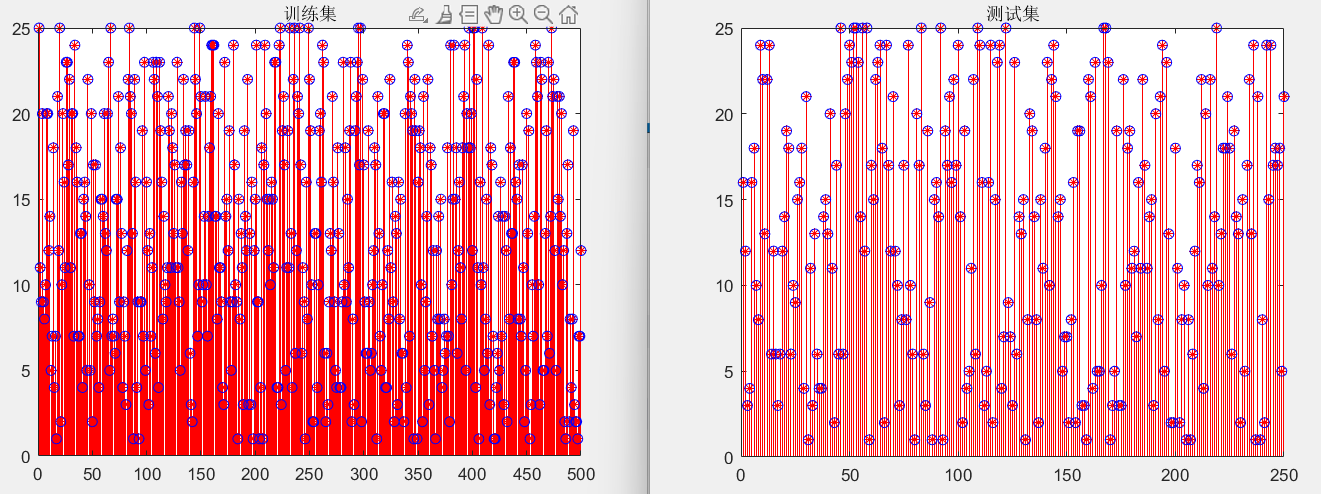
MATLAB的24脉波整流器Simulink仿真与故障诊断
本博客来源于CSDN机器鱼,未同意任何人转载。 更多内容,欢迎点击本专栏目录,查看更多内容。 目录 0 引言 1 故障数据采集 2 故障特征提取 3 故障诊断分类 4 结语 本博客内容是在MATLAB2023下完成。 0 引言 对于电力电子电路的故障诊断…...
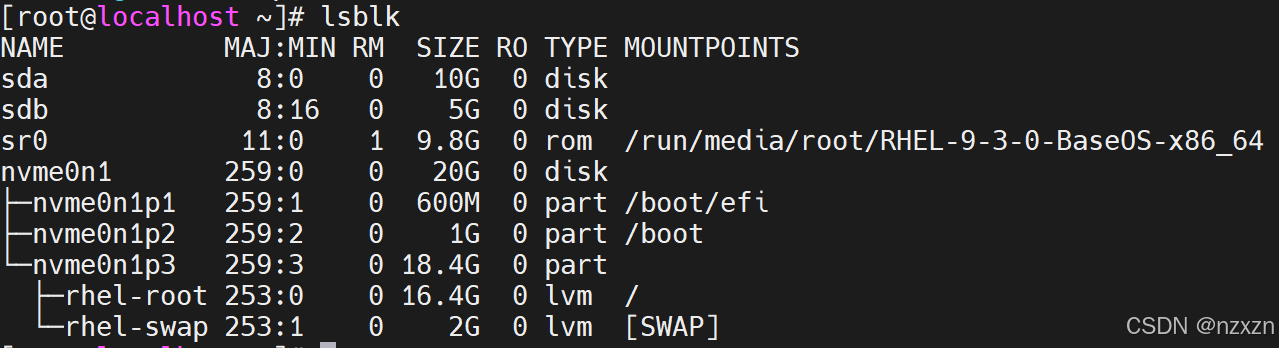
linux第三次作业
1、将你的虚拟机的网卡模式设置为nat模式,给虚拟机网卡配置三个主机位分别为100、200、168的ip地址 2、测试你的虚拟机是否能够ping通网关和dns,如果不能请修改网关和dns的地址 3、将如下内容写入/etc/hosts文件中(如果有多个ip地址则写多行&…...
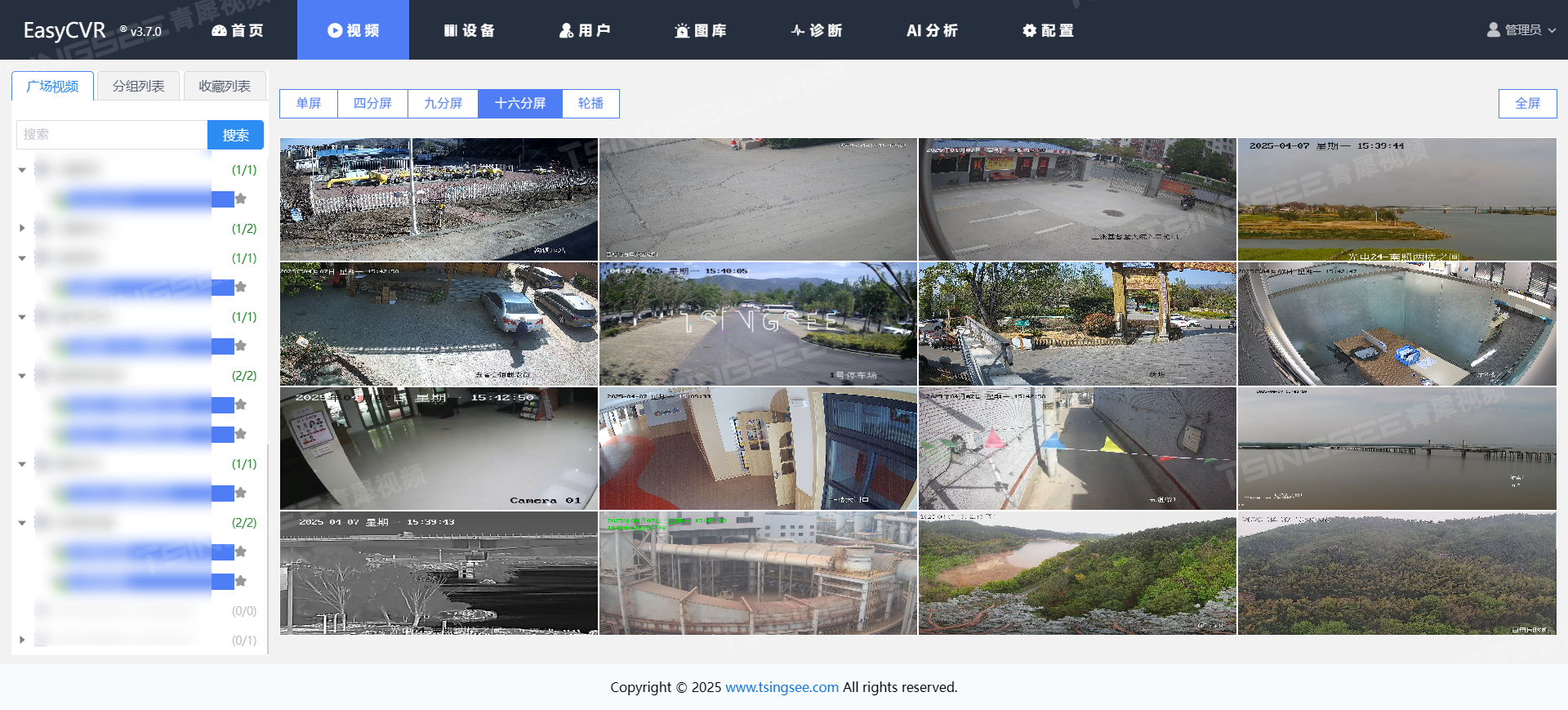
国标GB28181视频平台EasyCVR顺应智慧农业自动化趋势,打造大棚实时视频监控防线
一、方案背景 近年来,温室大棚种植技术凭借其显著的优势,在提升农作物产量和质量、丰富农产品供应方面发挥了重要的作用,极大改善了人们的生活水平,得到了广泛的推广和应用。大棚内的温度、湿度、光照度和二氧化碳浓度等环境因素…...

HOW - 如何测试 React 代码
目录 一、使用 React 测试库:testing-library/react二、使用测试演练场:testing-playground.com三、使用 Cypress 或 Playwright 进行端到端测试四、使用 MSW 在测试中模拟网络请求 一、使用 React 测试库:testing-library/react testing-li…...

LU分解原理与C++实现:从理论到实践
LU分解原理与C++实现:从理论到实践 a. LU分解基础理论 矩阵的LU分解在数值计算领域占据着举足轻重的地位,它不仅是解决线性方程组的有力工具,还在众多科学与工程问题中发挥着关键作用。从数学定义来看,LU分解是将一个方阵 A A A 分解为一个单位下三角矩阵 L L L 和一个…...