
前端-Vue3
1. Vue3简介
-
2020年9月18日,
Vue.js发布版3.0版本,代号:One Piece(n -
经历了:4800+次提交、40+个RFC、600+次PR、300+贡献者
-
官方发版地址:Release v3.0.0 One Piece · vuejs/core
-
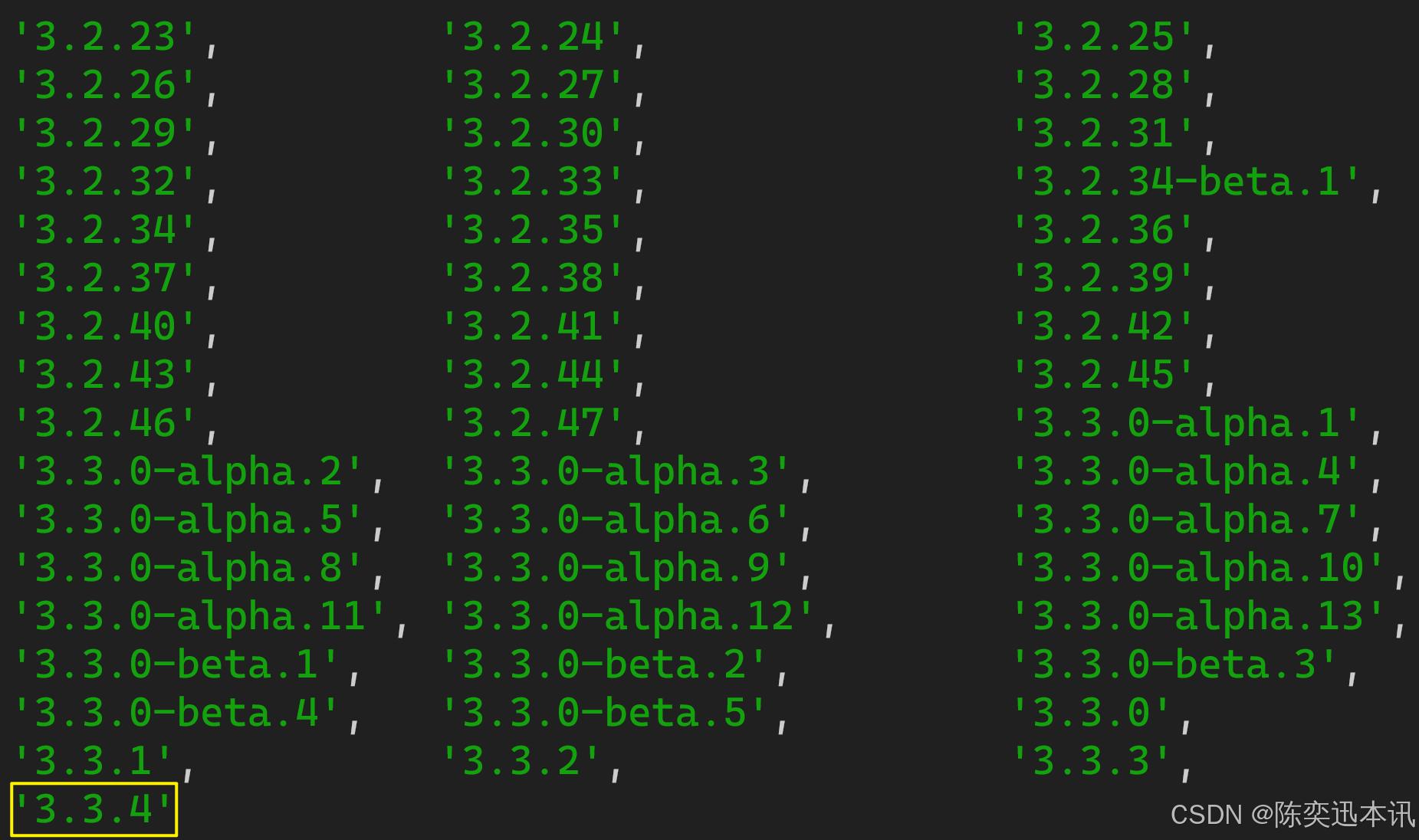
截止2023年10月,最新的公开版本为:
3.3.4
1.1. 【性能的提升】
-
打包大小减少
41%。 -
初次渲染快
55%, 更新渲染快133%。 -
内存减少
54%。
1.2.【 源码的升级】
-
使用
Proxy代替defineProperty实现响应式。 -
重写虚拟
DOM的实现和Tree-Shaking。
1.3. 【拥抱TypeScript】
-
Vue3可以更好的支持TypeScript。
1.4. 【新的特性】
-
Composition API(组合API):-
setup -
ref与reactive -
computed与watch......
-
-
新的内置组件:
-
Fragment -
Teleport -
Suspense......
-
-
其他改变:
-
新的生命周期钩子
-
data选项应始终被声明为一个函数 -
移除
keyCode支持作为v-on的修饰符......
-
2. 创建Vue3工程
2.1. 【基于 vue-cli 创建】
点击查看官方文档
备注:目前
vue-cli已处于维护模式,官方推荐基于Vite创建项目。
## 查看@vue/cli版本,确保@vue/cli版本在4.5.0以上
vue --version
## 安装或者升级你的@vue/cli
npm install -g @vue/cli
## 执行创建命令
vue create vue_test
## 随后选择3.x
## Choose a version of Vue.js that you want to start the project with (Use arrow keys)
## > 3.x
## 2.x
## 启动
cd vue_test
npm run serve2.2. 【基于 vite 创建】(推荐)
vite 是新一代前端构建工具,官网地址:https://vitejs.cn,vite的优势如下:
-
轻量快速的热重载(
HMR),能实现极速的服务启动。 -
对
TypeScript、JSX、CSS等支持开箱即用。 -
真正的按需编译,不再等待整个应用编译完成。
-
具体操作如下(点击查看官方文档)
## 1.创建命令
npm create vue@latest
## 2.具体配置
## 配置项目名称
√ Project name: vue3_test
## 是否添加TypeScript支持
√ Add TypeScript? Yes
## 是否添加JSX支持
√ Add JSX Support? No
## 是否添加路由环境
√ Add Vue Router for Single Page Application development? No
## 是否添加pinia环境
√ Add Pinia for state management? No
## 是否添加单元测试
√ Add Vitest for Unit Testing? No
## 是否添加端到端测试方案
√ Add an End-to-End Testing Solution? » No
## 是否添加ESLint语法检查
√ Add ESLint for code quality? Yes
## 是否添加Prettiert代码格式化
√ Add Prettier for code formatting? No自己动手写一个app.vue
<template><div class="app"><h1>你好啊!</h1></div>
</template><script lang="ts">export default {name:'App' //组件名}
</script><style>.app {background-color: #ddd;box-shadow: 0 0 10px;border-radius: 10px;padding: 20px;}
</style>
总结:
-
Vite项目中,index.html是项目的入口文件,在项目最外层。 -
加载
index.html后,Vite解析<script type="module" src="xxx">指向的JavaScript。 -
Vue3中是通过createApp函数创建一个应用实例。
2.3. 【一个简单的效果】基于Vue2选项式编程
Vue3向下兼容Vue2语法,且Vue3中的模板中可以没有根标签
我们自己创建一个vue来呈现自己的效果
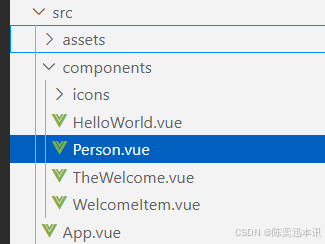
在src包的component创建Person.vue
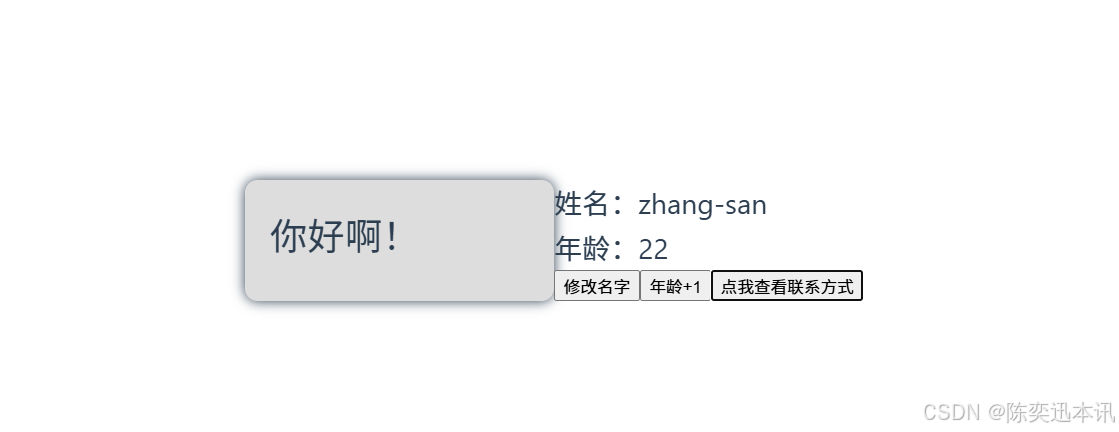
<template><div class="person"><h2>姓名:{{name}}</h2><h2>年龄:{{age}}</h2><button @click="changeName">修改名字</button><button @click="changeAge">年龄+1</button><button @click="showTel">点我查看联系方式</button></div></template><script lang="ts">export default {name:'App',data() {return {name:'张三',age:18,tel:'13888888888'}},methods:{changeName(){this.name = 'zhang-san'},changeAge(){this.age += 1},showTel(){alert(this.tel)}},}</script>然后在app.vue导入这个vue
<template><div class="app"><h1>你好啊!</h1></div><Person/> #使用刚刚我们创建的vue
</template><script lang="ts">import Person from './components/Person.vue'; //importexport default {name:'App', //组件名components:{Person} //注册组件}
</script><style>.app {background-color: #ddd;box-shadow: 0 0 10px;border-radius: 10px;padding: 20px;}
</style>
效果
3. Vue3核心语法
3.1. 【OptionsAPI 与 CompositionAPI】
-
Vue2的API设计是Options(配置)选项式编程风格的。 -
Vue3的API设计是Composition(组合)组合式风格的。
Options API 的弊端
Options类型的 API,数据、方法、计算属性等,是分散在:data、methods、computed中的,若想新增或者修改一个需求,就需要分别修改:data、methods、computed,不便于维护和复用。
Composition API 的优势
可以用函数的方式,更加优雅的组织代码,让相关功能的代码更加有序的组织在一起。
3.2. 【拉开序幕的 setup】
setup 概述
setup是Vue3中一个新的配置项,值是一个函数,它是 Composition API “表演的舞台”,组件中所用到的:数据、方法、计算属性、监视......等等,均配置在setup中。
特点如下:
-
setup函数返回的对象中的内容,可直接在模板中使用。 -
setup中访问this是undefined。所以不能用this -
setup函数会在beforeCreate之前调用,它是“领先”所有钩子执行的。
<template><div class="person"><h2>姓名:{{name}}</h2><h2>年龄:{{age}}</h2><button @click="changeName">修改名字</button><button @click="changeAge">年龄+1</button><button @click="showTel">点我查看联系方式</button></div>
</template>
<script lang="ts">export default {name:'Person',setup(){// 数据,原来写在data中(注意:此时的name、age、tel数据都不是响应式数据)let name = '张三'let age = 18let tel = '13888888888'
// 方法,原来写在methods中function changeName(){name = 'zhang-san' //注意:此时这么修改name页面是不变化的console.log(name)}function changeAge(){age += 1 //注意:此时这么修改age页面是不变化的console.log(age)}function showTel(){alert(tel)}
// 返回一个对象,对象中的内容,模板中可以直接使用return {name,age,tel,changeName,changeAge,showTel}}}
</script>setup 的返回值
-
若返回一个对象:则对象中的:属性、方法等,在模板中均可以直接使用(重点关注)。
-
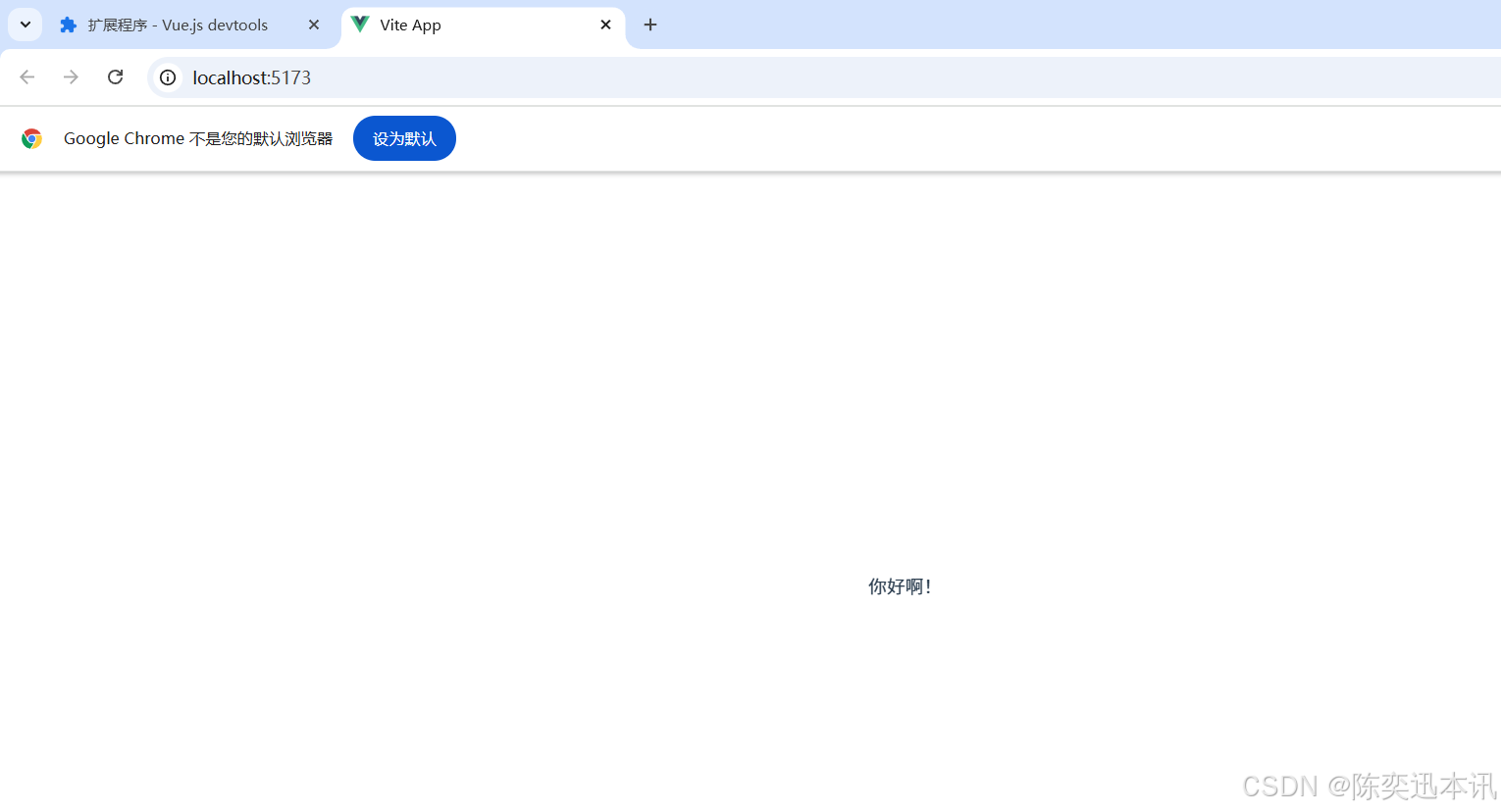
若返回一个函数:则可以自定义渲染内容,代码如下:
setup(){return ()=> '你好啊!'
}
setup 与 Options API 的关系
-
Vue2的配置(data、methos......)中可以访问到setup中的属性、方法。 -
但在
setup中不能访问到Vue2的配置(data、methos......)。 -
如果与
Vue2冲突,则setup优先。
setup 语法糖
setup函数有一个语法糖,就是用来简化代码的。这个语法糖,可以让我们把setup独立出去,这样我们就不用手动写return将数据交到前端。代码如下:
<template><div class="person"><h2>姓名:{{name}}</h2><h2>年龄:{{age}}</h2><button @click="changName">修改名字</button><button @click="changAge">年龄+1</button><button @click="showTel">点我查看联系方式</button></div>
</template>
<script lang="ts">export default {name:'Person',}
</script>
<!-- 下面的写法是setup语法糖 -->
<script setup lang="ts">console.log(this) //undefined// 数据(注意:此时的name、age、tel都不是响应式数据)let name = '张三'let age = 18let tel = '13888888888'
// 方法function changName(){name = '李四'//注意:此时这么修改name页面是不变化的}function changAge(){console.log(age)age += 1 //注意:此时这么修改age页面是不变化的}function showTel(){alert(tel)}
</script>扩展:上述代码,还需要编写一个不写setup的script标签,去指定组件名字,比较麻烦,我们可以借助vite中的插件简化
第一步:npm i vite-plugin-vue-setup-extend -D第二步:vite.config.tsimport { defineConfig } from 'vite'
import VueSetupExtend from 'vite-plugin-vue-setup-extend'
export default defineConfig({plugins: [ VueSetupExtend() ]
})-
第三步:将原来文件里面的setup的script改成
<script setup lang="ts" name="Person">
3.3. 【ref 创建:基本类型的响应式数据】
-
作用:定义响应式变量。
-
语法:
let xxx = ref(初始值)。 -
返回值:一个
RefImpl的实例对象,简称ref对象或ref,ref对象的value属性是响应式的。 -
注意点:
-
JS中操作数据需要:xxx.value,但模板中不需要.value,直接使用即可。 -
对于
let name = ref('张三')来说,name不是响应式的,name.value是响应式的。
-
<template><div class="person"><h2>姓名:{{name}}</h2><h2>年龄:{{age}}</h2><button @click="changeName">修改名字</button><button @click="changeAge">年龄+1</button><button @click="showTel">点我查看联系方式</button></div>
</template>
<script setup lang="ts" name="Person">import {ref} from 'vue' //第一步要引入ref// name和age是一个RefImpl的实例对象,简称ref对象,它们的value属性是响应式的。let name = ref('张三')let age = ref(18)// tel就是一个普通的字符串,不是响应式的let tel = '13888888888'
function changeName(){// JS中操作ref对象时候需要.valuename.value = '李四'console.log(name.value)
// 注意:name不是响应式的,name.value是响应式的,所以如下代码并不会引起页面的更新。// name = ref('zhang-san')}function changeAge(){// JS中操作ref对象时候需要.valueage.value += 1 console.log(age.value)}function showTel(){alert(tel)}
</script>3.4. 【reactive 创建:对象类型的响应式数据】
-
作用:定义一个响应式对象(基本类型不要用它,要用
ref,否则报错) -
语法:
let 响应式对象= reactive(源对象)。 -
返回值:一个
Proxy的实例对象,简称:响应式对象。 -
注意点:
reactive定义的响应式数据是“深层次”的。
<template><div class="person"><h2>汽车信息:一台{{ car.brand }}汽车,价值{{ car.price }}万</h2><h2>游戏列表:</h2><ul><li v-for="g in games" :key="g.id">{{ g.name }}</li></ul><h2>测试:{{obj.a.b.c.d}}</h2><button @click="changeCarPrice">修改汽车价格</button><button @click="changeFirstGame">修改第一游戏</button><button @click="test">测试</button></div>
</template>
<script lang="ts" setup name="Person">
import { reactive } from 'vue'
// 数据
let car = reactive({ brand: '奔驰', price: 100 })
let games = reactive([{ id: 'ahsgdyfa01', name: '英雄联盟' },{ id: 'ahsgdyfa02', name: '王者荣耀' },{ id: 'ahsgdyfa03', name: '原神' }
])
let obj = reactive({a:{b:{c:{d:666}}}
})
function changeCarPrice() {car.price += 10
}
function changeFirstGame() {games[0].name = '流星蝴蝶剑'
}
function test(){obj.a.b.c.d = 999
}
</script>
3.5. 【ref 创建:对象类型的响应式数据】
-
其实
ref接收的数据可以是:基本类型、对象类型。 -
若
ref接收的是对象类型,内部其实也是调用了reactive函数。ref里面的value就是生成的proxy代理对象。所以我们用ref实现对象类型的响应式数据,要去访问对象的value,然后才是具体成员变量。
<template><div class="person"><h2>汽车信息:一台{{ car.brand }}汽车,价值{{ car.price }}万</h2><h2>游戏列表:</h2><ul><li v-for="g in games" :key="g.id">{{ g.name }}</li></ul><h2>测试:{{obj.a.b.c.d}}</h2><button @click="changeCarPrice">修改汽车价格</button><button @click="changeFirstGame">修改第一游戏</button><button @click="test">测试</button></div>
</template>
<script lang="ts" setup name="Person">
import { ref } from 'vue'
// 数据
let car = ref({ brand: '奔驰', price: 100 })
let games = ref([{ id: 'ahsgdyfa01', name: '英雄联盟' },{ id: 'ahsgdyfa02', name: '王者荣耀' },{ id: 'ahsgdyfa03', name: '原神' }
])
let obj = ref({a:{b:{c:{d:666}}}
})
console.log(car)
function changeCarPrice() {car.value.price += 10
}
function changeFirstGame() {games.value[0].name = '流星蝴蝶剑'
}
function test(){obj.value.a.b.c.d = 999
}
</script>3.6. 【ref 对比 reactive】
宏观角度看:
ref用来定义:基本类型数据、对象类型数据;
reactive用来定义:对象类型数据。
-
区别:
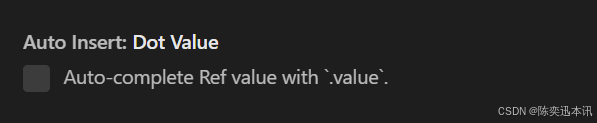
ref创建的变量必须使用.value(可以使用volar插件自动添加.value)。
reactive重新分配一个新对象,会失去响应式(可以使用Object.assign去整体替换)。
-
使用原则:
若需要一个基本类型的响应式数据,必须使用
ref。若需要一个响应式对象,层级不深,
ref、reactive都可以。若需要一个响应式对象,且层级较深,推荐使用
reactive。
3.7. 【toRefs 与 toRef】
-
作用:将一个响应式对象中的每一个属性,转换为
ref对象。就是说,我可以将reactive包括的对象里面的每一组变量都变成ref对象。 -
如果没有toRefs,那么我们直接let {age, name} = Person,那么实际上是执行了let age = Person.age, let name = Person.name,此时的age和name不是响应式的。
-
备注:
toRefs与toRef功能一致,但toRefs可以批量转换。 -
语法如下:
<template><div class="person"><h2>姓名:{{person.name}}</h2><h2>年龄:{{person.age}}</h2><h2>性别:{{person.gender}}</h2><button @click="changeName">修改名字</button><button @click="changeAge">修改年龄</button><button @click="changeGender">修改性别</button></div>
</template>
<script lang="ts" setup name="Person">import {ref,reactive,toRefs,toRef} from 'vue'
// 数据let person = reactive({name:'张三', age:18, gender:'男'})// 通过toRefs将person对象中的n个属性批量取出,且依然保持响应式的能力let {name,gender} = toRefs(person)// 通过toRef将person对象中的gender属性取出,且依然保持响应式的能力let age = toRef(person,'age')
// 方法function changeName(){name.value += '~'}function changeAge(){age.value += 1}function changeGender(){gender.value = '女'}
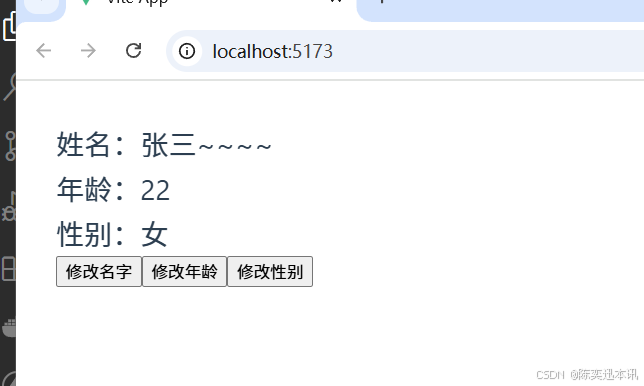
</script>效果
3.8. 【computed】
作用:根据已有数据计算出新数据(和Vue2中的computed作用一致)。
我们输入firstName和LastName就可以通过conputed得到fullName
<template><div class="person">姓:<input type="text" v-model="firstName"> <br>名:<input type="text" v-model="lastName"> <br><button @click="changeFullName">将全名改为li-si</button> <br>全名:<span>{{fullName}}</span> <br>全名:<span>{{fullName}}</span> <br>全名:<span>{{fullName}}</span> <br>全名:<span>{{fullName}}</span> <br>全名:<span>{{fullName}}</span> <br>全名:<span>{{fullName}}</span> <br></div>
</template><script lang="ts" setup name="Person">import {ref,computed} from 'vue'let firstName = ref('zhang')let lastName = ref('san')// fullName是一个计算属性,且是只读的/* let fullName = computed(()=>{console.log(1)return firstName.value.slice(0,1).toUpperCase() + firstName.value.slice(1) + '-' + lastName.value}) */// fullName是一个计算属性,可读可写let fullName = computed({// 当fullName被读取时,get调用get(){return firstName.value.slice(0,1).toUpperCase() + firstName.value.slice(1) + '-' + lastName.value},// 当fullName被修改时,set调用,且会收到修改的值set(val){const [str1,str2] = val.split('-')firstName.value = str1lastName.value = str2}})function changeFullName(){fullName.value = 'li-si'}
</script><style scoped>.person {background-color: skyblue;box-shadow: 0 0 10px;border-radius: 10px;padding: 20px;}button {margin: 0 5px;}li {font-size: 20px;}
</style>
3.9.【watch】
-
作用:监视数据的变化(和
Vue2中的watch作用一致) -
特点:
Vue3中的watch只能监视以下四种数据:
ref定义的数据。
reactive定义的数据。函数返回一个值(
getter函数)。一个包含上述内容的数组。
我们在Vue3中使用watch的时候,通常会遇到以下几种情况:
情况一
监视ref定义的【基本类型】数据:直接写数据名即可,监视的是其value值的改变。注意,不是ref定义的数据的value
注意watch的参数和函数的书写,他的返回值是停止监视函数。
<template><div class="person"><h1>情况一:监视【ref】定义的【基本类型】数据</h1><h2>当前求和为:{{sum}}</h2><button @click="changeSum">点我sum+1</button></div>
</template>
<script lang="ts" setup name="Person">import {ref,watch} from 'vue'// 数据let sum = ref(0)// 方法function changeSum(){sum.value += 1}// 监视,情况一:监视【ref】定义的【基本类型】数据const stopWatch = watch(sum,(newValue,oldValue)=>{console.log('sum变化了',newValue,oldValue)if(newValue >= 10){stopWatch()}})
</script>情况二
监视ref定义的【对象类型】数据:直接写数据名,监视的是对象的【地址值】,若想监视对象内部的数据,要手动开启深度监视,就是watch配置第三个参数,这个参数就是用来配置配置选项的。
注意:
若修改的是
ref定义的对象中的属性,newValue和oldValue都是新值,因为它们是同一个对象。因为地址一样,地址里面的属性也就一样若修改整个
ref定义的对象,newValue是新值,oldValue是旧值,因为不是同一个对象了。原因就是对象的地址变化了,所以检测地址里面的属性前后就不一样
<template><div class="person"><h1>情况二:监视【ref】定义的【对象类型】数据</h1><h2>姓名:{{ person.name }}</h2><h2>年龄:{{ person.age }}</h2><button @click="changeName">修改名字</button><button @click="changeAge">修改年龄</button><button @click="changePerson">修改整个人</button></div>
</template>
<script lang="ts" setup name="Person">import {ref,watch} from 'vue'// 数据let person = ref({name:'张三',age:18})// 方法function changeName(){person.value.name += '~'}function changeAge(){person.value.age += 1}function changePerson(){person.value = {name:'李四',age:90}}/* 监视,情况一:监视【ref】定义的【对象类型】数据,监视的是对象的地址值,若想监视对象内部属性的变化,需要手动开启深度监视watch的第一个参数是:被监视的数据watch的第二个参数是:监视的回调watch的第三个参数是:配置对象(deep、immediate等等.....) */watch(person,(newValue,oldValue)=>{console.log('person变化了',newValue,oldValue)},{deep:true})</script>情况三
监视reactive定义的【对象类型】数据,且默认开启了深度监视。
<template><div class="person"><h1>情况三:监视【reactive】定义的【对象类型】数据</h1><h2>姓名:{{ person.name }}</h2><h2>年龄:{{ person.age }}</h2><button @click="changeName">修改名字</button><button @click="changeAge">修改年龄</button><button @click="changePerson">修改整个人</button><hr><h2>测试:{{obj.a.b.c}}</h2><button @click="test">修改obj.a.b.c</button></div>
</template>
<script lang="ts" setup name="Person">import {reactive,watch} from 'vue'// 数据let person = reactive({name:'张三',age:18})let obj = reactive({a:{b:{c:666}}})// 方法function changeName(){person.name += '~'}function changeAge(){person.age += 1}function changePerson(){Object.assign(person,{name:'李四',age:80})}function test(){obj.a.b.c = 888}
// 监视,情况三:监视【reactive】定义的【对象类型】数据,且默认是开启深度监视的watch(person,(newValue,oldValue)=>{console.log('person变化了',newValue,oldValue)})watch(obj,(newValue,oldValue)=>{console.log('Obj变化了',newValue,oldValue)})
</script>情况四
监视ref或reactive定义的【对象类型】数据中的某个属性,注意点如下:
-
若该属性值不是【对象类型】,需要写成函数形式。官方说是getter函数,实际上就写一个函数return要监听的字段
-
若该属性值是依然是【对象类型】,可直接编,也可写成函数,建议写成函数。
结论:监视的要是对象里的属性,那么最好写函数式,注意点:若是对象监视的是地址值,需要关注对象内部,需要手动开启深度监视。
<template><div class="person"><h1>情况四:监视【ref】或【reactive】定义的【对象类型】数据中的某个属性</h1><h2>姓名:{{ person.name }}</h2><h2>年龄:{{ person.age }}</h2><h2>汽车:{{ person.car.c1 }}、{{ person.car.c2 }}</h2><button @click="changeName">修改名字</button><button @click="changeAge">修改年龄</button><button @click="changeC1">修改第一台车</button><button @click="changeC2">修改第二台车</button><button @click="changeCar">修改整个车</button></div>
</template>
<script lang="ts" setup name="Person">import {reactive,watch} from 'vue'
// 数据let person = reactive({name:'张三',age:18,car:{c1:'奔驰',c2:'宝马'}})// 方法function changeName(){person.name += '~'}function changeAge(){person.age += 1}function changeC1(){person.car.c1 = '奥迪'}function changeC2(){person.car.c2 = '大众'}function changeCar(){person.car = {c1:'雅迪',c2:'爱玛'}}
// 监视,情况四:监视响应式对象中的某个属性,且该属性是基本类型的,要写成函数式/* watch(()=> person.name,(newValue,oldValue)=>{console.log('person.name变化了',newValue,oldValue)}) */
// 监视,情况四:监视响应式对象中的某个属性,且该属性是对象类型的,可以直接写,也能写函数,更推荐写函数watch(()=>person.car,(newValue,oldValue)=>{console.log('person.car变化了',newValue,oldValue)},{deep:true})
</script>情况五
监视上述的多个数据
<template><div class="person"><h1>情况五:监视上述的多个数据</h1><h2>姓名:{{ person.name }}</h2><h2>年龄:{{ person.age }}</h2><h2>汽车:{{ person.car.c1 }}、{{ person.car.c2 }}</h2><button @click="changeName">修改名字</button><button @click="changeAge">修改年龄</button><button @click="changeC1">修改第一台车</button><button @click="changeC2">修改第二台车</button><button @click="changeCar">修改整个车</button></div>
</template>
<script lang="ts" setup name="Person">import {reactive,watch} from 'vue'
// 数据let person = reactive({name:'张三',age:18,car:{c1:'奔驰',c2:'宝马'}})// 方法function changeName(){person.name += '~'}function changeAge(){person.age += 1}function changeC1(){person.car.c1 = '奥迪'}function changeC2(){person.car.c2 = '大众'}function changeCar(){person.car = {c1:'雅迪',c2:'爱玛'}}
// 监视,情况五:监视上述的多个数据watch([()=>person.name,person.car],(newValue,oldValue)=>{console.log('person.car变化了',newValue,oldValue)},{deep:true})
</script>3.10. 【watchEffect】
-
官网:立即运行一个函数,同时响应式地追踪其依赖,并在依赖更改时重新执行该函数。
-
watch对比watchEffect-
都能监听响应式数据的变化,不同的是监听数据变化的方式不同
-
watch:要明确指出监视的数据 -
watchEffect:不用明确指出监视的数据(函数中用到哪些属性,那就监视哪些属性)。
-
-
示例代码:
<template><div class="person"><h1>需求:水温达到50℃,或水位达到20cm,则联系服务器</h1><h2 id="demo">水温:{{temp}}</h2><h2>水位:{{height}}</h2><button @click="changePrice">水温+1</button><button @click="changeSum">水位+10</button></div>
</template>
<script lang="ts" setup name="Person">import {ref,watch,watchEffect} from 'vue'// 数据let temp = ref(0)let height = ref(0)
// 方法function changePrice(){temp.value += 10}function changeSum(){height.value += 1}
// 用watch实现,需要明确的指出要监视:temp、heightwatch([temp,height],(value)=>{// 从value中获取最新的temp值、height值const [newTemp,newHeight] = value// 室温达到50℃,或水位达到20cm,立刻联系服务器if(newTemp >= 50 || newHeight >= 20){console.log('联系服务器')}})
// 用watchEffect实现,不用const stopWtach = watchEffect(()=>{// 室温达到50℃,或水位达到20cm,立刻联系服务器if(temp.value >= 50 || height.value >= 20){console.log(document.getElementById('demo')?.innerText)console.log('联系服务器')}// 水温达到100,或水位达到50,取消监视if(temp.value === 100 || height.value === 50){console.log('清理了')stopWtach()}})
</script>3.11. 【标签的 ref 属性】
作用:用于注册模板引用。我们获取模块可以用id,class,标签本身等等,这种就是模块的引用,ref和他们的功能相当
用在普通
DOM标签上,获取的是DOM节点。用在组件标签上,获取的是组件实例对象。
用在普通DOM标签上:
<template><div class="person"><h1 ref="title1">尚硅谷</h1><h2 ref="title2">前端</h2><h3 ref="title3">Vue</h3><input type="text" ref="inpt"> <br><br><button @click="showLog">点我打印内容</button></div>
</template>
<script lang="ts" setup name="Person">import {ref} from 'vue'let title1 = ref()let title2 = ref()let title3 = ref()
function showLog(){// 通过id获取元素const t1 = document.getElementById('title1')// 打印内容console.log((t1 as HTMLElement).innerText)console.log((<HTMLElement>t1).innerText)console.log(t1?.innerText)/************************************/// 通过ref获取元素console.log(title1.value)console.log(title2.value)console.log(title3.value)}
</script>用在组件标签上:
<!-- 父组件App.vue -->
<template><Person ref="ren"/><button @click="test">测试</button>
</template>
<script lang="ts" setup name="App">import Person from './components/Person.vue'import {ref} from 'vue'
let ren = ref()
function test(){console.log(ren.value.name)console.log(ren.value.age)}
</script>
<!-- 子组件Person.vue中要使用defineExpose暴露内容 -->
<script lang="ts" setup name="Person">import {ref,defineExpose} from 'vue'// 数据let name = ref('张三')let age = ref(18)/****************************//****************************/// 使用defineExpose将组件中的数据交给外部defineExpose({name,age})
</script>3.12. 【props】
// 定义一个接口,限制每个Person对象的格式
export interface PersonInter {
id:string,
name:string,age:number
}
// 定义一个自定义类型Persons
export type Persons = Array<PersonInter>
App.vue中代码:<template><Person :list="persons"/>
</template><script lang="ts" setup name="App">
import Person from './components/Person.vue'
import {reactive} from 'vue'import {type Persons} from './types'let persons = reactive<Persons>([{id:'e98219e12',name:'张三',age:18},{id:'e98219e13',name:'李四',age:19},{id:'e98219e14',name:'王五',age:20}])
</script>
Person.vue中代码:<template>
<div class="person">
<ul><li v-for="item in list" :key="item.id">{{item.name}}--{{item.age}}</li></ul>
</div>
</template>
<script lang="ts" setup name="Person">
import {defineProps} from 'vue'
import {type PersonInter} from '@/types'
// 第一种写法:仅接收
// const props = defineProps(['list'])
// 第二种写法:接收+限制类型
// defineProps<{list:Persons}>()
// 第三种写法:接收+限制类型+指定默认值+限制必要性
let props = withDefaults(defineProps<{list?:Persons}>(),{list:()=>[{id:'asdasg01',name:'小猪佩奇',age:18}]
})
console.log(props)
</script>3.13. 【生命周期】
概念:Vue组件实例在创建时要经历一系列的初始化步骤,在此过程中Vue会在合适的时机,调用特定的函数,从而让开发者有机会在特定阶段运行自己的代码,这些特定的函数统称为:生命周期钩子
规律:
生命周期整体分为四个阶段,分别是:创建、挂载、更新、销毁,每个阶段都有两个钩子,一前一后。
Vue2的生命周期
创建阶段:
beforeCreate、created挂载阶段:
beforeMount、mounted更新阶段:
beforeUpdate、updated销毁阶段:
beforeDestroy、destroyed
Vue3的生命周期
创建阶段:
setup挂载阶段:
onBeforeMount、onMounted更新阶段:
onBeforeUpdate、onUpdated卸载阶段:
onBeforeUnmount、onUnmounted
常用的钩子:onMounted(挂载完毕)、onUpdated(更新完毕)、onBeforeUnmount(卸载之前)
<template><div class="person"><h2>当前求和为:{{ sum }}</h2><button @click="changeSum">点我sum+1</button></div>
</template>
<!-- vue3写法 -->
<script lang="ts" setup name="Person">import { ref, onBeforeMount, onMounted, onBeforeUpdate, onUpdated, onBeforeUnmount, onUnmounted } from 'vue'
// 数据let sum = ref(0)// 方法function changeSum() {sum.value += 1}console.log('setup')// 生命周期钩子onBeforeMount(()=>{console.log('挂载之前')})onMounted(()=>{console.log('挂载完毕')})onBeforeUpdate(()=>{console.log('更新之前')})onUpdated(()=>{console.log('更新完毕')})onBeforeUnmount(()=>{console.log('卸载之前')})onUnmounted(()=>{console.log('卸载完毕')})
</script>4. 路由
对路由的理解
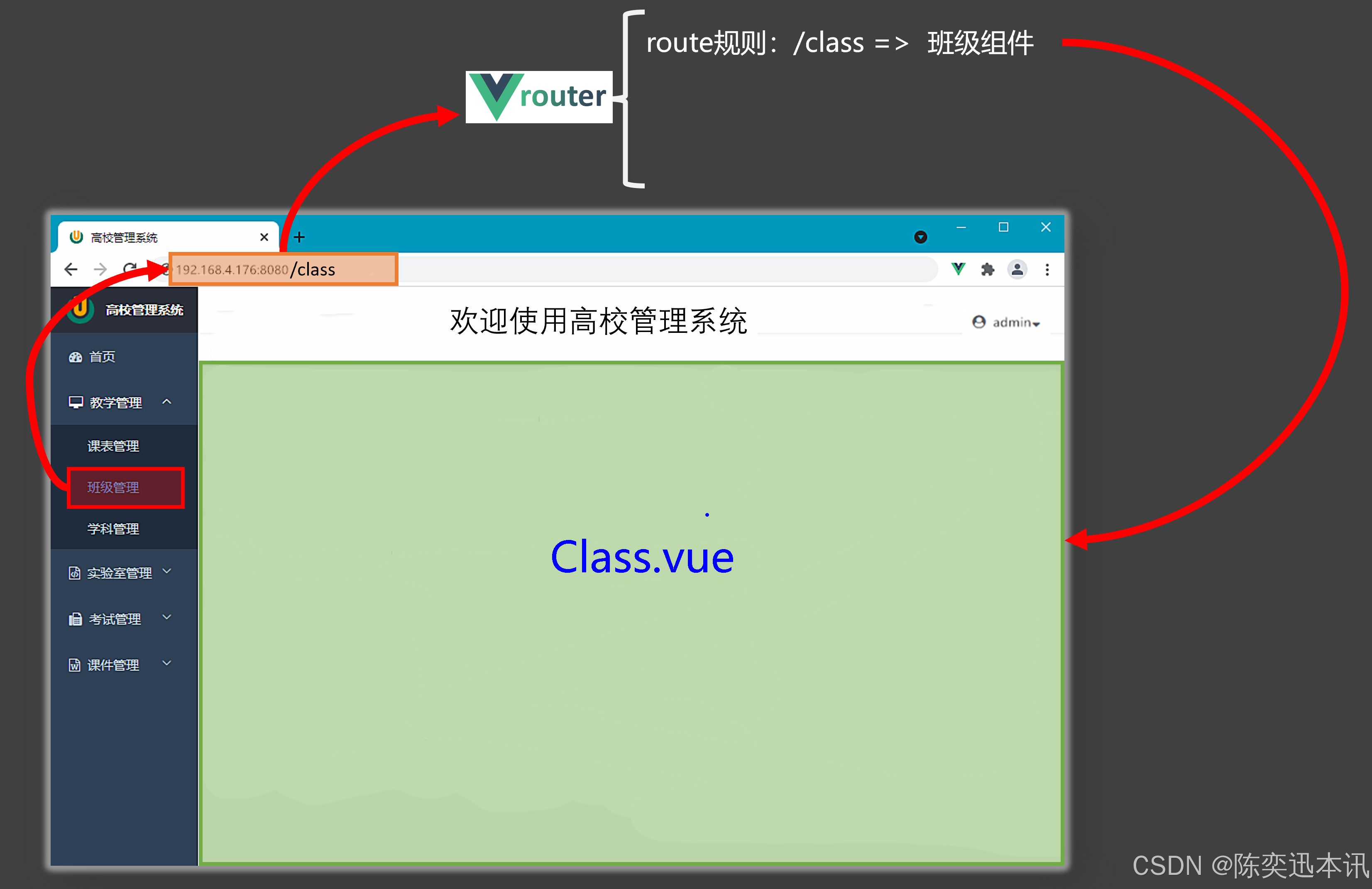
Vue 3 中的路由(Vue Router)主要用途是实现单页面应用(SPA)的页面切换功能,同时提升用户体验和开发效率。以下是它的一些主要作用:
1. 实现页面切换而无需重新加载页面
-
在传统的多页面应用(MPA)中,每次点击链接都会重新加载整个页面,这会导致页面闪烁、加载时间变长,并且用户体验较差。
-
Vue Router 通过在前端拦截链接跳转,动态切换页面内容,而无需重新加载整个页面。这样可以显著提升页面的响应速度和用户体验。
2. 支持动态路由和嵌套路由
-
动态路由:允许在路径中传递参数。例如,
/user/:id可以通过路径动态传递用户 ID,方便实现用户详情页等功能。 -
嵌套路由:可以定义组件内部的子路由,实现更复杂的页面结构。例如,一个用户页面可以包含多个子页面(如用户资料、用户订单等),通过嵌套路由可以方便地管理这些子页面。
3. 支持多种路由模式
-
History 模式:使用 HTML5 的 History API,URL 更友好(如
/about),适合需要更美观 URL 的场景。 -
Hash 模式:通过 URL 的哈希值(
#)来实现路由切换(如/#/about)。这种模式兼容性更好,适合一些老旧浏览器或搜索引擎优化要求不高的场景。 -
Abstract 模式:主要用于非浏览器环境(如 Node.js),适合一些特殊场景。
总的来说,Vue Router 是 Vue.js 中实现单页面应用的核心工具,它不仅提供了强大的路由功能,还提升了用户体验和开发效率。
一个路由切换的实现
先决条件,我们要去安装vue-router,要准备好!!!
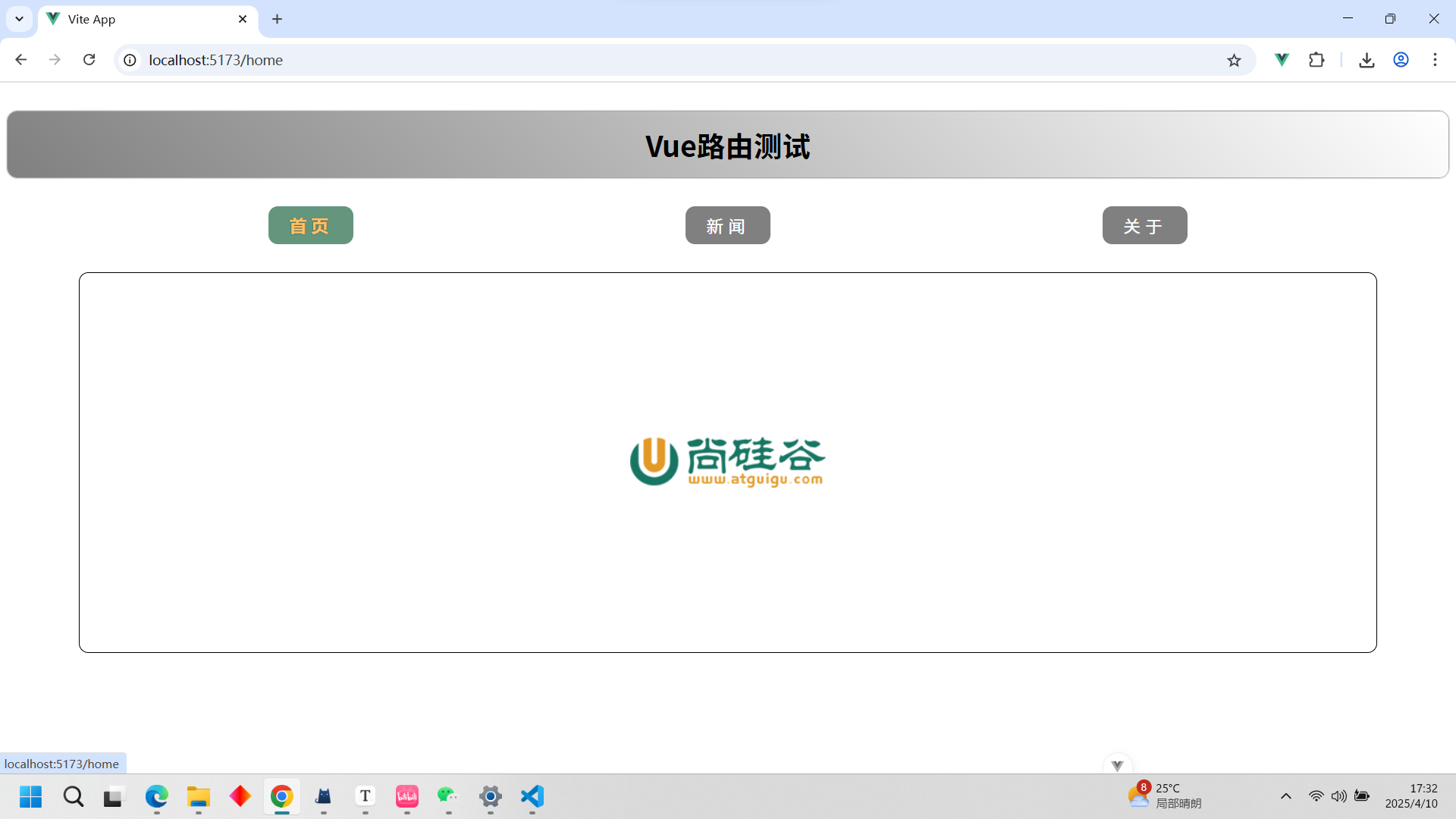
最终实现的效果
我们有一个导航区,有一个展示区,还有一个标题头。导航区有三个组件,分别点击有高亮效果并实现切换。
子组件的定义
就是普通定义组件一样,这里面不涉及路由的知识
关于组件
<template><div class="about"><h2>大家好,欢迎来到尚硅谷直播间</h2></div>
</template><script setup lang="ts" name="About"></script><style scoped>
.about {display: flex;justify-content: center;align-items: center;height: 100%;color: rgb(85, 84, 84);font-size: 18px;
}
</style>
首页组件
<template><div class="home"><img src="http://www.atguigu.com/images/index_new/logo.png" alt=""></div>
</template><script setup lang="ts" name="Home"></script><style scoped>.home {display: flex;justify-content: center;align-items: center;height: 100%;}
</style>
新闻组件
<template><div class="news"><ul><li><a href="#">新闻001</a></li><li><a href="#">新闻002</a></li><li><a href="#">新闻003</a></li><li><a href="#">新闻004</a></li></ul></div>
</template><script setup lang="ts" name="News"></script><style scoped>
/* 新闻 */
.news {padding: 0 20px;display: flex;justify-content: space-between;height: 100%;
}
.news ul {margin-top: 30px;list-style: none;padding-left: 10px;
}
.news li>a {font-size: 18px;line-height: 40px;text-decoration: none;color: #64967E;text-shadow: 0 0 1px rgb(0, 84, 0);
}
.news-content {width: 70%;height: 90%;border: 1px solid;margin-top: 20px;border-radius: 10px;
}
</style>
App.vue
<RouterLink> 和 <RouterView>
-
<RouterLink>:-
用于创建导航链接,类似于HTML中的
<a>标签,但专门用于Vue Router。 -
在代码中,
<RouterLink>用于定义导航菜单,用户可以通过点击这些链接在不同的路由之间切换。 -
to属性指定了链接的目标路由路径,例如to="/home"表示导航到/home路径。 -
active-class属性用于自定义激活状态的链接的CSS类名。在这个例子中,当链接被激活时,会应用xiaozhupeiqi类。
-
-
<RouterView>:-
用于显示当前路由对应的组件内容,也就是给对应组件显示占个位,告诉vue组件在这里显示
-
在代码中,
<RouterView>位于<div class="main-content">中,用于展示当前路由匹配的组件。
-
<template><div class="app"><h2 class="title">Vue路由测试</h2><!-- 导航区 --><div class="navigate"><RouterLink to="/home" active-class="xiaozhupeiqi">首页</RouterLink><RouterLink to="/news" active-class="xiaozhupeiqi">新闻</RouterLink><RouterLink to="/about" active-class="xiaozhupeiqi">关于</RouterLink></div><!-- 展示区 --><div class="main-content"><RouterView></RouterView></div></div></template><script lang="ts" setup name="App">import {RouterView,RouterLink} from 'vue-router'</script><style>/* App */.title {text-align: center;word-spacing: 5px;margin: 30px 0;height: 70px;line-height: 70px;background-image: linear-gradient(45deg, gray, white);border-radius: 10px;box-shadow: 0 0 2px;font-size: 30px;}.navigate {display: flex;justify-content: space-around;margin: 0 100px;}.navigate a {display: block;text-align: center;width: 90px;height: 40px;line-height: 40px;border-radius: 10px;background-color: gray;text-decoration: none;color: white;font-size: 18px;letter-spacing: 5px;}.navigate a.xiaozhupeiqi {background-color: #64967E;color: #ffc268;font-weight: 900;text-shadow: 0 0 1px black;font-family: 微软雅黑;}.main-content {margin: 0 auto;margin-top: 30px;border-radius: 10px;width: 90%;height: 400px;border: 1px solid;}</style>index.ts
我们在src包下创建一个router包,然后下面创建一个index.ts文件。在这里我们配置路由的信息
直接看下面的代码,看看是怎么创建路由的
包括创建路由实例,设置路由模式,配置路由规则,最后将路由暴露出去
// 创建一个路由器,并暴露出去// 第一步:引入createRouter
import {createRouter,createWebHistory} from 'vue-router'
// 引入一个一个可能要呈现组件
import Home from '@/components/Home.vue'
import News from '@/components/News.vue'
import About from '@/components/About.vue'// 第二步:创建路由器
const router = createRouter({history:createWebHistory(), //路由器的工作模式(稍后讲解)routes:[ //一个一个的路由规则{path:'/home',component:Home},{path:'/news',component:News},{path:'/about',component:About},]
})// 暴露出去router
export default router
main.ts
这里我们引入并使用路由
// 引入createApp用于创建应用
import {createApp} from 'vue'
// 引入App根组件
import App from './App.vue'
// 引入路由器
import router from './router'// 创建一个应用
const app = createApp(App)
// 使用路由器
app.use(router)
// 挂载整个应用到app容器中
app.mount('#app')
这样,一个路由切换的实例就做好了
路由器的工作模式
1. 哈希模式(Hash Mode)
特点
-
URL 中包含一个
#符号,例如:http://example.com/#/home。 -
路由的变化不会导致页面重新加载,因为浏览器不会将
#后面的内容发送到服务器。 -
适合需要兼容旧浏览器的应用,因为这种模式不需要服务器支持。
实现
默认情况下,Vue Router 使用哈希模式。可以通过以下代码显式指定:
import { createRouter, createWebHashHistory } from 'vue-router';
const router = createRouter({history: createWebHashHistory(),routes: [{ path: '/home', component: Home },{ path: '/news', component: News },{ path: '/about', component: About },],
});优点
-
无需服务器配置:因为 URL 中的
#郜部分不会发送到服务器,所以不需要服务器支持。 -
兼容性好:几乎所有浏览器都支持哈希模式。
缺点
-
URL 不够美观:URL 中包含
#符号,可能会影响用户体验。 -
搜索引擎优化(SEO):虽然现代搜索引擎可以处理哈希模式的 URL,但 HTML5 历史模式的 URL 更友好。
2. HTML5 历史模式(History Mode)
特点
-
URL 看起来更像传统的 Web 应用,例如:
http://example.com/home。 -
路由的变化不会导致页面重新加载,但需要服务器支持。
-
适合现代的单页应用(SPA),因为 URL 更友好,用户体验更好。
实现
可以通过以下代码指定使用 HTML5 历史模式:
import { createRouter, createWebHistory } from 'vue-router';
const router = createRouter({history: createWebHistory(),routes: [{ path: '/home', component: Home },{ path: '/news', component: News },{ path: '/about', component: About },],
});优点
-
URL 更美观:没有
#符号,URL 更符合传统 Web 应用的风格。 -
搜索引擎优化(SEO):更友好的 URL 结构有助于搜索引擎优化。
-
用户体验更好:用户更习惯没有
#的 URL。
缺点
-
需要服务器支持:服务器需要配置,以便正确处理路由变化。如果服务器没有正确配置,可能会导致 404 错误。
-
配置复杂:需要额外的服务器配置,增加了开发和部署的复杂性。
to的两种写法
<!-- 第一种:to的字符串写法 -->
<router-link active-class="active" to="/home">主页</router-link><!-- 第二种:to的对象写法 -->
<router-link active-class="active" :to="{path:'/home'}">Home</router-link>
命名路由
作用:可以简化路由跳转及传参(后面就讲)。
给路由规则命名:
routes:[{name:'zhuye',path:'/home',component:Home},{name:'xinwen',path:'/news',component:News,},{name:'guanyu',path:'/about',component:About}
]
跳转路由:
<!--简化前:需要写完整的路径(to的字符串写法) -->
<router-link to="/news/detail">跳转</router-link><!--简化后:直接通过名字跳转(to的对象写法配合name属性) -->
<router-link :to="{name:'guanyu'}">跳转</router-link>
嵌套路由
预期实现
我们想实现这样的功能:当点击新闻页面的时候,左侧是新闻,右侧是内容。简单的来说,我们想新闻下面再嵌套一个vue组件,加一个路由
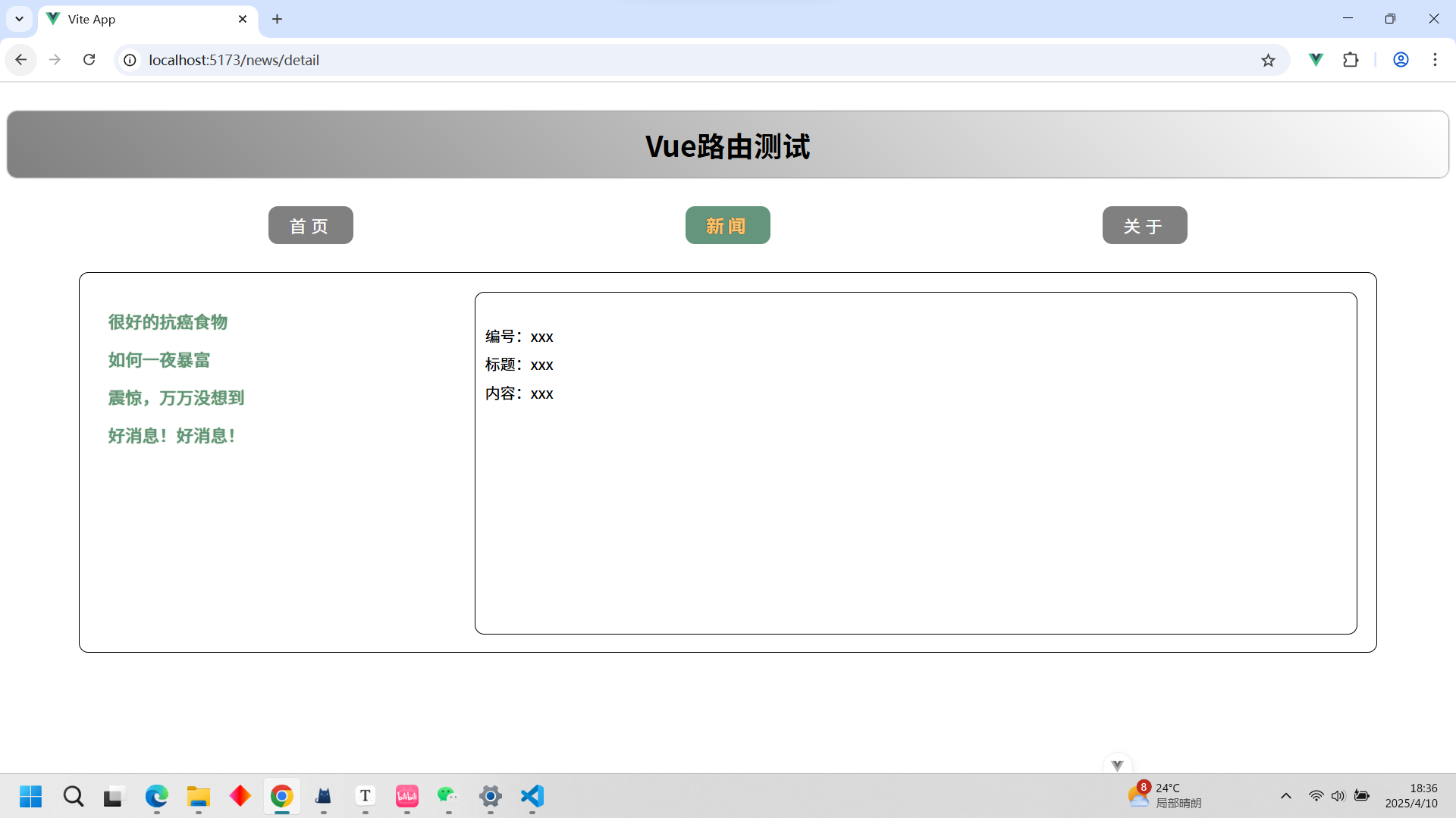
定义Detail组件
<template><ul class="news-list"><li>编号:xxx</li><li>标题:xxx</li><li>内容:xxx</li></ul>
</template><script setup lang="ts" name="About"></script><style scoped>.news-list {list-style: none;padding-left: 20px;}.news-list>li {line-height: 30px;}
</style>
重新编写news.vue
原本全是展示区的news现在有一半是导航区一半是展示区。记得RouterView和RouterLink
<template><div class="news"><!-- 导航区 --><ul><li v-for="news in newsList" :key="news.id"><RouterLink to="/news/detail">{{news.title}}</RouterLink></li></ul><!-- 展示区 --><div class="news-content"><RouterView></RouterView></div></div>
</template><script setup lang="ts" name="News">import {reactive} from 'vue'import {RouterView,RouterLink} from 'vue-router'const newsList = reactive([{id:'asfdtrfay01',title:'很好的抗癌食物',content:'西蓝花'},{id:'asfdtrfay02',title:'如何一夜暴富',content:'学IT'},{id:'asfdtrfay03',title:'震惊,万万没想到',content:'明天是周一'},{id:'asfdtrfay04',title:'好消息!好消息!',content:'快过年了'}])</script><style scoped>
/* 新闻 */
.news {padding: 0 20px;display: flex;justify-content: space-between;height: 100%;
}
.news ul {margin-top: 30px;list-style: none;padding-left: 10px;
}
.news li>a {font-size: 18px;line-height: 40px;text-decoration: none;color: #64967E;text-shadow: 0 0 1px rgb(0, 84, 0);
}
.news-content {width: 70%;height: 90%;border: 1px solid;margin-top: 20px;border-radius: 10px;
}
</style>
router包下的index.js
引入Detail,并定义在news下面,注意语法,记得子组件前面不要 " / "
// 创建一个路由器,并暴露出去// 第一步:引入createRouter
import {createRouter,createWebHistory} from 'vue-router'
// 引入一个一个可能要呈现组件
import Home from '@/components/Home.vue'
import News from '@/components/News.vue'
import About from '@/components/About.vue'
import Detail from '@/components/Detail.vue'// 第二步:创建路由器
const router = createRouter({history:createWebHistory(), //路由器的工作模式(稍后讲解)routes:[ //一个一个的路由规则{name:'home',path:'/home',component:Home},{path:'/news',component:News,children:[{path:'detail',component:Detail}]},{path:'/about',component:About},]
})// 暴露出去router
export default router
路由传参
query参数
我们在上面的案例的基础上加码,我们要实现,点击新闻都每一个新闻,右边的编号那些都会显示对应的信息
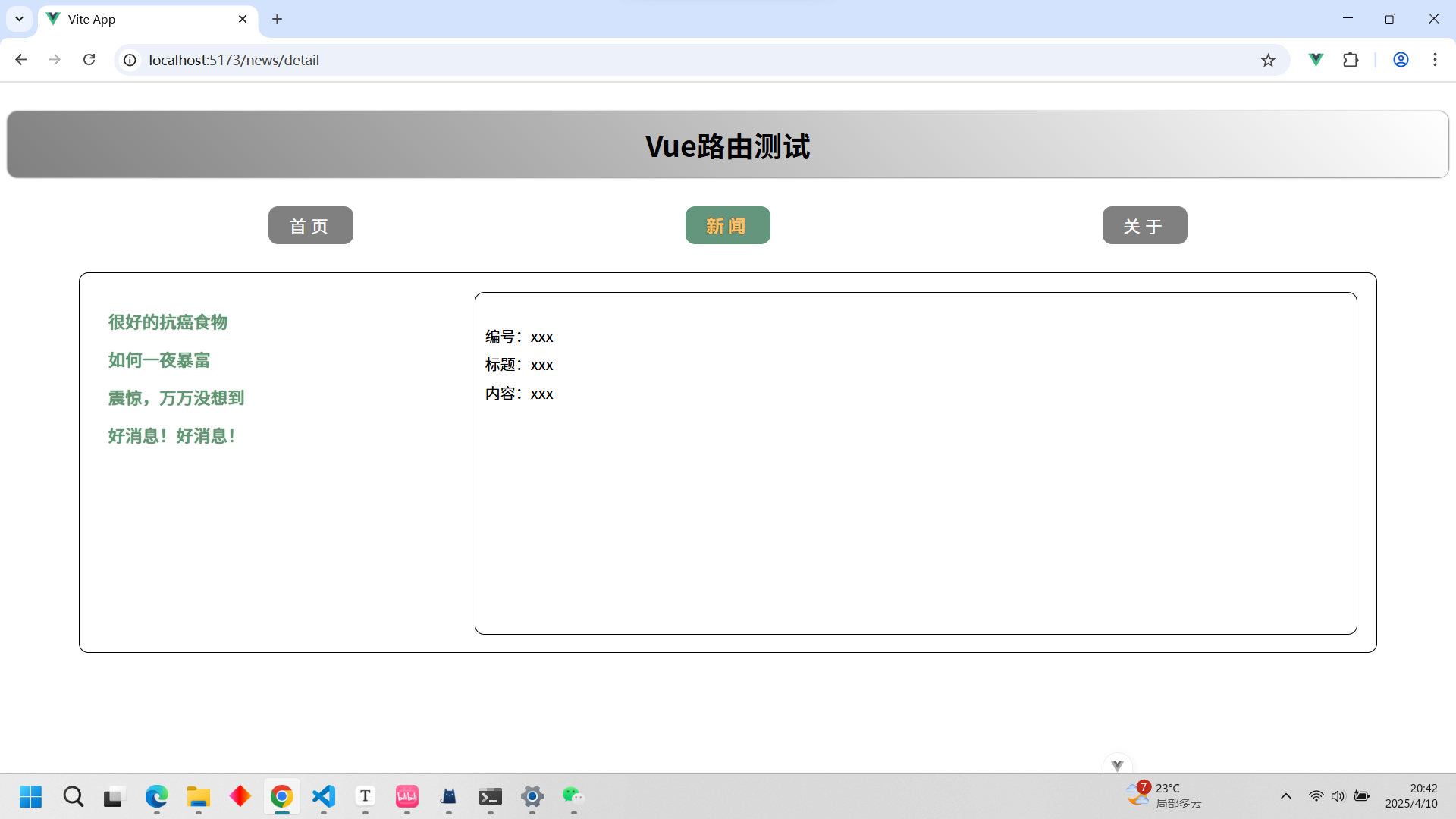
改装news
注意传参的写法,query是参数,路径也是参数
<template><div class="news"><!-- 导航区 --><ul><li v-for="news in newsList" :key="news.id"><!-- 第一种写法 --><!-- <RouterLink :to="`/news/detail?id=${news.id}&title=${news.title}&content=${news.content}`">{{news.title}}</RouterLink> --><!-- 第二种写法 --><RouterLink :to="{path:'/news/detail',query:{id:news.id,title:news.title,content:news.content}}">{{news.title}}</RouterLink></li></ul><!-- 展示区 --><div class="news-content"><RouterView></RouterView></div></div>
</template><script setup lang="ts" name="News">import {reactive} from 'vue'import {RouterView,RouterLink} from 'vue-router'const newsList = reactive([{id:'asfdtrfay01',title:'很好的抗癌食物',content:'西蓝花'},{id:'asfdtrfay02',title:'如何一夜暴富',content:'学IT'},{id:'asfdtrfay03',title:'震惊,万万没想到',content:'明天是周一'},{id:'asfdtrfay04',title:'好消息!好消息!',content:'快过年了'}])</script><style scoped>
/* 新闻 */
.news {padding: 0 20px;display: flex;justify-content: space-between;height: 100%;
}
.news ul {margin-top: 30px;/* list-style: none; */padding-left: 10px;
}
.news li::marker {color: #64967E;
}
.news li>a {font-size: 18px;line-height: 40px;text-decoration: none;color: #64967E;text-shadow: 0 0 1px rgb(0, 84, 0);
}
.news-content {width: 70%;height: 90%;border: 1px solid;margin-top: 20px;border-radius: 10px;
}
</style>
改装detail
接受父组件传来的参数,记得不要直接赋值,要先转换成动态的
<template><ul class="news-list"><li>编号:{{query.id}}</li><li>标题:{{query.title}}</li><li>内容:{{query.content}}</li></ul>
</template><script setup lang="ts" name="About">import {useRoute} from 'vue-router'import {toRefs} from 'vue'let route = useRoute()let {query} = toRefs(route)console.log(query)</script><style scoped>.news-list {list-style: none;padding-left: 20px;}.news-list>li {line-height: 30px;}
</style>
params参数
我们还原到query的前面,这次我们换一个参数来传参,同样实现query的效果
修改news
传递params参数时,若使用to的对象写法,必须使用name配置项,不能用path!!!要用在路由中路径对应起的名字
<template><div class="news"><!-- 导航区 --><ul><li v-for="news in newsList" :key="news.id"><!-- 第二种写法 --><RouterLink :to="{name:'xijie',params:{id: news.id,title: news.title,content: news.content}}">{{news.title}}</RouterLink></li></ul><!-- 展示区 --><div class="news-content"><RouterView></RouterView></div></div>
</template><script setup lang="ts" name="News">import {reactive} from 'vue'import {RouterView,RouterLink} from 'vue-router'const newsList = reactive([{id:'asfdtrfay01',title:'很好的抗癌食物',content:'西蓝花'},{id:'asfdtrfay02',title:'如何一夜暴富',content:'学IT'},{id:'asfdtrfay03',title:'震惊,万万没想到',content:'明天是周一'},{id:'asfdtrfay04',title:'好消息!好消息!',content:'快过年了'}])</script><style scoped>
/* 新闻 */
.news {padding: 0 20px;display: flex;justify-content: space-between;height: 100%;
}
.news ul {margin-top: 30px;/* list-style: none; */padding-left: 10px;
}
.news li::marker {color: #64967E;
}
.news li>a {font-size: 18px;line-height: 40px;text-decoration: none;color: #64967E;text-shadow: 0 0 1px rgb(0, 84, 0);
}
.news-content {width: 70%;height: 90%;border: 1px solid;margin-top: 20px;border-radius: 10px;
}
</style>
修改index.ts
传递params参数时,需要提前在规则中占位。记得起名字,也就是配置name属性
// 创建一个路由器,并暴露出去// 第一步:引入createRouter
import {createRouter,createWebHistory} from 'vue-router'
// 引入一个一个可能要呈现组件
import Home from '@/components/Home.vue'
import News from '@/components/News.vue'
import About from '@/components/About.vue'
import Detail from '@/components/Detail.vue'// 第二步:创建路由器
const router = createRouter({history:createWebHistory(), //路由器的工作模式(稍后讲解)routes:[ //一个一个的路由规则{name:'home',path:'/home',component:Home},{path:'/news',component:News,children:[{name:'xijie',path:'detail/:id/:title/:content',component:Detail}]},{path:'/about',component:About},]
})// 暴露出去router
export default router
修改detail
注意在news中已经将参数放到route里面了
<template><ul class="news-list"><li>编号:{{ route.params.id }}</li><li>标题:{{ route.params.title }}</li><li>内容:{{ route.params.content }}</li></ul>
</template><script setup lang="ts" name="About">import {useRoute} from 'vue-router'import {toRefs} from 'vue'let route = useRoute();console.log(route.params);</script><style scoped>.news-list {list-style: none;padding-left: 20px;}.news-list>li {line-height: 30px;}
</style>
路由的props配置
再次代码恢复到query的时候,我还是想实现query的需求。这是第三种方法。传参的方法。
既然props是路由的配置,那么就是在路由上做文章的。
注意props有三种写法,这里演示两种
写法1
修改index.ts
第一种就是直接让props为true,那么他就是默认的传法,传的是params。
// 创建一个路由器,并暴露出去// 第一步:引入createRouter
import { createRouter, createWebHistory } from 'vue-router'
// 引入一个一个可能要呈现组件
import Home from '@/components/Home.vue'
import News from '@/components/News.vue'
import About from '@/components/About.vue'
import Detail from '@/components/Detail.vue'// 第二步:创建路由器
const router = createRouter({history: createWebHistory(), //路由器的工作模式(稍后讲解)routes: [ //一个一个的路由规则{name: 'home',path: '/home',component: Home},{path: '/news',component: News,children: [{name: 'xijie',path: 'detail/:id/:title/:content',component: Detail,props: true// props(route){//   return route.query// }}]},{path: '/about',component: About},]
})// 暴露出去router
export default router
detail
<template><ul class="news-list"><li>编号:{{ id }}</li><li>标题:{{ title }}</li><li>内容:{{ content }}</li></ul>
</template><script setup lang="ts" name="About">defineProps(['id','title','content'])</script><style scoped>.news-list {list-style: none;padding-left: 20px;}.news-list>li {line-height: 30px;}
</style>
news
将路由传参设置为params
<template><div class="news"><!-- 导航区 --><ul><li v-for="news in newsList" :key="news.id"><!-- 第二种写法 --><RouterLink :to="{name:'xijie',params:{id: news.id,title: news.title,content: news.content}}">{{news.title}}</RouterLink></li></ul><!-- 展示区 --><div class="news-content"><RouterView></RouterView></div></div>
</template><script setup lang="ts" name="News">import {reactive} from 'vue'import {RouterView,RouterLink} from 'vue-router'const newsList = reactive([{id:'asfdtrfay01',title:'很好的抗癌食物',content:'西蓝花'},{id:'asfdtrfay02',title:'如何一夜暴富',content:'学IT'},{id:'asfdtrfay03',title:'震惊,万万没想到',content:'明天是周一'},{id:'asfdtrfay04',title:'好消息!好消息!',content:'快过年了'}])</script><style scoped>
/* 新闻 */
.news {padding: 0 20px;display: flex;justify-content: space-between;height: 100%;
}
.news ul {margin-top: 30px;/* list-style: none; */padding-left: 10px;
}
.news li::marker {color: #64967E;
}
.news li>a {font-size: 18px;line-height: 40px;text-decoration: none;color: #64967E;text-shadow: 0 0 1px rgb(0, 84, 0);
}
.news-content {width: 70%;height: 90%;border: 1px solid;margin-top: 20px;border-radius: 10px;
}
</style>
写法2
修改index.js
第二种就是将props写成函数,函数的形参就是route,那么我们就可以返回route里面的东西,包括params和query
// 创建一个路由器,并暴露出去// 第一步:引入createRouter
import { createRouter, createWebHistory } from 'vue-router'
// 引入一个一个可能要呈现组件
import Home from '@/components/Home.vue'
import News from '@/components/News.vue'
import About from '@/components/About.vue'
import Detail from '@/components/Detail.vue'// 第二步:创建路由器
const router = createRouter({history: createWebHistory(), //路由器的工作模式(稍后讲解)routes: [ //一个一个的路由规则{name: 'home',path: '/home',component: Home},{path: '/news',component: News,children: [{name: 'xijie',path: 'detail',component: Detail,// props: trueprops(route){return route.query}}]},{path: '/about',component: About},]
})// 暴露出去router
export default router
修改news
将路由传参设置为query
<template><div class="news"><!-- 导航区 --><ul><li v-for="news in newsList" :key="news.id"><!-- 第二种写法 --><RouterLink :to="{name:'xijie',query:{id: news.id,title: news.title,content: news.content}}">{{news.title}}</RouterLink></li></ul><!-- 展示区 --><div class="news-content"><RouterView></RouterView></div></div>
</template><script setup lang="ts" name="News">import {reactive} from 'vue'import {RouterView,RouterLink} from 'vue-router'const newsList = reactive([{id:'asfdtrfay01',title:'很好的抗癌食物',content:'西蓝花'},{id:'asfdtrfay02',title:'如何一夜暴富',content:'学IT'},{id:'asfdtrfay03',title:'震惊,万万没想到',content:'明天是周一'},{id:'asfdtrfay04',title:'好消息!好消息!',content:'快过年了'}])</script><style scoped>
/* 新闻 */
.news {padding: 0 20px;display: flex;justify-content: space-between;height: 100%;
}
.news ul {margin-top: 30px;/* list-style: none; */padding-left: 10px;
}
.news li::marker {color: #64967E;
}
.news li>a {font-size: 18px;line-height: 40px;text-decoration: none;color: #64967E;text-shadow: 0 0 1px rgb(0, 84, 0);
}
.news-content {width: 70%;height: 90%;border: 1px solid;margin-top: 20px;border-radius: 10px;
}
</style>
相关文章:
前端-Vue3
1. Vue3简介 2020年9月18日,Vue.js发布版3.0版本,代号:One Piece(n 经历了:4800次提交、40个RFC、600次PR、300贡献者 官方发版地址:Release v3.0.0 One Piece vuejs/core 截止2023年10月,最…...

Facebook账号类型一览
对于跨境出海从业者来说,Facebook是必不可少的内容营销和广告投放平台。针对Facebook的营销策略和发挥空间都很丰富,因此了解Facebook账号的类型、特点、适用场景和相关工具还是很有用的。 一、账号类型及特点 1.小黑号 无主页、无好友、无历史操作&am…...

Kotlin 通用请求接口设计:灵活处理多样化参数
在 Kotlin 中设计一个通用的 ControlParams 类来处理不同的控制参数,有几种常见的方法:方案1:使用密封类(Sealed Class) sealed class ControlParamsdata class LightControlParams(val brightness: Int,val color: S…...

Java学习手册:Java基本语法与数据类型
Java语言以其简洁明了的语法和强大的数据类型系统而闻名。掌握Java的基本语法和数据类型是成为一名合格Java开发者的第一步。本文将深入探讨Java的基本语法结构和数据类型,帮助读者打下坚实的基础。 Java的基本语法 Java语言的语法设计简洁而强大,强调…...
通过扣子平台将数据写入飞书多维表格
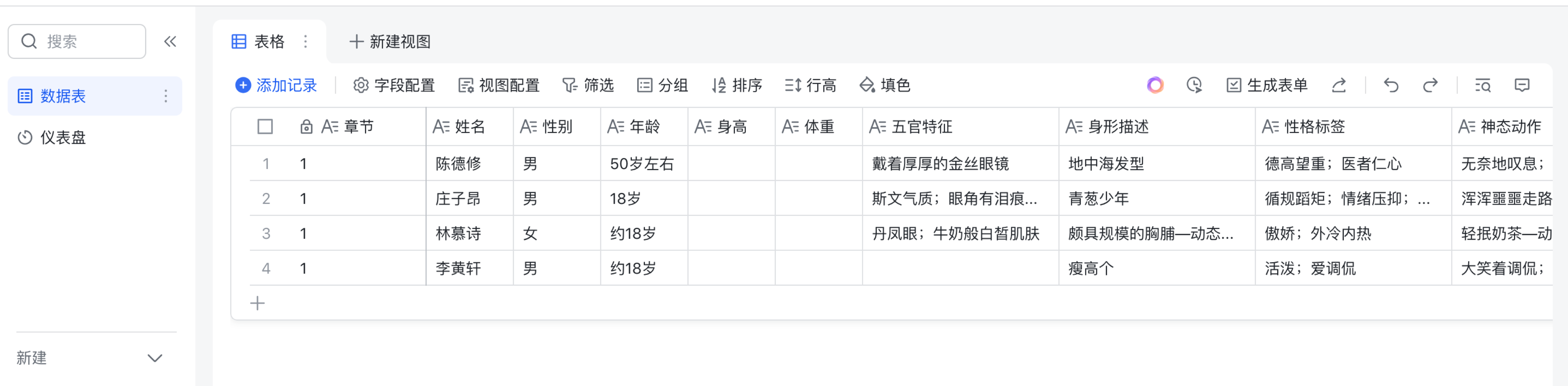
目录 1.1 创建飞书开放平台应用 1.2 创建飞书多维表格 1.3 创建扣子平台插件 1.1 创建飞书开放平台应用 1.1.1 打开地址:飞书开放平台,点击创建应用 注:商店应用需要申请ISV资质,填写企业主体信息,个人的话&#x…...
C++-Mongoose(2)-https-server-openssl
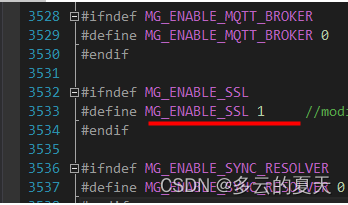
OpenSSL生成HTTPS自签名证书 - 简书 1.Openssl windowsubuntu下载http://www.openssl.vip/download1.VS2019编译OpenSSL 2.VS2019编译第一个OpenSSL项目 1.ubuntu编译OpenSSL 3.0 2.编写第一个OpenSSL 1.windows下编译OpenSSL 安装vs2019 perl nasm安装activePerl…...
)
【GDB】调试程序的基本命令和用法(Qt程序为例)
1. 引言 GDB(GNU Debugger)是一个强大的命令行调试工具,它可以帮助开发者在程序运行时查找和修复错误。当调试Qt程序时,GDB同样适用,并且能够帮助开发者定位诸如数组越界挂死等复杂问题。 2. 基本命令 2.1 启动GDB …...

力扣DAY46-50 | 热100 | 二叉树:展开为链表、pre+inorder构建、路径总和、最近公共祖先、最大路径和
前言 中等 、困难 √,越来越有手感了,二叉树done! 二叉树展开为链表 我的题解 前序遍历树,当遇到左子树为空时,栈里pop节点,取右子树接到左子树位置,同时断开该右子树与父节点的连接&#x…...
服务器DNS失效
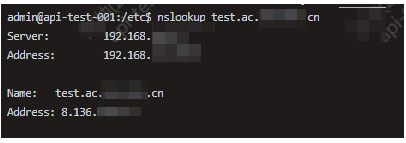
服务器异常 xx.t.RequestException: java.net.UnknownHostException: test.ac.xxxx.cn现象分析 本地测试正常,说明域名本身无问题。服务器 DNS 解析异常,导致 UnknownHostException。**服务器可正常解析 ****baidu.com**,说明网络正常&#…...
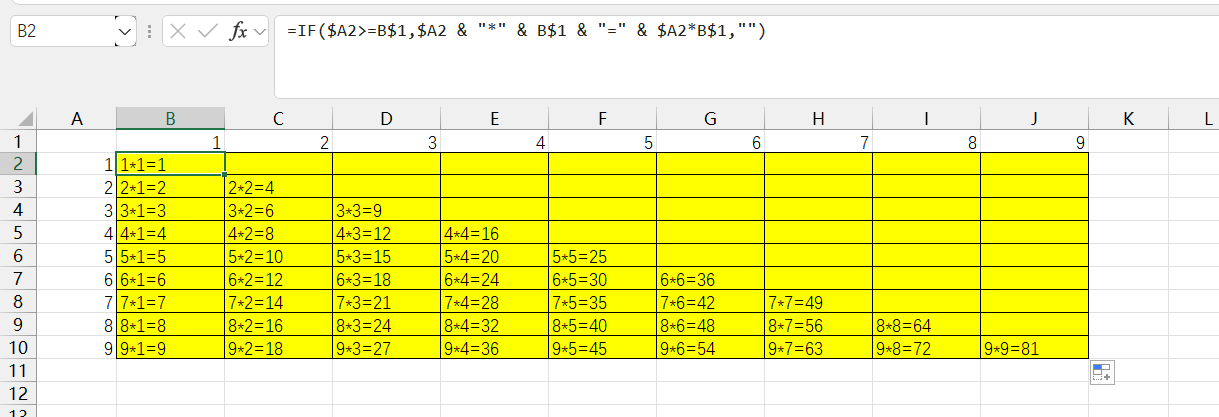
用excel做九乘九乘法表
公式: IF($A2>B 1 , 1, 1,A2 & “" & B$1 & “” & $A2B$1,”")...
企业数据安全如何保障?深度解析AIGC系统源码本地化部署
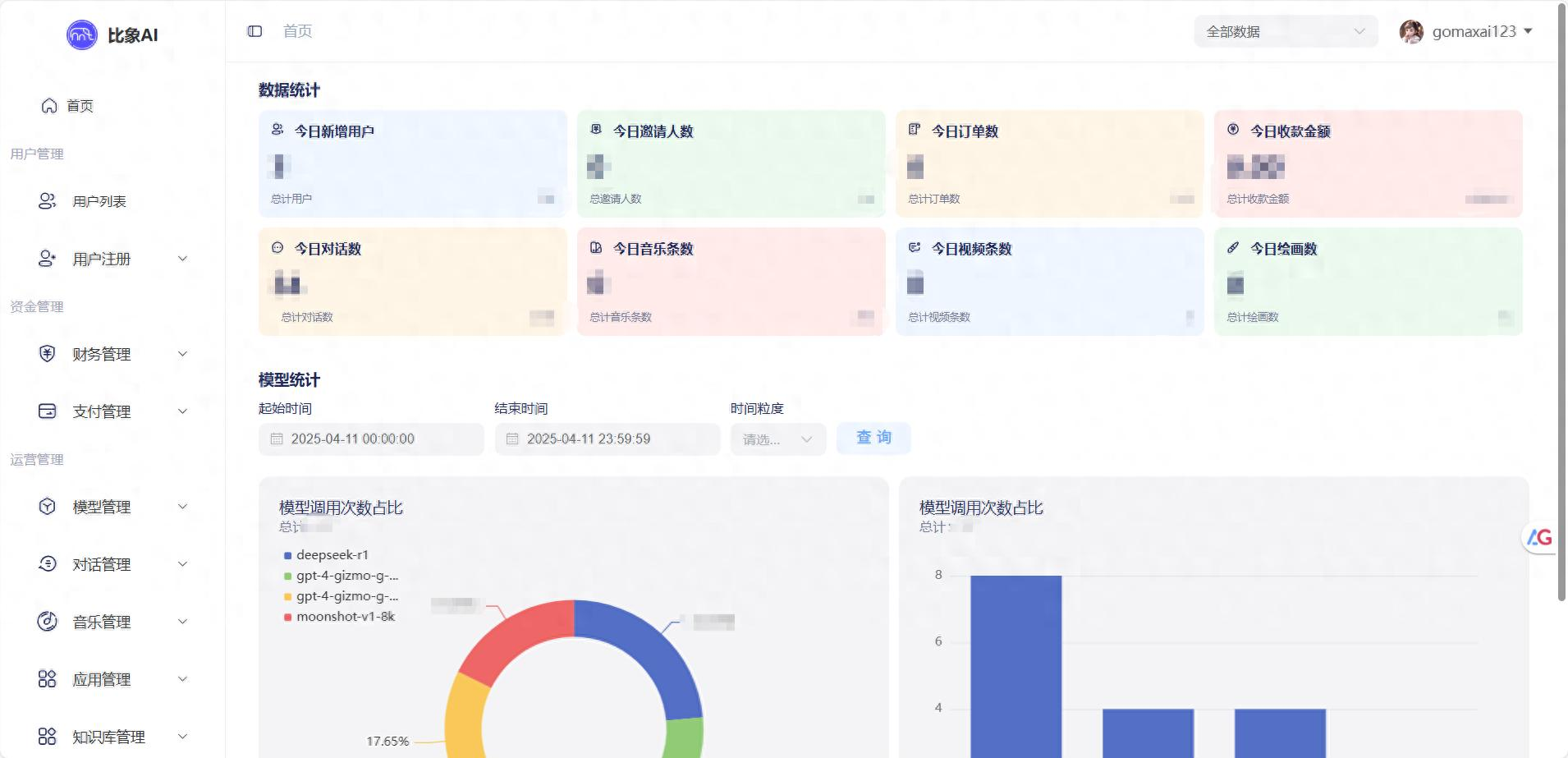
—从数据加密到权限管控,构建企业级AI安全防线 企业AIGC面临的5大数据安全风险 1. 数据出境违规 典型场景: 使用ChatGPT处理客户信息 → 数据经美国服务器中转 → 违反《个人信息保护法》第38条某金融公司因通过Midjourney生成宣传图,导致产…...

《妖风》-来自DeepSeek
《妖风》 周明揉了揉酸胀的眼睛,电脑屏幕上的Excel表格已经模糊成一片绿色的小格子。窗外,三月的阳光懒洋洋地洒进来,带着春天特有的那种让人昏昏欲睡的温暖。办公室里中央空调的嗡嗡声像是一首催眠曲,他的眼皮越来越重。 "…...

鬼泣:蓄力攻击
文章目录 蓄力攻击:有两个动作,蓄力时触发蓄力动作,攻击时触发攻击动作1.蓄力动作2.攻击动作 浮空上挑1.蓄力对齐位置 2.攻击 下劈斩1.蓄力对齐位置 2.攻击 beiwuf debug事件分发器发送:调用发送器即可发送消息接收:绑…...

企业指标设计方法指南
该文档聚焦企业指标设计方法,适用于企业中负责战略规划、业务运营、数据分析、指标管理等相关工作的人员,如企业高管、部门经理、数据分析师等。 主要内容围绕指标设计展开:首先指出指标设计面临的困境,包括权责不清、口径不统一、缺乏标准规范、报表体系混乱、指标…...

CSS学习02 动态列数表格开发,解决多组数据布局与边框重合问题
概要 在前端开发中,表格常用于展示结构化数据。当数据组的字段数量不统一时(如有的行包含 3 组数据,有的行包含 2 组或 1 组),传统固定列数的表格会出现结构错位、边框重合等问题。本文通过 HTML/CSS 规范方法&#x…...

加载js/mjs模块时服务器返回的 MIME 类型不对导致模块被拒绝执行
浏览器报错 Failed to load module script: The server responded with a non-JavaScript MIME type of "text/html". Strict MIME type checking is enforced for module scripts per HTML spec.Understand this errorAI 核心问题 浏览器加载模块脚本(如…...

大唐杯省赛安排来了!还有7天,该如何准备?
(一)赛道一:工程实践赛 1、理论赛阶段由参赛队伍使用两台电脑分别登录学唐平台作答,仿真实践赛阶段为参赛队伍共用一台电脑,以竞赛小组方式共同作答(按照报名顺序,用第1选手账号登录仿真平台)。最终统计理…...

iframe学习与应用场景指南
一、iframe核心原理与学习路径 1. 嵌套网站的本质原理 技术特性: • 浏览器为每个iframe创建独立的window对象和DOM环境 • 资源独立加载:子页面拥有自己的CSS/JS/Cookie作用域 • 跨域限制:同源策略下无法直接访问DOM(需CORS或…...
WebGL数学手记:矩阵基础
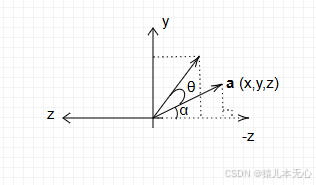
一、矩阵的定义 矩阵,数学术语。在数学中,矩阵(Matrix)是一个按照长方阵列排列的复数或实数集合。 1.英文发音(Matrix) Matrix的发音类似于中文的[美吹克斯],知道它的发音。方便后期看教程时…...

IO流——字符输入输出流:FileReader FileWriter
一、文件字符输入流:FileReader 作用:以内存为基准,可以把文件中的数据以字符的形式读入到内存中去 public class Test5 {public static void main(String[] args) {try (Reader fr new FileReader("E:\\IDEA\\JavaCodeAll\\file-io-t…...
Graphpad Prism for Mac医学绘图
Graphpad Prism for Mac医学绘图 一、介绍 GraphPad Prism for Mac是一款功能强大、易于使用的科学和统计分析软件,适用于各种类型的数据处理和可视化需求。无论您是进行基础研究、临床试验还是学术写作,GraphPad Prism for Mac都能为您短时间内做出最…...
使用人工智能大模型腾讯元宝,如何免费快速做高质量的新闻稿?
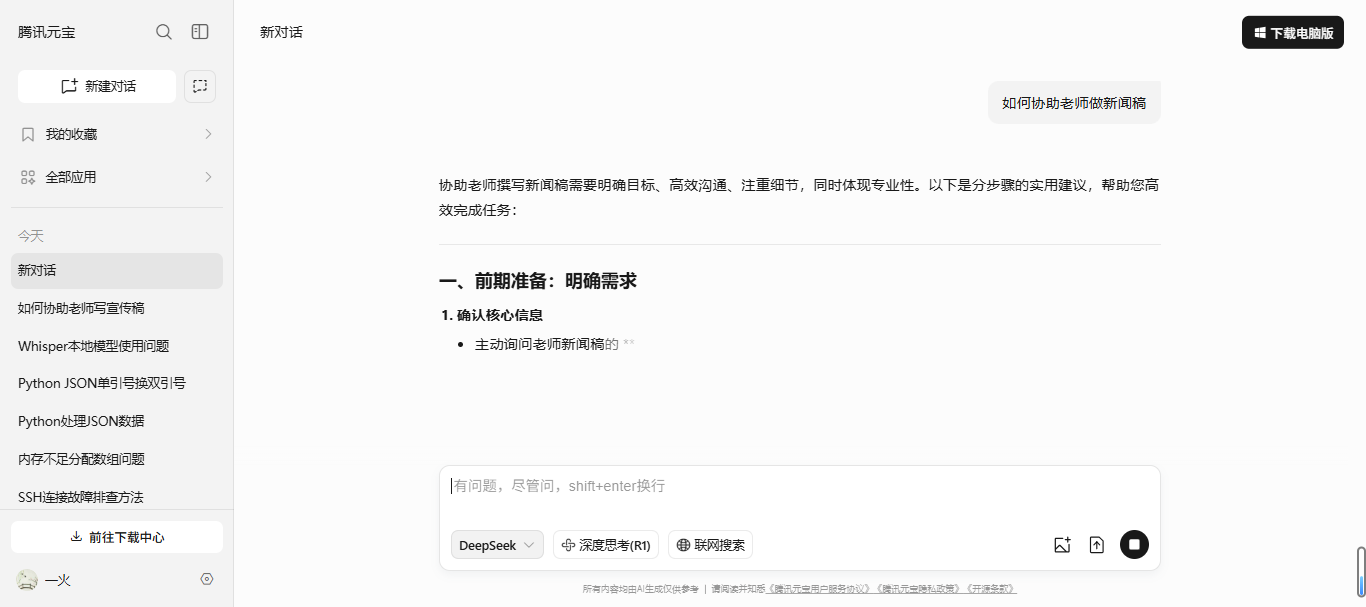
今天我们学习使用人工智能大模型腾讯元宝,如何免费快速做高质量的新闻稿? 手把手学习视频地址:https://edu.csdn.net/learn/40402/666431 第一步在腾讯元宝对话框中输入如何协助老师做新闻稿,通过提问,我们了解了老师…...

破解root密码
一、背景: 必须是服务器的管理者,涉及重启服务器 二、破解过程: 1)重启系统,进入 救援模式 开机过程中,按e进入救援模式 在linux开头的该行,将此行的ro修改为rw 然后空格输入 rd.break 按 ctrl x 启动,…...

嵌入式---烧录器
一、核心定义与本质功能 烧录器(Programmer)是一种将用户编写的程序代码(如.hex/.bin文件)写入单片机内部存储器(Flash/EEPROM/ROM)的专用工具,核心功能包括: 程序烧写:…...

机器学习 | 强化学习基本原理 | MDP | TD | PG | TRPO
文章目录 📚什么是强化学习🐇监督学习 vs 强化学习🐇马尔科夫决策过程(MDP)📚基本算法(value-based & policy-based)🐇时序差分算法(TD)🐇SARSA和Q-learning🐇策略梯度算法(PG)🐇REINFORCE和Actor-Critic🐇信任区域策略优化算法(TRPO)⭐️参考…...

Spring中使用Kafka的详细配置,以及如何集成 KRaft 模式的 Kafka
在 Spring 中使用 Apache Kafka 的配置主要涉及 Spring Boot Starter for Kafka,而开启 KRaft 模式(Kafka 的元数据管理新模式,替代 ZooKeeper)需要特定的 Kafka Broker 配置。以下是详细步骤: 一、Spring 中集成 …...

llinux上的pip国内镜像全局配置
1、创建全局 pip 配置文件(推荐) sudo tee /etc/pip.conf <<EOF [global] index-url https://pypi.tuna.tsinghua.edu.cn/simple trusted-host pypi.tuna.tsinghua.edu.cn EOF2、验证配置 任意用户运行以下命令应显示配置的镜像: …...

ASEG的鉴定
等位基因特异性表达(Allele-Specific Expression, ASE)基因的鉴定是研究杂种优势和基因表达调控的重要手段。以下是鉴定ASE基因的详细流程和方法: ### **1. 实验设计与样本准备** - **选择材料**:选择杂交种及其亲本作为研究材料。例如,玉米中的B73和Mo17及其杂交组合B73…...

swift菜鸟教程14(闭包)
一个朴实无华的目录 今日学习内容:1.Swift 闭包1.1闭包定义1.2闭包实例1.3闭包表达式1.3.1sorted 方法:据您提供的用于排序的闭包函数将已知类型数组中的值进行排序。1.3.2参数名称缩写:直接通过$0,$1,$2来顺序调用闭包的参数。1.3.3运算符函…...
新手宝塔部署thinkphp一步到位
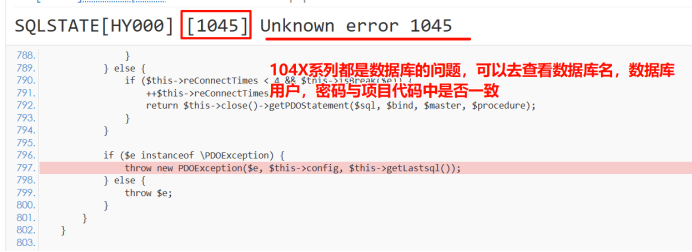
目录 一、下载对应配置 二、加载数据库 三、添加FTP 四、上传项目到宝塔 五、添加站点 六、配置伪静态 七、其他配置 开启监控 八、常见错误 一、打开宝塔页面,下载对应配置。 二、加载数据库 从本地导入数据库文件 三、添加FTP 四、上传项目到宝塔…...