
QT数据库编程
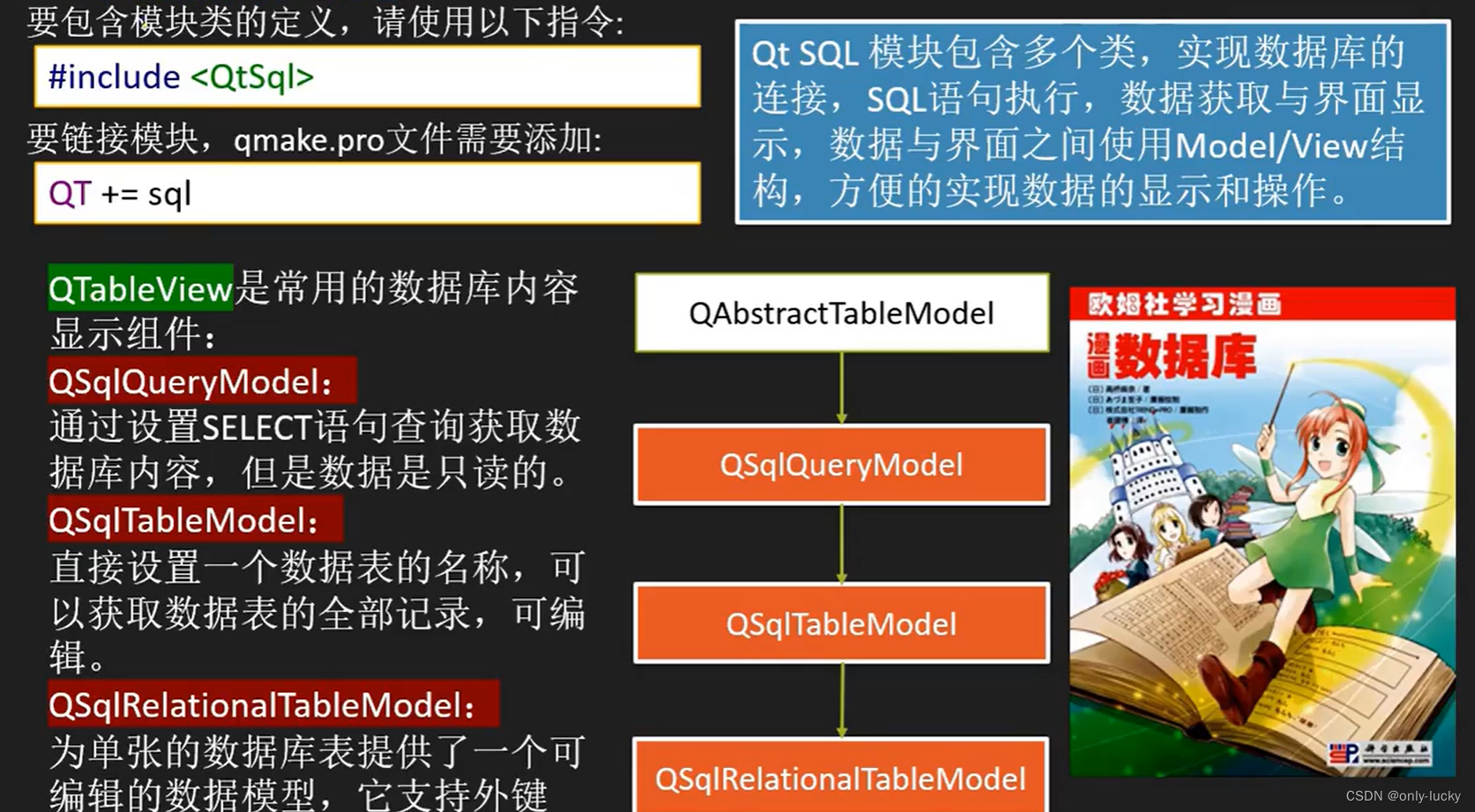
ui界面
mainwindow.cpp
#include "mainwindow.h"
#include "ui_mainwindow.h"
#include <QButtonGroup>
#include <QFileDialog>
#include <QMessageBox>
MainWindow::MainWindow(QWidget* parent): QMainWindow(parent), ui(new Ui::MainWindow)
{ui->setupUi(this);//    this->setCentralWidget(ui->splitter);ui->tableView->setSelectionMode(QAbstractItemView::SingleSelection); //设置择的模式只可以选中一个ui->tableView->setAlternatingRowColors(true); //设置不同行颜色//设置分组QButtonGroup* group = new QButtonGroup(this);group->addButton(ui->radioButton);group->addButton(ui->radioButton_2);
}MainWindow::~MainWindow()
{delete ui;
}void MainWindow::on_pushButton_clicked()
{QString file = QFileDialog::getOpenFileName(this, "选择文件", "../", "SQLITE(*.*)");if (file.isEmpty())return;db = QSqlDatabase::addDatabase("QSQLITE"); //添加驱动db.setDatabaseName(file); //加入文件if (!db.open())QMessageBox::warning(this, "错误", "打开失败");else {openTable(); //打开数据库表格}qDebug() << "完成";
}void MainWindow::do_current_changed(const QModelIndex& current, const QModelIndex&)
{Q_UNUSED(current);qDebug() << "当前改变";ui->pushButton_8->setEnabled(tabModel->isDirty()); //是改过的
}void MainWindow::do_current_row_changed(const QModelIndex& current, const QModelIndex&)
{qDebug() << "点击了单元格";if (!current.isValid()) {ui->label_10->clear();return;}ui->pushButton_8->setEnabled(true);//映射dataMapper->setCurrentIndex(current.row());QSqlRecord curRecord = tabModel->record(current.row());if (!curRecord.isEmpty()) {qDebug() << "数据" << curRecord;}
}void MainWindow::openTable()
{//创建模型,打开数据库表格tabModel = new QSqlTableModel(this, db);tabModel->setTable("test"); //设置数据库表名称tabModel->setEditStrategy(QSqlTableModel::OnManualSubmit); //手动提交tabModel->setSort(tabModel->fieldIndex("id"), Qt::DescendingOrder); //按id 降序排序, 升序 AscendingOrderif (!tabModel->select()) {QMessageBox::critical(this, "错误", tabModel->lastError().text());}ui->statusbar->showMessage(QString("记录条数为 %1").arg(tabModel->rowCount()));//设置字段显示的标题tabModel->setHeaderData(tabModel->fieldIndex("id"), Qt::Horizontal, "ID号");tabModel->setHeaderData(tabModel->fieldIndex("name"), Qt::Horizontal, "姓名");// model /viewselModel = new QItemSelectionModel(tabModel, this);ui->tableView->setModel(tabModel);ui->tableView->setSelectionModel(selModel); //注意:必须先设置模型在设置选择模型,否则不生效//    ui->tableView->setColumnHidden(tabModel->fieldIndex("id"), true); //隐藏数据//代理QStringList str;str << "男"<< "女";delegateSex.setItems(str, false);ui->tableView->setItemDelegateForColumn(tabModel->fieldIndex("name"), &delegateSex);//字段与widget映射dataMapper = new QDataWidgetMapper(this);dataMapper->setModel(tabModel);dataMapper->setSubmitPolicy(QDataWidgetMapper::AutoSubmit); //数据自动提交dataMapper->addMapping(ui->spinBox, tabModel->fieldIndex("id"));dataMapper->addMapping(ui->lineEdit, tabModel->fieldIndex("name"));dataMapper->toFirst(); //显示第一条记录// 状态发生变化//    ui->pushButton->setEnabled(false);//获取字段名更新QSqlRecord emptyRec = tabModel->record();qDebug() << "emptyRec = " << emptyRec;for (int i = 0; i < emptyRec.count(); ++i) {ui->comboBox->addItem(emptyRec.fieldName(i));}//信号连接connect(selModel, &QItemSelectionModel::currentChanged, this, &MainWindow::do_current_changed);connect(selModel, &QItemSelectionModel::currentRowChanged, this, &MainWindow::do_current_row_changed);
}void MainWindow::on_pushButton_3_clicked()
{QModelIndex index = ui->tableView->currentIndex();QSqlRecord rec = tabModel->record();rec.setValue(tabModel->fieldIndex("name"), "王五");tabModel->insertRecord(index.row(), rec);selModel->clearSelection();selModel->setCurrentIndex(tabModel->index(tabModel->rowCount() - 1, 1), QItemSelectionModel::Select);//更新状态栏ui->statusbar->showMessage(QString("记录条数为 %1").arg(tabModel->rowCount()));
}void MainWindow::on_pushButton_2_clicked()
{QSqlRecord rec = tabModel->record();rec.setValue(tabModel->fieldIndex("name"), "王五");tabModel->insertRecord(tabModel->rowCount(), rec);selModel->clearSelection();selModel->setCurrentIndex(tabModel->index(tabModel->rowCount() - 1, 1), QItemSelectionModel::Select);//更新状态栏ui->statusbar->showMessage(QString("记录条数为 %1").arg(tabModel->rowCount()));
}void MainWindow::on_pushButton_4_clicked()
{QModelIndex index = ui->tableView->currentIndex();tabModel->removeRow(index.row());ui->statusbar->showMessage(QString("记录条数为 %1").arg(tabModel->rowCount()));
}void MainWindow::on_pushButton_5_clicked()
{QString aFile = QFileDialog::getOpenFileName(this, "选择图片", "", "(*.jpg)");if (aFile.isEmpty())return;QFile* file = new QFile(aFile, this);if (file->open(QIODevice::ReadOnly)) {QByteArray arr = file->readAll();file->close();QSqlRecord rec = tabModel->record(selModel->currentIndex().row());rec.setValue("photh", arr); //设置数据tabModel->setRecord(selModel->currentIndex().row(), rec); //设置行数据QPixmap pix;pix.load(aFile); //加载图片ui->label_10->setPixmap(pix.scaledToWidth(pix.width()));}
}void MainWindow::on_pushButton_6_clicked()
{QSqlRecord rec = tabModel->record(selModel->currentIndex().row());rec.setNull("photh");tabModel->setRecord(selModel->currentIndex().row(), rec);ui->label_10->clear();
}void MainWindow::on_pushButton_7_clicked()
{if (tabModel->rowCount() == 0)return;for (int i = 0; i < tabModel->rowCount(); ++i) {QSqlRecord rec = tabModel->record(i);rec.setValue("name", rec.value("name").toInt() + 100);tabModel->setRecord(i, rec);}if (tabModel->submitAll()) { // submit不成功,需要allQMessageBox::information(this, "成功", "涨工资成功");}
}void MainWindow::on_pushButton_8_clicked()
{bool ret = tabModel->submitAll();if (!ret) {QMessageBox::critical(this, "失败", "保存失败");}
}void MainWindow::on_pushButton_9_clicked()
{tabModel->revertAll(); //还原
}void MainWindow::on_comboBox_currentIndexChanged(int index)
{if (ui->radioButton->isChecked()) {tabModel->sort(index, Qt::AscendingOrder);} else {tabModel->sort(index, Qt::DescendingOrder);}tabModel->select();
}void MainWindow::on_radioButton_clicked()
{try {tabModel->sort(ui->comboBox->currentIndex(), Qt::AscendingOrder); // sort不需要select} catch (QException err) {qDebug() << err.what();}
}void MainWindow::on_radioButton_2_clicked()
{try {tabModel->sort(ui->comboBox->currentIndex(), Qt::DescendingOrder); // sort不需要select} catch (QException err) {qDebug() << err.clone();}
}void MainWindow::on_radioButton_3_clicked()
{tabModel->setFilter("name='12'");ui->statusbar->showMessage(QString("记录条数为 %1").arg(tabModel->rowCount()));
}void MainWindow::on_radioButton_4_clicked()
{tabModel->setFilter("name='张三'");ui->statusbar->showMessage(QString("记录条数为 %1").arg(tabModel->rowCount()));
}void MainWindow::on_radioButton_5_clicked()
{tabModel->setFilter("");ui->statusbar->showMessage(QString("记录条数为 %1").arg(tabModel->rowCount()));
}
mainwindow.h
#ifndef MAINWINDOW_H
#define MAINWINDOW_H#include "tcomboxdelegate.h"
#include <QDataWidgetMapper>
#include <QMainWindow>
#include <QSql>
#include <QSqlTableModel>
#include <QtSql>
QT_BEGIN_NAMESPACE
namespace Ui {
class MainWindow;
}
QT_END_NAMESPACEclass MainWindow : public QMainWindow {Q_OBJECTpublic:MainWindow(QWidget* parent = nullptr);~MainWindow();private slots:void on_pushButton_clicked();void do_current_changed(const QModelIndex& current, const QModelIndex& previous);void do_current_row_changed(const QModelIndex& current, const QModelIndex& previous);void on_pushButton_3_clicked();void on_pushButton_2_clicked();void on_pushButton_4_clicked();void on_pushButton_5_clicked();void on_pushButton_6_clicked();void on_pushButton_7_clicked();void on_pushButton_8_clicked();void on_pushButton_9_clicked();void on_comboBox_currentIndexChanged(int index);void on_radioButton_clicked();void on_radioButton_2_clicked();void on_radioButton_3_clicked();void on_radioButton_4_clicked();void on_radioButton_5_clicked();private:Ui::MainWindow* ui;QSqlTableModel* tabModel;QDataWidgetMapper* dataMapper;QItemSelectionModel* selModel;QSqlDatabase db;TComBoxDelegate delegateSex;TComBoxDelegate deleagteDepart;void openTable();
};
#endif // MAINWINDOW_H
tcomboxdelegate.cpp
#include "tcomboxdelegate.h"
#include <QComboBox>
TComBoxDelegate::TComBoxDelegate(QObject* parent): QStyledItemDelegate { parent }
{
}
QWidget* TComBoxDelegate::createEditor(QWidget* parent, const QStyleOptionViewItem& option, const QModelIndex& index) const
{QComboBox* editor = new QComboBox(parent);editor->setEditable(m_editable);qDebug() << m_itemList.size();for (auto item : m_itemList) {editor->addItem(item);}return editor;
}void TComBoxDelegate::setEditorData(QWidget* editor, const QModelIndex& index) const
{QComboBox* box = dynamic_cast<QComboBox*>(editor); //把editor转为指向QSpinBox的指针 动态强转QString value = index.model()->data(index, Qt::DisplayRole).toString();box->setCurrentText(value);
}void TComBoxDelegate::setModelData(QWidget* editor, QAbstractItemModel* model, const QModelIndex& index) const
{QComboBox* box = dynamic_cast<QComboBox*>(editor); //把editor转为指向QSpinBox的指针 动态强转QString value = box->currentText();model->setData(index, value);
}void TComBoxDelegate::updateEditorGeometry(QWidget* editor, const QStyleOptionViewItem& option, const QModelIndex& index) const
{editor->setGeometry(option.rect);
}void TComBoxDelegate::setItems(QStringList list, bool editabale)
{m_itemList = list;m_editable = editabale;
}
tcomboxdelegate.h
#ifndef TCOMBOXDELEGATE_H
#define TCOMBOXDELEGATE_H#include <QObject>
#include <QStyledItemDelegate>class TComBoxDelegate : public QStyledItemDelegate {Q_OBJECT
public:explicit TComBoxDelegate(QObject* parent = nullptr);// QAbstractItemDelegate interface
public:virtual QWidget* createEditor(QWidget* parent, const QStyleOptionViewItem& option, const QModelIndex& index) const override;virtual void setEditorData(QWidget* editor, const QModelIndex& index) const override;virtual void setModelData(QWidget* editor, QAbstractItemModel* model, const QModelIndex& index) const override;virtual void updateEditorGeometry(QWidget* editor, const QStyleOptionViewItem& option, const QModelIndex& index) const override;void setItems(QStringList list, bool editabale);private:QStringList m_itemList;bool m_editable;
};#endif // TCOMBOXDELEGATE_H
QSqlQueryModel模块使用
相关文章:
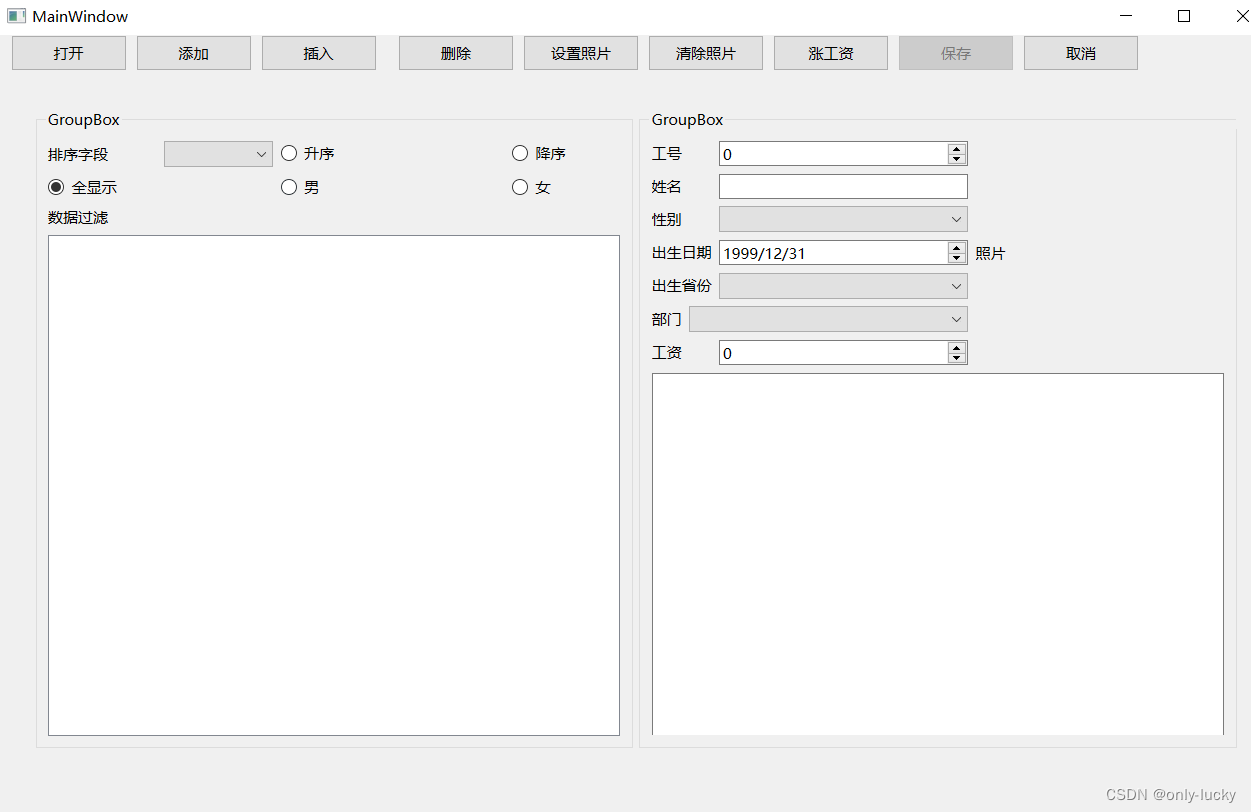
QT数据库编程
ui界面 mainwindow.cpp #include "mainwindow.h" #include "ui_mainwindow.h" #include <QButtonGroup> #include <QFileDialog> #include <QMessageBox> MainWindow::MainWindow(QWidget* parent): QMainWindow(parent), ui(new Ui::M…...
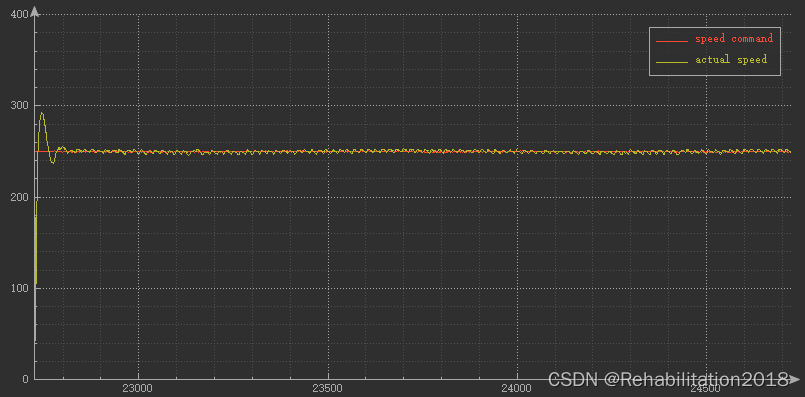
基于stm32单片机的直流电机速度控制——LZW
提示:文章写完后,目录可以自动生成,如何生成可参考右边的帮助文档 目录 一、实验目的二、实验方法三、实验设计1.实验器材2.电路连接3.软件设计(1)实验变量(2)功能模块a)电机接收信号…...

实际项目中使用mockjs模拟数据
项目中的痛点 自己模拟的数据对代码的侵入程度太高,接口完成后要删掉对应的代码,导致接口开发完后端同事开发完,前端自己得加班;接口联调的时间有可能会延期,接口完成的质量参差不齐;对于数据量过大的模拟…...
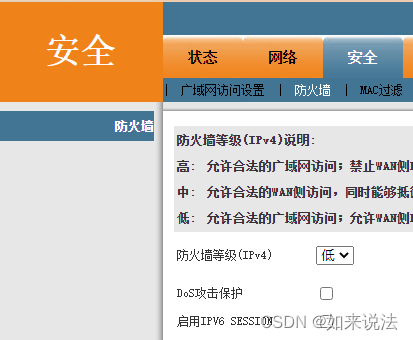
【家庭公网IPv6】
家庭公网IPv6 这里有两个网站: 1、 IPV6版、多地Tcping、禁Ping版、tcp协议、tcping、端口延迟测试,在本机搭建好服务器后,可以用这个测试外网是否可以访问本机; 2、 IP查询ipw.cn,这个可以查询本机的网络是否IPv6访问…...

【iOS】Frame与Bounds的区别详解
iOS的坐标系 iOS特有的坐标是,是在iOS坐标系的左上角为坐标原点,往右为X正方向,向下为Y正方向。 bounds和frame都是属于CGRect类型的结构体,系统的定义如下,包含一个CGPoint(起点)和一个CGSiz…...
SpringBoot百货超市商城系统 附带详细运行指导视频
文章目录 一、项目演示二、项目介绍三、运行截图四、主要代码 一、项目演示 项目演示地址: 视频地址 二、项目介绍 项目描述:这是一个基于SpringBoot框架开发的百货超市系统。首先,这是一个很适合SpringBoot初学者学习的项目,代…...
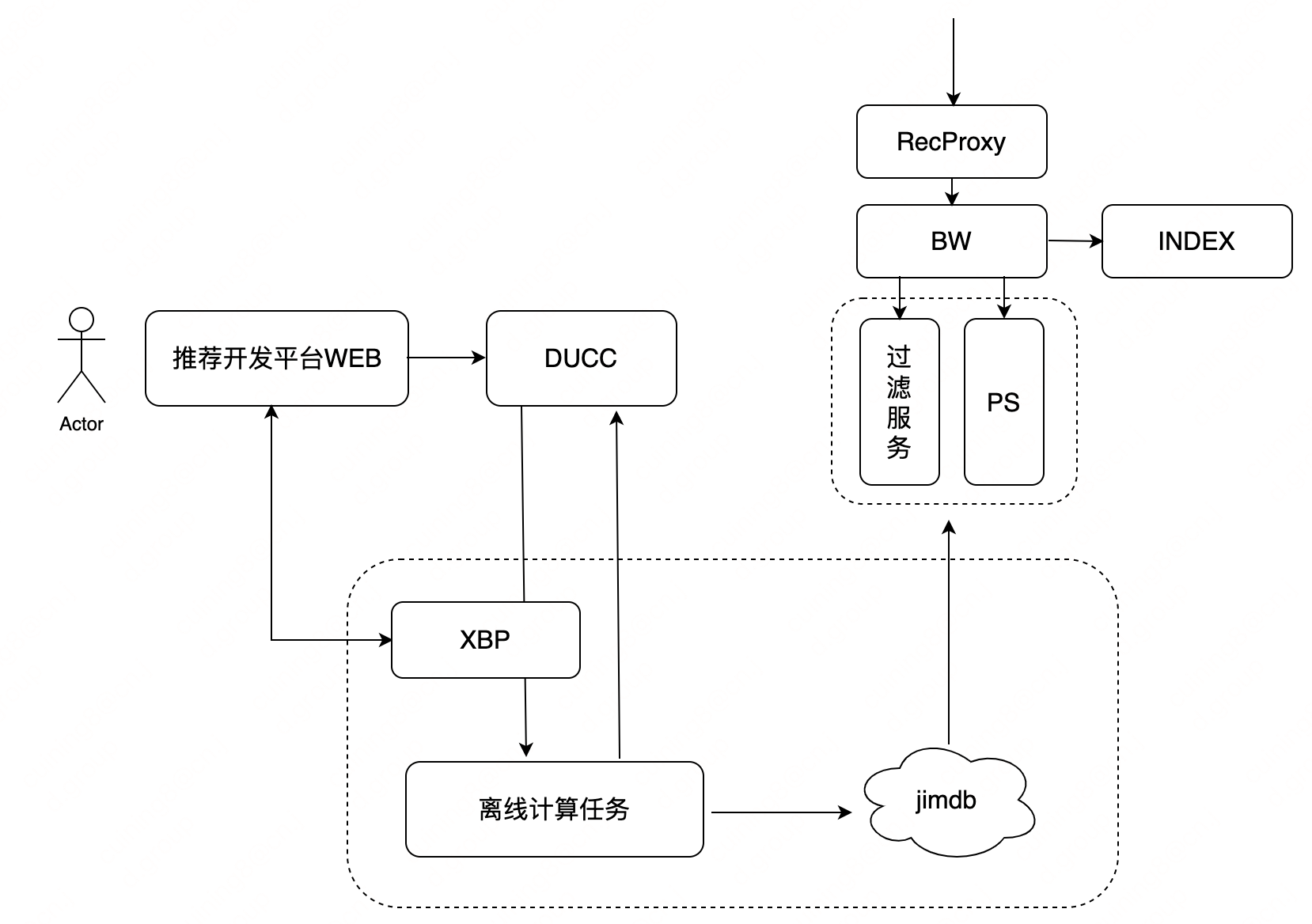
【实践篇】推荐算法PaaS化探索与实践 | 京东云技术团队
作者:京东零售 崔宁 1. 背景说明 目前,推荐算法部支持了主站、企业业务、全渠道等20业务线的900推荐场景,通过梳理大促运营、各垂直业务线推荐场景的共性需求,对现有推荐算法能力进行沉淀和积累,并通过算法PaaS化打造…...
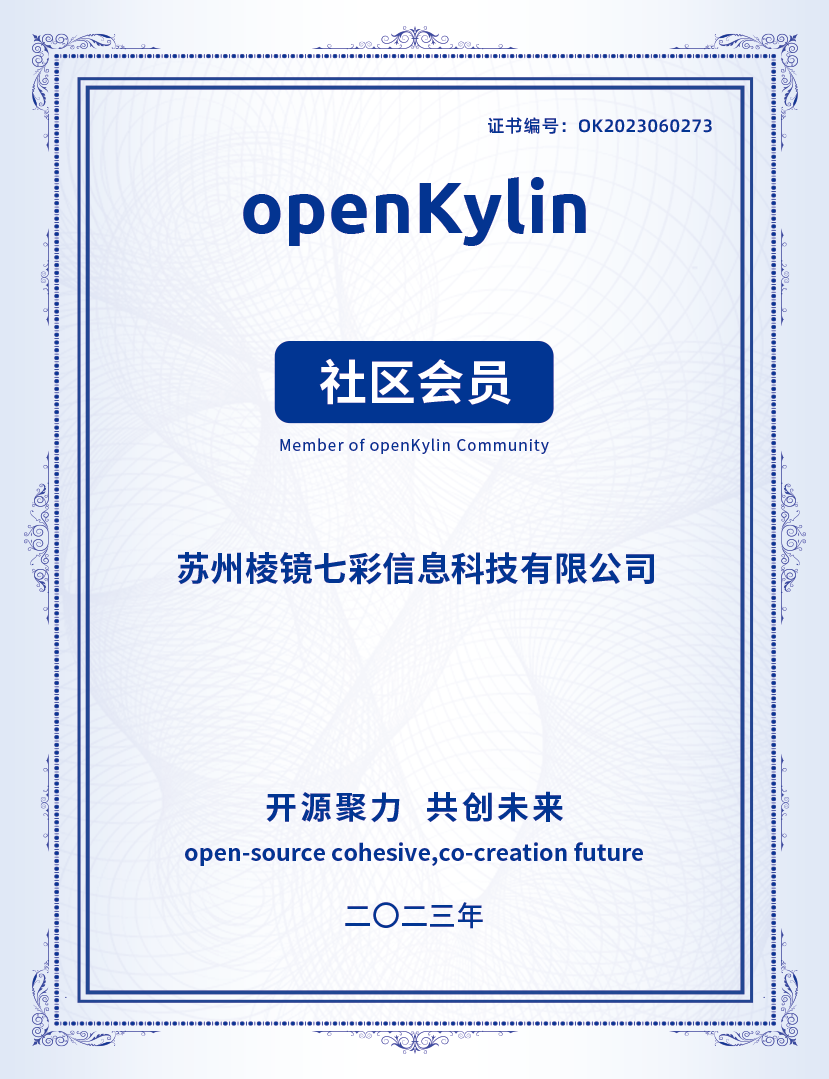
持续贡献开源力量,棱镜七彩加入openKylin
近日,棱镜七彩签署 openKylin 社区 CLA(Contributor License Agreement 贡献者许可协议),正式加入openKylin 开源社区。 棱镜七彩成立于2016年,是一家专注于开源安全、软件供应链安全的创新型科技企业。自成立以来&…...

Kafka的消费者如何管理偏移量?
在Kafka中,消费者可以通过管理和跟踪偏移量(offset)来确保消费者在消费消息时的准确性和可靠性。偏移量表示消费者在特定分区中已经消费的消息的位置。以下是几种常见的偏移量管理方式: 手动提交偏移量:消费者可以通过…...

IntelliJ IDEA流行的构建工具——Gradle
IntelliJ IDEA,是java编程语言开发的集成环境。IntelliJ在业界被公认为最好的java开发工具,尤其在智能代码助手、代码自动提示、重构、JavaEE支持、各类版本工具(git、svn等)、JUnit、CVS整合、代码分析、 创新的GUI设计等方面的功能可以说是超常的。 如…...

nacos源码打包及相关配置
nacos 本地下载后,需要 install 下: mvn clean install -Dmaven.test.skiptrue -Dcheckstyle.skiptrue -Dpmd.skiptrue -Drat.skiptruenacos源码修改后,重新打包生成压缩包命令:在 distribution 目录中运行: mvn -Pr…...
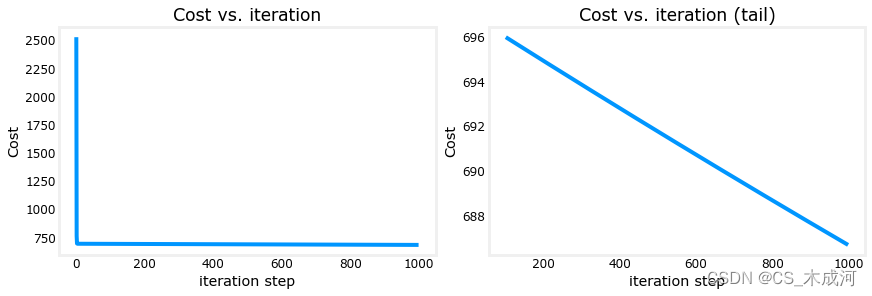
【机器学习】Multiple Variable Linear Regression
Multiple Variable Linear Regression 1、问题描述1.1 包含样例的X矩阵1.2 参数向量 w, b 2、多变量的模型预测2.1 逐元素进行预测2.2 向量点积进行预测 3、多变量线性回归模型计算损失4、多变量线性回归模型梯度下降4.1 计算梯度4.2梯度下降 首先,导入所需的库 im…...
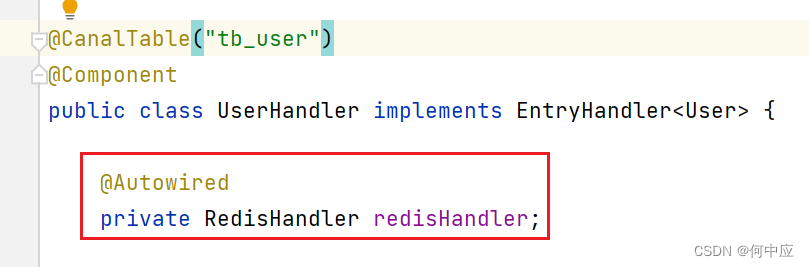
自己创建的类,其他类中使用错误
说明:自己创建的类,在其他类中创建,报下面的错误(Cannot resolve sysmbol ‘Redishandler’); 解决:看下是不是漏掉了包名 加上包名,问题解决;...

Packet Tracer – 使用 TFTP 服务器升级思科 IOS 映像。
Packet Tracer – 使用 TFTP 服务器升级思科 IOS 映像。 地址分配表 设备 接口 IP 地址 子网掩码 默认网关 R1 F0/0 192.168.2.1 255.255.255.0 不适用 R2 G0/0 192.168.2.2 255.255.255.0 不适用 S1 VLAN 1 192.168.2.3 255.255.255.0 192.168.2.1 TFTP …...

并查集基础
一、概念及其介绍 并查集是一种树型的数据结构,用于处理一些不相交集合的合并及查询问题。 并查集的思想是用一个数组表示了整片森林(parent),树的根节点唯一标识了一个集合,我们只要找到了某个元素的的树根…...

C# 循环等知识点
《1》程序:事先写好的指令(代码) using 准备工具 namespace 模块名称 { class 子模块{ static void main()//具体事项 { 代码 } } } 《2》变量:内存里的一块空间,用来存储数据常用的有小数,整数,…...
1.1.2 SpringCloud 版本问题
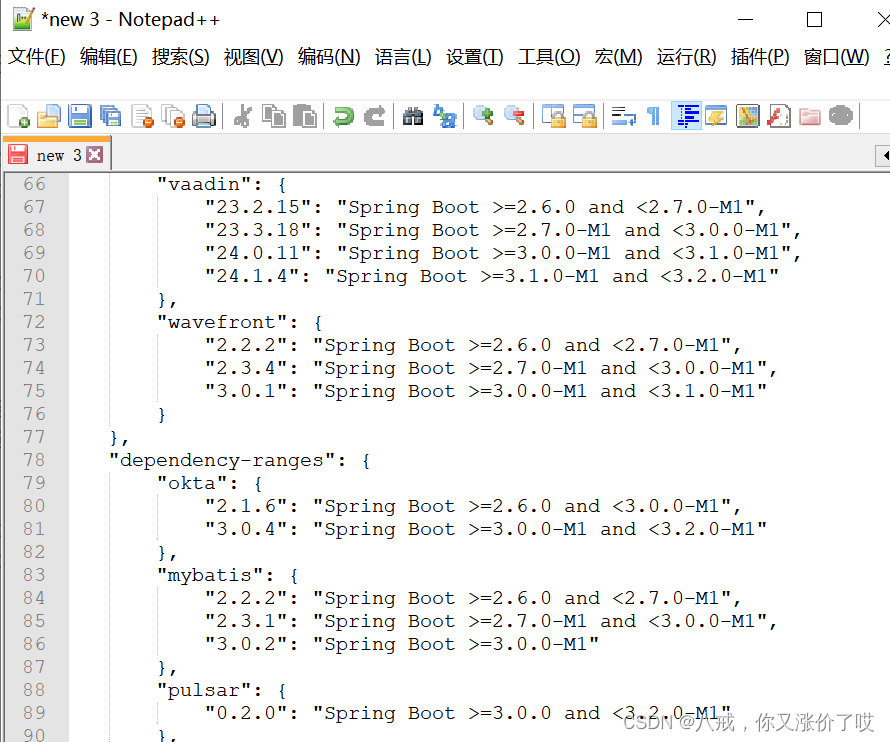
目录 版本标识 版本类型 查看对应版本 版本兼容的权威——官网: 具体的版本匹配支持信息可以查看 总结 在将Spring Cloud集成到Spring Boot项目中时,确保选择正确的Spring Cloud版本和兼容性是非常重要的。由于Spring Cloud存在多个版本,因此…...
Android AIDL 使用
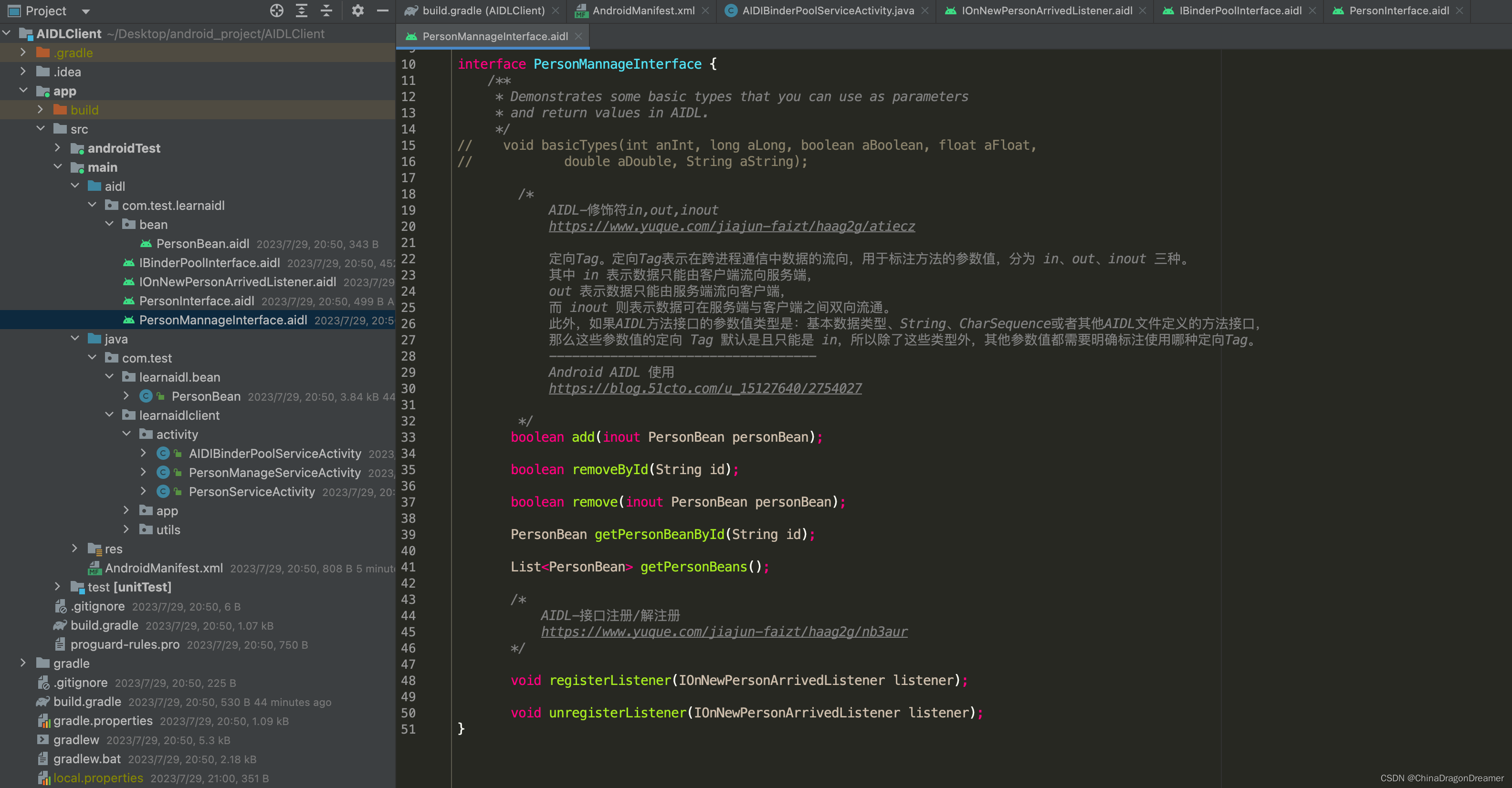
工程目录图 请点击下面工程名称,跳转到代码的仓库页面,将工程 下载下来 Demo Code 里有详细的注释 代码:LearnAIDL代码:AIDLClient. 参考文献 安卓开发学习之AIDL的使用android进阶-AIDL的基本使用Android AIDL 使用使用 AIDL …...

MongoDB——命令详解
db.fruit.remove({name:apple})//删除a为apple的记录db.fruit.remove({})//删除所有的记录db.fruit.remove()//报错 MongoDB使用及命令大全(一)_mongodb 删除命令_言不及行yyds的博客-CSDN博客...
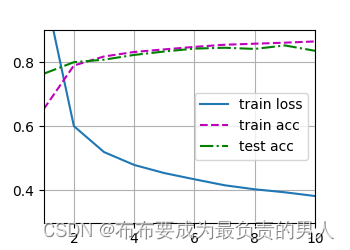
机器学习深度学习——多层感知机的简洁实现
👨🎓作者简介:一位即将上大四,正专攻机器学习的保研er 🌌上期文章:机器学习&&深度学习——多层感知机的从零开始实现 📚订阅专栏:机器学习&&深度学习 希望文章对你…...

如何在RK35XX设备上部署稳定高效的Ubuntu系统?
如何在RK35XX设备上部署稳定高效的Ubuntu系统? 【免费下载链接】ubuntu-rockchip Ubuntu for Rockchip RK35XX Devices 项目地址: https://gitcode.com/gh_mirrors/ub/ubuntu-rockchip 想要在Rockchip RK35XX系列开发板上获得接近原生Ubuntu的体验吗…...

边缘AI算力模组实战:32TOPS性能解析与工业部署指南
1. 项目概述:当边缘计算遇上32TOPS的澎湃动力最近几年,如果你在工业质检、智慧交通或者机器人领域摸爬滚打过,一定会对“边缘智能”这个词深有感触。过去,我们总习惯把海量的视频流、传感器数据一股脑儿往云端服务器上送ÿ…...

团队协作AI编程工具怎么选?最新热门AI编程助手实测推荐
团队协作AI编程工具怎么选?最新热门AI编程助手实测推荐开篇“团队协作时,AI编程工具怎么选才能统一代码规范、减少沟通成本?”“新手加入团队,有没有能快速适配团队代码风格、降低上手难度的AI编程助手?”“多人协同开…...

通过curl命令快速测试TaotokenAPI兼容性与连通性教程
🚀 告别海外账号与网络限制!稳定直连全球优质大模型,限时半价接入中。 👉 点击领取海量免费额度 通过curl命令快速测试Taotoken API兼容性与连通性教程 在集成大模型服务时,开发者通常需要一种快速、轻量的方式来验证…...

Airflow Maintenance Dags:7个关键维护工作流彻底解决Airflow运维难题
Airflow Maintenance Dags:7个关键维护工作流彻底解决Airflow运维难题 【免费下载链接】airflow-maintenance-dags A series of DAGs/Workflows to help maintain the operation of Airflow 项目地址: https://gitcode.com/gh_mirrors/ai/airflow-maintenance-dag…...

专业级抖音资源自动化采集方案:douyin-downloader企业级部署指南
专业级抖音资源自动化采集方案:douyin-downloader企业级部署指南 【免费下载链接】douyin-downloader A practical Douyin downloader for both single-item and profile batch downloads, with progress display, retries, SQLite deduplication, and browser fall…...

工业智能网关:三菱FX3U PLC数据采集
调试准备: 需要准备的材料:HINET 智能网关、现场安装三菱 FX3U、网线等;网关和 PLC 的连接方式:网关 LAN 口直接和 PLC 网线连接; PLC 和网关的 IP 地址以及现场联网条件说明: 三菱 FX3U 的 IP:…...
)
别再只算差异了!用Cytoscape给Hub Gene分析加个‘可视化Buff’(附脑网络实战图)
别再只算差异了!用Cytoscape给Hub Gene分析加个‘可视化Buff’(附脑网络实战图) 在生物信息学分析中,差异基因筛选往往是研究的第一步,但如何从海量差异基因中找出真正具有生物学意义的"关键调控者"…...

瑞芯微RK3568音频调试实战:从procfs到i2cset,手把手教你排查I2S无声问题
RK3568音频调试实战:从无声到有声的完整排查指南 当你在RK3568平台上遇到音频输出无声的问题时,那种挫败感是每个嵌入式工程师都深有体会的。本文将以一个真实的调试案例为线索,带你走完从问题定位到最终解决的完整流程,而不仅仅是…...

Unity URDF导入器终极指南:快速实现机器人仿真环境搭建
Unity URDF导入器终极指南:快速实现机器人仿真环境搭建 【免费下载链接】URDF-Importer URDF importer 项目地址: https://gitcode.com/gh_mirrors/ur/URDF-Importer 在机器人仿真开发领域,Unity URDF导入器是一个革命性的工具,它让开…...