
【BMC】OpenBMC开发基础2:修改原有程序
修改原有程序
通常情况下我们会需要修改OpenBMC原有的程序来适配我们的项目,本节将介绍一般的流程。
为此首先我们需要了解devtool这个工具,注意它不是前端开发用的那个devtool,而是由OE(或者Yocto?)提供的一个用于构建、测试和打包程序的工具,在7 devtool Quick Reference — The Yocto Project ® 4.2.999 documentation有具体的介绍,我们一般用它来编辑和打包源代码。
devtool的帮助说明如下:
jw@HOME:~/openbmc/build$ devtool --help
NOTE: Starting bitbake server...
usage: devtool [--basepath BASEPATH] [--bbpath BBPATH] [-d] [-q] [--color COLOR] [-h] <subcommand> ...OpenEmbedded development tooloptions:--basepath BASEPATH   Base directory of SDK / build directory--bbpath BBPATH       Explicitly specify the BBPATH, rather than getting it from the metadata-d, --debug           Enable debug output-q, --quiet           Print only errors--color COLOR         Colorize output (where COLOR is auto, always, never)-h, --help            show this help message and exitsubcommands:Beginning work on a recipe:add                   Add a new recipemodify                Modify the source for an existing recipeupgrade               Upgrade an existing recipeGetting information:status                Show workspace statussearch                Search available recipeslatest-version        Report the latest version of an existing recipecheck-upgrade-status  Report upgradability for multiple (or all) recipesWorking on a recipe in the workspace:build                 Build a reciperename                Rename a recipe file in the workspaceedit-recipe           Edit a recipe filefind-recipe           Find a recipe fileconfigure-help        Get help on configure script optionsupdate-recipe         Apply changes from external source tree to recipereset                 Remove a recipe from your workspacefinish                Finish working on a recipe in your workspaceTesting changes on target:deploy-target         Deploy recipe output files to live target machineundeploy-target       Undeploy recipe output files in live target machinebuild-image           Build image including workspace recipe packagesAdvanced:create-workspace      Set up workspace in an alternative locationextract               Extract the source for an existing recipesync                  Synchronize the source tree for an existing recipemenuconfig            Alter build-time configuration for a recipeexport                Export workspace into a tar archiveimport                Import exported tar archive into workspace
Use devtool <subcommand> --help to get help on a specific command
下面开始介绍如何修改源码并最终将修改之后的结果放到我们自己的项目中使用,这里以webui-vue为例。
- 首先我们创建一个workspace用来放置源码,前面已经提到过,OpenBMC框架中并没有实际的代码,而是需要在构建的过程中下载来,具体存放的位置就是build下的download目录:
jw@HOME:~/openbmc/build$ ls downloads/
Cython-0.29.33.tar.gz		git2_source.denx.de.u-boot.u-boot.git.tar.gz		nbd-3.24.tar.xz
Cython-0.29.33.tar.gz.done	git2_source.denx.de.u-boot.u-boot.git.tar.gz.done	nbd-3.24.tar.xz.done
Jinja2-3.1.2.tar.gz			git2_sourceware.org.git.glibc.git.tar.gz			net-snmp-5.9.3.tar.gz
Jinja2-3.1.2.tar.gz.done	git2_sourceware.org.git.glibc.git.tar.gz.done		net-snmp-5.9.3.tar.gz.done
# 后面略
这些压缩包不应该直接去修改,为此我们先创建一个目录来存放解压缩之后的源代码,这里通过devtool的create-workspace子命令来创建存放源代码的目录,执行的命令如下:
jw@HOME:~/openbmc/build$ devtool create-workspace
NOTE: Starting bitbake server...
NOTE: Reconnecting to bitbake server...
NOTE: Retrying server connection (#1)... (22:46:33.532066)
NOTE: Reconnecting to bitbake server...
NOTE: Reconnecting to bitbake server...
NOTE: Retrying server connection (#1)... (22:46:33.532066)
NOTE: Retrying server connection (#1)... (22:46:33.532066)
NOTE: Starting bitbake server...
此时build下就会多一个workspace目录:
jw@HOME:~/openbmc/build$ ls
bitbake-cookerdaemon.log  cache  conf  downloads  sstate-cache  tmp  workspace
jw@HOME:~/openbmc/build$ tree workspace/
workspace/
├── README
└── conf└── layer.conf1 directory, 2 files
里面也会有一个layer文件,实际上create-workspace就是创建了一个新的分层,并且还会修改build目录下的bblayers.conf文件来包含这个分层,这样这里面的代码才会在后续被编译和使用:
BBLAYERS ?= " \/home/jw/openbmc/meta \/home/jw/openbmc/meta-poky \/home/jw/openbmc/meta-openembedded/meta-oe \/home/jw/openbmc/meta-openembedded/meta-networking \/home/jw/openbmc/meta-openembedded/meta-python \/home/jw/openbmc/meta-phosphor \/home/jw/openbmc/meta-aspeed \/home/jw/openbmc/meta-beni \/home/jw/openbmc/build/workspace \ # 这个就是新增的"
之后我们找一个配方来修改其代码,这里就以webui-vue为例:
jw@HOME:~/openbmc/build$ bitbake -s | grep webui
phosphor-webui                      :1.0+gitAUTOINC+e16bb5c358-r1
webui-vue                           :1.0+gitAUTOINC+0f6147ca25-r1
- 我们需要解压它的源码并放到workspace目录中,为此需要执行devtool的modify子命令:
jw@HOME:~/openbmc/build$ devtool modify webui-vue
NOTE: Starting bitbake server...
NOTE: Reconnecting to bitbake server...
NOTE: Retrying server connection (#1)... (22:50:43.681700)
Loading cache: 100% |###############################################################################################################| Time: 0:00:00
Loaded 4383 entries from dependency cache.
Parsing recipes: 100% |###############################################################################################################| Time: 0:00:00
Parsing of 2709 .bb files complete (2708 cached, 1 parsed). 4384 targets, 566 skipped, 0 masked, 0 errors.
NOTE: Resolving any missing task queue dependenciesBuild Configuration:
BB_VERSION           = "2.4.0"
BUILD_SYS            = "x86_64-linux"
NATIVELSBSTRING      = "ubuntu-20.04"
TARGET_SYS           = "arm-openbmc-linux-gnueabi"
MACHINE              = "beni-ast2500"
DISTRO               = "openbmc-phosphor"
DISTRO_VERSION       = "nodistro.0"
TUNE_FEATURES        = "arm thumb arm1176jzs"
TARGET_FPU           = "soft"
meta
meta-poky
meta-oe
meta-networking
meta-python
meta-phosphor
meta-aspeed          = "HEAD:67c9d4e715c705cd05fd04f7c8cd4fad300a4666"
meta-beni            = "master:37708567fc4efacfcba74f8274edc924e7ba7a1e"
workspace            = "HEAD:67c9d4e715c705cd05fd04f7c8cd4fad300a4666"Initialising tasks: 100% |###############################################################################################################| Time: 0:00:00
Sstate summary: Wanted 0 Local 0 Mirrors 0 Missed 0 Current 20 (0% match, 100% complete)
NOTE: Executing Tasks
NOTE: Tasks Summary: Attempted 93 tasks of which 90 didn't need to be rerun and all succeeded.
INFO: Source tree extracted to /home/jw/openbmc/build/workspace/sources/webui-vue
INFO: Using source tree as build directory since that would be the default for this recipe
INFO: Recipe webui-vue now set up to build from /home/jw/openbmc/build/workspace/sources/webui-vue
此时再次查看workspace目录:
jw@HOME:~/openbmc/build$ tree workspace/
workspace/
├── README
├── appends
│   └── webui-vue_git.bbappend
├── conf
│   └── layer.conf
└── sources└── webui-vue├── # 中间略└── vue.config.js97 directories, 318 files
然后我们修改webui-vue中的某些代码,这里修改登录界面的LOGO,替换成Apple的音乐图标。重新编译webui-vue:
jw@HOME:~/openbmc/build$ devtool build webui-vue
NOTE: Starting bitbake server...
NOTE: Reconnecting to bitbake server...
NOTE: Retrying server connection (#1)... (23:04:57.342934)
Loading cache: 100% |###############################################################################################################| Time: 0:00:00
Loaded 4383 entries from dependency cache.
Parsing recipes: 100% |###############################################################################################################| Time: 0:00:00
Parsing of 2709 .bb files complete (2707 cached, 2 parsed). 4384 targets, 566 skipped, 0 masked, 0 errors.
Removing 1 recipes from the allarch sysroot: 100% |###############################################################################################################| Time: 0:00:03
Removing 1 recipes from the beni_ast2500 sysroot: 100% |###############################################################################################################| Time: 0:00:00
Loading cache: 100% |###############################################################################################################| Time: 0:00:03
Loaded 4383 entries from dependency cache.
Parsing recipes: 100% |###############################################################################################################| Time: 0:00:00
Parsing of 2709 .bb files complete (2707 cached, 2 parsed). 4384 targets, 566 skipped, 0 masked, 0 errors.
NOTE: Resolving any missing task queue dependenciesBuild Configuration:
BB_VERSION           = "2.4.0"
BUILD_SYS            = "x86_64-linux"
NATIVELSBSTRING      = "ubuntu-20.04"
TARGET_SYS           = "arm-openbmc-linux-gnueabi"
MACHINE              = "beni-ast2500"
DISTRO               = "openbmc-phosphor"
DISTRO_VERSION       = "nodistro.0"
TUNE_FEATURES        = "arm thumb arm1176jzs"
TARGET_FPU           = "soft"
meta
meta-poky
meta-oe
meta-networking
meta-python
meta-phosphor
meta-aspeed          = "HEAD:67c9d4e715c705cd05fd04f7c8cd4fad300a4666"
meta-beni            = "master:37708567fc4efacfcba74f8274edc924e7ba7a1e"
workspace            = "HEAD:67c9d4e715c705cd05fd04f7c8cd4fad300a4666"Initialising tasks: 100% |###########################################################################################################| Time: 0:00:00
Sstate summary: Wanted 0 Local 0 Mirrors 0 Missed 0 Current 94 (0% match, 100% complete)
NOTE: Executing Tasks
NOTE: webui-vue: compiling from external source tree /home/jw/openbmc/build/workspace/sources/webui-vue
NOTE: Tasks Summary: Attempted 435 tasks of which 427 didn't need to be rerun and all succeeded.
可以看到编译没有问题,说明修改本身也没有问题,下面的步骤就需要合入修改的代码。
- 由于实际的源码是下载来的压缩包,所以无法直接修改,因此为了使最终结果生效,我们需要采取的方式是打补丁,为此先需要合入代码,这需要通过git commit的方式:
jw@HOME:~/openbmc/build/workspace/sources/webui-vue$ git commit -m "[ADD]Modify." src/assets/images/applemusic.svg --no-
verify
[devtool 53f5b88] [ADD]Modify.1 file changed, 1 insertion(+)create mode 100644 src/assets/images/applemusic.svg
jw@HOME:~/openbmc/build/workspace/sources/webui-vue$ git commit -m "[ADD]Modify." --no-verify src/layouts/LoginLayout.vue
[devtool 02f4773] [ADD]Modify.1 file changed, 1 insertion(+), 1 deletion(-)
这里增加了一个SVG图片,修改了Web的一行代码指向新的图片,总共有两个修改,都合入即可。然后通过devtool的update-recipe子命令生成补丁和对应的bbappend文件,并存放在我们的自定义项目目录中:
jw@HOME:~/openbmc/build$ devtool update-recipe webui-vue -a ../meta-beni/
NOTE: Starting bitbake server...
NOTE: Reconnecting to bitbake server...
NOTE: Retrying server connection (#1)... (00:14:14.267139)
Loading cache: 100% |####################################################################################| Time: 0:00:00
Loaded 4382 entries from dependency cache.
Parsing recipes: 100% |##################################################################################| Time: 0:00:00
Parsing of 2709 .bb files complete (2707 cached, 2 parsed). 4384 targets, 566 skipped, 0 masked, 0 errors.
NOTE: Writing append file /home/jw/openbmc/meta-beni/recipes-phosphor/webui/webui-vue_git.bbappend
NOTE: Copying 0001-ADD-Modify.patch to /home/jw/openbmc/meta-beni/recipes-phosphor/webui/webui-vue/0001-ADD-Modify.patch
NOTE: Copying 0002-ADD-Modify.patch to /home/jw/openbmc/meta-beni/recipes-phosphor/webui/webui-vue/0002-ADD-Modify.patch
得到的结果:
└── recipes-phosphor├── packagegroups│ └── packagegroup-obmc-apps.bbappend└── webui # 新增目录├── webui-vue│ ├── 0001-ADD-Modify.patch│ └── 0002-ADD-Modify.patch└── webui-vue_git.bbappend
- 这样补丁文件就已经在我们自己的项目中了,之后可以将webui-vue在workspace中的内容删除:
jw@HOME:~/openbmc/build$ devtool reset webui-vue
NOTE: Starting bitbake server...
INFO: Cleaning sysroot for recipe webui-vue...
INFO: Preserving source tree in /home/jw/openbmc/build/workspace/attic/sources/webui-vue.20230809002034
If you no longer need it then please delete it manually.
It is also possible to reuse it via devtool source tree argument.
此时源码还在,不过已经变了名字了,如果不需要就手动删除即可。
- 最后重新编译OpenBMC二进制,成功之后执行该二进制,然后通过浏览器再次访问BMC的Web,得到的登录界面变成了如下的样子:
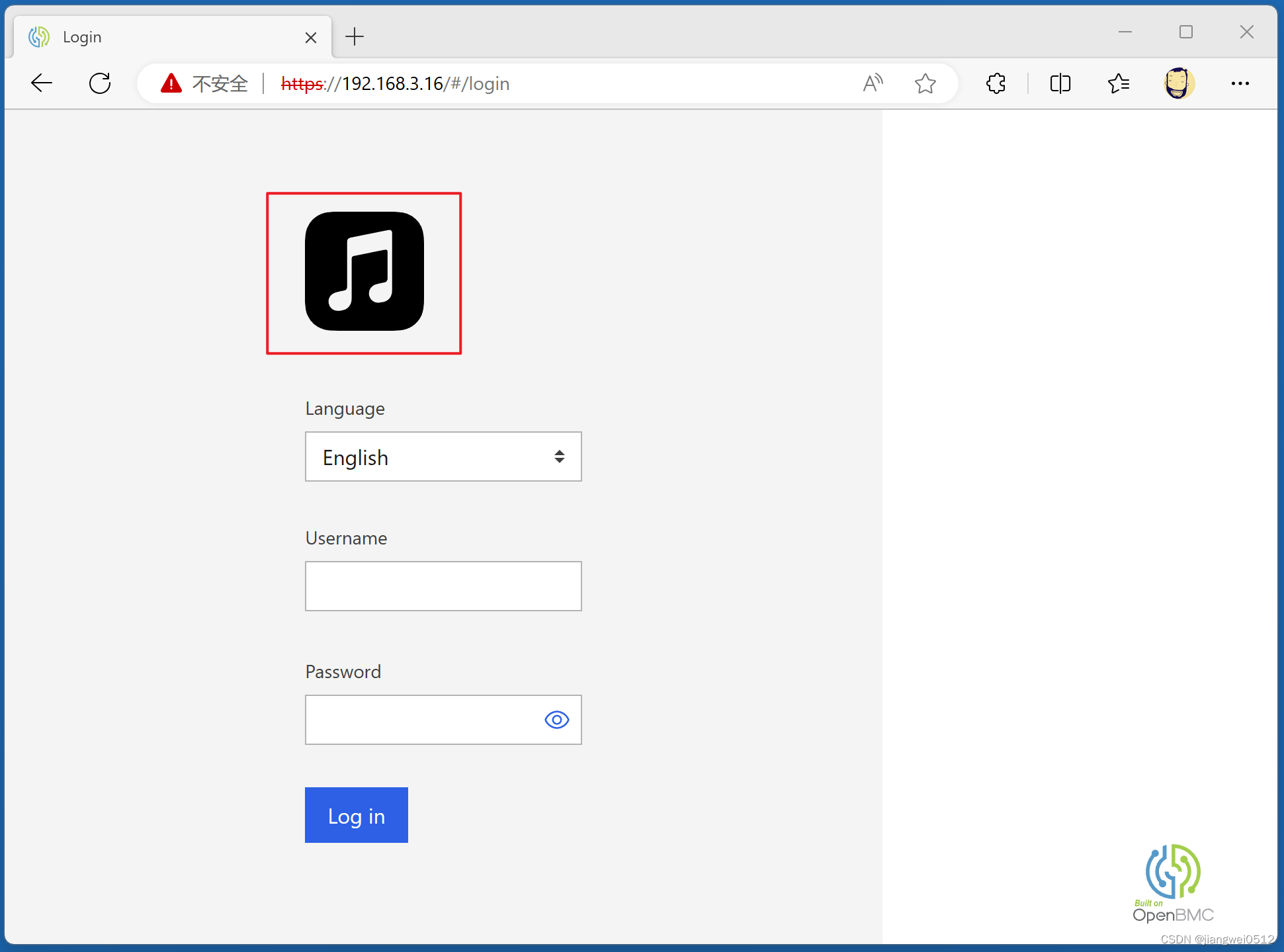
红框部分就是新的LOGO。
到此,修改OpenBMC原有程序的操作就已经完成了。
相关文章:
【BMC】OpenBMC开发基础2:修改原有程序
修改原有程序 通常情况下我们会需要修改OpenBMC原有的程序来适配我们的项目,本节将介绍一般的流程。 为此首先我们需要了解devtool这个工具,注意它不是前端开发用的那个devtool,而是由OE(或者Yocto?)提供…...

2012年数学建模竞赛脑卒中发病环境因素分析及干预日期数据处理代码
因四个表格日期数据处理有些复杂,故作此代码一次性处理四组数据: import datetime import pandas as pddef check(string, df, i, num, error_list):if is_valid(pd.to_datetime(string, errorscoerce, format%Y/%m/%d), error_list, i):df.iloc[i, nu…...
Merge和Rebase的区别
Merge 和 Rebase 是 Git 中常用的两种分支整合方式,它们具有不同的工作原理和效果: Merge(合并) 合并是将两个或多个分支的提交历史合并为一个新的提交。在合并时,Git 会创建一个新的合并提交,将两个分支…...
)
[RTKLIB]模糊度固定相关问题(二)
文章目录 一、固定模糊度的前置工作1. 做好固定模糊度的准备2. 建立双差模糊度3. 问题与总结 版权声明:本文为原创文章,版权归 Winston Qu 所有,转载请注明出处。 在上一篇文章中,介绍了RTKLIB中manage_amb_LAMBDA()函数ÿ…...
QtAV for ubuntu16.04
下载ubuntu https://releases.ubuntu.com/16.04/ubuntu-16.04.7-desktop-amd64.iso 下载ffmpeg https://ffmpeg.org/download.html 下载QtAV https://github.com/wang-bin/QtAV/releases 更新 sudo apt update 安装库 sudo apt-get install libglu1-mesa-dev freeglut3-dev…...

MFC 文件读写包括字符串的结构体
试过CString char* 写入的都是地址 struct Param{int ID;int index;char val[128]; };vector<Param>ans; UINT count 17; ans.resize(count); FILE* fp; fopen_s(&fp,_T("my.txt"),_T("rb")); if(count ! fread(&ans[0],sizeof(Param),cou…...
在家构建您的迷你聊天Chat gpt
推荐:使用 NSDT场景编辑器 助你快速搭建可编辑的3D应用场景 什么是指令遵循模型? 语言模型是机器学习模型,可以根据句子的前一个单词预测单词概率。如果我们向模型请求下一个单词,并将其递减地反馈给模型以请求更多单词ÿ…...

pytest自动化测试框架之断言
前言 断言是完整的测试用例中不可或缺的因素,用例只有加入断言,将实际结果与预期结果进行比对,才能判断它的通过与否。 unittest 框架提供了其特有的断言方式,如:assertEqual、assertTrue、assertIn等,py…...

C++模板的用法
目录 模板的概念 函数模板(Function Templates) 基本用法 函数模板的实例化 匹配原则 类模板(Class Templates) 模板的概念 C中的模板(Templates)实际上是一种泛型编程(Generic Programm…...
ESP 32 蓝牙虚拟键盘链接笔记本电脑的键值问题
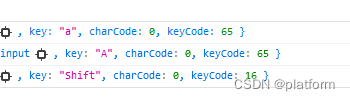
由于打算利用esp32 通过蓝牙链接电脑后实现一些特俗的键盘功能,所以就折腾了一下,折腾最耗费时间的却是键值问题,让一个20多年的老司机重新补充了知识 过程曲折就不说了,直接说结果。 我们通过网络搜索获取的键值和蓝牙模拟键盘传…...
128.【Maven】
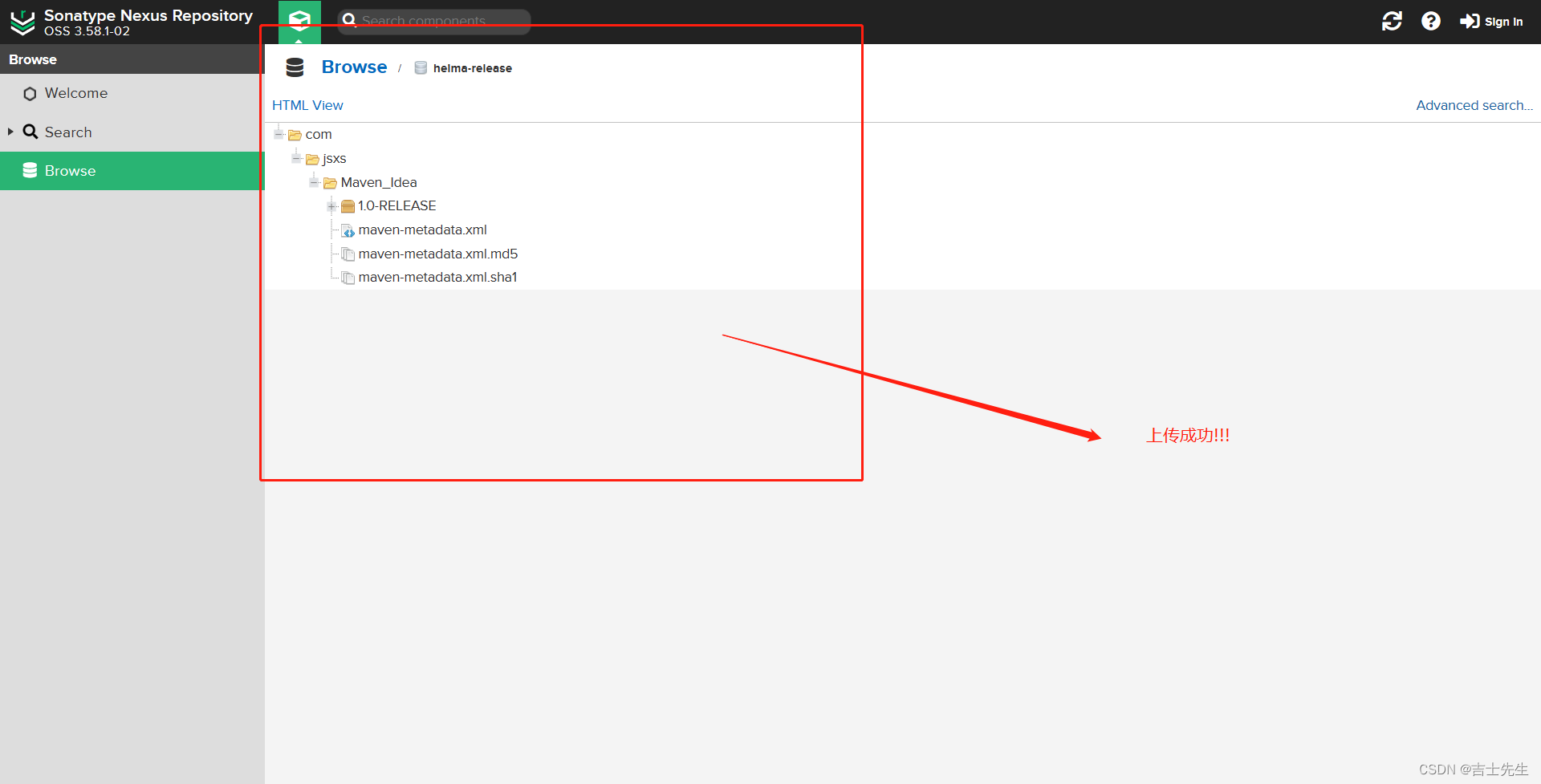
Maven仓库 (一)、Maven 简介1.传统项目管理的缺点2.Maven是什么3.Maven的作用 (二)、Maven 的下载与安装1.下载与认识目录2.配置Maven的全局环境 (三)、Maven 的基础概念1.Maven 仓库(1).仓库分类 2. Maven 坐标3.Maven 本地仓库配置(1).改变默认的仓库地址(2).改变远程仓库地址…...
嵌入式虚拟仿真实验教学平台之串口发送数据
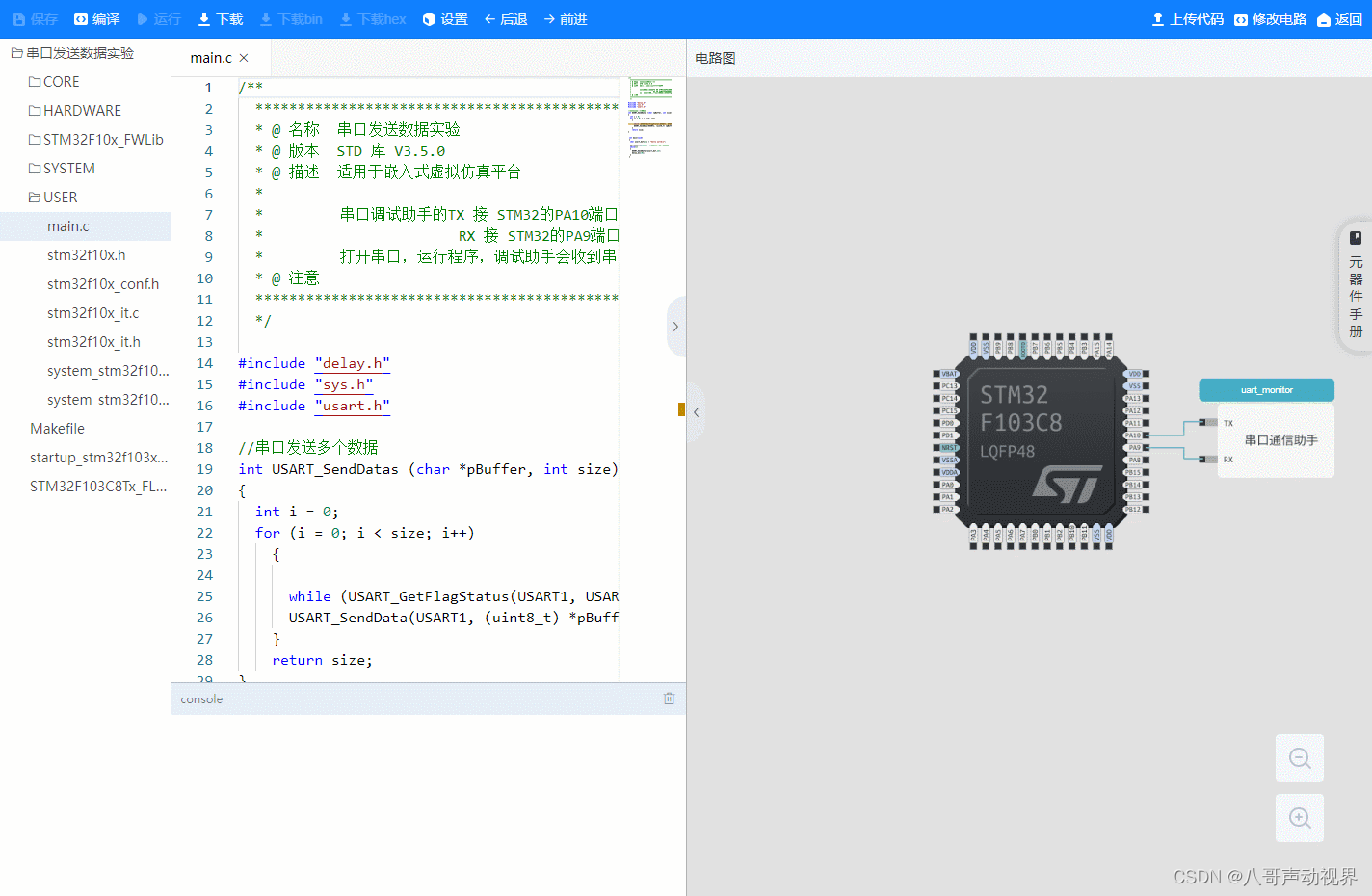
嵌入式虚拟仿真实验教学平台课程系列 串口发送数据实验 课程内容 本实验使用 STM32 的串口发送数据。开始仿真后,打开串口监视器,串口监视器会打印出要发送的数据。 课程目标 学习配置使用GPIO功能学习配置使用复用功能学习配置使用UART功能 硬件设计 本课程…...
Android Studio 屏幕适配
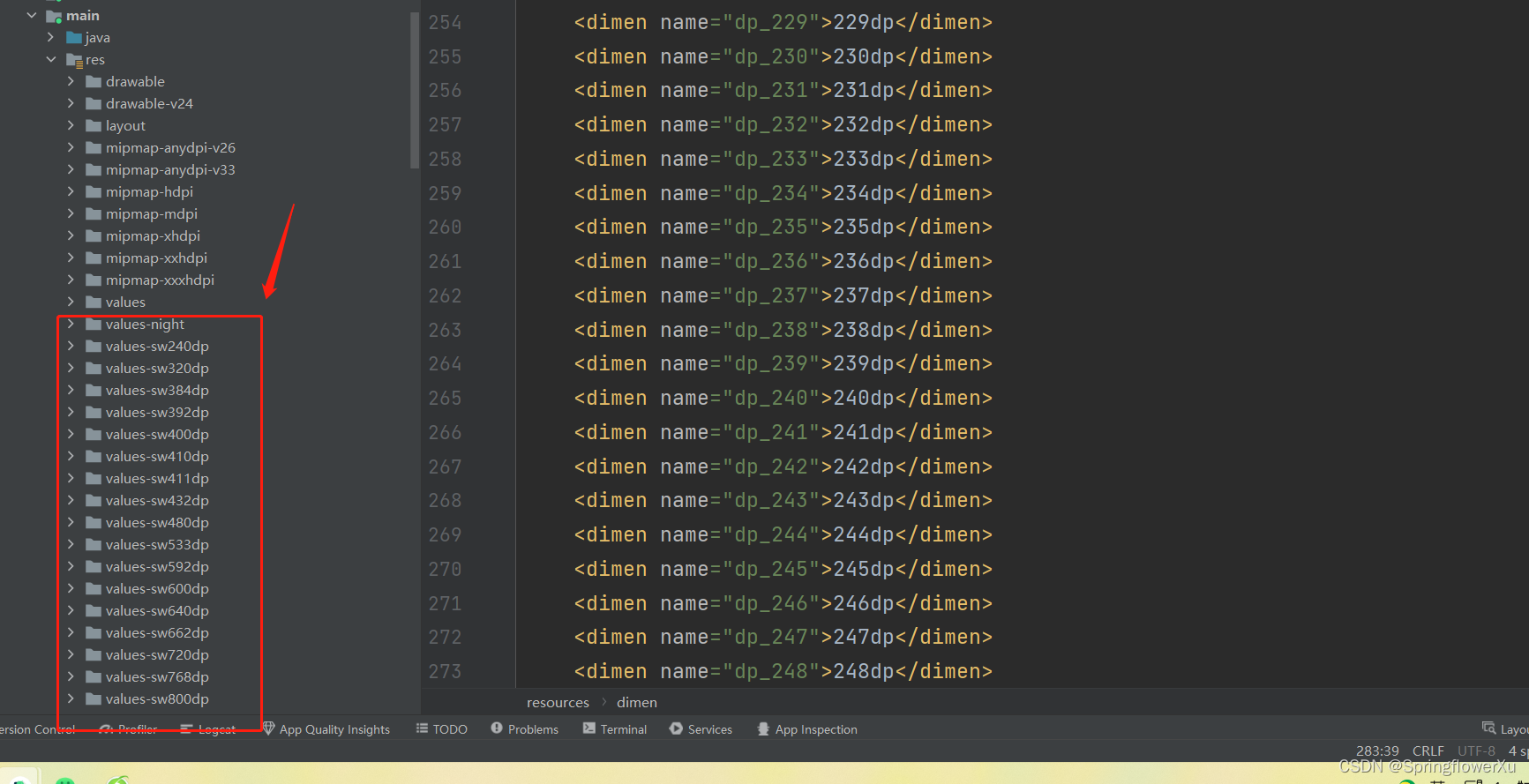
Android开发屏幕适配流程 首先studio中没有ScreenMatch这个插件的,下去现在这个插件 点击File->settings->Plugins->(搜索ScreenMatch插件),点击下载,应用重启Studio即可,如下图 在values下 创建dimens.xml,…...
【C++】C++11--- 线程库及详解lock_guard与unique_lock
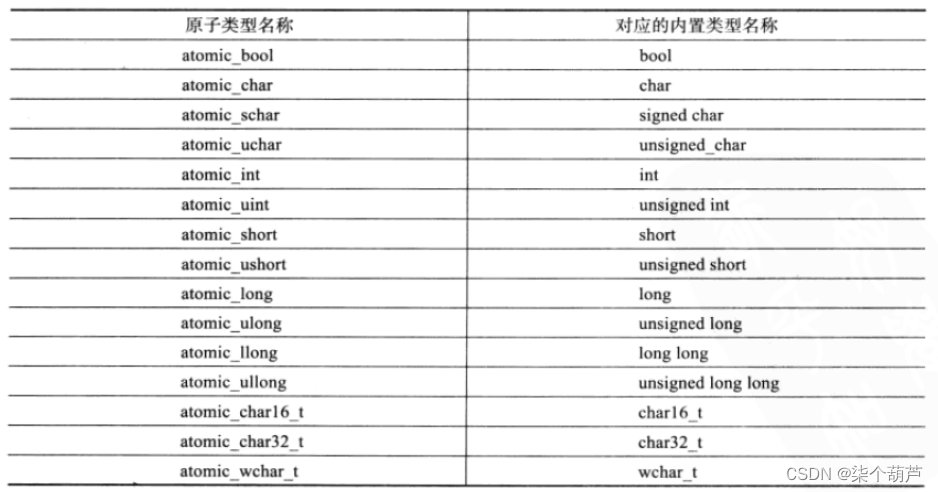
目录 一、thread类的介绍二、线程函数参数三、 原子性操作库四、lock_guard与unique_lock4.1、mutex的种类4.2 lock_guard4.3 unique_lock 一、thread类的介绍 在C11之前,涉及到多线程问题,都是和平台相关的,比如**windows和linux下各有自己…...
第二篇|研究数据哪里来——建筑业
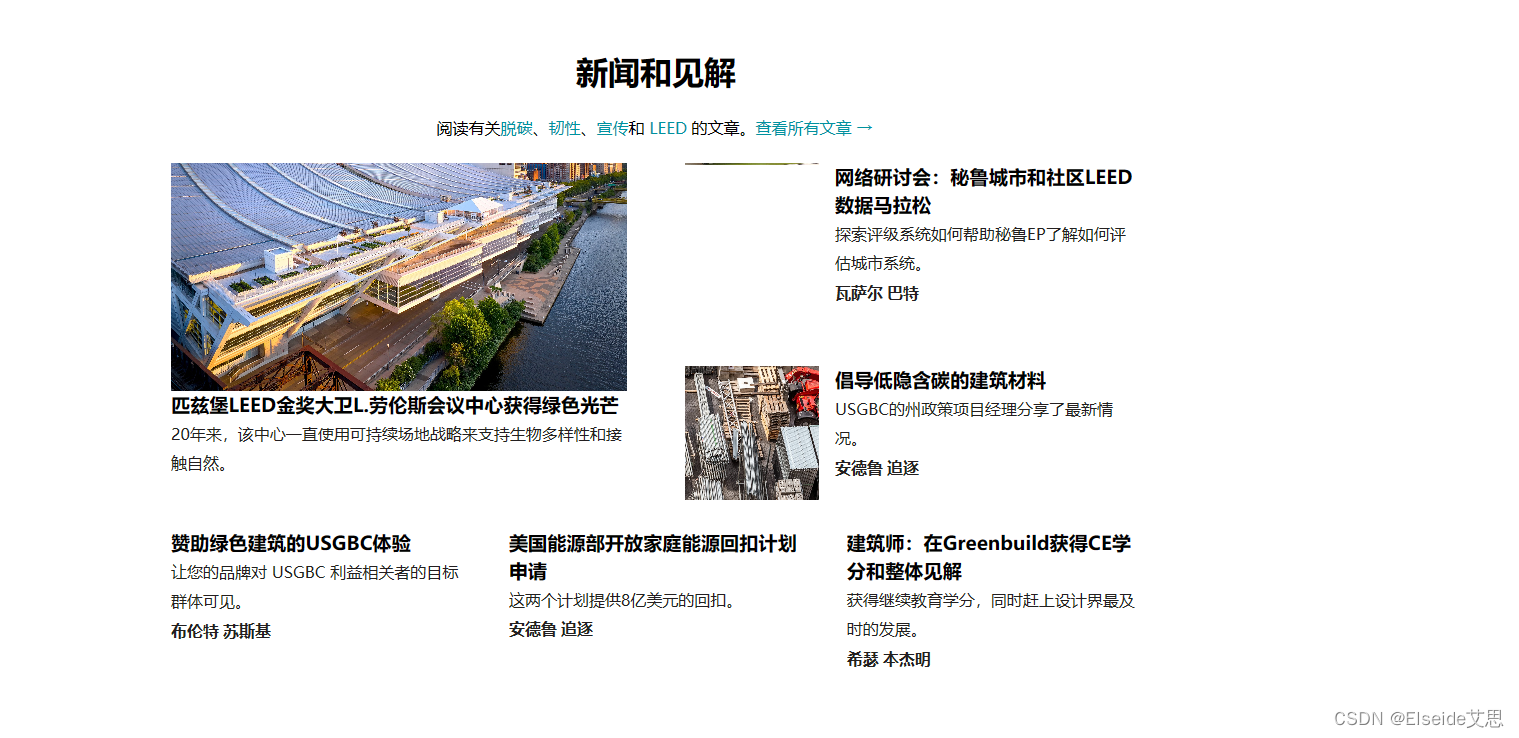
数据是研究和产业发展的重要基石,然而无论是学者、企业还是研究机构往往都面临着“找数据难”的局面。本期将分享一些查找建筑相关的数据及资料的渠道。希望可以帮大家解决这一难题,有用求收藏求收藏求收藏~ 1.政府机构 可以查找国家、地方政府的建筑行…...

numpy ascontiguousarra 学习笔记
目录 numpy ascontiguousarra函数 转换命令: ascontiguousarray等价效果: ascontiguousarray学习笔记 ascontiguousarray函数将一个内存不连续存储的数组转换为内存连续存储的数组,使得运行速度更快。 在昇腾开发版上使用时,…...
【算法|双指针系列No.1】leetcode283. 移动零
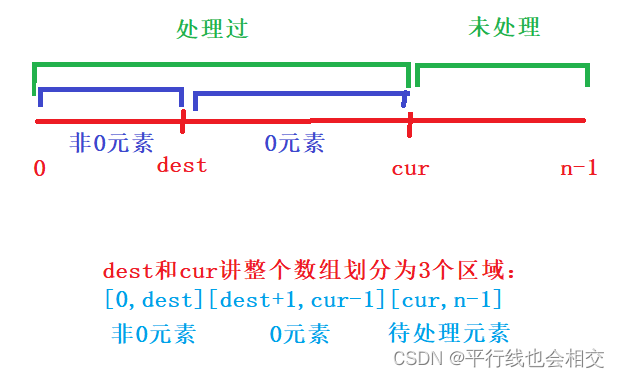
个人主页:平行线也会相交 欢迎 点赞👍 收藏✨ 留言✉ 加关注💓本文由 平行线也会相交 原创 收录于专栏【手撕算法系列专栏】【LeetCode】 🍔本专栏旨在提高自己算法能力的同时,记录一下自己的学习过程,希望…...

PHP8定义字符串的方法-PHP8知识详解
字符串,顾名思义,就是将一堆字符串联在一起。字符串简单的定义方法是使用英文单引号( )或英文双引号(" ")包含字符。另外,还可以使用定界符定义字符串。本文还介绍了字符串的连接符。…...
分享21年电赛F题-智能送药小车-做题记录以及经验分享
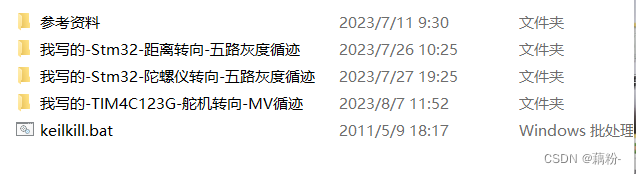
这里写目录标题 前言一、赛题分析1、车型选择2、巡线1、OpenMv循迹2、灰度循迹 3、装载药品4、识别数字5、LED指示6、双车通信7、转向方案1、开环转向2、位置环速度环闭环串级转向3、MPU6050转向 二、调试经验分享1、循迹2、识别数字3、转向4、双车通信5、逻辑处理6、心态问题 …...

字符串统计-C语言/Java
描述 计算字符串中含有的不同字符的个数。字符在 ASCII 码范围内( 0~127 ,包括 0 和 127 ),换行表示结束符,不算在字符里。不在范围内的不作统计。多个相同的字符只计算一次。数据范围: 1≤n≤500 例如,对于字符串 ab…...

Playwright×CoPilot:用自然语言驱动UI自动化的新范式
1. 这不是“写代码”,而是让AI替你“看屏幕、点按钮、填表单”“Playwright CoPilot:UI自动化的超级加速器”——这个标题里藏着一个正在悄悄改变测试和RPA工作流的事实:我们正从“手写定位器硬编码断言”的时代,跨入“用自然语言…...

FPGA+DSP异构核心板在工业控制与数据采集中的应用与开发指南
1. 项目概述:为什么选择FPGADSP异构核心板?在工业控制、伺服驱动、光伏逆变这些对实时性和算力要求都极高的领域里,选型一块合适的核心板往往是项目成败的第一步。过去,我们可能需要在“高灵活性的FPGA”和“高主频的通用处理器”…...

在自动化脚本中集成Taotoken实现稳定的大模型调用
🚀 告别海外账号与网络限制!稳定直连全球优质大模型,限时半价接入中。 👉 点击领取海量免费额度 在自动化脚本中集成Taotoken实现稳定的大模型调用 将大模型能力嵌入自动化流程,例如数据清洗与摘要生成脚本࿰…...

DazToBlender:3D创作工作流的无缝桥梁
DazToBlender:3D创作工作流的无缝桥梁 【免费下载链接】DazToBlender Daz to Blender Bridge 项目地址: https://gitcode.com/gh_mirrors/da/DazToBlender 在3D数字创作的世界里,艺术家们常常面临一个现实困境:如何在不同的专业软件之…...

CANN 生态工具链:ATC、ACL 与 MindX 全景
一、CANN 工具链全景 1.1 工具链架构 ┌──────────────────────────────────────────────────┐ │ CANN 工具链全景 │ ├──────────────────────────────…...

3分钟解决iPhone网络共享驱动问题:Windows用户终极指南
3分钟解决iPhone网络共享驱动问题:Windows用户终极指南 【免费下载链接】Apple-Mobile-Drivers-Installer Powershell script to easily install Apple USB and Mobile Device Ethernet (USB Tethering) drivers on Windows! 项目地址: https://gitcode.com/gh_mi…...

U8 ERP接口二次封装实战:用Net4.8+WebAPI打造比OpenAPI更香的内网集成方案
U8 ERP接口二次封装实战:用Net4.8WebAPI打造比OpenAPI更香的内网集成方案 在传统制造业数字化转型浪潮中,ERP系统作为企业核心数据枢纽,其接口能力直接决定了IT生态的扩展性。用友U8作为国内主流ERP解决方案,虽然提供了EAI、原生A…...

3步找出谁删了你:微信好友检测神器使用指南
3步找出谁删了你:微信好友检测神器使用指南 【免费下载链接】WechatRealFriends 微信好友关系一键检测,基于微信ipad协议,看看有没有朋友偷偷删掉或者拉黑你 项目地址: https://gitcode.com/gh_mirrors/we/WechatRealFriends 你是一个…...

中兴光猫工厂模式解锁神器:zteOnu让你的网络管理权限瞬间升级
中兴光猫工厂模式解锁神器:zteOnu让你的网络管理权限瞬间升级 【免费下载链接】zteOnu A tool that can open ZTE onu device factory mode 项目地址: https://gitcode.com/gh_mirrors/zt/zteOnu 你是否曾经想过,家里的中兴光猫其实隐藏着更多高级…...

CANN/pypto填充操作API
pypto.pad 【免费下载链接】pypto PyPTO(发音: pai p-t-o):Parallel Tensor/Tile Operation编程范式。 项目地址: https://gitcode.com/cann/pypto 产品支持情况 产品是否支持Ascend 950PR/Ascend 950DT√Atlas A3 训练系列产品/Atla…...