
自然语言处理从入门到应用——LangChain:记忆(Memory)-[自定义对话记忆与自定义记忆类]
分类目录:《自然语言处理从入门到应用》总目录
自定义对话记忆
本节介绍了几种自定义对话记忆的方法:
from langchain.llms import OpenAI
from langchain.chains import ConversationChain
from langchain.memory import ConversationBufferMemoryllm = OpenAI(temperature=0)
AI前缀
第一种方法是通过更改对话摘要中的AI前缀来实现。默认情况下,它设置为AI,但你可以将其设置为任何你想要的内容。需要注意的是,如果我们更改了这个前缀,我们还应该相应地更改链条中使用的提示来反映这个命名更改。让我们通过下面的示例来演示这个过程。
# Here it is by default set to "AI"
conversation = ConversationChain(llm=llm, verbose=True, memory=ConversationBufferMemory()
)
conversation.predict(input="Hi there!")
日志输出:
> Entering new ConversationChain chain...
Prompt after formatting:
The following is a friendly conversation between a human and an AI. The AI is talkative and provides lots of specific details from its context. If the AI does not know the answer to a question, it truthfully says it does not know.Current conversation:Human: Hi there!
AI:> Finished ConversationChain chain.
输出:
" Hi there! It's nice to meet you. How can I help you today?"
输入:
conversation.predict(input="What's the weather?")
日志输出:
> Entering new ConversationChain chain...
Prompt after formatting:
The following is a friendly conversation between a human and an AI. The AI is talkative and provides lots of specific details from its context. If the AI does not know the answer to a question, it truthfully says it does not know.Current conversation:Human: Hi there!
AI:  Hi there! It's nice to meet you. How can I help you today?
Human: What's the weather?
AI:> Finished ConversationChain chain.
输出:
' The current weather is sunny and warm with a temperature of 75 degrees Fahrenheit. The forecast for the next few days is sunny with temperatures in the mid-70s.'
输入:
# Now we can override it and set it to "AI Assistant"
from langchain.prompts.prompt import PromptTemplatetemplate = """The following is a friendly conversation between a human and an AI. The AI is talkative and provides lots of specific details from its context. If the AI does not know the answer to a question, it truthfully says it does not know.Current conversation:
{history}
Human: {input}
AI Assistant:"""
PROMPT = PromptTemplate(input_variables=["history", "input"], template=template
)
conversation = ConversationChain(prompt=PROMPT,llm=llm, verbose=True, memory=ConversationBufferMemory(ai_prefix="AI Assistant")
)
conversation.predict(input="Hi there!")
日志输出:
> Entering new ConversationChain chain...
Prompt after formatting:
The following is a friendly conversation between a human and an AI. The AI is talkative and provides lots of specific details from its context. If the AI does not know the answer to a question, it truthfully says it does not know.Current conversation:Human: Hi there!
AI Assistant:> Finished ConversationChain chain.
" Hi there! It's nice to meet you. How can I help you today?"
conversation.predict(input="What's the weather?")
> Entering new ConversationChain chain...
Prompt after formatting:
The following is a friendly conversation between a human and an AI. The AI is talkative and provides lots of specific details from its context. If the AI does not know the answer to a question, it truthfully says it does not know.Current conversation:Human: Hi there!
AI Assistant:  Hi there! It's nice to meet you. How can I help you today?
Human: What's the weather?
AI Assistant:> Finished ConversationChain chain.
输出:
The current weather is sunny and warm with a temperature of 75 degrees Fahrenheit. The forecast for the rest of the day is sunny with a high of 78 degrees and a low of 65 degrees.'
人类前缀
第二种方法是通过更改对话摘要中的人类前缀来实现。默认情况下,它设置为Human,但我们可以将其设置为任何我们想要的内容。需要注意的是,如果我们更改了这个前缀,我们还应该相应地更改链条中使用的提示来反映这个命名更改。让我们通过下面的示例来演示这个过程。
# Now we can override it and set it to "Friend"
from langchain.prompts.prompt import PromptTemplatetemplate = """The following is a friendly conversation between a human and an AI. The AI is talkative and provides lots of specific details from its context. If the AI does not know the answer to a question, it truthfully says it does not know.Current conversation:
{history}
Friend: {input}
AI:"""
PROMPT = PromptTemplate(input_variables=["history", "input"], template=template
)
conversation = ConversationChain(prompt=PROMPT,llm=llm, verbose=True, memory=ConversationBufferMemory(human_prefix="Friend")
)
conversation.predict(input="Hi there!")
日志输出:
> Entering new ConversationChain chain...
Prompt after formatting:
The following is a friendly conversation between a human and an AI. The AI is talkative and provides lots of specific details from its context. If the AI does not know the answer to a question, it truthfully says it does not know.Current conversation:Friend: Hi there!
AI:> Finished ConversationChain chain.
" Hi there! It's nice to meet you. How can I help you today?"
conversation.predict(input="What's the weather?")
> Entering new ConversationChain chain...
Prompt after formatting:
The following is a friendly conversation between a human and an AI. The AI is talkative and provides lots of specific details from its context. If the AI does not know the answer to a question, it truthfully says it does not know.Current conversation:Friend: Hi there!
AI:  Hi there! It's nice to meet you. How can I help you today?
Friend: What's the weather?
AI:> Finished ConversationChain chain.
输出:
' The weather right now is sunny and warm with a temperature of 75 degrees Fahrenheit. The forecast for the rest of the day is mostly sunny with a high of 82 degrees.'
创建自定义记忆类
尽管在LangChain中有几种预定义的记忆类型,但我们很可能希望添加自己的记忆类型,以使其适用于我们的应用程序。在本节中,我们将向ConversationChain添加一个自定义的记忆类型。为了添加自定义的记忆类,我们需要导入基本的记忆类并对其进行子类化。
from langchain import OpenAI, ConversationChain
from langchain.schema import BaseMemory
from pydantic import BaseModel
from typing import List, Dict, Any
在这个示例中,我们将编写一个自定义的记忆类,使用spacy提取实体并将有关它们的信息保存在一个简单的哈希表中。然后,在对话过程中,我们将查看输入文本,提取任何实体,并将关于它们的任何信息放入上下文中。需要注意的是,这种实现相当简单且脆弱,可能在生产环境中不太有用。它的目的是展示我们可以添加自定义的记忆实现。为此,我们需要首先安装spacy。
# !pip install spacy
# !python -m spacy download en_core_web_lg
import spacy
nlp = spacy.load('en_core_web_lg')
class SpacyEntityMemory(BaseMemory, BaseModel):"""Memory class for storing information about entities."""# Define dictionary to store information about entities.entities: dict = {}# Define key to pass information about entities into prompt.memory_key: str = "entities"def clear(self):self.entities = {}@propertydef memory_variables(self) -> List[str]:"""Define the variables we are providing to the prompt."""return [self.memory_key]def load_memory_variables(self, inputs: Dict[str, Any]) -> Dict[str, str]:"""Load the memory variables, in this case the entity key."""# Get the input text and run through spacydoc = nlp(inputs[list(inputs.keys())[0]])# Extract known information about entities, if they exist.entities = [self.entities[str(ent)] for ent in doc.ents if str(ent) in self.entities]# Return combined information about entities to put into context.return {self.memory_key: "\n".join(entities)}def save_context(self, inputs: Dict[str, Any], outputs: Dict[str, str]) -> None:"""Save context from this conversation to buffer."""# Get the input text and run through spacytext = inputs[list(inputs.keys())[0]]doc = nlp(text)# For each entity that was mentioned, save this information to the dictionary.for ent in doc.ents:ent_str = str(ent)if ent_str in self.entities:self.entities[ent_str] += f"\n{text}"else:self.entities[ent_str] = text
我们现在定义一个提示,其中包含有关实体的信息以及用户的输入:
from langchain.prompts.prompt import PromptTemplatetemplate = """The following is a friendly conversation between a human and an AI. The AI is talkative and provides lots of specific details from its context. If the AI does not know the answer to a question, it truthfully says it does not know. You are provided with information about entities the Human mentions, if relevant.Relevant entity information:
{entities}Conversation:
Human: {input}
AI:"""
prompt = PromptTemplate(input_variables=["entities", "input"], template=template
)
现在,我们把它们整合起来:
llm = OpenAI(temperature=0)
conversation = ConversationChain(llm=llm, prompt=prompt, verbose=True, memory=SpacyEntityMemory())
在第一个例子中,由于对Harrison没有先前的了解,"Relevant entity information"部分是空的:
conversation.predict(input="Harrison likes machine learning")
日志输出:
> Entering new ConversationChain chain...
Prompt after formatting:
The following is a friendly conversation between a human and an AI. The AI is talkative and provides lots of specific details from its context. If the AI does not know the answer to a question, it truthfully says it does not know. You are provided with information about entities the Human mentions, if relevant.Relevant entity information:Conversation:
Human: Harrison likes machine learning
AI:> Finished ConversationChain chain.
输出:
" That's great to hear! Machine learning is a fascinating field of study. It involves using algorithms to analyze data and make predictions. Have you ever studied machine learning, Harrison?"
现在在第二个例子中,我们可以看到它提取了关于Harrison的信息。
conversation.predict(input="What do you think Harrison's favorite subject in college was?")
日志输出:
> Entering new ConversationChain chain...
Prompt after formatting:
The following is a friendly conversation between a human and an AI. The AI is talkative and provides lots of specific details from its context. If the AI does not know the answer to a question, it truthfully says it does not know. You are provided with information about entities the Human mentions, if relevant.Relevant entity information:
Harrison likes machine learningConversation:
Human: What do you think Harrison's favorite subject in college was?
AI:> Finished ConversationChain chain.
输出:
' From what I know about Harrison, I believe his favorite subject in college was machine learning. He has expressed a strong interest in the subject and has mentioned it often.'
这个实现方式相对简单且容易出错,可能在实际生产环境中没有太大的用途,但它展示了我们可以添加自定义的内存实现方式。
参考文献:
[1] LangChain官方网站:https://www.langchain.com/
[2] LangChain 🦜️🔗 中文网,跟着LangChain一起学LLM/GPT开发:https://www.langchain.com.cn/
[3] LangChain中文网 - LangChain 是一个用于开发由语言模型驱动的应用程序的框架:http://www.cnlangchain.com/
相关文章:
-[自定义对话记忆与自定义记忆类])
自然语言处理从入门到应用——LangChain:记忆(Memory)-[自定义对话记忆与自定义记忆类]
分类目录:《自然语言处理从入门到应用》总目录 自定义对话记忆 本节介绍了几种自定义对话记忆的方法: from langchain.llms import OpenAI from langchain.chains import ConversationChain from langchain.memory import ConversationBufferMemoryllm…...

【C/C++】STL queue 非线程安全接口,危险!
STL 中的 queue 是非线程安全的,一个组合操作:front(); pop() 先读取队首元素然后删除队首元素,若是有多个线程执行这个组合操作的话,可能会发生执行序列交替执行,导致一些意想不到的行为。因此需要重新设计线程安全的…...
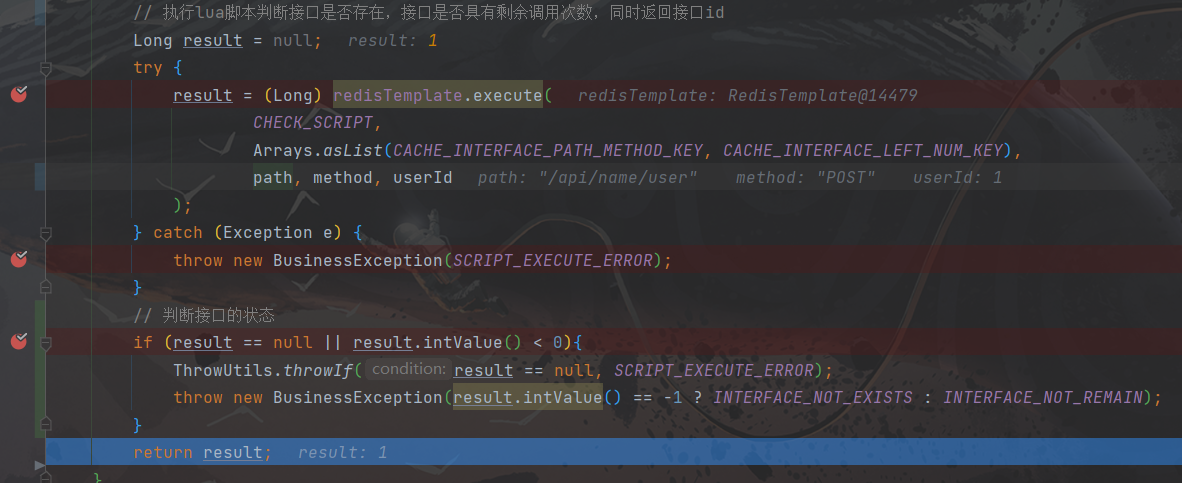
执行Lua脚本后一直查询不到Redis中的数据(附带问题详细排查过程,一波三折)
文章目录 执行Lua脚本后一直查询不到Redis中的数据(附带详细问题排查过程,一波三折)问题背景问题1:Lua脚本无法切库问题2:RedisTemlate切库报错问题3:序列化导致数据不一致问题4:Lua脚本中单引号…...
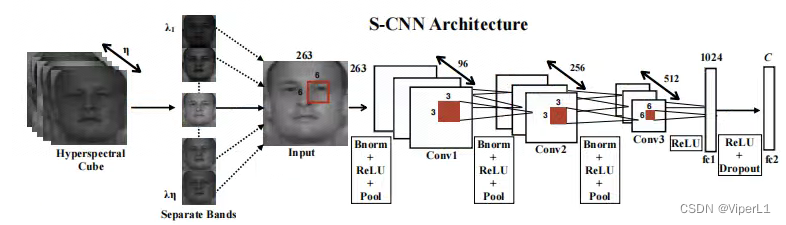
[高光谱]PyTorch使用CNN对高光谱图像进行分类
项目原地址: Hyperspectral-Classificationhttps://github.com/eecn/Hyperspectral-ClassificationDataLoader讲解: [高光谱]使用PyTorch的dataloader加载高光谱数据https://blog.csdn.net/weixin_37878740/article/details/130929358 一、模型加载 在…...
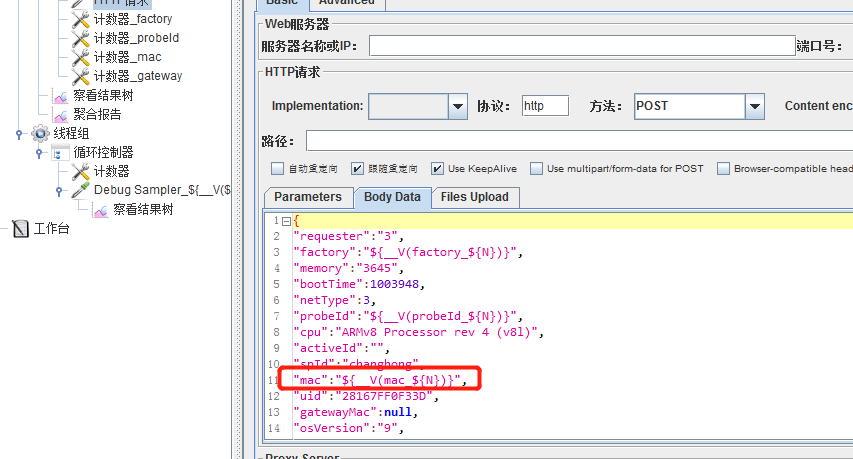
jmeter获取mysql数据
JDBC Connection Configuration Database URL: jdbc:mysql:// 数据库地址 /库名 JDBC Driver class:com.mysql.jdbc.Driver Username:账号 Password:密码 JDBC Request 字段含义 字段含义 Variable Name Bound to Pool 数据库连接池配置…...
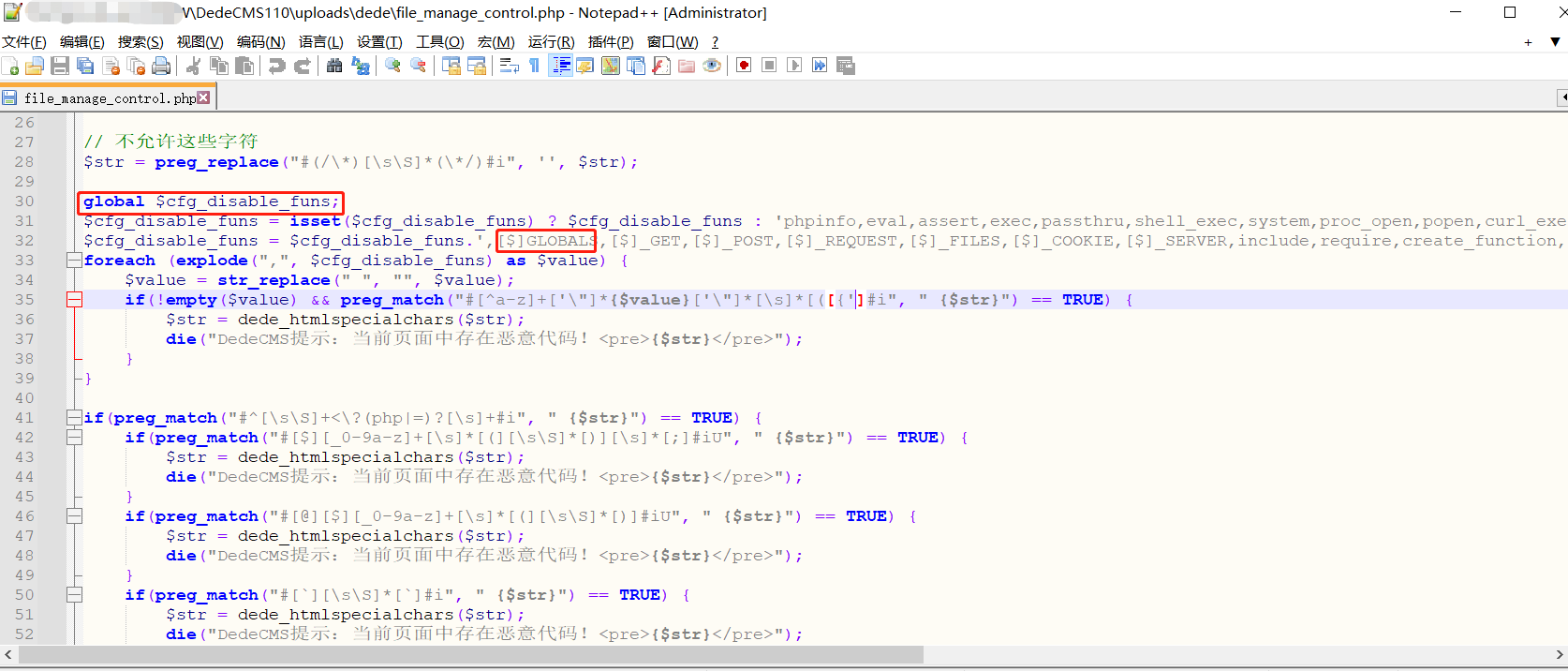
Dedecms V110最新版RCE---Tricks
前言 刚发现Dedecms更新了发布版本,顺便测试一下之前的day有没有修复,突然想到了新的tricks去实现RCE。 文章发布的时候估计比较晚了,一直没时间写了。 利用 /uploads/dede/article_string_mix.php /uploads/dede/article_template_rand.…...
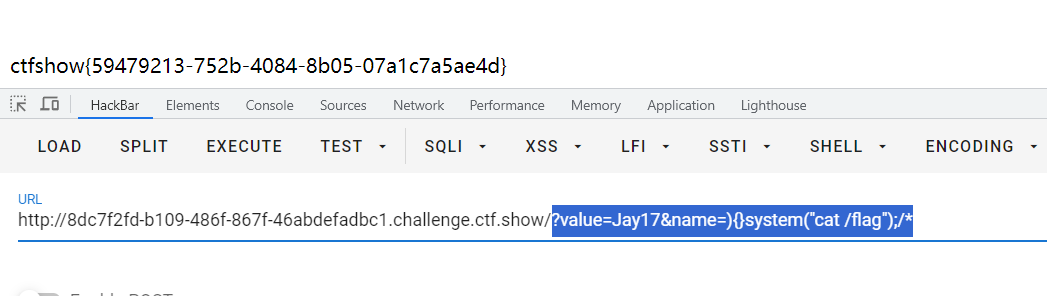
CTFshow 限时活动 红包挑战7、红包挑战8
CTFshow红包挑战7 写不出来一点,还是等了官方wp之后才复现。 直接给了源码 <?php highlight_file(__FILE__); error_reporting(2);extract($_GET); ini_set($name,$value);system("ls ".filter($_GET[1])."" );function filter($cmd){$cmd…...

Redis使用Lua脚本和Redisson来保证库存扣减中的原子性和一致性
文章目录 前言1.使用SpringBoot Redis 原生实现方式2.使用redisson方式实现3. 使用RedisLua脚本实现3.1 lua脚本代码逻辑 3.2 与SpringBoot集成 4. Lua脚本方式和Redisson的方式对比5. 源码地址6. Redis从入门到精通系列文章7. 参考文档 前言 背景:最近有社群技术交…...
【从零开始学Kaggle竞赛】泰坦尼克之灾
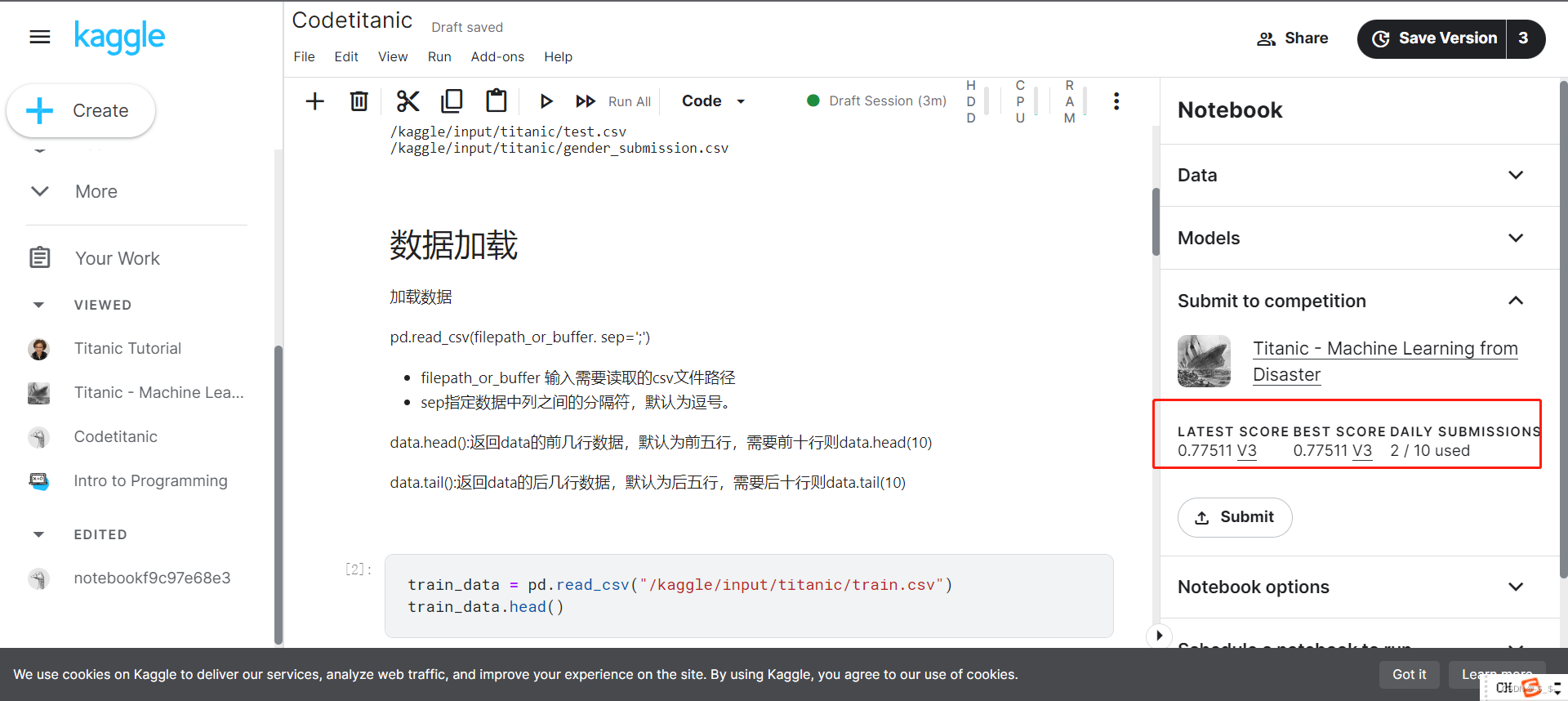
目录 0.准备1.问题分析挑战流程数据集介绍结果提交 2.代码实现2.1 加载数据2.1.1 加载训练数据2.1.2 加载测试数据 2.2 数据分析2.3 模型建立与预测 3.结果提交 0.准备 注册kaggle账号后,进入titanic竞赛界面 https://www.kaggle.com/competitions/titanic 进入后界…...

输出无重复的3位数和计算无人机飞行坐标
编程题总结 题目一:输出无重复的3位数 题目描述 从{1,2,3,4,5,6,7,8,9}中随机挑选不重复的5个数字作为输入数组‘selectedDigits’,能组成多少个互不相同且无重复数字的3位数?请编写程》序,从小到大顺序,以数组形式输出这些3位…...

muduo 29 异步日志
目录 Muduo双缓冲异步日志模型: 异步日志实现: 为什么要实现非阻塞的日志...

Qt 对象序列化/反序列化
阅读本文大概需要 3 分钟 背景 日常开发过程中,避免不了对象序列化和反序列化,如果你使用 Qt 进行开发,那么有一种方法实现起来非常简单和容易。 实现 我们知道 Qt 的元对象系统非常强大,基于此属性我们可以实现对象的序列化和…...
)
从零学算法(非官方题库)
输入两棵二叉树A和B,判断B是不是A的子结构。(约定空树不是任意一个树的子结构) B是A的子结构, 即 A中有出现和B相同的结构和节点值。 例如: 给定的树 A:3/ \4 5/ \1 2给定的树 B:4 / 1返回 true,因为 B 与 A 的一个子树拥有相…...

Java # JVM内存管理
一、运行时数据区域 程序计数器、Java虚拟机栈、本地方法栈、Java堆、方法区、运行时常量池、直接内存 二、HotSpot虚拟机对象 对象创建: 引用检查类加载检查分配内存空间:指针碰撞、空闲列表分配空间初始化对象信息设置(对象头内࿰…...

大疆第二批笔试复盘
大疆笔试复盘(8-14) 笔试时候的状态和下来复盘的感觉完全不一样,笔试时脑子是懵的。 (1)输出无重复三位数 题目描述 从 { 1 , 2 , 3 , 4 , 5 , 6 , 7 , 8 , 9 } \left \{ 1,2,3,4,5,6,7,8,9 \right \...

【Linux】磁盘或内存 占用比较高要怎么排
当 Linux 磁盘空间满了时 请注意,在进行任何删除操作之前,请确保你知道哪些文件可以安全删除,并备份重要文件,以免意外丢失数据。当 Linux 磁盘空间满了时,可以按照以下步骤进行排查: 检查磁盘使用情况&…...
解决xss转义导致转码的问题
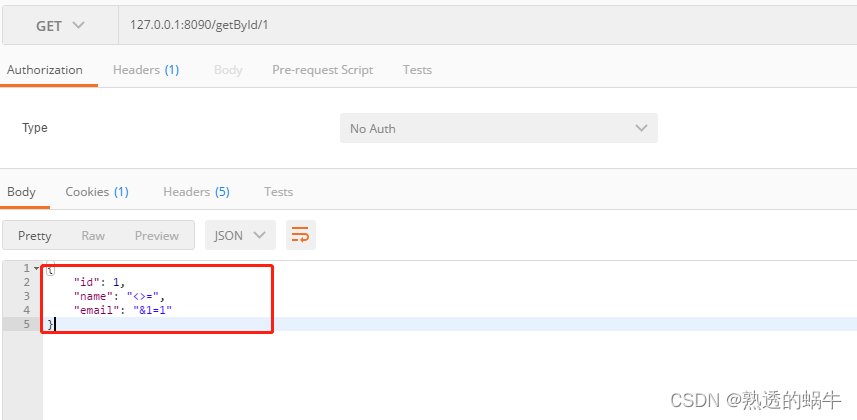
一、xss简介 人们经常将跨站脚本攻击(Cross Site Scripting)缩写为CSS,但这会与层叠样式表(Cascading Style Sheets,CSS)的缩写混淆。因此,有人将跨站脚本攻击缩写为XSS。跨站脚本攻击ÿ…...
numba 入门示例
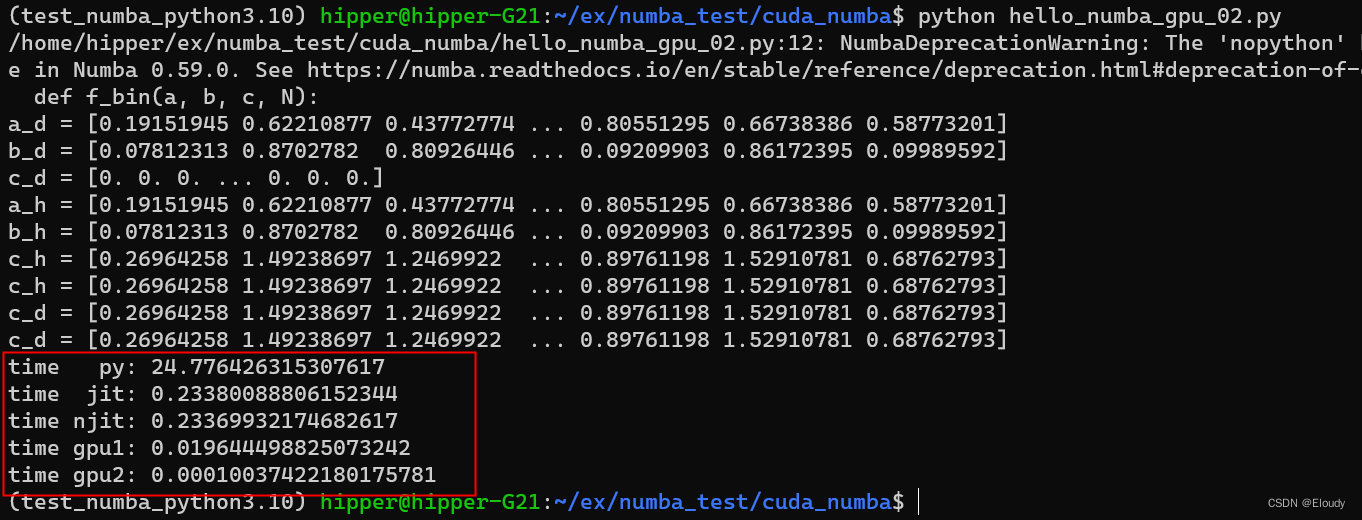
一维向量求和: C A B 在有nv 近几年gpu的ubuntu 机器上, 环境预备: conda create -name numba_cuda_python3.10 python3.10 conda activate numba_cuda_python3.10conda install numba conda install cudatoolkit conda install -c nvi…...

BUUCTF 还原大师 1
题目描述: 我们得到了一串神秘字符串:TASC?O3RJMV?WDJKX?ZM,问号部分是未知大写字母,为了确定这个神秘字符串,我们通过了其他途径获得了这个字串的32位MD5码。但是我们获得它的32位MD5码也是残缺不全,E903???4D…...

自定义hook之首页数据请求动作封装 hooks
本例子实现了自定义hook之首页数据请求动作封装 hooks,具体代码如下 export type OrganData {dis: Array<{ disease: string; id: number }>;is_delete: number;name: string;organ_id: number;parent_id: number;sort: number; }; export type SwiperData …...

Visual Paradigm 17.0 团队协作新功能实测:手把手教你用项目模板和文件夹管理提效
Visual Paradigm 17.0 团队协作实战指南:从模板配置到文件夹管理的高效工作流在敏捷开发团队中,项目启动速度和资产管理的规范性往往直接影响整体效率。Visual Paradigm 17.0针对这一痛点推出的团队协作增强功能,特别是服务器端项目模板和文件…...

串口通信粘包问题:成因深度解析与项目实战解决方案
在嵌入式开发、工业工控、上位机下位机交互项目中,串口(RS232/RS485)是最基础、最常用的通信方式。绝大多数开发者都遇到过这样的问题:串口接收的数据偶尔错乱、解析报错、数据拼接异常,单次接收的数据时而半包、时而多…...

内网环境下Win7系统批量离线补丁部署实战指南
1. 内网Win7补丁部署的挑战与解决方案老旧Win7系统在内网环境中的安全隐患就像漏雨的屋顶,看似不影响日常使用,但随时可能引发严重后果。我经手过几十家单位的系统加固项目,发现这些场景存在三个典型痛点:首先是补丁来源问题&…...

DS4Windows终极指南:3步让PS手柄在PC上完美运行游戏
DS4Windows终极指南:3步让PS手柄在PC上完美运行游戏 【免费下载链接】DS4Windows Like those other ds4tools, but sexier 项目地址: https://gitcode.com/gh_mirrors/ds/DS4Windows 还在为PS手柄连接Windows电脑后无法识别而烦恼吗?🎮…...

DeepSeek重复代码识别失效了?5个被90%团队忽略的AST解析盲区及修复清单
更多请点击: https://codechina.net 第一章:DeepSeek代码重复检测失效的真相与影响 DeepSeek-R1 模型在代码理解任务中表现出色,但其内置的代码重复检测机制在特定场景下存在系统性失效。根本原因在于模型对语义等价但语法结构差异显著的代…...

通过Taotoken标准OpenAI协议实现分钟级集成现有代码
🚀 告别海外账号与网络限制!稳定直连全球优质大模型,限时半价接入中。 👉 点击领取海量免费额度 通过Taotoken标准OpenAI协议实现分钟级集成现有代码 1. 迁移背景与核心思路 许多开发团队在构建AI应用时,会直接使用O…...

MeloTTS实战指南:解决多语言TTS部署中的核心挑战
MeloTTS实战指南:解决多语言TTS部署中的核心挑战 【免费下载链接】MeloTTS High-quality multi-lingual text-to-speech library by MyShell.ai. Support English, Spanish, French, Chinese, Japanese and Korean. 项目地址: https://gitcode.com/GitHub_Trendin…...
)
微信聊天图片丢了别慌!保姆级教程:找回并解密DAT文件(支持新旧版微信路径)
微信DAT图片恢复实战:从文件定位到批量解密的完整指南 微信聊天记录中的图片突然消失?别急着放弃!那些看似无法打开的DAT文件里,可能藏着您的重要回忆或工作资料。本文将带您深入微信存储机制,手把手完成从文件定位到…...

大厂校招变了:AI 能力正在进入笔试和面试
最近不少同学投递校招时,应该已经发现一个变化: 以前 JD 里写的是“熟悉 Python / Java / SQL / Office 优先”。 现在越来越多岗位开始出现新的描述: “熟练使用 AI 工具者优先” “了解大模型应用者优先” “具备 AI 辅助编程经验优先” “…...
)
Lovable内部工具开发方法论(从需求黑洞到用户自发推广的完整闭环)
更多请点击: https://kaifayun.com 第一章:Lovable内部工具开发方法论(从需求黑洞到用户自发推广的完整闭环) Lovable 方法论的核心不是交付功能,而是培育“工具依赖感”——当一线工程师在凌晨三点调试线上问题时&am…...