
Qt+C++自定义控件仪表盘动画仿真
程序示例精选
Qt+C++自定义控件仪表盘动画仿真
如需安装运行环境或远程调试,见文章底部个人QQ名片,由专业技术人员远程协助!
前言
这篇博客针对<<Qt+C++自定义控件仪表盘动画仿真>>编写代码,代码整洁,规则,易读。 学习与应用推荐首选。
文章目录
一、所需工具软件
二、使用步骤
1. 引入库
2. 代码实现
3. 运行结果
三、在线协助
一、所需工具软件
1. VS, Qt
2. C++
二、使用步骤
1.引入库
#include <QWidget>
#include <QPropertyAnimation>
#include <QtMath>
#include <QPainter>
2. 代码实现
代码如下:
#include "GaugePanel.h"
GaugePanel::~GaugePanel()
{hShearAnimation->stop();vShearAnimation->stop();delete hShearAnimation;delete vShearAnimation;
}void GaugePanel::paintEvent(QPaintEvent*)
{int width = this->width();int height = this->height();int side = qMin(width, height);//绘制准备工作,启用反锯齿,平移坐标轴中心,等比例缩放QPainter painter(this);painter.setRenderHints(QPainter::Antialiasing | QPainter::TextAntialiasing);painter.translate(width / 2, height / 2);painter.scale(side / 215.0, side / 215.0);painter.shear(double(hShearValue / 100.0f), double(vShearValue / 100.0f));//内层渐变drawInnerGradient(&painter);//外层渐变drawOuterGradient(&painter);//外层光晕drawOuterHalo(&painter);//刻度线drawScale(&painter);//刻度值drawScaleNum(&painter);//绘制指针drawPointer(&painter);//绘制指针扇形drawPointerSector(&painter);//绘制值drawValue(&painter);//绘制单位drawUnit(&painter);
}void GaugePanel::drawOuterGradient(QPainter* painter)
{if (radiusHalo <= radiusOuter)return;painter->save();QRectF rectangle(0 - radiusHalo, 0 - radiusHalo, radiusHalo * 2, radiusHalo * 2);QPen framePen(colorOuterFrame);framePen.setWidthF(1.5f);painter->setPen(framePen);painter->drawEllipse(rectangle);painter->setPen(Qt::NoPen);QPainterPath smallCircle;QPainterPath bigCircle;float radius = radiusOuter;smallCircle.addEllipse(-radius, -radius, radius * 2, radius * 2);radius += (radiusHalo - radiusOuter);bigCircle.addEllipse(-radius, -radius, radius * 2, radius * 2);//大圆抛去小圆部分QPainterPath gradientPath = bigCircle - smallCircle;QRadialGradient gradient(0, 0, radius, 0, 0);//gradient.setSpread(QGradient::ReflectSpread);gradient.setColorAt(0.85, colorOuterStart);gradient.setColorAt(0.98, colorOuterEnd);painter->setBrush(gradient);painter->drawPath(gradientPath);painter->restore();
}void GaugePanel::drawInnerGradient(QPainter* painter)
{if (radiusOuter <= radiusInner)return;painter->save();painter->setPen(Qt::NoPen);QPainterPath smallCircle;QPainterPath bigCircle;float radius = radiusInner;smallCircle.addEllipse(-radius, -radius, radius * 2, radius * 2);radius += (radiusOuter - radiusInner);bigCircle.addEllipse(-radius, -radius, radius * 2, radius * 2);//大圆抛去小圆部分QPainterPath gradientPath = bigCircle - smallCircle;QRadialGradient gradient(0, 0, radius, 0, 0);//gradient.setSpread(QGradient::ReflectSpread);gradient.setColorAt(0.7, colorInnerStart);gradient.setColorAt(1, colorInnerEnd);painter->setBrush(gradient);painter->drawPath(gradientPath);painter->restore();
}void GaugePanel::drawOuterHalo(QPainter* painter)
{painter->save();painter->setPen(Qt::NoPen);QPainterPath smallCircle;QPainterPath bigCircle;float radius = radiusHalo;smallCircle.addEllipse(-radius, -radius, radius * 2, radius * 2);radius += (110.0 - radiusHalo);bigCircle.addEllipse(-radius, -radius, radius * 2, radius * 2);//大圆抛去小圆部分QPainterPath gradientPath = bigCircle - smallCircle;QRadialGradient gradient(0, 0, 100, 0, 0);gradient.setSpread(QGradient::ReflectSpread);gradient.setColorAt(radiusHalo / 100, colorHaloStart);gradient.setColorAt(1, colorHaloEnd);painter->setBrush(gradient);painter->drawPath(gradientPath);painter->restore();
}void GaugePanel::drawScale(QPainter* painter)
{float radius = 85;painter->save();painter->setPen(QColor(255, 255, 255));painter->rotate(30);int steps = (30);double angleStep = (360.0 - 60) / steps;QPen pen = painter->pen();pen.setCapStyle(Qt::RoundCap);for (int i = 0; i <= steps; i++) {if (i % 3 == 0) {pen.setWidthF(1.5);painter->setPen(pen);QLineF line(0.0f, radius - 8.0f, 0.0f, radius);painter->drawLine(line);}else {pen.setWidthF(0.5);painter->setPen(pen);QLineF line(0.0f, radius - 3.0f, 0.0f, radius);painter->drawLine(line);}painter->rotate(angleStep);}painter->restore();
}void GaugePanel::drawScaleNum(QPainter* painter)
{float radius = 95.0f;painter->save();painter->setPen(QColor(255, 255, 255));double startRad = (330 - 90) * (M_PI / 180);double deltaRad = (300) * (M_PI / 180) / 10;for (int i = 0; i <= 10; i++) {double sina = sin(startRad - i * deltaRad);double cosa = cos(startRad - i * deltaRad);double value = 1.0 * i * ((30) / 10);//刻度值范围QString strValue = QString("%1").arg((double)value, 0, 'f', 0);double textWidth = fontMetrics().width(strValue);double textHeight = fontMetrics().height();int x = radius * cosa - textWidth / 2;int y = -radius * sina + textHeight / 4;painter->drawText(x, y, strValue);}painter->restore();
}void GaugePanel::drawPointer(QPainter* painter)
{painter->save();float radius = 83.0;painter->rotate(30 + int(value * 10));QPen pen = painter->pen();pen.setWidthF(1.0);pen.setColor(QColor(50, 154, 255, 200));painter->setPen(pen);QLineF line(0.0f, 0.0f, 0.0f, radius);painter->drawLine(line);painter->restore();
}void GaugePanel::drawPointerSector(QPainter* painter)
{float radius = 87.5f;painter->save();painter->setPen(Qt::NoPen);QRectF rect(-radius, -radius, radius * 2, radius * 2);painter->setBrush(QColor(50, 154, 255, 50));painter->drawPie(rect, -120 * 16, -value * 16 * 10);painter->restore();
}void GaugePanel::drawValue(QPainter* painter)
{int radius = 100;painter->save();painter->setPen(QColor(255, 255, 255));painter->setFont(QFont("Arial", 22, 22, true));QRectF textRect(-radius, -radius, radius * 2, radius * 2);QString strValue = QString("%1").arg((double)value, 0, 'f', 0);painter->drawText(textRect, Qt::AlignCenter, strValue);painter->restore();
}void GaugePanel::drawUnit(QPainter* painter)
{int radius = 100;painter->save();painter->setPen(QColor(255, 255, 255));painter->setFont(QFont("Arial", 9, -1, true));QRectF textRect(-radius, -radius + 20, radius * 2, radius * 2);painter->drawText(textRect, Qt::AlignCenter, "km/h");painter->restore();
}double GaugePanel::getValue() const
{return this->value;
}int GaugePanel::getHShearValue() const
{return this->hShearValue;
}int GaugePanel::getVShearValue() const
{return this->vShearValue;
}double GaugePanel::getRadiusInner() const
{return radiusInner;
}double GaugePanel::getRadiusOuter() const
{return radiusOuter;
}double GaugePanel::getRadiusHalo() const
{return radiusHalo;
}QColor GaugePanel::getColorOuterFrame() const
{return colorOuterFrame;
}QColor GaugePanel::getColorInnerStart() const
{return colorInnerStart;
}QColor GaugePanel::getColorInnerEnd() const
{return colorInnerEnd;
}QColor GaugePanel::getColorOuterStart() const
{return colorOuterStart;
}QColor GaugePanel::getColorOuterEnd() const
{return colorOuterEnd;
}QColor GaugePanel::getColorHaloStart() const
{return colorHaloStart;
}QColor GaugePanel::getColorHaloEnd() const
{return colorHaloEnd;
}void GaugePanel::setValue(int value)
{setValue(double(value));
}void GaugePanel::setValue(double value) {updateValue(value);
}void GaugePanel::setHShearValue(int value)
{if (value > 100 || value < -100)return;this->hShearValue = value;update();
}void GaugePanel::setVShearValue(int value)
{if (value > 100 || value < -100)return;this->vShearValue = value;update();
}void GaugePanel::setColorOuterFrame(QColor color)
{colorOuterFrame = color;
}void GaugePanel::setRadiusInner(int radius)
{setRadiusInner(double(radius));
}void GaugePanel::setRadiusInner(double radius)
{if (radius >= 0.0f && radius < 100.0f) {radiusInner = radius;update();}
}void GaugePanel::setRadiusOuter(int radius)
{setRadiusOuter(double(radius));
}void GaugePanel::setRadiusOuter(double radius)
{if (radius > 0.0f && radius < 100.0f) {radiusOuter = radius;update();}
}void GaugePanel::setRadiusHalo(int radius)
{setRadiusHalo(double(radius));
}void GaugePanel::setRadiusHalo(double radius)
{if (radius > 0.0f && radius < 100.0f) {radiusHalo = radius;update();}
}void GaugePanel::setColorInnerStart(QColor color)
{colorInnerStart = color;
}void GaugePanel::setColorInnerEnd(QColor color)
{colorInnerEnd = color;
}void GaugePanel::setColorOuterStart(QColor color)
{colorOuterStart = color;
}void GaugePanel::setColorOuterEnd(QColor color)
{colorOuterEnd = color;
}void GaugePanel::setColorHaloStart(QColor color)
{colorHaloStart = color;
}void GaugePanel::setColorHaloEnd(QColor color)
{colorHaloEnd = color;
}void GaugePanel::startShearAnimal(int duration, int hShearValue, int vShearValue)
{if (hShearValue == this->hShearValue && vShearValue == this->vShearValue) {return;}if (hShearAnimation->state() != QPropertyAnimation::Stopped) {hShearAnimation->stop();}if (vShearAnimation->state() != QPropertyAnimation::Stopped) {vShearAnimation->stop();}hShearAnimation->setDuration(duration);hShearAnimation->setStartValue(this->hShearValue);hShearAnimation->setEndValue(hShearValue);hShearAnimation->start();vShearAnimation->setDuration(duration);vShearAnimation->setStartValue(this->vShearValue);vShearAnimation->setEndValue(vShearValue);vShearAnimation->start();
}void GaugePanel::updateValue(double value)
{if (value > 30.0 || value < 0.0) {return;}this->value = value;//update();this->update();// emit valueChanged(value);
}
3. 运行结果
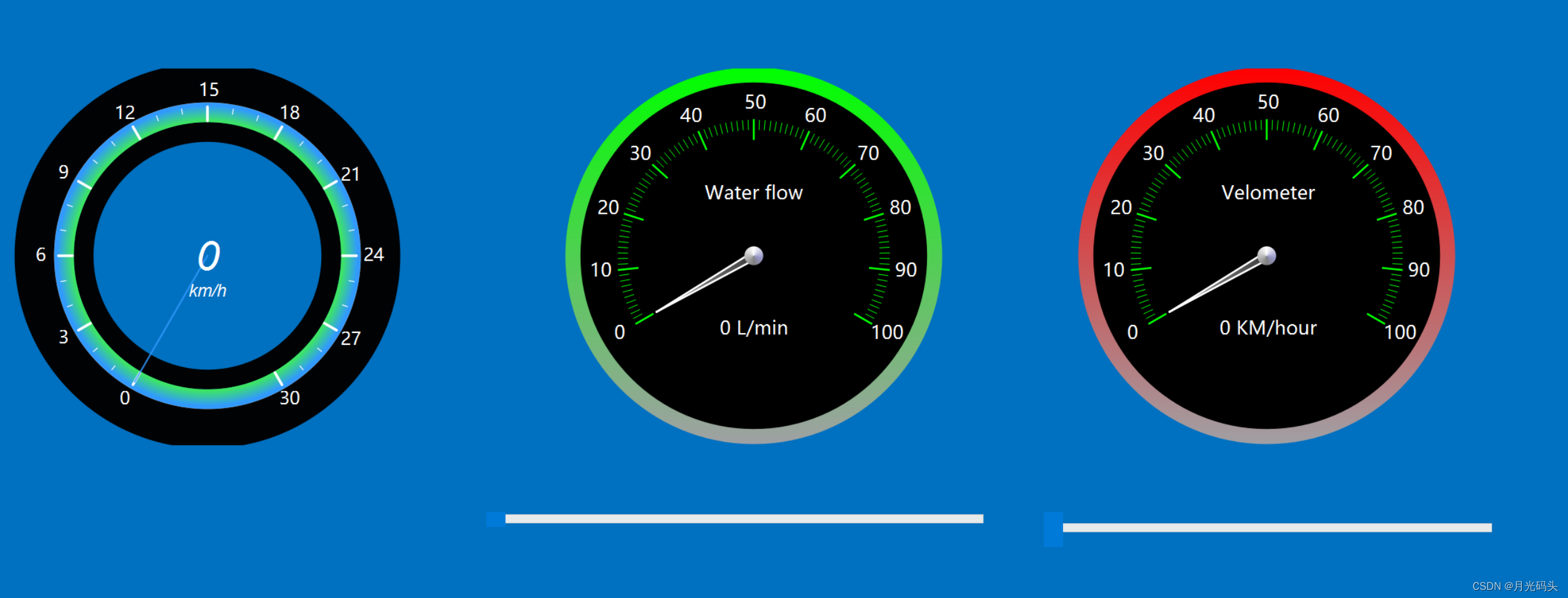
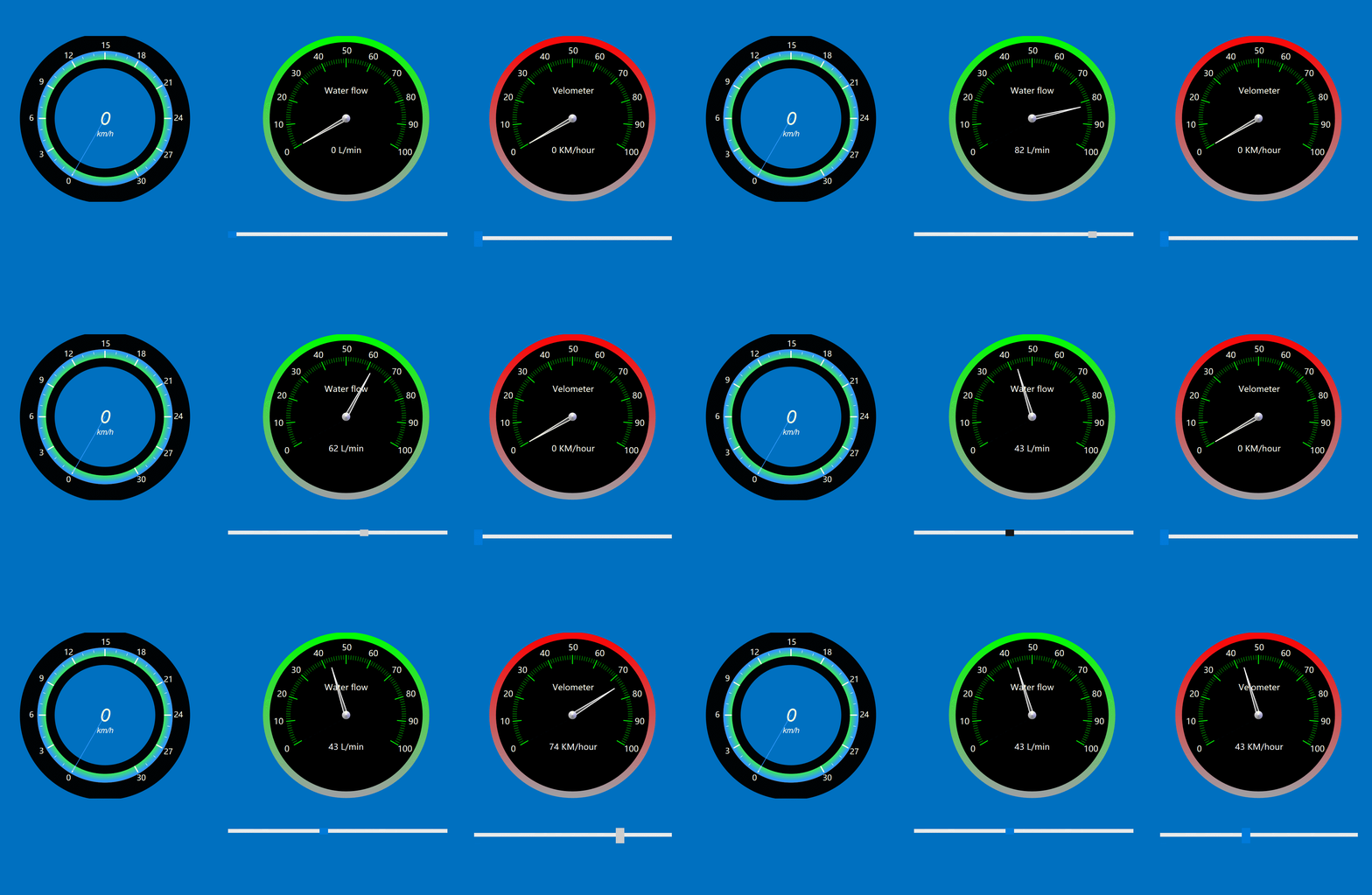
三、在线协助:
如需安装运行环境或远程调试,见文章底部个人 QQ 名片,由专业技术人员远程协助!
1)远程安装运行环境,代码调试
2)Qt, C++, Python入门指导
3)界面美化
4)软件制作
当前文章连接:Python+Qt桌面端与网页端人工客服沟通工具_alicema1111的博客-CSDN博客
博主推荐文章:python人脸识别统计人数qt窗体-CSDN博客
博主推荐文章:Python Yolov5火焰烟雾识别源码分享-CSDN博客
Python OpenCV识别行人入口进出人数统计_python识别人数-CSDN博客
个人博客主页:alicema1111的博客_CSDN博客-Python,C++,网页领域博主
博主所有文章点这里:alicema1111的博客_CSDN博客-Python,C++,网页领域博主
相关文章:
Qt+C++自定义控件仪表盘动画仿真
程序示例精选 QtC自定义控件仪表盘动画仿真 如需安装运行环境或远程调试,见文章底部个人QQ名片,由专业技术人员远程协助! 前言 这篇博客针对<<QtC自定义控件仪表盘动画仿真>>编写代码,代码整洁,规则&…...
怎样让音频速度变慢?请跟随以下方法进行操作
怎样让音频速度变慢?在会议录音过程中,经常会遇到主讲人语速过快,导致我们无法清晰听到对方说的内容。如果我们能够减慢音频速度,就能更好地记录对方的讲话内容。此外,在听到快速播放的外语或方言时,我们也…...

【C语言】常用的库和作用以及对应的函数
常规编程时: <stdio.h>:提供标准输入输出函数,例如printf、scanf、fprintf、fscanf等。 <stdlib.h>:提供常用的通用函数,例如内存管理函数(malloc、calloc、realloc、free)、随机数…...

Android 12.0 系统systemui下拉通知栏的通知布局相关源码分析
1.前言 在android12.0的系统rom开发中,在进行systemui中的下拉通知栏的布局自定义的时候,对于原生systemui的 系统的下拉通知栏的通知布局的了解也是非常重要的,接下来就来分析下相关的下拉通知栏的通知布局的相关 源码流程,了解这些才方便对通知栏的布局做修改 2.系统sy…...
java实现docx,pdf文件动态填充数据
一,引入pom 根据需求引入自己所需pom org.apache.poi poi 4.1.1 org.apache.poi poi-ooxml 4.1.1 org.jxls jxls 2.6.0 ch.qos.logback logback-core org.jxls jxls-poi 1.2.0 fr.opensagres.xdocreport fr.opensagres.xdocreport.core 2.0.2 fr.opensagres.xdocrep…...

【Python2】实现异步进程的创建、终止与资源回收
章节索引 前言〇、问题与难点一、进程、异步进程、线程 / 进程池二、最终的代码构成三、代码逻辑讲解四、扩展的知识后记 前言 由于业务需求,需要在服务中加入一个异步任务,执行大量的耗时计算操作,需求细节如下: Handler处理器…...

leetcode做题笔记79单词搜索
给定一个 m x n 二维字符网格 board 和一个字符串单词 word 。如果 word 存在于网格中,返回 true ;否则,返回 false 。 单词必须按照字母顺序,通过相邻的单元格内的字母构成,其中“相邻”单元格是那些水平相邻或垂直相…...
http库 之 OKHttpUtil
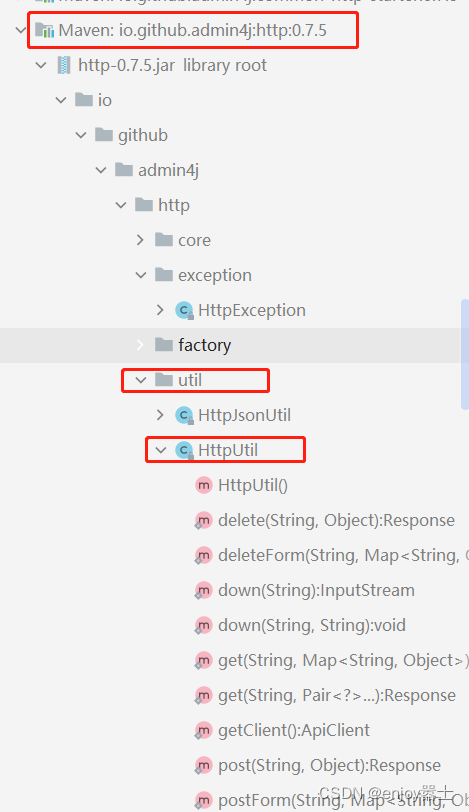
源码位置 方便实用,个人感觉不错 依赖 <dependency><groupId>io.github.admin4j</groupId><artifactId>common-http-starter</artifactId><version>0.7.5</version> </dependency>代码实践 /*** 通用http的pos…...
gitlab合并新项目和分支切换
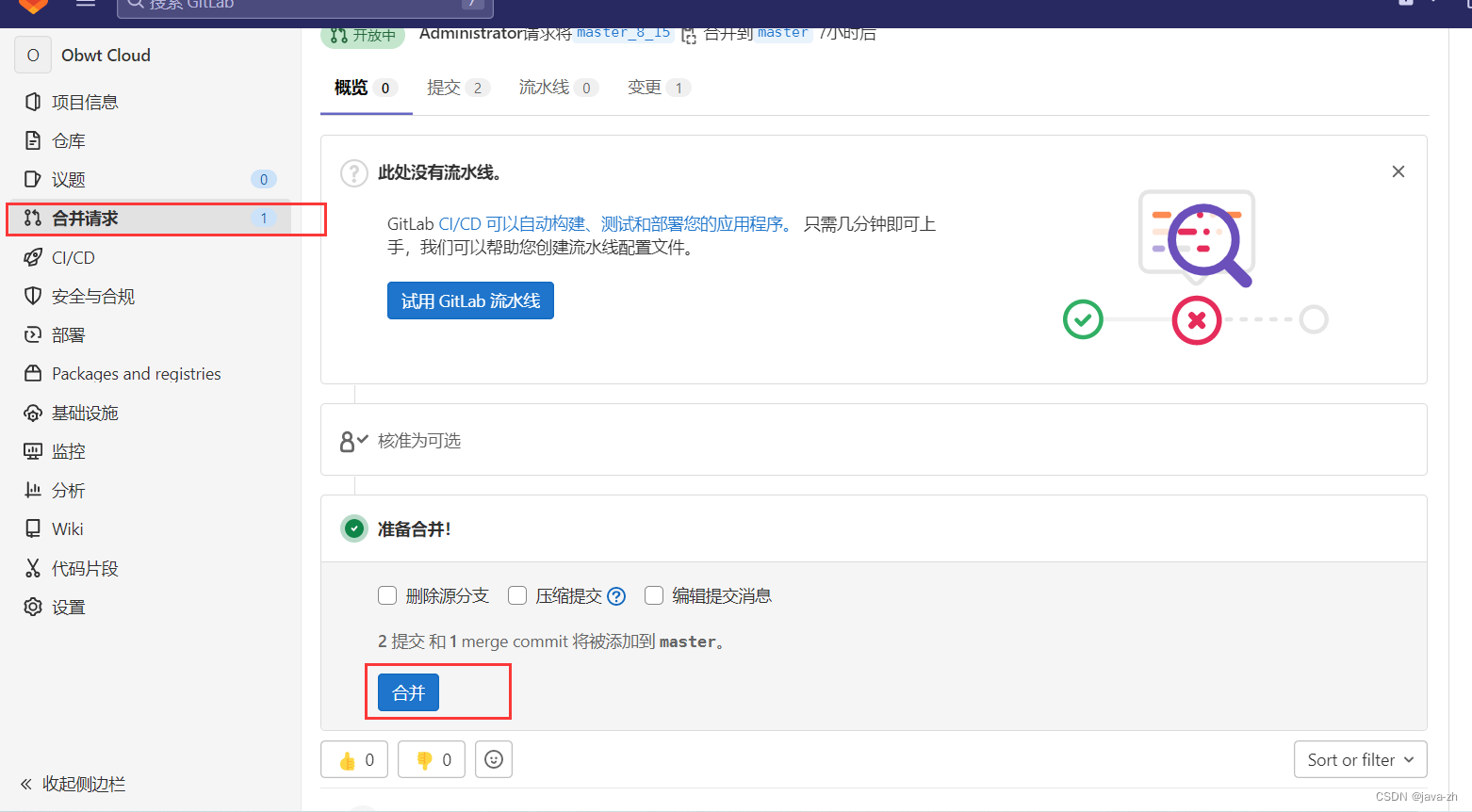
一、新建项目 1、创建空白项目 2、先创建一个群组 3、编写群组信息 4、创建群组完成以后新建项目 二、将代码推送到gitlab 1、初始化 git init 2、关联gitlab地址 # 比如:http://192.168.139.128:7070/cloud/obwt_cloud.git git remote add origin <你…...
WebStorm修改默认打开的浏览器
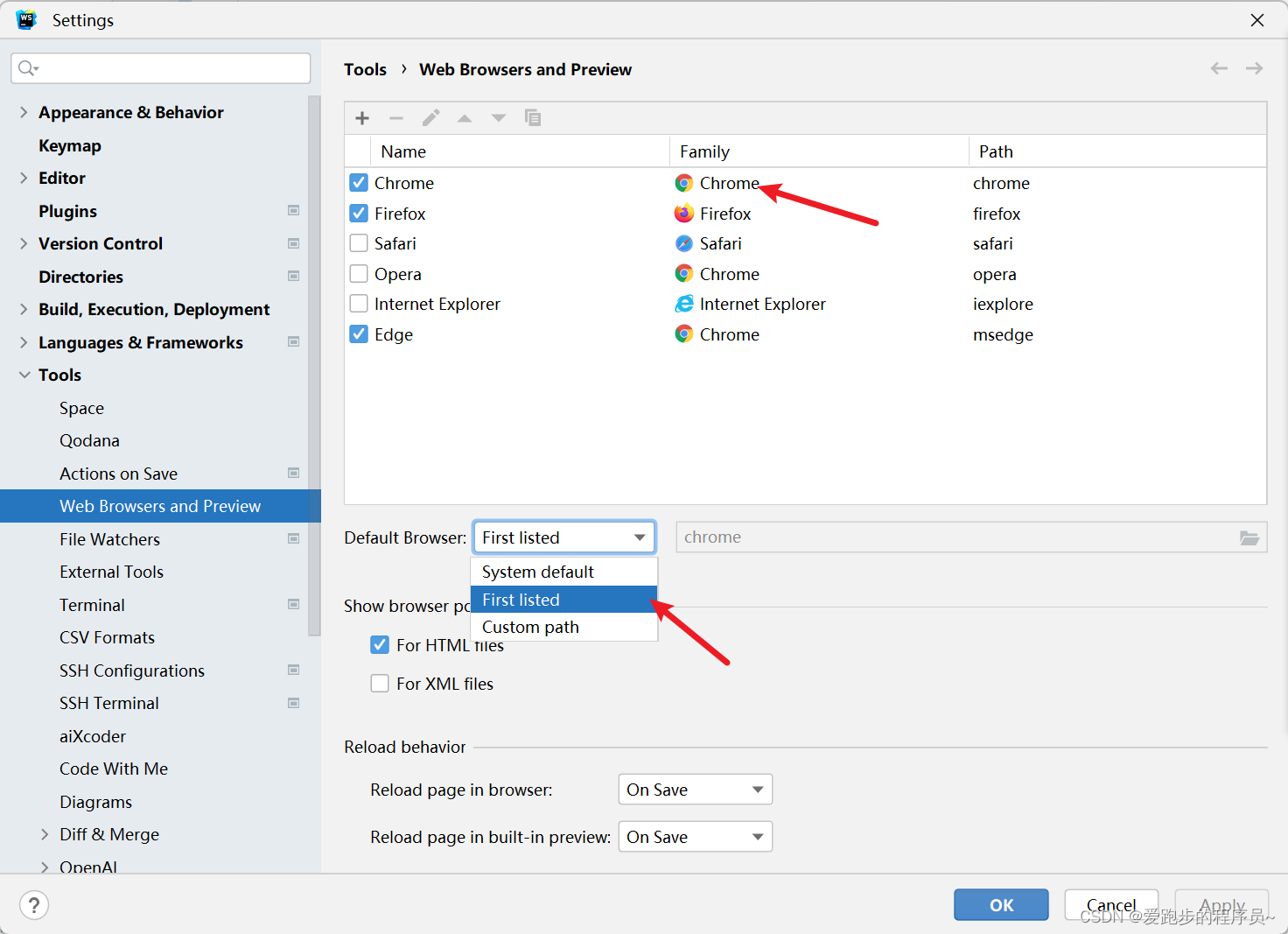
有两种方式第一种修改系统默认浏览器 我采用的是下面这种,在webstorm中修改 将浏览器设置为默认的浏览器即可...
vue3+vite+pinia
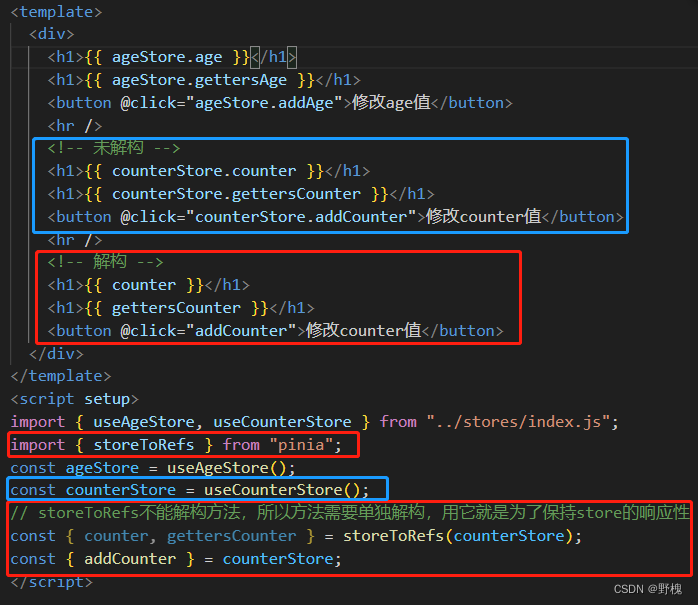
目录 一、项目准备 1.1、Vite搭建项目 1.2、vue_cli创建项目 二、组合式API(基于setup) 2.1、ref 2.2、reactive 2.3、toRefs 2.4、watch和watchEffect 2.5、computed 2.6、生命周期钩子函数 2.7、setup(子组件)的第一个参数-props 2.8、setup(子组件)的第二个参数…...
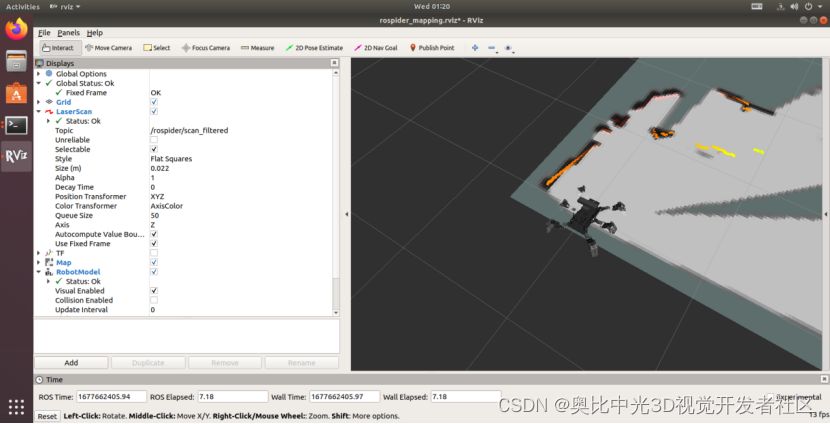
ROSpider机器人评测报告
ROSpider机器人评测报告 最近入手了一款ROSpider六足仿生机器人,ROSpider是一款基于ROS 操作系统开发的智能视觉六足机器人。 外观 外观上ROSpider六足机器人如同名字一样有六只机械腿,整体来看像一只六腿的蜘蛛。腿上的关节处用了明亮的橙黄色很是显…...

在vue3 中,使用element-plus中的el-scrollbar,让内容元素自动滚动
在vue3 中,使用element-plus中的el-scrollbar,在el-scrollbar中如果元素过大出现滑动,就自动滑动,到底部时就返回顶部重新向下滑动,鼠标放入框内停止滑动 模板部分: <template><el-scrollbar…...
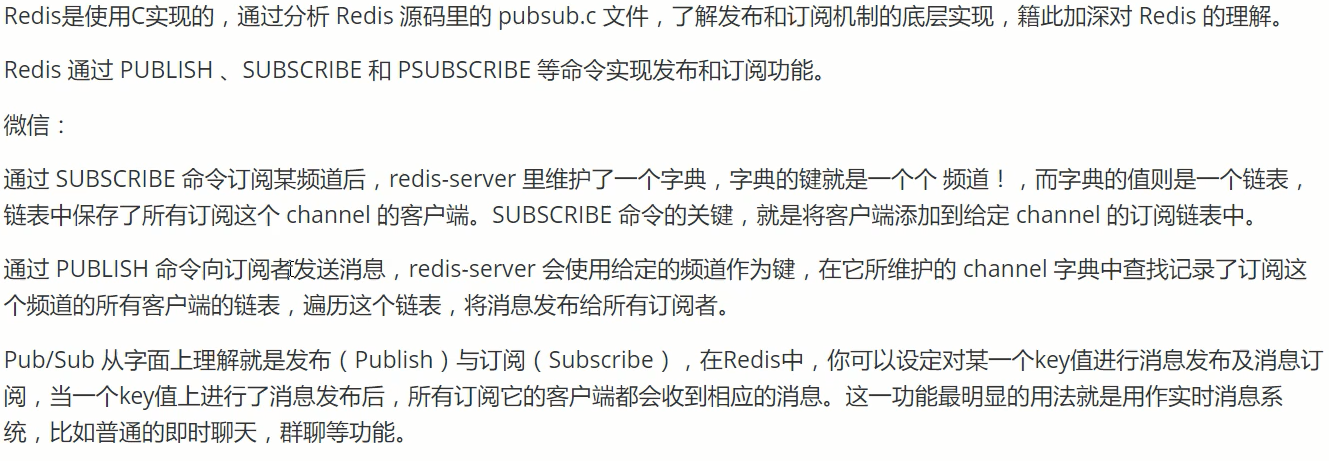
Redis——Redis.conf详解+Redis持久化(RDB和AOF)+Redis订阅发布
配置文件 redis启动时通过配置文件启动 原生配置文件全文在网上随便搜索一下就能找到了。 单位 配置文件 unit单位 对大小写不敏感 包含 类比import,将其他的配置文件引入 网络 bind 127.0.0.1 // 绑定ip protected-mode yes //是否受保护 po…...
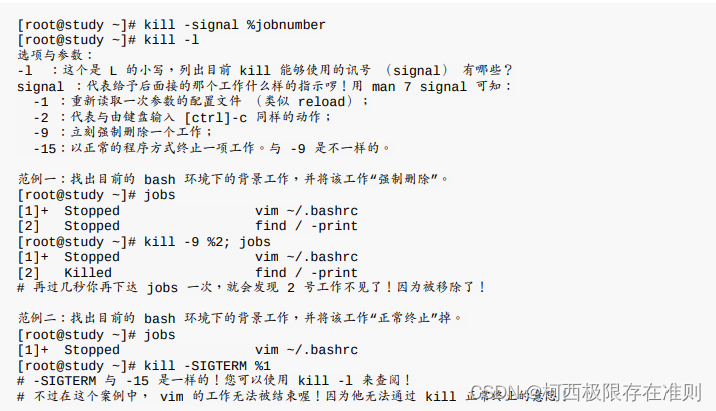
16.1.2 Linux 的多用户多任务环境
在 Linux 下面执行一个指令时,系统会将相关的权限、属性、程序码与数据等均载入内存, 并给予这个单元一个程序识别码 (PID),最终该指令可以进行的任务则与这个 PID 的权限有关。根据这个说明,我们就可以简单…...
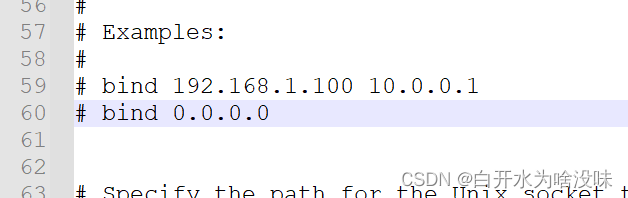
【11】Redis学习笔记 (微软windows版本)【Redis】
注意:官redis方不支持windows版本 只支持linux 此笔记是依托微软开发windows版本学习 一、前言 Redis简介: Redis(Remote Dictionary Server)是一个开源的内存数据结构存储系统,它也被称为数据结构服务器。Redis以键值对&am…...
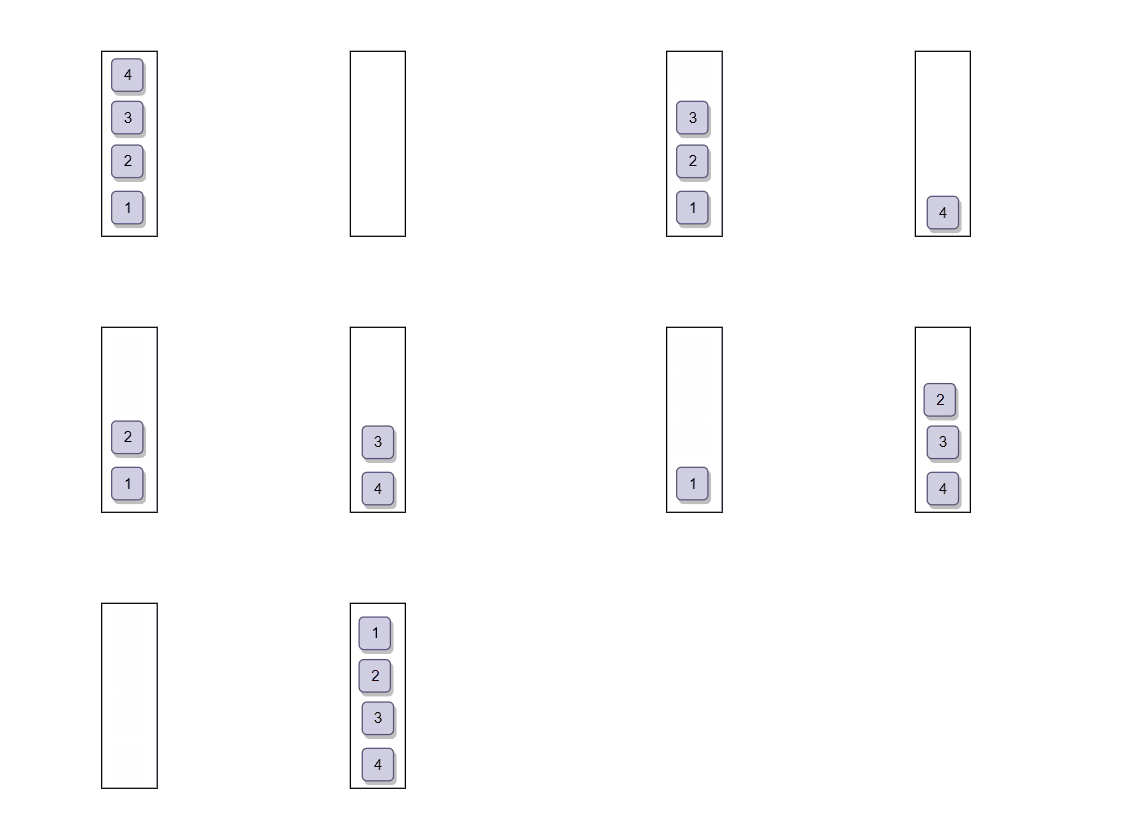
数据结构刷题训练:用栈实现队列(力扣OJ)
目录 前言 1. 题目:用栈实现队列 2. 思路 3. 分析 3.1 定义 “ 队列 ” 3.2 创建队列 3.3 入队 3.4 队头数据 3.5 出队 3.6 判空和销毁 4.题解 总结 前言 栈和队列是数据结构中的两个重要概念,它们在算法和程序设计中都有着广泛的应用。本文将带你深入了…...
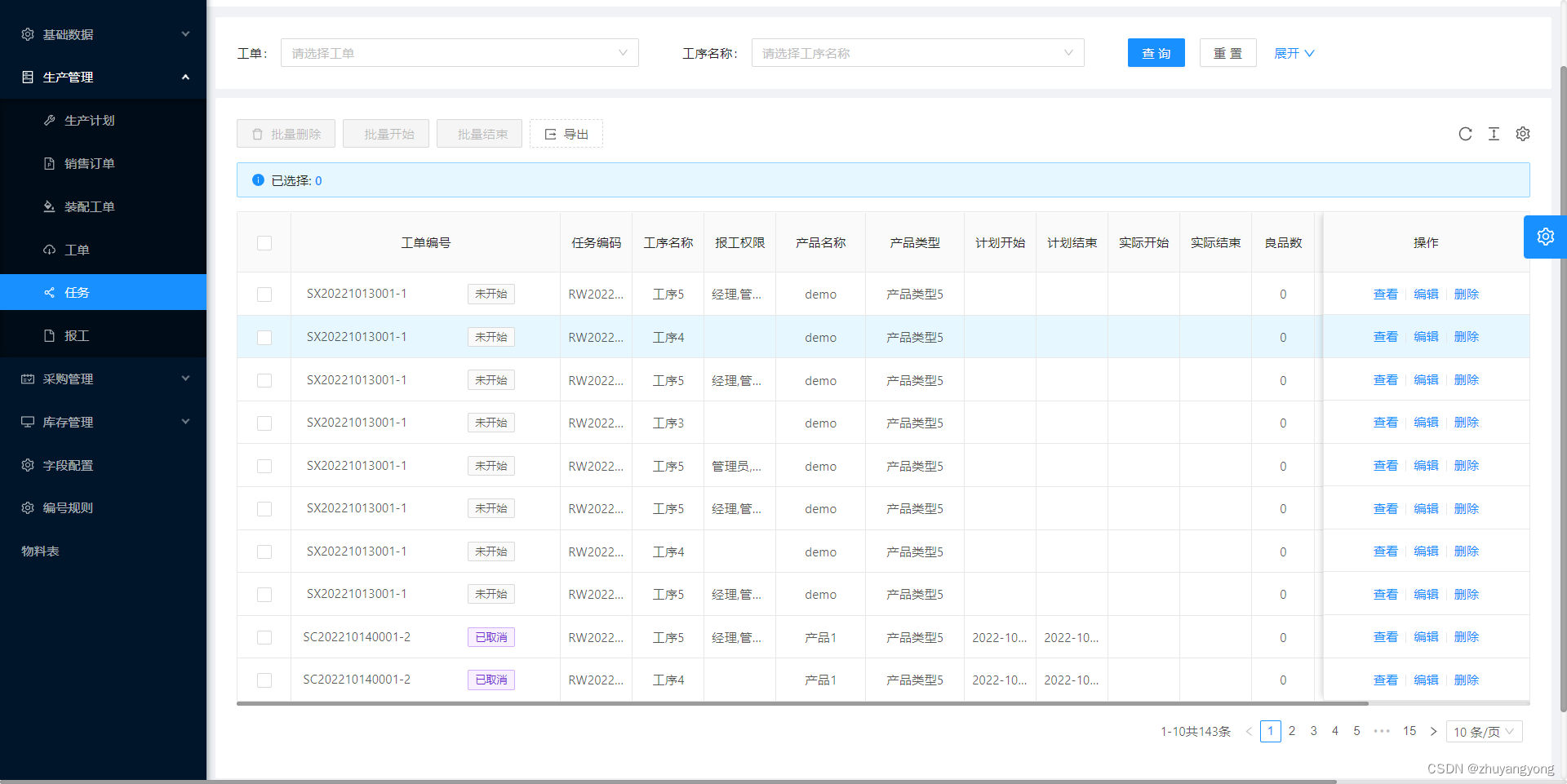
数字化车间mes生产执行管理系统
数字化车间mes是一款基于B/S结构的生产执行管理系统,主要目的是为中小企业提供了高效率、低成本、通用性强的一个MES系统解决方案,能够实时监控当前完成进度。 功能简介: 生产管理 大屏展示:可以从大屏展示页面看到任工序…...

SpringBoot + Mybatis多数据源
一、配置文件 spring: # datasource: # username: root # password: 123456 # url: jdbc:mysql://127.0.0.1:3306/jun01?characterEncodingutf-8&serverTimezoneUTC # driver-class-name: com.mysql.cj.jdbc.Driverdatasource:# 数据源1onedata:jdbc-url: j…...
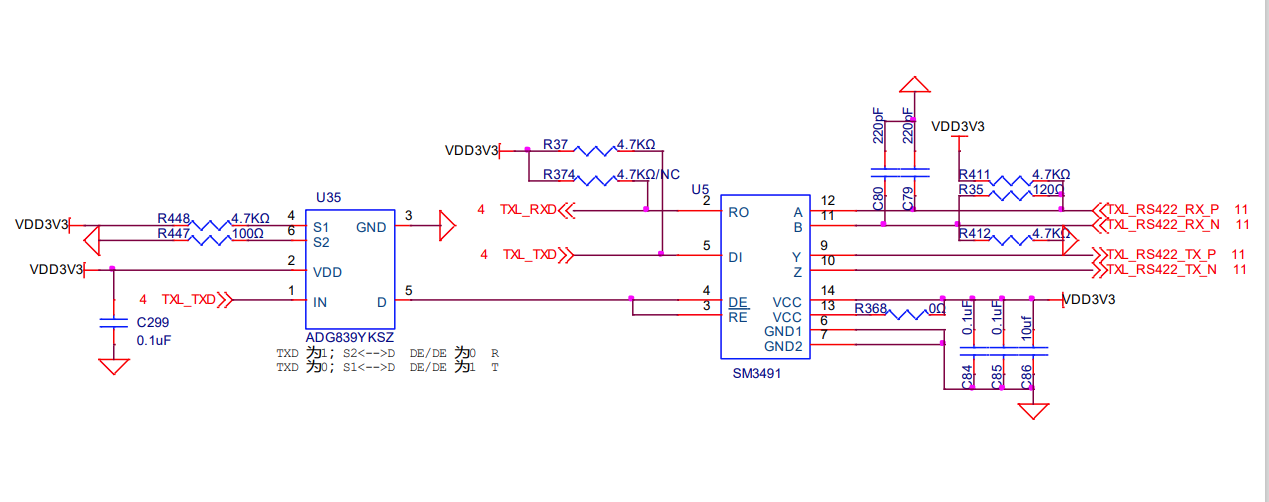
ad+硬件每日学习十个知识点(35)23.8.15 (接口电路:RS232、RS485、RS422,单线协议UART->TTL)
文章目录 1.RS232的物理层2.RS232的三种连线方式3.DB9和RJ45(网口)线定义4.RS232的电路设计(tx端需要上拉)5.RS232芯片MAX3221的引脚功能6.什么是压摆率?(压摆率越大越好)7.为什么有了RS232之后,还需要RS48…...

如何完整破解Cursor Pro限制:终极免费激活方案全解析
如何完整破解Cursor Pro限制:终极免费激活方案全解析 【免费下载链接】cursor-free-vip [Support 0.45](Multi Language 多语言)自动注册 Cursor Ai ,自动重置机器ID , 免费升级使用Pro 功能: Youve reached your tria…...

锂电 / 光伏工业相机选型:5 大品牌核心参数与适用场景解析
2026 年锂电与光伏行业工业相机选型,早已不再是单纯比拼分辨率数值。行业竞争焦点已转向高速传输下的运行稳定性、与 AI 智能检测的融合深度,以及复杂生产场景下的专属定制能力。像锂电极片高速涂布、光伏硅片隐裂筛查这类核心生产环节,对工业…...

布局先行、技术深耕:国内端侧AI企业抢滩机器人与具身智能赛道
具身智能作为AI与物理世界交互的核心方向,正成为工业智能化、人形机器人落地的关键抓手。国内一批端侧AI企业凭借原生技术优势,早早入局机器人与具身智能领域,以全栈技术、规模化落地与生态共建,抢占行业先发优势。其中࿰…...

别再用土办法改论文了!书匠策AI官网www.shujiangce.com才是2025届毕业生的“通关密码“
你有没有经历过这种崩溃瞬间? 凌晨两点,你对着电脑屏幕,查重率39%,AIGC疑似率67%。导师发来一条消息:"这篇不像你写的,重写。" 那一刻,你是不是特别想问一句:我到底该怎…...

在数据分析和报告自动化场景中集成Taotoken调用大模型
🚀 告别海外账号与网络限制!稳定直连全球优质大模型,限时半价接入中。 👉 点击领取海量免费额度 在数据分析和报告自动化场景中集成Taotoken调用大模型 数据分析与报告生成是许多团队日常工作中的高频任务。传统流程中࿰…...

Warcraft Helper:现代Windows环境下魔兽争霸3兼容性技术解决方案深度解析
Warcraft Helper:现代Windows环境下魔兽争霸3兼容性技术解决方案深度解析 【免费下载链接】WarcraftHelper Warcraft III Helper , support 1.20e, 1.24e, 1.26a, 1.27a, 1.27b 项目地址: https://gitcode.com/gh_mirrors/wa/WarcraftHelper Warcraft Helper…...

低压电工-架空线路,室内线路
前置基础补充 线路核心定义电能输送用的电线线路统称电气线路,电工考证只重点学电力线路(送电、供电),不学控制线路(设备内部控制线)。电压基础 低压:1000V 及以下(日常家用、工厂…...

0522晨间日记
# 0522晨间日记 - 关键词 - 上午- 过站的问题- 昨天有一个产品卡在母子码绑定了- 早晨的各类菜单没有同步,不知道怎么做。- 最终明确是: 因为一个产品对应2种的条码导致的卡住了- 需要在条码规则上增加多个检查对应的- 总结- 最近一周西门子遇到的问题- …...

如何快速掌握拯救者工具箱:联想笔记本性能调校终极指南
如何快速掌握拯救者工具箱:联想笔记本性能调校终极指南 【免费下载链接】LenovoLegionToolkit Lightweight Lenovo Vantage and Hotkeys replacement for Lenovo Legion laptops. 项目地址: https://gitcode.com/gh_mirrors/le/LenovoLegionToolkit 还在为联…...

AI+生产制造,车间里正在发生什么?
"人工智能生产制造"这个组合,听起来像是大型企业才玩得起的东西。但实际上,AI技术正在以一种很接地气的方式,渗透进制造企业的日常管理中。今天就来聊聊,AI在车间里到底能做什么。生产排产:从经验驱动到数据…...