
Cesium 卫星轨迹、卫星通信、卫星过境,模拟数据传输。
起因:看了cesium官网卫星通信示例发现只有cmzl版本的,决定自己动手写一个。欢迎大家一起探讨,评论留言。
效果
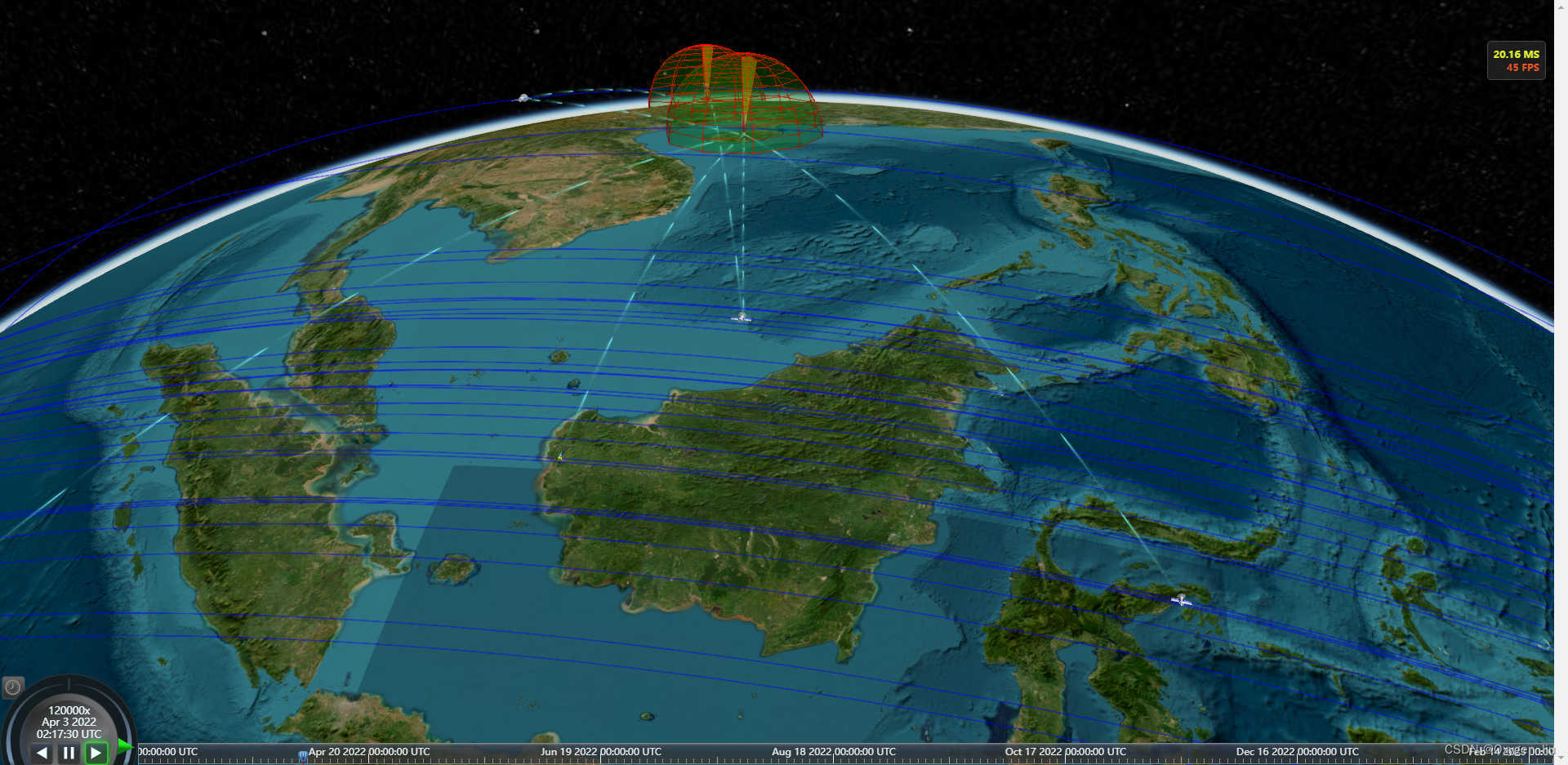
全部代码在最后
起步
寻找卫星轨迹数据,在网站space-track上找的,自己注册账号QQ邮箱即可。
- 卫星轨道类型 轨道高度 卫星用途
- LEO (低地球轨道) 500-2000km 对地观测、测地、通信、导航等
- MEO (中地球轨道) 2000-35786km 导航
- GEO(地球静止轨道) 35786km 通信 导航、气象观测等
- SSO (太阳同步轨道) <6000km 观测等
- IGSO(倾斜地球同步轨道) 35786km 导航
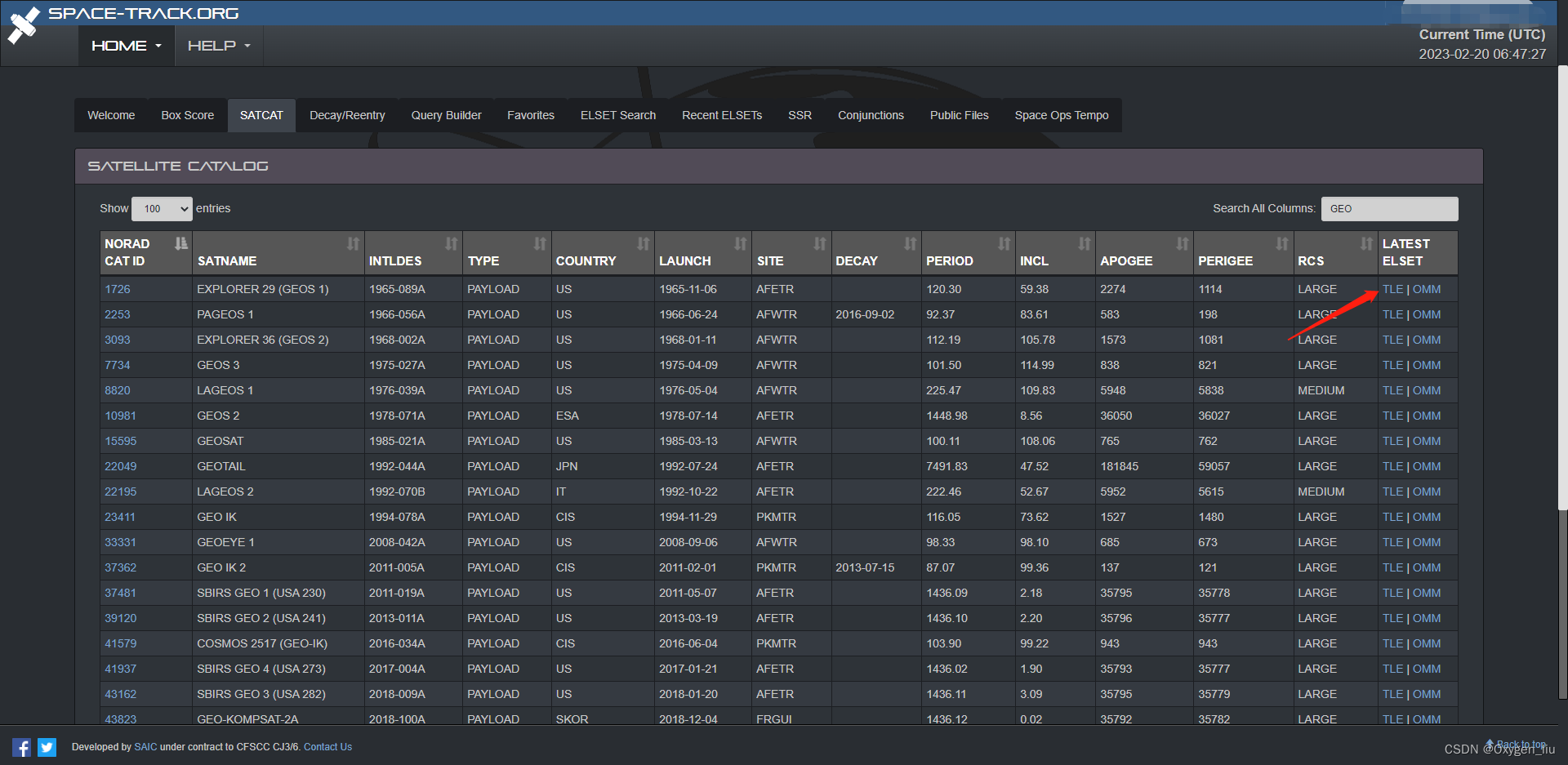
点击TLE就可以得到卫星的两个轨道数据

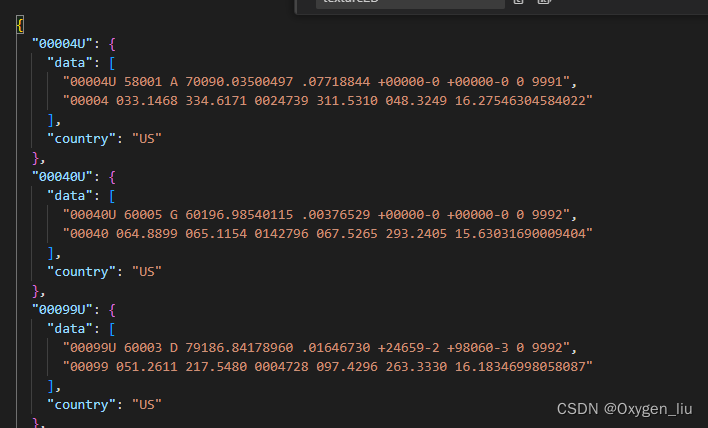
当然这个数据需要相对应的插件satellite.js转换成我们熟悉的经纬高;
拔下来的数据存入json文件中:
最后构造卫星轨迹对象
import {twoline2satrec, gstime, eciToGeodetic,PositionAndVelocity, propagate, EciVec3,degreesLong
} from 'satellite.js';fetch("data/points.json").then(res => res.json()).then(data => {for (const key in data) {if (Object.prototype.hasOwnProperty.call(data, key)) {const element = data[key];const satrec = twoline2satrec(element.data[0], element.data[1]);const positionAndVelocity: PositionAndVelocity = propagate(satrec, time);const positionEci = positionAndVelocity.position as EciVec3<number>;obj[key] = {country: element.country,times: [],positions: []};let lon, lat, alt;//一年365天 一天为间隔for (let index = min; index <= nowTime; index = index + 86400000) {const gmst = gstime(new Date(index));const positionGd = eciToGeodetic(positionEci, gmst)lon = positionGd.longitude,lat = positionGd.latitude,alt = positionGd.height;obj[key].times.push(index)obj[key].positions.push([degreesLong(lon), degreesLong(lat), alt])}}}})
加载卫星和轨迹线
//用数据集方便管理
const satellites = new Cesium.CustomDataSource("satellite");
const polylines = new Cesium.CustomDataSource("statelliteLine");
function computeCirclularFlight(arr: Obj, hasLine: boolean = true) {for (const key in arr) {if (Object.prototype.hasOwnProperty.call(arr, key)) {const element = arr[key];const property = new Cesium.SampledPositionProperty();const length = element.positions.lengthconst positions: number[] = []let p, tfor (let index = 0; index < length; index++) {p = element.positions[index]t = element.times[index]property.addSample(Cesium.JulianDate.addHours(Cesium.JulianDate.fromDate(new Date(t)), 8, new Cesium.JulianDate()), Cesium.Cartesian3.fromDegrees(p[0], p[1], p[2]));positions.push(...element.positions[index])}satellites.entities.add({id: key,model: {uri: element.country === 'US' ? 'models/satellite/satellite1/Satellite.gltf': element.country === 'PRC' ? 'models/satellite/satellite2/10477_Satellite_v1_L3.gltf' : 'models/satellite/satellite3/satellite.gltf',minimumPixelSize: 32},position: property,});if (hasLine)polylines.entities.add({id: key,polyline: {width: 1,material: Cesium.Color.BLUE.withAlpha(.5),positions: Cesium.Cartesian3.fromDegreesArrayHeights(positions)}})}}viewer.dataSources.add(satellites);viewer.dataSources.add(polylines);
}
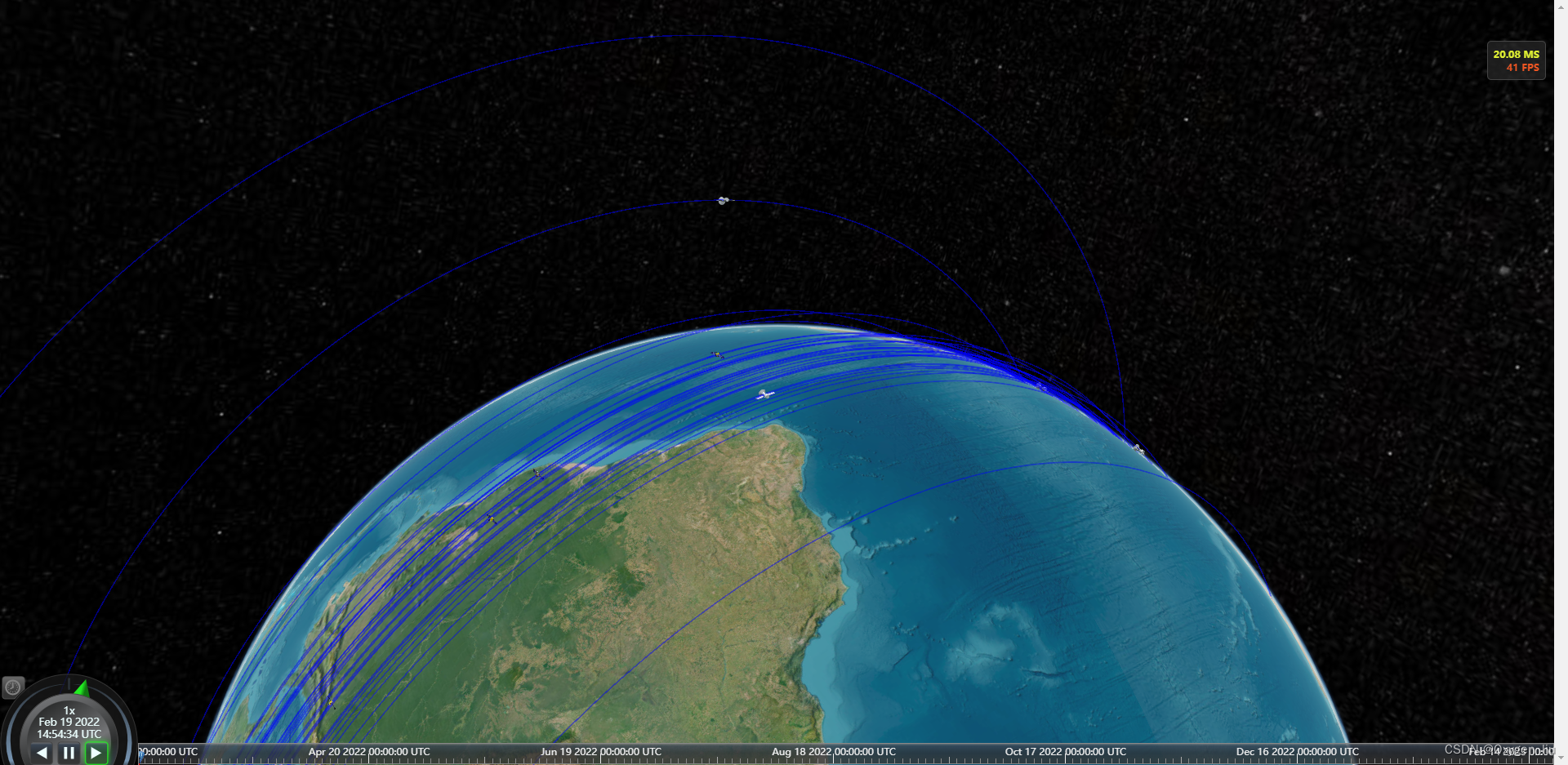
加载卫星和轨迹的效果
加载地面雷达
const radars = new Cesium.CustomDataSource("radar");
const radarpoints: {id: string;lon: number;lat: number;radius: number
}[] = [{ id: 'radar1', lon: 104, lat: 34, radius: 300000 },{ id: 'radar2', lon: -100, lat: 55, radius: 300000 },{ id: 'radar3', lon: 109.70841, lat: 19.365791, radius: 300000 },]//添加雷达radarpoints.forEach(i => {createRadar(i.id, i.lon, i.lat, i.radius)})function createRadar(id: string, lon: number, lat: number, radius: number) {radars.entities.add({id: id,model: {uri: 'models/antenna_07.glb',minimumPixelSize: 32,},position: Cesium.Cartesian3.fromDegrees(lon, lat),})viewer.dataSources.add(radars)new LCesiumApi.RadarPrimitive({radius: radius,stackPartitions: 10,slicePartitions: 10,stackDegrees: {x: 0,y: 90,},sliceDegrees: {x: 0,y: 360,},color: Cesium.Color.GREEN.withAlpha(0.2),lineColor: Cesium.Color.RED,scanColor: Cesium.Color.YELLOW.withAlpha(0.2),scanLineColor: Cesium.Color.RED,scene: viewer.scene,center: Cesium.Cartesian3.fromDegrees(lon, lat),scanSpeed: 5000,show: true,scan: true,});
}
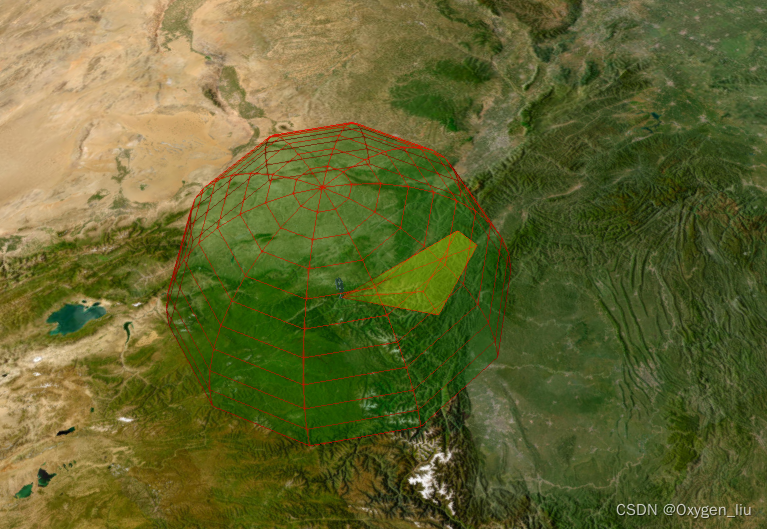
关于雷达效果在我之前文章里面有
卫星与地面雷达通信
- 暂时只做了m(雷达)-n(卫星),m*n;没有做卫星之间的通信判断,不过原理都是一样的.
- 网上搜索了一下通信距离一般是3,580km
- 计算此时卫星距雷达的距离,其实就是计算带高度的经纬度之间的距离
Cartesian3.distance(point1: Cartesian3, point2: Cartesian3)
当卫星和地面卫星通信时,创建连线,离开设置为隐藏。
function computeRange() {satellites.entities.values.forEach(i => {radars.entities.values.forEach(j => {const po1 = i.position?.getValue(viewer.clock.currentTime)const po2 = j.position?.getValue(viewer.clock.currentTime)if (po1 && po2) {const len = LCesiumApi.Tool.getDistanceFromCartesian3(po1, po2)if (len <= communicationRange) {if (showFlyObject[`${i.id}-${j.id}`]) {showFlyObject[`${i.id}-${j.id}`].show = trueshowFlyObject[`${i.id}-${j.id}`].po1 = LCesiumApi.Tramsform.degreesFromCartesian(po1)showFlyObject[`${i.id}-${j.id}`].po2 = LCesiumApi.Tramsform.degreesFromCartesian(po2)}else {showFlyObject[`${i.id}-${j.id}`] = {entity: null,show: true,po1: LCesiumApi.Tramsform.degreesFromCartesian(po1),po2: LCesiumApi.Tramsform.degreesFromCartesian(po2)}}} else {if (showFlyObject[`${i.id}-${j.id}`]) showFlyObject[`${i.id}-${j.id}`].show = false}}})})setLine()
}
function setLine() {for (const key in showFlyObject) {if (Object.prototype.hasOwnProperty.call(showFlyObject, key)) {const element = showFlyObject[key];if (element.entity === null) element.entity = createFlyLine(key)element.entity.show = element.show}}
}
function createFlyLine(id: string) {var material = new PolylineTrailLinkMaterialProperty({color: Cesium.Color.fromCssColorString('#7ffeff'),duration: 3000,});const line = Connection.entities.add({id: id,polyline: {positions: new Cesium.CallbackProperty(() => {return Cesium.Cartesian3.fromDegreesArrayHeights([showFlyObject[id].po1.longitude,showFlyObject[id].po1.latitude,showFlyObject[id].po1.height,showFlyObject[id].po2.longitude,showFlyObject[id].po2.latitude,showFlyObject[id].po2.height,])}, false),width: 8,material}})return line
}
完整代码
<template><Map @onViewerLoaded="onViewerLoaded" :options="options" />
</template>
<script lang="ts" setup>
import Map from "@/components/Cesium/lib/Map.vue";
import * as Cesium from "cesium";
import { message } from 'ant-design-vue'
import {twoline2satrec, gstime, eciToGeodetic,PositionAndVelocity, propagate, EciVec3,degreesLong
} from 'satellite.js';
import LCesiumApi from "@lib/main";
//@ts-ignore
import { PolylineTrailLinkMaterialProperty } from './PolylineTrailMaterialProperty.js'
const options = {imageryProvider: new Cesium.ArcGisMapServerImageryProvider({url: 'https://services.arcgisonline.com/ArcGIS/rest/services/World_Imagery/MapServer'}),
}
let viewer: Cesium.Viewer
let start: Cesium.JulianDate
let stop: Cesium.JulianDate
let handler: Cesium.ScreenSpaceEventHandler;
const communicationRange = 3580000;
const time = new Date()
let max = time.getTime()
let year = 31622400000;
let min = max - year;
type Obj = {[index: string]: {country: string;times: number[];positions: [[number, number, number]] | number[][]}
}
const showFlyObject: {[index: string]: any
} = {}
let obj: Obj = {}
const radarpoints: {id: string;lon: number;lat: number;radius: number
}[] = [{ id: 'radar1', lon: 104, lat: 34, radius: 300000 },{ id: 'radar2', lon: -100, lat: 55, radius: 300000 },{ id: 'radar3', lon: 109.70841, lat: 19.365791, radius: 300000 },]
const onViewerLoaded = (Viewer: Cesium.Viewer) => {viewer = Viewerhandler = new Cesium.ScreenSpaceEventHandler(viewer.canvas);//设置时间轴setTimeline()//读取卫星分布两行数据const nowTime = time.getTime()fetch("data/points.json").then(res => res.json()).then(data => {for (const key in data) {if (Object.prototype.hasOwnProperty.call(data, key)) {const element = data[key];const satrec = twoline2satrec(element.data[0], element.data[1]);const positionAndVelocity: PositionAndVelocity = propagate(satrec, time);const positionEci = positionAndVelocity.position as EciVec3<number>;obj[key] = {country: element.country,times: [],positions: []};let lon, lat, alt;//一年365天 一天为间隔for (let index = min; index <= nowTime; index = index + 86400000) {const gmst = gstime(new Date(index));const positionGd = eciToGeodetic(positionEci, gmst)lon = positionGd.longitude,lat = positionGd.latitude,alt = positionGd.height;obj[key].times.push(index)obj[key].positions.push([degreesLong(lon), degreesLong(lat), alt])}}}computeCirclularFlight(obj)})//添加点击事件addPick()//添加雷达radarpoints.forEach(i => {createRadar(i.id, i.lon, i.lat, i.radius)})//添加过境扫描; (viewer as any).frameUpdate.addEventListener((delta: any) => {computeRange()});
}
function setTimeline() {start = Cesium.JulianDate.fromDate(new Date(min));  // 获取当前时间 这不是国内的时间start = Cesium.JulianDate.addHours(start, 8, new Cesium.JulianDate());  // 添加八小时,得到我们东八区的北京时间stop = Cesium.JulianDate.fromDate(new Date(max));  // 设置一个结束时间,意思是360秒之后时间结束viewer.clock.startTime = start.clone();   // 给cesium时间轴设置开始的时间,也就是上边的东八区时间viewer.clock.stopTime = stop.clone();     // 设置cesium时间轴设置结束的时间viewer.clock.currentTime = start.clone(); // 设置cesium时间轴设置当前的时间viewer.clock.clockRange = Cesium.ClockRange.LOOP_STOP;  // 时间结束了,再继续重复来一遍//时间变化来控制速度 // 时间速率,数字越大时间过的越快viewer.clock.multiplier = 1;//给时间线设置边界viewer.timeline.zoomTo(start, stop);
}
const satellites = new Cesium.CustomDataSource("satellite");
const polylines = new Cesium.CustomDataSource("statelliteLine");
const radars = new Cesium.CustomDataSource("radar");
const Connection = new Cesium.CustomDataSource("connection");
function computeCirclularFlight(arr: Obj, hasLine: boolean = true) {for (const key in arr) {if (Object.prototype.hasOwnProperty.call(arr, key)) {const element = arr[key];const property = new Cesium.SampledPositionProperty();const length = element.positions.lengthconst positions: number[] = []let p, tfor (let index = 0; index < length; index++) {p = element.positions[index]t = element.times[index]property.addSample(Cesium.JulianDate.addHours(Cesium.JulianDate.fromDate(new Date(t)), 8, new Cesium.JulianDate()), Cesium.Cartesian3.fromDegrees(p[0], p[1], p[2]));positions.push(...element.positions[index])}satellites.entities.add({id: key,model: {uri: element.country === 'US' ? 'models/satellite/satellite1/Satellite.gltf': element.country === 'PRC' ? 'models/satellite/satellite2/10477_Satellite_v1_L3.gltf' : 'models/satellite/satellite3/satellite.gltf',minimumPixelSize: 32},position: property,});if (hasLine)polylines.entities.add({id: key,polyline: {width: 1,material: Cesium.Color.BLUE.withAlpha(.5),positions: Cesium.Cartesian3.fromDegreesArrayHeights(positions)}})}}viewer.dataSources.add(satellites);viewer.dataSources.add(polylines);viewer.dataSources.add(Connection)
}
const addPick = () => {handler.setInputAction((movement: any) => {const pickedObject = viewer.scene.pick(movement.position);if (Cesium.defined(pickedObject)) {message.info(pickedObject.id.id)}}, Cesium.ScreenSpaceEventType.LEFT_CLICK)
}
function createRadar(id: string, lon: number, lat: number, radius: number) {radars.entities.add({id: id,model: {uri: 'models/antenna_07.glb',minimumPixelSize: 32,},position: Cesium.Cartesian3.fromDegrees(lon, lat),})viewer.dataSources.add(radars)new LCesiumApi.RadarPrimitive({radius: radius,stackPartitions: 10,slicePartitions: 10,stackDegrees: {x: 0,y: 90,},sliceDegrees: {x: 0,y: 360,},color: Cesium.Color.GREEN.withAlpha(0.2),lineColor: Cesium.Color.RED,scanColor: Cesium.Color.YELLOW.withAlpha(0.2),scanLineColor: Cesium.Color.RED,scene: viewer.scene,center: Cesium.Cartesian3.fromDegrees(lon, lat),scanSpeed: 5000,show: true,scan: true,});
}
function computeRange() {satellites.entities.values.forEach(i => {radars.entities.values.forEach(j => {const po1 = i.position?.getValue(viewer.clock.currentTime)const po2 = j.position?.getValue(viewer.clock.currentTime)if (po1 && po2) {const len = LCesiumApi.Tool.getDistanceFromCartesian3(po1, po2)if (len <= communicationRange) {if (showFlyObject[`${i.id}-${j.id}`]) {showFlyObject[`${i.id}-${j.id}`].show = trueshowFlyObject[`${i.id}-${j.id}`].po1 = LCesiumApi.Tramsform.degreesFromCartesian(po1)showFlyObject[`${i.id}-${j.id}`].po2 = LCesiumApi.Tramsform.degreesFromCartesian(po2)}else {showFlyObject[`${i.id}-${j.id}`] = {entity: null,show: true,po1: LCesiumApi.Tramsform.degreesFromCartesian(po1),po2: LCesiumApi.Tramsform.degreesFromCartesian(po2)}}} else {if (showFlyObject[`${i.id}-${j.id}`]) showFlyObject[`${i.id}-${j.id}`].show = false}}})})setLine()
}
function setLine() {for (const key in showFlyObject) {if (Object.prototype.hasOwnProperty.call(showFlyObject, key)) {const element = showFlyObject[key];if (element.entity === null) element.entity = createFlyLine(key)element.entity.show = element.show}}
}
function createFlyLine(id: string) {var material = new PolylineTrailLinkMaterialProperty({color: Cesium.Color.fromCssColorString('#7ffeff'),duration: 3000,});const line = Connection.entities.add({id: id,polyline: {positions: new Cesium.CallbackProperty(() => {return Cesium.Cartesian3.fromDegreesArrayHeights([showFlyObject[id].po1.longitude,showFlyObject[id].po1.latitude,showFlyObject[id].po1.height,showFlyObject[id].po2.longitude,showFlyObject[id].po2.latitude,showFlyObject[id].po2.height,])}, false),width: 8,material}})return line
}
</script>
相关文章:
Cesium 卫星轨迹、卫星通信、卫星过境,模拟数据传输。
起因:看了cesium官网卫星通信示例发现只有cmzl版本的,决定自己动手写一个。欢迎大家一起探讨,评论留言。 效果 全部代码在最后 起步 寻找卫星轨迹数据,在网站space-track上找的,自己注册账号QQ邮箱即可。 卫星轨道类…...

2023年湖北中级职称(工程类建筑类)报名条件和要求是什么?
2023年湖北中级职称(工程类建筑类)报名条件和要求是什么? 中级职称分为计算机类、医药类、卫生类、教师类、工程类、经济类等各大类,今天主要就是跟大家说一下工程类中级职称评审的一个条件和要求,这也是评职称人员应该…...

socket编程复习
再次用到socket编程,将socket相关的知识点做了简单整理,根据网络上大家的整理,又做了一些调整和汇总。 API列表 sokect常见的API大致有列表里面这么多,不同平台的实现可能有些微的差别,下面对常用API的参数和用法做了…...
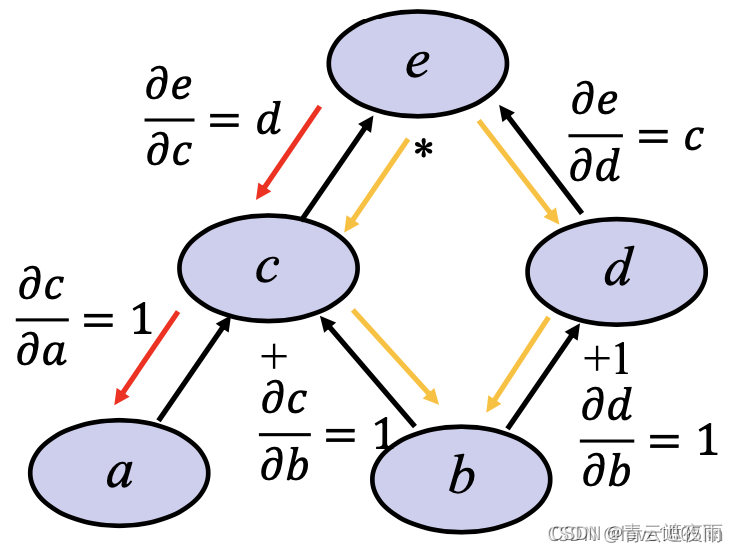
深度学习神经网络基础知识(三)前向传播,反向传播和计算图
专栏:神经网络复现目录 深度学习神经网络基础知识(三) 本文讲述神经网络基础知识,具体细节讲述前向传播,反向传播和计算图,同时讲解神经网络优化方法:权重衰减,Dropout等方法,最后进行Kaggle实…...
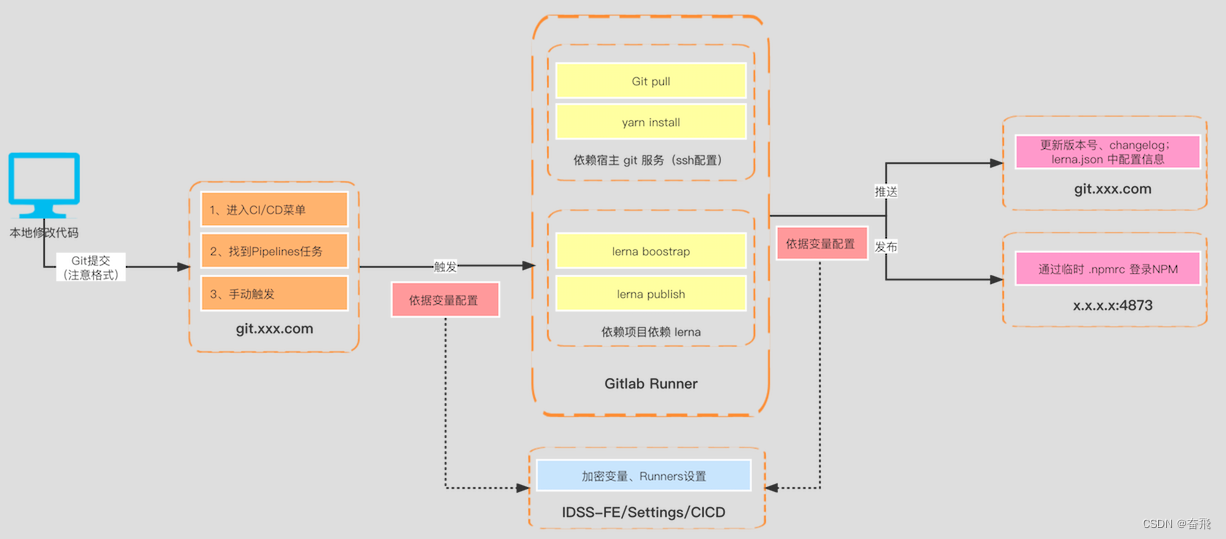
一图说明 monorepo 落地流程方案
关于 monorepo 初次讨论已有2年载,目前团队已经沉淀了成熟的技术方案且经受住了实战考验。所以特梳理相关如下: 也算是关于之前发起的 monorepo–依赖 的解答篇。 上图为目前团队贡献的主流程:① 本地开发 > ② 提交Git仓库 > ③ 触发…...

SAP ABAP WRITE语法大全
列表是ABAP/4报表程序数据的输出媒介。每个ABAP/4报表程序将其输出数据传递到直接与该程序连接的列表中。每个程序最多生成21个列表:1个基本列表和20个辅助列表。 将数据写入列表的基本ABAP/4语句是WRITE、SKIP和ULINE输出语句。 一、标准列表结构 (1&…...

微信小程序自定义全局组件showModal
开发过程中微信提供的showmodal样式不符合ui风格,又不想写成组件用的页面都引入,就考虑模拟showmodal写一个自定义的弹框组件 一,在components中新建一个navModal组件 navModal.wxml <view class="modal_mask" hidden={{hidden}}><view class="mo…...

4|无线传感器网络与应用|无线传感器网络原理及方法-许毅版|考试知识点
《无线传感器网络原理及方法》第1章无线传感器网络概述1.1无线传感器网络的基本概念1.2无线传感器网络的特征1.2.1与现有无线网络的区别1.2.2与现场总线的区别1.2.3传感器节点的限制1.2.4传感器组网的特点1.3无线传感器网络的关键性能指标1.4无线传感器网络的应用1.5无线传感器…...

startForegroundService与startService 使用浅析
一. 了解服务(Service)的概念 service是安卓开发中一个很重要组件,意为“服务”。与我们常见的activity不同,“服务”是默默的在背后进行工作的,通常,它用于在后台为我们执行一些耗时,或者需要…...
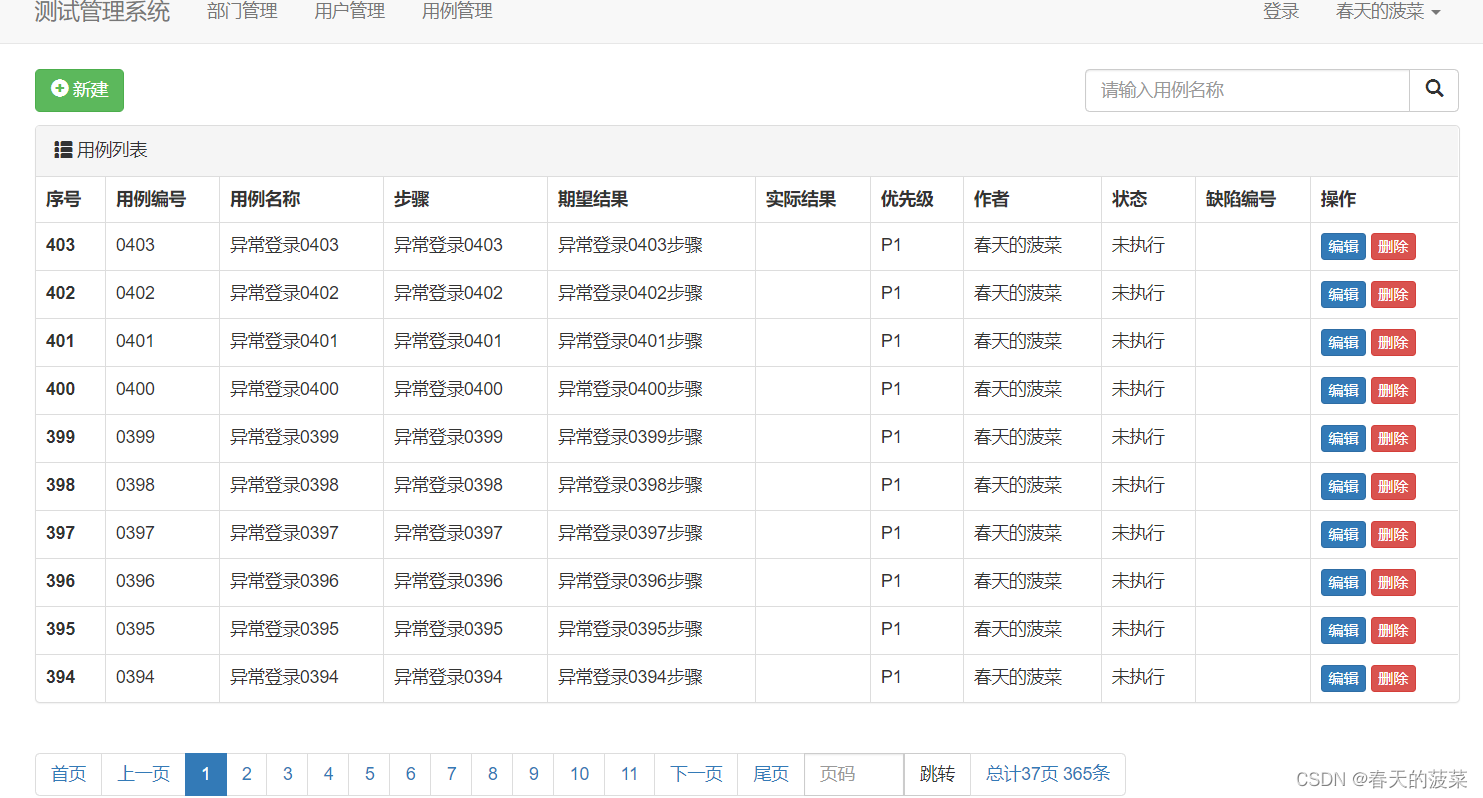
django项目实战三(django+bootstrap实现增删改查)进阶分页
目录 一、分页 1、修改case_list.html页面 2、修改views.py的case_list方法(分页未封装) 二、分页封装 1、新建类Pagination 2、修改views.py的case_list方法 三、再优化,实现搜索分页qing情况 四、优化其他查询页面实现分页和查询 五…...

Python 之 Pandas DataFrame 数据类型的简介、创建的列操作
文章目录一、DataFrame 结构简介二、DataFrame 对象创建1. 使用普通列表创建2. 使用嵌套列表创建3 指定数值元素的数据类型为 float4. 字典嵌套列表创建5. 添加自定义的行标签6. 列表嵌套字典创建 DataFrame 对象7. Series 创建 DataFrame 对象三、DataFrame 列操作1. 选取数据…...
)
华为OD机试真题Python实现【5键键盘的输出】真题+解题思路+代码(20222023)
🔥系列专栏 华为OD机试(Python)真题目录汇总华为OD机试(JAVA)真题目录汇总华为OD机试(C++)真题目录汇总华为OD机试(JavaScript)真题目录汇总文章目录 🔥系列专栏题目输入输出描述:示例1:示例2:解题思路代码实现运行结果:版权说明:题目...
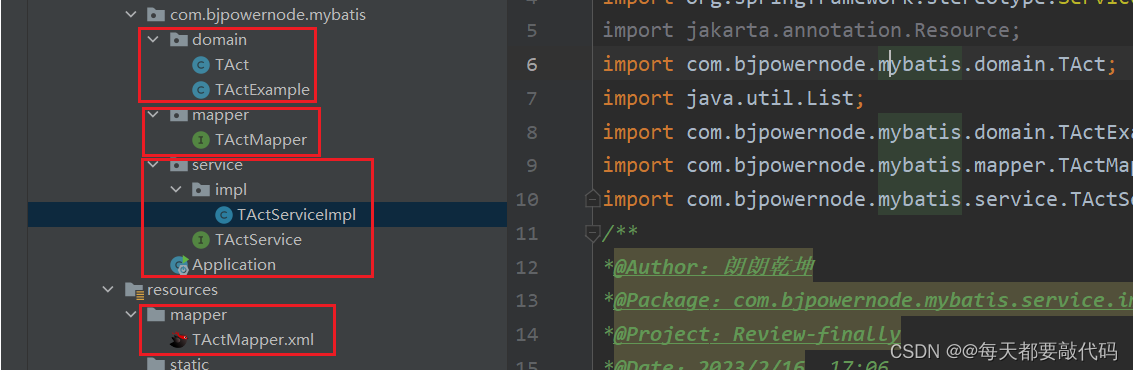
IDEA全家桶式讲解 | IDEA安装、使用、断点调试、Git、插件 (第二篇)
目录 一:JavaEE阶段需要掌握的IDEA技能 1. 配置Tomcat 2. 配置Maven 3. IDEA连接数据库 4. 方便的特殊功能 5. 断点调试(重点) 6. IDEA中常用Git协同开发(重点) 7. 常用插件安装 一:JavaEE阶段需要…...
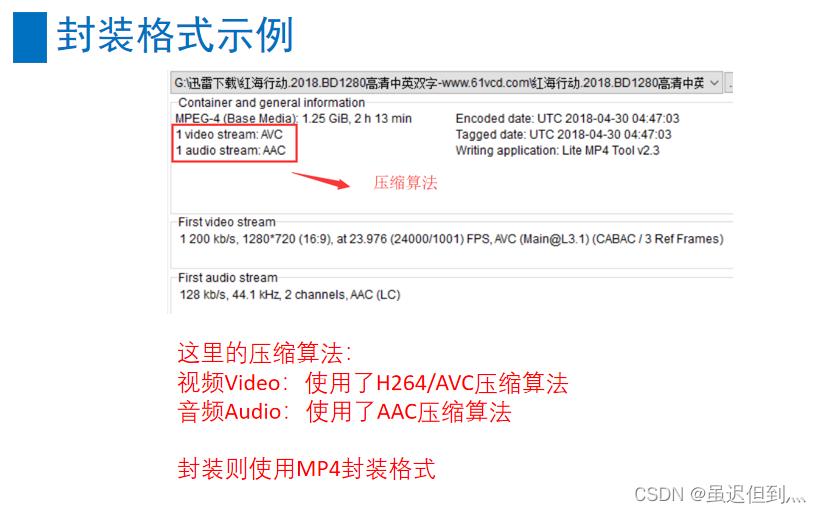
音视频基础之封装格式与音视频同步
封装格式的概念 封装格式(也叫容器)就是将已经编码压缩好的视频流、音频流及字幕按照一定的方案放到一个文件中,便于播放软件播放。 一般来说,视频文件的后缀名就是它的封装格式。 封装的格式不一样,后缀名也就不一样。 比如&a…...

外籍在读博士|赴新西兰奥克兰大学双院士导师麾下联合培养
N同学来自阿拉伯国家,但本硕博都是在我国某省属高校就读,现为材料学专业一年级博士生。联合培养首选澳洲国家,包括澳大利亚和新西兰,其次是美国,希望在2023年初出国,以完成整个学年的学习计划。在我们的帮助…...
Learning C++ No.11【string类实现】
引言: 北京时间:2023/2/19/8:48,昨天更新了有关进程状态的博客,然后在休息的时候,打开了腾讯视屏,然后看到了了一个电视剧,导致上头,从晚上6点看到了10点,把我宝贵的博客…...
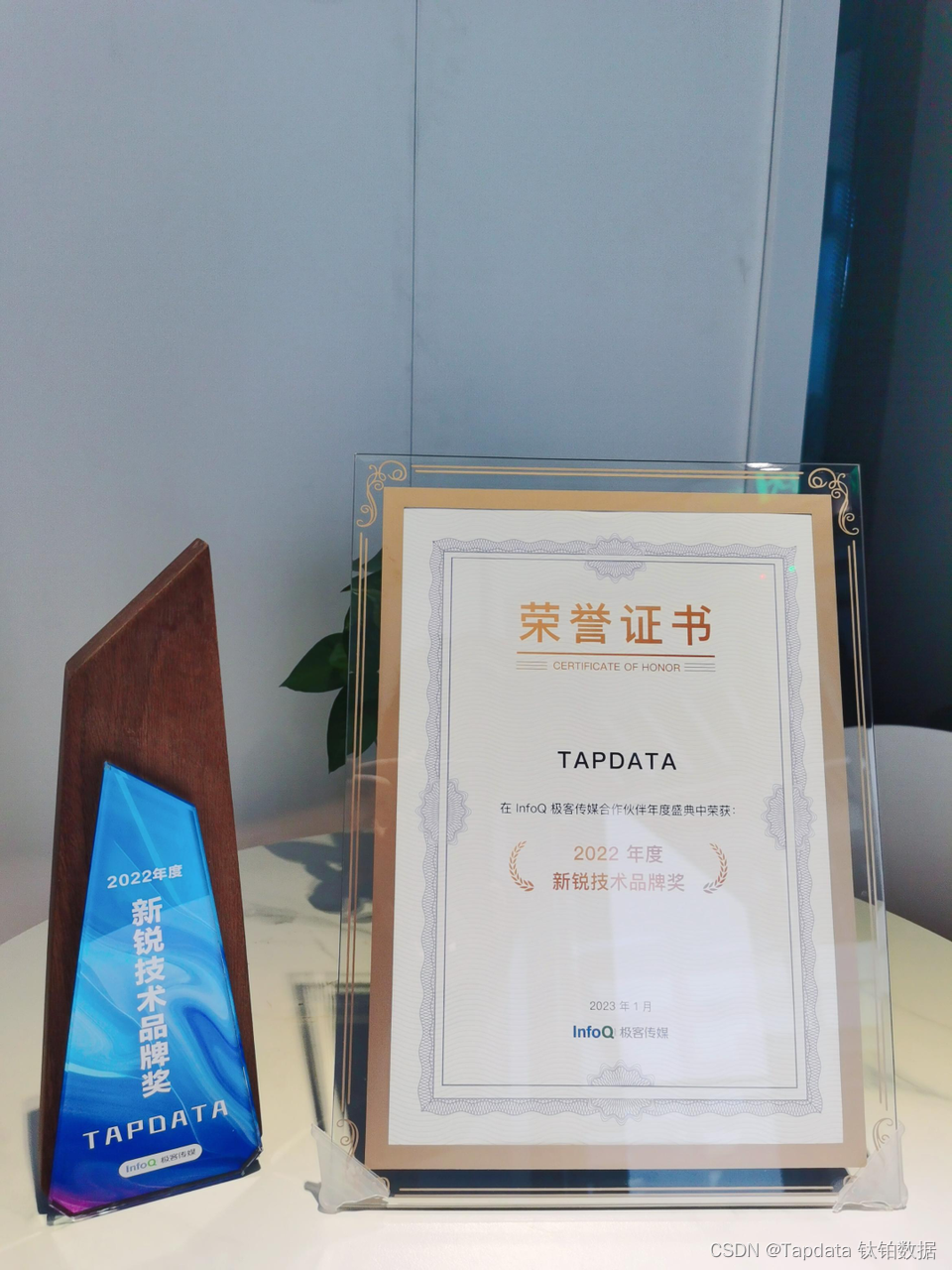
实力见“证”:Tapdata 技术创新与发展潜力广受认可
Tapdata 积极拥抱各种“不确定”,变中求新,只为呈现出更加好用的产品。 而 Tapdata 在专业领域不断深耕,持续打磨产品能力的同时,也收获了诸多来自外界的肯定,从用户到投资人,从生态伙伴到技术媒体以及官方…...

【C++修炼之路】18.map和set
每一个不曾起舞的日子都是对生命的辜负 map和setmap和set一.关联式容器二.set2.1 set的介绍2.2 set的使用1.set的模板参数列表2.set的构造3.set的迭代器4.set修改操作5.bound函数三.multiset四.map3.1 map的介绍3.2 map的使用1.map的模板参数说明2.pair的介绍3.map的[]重载五.m…...

ChatGPT原理与技术演进剖析
—— 要抓住一个风口,你得先了解这个风口的内核究竟是什么。本文作者:黄佳 (著有《零基础学机器学习》《数据分析咖哥十话》) ChatGPT相关文章已经铺天盖地,剖析(现阶段或者只能说揣测)其底层原…...
Retrofit+Hilt后端请求小项目1--项目介绍
简介 本项目根据 youtube 对应教程实现而来 将会对对应代码以及依赖(如 Hilt、retrofit、coil)进行详细的分析与解读,同时缕清项目结构安排 如文章有叙述不清晰的,请直接查看原教程:https://www.youtube.com/watch?…...

自动化内容创作:OpenClaw+Qwen3.5-9B批量处理游记照片生成博客
自动化内容创作:OpenClawQwen3.5-9B批量处理游记照片生成博客 1. 为什么需要自动化内容创作流水线 去年夏天我从西藏旅行回来,手机里存了800多张照片。当我坐在电脑前准备写游记时,面对海量素材突然感到无从下手——每张照片都需要回忆拍摄…...

揭秘openGauss向量化执行引擎代价模型
揭秘openGauss向量化执行引擎代价模型openGauss的向量化执行引擎针对列存,生成执行计划后根据配置项是否开启直接决定是否将执行计划转换成向量化执行计划来执行。若向量化执行引擎在行存上执行就需要将数据转换成VectorBatch即列存的形式才可执行,这个转…...

seo北京优化和网站内容优化有什么联系
SEO北京优化与网站内容优化的紧密联系 在当今互联网时代,对于任何企业来说,网站的优化是至关重要的一环。尤其是在竞争激烈的北京市场,SEO(搜索引擎优化)和网站内容优化之间的关系更加紧密。本文将从问题分析、原因说…...

Arduino_QTouch库深度解析:AVR电容触摸驱动原理与工业实践
1. Arduino_QTouch 库深度解析:面向嵌入式工程师的 Qtouch 电容式触摸传感器驱动实践指南Atmel(现为 Microchip)Qtouch 技术是工业级电容式触摸感应方案的标杆之一,其核心优势在于高抗噪性、低功耗、强环境适应性及无需覆盖层的裸…...

HiveWE:革新性魔兽争霸III地图编辑器,重新定义创作效率
HiveWE:革新性魔兽争霸III地图编辑器,重新定义创作效率 【免费下载链接】HiveWE A Warcraft III world editor. 项目地址: https://gitcode.com/gh_mirrors/hi/HiveWE 当你在制作魔兽争霸III地图时,是否曾因原版编辑器的加载速度缓慢而…...

基于R语言的自动数据收集:网络抓取和文本挖掘实用指南【1.8】
3.6 JSON文档示例在本节,我们要熟悉数据交换标准JSON的优点。这个首字母缩写(发音是“Jason”)代表JavaScript对象标记(JavaScript Object Notation)。JSON的设计和XML如出一辙,两者通常都是用来存储和交换…...

RT-Thread 4.1.0内核更新与静态HOOK机制解析
1. RT-Thread 4.1.0内核更新概览RT-Thread作为国内领先的物联网实时操作系统,其4.1.0版本的发布标志着内核稳定性和功能性又迈上了一个新台阶。作为一名长期使用RT-Thread进行嵌入式开发的工程师,我发现这次更新虽然看似改动不大,但每个特性都…...

【Hot 100 刷题计划】 LeetCode 215. 数组中的第K个最大元素 | C++ 快速选择与堆排序题解
LeetCode 215. 数组中的第K个最大元素 | C 快速选择与小顶堆双解法 📌 题目描述 题目级别:中等 给定整数数组 nums 和整数 k,请返回数组中第 k 个最大的元素。 请注意,你需要找的是数组排序后的第 k 个最大的元素,而不…...

AI安全高阶:生成式AI的安全风险与防御体系
AI安全高阶:生成式AI的安全风险与防御体系📝 本章学习目标:本章深入探讨高阶主题,适合有一定基础的读者深化理解。通过本章学习,你将全面掌握"AI安全高阶:生成式AI的安全风险与防御体系"这一核心…...

LuatOS固件玩转多摄像头:Air8101开发板的USB端口切换技巧大全
LuatOS固件玩转多摄像头:Air8101开发板的USB端口切换技巧大全 在工业检测和安防监控领域,多摄像头系统的动态切换能力往往决定着整个方案的灵活性与可靠性。Air8101开发板搭载LuatOS固件后,其USB端口管理功能为开发者提供了前所未有的摄像头控…...