
vue3 vite使用 monaco-editor 报错
报错:Unexpected usage at EditorSimpleWorker.loadForeignModule
修改配置:
"monaco-editor-webpack-plugin": "^4.2.0",删除不用
版本:
"monaco-editor": "^0.28.1",
修改如下:
optimizeDeps: {include: [`monaco-editor/esm/vs/language/json/json.worker`,`monaco-editor/esm/vs/language/css/css.worker`,`monaco-editor/esm/vs/language/html/html.worker`,`monaco-editor/esm/vs/language/typescript/ts.worker`,`monaco-editor/esm/vs/editor/editor.worker`,],},transpileDependencies: true,configureWebpack: {plugins: [],},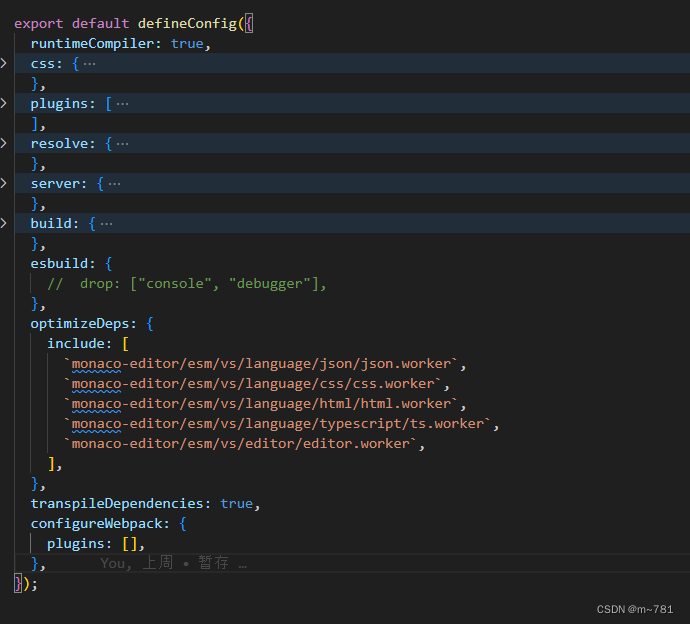
文件中的代码
<template><divref="editorContainer"class="editor-container":class="{ 'no-suggestion': !props.suggestion }":style="{ height: `${props.myHeight ? props.myHeight : height + 'px'}` }"></div>
</template><script  setup lang="ts">
import { ref, watch, onMounted, onUnmounted, toRaw } from "vue";
//引入monaco-editor
import * as monaco from "monaco-editor";
import editorWorker from "monaco-editor/esm/vs/editor/editor.worker?worker";
import jsonWorker from "monaco-editor/esm/vs/language/json/json.worker?worker";
import cssWorker from "monaco-editor/esm/vs/language/css/css.worker?worker";
import htmlWorker from "monaco-editor/esm/vs/language/html/html.worker?worker";
import tsWorker from "monaco-editor/esm/vs/language/typescript/ts.worker?worker";const props = defineProps(["value","myHeight","suggestion","lineNumbers","fontSize","background",
]);
const emit = defineEmits(["change"]);const height = ref<any>(0);
const editor = ref<any>(null);
const editorContainer = ref<any>(null);monaco.editor.defineTheme("define-vs-dark", {base: "vs-dark",inherit: true,rules: [{foreground: props.background ? props.background : "#2f3031",token: "markdown.header",fontStyle: "bold",},],colors: {"editor.background": props.background ? props.background : "#2f3031","editorGutter.background": props.background ? props.background : "#2f3031",},
});const cssArr = ["css", "scss", "less"];
const jsonArr = ["json"];
const htmlArr = ["html", "handlebars", "razor"];
const tsArr = ["typescript", "javascript"];
const se: any = self;onMounted(() => {
//高亮及提示se.MonacoEnvironment = {getWorker(_: any, label: any) {if (jsonArr.includes(label)) {return new jsonWorker();}if (cssArr.includes(label)) {return new cssWorker();}if (htmlArr.includes(label)) {return new htmlWorker();}if (tsArr.includes(label)) {return new tsWorker();}return new editorWorker();},};//创建editor.value = monaco.editor.create(editorContainer.value, {value: props.value,theme: "define-vs-dark",folding: false,// cursorStyle: "line", //光标样式language: "typescript",selectOnLineNumbers: true, //显示行号roundedSelection: false,readOnly: false, // 只读automaticLayout: false, //自动布局glyphMargin: true, //字形边缘useTabStops: false,fontSize: props.fontSize ? props.fontSize : 14, //字体大小quickSuggestionsDelay: 100, //代码提示延时contextmenu: true,scrollBeyondLastLine: false,acceptSuggestionOnEnter: props.suggestion ? "on" : "off", // 接受输入建议 "on" | "off" | "smart"acceptSuggestionOnCommitCharacter: props.suggestion, // 接受关于提交字符的建议lineNumbers: props.lineNumbers ? "on" : "off",minimap: {enabled: false, // 关闭代码缩略图},});// 监听内容变化toRaw(editor.value).onDidChangeModelContent((e: any) => {sendValue();setContainerHeight();});setContainerHeight();// 监听失去焦点事件toRaw(editor.value).onDidBlurEditorText(() => {});
});
const reciveValue = () => {if (!editor.value) return;const currentValue = toRaw(editor.value).getValue();if (currentValue === props.value) return;toRaw(editor.value).setValue(props.value);
};
const sendValue = () => {if (!editor.value) return;const content = toRaw(editor.value).getValue()? toRaw(editor.value).getValue(): props.value;emit("change", content);
};const setContainerHeight = () => {const lineCount = toRaw(editor.value).getModel().getLineCount();const lineHeight = toRaw(editor.value).getOption(monaco.editor.EditorOption.lineHeight);height.value = lineCount * lineHeight + monaco.editor.EditorOption.lineHeight;
};
const watchValue = watch(() => props.value,() => {reciveValue();}
);
onMounted(() => {sendValue();
});
onUnmounted(() => {editor.value?.dispose();watchValue();
});
</script><style scoped lang="less">
.editor-container {width: 100%;
}
.no-suggestion {.suggest-widget {display: none !important;}
}
.editor-scrollable .lines-content {width: 100% !important;height: 100% !important;
}
</style>
相关文章:
vue3 vite使用 monaco-editor 报错
报错:Unexpected usage at EditorSimpleWorker.loadForeignModule 修改配置: "monaco-editor-webpack-plugin": "^4.2.0",删除不用 版本: "monaco-editor": "^0.28.1", 修改如下: opti…...

微信小程序获取蓝牙权限
要获取微信小程序中的蓝牙权限,您可以按照以下步骤进行操作: 1. 在 app.json 文件中添加以下代码: "permissions": { "scope.userLocation": { "desc": "需要获取您的地理位置授权以搜索…...

GE 8920-PS-DC安全模块
安全控制: 这个安全模块通常用于实现工业自动化系统中的安全控制功能。它可以监测各种安全参数,如机器运动、温度、压力等,以确保系统在安全范围内运行。 PLC兼容性: 通常,这种安全模块可以与可编程逻辑控制器&#x…...
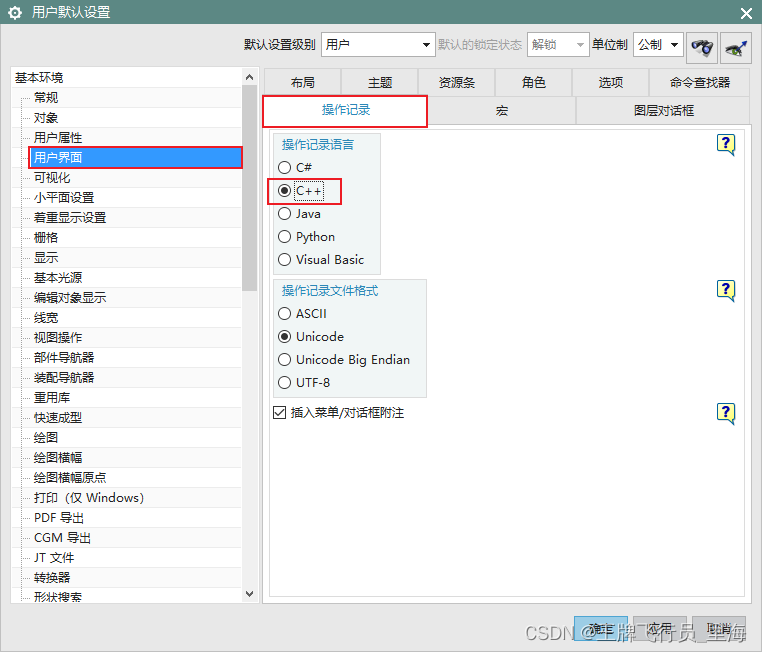
UG\NX二次开发 使用BlockUI设计对话框时,如何设置默认的开发语言?
文章作者:里海 来源网站:王牌飞行员_里海_里海NX二次开发3000例,C\C++,Qt-CSDN博客 简介: NX二次开发使用BlockUI设计对话框时,如何设置默认的代码语言? 效果: 方法: 依次打开“文件”->“实用工具”->“用户默认设置”->“用户界面”->“操作记录”->“…...

W5500-EVB-PICO进行UDP组播数据回环测试(九)
前言 上一章我们用我们的开发板作为UDP客户端连接服务器进行数据回环测试,那么本章我们进行UDP组播数据回环测试。 什么是UDP组播? 组播是主机间一对多的通讯模式, 组播是一种允许一个或多个组播源发送同一报文到多个接收者的技术。组播源将…...
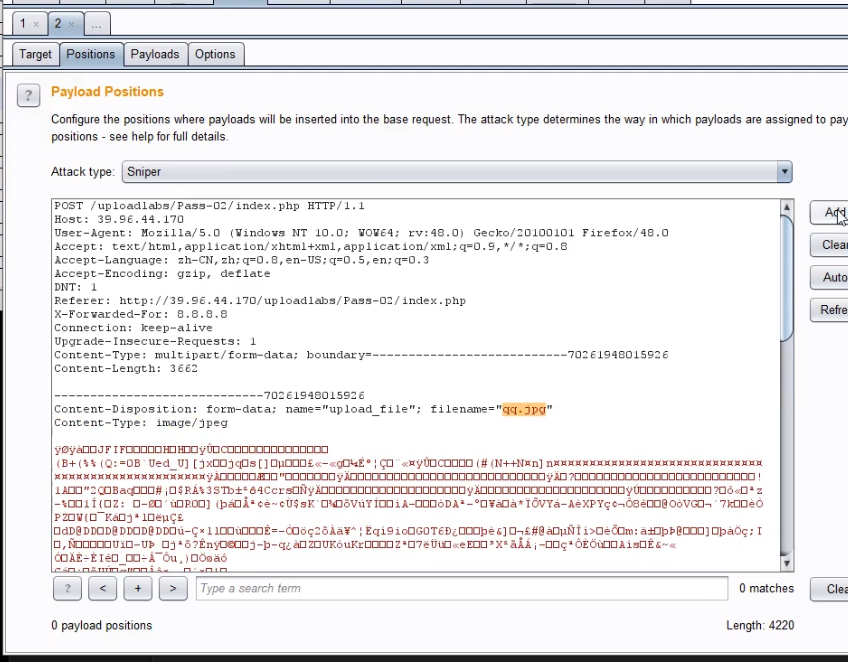
24 WEB漏洞-文件上传之WAF绕过及安全修复
目录 WAF绕过上传参数名解析:明确哪些东西能修改?常见绕过方法:符号变异-防匹配( " ;)数据截断-防匹配(%00 ; 换行)重复数据-防匹配(参数多次)搜索引擎搜索fuzz web字典文件上传安全修复方案 WAF绕过 safedog BT(宝塔) XXX云盾 宝塔过滤的比安全狗厉害一些&a…...
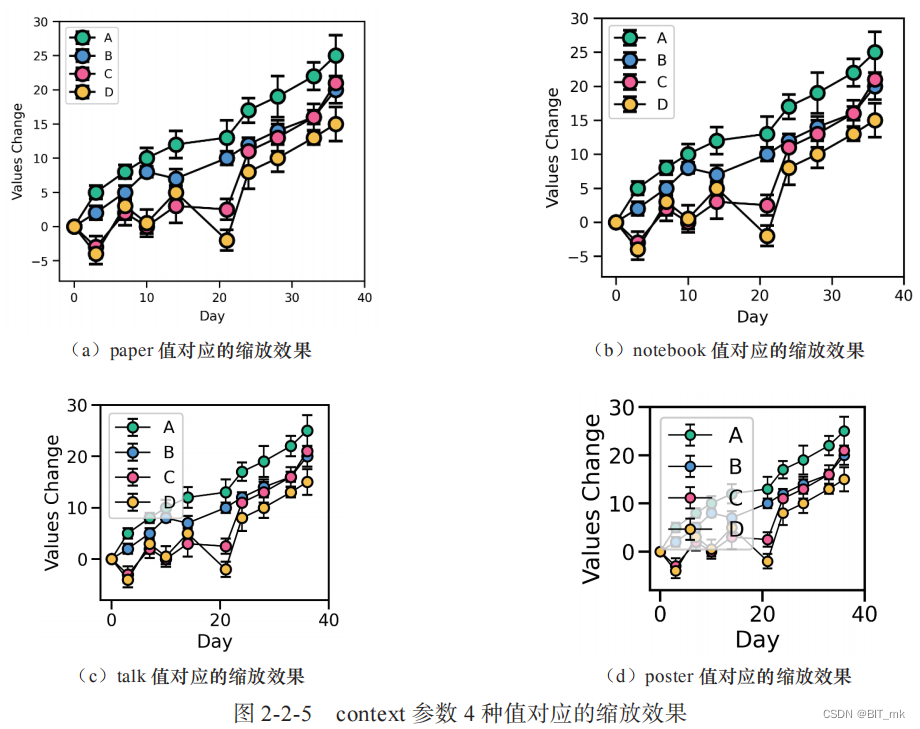
Python科研绘图--Task03
目录 图类型 关系类型图 散点图的例子 数据分布型图 rugplot例子 分类数据型图 编辑回归模型分析型图 多子图网格型图 FacetGrid() 函数 PairGrid() 函数 绘图风格、颜色主题和绘图元素缩放比例 绘图风格 颜色主题 绘图元素缩放比列 图类型 关系类型图 数据集变量…...
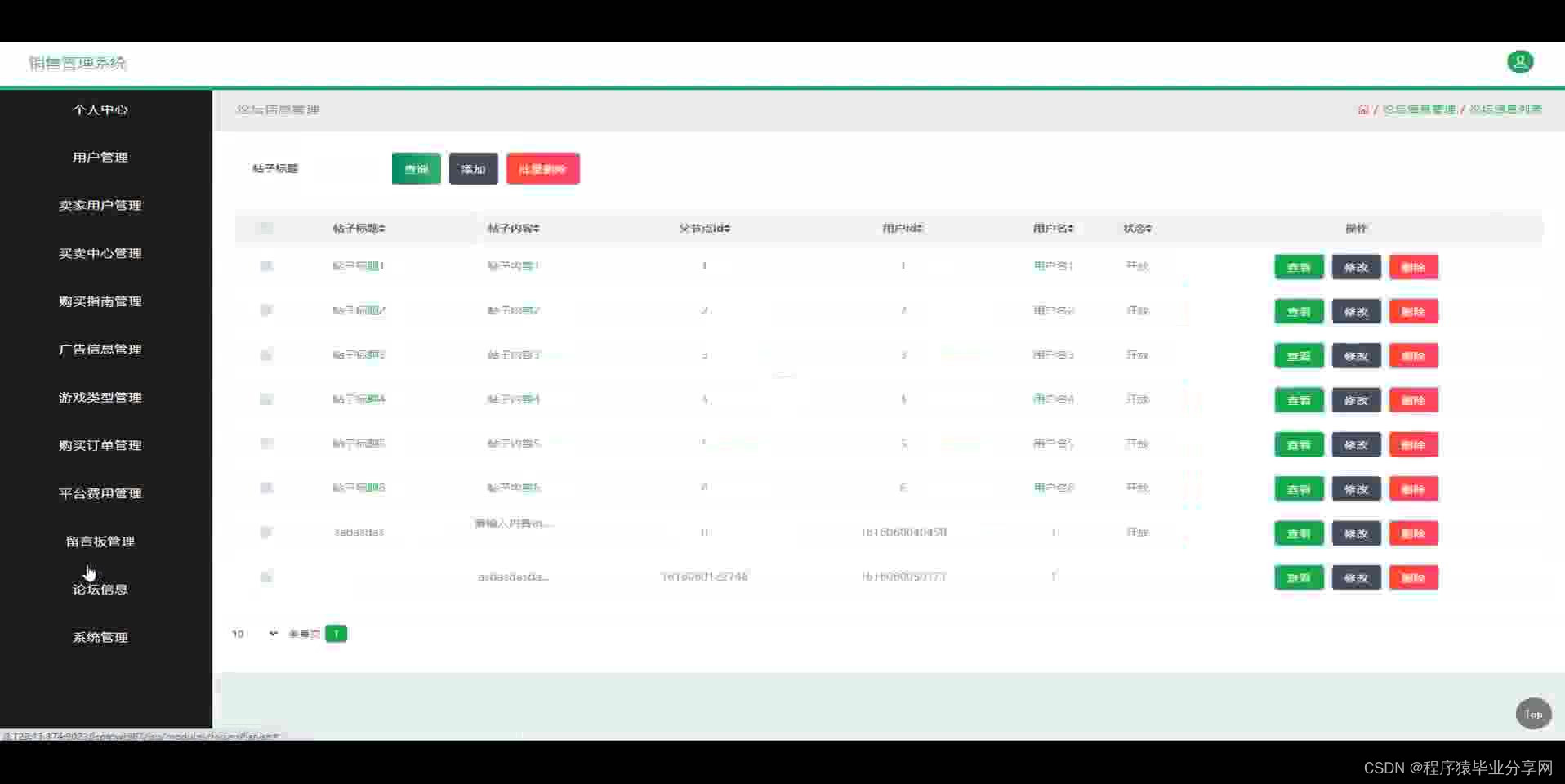
ssm端游游戏账号销售管理系统源码和论文
ssm端游游戏账号销售管理系统源码和论文069 开发工具:idea 数据库mysql5.7 数据库链接工具:navcat,小海豚等 技术:ssm 摘 要 互联网发展至今,无论是其理论还是技术都已经成熟,而且它广泛参与在社会中的方方面面…...
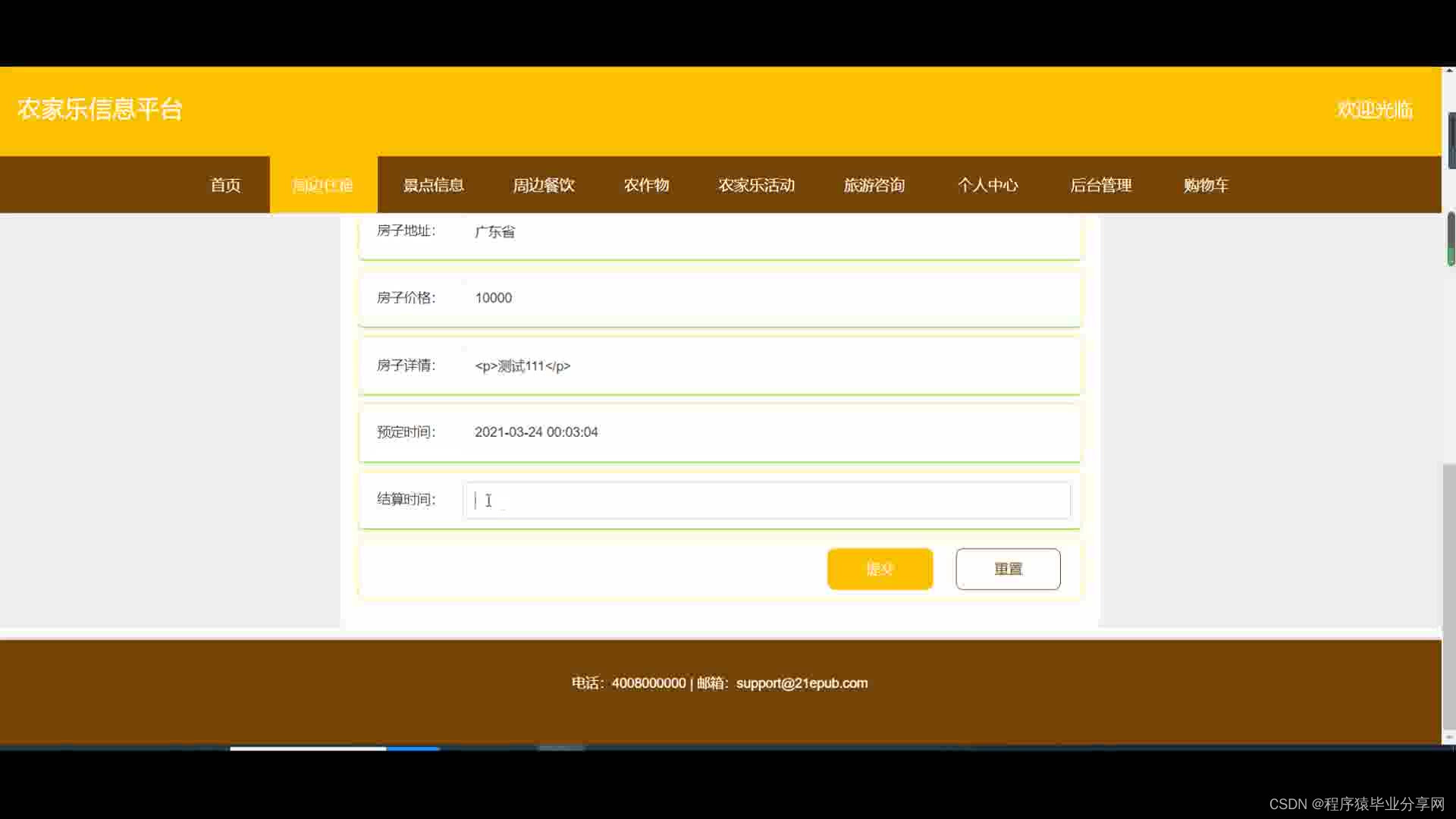
ssm+vue农家乐信息平台源码和论文
ssmvue农家乐信息平台源码和论文066 开发工具:idea 数据库mysql5.7 数据库链接工具:navcat,小海豚等 技术:ssm 1、研究现状 国外,农家乐都被作为潜在的发展农村经济,增加农民收入的重要手段,让农户广…...

安装启动yolo5教程
目录 一、下载yolo5项目 二、安装miniconda(建议不要安装在C盘) 三、安装CUDA 四、安装pytorch 五、修改配置参数 六、修改电脑参数 七、启动项目 博主硬件: Windows 10 家庭中文版 一、下载yolo5项目 GitHub - ultralytics/yolov5:…...

封装redis 分布式锁 RedisCallback
RedisCallback 是redis 一个回调接口,在 Redis 连接后执行单个命令,返回执行命令后的结果。 如果在使用 RedisCallback 时,需要自动获取 Redis 连接资源,使用完毕后并释放连接资源。 RedisTemplate 类提供了一个 execute 方法&am…...

代码随想录算法训练营第17期第32天 | 122. 买卖股票的最佳时机 II、455.分发饼干、376. 摆动序列、53. 最大子序和
122. 买卖股票的最佳时机 II 我好像记得这道题是怎么写的,也不知道是福是祸 1. 收集每天的正利润就可以,收集正利润的区间,就是股票买卖的区间,而我们只需要关注最终利润,不需要记录区间 2.局部最优:收集…...
iOS HealthKit 介绍
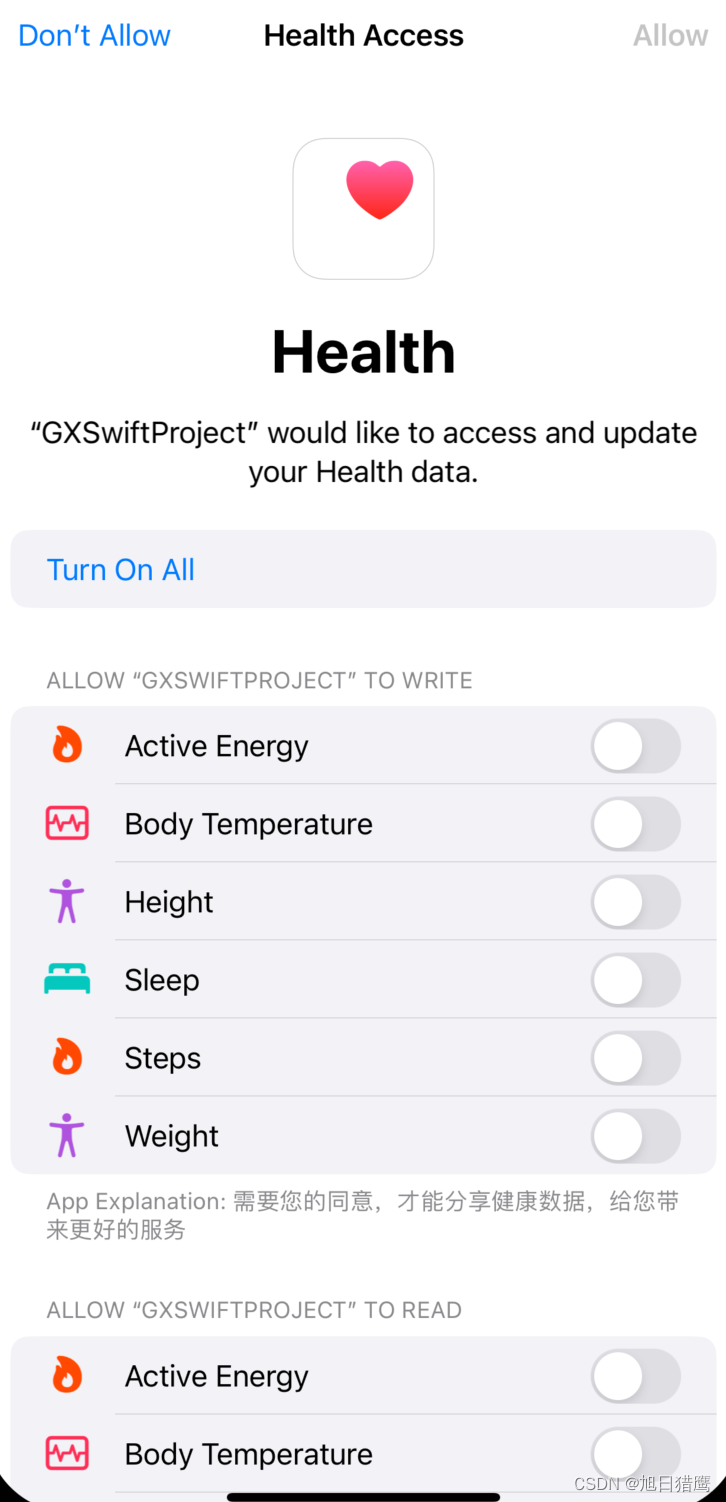
文章目录 一、简介二、权限配置1. 在开发者账号中勾选HealthKit2. 在targets的capabilities中添加HealthKit。3. infoPlist需要配置权限 三、创建健康数据管理类1. 引入头文件2. 健康数据读写权限3. 检查权限4. 读取步数数据5. 写入健康数据 四、运行获取权限页面 一、简介 He…...
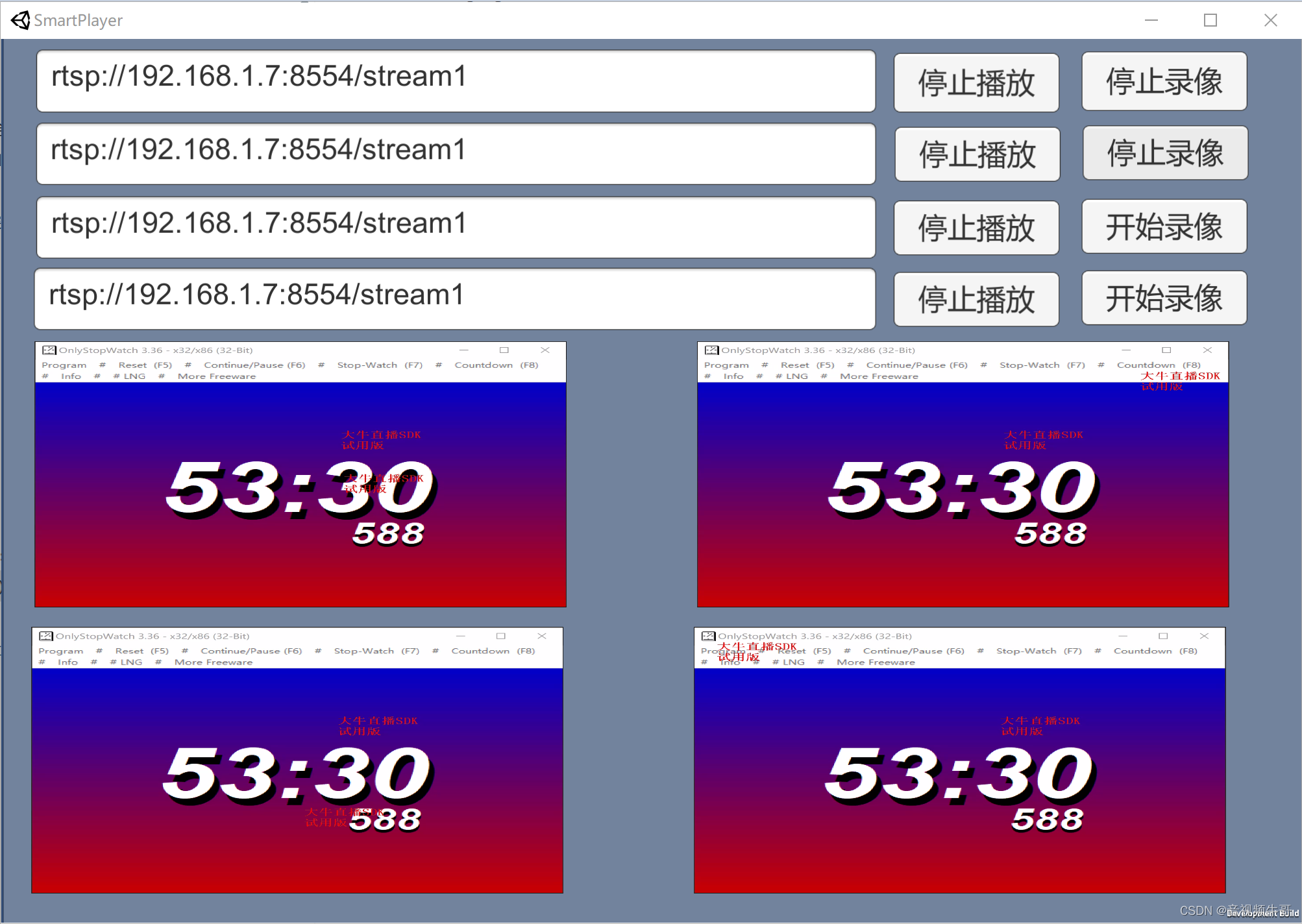
Windows平台Unity下播放RTSP或RTMP如何开启硬解码?
我们在做Windows平台Unity播放RTMP或RTSP的时候,遇到这样的问题,比如展会、安防监控等场景下,需要同时播放多路RTMP或RTSP流,这样对设备性能,提出来更高的要求。 虽然我们软解码,已经做的资源占有非常低了…...

模板方法模式在JDBCTemplate中的应用
上一篇中系统总结了模板模式的原理和使用,提到了模板方法和回调接口。回调接口和模板方法类之间的关系可以看作服务与被服务的关系,模板方法类想要回调接口做事,就要提供相应的资源,接口用提供的资源做事,完事后&#…...
)
如何在Debian中同步系统时间?Debian 系统时间配置(NTP服务)
A. 更新源,并安装ntpdate apt-get update apt-get install ntpdate ntpdate ntp1.aliyun.com 修改时区 修改设置Linux服务器时区 方法 A 命令 : “tzselect” 方法 B 仅限于RedHat Linux 和 CentOS 命令 : “timeconfig” 方法 C 适用于Debian 命令 : “dpkg-reconfigur…...
模板方法模式(十六)
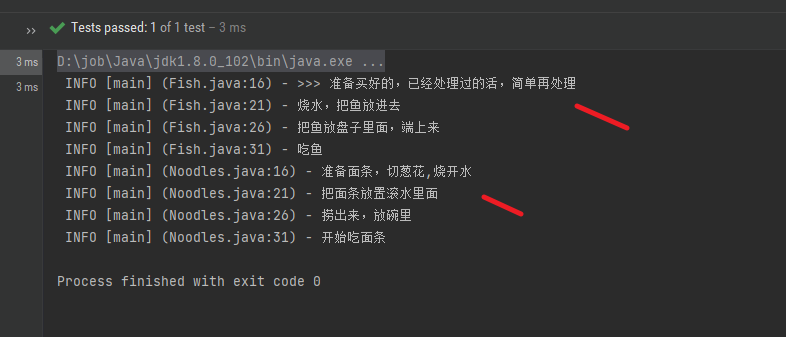
相信自己,请一定要相信自己 上一章简单介绍了代理模式(十五), 如果没有看过, 请观看上一章 一. 模板模式 引用 菜鸟教程里面的 模板模式介绍: https://www.runoob.com/design-pattern/template-pattern.html 在模板模式(Template Pattern)…...
牛顿法与正则化)
机器学习笔记之优化算法(十九)牛顿法与正则化
机器学习笔记之优化算法——再回首:牛顿法与正则化 引言回顾:经典牛顿法及其弊端牛顿法:算法步骤迭代过程中可能出现的问题正则化 Hessian Matrix \text{Hessian Matrix} Hessian Matrix与相应问题 引言 本节我们介绍经典牛顿法在训练神经网络过程中的迭…...

Java面试之单例模式的六种实现方式
提示:文章写完后,目录可以自动生成,如何生成可参考右边的帮助文档 文章目录 前言一、为什么要用单例模式二、单例模式的六种实现2.1 饿汉式2.1.1 饿汉式代码实现2.1.2 饿汉式代码实现要点解析2.1.3 饿汉式代码实现优点2.1.4 饿汉式代码实现缺…...

re正则入门
🌸re正则入门 正则表达式 (Regular Expression) 又称 RegEx, 是用来匹配字符的一种工具. 在一大串字符中寻找你需要的内容. 它常被用在很多方面, 比如网页爬虫, 文稿整理, 数据筛选等等 简单的匹配 正则表达式无非就是在做这么一回事. 在文字中找到特定的内容, 比如…...

MSP430单片机低功耗设计实战:从架构到代码的灵活性解析
1. 项目概述:为什么是MSP430?如果你在嵌入式领域摸爬滚打了一段时间,尤其是在对功耗极其敏感的应用场景里,比如智能穿戴、便携医疗设备、无线传感器网络或者那些需要电池供电数年的工业传感器,那么“MSP430”这个名字对…...

从SSD1306手册到代码:手把手教你理解中景园OLED的IIC驱动底层逻辑
从SSD1306手册到实战:深度解析IC驱动OLED的底层逻辑 在嵌入式开发中,OLED显示屏因其高对比度、低功耗等特性广受欢迎。而SSD1306作为常见的OLED驱动芯片,其IC接口驱动方式尤为开发者关注。本文将带您从SSD1306数据手册出发,深入理…...

TikTok 短视频生成工具哪家好?TikTok 爆款视频复刻,有什么工具推荐
在 TikTok 流量竞争愈发激烈的 2026 年,想要快速起号、稳定爆单,离不开优质短视频量产和爆款视频复刻。不用从零原创创作,借助成熟 AI 工具复刻平台热门爆款,已经成为跨境卖家和内容创作者的主流玩法。 不少人都在纠结两大问题&a…...

Auto Edit 日常迭代踩坑实录:OpenAI Codex CLI 三种权限模式配置差异与 2 类高频报错修复
1. Auto Edit 模式不是“全自动”,而是最易失控的权限模式 大多数人第一次在项目里启用 codex cli --mode=auto-edit,是冲着“自动改代码”去的。我也是。直到某天凌晨两点,CI 流水线突然报出 17 个 test failure,而 git diff 显示——它把一个 if (user.role === admin) …...

【亲测免费】 Zebra打印机中文转ZPL指令的.NET实现
Zebra打印机中文转ZPL指令的.NET实现 【下载地址】Zebra打印机中文转ZPL指令的.NET实现 本项目提供了一个用于将中文文本转换为ZPL指令的.NET实现,旨在替代Zebra官方提供的非托管组件FNTHEX32.DLL。该组件在托管环境下需要额外的封装,并且缺乏64位程序的…...

Mi-Create:零基础也能设计小米手表个性表盘的终极可视化工具
Mi-Create:零基础也能设计小米手表个性表盘的终极可视化工具 【免费下载链接】Mi-Create Unofficial watchface creator for Xiaomi wearables ~2021 and above 项目地址: https://gitcode.com/gh_mirrors/mi/Mi-Create 你是否厌倦了小米手表官方表盘商店的单…...

SpringBoot开发秘籍【个人八股】
介绍一下 SpringBoot? Spring Boot极大地简化了 Spring 应用的开发和部署过程。 以前我们用 Spring 开发项目的时候,需要配置一大堆 XML 文件,包括 Bean 的定义、数据源配置、事务配置等等,非常繁琐。而且还要手动管理各种 jar 包…...

数据质量管理的过去、现在与未来:理解 2024 年数据测试、监控与数据可观察性
原文:towardsdatascience.com/the-past-present-and-future-of-data-quality-management-understanding-testing-monitoring-and-efd1350457eb?sourcecollection_archive---------1-----------------------#2024-05-25 数据领域正在发展,数据质量管理也…...
)
STM32 ADC采样不准?别急着调代码,先检查VDDA和VREF+的供电(附实测波形)
STM32 ADC采样精度优化:从硬件设计到实测验证的完整指南 在嵌入式系统开发中,ADC采样精度问题往往让工程师陷入软件调试的泥潭。当发现采样值波动大、线性度差时,多数人的第一反应是检查代码配置——采样周期够不够?校准是否正确…...

VS2015安装后找不到控制台项目?别急,你可能只是开错了Blend
VS2015安装后找不到控制台项目?可能是你开错了Blend 刚接触Visual Studio 2015的开发者经常会遇到一个令人困惑的问题:明明安装了VS2015,却找不到Win32控制台应用程序的创建选项。这往往不是因为安装不完整,而是因为误打开了Blend…...