
【实训项目】精点考研
1.设计摘要
如果说高考是一次能够改变命运的考试,那么考研应该是另外一次。为什么那么多人都要考研呢?从中国教育在线官方公布是考研动机调查来看,大家扎堆考研的原因大概集中在这6个方面:本科就业压力大,提升竞争力、通过考研选择真正感兴趣的专业、为了获得学历、继续深造、随大流、有名校情结。根据官方统计数据显示,有36%的考研人是因为就业压力大,希望通过考研提高就业竞争力;超过21%的人是希望继续深造,提高学术研究能力;紧跟着的是17%的人,希望通过考研获得学历、学位证书。还有一部分人是希望通过考研来换一个自己喜欢的专业,这部分人也占了15%左右。就业的压力想必大家也都从目前的就业形势中,能够很直观的感受到。尤其是随着高等教育的普及,大学生已经非常普遍,用人单位现在招聘起步就是大专以上学历,所以很多人为了增加自己的竞争优势,就纷纷投入到了考研的队伍中来!另外大家不要忽略一个考研的中坚力量,那就是往届生。根据官方统计数据,2019年考研报考人数中,往届生的报考比例已经占到了45%,这么大的比例,对于想考研的应届生来说也是一个不可小视的力量。在这么大的竞争压力下,大多数考研人对公共科目比较了解,但对所报院校的专业课程考试及复试不是很了解,又苦于没有专业人士指导,对自己的研究生考试忧心忡忡。
2.设计的模式及产品目标
产品采用C2C运行模式,通过我们这个平台,用户可以挑选自己所报院校的专业指导人员,对自己进行专业考试和复试的指导,使用户更加了解自己所报考的院校,提高自己的考研成功率。对于相关院校的辅导人员(大多是已经考上该校的研究生),可以在闲暇时候增加收入,补贴一下生活。
3.创新与优势
我们平台将用户与所报院校进行精准对接,使其获得所报院校的第一手资源,在考研路上事半功倍。
4.可行性分析
(1)对现有系统的分析
传统人工的方式来为考研服务存在着许多缺点,如效率低、保密性差等。另外时间一长,将产生大量的文件和数据,这对于查找、更新和维护都带来了不少的困难。
(2)对技术的可行性分析
此次系统开发使用html和javascript等技术,简单易学,又增强了可视化、数据库及Internet编程功能,很容易就可以进行系统开发。而对数据库的建立,可以采用mysql。该软件简单易懂,应用广泛,比较适合新手上路使用,而且建立的数据库较为安全。
(3)安全上的可行性
在建立数据库时可以通过对数据库的设计用户名和密码进行保密,以及在建立数据库以后可以对数据进行压缩等技术,保证数据的安全,使数据库具有安全保障。
(4)社会因素的分析
随着科学技术的不断提高,计算机科学日渐成熟,作为计算机应用的一部分,使用计算机对考研资源进行共享,具有着手工所无法比拟的优点。这些优点能够极大提高学生考研的效率,也是与世界接轨的重要条件。该软件的开发不会侵犯国家、集体和他人的利益。
5.需求分析
考研人群可以在我们平台注册详细信息,根据注册用户填写的报考学校专业,我们推荐相关的考研课程,同时他也可以更精确的搜索考研课程,以及复试的课程。可以查看相关课程的详情。购买课程后,就可以对该课程进行评价,进入老师的页面,进行评论留言(得到回复,解答疑问)。授课老师可以上传课程资料,供用户消费。也可以对学生的评论进行回复,解答疑问。
6.设计总体框架

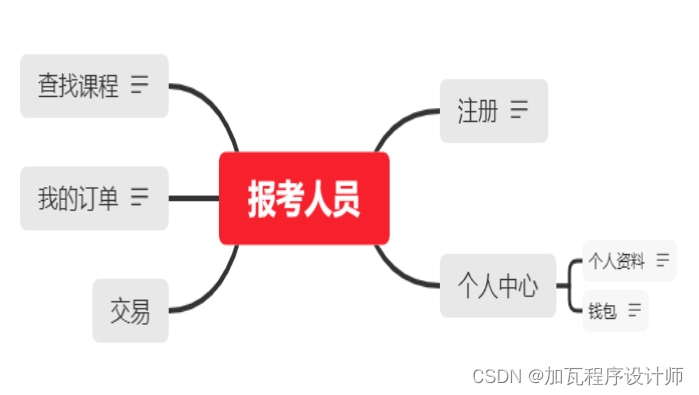
7.详细功能设计
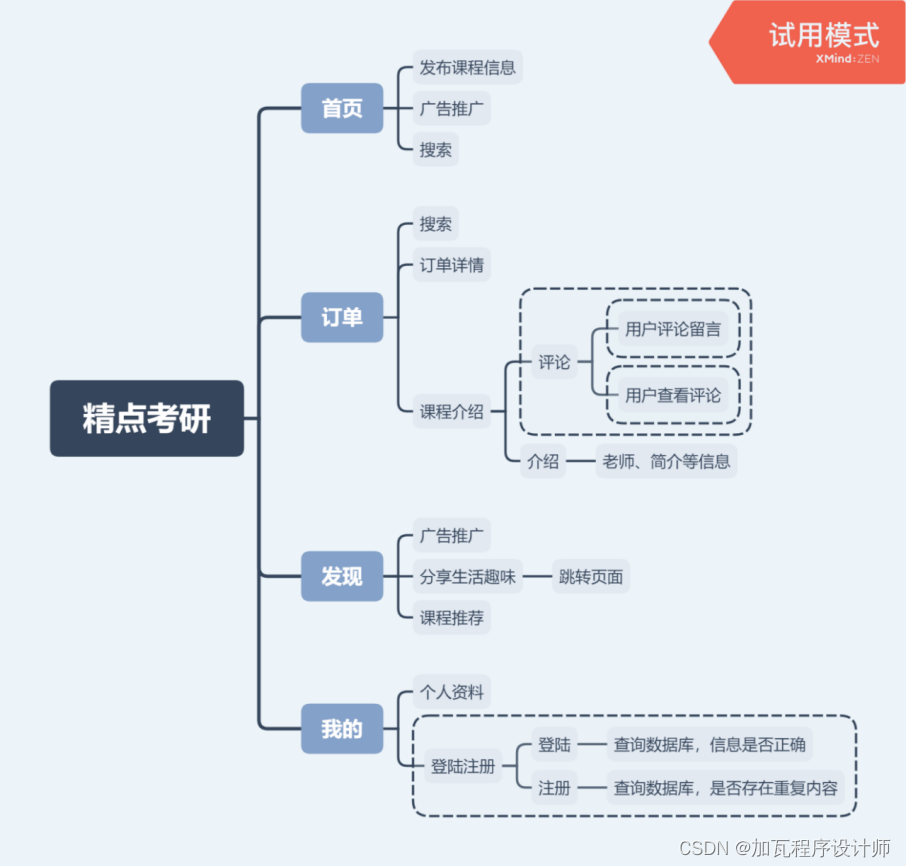
8.详细设计与实现
(1)首页--搜索 发布分类物品界面及index设计
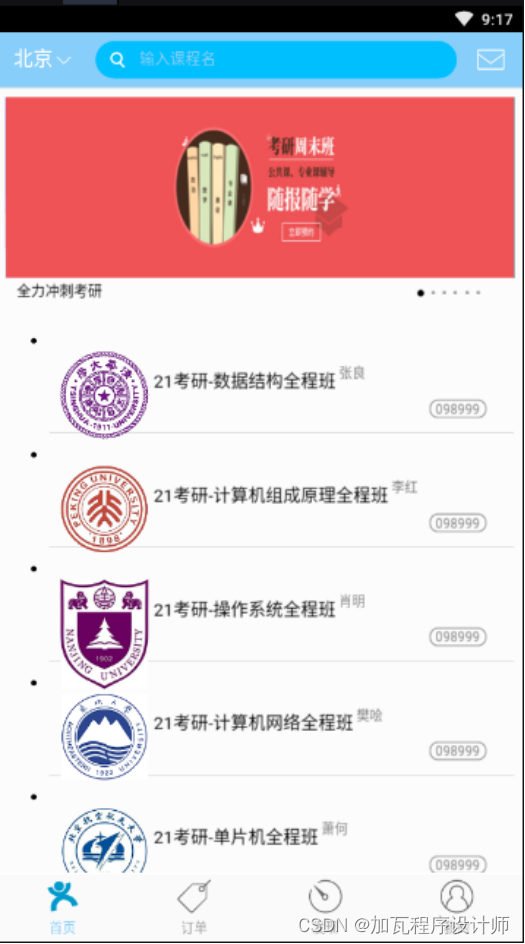
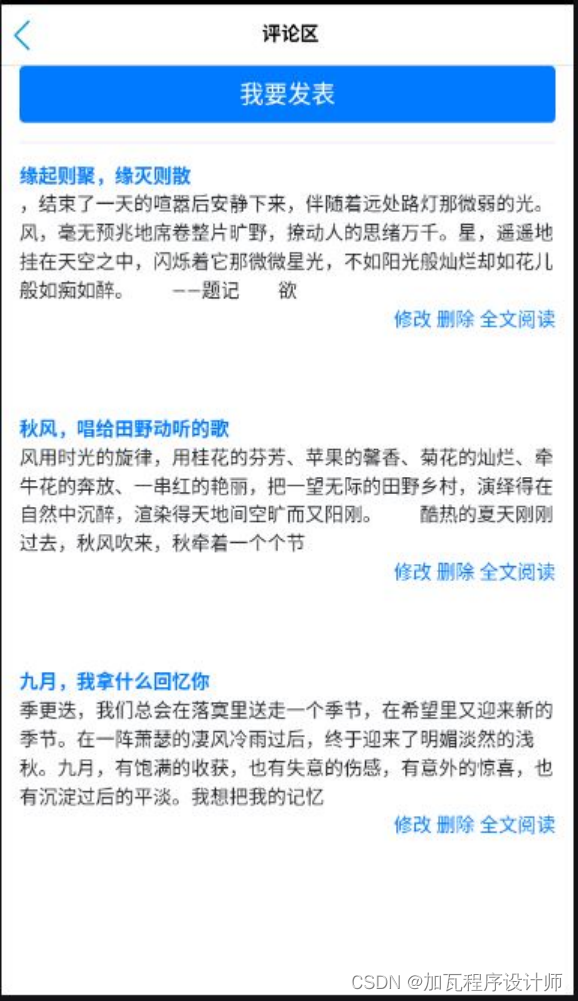
评论页面--发表自己评论 查看所有评论

评论区--从数据库中查找
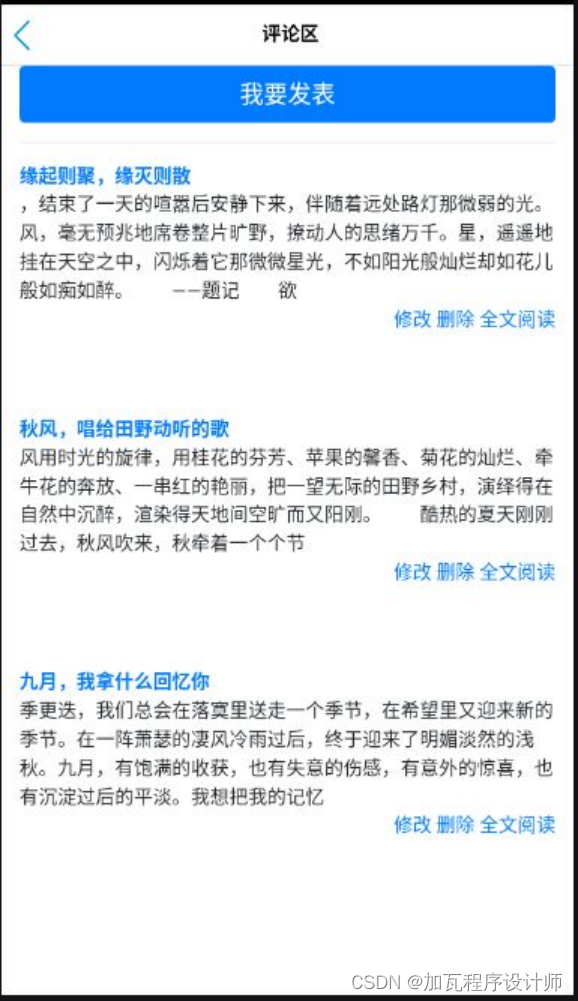
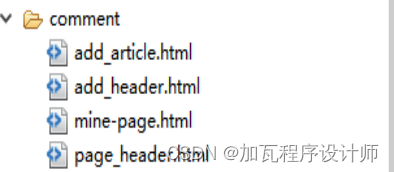
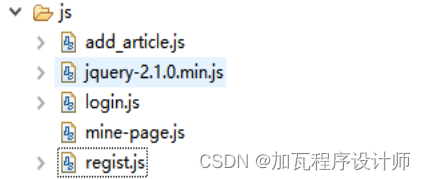
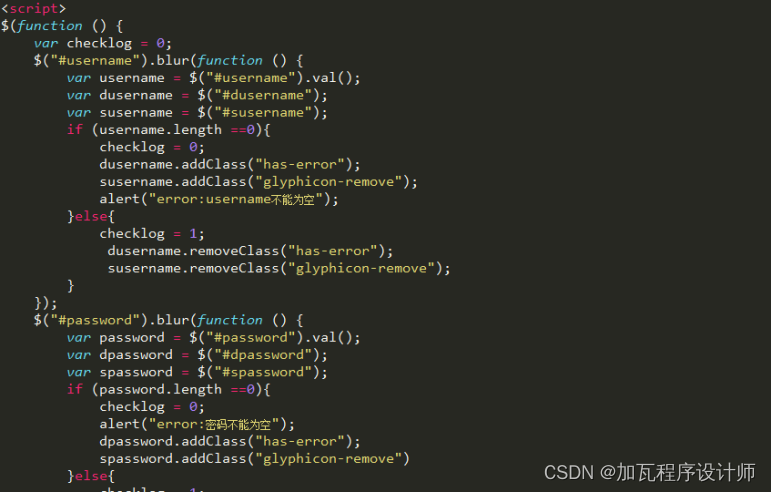
jQuery的应用,与后台连接
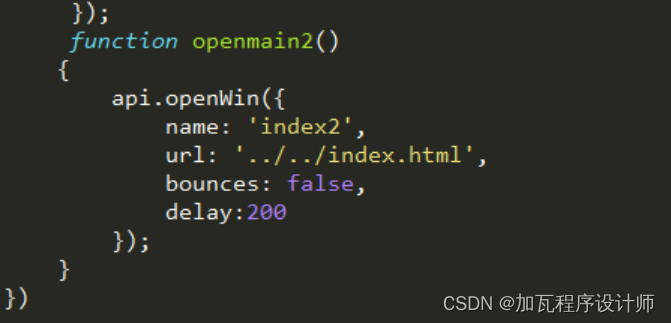
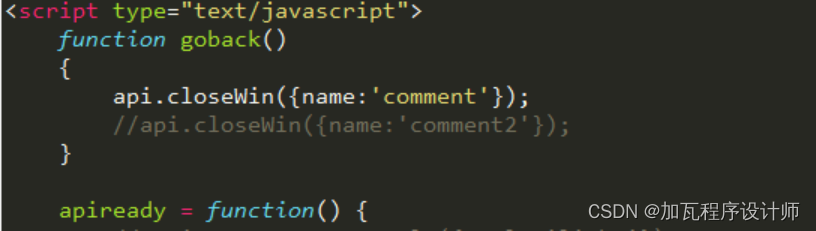
页面关闭函数和页面打开函数

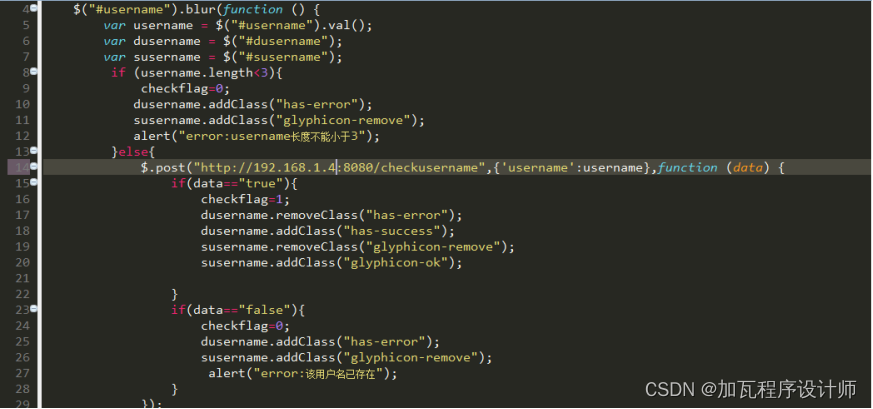
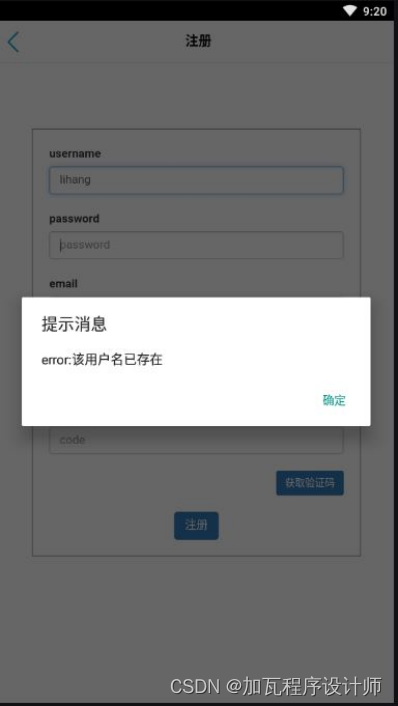
登陆注册页面(可以和数据库相连,查询,异步):
注册界面--查询数据库,发现重复,报错alert()
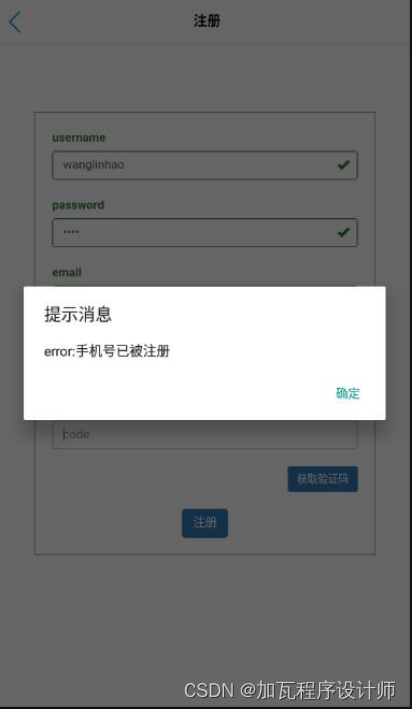
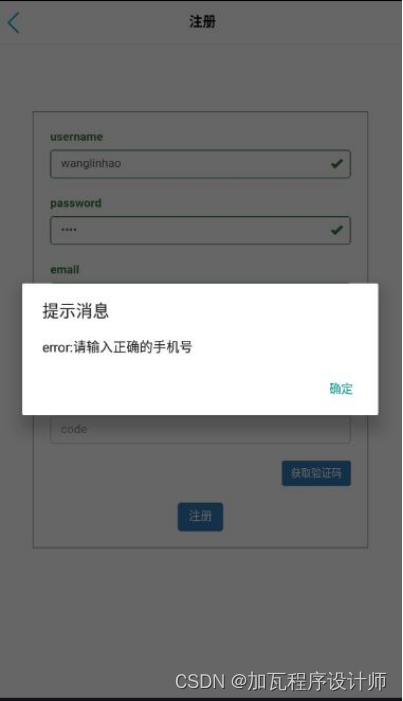
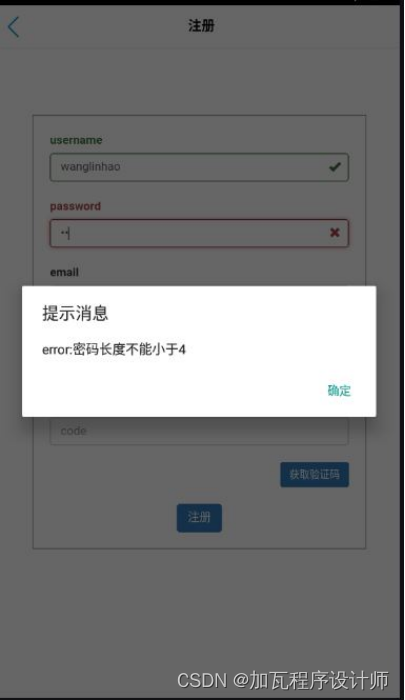
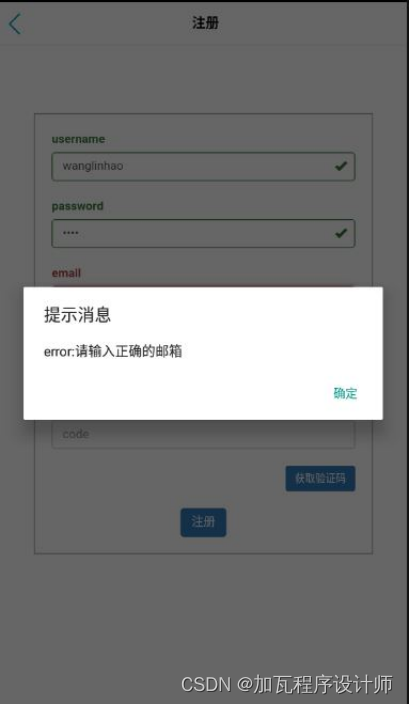
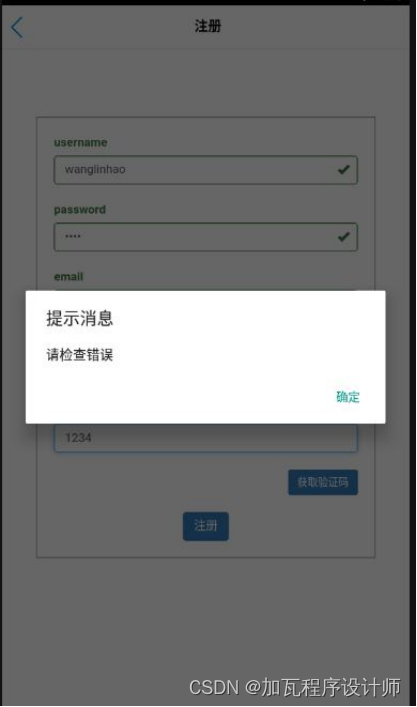
login中jQuery的应用(其他的不再赘述)
发现页面--发现趣味 广告推广 学习新学法

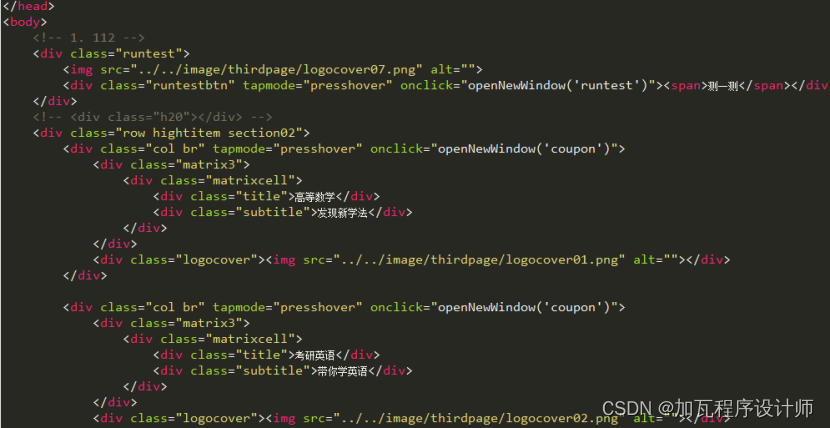 从发现页面跳转的页面:
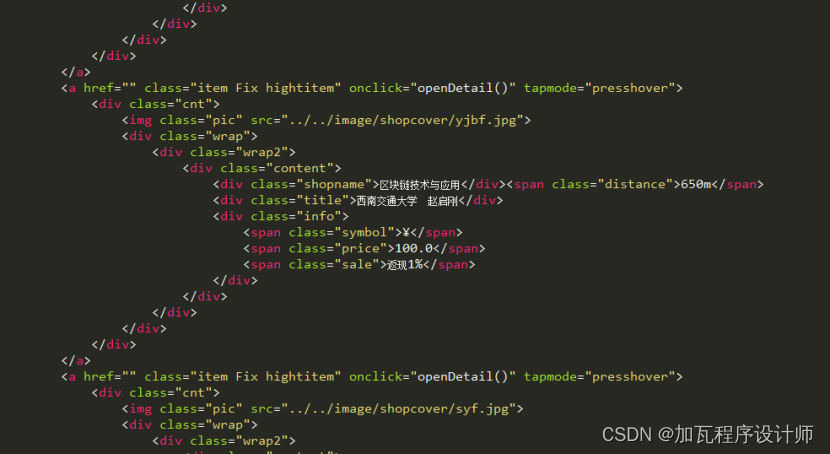
订单页面--购买订单显示 订单分类

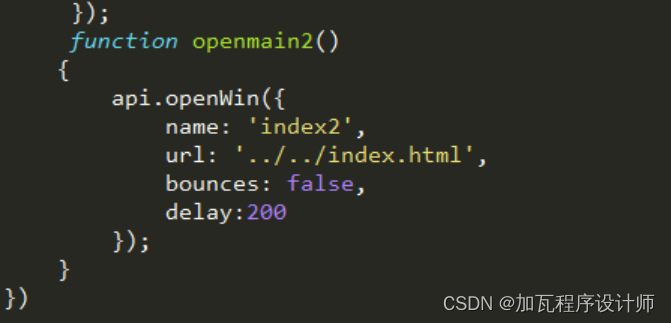
页面关闭函数和页面打开函数
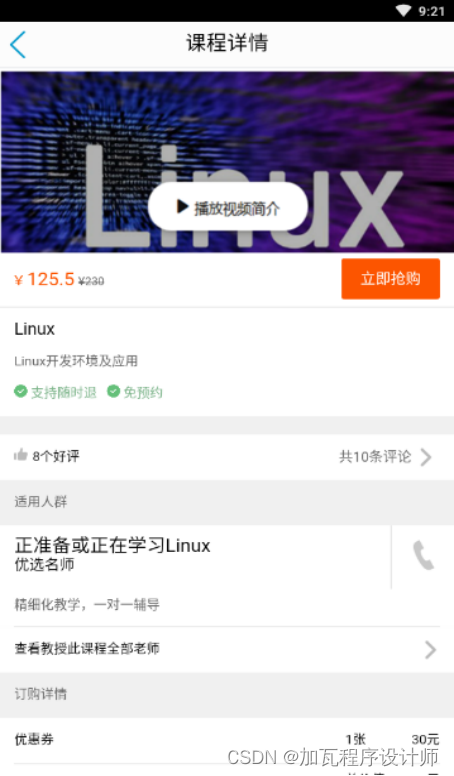
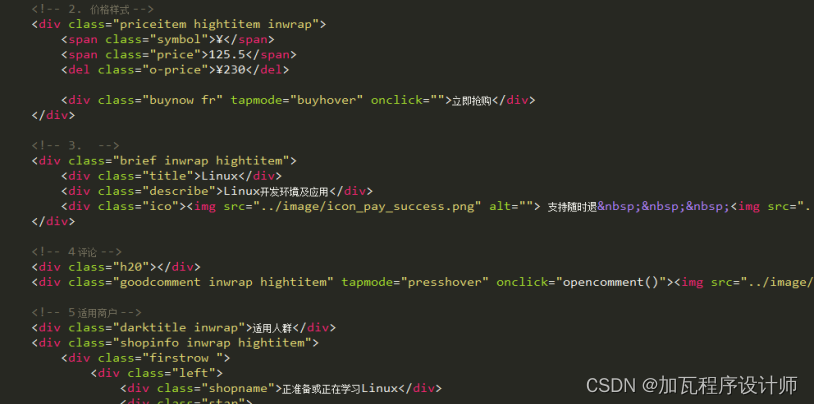
订单详情--显示课程详情 进入品论区 发表评论

从课程详情页面跳转的页面:
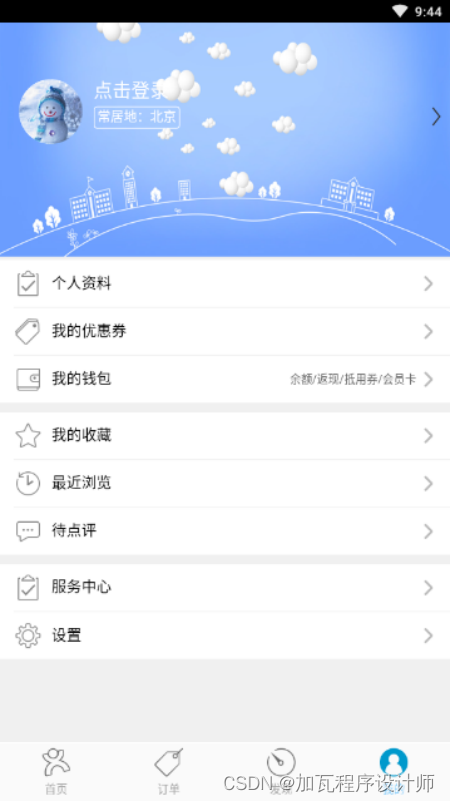
我的页面--登陆 注册 个人资料
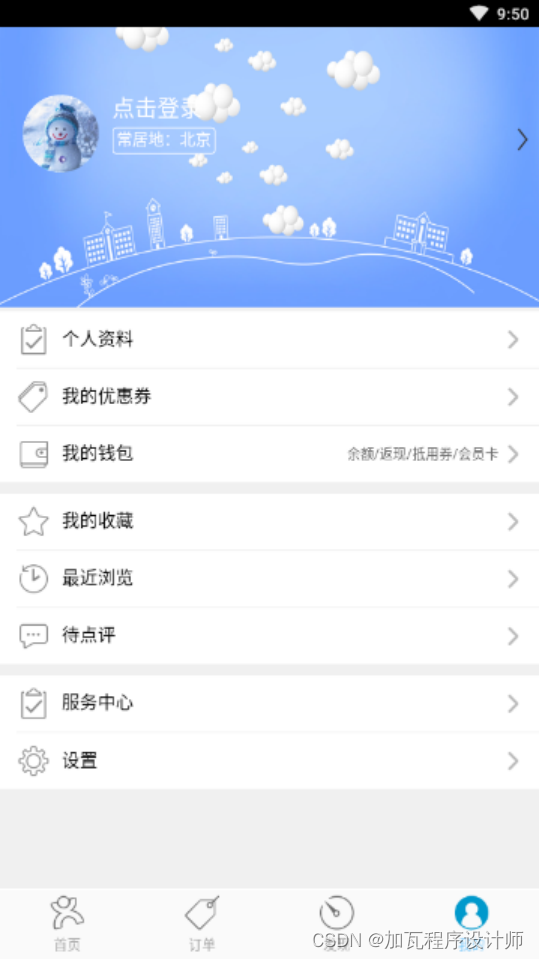
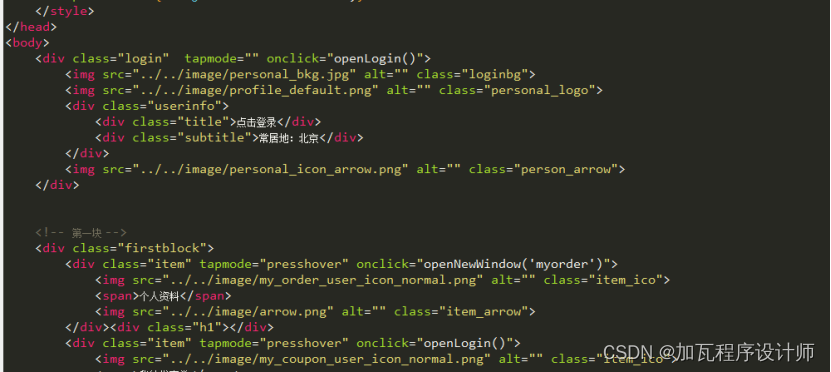
登陆评论的入口
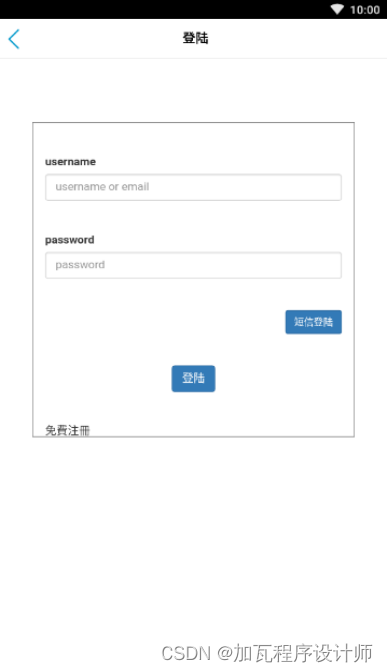
我的资料:
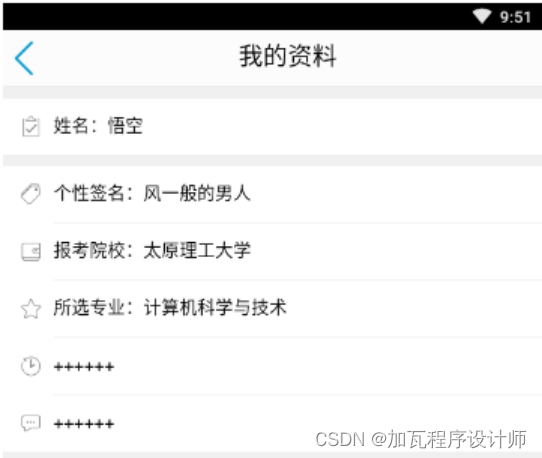
9.测试与运行
(1)页面跳转混乱,在打开和关闭frame-header和frame-body时出现匹配错乱问题。
(2)在第一次打开页面时出现错误,原因是引入静态文件的路径问题。
(3)JQuery文件引入问题,如果需要使用JQuery文件,必须在所有js文件之前引用。
(4)Ajax使用时出现错误,路径问题,需要每次更改IP地址或者是固定服务器的IP地址。
10.项目组成员分工
(1)成员组成
组长:组长1
组员:组员1 组员2 组员3 组员4 组员5
(2)成员分工
组员1:首页--搜索 发布分类物品界面及index设计;评论页面-发表自己的评论;查看所有评论、后台开发,jQuery的应用和页面关闭函数
组员2:订单页面 课程及订单详情页面 我的页面;辅助写jQuery和页面跳转
组员3:我的页面--登陆 注册 个人资料
组员4:评论页面--发表自己评论 查看所有评论;评论区--从数据库中查找
组员5:登陆注册页面(可以和数据库相连,查询,异步)
组长1:发现页面--发现趣味 广告推广 学习新学法
11.心得体会
组长1: 课程设计是我们专业课程知识综合应用的实践训练,是我们迈向社会,从事职业工作前一个必不少的过程。实验过程中,也十分感谢实验指导老师陈中育老师的指点与教导。这次软件设计不仅是对这学期所学知识的一种综合检验,而且也是对自己动手能力的一种提高,增强了自己实践能力。
组员1: 此次课程设计,使我全面的了解了基于手机系统app的开发全过程,对软件的开发有了整体的认知和理解,包括前端页面设计,内容链接;后端的数据库查询,人员密码验证等。最宝贵的是基于前后端的联系,来实现用户与数据库的交互,之前不是很清楚其中的运作原理,十分感谢指导老师的悉心指导,帮助我们熟悉环境,明白前后端设计的机理。这次的开发经验十分宝贵,对我之后的学习有很大的帮助与导向作用。
组员2: 本次课设第一次接触基于安卓平台的APP的设计,不过这次因为考研的原因时间很紧,并没有全程跟着团队做,只是在其他组员的帮助下完成了我的页面和个人资料的设计,运用Web实验的基础完成了MVC模式下的登录与注册的功能。总的来说这次课设还是依靠组里的大佬完成的。
组员3: 通过此次课程设计,我进一步掌握了对小程序开发的应用理解,同时,还将小程序开发的过程与以往网页开发等相关开发经历相互结合,互相学习,触类旁通,进一步提高我的综合开发能力,增加了个人编程经历,丰富了个人学习经验,全方位提高个人综合素质。
组员4: 通过这次课程设计使我明白了自己知识还比较欠缺,只是学习书本知识还是远远不够的,自己不会的东西还有太多,心得体会学习需要自己长期的积累,在以后的学习、工作中都应该不断的学习,将课本的理论知识与生活中的实践知识相结合,不断提高自己文化知识和实践能力。
组员5: 在这次的软件设计中不仅检验了我所学习的知识,也培养了我的实践能力,让我知道遇到一个问题,如何去寻找思路,如何去解决问题,最终完成整个事情。在设计过程中,与同学分工设计,和同学们相互探讨,相互学习,相互监督。学会了合作,学会了宽容,学会了理解,也学会了做人与处世。
12.核心代码
<!doctype html>
<html><head><meta charset="UTF-8"><meta name="viewport" content="maximum-scale=1.0,minimum-scale=1.0,user-scalable=0,width=device-width,initial-scale=1.0"/><title>Hello APP</title><link rel="stylesheet" type="text/css" href="./css/api.css" /><link rel="stylesheet" type="text/css" href="./css/common.css" /><style>/* 头部样式 */#firstHeader {background-color: #87cefa;}.topbar {/*background: #87cefa;*/ height:50px; border-bottom: 1px solid #DDDFE3;}.topbar_title {display: inline-block;font-size: 20px; line-height: 50px;padding-left: 12px;}.hr01, .hr02 {height: 28px;}.headerico {padding: 11px 15px 11px 15px;}.headericohover {background: #DADDE0;}.fr{float: right;}.fl{float: left;}/*第一头部*/#logo {padding: 11px 0 0 10px;height: 28px;}#citylist {height: 50px; line-height: 50px;padding-left: 15px; font-size: 18px; color: #fff;}.citylistarrow {vertical-align: top; width: 20px; padding-top: 15px;}.search {height: 34px;line-height: 34px; padding-left: 10px; border-radius: 30px;  margin-top: 8px; position: absolute; left: 20px; right: 60px;font-size: 14px;}.search img {vertical-align: top; width: 20px; padding-top: 7px;padding-right: 10px;}.firstSearch {left: 90px;right: 60px;background-color:#00bfff;color: #87cefa;}/* 第二头部 */#topbar_refresh {width: 40px;padding:5px 10px;}.whitebar {background-color: #fcfcfc;}#whitecity {height: 50px; line-height: 50px;padding-left: 15px; font-size: 18px;color: #87CEFA;}.secCitylistarrow {vertical-align: top; width: 15px; padding-top: 18px;padding-left: 5px;}.secSearch {left: 90px;right: 15px;background-color: #E8E8E8;color: #999;}/* 第三头部 */.swipepic {padding: 5px 15px 2px 15px;height: 23px;}.swipe div {font-size: 12px; text-align: center;color: #999;}.thrSearch {left: 15px;right: 60px;background-color: #E8E8E8;color: #999;}/* 头部切换样式 */.titlebar {display: none;}.activebar {display: block;}/* 底部切换按钮样式 */ul {display: -webkit-box; display: -webkit-flex; display: flex; }#footer {height: 61px; line-height: 60px; background-color: #FAFAFA;border-top: 1px solid #FAFAFA; }#footer li{-webkit-box-flex: 1; -webkit-flex: 1; flex:1; height: 60px;}/* 选项卡样式 */.scrollbar {display: -webkit-box;display: -webkit-flex; text-align: center; height: 40px; line-height: 40px;background: #EBECF0;font-size: 12px;position: relative;}.col1 {-webkit-box-flex:1;-webkit-flex: 1;flex:1;color: #909090;}.indexbar {position: absolute;/*background: #0fc;*/width: 50%;height: 5px;left: 0px;bottom: 0px;-webkit-transition: 300ms;}.redbox {background: #DB4646;width: 40px;height: 5px;position: relative;left: auto;right: auto; margin-left: auto; margin-right: auto;}/********************//* 底部按钮原始样式 *//********************/.bbtn01 {background: url(./image/main_index_home_normal.png) no-repeat center 4px; }.bbtn02 {background: url(./image/main_index_tuan_normal.png) no-repeat center 4px; }.bbtn03 {background: url(./image/main_index_search_normal.png) no-repeat center 4px; }.bbtn04 {background: url(./image/main_index_my_normal.png) no-repeat center 4px; }.bottom_btn {width: 99%; height: 43px;padding-top: 18px;background-position-y: 4px; background-size: 30px;  font-size: 12px; color: #A5A5A5;}/* 底部按钮激活样式 */.activebtn0 {background: url(./image/main_index_home_pressed.png) no-repeat center 4px; }.activebtn1 {background: url(./image/main_index_tuan_pressed.png) no-repeat center 4px; }.activebtn2 {background: url(./image/main_index_search_pressed.png) no-repeat center 4px; }.activebtn3 {background: url(./image/main_index_my_pressed.png) no-repeat center 4px; }.activebtn {color:#87cefa; background-size: 30px; }.bottomhover {background-color: #46494B;}/* 本地刷新图标 */#localrefresh {display:none;float: right; width: 40px; padding: 5px 10px;}</style></head><body><div id="wrap"><!-- 第一头部 --><div id="firstHeader" class="titlebar activebar"><div class="topbar"><div class="citylist fl" id="citylist" tapmode="" onclick="openCitylist()">北京<img src="./image/title_home_arrow_down_normal.png" alt="" class="citylistarrow"></div><div class="search firstSearch"  tapmode="" onclick="openSearch()"><img src="./image/ic_home_search.png" alt="">输入课程名</div><img src="./image/send_msg.png" alt="" class="fr headerico hr01"  tapmode="" onclick="openNewWindow('message')"><!-- <img src="./image/topbar_search.png" alt="" class="fr headerico hr02"  tapmode="headericohover" onclick="openNewWindow('search')"> --></div></div><!-- 第二头部 --><div id="secHeader" class="titlebar"><div class="topbar whitebar"><div class="citylist fl" id="whitecity"  tapmode="" onclick="openCitylist()">北京<img src="./image/title_arrow_down_normal.png" alt="" class="secCitylistarrow"></div><div class="search secSearch"  tapmode="" onclick="openSearch()"><img src="./image/navibar_search_icon_search.png" alt="">搜索订单...</div><!-- <img src="./image/local_icon_refresh.png" alt="" class="fr headerico" id="topbar_refresh"   tapmode="headericohover" onclick="emptyopt()"><img src="./image/topbar_search.png" alt="" class="fr headerico hr02"  tapmode="headericohover" onclick="openNewWindow('search')"> --></div></div><!-- 第三头部 --><div id="thridHeader" class="titlebar"><div class="topbar whitebar"><div class="search thrSearch"  tapmode="" onclick="openSearch()"><img src="./image/navibar_search_icon_search.png" alt="">查找爱好</div><div class="swipe fr" tapmode="headericohover" onclick="openScan()"><img src="./image/navibar_icon_qr.png" alt="" class="swipepic"><div>扫一扫</div></div></div></div><!-- 第四头部 --><div id="fortheader" class="titlebar"></div><div id="main"></div><div id="footer"><ul><li tapmode="activebtn0 activebtn" onclick="switchframe('first_frame', 0)"><a class="bottom_btn bbtn01 weixin activebtn activebtn0">首页</a></li><li tapmode="activebtn1 activebtn" onclick="switchframe('second_frame', 1)"><a class="bottom_btn bbtn02 communicate">订单</a></li><li tapmode="activebtn2 activebtn" onclick="switchframe('third_frame', 2)"><a class="bottom_btn bbtn03 discover">发现</a></li><li tapmode="activebtn3 activebtn" onclick="switchframe('forth_frame', 3)"><a class="bottom_btn bbtn04 home">我的</a></li></ul></div></div></body><script type="text/javascript" src="./script/api.js"></script><script type="text/javascript">var firstHeader = $api.byId('firstHeader');var secHeader = $api.byId('secHeader');var thirdHeader = $api.byId('thridHeader');var fortheader = $api.byId('fortheader');var firstHeaderOffset;var main = $api.byId('main');var mainPos = $api.offset(main);var footer = $api.byId('footer');var footerPos = $api.offset(footer);var gFrameIndex;function emptyopt () {}function openNewWindow(type){api.openWin({name: type,url: './html/'+type+'.html',pageParam: {},bounces: false,opaque: false});}function openScan(){// api.openWin({//   name: 'scan',//   url: './html/scan.html',//   bounces: false// });var obj = api.require('scanner');obj.open(function(ret,err) {api.alert({title: '扫描结果', msg: ret.msg});});}function openSearch(){api.openWin({name: 'search',url: './html/search.html',bounces: false,delay:200});}function openCitylist() {api.openWin({name: 'citylist',url: './html/citylist_header.html',bounces: false,delay:200});}// 随意切换按钮function randomSwitchBtn(name, index){var lis = $api.domAll('.bottom_btn');var i = 0, len = lis.length;var curLi = lis[index];for(i; i<len; i++){var thisLi = lis[i];if(thisLi === curLi){$api.addCls(thisLi,'activebtn');$api.addCls(thisLi,'activebtn'+index);continue;}else{if($api.hasCls(thisLi,'activebtn')){$api.removeCls(thisLi,'activebtn');$api.removeCls(thisLi,'activebtn'+i);}}}// 切换头部var lis = $api.domAll('.titlebar');var i = 0, len = lis.length;var curLi = lis[index];for(i; i<len; i++){var thisLi = lis[i];if(thisLi === curLi){$api.addCls(thisLi,'activebar');$api.addCls(thisLi,'activebar'+index);continue;}else{if($api.hasCls(thisLi,'activebar')){$api.removeCls(thisLi,'activebar');$api.removeCls(thisLi,'activebar'+i);}}}}// 隐藏所有的一级framefunction hideAllFrame(){api.setFrameAttr({name: 'first_frame',hidden:true});api.setFrameAttr({name: 'second_frame',hidden:true});api.setFrameAttr({name: 'third_frame',hidden:true});api.setFrameAttr({name: 'forth_frame',hidden:true});}// 自己修复ios显示frame的时候bug// ios自己主动隐藏后,再open就不显示了function showgroup(type){api.setFrameGroupAttr({name: type + 'group',hidden:false});}// 展示指定的framefunction showframe(type){api.setFrameAttr({name: type,hidden:false});}// 打开第一个、第三个framefunction openframeinstance( frame, marginTop, isBounce){api.openFrame ({name: frame,url: './html/' + frame +'/' + frame + '_body.html',rect:{x:0,y:marginTop,w:'auto',h:api.frameHeight - marginTop - footerPos.h},pageParam: {name: 'test'},// bounces: isBounce,bounces: false,vScrollBarEnabled:false,hScrollBarEnabled:false,delay:200});}// 移动滑动块function sliderbarCallback(id, num) {// 得到背景元素的宽度// var width=parseInt(window.getComputedStyle($api.byId('matchwidth'),null).width);var width = parseInt(api.frameWidth / 2);// api.alert({msg:width});if(num!=0){num=width;}// 移动背景元素的宽度  在index.html不能获得 forth_frame.html上面的dom,虽然是在同一个手机屏幕上$api.css($api.byId(id),"-webkit-transform:translate(" + num + "px,0)");}// ===================================// 响应底部按钮的切换frame// ===================================function switchframe(type, _index){if ( _index === gFrameIndex ) {return 0;} else {gFrameIndex = _index;}switch(type){case 'first_frame':randomSwitchBtn('first_frame', 0);hideAllFrame();openframeinstance('first_frame', firstHeaderOffset.h, true);// showframe('first_frame');break;case 'second_frame':randomSwitchBtn('second_frame', 1);hideAllFrame();openframeinstance('second_frame', firstHeaderOffset.h, true);// showgroup('hot');break;case 'third_frame':randomSwitchBtn('third_frame', 2);hideAllFrame();openframeinstance('third_frame', firstHeaderOffset.h, false);// showframe('third_frame');break;case 'forth_frame':randomSwitchBtn('forth_frame', 3);hideAllFrame();openframeinstance('forth_frame', 0, false);// showgroup('forth_frame');break;default:break;}}// 完成首页初始化apiready = function(){// 设置ios7的标题栏字体变亮,全局用一个就行了api.setStatusBarStyle({style: 'dark'});firstHeader = $api.byId('firstHeader');secHeader = $api.byId('secHeader');thirdHeader = $api.byId('thridHeader');fortheader = $api.byId('fortheader');$api.fixIos7Bar(firstHeader);$api.fixIos7Bar(secHeader); $api.fixIos7Bar(thirdHeader);$api.fixIos7Bar(fortheader); firstHeaderOffset = $api.offset(firstHeader);var main = $api.byId('main');var mainPos = $api.offset(main);var footer = $api.byId('footer');var footerPos = $api.offset(footer);gFrameIndex = 0;// 第一次进入打开 first_frame bodyapi.openFrame ({name: 'first_frame',url: './html/first_frame/first_frame_body.html',rect:{x:0,y:firstHeaderOffset.h,w:'auto',h:api.frameHeight-firstHeaderOffset.h -footerPos.h},bounces: false,opaque: false// vScrollBarEnabled:false,// hScrollBarEnabled:false});};</script>
</html>
<!doctype html>
<html><head><meta charset="UTF-8"><meta name="viewport" content="maximum-scale=1.0,minimum-scale=1.0,user-scalable=0,width=device-width,initial-scale=1.0"/><title>Hello APP</title><link rel="stylesheet" type="text/css" href="../css/api.css" /><link rel="stylesheet" type="text/css" href="../css/common.css" /><style>/* 头部样式 */.topbar {background: #87cefa; height:50px; border-bottom: 1px solid #DDDFE3;}.topbar_title {display: inline-block;font-size: 20px; line-height: 50px;padding-left: 12px;}.hr01, .hr02 {height: 28px;}.headerico {padding: 11px 15px 11px 15px;}.headericohover {background: #DADDE0;}.fr{float: right;}.fl{float: left;}/*第一头部*/#logo {padding: 11px 0 0 10px;height: 28px;}#citylist {height: 50px; line-height: 50px;padding-left: 15px; font-size: 18px; color: #fff;}.citylistarrow {vertical-align: top; width: 20px; padding-top: 15px;}.search {height: 34px;line-height: 34px; padding-left: 10px; border-radius: 30px;  margin-top: 8px; position: absolute; left: 20px; right: 60px;font-size: 14px;}.search img:first-child {vertical-align: top; width: 20px; padding-top: 7px;padding-right: 10px;}.search img:last-child {vertical-align: top; width: 27px; padding-top: 4px;}.firstSearch {left: 90px;right: 60px;background-color: #FA6604;color: #FDC29B;}/* 第二头部 */#topbar_refresh {width: 40px;padding:5px 10px;}.whitebar {background-color: #fcfcfc;}#whitecity {height: 50px; line-height: 50px;padding-left: 15px; font-size: 18px;color: #87cefa;}.secCitylistarrow {vertical-align: top; width: 15px; padding-top: 18px;padding-left: 5px;}.secSearch {left: 90px;right: 15px;background-color: #E8E8E8;color: #999;}/* 第三头部 */.swipepic {padding: 5px 15px 2px 15px;height: 23px;}.swipe div {font-size: 4px; text-align: center;color: #999;}.thrSearch {left: 50px;right: 60px;background-color: #E8E8E8;color: #999;}/* 头部切换样式 */.activebar {display: block;}/* 底部切换按钮样式 */ul {display: -webkit-box; display: -webkit-flex; display: flex; }#footer {height: 61px; line-height: 60px; background-color: #FAFAFA;border-top: 1px solid #FAFAFA; }#footer li{-webkit-box-flex: 1; -webkit-flex: 1; flex:1; height: 60px;}/* 选项卡样式 */.scrollbar {display: -webkit-box;display: -webkit-flex; text-align: center; height: 40px; line-height: 40px;background: #EBECF0;font-size: 12px;position: relative;}.col1 {-webkit-box-flex:1;-webkit-flex: 1;flex:1;color: #909090;}.indexbar {position: absolute;/*background: #0fc;*/width: 50%;height: 5px;left: 0px;bottom: 0px;-webkit-transition: 300ms;}.redbox {background: #DB4646;width: 40px;height: 5px;position: relative;left: auto;right: auto; margin-left: auto; margin-right: auto;}/* 本地刷新图标 */#localrefresh {display:none;float: right; width: 40px; padding: 5px 10px;}#field1::-webkit-input-placeholder { color:#666; }#field1 {height: 30px; /*line-height: 30px;*/ width: 70%;}.thridHeader .search input::-webkit-input-placeholder {line-height: 30px; }.swipe {line-height: 50px;margin-right: 10px;color: #87cefa;}.back {float: left; }.back img {height: 30px;margin-top: 10px;margin-left: 10px;}</style></head><body><div id="wrap"><!-- 第三头部 --><div id="thridHeader" class="titlebar"><div class="topbar whitebar"><div class="back"  tapmode="" onclick="goback()"><img src="../image/ic_back_u.png" alt=""></div><div class="search thrSearch"><img src="../image/navibar_search_icon_search.png" alt=""><input type="text" class="" id="field1" placeholder="请输入搜索内容"><img src="../image/icon_mic_normal.png" alt="" tapmode="" onclick="voiceSearch()"></div><div class="swipe fr">搜索</div></div></div></div></body><script type="text/javascript" src="../script/api.js"></script><script type="text/javascript">function goback () {api.closeWin({name:'search'});}// 完成首页初始化apiready = function(){var thridHeader = $api.byId('thridHeader');$api.fixIos7Bar(thridHeader);var thridHeader = $api.offset(thridHeader);// var type = api.pageParam.name;api.openFrame ({name: 'search_body',url: './search_body.html',rect:{x:0,y:thridHeader.h,w:'auto',h:'auto'},bounces: false,delay:200});};function voiceSearch () {var obj = api.require('speechRecognizer');api.toast({msg : "语音识别开始,请说话",duration : 1000,location : "middle"});obj.record({},function(ret,err){if(ret.status){// ret.wordStr;api.alert({title : "识别结果",msg : ret.wordStr})obj.stopRecord();}});}</script>
</html>
<!DOCTYPE html>
<html>
<head><meta charset="UTF-8"><title>全部分类</title><link rel="stylesheet" type="text/css" href="../css/api.css" /><link rel="stylesheet" type="text/css" href="../css/common.css" /><style>html, body {width: 100%;min-height: 100%;background: #f0f0f0;}.h80 {height: 80px;}.h40 {height: 40px;}.h20 {height: 20px;}.h10 {height: 10px;background: #f0f0f0;}.h1 {height: 1px;margin-left: 15px;background: #f0f0f0;}.fr {float: right;}.fl {float: left;}.hightitem {background-color: #fff;}.inwrap {margin: 0 10px;}/* 2X2样式 */.row {display: -webkit-box;display: -webkit-flex;}.col {-webkit-box-flex:1; -webkit-flex:1; flex:1;position: relative;}.col img {position: absolute; right: 0; width: 80px; top: 0;}.col .matrixcell {display: table-cell;vertical-align: middle; padding-left: 10px;}.col .matrixcell .title {margin-bottom: 10px;}.matrix {display: table;height: inherit;}/* 1. 2X2 */.flipcard {height: 30px; line-height: 30px; text-align: center; margin: 5px 5px 3px 5px; color: #000; background-color: #fff; font-size: 14px;}.darktitle {height: 40px;line-height: 40px;margin-left: 15px;font-size: 14px;color: #666;}/* 2. 三列 */.scratch02 .word {margin-top: 10px;margin-left: 10px;}.scratch02 .word .title{font-size: 18px;}.scratch02 .word .info{font-size: 12px;color: #666;}.scratch02 img {position: relative;width: 60px; height: 50px;}.showposter {text-align: center;margin-top: 5px;padding-bottom: 10px;}/* 列表 */.classify {height: 60px;line-height: 60px;background-color: #fff;position: relative;border-bottom: 1px solid #e0e0e0;}.classify .sublogo {width: 30px;margin-top: 15px;margin-left: 15px;float: left;}.classify .arrow {position: absolute;vertical-align: top;right: 15px;top:20px;height: 20px;}.classify .info {line-height: 20px; float: left; height: 60px;margin-left: 10px;}.classify .info .title {font-size: 15px; color: #000; margin-top: 10px;}.classify .info .subtitle {font-size: 12px; color: #666; margin-top: 5px;}.subclass {display: none;}.subclass .flipcard {margin:0;}.brb {border-right: 1px solid #e0e0e0;border-bottom: 1px solid #e0e0e0;}.bb {border-bottom: 1px solid #e0e0e0;}.presshover {background-color: #FAFAFA;}</style>
</head>
<body><!-- 1 2X2 --><div class="darktitle">热门搜索</div><div class="row inwrap"><div class="col flipcard" tapmode="presshover" onclick="openDetail()">铁板烧</div><div class="col flipcard" tapmode="presshover" onclick="openDetail()">麻辣烫</div><div class="col flipcard" tapmode="presshover" onclick="openDetail()">羊蝎子</div></div><div class="row inwrap"><div class="col flipcard" tapmode="presshover" onclick="openDetail()">亚运</div><div class="col flipcard" tapmode="presshover" onclick="openDetail()">望京</div><div class="col flipcard" tapmode="presshover" onclick="openDetail()">国贸</div></div></body>
<script type="text/javascript" src="../script/api.js"></script>
<script>
function openDetail()
{api.openWin({name: 'tuandetail',url: './tuandetail_header.html',// delay:200bounces: false});
}
</script>
</html>
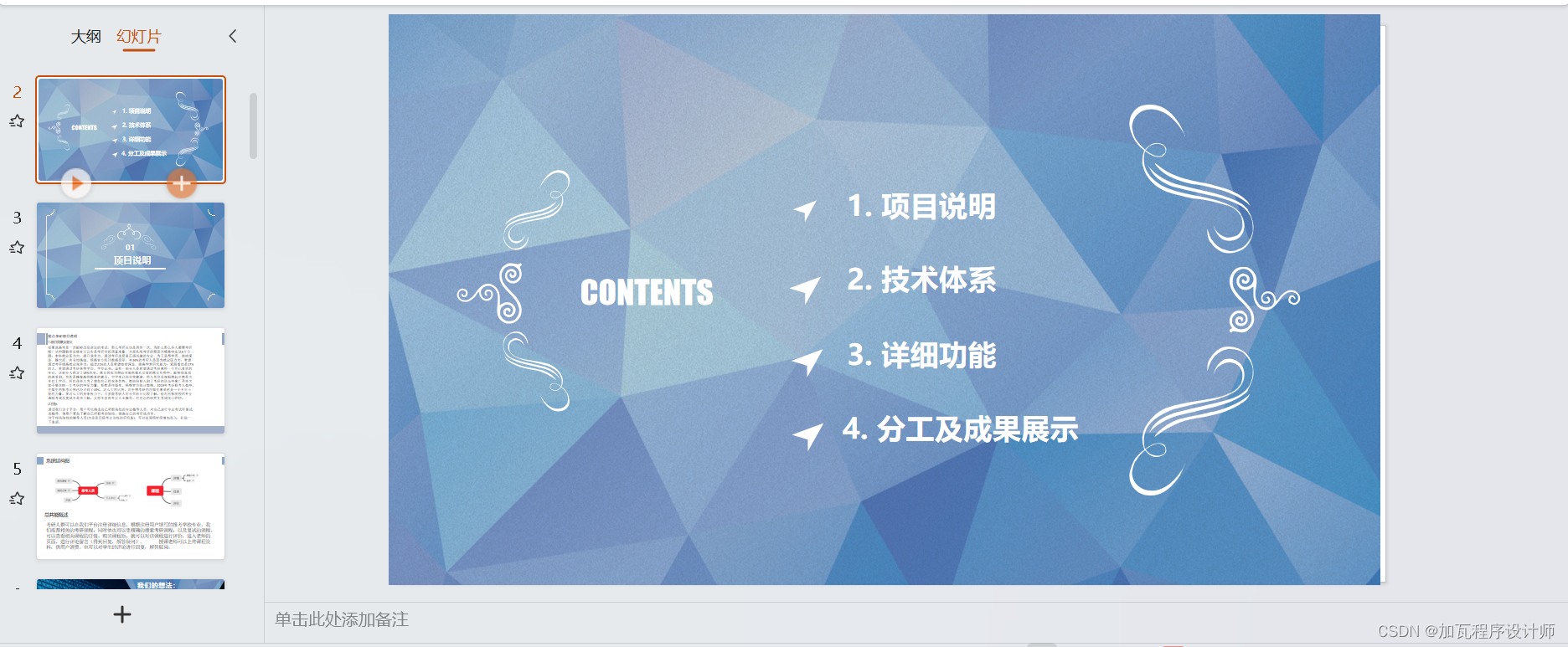
13.答辩PPT展示
喜欢的点赞收藏加关注私信作者沟通交流
相关文章:
【实训项目】精点考研
1.设计摘要 如果说高考是一次能够改变命运的考试,那么考研应该是另外一次。为什么那么多人都要考研呢?从中国教育在线官方公布是考研动机调查来看,大家扎堆考研的原因大概集中在这6个方面:本科就业压力大,提升竞争力、…...
软件测试Pytest实现接口自动化应该如何在用例执行后打印日志到日志目录生成日志文件?
Pytest可以使用内置的logging模块来实现接口自动化测试用例执行后打印日志到日志目录以生成日志文件。以下是实现步骤: 1、在pytest配置文件(conftest.py)中,定义一个日志输出路径,并设置logging模块。 import loggi…...

深入理解作用域、作用域链和闭包
🎬 岸边的风:个人主页 🔥 个人专栏 :《 VUE 》 《 javaScript 》 ⛺️ 生活的理想,就是为了理想的生活 ! 目录 📚 前言 📘 1. 词法作用域 📖 1.2 示例 📖 1.3 词法作用域的…...
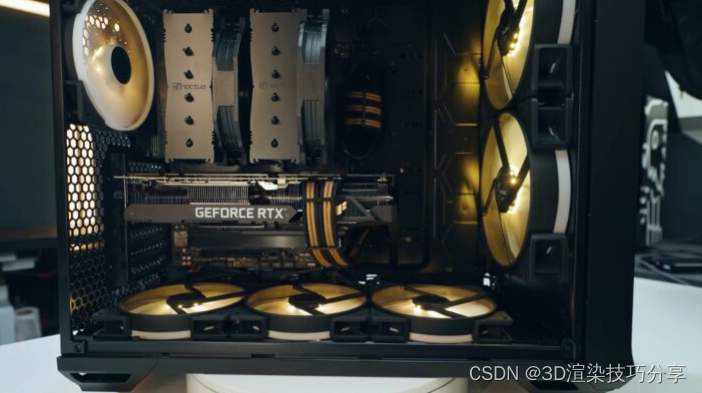
7款适合3D建模和渲染的GPU推荐
选择一款完美的 GPU 并不是一件容易的事;您不仅必须确保有特定数量的线程和内核来处理图像,而且还应该有足够的 RAM。 这是因为 3D 渲染是一个活跃的工作过程,因为您必须坐在 PC 前并持续与软件交互。为了在 3D 场景中积极工作,您…...

边缘计算物联网网关在机械加工行业的应用及作用分享
随着工业4.0的推进,物联网技术正在逐渐渗透到各个行业领域。机械加工行业作为制造业的基础领域之一,其生产过程的自动化、智能化水平直接影响到产品质量和生产效率。边缘计算物联网网关作为物联网技术的重要组成部分,在机械加工行业中发挥着越…...
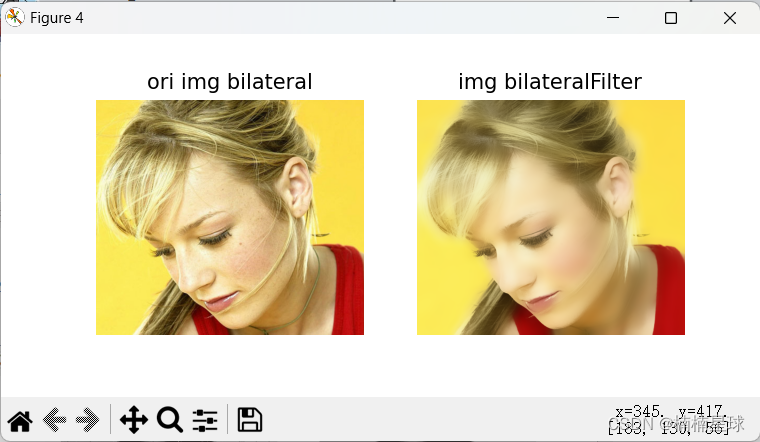
(笔记六)利用opencv进行图像滤波
(1)自定义卷积核图像滤波 import numpy as np import matplotlib.pyplot as plt import cv2 as cvimg_path r"D:\data\test6-6.png" img cv.imread(img_path)# 图像滤波 ker np.ones((6, 6), np.float32)/36 # 构建滤波器(卷积…...
WPF C# .NET7 基础学习
学习视频地址:https://www.bilibili.com/video/BV1hx4y1G7C6?p3&vd_source986db470823ebc16fe0b3d235addf050 开发工具:Visual Studio 2022 Community 基础框架:.Net 6.0 下载创建过程略 .Net和.Framework 区别是Net是依赖项ÿ…...

QT里使用sqlite的问题,好多坑
1. 我使用sqlite,开发机上好好的,测试机上却不行。后来发现是缺少驱动(Driver not loaded Driver not loaded),代码检查了又检查,发现应该是缺少dll文件(系统不提示,是自己使用 QMes…...

openGauss学习笔记-59 openGauss 数据库管理-相关概念介绍
文章目录 openGauss学习笔记-59 openGauss 数据库管理-相关概念介绍59.1 数据库59.2 表空间59.3 模式59.4 用户和角色59.5 事务管理 openGauss学习笔记-59 openGauss 数据库管理-相关概念介绍 59.1 数据库 数据库用于管理各类数据对象,与其他数据库隔离。创建数据…...

Nginx安装与部署
文章目录 一,说明二,下载三,Windows下安装1,安装2,启动3,验证 四,Linux下安装1,安装2,启动3,验证 五,Nginx配置 一,说明 Nginx是一款高性能Web和反向代理服务器,提供内存少,高并发,负载均衡和反向代理服务,支持windos和linux系统 二,下载 打开浏览器,输入地址: https://ngin…...
Linux中Tomcat发布war包后无法正常访问非静态资源
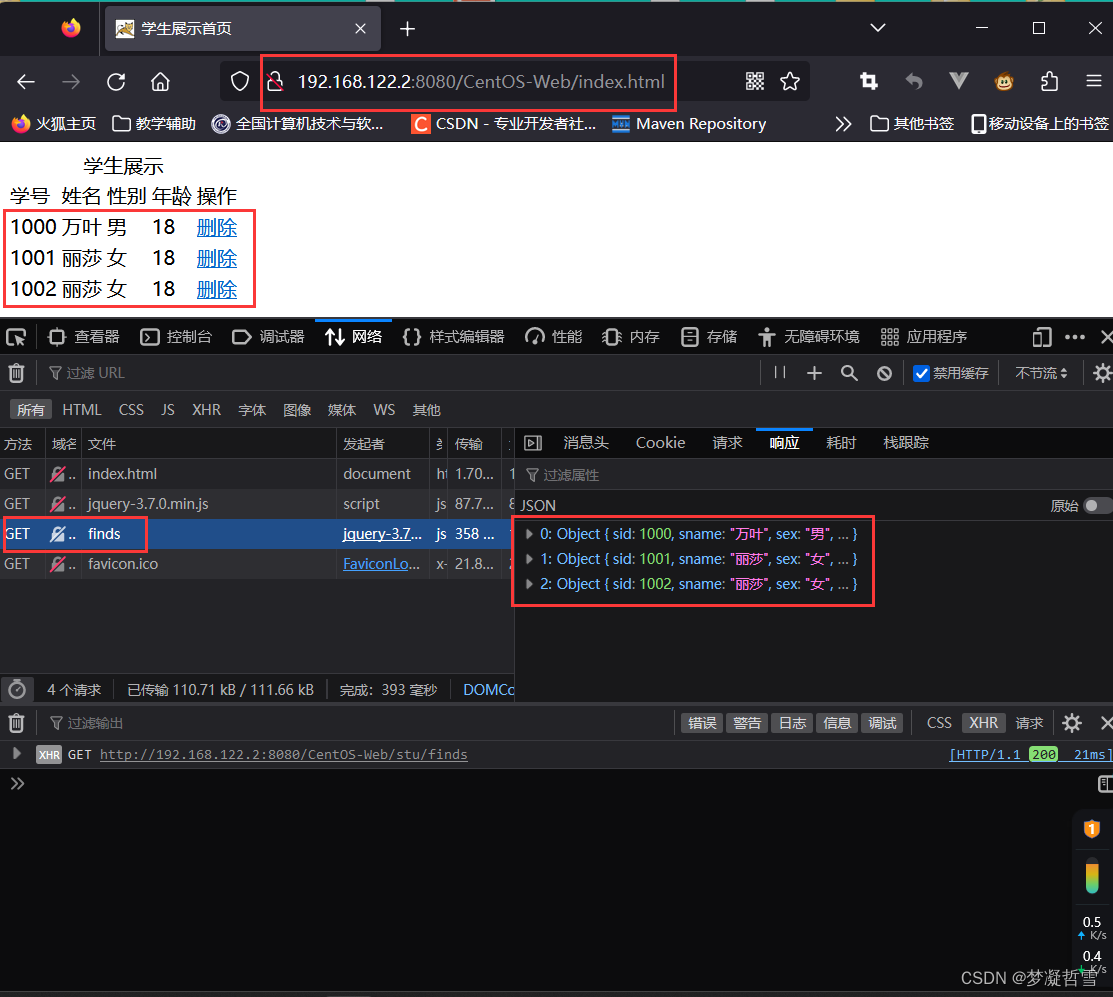
事故现象 在CentOS8中安装完WEB环境,首次部署WEB项目DEMO案例,发现可以静态的网页内容, 但是无法向后台发送异步请求,全部出现404问题,导致数据库数据无法渲染到界面上。 原因分析 CentOS请求中提示用来获取资源的连…...

大数据、AI和云原生:引领未来软件开发的技术演进
文章目录 **1. 数据驱动的创新:****2. 智能化应用的兴起:****3. 云原生的敏捷和可扩展性:****4. 实时性和即时性:****5. 数据隐私和安全:****6. 跨平台和跨设备:****7. 自动化和智能编程:****8.…...
Text-to-SQL小白入门(四)指令进化大模型WizardLM
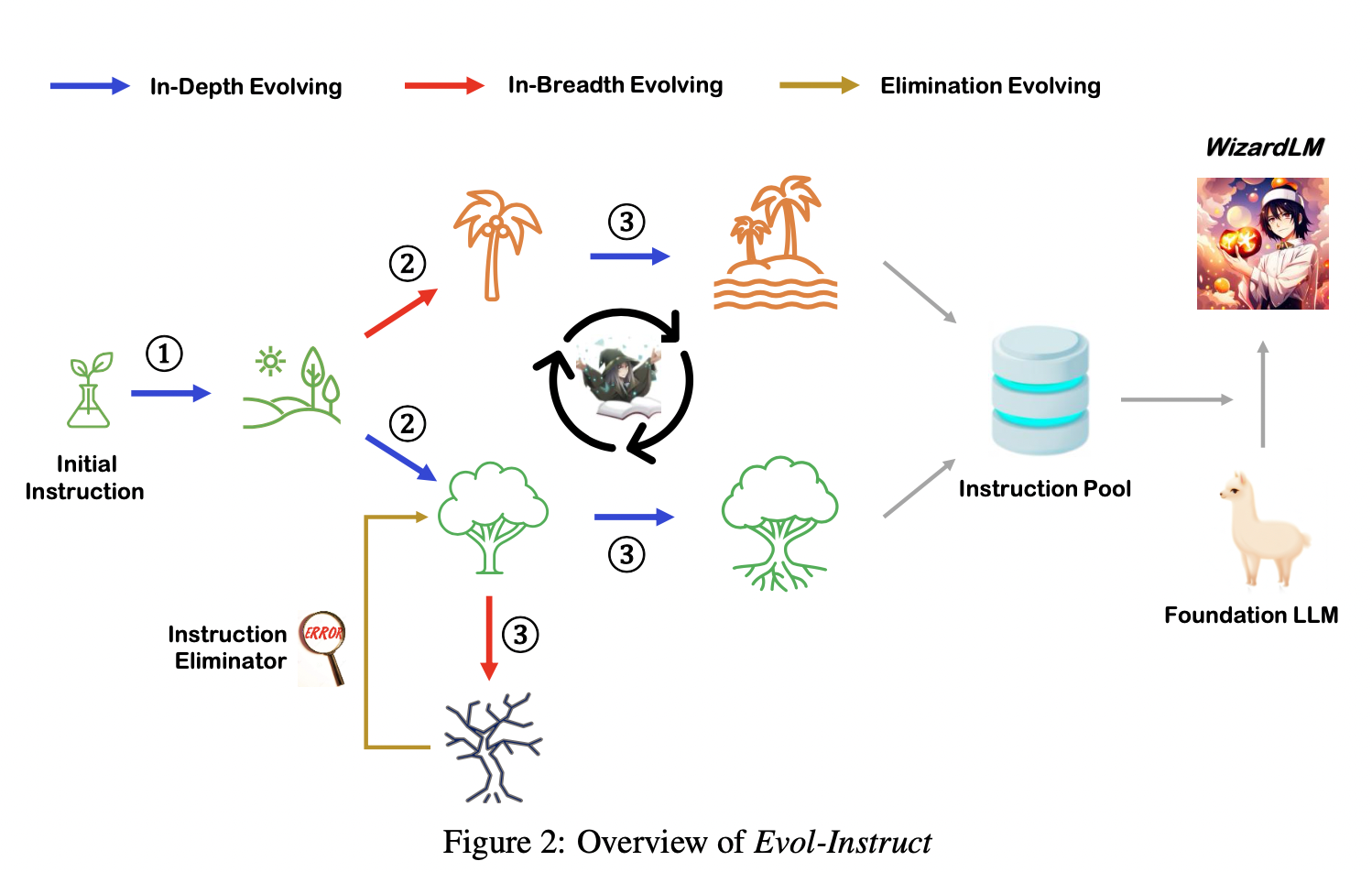
摘要 本文主要对大模型WizardLM的基本信息进行了简单介绍,展示了WizardLM取得的优秀性能,分析了论文的核心——指令进化方法。 论文概述 基本信息 英文标题:WizardLM: Empowering Large Language Models to Follow Complex Instructions中…...
浅谈红队资产信息收集经验
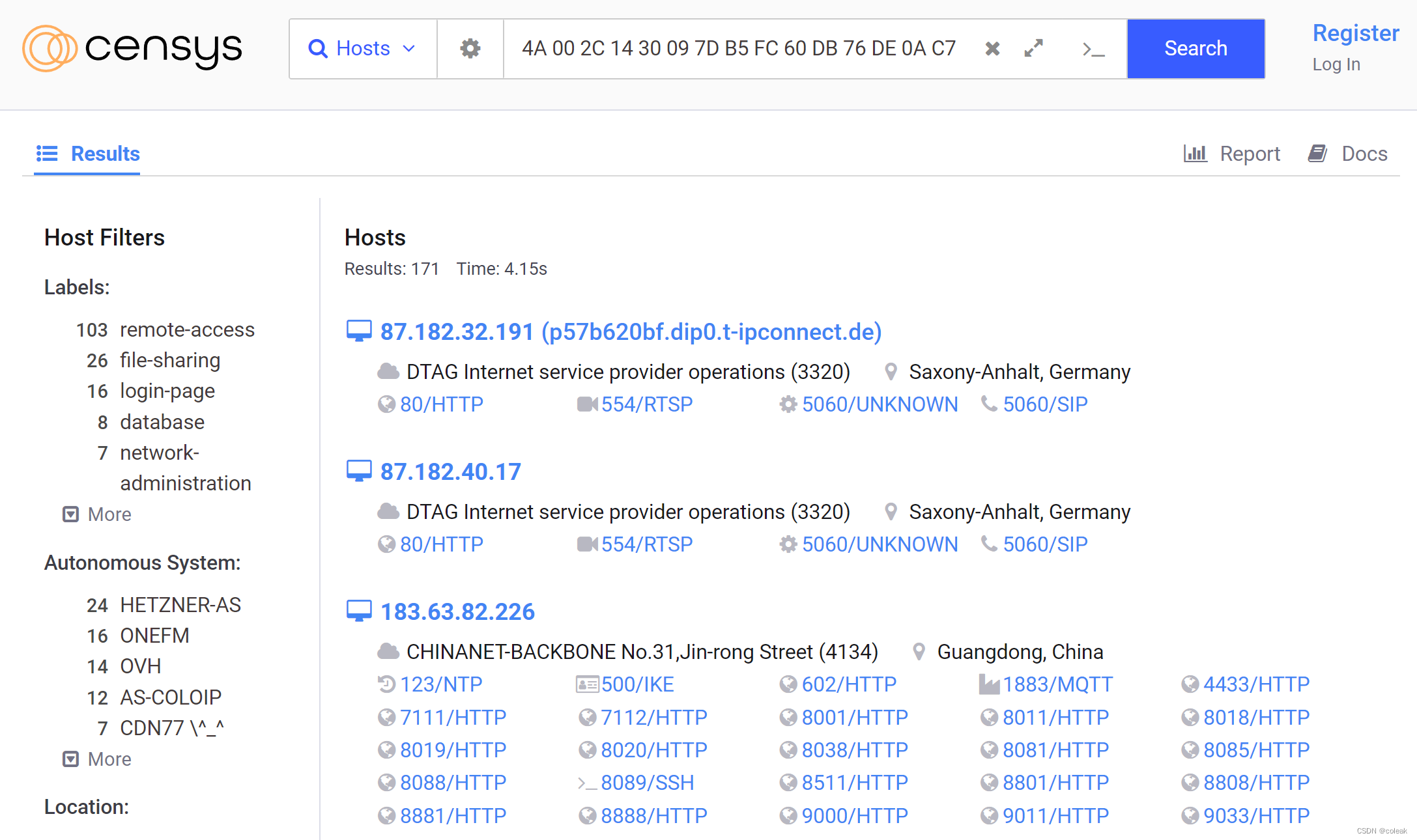
文章目录 子公司资产收集备案号|官网收集子域名|ip收集fofa灯塔ARLX情报社区 资产确认目录扫描Google Hacking绕过CDNnmap端口扫描参数技巧其他常用工具 子公司资产收集 红蓝对抗中往往只会给你目标企业的名称,以及对应的靶标系统地址,而很少有直接从靶标…...

list根据对象中某个字段属性去重Java流实现
list根据对象中某个字段属性去重Java流实现? 在Java的流(Stream)中,你可以使用distinct方法来实现根据对象中某个字段属性去重的功能。要实现这个功能,你需要重写对象的hashCode和equals方法,以确保相同字段属性的对象被认为是相…...
软件架构设计(三) B/S架构风格-层次架构(一)
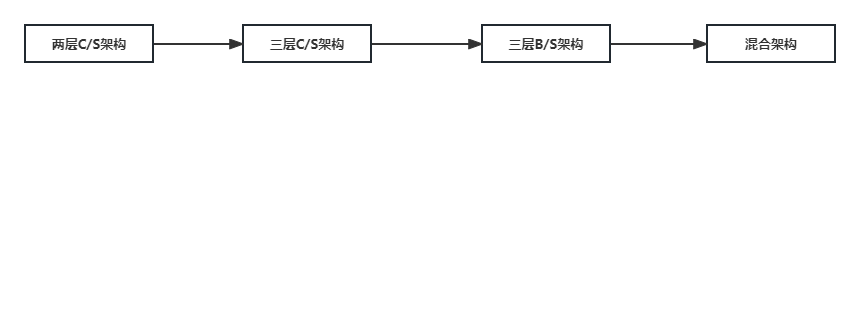
层次架构风格从之前的两层C/S到三层C/S,然后演化为三层B/S架构,三层B/S架构之后仍然在往后面演化,我们来看一下层次架构演化过程中都有了哪些演化的架构风格呢? 而我们先简单了解一下之前的层次架构风格中分层的各个层次的作用。 表现层:由于用户进行交互,比如MVC,MVP,…...

大端字节和小端字节
介绍 大端字节序(Big-Endian)和小端字节序(Little-Endian)是在计算机系统中用来表示多字节数据类型(如整数、浮点数等)的存储方式。字节序指的是在内存中多字节数据的存放顺序,即哪个字节在前&…...

(10)(10.8) 固件下载
文章目录 前言 10.8.1 固件 10.8.2 Bootloader 10.8.3 APM2.x Autopilot 10.8.4 许可证 10.8.5 安全 前言 固件服务器(firmware server)可提供所有飞行器的最新固件。其中包括: CopterPlaneRoverAntennaTrackerSub 本页提供了一些被视为&quo…...
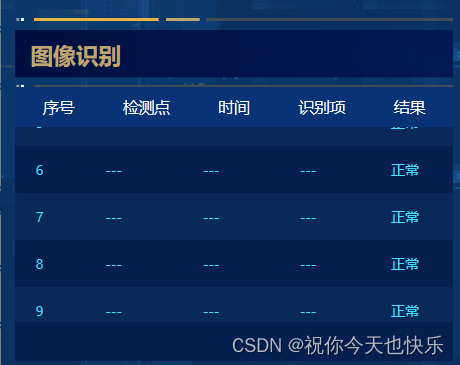
vue实现列表自动滚动效果
效果如图: 1.下载插件 npm install vue-seamless-scroll --save 2.在main.js中引入注册 import scroll from vue-seamless-scroll Vue.use(scroll) 3.在页面中使用(写一个固定的表头 el-table:show-header"status" 设置为false,自带的表头不…...
如何通过构建遥感光谱反射信号与地表参数之间的关系模型来准确估算植被参数?植被参数光学遥感反演方法(Python)及遥感与生态模型数据同化算法
目录 专题一 植被参数遥感反演理论 专题二 植被叶片及冠层反射率模拟与处理 专题三 植被遥感模型参数敏感性分析 专题四 基于查找表(LUT)方法反演植被参数 专题五 基于优化算法反演植被参数 专题六 基于机器学习反演植被参数 专题七 遥感数据同化理论 专题八 同化遥感反…...
)
告别虚拟机!Windows 11下用Conda一键安装GNU Radio 3.10(附国内镜像加速)
Windows 11下用Conda极速部署GNU Radio 3.10全攻略 在软件无线电(SDR)领域,GNU Radio一直是开源工具链中的标杆。但许多Windows用户在初次接触时,往往被复杂的依赖关系和繁琐的安装过程劝退。虚拟机卡顿、版本兼容性问题、依赖冲突…...

Multi-Agent 智能办公场景落地:财务、法务、人力的自动协作链路
Multi-Agent 智能办公场景落地:财务、法务、人力的自动协作链路 关键词 Multi-Agent 协作、业财法税一体化、智能办公自动化、大模型Agent编排、跨域规则引擎、RPA增强架构、企业数字员工 摘要 当前中大型企业普遍存在跨部门协作摩擦成本高、规则执行不一致、合规风险不可…...

准备转型AI产品经理的朋友,建议看看这本书
本文从《AI即未来:普通人用好人工智能的18大工作场景》出发,深入探讨了AI大模型的选择、部署及评估。文章指出,面对众多AI工具,应根据任务需求、输出质量、成本等因素进行选择,并强调AI更像助手,需人类监督…...

网页项目之大五人格测试:认识真实的自己
大五人格测试:认识真实的自己 你是否曾好奇,自己的人格特质是什么?为什么有些人天生善于社交,有些人却更喜欢独处?为什么有人总是追求完美,有些人却随性自在? 心理学研究表明,人格的…...

感应照明技术:从工业到家用,一场技术降维的工程冒险
1. 项目概述:当感应照明技术走进寻常百姓家最近在整理一些老旧的行业资料时,翻到了2014年的一则新闻,讲的是当时一家初创公司“Finally Light Bulb Company”宣布要推出一款售价低于10美元的感应灯泡,用来替代传统的白炽灯。这让我…...

Agent-Layer:构建多智能体协作系统的中间层框架设计与实践
1. 项目概述:Agent-Layer 是什么,以及它想解决什么问题最近在开源社区里,一个名为lopushok9/Agent-Layer的项目引起了我的注意。乍一看这个标题,你可能会想,这又是一个关于“智能体”或“代理”的框架吧?确…...

OpenClaw:重新定义 AI 智能体,从对话到执行的全能 “龙虾
在 AI 技术飞速迭代的今天,大语言模型已能流畅对话、生成内容,但多数仍停留在 “只说不做” 的层面。OpenClaw(外号 “龙虾”)的出现,打破了这一僵局 —— 它是一款由奥地利工程师 Peter Steinberger 主导开发…...

基于Rust构建AI智能体平台:架构设计与工程实践
1. 从零到一:构建你自己的AI智能体平台最近几年,大语言模型(LLM)的爆发式发展,让“智能体”(Agent)从一个学术概念,迅速变成了提升工作效率的利器。你可能用过一些现成的AI工具&…...

欧盟单一电信市场:技术规则重塑与产业影响分析
1. 项目概述:一场迟来的电信革命作为一名在通信行业摸爬滚打了十几年的工程师,我经历过从2G到5G的每一次技术迭代,也见证过不同市场间因政策壁垒而导致的种种怪象。比如,你带着一部手机在欧洲大陆旅行,从德国到法国不过…...

数据库完整性约束与安全机制全解析
一、数据库完整性约束1、数据库完整性基本概念与核心机制(1)完整性定义与作用数据库完整性(Database Integrity)是指在任何情况下保证数据的正确性(Validity)和一致性(Consistency)&…...