
【仿牛客论坛java项目】第五章 Kafka,构建TB级异步消息系统:阻塞队列、Kafka入门、Spring整合Kafka、发送系统通知、显示系统通知
这里写自定义目录标题
- 一、阻塞队列
- 简单的阻塞队列测试案例
- 总结
- 阻塞队列
- 二、Kafka入门
- 1、基础知识
- Kafka术语
- 消息队列实现方式两种
- 2、配置
- 3、启动
- 全部命令
- 启动 zookeeper 服务器
- 再启动 kafka 服务器
- 创建Topic
- 关闭
- 4、总结
- Kafka的特点
- Kafka的术语
- 三、 Spring整合Kafka
- 导入依赖
- application.properties
- KafkaTests.java
- 测试结果
- 四、发送系统通知
- 事件主体——Event
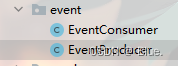
- 事件的生产者和消费者
- 补充评论mappper方法
- CommentMapper
- comment-mapper.xml
- CommentService
- 视图层评论——CommentController
- 视图层点赞——LikeController
- 视图层关注——FollowController
- 测试结果
- 五、显示系统通知
- 1、通知列表
- 数据访问层——MessageMapper.java
- 业务层——MessageService
- 视图层——MessageController
- 页面
- letter.html
- notice.html
- 测试
- 2、通知详情
- 数据访问层——MessageMapper.java
- 业务层——MessageService
- 视图层——MessageController
- 页面
- notice.html
- notice-detail.html
- 3、未读消息(总的)
- 拦截器——MessageInterceptor
- 拦截器配置——WebMvcConfig.java
- index.html
性能最好的消息队列
一、阻塞队列
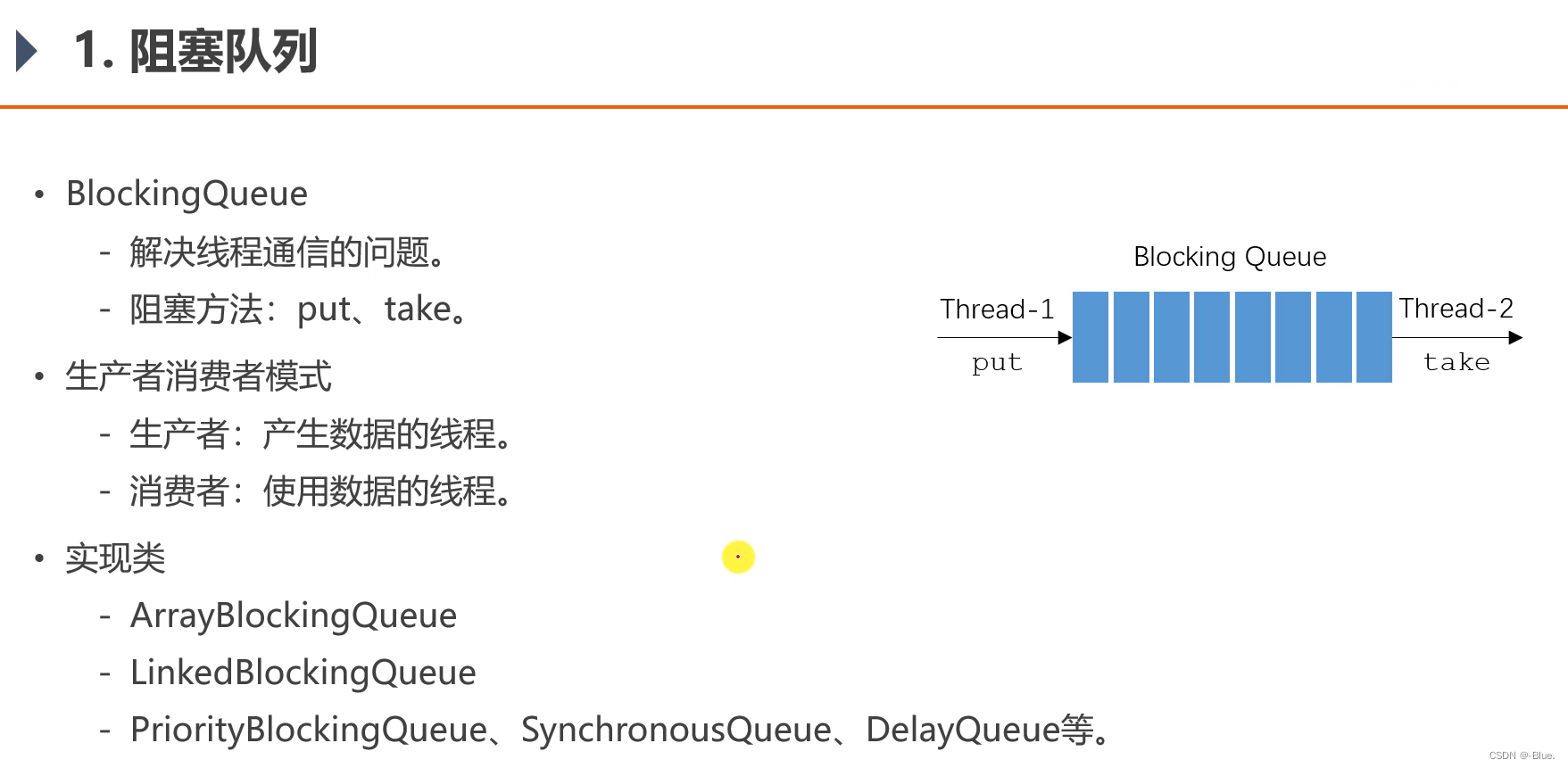
阻塞队列——java自带,接口,BlockingQueue
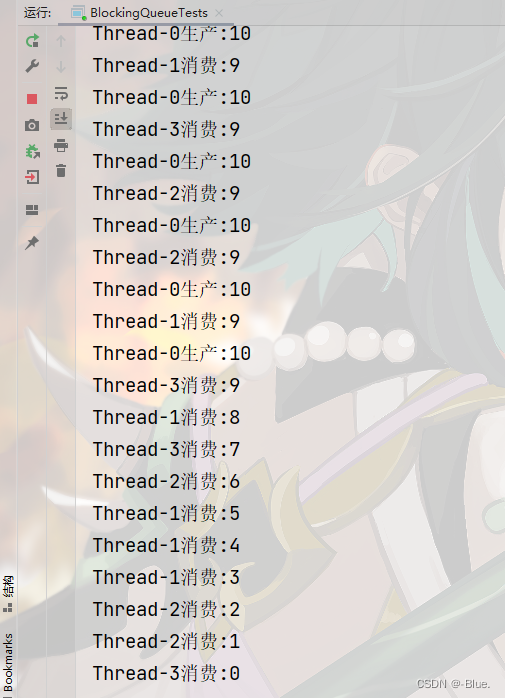
二倍阻塞——消费者快
简单的阻塞队列测试案例
BlockingQueueTests
package com.nowcoder.community;import java.util.Random;
import java.util.concurrent.ArrayBlockingQueue;
import java.util.concurrent.BlockingQueue;/*** 阻塞队列测试案例*/
public class BlockingQueueTests {public static void main(String[] args) {BlockingQueue queue = new ArrayBlockingQueue(10);   // 队列容量new Thread(new Producer(queue)).start();new Thread(new Consumer(queue)).start();new Thread(new Consumer(queue)).start();new Thread(new Consumer(queue)).start();}}/*** 生产者线程*/
// 实现接口
class Producer implements Runnable {// 接收传来的阻塞队列private BlockingQueue<Integer> queue;public Producer(BlockingQueue<Integer> queue) {this.queue = queue;}@Overridepublic void run() {try {for (int i = 0; i < 100; i++) { // 生产100数据Thread.sleep(20);   // 间隔时间 20msqueue.put(i);System.out.println(Thread.currentThread().getName() + "生产:" + queue.size());}} catch (Exception e) {e.printStackTrace();}}}/*** 消费者线程*/
class Consumer implements Runnable {private BlockingQueue<Integer> queue;public Consumer(BlockingQueue<Integer> queue) {this.queue = queue;}@Overridepublic void run() {try {while (true) {Thread.sleep(new Random().nextInt(1000));queue.take();System.out.println(Thread.currentThread().getName() + "消费:" + queue.size());}} catch (Exception e) {e.printStackTrace();}}
}
总结
阻塞队列
- 阻塞队列的接口为BlockingQueue,该接口有ArrayBlockingQueue、LinkedBlockingQueue等多个实现类。
- 阻塞队列包含put方法,用于向队列中存入数据,当队列已满时,该方法将阻塞
- 阻塞队列包含take方法,用于从队列中获取数据,当队列已空时,该方法将阻塞
二、Kafka入门
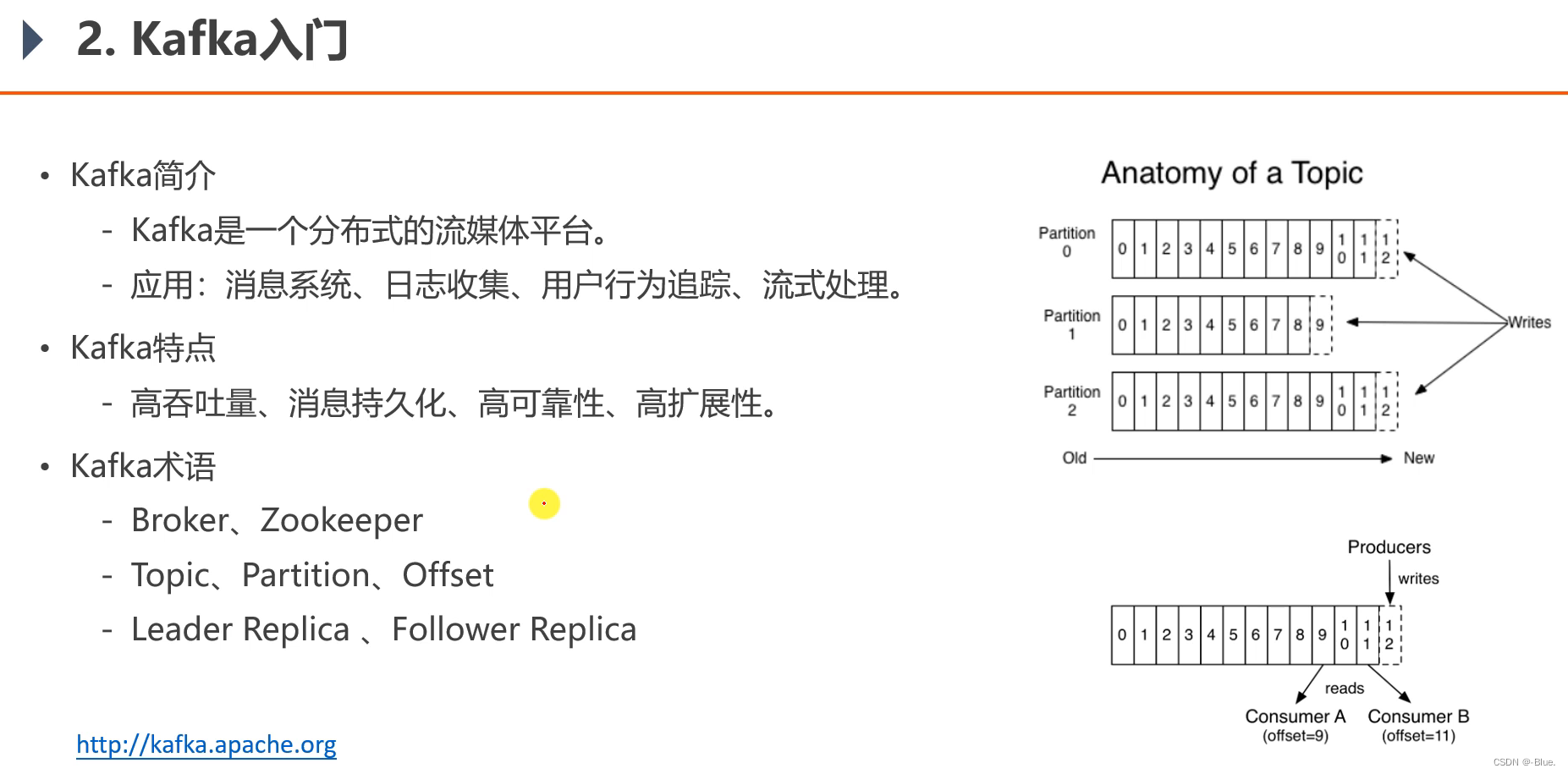
Kafka官网
1、基础知识
- 项目中只用到了- 消息系统的功能
- 将消息存在硬盘上,长久保存
- 硬盘空间大,比内存价格低
- 读取硬盘效率高低取决于对硬盘的使用
- 对硬盘顺序读写性能很高,高于对内存的随机读写
- 高可靠性——分布式服务器,集成部署
Kafka术语
Broker:服务器Zookeeper:独立软件应用,管理其他集群,Kafka有内置,也可以单独安Topic:发布消息空间,存放消息Partition:分区(看上图)Offset:消息在分区内存在的索引Leader Replica:主副本,数据备份,一个分区有多个副本Follower Replica:从副本
消息队列实现方式两种
- 点对点:BlockingQueue
- 发布订阅模式:很多消费者同时订阅, Kafka
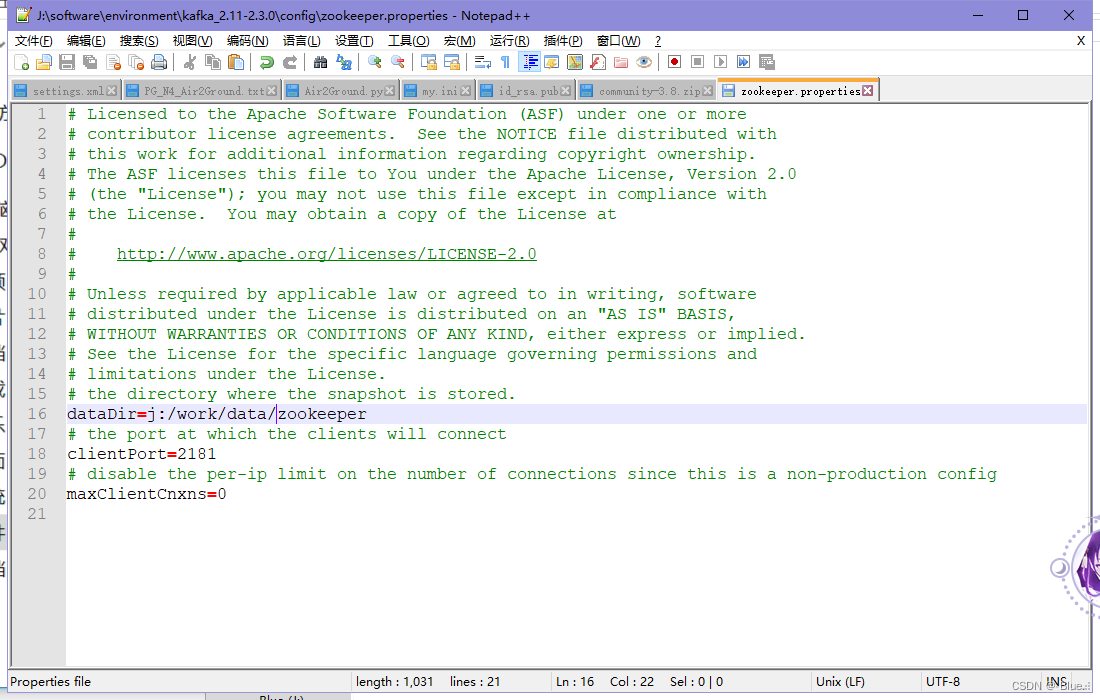
2、配置
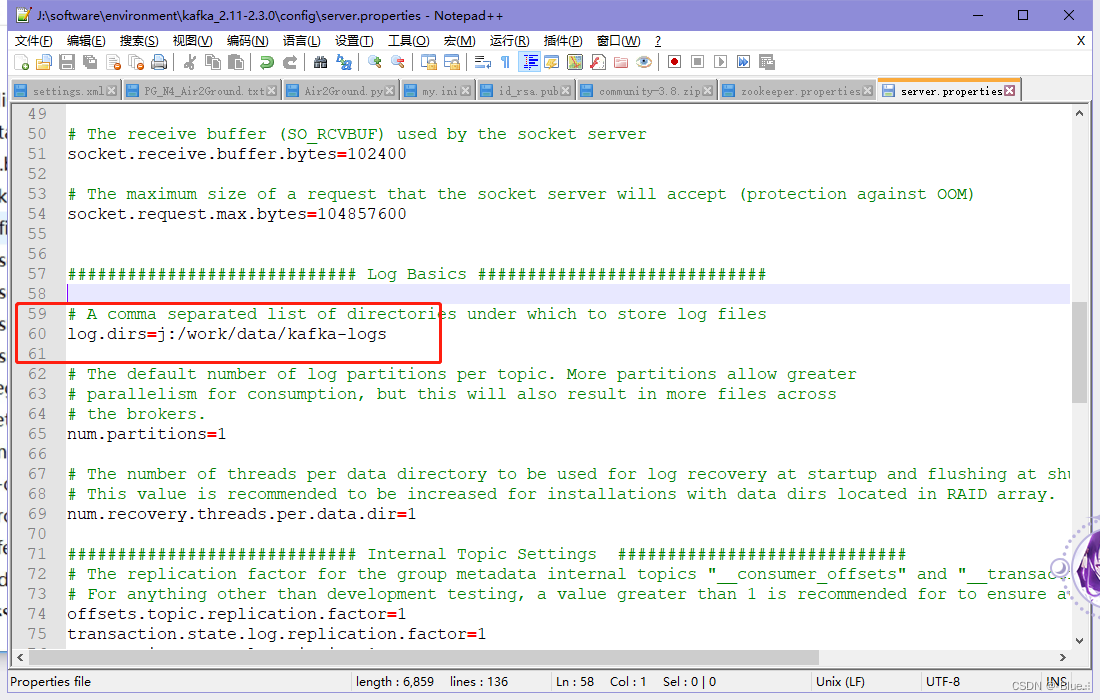
3、启动
全部命令
# 启动zookeeper服务器:C:\Users\dlmu>j:
J:\>cd J:\software\environment\kafka_2.11-2.3.0
# 启动服务器  (先启动zookeeper服务器,再启动kafka)  !!!千万不要手动暴力关闭,用下面的命令关闭
J:\software\environment\kafka_2.11-2.3.0>bin\windows\zookeeper-server-start.bat config\zookeeper.properties# 启动kafka服务器:
C:\Users\dlmu>j:
J:\>cd J:\software\environment\kafka_2.11-2.3.0
J:\software\environment\kafka_2.11-2.3.0>bin\windows\kafka-server-start.bat config\server.properties# 创建主题
kafka-topics.bat --create --bootstrap-server localhost:9092 --replication-factor 1 --partitions 1  --topic test# 查看当前服务器的主题
kafka-topics.bat --list --bootstrap-server localhost:9092# 创建生产者,往指定主题上发消息
kafka-console-producer.bat --broker-list localhost:9092 --topic test# 消费者
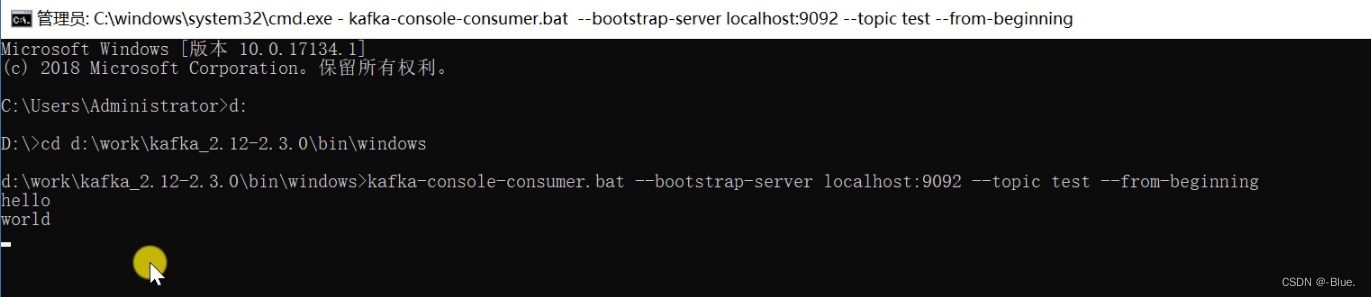
kafka-console-consumer.bat --bootstrap-server localhost:9092 --topic test --from-beginning# 关闭zookeeper服务器
zookeeper-server-stop.bat# 关闭kafka服务器
kafka-server-stop.bat
启动 zookeeper 服务器
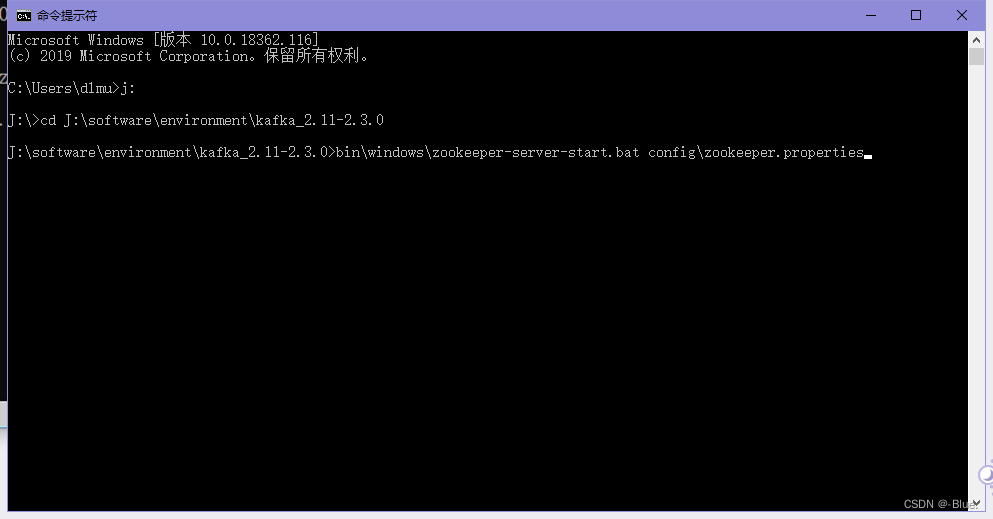
C:\Users\dlmu>j:J:\>cd J:\software\environment\kafka_2.11-2.3.0J:\software\environment\kafka_2.11-2.3.0>bin\windows\zookeeper-server-start.bat config\zookeeper.properties
启动成功
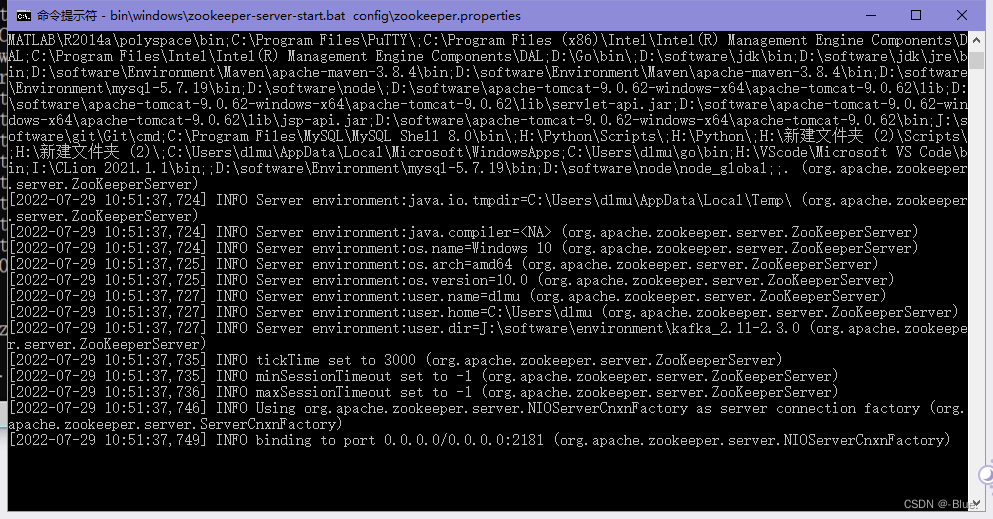
然后不要关闭,再开一个cmd
再启动 kafka 服务器
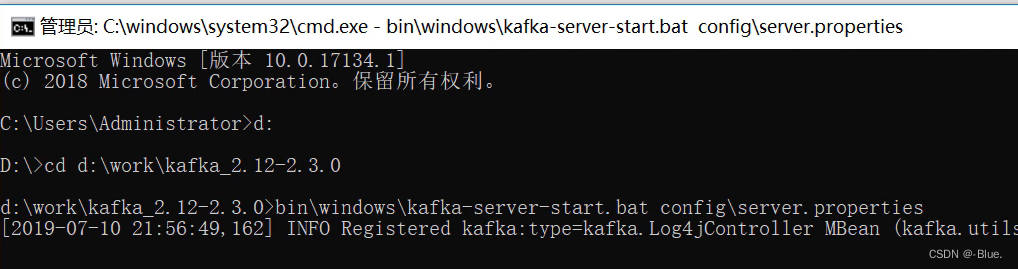
C:\Users\dlmu>j:J:\>cd J:\software\environment\kafka_2.11-2.3.0J:\software\environment\kafka_2.11-2.3.0>bin\windows\kafka-server-start.bat config\server.properties
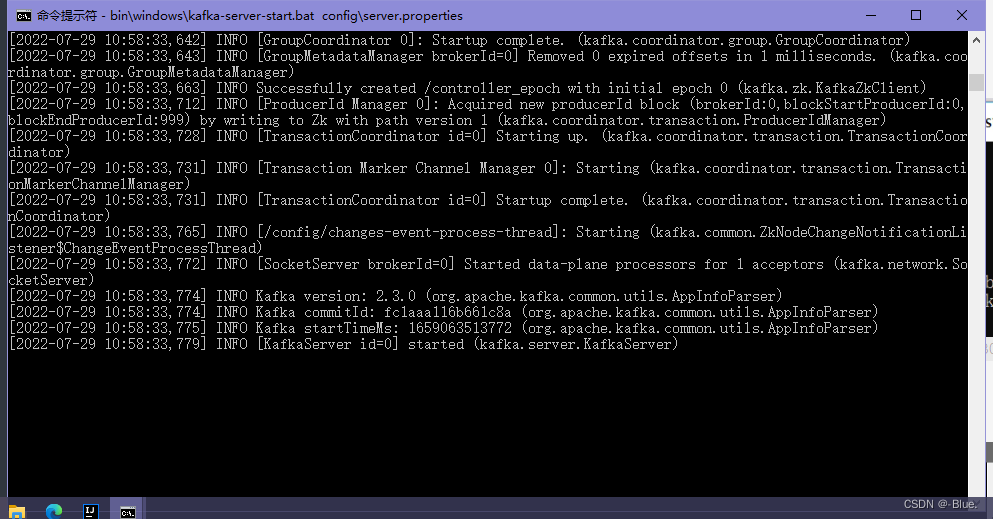
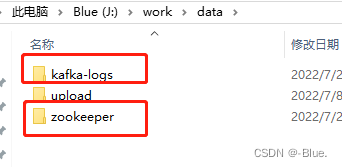
再新启动一个命令
创建Topic
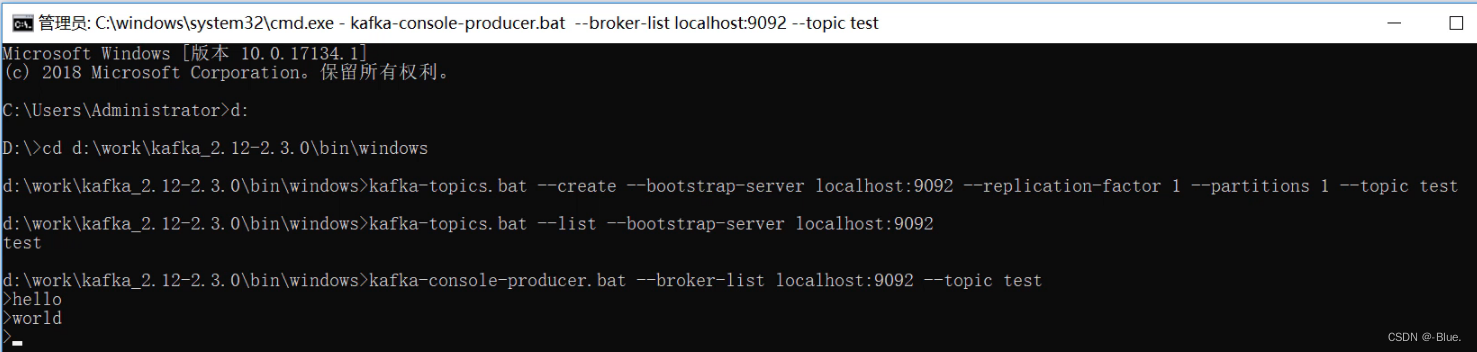
生产者
在启动消费者
关闭
# 关闭zookeeper服务器
zookeeper-server-stop.bat# 关闭kafka服务器
kafka-server-stop.bat
4、总结
Kafka的特点
- Kafka是一个分布式的流媒体平台。
- Kafka可以应用于消息系统、日志收集、用户行为追踪、流式处理等多种场景
- Kafka具有高吞吐量、消息持久化、高可靠性、高扩展性等优点
Kafka的术语
- Kafka集群中的每台服务器叫Broker,整个集群由Zookeeper进行管理
- Kafka采用发布订阅模式,每条消息都要发送到指定的Topic上
- 每个Topic可分为多个Partition,这样可以提高Kafka的并发执行能力
三、 Spring整合Kafka
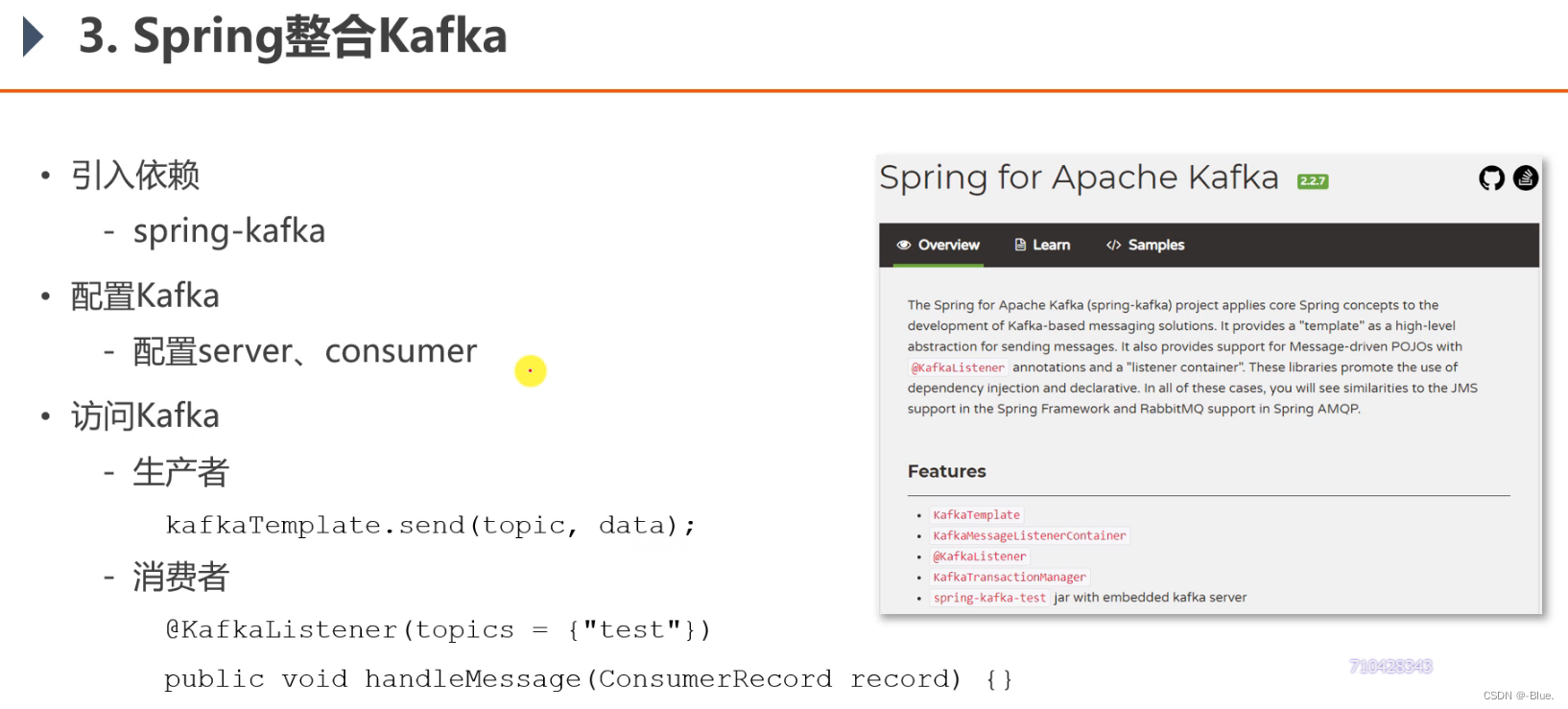
- 满足生产者消费者模式
导入依赖
<dependency><groupId>org.springframework.kafka</groupId><artifactId>spring-kafka</artifactId>
</dependency>
application.properties
# KafkaProperties
spring.kafka.bootstrap-servers=localhost:9092			kafka 端口
spring.kafka.consumer.group-id=community-consumer-group			消费者组id
spring.kafka.consumer.enable-auto-commit=true  			是否自动提交消费者的偏移量
spring.kafka.consumer.auto-commit-interval=3000    		自动提交频率
消费者读消息按偏移量
KafkaTests.java
package com.nowcoder.community;@RunWith(SpringRunner.class)
@SpringBootTest
@ContextConfiguration(classes = CommunityApplication.class)
public class KafkaTests {@Autowiredprivate KafkaProducer kafkaProducer;@Testpublic void testKafka() {kafkaProducer.sendMessage("test", "你好");kafkaProducer.sendMessage("test", "在吗");try {Thread.sleep(1000 * 10);} catch (InterruptedException e) {e.printStackTrace();}}}// spring容器管理
@Component
class KafkaProducer {@Autowiredprivate KafkaTemplate kafkaTemplate;/*** 发送消息* @param topic 消息主题* @param content 消息内容*/public void sendMessage(String topic, String content) {kafkaTemplate.send(topic, content);}}@Component
class KafkaConsumer {@KafkaListener(topics = {"test"})public void handleMessage(ConsumerRecord record) {System.out.println(record.value());}}
测试结果
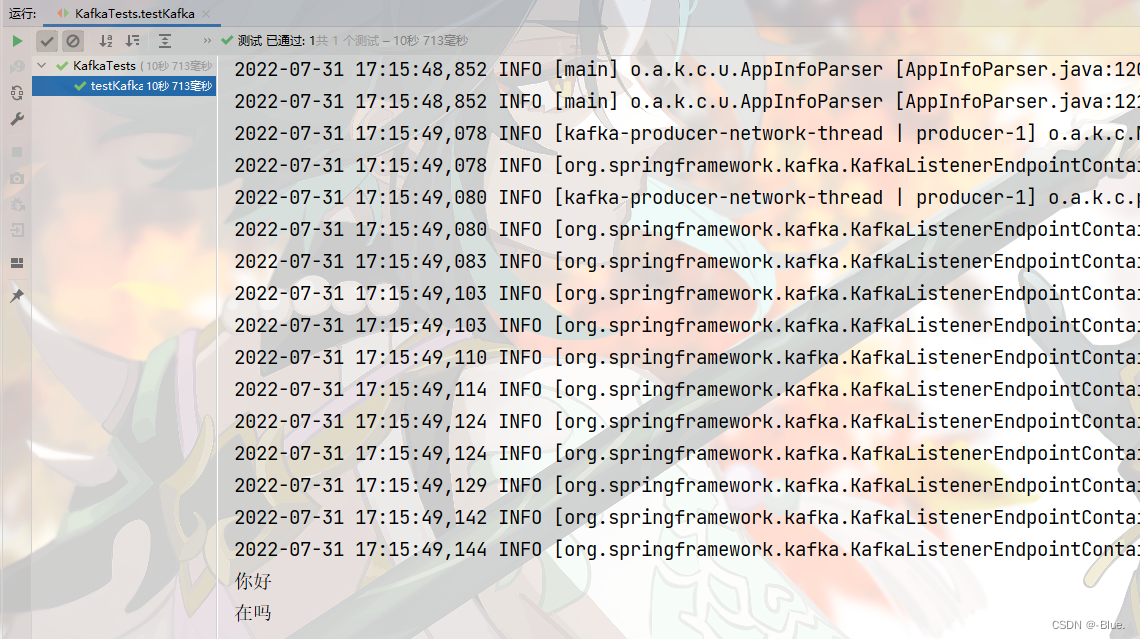
四、发送系统通知
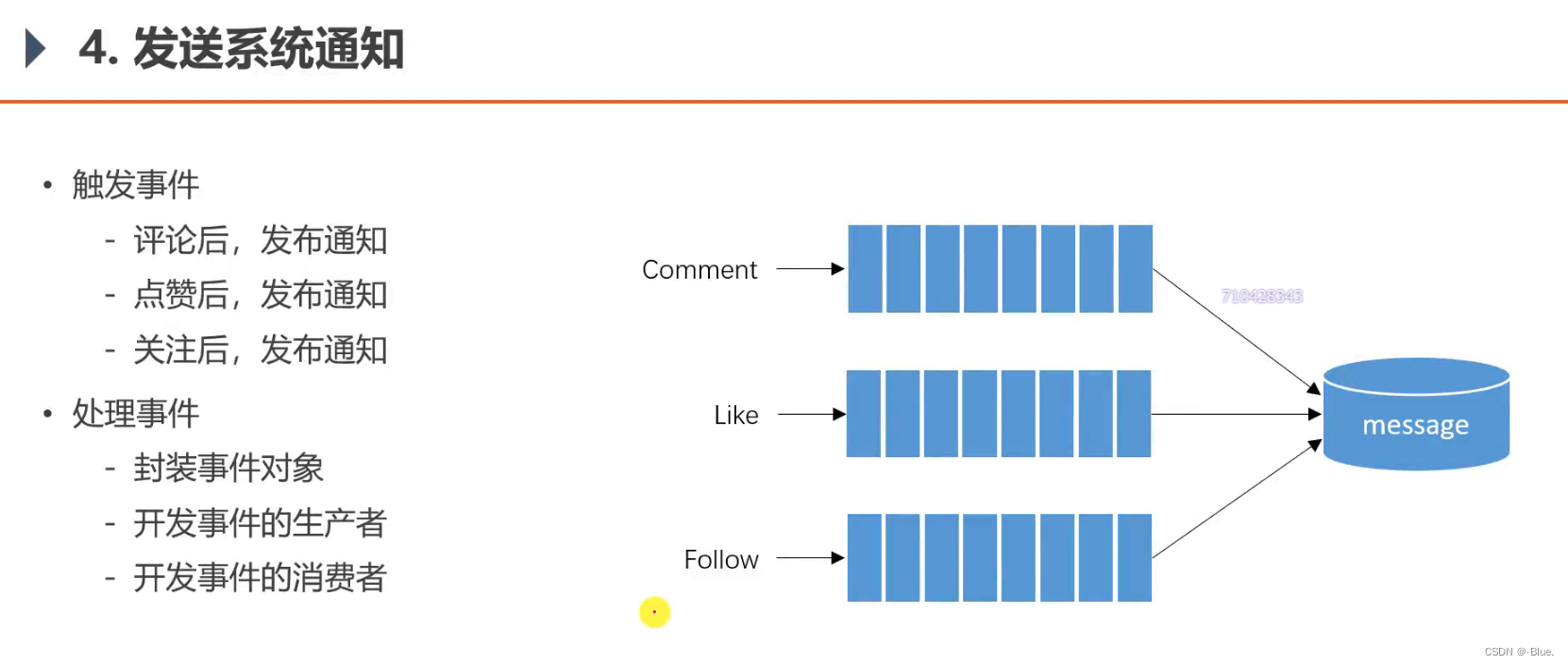
为什么用消息队列?
- 三类不同的事,可定义三类不同主题,事件发生后,将其包装为消息扔到响应队列中,当前线程就可以处理下一个请求,不用管后续业务,后续业务,由消费者处理
- 从技术角度来说,用的是
Kafka消息队列,来解决问题 - 从业务角度来说,解决问题的方式是事件驱动,以事件为目标,为主题。
事件主体——Event
package com.nowcoder.community.entity;import java.util.HashMap;
import java.util.Map;/*** 事件*/
public class Event {private String topic;   // 主题private int userId;     // 事件的人private int entityType;     // 实体类型private int entityId;private int entityUserId;   // 实体的作者(帖子)// 处理其他数据时可能会有需要记录的private Map<String, Object> data = new HashMap<>();public String getTopic() {return topic;}public Event setTopic(String topic) {// 修改,返回此类事件,方便编写this.topic = topic;return this;}public int getUserId() {return userId;}public Event setUserId(int userId) {this.userId = userId;return this;}public int getEntityType() {return entityType;}public Event setEntityType(int entityType) {this.entityType = entityType;return this;}public int getEntityId() {return entityId;}public Event setEntityId(int entityId) {this.entityId = entityId;return this;}public int getEntityUserId() {return entityUserId;}public Event setEntityUserId(int entityUserId) {this.entityUserId = entityUserId;return this;}public Map<String, Object> getData() {return data;}public Event setData(String key, Object value) {// 分成 key ,valuethis.data.put(key, value);return this;}}
事件的生产者和消费者
消息表


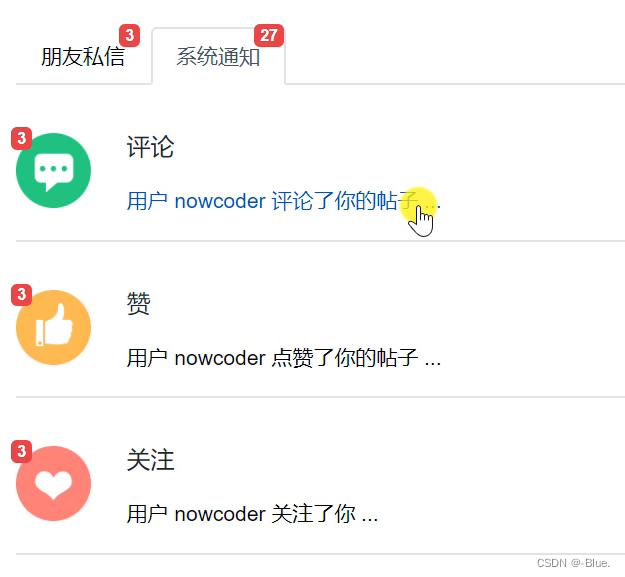
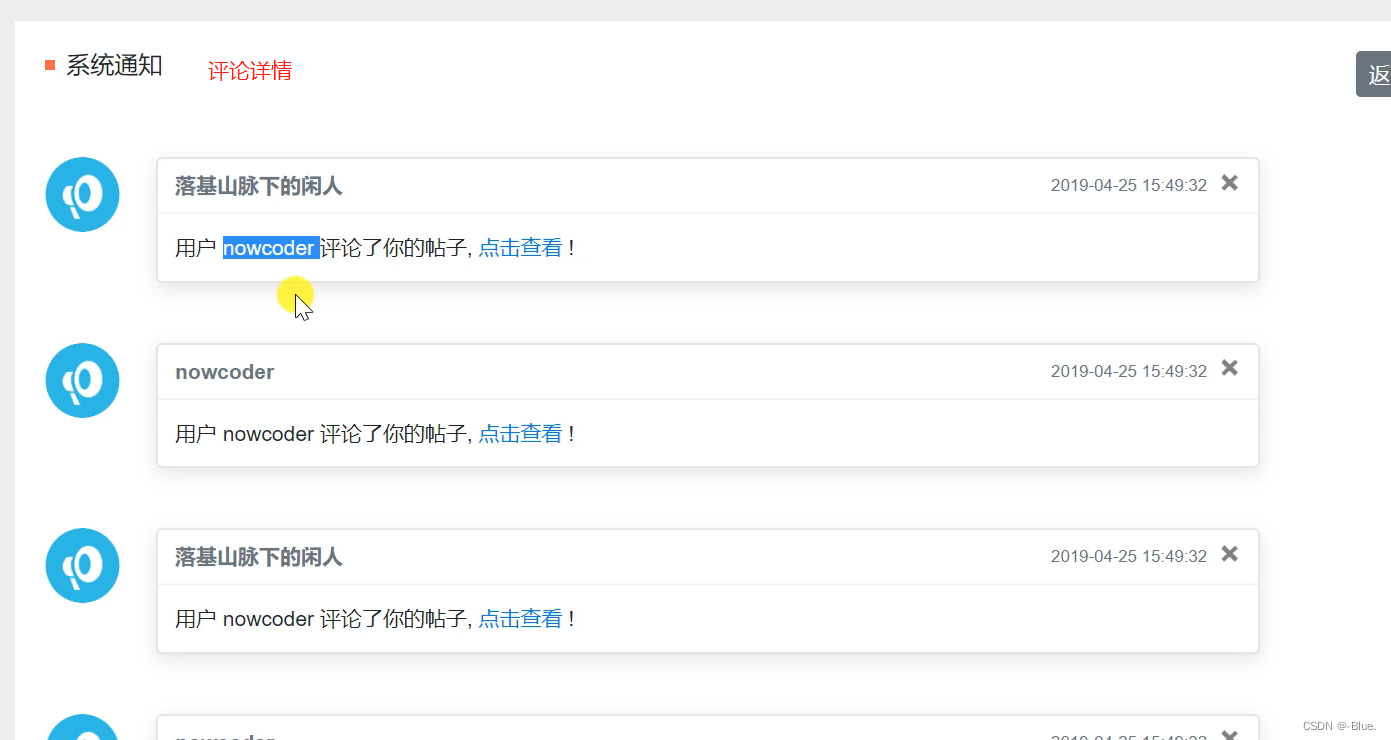
红框部分内容是下图通知的内容
补充评论mappper方法
CommentMapper
/*** 根据id查一个评论* @param id* @return*/Comment selectCommentById(int id);
comment-mapper.xml
<select id="selectCommentById" resultType="Comment">select <include refid="selectFields"></include>from commentwhere id = #{id}</select>
CommentService
public Comment findCommentById(int id) {return commentMapper.selectCommentById(id);}视图层评论——CommentController
异步、并发
@RequestMapping(path = "/add/{discussPostId}", method = RequestMethod.POST)public String addComment(@PathVariable("discussPostId") int discussPostId, Comment comment) {comment.setUserId(hostHolder.getUser().getId()); // 当前用户idcomment.setStatus(0);comment.setCreateTime(new Date()); // 当前时间commentService.addComment(comment); // 添加// 触发评论事件Event event = new Event().setTopic(TOPIC_COMMENT).setUserId(hostHolder.getUser().getId()).setEntityType(comment.getEntityType()).setEntityId(comment.getEntityId()).setData("postId", discussPostId);if (comment.getEntityType() == ENTITY_TYPE_POST) {DiscussPost target = discussPostService.findDiscussPostById(comment.getEntityId());event.setEntityUserId(target.getUserId());} else if (comment.getEntityType() == ENTITY_TYPE_COMMENT) {// 查找评论Comment target = commentService.findCommentById(comment.getEntityId());event.setEntityUserId(target.getUserId());}eventProducer.fireEvent(event);// 帖子详情页面 + 帖子idreturn "redirect:/discuss/detail/" + discussPostId;}
视图层点赞——LikeController
/*** 点赞* @param entityType:实体* @param entityId:id* @return*/@RequestMapping(path = "/like", method = RequestMethod.POST)@ResponseBodypublic String like(int entityType, int entityId, int entityUserId, int postId) {User user = hostHolder.getUser(); // 当前用户// 不登录无法访问——拦截器// 点赞likeService.like(user.getId(), entityType, entityId, entityUserId);// 数量long likeCount = likeService.findEntityLikeCount(entityType, entityId);// 状态int likeStatus = likeService.findEntityLikeStatus(user.getId(), entityType, entityId);// 返回的结果 —— 给页面,map封装Map<String, Object> map = new HashMap<>();map.put("likeCount", likeCount);map.put("likeStatus", likeStatus);// 触发点赞事件if (likeStatus == 1) {Event event = new Event().setTopic(TOPIC_LIKE).setUserId(hostHolder.getUser().getId()).setEntityType(entityType).setEntityId(entityId).setEntityUserId(entityUserId).setData("postId", postId);eventProducer.fireEvent(event);}// 返回json格式数据return CommunityUtil.getJSONString(0, null, map);}
视图层关注——FollowController
/*** 关注(异步)* @param entityType* @param entityId* @return*/@RequestMapping(path = "/follow", method = RequestMethod.POST)@ResponseBodypublic String follow(int entityType, int entityId) {User user = hostHolder.getUser();followService.follow(user.getId(), entityType, entityId);// 触发关注事件Event event = new Event().setTopic(TOPIC_FOLLOW).setUserId(hostHolder.getUser().getId()).setEntityType(entityType).setEntityId(entityId).setEntityUserId(entityId);eventProducer.fireEvent(event);// 异步请求return CommunityUtil.getJSONString(0, "已关注!");}
测试结果

五、显示系统通知
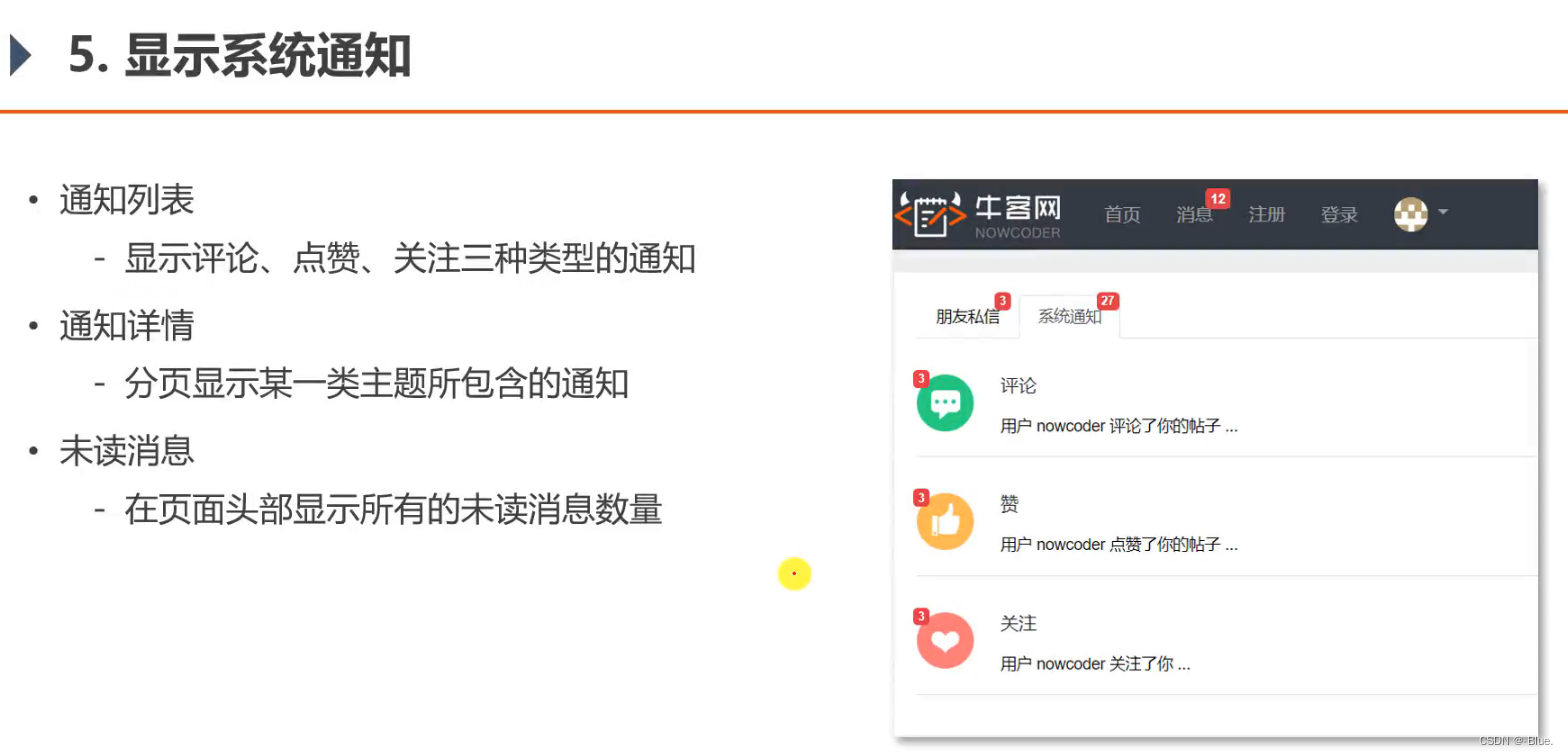
1、通知列表
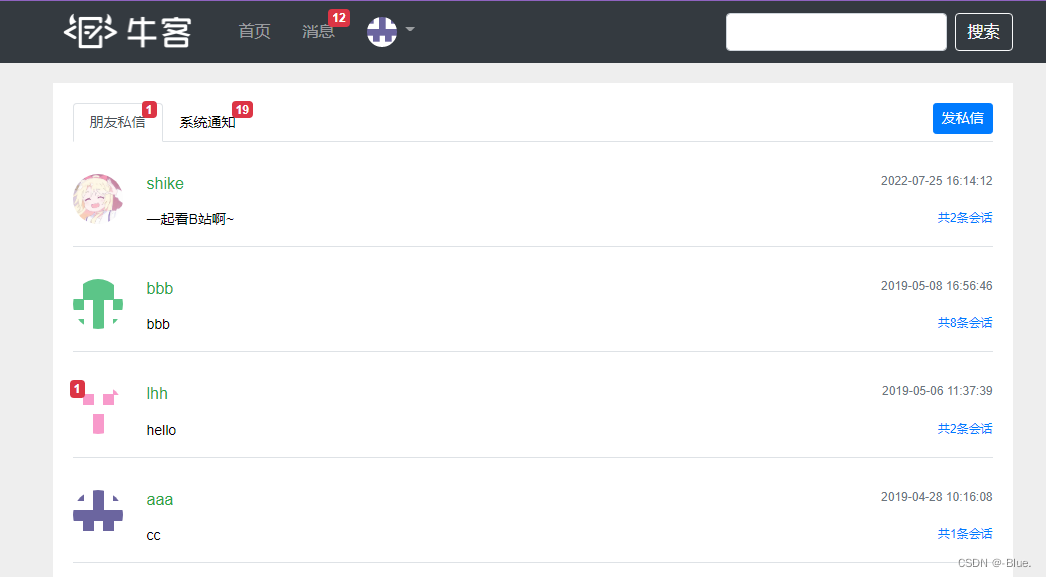
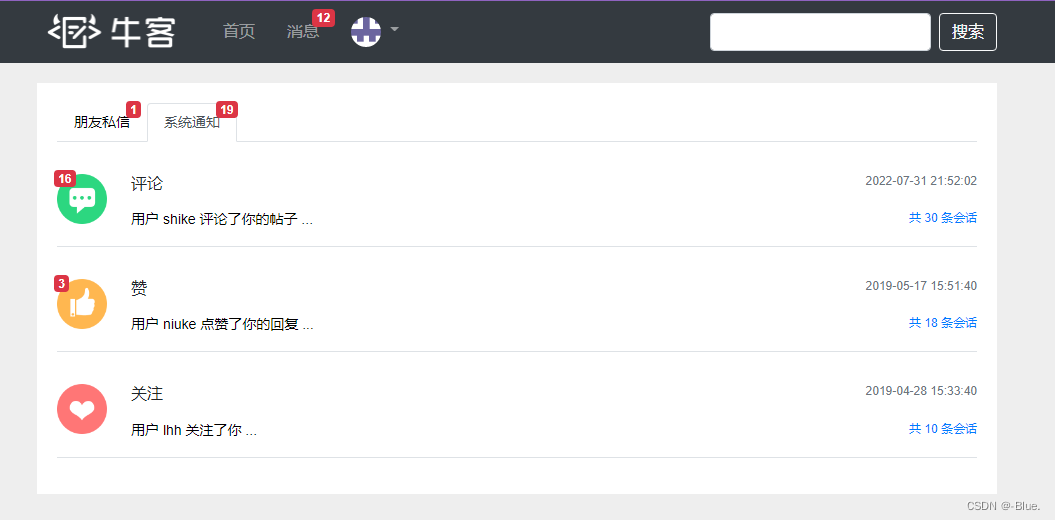
显示评论、点赞、关注三种类型的通知
查询未读消息数量——controller
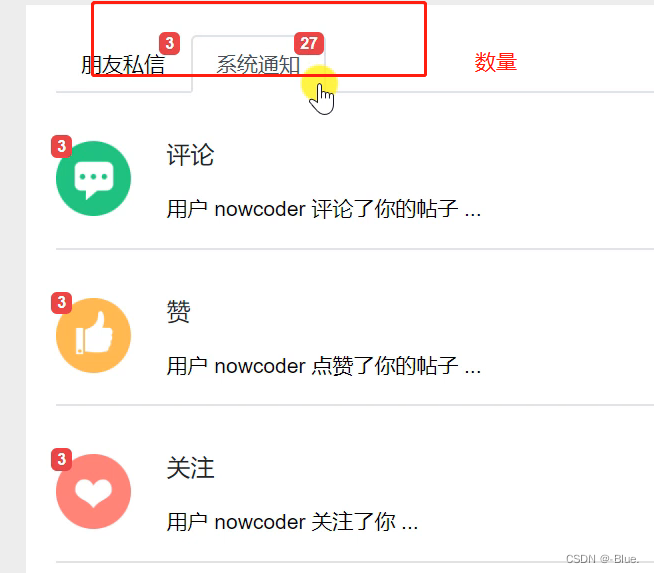
数据访问层——MessageMapper.java
// 查询某个主题下最新的通知Message selectLatestNotice(int userId, String topic);// 查询某个主题所包含的通知数量int selectNoticeCount(int userId, String topic);// 查询未读的通知的数量int selectNoticeUnreadCount(int userId, String topic);message-mapper.xml
<select id="selectLatestNotice" resultType="Message">select <include refid="selectFields"></include>from messagewhere id in (select max(id) from messagewhere status != 2and from_id = 1and to_id = #{userId}and conversation_id = #{topic})</select><select id="selectNoticeCount" resultType="int">select count(id) from messagewhere status != 2and from_id = 1and to_id = #{userId}and conversation_id = #{topic}</select><select id="selectNoticeUnreadCount" resultType="int">select count(id) from messagewhere status = 0and from_id = 1and to_id = #{userId}<if test="topic!=null">and conversation_id = #{topic}</if></select>业务层——MessageService
public Message findLatestNotice(int userId, String topic) {return messageMapper.selectLatestNotice(userId, topic);}public int findNoticeCount(int userId, String topic) {return messageMapper.selectNoticeCount(userId, topic);}public int findNoticeUnreadCount(int userId, String topic) {return messageMapper.selectNoticeUnreadCount(userId, topic);}
视图层——MessageController
/*** 查询通知* @param model* @return*/@RequestMapping(path = "/notice/list", method = RequestMethod.GET)public String getNoticeList(Model model) {User user = hostHolder.getUser();// 查询评论类通知Message message = messageService.findLatestNotice(user.getId(), TOPIC_COMMENT);if (message != null) {Map<String, Object> messageVO = new HashMap<>();messageVO.put("message", message);// 将JSON 对象还原为String content = HtmlUtils.htmlUnescape(message.getContent());Map<String, Object> data = JSONObject.parseObject(content, HashMap.class);messageVO.put("user", userService.findUserById((Integer) data.get("userId")));messageVO.put("entityType", data.get("entityType"));messageVO.put("entityId", data.get("entityId"));messageVO.put("postId", data.get("postId")); // 帖子idint count = messageService.findNoticeCount(user.getId(), TOPIC_COMMENT);messageVO.put("count", count);int unread = messageService.findNoticeUnreadCount(user.getId(), TOPIC_COMMENT);messageVO.put("unread", unread);model.addAttribute("commentNotice", messageVO);}// 查询点赞类通知message = messageService.findLatestNotice(user.getId(), TOPIC_LIKE);if (message != null) {Map<String, Object> messageVO = new HashMap<>();messageVO.put("message", message);String content = HtmlUtils.htmlUnescape(message.getContent());Map<String, Object> data = JSONObject.parseObject(content, HashMap.class);messageVO.put("user", userService.findUserById((Integer) data.get("userId")));messageVO.put("entityType", data.get("entityType"));messageVO.put("entityId", data.get("entityId"));messageVO.put("postId", data.get("postId"));int count = messageService.findNoticeCount(user.getId(), TOPIC_LIKE);messageVO.put("count", count);int unread = messageService.findNoticeUnreadCount(user.getId(), TOPIC_LIKE);messageVO.put("unread", unread);model.addAttribute("likeNotice", messageVO);}// 查询关注类通知message = messageService.findLatestNotice(user.getId(), TOPIC_FOLLOW);if (message != null) {Map<String, Object> messageVO = new HashMap<>();messageVO.put("message", message);String content = HtmlUtils.htmlUnescape(message.getContent());Map<String, Object> data = JSONObject.parseObject(content, HashMap.class);messageVO.put("user", userService.findUserById((Integer) data.get("userId")));messageVO.put("entityType", data.get("entityType"));messageVO.put("entityId", data.get("entityId"));int count = messageService.findNoticeCount(user.getId(), TOPIC_FOLLOW);messageVO.put("count", count);int unread = messageService.findNoticeUnreadCount(user.getId(), TOPIC_FOLLOW);messageVO.put("unread", unread);model.addAttribute("followNotice", messageVO);}// 查询未读消息数量(未读私信总数量,未读通知总数量)int letterUnreadCount = messageService.findLetterUnreadCount(user.getId(), null);model.addAttribute("letterUnreadCount", letterUnreadCount);int noticeUnreadCount = messageService.findNoticeUnreadCount(user.getId(), null);model.addAttribute("noticeUnreadCount", noticeUnreadCount);return "/site/notice";}前面加上

页面
letter.html

notice.html
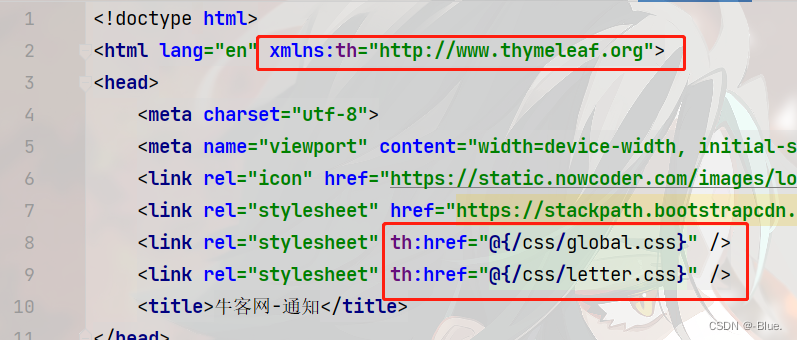


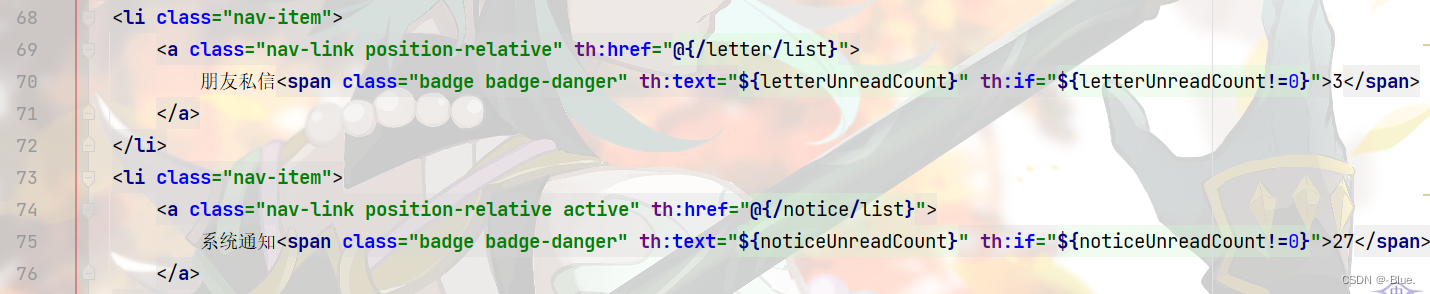
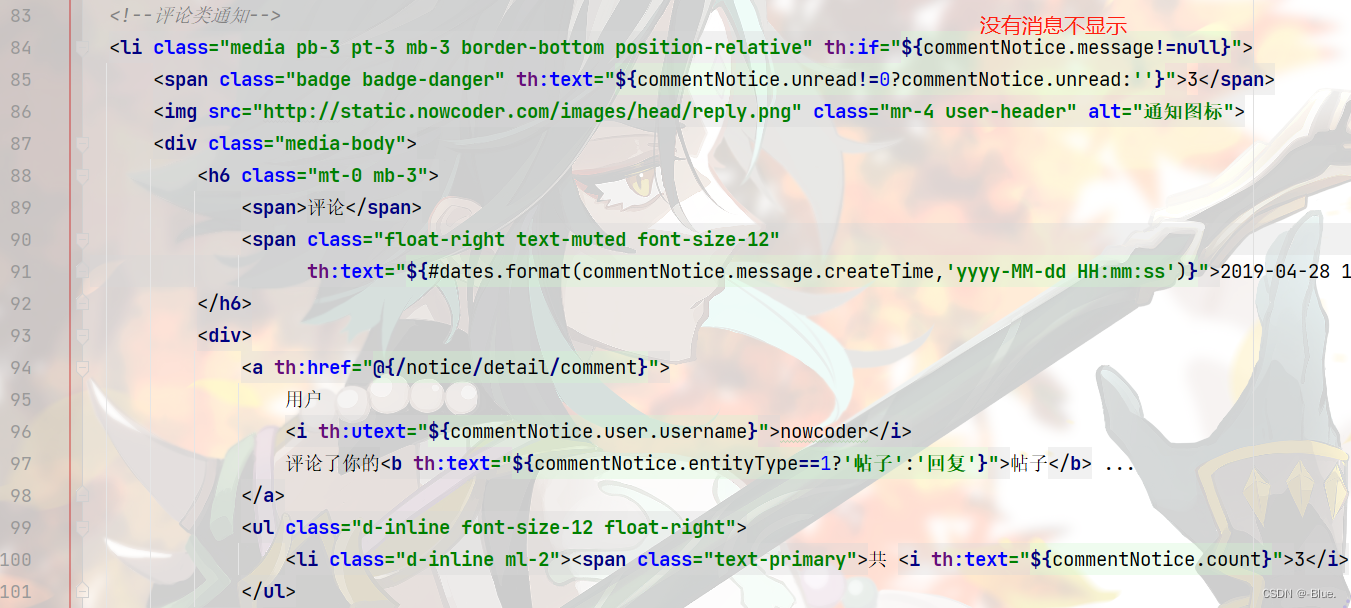
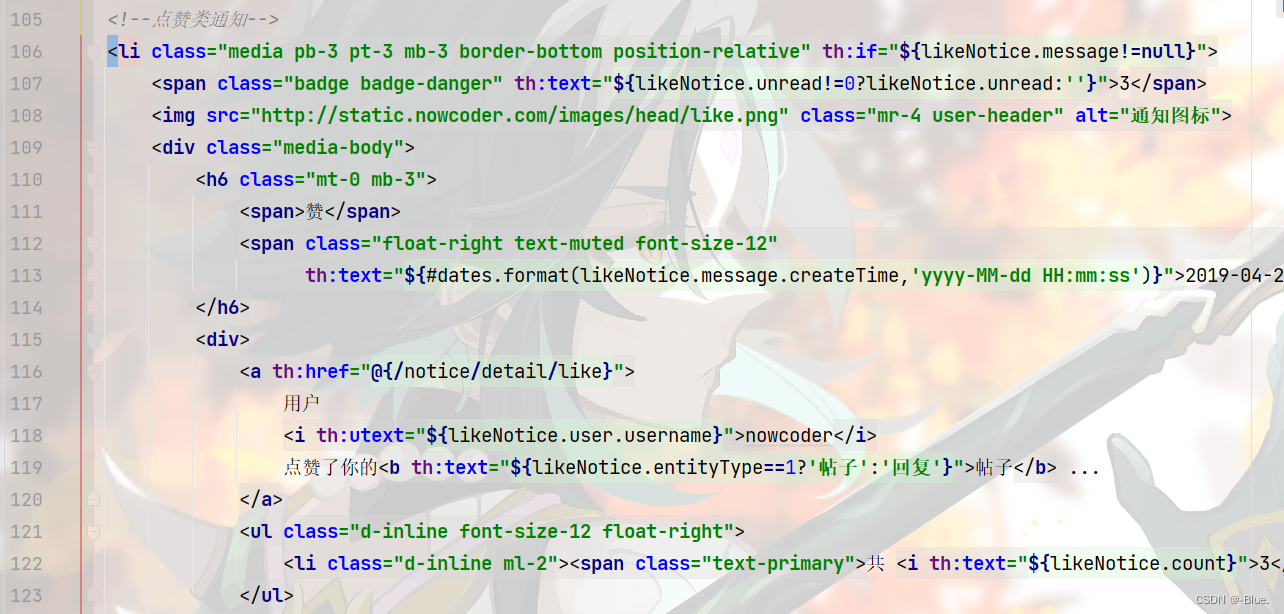
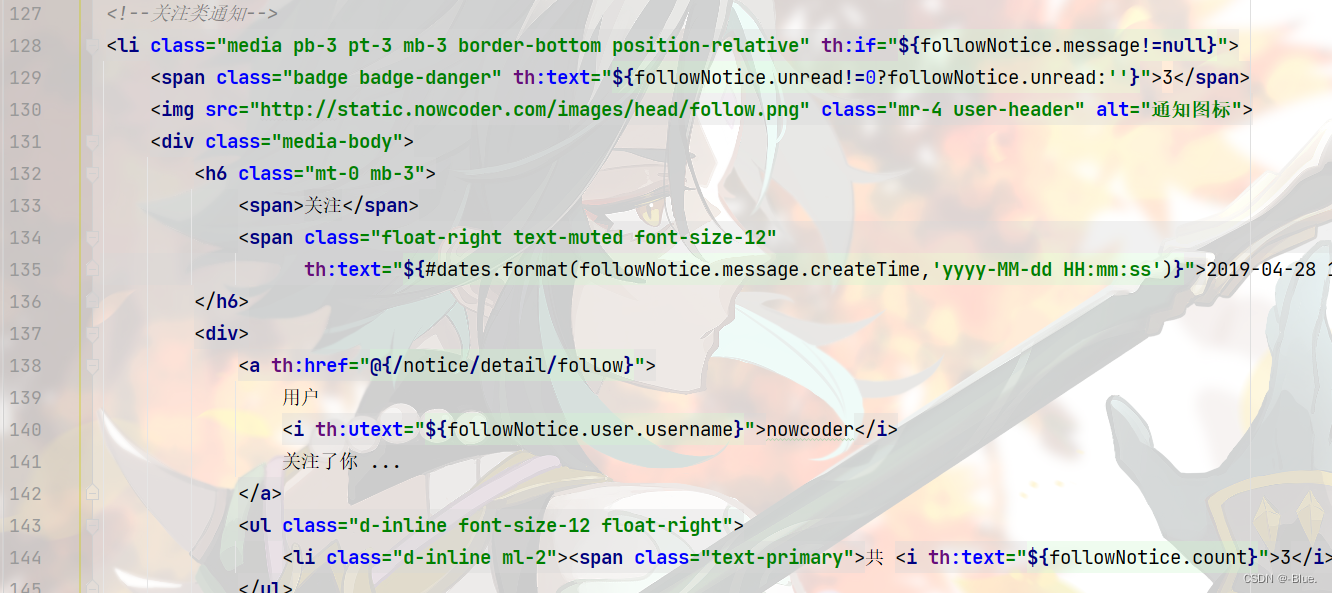
测试
2、通知详情
分页显示某一类主题所包含的通知
数据访问层——MessageMapper.java
/*** 查询某个主题所包含的通知列表* @param userId* @param topic* @param offset* @param limit* @return*/// 查询某个主题所包含的通知列表List<Message> selectNotices(int userId, String topic, int offset, int limit);
<select id="selectNotices" resultType="Message">select <include refid="selectFields"></include>from messagewhere status != 2and from_id = 1and to_id = #{userId}and conversation_id = #{topic}order by create_time desclimit #{offset}, #{limit}</select>业务层——MessageService
/*** 通知列表*/public List<Message> findNotices(int userId, String topic, int offset, int limit) {return messageMapper.selectNotices(userId, topic, offset, limit);}视图层——MessageController
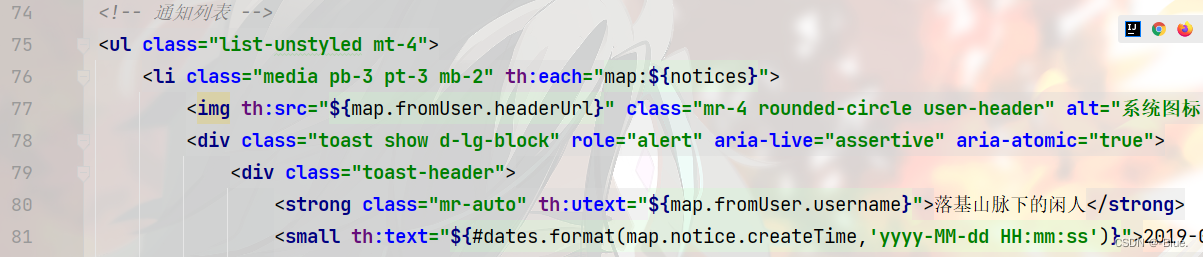
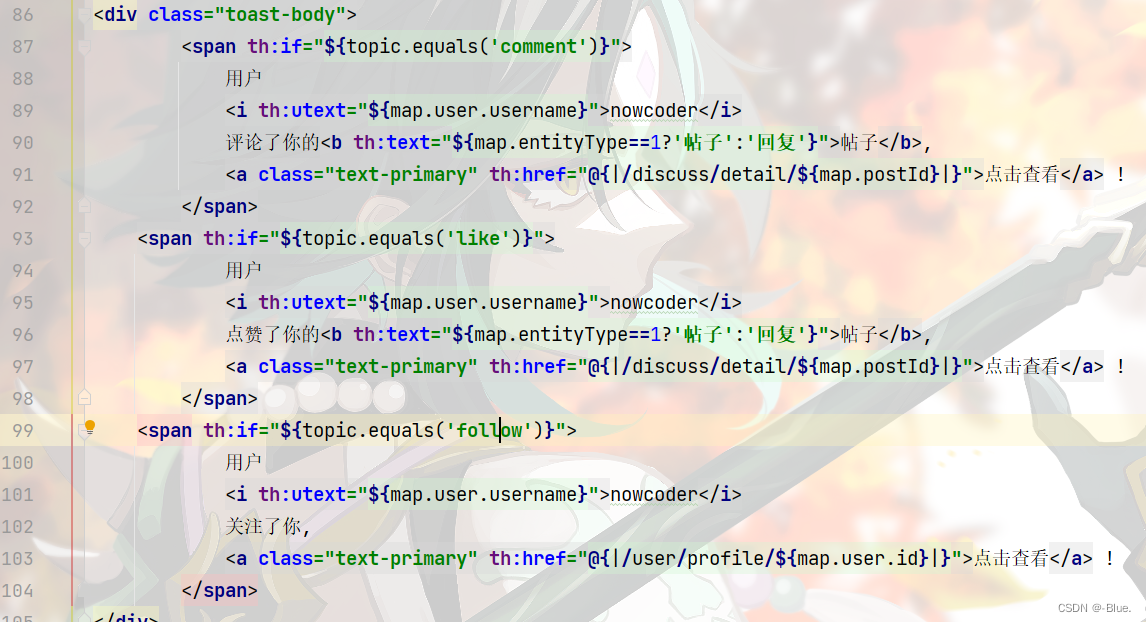
@RequestMapping(path = "/notice/detail/{topic}", method = RequestMethod.GET)public String getNoticeDetail(@PathVariable("topic") String topic, Page page, Model model) {User user = hostHolder.getUser();page.setLimit(5);page.setPath("/notice/detail/" + topic);page.setRows(messageService.findNoticeCount(user.getId(), topic));List<Message> noticeList = messageService.findNotices(user.getId(), topic, page.getOffset(), page.getLimit());List<Map<String, Object>> noticeVoList = new ArrayList<>();if (noticeList != null) {for (Message notice : noticeList) {Map<String, Object> map = new HashMap<>();// 通知map.put("notice", notice);// 内容String content = HtmlUtils.htmlUnescape(notice.getContent());Map<String, Object> data = JSONObject.parseObject(content, HashMap.class);map.put("user", userService.findUserById((Integer) data.get("userId")));map.put("entityType", data.get("entityType"));map.put("entityId", data.get("entityId"));map.put("postId", data.get("postId"));// 通知作者map.put("fromUser", userService.findUserById(notice.getFromId()));noticeVoList.add(map);}}model.addAttribute("notices", noticeVoList);// 设置已读List<Integer> ids = getLetterIds(noticeList);if (!ids.isEmpty()) {messageService.readMessage(ids);}return "/site/notice-detail";}页面
notice.html



notice-detail.html



3、未读消息(总的)
~在页面头部显示所有的未读消息数量
拦截器——MessageInterceptor
package com.nowcoder.community.controller.interceptor;import com.nowcoder.community.entity.User;
import com.nowcoder.community.service.MessageService;
import com.nowcoder.community.util.HostHolder;
import org.springframework.beans.factory.annotation.Autowired;
import org.springframework.stereotype.Component;
import org.springframework.web.servlet.HandlerInterceptor;
import org.springframework.web.servlet.ModelAndView;import javax.servlet.http.HttpServletRequest;
import javax.servlet.http.HttpServletResponse;// 拦截器——总消息数量
@Component
public class MessageInterceptor implements HandlerInterceptor {@Autowiredprivate HostHolder hostHolder;@Autowiredprivate MessageService messageService;@Overridepublic void postHandle(HttpServletRequest request, HttpServletResponse response, Object handler, ModelAndView modelAndView) throws Exception {User user = hostHolder.getUser();// 未读消息数量,两个if (user != null && modelAndView != null) {int letterUnreadCount = messageService.findLetterUnreadCount(user.getId(), null);int noticeUnreadCount = messageService.findNoticeUnreadCount(user.getId(), null);modelAndView.addObject("allUnreadCount", letterUnreadCount + noticeUnreadCount);}}
}
拦截器配置——WebMvcConfig.java
registry.addInterceptor(messageInterceptor).excludePathPatterns("/**/*.css", "/**/*.js", "/**/*.png", "/**/*.jpg", "/**/*.jpeg");
index.html

相关文章:
【仿牛客论坛java项目】第五章 Kafka,构建TB级异步消息系统:阻塞队列、Kafka入门、Spring整合Kafka、发送系统通知、显示系统通知
这里写自定义目录标题 一、阻塞队列简单的阻塞队列测试案例总结阻塞队列 二、Kafka入门1、基础知识Kafka术语消息队列实现方式两种 2、配置3、启动全部命令启动 zookeeper 服务器再启动 kafka 服务器创建Topic关闭 4、总结Kafka的特点Kafka的术语 三、 Spring整合Kafka导入依赖…...
【AIGC专题】Stable Diffusion 从入门到企业级实战0401
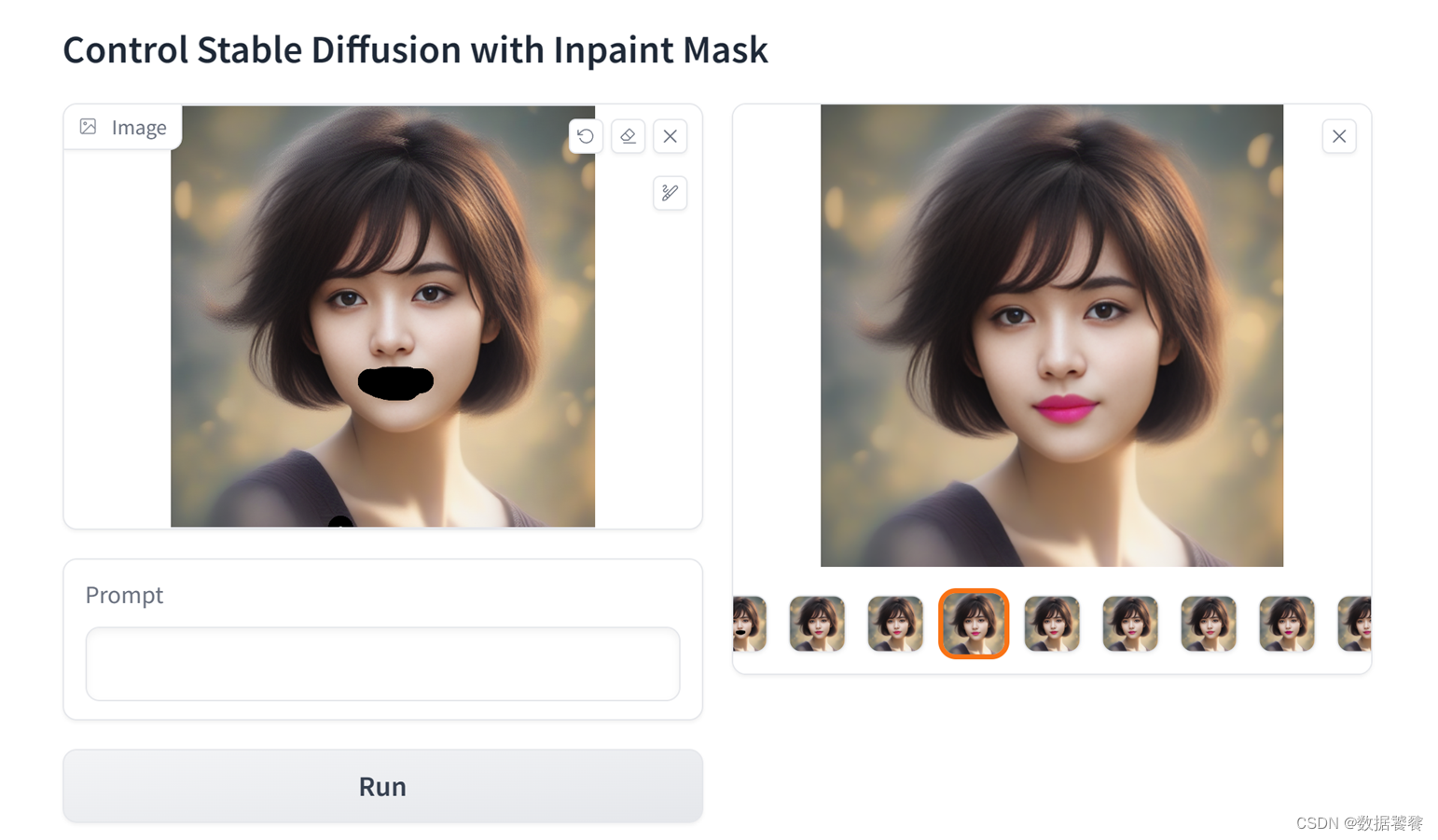
一、概述 本章是《Stable Diffusion 从入门到企业级实战》系列的第四部分能力进阶篇《Stable Diffusion ControlNet v1.1 图像精准控制》第01节, 利用Stable Diffusion ControlNet Inpaint模型精准控制图像生成。本部分内容,位于整个Stable Diffusion生…...
Matlab信号处理1:模拟去除信号噪声
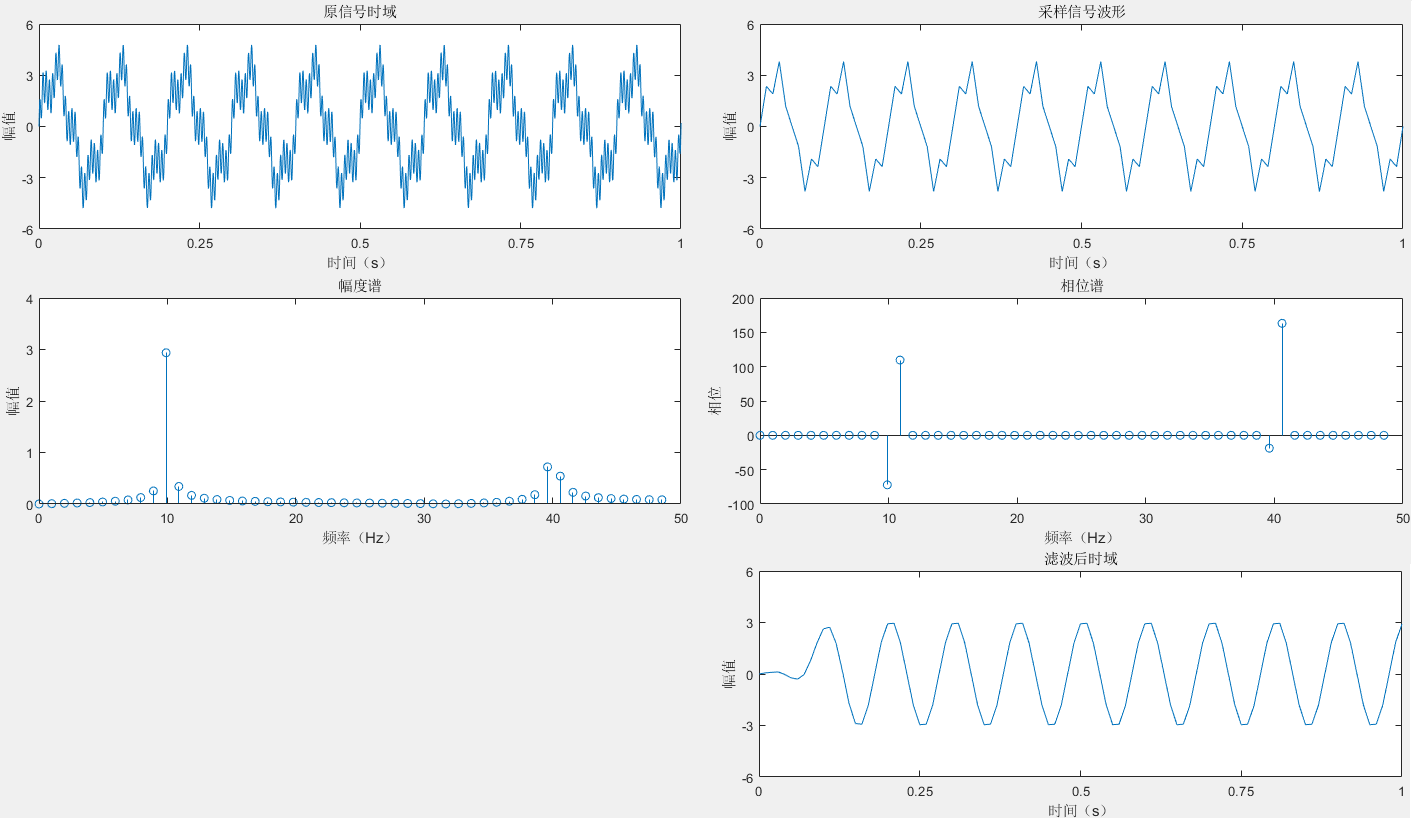
由于工作内容涉及信号系统、信号处理相关知识,本人本硕均为计算机相关专业,专业、研究方向均未涉及信号相关知识,因此需进行系统地学习。之前已将《信号与系统》快速过了一遍,但感觉较抽象且理解较浅显。在此系统地学习如何使用Ma…...
Bootstrap的行、列布局设计(网络系统设计)
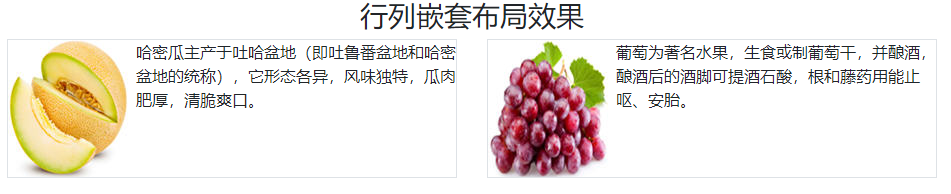
目录 00-基础知识01-等宽列布局02-指定某一列的宽度03-根据内容自动改变列的宽度04-五种预定义列宽度 .col、.col-sm-*、.col-md-*、.col-lg-*、.col-xl-*05-不同视口宽度按不同的分列方案划分06-删除列内容的盒模型的外边距07-超过12列怎么办?08-重新排列各列的顺序…...

1.1 计算机网络在信息时代中的作用
思维导图: 正文: 我的理解: 这段话是一本书或课程的第一章简介,它的目的是为读者或学生提供一个关于计算机网络基础知识的框架或大纲。 首先,它强调了这章是整本书的一个概览,会先介绍计算机网络在信息时…...

mysql CONCAT使用
问题 有一个查找数据的mysql语句:SELECT DISTINCT fund_id,version,statistic_date FROM fund_nv_divident WHERE version ( SELECT max(version) FROM fund_nv_divident) and statistic_date > ‘2023-06-04’ and fund_id not in (SELECT DISTINCT fund_id f…...

maven基础学习
什么是maven 构建 依赖 maven核心概念坐标 在黑窗口使用maven命令生成maven工程 pom.xml 想导入哪个jar包把它的坐标放到dependency里就可以 maven核心概念POM maven核心概念约定的目录结构 执行maven的构建命令 清理操作,clean 编译操作 compile 测试操作 test 打包…...

uniapp移动端地图,点击气泡弹窗并实现精准定位
记录移动端地图map组件的使用 需求记录: 移动端地图部分需要展示两个定位点,上报点及人员定位点。通过右上角的两个按钮实现地图定位。点击对应定位气泡,弹出定位点的信息。 效果图如下: map在nvue中的使用。直接用nvue可以直接…...

2023牛客暑期多校训练营7 CI「位运算」「根号分治+容斥」
C-Beautiful Sequence_2023牛客暑期多校训练营7 (nowcoder.com) 题意: 给定一个b序列,a序列满足 a [ i − 1 ] < a [ i ] a[i-1]<a[i] a[i−1]<a[i]且 a [ i ] ⊕ a [ i 1 ] b [ i ] a[i]\oplus a[i1]b[i] a[i]⊕a[i1]b[i],求字…...

YOLOv5算法改进(10)— 替换主干网络之GhostNet
前言:Hello大家好,我是小哥谈。GhostNet是一种针对计算机视觉任务的深度神经网络架构,它于2020年由中国科学院大学的研究人员提出。GhostNet的设计目标是在保持高精度的同时,减少模型的计算和存储成本。GhostNet通过引入Ghost模块…...
Android Canvas的使用
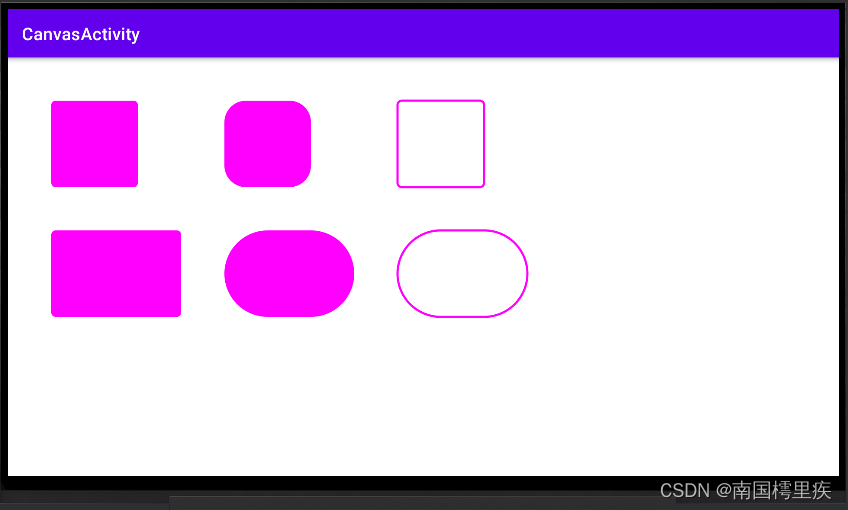
android.graphics.Canvas 一般在自定义View中,重写 onDraw(Canvas canvas) 方法时用到。 /*** Implement this to do your drawing.** param canvas the canvas on which the background will be drawn*/Overrideprotected void onDraw(Canvas canvas) {super.onDra…...
)
AI批量写文章伪原创:基于ChatGPT长文本模型,实现批量改写文章、批量回答问题(长期更新)
import traceback import openai import osopenai.api_key = ""conversation=[{"role": "system", "content": "You are a helpful assistant."}] max_history_len = 20 first_message = Nonedir = rJ:\ai\input #要改写的文…...

git常用场景记录 | 拉取远程分支A合并到本地分支B - 删除上一次的commit
文章目录 git常用场景记录拉取远程分支A合并到本地分支B本地分支B存在未add与commit的代码 删除上一次的commit已经push到远程库 git常用场景记录 doing,最后更新9.5 拉取远程分支A合并到本地分支B 需求描述 在团队合作时,我自己的本地分支B功能已经实现…...
源码角度解析SpringBoot 自动配置
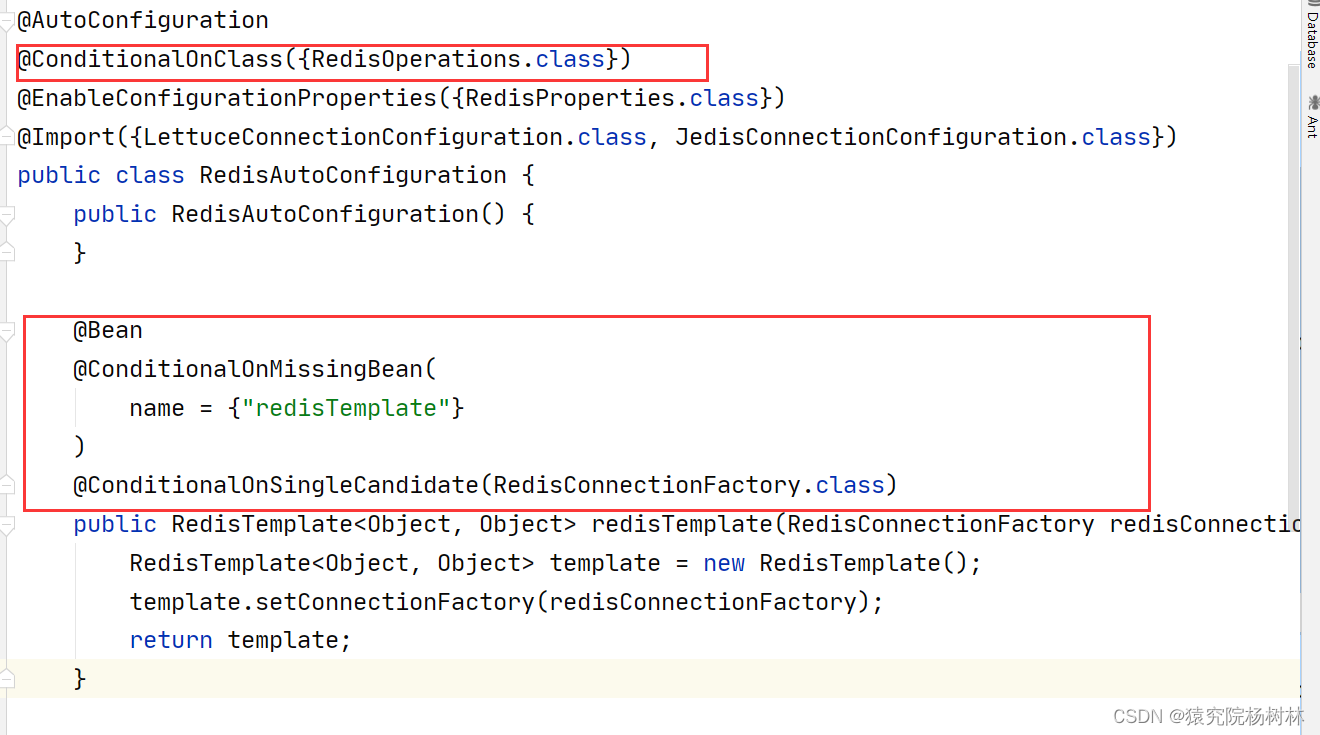
文章目录 前言一、了解相关注解1.Condition注解2.Enable注解 二、SpringBoot自动配置1.SpringBootApplication注解2.SpringBootConfiguration注解3.EnableAutoConfiguration注解4.Conditional注解 总结 前言 Spring Boot 自动配置是 Spring Boot 的核心特性之一,它…...
【原创】H3C路由器OSPF测试
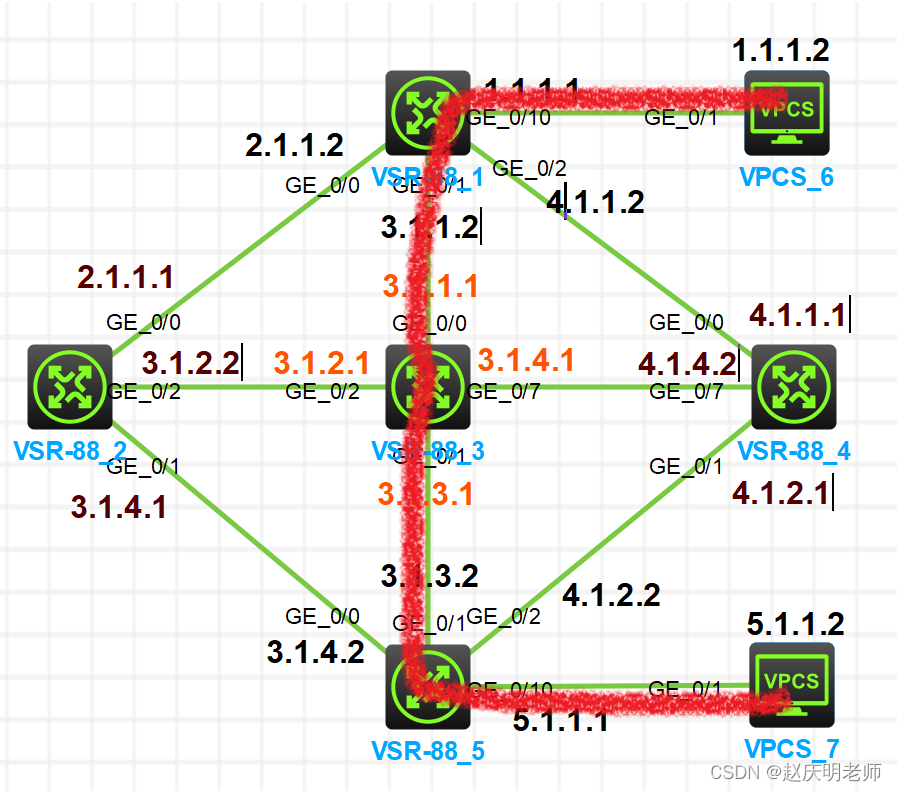
网络拓扑图 路由器配置: 路由器1上接了4跟线,分别为这四个接口配置IP地址。 # interface GigabitEthernet0/0/0port link-mode routecombo enable copperip address 2.1.1.2 255.255.255.0 # interface GigabitEthernet0/0/1port link-mode routecombo…...

计算机视觉:轨迹预测综述
计算机视觉:轨迹预测综述 轨迹预测的定义轨迹预测的分类基于物理的方法(Physics-based)基于机器学习的方法(Classic Machine Learning-based)基于深度学习的方法(Deep Learning-based)基于强化学…...
三维跨孔电磁波CT数据可视化框架搭建
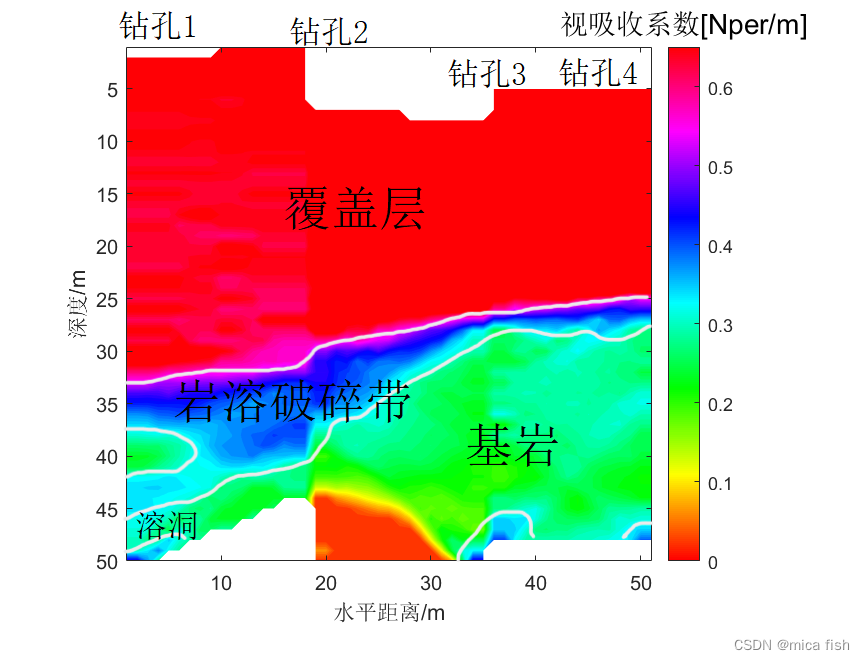
三维跨孔电磁波CT数据可视化框架搭建 文章目录 三维跨孔电磁波CT数据可视化框架搭建1、三维CT可视化结果2、matlab代码2.1、CT数据格式整理并保存2.2、三维可视化 利用matlab实现对跨孔电磁波CT实测数据反演,并搭建了三维CT数据可视化框架,可装填实测CT反…...

OC和Swift混编,导入头文件‘xxx-Swift.h‘ file not found
在OC的项目里加入Swift代码,创建完桥接文件后,需要倒入Swift头文件,头文件的格式为“项目名-Swift.h”。 如下图,我在Xcode上看到我的项目名为YichangPark,导入 #import "YiChangPark-Swift.h" 之后提示 “Y…...
一文读懂HOOPS Native平台:快速开发桌面端、移动端3D应用程序!
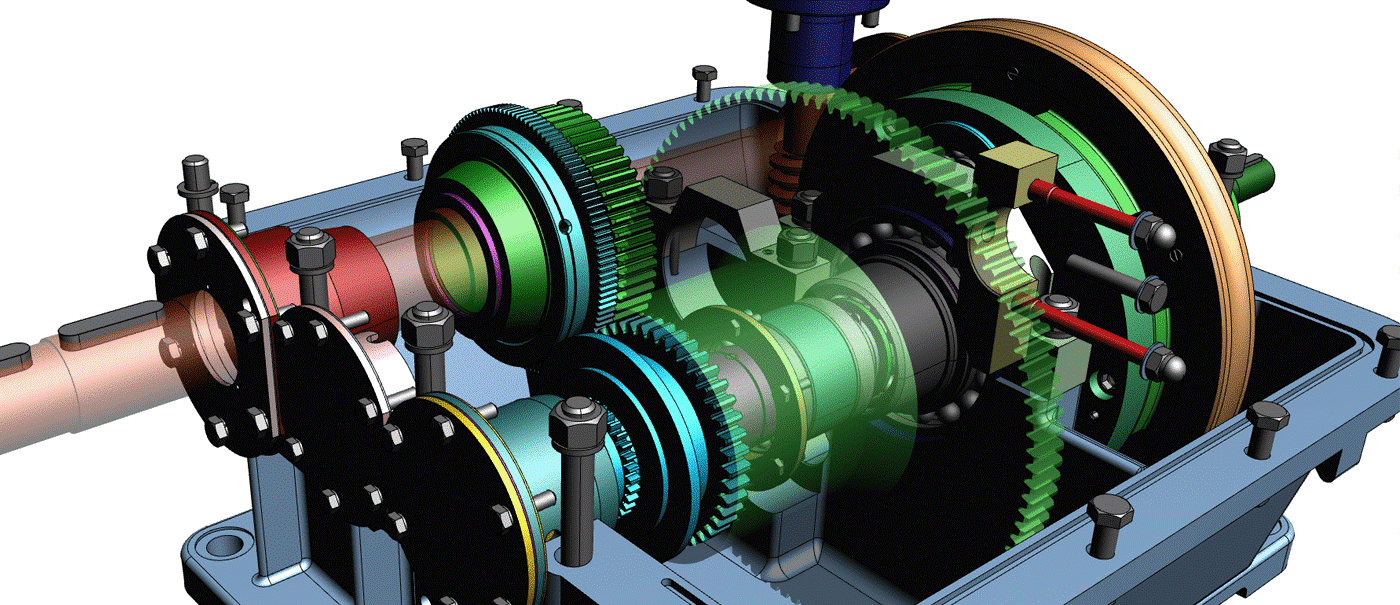
HOOPS Native Platform是用于在桌面和移动平台以及混合现实应用程序上构建3D工程应用程序的首要工具包。它由三个集成良好的软件开发工具包(SDK)组成:HOOPS Visualize、HOOPS Exchange、HOOPS Publish。HOOPS Visualize 是一个强大的图形引擎,适用于本机…...
Scrum工作模式及Scrum工具
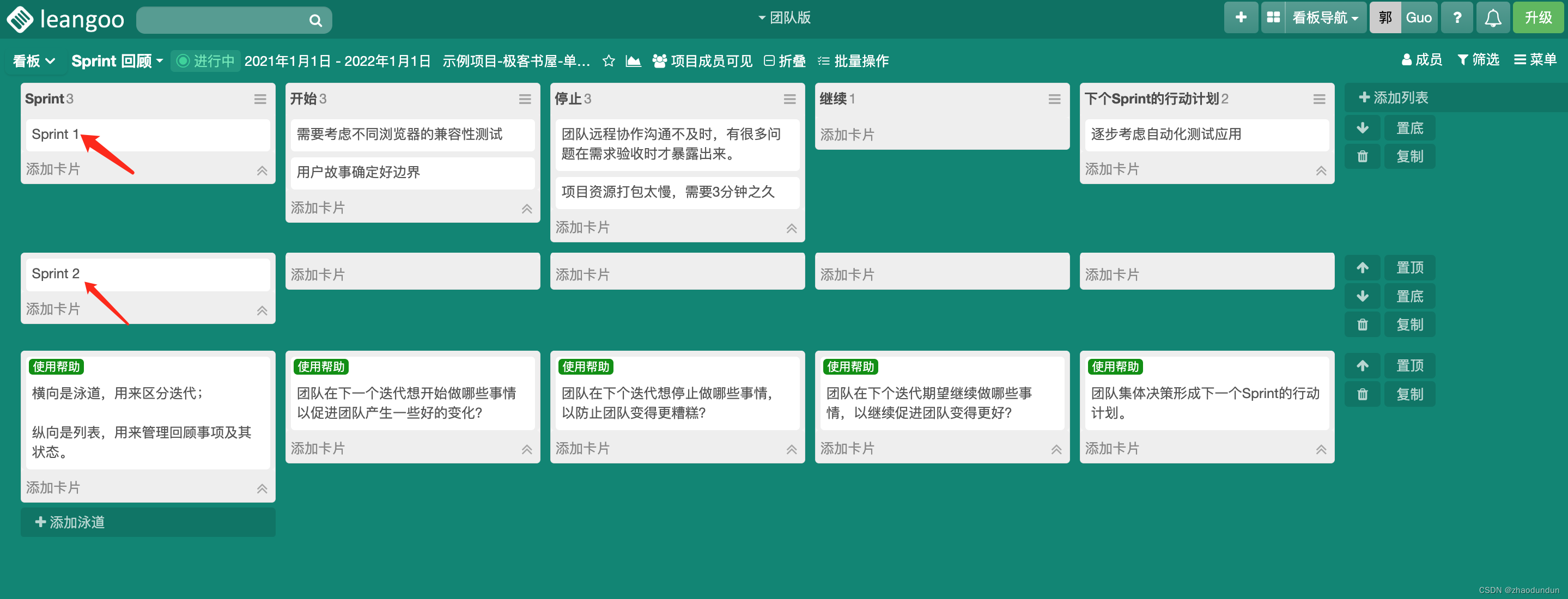
Scrum工作模式是一种敏捷软件开发方法,其核心是团队合作和自我组织,旨在通过短周期的迭代开发,实现快速反馈和持续改进。 Scrum工作模式包括以下角色和活动: 1、产品负责人(Product Owner):负…...

谷歌 I/O 2026 炸场:Gemini 3.5 Flash 震撼发布!反超 3.1 Pro,开启“全自动 Agent 狂飙”时代
在刚刚开幕的 Google I/O 2026 开发者大会上,谷歌正式扔下了一颗重磅炸弹:发布全新 Gemini 3.5 系列 的首款旗舰轻量模型 —— Gemini 3.5 Flash。 这次的发布极为硬核,谷歌彻底打破了我们对 “Flash 是低配版/轻量版” 的固有认知。根据 Dee…...

C++ `reinterpret_cast`
1. C 类型转换基础 C中的四种类型转换:static_cast, dynamic_cast, const_cast, reinterpret_castreinterpret_cast 的定义与目的 2. 使用 reinterpret_cast 语法与基本示例适用场景与不适用的场景 3. 转换指针类型 从void* 到其他类型指针将一个指针类型转换为另一…...

OpenHarmony 5.0.3兼容性认证实战:BQ3576HM开发板全栈移植与调优
1. 项目概述:一次关键的“兼容性认证”实战最近,我们团队基于贝启科技的BQ3576HM开发板套件,成功通过了OpenHarmony 5.0.3 Release版本的兼容性测评。这听起来像是一个简单的“通过测试”的新闻,但对于真正在一线做OpenHarmony设备…...

如何5分钟快速上手Mayo:新手入门完全教程
如何5分钟快速上手Mayo:新手入门完全教程 【免费下载链接】mayo 3D CAD viewer and converter based on Qt OpenCascade 项目地址: https://gitcode.com/gh_mirrors/ma/mayo Mayo是一款基于Qt和OpenCascade开发的免费开源3D CAD查看器和转换器,支…...

9 款 AI 毕业论文工具硬核横评:okbiye 领衔,解锁高效合规写作新路径
okbiye-免费查重复率aigc检测/开题报告/毕业论文/智能排版/文献综述/AI PPT毕业论文 - Okbiye智能写作https://www.okbiye.com/ai/bylw 毕业季的本科论文写作,向来是耗时耗力的 “攻坚战”。选题迷茫、大纲混乱、格式反复出错、查重屡屡超标、AI 痕迹过重难通过检测…...
)
软件工程师在智能体视觉时代的机遇(22)
重磅预告:本专栏将独家连载系列丛书《智能体视觉技术与应用》部分精华内容,该书是世界首套系统阐述“因式智能体”视觉理论与实践的专著,特邀美国 TypeOne 公司首席科学家、斯坦福大学博士 Bohan 担任技术顾问。Bohan先生师从美国三院院士、“…...

5分钟快速上手Mermaid Live Editor:免费在线图表编辑器完全指南
5分钟快速上手Mermaid Live Editor:免费在线图表编辑器完全指南 【免费下载链接】mermaid-live-editor Edit, preview and share mermaid charts/diagrams. New implementation of the live editor. 项目地址: https://gitcode.com/GitHub_Trending/me/mermaid-li…...
)
DeepSeek LeetCode 2508.添加边使所有节点度数都为偶数 public boolean isPossible(int n, List<List<Integer>> edges)
问题分析我们需要判断能否添加至多两条边(不能添加重复边,不能添加自环),使得图中所有节点的度数都为偶数。---思路步骤1. 统计每个节点的当前度数遍历给出的边,统计每个节点的度数。 2. 找出度数为奇数的节点设奇数度…...

数字体育可视化 | 智慧赛事与场馆全域协同管控
在发展新质生产力的时代背景下,我国智慧体育行业迎来全新发展机遇与时代使命,进入高速蓬勃发展的新阶段。作为智慧体育生态的核心单元,数字体育通过新一代信息技术与体育产业的深度融合,覆盖群众体育、竞技体育、赛事运营、体育产…...

工业物联网主板布局设计:从i.MX28x核心到无线模块的硬件规划
1. 项目概述:从一块板卡看工业物联网的“骨架”拿到一块名为“IoT-A28LI”的主板,标题里还带着“i.MX28x系列”和“无线工控板”这样的关键词,这立刻让我这个在工业控制和嵌入式领域摸爬滚打多年的老工程师来了兴致。这不仅仅是一块电路板&am…...