
基于springboot的洗衣店订单管理系统
目录
前言
一、技术栈
二、系统功能介绍
顾客信息管理
店家信息管理
店铺信息管理
洗衣信息管理
预约功能
洗衣信息
交流区
三、核心代码
1、登录模块
2、文件上传模块
3、代码封装
前言
随着信息互联网信息的飞速发展,无纸化作业变成了一种趋势,针对这个问题开发一个专门适应洗衣店业务新的交流形式的网站。本文介绍了洗衣店订单管理系统的开发全过程。通过分析企业对于洗衣店订单管理系统的需求,创建了一个计算机管理洗衣店订单管理系统的方案。文章介绍了洗衣店订单管理系统的系统分析部分,包括可行性分析等,系统设计部分主要介绍了系统功能设计和数据库设计。
本洗衣店订单管理系统有管理员,顾客,店家三个角色。
管理员功能有个人中心,顾客管理,店家管理,店铺信息管理,衣服类型管理,洗衣信息管理,订单信息管理,订单进度管理,交流区,系统管理等。店家功能有,个人中心,店铺信息管理,衣服类型管理,洗衣信息管理,订单信息管理,订单进度管理等。
顾客功能有,可以在首页查看店铺信息,交流区发言,个人后台有个人中心,店铺信息管理,洗衣信息管理,订单信息管理,订单进度管理等。因而具有一定的实用性。
本站是一个B/S模式系统,采用Spring Boot框架作为后台开发技术,前端框架是VUE,MYSQL数据库设计开发,充分保证系统的稳定性。系统具有界面清晰、操作简单,功能齐全的特点,使得洗衣店订单管理系统管理工作系统化、规范化。
一、技术栈
末尾获取源码
SpringBoot+Vue+JS+ jQuery+Ajax...
二、系统功能介绍
顾客信息管理
洗衣店订单管理系统的系统管理员可以管理顾客,可以对顾客信息添加修改删除以及查询操作。

店家信息管理
系统管理员可以查看对店家信息进行添加,修改,删除以及查询操作。

店铺信息管理
店家可以对店铺信息进行添加修改删除操作。

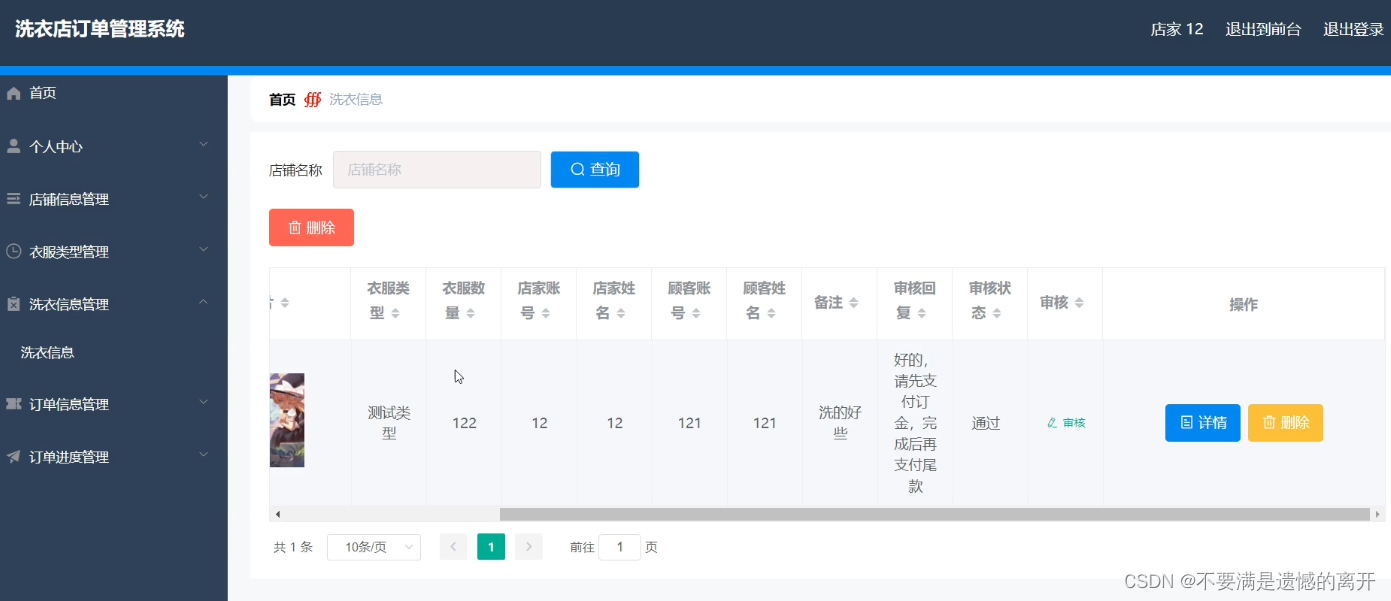
洗衣信息管理
店家可以对报洗衣信息信息进行查询,审核等操作。
预约功能
顾客登录之后,可以返回首页在店铺信息里面进行预约。

洗衣信息
顾客登录后在后台的洗衣信息可以查看自己的洗衣信息。

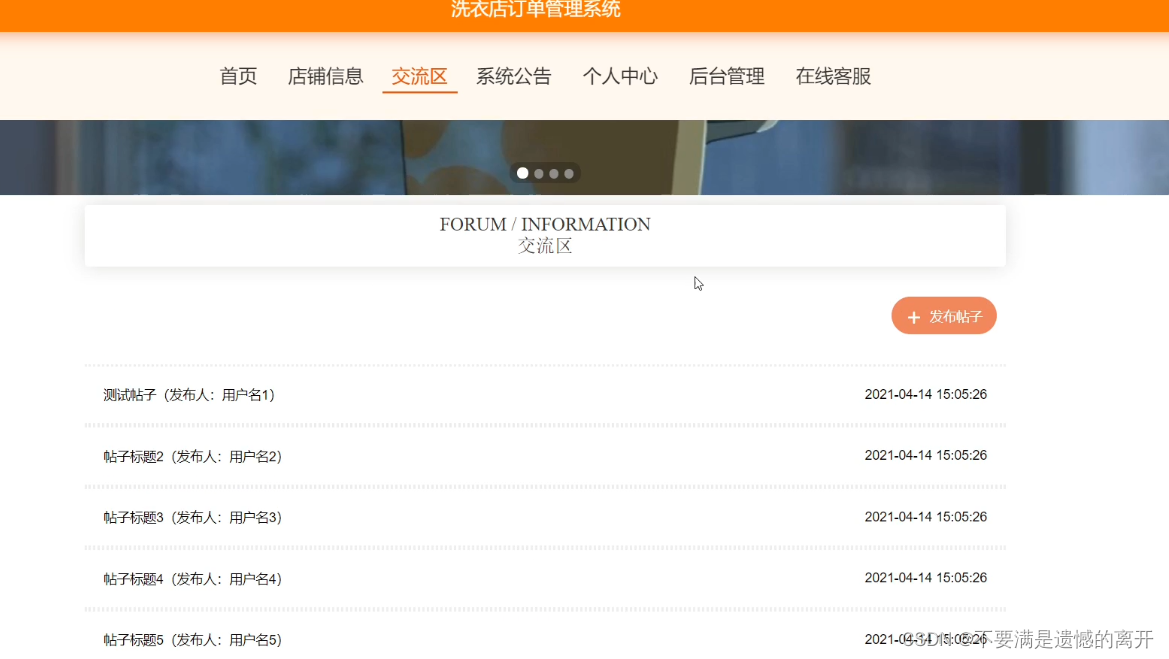
交流区
顾客登录后可以在交流区发布信息。
三、核心代码
1、登录模块
package com.controller;import java.util.Arrays;
import java.util.Calendar;
import java.util.Date;
import java.util.Map;import javax.servlet.http.HttpServletRequest;import org.springframework.beans.factory.annotation.Autowired;
import org.springframework.stereotype.Controller;
import org.springframework.web.bind.annotation.GetMapping;
import org.springframework.web.bind.annotation.PathVariable;
import org.springframework.web.bind.annotation.PostMapping;
import org.springframework.web.bind.annotation.RequestBody;
import org.springframework.web.bind.annotation.RequestMapping;
import org.springframework.web.bind.annotation.RequestParam;
import org.springframework.web.bind.annotation.ResponseBody;
import org.springframework.web.bind.annotation.RestController;import com.annotation.IgnoreAuth;
import com.baomidou.mybatisplus.mapper.EntityWrapper;
import com.entity.TokenEntity;
import com.entity.UserEntity;
import com.service.TokenService;
import com.service.UserService;
import com.utils.CommonUtil;
import com.utils.MD5Util;
import com.utils.MPUtil;
import com.utils.PageUtils;
import com.utils.R;
import com.utils.ValidatorUtils;/*** 登录相关*/
@RequestMapping("users")
@RestController
public class UserController{@Autowiredprivate UserService userService;@Autowiredprivate TokenService tokenService;/*** 登录*/@IgnoreAuth@PostMapping(value = "/login")public R login(String username, String password, String captcha, HttpServletRequest request) {UserEntity user = userService.selectOne(new EntityWrapper<UserEntity>().eq("username", username));if(user==null || !user.getPassword().equals(password)) {return R.error("账号或密码不正确");}String token = tokenService.generateToken(user.getId(),username, "users", user.getRole());return R.ok().put("token", token);}/*** 注册*/@IgnoreAuth@PostMapping(value = "/register")public R register(@RequestBody UserEntity user){
//    	ValidatorUtils.validateEntity(user);if(userService.selectOne(new EntityWrapper<UserEntity>().eq("username", user.getUsername())) !=null) {return R.error("用户已存在");}userService.insert(user);return R.ok();}/*** 退出*/@GetMapping(value = "logout")public R logout(HttpServletRequest request) {request.getSession().invalidate();return R.ok("退出成功");}/*** 密码重置*/@IgnoreAuth@RequestMapping(value = "/resetPass")public R resetPass(String username, HttpServletRequest request){UserEntity user = userService.selectOne(new EntityWrapper<UserEntity>().eq("username", username));if(user==null) {return R.error("账号不存在");}user.setPassword("123456");userService.update(user,null);return R.ok("密码已重置为:123456");}/*** 列表*/@RequestMapping("/page")public R page(@RequestParam Map<String, Object> params,UserEntity user){EntityWrapper<UserEntity> ew = new EntityWrapper<UserEntity>();PageUtils page = userService.queryPage(params, MPUtil.sort(MPUtil.between(MPUtil.allLike(ew, user), params), params));return R.ok().put("data", page);}/*** 列表*/@RequestMapping("/list")public R list( UserEntity user){EntityWrapper<UserEntity> ew = new EntityWrapper<UserEntity>();ew.allEq(MPUtil.allEQMapPre( user, "user")); return R.ok().put("data", userService.selectListView(ew));}/*** 信息*/@RequestMapping("/info/{id}")public R info(@PathVariable("id") String id){UserEntity user = userService.selectById(id);return R.ok().put("data", user);}/*** 获取用户的session用户信息*/@RequestMapping("/session")public R getCurrUser(HttpServletRequest request){Long id = (Long)request.getSession().getAttribute("userId");UserEntity user = userService.selectById(id);return R.ok().put("data", user);}/*** 保存*/@PostMapping("/save")public R save(@RequestBody UserEntity user){
//    	ValidatorUtils.validateEntity(user);if(userService.selectOne(new EntityWrapper<UserEntity>().eq("username", user.getUsername())) !=null) {return R.error("用户已存在");}userService.insert(user);return R.ok();}/*** 修改*/@RequestMapping("/update")public R update(@RequestBody UserEntity user){
//        ValidatorUtils.validateEntity(user);userService.updateById(user);//全部更新return R.ok();}/*** 删除*/@RequestMapping("/delete")public R delete(@RequestBody Long[] ids){userService.deleteBatchIds(Arrays.asList(ids));return R.ok();}
}
2、文件上传模块
package com.controller;import java.io.File;
import java.io.FileNotFoundException;
import java.io.IOException;
import java.util.Arrays;
import java.util.Date;
import java.util.HashMap;
import java.util.List;
import java.util.Map;
import java.util.Random;
import java.util.UUID;import org.apache.commons.io.FileUtils;
import org.apache.commons.lang3.StringUtils;
import org.springframework.beans.factory.annotation.Autowired;
import org.springframework.http.HttpHeaders;
import org.springframework.http.HttpStatus;
import org.springframework.http.MediaType;
import org.springframework.http.ResponseEntity;
import org.springframework.util.ResourceUtils;
import org.springframework.web.bind.annotation.PathVariable;
import org.springframework.web.bind.annotation.RequestBody;
import org.springframework.web.bind.annotation.RequestMapping;
import org.springframework.web.bind.annotation.RequestParam;
import org.springframework.web.bind.annotation.RestController;
import org.springframework.web.multipart.MultipartFile;import com.annotation.IgnoreAuth;
import com.baomidou.mybatisplus.mapper.EntityWrapper;
import com.entity.ConfigEntity;
import com.entity.EIException;
import com.service.ConfigService;
import com.utils.R;/*** 上传文件映射表*/
@RestController
@RequestMapping("file")
@SuppressWarnings({"unchecked","rawtypes"})
public class FileController{@Autowiredprivate ConfigService configService;/*** 上传文件*/@RequestMapping("/upload")public R upload(@RequestParam("file") MultipartFile file,String type) throws Exception {if (file.isEmpty()) {throw new EIException("上传文件不能为空");}String fileExt = file.getOriginalFilename().substring(file.getOriginalFilename().lastIndexOf(".")+1);File path = new File(ResourceUtils.getURL("classpath:static").getPath());if(!path.exists()) {path = new File("");}File upload = new File(path.getAbsolutePath(),"/upload/");if(!upload.exists()) {upload.mkdirs();}String fileName = new Date().getTime()+"."+fileExt;File dest = new File(upload.getAbsolutePath()+"/"+fileName);file.transferTo(dest);FileUtils.copyFile(dest, new File("C:\\Users\\Desktop\\jiadian\\springbootl7own\\src\\main\\resources\\static\\upload"+"/"+fileName));if(StringUtils.isNotBlank(type) && type.equals("1")) {ConfigEntity configEntity = configService.selectOne(new EntityWrapper<ConfigEntity>().eq("name", "faceFile"));if(configEntity==null) {configEntity = new ConfigEntity();configEntity.setName("faceFile");configEntity.setValue(fileName);} else {configEntity.setValue(fileName);}configService.insertOrUpdate(configEntity);}return R.ok().put("file", fileName);}/*** 下载文件*/@IgnoreAuth@RequestMapping("/download")public ResponseEntity<byte[]> download(@RequestParam String fileName) {try {File path = new File(ResourceUtils.getURL("classpath:static").getPath());if(!path.exists()) {path = new File("");}File upload = new File(path.getAbsolutePath(),"/upload/");if(!upload.exists()) {upload.mkdirs();}File file = new File(upload.getAbsolutePath()+"/"+fileName);if(file.exists()){/*if(!fileService.canRead(file, SessionManager.getSessionUser())){getResponse().sendError(403);}*/HttpHeaders headers = new HttpHeaders();headers.setContentType(MediaType.APPLICATION_OCTET_STREAM);    headers.setContentDispositionFormData("attachment", fileName);    return new ResponseEntity<byte[]>(FileUtils.readFileToByteArray(file),headers, HttpStatus.CREATED);}} catch (IOException e) {e.printStackTrace();}return new ResponseEntity<byte[]>(HttpStatus.INTERNAL_SERVER_ERROR);}}
3、代码封装
package com.utils;import java.util.HashMap;
import java.util.Map;/*** 返回数据*/
public class R extends HashMap<String, Object> {private static final long serialVersionUID = 1L;public R() {put("code", 0);}public static R error() {return error(500, "未知异常,请联系管理员");}public static R error(String msg) {return error(500, msg);}public static R error(int code, String msg) {R r = new R();r.put("code", code);r.put("msg", msg);return r;}public static R ok(String msg) {R r = new R();r.put("msg", msg);return r;}public static R ok(Map<String, Object> map) {R r = new R();r.putAll(map);return r;}public static R ok() {return new R();}public R put(String key, Object value) {super.put(key, value);return this;}
}
相关文章:
基于springboot的洗衣店订单管理系统
目录 前言 一、技术栈 二、系统功能介绍 顾客信息管理 店家信息管理 店铺信息管理 洗衣信息管理 预约功能 洗衣信息 交流区 三、核心代码 1、登录模块 2、文件上传模块 3、代码封装 前言 随着信息互联网信息的飞速发展,无纸化作业变成了一种趋势&#x…...

Llama2部署踩坑
1、权重是.bin,但是报错找不到.safetensors 明明权重文件是.bin,但是却提示我缺少.safetensors。最后发现好像是 llama2-7b这个模型文件不行,必须要llama2-7b-chat这个模型才能读取的通,具体原因还暂不明确。...
Adams齿轮副
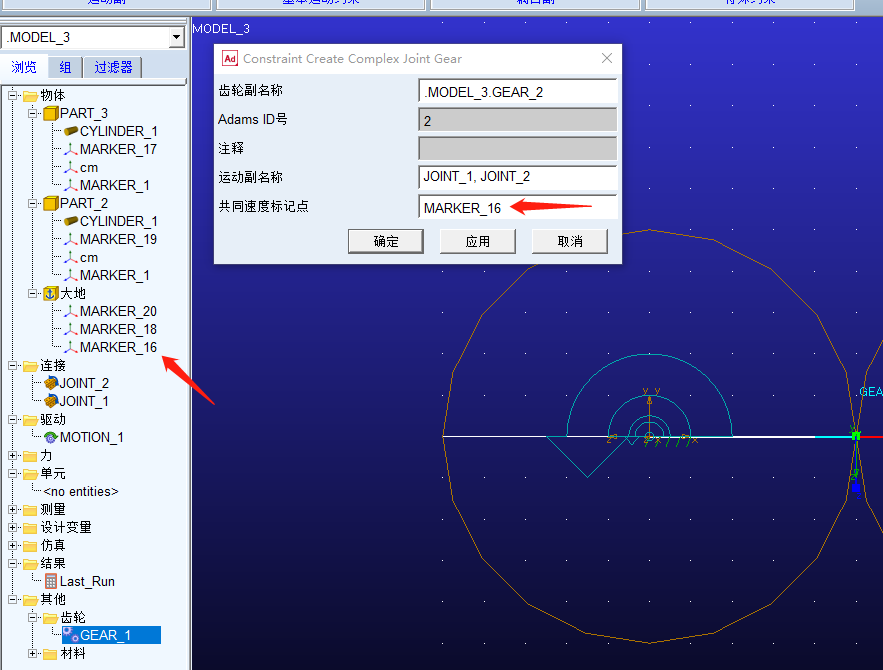
1.运动副 添加旋转副的时候,必须先物体后公共part(即此处的ground),最后再选择质心点 2.啮合点 啮合点marker的z轴必须是齿轮分度圆的切线方向 3.啮合点 两齿轮的旋转副,和啮合点,即cv marker ,必须属…...

Elasticsearch keyword 中的 ignore_above配置项
1. ignore_above 关于es mapping的keyword ignore_above配置项的解释如下: Do not index any string longer than this value. Defaults to 2147483647 so that all values would be accepted. 不会索引大于ignore_above配置值的数据,默认值2147483647字…...
:基础知识)
RabbitMQ原理(一):基础知识
文章目录 1.初识MQ1.1.同步调用1.2.异步调用1.3.技术选型2.RabbitMQ2.1.安装2.2.收发消息2.2.1.交换机2.2.2.队列2.2.3.绑定关系2.2.4.发送消息2.3.数据隔离2.3.1.用户管理2.3.2.virtual host微服务一旦拆分,必然涉及到服务之间的相互调用,目前我们服务之间调用采用的都是基于…...
[Linux]Git
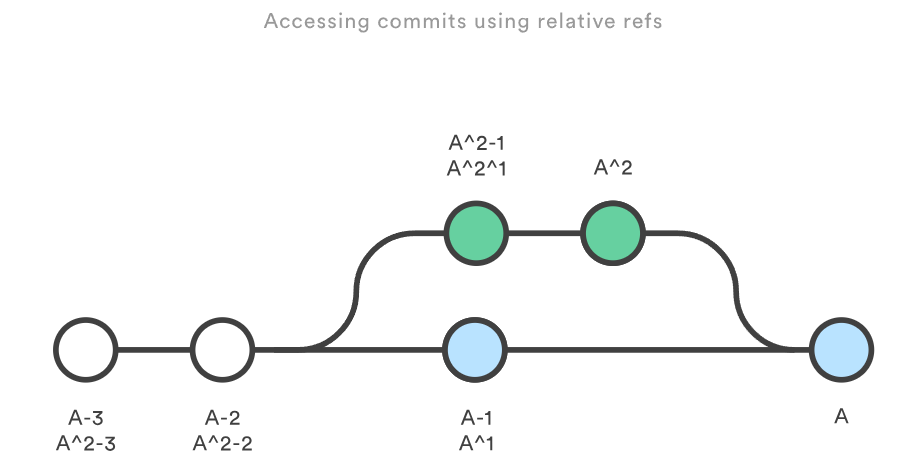
文章摘于GitHub博主geeeeeeeeek 文章目录 1.1 Git 简易指南创建新仓库工作流添加与提交推送改动 1.2 创建代码仓库git init用法讨论裸仓库 例子 git clone用法讨论仓库间协作 例子用法讨论栗子 1.3 保存你的更改git add用法讨论缓存区 栗子 git commit用法讨论记录快照…...

ChatGPT终于可以进行网络搜索 内容不再限于2021年9月前
微软和谷歌已经让旗下聊天机器人进行网上搜索,并提供原始材料的链接,以提高信息共享的可信度和范围。但是,ChatGPT迄今为止只接受了有时间限制的训练数据,这些数据仅限于从互联网上收集的2021年9月之前的信息。在周三的一系列推文…...
uni-app:实现页面效果1
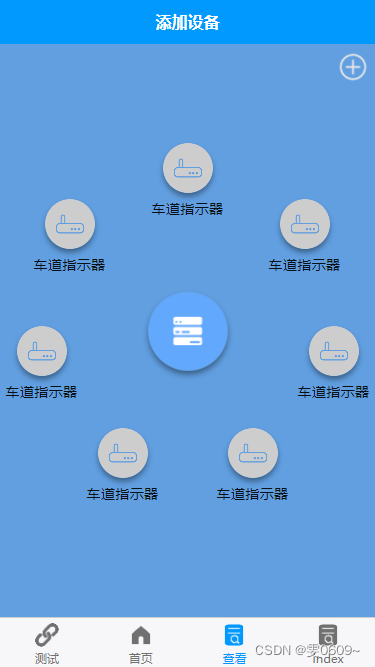
效果 代码 <template><view><view class"add"><image :src"add_icon" mode""></image></view><view class"container_position"><view class"container_info"><view c…...

归一化和标准化的联系与区别及建议
归一化和标准化是数据预处理中常用的两种方法。它们都是为了调整数据的尺度,使得数据更符合我们的分析需求。虽然二者的目的相同但是具体实现方式和适用场景却有所不同。下面,我们来详细介绍-下它们的联系和区别。 一、联系 归一化和标准化都能够使得数据的尽度缩放到不同的…...
数据结构--栈的实现
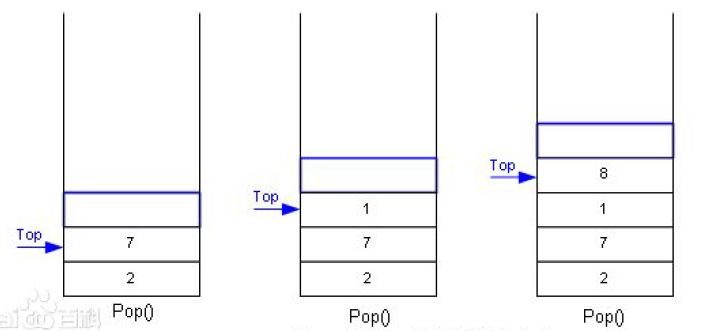
数据结构–栈的实现 1.栈的概念和结构: 栈的概念:栈是一种特殊的线性表,其只允许在固定的一端进行插入和删除元素操作。进行数据插入和删除操作的一端 称为栈顶,另一端称为栈底。栈中的数据元素遵守后进先出LIFO(Las…...
第十章 异常
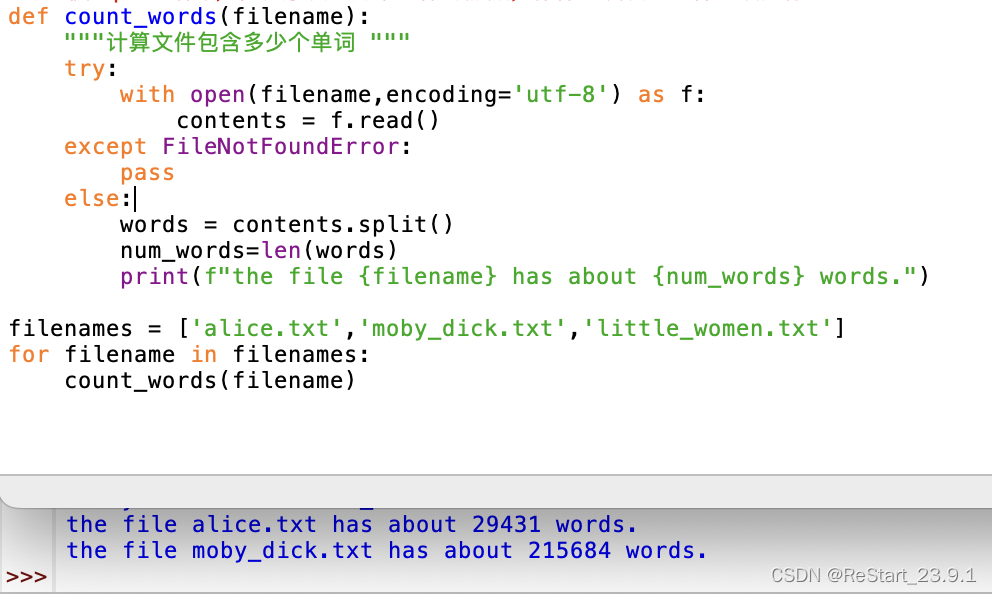
python使用异常的特殊对象管理程序执行期间发生的错误。每当发生错误时,python会创建异常对象。如果编写了处理该异常的代码,程序将继续运行;如果未处理,程序将显示traceback。 异常是使用try-except代码块处理的。使用try-excep…...
Rust冒泡排序
Rust冒泡排序 这段代码定义了一个名为 bubble_sort 的函数,接受一个可变的整数类型数组作为输入,然后使用嵌套的循环来实现冒泡排序。外部循环从数组的第一个元素开始迭代到倒数第二个元素,内部循环从数组的第一个元素开始迭代到倒数第二个元…...
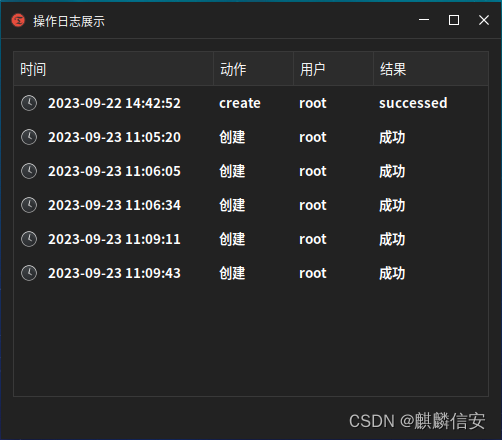
麒麟信安服务器操作系统V3.5.2重磅发布!
9月25日,麒麟信安基于openEuler 22.03 LTS SP1版本的商业发行版——麒麟信安服务器操作系统V3.5.2正式发布。 麒麟信安服务器操作系统V3定位于电力、金融、政务、能源、国防、工业等领域信息系统建设,以安全、稳定、高效为突破点,满足重要行…...
 - 对称密码)
密码技术 (1) - 对称密码
一. 前言 对称密码是指加密数据和解密数据使用的是相同的秘钥。发送者使用秘钥将加密后的数据发送给接受者,接收者收到数据后用相同的秘钥解密,恢复原始数据。 对称密码具有加密和解密快速的特点,适用于需要快速加密的场景,常用的…...

基于PYQT5的GUI开发系列教程【二】QT五个布局的介绍与运用
目录 本文概述 作者介绍 创建主窗口 水平布局 垂直布局 栅格布局 分裂器水平布局 分裂器垂直布局 自由布局 取消原先控件的布局的方法 尾言 本文概述 PYQT5是一个基于python的可视化GUI开发框架,具有容易上手,界面美观,多平台…...

Cadence PCB 焊盘和封装
封装(Packaging) 封装指的是在电子元件制造中将电子元件(例如集成电路芯片、电子元器件等)进行物理保护和连接的过程。封装通常涉及将电子元件封装到外部保护壳或包装中,以确保其正常运作、连接到电路板并保护它们免受环境因素的影响。 封装的主要目标包括以下几个方面:…...
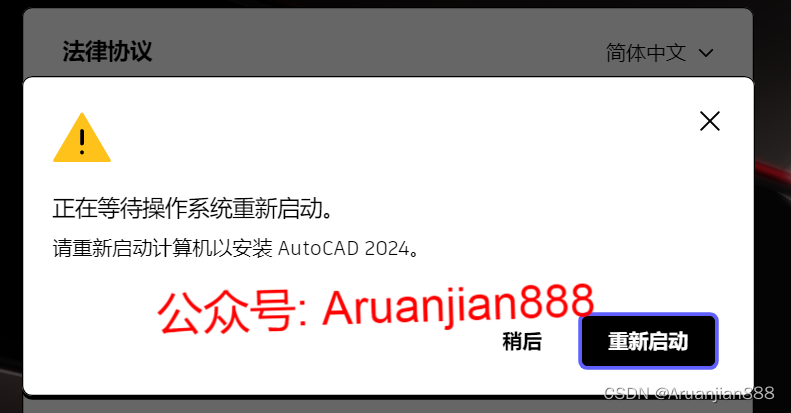
正在等待操作系统重新启动。 请重新启动计算机以安装autocad 2024。
正在等待操作系统重新启动。 请重新启动计算机以安装autocad 2024。 这是刚启动Autodesk 2024产品就弹出的弹窗,重启之后启动还是有这个 一直阻止安装程序运行 出现问题的原因是安装包存在问题 使用正确的安装包即可解决这个问题 需要的朋友查看图片或者评伦取…...
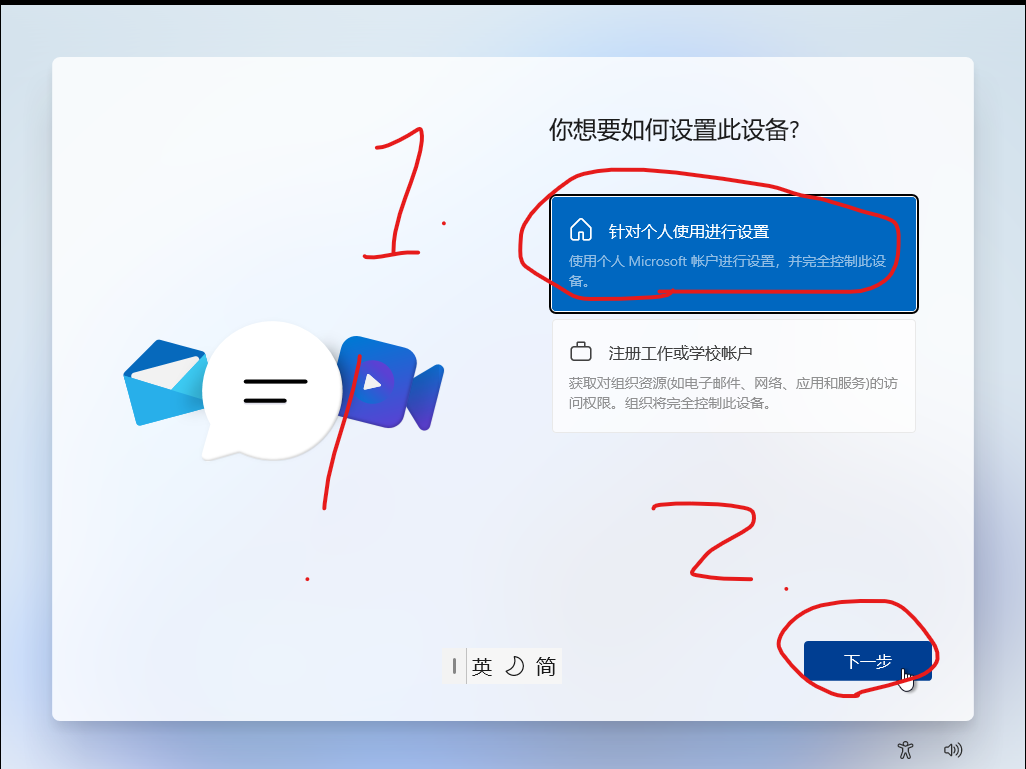
Windows电脑显示部分功能被组织控制
目录 问题描述 解决方法 总结 问题描述 如果你的电脑出现以上情况,建议你使用我这种方法(万不得已) 解决方法 原因就是因为当时你的电脑在激活的时候是选择了组织性激活的,所以才会不管怎么搞,都无法摆脱组织的控…...

Django模板加载与响应
前言 Django 的模板系统将 Python 代码与 HTML 代码解耦,动态地生成 HTML 页面。Django 项目可以配置一个或多个模板引擎,但是通常使用 Django 的模板系统时,应该首先考虑其内置的后端 DTL(Django Template Language,D…...

Python 内置函数详解 (4) 类型转换
Python 内置函数 Python3.11共有75个内置函数,其来历和分类请参考:Python 新版本有75个内置函数,你不会不知道吧_Hann Yang的博客-CSDN博客https://blog.csdn.net/boysoft2002/article/details/132520234 函数列表 abs aiter all …...

霍尔效应绝对式双码道磁编码器【附电路】
✨ 长期致力于双码道多磁极编码器、硬件设计、误差仿真与校正、算法设计与优化研究工作,擅长数据搜集与处理、建模仿真、程序编写、仿真设计。 ✅ 专业定制毕设、代码 ✅ 如需沟通交流,点击《获取方式》 (1)双码道多磁极磁场检测硬…...

RAG:嵌入模型评估与选型
在RAG系统中,嵌入模型是检索质量的关键组件,它决定了系统能否真正“理解”用户意图并从海量知识中精准召回相关信息,其语义匹配精度直接决定了整个RAG的性能上限。 一、嵌入模型评估指标 1.1 公开基准 MTEB v2 是目前全球公认最权威的大规…...

收藏!小白程序员必看:详解7种RAG分块策略,轻松提升大模型检索效果
收藏!小白程序员必看:详解7种RAG分块策略,轻松提升大模型检索效果 本文深入解析了RAG系统中7种主流分块策略,包括固定大小、语义、递归、文档结构、智能体、句子和段落分块。强调了分块策略对检索增强生成(RAG…...

DelphiOpenAI:原生集成OpenAI API,赋能Delphi开发者构建智能应用
1. 项目概述:DelphiOpenAI,一个为Delphi开发者打造的AI桥梁如果你是一名Delphi开发者,看着Python、JavaScript社区热火朝天地集成各种AI能力,自己却苦于没有成熟、好用的原生库,只能望“AI”兴叹,那么今天介…...

华为会议转任务AI精准识别整理,省事更清晰,轻松搞定工作落地
"找2026华为会议转任务AI的朋友,你要的精准识别整理、落地工作的真实测评来了。不管你是做学术研究要整访谈、转讲座,还是开会长音频要扒任务,我测了大半个月,直接给你掏实底。我接触太多做学术的朋友,都踩过AI转…...

Fomu FPGA工作坊:从LED闪烁到RISC-V软核的微型硬件开发指南
1. 项目概述:当FPGA遇见指尖,一场硬件的微型革命如果你对嵌入式开发、硬件编程感兴趣,但又觉得传统的FPGA开发板笨重、昂贵且入门门槛高,那么im-tomu/fomu-workshop这个项目可能会让你眼前一亮。这不仅仅是一个代码仓库࿰…...

量子噪声对机器学习模型的影响与缓解策略
1. 量子噪声与机器学习模型的复杂关系量子计算领域近年来最令人兴奋的进展之一,就是量子机器学习(QML)的兴起。作为一名长期跟踪量子计算发展的从业者,我亲眼见证了量子算法在机器学习任务中展现出的惊人潜力。然而,在…...
)
别再乱加电阻了!手把手教你用SI9000搞定PCB阻抗匹配(附50欧姆计算实例)
高速PCB设计实战:用SI9000精准计算阻抗匹配的工程方法 当信号频率突破百兆赫兹时,PCB走线就不再是简单的电气连接——它们变成了需要精密控制的传输线。去年参与一个千兆以太网项目时,我曾目睹团队因阻抗失配导致信号完整性崩溃的惨痛案例&am…...

osModa:基于NixOS与AI智能体的下一代服务器操作系统
1. 项目概述:为AI智能体而生的操作系统如果你和我一样,长期在服务器运维和AI应用部署的一线摸爬滚打,那你一定对这样的场景深有体会:凌晨三点,手机突然响起刺耳的告警,你睡眼惺忪地爬起来,SSH连…...

深度学习草图到全栈代码生成:技术原理、实现挑战与工程实践
1. 项目概述:从草图到全栈应用的智能跃迁在软件开发领域,从产品原型到最终上线的代码实现,中间横亘着一条巨大的“实现鸿沟”。产品经理或设计师用Sketch、Figma等工具绘制出精美的界面草图,而工程师则需要将这些静态的视觉稿&…...