
Cesium实现动态旋转四棱锥(2023.9.11)
Cesium实现动态悬浮旋转四棱锥效果 2023.9.11
- 1、引言
- 2、两种实现思路介绍
- 2.1 思路一:添加已有的四棱锥(金字塔)模型实现(简单但受限)
- 2.2 思路二:自定义四棱锥几何模型实现(复杂且灵活)
- 3、代码实现及效果展示
- 3.1 思路一
- 3.1.1 代码实现
- 3.1.2 展示结果
- 3.2 思路二
- 3.2.1 代码实现
- 3.2.2 展示结果
- 4、总结
1、引言
最近看到一些数字城市特效,其中包含四棱锥动态旋转的效果,乍一看眼前一亮,静下来来冷静思考觉得实现起来应该也十分简单,于是打算写此博客与诸位开发者共同分享,当然也是为了记录学习点滴!🕺🕺🕺❤️❤️❤️
2、两种实现思路介绍
顾名思义,动态悬浮旋转四棱锥效果中的关键词包括:四棱锥(金字塔)、旋转、动态。
2.1 思路一:添加已有的四棱锥(金字塔)模型实现(简单但受限)
寻找并选择一个现成的四棱锥模型(gltf 或 glb文件),调用Cesium添加Model的API将其作为模型加载到三维场景当中,之后动态设置旋转角度、位置高度即可。
假设准备好的模型文件为pyramid.glb文件,利用Windows系统自带的3D查看器通过设置跳跃、悬浮等动作即可预览动态效果。

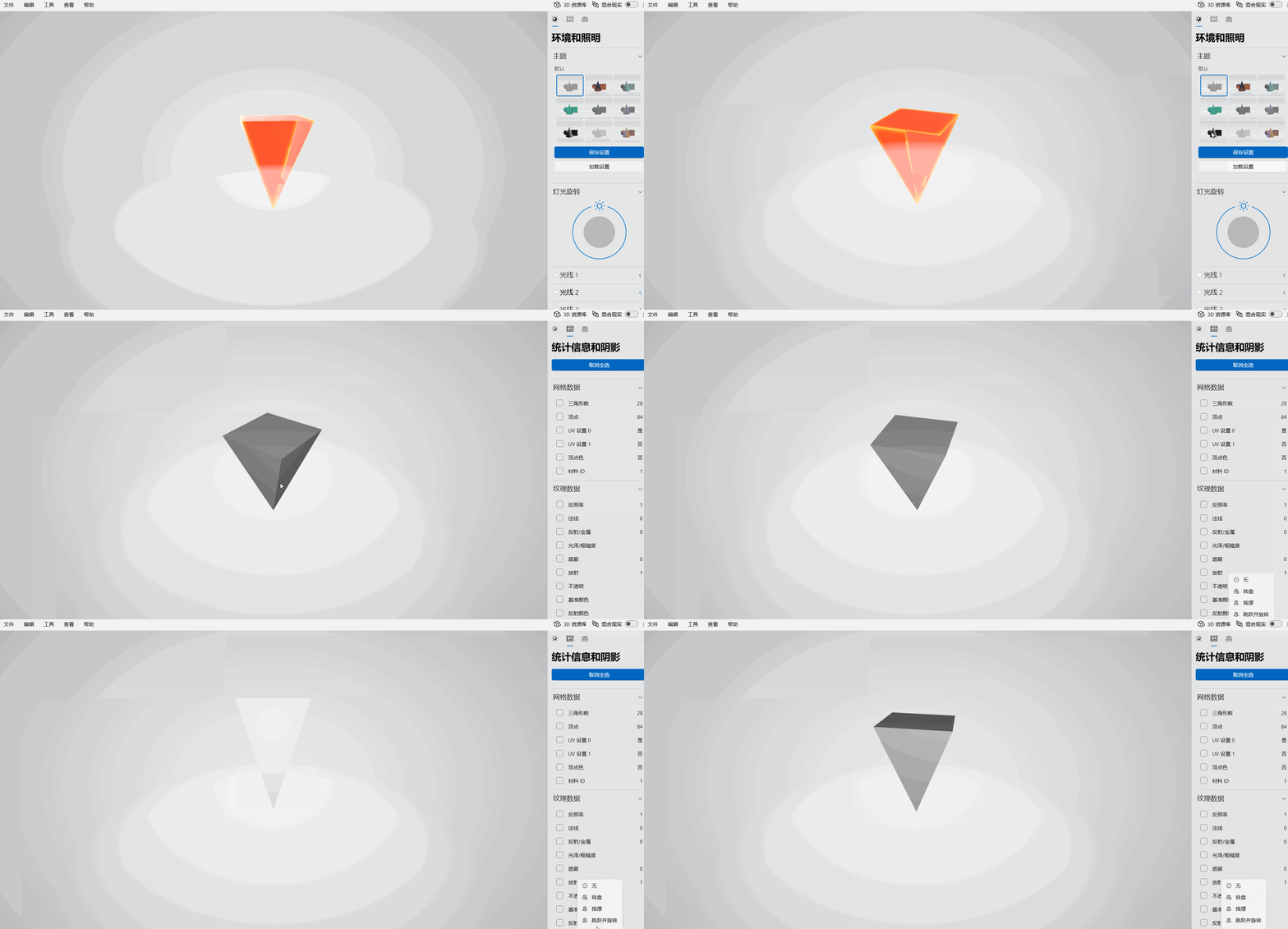
2.2 思路二:自定义四棱锥几何模型实现(复杂且灵活)
调用Cesium底层API自定义几何形状(Geometry)和原型(Primitive),构造属于四棱锥的DrawCommand类,实现create方法在三维场景(Scene)中添加四棱锥几何形状并设置纹理显示,实现update方法在每一帧画面中更新显示动态旋转及上下悬浮效果。

值得注意的是,我们仍需明确有关正四棱锥的一些数学理论知识:在三维立体几何空间中,四棱锥包含5个顶点、6个三角面(1个四边形可拆分为2个三角形),每个顶点包含X、Y、Z这三个坐标。如果给所有顶点从0开始进行顺序编号,那么各个三角面就能根据三个顶点索引随着确定,相应地纹理赋值也能随之确定。
3、代码实现及效果展示
接下来将具体调用Cesium的API按照上述两种思路分别进行实现,具体代码如下:
3.1 思路一
3.1.1 代码实现
<!DOCTYPE html>
<html lang="en"><head><meta charset="UTF-8" /><meta name="viewport" content="width=device-width, initial-scale=1.0" /><title>Cesium旋转金字塔-jjg</title><!-- 引入Cesium --><script src="https://unpkg.com/cesium@1.84.0/Build/Cesium/Cesium.js"></script><link rel="stylesheet" href="https://unpkg.com/cesium@1.84.0/Build/Cesium/Widgets/widgets.css"><script src="https://unpkg.com/vue@2.6.14/dist/vue.min.js"></script><link rel="stylesheet" href="https://unpkg.com/element-ui@2.15.5/lib/theme-chalk/index.css"><script src="https://unpkg.com/element-ui@2.15.5/lib/index.js"></script><style>* {margin: 0;padding: 0;}html,body,#viewer-container {width: 100%;height: 100%;overflow: hidden;}.cesium-widget-credits{ display:none!important; visibility:hide!important; }.cesium-viewer-toolbar{display:none!important; visibility:hide!important;}.form-container {position: absolute;left: 10px;top: 90px;padding: 10px 15px;border-radius: 4px;border: 1px solid rgba(128, 128, 128, 0.5);color: #ffffff;background: rgba(0, 0, 0, 0.4);box-shadow: 0 3px 14px rgb(128 128 128 / 50%);max-width: 380px;}button {background: transparent;border: 1px solid #00d0ffb8;color: white;padding: 7px 9px;border-radius: 2px;margin: 3px;cursor: pointer}.tip-item {margin: 2px 0px;padding: 5px 1px;}</style>
</head><body><div id="viewer-container"></div><div class="form-container" id="formContainer"><button onclick="setvisible('add')" style="margin-left:120px;">添加旋转金字塔</button><button onclick="setvisible('remove')">移除旋转金字塔</button></div><script>var viewer = null;var modelEntity = null;// 开关function setvisible(value) {switch (value) {case 'add':addPyramidModel();break;case 'remove':removeRotateCircle();break;}}// 添加旋转金字塔function addPyramidModel() {let hpr = new Cesium.HeadingPitchRoll(Cesium.Math.toRadians(0),Cesium.Math.toRadians(180),//0朝下 180朝上Cesium.Math.toRadians(0))let r = Cesium.Math.toRadians(2);let lon = 121.50320483066757, lat = 31.23641093043576, height = 382.83983348350085,isUp = true;// let position = Cesium.Cartesian3.fromDegrees(121.50320483066757, 31.23641093043576, 382.83983348350085);modelEntity = this.viewer.entities.add({position:  new Cesium.CallbackProperty(e => {if(height > 400){height = 400;isUp = false;}else if(height < 350){height = 350;isUp = true;}if(isUp){height += 1.0;}else{height -= 1.0;}return Cesium.Cartesian3.fromDegrees(lon,lat,height);}, false),//旋转起来orientation: new Cesium.CallbackProperty(e => {window.console.log(e);hpr.heading += r;let position = Cesium.Cartesian3.fromDegrees(lon,lat, height);return Cesium.Transforms.headingPitchRollQuaternion(position, hpr);}, false),model: {uri: "pyramid.glb",//this.style.modelUrlscale: 40,//this.style.scale || color: Cesium.Color.YELLOW.withAlpha(0.8),colorBlendMode: Cesium.ColorBlendMode.MIX,}});viewer.flyTo(modelEntity);}// 移除旋转金字塔function removeRotateCircle() {if(modelEntity != null){viewer.entities.remove(modelEntity);modelEntity.destroy();modelEntity = null;}}// initfunction initPage() {// 切换自己的tokenCesium.Ion.defaultAccessToken = 'eyJhbGciOiJIUzI1NiIsInR5cCI6IkpXVCJ9.eyJqdGkiOiJlYTQ2ZjdjNS1jM2E0LTQ1M2EtOWM0My1mODMzNzY3YjYzY2YiLCJpZCI6MjkzMjcsInNjb3BlcyI6WyJhc3IiLCJnYyJdLCJpYXQiOjE1OTE5NDIzNjB9.RzKlVTVDTQ9r7cqCo-PDydgUh8Frgw0Erul_BVxiS9c';// 初始化viewer = new Cesium.Viewer("viewer-container", {infoBox: false,shouldAnimate: true,vrButton: true,geocoder: false,homeButton: false,sceneModePicker: false,baseLayerPicker: false,navigationHelpButton: false,animation: false,//动画控制不显示timeline: false,//时间线不显示fullscreenButton: false,//全屏按钮不显示terrainProvider: Cesium.createWorldTerrain({requestWaterMask: true, // 水特效requestVertexNormals: true // 地形光}),});// 加载倾斜摄影 大雁塔//var tileset = viewer.scene.primitives.add(new Cesium.Cesium3DTileset({//  url: 'http://earthsdk.com/v/last/Apps/assets/dayanta/tileset.json'//}));//viewer.flyTo(tileset);viewer.scene.primitives.add(new Cesium.Cesium3DTileset({url: 'http://earthsdk.com/v/last/Apps/assets/dayanta/tileset.json',show: true,backFaceCulling: true,})).readyPromise.then((tileset) => {//拉伸模型高度代码let heightOffset = -26;var boundingSphere = tileset.boundingSphere;var cartographic = Cesium.Cartographic.fromCartesian(boundingSphere.center);var surface = Cesium.Cartesian3.fromRadians(cartographic.longitude, cartographic.latitude, 0.0);var offset = Cesium.Cartesian3.fromRadians(cartographic.longitude, cartographic.latitude, heightOffset);var translation = Cesium.Cartesian3.subtract(offset, surface, new Cesium.Cartesian3());tileset.modelMatrix = Cesium.Matrix4.fromTranslation(translation);//viewer.zoomTo(tileset)viewer.flyTo(tileset);})}// window.onload = function () {initPage();}</script>
</body></html>
3.1.2 展示结果
3.2 思路二
3.2.1 代码实现
<!DOCTYPE html>
<html lang="en">
<head><meta charset="utf-8"><style>.cesium-widget-credits{ display:none!important; visibility:hide!important; }.cesium-viewer-toolbar{display:none!important; visibility:hide!important;}.middleTop {width: 300px;height: 30px;position: fixed;top: 10px;left: 20px;text-align: center;background: red;opacity: 0.6;}button {background: gray;border: 1px solid #00d0ffb8;color: white;padding: 7px 9px;border-radius: 2px;margin: 3px;cursor: pointer}.tip-item {margin: 2px 0px;padding: 5px 1px;}</style><script src="https://cesium.com/downloads/cesiumjs/releases/1.89/Build/Cesium/Cesium.js"></script><link href="https://cesium.com/downloads/cesiumjs/releases/1.89/Build/Cesium/Widgets/widgets.css" rel="stylesheet"><!-- <script src="https://cesium.com/downloads/cesiumjs/releases/1.108/Build/Cesium/Cesium.js"></script><link href="https://cesium.com/downloads/cesiumjs/releases/1.108/Build/Cesium/Widgets/widgets.css" rel="stylesheet"> -->
</head>
<body><div id="cesiumContainer" style="width:100%;height:100%;"></div><div class="middleTop" id="demo2"><div class="map-tool"><button id="addTetrahedron" class="newBtn">添加倒立四棱锥</button><button id="removeTetrahedron" class="newBtn">移除一个倒立四棱锥</button></div></div><script>Cesium.Ion.defaultAccessToken = "eyJhbGciOiJIUzI1NiIsInR5cCI6IkpXVCJ9.eyJqdGkiOiIwZDhhOThhNy0zMzUzLTRiZDktYWM3Ni00NGI5MGY2N2UwZDUiLCJpZCI6MjQzMjYsInNjb3BlcyI6WyJhc3IiLCJnYyJdLCJpYXQiOjE1ODUwMzUwNDh9.DYuDF_RPKe5_8w849_y-sutM68LM51O9o3bTt_3rF1w";const viewer = new Cesium.Viewer('cesiumContainer', { // Initialize the Cesium Viewer in the HTML element with the `cesiumContainer` ID.baseLayerPicker: false,//shadows: true,shouldAnimate: true,infoBox: false,animation: false,//动画控制不显示timeline: false,//时间线不显示fullscreenButton: false, //全屏按钮不显示terrainProvider: Cesium.createWorldTerrain({requestWaterMask: true, // 水特效requestVertexNormals: true // 地形光}),selectionIndicator: false, // By JIAO Jingguo 2022.9.21 移除Cesium自带的绿色聚焦瞄准框//imageryProvider: new Cesium.ArcGisMapServerImageryProvider({//  url: 'http://services.arcgisonline.com/ArcGIS/rest/services/World_Imagery/MapServer',//}),});viewer._cesiumWidget._creditContainer.style.display = "none";//去除版权信息//viewer.scene.globe.depthTestAgainstTerrain = true;let silhouette = null,skylineAnayStages = null;//天际线分析工具//打开天际线分析function openSkylineAnay() {if(skylineAnayStages){silhouette.enabled=true;return;}skylineAnayStages = viewer.scene.postProcessStages;let edgeDetection = Cesium.PostProcessStageLibrary.createEdgeDetectionStage();let postProccessStage = new Cesium.PostProcessStage({//此后处理阶段的唯一名称,供组合中其他阶段参考,如果未提供名称,将自动生成GUID// name:name,//unform着色器对象 textureScalefragmentShader: 'uniform sampler2D colorTexture;' +'uniform sampler2D depthTexture;' +'varying vec2 v_textureCoordinates;' +'void main(void)' +'{' +'float depth = czm_readDepth(depthTexture, v_textureCoordinates);' +'vec4 color = texture2D(colorTexture, v_textureCoordinates);' +'if(depth<1.0 - 0.000001){' +'gl_FragColor = color;' +'}' +'else{' +'gl_FragColor = vec4(1.0,0.0,0.0,1.0);' +'}' +'}'});//PostProcessStage:要使用的片段着色器。默认sampler2D制服是colorTexture和depthTexture。let postProccesStage_1 = new Cesium.PostProcessStage({// name:obj.name+'_1',fragmentShader: 'uniform sampler2D colorTexture;' +'uniform sampler2D redTexture;' +'uniform sampler2D silhouetteTexture;' +'varying vec2 v_textureCoordinates;' +'void main(void)' +'{' +'vec4 redcolor=texture2D(redTexture, v_textureCoordinates);' +'vec4 silhouetteColor = texture2D(silhouetteTexture, v_textureCoordinates);' +'vec4 color = texture2D(colorTexture, v_textureCoordinates);' +'if(redcolor.r == 1.0){' +'gl_FragColor = mix(color, vec4(5.0,0.0,0.0,1.0), silhouetteColor.a);' +'}' +'else{' +'gl_FragColor = color;' +'}' +'}',//uniform着色器对象uniforms: {redTexture: postProccessStage.name,silhouetteTexture: edgeDetection.name}});//如果inputPreviousStageTexture 是 true,则每个阶段输入是场景渲染到的输出纹理或之前执行阶段的输出纹理//如果inputPreviousStageTexture是false,则合成中每个阶段的输入纹理都是相同的silhouette= new Cesium.PostProcessStageComposite({stages:[edgeDetection,postProccessStage,postProccesStage_1], //PostProcessStage要按顺序执行 的 s 或组合的数组。inputPreviousStageTexture:false,//是否执行每个后处理阶段,其中一个阶段的输入是前一个阶段的输出。否则每个包含阶段的输入是组合之前执行的阶段的输出uniforms:edgeDetection.uniforms//后处理阶段制服的别名})skylineAnayStages.add(silhouette);};function closeSkylineAnay(){ //关闭天际线分析if(silhouette != null)silhouette.enabled=false;};function flyToTianJin() {viewer.camera.flyTo({destination : Cesium.Cartesian3.fromDegrees(117.17888105784743,39.06048272010123, 5000),orientation : {heading : Cesium.Math.toRadians(0.0),pitch : Cesium.Math.toRadians(-90.0),roll: 0.0,}});};// 添加四棱锥document.getElementById("addTetrahedron").addEventListener("click", function (e) {onLineTetra();// By JIAO Jingguo 2023.8.31});// 移除四棱锥document.getElementById("removeTetrahedron").addEventListener("click", function (e) {removeSinglePrimitive();// By JIAO Jingguo 2023.8.31});let addedPrimitives = [];function onLineTetra() // By JIAO Jingguo 2023.8.31 源自 Mars3d源码启发 和 网上资料{function TetrahedronPrimitive(options){this.show = true;this._command = undefined;this._enuMatrix=undefined;this._scaleMatrix=undefined;this._localPosition = options.position;this._createCommand = createCommand;this._angle=0;this._distance= Cesium.defaultValue(options.distance,1);this._setInterval=undefined;this._viewer= viewer;this._speed= Cesium.defaultValue(options.speed,1.0);this._color= Cesium.defaultValue(options.color,new  Cesium.Color(1.0,0.0,0.0,0.8));this._scale= Cesium.defaultValue(options.scale,new  Cesium.Cartesian3(10, 10, 15));this._texture=undefined;// this._imageUrl= Cesium.buildModuleUrl('./fence.png');this._modelMatrix=computeModelMatrix(this);this._height=computeHeight(this);//debugger// createTexture(this);}TetrahedronPrimitive.prototype.update=function(frameState) {if (!this.show){return;}if (! Cesium.defined(this._command)){this._command = this._createCommand(frameState.context,this);this._command.pickId = 'v_pickColor';}if ( Cesium.defined(this._command)){frameState.commandList.push(this._command);}}TetrahedronPrimitive.prototype.isDestroyed=function() {return false;}TetrahedronPrimitive.prototype.destroy=function() {if ( Cesium.defined(this._command)){this._command.shaderProgram = this._command.shaderProgram && this._command.shaderProgram.destroy();}return  Cesium.destroyObject(this);}//开启动画TetrahedronPrimitive.prototype.startAnimate=function(){let that=this;this._setInterval=setInterval(animateFunc,5);function animateFunc(){that._angle=that._angle+0.01;if(Math.sin(that._angle) < 0){that._height=0.01;}else{that._height=-0.01;}let translation =  new Cesium.Cartesian3( 0, 0, that._height );Cesium.Matrix4.multiplyByTranslation(that._modelMatrix, translation, that._modelMatrix);let rotationZ =  Cesium.Matrix4.fromRotationTranslation( Cesium.Matrix3.fromRotationZ(Cesium.Math.toRadians(that._speed)));Cesium.Matrix4.multiply(that._modelMatrix, rotationZ, that._modelMatrix);}}//关闭动画TetrahedronPrimitive.prototype.closeAnimate=function(){clearInterval(this._setInterval);}//创建commandfunction createCommand(context,tetrahedronPrimitive) {var translucent = false;var closed = true;var vs = creaateVertexShader();var fs = createFragmentShader();// 借用一下Appearance.getDefaultRenderStatevar rawRenderState =  Cesium.Appearance.getDefaultRenderState(translucent, closed, undefined);var renderState =  Cesium.RenderState.fromCache(rawRenderState);var vertexShaderSource = new  Cesium.ShaderSource({sources: [vs]});var fragmentShaderSource = new  Cesium.ShaderSource({sources: [fs]});var uniformMap = {color: function() {return tetrahedronPrimitive._color;},myImage: function() {if (Cesium.defined(tetrahedronPrimitive._texture)) {return tetrahedronPrimitive._texture;} else {return tetrahedronPrimitive._viewer.scene.context.defaultTexture;}}};let attributeLocations = {position: 0,textureCoordinates:1};var shaderProgram =  Cesium.ShaderProgram.fromCache({context: context,vertexShaderSource: vertexShaderSource,fragmentShaderSource: fragmentShaderSource,attributeLocations: attributeLocations});return new  Cesium.DrawCommand({vertexArray: createVertexArray(context),primitiveType:  Cesium.PrimitiveType.TRIANGLES,renderState: renderState,shaderProgram: shaderProgram,uniformMap: uniformMap,owner: this,pass:  Cesium.Pass.TRANSLUCENT,modelMatrix: tetrahedronPrimitive._modelMatrix,});}//创建vertexArrayfunction createVertexArray(context) {let attributeLocations = {position: 0,textureCoordinates:1};var positionsAndIndice=cereatePositionsAndIndice();var geometry = new  Cesium.Geometry({attributes: {position: new  Cesium.GeometryAttribute({// 使用double类型的position进行计算// componentDatatype : Cesium.ComponentDatatype.DOUBLE,componentDatatype:  Cesium.ComponentDatatype.FLOAT,componentsPerAttribute: 3,values: positionsAndIndice.positions}),textureCoordinates: new  Cesium.GeometryAttribute({componentDatatype:  Cesium.ComponentDatatype.FLOAT,componentsPerAttribute: 2,values: positionsAndIndice.sts}),},// Workaround Internet Explorer 11.0.8 lack of TRIANGLE_FANindices: positionsAndIndice.indices,primitiveType:  Cesium.PrimitiveType.TRIANGLES,boundingSphere:  Cesium.BoundingSphere.fromVertices(positionsAndIndice.positions)});//计算geometry的法向量var geometryNormal=  Cesium.GeometryPipeline.computeNormal(geometry);var vertexArray =  Cesium.VertexArray.fromGeometry({context: context,geometry: geometryNormal,attributeLocations: attributeLocations,bufferUsage:  Cesium.BufferUsage.STATIC_DRAW,});return vertexArray;}//创建顶点数组与索引function cereatePositionsAndIndice(){var positions = new Float64Array(5 * 3);// position 0positions[0] = 0.0;positions[1] = 1.0;positions[2] = 0.0;// position 1positions[3] = -1.0;positions[4] = 0.0;positions[5] = 0.0;// position 2positions[6] = 0.0;positions[7] = -1.0;positions[8] = 0.0;// position 3positions[9] = 1.0;positions[10] = 0.0;positions[11] = 0.0;// position 4positions[12] = 0.0;positions[13] = 0.0;positions[14] = 1.0;var indices = new Uint16Array(6 * 3);// back triangleindices[0] = 4;indices[1] = 2;indices[2] = 3;// left triangleindices[3] = 4;indices[4] = 3;indices[5] = 0;// right triangleindices[6] = 4;indices[7] = 0;indices[8] = 1;// bottom triangleindices[9] = 4;indices[10] = 1;indices[11] = 2;// bottom triangleindices[12] = 1;indices[13] = 2;indices[14] = 3;// bottom triangleindices[15] = 1;indices[16] = 3;indices[17] = 0;// 1.3 定义纹理数组var sts = new Float32Array([0.0, 0.0, 1.0, 0.0, 1.0, 1.0,0.0, 1.0, 0.5, 0.5,]);return {indices:indices,positions:positions,sts:sts};}//创建顶点着色器function creaateVertexShader(){var vertexShader =`attribute vec3 position;attribute vec3 normal;attribute vec2 st;attribute float batchId;varying vec3 v_positionEC;varying vec3 v_normalEC;varying vec2 v_st;varying vec4 v_pickColor;void main(){v_positionEC = (czm_modelView * vec4(position, 1.0)).xyz;       // position in eye coordinatesv_normalEC = czm_normal * normal;                               // normal in eye coordinatesv_st = st;//v_pickColor = czm_batchTable_pickColor(batchId);gl_Position = czm_modelViewProjection * vec4(position, 1.0);}`;return vertexShader;}//创建片源着色器function createFragmentShader(){var fragmentShader =`varying vec3 v_positionEC;varying vec3 v_normalEC;varying vec2 v_st;uniform vec4 color;varying vec4 v_pickColor;uniform sampler2D myImage;void main(){vec3 positionToEyeEC = -v_positionEC;vec3 normalEC = normalize(v_normalEC);#ifdef FACE_FORWARDnormalEC = faceforward(normalEC, vec3(0.0, 0.0, 1.0), -normalEC);#endifczm_materialInput materialInput;materialInput.normalEC = normalEC;materialInput.positionToEyeEC = positionToEyeEC;materialInput.st = v_st;vec2 st = materialInput.st;czm_material material = czm_getDefaultMaterial(materialInput);// float dt_a11 = fract(czm_frameNumber / 100.0) * 3.14159265 * 2.0;// float dt_a12 = sin(dt_a11);// float vst=smoothstep(0.7, 1.0, dt_a12)+0.4;// vec4 colorImage = texture2D(myImage, vec2(fract(st.s- czm_frameNumber*0.003), st.t));// material.alpha =mix(0.1,1.0,clamp((1.0-st.t) * color.a,0.0,1.0)) +(1.0-sign(st.t-czm_frameNumber*0.001))*0.2*(1.0-colorImage.r)+0.4 ;// material.diffuse =(1.0-colorImage.a)*vec3(1.0,0.0,0.0)+colorImage.rgb*vec3(1.0,1.0,0);material.alpha = (mix(0.1, 1.0, clamp((1.0 - st.t) * color.a, 0.0, 1.0)) + (1.0 - sign(st.t - czm_frameNumber * 0.001)) * 0.2 + 0.4) * 0.8;material.diffuse = color.rgb;#ifdef FLATgl_FragColor = vec4(material.diffuse + material.emission, material.alpha);#elsegl_FragColor = czm_phong(normalize(positionToEyeEC), material, czm_lightDirectionEC);#endif}`;return fragmentShader;}//创建纹理function createTexture(tetrahedronPrimitive){Cesium.Resource.createIfNeeded(tetrahedronPrimitive._imageUrl).fetchImage().then(function(image){var vTexture;var context = tetrahedronPrimitive._viewer.scene.context;if ( Cesium.defined(image.internalFormat)) {vTexture = new  Cesium.Texture({context: context,pixelFormat: image.internalFormat,width: image.naturalWidth,height: image.naturalHeight,source: {arrayBufferView: image.bufferView}});} else {vTexture = new  Cesium.Texture({context: context,source: image});}tetrahedronPrimitive._texture = vTexture;});}//计算矩阵function computeModelMatrix(tetrahedronPrimitive){let enuMatrix =  Cesium.Transforms.eastNorthUpToFixedFrame(tetrahedronPrimitive._localPosition);let scaleMatrix =  Cesium.Matrix4.fromScale(tetrahedronPrimitive._scale);let modelMatrix =  Cesium.Matrix4.multiply(enuMatrix, scaleMatrix, new  Cesium.Matrix4());tetrahedronPrimitive._scaleMatrix=scaleMatrix;tetrahedronPrimitive._enuMatrix=enuMatrix;return modelMatrix;}//计算高度function computeHeight(tetrahedronPrimitive){let point= Cesium.Cartesian3.fromElements(0,0,tetrahedronPrimitive._distance,new Cesium.Cartesian3());let enuPoint = Cesium.Matrix4.multiplyByPoint(tetrahedronPrimitive._enuMatrix, point, new  Cesium.Cartesian3());let upPositionEC =  Cesium.Matrix4.multiplyByPoint(tetrahedronPrimitive._viewer.scene.camera._viewMatrix, enuPoint, new  Cesium.Cartesian3());let upPositionPC =  Cesium.Matrix4.multiplyByPoint(tetrahedronPrimitive._viewer.scene.camera.frustum.projectionMatrix, upPositionEC, new  Cesium.Cartesian3());return  Cesium.Cartesian3.normalize(upPositionPC, new  Cesium.Cartesian3()).z;}// const center = Cesium.Cartesian3.fromDegrees(0.0, 0.0);let positions ={"x": -2481464.959108353,"y": 4823824.427904163,"z": 3343877.308220879};let colors = [new Cesium.Color(1.0,1.0,0.0,1.0),new Cesium.Color(1.0,0.0,0.0,0.8),new Cesium.Color(0.0,1.0,0.0,0.8),new Cesium.Color(0.0,0.0,1.0,0.8),new Cesium.Color(0.8, 0.8, 0x0, 0.8)];for(let i=0;i<colors.length;i++){let pt = new Cesium.Cartesian3(positions.x + i+100, positions.y , positions.z+ i * 100)let primitive = new TetrahedronPrimitive({position: pt,color: colors[i] })viewer.scene.primitives.add(primitive);primitive.startAnimate();if(i === 2)viewer.flyTo(primitive);}viewer.camera.setView({destination: new Cesium.Cartesian3(positions.x, positions.y, positions.z),// orientation: {//     heading: 6.276226863836136,//     pitch: -1.331128445292896,//     roll: 0.0001241421687643296// }});}function removeSinglePrimitive(){const primitives = viewer.scene.primitives;const length = primitives.length;for (let i = 0; i < length; ++i) {const p = primitives.get(i);// p.show = !p.show;if(i === length -1)viewer.scene.primitives.remove(p);}}</script>
</body>
</html>
3.2.2 展示结果
4、总结
总的来说,第一种实现思路方法简单,但需要找到现有的符合自己需求的模型,之后设置旋转和上下浮动效果即可;而第二种实现思路方法更接近底层,需要深入思考,充分理解顶点(Vertex)、三角面(Triangle)、纹理(Texture)、着色器语言(Shaders)、帧动态更新等理论思想,学习Cesium源码是一件极为有趣和快乐的事情,当然需要一定的专业知识背景和先验知识(professional knowledge background and prior knowledge)做支撑才能学以致用,深刻领会其精髓。
正四棱锥(金字塔)结构稳定,拥有坚实的基底,在生物学的食物链、古埃及的墓穴
尽管并不是每一颗金子都能够闪闪发光,但被周围的沙子所环绕更是一种历练,逆境生长方显生命力之顽强,牢记自己的独特与唯一,坦然面对周围事物,刻在骨子里的坚强终有一日会在芸芸众生中闪耀光芒。愿大家珍惜眼前的一切,以顽强拼搏的奋斗姿态期待和迎接更加光明和美好的未来。
祝大家国庆节快乐,祖国繁荣昌盛,人民幸福安康!
相关文章:
Cesium实现动态旋转四棱锥(2023.9.11)
Cesium实现动态悬浮旋转四棱锥效果 2023.9.11 1、引言2、两种实现思路介绍2.1 思路一:添加已有的四棱锥(金字塔)模型实现(简单但受限)2.2 思路二:自定义四棱锥几何模型实现(复杂且灵活ÿ…...
2023最新PS(photoshop)Win+Mac免费下载安装包及教程内置AI绘画-网盘下载
2023最新PS(photoshop)WinMac免费下载安装包及教程内置AI绘画-网盘下载 2023最新PS(photoshop)免费下载安装教程来咯~ 「PhotoShop」全套,winmac: https://pan.quark.cn/s/9d8d8ef5c400#/list/share 所有版本都有 1,复制链接…...
【JAVA】为什么要使用封装以及如何封装
个人主页:【😊个人主页】 系列专栏:【❤️初识JAVA】 前言 Java的封装指的是在一个类中将数据和方法进行封装,使其可以保护起来,只能在该类内部访问,而不允许外部直接访问和修改。这是Java面向对象编程的三…...
18.示例程序(编码器接口测速)
STM32标准库开发-各章节笔记-查阅传送门_Archie_IT的博客-CSDN博客https://blog.csdn.net/m0_61712829/article/details/132434192?spm1001.2014.3001.5501 main.c #include "stm32f10x.h" // Device header #include "Delay.h" #incl…...
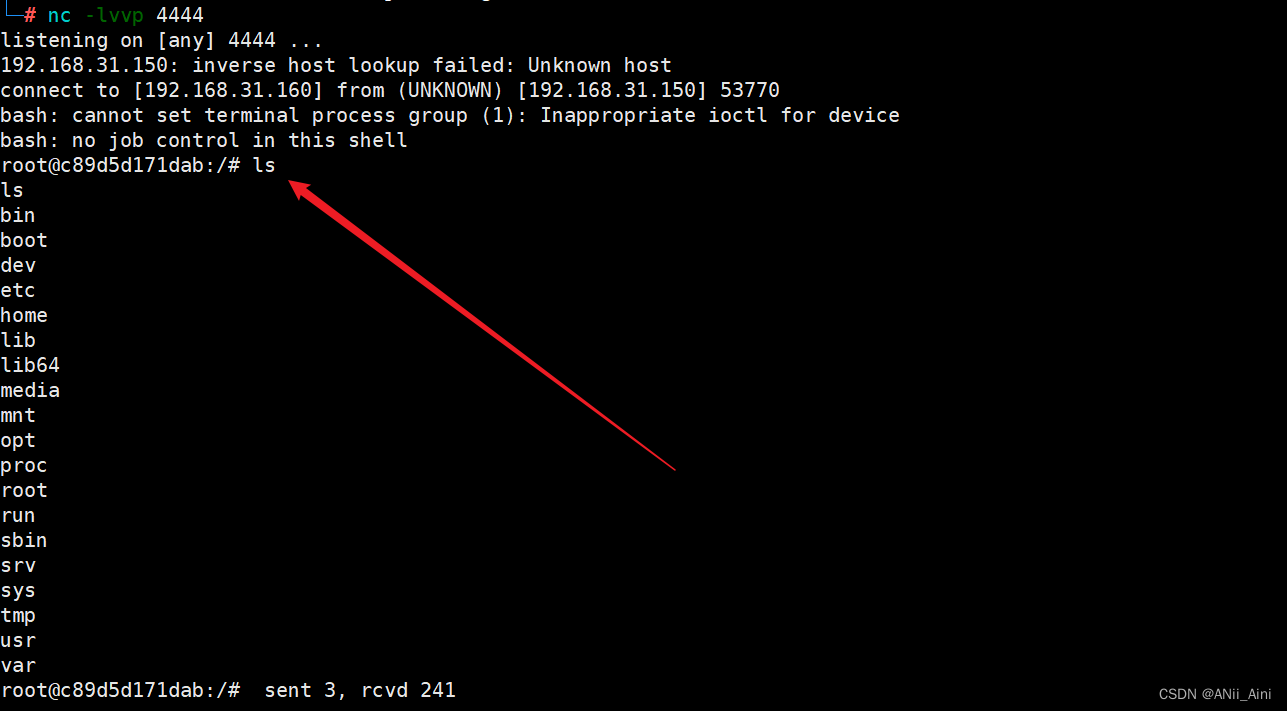
【超详细】Fastjson 1.2.24 命令执行漏洞复现-JNDI简单实现反弹shell(CVE-2017-18349)
前言: 看了很多别人关于漏洞复现过程,很多博客过程简洁,有的过程过于复杂,比如看到写java代码,用javac进行编译等等。所以我想写出比较详细的漏洞复现过程。 一,漏洞介绍 1-1 fastjson是什么 fastjson是…...
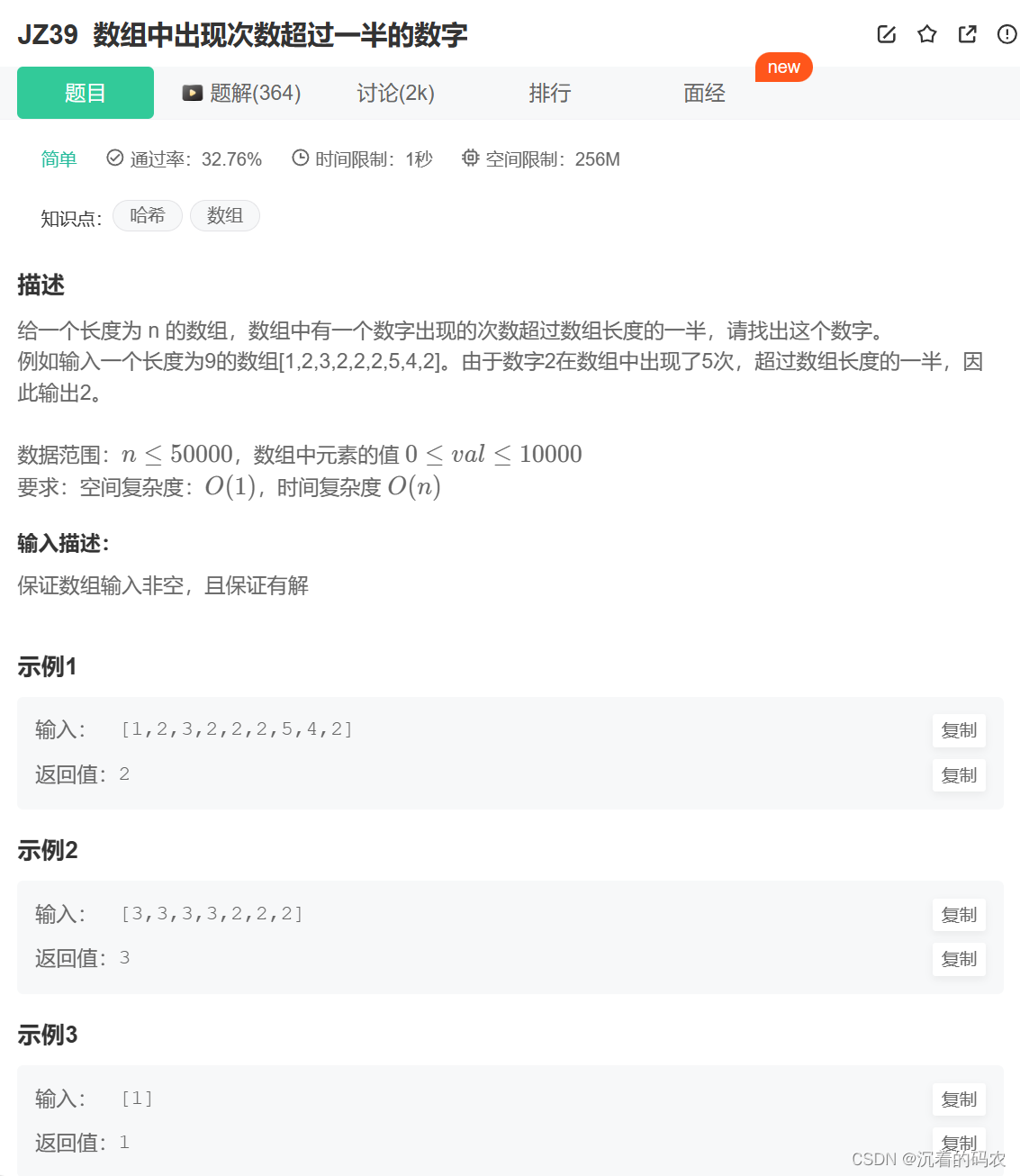
【牛客网】JZ39 数组中出现次数超过一半的数字
题目 思路 思路1 将数组排序,再保证有结果的情况下,此时数组中间的数字就是想要的结果 思路2 在保证有结果的情况下,此时数组的的众数是数组长度的一半以上 所以我们可以通过抵消的做法来找到最终的结果 我们可以从头遍历这个数组,如果两个数不相同,则消去这两个数,最坏的…...

【Mysql】Lock wait timeout exceeded; try restarting transaction
出现这种问题通常是有事务长时间未提交导致的 可以使用以下sql 查询事务进程 然后通过 kill 线程ID 的方式 ,结束该事务 SELECTtrx_id AS 事务ID,trx_mysql_thread_id AS 线程ID,trx_state AS 事务状态,trx_started AS 开始时间,trx_tables_locked AS 锁定的表,trx_query AS …...
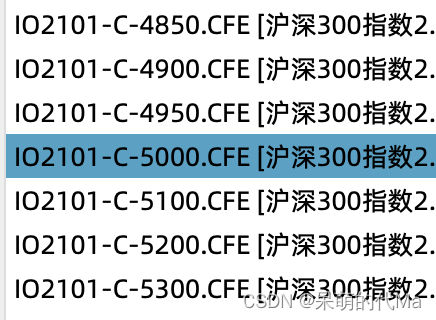
python生成中金所期权行权价
参考沪深300股指期权的合约表,写一个工具函数: 使用方法 def get_format_option_gap(value: float, deviation: int 0): # 根据中证1000指数获取点位"""根据标准的行权价,生成不同档位的期权列表,适合中金所:…...

CentOS7.9 安装postgresql
# 添加postgres账户 sudo groupadd postgres sudo useradd -g postgres postgres # 修改postgres账号密码 passwd postgres # 安装postgresql cd ~tar zxvf postgresql-15.3.tar.gz cd postgresql-15.3./configure --prefix/usr/local/pgsql --without-readlinemake -j4 …...

qt线程介绍
目录 介绍 线程类 QThread 方式1 方式2 案例 线程资源释放 介绍 qt为多线程提供了完美的支持,实现多线程一般是从从QTHread中继承定义自己的线程类,QT也提供了QMutexLocker,QwaitCondition等类实现线程同步,与Linux系统或C中的线程库类似…...

记一次用dataframe进行数据清理
总结一下dataframe读取数据库,以及整理数据的过程。分为三个部分:数据读取,数据整理以及数据写入。 1、数据读取 从csv读取读取数据,使用pandas读的read_csv函数,传入两个参数,分别是path文件路径&#x…...
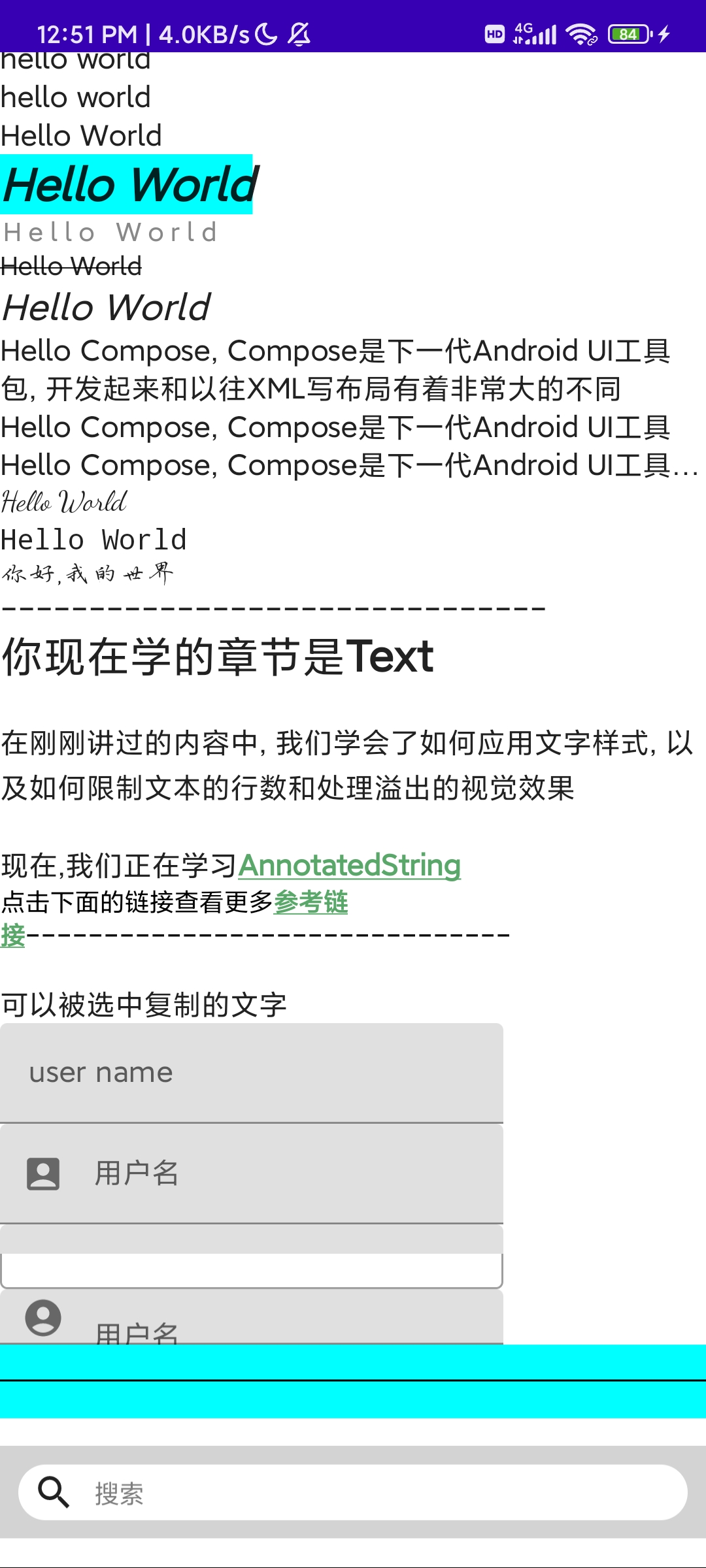
《Jetpack Compose从入门到实战》 第二章 了解常用UI组件
目录 常用的基础组件文字组件图片组件按钮组件选择器组件对话框组件进度条组件 常用的布局组件布局Scaffold脚手架 列表 书附代码 Google的图标库 常用的基础组件 文字组件 Composable fun TestText() {Column(modifier Modifier.verticalScroll(state rememberScrollState…...
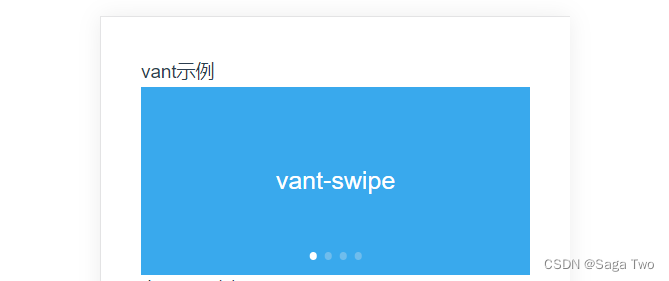
Vue3 引入使用 vant组件详解
目录 Vue3 引入使用 vant组件详解1.安装2.引入2.1 全局引入2.2 按需引入2.2.1 vite项目:vite.config.js2.2.2 Webpack项目:webpack.config.js2.2.3 配置在vue.config.js中 3.使用 Vue3 引入使用 vant组件详解 Vant是一个强大的移动端组件库,目前Vant 官…...
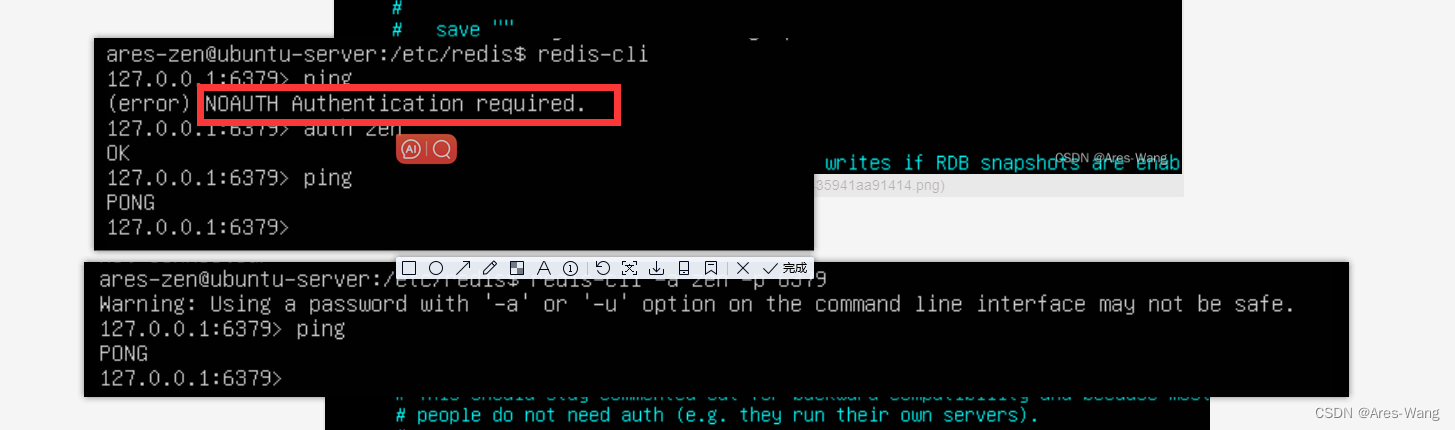
NOSQL Redis Ubuntu系列 常用的配置 及密码登录
查看Ubuntu 版本 uname -a 配置redis.conf 查看redis 是否安装成功 ps -ef | grep redis 查看redis 服务状态 service redis status 查看redis 默认安装的路径 whereis redis #sudo vim /etc/redis.conf redis 密码登录...

C语言解析GPS源数据
文章目录 一、GPS数据格式介绍二、GPS字段含义三、C语言解析数据代码3.1 解析每个字段数据3.2 解析定位数据 一、GPS数据格式介绍 GPS(全球定位系统)数据格式常见的是NMEA 0183格式,NMEA 0183格式是一种用于导航设备间传输数据的标准格式&am…...
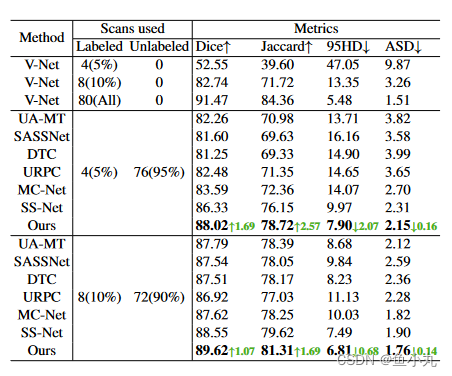
【论文阅读】(CVPR2023)用于半监督医学图像分割的双向复制粘贴
目录 前言方法BCPMean-teacher and Traning StrategyPre-Training via Copy-PasteBidirectional Copy-Paste ImagesBidirectional Copy-Paste Supervisory Signals Loss FunctionTesting Phase 结论 先看这个图,感觉比较清晰。它整个的思路就是把有标签的图片和无标…...

[Linux 基础] 一篇带你了解linux权限问题
文章目录 1、Linux下的两种用户2、文件类型和访问权限(事物属性)2.1 Linux下的文件类型2.2 基本权限2.3 文件权限值的表示方法(1)字符表示方法(2)8进制数值表示方法 2.4 文件访问权限的相关设置方法(1) chm…...
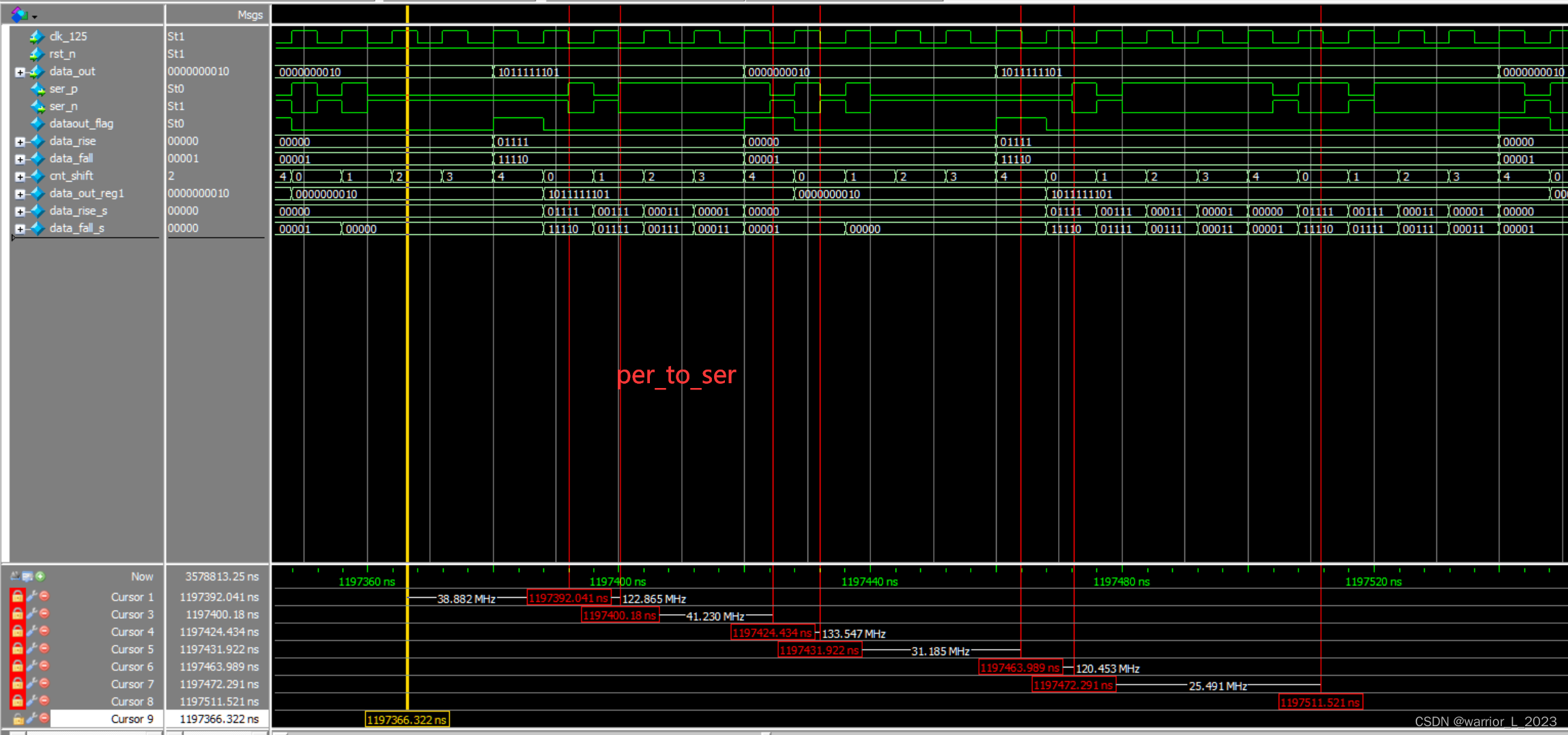
FPGA project :HDMI
实验目标:驱动HdMI显示十色等宽彩条。 本实验的重点是: 1掌握TMDS通信协议。 2rgb565转rgb888。 3编写HDMI驱动程序。 4学会看流程图编写代码。 值得注意的事情 1注意数据与解析数据的信号(比如传入的数据中0或者1的个数)&…...

基于微信小程序的物流快递信息查询平台同城急送小程序(亮点:寄件、发票申请、在线聊天)
文章目录 前言系统主要功能:具体实现截图论文参考详细视频演示为什么选择我自己的网站自己的小程序(小蔡coding)有保障的售后福利 代码参考源码获取 前言 💗博主介绍:✌全网粉丝10W,CSDN特邀作者、博客专家、CSDN新星计…...
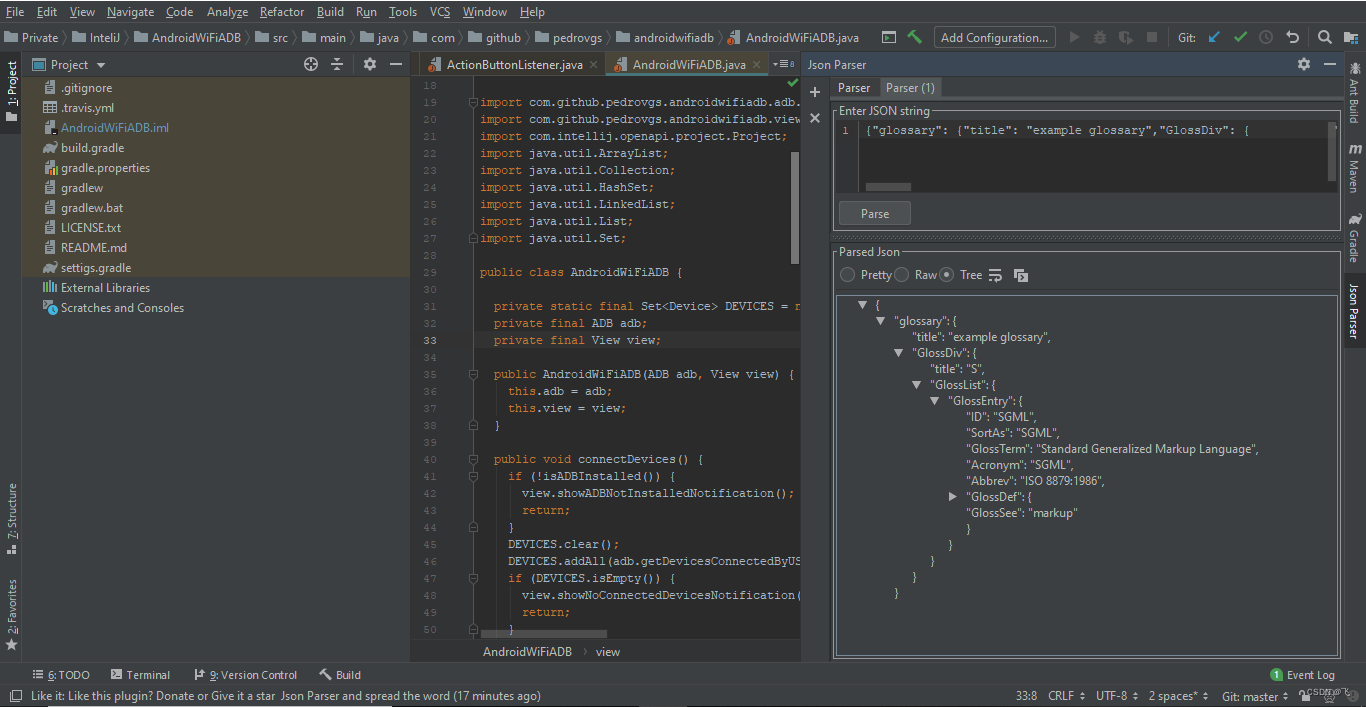
idea插件推荐
目录 一、插件安装方式 file->settings->plugins->macketplace 各个版本IDE插件界面略有不同,不一一赘述 二、常用插件 1、Background Image Plus 推荐指数:★★★★☆ 这款插件并不能直接提高你的开发效率,但是可以让你面对的ID…...

实验记录-农药种衣剂
1.显色度取决于种子颗粒大小,种子越大,则显色越差;2.需加入增稠剂...

为OpenClaw智能体工作流配置持久化的大模型服务支持
🚀 告别海外账号与网络限制!稳定直连全球优质大模型,限时半价接入中。 👉 点击领取海量免费额度 为OpenClaw智能体工作流配置持久化的大模型服务支持 在构建基于OpenClaw的智能体工作流时,一个稳定、可靠的后端大模型…...

2026年国民技术数字IC笔试试卷带答案
满分:100分 时间:90分钟 一、单选题(每题3分,共30分) 1. 在静态时序分析(STA)中,建立时间检查的公式为( ) A. Tclk + Tskew ≥ Tck-q + Tlogic + Tsetup B. Tclk - Tskew ≥ Tck-q + Tlogic + Tsetup C. Tclk ≥ Tck-q + Tlogic - Tsetup D. Tlogic ≥ Tsetup + Tho…...

BG3ModManager:博德之门3模组管理终极指南,告别模组冲突烦恼![特殊字符]
BG3ModManager:博德之门3模组管理终极指南,告别模组冲突烦恼!🚀 【免费下载链接】BG3ModManager A mod manager for Baldurs Gate 3. This is the only official source! 项目地址: https://gitcode.com/gh_mirrors/bg/BG3ModMa…...

终极指南:在Windows上轻松安装安卓应用,告别笨重模拟器
终极指南:在Windows上轻松安装安卓应用,告别笨重模拟器 【免费下载链接】APK-Installer An Android Application Installer for Windows 项目地址: https://gitcode.com/GitHub_Trending/ap/APK-Installer 你是否曾经想在Windows电脑上运行安卓应…...

MooseFS企业级部署方案:多数据中心架构设计与实施指南
MooseFS企业级部署方案:多数据中心架构设计与实施指南 【免费下载链接】moosefs MooseFS Distributed Storage – Open Source, Petabyte, Fault-Tolerant, Highly Performing, Scalable Network Distributed File System / Software-Defined Storage 项目地址: h…...

阿里云百炼接入OpenClaw全攻略
前置准备 已安装并可正常打开 OpenClaw Windows 版本 OpenClaw 部署包获取:https://xiake.yun/api/download/package/14?promoCodeIVD643FDE29AOpenClaw 顶部 Gateway 状态显示为在线准备好可正常登录的阿里云账号可正常访问阿里云百炼控制台地址确认账号已开通百…...

ExifToolGUI:如何轻松批量管理照片元数据的完整指南
ExifToolGUI:如何轻松批量管理照片元数据的完整指南 【免费下载链接】ExifToolGui A GUI for ExifTool 项目地址: https://gitcode.com/gh_mirrors/ex/ExifToolGui 你是否曾经面对成百上千张照片,想要批量修改拍摄时间、添加版权信息或调整GPS坐标…...

魔兽争霸3终极优化指南:WarcraftHelper 2024免费配置教程
魔兽争霸3终极优化指南:WarcraftHelper 2024免费配置教程 【免费下载链接】WarcraftHelper Warcraft III Helper , support 1.20e, 1.24e, 1.26a, 1.27a, 1.27b 项目地址: https://gitcode.com/gh_mirrors/wa/WarcraftHelper 还在为经典游戏《魔兽争霸3》在现…...

OpenSpeedy:终极免费游戏变速工具完整使用指南
OpenSpeedy:终极免费游戏变速工具完整使用指南 【免费下载链接】OpenSpeedy 🎮 An open-source game speed modifier. 项目地址: https://gitcode.com/gh_mirrors/op/OpenSpeedy OpenSpeedy是一款完全免费且开源的Windows游戏加速工具,…...