
vertx的学习总结7之用kotlin 与vertx搞一个简单的http
这里我就简单的聊几句,如何用vertx web来搞一个web项目的
1、首先先引入几个依赖,这里我就用maven了,这个是kotlin+vertx web
<?xml version="1.0" encoding="UTF-8"?>
<project xmlns="http://maven.apache.org/POM/4.0.0"xmlns:xsi="http://www.w3.org/2001/XMLSchema-instance"xsi:schemaLocation="http://maven.apache.org/POM/4.0.0 http://maven.apache.org/xsd/maven-4.0.0.xsd"><modelVersion>4.0.0</modelVersion><groupId>org.example</groupId><artifactId>kotlin-vertx</artifactId><version>1.0-SNAPSHOT</version><properties><maven.compiler.source>17</maven.compiler.source><maven.compiler.target>17</maven.compiler.target><project.build.sourceEncoding>UTF-8</project.build.sourceEncoding><kotlin.version>1.8.20</kotlin.version></properties><dependencies><dependency><groupId>io.vertx</groupId><artifactId>vertx-core</artifactId></dependency><dependency><groupId>io.vertx</groupId><artifactId>vertx-codegen</artifactId></dependency><dependency><groupId>io.vertx</groupId><artifactId>vertx-service-proxy</artifactId></dependency><dependency><groupId>io.vertx</groupId><artifactId>vertx-web</artifactId></dependency><dependency><groupId>io.vertx</groupId><artifactId>vertx-auth-common</artifactId></dependency><dependency><groupId>ch.qos.logback</groupId><artifactId>logback-classic</artifactId><version>1.2.3</version></dependency><dependency><groupId>org.jetbrains.kotlinx</groupId><artifactId>kotlinx-coroutines-core</artifactId><version>1.7.1</version></dependency><dependency><groupId>org.jetbrains.kotlin</groupId><artifactId>kotlin-stdlib-jdk8</artifactId><version>${kotlin.version}</version></dependency><dependency><groupId>org.jetbrains.kotlin</groupId><artifactId>kotlin-test</artifactId><version>${kotlin.version}</version><scope>test</scope></dependency></dependencies><build><plugins><plugin><groupId>org.jetbrains.kotlin</groupId><artifactId>kotlin-maven-plugin</artifactId><version>${kotlin.version}</version><executions><execution><id>compile</id><phase>compile</phase><goals><goal>compile</goal></goals><configuration><sourceDirs><source>src/main/java</source><source>target/generated-sources/annotations</source></sourceDirs></configuration></execution><execution><id>test-compile</id><phase>test-compile</phase><goals><goal>test-compile</goal></goals></execution></executions><configuration><jvmTarget>${maven.compiler.target}</jvmTarget></configuration></plugin><plugin><groupId>org.apache.maven.plugins</groupId><artifactId>maven-compiler-plugin</artifactId><executions><execution><id>default-compile</id><phase>none</phase></execution><execution><id>default-testCompile</id><phase>none</phase></execution><execution><id>compile</id><phase>compile</phase><goals><goal>compile</goal></goals></execution><execution><id>testCompile</id><phase>test-compile</phase><goals><goal>testCompile</goal></goals></execution></executions></plugin></plugins></build><dependencyManagement><dependencies><dependency><groupId>io.vertx</groupId><artifactId>vertx-dependencies</artifactId><version>4.4.4</version><type>pom</type><scope>import</scope></dependency></dependencies></dependencyManagement></project>
2、先创建一个简单的httpweb
package org.example.kotlin_webimport io.vertx.core.AbstractVerticle
import io.vertx.core.Vertx
import io.vertx.core.http.HttpServerOptions
import io.vertx.ext.web.Router
import kotlinx.coroutines.delayclass HttpWeb : AbstractVerticle() {override fun start() {var router = Router.router(vertx);router.get("/hello").handler { context ->context.response().end("Hello World")};vertx.createHttpServer().requestHandler(router).listen(8080)}
}
fun main(){var vertx = Vertx.vertx();vertx.deployVerticle(HttpWeb())
}
这里用了路由,也就是说访问localhost:8080/hello 它会输出Hello World,这个是get请求
3、get请求带参数
package org.example.kotlin_webimport io.vertx.core.AbstractVerticle
import io.vertx.core.Vertx
import io.vertx.ext.web.Routerclass HttpWeb : AbstractVerticle() {override fun start() {var router = Router.router(vertx);router.get("/hello").handler { ctx ->val name: String = ctx.request().getParam("name")// 处理逻辑val message = "Hello, $name!"// 返回响应ctx.response().end(message)};vertx.createHttpServer().requestHandler(router).listen(8080)}
}
fun main(){var vertx = Vertx.vertx();vertx.deployVerticle(HttpWeb())
}
可以看到非常简单

4、post请求带参数
package org.example.kotlin_webimport io.vertx.core.AbstractVerticle
import io.vertx.core.Vertx
import io.vertx.core.buffer.Buffer
import io.vertx.ext.web.Router
import io.vertx.ext.web.RoutingContext
import io.vertx.ext.web.handler.StaticHandlerclass HttpWeb : AbstractVerticle() {override fun start() {var router = Router.router(vertx);router.route().handler(StaticHandler.create("src/main/resources/static").setCachingEnabled(false).setDefaultContentEncoding("UTF-8"));router.get("/hello").handler { ctx ->val name: String = ctx.request().getParam("name")// 处理逻辑val message = "Hello, $name!"// 返回响应ctx.response().end(message)};router.post().path("/index").handler { ctx: RoutingContext ->val request = ctx.request()val response = ctx.response()response.putHeader("Content-Type", "text/plain; charset=utf-8")val formAttributes = request.formAttributes()request.bodyHandler { body: Buffer ->val formData = body.toString()println("Received form data: $formData")response.setStatusCode(200)response.end("Form submitted successfully")}}vertx.createHttpServer().requestHandler(router).listen(8080)}
}
fun main(){var vertx = Vertx.vertx();vertx.deployVerticle(HttpWeb())
}
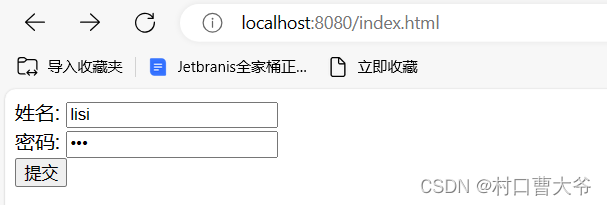
index.html
<!DOCTYPE html>
<html lang="en">
<head><meta charset="UTF-8"><title>index</title>
</head>
<body>
<form method="post" action="http://localhost:8080/index">姓名:  <input type="text" name="name" ><br>密码:  <input type="password" name="password"> <br><input type="submit">
</form>
</body>
</html>
这里的所有代码都写到了同一个文件里面,这样极其的不美观,可以优化一下
相关文章:
vertx的学习总结7之用kotlin 与vertx搞一个简单的http
这里我就简单的聊几句,如何用vertx web来搞一个web项目的 1、首先先引入几个依赖,这里我就用maven了,这个是kotlinvertx web <?xml version"1.0" encoding"UTF-8"?> <project xmlns"http://maven.apac…...
:链路追踪)
golang学习笔记(二):链路追踪
自定义http连接的服务端 package serverimport ("github.com/gin-gonic/gin""go.opentelemetry.io/contrib/instrumentation/github.com/gin-gonic/gin/otelgin""net/http" )type MyServer struct {Server *http.Server }func GetServer() *MyS…...
git提交代码实际操作
1.仓库的代码 2.克隆代码下存在的分支 git clobe https://gitee.com/sadsadasad/big-event-11.git 3.查看当下存在的分支 git branch -a 在很多情况下,我们是要围绕着dev分支进行开发,所以我们可以在开发之前问明白围绕那个分支进行开发。 4.直接拉去dev分支代码 5.如果没在…...
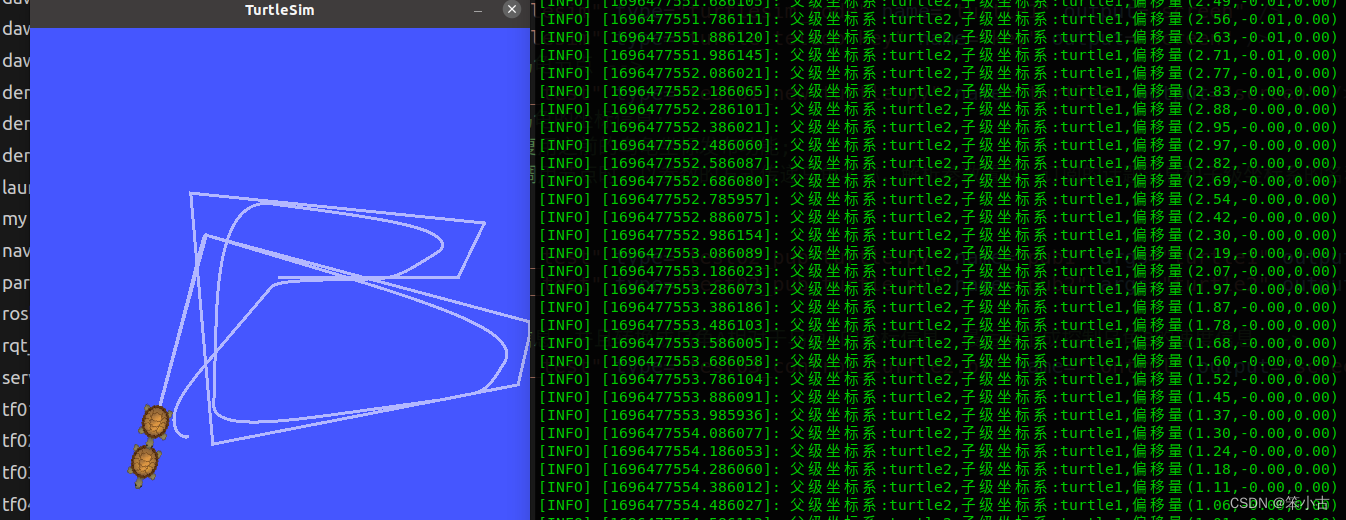
TF坐标变换
ROS小乌龟跟随 5.1 TF坐标变换 Autolabor-ROS机器人入门课程《ROS理论与实践》零基础教程 tf模块:在 ROS 中用于实现不同坐标系之间的点或向量的转换。 在ROS中坐标变换最初对应的是tf,不过在 hydro 版本开始, tf 被弃用,迁移到 tf2,后者更…...

如何进行网络编程和套接字操作?
网络编程是计算机编程中重要的领域之一,它使程序能够在网络上进行数据传输和通信。C语言是一种强大的编程语言,也可以用于网络编程。网络编程通常涉及套接字(Socket)操作,套接字是一种用于网络通信的抽象接口。本文将详…...

在Spark中集成和使用Hudi
本文介绍了在Spark中集成和使用Hudi的功能。使用Spark数据源API(scala和python)和Spark SQL,插入、更新、删除和查询Hudi表的代码片段。 1.安装 Hudi适用于Spark-2.4.3+和Spark 3.x版本。 1.1 Spark 3支持矩阵 Hudi...
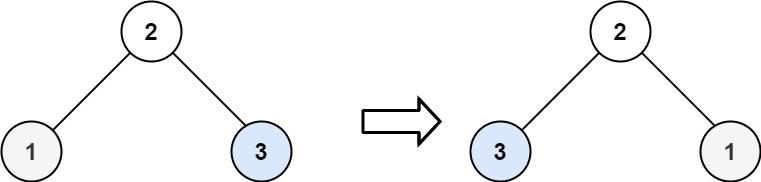
力扣第226翻转二叉数 c++三种方法 +注释
题目 226. 翻转二叉树 简单 给你一棵二叉树的根节点 root ,翻转这棵二叉树,并返回其根节点。 示例 1: 输入:root [4,2,7,1,3,6,9] 输出:[4,7,2,9,6,3,1]示例 2: 输入:root [2,1,3] 输出&am…...
React项目部署 - Nginx配置
写在前面:博主是一只经过实战开发历练后投身培训事业的“小山猪”,昵称取自动画片《狮子王》中的“彭彭”,总是以乐观、积极的心态对待周边的事物。本人的技术路线从Java全栈工程师一路奔向大数据开发、数据挖掘领域,如今终有小成…...
【Vue3】定义全局变量和全局函数
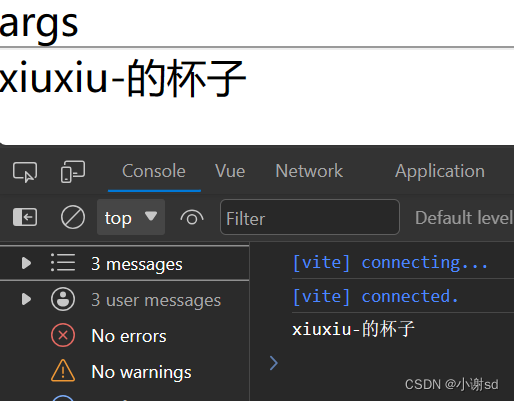
// main.ts import { createApp } from vue import App from ./App.vue const app createApp(App)// 解决 ts 报错 type Filter {format<T>(str: T): string } declare module vue {export interface ComponentCustomProperties {$filters: Filter,$myArgs: string} }a…...

【Pandas】Apply自定义行数
文章目录 1. Series的apply方法2. DataFrame的apply方法2.1 针对列使用apply2.2 针对行使用apply Pandas提供了很多数据处理的API,但当提供的API不能满足需求的时候,需要自己编写数据处理函数, 这个时候可以使用apply函数apply函数可以接收一个自定义函数, 可以将DataFrame的行…...

C#,数值计算——完全VEGAS编码的蒙特·卡洛计算方法与源程序
1 文本格式 using System; namespace Legalsoft.Truffer { /// <summary> /// Complete VEGAS Code /// adaptive/recursive Monte Carlo /// </summary> public abstract class VEGAS { const int NDMX 50; const int …...

纯css实现3D鼠标跟随倾斜
老规矩先上图 为什么今天会想起来整这个呢?这是因为和我朋友吵架, 就是关于这个效果的,就是这个 卡片懸停毛玻璃效果, 我朋友认为纯css也能写, 我则坦言他就是在放狗屁,这种跟随鼠标的3D效果要怎么可能能用纯css写, 然后吵着吵着发现,欸,好像真能用css写哦,我以前还写过这种…...

Pandas数据结构
文章目录 1. Series数据结构1.1 Series数据类型创建1.2 Series的常用属性valuesindex/keys()shapeTloc/iloc 1.3 Series的常用方法mean()max()/min()var()/std()value_counts()describe() 1.4 Series运算加/减法乘法 2. DataFrame数据结构2.1 DataFrame数据类型创建2.2 布尔索引…...
systemverilog function的一点小case
关于function的应用无论是在systemverilog还是verilog中都有很广泛的应用,但是一直有一个模糊的概念困扰着我,今天刚好有时间来搞清楚并记录下来。 关于fucntion的返回值的问题: function integer clog2( input logic[255:0] value);for(cl…...

微服务的初步使用
环境说明 jdk1.8 maven3.6.3 mysql8 idea2022 spring cloud2022.0.8 微服务案例的搭建 新建父工程 打开IDEA,File->New ->Project,填写Name(工程名称)和Location(工程存储位置),选…...
【2023年11月第四版教材】第18章《项目绩效域》(合集篇)
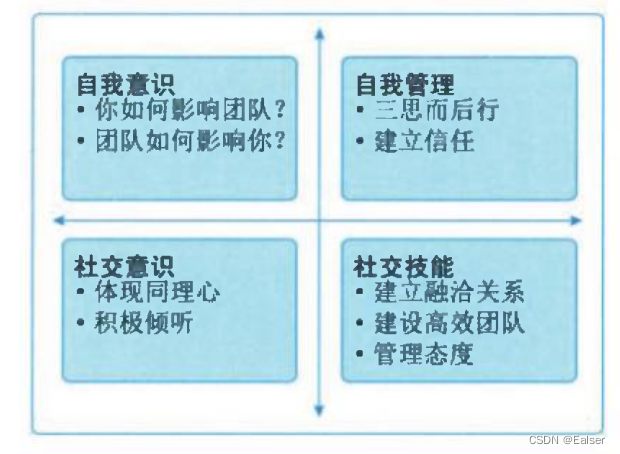
第18章《项目绩效域》(合集篇) 1 章节内容2 干系人绩效域2.1 绩效要点2.2 执行效果检查2.3 与其他绩效域的相互作用 3 团队绩效域3.1 绩效要点3.2 与其他绩效域的相互作用3.3 执行效果检查3.4 开发方法和生命周期绩效域 4 绩效要点4.1 与其他绩效域的相互…...

Android 11.0 mt6771新增分区功能实现三
1.前言 在11.0的系统开发中,在对某些特殊模块中关于数据的存储方面等需要新增分区来保存, 所以就需要在系统分区新增分区,接下来就来实现这个功能,看系列三的实现过程 2.mt6771新增分区功能实现三的核心类 build/make/tools/releasetools/common.py device/mediatek/mt6…...
计算机网络——计算机网络的性能指标(上)-速率、带宽、吞吐量、时延
目录 速率 比特 速率 例1 带宽 带宽在模拟信号系统中的意义 带宽在计算机网络中的意义 吞吐量 时延 发送时延 传播时延 处理时延 例2 例3 速率 了解速率之前,先详细了解一下比特: 比特 计算机中数据量的单位,也是信息论中信…...
)
每日一题 518零钱兑换2(完全背包)
题目 给你一个整数数组 coins 表示不同面额的硬币,另给一个整数 amount 表示总金额。 请你计算并返回可以凑成总金额的硬币组合数。如果任何硬币组合都无法凑出总金额,返回 0 。 假设每一种面额的硬币有无限个。 题目数据保证结果符合 32 位带符号整…...
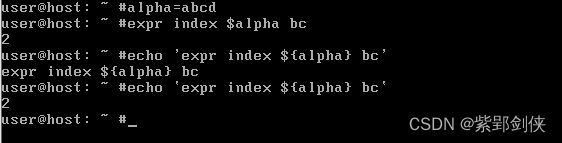
Linux shell编程学习笔记8:使用字符串
一、前言 字符串是大多数编程语言中最常用最有用的数据类型,这在Linux shell编程中也不例外。 本文讨论了Linux Shell编程中的字符串的三种定义方式的差别,以及字符串拼接、取字符串长度、提取字符串、查找子字符串等常用字符串操作,,以及反…...

Java多线程:从入门到进阶
Java多线程:从入门到进阶 1. 引入:为什么需要多线程? 1.1 单线程的瓶颈 假设你要下载三个文件,单线程的做法是:一个个下载,总时间 文件1 文件2 文件3。 downloadFile1(); // 等待完成 downloadFile2();…...

备战蓝桥杯国赛【Day 8】
例题 1:数字统计(蓝桥杯基础题)项目内容类型暴力枚举 / 数学核心遍历区间,统计数字出现次数题目描述 统计范围 [L, R] 的所有整数中,数字 2 出现的次数。 输入格式 L R输出格式 数字 2 出现的次数。 题解 直接遍历每个…...

半导体协同设计:从数据孤岛到开放标准,构建高效芯片开发流程
1. 从“单打独斗”到“协同作战”:半导体设计范式的演进在半导体行业摸爬滚打了十几年,我亲眼见证了芯片设计从一门高度依赖个人英雄主义的“手艺”,逐渐演变为一项必须依靠精密协作的“系统工程”。早期的设计团队,一个资深工程师…...

全面掌握抖音下载工具:高效保存无水印视频的终极方案
全面掌握抖音下载工具:高效保存无水印视频的终极方案 【免费下载链接】douyin-downloader A practical Douyin downloader for both single-item and profile batch downloads, with progress display, retries, SQLite deduplication, and browser fallback suppor…...

认知神经科学研究报告【20260045】
文章目录ForeSight 5.87.5 自动设计8位CPU架构MiniCPU-8 架构自动涌现 — 测试报告结果ForeSight 5.87.5 自动设计8位CPU架构 MiniCPU-8 架构自动涌现 — 测试报告 测试目标:验证系统能否从零开始,自主发现并实现一个能正确执行斐波那契数列计算的8位C…...

抖音批量下载终极指南:5分钟学会免费下载无水印视频
抖音批量下载终极指南:5分钟学会免费下载无水印视频 【免费下载链接】douyin-downloader A practical Douyin downloader for both single-item and profile batch downloads, with progress display, retries, SQLite deduplication, and browser fallback support…...

智能庭院机器人公司「长曜创新」获数千万元 A+ 融资,Tron Ultra 系列年中全球开售
硬氪获悉,智能庭院机器人公司「长曜创新」近日完成数千万元 A 融资,领投方为盈峰环境,老股东 XGROUP 持续加注。公司聚焦无边界割草机器人,其旗舰产品 Tron Ultra 系列将年中全球开售。融资情况与发展方向长曜创新近日完成数千万元…...

安全扫描自动化:构建持续安全检测体系
安全扫描自动化:构建持续安全检测体系 一、安全扫描自动化概述 1.1 安全扫描自动化的定义 安全扫描自动化是指通过工具和脚本自动执行安全检测任务,包括漏洞扫描、代码安全检测、配置安全检查等。它是DevSecOps实践的重要组成部分。 1.2 安全扫描自动化的…...

通过 Taotoken CLI 工具一键配置团队开发环境中的模型端点
🚀 告别海外账号与网络限制!稳定直连全球优质大模型,限时半价接入中。 👉 点击领取海量免费额度 通过 Taotoken CLI 工具一键配置团队开发环境中的模型端点 当团队需要统一接入多个大模型时,管理不同项目的 API 密钥、…...

LLMCompiler:大语言模型并行函数调用框架,降低延迟与成本
1. 项目概述:一个为LLM设计的“并行函数调用编译器”如果你正在构建基于大语言模型的智能体应用,并且被工具调用的延迟和成本问题所困扰,那么LLMCompiler这个框架值得你花时间深入了解。简单来说,它就像是一个为LLM的“函数调用”…...