
【angular】TodoList小项目(已开源)
参考:https://segmentfault.com/a/1190000013519099
文章目录
- 准备工作
- header
- Todo、Doing、Done
- 样式(HTML+CSS)
- 功能(TS)
- 将输入框内容加入todoList(addTodo)
- 将todo事件改到doing
- 服务
- 参考
- 开源
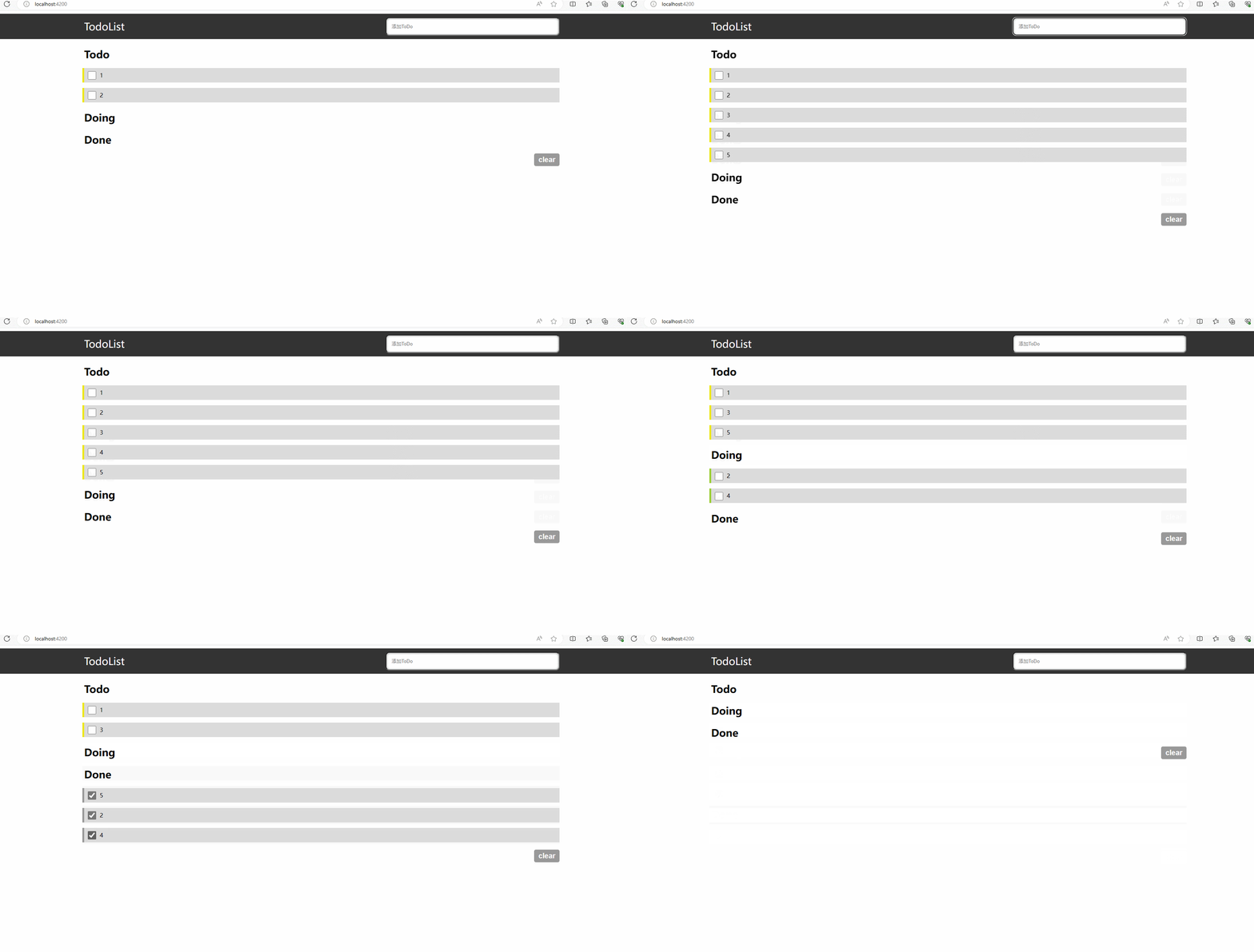
效果:
准备工作
创建项目:ng new my-app
导航到workspace 文件夹:cd my-app
启动这个项目:ng serve --open
创建组件:ng generate component component/todoList
组件的路径是:
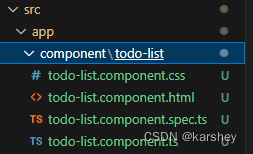
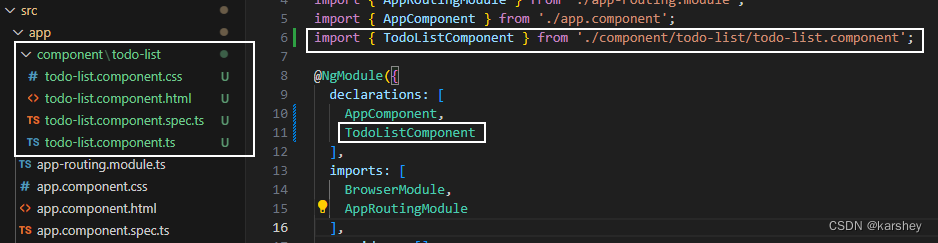
创建了组件后,要把它在根组件配置(app.module.ts):
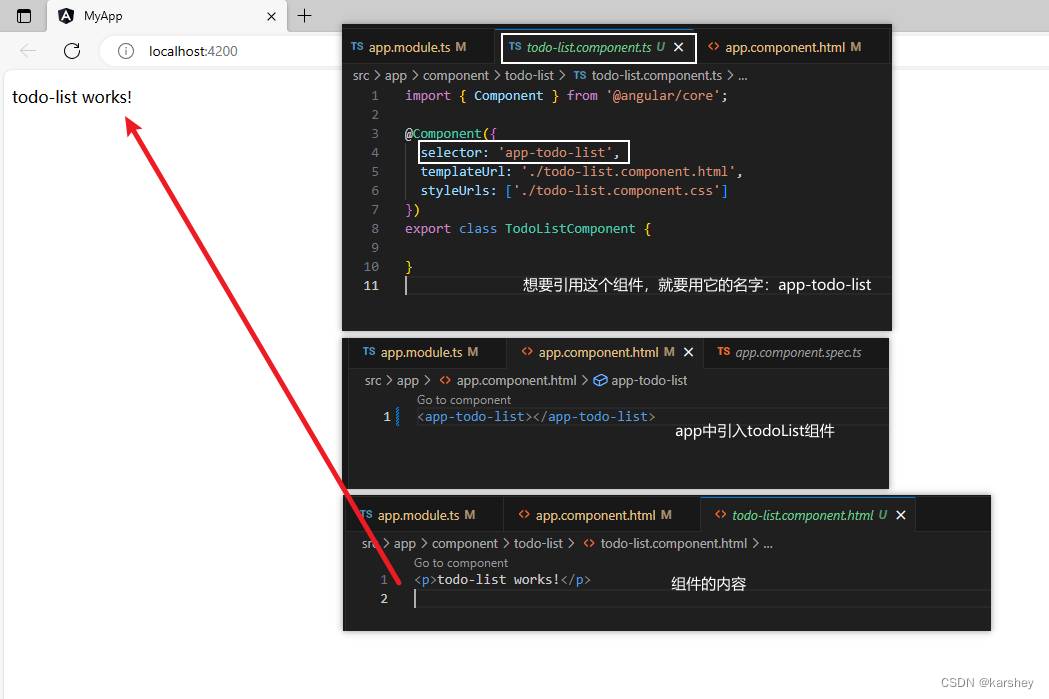
根据TS文件todo-list.component.ts,我们创建的todoList这个组件的名字叫做:app-todo-list。把组件引入到总页面中(app.component.html),启动服务看看。成功!到这里我们已经知道组件怎么创建和引用了。
接下来开始写TodoList!
header
效果:
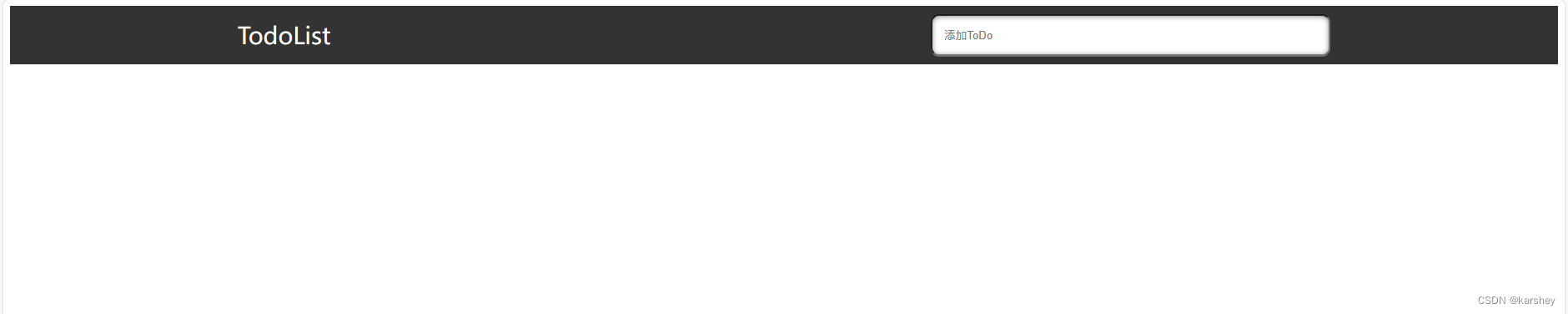
<!-- todo-list.component.html -->
<header><section><label for="title">TodoList</label><input type="text" placeholder="添加ToDo"></section>
</header>
/* todo-list.component.css */
header {height: 70px;background-color: #333;
}header section{display: flex;justify-content: space-between;
}section {margin: 0 auto;width: 70vw;}header section label {font-size: 28px;color: #fff;line-height: 70px;
}header section input {width: 35%;margin: 10px 0;padding-left: 15px;border-radius: 10px;box-shadow: 0 1px 0 rgba(255,255,255,0.24), 0 1px 6px rgba(0,0,0,0.45) inset;
}
Todo、Doing、Done
样式(HTML+CSS)
效果大致是这样:
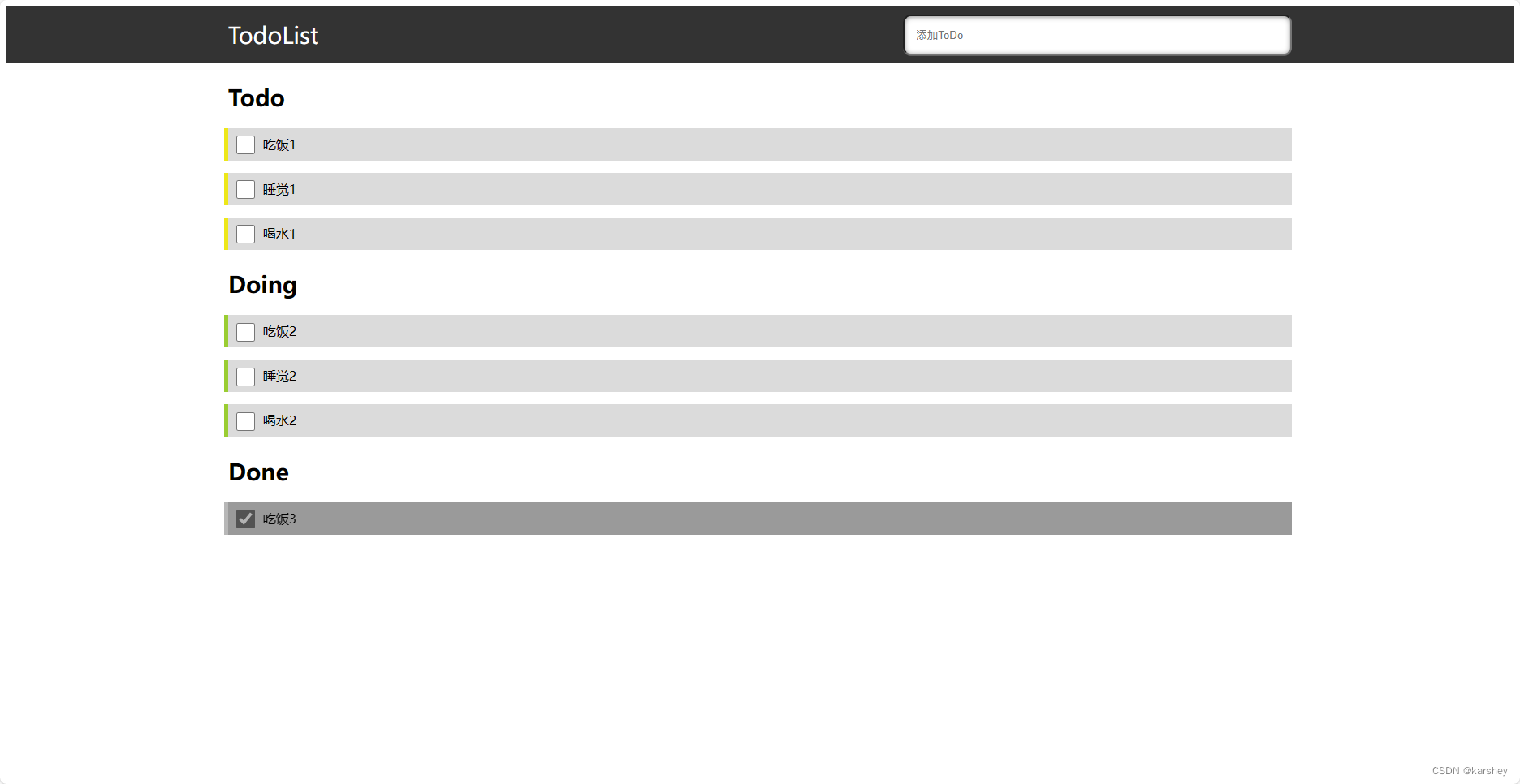
一些细节
复选框与文字对齐
参考:css复选框和文字对齐-CSDN博客
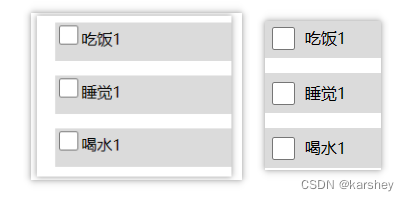
.item .listItem input[type=checkbox] {width: 23px;height: 23px;/* 复选框与文字对齐 */display: inline-block;vertical-align: middle;margin: 0 10px 2px;
}
给Done的item设置阴影
在item外面套一层mask,设置背景黑色。item设置opacity即可。
参考:css为图片添加一层蒙版_css给图片加一层蒙版-CSDN博客
<div class="item done"><h2>Done</h2><div class="list"><!-- 外面的阴影 --><div class="mask"><div class="listItem"><input type="checkbox">吃饭3</div>        </div></div>
</div>
.done .listItem {box-shadow: -5px 0 0 0 #999999;opacity: 0.7;
}.done .mask {background: #000;
}
最终代码
<!-- todo-list.component.html -->
<header><section><label for="title">TodoList</label><input type="text" placeholder="添加ToDo"></section>
</header><section><div class="item todo"><h2>Todo</h2><div class="list"><div class="listItem"><input type="checkbox">吃饭1</div><div class="listItem"><input type="checkbox">睡觉1</div><div class="listItem"><input type="checkbox">喝水1</div></div></div><div class="item doing"><h2>Doing</h2><div class="list"><div class="listItem"><input type="checkbox">吃饭2</div><div class="listItem"><input type="checkbox">睡觉2</div><div class="listItem"><input type="checkbox">喝水2</div></div></div><div class="item done"><h2>Done</h2><div class="list"><!-- 外面的阴影 --><div class="mask"><div class="listItem"><input type="checkbox" checked="checked">吃饭3</div>        </div></div></div>
</section>
/* todo-list.component.css */
header {height: 70px;background-color: #333;
}header section {display: flex;justify-content: space-between;
}section {margin: 0 auto;width: 70vw;}header section label {font-size: 28px;color: #fff;line-height: 70px;
}header section input {width: 35%;margin: 10px 0;padding-left: 15px;border-radius: 10px;box-shadow: 0 1px 0 rgba(255, 255, 255, 0.24), 0 1px 6px rgba(0, 0, 0, 0.45) inset;
}.item {margin: 20px 0;
}.item h2 {color: #000;font-size: 28px;font-weight: 700;margin-bottom: 20px;
}.item .listItem {background-color: #dbdbdb;margin: 15px 0;height: 40px;line-height: 40px;font-size: 16px;
}.todo .listItem {box-shadow: -5px 0 0 0 #ede719;
}.doing .listItem {box-shadow: -5px 0 0 0 yellowgreen;
}.done .listItem {box-shadow: -5px 0 0 0 #999999;opacity: 0.7;
}.done .mask {background: #000;
}.item .listItem input[type=checkbox] {width: 23px;height: 23px;/* 复选框与文字对齐 */display: inline-block;vertical-align: middle;margin: 0 10px 2px;
}
功能(TS)
将输入框内容加入todoList(addTodo)
定义数据,写addTodo方法。
//todo-list.component.ts
export class TodoListComponent {public todo: any = '' //在input栏,即将加入todoListpublic todoList = [] as any;public doingList = [] as any;public doneList = [] as any;// 添加代办时间到todoaddTodo(e: any) {// 回车if (e.keyCode == 13) {this.todoList.push(this.todo)this.todo = ''}}
}
在html中绑定数据和时间:
输入框:
<!-- todo-list.component.html -->
<header><section><label for="title">TodoList</label><input type="text" (keydown)="addTodo($event)" [(ngModel)]='todo' placeholder="添加ToDo"></section>
</header>
todoList:
<div class="item todo"><h2>Todo</h2><div class="list"><div class="listItem" *ngFor="let item of todoList"><input type="checkbox">{{item.todo}}</div></div>
</div>
遇到的问题与解决:
写addTodo方法:
TypeScript 错误 property does not exist on type Object - 掘金 (juejin.cn)
Parameter ‘xxx’ implicitly has an ‘any’ type的解决_implicitly has an ‘any’ type-CSDN博客
在绑定[(ngModel)]=‘todo’:解决Angular报错 Can’t bind to ‘ngModel’ since it isn’t a known property of ‘input’-CSDN博客
将todoObj push进todoList:类型“{ name: any; value: string; }”的参数不能赋给类型“never”的参数。_类型“any”的参数不能赋给类型“never”的参数_干饭了干饭了1的博客-CSDN博客
将todo事件改到doing
功能:todo打勾(点击事件),它就加到doingList中。doing到done、done到todo以此类推。
// todo 改为doing
todoChange(key: any) {this.doingList.push(this.todoList[key])this.todoList.splice(key,1)
}
<div class="item todo"><h2>Todo</h2><div class="list"><div class="listItem" *ngFor="let item of todoList;let key=index"><input type="checkbox" (click)="todoChange(key)">{{item}}</div></div>
</div>
刷新一下,发现页面中的数据都没了。如果想要保存页面数据,我们需要做以下操作。
服务
参考:angularcli 第七篇(service 服务) - 撑死的喵~ - 博客园 (cnblogs.com)
在控制台创建服务:
ng g service services/storage
app.module.ts中引入创建的服务:
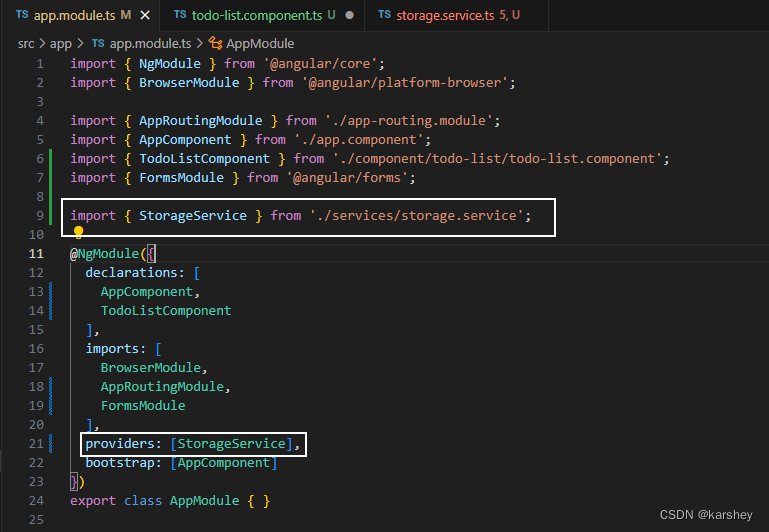
在要使用的页面引入和注入服务:
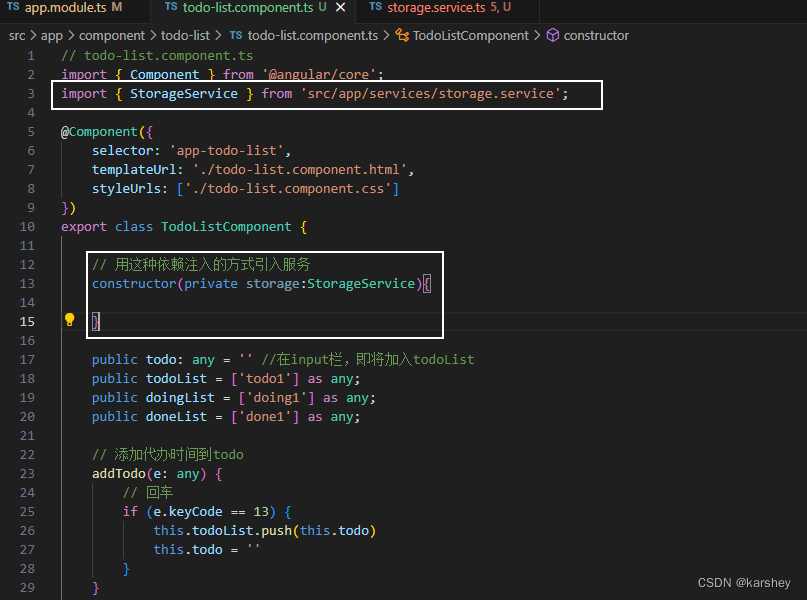
具体服务:
可能的报错:ts报错:类型“string | null”的参数不能赋给类型“string”的参数。 不能将类型“null”分配给类型“string”。-CSDN博客
// storage.service.ts
import { Injectable } from '@angular/core';@Injectable({providedIn: 'root'
})
export class StorageService {constructor() { }setItem(key: any, value: any) {localStorage.setItem(key, JSON.stringify(value));}getItem(key: any) {return JSON.parse(localStorage.getItem(key) || '')}
}在每个会修改todoList、doingList、doneList的代码下面加上对应的this.storage.setItem('xx',this.xx),把数据存放在本地中。
// 添加代办时间到todo
addTodo(e: any) {// 回车if (e.keyCode == 13) {this.todoList.push(this.todo)this.todo = ''this.storage.setItem('todoList',this.todoList)}
}// todo 改为doing
todoChange(key: any) {this.doingList.push(this.todoList[key])this.todoList.splice(key,1)this.storage.setItem('todoList',this.todoList)this.storage.setItem('doingList',this.doingList)
}// doing 改为done
doingChange(key: any) {this.doneList.push(this.doingList[key])this.doingList.splice(key,1)this.storage.setItem('doneList',this.doneList)this.storage.setItem('doingList',this.doingList)
}// done 改为todo
doneChange(key: any) {this.todoList.push(this.doneList[key])this.doneList.splice(key,1)this.storage.setItem('todoList',this.todoList)this.storage.setItem('doneList',this.doneList)
}
大功告成!
参考
Angular - Angular 文档简介
angularjs - 和我一起入坑,Angular入门,Angular版的ToDoList - 个人文章 - SegmentFault 思否
css复选框和文字对齐-CSDN博客
box-shadow 设置单边、多边阴影 - 掘金 (juejin.cn)
css为图片添加一层蒙版_css给图片加一层蒙版-CSDN博客
js 键盘监听(回车)_js监听键盘回车-CSDN博客
TypeScript 错误 property does not exist on type Object - 掘金 (juejin.cn)
Parameter ‘xxx’ implicitly has an ‘any’ type的解决_implicitly has an ‘any’ type-CSDN博客
angularcli 第七篇(service 服务) - 撑死的喵~ - 博客园 (cnblogs.com)
ts报错:类型“string | null”的参数不能赋给类型“string”的参数。 不能将类型“null”分配给类型“string”。-CSDN博客
开源
https://gitee.com/karshey/angular-todo-list
相关文章:
【angular】TodoList小项目(已开源)
参考:https://segmentfault.com/a/1190000013519099 文章目录 准备工作headerTodo、Doing、Done样式(HTMLCSS)功能(TS)将输入框内容加入todoList(addTodo)将todo事件改到doing 服务 参考开源 效…...
【Java 进阶篇】HTML块级元素详解
HTML(Hypertext Markup Language)是用于创建网页的标记语言。在HTML中,元素被分为块级元素和内联元素两种主要类型。块级元素通常用于构建网页的结构,而内联元素则嵌套在块级元素内,用于添加文本和其他内容。本文将重点…...
CSS设置鼠标样式和添加视频样式
鼠标的样式 <div style"cursor: default">默认鼠标的样式</div><div style"cursor: pointer">小手样式</div><div style"cursor: move">移动样式</div><div style"cursor: text">文本样式&…...
项目文件上传到行云codeup teambition
接手公司好几年的老项目,在行云上已经有1.9G的大小所以被限制上传了 只有花钱扩容或者重新建库。 1.重新建库:登录你的行云账户在代码库中新建代码库(网上有详细的) 创建成功后的库中只有readme文件。 2.复制代码库的下载地址 …...

现货黄金和实物黄金有什么区别?
在黄金投资市场中,现货黄金和实物黄金都是两种比较受欢迎的黄金投资品种。想想越来越多人认识到黄金投资的重要性,那么要选择一个投资品种,应该选哪个黄金投资品种呢?下面我们就来讨论一下这两者有何区别,以及投资者应…...
)
/dev下没有video0这个文件(ubuntu无法打开摄像头)
文章目录 硬件问题一、查看虚拟机摄像头连接情况二、解决红色报错三、虚拟机硬件处理内容问题一、设备号二、视频格式问题硬件问题 一、查看虚拟机摄像头连接情况 报错详情 ERROR: cannot launch node of type [image_view/image_view]: image_view ROS path [0]=/opt/ros/m…...
mysql面试题32:MySQL数据库服务器性能分析的方法命令有哪些?
该文章专注于面试,面试只要回答关键点即可,不需要对框架有非常深入的回答,如果你想应付面试,是足够了,抓住关键点 面试官:MySQL数据库服务器性能分析的方法命令有哪些? MySQL数据库服务器性能分析的方法和命令有以下几种: EXPLAIN命令:用于分析查询语句的执行计划,…...

伦敦银最新价格能进吗?
不少新手的伦敦银投资者由于看不懂行情走势,在行情机会来临时总感觉患得患失,但由于又十分渴望在这个市场上实现收益,所以经常通过各种各样的方式方法和手段,希望行情走势什么时候会出现进场的机会。 可以肯定的是,伦敦…...
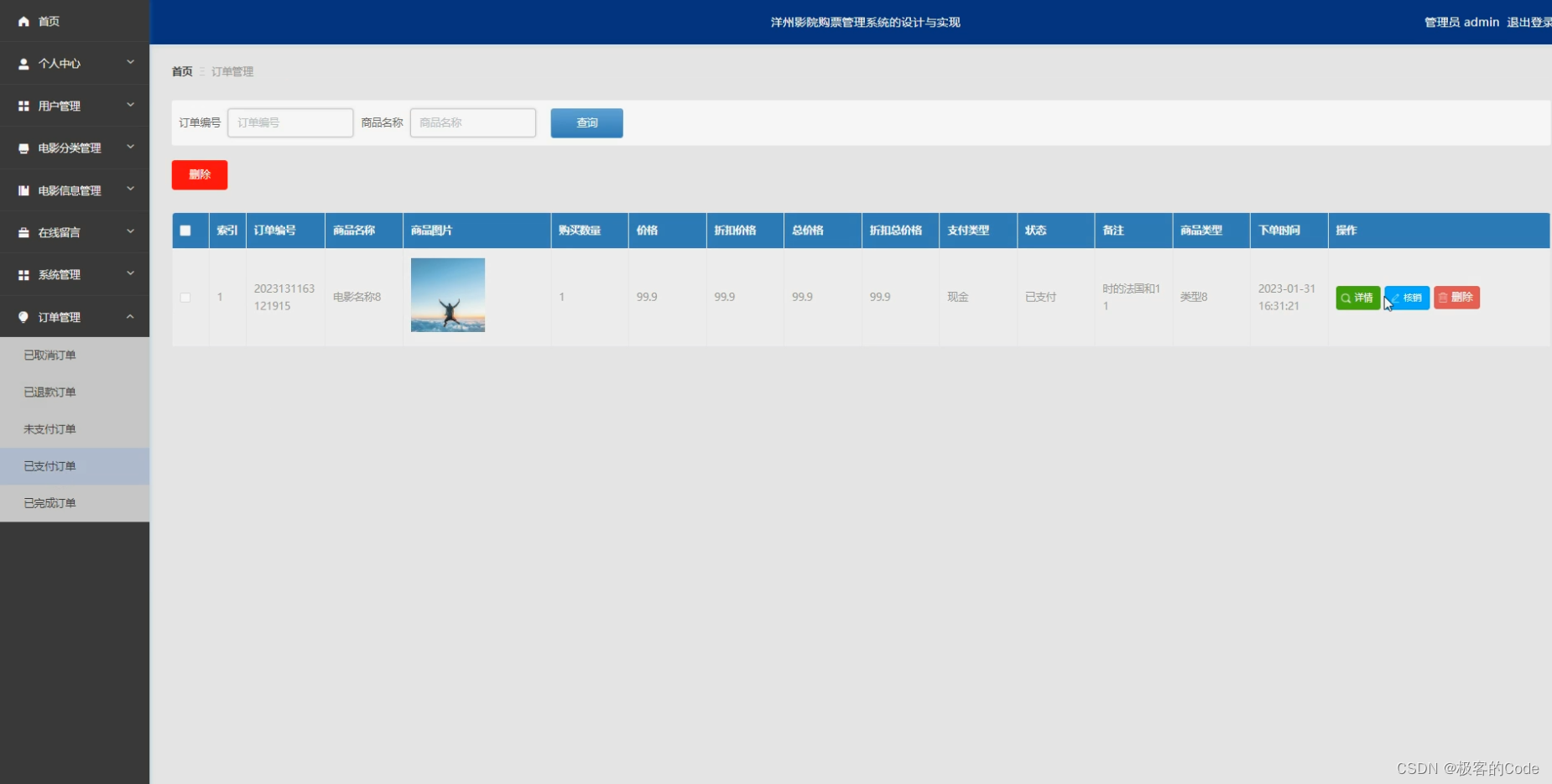
【计算机毕设案例推荐】洋州影院购票管理系统SpringBoot+Vue
前言:我是IT源码社,从事计算机开发行业数年,专注Java领域,专业提供程序设计开发、源码分享、技术指导讲解、定制和毕业设计服务 项目名 基于SpringBoot的洋州影院购票管理系统 技术栈 SpringBootVueMySQLMaven 文章目录 一、洋州…...

Java设计模式之模板方法模式
模板方法模式(Template Method Pattern)是一种行为型设计模式,它定义了一个算法骨架,将一些步骤的具体实现延迟到子类中。模板方法模式通过将共同的代码逻辑放在父类中,而将具体的实现细节留给子类来实现,从…...
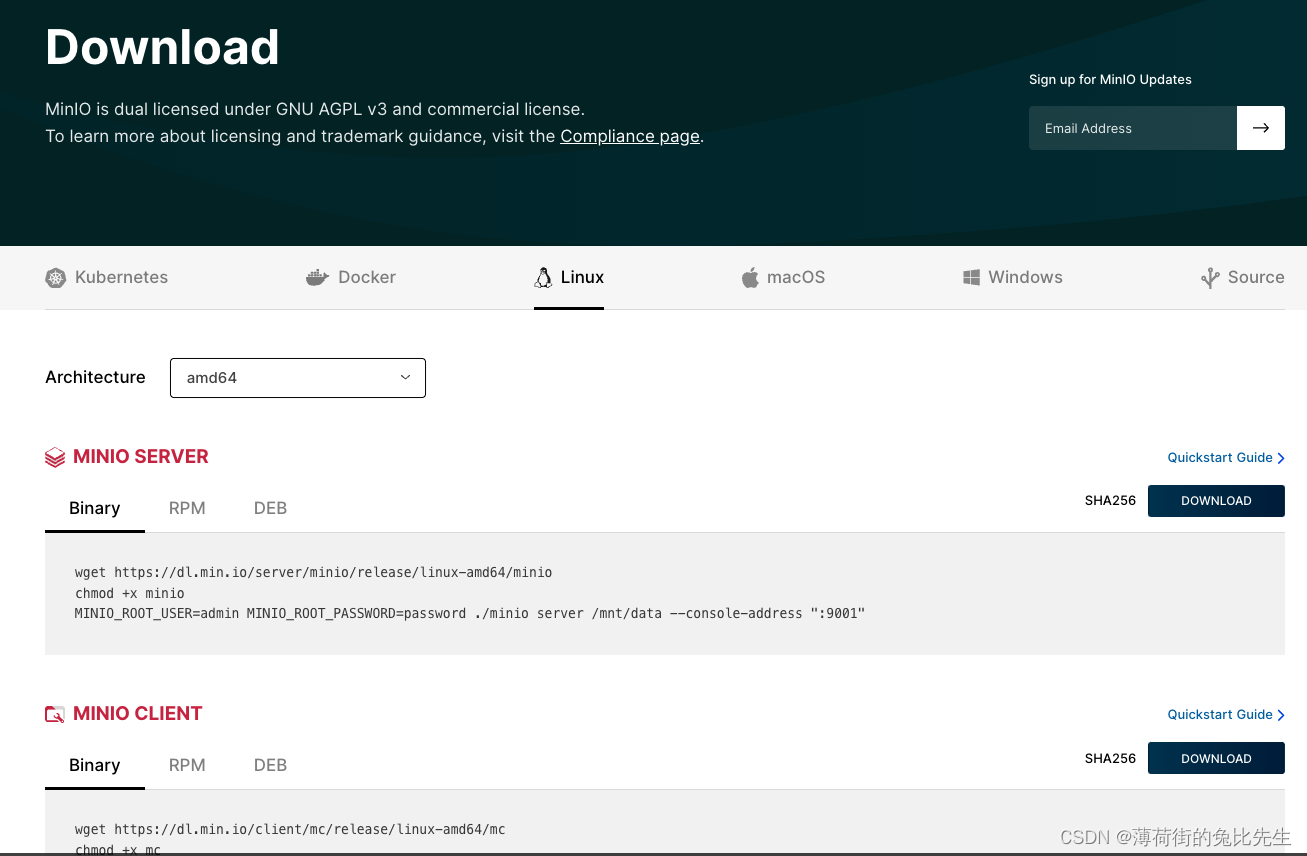
MinIO的安装与使用
文章目录 1.MINIO是什么?2.MINIO安装3.启动脚本4.打开MINIO页面5.MC命令6.MINIO备份脚本 1.MINIO是什么? MinIO 是一款高性能、分布式的对象存储系统. 它是一款软件产品, 可以100%的运行在标准硬件。即X86等低成本机器也能够很好的运行MinIO。 MinIO与…...

“==”和equals的区别
总结几句话: 双等号始终是 1.基本数据类型:比较存储的值是否相等。 2.引用数据类型:比较所指对象的地址值是否相等。 equals 1.没有被重写过: 相当于;但是不能比较基本数据类型,比较的是引用对象的所指…...

QT - 对话框去掉标题栏问号
要去掉 Qt 对话框的标题栏上的问号图标,你可以使用 Qt::CustomizeWindowHint 标志来定制对话框的窗口样式。 以下是一个示例代码,演示如何去掉标题栏上的问号图标: #include <QDialog> #include <QDialogButtonBox> #include &…...

FPGA---UDP通信求助
项目场景: 使用UDP进行回环,网络调试助手,发送数据通过UDP接收模块接收,解析出数据,给到UDP发送模块,传回上位机。 问题描述 UDP接收模块中,接收到的CRC校验值与自己计算CRC校验值进行判断&am…...
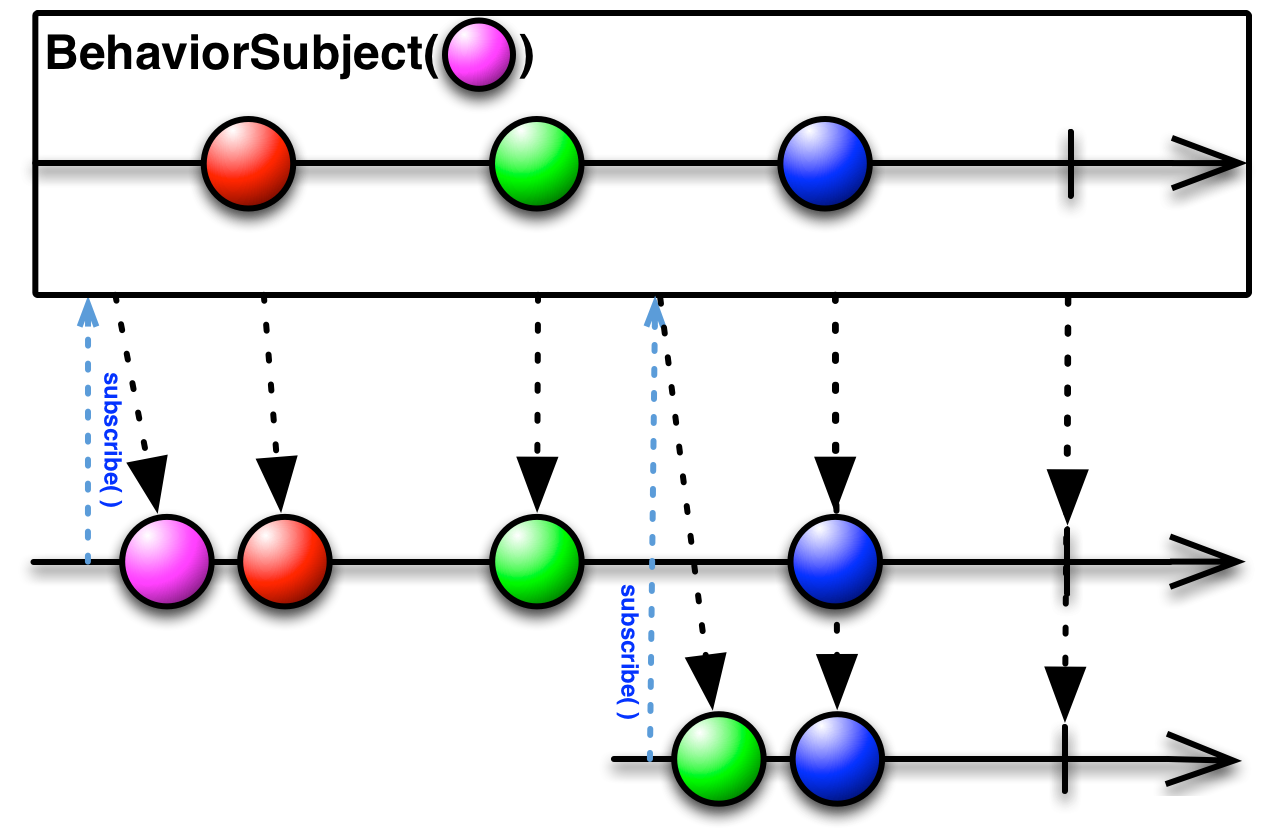
RxJava介绍及基本原理
随着互联网的迅猛发展,Java已成为最广泛应用于后端开发的语言之一。而在处理异步操作和事件驱动编程方面,传统的Java多线程并不总是最佳选择。这时候,RxJava作为一个基于观察者模式、函数式编程和响应式编程理念的库,为我们提供了…...
nginx目录穿越
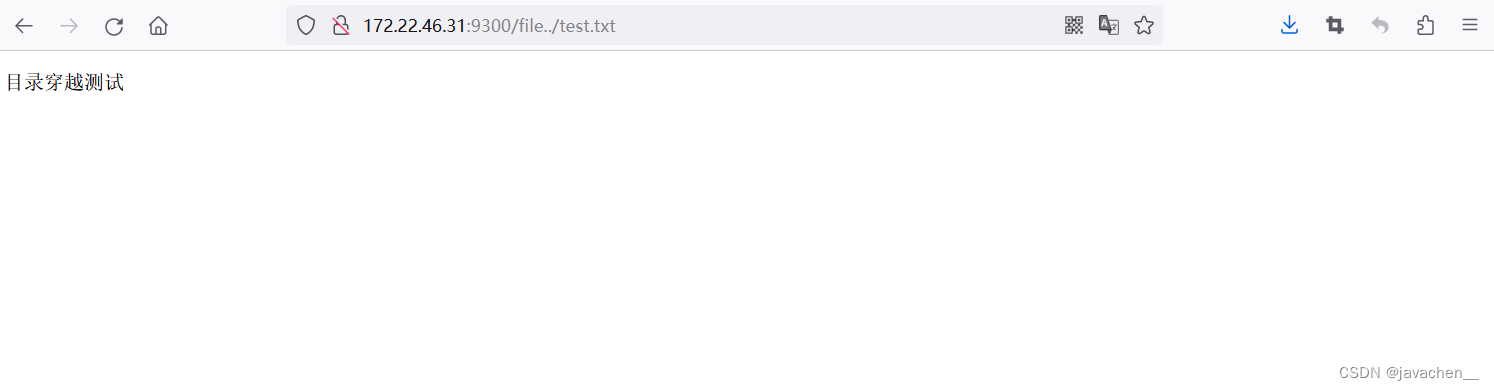
测试nginx版本为nginx/1.23.3 location /file {alias /home/;} 在/usr跟目录下新建a.txt测试文件 通过访问 http://{ip}:{端口}/file../test.txt 实现目录穿越 防护:location与alias的值都加上/或不加/...
stl String
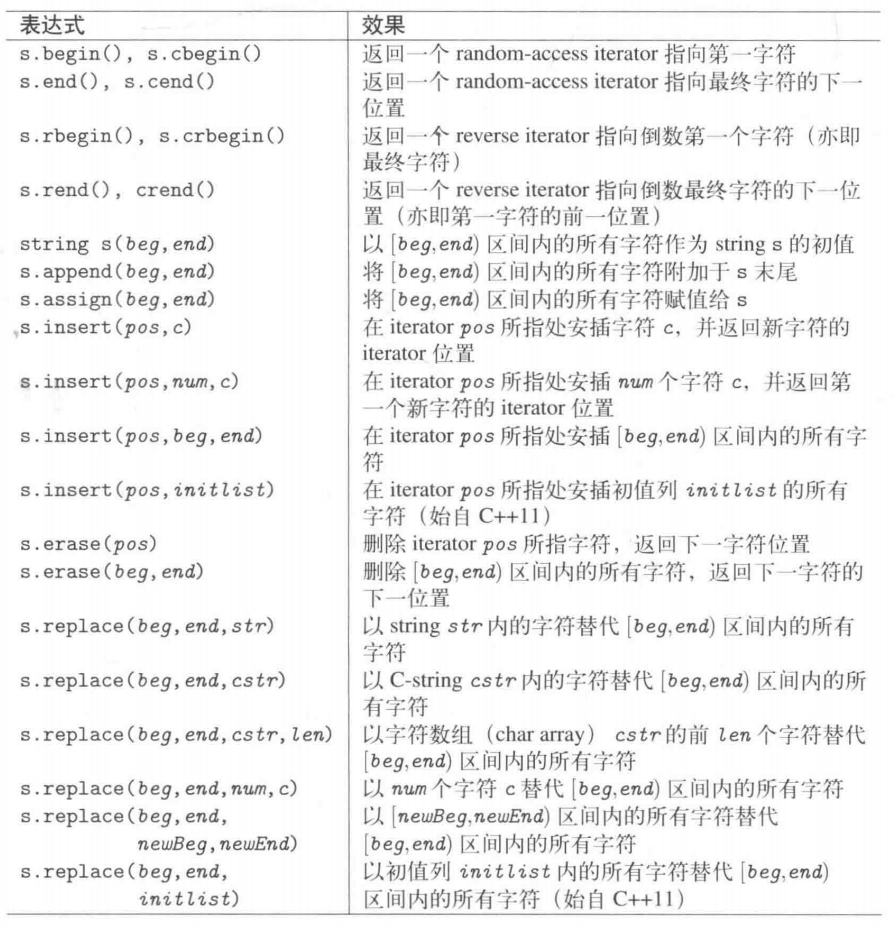
构造函数 表达式 效果 string s 生成一个空的 string s string s(str) Copy 构造函数,创建一个 string str 的拷贝 string s(rvStr) Move 构造函数,创建一个 string 并将 rvStr 的内容搬移给 s string s(str,stridx) 将 string str 内“始于位置…...

java通过ffmpeg将wav音频文件转广播音频编码-G.711文件发送
1.直接将wav文件转g711 [ffmpeg.exe -i F:\\tt\\2.wav -f s16le -ar 8k -ac 1 -acodec pcm_s16le F:\\tt\\2pcm.g711] String cmdFfmpeg = "ffmpeg -i "+localUrl...

【Spring】Springmvc执行流程
介绍 SpringMVC是一种基于Spring实现了Web MVC设计模式的请求驱动类型的轻量级Web框架,使用了MVC的架构模式思想,将Web层进行指责解耦,并管理应用所需的生命周期,为简化日常开发,提供了很大便利。 组件 组件Dispatche…...

游戏软件开发与应用软件开发有什么不同呢?
游戏软件开发和应用软件开发是两种不同类型的软件开发,它们在许多方面都有不同之处。以下是它们之间的一些主要区别: 目标用户群体: 游戏软件开发的主要目标是提供娱乐和休闲体验,通常面向广大的游戏玩家群体。游戏软件的设计和开…...

对称与负电源测试:动态直流电子负载的设计、原理与应用
1. 项目概述:对称与负电源的静态与动态直流负载在电子实验室里,测试一个电源的性能,尤其是它的动态响应能力,是件既基础又关键的事。我们常说的“直流电子负载”就是这个领域的核心工具。我之前设计并分享过一个用于正电源测试的静…...

Simulink中Repeating Sequence锯齿波显示恒为0解决方案
锯齿波设置如图1时,其示波器显示恒为0(如图2)。图1图2于是新建模型,只添加Repeating Sequence模块,采用原始设置发现可以正常输出锯齿波,于是调整时间参数,发现当时间设置为≥[0 0.06]时可以正常…...

基于声卡与电流互感器的安全交流功率测量系统设计与实践
1. 项目概述:用声卡安全测量交流功率我一直对各种测量技术抱有浓厚的兴趣,毕竟“测量即认知”这句老话在今天依然适用。对于电力消耗和产出,没有什么比直接测量更能说明问题了。交流功率的测量,核心在于同时获取电压和电流的瞬时值…...

Gofile批量下载自动化工具:5步实现高效文件管理解决方案
Gofile批量下载自动化工具:5步实现高效文件管理解决方案 【免费下载链接】gofile-downloader Download files from https://gofile.io 项目地址: https://gitcode.com/gh_mirrors/go/gofile-downloader 在当今数字化工作环境中,技术团队经常需要从…...

LangGraph状态机工程:构建复杂AI工作流的完整指南
传统RAG(检索增强生成)在处理简单的"单跳"问题时表现良好——“文章里提到了什么” “这个概念是什么意思”——但当问题涉及多个实体之间的关系、需要跨多个文档推理时,传统RAG就显得力不从心。GraphRAG(Graph-based R…...

FairyGUI Unity鼠标悬停与点击对象获取原理与实战
1. 这不是“加个OnMouseEnter就能用”的事:FairyGUI在Unity中处理鼠标交互的真实困境很多人第一次在Unity里集成FairyGUI,想实现“鼠标悬停显示提示”或“点击高亮当前按钮”,下意识就去翻Unity的MonoBehaviour文档,找OnMouseEnte…...

浏览器指纹识别机制深度剖析与反识别技术实现
一、浏览器指纹技术基础认知1.1 浏览器指纹的核心定义在数字化时代,每一台接入互联网的设备都会留下独特的数字标识,浏览器指纹便是其中最关键的识别凭证之一。浏览器指纹是网站通过 JavaScript 脚本、HTTP 请求头、硬件接口调用等多种技术手段ÿ…...

Jupyter Notebook里跑argparse脚本总报错?一个空列表参数搞定ipykernel_launcher.py error
Jupyter Notebook中argparse报错的终极解决方案:空列表参数实战解析在数据科学和机器学习的工作流中,Jupyter Notebook因其交互式特性成为众多研究者的首选工具。然而,当我们尝试在Notebook中运行那些原本为命令行设计的Python脚本时…...

什么情况下会核销贷款
贷款核销的核心前提是:贷款被认定为 “损失类” 且经 “穷尽追偿” 仍无法收回,银行按监管与会计规则从账面冲销,但债权不消灭、仍可追偿。一、核心认定条件(满足其一即可)破产 / 注销 / 吊销:借款人和担保…...

通用物联网开发板设计:基于ESP8266的硬件集成与开发实践
1. 项目概述:为什么我们需要一块“通用”的物联网开发板?在捣鼓了几年物联网项目之后,我发现自己桌面上堆满了各种开发板:ESP8266、ESP32、Arduino Uno、STM32 Nucleo……每个项目都要重新连线、配置电源、焊接传感器接口…...