
vue视频直接播放rtsp流;vue视频延迟问题解决;webRTC占cpu太大卡死问题解决;解决webRTC播放卡花屏问题:
播放多个视频
<div class="video-box"><div class="video"><iframe style="width:100%;height:100%;" name="ddddd" id="iframes" scrolling="auto" :src="videoLeftUrl"></iframe></div><div class="video"><iframe style="width:100%;height:100%;" name="ddddd" id="iframes" scrolling="auto" :src="videoRightUrl"></iframe></div><div class="video"><iframe style="width:100%;height:100%;" name="ddddd" id="iframes" scrolling="auto" :src="videoRtspUrl"></iframe></div></div>js部分其中的item就是rtsp视频流
getShareVideoLeftUrl(item) {this.videoLeftUrl = `/static/test.html?data=${item}`},getShareVideoRightUrl(item) {this.videoRightUrl = `/static/test.html?data=${item}`},getShareVideoRtspUrl(item) {this.videoRtspUrl = `/static/test.html?data=${item}`},public/static/test.html内容
<html><head><script src="js/webrtcstreamer.js"></script><script>// 接受从vue组件中传过来的参数let url = location.search; //这一条语句获取了包括问号开始到参数的最后,不包括前面的路径let params = url.substr(1); //去掉问号let pa = params.split("&");let s = new Object();//  设置后端服务地址let VIDEOURL = "http://172.18.127.7:8000" //服务视频webrtcfor (let i = 0; i < pa.length; i++) {s[pa[i].split("=")[0]] = unescape(pa[i].split("=")[1]);}console.log(s.data)window.onload = function() {webRtcServer = new WebRtcStreamer("video", VIDEOURL);webRtcServer.connect(s.data);}window.onbeforeunload = function() {webRtcServer.disconnect();}</script></head><body><h1 value="da3"></h1><video id="video" style="width: 100%;height: 100%;" controls autoplay muted /></body>
</html>
其中public/static/js/webrtcstreamer.js文件内容如下
var WebRtcStreamer = (function() {/** * Interface with WebRTC-streamer API* @constructor* @param {string} videoElement - id of the video element tag* @param {string} srvurl -  url of webrtc-streamer (default is current location)
*/
var WebRtcStreamer = function WebRtcStreamer (videoElement, srvurl) {if (typeof videoElement === "string") {this.videoElement = document.getElementById(videoElement);} else {this.videoElement = videoElement;}this.srvurl           = srvurl || location.protocol+"//"+window.location.hostname+":"+window.location.port;this.pc               = null;    this.pcOptions        = { "optional": [{"DtlsSrtpKeyAgreement": true} ] };this.mediaConstraints = { offerToReceiveAudio: true, offerToReceiveVideo: true };this.iceServers = null;this.earlyCandidates = [];
}WebRtcStreamer.prototype._handleHttpErrors = function (response) {if (!response.ok) {throw Error(response.statusText);}return response;
}/** * Connect a WebRTC Stream to videoElement * @param {string} videourl - id of WebRTC video stream* @param {string} audiourl - id of WebRTC audio stream* @param {string} options -  options of WebRTC call* @param {string} stream  -  local stream to send
*/
WebRtcStreamer.prototype.connect = function(videourl, audiourl, options, localstream) {this.disconnect();// getIceServers is not already receivedif (!this.iceServers) {console.log("Get IceServers");fetch(this.srvurl + "/api/getIceServers").then(this._handleHttpErrors).then( (response) => (response.json()) ).then( (response) =>  this.onReceiveGetIceServers.call(this,response, videourl, audiourl, options, localstream)).catch( (error) => this.onError("getIceServers " + error ))} else {this.onReceiveGetIceServers(this.iceServers, videourl, audiourl, options, localstream);}
}/** * Disconnect a WebRTC Stream and clear videoElement source
*/
WebRtcStreamer.prototype.disconnect = function() {		if (this.videoElement) {this.videoElement.src = "";}if (this.pc) {fetch(this.srvurl + "/api/hangup?peerid="+this.pc.peerid).then(this._handleHttpErrors).catch( (error) => this.onError("hangup " + error ))try {this.pc.close();}catch (e) {console.log ("Failure close peer connection:" + e);}this.pc = null;}
}    /*
* GetIceServers callback
*/
WebRtcStreamer.prototype.onReceiveGetIceServers = function(iceServers, videourl, audiourl, options, stream) {this.iceServers       = iceServers;this.pcConfig         = iceServers || {"iceServers": [] };try {            this.createPeerConnection();var callurl = this.srvurl + "/api/call?peerid="+ this.pc.peerid+"&url="+encodeURIComponent(videourl);if (audiourl) {callurl += "&audiourl="+encodeURIComponent(audiourl);}if (options) {callurl += "&options="+encodeURIComponent(options);}if (stream) {this.pc.addStream(stream);}// clear early candidatesthis.earlyCandidates.length = 0;// create Offervar bind = this;this.pc.createOffer(this.mediaConstraints).then(function(sessionDescription) {console.log("Create offer:" + JSON.stringify(sessionDescription));bind.pc.setLocalDescription(sessionDescription, function() {fetch(callurl, { method: "POST", body: JSON.stringify(sessionDescription) }).then(bind._handleHttpErrors).then( (response) => (response.json()) ).catch( (error) => bind.onError("call " + error )).then( (response) =>  bind.onReceiveCall.call(bind,response) ).catch( (error) => bind.onError("call " + error ))}, function(error) {console.log ("setLocalDescription error:" + JSON.stringify(error)); } );}, function(error) { alert("Create offer error:" + JSON.stringify(error));});} catch (e) {this.disconnect();alert("connect error: " + e);}
}WebRtcStreamer.prototype.getIceCandidate = function() {fetch(this.srvurl + "/api/getIceCandidate?peerid=" + this.pc.peerid).then(this._handleHttpErrors).then( (response) => (response.json()) ).then( (response) =>  this.onReceiveCandidate.call(this, response)).catch( (error) => bind.onError("getIceCandidate " + error ))
}/*
* create RTCPeerConnection
*/
WebRtcStreamer.prototype.createPeerConnection = function() {console.log("createPeerConnection  config: " + JSON.stringify(this.pcConfig) + " option:"+  JSON.stringify(this.pcOptions));this.pc = new RTCPeerConnection(this.pcConfig, this.pcOptions);var pc = this.pc;pc.peerid = Math.random();		var bind = this;pc.onicecandidate = function(evt) { bind.onIceCandidate.call(bind, evt); };pc.onaddstream    = function(evt) { bind.onAddStream.call(bind,evt); };pc.oniceconnectionstatechange = function(evt) {  console.log("oniceconnectionstatechange  state: " + pc.iceConnectionState);if (bind.videoElement) {if (pc.iceConnectionState === "connected") {bind.videoElement.style.opacity = "1.0";}			else if (pc.iceConnectionState === "disconnected") {bind.videoElement.style.opacity = "0.25";}			else if ( (pc.iceConnectionState === "failed") || (pc.iceConnectionState === "closed") )  {bind.videoElement.style.opacity = "0.5";} else if (pc.iceConnectionState === "new") {bind.getIceCandidate.call(bind)}}}pc.ondatachannel = function(evt) {  console.log("remote datachannel created:"+JSON.stringify(evt));evt.channel.onopen = function () {console.log("remote datachannel open");this.send("remote channel openned");}evt.channel.onmessage = function (event) {console.log("remote datachannel recv:"+JSON.stringify(event.data));}}pc.onicegatheringstatechange = function() {if (pc.iceGatheringState === "complete") {const recvs = pc.getReceivers();recvs.forEach((recv) => {if (recv.track && recv.track.kind === "video") {console.log("codecs:" + JSON.stringify(recv.getParameters().codecs))}});}}try {var dataChannel = pc.createDataChannel("ClientDataChannel");dataChannel.onopen = function() {console.log("local datachannel open");this.send("local channel openned");}dataChannel.onmessage = function(evt) {console.log("local datachannel recv:"+JSON.stringify(evt.data));}} catch (e) {console.log("Cannor create datachannel error: " + e);}	console.log("Created RTCPeerConnnection with config: " + JSON.stringify(this.pcConfig) + "option:"+  JSON.stringify(this.pcOptions) );return pc;
}/*
* RTCPeerConnection IceCandidate callback
*/
WebRtcStreamer.prototype.onIceCandidate = function (event) {if (event.candidate) {if (this.pc.currentRemoteDescription)  {this.addIceCandidate(this.pc.peerid, event.candidate);					} else {this.earlyCandidates.push(event.candidate);}} else {console.log("End of candidates.");}
}WebRtcStreamer.prototype.addIceCandidate = function(peerid, candidate) {fetch(this.srvurl + "/api/addIceCandidate?peerid="+peerid, { method: "POST", body: JSON.stringify(candidate) }).then(this._handleHttpErrors).then( (response) => (response.json()) ).then( (response) =>  {console.log("addIceCandidate ok:" + response)}).catch( (error) => this.onError("addIceCandidate " + error ))
}/*
* RTCPeerConnection AddTrack callback
*/
WebRtcStreamer.prototype.onAddStream = function(event) {console.log("Remote track added:" +  JSON.stringify(event));this.videoElement.srcObject = event.stream;var promise = this.videoElement.play();if (promise !== undefined) {var bind = this;promise.catch(function(error) {console.warn("error:"+error);bind.videoElement.setAttribute("controls", true);});}
}/*
* AJAX /call callback
*/
WebRtcStreamer.prototype.onReceiveCall = function(dataJson) {var bind = this;console.log("offer: " + JSON.stringify(dataJson));var descr = new RTCSessionDescription(dataJson);this.pc.setRemoteDescription(descr, function()      { console.log ("setRemoteDescription ok");while (bind.earlyCandidates.length) {var candidate = bind.earlyCandidates.shift();bind.addIceCandidate.call(bind, bind.pc.peerid, candidate);				}bind.getIceCandidate.call(bind)}, function(error) { console.log ("setRemoteDescription error:" + JSON.stringify(error)); });
}	/*
* AJAX /getIceCandidate callback
*/
WebRtcStreamer.prototype.onReceiveCandidate = function(dataJson) {console.log("candidate: " + JSON.stringify(dataJson));if (dataJson) {for (var i=0; i<dataJson.length; i++) {var candidate = new RTCIceCandidate(dataJson[i]);console.log("Adding ICE candidate :" + JSON.stringify(candidate) );this.pc.addIceCandidate(candidate, function()      { console.log ("addIceCandidate OK"); }, function(error) { console.log ("addIceCandidate error:" + JSON.stringify(error)); } );}this.pc.addIceCandidate();}
}/*
* AJAX callback for Error
*/
WebRtcStreamer.prototype.onError = function(status) {console.log("onError:" + status);
}return WebRtcStreamer;
})();if (typeof module !== 'undefined' && typeof module.exports !== 'undefined')module.exports = WebRtcStreamer;
elsewindow.WebRtcStreamer = WebRtcStreamer;
这里启用需要下载webRTC
https://github.com/mpromonet/webrtc-streamer/releases
需要注意的是这里启动不要直接双击而是使用cmd命令启动

start 应用名 -o
一定加上-o否则webRTC占cpu太大 容易卡死
解决卡花屏问题:
在html页面中的webRtcServer.connect(s.data,"","rtptransport=tcp");加上"","rtptransport=tcp"就搞定
<html><head><script src="js/webrtcstreamer.js"></script><script>// 接受从vue组件中传过来的参数let url = location.search; //这一条语句获取了包括问号开始到参数的最后,不包括前面的路径let params = url.substr(1); //去掉问号let pa = params.split("&");let s = new Object();//  设置后端服务地址let VIDEOURL = "http://172.18.127.7:8000" //服务视频webrtcfor (let i = 0; i < pa.length; i++) {s[pa[i].split("=")[0]] = unescape(pa[i].split("=")[1]);}console.log(s.data)window.onload = function() {webRtcServer = new WebRtcStreamer("video", VIDEOURL);webRtcServer.connect(s.data,"","rtptransport=tcp");}window.onbeforeunload = function() {webRtcServer.disconnect();}</script></head><body><h1 value="da3"></h1><video id="video" style="width: 100%;height: 100%;" controls autoplay muted /></body>
</html>
相关文章:
vue视频直接播放rtsp流;vue视频延迟问题解决;webRTC占cpu太大卡死问题解决;解决webRTC播放卡花屏问题:
播放多个视频 <div class"video-box"><div class"video"><iframe style"width:100%;height:100%;" name"ddddd" id"iframes" scrolling"auto" :src"videoLeftUrl"></iframe>&l…...

leetcode_2316 统计无向图中无法互相到达点对数
1. 题意 给定一个无向图, 统计无法互相到达的点对数。 统计无法互相到达点对数 2. 题解 其实还是求联通块,求联通块可以使用搜索进行标记。还要求得联通块中元素的大小。 联通块其实也就是不相交集合,也可以用并查集来做。 每求得一个联…...
数据结构知识点总结
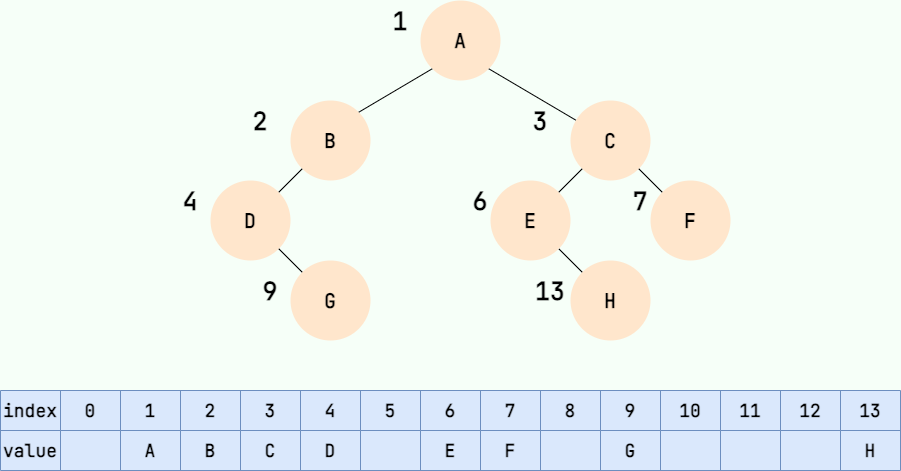
一、常见的数据结构 数组,栈,队列,链表,散列表,二叉树,堆,跳表,图,树。 1. 数组: 数组的元素在内存中存储是连续存放的,占有连续的存储单元&am…...

【经济研究】数字技术创新与中国企业高质量发展—来自企业数字专利的证据
数据简介:在当前数字经济时代,数字技术创新已成为驱动中国经济发展的核心要素,中国经济由高速增长转向高质量发展的“新常态”发展阶段,开启了革新经济增长方式,优化产业结构,寻找新的经济增长动能关键期。…...
Windows运维相关经验技巧
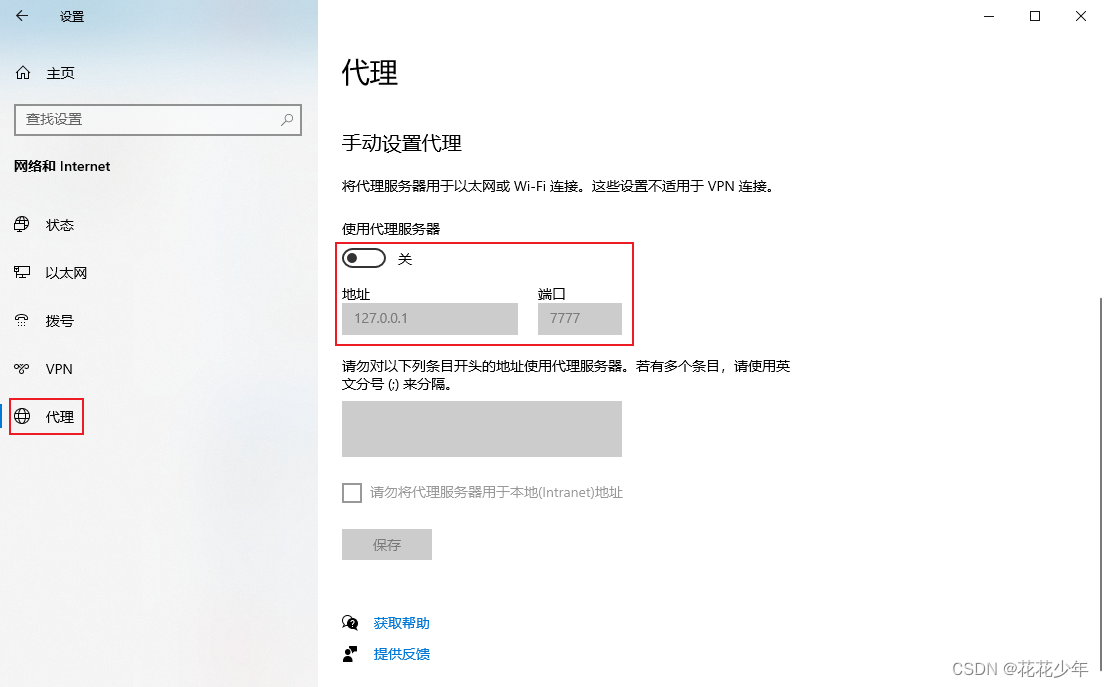
常用工具 在线PS Photoshop在线 FAQ 电脑能上网,浏览器上不了网 # 错误原因: 设置了网络代理,浏览器无法通过网络代理上网# 解决办法 关闭网络代理 (1)wini,打开设置 (2)网络和I…...
AYIT嵌入式实验室2023级C语言训练1-4章训练题
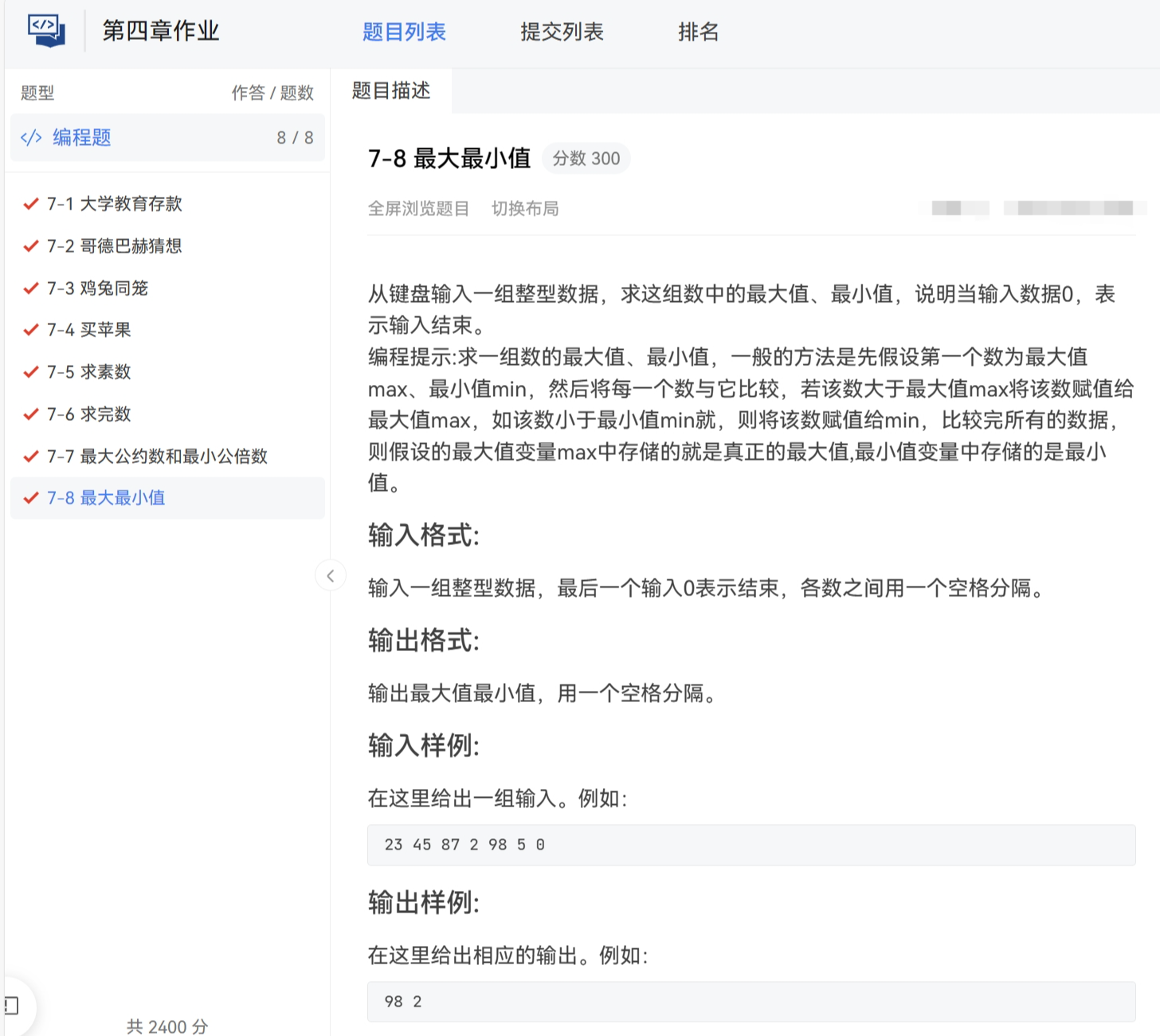
文章目录 前言1. 判断闰年2.(ab-c)*d的计算问题3.计算三角形的周长和面积4.牛牛的等差数列5.判断字母6.网购7. 牛牛的通勤8.获得月份天数9.大小写转换10.KiKi说祝福语11.小乐乐求和12.奇偶统计13.KiKi求质数个数14.乘法表15.牛牛学数列16.牛牛学数列217.数位之和18.魔法数字变换…...
trino tpcds测试
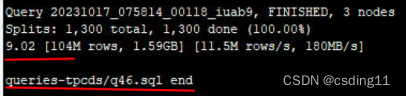
先下载tpcds-kit(有Linux和macOS),根据其文档生成数据和查询的sql。 然后hive-testbench,在ddl-tpcds/text/alltables.sql中有建表语句(用hive建表)。 建完表后LOAD DATA local INPATH "/Users/ding…...

SpringCloud学习笔记(上):服务注册与发现:Eureka、Zookeeper、Consul+负载均衡服务调用:Ribbon
壹、零基础 一、微服务架构零基础理论入门 SpringCloud分布式微服务架构的一站式解决方案,是多种微服务架构落地技术的集合体,俗称微服务全家桶。 二、从2.2.x和H版开始说起 springboot版本选择: git源码地址:https://github.…...
测算)
JavaPTA练习题 7-3 身体质量指数(BMI)测算
体重是反映和衡量一个人健康状况的重要标志之一,过胖和过瘦都不利于健康,BMI(身体质量指数)计算方法:体重(以千克为单位)除以身高(以米为单位)的平方。中国成人正常的BMI…...
类的属性和方法(java)
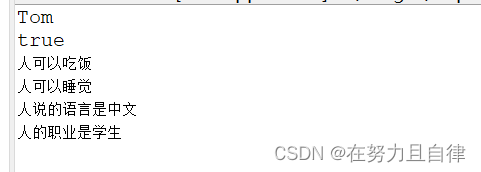
类和对象的使用 创建类,设计类的成员创建类的对象通过“对象.属性”或“对象.方法”调用对象的结构 代码 public class Per {public static void main(String[] args) {// TODO Auto-generated method stub//创建Person类的对象Person p1 new Person();//Scanne…...
C++模拟实现——list
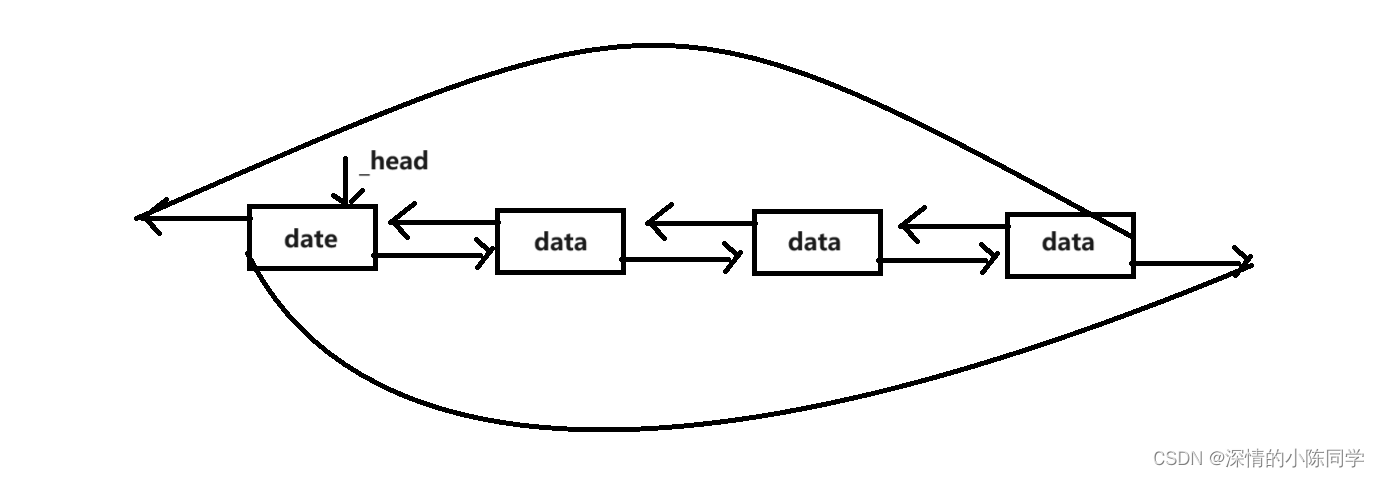
一、成员变量及其基本结构 1.基本结构模型 本质是一个带头双向循环列表,将节点进行封装,并且为了方便使用,进行重定义 2.节点的封装定义 template<class T>//定义节点struct list_node{list_node<T>* _prev;list_node<T>…...

FPGA的音乐彩灯VHDL流水灯LED花样,源码和视频
名称:FPGA的音乐彩灯VHDL流水灯LED 软件:Quartus 语言:VHDL 代码功能: (1)设计一彩灯控制电路,按要求控制8路(彩灯由发光 二极管代替,受实验箱限制,多路同…...
企业知识库软件,快速构建企业知识分享与团队协同的软件
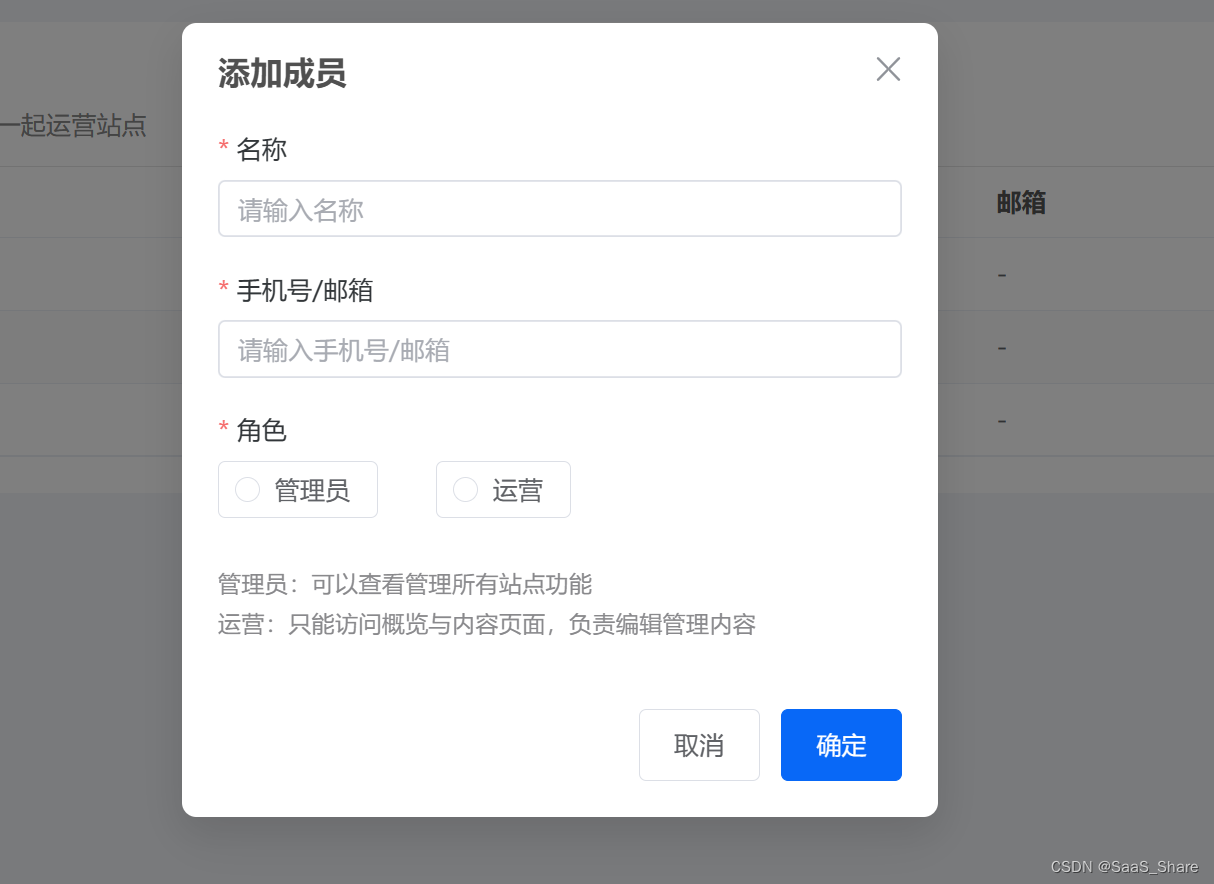
企业知识库是一种特殊的在线协同文档工具,支持包括FAQ、文档、视频、知识图谱等。从本质上讲,它是基于企业知识库软件从而实现内部或外部知识的沉淀、集合、更新、共享等,能为员工或客户提供常见问题的标准回答。 今天我就基于HelpLook &…...
Java,输出一个10行的杨辉三角
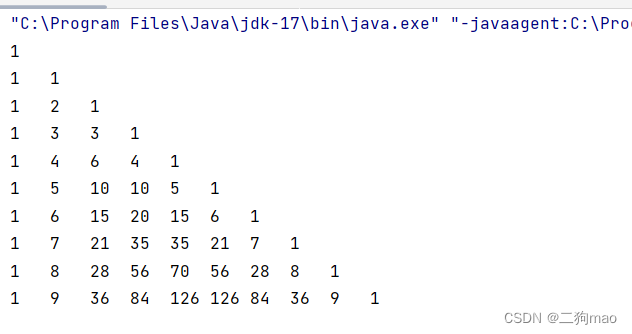
据图可以发现,杨辉三角是每行的首元素和末元素都为1,中间的元素都是等于它上面的元素加上左上角的元素。 首先,先完成二数组的创建和初始化,第一行的长度为一,第二行的长度为二……以此类推。所以,外元素的…...

Java版Http请求post和get两种调用实现
在实际项目中常涉及到相互调用,对于http接口的调用,需要经过建立连接,拼接参数,调用等步骤,记录下来,方便查看。 第一步、引入jar包 pom中引入apache的httpclient包 <dependency><groupId>c…...

yjs demo: 多人在线协作画板
基于 yjs 实现实时在线多人协作的绘画功能 支持多客户端实时共享编辑自动同步,离线支持自动合并,自动冲突处理 1. 客户端代码(基于Vue3) 实现绘画功能 <template><div style"{width: 100vw; height: 100vh; over…...
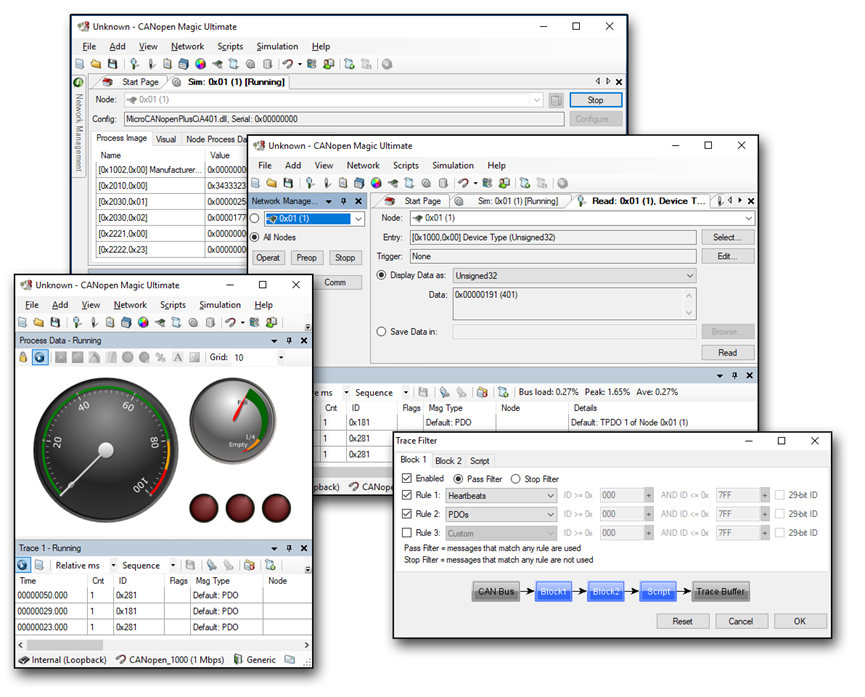
虹科分享 | 赋能物流机器人:CANopen通信如何发挥重要作用?
现代物流领域迅速融入了技术进步,特别是随着自主机器人的兴起,这一趋势越发明显。确保这些机器人在复杂的仓库环境中精确运行的一个关键方面是CANopen通信协议。该协议集成了各种组件(电机、传感器、摄像头和先进的电池系统)&…...
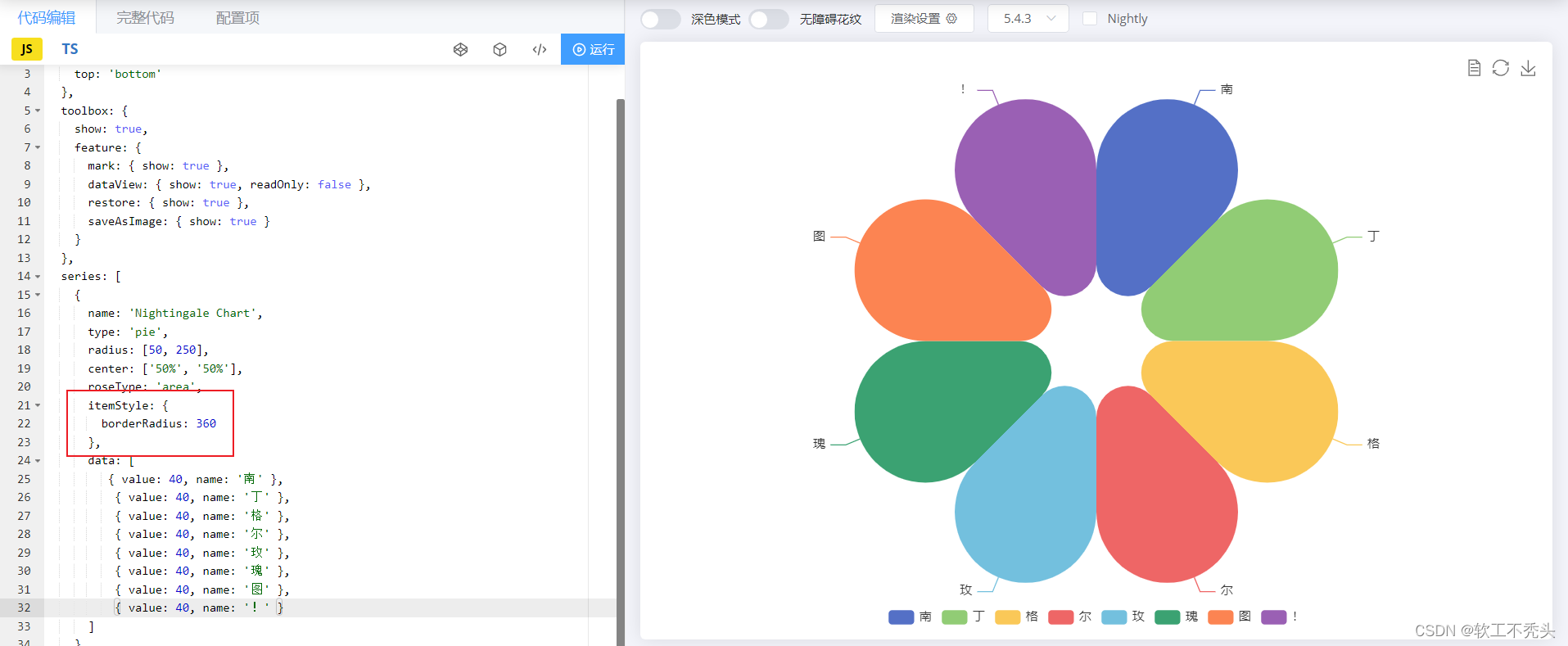
南丁格尔玫瑰图
目录 由来 效果图 echarts官网找相似图 将南丁格尔玫瑰图引进html页面中 引入echarts 准备容器 初始化echarts实例对象 指定配置项和数据(官网给的option) 将配置项给echarts 自定义南格丁尔玫瑰图 修改颜色 修改玫瑰图大小 修改图的模式为半…...

vue 大文件切片下载
前提是你上传的时候也是切片上传,下载的时候后端给你返回的是一个文件id的数组,如果是你就可以用下面的方法 // 循环下载文件 // id是每个文件的id type 是一个类型,我传入是应为给不同的组件赋值getFile(id, type) {// 通过wen文件id去获取…...
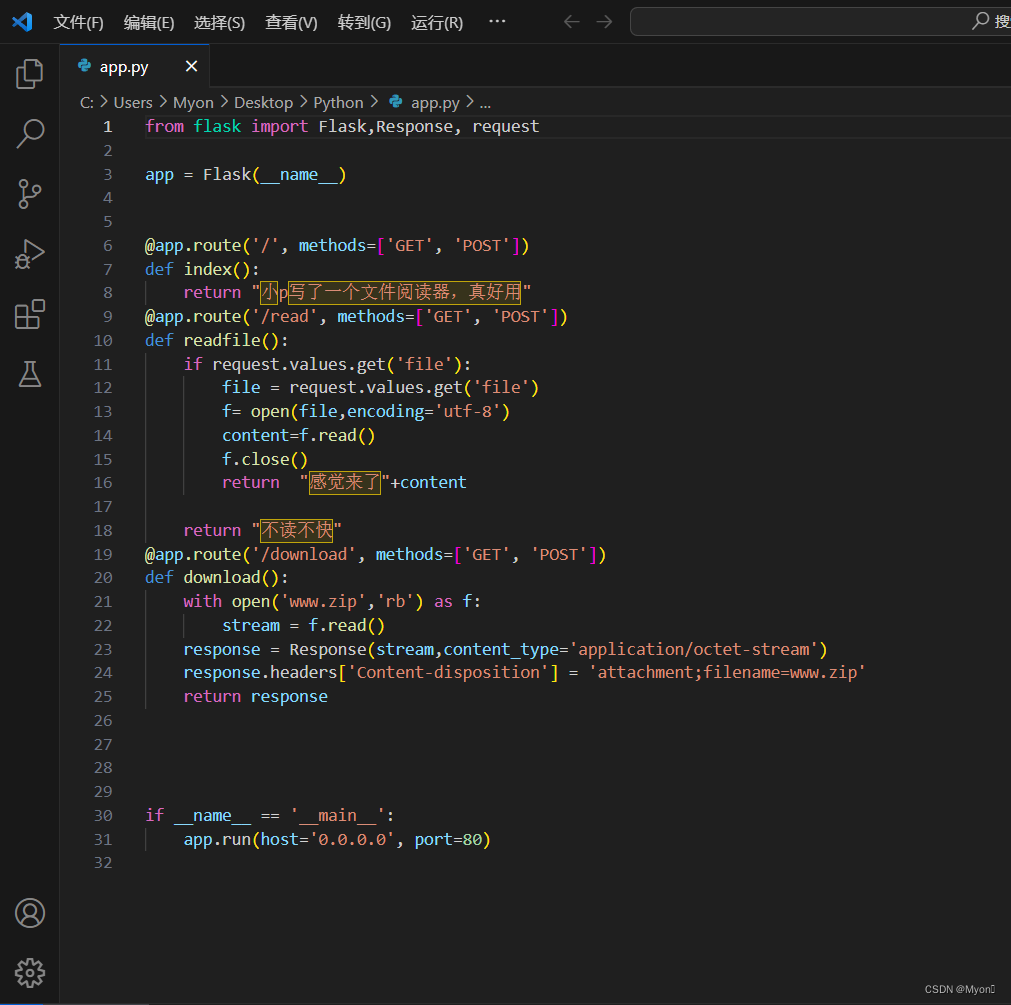
2023年“绿盟杯”四川省大学生信息安全技术大赛
pyfile 先check源码,没什么发现,接着进行目录扫描,扫到路径 /download 下载备份文件得到 www.zip,解压得到app.py 大致审一下代码: 在read目录下给file传参进行请求,如果这个东西存在就会读取出来 这里…...

建议收藏|2026年版程序员AI大模型转型实战路线,小白也能快速上手
2026年,AI大模型技术早已深度渗透各行各业,从智能制造、智能体自动化到企业级知识库、多模态交互系统,大模型已然成为数字化转型的核心基建。面对这波不可逆的技术变革,传统程序员依托扎实的工程化思维与代码功底,转型…...

模型持久化本身不会提升准确率:揭秘训练集复用导致的“虚假精度”陷阱
模型持久化(如使用 joblib 保存 decisiontreeclassifier)仅用于部署和复用,不改变模型性能;所谓“准确率从57%升至92%”实为误用——第三次运行时用训练数据直接预测,导致严重过拟合评估,结果完全不可信。 …...

微服务实战:彻底解决子项目找不到父项目工具类、实体类的问题
目录 一、 核心原理与准备工作 二、 终极方案:一键 Install 父项目 三、 避坑指南:跳过单元测试 1.命令行跳过test步骤(不推荐) 2.可视化界面跳过test步骤(推荐) 四、 关键细节:一定要注意…...
,附可复用的perf+tcpdump诊断脚本)
Docker网络性能压测报告(实测数据:macvlan vs ipvlan vs CNI插件吞吐对比),附可复用的perf+tcpdump诊断脚本
第一章:Docker网络性能压测报告(实测数据:macvlan vs ipvlan vs CNI插件吞吐对比),附可复用的perftcpdump诊断脚本为量化不同Docker网络驱动在高并发场景下的真实吞吐能力,我们在统一硬件环境(I…...

Docker跨架构镜像拉取失败?5步精准定位glibc版本、内核模块、CPU特性三大隐藏冲突源
第一章:Docker跨架构镜像拉取失败的典型现象与系统性认知当开发者在 ARM64 主机(如 Apple M1/M2、树莓派或 AWS Graviton 实例)上执行 docker pull 命令时,常遭遇镜像拉取成功但运行失败、容器立即退出、或提示 exec format error…...

告别Excel配置表:在Unity中搭建Luban+Jenkins的自动化配置管线
Unity游戏开发:基于LubanJenkins的自动化配置管理实践 在游戏研发领域,配置管理一直是连接策划与程序的重要桥梁。传统Excel配置表工作流中,策划修改表格后需要手动通知程序重新导入,版本控制混乱,多人协作时冲突频发。…...

从 “查重红榜” 到 “AI 零痕迹”:Paperxie 如何让论文通关告别反复折腾
paperxie-免费查重复率aigc检测/开题报告/毕业论文/智能排版/文献综述/期刊论文https://www.paperxie.cn/weight?type1https://www.paperxie.cn/weight?type1 当毕业季的闹钟在凌晨三点响起,电脑屏幕上的查重报告红得刺眼,AIGC 检测的疑似度条像一道跨…...

Windows环境下res-downloader HTTPS资源嗅探证书配置技术解析
Windows环境下res-downloader HTTPS资源嗅探证书配置技术解析 【免费下载链接】res-downloader 视频号、小程序、抖音、快手、小红书、直播流、m3u8、酷狗、QQ音乐等常见网络资源下载! 项目地址: https://gitcode.com/GitHub_Trending/re/res-downloader 在Windows平台上…...

收藏!20款AI必备工具,小白也能快速上手搭建大模型应用
文章介绍了20款AI产品经理必须掌握的工具,涵盖应用搭建平台(如Dify、Coze)、开发框架(如LangChain)、智能体平台(如Manus、OpenClaw)、AI编程工具(如Bolt.new、Claude Codeÿ…...

Ostrakon-VL-8B在便利店管理中的应用:AI自动检查货架与价格标签
Ostrakon-VL-8B在便利店管理中的应用:AI自动检查货架与价格标签 1. 便利店管理的痛点与AI解决方案 便利店作为零售行业的重要组成部分,面临着诸多管理挑战。每天清晨,店员需要花费大量时间检查货架商品是否充足、价格标签是否正确、陈列是否…...