
opencv+yolov8实现监控画面报警功能
项目背景
最近停在门前的车被人开走了,虽然有监控,但是看监控太麻烦了,于是想着框选一个区域用yolov8直接检测闯入到这个区域的所有目标,这样1ms一帧,很快就可以跑完一天的视频
用到的技术
- C++
- OpenCV
- Yolov8 + OnnxRuntime
yolov8介绍
- YOLOv8支持Pose和Segment,在使用TensorRT可以跑到1-2ms一帧
- YOLOv8提供了一个全新的SOTA模型,包括P5 640和P6 1280分辨率的目标检测网络和基于YOLACT的实例分割模型。
- YOLOv8和YOLOv5一样,基于缩放系数也提供了N/S/M/L/X尺度的不同大小模型,用于满足不同场景需求。
- YOLOv8骨干网络和Neck部分可能参考了YOLOv7 ELAN设计思想,将YOLOv5的C3结构换成了梯度流更丰富的C2f结构,并对不同尺度模型调整了不同的通道数。
- YOLOv8 Head部分相比YOLOv5改动较大,换成了目前主流的解耦头结构,将分类和检测头分离,同时也从Anchor-Based换成了Anchor-Free。
- YOLOv8 Loss计算方面采用了TaskAlignedAssigner正样本分配策略,并引入了Distribution Focal Loss。
- YOLOv8训练的数据增强部分引入了YOLOX中的最后10 epoch关闭Mosiac增强的操作,可以有效地提升精度。
实现步骤
- 首先打开视频第一帧,框选区域,我们直接使用opencv实现这个功能
- 加载模型检测画面中的所有对象
- 计算IOU,如果有重合就保存这一帧具体信息
- 跟踪闯入画面的目标,否则会重复保存信息
使用opencv打开视频,并框选区域
#include <opencv2/opencv.hpp>
#include "inference.h"using namespace cv;// 定义一个全局变量,用于存放鼠标框选的矩形区域
Rect g_rect;
// 定义一个全局变量,用于标记鼠标是否按下
bool g_bDrawingBox = false;// 定义一个回调函数,用于处理鼠标事件
void on_MouseHandle(int event, int x, int y, int flags, void* param)
{// 将param转换为Mat类型的指针Mat& image = *(Mat*) param;// 根据不同的鼠标事件进行处理switch (event){// 鼠标左键按下事件case EVENT_LBUTTONDOWN:{// 标记鼠标已按下g_bDrawingBox = true;// 记录矩形框的起始点g_rect.x = x;g_rect.y = y;break;}// 鼠标移动事件case EVENT_MOUSEMOVE:{// 如果鼠标已按下,更新矩形框的宽度和高度if (g_bDrawingBox){g_rect.width = x - g_rect.x;g_rect.height = y - g_rect.y;}break;}// 鼠标左键松开事件case EVENT_LBUTTONUP:{// 标记鼠标已松开g_bDrawingBox = false;// 如果矩形框的宽度和高度为正,绘制矩形框到图像上if (g_rect.width > 0 && g_rect.height > 0){rectangle(image, g_rect, Scalar(0, 255, 0));}break;}}
}int main(int argc, char* argv[])
{// 读取视频文件cv::VideoCapture vc;vc.open(argv[1]);if(vc.isOpened()){cv::Mat frame;vc >> frame;if(!frame.empty()){// 创建一个副本图像,用于显示框选过程Mat temp;frame.copyTo(temp);// 创建一个窗口,显示图像namedWindow("image");// 设置鼠标回调函数,传入副本图像作为参数setMouseCallback("image", on_MouseHandle, (void*)&temp);while (1){// 如果鼠标正在框选,绘制一个虚线矩形框到副本图像上,并显示框的大小和坐标if (g_bDrawingBox){temp.copyTo(frame);rectangle(frame, g_rect, Scalar(0, 255, 0), 1, LINE_AA);char text[32];sprintf(text, "w=%d, h=%d", g_rect.width, g_rect.height);putText(frame, text, Point(g_rect.x + 5, g_rect.y - 5), FONT_HERSHEY_SIMPLEX, 0.5, Scalar(0, 255, 0));}// 显示副本图像imshow("image", frame);// 等待按键,如果按下ESC键,退出循环if (waitKey(10) == 27){break;}}while(!frame.empty()){cv::imshow("image", frame);cv::waitKey(1);vc >> frame;}}}return 0;
}
使用YoloV8检测目标
inference.h
#pragma once#define    RET_OK nullptr#ifdef _WIN32
#include <Windows.h>
#include <direct.h>
#include <io.h>
#endif#include <string>
#include <vector>
#include <cstdio>
#include <opencv2/opencv.hpp>
#include "onnxruntime_cxx_api.h"#ifdef USE_CUDA
#include <cuda_fp16.h>
#endifenum MODEL_TYPE {//FLOAT32 MODELYOLO_ORIGIN_V5 = 0,YOLO_ORIGIN_V8 = 1,//only support v8 detector currentlyYOLO_POSE_V8 = 2,YOLO_CLS_V8 = 3,YOLO_ORIGIN_V8_HALF = 4,YOLO_POSE_V8_HALF = 5,YOLO_CLS_V8_HALF = 6
};typedef struct _DCSP_INIT_PARAM {std::string ModelPath;MODEL_TYPE ModelType = YOLO_ORIGIN_V8;std::vector<int> imgSize = {640, 640};float RectConfidenceThreshold = 0.6;float iouThreshold = 0.5;bool CudaEnable = false;int LogSeverityLevel = 3;int IntraOpNumThreads = 1;
} DCSP_INIT_PARAM;typedef struct _DCSP_RESULT {int classId;float confidence;cv::Rect box;
} DCSP_RESULT;class DCSP_CORE {
public:DCSP_CORE();~DCSP_CORE();public:char *CreateSession(DCSP_INIT_PARAM &iParams);char *RunSession(cv::Mat &iImg, std::vector<DCSP_RESULT> &oResult);char *WarmUpSession();template<typename N>char *TensorProcess(clock_t &starttime_1, cv::Mat &iImg, N &blob, std::vector<int64_t> &inputNodeDims,std::vector<DCSP_RESULT> &oResult);std::vector<std::string> classes{};private:Ort::Env env;Ort::Session *session;bool cudaEnable;Ort::RunOptions options;std::vector<const char *> inputNodeNames;std::vector<const char *> outputNodeNames;MODEL_TYPE modelType;std::vector<int> imgSize;float rectConfidenceThreshold;float iouThreshold;
};
inference.cpp
#include "inference.h"
#include <regex>#define benchmarkDCSP_CORE::DCSP_CORE() {}DCSP_CORE::~DCSP_CORE() {delete session;
}#ifdef USE_CUDA
namespace Ort
{template<>struct TypeToTensorType<half> { static constexpr ONNXTensorElementDataType type = ONNX_TENSOR_ELEMENT_DATA_TYPE_FLOAT16; };
}
#endiftemplate<typename T>
char *BlobFromImage(cv::Mat &iImg, T &iBlob) {int channels = iImg.channels();int imgHeight = iImg.rows;int imgWidth = iImg.cols;for (int c = 0; c < channels; c++) {for (int h = 0; h < imgHeight; h++) {for (int w = 0; w < imgWidth; w++) {iBlob[c * imgWidth * imgHeight + h * imgWidth + w] = typename std::remove_pointer<T>::type((iImg.at<cv::Vec3b>(h, w)[c]) / 255.0f);}}}return RET_OK;
}char *PostProcess(cv::Mat &iImg, std::vector<int> iImgSize, cv::Mat &oImg) {cv::Mat img = iImg.clone();cv::resize(iImg, oImg, cv::Size(iImgSize.at(0), iImgSize.at(1)));if (img.channels() == 1) {cv::cvtColor(oImg, oImg, cv::COLOR_GRAY2BGR);}cv::cvtColor(oImg, oImg, cv::COLOR_BGR2RGB);return RET_OK;
}char *DCSP_CORE::CreateSession(DCSP_INIT_PARAM &iParams) {char *Ret = RET_OK;std::regex pattern("[\u4e00-\u9fa5]");bool result = std::regex_search(iParams.ModelPath, pattern);if (result) {Ret = "[DCSP_ONNX]:Model path error.Change your model path without chinese characters.";std::cout << Ret << std::endl;return Ret;}try {rectConfidenceThreshold = iParams.RectConfidenceThreshold;iouThreshold = iParams.iouThreshold;imgSize = iParams.imgSize;modelType = iParams.ModelType;env = Ort::Env(ORT_LOGGING_LEVEL_WARNING, "Yolo");Ort::SessionOptions sessionOption;if (iParams.CudaEnable) {cudaEnable = iParams.CudaEnable;OrtCUDAProviderOptions cudaOption;cudaOption.device_id = 0;sessionOption.AppendExecutionProvider_CUDA(cudaOption);}sessionOption.SetGraphOptimizationLevel(GraphOptimizationLevel::ORT_ENABLE_ALL);sessionOption.SetIntraOpNumThreads(iParams.IntraOpNumThreads);sessionOption.SetLogSeverityLevel(iParams.LogSeverityLevel);#ifdef _WIN32int ModelPathSize = MultiByteToWideChar(CP_UTF8, 0, iParams.ModelPath.c_str(), static_cast<int>(iParams.ModelPath.length()), nullptr, 0);wchar_t* wide_cstr = new wchar_t[ModelPathSize + 1];MultiByteToWideChar(CP_UTF8, 0, iParams.ModelPath.c_str(), static_cast<int>(iParams.ModelPath.length()), wide_cstr, ModelPathSize);wide_cstr[ModelPathSize] = L'\0';const wchar_t* modelPath = wide_cstr;
#elseconst char *modelPath = iParams.ModelPath.c_str();
#endif // _WIN32session = new Ort::Session(env, modelPath, sessionOption);Ort::AllocatorWithDefaultOptions allocator;size_t inputNodesNum = session->GetInputCount();for (size_t i = 0; i < inputNodesNum; i++) {Ort::AllocatedStringPtr input_node_name = session->GetInputNameAllocated(i, allocator);char *temp_buf = new char[50];strcpy(temp_buf, input_node_name.get());inputNodeNames.push_back(temp_buf);}size_t OutputNodesNum = session->GetOutputCount();for (size_t i = 0; i < OutputNodesNum; i++) {Ort::AllocatedStringPtr output_node_name = session->GetOutputNameAllocated(i, allocator);char *temp_buf = new char[10];strcpy(temp_buf, output_node_name.get());outputNodeNames.push_back(temp_buf);}options = Ort::RunOptions{nullptr};WarmUpSession();return RET_OK;}catch (const std::exception &e) {const char *str1 = "[DCSP_ONNX]:";const char *str2 = e.what();std::string result = std::string(str1) + std::string(str2);char *merged = new char[result.length() + 1];std::strcpy(merged, result.c_str());std::cout << merged << std::endl;delete[] merged;return "[DCSP_ONNX]:Create session failed.";}}char *DCSP_CORE::RunSession(cv::Mat &iImg, std::vector<DCSP_RESULT> &oResult) {
#ifdef benchmarkclock_t starttime_1 = clock();
#endif // benchmarkchar *Ret = RET_OK;cv::Mat processedImg;PostProcess(iImg, imgSize, processedImg);if (modelType < 4) {float *blob = new float[processedImg.total() * 3];BlobFromImage(processedImg, blob);std::vector<int64_t> inputNodeDims = {1, 3, imgSize.at(0), imgSize.at(1)};TensorProcess(starttime_1, iImg, blob, inputNodeDims, oResult);} else {
#ifdef USE_CUDAhalf* blob = new half[processedImg.total() * 3];BlobFromImage(processedImg, blob);std::vector<int64_t> inputNodeDims = { 1,3,imgSize.at(0),imgSize.at(1) };TensorProcess(starttime_1, iImg, blob, inputNodeDims, oResult);
#endif}return Ret;
}template<typename N>
char *DCSP_CORE::TensorProcess(clock_t &starttime_1, cv::Mat &iImg, N &blob, std::vector<int64_t> &inputNodeDims,std::vector<DCSP_RESULT> &oResult) {Ort::Value inputTensor = Ort::Value::CreateTensor<typename std::remove_pointer<N>::type>(Ort::MemoryInfo::CreateCpu(OrtDeviceAllocator, OrtMemTypeCPU), blob, 3 * imgSize.at(0) * imgSize.at(1),inputNodeDims.data(), inputNodeDims.size());
#ifdef benchmarkclock_t starttime_2 = clock();
#endif // benchmarkauto outputTensor = session->Run(options, inputNodeNames.data(), &inputTensor, 1, outputNodeNames.data(),outputNodeNames.size());
#ifdef benchmarkclock_t starttime_3 = clock();
#endif // benchmarkOrt::TypeInfo typeInfo = outputTensor.front().GetTypeInfo();auto tensor_info = typeInfo.GetTensorTypeAndShapeInfo();std::vector<int64_t> outputNodeDims = tensor_info.GetShape();auto output = outputTensor.front().GetTensorMutableData<typename std::remove_pointer<N>::type>();delete blob;switch (modelType) {case 1://V8_ORIGIN_FP32case 4://V8_ORIGIN_FP16{int strideNum = outputNodeDims[2];int signalResultNum = outputNodeDims[1];std::vector<int> class_ids;std::vector<float> confidences;std::vector<cv::Rect> boxes;cv::Mat rawData;if (modelType == 1) {// FP32rawData = cv::Mat(signalResultNum, strideNum, CV_32F, output);} else {// FP16rawData = cv::Mat(signalResultNum, strideNum, CV_16F, output);rawData.convertTo(rawData, CV_32F);}rawData = rawData.t();float *data = (float *) rawData.data;float x_factor = iImg.cols / 640.;float y_factor = iImg.rows / 640.;for (int i = 0; i < strideNum; ++i) {float *classesScores = data + 4;cv::Mat scores(1, this->classes.size(), CV_32FC1, classesScores);cv::Point class_id;double maxClassScore;cv::minMaxLoc(scores, 0, &maxClassScore, 0, &class_id);if (maxClassScore > rectConfidenceThreshold) {confidences.push_back(maxClassScore);class_ids.push_back(class_id.x);float x = data[0];float y = data[1];float w = data[2];float h = data[3];int left = int((x - 0.5 * w) * x_factor);int top = int((y - 0.5 * h) * y_factor);int width = int(w * x_factor);int height = int(h * y_factor);boxes.emplace_back(left, top, width, height);}data += signalResultNum;}std::vector<int> nmsResult;cv::dnn::NMSBoxes(boxes, confidences, rectConfidenceThreshold, iouThreshold, nmsResult);for (int i = 0; i < nmsResult.size(); ++i) {int idx = nmsResult[i];DCSP_RESULT result;result.classId = class_ids[idx];result.confidence = confidences[idx];result.box = boxes[idx];oResult.push_back(result);}#ifdef benchmarkclock_t starttime_4 = clock();double pre_process_time = (double) (starttime_2 - starttime_1) / CLOCKS_PER_SEC * 1000;double process_time = (double) (starttime_3 - starttime_2) / CLOCKS_PER_SEC * 1000;double post_process_time = (double) (starttime_4 - starttime_3) / CLOCKS_PER_SEC * 1000;if (cudaEnable) {std::cout << "[DCSP_ONNX(CUDA)]: " << pre_process_time << "ms pre-process, " << process_time<< "ms inference, " << post_process_time << "ms post-process." << std::endl;} else {std::cout << "[DCSP_ONNX(CPU)]: " << pre_process_time << "ms pre-process, " << process_time<< "ms inference, " << post_process_time << "ms post-process." << std::endl;}
#endif // benchmarkbreak;}}return RET_OK;
}char *DCSP_CORE::WarmUpSession() {clock_t starttime_1 = clock();cv::Mat iImg = cv::Mat(cv::Size(imgSize.at(0), imgSize.at(1)), CV_8UC3);cv::Mat processedImg;PostProcess(iImg, imgSize, processedImg);if (modelType < 4) {float *blob = new float[iImg.total() * 3];BlobFromImage(processedImg, blob);std::vector<int64_t> YOLO_input_node_dims = {1, 3, imgSize.at(0), imgSize.at(1)};Ort::Value input_tensor = Ort::Value::CreateTensor<float>(Ort::MemoryInfo::CreateCpu(OrtDeviceAllocator, OrtMemTypeCPU), blob, 3 * imgSize.at(0) * imgSize.at(1),YOLO_input_node_dims.data(), YOLO_input_node_dims.size());auto output_tensors = session->Run(options, inputNodeNames.data(), &input_tensor, 1, outputNodeNames.data(),outputNodeNames.size());delete[] blob;clock_t starttime_4 = clock();double post_process_time = (double) (starttime_4 - starttime_1) / CLOCKS_PER_SEC * 1000;if (cudaEnable) {std::cout << "[DCSP_ONNX(CUDA)]: " << "Cuda warm-up cost " << post_process_time << " ms. " << std::endl;}} else {
#ifdef USE_CUDAhalf* blob = new half[iImg.total() * 3];BlobFromImage(processedImg, blob);std::vector<int64_t> YOLO_input_node_dims = { 1,3,imgSize.at(0),imgSize.at(1) };Ort::Value input_tensor = Ort::Value::CreateTensor<half>(Ort::MemoryInfo::CreateCpu(OrtDeviceAllocator, OrtMemTypeCPU), blob, 3 * imgSize.at(0) * imgSize.at(1), YOLO_input_node_dims.data(), YOLO_input_node_dims.size());auto output_tensors = session->Run(options, inputNodeNames.data(), &input_tensor, 1, outputNodeNames.data(), outputNodeNames.size());delete[] blob;clock_t starttime_4 = clock();double post_process_time = (double)(starttime_4 - starttime_1) / CLOCKS_PER_SEC * 1000;if (cudaEnable){std::cout << "[DCSP_ONNX(CUDA)]: " << "Cuda warm-up cost " << post_process_time << " ms. " << std::endl;}
#endif}return RET_OK;
}
main.cpp
int read_coco_yaml(DCSP_CORE *&p) {// Open the YAML filestd::ifstream file("coco.yaml");if (!file.is_open()) {std::cerr << "Failed to open file" << std::endl;return 1;}// Read the file line by linestd::string line;std::vector<std::string> lines;while (std::getline(file, line)) {lines.push_back(line);}// Find the start and end of the names sectionstd::size_t start = 0;std::size_t end = 0;for (std::size_t i = 0; i < lines.size(); i++) {if (lines[i].find("names:") != std::string::npos) {start = i + 1;} else if (start > 0 && lines[i].find(':') == std::string::npos) {end = i;break;}}// Extract the namesstd::vector<std::string> names;for (std::size_t i = start; i < end; i++) {std::stringstream ss(lines[i]);std::string name;std::getline(ss, name, ':'); // Extract the number before the delimiterstd::getline(ss, name); // Extract the string after the delimiternames.push_back(name);}p->classes = names;return 0;
}int main(int argc, char* argv[])
{DCSP_CORE *yoloDetector = new DCSP_CORE;//std::string model_path = "yolov8n.onnx";std::string model_path = argv[1];read_coco_yaml(yoloDetector);#ifdef USE_CUDA// GPU FP32 inferenceDCSP_INIT_PARAM params{ model_path, YOLO_ORIGIN_V8, {640, 640},  0.1, 0.5, true };// GPU FP16 inference// DCSP_INIT_PARAM params{ model_path, YOLO_ORIGIN_V8_HALF, {640, 640},  0.1, 0.5, true };#else// CPU inferenceDCSP_INIT_PARAM params{model_path, YOLO_ORIGIN_V8, {640, 640}, 0.1, 0.5, false};#endifyoloDetector->CreateSession(params);cv::VideoCapture vc;vc.open(argv[2]);if(vc.isOpened()){cv::Mat frame;vc >> frame;while(!frame.empty()){std::vector<DCSP_RESULT> res;yoloDetector->RunSession(frame, res);for (int i = 0; i < res.size(); ++i){DCSP_RESULT detection = res[i];cv::Rect box = detection.box;cv::RNG rng(cv::getTickCount());cv::Scalar color(rng.uniform(0, 256), rng.uniform(0, 256), rng.uniform(0, 256));;// Detection boxcv::rectangle(frame, box, color, 2);// Detection box textstd::string classString = yoloDetector->classes[detection.classId] + ' ' + std::to_string(detection.confidence).substr(0, 4);cv::Size textSize = cv::getTextSize(classString, cv::FONT_HERSHEY_DUPLEX, 1, 2, 0);cv::Rect textBox(box.x, box.y - 40, textSize.width + 10, textSize.height + 20);cv::rectangle(frame, textBox, color, cv::FILLED);cv::putText(frame, classString, cv::Point(box.x + 5, box.y - 10), cv::FONT_HERSHEY_DUPLEX, 1, cv::Scalar(0, 0, 0), 2, 0);}cv::rectangle(frame, g_rect, Scalar(0, 255, 0), 3, cv::LINE_AA);cv::imshow("image", frame);cv::waitKey(1);vc >> frame;}}
}
opencv的框选区域和yolov8检测目标框融合
#include <opencv2/opencv.hpp>
#include <fstream>
#include "inference.h"using namespace cv;// 定义一个全局变量,用于存放鼠标框选的矩形区域
Rect g_rect;
// 定义一个全局变量,用于标记鼠标是否按下
bool g_bDrawingBox = false;// 定义一个回调函数,用于处理鼠标事件
void on_MouseHandle(int event, int x, int y, int flags, void* param)
{// 将param转换为Mat类型的指针Mat& image = *(Mat*) param;// 根据不同的鼠标事件进行处理switch (event){// 鼠标左键按下事件case EVENT_LBUTTONDOWN:{// 标记鼠标已按下g_bDrawingBox = true;// 记录矩形框的起始点g_rect.x = x;g_rect.y = y;break;}// 鼠标移动事件case EVENT_MOUSEMOVE:{// 如果鼠标已按下,更新矩形框的宽度和高度if (g_bDrawingBox){g_rect.width = x - g_rect.x;g_rect.height = y - g_rect.y;}break;}// 鼠标左键松开事件case EVENT_LBUTTONUP:{// 标记鼠标已松开g_bDrawingBox = false;// 如果矩形框的宽度和高度为正,绘制矩形框到图像上if (g_rect.width > 0 && g_rect.height > 0){rectangle(image, g_rect, Scalar(0, 255, 0));}break;}}
}int read_coco_yaml(DCSP_CORE *&p) {// Open the YAML filestd::ifstream file("coco.yaml");if (!file.is_open()) {std::cerr << "Failed to open file" << std::endl;return 1;}// Read the file line by linestd::string line;std::vector<std::string> lines;while (std::getline(file, line)) {lines.push_back(line);}// Find the start and end of the names sectionstd::size_t start = 0;std::size_t end = 0;for (std::size_t i = 0; i < lines.size(); i++) {if (lines[i].find("names:") != std::string::npos) {start = i + 1;} else if (start > 0 && lines[i].find(':') == std::string::npos) {end = i;break;}}// Extract the namesstd::vector<std::string> names;for (std::size_t i = start; i < end; i++) {std::stringstream ss(lines[i]);std::string name;std::getline(ss, name, ':'); // Extract the number before the delimiterstd::getline(ss, name); // Extract the string after the delimiternames.push_back(name);}p->classes = names;return 0;
}int main(int argc, char* argv[])
{// 读取原始图像// Mat src = imread(argv[1]);DCSP_CORE *yoloDetector = new DCSP_CORE;//std::string model_path = "yolov8n.onnx";std::string model_path = argv[1];read_coco_yaml(yoloDetector);
#ifdef USE_CUDA// GPU FP32 inferenceDCSP_INIT_PARAM params{ model_path, YOLO_ORIGIN_V8, {640, 640},  0.1, 0.5, true };// GPU FP16 inference// DCSP_INIT_PARAM params{ model_path, YOLO_ORIGIN_V8_HALF, {640, 640},  0.1, 0.5, true };
#else// CPU inferenceDCSP_INIT_PARAM params{model_path, YOLO_ORIGIN_V8, {640, 640}, 0.1, 0.5, false};
#endifyoloDetector->CreateSession(params);cv::VideoCapture vc;vc.open(argv[2]);if(vc.isOpened()){cv::Mat frame;vc >> frame;if(!frame.empty()){// 创建一个副本图像,用于显示框选过程Mat temp;frame.copyTo(temp);// 创建一个窗口,显示图像namedWindow("image");// 设置鼠标回调函数,传入副本图像作为参数setMouseCallback("image", on_MouseHandle, (void*)&temp);while (1){// 如果鼠标正在框选,绘制一个虚线矩形框到副本图像上,并显示框的大小和坐标if (g_bDrawingBox){temp.copyTo(frame);rectangle(frame, g_rect, Scalar(0, 255, 0), 1, LINE_AA);char text[32];sprintf(text, "w=%d, h=%d", g_rect.width, g_rect.height);putText(frame, text, Point(g_rect.x + 5, g_rect.y - 5), FONT_HERSHEY_SIMPLEX, 0.5, Scalar(0, 255, 0));}// 显示副本图像imshow("image", frame);// 等待按键,如果按下ESC键,退出循环if (waitKey(10) == 27){break;}}while(!frame.empty()){std::vector<DCSP_RESULT> res;yoloDetector->RunSession(frame, res);for (int i = 0; i < res.size(); ++i){DCSP_RESULT detection = res[i];cv::Rect box = detection.box;cv::RNG rng(cv::getTickCount());cv::Scalar color(rng.uniform(0, 256), rng.uniform(0, 256), rng.uniform(0, 256));;// Detection boxcv::rectangle(frame, box, color, 2);// Detection box textstd::string classString = yoloDetector->classes[detection.classId] + ' ' + std::to_string(detection.confidence).substr(0, 4);cv::Size textSize = cv::getTextSize(classString, cv::FONT_HERSHEY_DUPLEX, 1, 2, 0);cv::Rect textBox(box.x, box.y - 40, textSize.width + 10, textSize.height + 20);cv::rectangle(frame, textBox, color, cv::FILLED);cv::putText(frame, classString, cv::Point(box.x + 5, box.y - 10), cv::FONT_HERSHEY_DUPLEX, 1, cv::Scalar(0, 0, 0), 2, 0);}cv::rectangle(frame, g_rect, Scalar(0, 255, 0), 3, cv::LINE_AA);cv::imshow("image", frame);cv::waitKey(1);vc >> frame;}}}return 0;
}
计算预警区域和目标框重合度
double calIou(const cv::Rect& rc1, const cv::Rect& rc2)
{cv::Rect intersection = rc1 & rc2;if (!intersection.empty()) {double intersectionArea = intersection.width * intersection.height;double rect1Area = rc1.width * rc1.height;double rect2Area = rc2.width * rc2.height;// 计算IOUdouble iou = intersectionArea / (rect1Area + rect2Area - intersectionArea);return iou;} else {// 没有重叠,IOU为0return 0.0;}
}
跟踪实现
不断的去循环激活的目标,来过滤掉重复的代码,这块以后实现
完整代码
#include <opencv2/opencv.hpp>
#include <fstream>
#include "inference.h"using namespace cv;// 定义一个全局变量,用于存放鼠标框选的矩形区域
Rect g_rect;
// 定义一个全局变量,用于标记鼠标是否按下
bool g_bDrawingBox = false;// 定义一个回调函数,用于处理鼠标事件
void on_MouseHandle(int event, int x, int y, int flags, void* param)
{// 将param转换为Mat类型的指针Mat& image = *(Mat*) param;// 根据不同的鼠标事件进行处理switch (event){// 鼠标左键按下事件case EVENT_LBUTTONDOWN:{// 标记鼠标已按下g_bDrawingBox = true;// 记录矩形框的起始点g_rect.x = x;g_rect.y = y;break;}// 鼠标移动事件case EVENT_MOUSEMOVE:{// 如果鼠标已按下,更新矩形框的宽度和高度if (g_bDrawingBox){g_rect.width = x - g_rect.x;g_rect.height = y - g_rect.y;}break;}// 鼠标左键松开事件case EVENT_LBUTTONUP:{// 标记鼠标已松开g_bDrawingBox = false;// 如果矩形框的宽度和高度为正,绘制矩形框到图像上if (g_rect.width > 0 && g_rect.height > 0){rectangle(image, g_rect, Scalar(0, 255, 0));}break;}}
}int read_coco_yaml(DCSP_CORE *&p) {// Open the YAML filestd::ifstream file("coco.yaml");if (!file.is_open()) {std::cerr << "Failed to open file" << std::endl;return 1;}// Read the file line by linestd::string line;std::vector<std::string> lines;while (std::getline(file, line)) {lines.push_back(line);}// Find the start and end of the names sectionstd::size_t start = 0;std::size_t end = 0;for (std::size_t i = 0; i < lines.size(); i++) {if (lines[i].find("names:") != std::string::npos) {start = i + 1;} else if (start > 0 && lines[i].find(':') == std::string::npos) {end = i;break;}}// Extract the namesstd::vector<std::string> names;for (std::size_t i = start; i < end; i++) {std::stringstream ss(lines[i]);std::string name;std::getline(ss, name, ':'); // Extract the number before the delimiterstd::getline(ss, name); // Extract the string after the delimiternames.push_back(name);}p->classes = names;return 0;
}double calIou(const cv::Rect& rc1, const cv::Rect& rc2)
{cv::Rect intersection = rc1 & rc2;if (!intersection.empty()) {double intersectionArea = intersection.width * intersection.height;double rect1Area = rc1.width * rc1.height;double rect2Area = rc2.width * rc2.height;// 计算IOUdouble iou = intersectionArea / (rect1Area + rect2Area - intersectionArea);return iou;} else {// 没有重叠,IOU为0return 0.0;}
}int main(int argc, char* argv[])
{// 读取原始图像// Mat src = imread(argv[1]);DCSP_CORE *yoloDetector = new DCSP_CORE;//std::string model_path = "yolov8n.onnx";std::string model_path = argv[1];read_coco_yaml(yoloDetector);
#ifdef USE_CUDA// GPU FP32 inferenceDCSP_INIT_PARAM params{ model_path, YOLO_ORIGIN_V8, {640, 640},  0.1, 0.5, true };// GPU FP16 inference// DCSP_INIT_PARAM params{ model_path, YOLO_ORIGIN_V8_HALF, {640, 640},  0.1, 0.5, true };
#else// CPU inferenceDCSP_INIT_PARAM params{model_path, YOLO_ORIGIN_V8, {640, 640}, 0.1, 0.5, false};
#endifyoloDetector->CreateSession(params);cv::VideoCapture vc;vc.open(argv[2]);if(vc.isOpened()){cv::Mat frame;vc >> frame;if(!frame.empty()){// 创建一个副本图像,用于显示框选过程Mat temp;frame.copyTo(temp);// 创建一个窗口,显示图像namedWindow("image");// 设置鼠标回调函数,传入副本图像作为参数setMouseCallback("image", on_MouseHandle, (void*)&temp);while (1){// 如果鼠标正在框选,绘制一个虚线矩形框到副本图像上,并显示框的大小和坐标if (g_bDrawingBox){temp.copyTo(frame);rectangle(frame, g_rect, Scalar(0, 255, 0), 1, LINE_AA);char text[32];sprintf(text, "w=%d, h=%d", g_rect.width, g_rect.height);putText(frame, text, Point(g_rect.x + 5, g_rect.y - 5), FONT_HERSHEY_SIMPLEX, 0.5, Scalar(0, 255, 0));}// 显示副本图像imshow("image", frame);// 等待按键,如果按下ESC键,退出循环if (waitKey(10) == 27){break;}}while(!frame.empty()){std::vector<DCSP_RESULT> res;yoloDetector->RunSession(frame, res);for (int i = 0; i < res.size(); ++i){DCSP_RESULT detection = res[i];cv::Rect box = detection.box;cv::RNG rng(cv::getTickCount());cv::Scalar color(rng.uniform(0, 256), rng.uniform(0, 256), rng.uniform(0, 256));;// Detection boxcv::rectangle(frame, box, color, 2);// Detection box textstd::string classString = yoloDetector->classes[detection.classId] + ' ' + std::to_string(detection.confidence).substr(0, 4);cv::Size textSize = cv::getTextSize(classString, cv::FONT_HERSHEY_DUPLEX, 1, 2, 0);cv::Rect textBox(box.x, box.y - 40, textSize.width + 10, textSize.height + 20);cv::rectangle(frame, textBox, color, cv::FILLED);cv::putText(frame, classString, cv::Point(box.x + 5, box.y - 10), cv::FONT_HERSHEY_DUPLEX, 1, cv::Scalar(0, 0, 0), 2, 0);double iou = calIou(g_rect, box);if(iou > 0)std::cout << "iou:" << iou << std::endl;}cv::rectangle(frame, g_rect, Scalar(0, 255, 0), 3, cv::LINE_AA);cv::imshow("image", frame);cv::waitKey(1);vc >> frame;}}}return 0;
}
参考
yolov8
相关文章:

opencv+yolov8实现监控画面报警功能
项目背景 最近停在门前的车被人开走了,虽然有监控,但是看监控太麻烦了,于是想着框选一个区域用yolov8直接检测闯入到这个区域的所有目标,这样1ms一帧,很快就可以跑完一天的视频 用到的技术 COpenCVYolov8 OnnxRunt…...
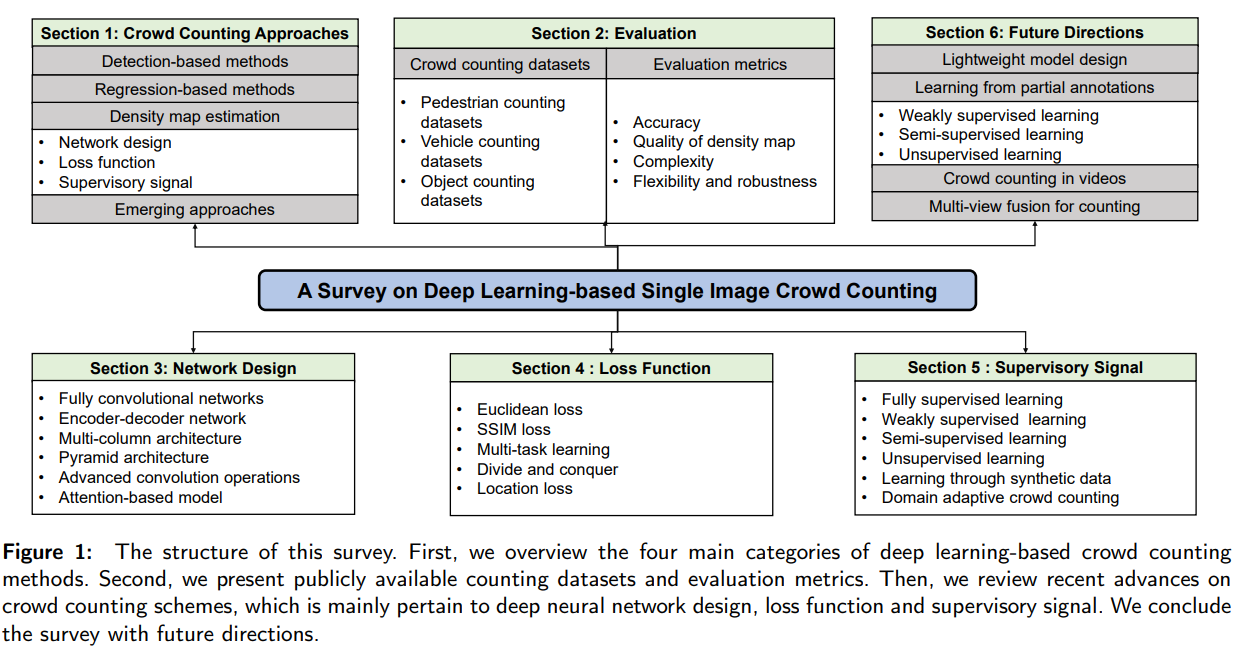
基于深度学习的单图像人群计数研究:网络设计、损失函数和监控信号
摘要 https://arxiv.org/pdf/2012.15685v2.pdf 单图像人群计数是一个具有挑战性的计算机视觉问题,在公共安全、城市规划、交通管理等领域有着广泛的应用。近年来,随着深度学习技术的发展,人群计数引起了广泛的关注并取得了巨大的成功。通过系统地回顾和总结2015年以来基于深…...

C++递归实现验证⼆叉搜索树
C递归实现验证⼆叉搜索树 文章目录 C递归实现验证⼆叉搜索树题目链接题目描述解题思路C算法代码: 题目链接 98. 验证二叉搜索树 - 力扣(LeetCode) 题目描述 给你⼀个⼆叉树的根节点root,判断其是否是⼀个有效的⼆叉搜索树。 有效⼆…...
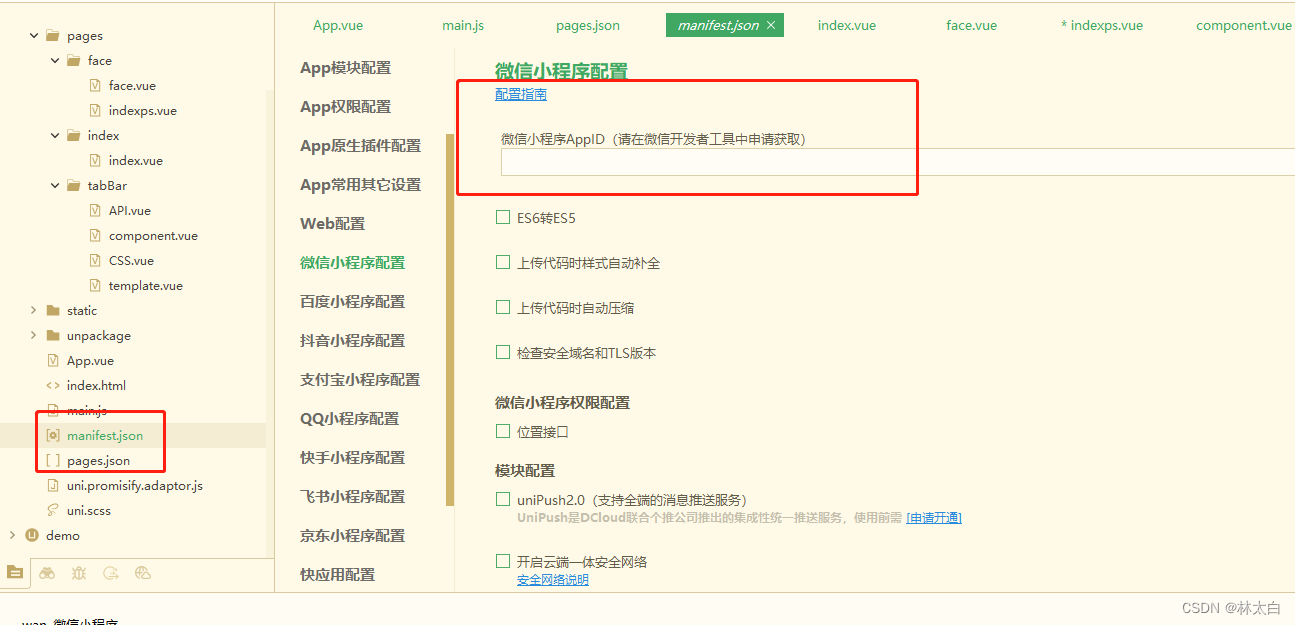
♥ uniapp 环境搭建
♥ uniapp 环境搭建 开发uniapp需要用到的工具有两个: 1、用到的平台和地址: 需要了解的几个平台以及地址: (1)微信公众平台 https://mp.weixin.qq.com/ (2)微信开发文档 https://develo…...
,京东商品评论API接口,京东API接口)
京东商品链接获取京东商品评论数据(用 Python实现京东商品评论信息抓取),京东商品评论API接口,京东API接口
在网页抓取方面,可以使用 Python、Java 等编程语言编写程序,通过模拟 HTTP 请求,获取京东多网站上的商品详情页面评论内容。在数据提取方面,可以使用正则表达式、XPath 等方式从 HTML 代码中提取出有用的信息。值得注意的是&#…...
)
docker容器中安装ROS1/ROS2(不用配任何环境,10分钟搞定)
默认电脑已经安装了docker,没安装看这篇文章Docker 安装 (完整详细版) ROS和docker各种结合看官方文档 dockerTutorials 在OSRF中拉取想要的 ROS 版本 docker 镜像 网址为 拉取命令在这里 我是安装noetic版本,因为这个兼容比较多现有的工程 docker pul…...

如何解决ssh登录报错WARNING: REMOTE HOST IDENTIFICATION HAS CHANGED!
原因: 当两个设备第一次进行链接时,会在~/.ssh/konwn_hosts 中将被连接设备的公钥信息进行保存,后续再次链接时OpenSSH会核对公钥来进行一个简单的验证 然而有时候被链接的那台设备系统被重装、IP 冲突等原因,会导致公钥信息没…...
Mysql5.7安装配置详细图文教程(msi版本)
博主介绍:✌全网粉丝5W,全栈开发工程师,从事多年软件开发,在大厂呆过。持有软件中级、六级等证书。可提供微服务项目搭建与毕业项目实战,博主也曾写过优秀论文,查重率极低,在这方面有丰富的经验…...

运行dl4j-examples的主要一些依赖
直接从git获取dl4j-examples后本地无法用IJ直接运行样例,于是自己新建了一个springboot项目,主要使用了下面的一些依赖用来运行官方样例 <?xml version"1.0" encoding"UTF-8"?> <project xmlns"http://maven.apache…...

PSRAM伪静态RAM芯片APS6404L
PSRAM伪静态RAM能结合SRAM和DRAM的优点,即容量大,又接口驱动简单,PSRAM接口和SRAM一样简单,驱动简单;而存储形式则和DRAM一样,容量远大于SRAM,介于SRAM和DRAM之间。 PSRAM厂家也有很多,以AP用的最多。最常…...
低级语言汇编真的各个面不如汇编吗?
今日话题,低级语言汇编真的各个面不如C语言吗?C语言因其可移植性、开发效率和可读性而在各领域广泛使用,市场占有率极高。然而,汇编语言在特定场景下仍然具有独特优势,稳固地占据一席之地。如果你对这方面感兴趣&#…...

PyG edge index 转换回 邻接矩阵
PyG的edge index形式是 [ ( n o d e 1 , n o d e 2 ) , ( n o d e 1 , n o d e 3 ) . . . ] [(node_1,node_2), (node_1, node_3)...] [(node1,node2),(node1,node3)...]这种edge pair。 naive 直接for循环,吧edge index里面的位置填充1: imp…...

JavaSE19——file文件类
file文件类 在 Java File 类是 java.io 包中唯一代表磁盘文件本身的对象 File 类不能访问文件内容本身,如果需要访问文件内容本身,则需要使用输入/输出流。 File(String path):如果 path 是实际存在的路径,则该 File 对象表示的…...

mongodb记录
MongoDB导入导出和备份的命令工具从4.4版本开始不再自动跟随数据库一起安装,而是需要自己手动安装。 mongodump 不是内部或外部命令,也不是可运行的程序 下载mongodb命令工具 下载zip格式,解压后把bin目录下的文件全部复制粘贴到你MongoDB安…...

Go语言:数组和切片
Python中的数组(这里指的是List类型)及其切片Slice基本相同,但在Go语言中这两者差别很大。 1 数组 Go语言中的数组(Array)存放的是长度固定、类型固定并且存储位置连续的一系列元素。 1.1 声明 Go语言中数组的声明方式如下: arr1 : [5]string{"…...
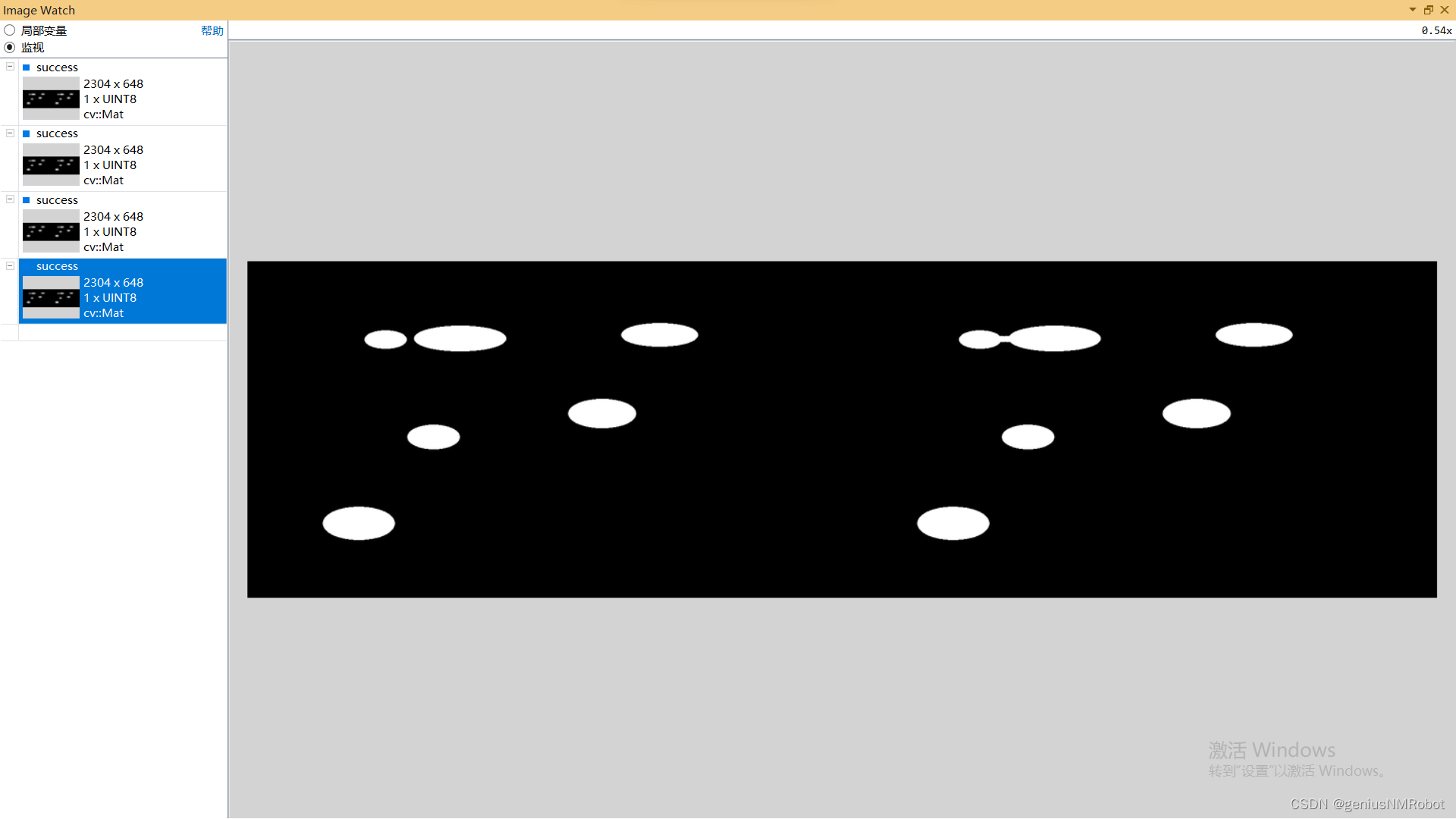
OPENCV 闭运算实验示例代码morphologyEx()函数
void CrelaxMyFriendDlg::OnBnClickedOk() {hdc this->GetDC()->GetSafeHdc();// TODO: 在此添加控件通知处理程序代码string imAddr "c:/Users/actorsun/Pictures/";string imAddr1 imAddr"rice.png";Mat relax, positive;relax imread(imAddr1…...
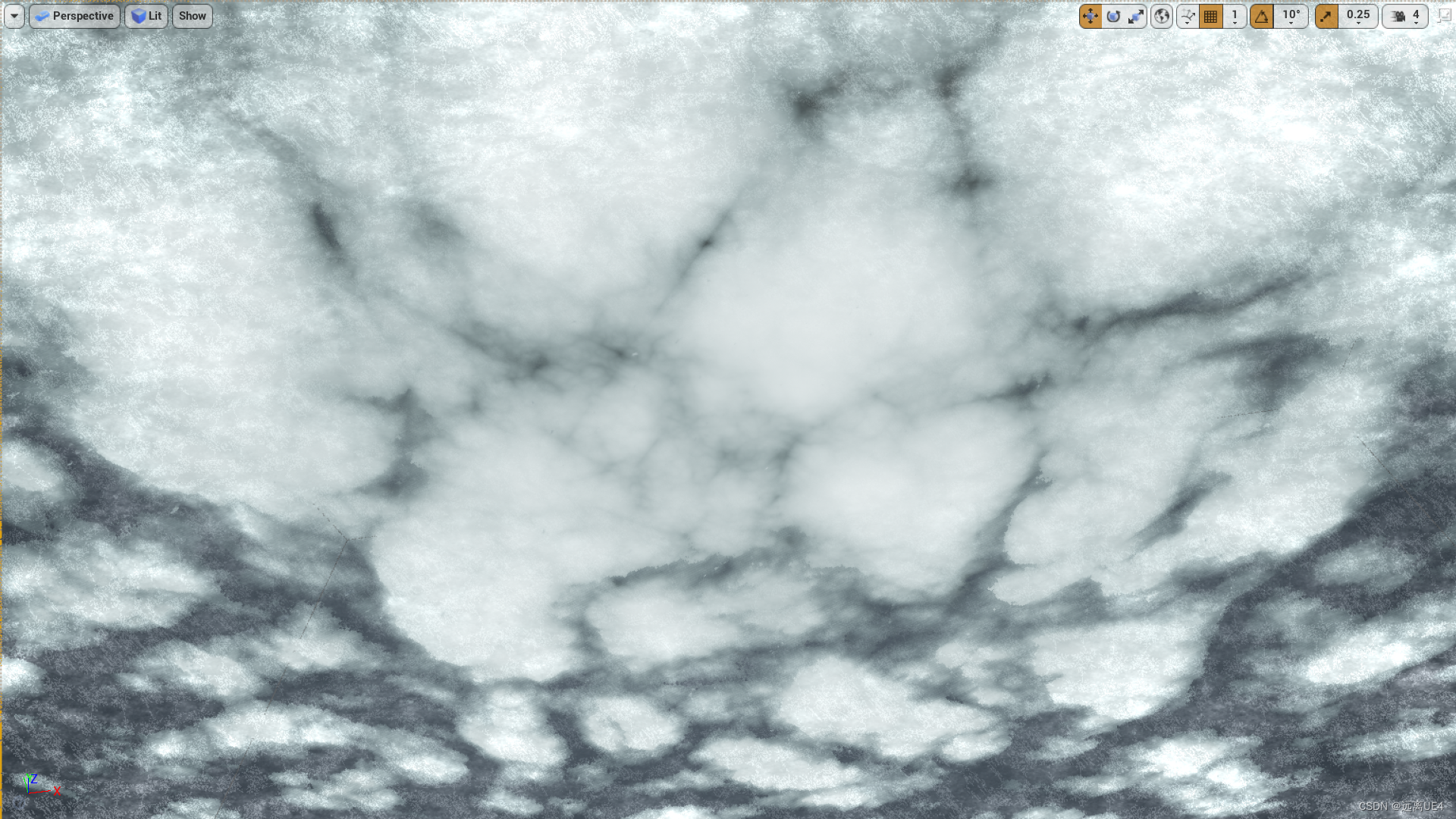
UE4 体积云制作 学习笔记
首先Noise本来就是一张噪点图 云的扰动不能太大,将Scale调小,并将InputMin调整为0 形成这样一张扰动图 扰动需要根据材质在世界的位置进行调整,所以Position需要加上WorldPosition 材质在不同世界位置,噪点不同 除以一个数&#…...

visual studio编译QtAV
1.1 依赖环境 第一种方法: 下载编译好的ffmpeg-3.4.2-win64-dev和ffmpeg-3.4.2-win64-shared,解压得到 D:\qt-workspace\ffmpeg-3.4.2-win64-dev D:\qt-workspace\ffmpeg-3.4.2-win64-shared 第二种方法: QtAV官方有提供编译好的依赖库 QtAV-depends-windows-x86%2Bx64.7…...
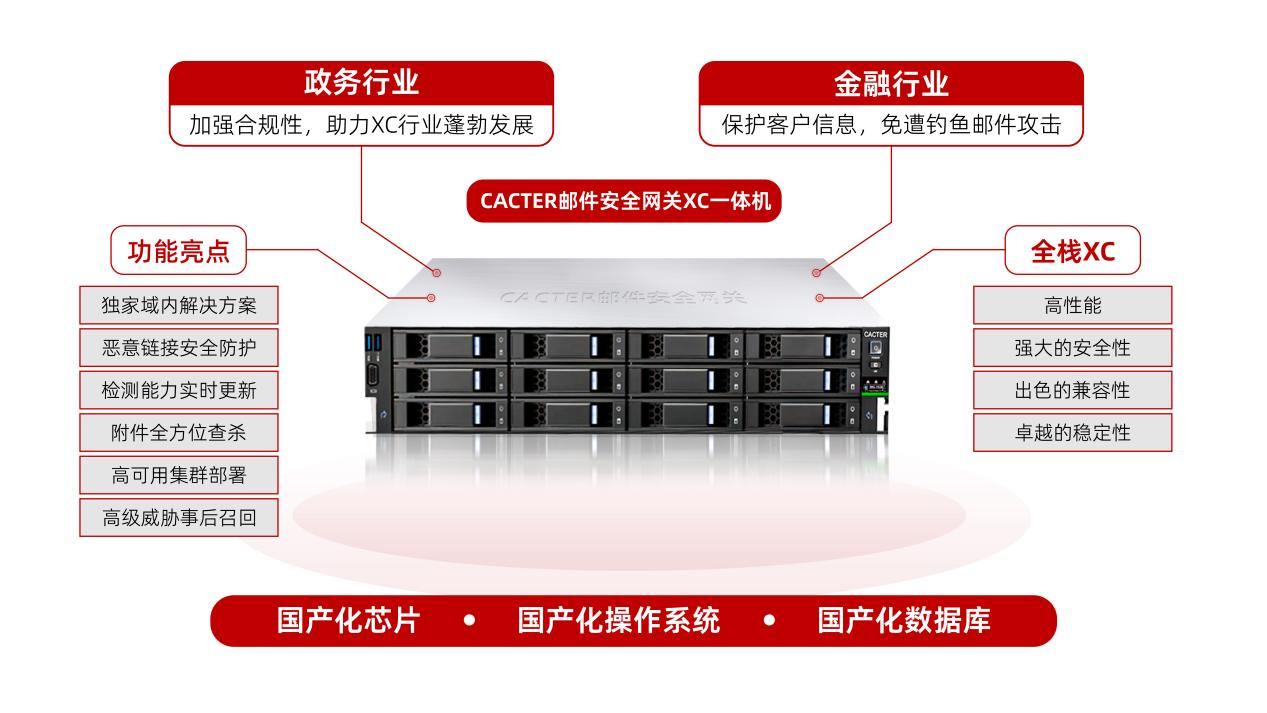
喜报!CACTER邮件安全网关荣获2023鲲鹏应用创新大赛广东赛区三等奖
近期,2023鲲鹏应用创新大赛广东赛区暨广东省信息技术应用创新产业联盟创新大赛圆满落幕,Coremail凭借“基于鲲鹏CPU的邮件网关一体机解决方案”,荣获“金融行业方向”三等奖。 鲲鹏凌粤 展翅湾区 本届大赛广东区域赛以“鲲鹏凌粤 展翅湾…...
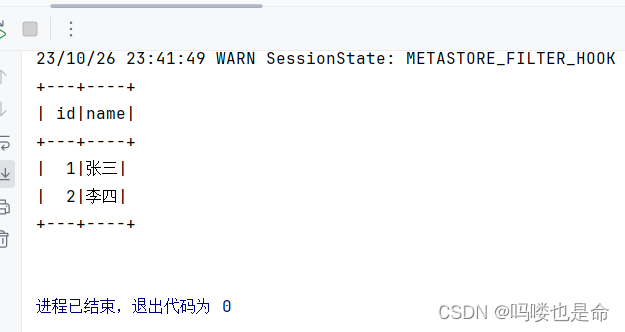
Spark On Hive原理和配置
目录 一、Spark On Hive原理 (1)为什么要让Spark On Hive? 二、MySQL安装配置(root用户) (1)安装MySQL (2)启动MySQL设置开机启动 (3)修改MySQL…...
实战:从自然行为到工程优化)
【智能算法】长鼻浣熊优化算法(COA)实战:从自然行为到工程优化
1. 长鼻浣熊优化算法(COA)初探 第一次听说长鼻浣熊优化算法(COA)时,我正为一个工业参数优化问题头疼不已。传统遗传算法在这个问题上陷入了局部最优,粒子群优化又收敛得太快。直到看到2023年M Dehghani团队…...

量子错误校正与离子阱系统的混合编码优化
1. 量子错误校正与离子阱系统的现状与挑战量子计算领域正经历着从NISQ(含噪声中等规模量子)时代向容错量子计算(FTQC)过渡的关键阶段。作为这一过渡的核心技术,量子错误校正(QEC)通过将逻辑量子…...

NotebookLM共享协作安全红线:GDPR/等保2.0合规下的4类高危操作与自动审计方案
更多请点击: https://intelliparadigm.com 第一章:NotebookLM共享协作安全红线:GDPR/等保2.0合规下的4类高危操作与自动审计方案 NotebookLM 作为 Google 推出的 AI 增强型笔记工具,其“共享链接即协作”的默认机制在提升效率的同…...

基于树莓派A+与3.5寸PiTFT打造便携式触摸屏设备全攻略
1. 项目概述与核心价值如果你和我一样,对嵌入式开发和硬件DIY有浓厚的兴趣,那么将一块功能强大的单板计算机(比如树莓派)变成一个可以揣在口袋里、随时掏出来就能用的便携式触摸屏设备,绝对是一个充满成就感的项目。这…...
)
NotebookLM评论反馈功能全链路拆解(从Prompt响应延迟到语义锚定失效的7个致命断点)
更多请点击: https://intelliparadigm.com 第一章:NotebookLM评论反馈功能的架构全景与设计初衷 NotebookLM 的评论反馈功能并非简单的 UI 层叠加,而是贯穿数据流、状态管理与协同语义理解的深度集成模块。其核心目标是让用户在阅读、引用或…...

Unity加载倾斜摄影模型踩坑记:从3MX/OSGB文件到流畅渲染,我解决了这几个问题
Unity倾斜摄影模型加载实战:从3MX/OSGB到跨平台渲染的深度解决方案 第一次在Unity中加载倾斜摄影模型时,那种期待和忐忑交织的心情至今难忘。作为智慧城市项目的核心展示环节,我们需要将航拍生成的3MX和OSGB格式模型无缝集成到Unity场景中。本…...
)
从运维老鸟视角看:为什么我依然推荐在2024年新服务器上安装CentOS 8.5(附最小化安装与安全加固清单)
2024年企业级服务器操作系统选择:CentOS 8.5的实战价值与安全实践 当各大技术社区都在讨论Rocky Linux和AlmaLinux如何完美替代CentOS时,作为一名经历过RHEL 4到CentOS Stream时代变迁的老运维,我依然会在特定场景的服务器采购清单上写下&quo…...

科技中介如何减少重复建设成本,提升服务专业性?
观点作者:科易网-国家科技成果转化(厦门)示范基地 一、现状概述:科技中介服务的成效与短板 在创新驱动发展战略深入实施的时代背景下,科技中介机构作为连接科技创新与产业发展的关键桥梁,其重要性日益凸显。…...

从8251A芯片实战出发:手把手教你用8086汇编完成串口通信初始化编程
从8251A芯片实战出发:手把手教你用8086汇编完成串口通信初始化编程 在嵌入式系统与硬件接口开发领域,掌握串口通信编程是工程师的必修技能。8251A作为经典的通用同步/异步收发器(USART)芯片,至今仍在教学和工业控制领域广泛应用。本文将带您从…...

如何彻底解决macOS多设备滚动冲突:Scroll Reverser完全指南
如何彻底解决macOS多设备滚动冲突:Scroll Reverser完全指南 【免费下载链接】Scroll-Reverser Per-device scrolling prefs on macOS. 项目地址: https://gitcode.com/gh_mirrors/sc/Scroll-Reverser 你是不是经常在MacBook触控板和鼠标之间切换时࿰…...