
基于SSM的模具制造企业订单跟踪管理系统设计与实现
末尾获取源码
开发语言:Java
Java开发工具:JDK1.8
后端框架:SSM
前端:采用JSP技术开发
数据库:MySQL5.7和Navicat管理工具结合
服务器:Tomcat8.5
开发软件:IDEA / Eclipse
是否Maven项目:是
目录
一、项目简介
二、系统功能
三、系统项目截图
用户信息管理
员工信息管理
订单信息管理
公告信息管理
四、核心代码
登录相关
文件上传
封装
一、项目简介
现代经济快节奏发展以及不断完善升级的信息化技术,让传统数据信息的管理升级为软件存储,归纳,集中处理数据信息的管理方式。本模具制造企业订单跟踪管理系统就是在这样的大环境下诞生,其可以帮助管理者在短时间内处理完毕庞大的数据信息,使用这种软件工具可以帮助管理人员提高事务处理效率,达到事半功倍的效果。此模具制造企业订单跟踪管理系统利用当下成熟完善的SSM框架,使用跨平台的可开发大型商业网站的Java语言,以及最受欢迎的RDBMS应用软件之一的Mysql数据库进行程序开发.模具制造企业订单跟踪管理系统的开发根据操作人员需要设计的界面简洁美观,在功能模块布局上跟同类型网站保持一致,程序在实现基本要求功能时,也为数据信息面临的安全问题提供了一些实用的解决方案。可以说该程序在帮助管理者高效率地处理工作事务的同时,也实现了数据信息的整体化,规范化与自动化。
二、系统功能
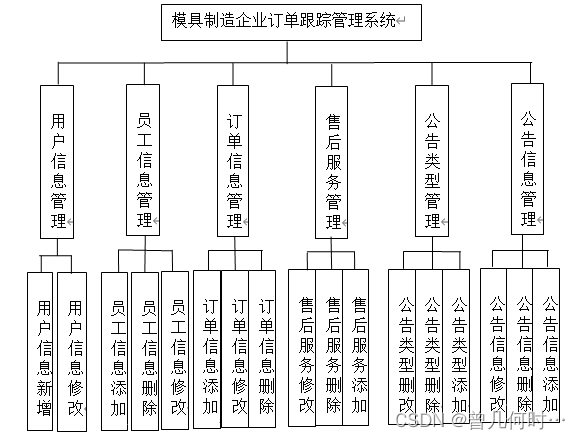
在分析并得出使用者对程序的功能要求时,就可以进行程序设计了。如图展示的就是管理员功能结构图。
三、系统项目截图
用户信息管理
用户信息管理页面,此页面提供给管理员的功能有:用户信息的查询管理,可以删除用户信息、修改用户信息、新增用户信息,还进行了对用户名称的模糊查询的条件

员工信息管理
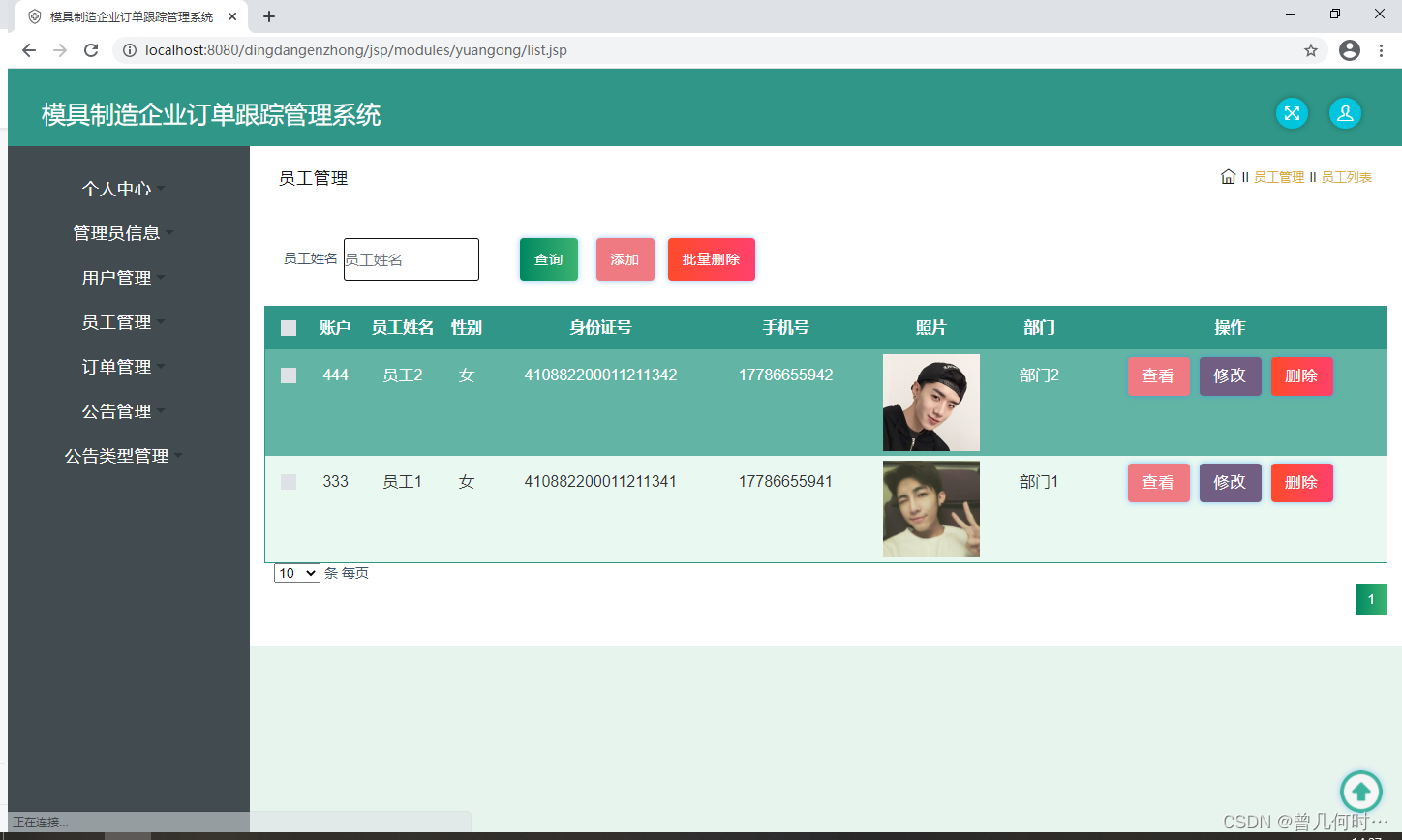
员工信息管理页面,此页面提供给管理员的功能有:查看已发布的员工信息数据,修改员工信息,员工信息作废,即可删除。
订单信息管理
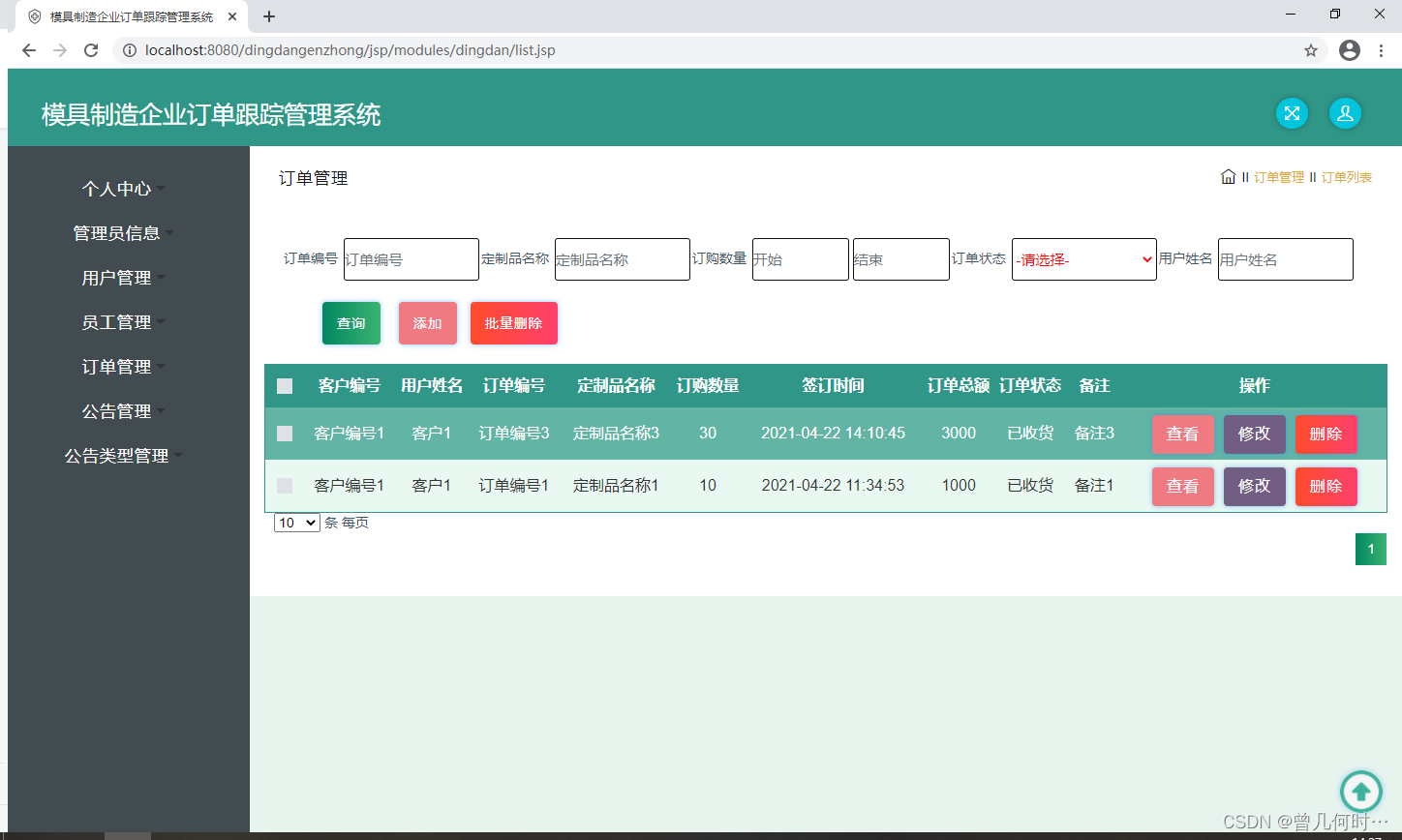
订单信息管理页面,此页面提供给管理员的功能有:根据订单信息进行条件查询,还可以对订单信息进行新增、修改、查询操作等等。
公告信息管理
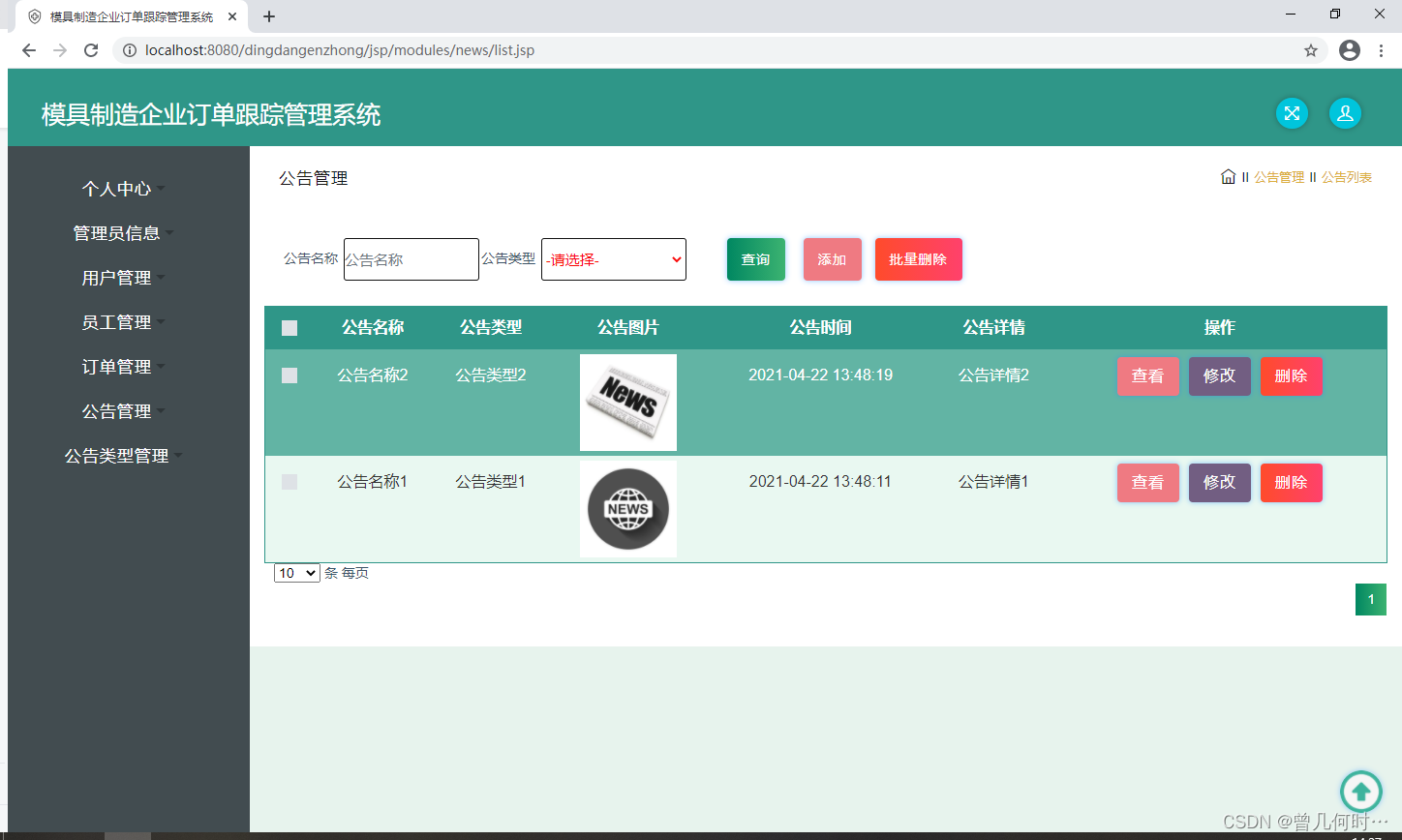
公告信息管理页面,此页面提供给管理员的功能有:根据公告信息进行新增、修改、查询操作。
四、核心代码
登录相关
package com.controller;import java.util.Arrays;
import java.util.Calendar;
import java.util.Date;
import java.util.Map;import javax.servlet.http.HttpServletRequest;import org.springframework.beans.factory.annotation.Autowired;
import org.springframework.stereotype.Controller;
import org.springframework.web.bind.annotation.GetMapping;
import org.springframework.web.bind.annotation.PathVariable;
import org.springframework.web.bind.annotation.PostMapping;
import org.springframework.web.bind.annotation.RequestBody;
import org.springframework.web.bind.annotation.RequestMapping;
import org.springframework.web.bind.annotation.RequestParam;
import org.springframework.web.bind.annotation.ResponseBody;
import org.springframework.web.bind.annotation.RestController;import com.annotation.IgnoreAuth;
import com.baomidou.mybatisplus.mapper.EntityWrapper;
import com.entity.TokenEntity;
import com.entity.UserEntity;
import com.service.TokenService;
import com.service.UserService;
import com.utils.CommonUtil;
import com.utils.MD5Util;
import com.utils.MPUtil;
import com.utils.PageUtils;
import com.utils.R;
import com.utils.ValidatorUtils;/*** 登录相关*/
@RequestMapping("users")
@RestController
public class UserController{@Autowiredprivate UserService userService;@Autowiredprivate TokenService tokenService;/*** 登录*/@IgnoreAuth@PostMapping(value = "/login")public R login(String username, String password, String captcha, HttpServletRequest request) {UserEntity user = userService.selectOne(new EntityWrapper<UserEntity>().eq("username", username));if(user==null || !user.getPassword().equals(password)) {return R.error("账号或密码不正确");}String token = tokenService.generateToken(user.getId(),username, "users", user.getRole());return R.ok().put("token", token);}/*** 注册*/@IgnoreAuth@PostMapping(value = "/register")public R register(@RequestBody UserEntity user){
//    	ValidatorUtils.validateEntity(user);if(userService.selectOne(new EntityWrapper<UserEntity>().eq("username", user.getUsername())) !=null) {return R.error("用户已存在");}userService.insert(user);return R.ok();}/*** 退出*/@GetMapping(value = "logout")public R logout(HttpServletRequest request) {request.getSession().invalidate();return R.ok("退出成功");}/*** 密码重置*/@IgnoreAuth@RequestMapping(value = "/resetPass")public R resetPass(String username, HttpServletRequest request){UserEntity user = userService.selectOne(new EntityWrapper<UserEntity>().eq("username", username));if(user==null) {return R.error("账号不存在");}user.setPassword("123456");userService.update(user,null);return R.ok("密码已重置为:123456");}/*** 列表*/@RequestMapping("/page")public R page(@RequestParam Map<String, Object> params,UserEntity user){EntityWrapper<UserEntity> ew = new EntityWrapper<UserEntity>();PageUtils page = userService.queryPage(params, MPUtil.sort(MPUtil.between(MPUtil.allLike(ew, user), params), params));return R.ok().put("data", page);}/*** 列表*/@RequestMapping("/list")public R list( UserEntity user){EntityWrapper<UserEntity> ew = new EntityWrapper<UserEntity>();ew.allEq(MPUtil.allEQMapPre( user, "user")); return R.ok().put("data", userService.selectListView(ew));}/*** 信息*/@RequestMapping("/info/{id}")public R info(@PathVariable("id") String id){UserEntity user = userService.selectById(id);return R.ok().put("data", user);}/*** 获取用户的session用户信息*/@RequestMapping("/session")public R getCurrUser(HttpServletRequest request){Long id = (Long)request.getSession().getAttribute("userId");UserEntity user = userService.selectById(id);return R.ok().put("data", user);}/*** 保存*/@PostMapping("/save")public R save(@RequestBody UserEntity user){
//    	ValidatorUtils.validateEntity(user);if(userService.selectOne(new EntityWrapper<UserEntity>().eq("username", user.getUsername())) !=null) {return R.error("用户已存在");}userService.insert(user);return R.ok();}/*** 修改*/@RequestMapping("/update")public R update(@RequestBody UserEntity user){
//        ValidatorUtils.validateEntity(user);userService.updateById(user);//全部更新return R.ok();}/*** 删除*/@RequestMapping("/delete")public R delete(@RequestBody Long[] ids){userService.deleteBatchIds(Arrays.asList(ids));return R.ok();}
}
文件上传
package com.controller;import java.io.File;
import java.io.FileNotFoundException;
import java.io.IOException;
import java.util.Arrays;
import java.util.Date;
import java.util.HashMap;
import java.util.List;
import java.util.Map;
import java.util.Random;
import java.util.UUID;import org.apache.commons.io.FileUtils;
import org.apache.commons.lang3.StringUtils;
import org.springframework.beans.factory.annotation.Autowired;
import org.springframework.http.HttpHeaders;
import org.springframework.http.HttpStatus;
import org.springframework.http.MediaType;
import org.springframework.http.ResponseEntity;
import org.springframework.util.ResourceUtils;
import org.springframework.web.bind.annotation.PathVariable;
import org.springframework.web.bind.annotation.RequestBody;
import org.springframework.web.bind.annotation.RequestMapping;
import org.springframework.web.bind.annotation.RequestParam;
import org.springframework.web.bind.annotation.RestController;
import org.springframework.web.multipart.MultipartFile;import com.annotation.IgnoreAuth;
import com.baomidou.mybatisplus.mapper.EntityWrapper;
import com.entity.ConfigEntity;
import com.entity.EIException;
import com.service.ConfigService;
import com.utils.R;/*** 上传文件映射表*/
@RestController
@RequestMapping("file")
@SuppressWarnings({"unchecked","rawtypes"})
public class FileController{@Autowiredprivate ConfigService configService;/*** 上传文件*/@RequestMapping("/upload")public R upload(@RequestParam("file") MultipartFile file,String type) throws Exception {if (file.isEmpty()) {throw new EIException("上传文件不能为空");}String fileExt = file.getOriginalFilename().substring(file.getOriginalFilename().lastIndexOf(".")+1);File path = new File(ResourceUtils.getURL("classpath:static").getPath());if(!path.exists()) {path = new File("");}File upload = new File(path.getAbsolutePath(),"/upload/");if(!upload.exists()) {upload.mkdirs();}String fileName = new Date().getTime()+"."+fileExt;File dest = new File(upload.getAbsolutePath()+"/"+fileName);file.transferTo(dest);FileUtils.copyFile(dest, new File("C:\\Users\\Desktop\\jiadian\\springbootl7own\\src\\main\\resources\\static\\upload"+"/"+fileName));if(StringUtils.isNotBlank(type) && type.equals("1")) {ConfigEntity configEntity = configService.selectOne(new EntityWrapper<ConfigEntity>().eq("name", "faceFile"));if(configEntity==null) {configEntity = new ConfigEntity();configEntity.setName("faceFile");configEntity.setValue(fileName);} else {configEntity.setValue(fileName);}configService.insertOrUpdate(configEntity);}return R.ok().put("file", fileName);}/*** 下载文件*/@IgnoreAuth@RequestMapping("/download")public ResponseEntity<byte[]> download(@RequestParam String fileName) {try {File path = new File(ResourceUtils.getURL("classpath:static").getPath());if(!path.exists()) {path = new File("");}File upload = new File(path.getAbsolutePath(),"/upload/");if(!upload.exists()) {upload.mkdirs();}File file = new File(upload.getAbsolutePath()+"/"+fileName);if(file.exists()){/*if(!fileService.canRead(file, SessionManager.getSessionUser())){getResponse().sendError(403);}*/HttpHeaders headers = new HttpHeaders();headers.setContentType(MediaType.APPLICATION_OCTET_STREAM);    headers.setContentDispositionFormData("attachment", fileName);    return new ResponseEntity<byte[]>(FileUtils.readFileToByteArray(file),headers, HttpStatus.CREATED);}} catch (IOException e) {e.printStackTrace();}return new ResponseEntity<byte[]>(HttpStatus.INTERNAL_SERVER_ERROR);}}
封装
package com.utils;import java.util.HashMap;
import java.util.Map;/*** 返回数据*/
public class R extends HashMap<String, Object> {private static final long serialVersionUID = 1L;public R() {put("code", 0);}public static R error() {return error(500, "未知异常,请联系管理员");}public static R error(String msg) {return error(500, msg);}public static R error(int code, String msg) {R r = new R();r.put("code", code);r.put("msg", msg);return r;}public static R ok(String msg) {R r = new R();r.put("msg", msg);return r;}public static R ok(Map<String, Object> map) {R r = new R();r.putAll(map);return r;}public static R ok() {return new R();}public R put(String key, Object value) {super.put(key, value);return this;}
}
相关文章:
基于SSM的模具制造企业订单跟踪管理系统设计与实现
末尾获取源码 开发语言:Java Java开发工具:JDK1.8 后端框架:SSM 前端:采用JSP技术开发 数据库:MySQL5.7和Navicat管理工具结合 服务器:Tomcat8.5 开发软件:IDEA / Eclipse 是否Maven项目&#x…...
计算机基础知识41
前端 # 前端是所有跟用户直接打交道 比如:PC页面、手机页面、汽车显示屏,肉眼可以看见的 # 后端:一堆代码,用户不能够直接看到,不直接与用户打交道 常见的后端:Python、Java、Go等 # 学了前端就可以做全栈…...

requests之get请求实例-百度搜索
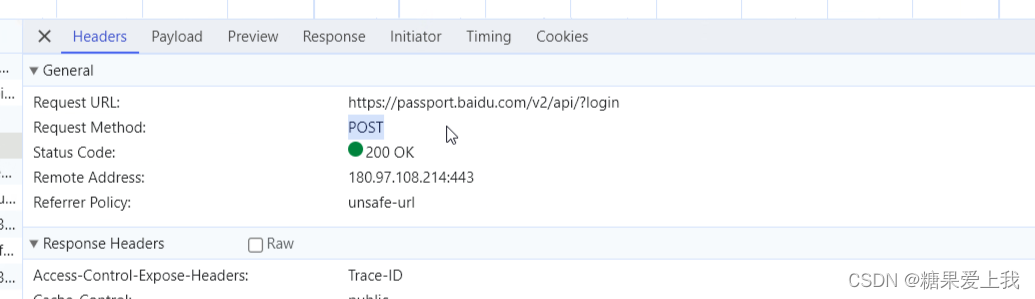
视频版教程:一天掌握python爬虫【基础篇】 涵盖 requests、beautifulsoup、selenium 百度搜索请求地址: https://www.baidu.com/s?wd宝马 如果我们直接用requests.get()进行访问,发现没有返回内容,因为百度服务器通过headers头…...
Linux进程程序替换
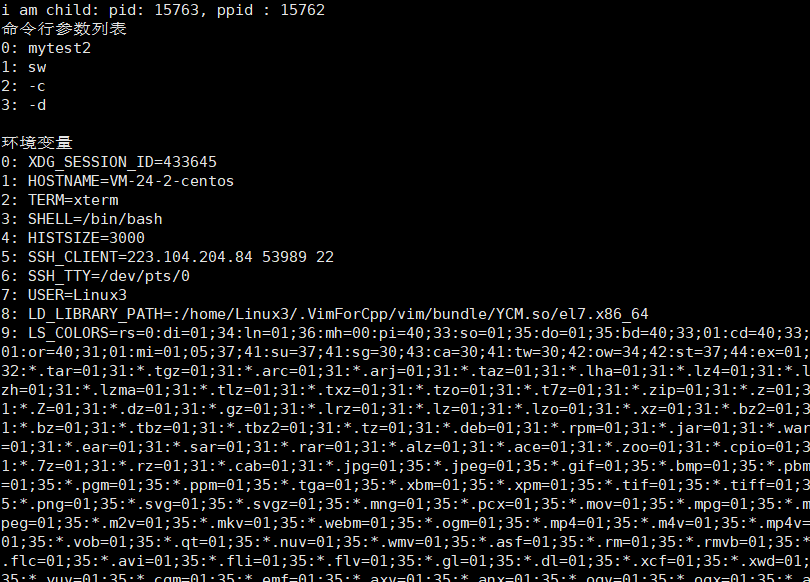
文章目录 进程程序替换程序替换函数execl()函数调用另外一个可执行程序 execlp()函数ecexv()函数execle()函数 替换函数总结 进程程序替换 什么是进程程序替换?为什么要有程序替换? 顾名思义,进程程序替换就是把该进程中的程序替换掉&#x…...
Istio实战(九)-Envoy 流量劫持
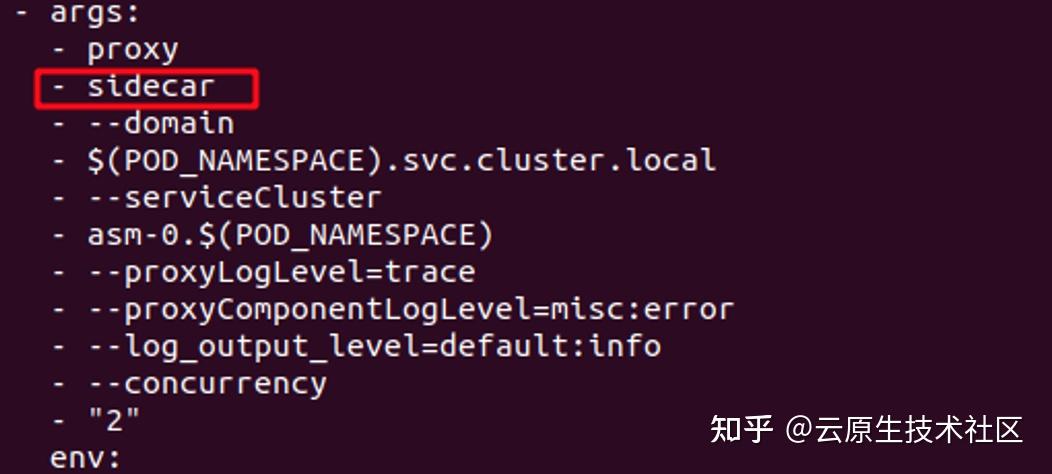
前言 Envoy 是一款面向 Service Mesh 的高性能网络代理服务。它与应用程序并行运行,通过以平台无关的方式提供通用功能来抽象网络。当基础架构中的所有服务流量都通过 Envoy 网格时,通过一致的可观测性,很容易地查看问题区域,调整整体性能。 Envoy也是istio的核心组件之一…...

Node.js 的pm2 库
Node.js 是一个非常流行的 JavaScript 运行时环境,用于编写服务器端代码。随着 Node.js 应用程序的增长, 我们需要一种可靠的方式来管理应用程序的生命周期。这就是 pm2 库的作用。它是一个流行的 Node.js 应用程序进程管理器,可以帮助我们管…...

AutoX.js - openCV多分辨率找图
AutoX.js - openCV多分辨率找图 一、起因 AutoXjs 中有两个找图相关的方法 findImage 和 matchTemplate,之前一直没发现什么问题,但最近在一次测试找图时,明明大图和模板图的轮廓都清晰,却怎么也找不到图,降低阈值参…...
Python爬虫实战案例——第七例
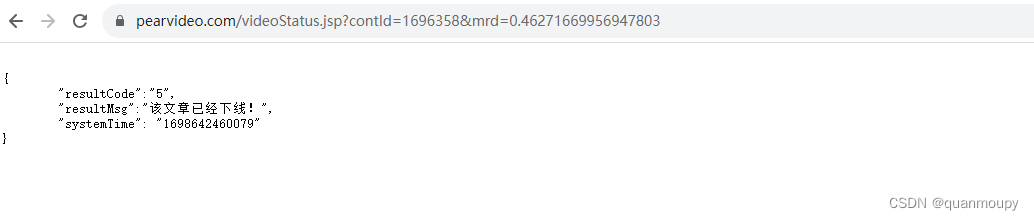
文章中所有内容仅供学习交流使用,不用于其他任何目的!严禁将文中内容用于任何商业与非法用途,由此产生的一切后果与作者无关。若有侵权,请联系删除。 目标:LI视频采集 地址:aHR0cHM6Ly93d3cucGVhcnZpZGVv…...
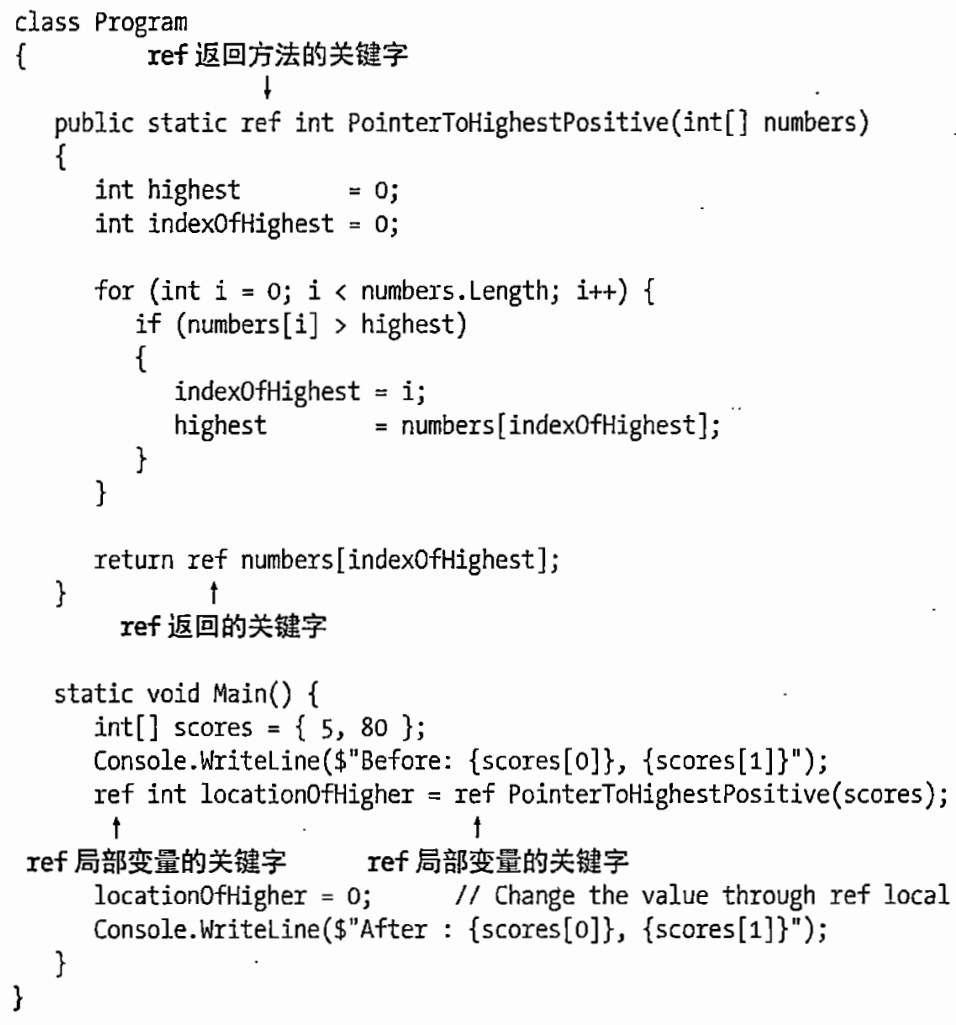
C# 图解教程 第5版 —— 第13章 数组
文章目录 13.1 数组13.1.1 定义13.1.2 重要细节 13.2 数组的类型13.3 数组是对象13.4 一维数组和矩形数组13.5 实例化一维数组或矩形数组13.6 访问数组元素(*)13.7 初始化数组13.7.1 显示初始化一维数组13.7.2 显示初始化矩形数组13.7.3 初始化矩形数组的…...
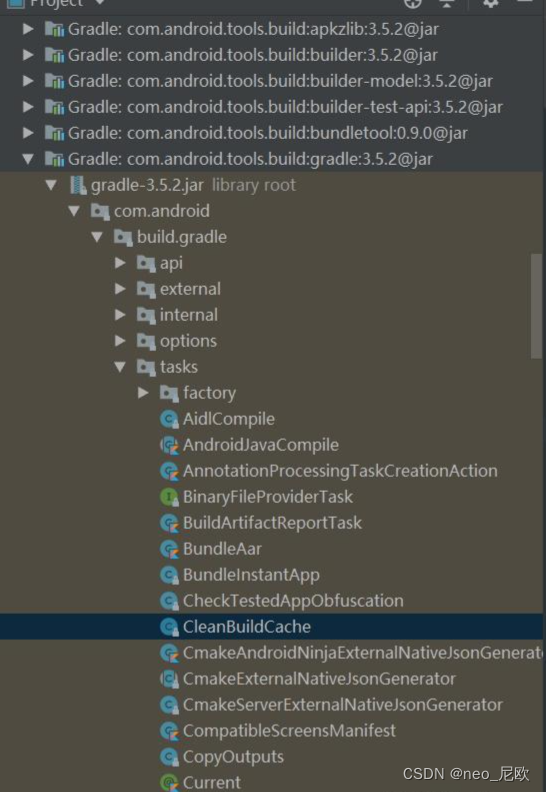
android studio启动Task配置
Android studio 高版本默认不开启Task配置,需要自己手动开启 1.低版本配置路径:(复制他人图片) 2.高版本路径:添加下图勾选配置即可 3.gradle task 3.1 初识task gradle中所有的构建工作都是由task完成的,它帮我们处…...
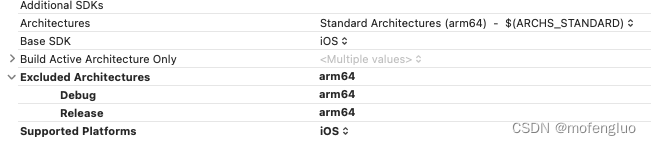
Xcode运行程序提示 Executable Path is a Directory 问题解决
一、首先运行模拟器报错(没有记录),解决办法: TARGET->Build Settings->Architectures -> Exclude Architectures里面填入arm64,后运行模拟器成功 二、其次模拟器开发完成后,xcode运行真机调试&…...

决策树的优缺点
决策树优点 1. 易于理解和解释,因为树木可以画出来被看见 2. 需要很少的数据准备。其他很多算法通常都需要数据规范化,需要创建虚拟变量并删除空值等。但请注意, sklearn中的决策树模块不支持对缺失值的处理。 3. 使用树的成本(比…...
 - 功能实现和项目总结)
Flask后端开发(二) - 功能实现和项目总结
目录 1. 功能1:修改文件参数值1.1. 获取网页端传参1.2. 读取文件1.2.1. 一般文件读取方式1.2.2. 特殊文件 —— mlx文件1.2.3. 特殊文件 —— .xlx文件1.3. 查找数据修改位置,替换数据2. 功能2:读取结果数据2.1. 实时数据展示如何存储相关数据?2.2. 读取相关数据,整理、打…...

思维训练第五课插入语和主谓一致
系列文章目录 文章目录 系列文章目录前言一、插入语插入语的分类1、常用作插入语的副词 Indeed的确 certainly 当然 surely 无疑地 however 然而 等2、形容词及词组作插入语3、常作插入语的介词短语4、常作插入语的分词短语 Strictly speaking严格地说,generally sp…...
开源利器:it-tools 项目介绍
作为一名开发人员,我们在日常工作和学习中常常需要使用一系列小工具,如JSON格式化、JSON转表格、当前时间戳、XML格式化、SQL格式化、密码生成以及UUID生成等。通常情况下,我们会在网上搜索各种在线工具来满足这些需求。然而,这些…...
基于和声算法的无人机航迹规划-附代码
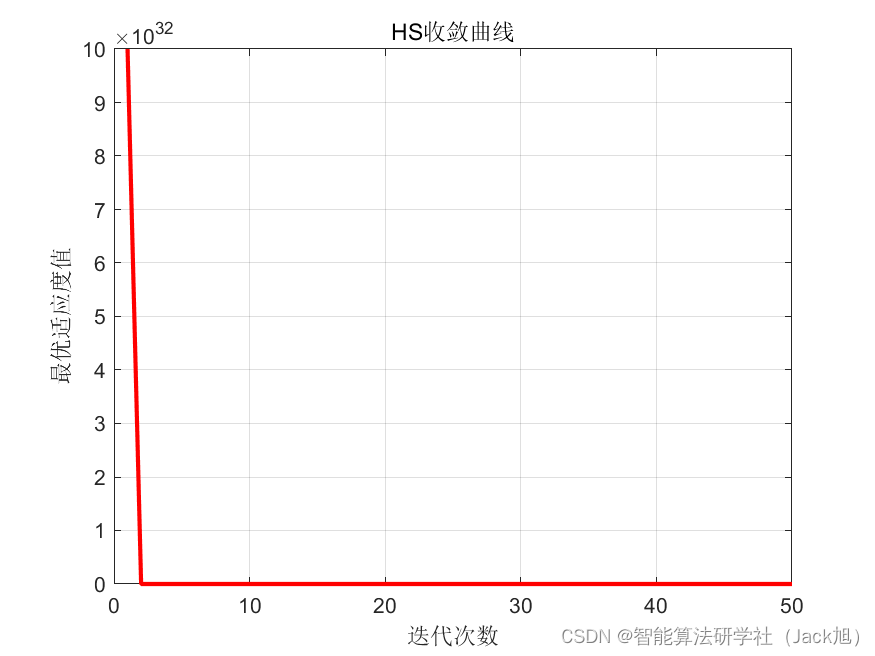
基于和声算法的无人机航迹规划 文章目录 基于和声算法的无人机航迹规划1.和声搜索算法2.无人机飞行环境建模3.无人机航迹规划建模4.实验结果4.1地图创建4.2 航迹规划 5.参考文献6.Matlab代码 摘要:本文主要介绍利用和声算法来优化无人机航迹规划。 1.和声搜索算法 …...

[Linux]线程池
[Linux]线程池 文章目录 [Linux]线程池线程池的概念线程池的优点线程池的应用场景线程池的实现 线程池的概念 线程池是一种线程使用模式。线程池是一种特殊的生产消费模型,用户作为生产者,线程池作为消费者和缓冲区。 线程过多会带来调度开销,…...

使用es实现轻量级分布式锁
文章目录 [toc] 1.前言2.实现3.总结 1.前言 一般来说,实现分布式锁的方式有哪几种? 一:Redisson实现 二:ZK实现 这两种实现网上的实现是千篇一律,在本文就不做过多的讲解了 其它方式好像没有了,真的是这…...

富文本编辑器特殊字符的解码编码
var HtmlUtil {/*1.用浏览器内部转换器实现html转码*/htmlEncode:function (html){//1.首先动态创建一个容器标签元素,如DIVvar temp document.createElement ("div");//2.然后将要转换的字符串设置为这个元素的innerText(ie支持)或者textContent(火狐&…...

几种软件开发方法对比
几种软件开发方法对比 1 综述 软件开发方法是一种使用早已定义好的技术集及符号表示习惯来组织软件生产的过程。 本文对净室方法、结构化方法、面向对象方法、原型法、逆向工程等方法进行梳理,并对各种开发方法特点、优点进行对比。 2 净室方法 2.1 特点 净…...

长期使用Taotoken服务在延迟与可用性方面的主观回顾
🚀 告别海外账号与网络限制!稳定直连全球优质大模型,限时半价接入中。 👉 点击领取海量免费额度 长期使用Taotoken服务在延迟与可用性方面的主观回顾 1. 引言 在近一年的项目开发与维护周期中,我们团队持续将Taotoke…...

如何用QTTabBar彻底告别Windows资源管理器的混乱:一个完整的高效文件管理解决方案
如何用QTTabBar彻底告别Windows资源管理器的混乱:一个完整的高效文件管理解决方案 【免费下载链接】qttabbar QTTabBar is a small tool that allows you to use tab multi label function in Windows Explorer. https://www.yuque.com/indiff/qttabbar 项目地址:…...

基于RAG架构构建私有知识库智能问答系统:从原理到部署实战
1. 项目概述:一个基于内容的智能对话机器人最近在GitHub上看到一个挺有意思的项目,叫mpaepper/content-chatbot。乍一看名字,你可能会觉得这又是一个基于大语言模型(LLM)的聊天机器人,市面上已经多如牛毛了…...

终极Python通达信数据读取指南:5分钟快速入门量化分析
终极Python通达信数据读取指南:5分钟快速入门量化分析 【免费下载链接】mootdx 通达信数据读取的一个简便使用封装 项目地址: https://gitcode.com/GitHub_Trending/mo/mootdx 在金融数据分析和量化交易领域,通达信数据读取一直是Python开发者面临…...

米尔MA35D1核心板512MB DDR升级:工业边缘计算性能跃迁与开发实战
1. 项目概述:MA35D1核心板512M DDR配置的发布意味着什么?最近,米尔电子发布了其基于新唐MA35D1处理器的核心板新配置——512MB DDR。这个消息在工业控制和边缘计算圈子里引起了不少讨论。对于很多正在评估或已经使用MA35D1方案的朋友来说&…...

5步构建智能建筑通信系统:BACnet4J纯Java协议栈的架构师指南
5步构建智能建筑通信系统:BACnet4J纯Java协议栈的架构师指南 【免费下载链接】BACnet4J BACnet/IP stack written in Java. Forked from http://sourceforge.net/projects/bacnet4j/ 项目地址: https://gitcode.com/gh_mirrors/ba/BACnet4J 在智能建筑和工业…...

GCC __builtin函数避坑指南:让你的跨平台C代码在ARM和x86上都跑得稳
GCC __builtin函数跨平台避坑实战:ARM与x86兼容性深度解析 在嵌入式开发与高性能计算领域,GCC编译器的__builtin函数集一直是开发者提升性能的利器。但当代码需要同时运行在ARM架构的嵌入式设备和x86架构的服务器上时,这些看似美妙的"魔…...

阶段与关口:项目管理中的核心触发器与决策机制解析
1. 从“触发器”说起:为什么我们需要阶段与关口?在汽车电子、软件开发乃至任何复杂的项目管理中,我们常常听到“触发器”这个词。它就像一个开关,一个信号,标志着某个条件已经满足,可以启动下一系列动作。今…...

2025年macOS菜单栏终极管理方案:开源神器Ice让你的工作区重获新生
2025年macOS菜单栏终极管理方案:开源神器Ice让你的工作区重获新生 【免费下载链接】Ice Powerful menu bar manager for macOS 项目地址: https://gitcode.com/GitHub_Trending/ice/Ice macOS菜单栏管理工具Ice是一款完全免费的开源神器,专为现代…...

Robotics Toolbox for Python架构解析与工程实践指南
Robotics Toolbox for Python架构解析与工程实践指南 【免费下载链接】robotics-toolbox-python Robotics Toolbox for Python 项目地址: https://gitcode.com/gh_mirrors/ro/robotics-toolbox-python Robotics Toolbox for Python是一个面向机器人算法开发者和研究人员…...