
RedisTemplate连接密码设置教程
最近在一个项目中使用Redis保存Token时,出现连接Redis报错的情况
org.springframework.data.redis.RedisConnectionFailureException: Unable to connect to Redis; nested exception is io.lettuce.core.RedisConnectionException: Unable to connect to localhost:6379at org.springframework.data.redis.connection.lettuce.LettuceConnectionFactory$ExceptionTranslatingConnectionProvider.translateException(LettuceConnectionFactory.java:1689)at org.springframework.data.redis.connection.lettuce.LettuceConnectionFactory$ExceptionTranslatingConnectionProvider.getConnection(LettuceConnectionFactory.java:1597)at org.springframework.data.redis.connection.lettuce.LettuceConnectionFactory$SharedConnection.getNativeConnection(LettuceConnectionFactory.java:1383)at org.springframework.data.redis.connection.lettuce.LettuceConnectionFactory$SharedConnection.getConnection(LettuceConnectionFactory.java:1366)at org.springframework.data.redis.connection.lettuce.LettuceConnectionFactory.getSharedConnection(LettuceConnectionFactory.java:1093)at org.springframework.data.redis.connection.lettuce.LettuceConnectionFactory.getConnection(LettuceConnectionFactory.java:421)at org.springframework.data.redis.core.RedisConnectionUtils.fetchConnection(RedisConnectionUtils.java:193)at org.springframework.data.redis.core.RedisConnectionUtils.doGetConnection(RedisConnectionUtils.java:144)at org.springframework.data.redis.core.RedisConnectionUtils.getConnection(RedisConnectionUtils.java:105)at org.springframework.data.redis.core.RedisTemplate.execute(RedisTemplate.java:211)at org.springframework.data.redis.core.RedisTemplate.execute(RedisTemplate.java:191)at org.springframework.data.redis.core.AbstractOperations.execute(AbstractOperations.java:97)at org.springframework.data.redis.core.DefaultValueOperations.set(DefaultValueOperations.java:305)at com.zhangxi.SpringDataRedisTest.testString(SpringDataRedisTest.java:36)at sun.reflect.NativeMethodAccessorImpl.invoke0(Native Method)at sun.reflect.NativeMethodAccessorImpl.invoke(NativeMethodAccessorImpl.java:62)at sun.reflect.DelegatingMethodAccessorImpl.invoke(DelegatingMethodAccessorImpl.java:43)at java.lang.reflect.Method.invoke(Method.java:498)at org.junit.platform.commons.util.ReflectionUtils.invokeMethod(ReflectionUtils.java:725)at org.junit.jupiter.engine.execution.MethodInvocation.proceed(MethodInvocation.java:60)at org.junit.jupiter.engine.execution.InvocationInterceptorChain$ValidatingInvocation.proceed(InvocationInterceptorChain.java:131)at org.junit.jupiter.engine.extension.TimeoutExtension.intercept(TimeoutExtension.java:149)at org.junit.jupiter.engine.extension.TimeoutExtension.interceptTestableMethod(TimeoutExtension.java:140)at org.junit.jupiter.engine.extension.TimeoutExtension.interceptTestMethod(TimeoutExtension.java:84)at org.junit.jupiter.engine.execution.ExecutableInvoker$ReflectiveInterceptorCall.lambda$ofVoidMethod$0(ExecutableInvoker.java:115)at org.junit.jupiter.engine.execution.ExecutableInvoker.lambda$invoke$0(ExecutableInvoker.java:105)at org.junit.jupiter.engine.execution.InvocationInterceptorChain$InterceptedInvocation.proceed(InvocationInterceptorChain.java:106)at org.junit.jupiter.engine.execution.InvocationInterceptorChain.proceed(InvocationInterceptorChain.java:64)at org.junit.jupiter.engine.execution.InvocationInterceptorChain.chainAndInvoke(InvocationInterceptorChain.java:45)at org.junit.jupiter.engine.execution.InvocationInterceptorChain.invoke(InvocationInterceptorChain.java:37)at org.junit.jupiter.engine.execution.ExecutableInvoker.invoke(ExecutableInvoker.java:104)at org.junit.jupiter.engine.execution.ExecutableInvoker.invoke(ExecutableInvoker.java:98)at org.junit.jupiter.engine.descriptor.TestMethodTestDescriptor.lambda$invokeTestMethod$7(TestMethodTestDescriptor.java:214)at org.junit.platform.engine.support.hierarchical.ThrowableCollector.execute(ThrowableCollector.java:73)at org.junit.jupiter.engine.descriptor.TestMethodTestDescriptor.invokeTestMethod(TestMethodTestDescriptor.java:210)at org.junit.jupiter.engine.descriptor.TestMethodTestDescriptor.execute(TestMethodTestDescriptor.java:135)at org.junit.jupiter.engine.descriptor.TestMethodTestDescriptor.execute(TestMethodTestDescriptor.java:66)at org.junit.platform.engine.support.hierarchical.NodeTestTask.lambda$executeRecursively$6(NodeTestTask.java:151)at org.junit.platform.engine.support.hierarchical.ThrowableCollector.execute(ThrowableCollector.java:73)at org.junit.platform.engine.support.hierarchical.NodeTestTask.lambda$executeRecursively$8(NodeTestTask.java:141)at org.junit.platform.engine.support.hierarchical.Node.around(Node.java:137)at org.junit.platform.engine.support.hierarchical.NodeTestTask.lambda$executeRecursively$9(NodeTestTask.java:139)at org.junit.platform.engine.support.hierarchical.ThrowableCollector.execute(ThrowableCollector.java:73)at org.junit.platform.engine.support.hierarchical.NodeTestTask.executeRecursively(NodeTestTask.java:138)at org.junit.platform.engine.support.hierarchical.NodeTestTask.execute(NodeTestTask.java:95)at java.util.ArrayList.forEach(ArrayList.java:1257)at org.junit.platform.engine.support.hierarchical.SameThreadHierarchicalTestExecutorService.invokeAll(SameThreadHierarchicalTestExecutorService.java:41)at org.junit.platform.engine.support.hierarchical.NodeTestTask.lambda$executeRecursively$6(NodeTestTask.java:155)at org.junit.platform.engine.support.hierarchical.ThrowableCollector.execute(ThrowableCollector.java:73)at org.junit.platform.engine.support.hierarchical.NodeTestTask.lambda$executeRecursively$8(NodeTestTask.java:141)at org.junit.platform.engine.support.hierarchical.Node.around(Node.java:137)at org.junit.platform.engine.support.hierarchical.NodeTestTask.lambda$executeRecursively$9(NodeTestTask.java:139)at org.junit.platform.engine.support.hierarchical.ThrowableCollector.execute(ThrowableCollector.java:73)at org.junit.platform.engine.support.hierarchical.NodeTestTask.executeRecursively(NodeTestTask.java:138)at org.junit.platform.engine.support.hierarchical.NodeTestTask.execute(NodeTestTask.java:95)at java.util.ArrayList.forEach(ArrayList.java:1257)at org.junit.platform.engine.support.hierarchical.SameThreadHierarchicalTestExecutorService.invokeAll(SameThreadHierarchicalTestExecutorService.java:41)at org.junit.platform.engine.support.hierarchical.NodeTestTask.lambda$executeRecursively$6(NodeTestTask.java:155)at org.junit.platform.engine.support.hierarchical.ThrowableCollector.execute(ThrowableCollector.java:73)at org.junit.platform.engine.support.hierarchical.NodeTestTask.lambda$executeRecursively$8(NodeTestTask.java:141)at org.junit.platform.engine.support.hierarchical.Node.around(Node.java:137)at org.junit.platform.engine.support.hierarchical.NodeTestTask.lambda$executeRecursively$9(NodeTestTask.java:139)at org.junit.platform.engine.support.hierarchical.ThrowableCollector.execute(ThrowableCollector.java:73)at org.junit.platform.engine.support.hierarchical.NodeTestTask.executeRecursively(NodeTestTask.java:138)at org.junit.platform.engine.support.hierarchical.NodeTestTask.execute(NodeTestTask.java:95)at org.junit.platform.engine.support.hierarchical.SameThreadHierarchicalTestExecutorService.submit(SameThreadHierarchicalTestExecutorService.java:35)at org.junit.platform.engine.support.hierarchical.HierarchicalTestExecutor.execute(HierarchicalTestExecutor.java:57)at org.junit.platform.engine.support.hierarchical.HierarchicalTestEngine.execute(HierarchicalTestEngine.java:54)at org.junit.platform.launcher.core.EngineExecutionOrchestrator.execute(EngineExecutionOrchestrator.java:107)at org.junit.platform.launcher.core.EngineExecutionOrchestrator.execute(EngineExecutionOrchestrator.java:88)at org.junit.platform.launcher.core.EngineExecutionOrchestrator.lambda$execute$0(EngineExecutionOrchestrator.java:54)at org.junit.platform.launcher.core.EngineExecutionOrchestrator.withInterceptedStreams(EngineExecutionOrchestrator.java:67)......
整理一下连接密码步骤:
实现RedisTemplate连接密码设置的步骤概览:
section 步骤一: 导入依赖section 步骤二: 配置连接信息section 步骤三: 创建Redis连接工厂section 步骤四: 创建RedisTemplate实例
步骤一: 导入依赖
首先,你需要在你的项目中导入以下依赖:
<dependency><groupId>org.springframework.boot</groupId><artifactId>spring-boot-starter-data-redis</artifactId>
</dependency>
步骤二: 配置连接信息
在你的Spring Boot项目的配置文件(如application.yml或application.properties)中,添加Redis连接相关的配置信息。
示例配置文件(application.yml):
spring:redis:host: localhostport: 6379password: your_password
上述配置中,你需要将your_password替换为你实际的Redis连接密码。
步骤三: 创建Redis连接工厂
在你的Java代码中,创建Redis连接工厂对象,并配置连接信息。
import org.springframework.beans.factory.annotation.Value;
import org.springframework.context.annotation.Bean;
import org.springframework.context.annotation.Configuration;
import org.springframework.data.redis.connection.RedisConnectionFactory;
import org.springframework.data.redis.connection.RedisStandaloneConfiguration;
import org.springframework.data.redis.connection.lettuce.LettuceConnectionFactory;@Configuration
public class RedisConfig {@Value("${spring.redis.host}")private String redisHost;@Value("${spring.redis.port}")private int redisPort;@Value("${spring.redis.password}")private String redisPassword;@Beanpublic RedisConnectionFactory redisConnectionFactory() {RedisStandaloneConfiguration redisConfig = new RedisStandaloneConfiguration(redisHost, redisPort);redisConfig.setPassword(redisPassword);return new LettuceConnectionFactory(redisConfig);}
}
上述代码中,RedisConfig类使用@Configuration注解表示这是一个配置类。通过@Value注解获取配置文件中的Redis连接信息,并创建RedisStandaloneConfiguration对象来配置连接信息。然后,使用LettuceConnectionFactory来创建RedisConnectionFactory对象。
步骤四: 创建RedisTemplate实例
在你的Java代码中,创建RedisTemplate实例,并设置Redis连接工厂。
import org.springframework.beans.factory.annotation.Autowired;
import org.springframework.context.annotation.Bean;
import org.springframework.context.annotation.Configuration;
import org.springframework.data.redis.connection.RedisConnectionFactory;
import org.springframework.data.redis.core.RedisTemplate;@Configuration
public class RedisConfig {@Autowiredprivate RedisConnectionFactory redisConnectionFactory;@Beanpublic RedisTemplate<String, Object> redisTemplate() {RedisTemplate<String, Object> redisTemplate = new RedisTemplate<>();redisTemplate.setConnectionFactory(redisConnectionFactory);return redisTemplate;}
}
上述代码中,通过@Autowired注解注入RedisConnectionFactory对象,然后在redisTemplate()方法中创建RedisTemplate实例,并设置连接工厂。
END
目录评论
相关文章:

RedisTemplate连接密码设置教程
最近在一个项目中使用Redis保存Token时,出现连接Redis报错的情况 org.springframework.data.redis.RedisConnectionFailureException: Unable to connect to Redis; nested exception is io.lettuce.core.RedisConnectionException: Unable to connect to localhos…...

基于SSM的二手车交易网站的设计与实现
末尾获取源码 开发语言:Java Java开发工具:JDK1.8 后端框架:SSM 前端:Vue 数据库:MySQL5.7和Navicat管理工具结合 服务器:Tomcat8.5 开发软件:IDEA / Eclipse 是否Maven项目:是 目录…...

温故知新:探究Android UI 绘制刷新流程
一、说明: 基于之前的了解知道ui的绘制最终会走到Android的ViewRootImpl中scheduleTraversals进行发送接收vsync信号绘制,在ViewRootImpl中还会进行主线程检测,也就是我们所谓子线程更新ui会抛出异常。 像我们常用的刷新ui,inval…...
)
设计模式-命令模式(Command)
设计模式-命令模式(Command) 一、命令模式概述1.1 什么是命令模式1.2 简单实现命令模式1.3 使用命令模式的注意事项 二、命令模式的用途三、命令模式实现方式3.1 使用匿名内部类实现命令模式3.2 使用Lambda表达式实现命令模式3.3 使用Java内置的函数式接…...

linux批量解压zip
方法一 1,创建unzip.sh #!/bin/bashwhile read line do unzip $linedone < filelist.txt #!/bin/bashwhile read line dounzip "$line" >& log & done < filelist.txt3. 在终端中执行以下命令 $ chmod x unzip.sh $ ./unzip.sh 这…...

HBase导出建表语句
HBase导出建表语句 HBase是一个面向大数据的分布式列存数据库,它以Hadoop作为底层存储和计算平台。在HBase中,数据以表的形式存储,每个表由行和列组成。本文将介绍如何使用HBase导出建表语句,并提供相应的代码示例。 HBase建表语…...
Linux环境配置(云服务器)
目录 1.第一步:购买云服务器 2.第二步:下载Xshell 7 3.第三步:打开Xshell,登录云服务器 4.第四步:更加便捷的云服务器登录方式 1.第一步:购买云服务器 (推荐:阿里云、华为云、腾…...
【性能测试】Linux下Docker安装与docker-compose管理容器(超细整理)
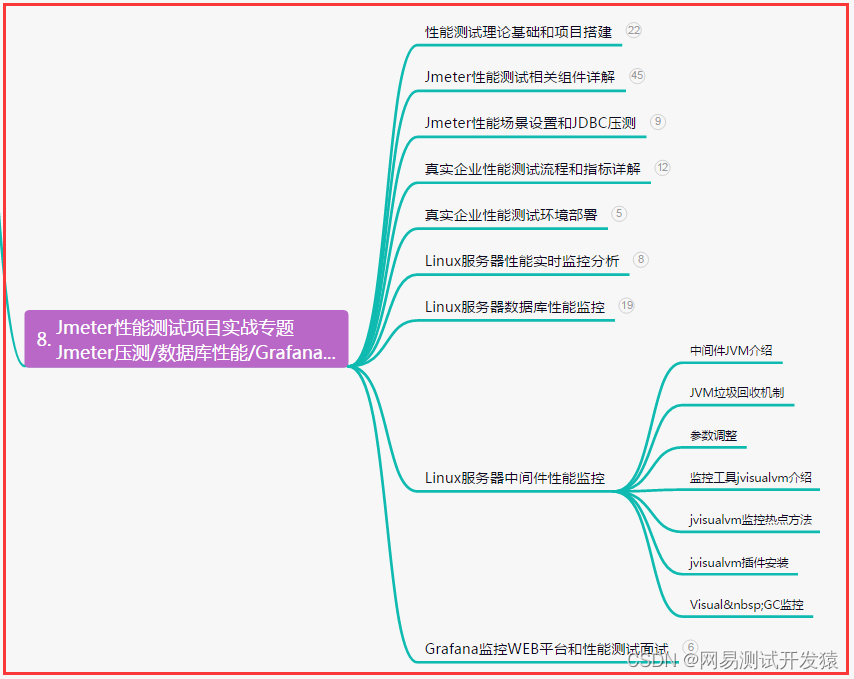
目录:导读 前言一、Python编程入门到精通二、接口自动化项目实战三、Web自动化项目实战四、App自动化项目实战五、一线大厂简历六、测试开发DevOps体系七、常用自动化测试工具八、JMeter性能测试九、总结(尾部小惊喜) 前言 1、Linux下Docker…...

陪玩2.0升级版源码/价值18500元的最新商业版游戏陪玩语音聊天系统源码
陪玩2.0升级版源码,价值18500元的最新商业版游戏陪玩语音聊天系统源码。 修复部分逻辑以及bug 修复bug:店员拒单后,退款会退到店员账号里而不是用户账户里。 修复bug:客户在盲盒下单后,马上取消了订单,但…...
读程序员的制胜技笔记08_死磕优化(上)
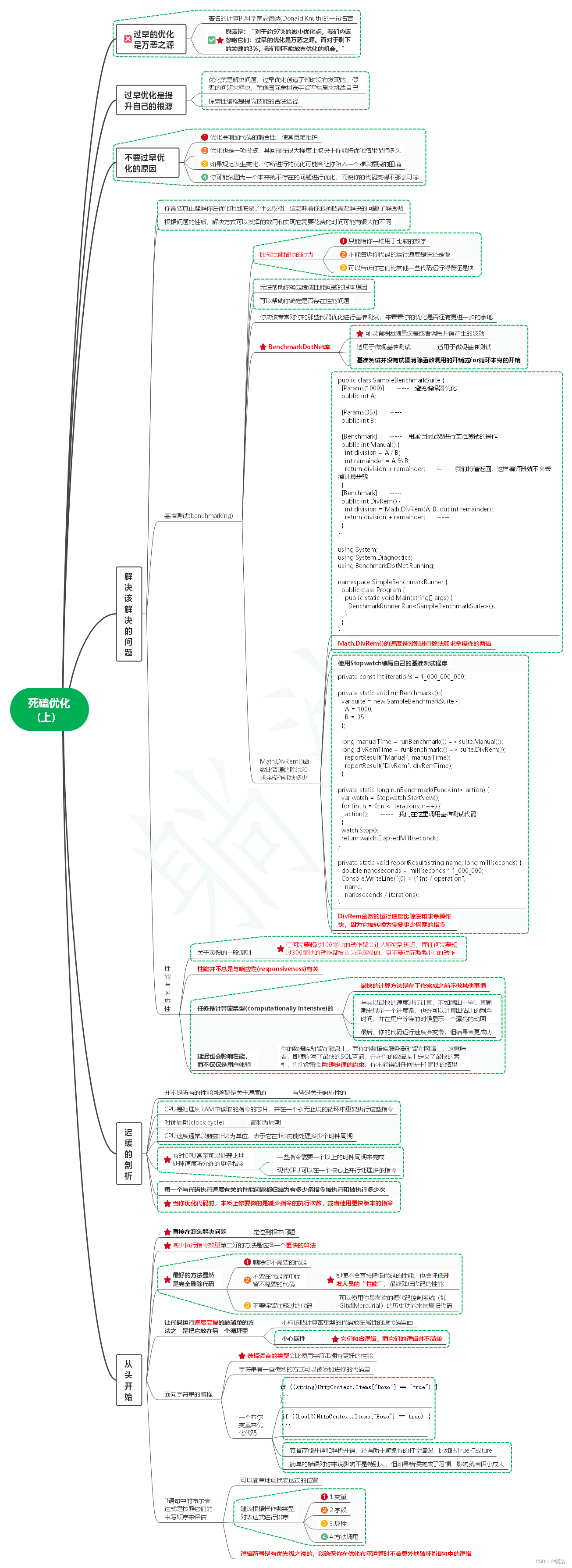
1. 过早的优化是万恶之源 1.1. 著名的计算机科学家高德纳(Donald Knuth)的一句名言 1.2. 原话是:“对于约97%的微小优化点,我们应该忽略它们:过早的优化是万恶之源。而对于剩下的关键的3%,我们则不能放弃优化的机会。” 2. 过早…...
【gltf-pipeline】安装gltf-pipeline 进行文件格式转换
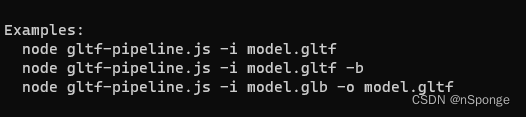
问题 想使用gltf-pipeline进行gltf和glb格式转换。简单记录一下安装过程。 解决 1、安装Node.js Node.js下载路径:https://nodejs.org/en 建议默认设置安装。 添加系统环境变量: 测试安装是否成功: 在cmd.exe中运行: no…...

Android OpenGL ES踩坑记录
因为项目中的一个自定义绘图控件性能不行,改用OpenGL实现,也是第一次使用OpenGL,由于只是绘制2D图形,参考官方以及网上的教程,实现起来还是比较顺畅的,开发时只用了两个手机测试,运行良好&#…...

Vue3 项目完整配置
目录 一、配置简述二、创建项目1、使用包管理工具 pnpm2、新增目录 三、配置 ESLint1、添加代码2、修改 VSCode 配置 四、husky 工具配置五、暂存区 eslint 校验六、axios 配置1、安装创建2、测试 七、导入 Element Plus八、Pinia 持久化实现九、其他导入 .scss 文件需要安装 s…...

二十三种设计模式全面解析-从线程安全到创新应用:探索享元模式的进阶之路
在软件开发领域,线程安全和设计模式都是我们经常遇到的话题。线程安全保证了多线程环境下的数据一致性和可靠性,而设计模式则提供了一套经验丰富的解决方案。在前文中,我们已经了解了线程安全的处理和享元模式的基本概念。但是,如…...

Qt之qobject_cast使用
描述 qobject_cast是Qt中的一个转换函数,主要用于在QObject子类之间进行转换,实现父类指针向子类指针的转换。其语法为: qobject_cast<T>(object);其中,T表示目标类型,object表示要转换的QObject对象指针。 q…...

如何实现云端开发能力快速提升?【DevRun】云上开发创新实践带你实现
随着企业数字化的转型趋势,软件成为数字化转型的关键驱动力,在云计算越来越普及且作用愈发重要的今天,现代应用正以难以想象的速度在增长,同时对软件开发工具提出了新的要求。 华为云CodeArts作为一站式云上开发创新工具…...

猫头虎博主第7期赠书活动:《计算机考研精炼1000题》
🌷🍁 博主猫头虎 带您 Go to New World.✨🍁 🦄 博客首页——猫头虎的博客🎐 🐳《面试题大全专栏》 文章图文并茂🦕生动形象🦖简单易学!欢迎大家来踩踩~🌺 &a…...
Linux常见指令:从基础到理论
前言 目录 前言 1. find指令 拓展 2. grep指令 拓展 sort指令 uniq指令 wc指令 3. zip/unzip指令 4. tar指令 5. uname指令 拓展 6. Linux常用热键 7. 关机 8. rz指令 拓展 scp指令 9. shell命令以及运行原理 Linux常见指令是使用Linux系统时必不可少的一部分。通过掌握…...

ARM---CAN2.0B读取 汽车BMS报文
Qt CAN编程1- CAN总线整体介绍 - 简书 STM32---CAN2.0B读取新能源汽车BMS报文-CSDN博客 CAN通信标准帧和扩展帧介绍_can扩展帧-CSDN博客 【精选】详解CAN 2.0协议_can2.0-CSDN博客 QT实现CAN通信_五个板栗的技术博客_51CTO博客 linux CAN通讯基于Qt代码编写_pf_can-CSDN博客…...

第十一章 JSP开发模型
文章目录 一. 单选题(共5题,50分)二. 判断题(共5题,50分) 一. 单选题(共5题,50分) (单选题) JSPModel2开发的系统中,实现视图的是() A…...

Elasticsearch核心指南:全量数据类型详解与最优选型策略
Elasticsearch核心指南:全量数据类型详解与最优选型策略一、前言二、Elasticsearch 核心数据类型分类1. 字符串类型(最常用)2. 数值类型3. 日期类型4. 布尔类型5. 复杂类型6. 特殊类型三、ES 数据类型选型核心流程图四、核心数据类型详解使用…...

别再只看跑分了!3dMax渲染选CPU,AMD Threadripper 3970X和3990X的真实工作流效率对比
3D渲染师的选择困境:Threadripper 3970X与3990X在实际工作流中的效能博弈 当渲染进度条卡在99%时,每个3D艺术家都经历过那种心脏停跳的瞬间。在这个追求效率的时代,AMD Threadripper系列以其惊人的核心数量重新定义了CPU渲染的边界。但核心数…...

【T5模型架构】从Transformer到T5:架构演进与核心模块拆解
1. Transformer基础回顾:从Attention到Encoder-Decoder 要理解T5模型的创新点,我们得先回到2017年那个改变NLP格局的经典架构——Transformer。当时谷歌大脑团队发表的《Attention is All You Need》论文,彻底抛弃了传统的RNN和CNN结构&#…...

【嵌入式C与轻量大模型适配实战指南】:20年老工程师亲授3大内存对齐陷阱、4类中断冲突规避法及生产环境零宕机部署 checklist
更多请点击: https://intelliparadigm.com 第一章:嵌入式C与轻量大模型适配的工程范式演进 传统嵌入式开发以资源严苛、确定性优先为铁律,而轻量大模型(如TinyLLaMA、Phi-3-mini、MicroLlama)的兴起正倒逼底层工程范式…...

DeepSeek V4 预览版实测:Agent、世界知识、推理能力,跟 V3 和 GPT-5.5/Claude 4.6 比到底什么水平?
上周 DeepSeek 放出了 V4 预览版的 API,我第一时间拿到了访问权限。说实话,官方博客里那些 benchmark 数字看着确实唬人——Agent 能力大幅提升、世界知识超越 GPT-5、推理逼近 Claude Opus 4.6。但作为一个被各家"自评跑分"坑过无数次的人&am…...

LogExpert完整指南:Windows平台最强大的日志分析工具
LogExpert完整指南:Windows平台最强大的日志分析工具 【免费下载链接】LogExpert Windows tail program and log file analyzer. 项目地址: https://gitcode.com/gh_mirrors/lo/LogExpert 对于每一位需要处理日志文件的开发者、运维工程师或系统管理员来说&a…...
)
用PSIM搞定毕业设计:一个12V转36V的直流升压电路仿真全流程(附参数计算与避坑点)
用PSIM搞定毕业设计:一个12V转36V的直流升压电路仿真全流程(附参数计算与避坑点) 在电子工程专业的毕业设计中,直流升压电路仿真是常见的实践课题。面对从12V升至36V的设计需求,许多同学常陷入参数计算错误、仿真设置不…...

DSP28335 eQEP模块的M/T法测速详解:从公式推导到代码实现
DSP28335 eQEP模块M/T法测速实战:从寄存器配置到误差优化 在电机控制系统中,精确的速度测量是实现高性能闭环控制的基础。当电机运行范围从每分钟几转到上万转时,传统测速方法往往难以兼顾低速精度和高速响应。TI的DSP28335通过增强型正交编码…...

避开这3个坑,你的STC8H硬件I2C驱动OLED才能一次点亮
STC8H硬件I2C驱动OLED屏实战:从原理到避坑指南 当你在智能家居显示面板或便携设备上看到那些清晰的文字和图形时,是否想过这背后可能隐藏着一场硬件工程师与I2C协议的"较量"?STC8H系列单片机凭借其内置硬件I2C控制器,为…...

从‘紧耦合’到‘松耦合’:一个真实微服务拆分踩坑记与架构演进思考
从紧耦合到松耦合:一个电商平台的微服务架构演进实录 当我们的电商平台日订单量首次突破10万单时,系统开始频繁出现性能瓶颈。每次大促前的深夜,技术团队都要面对那个熟悉的噩梦:一个模块的小改动,需要全站回归测试&am…...