
Delphi TCP服务端监听端口获取客户端RFID网络读卡器上传的刷卡数据

本示例使用设备介绍:液显WIFI无线网络HTTP协议RFID云读卡器可编程实时可控开关TTS语-淘宝网 (taobao.com)
unit Unit1;interfaceusesWindows, Messages, SysUtils, Variants, Classes, Graphics, Controls, Forms,Dialogs, ComCtrls, ScktComp, StdCtrls, ScktComp7, ExtCtrls,Clipbrd;typeTForm1 = class(TForm)ServerSocket1: TServerSocket;Button1: TButton;Button2: TButton;Edit1: TEdit;Edit2: TEdit;Label1: TLabel;ListBox1: TListBox;ListBox2: TListBox;Button3: TButton;CheckBox1: TCheckBox;Panel1: TPanel;RadioButton1: TRadioButton;RadioButton2: TRadioButton;RadioButton3: TRadioButton;RadioButton4: TRadioButton;Label6: TLabel;Label2: TLabel;Edit3: TEdit;Button4: TButton;Button5: TButton;Button6: TButton;Button7: TButton;RichEdit10: TRichEdit;UpDown7: TUpDown;ComboBox1: TComboBox;ComboBox3: TComboBox;RichEdit1: TRichEdit;UpDown1: TUpDown;RichEdit2: TRichEdit;UpDown2: TUpDown;Label3: TLabel;Label5: TLabel;Label7: TLabel;RadioButton5: TRadioButton;RadioButton6: TRadioButton;Label8: TLabel;Label9: TLabel;Label10: TLabel;CheckBox2: TCheckBox;Label4: TLabel;Button8: TButton;Button9: TButton;procedure ServerSocket1ClientConnect(Sender: TObject; Socket: TCustomWinSocket);procedure ServerSocket1ClientDisconnect(Sender: TObject;Socket: TCustomWinSocket);procedure ServerSocket1ClientRead(Sender: TObject; Socket: TCustomWinSocket);procedure Button1Click(Sender: TObject);procedure FormActivate(Sender: TObject);procedure Button2Click(Sender: TObject);procedure Button3Click(Sender: TObject);procedure Button6Click(Sender: TObject);procedure Button5Click(Sender: TObject);procedure Button4Click(Sender: TObject);procedure FormClose(Sender: TObject; var Action: TCloseAction);procedure Button7Click(Sender: TObject);procedure Button8Click(Sender: TObject);procedure Button9Click(Sender: TObject);procedure CheckBox1MouseUp(Sender: TObject; Button: TMouseButton;Shift: TShiftState; X, Y: Integer);private{ Private declarations }procedure Responsedata();procedure GetSenddata(respcode:integer);procedure ButtonSend(sendcode:integer);public{ Public declarations }ResponseBuff:Array of Byte;end;varForm1: TForm1;implementation{$R *.dfm}procedure TForm1.ServerSocket1ClientConnect(Sender: TObject;  Socket: TCustomWinSocket);
beginButton3.Click();
end;procedure TForm1.ServerSocket1ClientDisconnect(Sender: TObject;  Socket: TCustomWinSocket);
beginButton3.Click();
end;procedure TForm1.ServerSocket1ClientRead(Sender: TObject; Socket: TCustomWinSocket);
varRemotAddPort,DispStr,HexStr:String;i,GetDataLen:integer;GetBuff:Array of Byte;SendBuff:Array of Byte;respcode:integer;
begintryRemotAddPort:=Socket.RemoteAddress+':'+inttostr(Socket.RemotePort);GetDataLen:= Socket.ReceiveLength;SetLength(GetBuff, GetDataLen);Socket.ReceiveBuf(GetBuff[0],GetDataLen);   //Socket.ReceiveText;DispStr:='';for i:=0 to GetDataLen-1 dobeginDispStr:=DispStr+inttohex(GetBuff[i],2)+' ';end;if ListBox2.Count >100 then ListBox2.Clear();ListBox2.Items.Add('Get Data From  '+RemotAddPort+' : '+DispStr);case GetBuff[0] of$C1,$CF:beginif GetBuff[0]= $C1 thenDispStr:='数据解析:IC读卡器上传卡号,'elseDispStr:='数据解析:IC卡离开读卡器,';DispStr := DispStr+'设备IP['+IntToStr(GetBuff[1]) + '.' + IntToStr(GetBuff[2]) + '.' + IntToStr(GetBuff[3]) + '.' + IntToStr(GetBuff[4])+'],';DispStr := DispStr+'机号['+IntToStr(GetBuff[5] + GetBuff[6]*256)+'],';DispStr := DispStr+'数据包号['+IntToStr(GetBuff[7] + GetBuff[8]*256)+'],';DispStr := DispStr+'卡号长度['+IntToStr(GetBuff[9])+'],';HexStr:='';for i:=10 to 10+GetBuff[9]-1 doHexStr:=HexStr+inttohex(GetBuff[i],2);DispStr := DispStr+'16进制卡号['+HexStr+'],';HexStr:='';for i:=10+GetBuff[9] to GetDataLen-1 doHexStr:=HexStr+inttohex(GetBuff[i],2);DispStr := DispStr+'唯一硬件序号['+HexStr+']';ListBox2.Items.Add(DispStr);ListBox2.Items.Add('');listbox2.ItemIndex :=listbox2.Items.Count-1;if CheckBox1.Checked thenbeginResponsedata() ;Socket.SendBuf(ResponseBuff[0],Length(ResponseBuff));DispStr:='Send Data To  '+RemotAddPort+' : ';for i:=0 to Length(ResponseBuff)-1 doDispStr:=DispStr+inttohex(ResponseBuff[i],2)+' ';ListBox2.Items.Add(DispStr);ListBox2.Items.Add('');listbox2.ItemIndex :=listbox2.Items.Count-1;end;end;$D1,$DF:beginif GetBuff[0]= $D1 thenDispStr:='数据解析:ID读卡器上传卡号,'elseDispStr:='数据解析:ID卡离开读卡器,';DispStr := DispStr+'设备IP['+IntToStr(GetBuff[1]) + '.' + IntToStr(GetBuff[2]) + '.' + IntToStr(GetBuff[3]) + '.' + IntToStr(GetBuff[4])+'],';DispStr := DispStr+'机号['+IntToStr(GetBuff[5] + GetBuff[6]*256)+'],';DispStr := DispStr+'数据包号['+IntToStr(GetBuff[7] + GetBuff[8]*256)+'],';HexStr:='';for i:=9 to 13 doHexStr:=HexStr+inttohex(GetBuff[i],2);DispStr := DispStr+'16进制卡号['+HexStr+'],';HexStr:='';for i:=14 to GetDataLen-1 doHexStr:=HexStr+inttohex(GetBuff[i],2);DispStr := DispStr+'唯一硬件序号['+HexStr+']';ListBox2.Items.Add(DispStr);ListBox2.Items.Add('');listbox2.ItemIndex :=listbox2.Items.Count-1;if CheckBox1.Checked thenbeginResponsedata() ;Socket.SendBuf(ResponseBuff[0],Length(ResponseBuff));DispStr:='Send Data To  '+RemotAddPort+' : ';for i:=0 to Length(ResponseBuff)-1 doDispStr:=DispStr+inttohex(ResponseBuff[i],2)+' ';ListBox2.Items.Add(DispStr);ListBox2.Items.Add('');listbox2.ItemIndex :=listbox2.Items.Count-1;end;end;$F3:beginDispStr:='数据解析:读卡器心跳包,';DispStr := DispStr+'设备IP['+IntToStr(GetBuff[1]) + '.' + IntToStr(GetBuff[2]) + '.' + IntToStr(GetBuff[3]) + '.' + IntToStr(GetBuff[4])+'],';DispStr := DispStr+'机号['+IntToStr(GetBuff[5] + GetBuff[6]*256)+'],';DispStr := DispStr+'数据包号['+IntToStr(GetBuff[7] + GetBuff[8]*256)+'],';DispStr := DispStr+'心跳包标识['+inttohex(GetBuff[9],2)+'],';DispStr := DispStr+'长度['+IntToStr(GetBuff[10])+'],';DispStr := DispStr+'继电器状态['+inttohex(GetBuff[11],2)+'],';DispStr := DispStr+'输入口状态['+inttohex(GetBuff[12],2)+'],';DispStr := DispStr+'随机校验码['+inttohex(GetBuff[13],2)+inttohex(GetBuff[14],2)+inttohex(GetBuff[15],2)+inttohex(GetBuff[16],2)+'],';HexStr:='';HexStr:='';for i:=17 to GetDataLen-1 doHexStr:=HexStr+inttohex(GetBuff[i],2);DispStr := DispStr+'唯一硬件序号['+HexStr+']';ListBox2.Items.Add(DispStr);ListBox2.Items.Add('');listbox2.ItemIndex :=listbox2.Items.Count-1;  end;end;exceptend;
end;procedure TForm1.Responsedata();           //根据选择的回应方式生成回应数据缓冲
beginif RadioButton1.Checked thenGetSenddata(0)elseif RadioButton2.Checked thenGetSenddata(1)elseif RadioButton3.Checked thenGetSenddata(2)elseGetSenddata(3);
end;procedure TForm1.GetSenddata(respcode:integer);         //根据发送方式生成发送数据缓冲
var
delaytime,i,voicelen,displen:integer;
strls,voicestr:string;
begincase respcode of0:beginSetLength(ResponseBuff, 39);ResponseBuff[0]:=$5A;   //命令字:驱动显示文字+蜂鸣器响声ResponseBuff[1]:=$00;   //机号低ResponseBuff[2]:=$00;   //机号高,0000表示任意机号if(CheckBox2.Checked) thenbeginResponseBuff[3]:=ComboBox1.ItemIndex;   //蜂鸣器响声代码if RadioButton6.Checked then  ResponseBuff[3]:=ResponseBuff[3] xor 128; //背光灯状态不改变endelsebeginResponseBuff[3]:=$ff;          //不响声if RadioButton6.Checked then  ResponseBuff[3]:=ResponseBuff[3] xor 127; //背光灯状态不改变end;delaytime:=StrToInt(RichEdit10.Lines[0]);ResponseBuff[4] := delaytime mod 256;    //显示时长strls := Edit1.Text + '                                        ';for i := 1 to 34 doResponseBuff[4+i] := Byte(strls[i]);end;1:beginvoicestr:='[v'+ trim(RichEdit2.Lines[0])+']';   //本次播报TTS语音的音量大小,取值范围v0 到 v16voicestr:= voicestr+trim(edit3.Text);voicelen:=length(voicestr); //语音长度displen:=34;             //满屏显示长度SetLength(ResponseBuff, 11+displen+voicelen+4);ResponseBuff[0]:=$5C;   //命令字:驱动显示文字+蜂鸣器响声+开启继电器+播报TTS语音ResponseBuff[1]:=$00;   //机号低ResponseBuff[2]:=$00;   //机号高,0000表示任意机号if(CheckBox2.Checked) thenbeginResponseBuff[3]:=ComboBox1.ItemIndex;   //蜂鸣器响声代码if RadioButton6.Checked then  ResponseBuff[3]:=ResponseBuff[3] xor 128; //背光灯状态不改变endelsebeginResponseBuff[3]:=$ff;          //不响声if RadioButton6.Checked then  ResponseBuff[3]:=ResponseBuff[3] xor 127; //背光灯状态不改变end;case ComboBox3.ItemIndex of       //开启的继电器号1: ResponseBuff[4]:=$f1;2: ResponseBuff[4]:=$f2;3: ResponseBuff[4]:=$f3;4: ResponseBuff[4]:=$f4;5: ResponseBuff[4]:=$f5;6: ResponseBuff[4]:=$f6;7: ResponseBuff[4]:=$f7;8: ResponseBuff[4]:=$f8;else ResponseBuff[4]:=$f0;end;delaytime:=StrToInt(RichEdit1.Lines[0]);ResponseBuff[5] := delaytime mod 256;ResponseBuff[6] := (delaytime div 256) mod 256;delaytime:=StrToInt(RichEdit10.Lines[0]);ResponseBuff[7] := delaytime mod 256;    //显示时长ResponseBuff[8] :=0;ResponseBuff[9] :=displen;ResponseBuff[10] :=voicelen;strls := Edit1.Text + '                                        ';for i := 1 to displen doResponseBuff[10+i] := Byte(strls[i]);for i := 1 to voicelen doResponseBuff[10+displen+i] := Byte(voicestr[i]);ResponseBuff[10+displen+voicelen+1]:=$55; //防干扰固定后缀ResponseBuff[10+displen+voicelen+2]:=$aa;ResponseBuff[10+displen+voicelen+3]:=$66;ResponseBuff[10+displen+voicelen+4]:=$99;end;2:beginSetLength(ResponseBuff, 4);ResponseBuff[0]:=$96;   //命令字:驱动蜂鸣器响ResponseBuff[1]:=$00;   //机号低ResponseBuff[2]:=$00;   //机号高,0000表示任意机号ResponseBuff[3]:=ComboBox1.ItemIndex;   //蜂鸣器响声代码end;3:beginSetLength(ResponseBuff, 6);ResponseBuff[0]:=$78;   //命令字:驱动开启继电器ResponseBuff[1]:=$00;   //机号低ResponseBuff[2]:=$00;   //机号高,0000表示任意机号case ComboBox3.ItemIndex of       //开启的继电器号1: ResponseBuff[3]:=$f1;2: ResponseBuff[3]:=$f2;3: ResponseBuff[3]:=$f3;4: ResponseBuff[3]:=$f4;5: ResponseBuff[3]:=$f5;6: ResponseBuff[3]:=$f6;7: ResponseBuff[3]:=$f7;8: ResponseBuff[3]:=$f8;else ResponseBuff[3]:=$f0;end;delaytime:=StrToInt(RichEdit1.Lines[0]);ResponseBuff[4] := delaytime mod 256;ResponseBuff[5] := (delaytime div 256) mod 256;end;4:beginSetLength(ResponseBuff, 6);ResponseBuff[0]:=$78;   //命令字:驱动关闭已开启继电器ResponseBuff[1]:=$00;   //机号低ResponseBuff[2]:=$00;   //机号高,0000表示任意机号case ComboBox3.ItemIndex of       //继电器号1: ResponseBuff[3]:=$e1;2: ResponseBuff[3]:=$e2;3: ResponseBuff[3]:=$e3;4: ResponseBuff[3]:=$e4;5: ResponseBuff[3]:=$e5;6: ResponseBuff[3]:=$e6;7: ResponseBuff[3]:=$e7;8: ResponseBuff[3]:=$e8;else ResponseBuff[3]:=$e0;end;delaytime:=StrToInt(RichEdit1.Lines[0]);ResponseBuff[4] := delaytime mod 256;ResponseBuff[5] := (delaytime div 256) mod 256;end;end;
end;procedure TForm1.ButtonSend(sendcode:integer);
var
i:integer;
RemotAddPort,DispStr:string;
beginif ServerSocket1.Active thenbegini:=ListBox1.ItemIndex ;if i>=0 thenbegintryGetSenddata(sendcode);ServerSocket1.Socket.Connections[i].SendBuf(ResponseBuff[0],Length(ResponseBuff));RemotAddPort:= ServerSocket1.Socket.Connections[i].RemoteAddress+':'+inttostr(ServerSocket1.Socket.Connections[i].RemotePort);DispStr:='Send Data To  '+RemotAddPort+' : ';for i:=0 to Length(ResponseBuff)-1 doDispStr:=DispStr+inttohex(ResponseBuff[i],2)+' ';ListBox2.Items.Add(DispStr);ListBox2.Items.Add('');listbox2.ItemIndex :=listbox2.Items.Count-1;exceptend;endelseApplication.MessageBox('请先选择要向其发送指令的在线客户端!', '警告', MB_OK+MB_ICONSTOP);endelseApplication.MessageBox('请先启动TCP服务监听!', '警告', MB_OK+MB_ICONSTOP);
end;procedure TForm1.Button1Click(Sender: TObject);
beginButtonSend(0);
end;procedure TForm1.FormActivate(Sender: TObject);
begin
if ServerSocket1.Active thenbeginButton2.Caption := '停止';end
elsebeginButton2.Click();end;
end;procedure TForm1.Button2Click(Sender: TObject);
begin
if not ServerSocket1.Active thenbegintryServerSocket1.Port := StrToInt(Edit2.Text);ServerSocket1.Active := True;Button2.Caption := '停止';Edit2.Enabled := False;exceptApplication.MessageBox('启动TCP服务监听失败!可能端口已被其他应用占用。', '警告', MB_OK+MB_ICONSTOP);end;endelsebeginServerSocket1.Active := False;Button2.Caption := '启动TCP服务监听';Edit2.Enabled := True;ListBox1.Items.Clear();ListBox2.Items.Clear();end;end;procedure TForm1.Button3Click(Sender: TObject);
vari,links:integer;
beginListBox1.Items.Clear();links:=ServerSocket1.Socket.ActiveConnections;for i:=0 to links-1 dobeginListBox1.Items.Add(inttostr(i)+'|'+ServerSocket1.Socket.Connections[i].RemoteAddress+':'+inttostr(ServerSocket1.Socket.Connections[i].RemotePort));end;
end;procedure TForm1.Button6Click(Sender: TObject);
beginButtonSend(3);
end;procedure TForm1.Button5Click(Sender: TObject);
beginButtonSend(2);
end;procedure TForm1.Button4Click(Sender: TObject);
beginButtonSend(1);
end;procedure TForm1.FormClose(Sender: TObject; var Action: TCloseAction);
begin
if ServerSocket1.Active  then ServerSocket1.Active := False;
end;procedure TForm1.Button7Click(Sender: TObject);
beginButtonSend(4);
end;procedure TForm1.Button8Click(Sender: TObject);
varliststr:string;i:integer;
beginif listbox2.Count <1 then exit;liststr:='';for i:=0 to ListBox2.Count-1 dobeginListBox2.ItemIndex:=i;liststr:=liststr+ListBox2.Items.Strings[ListBox2.ItemIndex]+#13#10;end;Clipboard.SetTextBuf(PChar(liststr));Application.MessageBox('TCP通讯报文日志已拷贝!', '提示', MB_OK+MB_ICONASTERISK );
end;procedure TForm1.Button9Click(Sender: TObject);
beginListBox2.Clear();
end;procedure TForm1.CheckBox1MouseUp(Sender: TObject; Button: TMouseButton;Shift: TShiftState; X, Y: Integer);
beginif checkbox1.Checked then Panel1.Visible :=true else Panel1.Visible :=false;
end;end.
相关文章:
Delphi TCP服务端监听端口获取客户端RFID网络读卡器上传的刷卡数据
本示例使用设备介绍:液显WIFI无线网络HTTP协议RFID云读卡器可编程实时可控开关TTS语-淘宝网 (taobao.com) unit Unit1;interfaceusesWindows, Messages, SysUtils, Variants, Classes, Graphics, Controls, Forms,Dialogs, ComCtrls, ScktComp, StdCtrls, ScktCom…...
概述、语法)
javaSE学习笔记(一)概述、语法
目录 前言 一、概述 1.java语言发展史 2.Java语言版本 3.Java语言平台 4.Java语言特点 5.Java语言跨平台原理-可移植性 6.JRE和JDK的概述 7.JDK的下载和安装 7.1安装的细节 7.2可能出现的问题 7.3验证安装是否成功 8.JDK安装路径下的目录解释 9.path环境变量的作…...
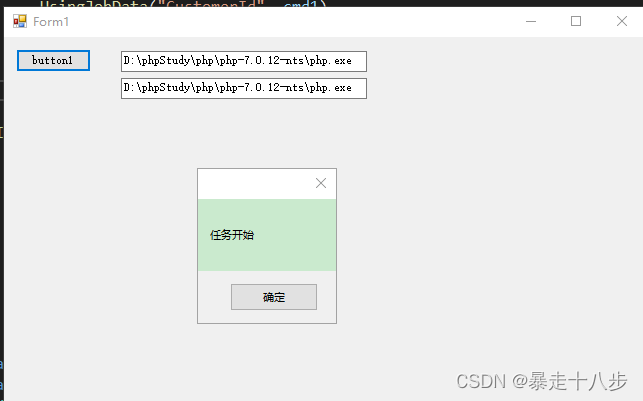
接口开发之使用C#插件Quartz.Net定时执行CMD任务工具
C#制作定时任务工具执行CMD命令 概要准备知识点实现原理thinkphp配置winform执行CMD命令读取ini配置文件定时任务Quartz.Net 完整代码Job.csIniFunc.csForm1.csconfig.ini简易定时任务工具雏形 概要 很多时候写接口上线后还会遇到很多修改,类似JAVA,C#,delphi制作的…...
)
XSS脚本(存储型xss获取肉鸡的cookies)
XSS脚本(存储型xss获取肉鸡的cookies) 存储型XSS就是在能够提交上传的文本框中提交一些标签代码,这段代码被插入到页面中,肉鸡每次点击这个页面时都会有弹框弹出。(只要点击就会弹框) 反射性XSS顾名思义插入…...
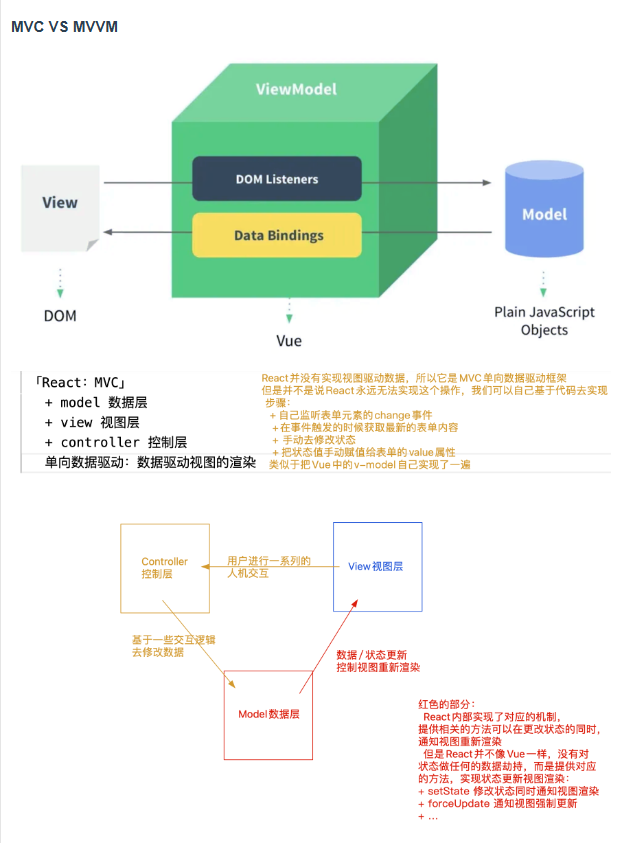
【React】04.MVC模式和MVVM模式
React是Web前端框架 1、目前市面上比较主流的前端框架 ReactAngular(NG框架)Vue 主流的思想: 不在直接去操作DOM,而是改为“数据驱动思想” 操作DOM思想: 操作DOM比较消耗性能[主要原因就是,可能会导…...

调试代码0
dev_update_off () * read_image (Image, C:/Users/Public/Documents/MVTec/HALCON-12.0/examples/images/smd/smd_on_chip_01.png) read_image (Image, D:/图像文件/图片/图片/基板/20230609-103004-0.bmp) get_image_size (Image, Width, Height) * dev_close_window () * de…...

【C++心愿便利店】No.12---C++之探索string底层实现
文章目录 前言一、写实拷贝(了解)二、string类常用接口实现2.1 成员变量2.2 默认构造函数2.3 拷贝构造函数2.4 operator2.5 operator[]2.6 c_str2.7 size()2.8 capacity() 三、迭代器的实现3.1 begin()和end()3.2 范围for 四、string类增删查改4.1 reser…...
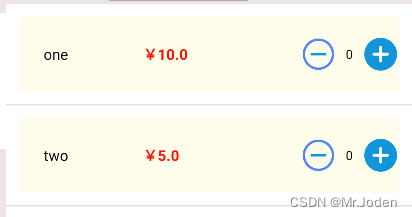
Android Studio(列表视图ListView)
前言 前面在适配器章节,已经介绍了ListView的作用(干什么的),这节将主要介绍如何去设计ListView页面视图。 思考 列表视图需要些什么? 1. 列表项容器(装载各列表项的容器):<ListView/> 2. 列表项布局…...

让深度神经网络绘画以了解它们是如何工作的
一、说明 深度学习如此有效,这真是一个谜。尽管有一些关于深度神经网络为何如此有效的线索,但事实是没有人完全确定,并且深度学习的理论理解是一个非常活跃的研究领域。 在本教程中,我们将以一种不寻常的方式触及问题的一个小方面…...

https://www.jianshu.com/p/34bf240b85a9
https://www.jianshu.com/p/34bf240b85a9 https://www.eccee.com/soft-platform/991.html...
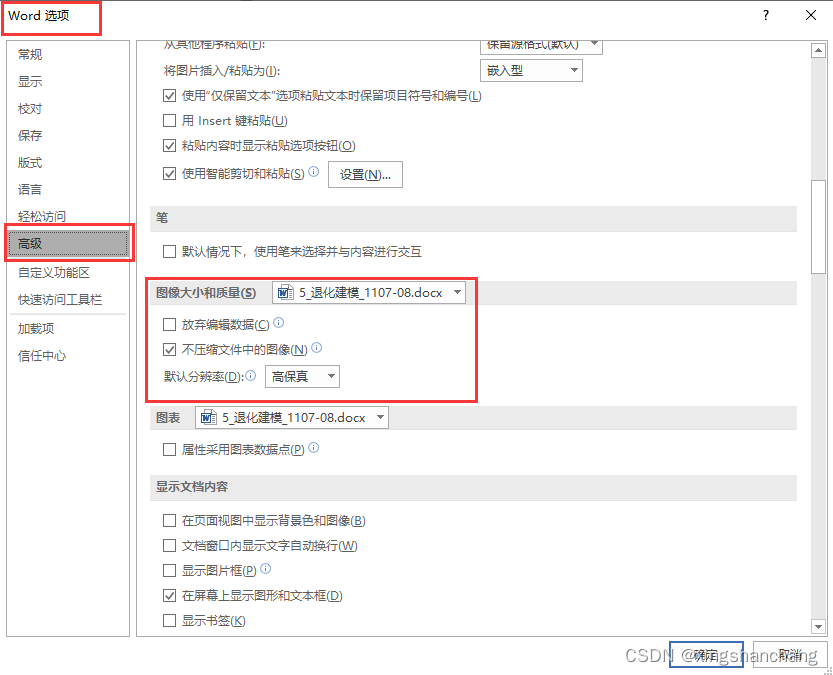
如何导出PPT画的图为高清图片?插入到world后不压缩图像的设置方法?
期刊投稿的时候,需要图片保持一定的清晰度数,那么我们怎么才能从PPT中导出符合要求的图片呢? 对于矢量图绘图软件所画的图,直接导出即可。 而PPT导出的图片清晰度在60pi,就很模糊。 整体思路: PPT绘图——…...

【Spring】Spring IOC DI
Spring IOC & DI IOC DI入门什么是Spring什么是容器什么是IOC IOC介绍传统程序开发解决方案 DI IOC详解Bean的存储Controller(控制器存储)Service(服务存储)Repository(仓库存储)Component(组件存储)Configuration(配置存储) 为什么需要这么多类注解类注解之间的关系方法注…...
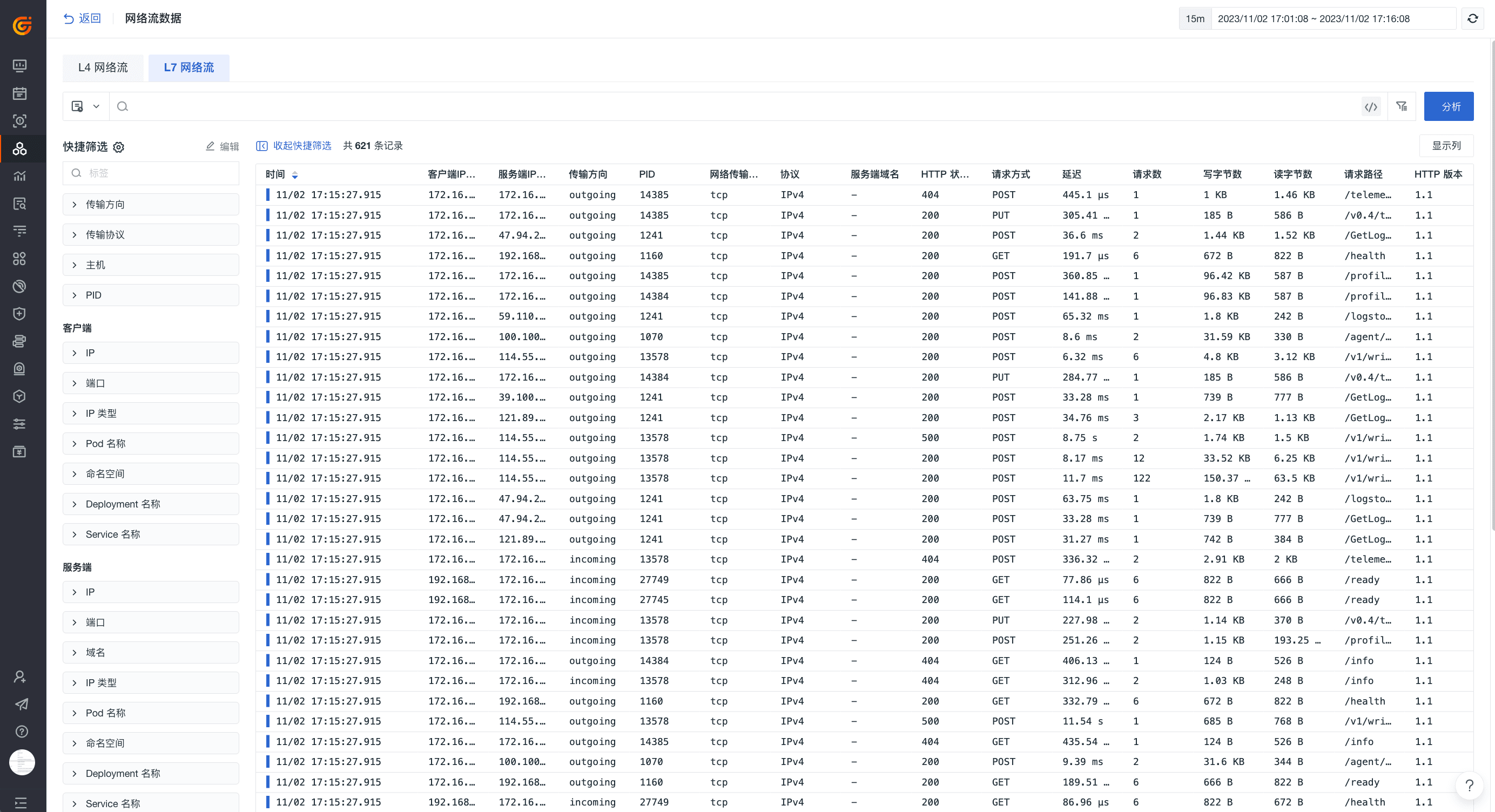
一招解密网络流量瓶颈!
前言 我们曾介绍过观测云提供全面的基础设施监测方案(参见《全方位监控基础设施,坚实守护您的业务稳定!》),能够高效全面地帮助您实时观测所有的基础设施对象及云产品等,赋能您的业务稳定发展。今天我们将…...

某校帮签到小程序m 加密参数解析
小程序解密清参考我以前的文章 VX小程序逆向 js版本 function n(e, a) {var t (65535 & e) (65535 & a);return (e >> 16) (a >> 16) (t >> 16) << 16 | 65535 & t };function i(e, a, t, n, r, i, s) {return o(a & n | t &…...
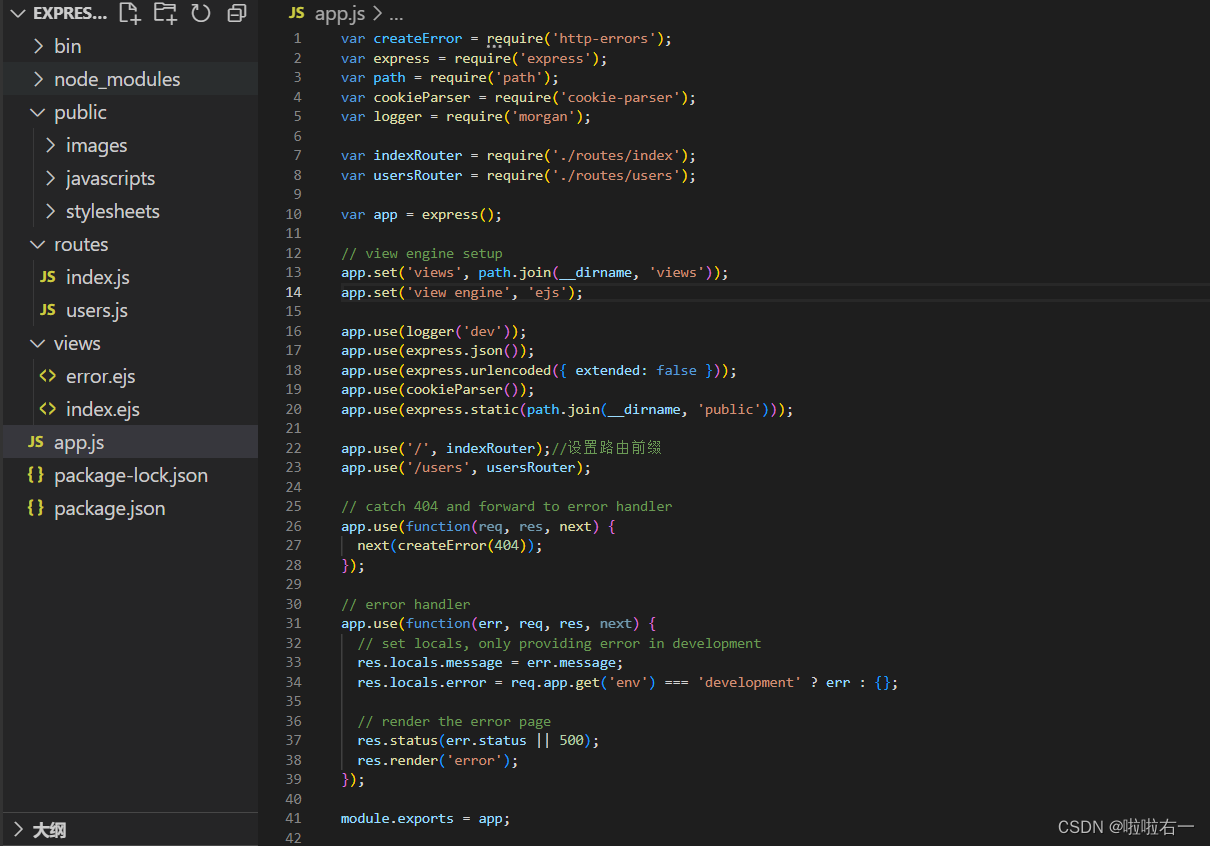
Node.js |(六)express框架 | 尚硅谷2023版Node.js零基础视频教程
学习视频:尚硅谷2023版Node.js零基础视频教程,nodejs新手到高手 文章目录 📚express使用🐇初体验🐇express路由⭐️路由的使用⭐️获取请求参数⭐️获取路由参数🔥练习:根据路由参数响应歌手信息…...

包教包会:Mysql主从复制搭建
笑小枫的专属目录 一、无聊的理论知识1. 主从复制原理2. 主从复制的工作过程3. MySQL四种同步方式 二、docker下安装、启动mysql1. 安装主库2. 安装从库 三、配置Master(主)四、配置Slave(从)五、链接Master(主)和Slave(从)六、主从复制排错1. 错误:error connectin…...

Subset Selection
白话解释:https://www.geeksforgeeks.org/feature-subset-selection-process/ 貌似有一种比较常见的方法,称为多元逐步回归有3种筛选自变量的方法 (1)向前法:n个因变量情况,慢慢增加因变量到方程中&#x…...

【测开求职】面试题:计算机网络 精简版整理
本篇文章整理的是在秋招过程中遇到的计算机网络高频面试题,应付部分中小厂的测试开发工程师面试完全没有问题,如果时间充足的话,建议再看一下笔者的另外一篇文章:【测开求职】面试题:计算机网络 详细版整理,会让你对整个计算机网络有足够全面深刻的理解,亲测应付各个大厂…...
)
设计模式-代理模式(delegate)
什么是代理? 代理(Proxy)是一种设计模式,提供了对目标对象另外的访问方式;即通过代理对象访问目标对象.这样做的好处是:可以在目标对象实现的基础上,增强额外的功能操作,即扩展目标对象的功能. 这里使用到编程中的一个思想:不要随意去修改别人已经写好的代码或者方…...

MongoDB 安装与配置
MongoDB 安装与配置 MongoDB 是一个高性能、开源的 NoSQL 数据库,它提供了丰富的查询功能和高可用性。本文将详细讲解 MongoDB 的安装与配置过程。 1. MongoDB 安装 1.1 Windows 平台安装 下载 MongoDB 安装包 访问 MongoDB 官方下载页面(https://w…...
-4月22日-第二题- 统计二叉树中“平衡路径”的数量】(题目+思路+JavaC++Python解析+在线测试))
【2026年华为暑期实习(AI)-4月22日-第二题- 统计二叉树中“平衡路径”的数量】(题目+思路+JavaC++Python解析+在线测试)
题目内容 定义二叉树的平衡路径需同时满足以下 333 个条件: 路径从任意节点出发,仅能向下延伸(只能向左/右子节点,不可向上回溯)。 路径上所有节点的和相加为 000。 路径长度(包含的节点个数)至少为 22...

自回归图像生成中的KV缓存优化与SSD压缩技术
1. 自回归图像生成的KV缓存挑战自回归图像生成模型如Janus-Pro通过将图像视为视觉令牌序列进行逐令牌预测,实现了令人惊艳的生成效果。然而,这种逐令牌生成方式带来了显著的计算负担——随着生成分辨率的提升,KV缓存的内存占用呈线性增长&…...

华为 Mate X6 折叠屏微信浏览器 Video 黑屏排查实录
华为 Mate X6 折叠屏微信浏览器 Video 黑屏排查实录 一场涉及 CSS 渲染、X5 内核特性、Promise 竞态的多层问题排查 一、问题的样子 项目里做人脸识别活体检测,调用 getUserMedia 获取摄像头视频流。 测试同学反馈:华为 Mate X6 展开态视频正常,折叠态黑屏。 展开态正常,…...

RWKV-7开源镜像一文详解:RWKV-7架构原生适配与对话模板实践
RWKV-7开源镜像一文详解:RWKV-7架构原生适配与对话模板实践 1. 项目概述 RWKV-7 (1.5B World)是一款专为单卡GPU优化的轻量级大模型对话工具。这个开源镜像完美适配RWKV架构的原生特性,支持全球多语言对话、流畅的流式输出以及精细化的参数调节。特别值…...

Stable Diffusion入门指南:从环境搭建到AI绘画实战
1. 从零开始理解AI绘画技术作为一名数字艺术创作者,我最初接触Stable Diffusion时完全被它的能力震撼了。这个开源模型能够根据文字描述生成令人惊叹的视觉作品,彻底改变了传统数字创作的流程。与Midjourney等闭源方案不同,Stable Diffusion给…...


量子密钥分发技术:CV-QKD原理与动态信道优化
1. 量子密钥分发技术背景与挑战量子密钥分发(QKD)作为量子信息科学的重要应用,其安全性建立在量子力学基本原理之上,而非传统密码学所依赖的计算复杂度假设。在众多QKD实现方案中,连续变量量子密钥分发(CV-…...

告别数据丢失!深入解析M24C08 EEPROM的页写缓冲与自定时写入周期
告别数据丢失!深入解析M24C08 EEPROM的页写缓冲与自定时写入周期 在嵌入式系统开发中,数据可靠性往往决定着产品的成败。想象这样一个场景:你的设备刚刚完成了一次关键数据写入,系统立即读取验证却发现数据异常——这不是代码逻辑…...
)
ESP32玩转网络转发:除了做中继,你的AP+STA模式还能这样用(附IoT项目思路)
ESP32网络转发进阶指南:解锁APSTA模式的5种创新应用 在物联网开发领域,ESP32的APSTA双模工作能力常被简化为无线中继功能,这就像只使用瑞士军刀的剪刀功能而忽略了其他十几种工具。实际上,这种双模协同能够实现更复杂的网络架构设…...

5个排位赛痛点,Seraphine如何帮你轻松解决?
5个排位赛痛点,Seraphine如何帮你轻松解决? 【免费下载链接】Seraphine 英雄联盟战绩查询工具 项目地址: https://gitcode.com/gh_mirrors/se/Seraphine Seraphine是一款基于英雄联盟LCU API开发的免费开源战绩查询工具,它能帮你查询队…...