
ansible-第二天
ansible
第二天
以上学习了ping、command、shell、script模块,但一般不建议使用以上三个,因为这三个模块没有幂等性。举例如下:
[root@control ansible]# ansible test -a "mkdir /tmp/1234"[WARNING]: Consider using the file module with state=directory rather than running 'mkdir'.
If you need to use command because file is insufficient you can add 'warn: false' to this
command task or set 'command_warnings=False' in ansible.cfg to get rid of this message.
node1 | CHANGED | rc=0 >>
[root@control ansible]# ansible test -a "mkdir /tmp/1234"[WARNING]: Consider using the file module with state=directory rather than running 'mkdir'.
If you need to use command because file is insufficient you can add 'warn: false' to this
command task or set 'command_warnings=False' in ansible.cfg to get rid of this message.
node1 | FAILED | rc=1 >>
mkdir: 无法创建目录 “/tmp/1234”: 文件已存在non-zero return code
因为被控主机已经存在了要创建的目录,所以报错显示已存在
如果不想看到报错,可以使用专用的file模块
[root@control ansible]# ansible test -m file -a "path=/tmp/1234 state=directory"
node1 | SUCCESS => {"ansible_facts": {"discovered_interpreter_python": "/usr/libexec/platform-python"},"changed": false,"gid": 0,"group": "root","mode": "0755","owner": "root","path": "/tmp/1234","size": 6,"state": "directory","uid": 0
}file模块
查看使用帮助
EXAMPLES:
- name: Change file ownership, group and permissionsfile: 模块名。以下是它的各种参数path: /etc/foo.conf 要修改的文件的路径owner: foo 文件所有者group: foo 文件的所有组mode: '0644' 权限
根据上面的example,-m file -a的内容就是doc中把各参数的冒号换成=号
在test主机上创建/tmp/file.txt
[root@control ansible]# ansible test -m file -a "path=/tmp/file.txt state=touch" touch是指如果文件不存在,则创建
node1 | CHANGED => {"ansible_facts": {"discovered_interpreter_python": "/usr/libexec/platform-python"},"changed": true,"dest": "/tmp/file.txt","gid": 0,"group": "root","mode": "0644","owner": "root","size": 0,"state": "file","uid": 0
}
[root@node1 ~]# ls /tmp | grep file.txt
file.txt
在test主机上创建/tmp/demo目录
[root@control ansible]# ansible test -m file -a "path=/tmp/demo state=directory"
node1 | CHANGED => {"ansible_facts": {"discovered_interpreter_python": "/usr/libexec/platform-python"},"changed": true,"gid": 0,"group": "root","mode": "0755","owner": "root","path": "/tmp/demo","size": 6,"state": "directory","uid": 0
}
[root@node1 ~]# ls /tmp | grep demo
demo
在test主机上创建一个/tmp/file.txt文件,属主为sshd,属组为adn 权限为777
[root@control ansible]# ansible test -m file -a "path=/tmp/file.txt owner=sshd group=adm mode="0777""
node1 | CHANGED => {"ansible_facts": {"discovered_interpreter_python": "/usr/libexec/platform-python"},"changed": true,"gid": 4,"group": "adm","mode": "0777","owner": "sshd","path": "/tmp/file.txt","size": 0,"state": "file","uid": 74
}
[root@node1 ~]# ll /tmp | grep file
-rwxrwxrwx 1 sshd adm 0 11月 8 18:00 file.txt
在test主机上删除/tmp/file.txt文件
[root@control ansible]# ansible test -m file -a "path=/tmp/file.txt state=absent"
node1 | CHANGED => {"ansible_facts": {"discovered_interpreter_python": "/usr/libexec/platform-python"},"changed": true,"path": "/tmp/file.txt","state": "absent"
}
在test主机上删除/tmp/demo目录
[root@control ansible]# ansible test -m file -a "path=/tmp/demo state=absent"
node1 | CHANGED => {"ansible_facts": {"discovered_interpreter_python": "/usr/libexec/platform-python"},"changed": true,"path": "/tmp/demo","state": "absent"
}
在test主机上创建/etc/hosts的软连接,目标是/tmp/host.txt
[root@control ansible]# ansible test -m file -a "src=/etc/hosts dest=/tmp/host.txt state=link"
node1 | CHANGED => {"ansible_facts": {"discovered_interpreter_python": "/usr/libexec/platform-python"},"changed": true,"dest": "/tmp/host.txt","gid": 0,"group": "root","mode": "0777","owner": "root","size": 10,"src": "/etc/hosts","state": "link","uid": 0
}
copy模块
用于将文件从控制端拷贝到被控端
常用选项:
src:源。控制端的文件路径
dest:目标。被控制端的文件路径
content: 内容。需要写到文件中的内容
[root@control ansible]# ansible test -m copy -a "src=a.txt dest=/root"
node1 | CHANGED => {"ansible_facts": {"discovered_interpreter_python": "/usr/libexec/platform-python"},"changed": true,"checksum": "54e87908396f730ae24754dc967d141bee7a293f","dest": "/root/a.txt","gid": 0,"group": "root","md5sum": "5ce11a5724b80ca946683b6c626bdb6c","mode": "0644","owner": "root","size": 4,"src": "/root/.ansible/tmp/ansible-tmp-1699486007.0826297-54906651569985/source","state": "file","uid": 0
}
[root@node1 ~]# cat a.txt
Aaa
绝对路径
[root@control ansible]# ansible test -m copy -a "src=/root/root.txt dest=/root"
node1 | CHANGED => {"ansible_facts": {"discovered_interpreter_python": "/usr/libexec/platform-python"},"changed": true,"checksum": "552c0ba71b1046a083583ebf943cc9aa09f39a32","dest": "/root/root.txt","gid": 0,"group": "root","md5sum": "74cc1c60799e0a786ac7094b532f01b1","mode": "0644","owner": "root","size": 5,"src": "/root/.ansible/tmp/ansible-tmp-1699486076.8466651-150992524492280/source","state": "file","uid": 0
}
[root@node1 ~]# cat root.txt
root
发送目录成功
[root@control ansible]# ansible test -m copy -a "src=/etc/security dest=/root/"
node1 | CHANGED => {"changed": true,"dest": "/root/","src": "/etc/security"
}
[root@node1 ~]# ls | grep test
[root@node1 ~]# ll | grep security
drwxr-xr-x 7 root root 4096 11月 8 18:31 security
前提是目录不能为空
如果 getenforce状态不为Disabled,需要再各个主机安装python3-libselinux软件包
在远程主机直接创建文件,添加内容
[root@control ansible]# ansible test -m copy -a "dest=/tmp/mytest.txt content='hello world'"
node1 | CHANGED => {"ansible_facts": {"discovered_interpreter_python": "/usr/libexec/platform-python"},"changed": true,"checksum": "2aae6c35c94fcfb415dbe95f408b9ce91ee846ed","dest": "/tmp/mytest.txt","gid": 0,"group": "root","md5sum": "5eb63bbbe01eeed093cb22bb8f5acdc3","mode": "0644","owner": "root","size": 11,"src": "/root/.ansible/tmp/ansible-tmp-1699486796.9039702-79725117871198/source","state": "file","uid": 0
}
[root@node1 ~]# cat /tmp/mytest.txt
hello worldfetch模块
与copy模块相反,copy是上传,fetch是下载
常用选项:
src:源。被控制端的文件路径
dest:目标。控制端的文件路径
将test主机上的/etc/hostname下载到本地用户的家目录下
[root@control ansible]# ansible webservers -m fetch -a "src=/etc/hostname dest=~/"
node3 | CHANGED => {"changed": true,"checksum": "70e478f6fb7a1971d09496d109002c5809006a86","dest": "/root/node3/etc/hostname","md5sum": "3ce6701b5ee42becf085baf7368fe8ce","remote_checksum": "70e478f6fb7a1971d09496d109002c5809006a86","remote_md5sum": null
}
node4 | CHANGED => {"changed": true,"checksum": "5367c434083cf09560c19a3338c1d6caa791f36b","dest": "/root/node4/etc/hostname","md5sum": "a97ac14927fea0efc7a9733fe320cd99","remote_checksum": "5367c434083cf09560c19a3338c1d6caa791f36b","remote_md5sum": null
}
[root@control ansible]# ls ~/node3/etc/
hostname
[root@control ansible]# ls ~/node4/etc/
hostname
不能下载目录
[root@control ansible]# ansible webservers -m fetch -a "src=/root/aaa dest=~/"
node4 | FAILED! => {"changed": false,"file": "/root/aaa","msg": "remote file is a directory, fetch cannot work on directories"
}
node3 | FAILED! => {"changed": false,"file": "/root/aaa","msg": "remote file is a directory, fetch cannot work on directories"
}
lineinfile模块
用于确保存目标文件中有某一行内容
常用选项:
path:待修改的文件路径
line: 写入文件的一行内容
regexp:正则表达式,用于查找文件中的内容
test组的主机,/etc/issue中一定要有一行hello world。如果该行不存在,则默认添加到文件结尾
[root@control ansible]# ansible test -m lineinfile -a "path=/etc/issue line='hello world'"
node1 | CHANGED => {"ansible_facts": {"discovered_interpreter_python": "/usr/libexec/platform-python"},"backup": "","changed": true,"msg": "line added"
}
[root@node1 ~]# cat /etc/issue
\S
Kernel \r on an \m
hello world
test组中的主机,把/etc/issue中有hello的行,替换成chi le ma
[root@control ansible]# ansible test -m lineinfile -a "path=/etc/issue line='chi le ma' regexp=hello"
node1 | CHANGED => {"ansible_facts": {"discovered_interpreter_python": "/usr/libexec/platform-python"},"backup": "","changed": true,"msg": "line replaced"
}
[root@node1 ~]# cat /etc/issue
\S
Kernel \r on an \m
chi le ma
[root@control ansible]# ansible test -m lineinfile -a "path=/etc/issue line='chi le ma' regexp=hello"
node1 | CHANGED => {"ansible_facts": {"discovered_interpreter_python": "/usr/libexec/platform-python"},"backup": "","changed": true,"msg": "line added"
}
[root@node1 ~]# cat /etc/issue
\S
Kernel \r on an \m
chi le ma
chi le ma
replace模块
lineinfile会替换一行,replace可以替换关键词
常用选项:
path:待修改的文件路径
replace:将正则表达式查到的内容,替换成replace的内容
regexp: 正则表达式,用于查找文件中的内容
将test组中的主机上/etc/issue文件中的chi,替换成he
[root@node1 ~]# cat /etc/issue
\S
Kernel \r on an \m
chi le ma
chi le ma
[root@control ansible]# ansible test -m replace  -a "path=/etc/issue regexp=chi replace="he""
node1 | CHANGED => {"ansible_facts": {"discovered_interpreter_python": "/usr/libexec/platform-python"},"changed": true,"msg": "2 replacements made"
}
[root@node1 ~]# cat /etc/issue
\S
Kernel \r on an \m
he le ma
he le ma
文件操作综合练习
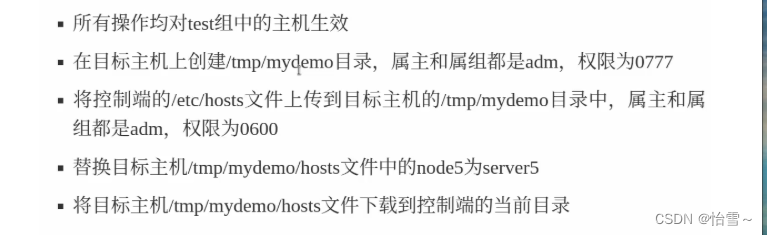
[root@control ansible]# cat exec.sh
#!/bin/bash
ansible test -m file -a "path=/tmp/mydemo state=directory owner=adm group=adm mode=0777"
ansible test -m copy -a "src=/etc/hosts dest=/tmp/mydemo owner=adm group=adm mode=0600"
ansible test -m replace -a "path=/tmp/mydemo/hosts regexp='node5' replace='server5'"
ansible test -m fetch -a "src=/tmp/mydemo/hosts dest=/root/ansible/"
user模块
实现linux用户管理
常用选项:
name: 待创建的用户名
uid:用户ID
group:设置主组
groups:设置附加组
home:设置家目录
password:设置用户密码
state:状态。present表示创建,它是默认选项。absent表示删除
remove:删除家目录、邮箱等。值为yes或者true都可以
在test主机上创建个tom用户
[root@control ansible]# ansible test -m user -a "user=tom"
node1 | CHANGED => {"ansible_facts": {"discovered_interpreter_python": "/usr/libexec/platform-python"},"changed": true,"comment": "","create_home": true,"group": 1000,"home": "/home/tom","name": "tom","shell": "/bin/bash","state": "present","system": false,"uid": 1000
}
[root@node1 ~]# cat /etc/passwd | grep ^tom
tom:x:1000:1000::/home/tom:/bin/bash
[root@control ansible]# ansible test -m user -a "name=jerry uid=1010 group=adm groups=daemon,root home=/home/jerry"
设置tom密码为123456,用sha512加密
[root@control ansible]# ansible test -m user -a "name=tom password={{'123456'|password_hash('sha512')}}"
node1 | CHANGED => {"ansible_facts": {"discovered_interpreter_python": "/usr/libexec/platform-python"},"append": false,"changed": true,"comment": "","group": 1000,"home": "/home/tom","move_home": false,"name": "tom","password": "NOT_LOGGING_PASSWORD","shell": "/bin/bash","state": "present","uid": 1000
}
[root@node1 ~]# cat /etc/shadow | grep tom
tom:$6$Dfyqw6ty.pPwnyZm$SRpTqqORuCbPFGcdPuT8sNHHmIpHJAslaoDgk1RCA6gIAEEeg9tvz8MBxj7mGR1j4LV7GVN.1teZQ7OUaP51J1:19670:0:99999:7:::
删除tom用户,不删除家目录
[root@control ansible]# ansible test -m user -a "name=tom state=absent"
node1 | CHANGED => {"ansible_facts": {"discovered_interpreter_python": "/usr/libexec/platform-python"},"changed": true,"force": false,"name": "tom","remove": false,"state": "absent"
}
删除jerry用户,同时删除家目录
[root@control ansible]# ansible test -m user -a "name=jerry state=absent remove=yes"
node1 | CHANGED => {"ansible_facts": {"discovered_interpreter_python": "/usr/libexec/platform-python"},"changed": true,"force": false,"name": "jerry","remove": true,"state": "absent"
}
[root@node1 ~]# ls /home
tom
group模块
创建、删除组
常用选项:
name:待创建的组名
gid:组的ID号
state:prensent表示创建、它是默认选项。absent是删除
在test组的主机上创建名为devops的组
[root@control ansible]# ansible test -m group -a "name=devops state=present"
node1 | CHANGED => {"ansible_facts": {"discovered_interpreter_python": "/usr/libexec/platform-python"},"changed": true,"gid": 1000,"name": "devops","state": "present","system": false}在test组的主机上删除名为devops的组
[root@control ansible]# ansible test -m group -a "name=devops state=absent"
node1 | CHANGED => {"ansible_facts": {"discovered_interpreter_python": "/usr/libexec/platform-python"},"changed": true,"name": "devops","state": "absent"
}
yum_repository
用于配置yum
常用选项:
file:指定文件名
其他选项,请于文件内容对照
在test组中的主机上,配置yum
[root@control ansible]# ansible test -m yum_repository -a "file=myrepo name=App baseurl=ftp://192.168.88.240/rhel8/AppStream gpgcheck=no enabled=yes description=app"
node1 | CHANGED => {"ansible_facts": {"discovered_interpreter_python": "/usr/libexec/platform-python"},"changed": true,"repo": "App","state": "present"
}
[root@node1 ~]# cat /etc/yum.repos.d/myrepo.repo
[App]
baseurl = ftp://192.168.88.240/rhel8/AppStream
enabled = 1
gpgcheck = 0
name = app
再次执行
[root@control ansible]# ansible test -m yum_repository -a "file=myrepo name=BaseOs baseurl=ftp://192.168.88.240/rhel8/BaseOs gpgcheck=no enabled=yes description=BaseOs"
node1 | CHANGED => {"ansible_facts": {"discovered_interpreter_python": "/usr/libexec/platform-python"},"changed": true,"repo": "BaseOs","state": "present"
}
[root@node1 ~]# cat /etc/yum.repos.d/myrepo.repo
[App]
baseurl = ftp://192.168.88.240/rhel8/AppStream
enabled = 1
gpgcheck = 0
name = app
[BaseOs]
baseurl = ftp://192.168.88.240/rhel8/BaseOs
enabled = 1
gpgcheck = 0
name = BaseOsyum模块
用于rpm软件包管理,如安装、升级、卸载
常用选项:
name:包名
state:状态。present表示安装,如果已安装则忽略;latest表示安装或升级到最新版本;absent表示卸载
在test组中的主机上安装wget
[root@control ansible]# ansible test -m yum -a "name=wget state=present"
node1 | CHANGED => {"ansible_facts": {"discovered_interpreter_python": "/usr/libexec/platform-python"},"changed": true,"msg": "","rc": 0,"results": ["Installed: wget","Installed: wget-1.19.5-8.el8_1.1.x86_64"]
}
[root@node1 ~]# yum -y install wget
Updating Subscription Management repositories.
Unable to read consumer identity
This system is not registered to Red Hat Subscription Management. You can use subscription-manager to register.
上次元数据过期检查:0:00:59 前,执行于 2023年11月09日 星期四 17时16分34秒。
软件包 wget-1.19.5-8.el8_1.1.x86_64 已安装。
依赖关系解决。
无需任何处理。
完毕!
在test组中的主机上卸载wget
[root@control ansible]# ansible test -m yum -a "name=wget state=absent"
node1 | CHANGED => {"ansible_facts": {"discovered_interpreter_python": "/usr/libexec/platform-python"},"changed": true,"msg": "","rc": 0,"results": ["Removed: wget-1.19.5-8.el8_1.1.x86_64"]
}
service模块
用于控制服务。启动、关闭、重启、开机自启
常用选项:
name:控制的服务名
state: started表示启动 stopped表示关闭 restarted表示重启
enabled: yes表示设置开机自启;no表示设置开启不启动
在test主机上安装httpd
[root@control ansible]# ansible test -m yum -a "name=httpd state=latest"
在test主机上启动httpd,并设置它开机启动
[root@control ansible]# ansible test -m service -a "name=httpd state=started enabled=yes"
[root@node1 ~]# systemctl status httpd
● httpd.service - The Apache HTTP ServerLoaded: loaded (/usr/lib/systemd/system/httpd.service; enabled; vendor preset: disabled)Active: active (running) since Thu 2023-11-09 17:29:59 EST; 2min 14s ago
逻辑卷相关模块
逻辑卷可以动态管理存储空间。可以对逻辑卷进行扩展或缩减
可以把硬盘或分区转换成物理卷PV;再把1到多个PV组合成卷组VG;然后在VG上划分逻辑卷LV。LV可以像普通分区一样,进行格式化、挂载
关闭虚拟机node1,为其添加2块20Gb的硬盘
LINUX下KVM虚拟机新加的硬盘,名称是/dev/vdb和/dev/vdc
vmware虚拟机新加的硬盘,名称是/dev/sdb和/dev/sdc
如果选nvme硬盘,名称可能是/dev/nvme0n1和/dev/nvme0n2
lvg模块
创建、删除卷组,修改卷组大小
常用选项:
vg:定义卷组名。vg: volume group
pvs:由哪些物理卷构成。pvs:physical volumes
先手工进行gpt分区
[root@node1 ~]# lsblk
NAME MAJ:MIN RM SIZE RO TYPE MOUNTPOINT
sr0 11:0 1 7.9G 0 rom
nvme0n1 259:0 0 20G 0 disk
├─nvme0n1p1 259:1 0 1G 0 part /boot
└─nvme0n1p2 259:2 0 19G 0 part ├─rhel-root 253:0 0 17G 0 lvm /└─rhel-swap 253:1 0 2G 0 lvm [SWAP]
nvme0n2 259:3 0 20G 0 disk
[root@node1 ~]# fdisk /dev/nvme0n2
欢迎使用 fdisk (util-linux 2.32.1)。
更改将停留在内存中,直到您决定将更改写入磁盘。
使用写入命令前请三思。
设备不包含可识别的分区表。
创建了一个磁盘标识符为 0xdf955d41 的新 DOS 磁盘标签。
命令(输入 m 获取帮助):m
帮助:
DOS (MBR)a 开关 可启动 标志b 编辑嵌套的 BSD 磁盘标签c 开关 dos 兼容性标志
常规d 删除分区F 列出未分区的空闲区l 列出已知分区类型n 添加新分区p 打印分区表t 更改分区类型v 检查分区表i 打印某个分区的相关信息
杂项m 打印此菜单u 更改 显示/记录 单位x 更多功能(仅限专业人员)
脚本I 从 sfdisk 脚本文件加载磁盘布局O 将磁盘布局转储为 sfdisk 脚本文件
保存并退出w 将分区表写入磁盘并退出q 退出而不保存更改
新建空磁盘标签g 新建一份 GPT 分区表G 新建一份空 GPT (IRIX) 分区表o 新建一份的空 DOS 分区表s 新建一份空 Sun 分区表
命令(输入 m 获取帮助):g 创建GPT分区表
已创建新的 GPT 磁盘标签(GUID: 66C691FD-9290-5A40-A7FE-7140003BB76B)。
命令(输入 m 获取帮助):n 新建分区
分区号 (1-128, 默认 1): 回车,使用1号分区
第一个扇区 (2048-41943006, 默认 2048): 起始位置,回车
上个扇区,+sectors 或 +size{K,M,G,T,P} (2048-41943006, 默认 41943006): +5G 结束位置+5G
创建了一个新分区 1,类型为“Linux filesystem”,大小为 5 GiB。
命令(输入 m 获取帮助):n 新建分区
分区号 (2-128, 默认 2): 回车 使用2号分区
第一个扇区 (10487808-41943006, 默认 10487808): 起始位置,回车
上个扇区,+sectors 或 +size{K,M,G,T,P} (10487808-41943006, 默认 41943006):
创建了一个新分区 2,类型为“Linux filesystem”,大小为 15 GiB。
命令(输入 m 获取帮助):p
Disk /dev/nvme0n2:20 GiB,21474836480 字节,41943040 个扇区
单元:扇区 / 1 * 512 = 512 字节
扇区大小(逻辑/物理):512 字节 / 512 字节
I/O 大小(最小/最佳):512 字节 / 512 字节
磁盘标签类型:gpt
磁盘标识符:66C691FD-9290-5A40-A7FE-7140003BB76B
设备 起点 末尾 扇区 大小 类型
/dev/nvme0n2p1 2048 10487807 10485760 5G Linux 文件系统
/dev/nvme0n2p2 10487808 41943006 31455199 15G Linux 文件系统
命令(输入 m 获取帮助):w
分区表已调整。
将调用 ioctl() 来重新读分区表。
正在同步磁盘。
[root@node1 ~]# lsblk
NAME MAJ:MIN RM SIZE RO TYPE MOUNTPOINT
sr0 11:0 1 7.9G 0 rom
nvme0n1 259:0 0 20G 0 disk
├─nvme0n1p1 259:1 0 1G 0 part /boot
└─nvme0n1p2 259:2 0 19G 0 part ├─rhel-root 253:0 0 17G 0 lvm /└─rhel-swap 253:1 0 2G 0 lvm [SWAP]
nvme0n2 259:3 0 20G 0 disk
├─nvme0n2p1 259:4 0 5G 0 part
└─nvme0n2p2 259:5 0 15G 0 part
在test组中的主机上创建名为myvg的卷组,该卷组由/dev/nvme0n2p1组成
[root@control ansible]# ansible test -m lvg -a "vg=myvg pvs=/dev/nvme0n2p1"
node1 | CHANGED => {"ansible_facts": {"discovered_interpreter_python": "/usr/libexec/platform-python"},"changed": true
}
在node1上查看卷组
[root@node1 ~]# vgsVG #PV #LV #SN Attr VSize VFree myvg 1 0 0 wz--n- <5.00g <5.00grhel 1 2 0 wz--n- <19.00g 0
扩容卷组。卷组由PV构成,只要向卷组中加入新的PV,即可实现扩容
[root@control ansible]# ansible test -m lvg -a "vg=myvg pvs=/dev/nvme0n2p1,/dev/nvme0n2p2"
node1 | CHANGED => {"ansible_facts": {"discovered_interpreter_python": "/usr/libexec/platform-python"},"changed": true
}
[root@node1 ~]# vgsVG #PV #LV #SN Attr VSize VFree myvg 2 0 0 wz--n- 19.99g 19.99grhel 1 2 0 wz--n- <19.00g 0
lvol模块
创建、删除逻辑卷,修改逻辑卷大小
常用选项
vg:指定在哪个卷组上创建逻辑卷
lv:创建的逻辑卷名。lv:logical volume
size:逻辑卷的大小,不写单位,以M为单位
在test组中的主机上创建名为mylv的逻辑卷,大小为2G
[root@control ansible]# ansible test -m lvol -a "vg=myvg lv=mylv size=2G"
node1 | CHANGED => {"ansible_facts": {"discovered_interpreter_python": "/usr/libexec/platform-python"},"changed": true,"msg": ""
}
在node1查看逻辑卷
[root@node1 ~]# lvsLV   VG   Attr       LSize   Pool Origin Data%  Meta%  Move Log Cpy%Sync Convertmylv myvg -wi-a-----   2.00g                                                    root rhel -wi-ao---- <17.00g                                                    swap rhel -wi-ao----   2.00g
mylv扩容至4GB
[root@control ansible]# ansible test -m lvol -a "vg=myvg lv=mylv size=4G"
node1 | CHANGED => {"ansible_facts": {"discovered_interpreter_python": "/usr/libexec/platform-python"},"changed": true,"lv": "mylv","size": 2.0,"vg": "myvg"
}
[root@node1 ~]# lvsLV   VG   Attr       LSize   Pool Origin Data%  Meta%  Move Log Cpy%Sync Convertmylv myvg -wi-a-----   4.00g
filesystem模块
格式化逻辑卷
常用选项:
fstype: 指定文件系统类型
dev:指定要格式化的设备,可以是分区,可以是逻辑卷
在test组中的主机上,把/dev/myvg/mylv格式化为xfs
[root@control ansible]# ansible test -m filesystem -a "dev=/dev/myvg/mylv fstype=xfs"
node1 | CHANGED => {"ansible_facts": {"discovered_interpreter_python": "/usr/libexec/platform-python"},"changed": true
}
在node1上查看格式化结果
[root@node1 ~]# blkid /dev/myvg/mylv
/dev/myvg/mylv: UUID="7d0f9e53-bbd8-4da3-9bd5-85ae90fc290b" TYPE="xfs"
mount模块
用于挂载文件系统
常用选项:
path:挂载点。如果挂载点不存在,自动创建。
src:待挂载的设备
fstype:文件系统类型
state: mounted,表示永久挂载
在test组中的主机上,把/dev/myvg/mylv永久挂在到/data
[root@control ansible]# ansible test -m mount -a "path=/data src=/dev/myvg/mylv fstype=xfs state=mounted"
node1 | CHANGED => {"ansible_facts": {"discovered_interpreter_python": "/usr/libexec/platform-python"},"changed": true,"dump": "0","fstab": "/etc/fstab","fstype": "xfs","name": "/data","opts": "defaults","passno": "0","src": "/dev/myvg/mylv"
}
在node1上查看
[root@node1 ~]# cat /etc/fstab
/dev/mapper/rhel-root / xfs defaults 0 0
UUID=cb52237f-a2b2-423c-9d18-66892297474c /boot xfs defaults 0 0
/dev/mapper/rhel-swap swap swap defaults 0 0
/dev/myvg/mylv /data xfs defaults 0 0
对逻辑卷mylv进行扩容到5G
ansible test -m lvol -a "vg=myvg lv=mylv size=5G"
[root@node1 ~]# df -h
文件系统 容量 已用 可用 已用% 挂载点
/dev/mapper/myvg-mylv 4.0G 61M 4.0G 2% /data
但挂载点不会更新为5G
扩容时应该加上resizefs参数
[root@control ansible]# ansible test -m lvol -a "vg=myvg lv=mylv size=7G resizefs=yes"
node1 | CHANGED => {"ansible_facts": {"discovered_interpreter_python": "/usr/libexec/platform-python"},"changed": true,"lv": "mylv","size": 6.0,"vg": "myvg"
}
[root@node1 ~]# df -h |grep data
/dev/mapper/myvg-mylv 7.0G 83M 7.0G 2% /data
卸载
[root@control ansible]# ansible test -m mount -a "path=/data src=/dev/myvg/mylv fstype=xfs state=mounted"
[root@node1 ~]# df -h |grep data
重新挂载
[root@control ansible]# ansible test -m mount -a "path=/data src=/dev/myvg/mylv state=mounted fstype=xfs"
node1 | CHANGED => {"ansible_facts": {"discovered_interpreter_python": "/usr/libexec/platform-python"},"changed": true,"dump": "0","fstab": "/etc/fstab","fstype": "xfs","name": "/data","opts": "defaults","passno": "0","src": "/dev/myvg/mylv"
}
[root@node1 ~]# df -h |grep data
/dev/mapper/myvg-mylv 7.0G 83M 7.0G 2% /data
永久卸载
[root@control ansible]# ansible test -m mount -a "path=/data state=absent"
[root@node1 ~]# cat /etc/fstab |grep data
[root@node1 ~]# df -h |grep data删除逻辑卷
[root@control ansible]# ansible test -m lvol -a "vg=/dev/myvg lv=/dev/myvg/mylv state=absent force=yes"
node1 | CHANGED => {"ansible_facts": {"discovered_interpreter_python": "/usr/libexec/platform-python"},"changed": true
}
[root@node1 ~]# lvs | grep mylv
删除卷组
[root@control ansible]# ansible test -m lvg -a "vg=myvg state=absent"
node1 | CHANGED => {"ansible_facts": {"discovered_interpreter_python": "/usr/libexec/platform-python"},"changed": true
}
[root@node1 ~]# vgsVG   #PV #LV #SN Attr   VSize   VFreerhel   1   2   0 wz--n- <19.00g    0
相关文章:
ansible-第二天
ansible 第二天 以上学习了ping、command、shell、script模块,但一般不建议使用以上三个,因为这三个模块没有幂等性。举例如下: [rootcontrol ansible]# ansible test -a "mkdir /tmp/1234"[WARNING]: Consider using the file …...

【测试工具】UnixBench 测试
一、UnixBench 简介 UnixBench 原本叫做 BYTE UNIX benchmark suite。软件为 Unix 类的系统提供了一些基本的性能指标。通过不同的测试来测试系统不同方面的性能(2D,3D,CPU,内存等等)。这些测试的结果将和一些标准的系…...

软件测试金融项目,在测试的时候一定要避开的一些雷区
软件测试金融项目需要格外谨慎和专注,因为这些项目通常涉及大量的交易、用户隐私和其他敏感信息。以下是一些软件测试金融项目时需要关注的方面: 1. 数据保护 在测试金融项目时,必须确保用户数据和投资信息得到保护。测试人员必须确保测试环…...
顺序图——画法详解
百度百科的定义: 顺序图是将交互关系表示为一个二维图。纵向是时间轴,时间沿竖线向下延伸。横向轴代表了在协作中各独立对象的类元角色。类元角色用生命线表示。当对象存在时,角色用一条虚线表示,当对象的过程处于激活状态时&…...
easyexcel==省市区三级联动
省市区三级联动,不选前面的就没法选后面的 package com.example.demoeasyexcel.jilian2; import com.alibaba.excel.write.metadata.holder.WriteSheetHolder; import com.alibaba.excel.write.metadata.holder.WriteWorkbookHolder; import org.apache.poi.ss.use…...
Linux进程控制(二)--进程等待(一)
前言:之前我们讲过,子进程退出,父进程如果不管不顾,就可能造成‘僵尸进程’的问题,进而造成内存泄漏。 另外,进程一旦变成僵尸状态,那就刀枪不入,就连 kill -9 也无能为力࿰…...

【C++】C++11常用特性梳理
C11特性梳理 1. 列表初始化2. auto & decltype3. 右值引用3.1. 左右值引用比较3.2. 右值引用的意义3.3. 万能引用与完美转发3.4. 移动构造与移动赋值 4. default & delete5. 可变参数模板6. push_back 与 emplace_back7. lambda表达式7.1. 捕捉列表 8. function包装器8…...

修改iframe生成的pdf的比例
如图想要设置这里的默认比例 在iframe连接后面加上#zoom50即可,50是可以随便设置的,设置多少就是多少比例 <iframe src"name.pdf#zoom50" height"100%" width"100%"></iframe>...

C++之list的用法介绍
C之list的用法介绍 1)定义和初始化: #include <list> std::list<int> my_list; // 定义一个整数类型的list std::list<std::string> my_other_list {"apple", "banana", "cherry"}; // 初始化一个…...
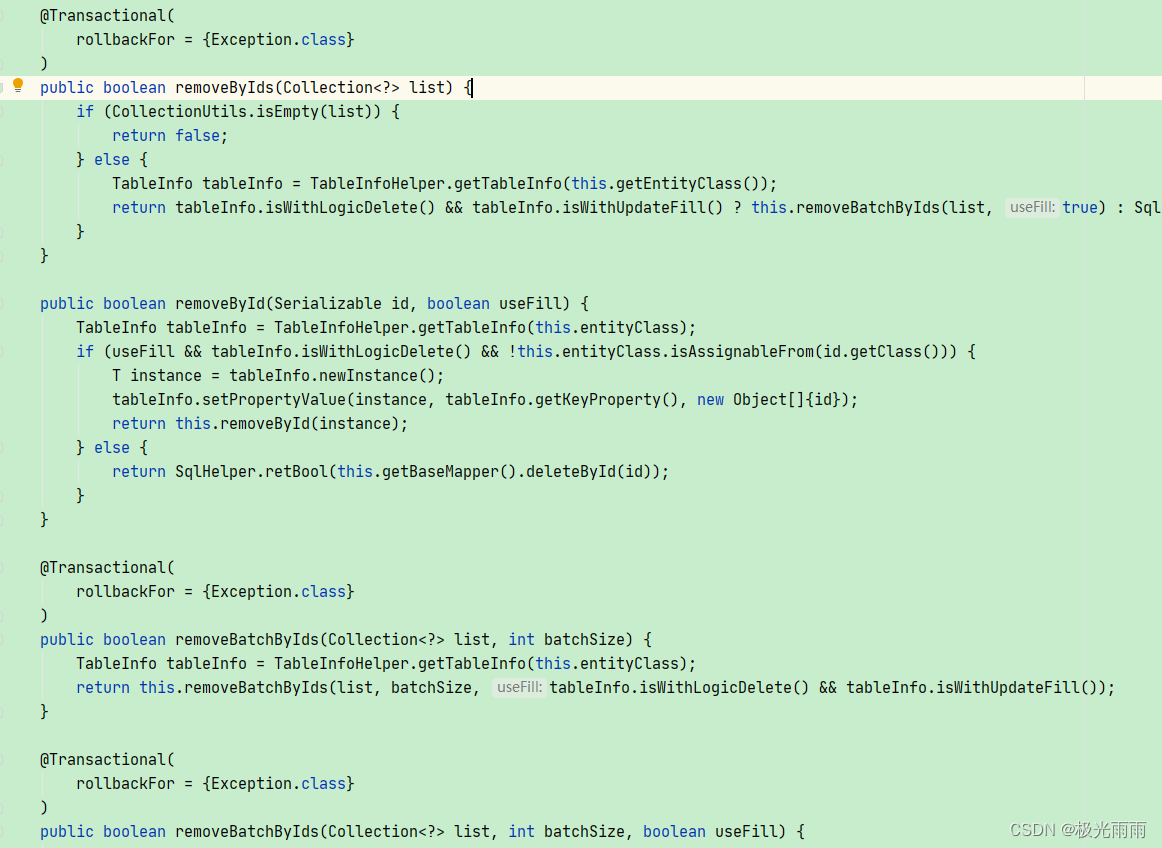
Mybatis-plus 内部提供的 ServiceImpl<M extends BaseMapper<T>, T> 学习总结
作用 当集成Mybatis-Plus 后,我们的大部分数据库操作都可以通过 XxxxxMapper ,同时 Mybatis-plus 在Mapper 提供基本操作方法的同时,也提供类基础的 serviceImpl 来帮助我们完成一些常见的基本操作。 使用 一般情况下,我们首先…...
yolov5 利用Labelimg对图片进行标注
首先打开yolov5-master,在data文件中新建一个文件夹来存放你需要跑的数据,例如我这次跑的是羽毛球,文件把文件取名为badminton。使用其他文件夹例如images也可以,就是跑多了以后不好整理,然后点击 选中刚刚你存放数据的…...

完整版付费进群带定位源码
看到别人发那些不是挂羊头卖狗肉,要么就是发的缺少文件引流的。恶心的一P 这源码是我付费花钱买的分享给大家,功能完整。 搭建教程 nginx1.2 php5.6--7.2均可 最好是7.2 第一步上传文件程序到网站根目录解压 第二步导入数据库(shujuk…...
华为L410上制作内网镜像模板01
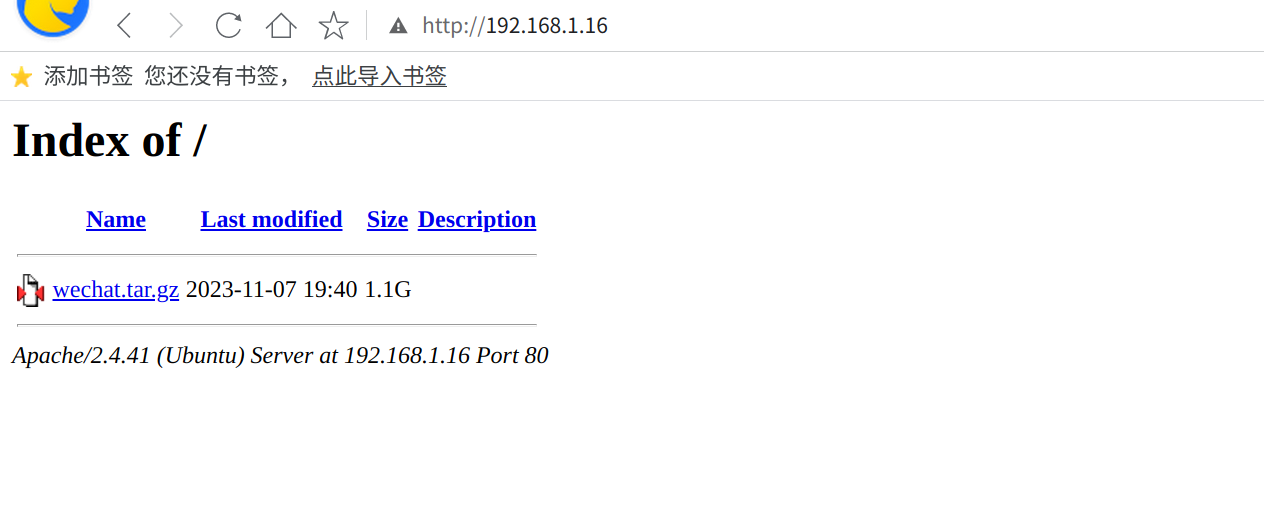
原文链接:华为L410上制作离线安装软件模板01 hello,大家好啊,今天给大家带来一篇在内网搭建Apache服务器,用于安装完内网操作系统后,在第一次开机时候,为系统安装软件,今天给大家用WeChat举例&a…...
linuxC语言缓冲区及小程序的实现
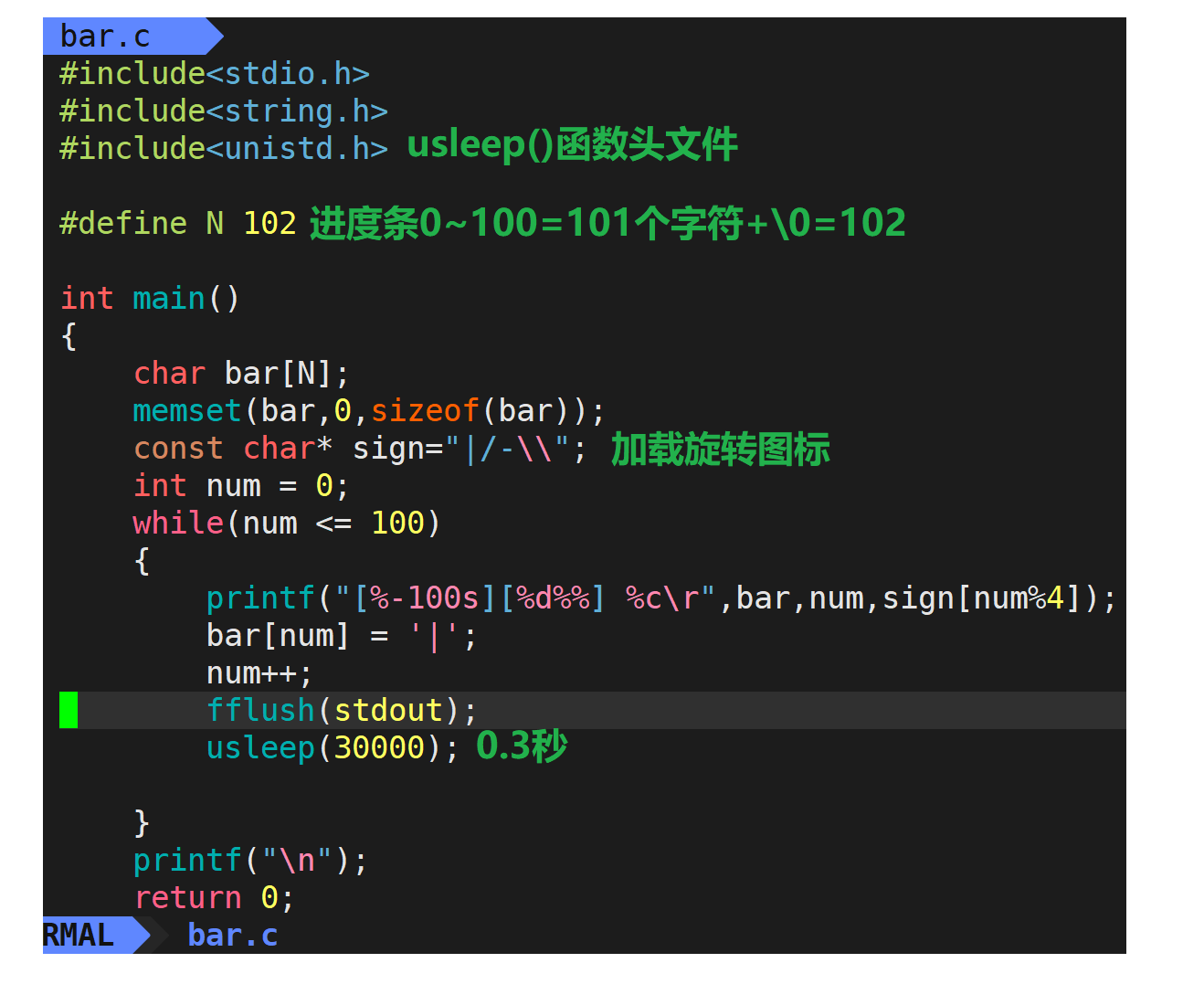
文章目录 1.文件缓冲区1.1介绍1.2缓冲文件系统1.3冲刷函数fflush1.4认识linux下的缓冲区 2.linux小程序的实现2.1 回车\r和换行\n2.2倒计时程序2.3进度条小程序sleep/usleep代码运行结果 1.文件缓冲区 1.1介绍 为缓和 CPU 与 I/O 设备之间速度不匹配,文件缓冲区用以…...

MySQL数据库基本操作-DDL 数据库基础知识
目录标题 1、数据库操作1-1 查询所有数据库1-2 创建数据库1-3 选择使用那个数据库1-4 删除数据库 2、数据库表操作2-1 创建数据库表2-2 查看当前数据库所有表名称2-3 查看指定某个表的创建语句2-4 查看表结构2-5 删除表 3、修改表结构格式3-1 修改表添加列3-2 修改列名和类名3-…...

基于JavaWeb+SpringBoot+Vue摩托车商城微信小程序系统的设计和实现
基于JavaWebSpringBootVue摩托车商城微信小程序系统的设计和实现 源码传送入口前言主要技术系统设计功能截图Lun文目录订阅经典源码专栏Java项目精品实战案例《500套》 源码获取 源码传送入口 前言 近年来,随着移动互联网的快速发展,电子商务越来越受到…...

idea代码快捷键Mac版
1、查询任何东西 双击 Shift2、文件内查找 Command F 3、文件内替换 Command R4、全局查找(根据路径) Command Shift F5、在当前文件跳转到某一行的指定处 Command L6、退回 / 前进到上一个操作的地方 Command Option 方向键左Command Opt…...

分享76个Python管理系统源代码总有一个是你想要的
分享76个Python管理系统源代码总有一个是你想要的 学习知识费力气,收集整理更不易。 知识付费甚欢喜,为咱码农谋福利。 下载链接:https://pan.baidu.com/s/1JtcEHG9m8ro4-dc29kVyDg?pwd8888 提取码:8888 项目名称 A simpl…...
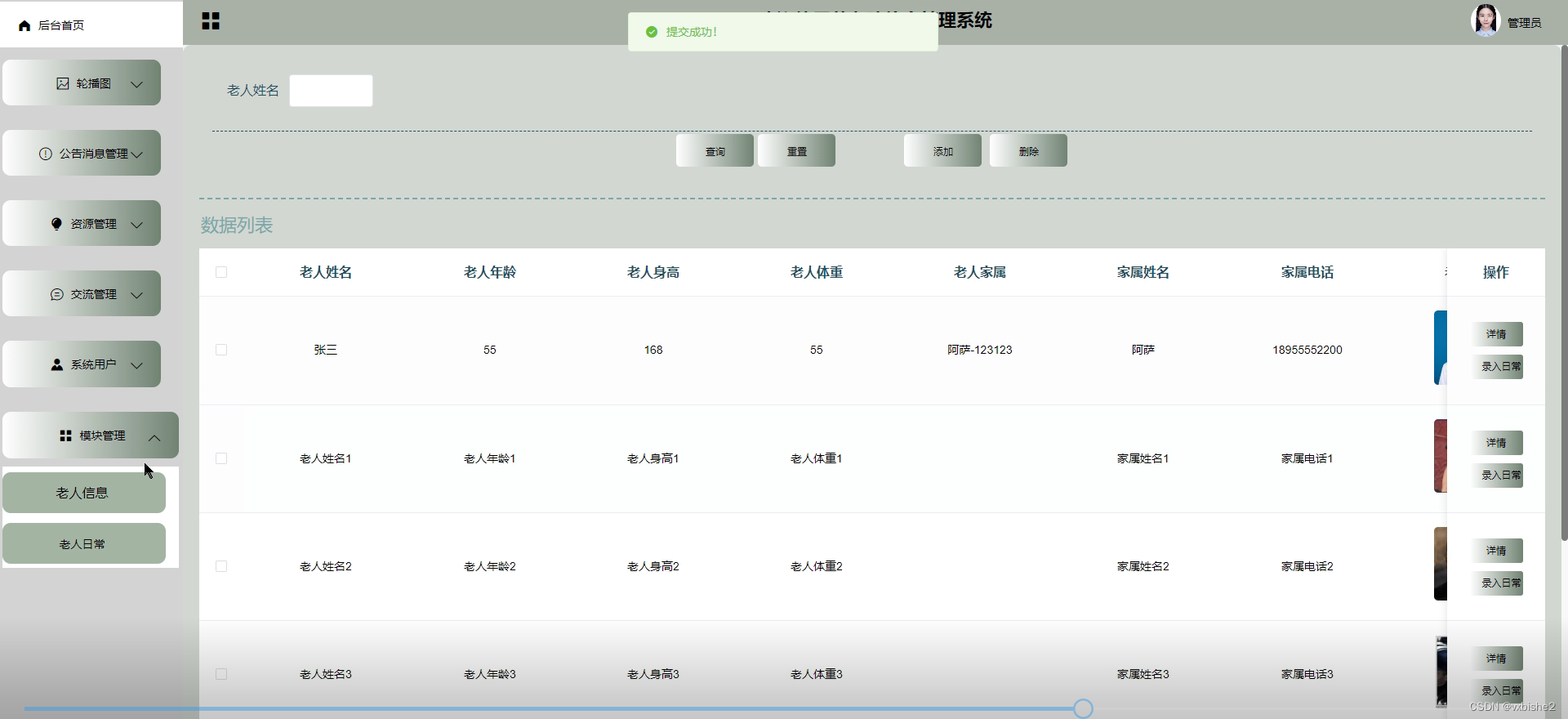
Springboot养老院信息管理系统的开发-计算机毕设 附源码27500
Springboot养老院信息管理系统的开发 摘 要 随着互联网趋势的到来,各行各业都在考虑利用互联网将自己推广出去,最好方式就是建立自己的互联网系统,并对其进行维护和管理。在现实运用中,应用软件的工作规则和开发步骤,…...

在虚拟机中安装vim和net-tools,mysql
首先在虚拟机中创建vim目录 sudo mkdir -p /home/user/tools/vim然后开始进行安装 yum install vim -yyum install net-toolsmysql参考链接 安装mysql在虚拟机中...

英飞凌TC377芯片选型指南:从300MHz主频到292引脚封装,工程师如何快速匹配项目需求?
英飞凌TC377芯片选型实战:300MHz三核架构与汽车级外设的工程权衡 当汽车ECU设计遇上工业控制器开发,芯片选型往往成为项目成败的第一道分水岭。英飞凌AURIX™系列中的TC377以其300MHz主频三核架构和丰富的外设接口,在新能源车电控系统与高端工…...
)
别再死磕数学公式了!用C++手搓一个遗传算法求解器(附完整代码与避坑指南)
用C实战遗传算法:从原理到避坑指南 遗传算法作为模拟自然进化过程的优化方法,在工程优化、机器学习等领域有着广泛应用。但许多开发者虽然理解其理论框架,却在具体实现时频频踩坑。本文将用C带你完整实现一个遗传算法求解器,重点解…...
)
保姆级教程:用STM32CubeMX+Keil5搞定AS5045磁编码器Modbus通信(附RS485转TTL接线图)
STM32CubeMX与Keil5实战:AS5045磁编码器Modbus通信全解析 在嵌入式开发领域,图形化工具正在彻底改变传统开发模式。STM32CubeMX作为ST官方推出的可视化配置工具,配合Keil5这一经典开发环境,能够大幅提升开发效率。本文将带您完成从…...

从零开始:30分钟搭建AI驱动的自动化测试平台Testsigma
从零开始:30分钟搭建AI驱动的自动化测试平台Testsigma 【免费下载链接】testsigma Testsigma is an agentic test automation platform powered by AI-coworkers that work alongside QA teams to simplify testing, accelerate releases and improve quality acros…...

Vue 3 技术演进全景
2026 年的 Vue 3 生态已彻底告别了“Vue 2 升级版”的定位,转而进化为一个高性能、编译时优化、深度 TypeScript 集成的现代化框架体系。核心变化不仅在于 API 的丰富,更在于底层渲染模型的颠覆。 一、Vue 3.5:响应式系统的“外星信号”与开发体验飞跃 Vue 3.5 是当前(202…...

超详细!Hermes Agent 一键部署全流程指南,轻松上手不踩坑
继 OpenClaw(养龙虾)爆火之后,开源 Agent 领域又迎来一位顶流选手,由 Nous Research 打造的 Hermes Agent(爱马仕)。Hermes Agent 不同于普通的聊天机器人,它是一个拥有持久记忆、能够自主进化并…...

从自动驾驶到AI医生:拆解5个真实案例,看多模态融合如何解决行业难题
从自动驾驶到AI医生:拆解5个真实案例,看多模态融合如何解决行业难题 当一辆自动驾驶汽车在暴雨中行驶时,摄像头被雨水模糊,激光雷达却依然能清晰识别障碍物;当医生面对复杂的肺部CT影像时,结合患者的电子病…...

新鲜出炉!Claude Code之父亲授 Opus 4.7 最佳实践
Boris Cherny的opus 4.7最佳实践,教你如何利用重新校准的投入度级别、自适应思考功能以及全新的默认设置,全面优化你的代码工作流,快速适应opus 4.7这个模型。 Anthropic最新发布Opus 4.7。官方给出的定位是:目前正式上线的最强模…...

如何解决ScriptCat中GM.xmlHttpRequest异步兼容性问题:完整指南
如何解决ScriptCat中GM.xmlHttpRequest异步兼容性问题:完整指南 【免费下载链接】scriptcat ScriptCat, a browser extension that can execute userscript; 脚本猫,一个可以执行用户脚本的浏览器扩展 项目地址: https://gitcode.com/gh_mirrors/sc/sc…...

五分钟轻松掌握 Python 自动化测试 Selenium
一、Selenium selenium 是一个老牌的测试工具和自动化工具,它的用途非常多,掌握这么技能绝对是值得,并且如果有需要切换其他的技术,大致应该是相似的,也就是说从它迁移到别的工具是轻松的。 二、为什么 Selenium 需要…...