
[黑马程序员SpringBoot2]——开发实用篇1
目录:
- 手工启动热部署
- 自动启动热部署
- 热部署范围配置
- 关闭热部署功能
- 第三方bean属性绑定
- 松散绑定
- 常用计量单位应用
- bean属性校验
- 进制数据转换规则
- 加载测试专用属性
- 加载测试专用配置
- 测试类中启动web环境
- 发送虚拟请求
- 匹配响应执行状态
- 匹配响应体
- 匹配响应体(json)
- 匹配响应头
- 业务层测试事务回滚
- 测试用例设置随机数据
- 内置数据源
- JdbcTemplate
- H2数据库
- redis下载安装与基本使用
- SpringBoot整合Redis
- Springboot读写Redis的客户端
- Sprintboot操作Redis客户端实现技术切换(jedis)
1.手工启动热部署
开启开发者工具

激活热部署:Ctrl + F9
- 重启(Restart):自定义开发代码,包含类、页面、配置文件等,加载位置restart类加载器
- 重载(ReLoad):jar包,加载位置base类加载器
小结:
- 开启开发者工具后启用热部署
- 使用构建项目操作启动热部署(Ctrl+F9)
- 热部署仅仅加载当前开发者自定义开发的资源,不加载jar资源
2.自动启动热部署
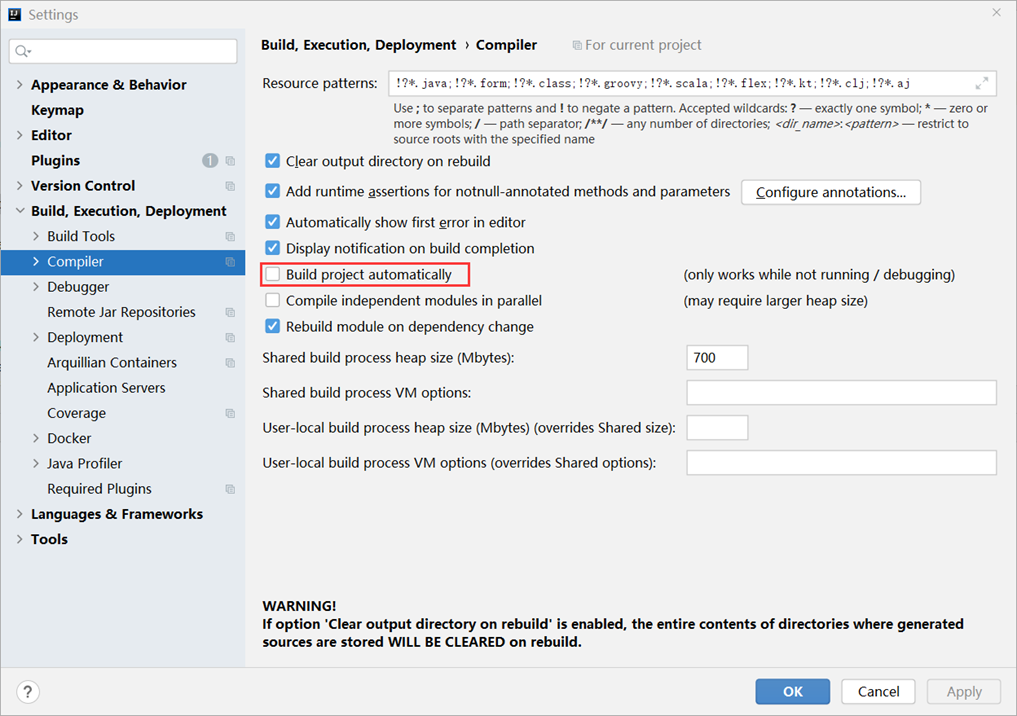
ctrl+alt+shift+/
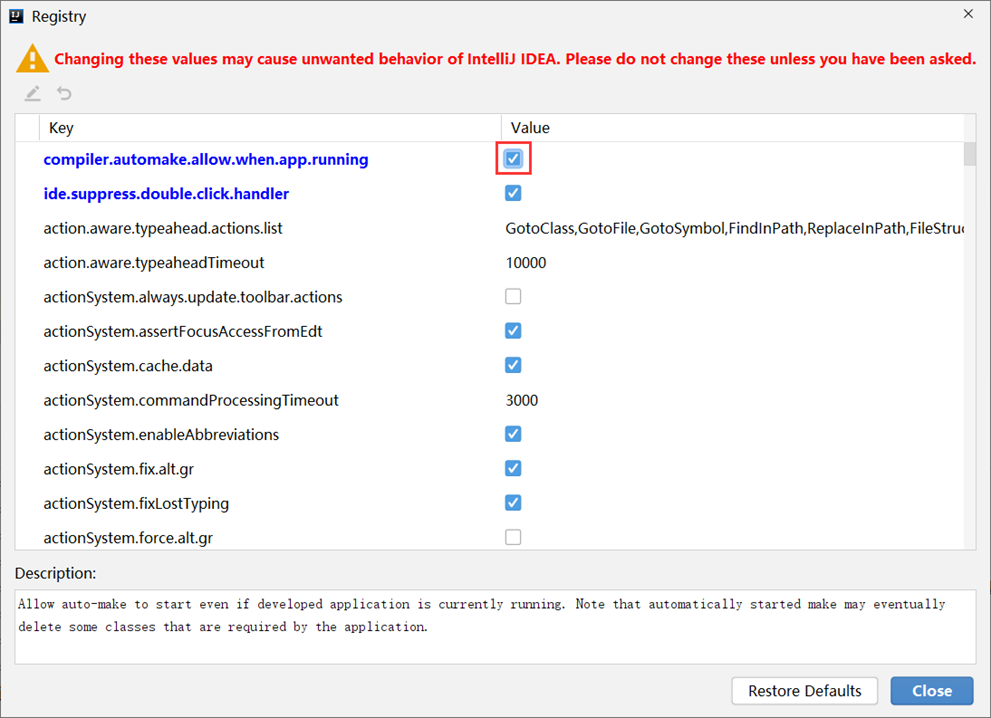
激活方式:Idea失去焦点5秒后启动热部署
热部署Idea专业版spring boot(spring mvc)项目_idea springmvc 热部署-CSDN博客
3.热部署范围配置
默认不触发重启的目录列表
- /META-INF/maven
- /META-INF/resources
- /resources
- /static
- /public
- /templates
自定义不参与重启排除项

4.关闭热部署功能
属性加载优先顺序
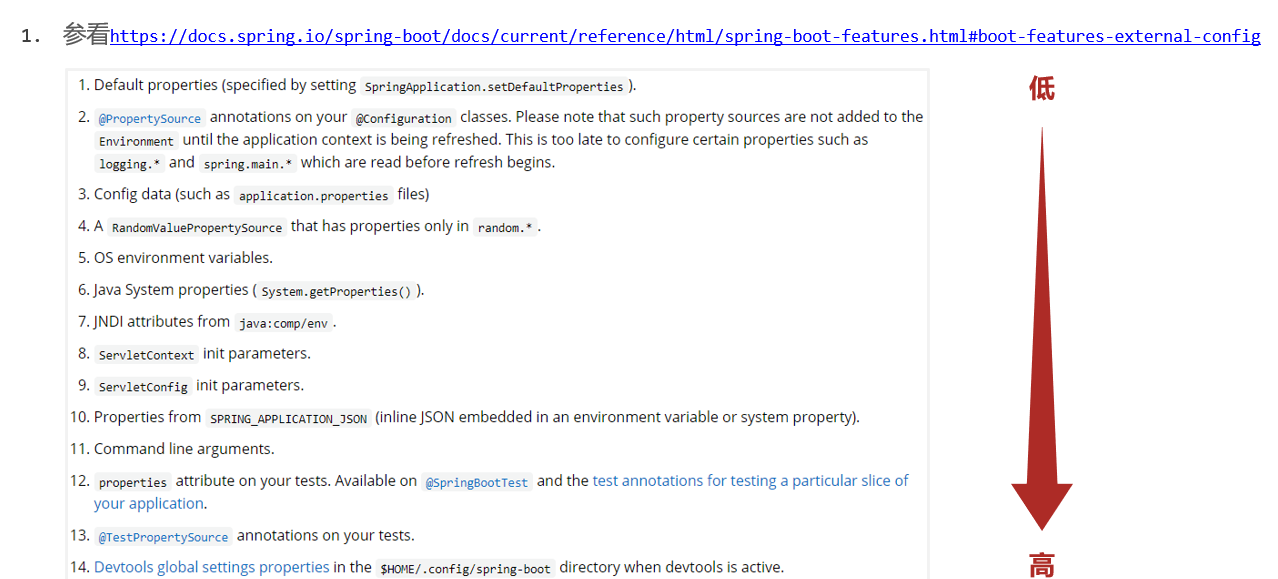
设置高优先级属性禁用热部署

5.第三方bean属性绑定
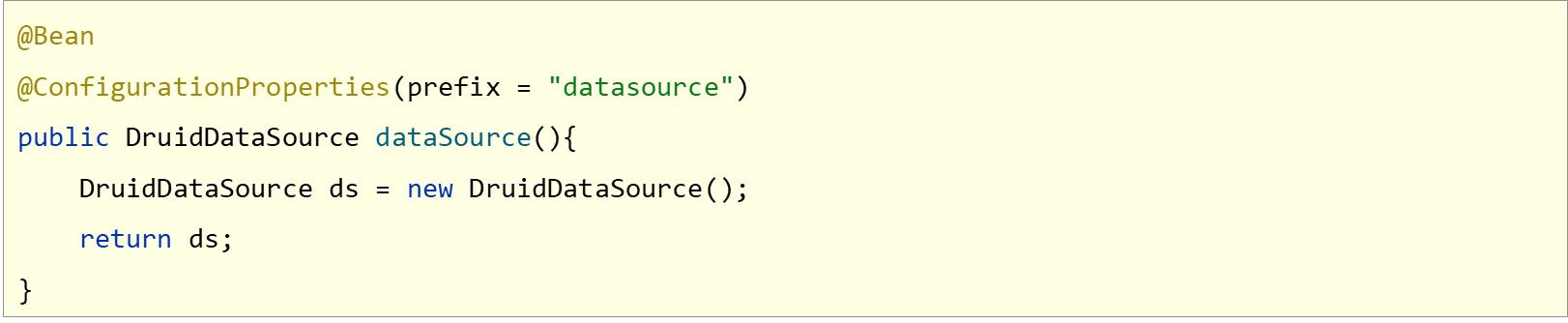

@EnableConfigurationProperties注解可以将使用@ConfigurationProperties注解对应的类加入Spring容器


注意事项
- @EnableConfigurationProperties.与@Component不能同时使用
解除使用@ConfigurationProperties注释警告


6.松散绑定
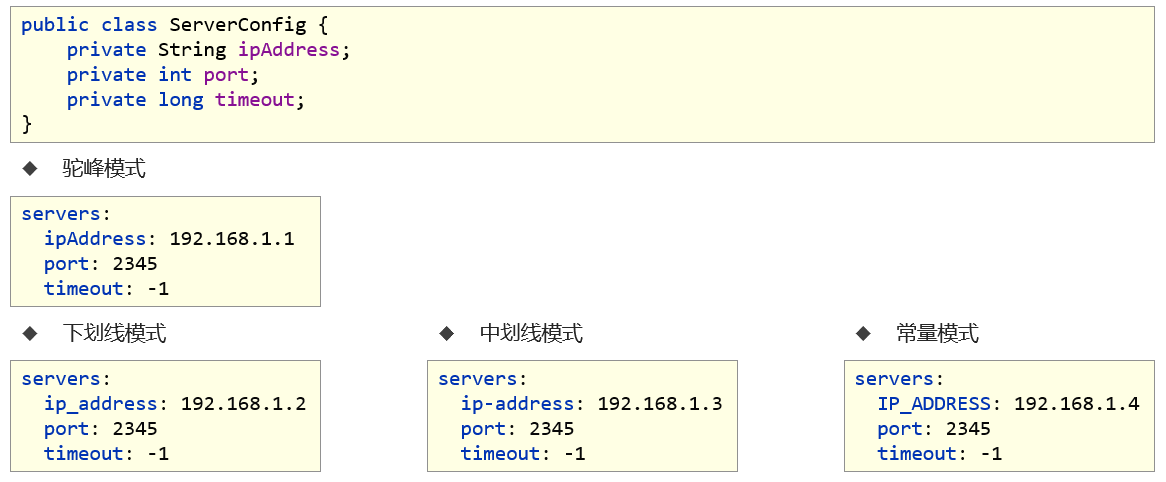
注意事项
- 宽松绑定不支持注解@Value引用单个属性的方式
@ConfigurationProperties绑定属性支持属性名宽松绑定

注意事项
- 绑定前缀名命名规范:仅能使用纯小写字母、数字、下划线作为合法的字符
7.常用计量单位应用
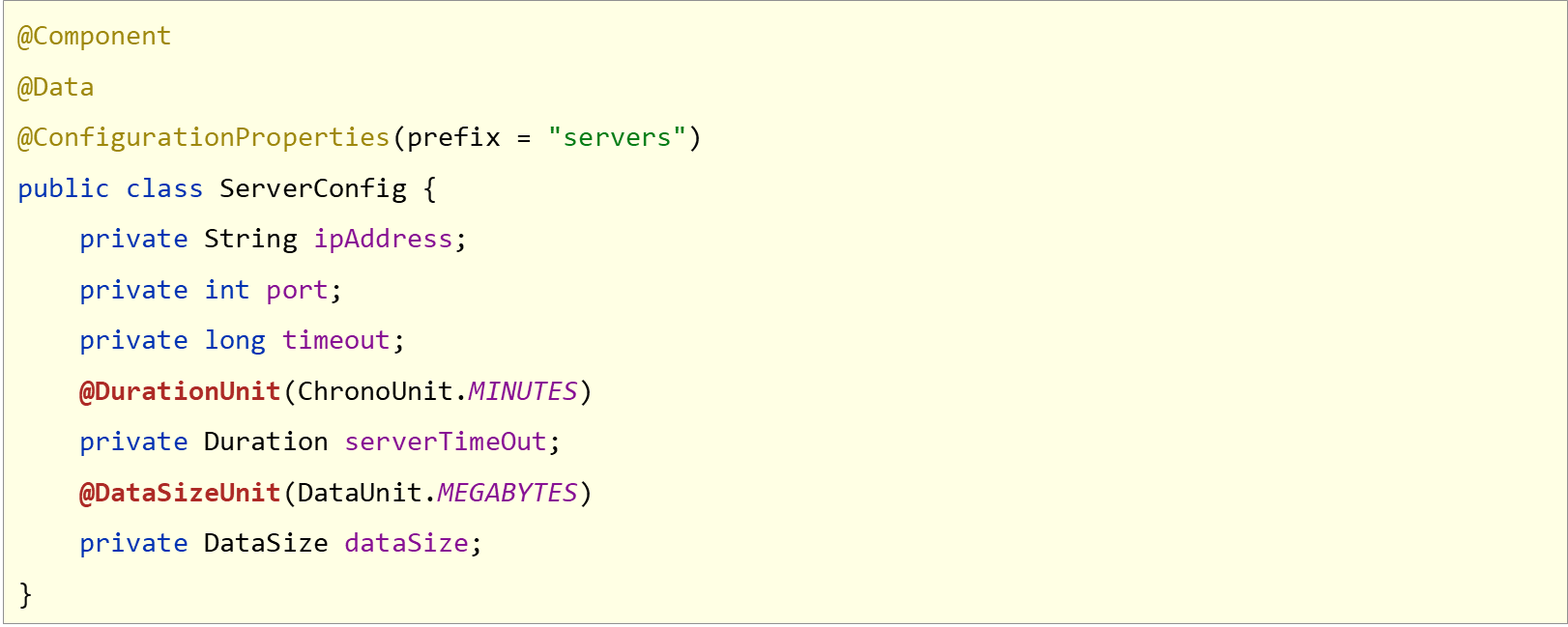
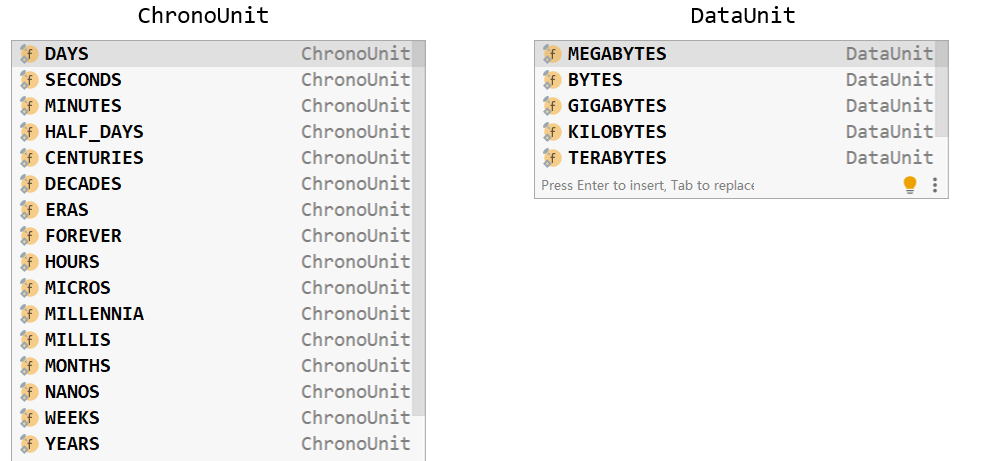
JDK8支持的时间与空间计量单位
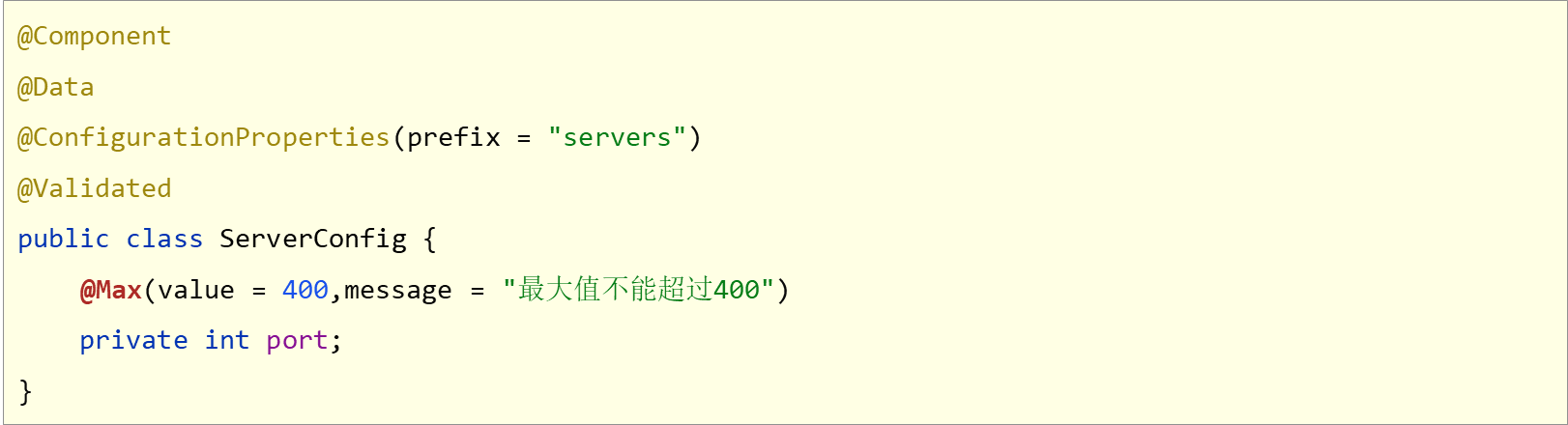
8.bean属性校验
数据校验
- 开启数据校验有助于系统安全性,J2EE规范中7SR303规范定义了一组有关数据校验相关的API
添加JSR3日3规范坐标与Hibernate校验框架对应坐标

对Bean开启校验功能
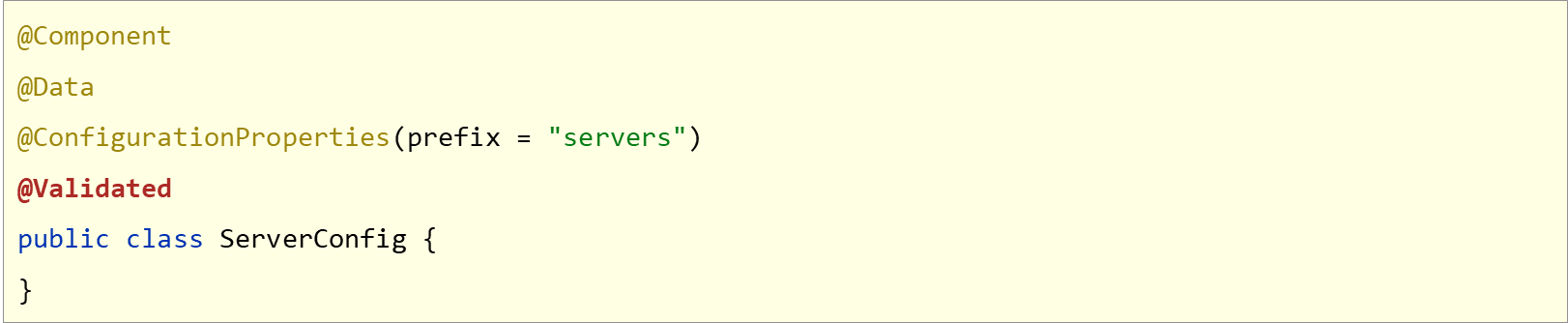
设置校验规则
9.进制数据转换规则
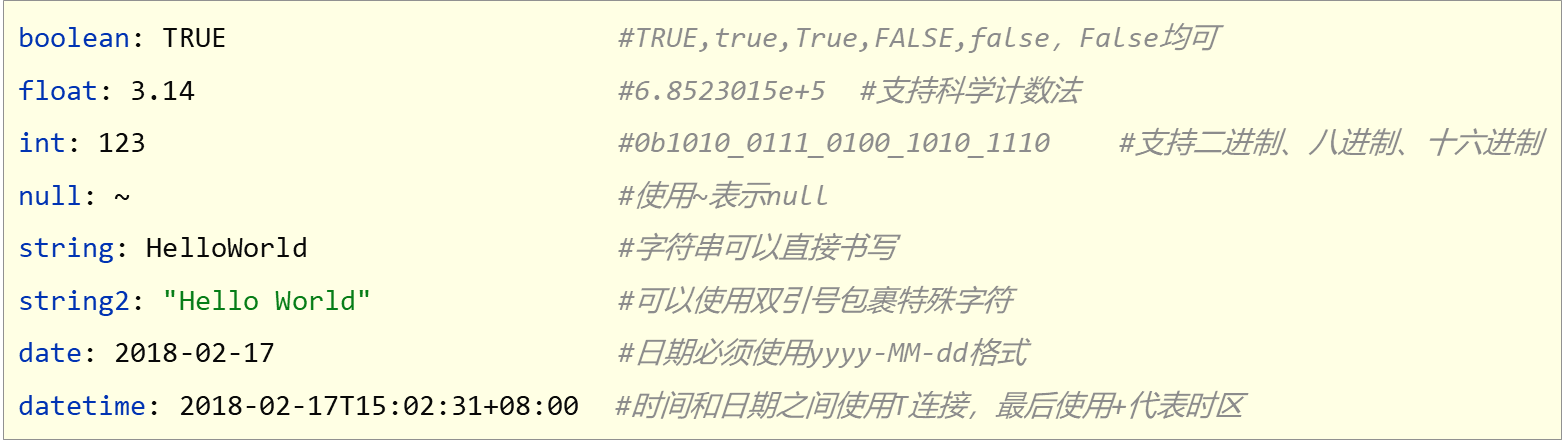
字面值表达方式
application.yml
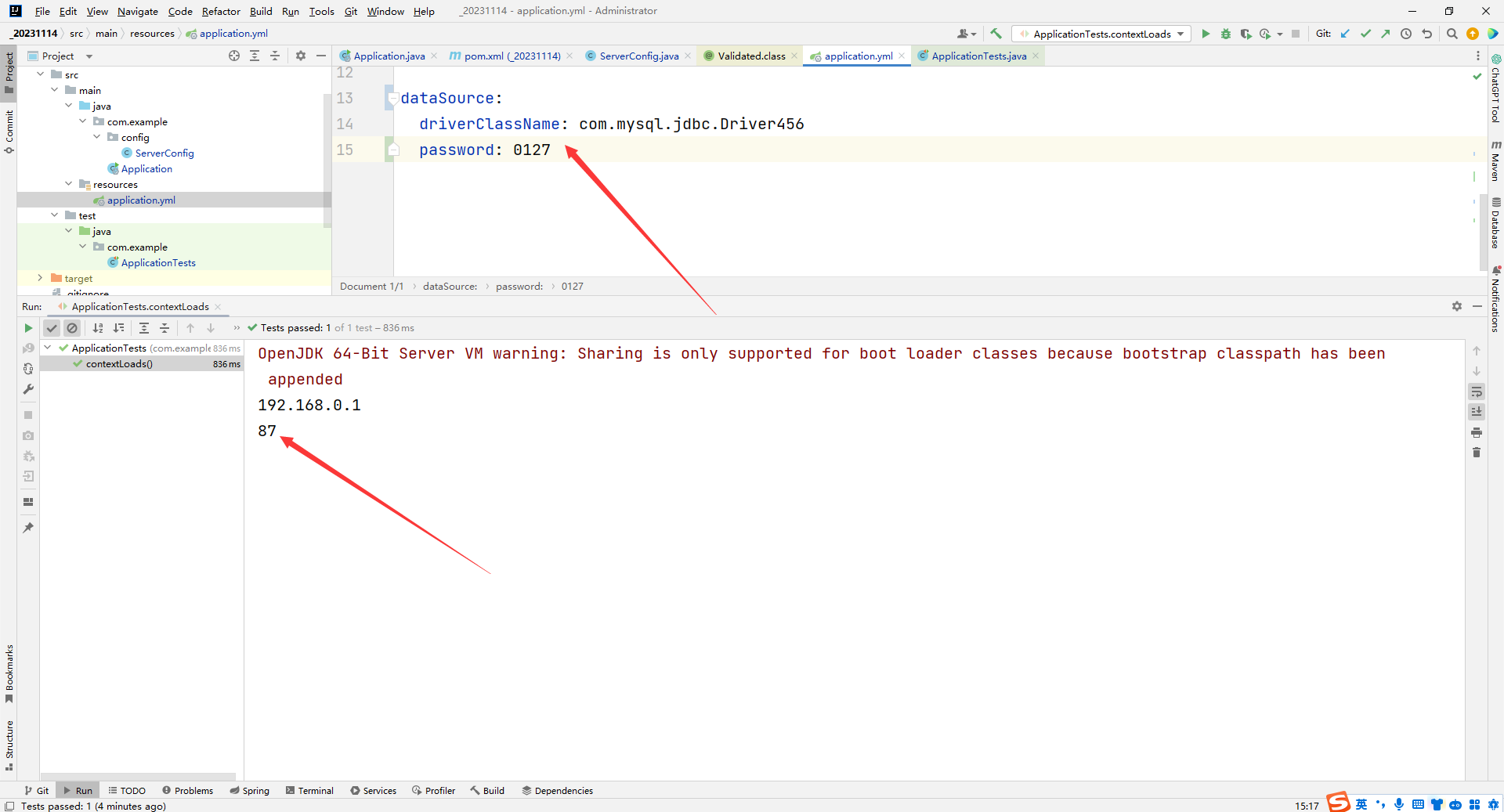
servers:ipAddress: 192.168.0.1# ipaddress: 192.168.0.1# ip_address: 192.168.0.1# ip-address: 192.168.0.1# IPADDRESS: 192.168.0.1# IP_ADD_R-E_SS: 192.168.0.1port: 4444timeout: -1serverTimeOut: 3dataSize: 10240dataSource:driverClassName: com.mysql.jdbc.Driver456password: 0127ApplicationTests
package com.example;import org.junit.jupiter.api.Test;
import org.springframework.beans.factory.annotation.Value;
import org.springframework.boot.test.context.SpringBootTest;@SpringBootTest
class ApplicationTests {@Value("${dataSource.password}")private String password;@Value("${servers.ipAddress}")private String msg;@Testvoid contextLoads() {System.out.println(msg);System.out.println(password);}}
运行结果:(0127)转换成了8进制
10.加载测试专用属性
在启动测试环境时可以通过properties参数设置测试环境专用的属性
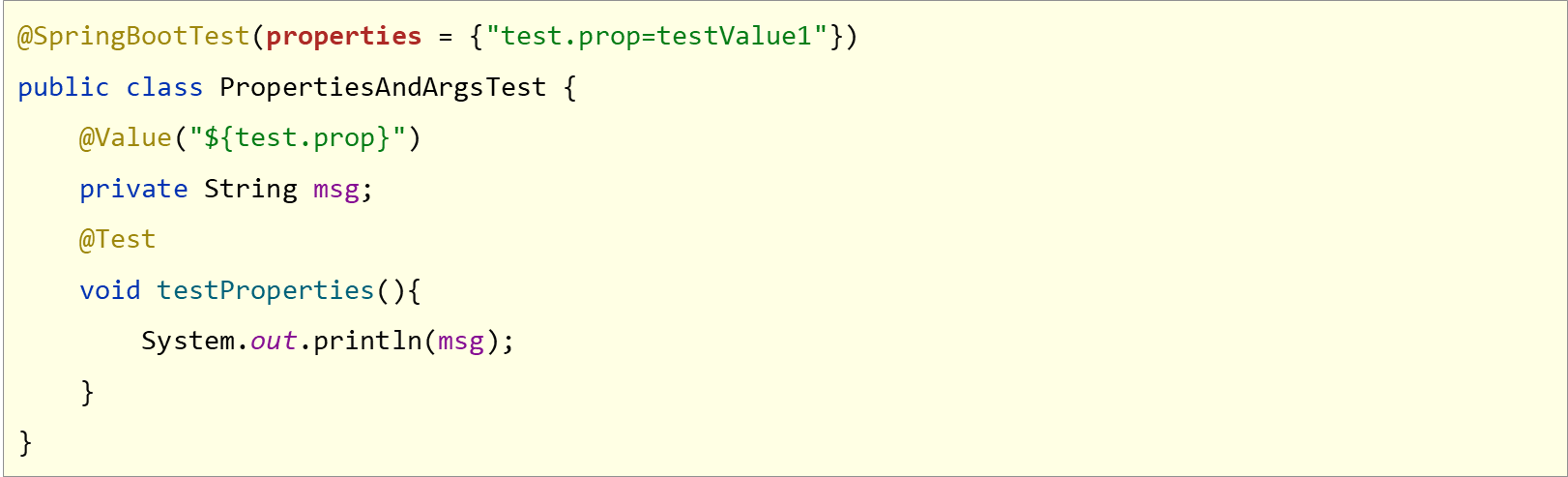
优势:比多环境开发中的测试环境影响范围更小,仅对当前测试类有效
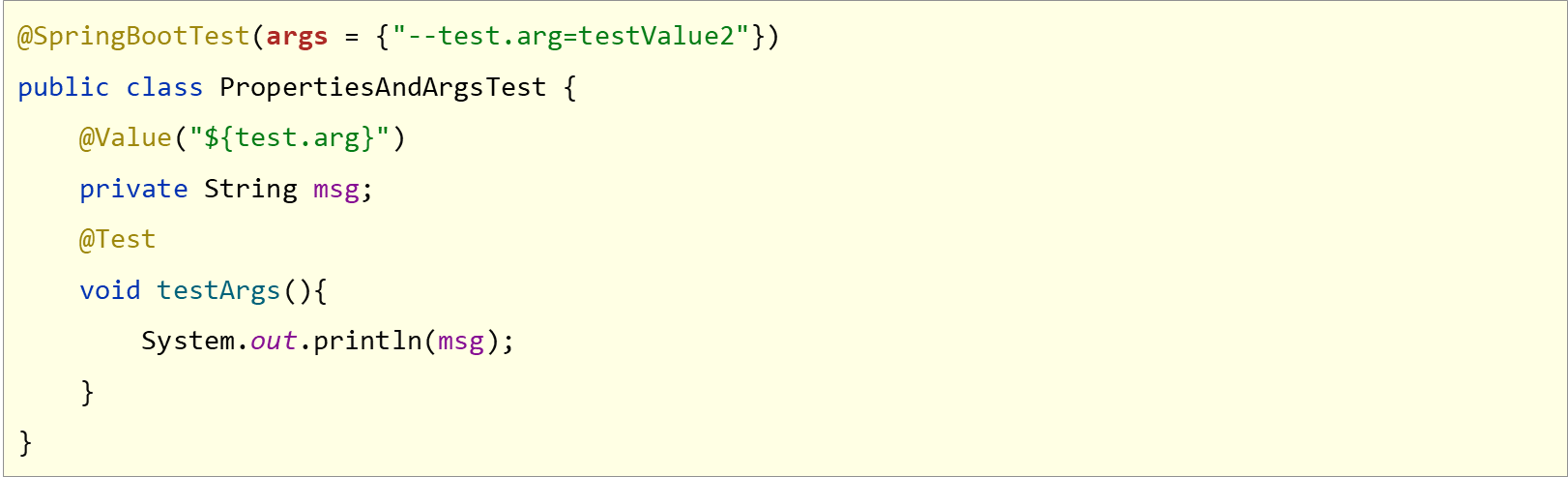
在启动测试环境时可以通过args参数设置测试环境专用的传入参数
Sprintboot14TestApplicationTests
package com.example;import org.junit.jupiter.api.Test;
import org.springframework.beans.factory.annotation.Value;
import org.springframework.boot.test.context.SpringBootTest;//@SpringBootTest(properties = {"test.prop=testValue1"})
//@SpringBootTest(args = {"--test.prop=testValue2"})
@SpringBootTest(properties = {"test.prop=testValue1"}, args = {"--test.prop=testValue2"})
class Sprintboot14TestApplicationTests {@Value("${test.prop}")private String msg;@Testvoid contextLoads() {System.out.println(msg);}
}
application.yml
test:prop: testValue
11.加载测试专用配置
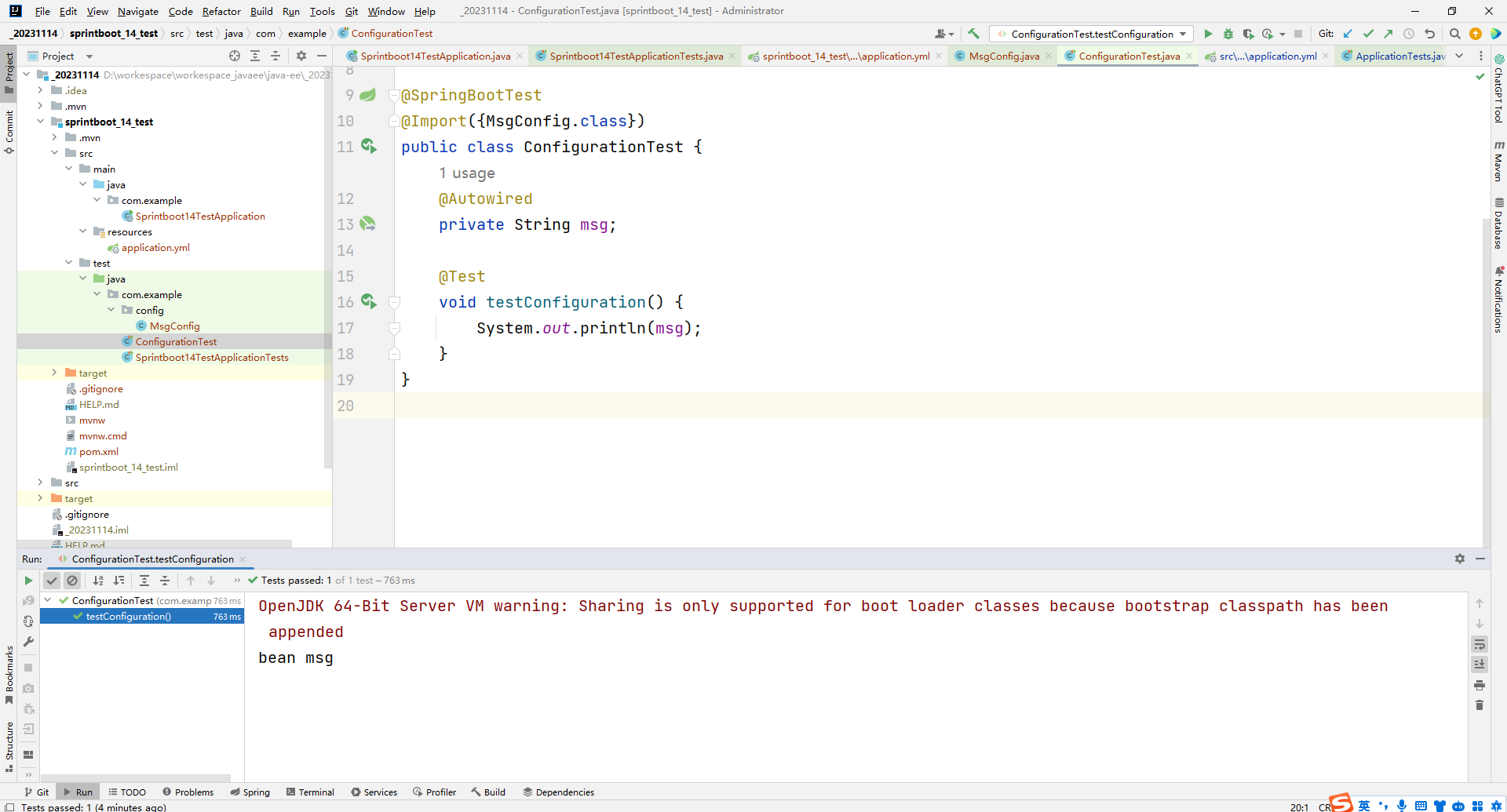
使用@Import注解加载当前测试类专用的配置

MsgConfig.class
package com.example.config;import org.springframework.context.annotation.Bean;
import org.springframework.context.annotation.Configuration;@Configuration
public class MsgConfig {@Beanpublic String msg() {return "bean msg";}
}
ConfigurationTest.class
package com.example;import com.example.config.MsgConfig;
import org.junit.jupiter.api.Test;
import org.springframework.beans.factory.annotation.Autowired;
import org.springframework.boot.test.context.SpringBootTest;
import org.springframework.context.annotation.Import;@SpringBootTest
@Import({MsgConfig.class})
public class ConfigurationTest {@Autowiredprivate String msg;@Testvoid testConfiguration() {System.out.println(msg);}
}
运行结果:
12.测试类中启动web环境
模拟端口


WebTest.class
package com.example;import org.junit.jupiter.api.Test;
import org.springframework.boot.test.context.SpringBootTest;@SpringBootTest(webEnvironment = SpringBootTest.WebEnvironment.DEFINED_PORT)
public class WebTest {@Testvoid test() {}
}
13.发送虚拟请求
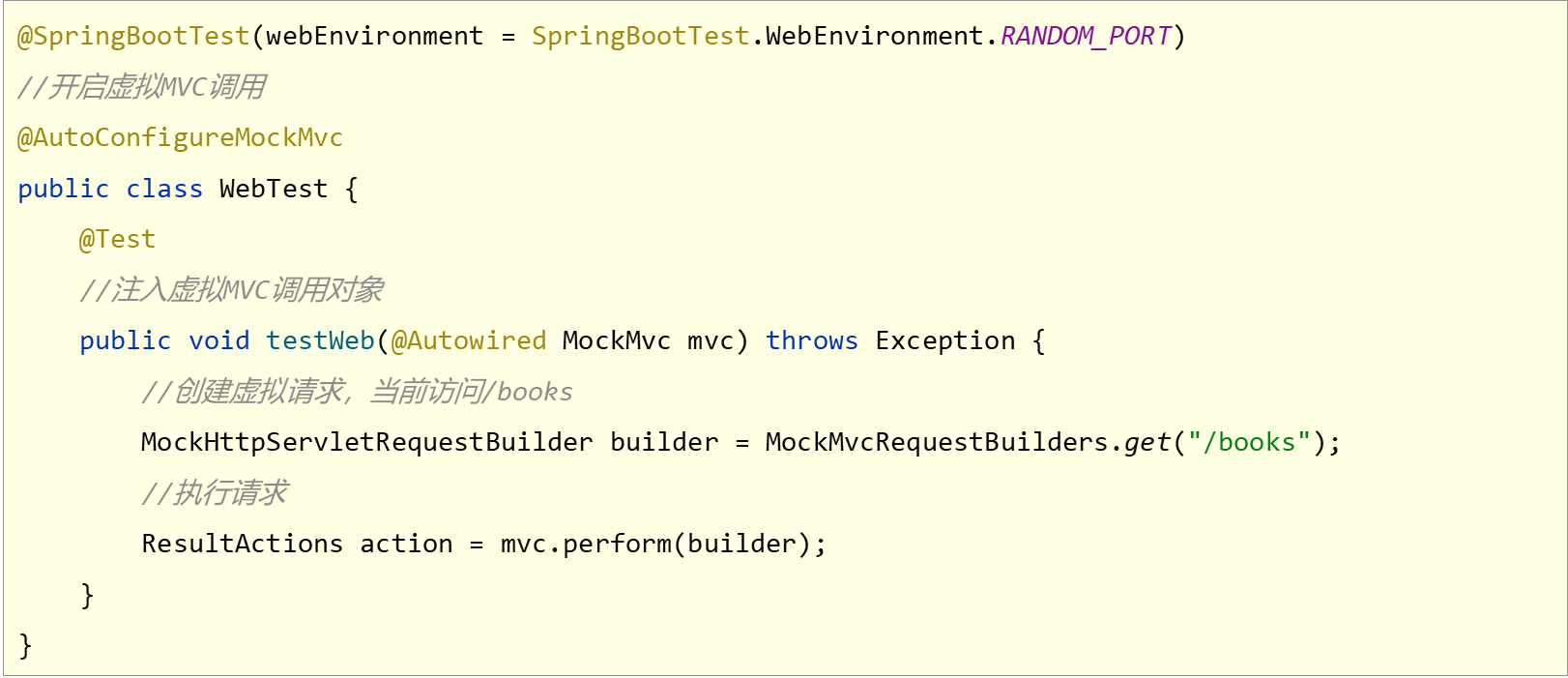
虚拟请求测试
BookController.class
package com.example.controller;import org.springframework.web.bind.annotation.GetMapping;
import org.springframework.web.bind.annotation.RequestMapping;
import org.springframework.web.bind.annotation.RestController;@RestController
@RequestMapping("/books")
public class BookController {@GetMappingpublic String getById() {System.out.println("getById is running...");return "sprintboot";}
}
WebTest.class
package com.example;import org.junit.jupiter.api.Test;
import org.springframework.beans.factory.annotation.Autowired;
import org.springframework.boot.test.autoconfigure.web.servlet.AutoConfigureMockMvc;
import org.springframework.boot.test.context.SpringBootTest;
import org.springframework.test.web.servlet.MockMvc;
import org.springframework.test.web.servlet.RequestBuilder;
import org.springframework.test.web.servlet.request.MockHttpServletRequestBuilder;
import org.springframework.test.web.servlet.request.MockMvcRequestBuilders;@SpringBootTest(webEnvironment = SpringBootTest.WebEnvironment.DEFINED_PORT)
@AutoConfigureMockMvc
public class WebTest {@Testvoid test() {}@Testvoid testWeb(@Autowired MockMvc mvc) throws Exception {MockHttpServletRequestBuilder builder = MockMvcRequestBuilders.get("/books");mvc.perform(builder);}
}
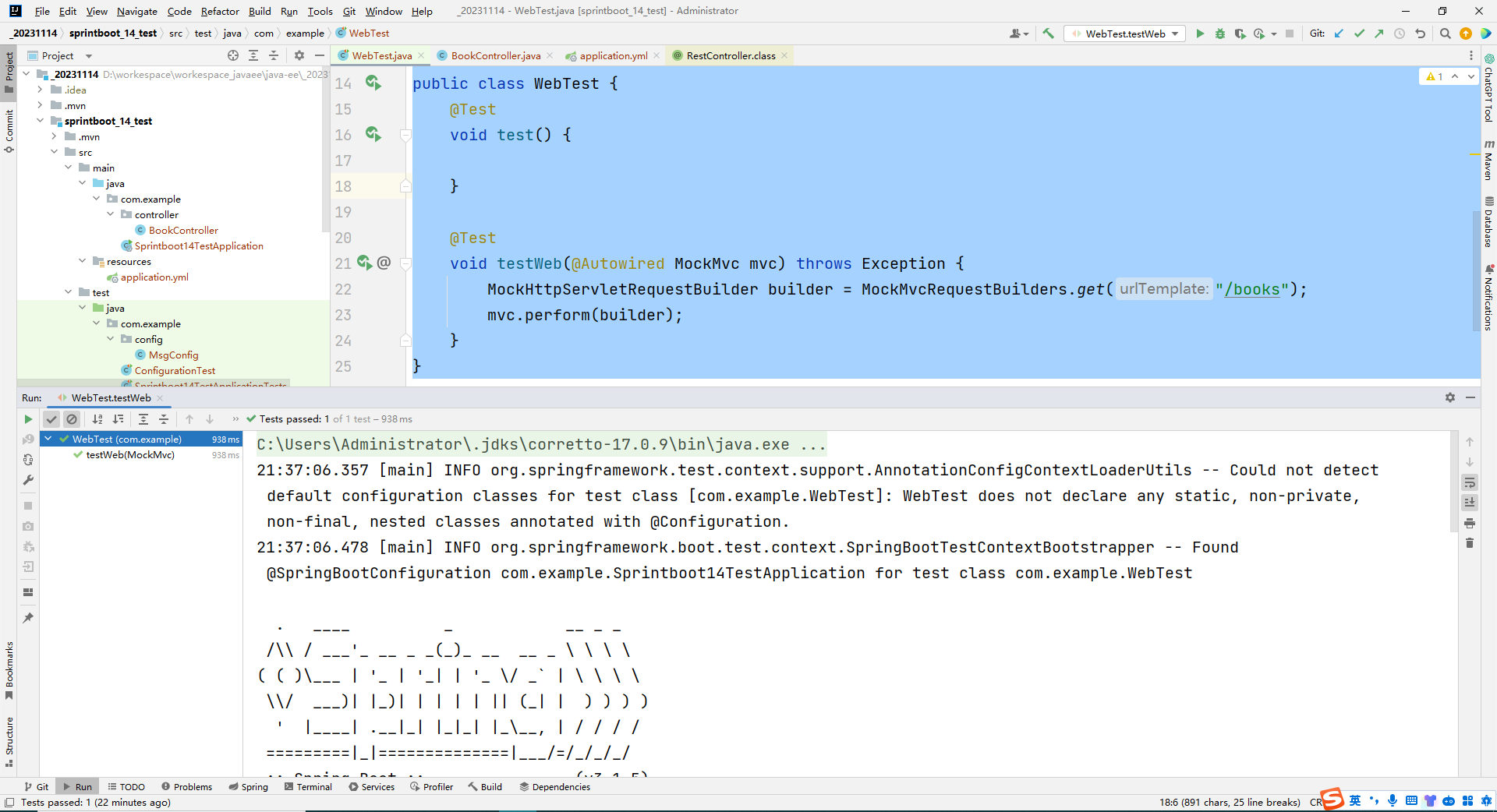
运行结果:
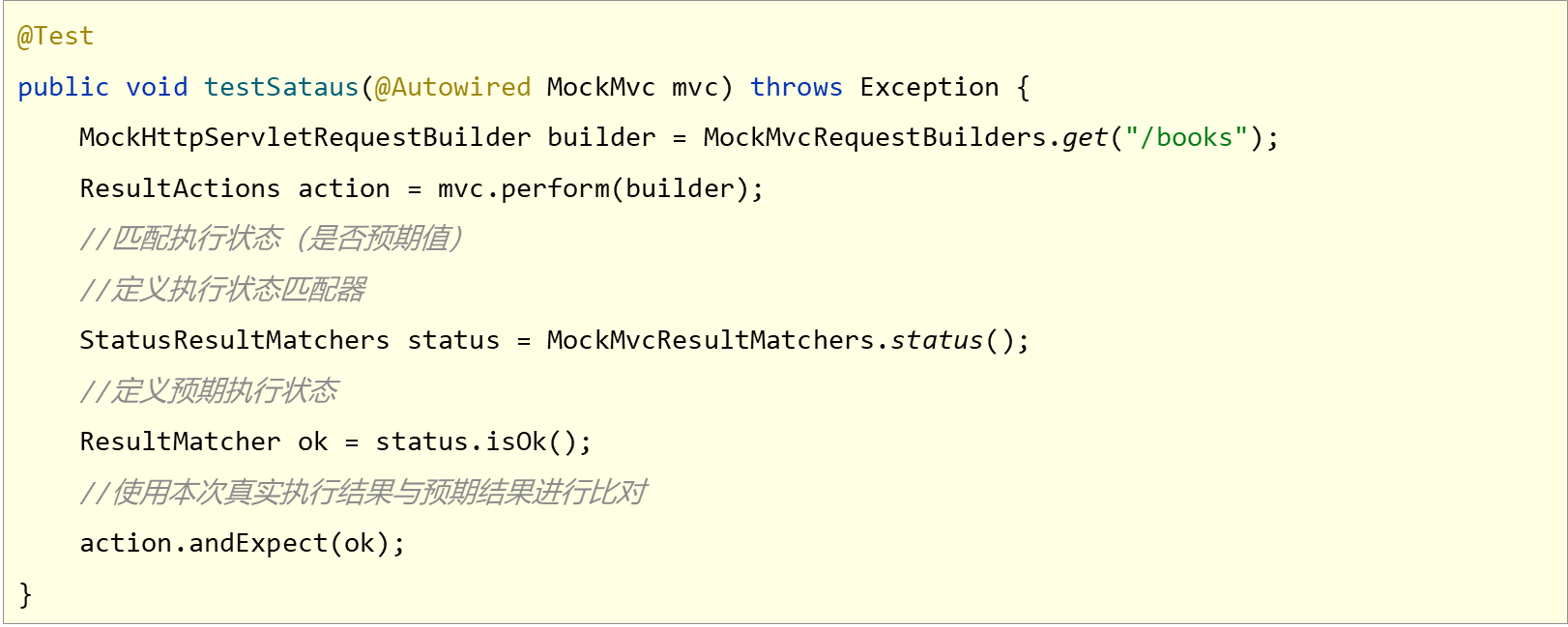
14.匹配响应执行状态
虚拟请求状态匹配
WebTest.class
package com.example;import org.junit.jupiter.api.Test;
import org.springframework.beans.factory.annotation.Autowired;
import org.springframework.boot.test.autoconfigure.web.servlet.AutoConfigureMockMvc;
import org.springframework.boot.test.context.SpringBootTest;
import org.springframework.test.web.servlet.MockMvc;
import org.springframework.test.web.servlet.RequestBuilder;
import org.springframework.test.web.servlet.ResultActions;
import org.springframework.test.web.servlet.ResultMatcher;
import org.springframework.test.web.servlet.request.MockHttpServletRequestBuilder;
import org.springframework.test.web.servlet.request.MockMvcRequestBuilders;
import org.springframework.test.web.servlet.result.MockMvcResultMatchers;
import org.springframework.test.web.servlet.result.StatusResultMatchers;@SpringBootTest(webEnvironment = SpringBootTest.WebEnvironment.DEFINED_PORT)
@AutoConfigureMockMvc
public class WebTest {@Testvoid testWeb(@Autowired MockMvc mvc) throws Exception {MockHttpServletRequestBuilder builder = MockMvcRequestBuilders.get("/books");mvc.perform(builder);}@Testvoid testStatus(@Autowired MockMvc mvc) throws Exception {MockHttpServletRequestBuilder builder = MockMvcRequestBuilders.get("/books");ResultActions action = mvc.perform(builder);StatusResultMatchers status = MockMvcResultMatchers.status();ResultMatcher ok = status.isOk();action.andExpect(ok);}
}
15.匹配响应体
虚拟请求响应体匹配

WebTest.class
package com.example;import org.junit.jupiter.api.Test;
import org.springframework.beans.factory.annotation.Autowired;
import org.springframework.boot.test.autoconfigure.web.servlet.AutoConfigureMockMvc;
import org.springframework.boot.test.context.SpringBootTest;
import org.springframework.test.web.servlet.MockMvc;
import org.springframework.test.web.servlet.RequestBuilder;
import org.springframework.test.web.servlet.ResultActions;
import org.springframework.test.web.servlet.ResultMatcher;
import org.springframework.test.web.servlet.request.MockHttpServletRequestBuilder;
import org.springframework.test.web.servlet.request.MockMvcRequestBuilders;
import org.springframework.test.web.servlet.result.ContentResultMatchers;
import org.springframework.test.web.servlet.result.MockMvcResultMatchers;
import org.springframework.test.web.servlet.result.StatusResultMatchers;@SpringBootTest(webEnvironment = SpringBootTest.WebEnvironment.DEFINED_PORT)
@AutoConfigureMockMvc
public class WebTest {@Testvoid testWeb(@Autowired MockMvc mvc) throws Exception {MockHttpServletRequestBuilder builder = MockMvcRequestBuilders.get("/books");mvc.perform(builder);}@Testvoid testStatus(@Autowired MockMvc mvc) throws Exception {MockHttpServletRequestBuilder builder = MockMvcRequestBuilders.get("/books");ResultActions action = mvc.perform(builder);StatusResultMatchers status = MockMvcResultMatchers.status();ResultMatcher ok = status.isOk();action.andExpect(ok);}@Testvoid testBody(@Autowired MockMvc mvc) throws Exception {MockHttpServletRequestBuilder builder = MockMvcRequestBuilders.get("/books");ResultActions action = mvc.perform(builder);ContentResultMatchers content = MockMvcResultMatchers.content();ResultMatcher result = content.string("springboot");action.andExpect(result);}
}
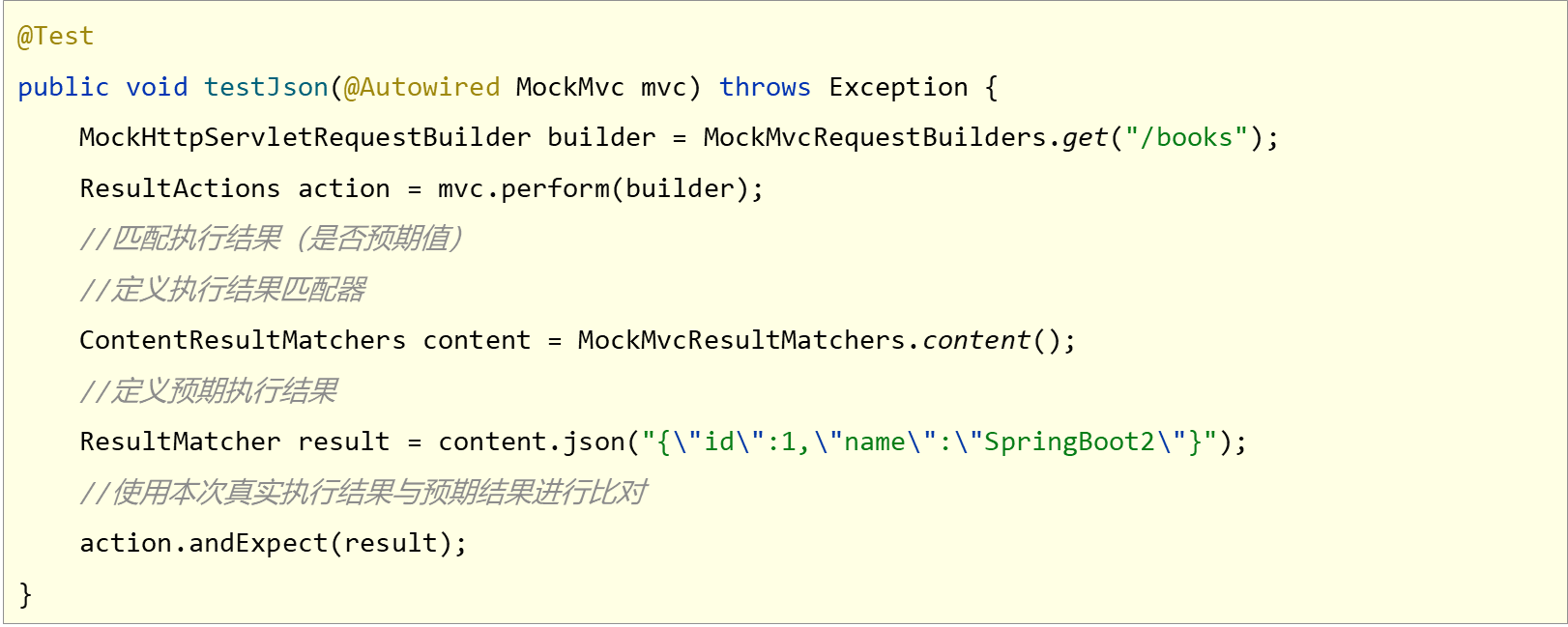
16.匹配响应体(json)
虚拟请求响应体(json)匹配
BookController.class
package com.example.controller;import com.example.domain.Book;
import org.springframework.web.bind.annotation.GetMapping;
import org.springframework.web.bind.annotation.RequestMapping;
import org.springframework.web.bind.annotation.RestController;@RestController
@RequestMapping("/books")
public class BookController {
//    @GetMapping
//    public String getById() {
//        System.out.println("getById is running...");
//        return "springboot";
//    }@GetMappingpublic Book getById() {System.out.println("getById is running...");Book book = new Book();book.setId(1);book.setName("springboot");book.setType("springboot");book.setDescription("springboot");return book;}
}
WebTest.class
package com.example;import org.junit.jupiter.api.Test;
import org.springframework.beans.factory.annotation.Autowired;
import org.springframework.boot.test.autoconfigure.web.servlet.AutoConfigureMockMvc;
import org.springframework.boot.test.context.SpringBootTest;
import org.springframework.test.web.servlet.MockMvc;
import org.springframework.test.web.servlet.RequestBuilder;
import org.springframework.test.web.servlet.ResultActions;
import org.springframework.test.web.servlet.ResultMatcher;
import org.springframework.test.web.servlet.request.MockHttpServletRequestBuilder;
import org.springframework.test.web.servlet.request.MockMvcRequestBuilders;
import org.springframework.test.web.servlet.result.ContentResultMatchers;
import org.springframework.test.web.servlet.result.MockMvcResultMatchers;
import org.springframework.test.web.servlet.result.StatusResultMatchers;@SpringBootTest(webEnvironment = SpringBootTest.WebEnvironment.DEFINED_PORT)
@AutoConfigureMockMvc
public class WebTest {@Testvoid testWeb(@Autowired MockMvc mvc) throws Exception {MockHttpServletRequestBuilder builder = MockMvcRequestBuilders.get("/books");mvc.perform(builder);}@Testvoid testStatus(@Autowired MockMvc mvc) throws Exception {MockHttpServletRequestBuilder builder = MockMvcRequestBuilders.get("/books");ResultActions action = mvc.perform(builder);StatusResultMatchers status = MockMvcResultMatchers.status();ResultMatcher ok = status.isOk();action.andExpect(ok);}@Testvoid testBody(@Autowired MockMvc mvc) throws Exception {MockHttpServletRequestBuilder builder = MockMvcRequestBuilders.get("/books");ResultActions action = mvc.perform(builder);ContentResultMatchers content = MockMvcResultMatchers.content();ResultMatcher result = content.string("springboot");action.andExpect(result);}@Testvoid testJson(@Autowired MockMvc mvc) throws Exception {MockHttpServletRequestBuilder builder = MockMvcRequestBuilders.get("/books");ResultActions action = mvc.perform(builder);ContentResultMatchers content = MockMvcResultMatchers.content();ResultMatcher result = content.json("{\"id\":1,\"name\":\"springboot\",\"type\":\"springboot\",\"description\":\"springboot\"}");action.andExpect(result);}
}
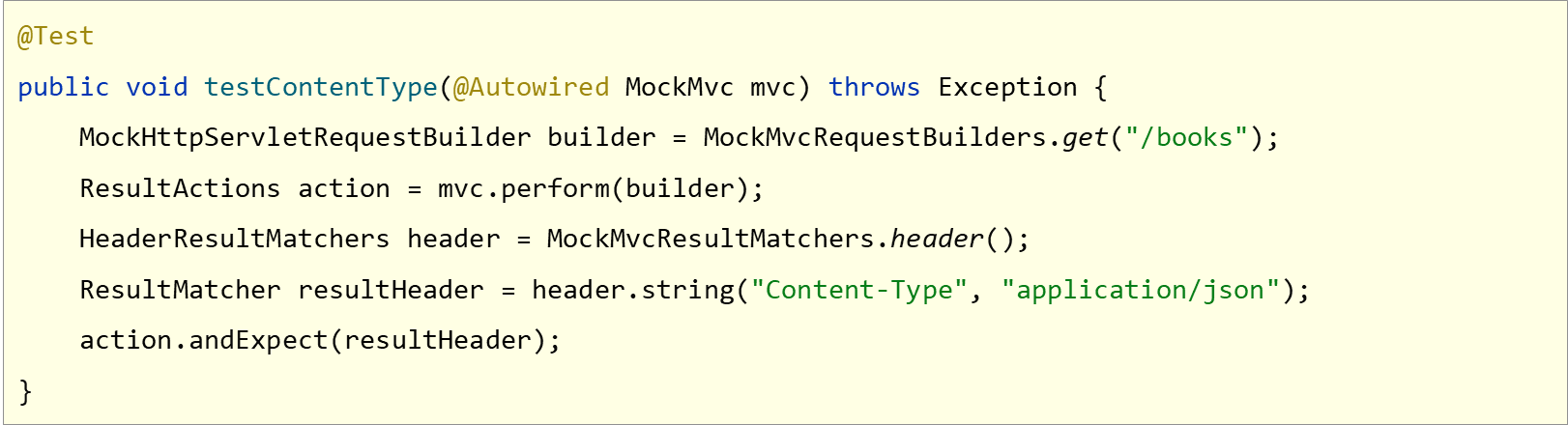
17.匹配响应头
虚拟请求响应头匹配
WebTest.class+
package com.example;import org.junit.jupiter.api.Test;
import org.springframework.beans.factory.annotation.Autowired;
import org.springframework.boot.test.autoconfigure.web.servlet.AutoConfigureMockMvc;
import org.springframework.boot.test.context.SpringBootTest;
import org.springframework.test.web.servlet.MockMvc;
import org.springframework.test.web.servlet.ResultActions;
import org.springframework.test.web.servlet.ResultMatcher;
import org.springframework.test.web.servlet.request.MockHttpServletRequestBuilder;
import org.springframework.test.web.servlet.request.MockMvcRequestBuilders;
import org.springframework.test.web.servlet.result.ContentResultMatchers;
import org.springframework.test.web.servlet.result.HeaderResultMatchers;
import org.springframework.test.web.servlet.result.MockMvcResultMatchers;
import org.springframework.test.web.servlet.result.StatusResultMatchers;@SpringBootTest(webEnvironment = SpringBootTest.WebEnvironment.DEFINED_PORT)
@AutoConfigureMockMvc
public class WebTest {@Testvoid testWeb(@Autowired MockMvc mvc) throws Exception {MockHttpServletRequestBuilder builder = MockMvcRequestBuilders.get("/books");mvc.perform(builder);}@Testvoid testStatus(@Autowired MockMvc mvc) throws Exception {MockHttpServletRequestBuilder builder = MockMvcRequestBuilders.get("/books");ResultActions action = mvc.perform(builder);StatusResultMatchers status = MockMvcResultMatchers.status();ResultMatcher ok = status.isOk();action.andExpect(ok);}@Testvoid testBody(@Autowired MockMvc mvc) throws Exception {MockHttpServletRequestBuilder builder = MockMvcRequestBuilders.get("/books");ResultActions action = mvc.perform(builder);ContentResultMatchers content = MockMvcResultMatchers.content();ResultMatcher result = content.string("springboot");action.andExpect(result);}@Testvoid testJson(@Autowired MockMvc mvc) throws Exception {MockHttpServletRequestBuilder builder = MockMvcRequestBuilders.get("/books");ResultActions action = mvc.perform(builder);ContentResultMatchers content = MockMvcResultMatchers.content();ResultMatcher result = content.json("{\"id\":1,\"name\":\"springboot\",\"type\":\"springboot\",\"description\":\"springboot\"}");action.andExpect(result);}@Testvoid testContentType(@Autowired MockMvc mvc) throws Exception {MockHttpServletRequestBuilder builder = MockMvcRequestBuilders.get("/books");ResultActions action = mvc.perform(builder);HeaderResultMatchers header = MockMvcResultMatchers.header();ResultMatcher contentType = header.string("Content-Type", "application/json");action.andExpect(contentType);}@Testvoid testGetById(@Autowired MockMvc mvc) throws Exception {MockHttpServletRequestBuilder builder = MockMvcRequestBuilders.get("/books");ResultActions action = mvc.perform(builder);StatusResultMatchers status = MockMvcResultMatchers.status();ResultMatcher ok = status.isOk();action.andExpect(ok);HeaderResultMatchers header = MockMvcResultMatchers.header();ResultMatcher contentType = header.string("Content-Type", "application/json");action.andExpect(contentType);ContentResultMatchers content = MockMvcResultMatchers.content();ResultMatcher result = content.json("{\"id\":1,\"name\":\"springboot\",\"type\":\"springboot\",\"description\":\"springboot\"}");action.andExpect(result);}
}
18.业务层测试事务回滚
为测试用例添加事务,SpringBoot会对测试用例对应的事务提交操作进行回滚
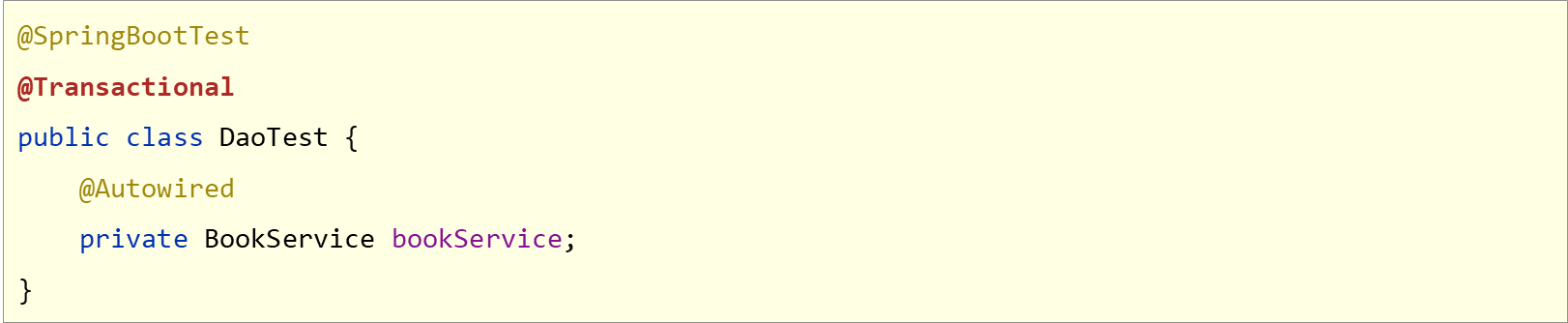
如果想在测试用例中提交事务,可以通过@Rollback注解设置

19.测试用例设置随机数据
测试用例数据通常采用随机值进行测试,使用SpringBoot提供的随机数为其赋值

- ${random.int}表示随机整数
- ${random.int(10)}表示10以内的随机数
- ${random.int(10,20)}表示10到20的随机数
- 其中()可以是任意字符,例如[],!!均可
20.内置数据源
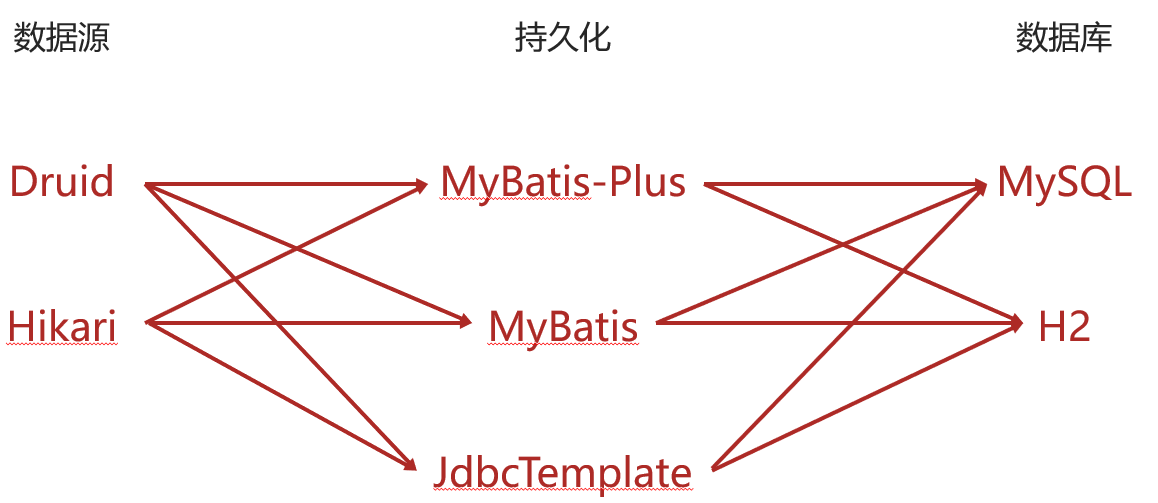
现有数据层解决方案技术选型

- 数据源:DruidDataSource
- 持久化技术:MyBatis-Plus /MyBatis
- 数据库:MySQL
格式一

格式二

SpringBoot提供了3种内嵌的数据源对象供开发者选择
- HikariCP.
- Tomcat提供DataSource.
- Commons DBCP
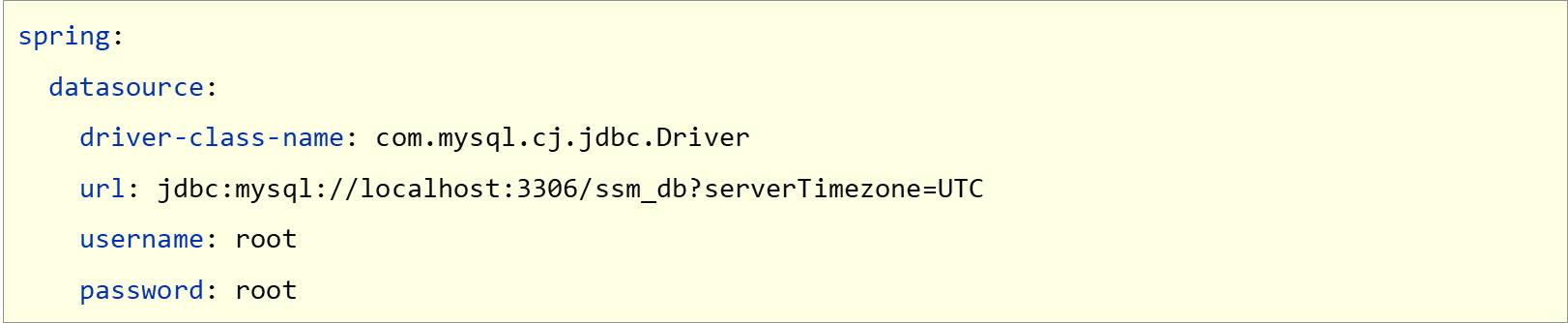
通用配置无法设置具体的数据源配置信息,仅提供基本的连接相关配置,如需配置,在下一级配置中设置具体设定

21.JdbcTemplate
现有数据层解决方案技术选型

- 数据源:DruidDataSource
- 持久化技术: MyBatls-Plus / MyBatis
- 数据库:MySQL
内置持久化解决方案——JdbcIemplate
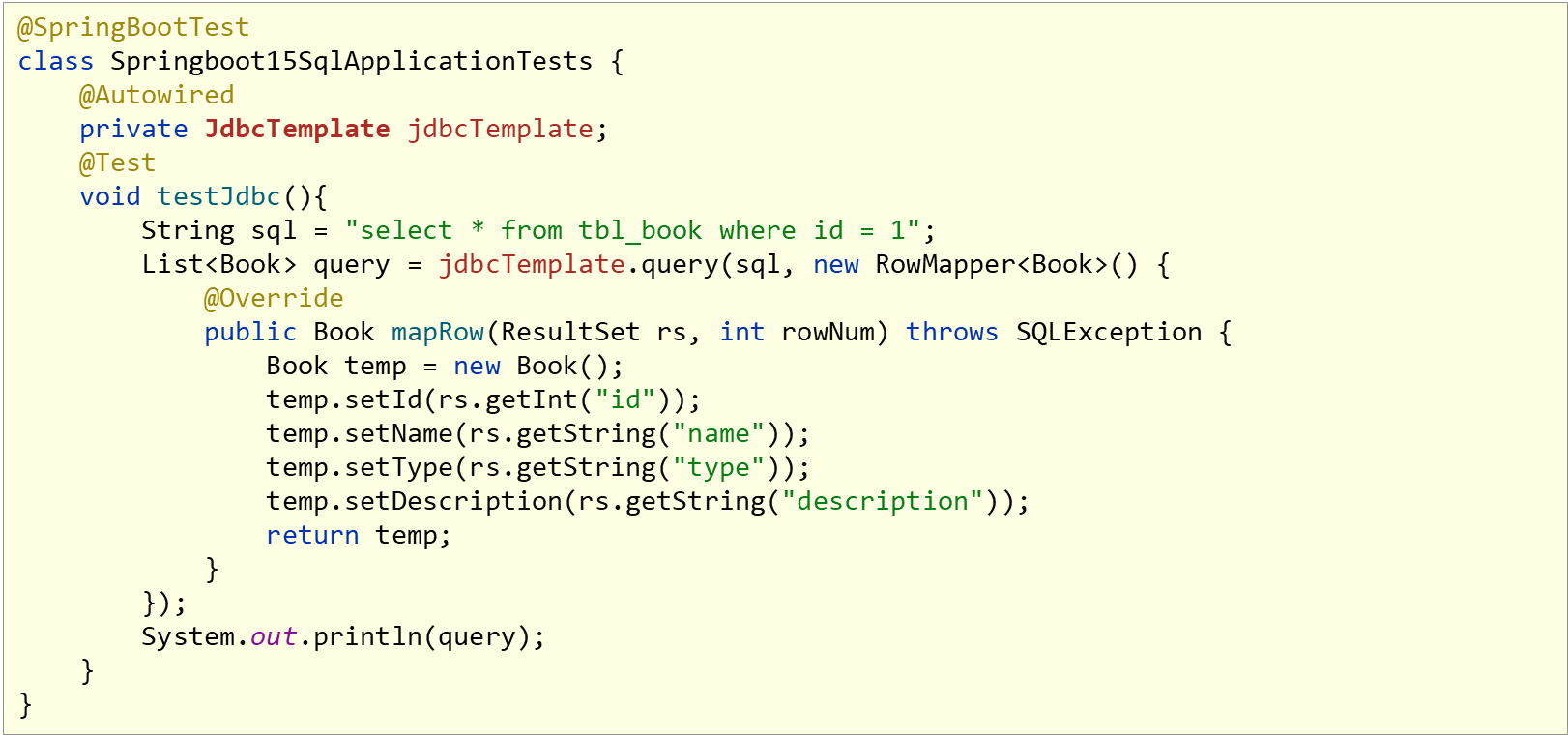

JdbcTemplate配置

22.H2数据库
SpringBoot提供了3种内嵌数据库供开发者选择,提高开发测试效率
- H2
- HSQL
- Derby
导入H2相关坐标

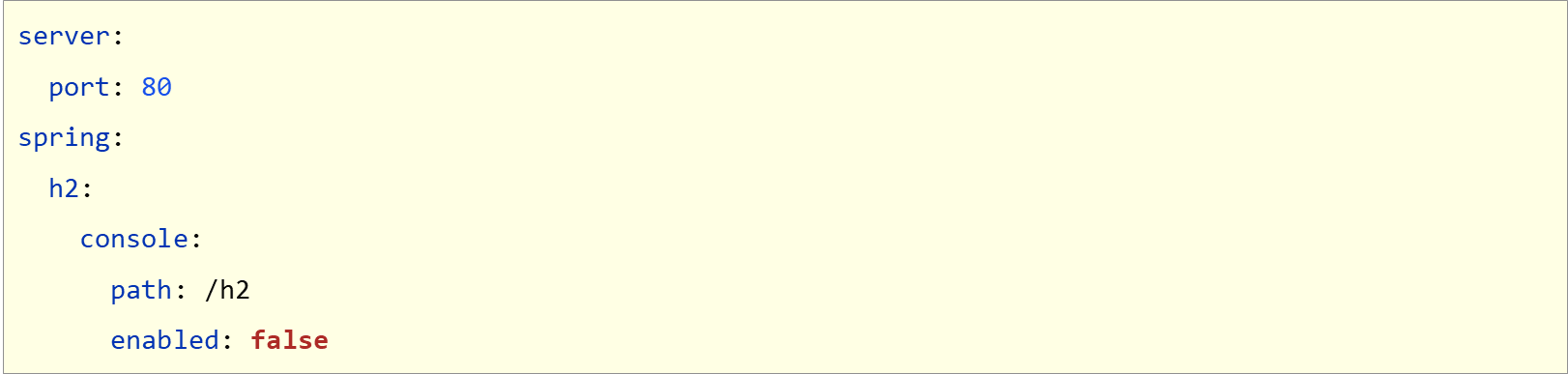
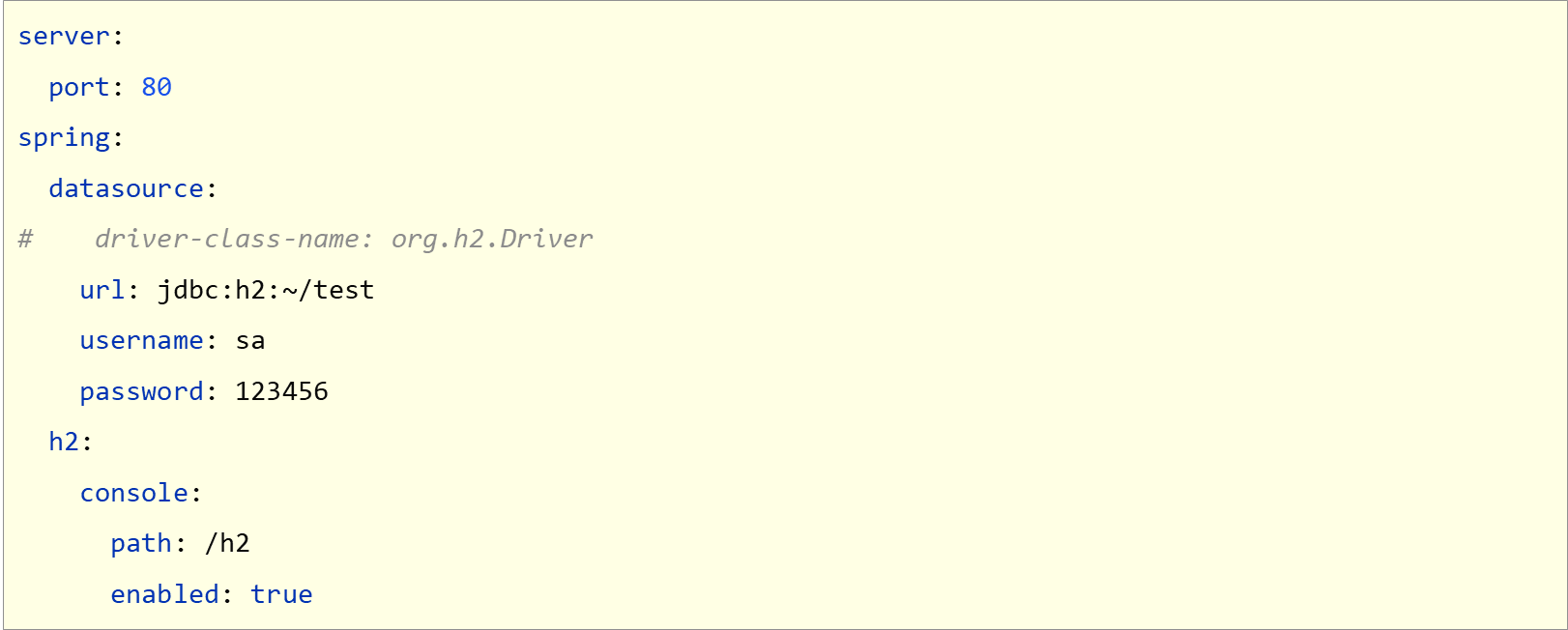
设置当前项目为web工程,并配置H2管理控制台参数
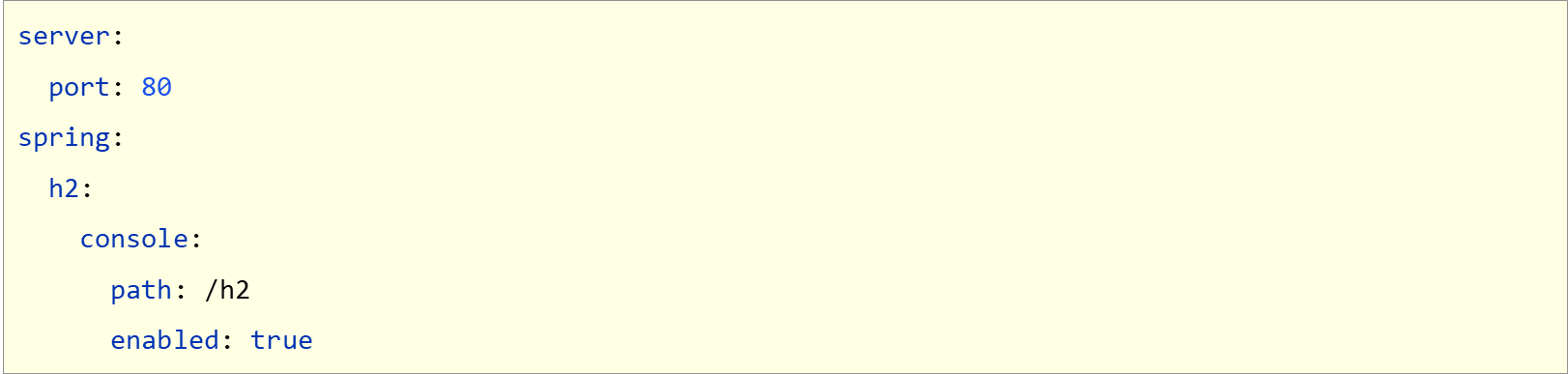
访问用户名sa,默认密码123456
操作数据库(创建表)

设置访问数据源
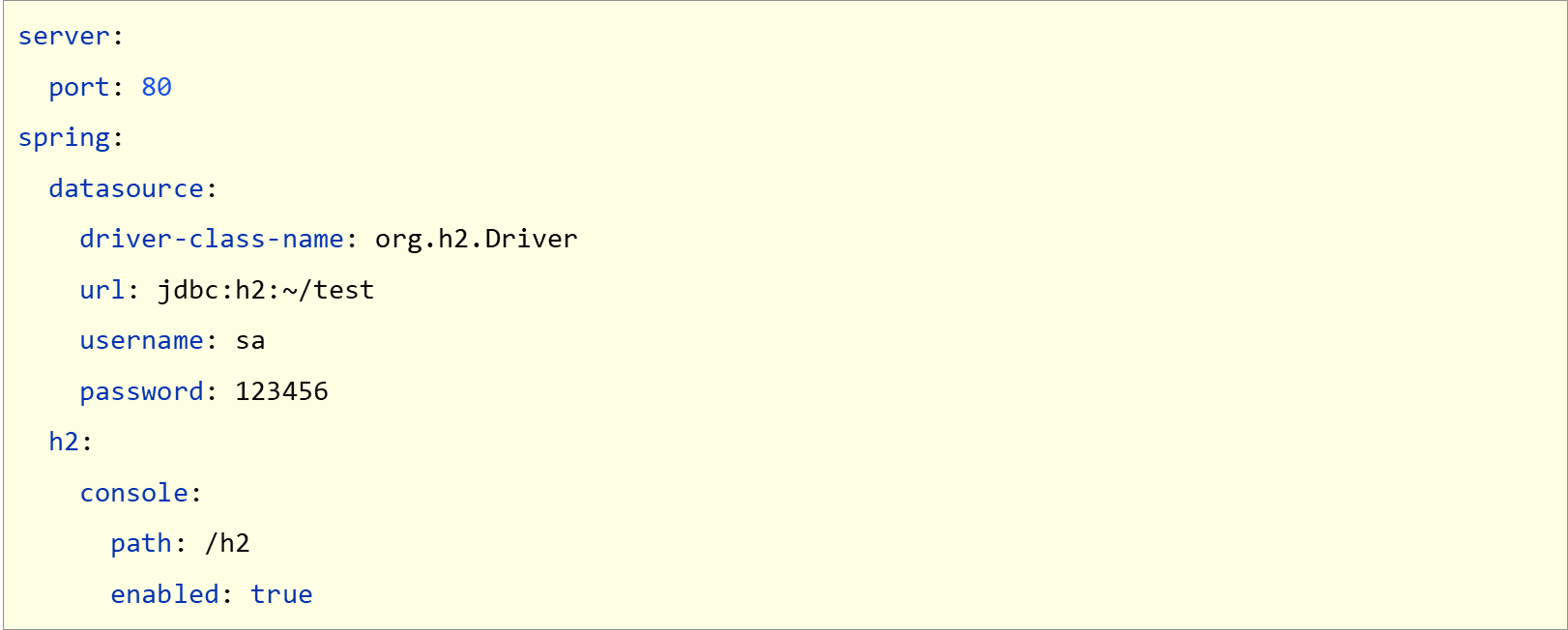
H2数据库控制台仅用于开发阶段,线上项目请务必关闭控制台功能
SpringBoot可以根据url地址自动识别数据库种类,在保障驱动类存在的情况下,可以省略配置
现有数据层解决方案技术选型

BookDao.interface
package com.example.springboot_15_sql.dao;import com.baomidou.mybatisplus.core.mapper.BaseMapper;
import com.example.springboot_15_sql.domain.Book;
import org.apache.ibatis.annotations.Mapper;@Mapper
public interface BookDao extends BaseMapper<Book> {}
Book.class
package com.example.springboot_15_sql.domain;import lombok.Data;@Data
public class Book {private int id;private String name;private String type;private String description;
}
Sprintboot15SqlApplication.class
package com.example.springboot_15_sql;import org.springframework.boot.SpringApplication;
import org.springframework.boot.autoconfigure.SpringBootApplication;@SpringBootApplication
public class Springboot15SqlApplication {public static void main(String[] args) {SpringApplication.run(Springboot15SqlApplication.class, args);}}
application.yml
#server:
#  port: 8080
#
#spring:
#  datasource:
#    url: jdbc:mysql://localhost:3308/test_db
#    hikari:
#      driver-class-name: com.mysql.cj.jdbc.Driver
#      username: root
#      password: 666666
#      maximum-pool-size: 50#mybatis-plus:
#  global-config:
#    db-config:
#      table-prefix: tbl_
#      id-type: auto
#  configuration:
#    log-impl: org.apache.ibatis.logging.stdout.StdOutImplserver:port: 8080spring:h2:console:enabled: truepath: /h2datasource:url: jdbc:h2:~/testhikari:driver-class-name: org.h2.Driverusername: sapassword: 123456mybatis-plus:global-config:db-config:table-prefix: tbl_id-type: autoconfiguration:log-impl: org.apache.ibatis.logging.stdout.StdOutImpl
pom.xml
<?xml version="1.0" encoding="UTF-8"?>
<project xmlns="http://maven.apache.org/POM/4.0.0" xmlns:xsi="http://www.w3.org/2001/XMLSchema-instance"xsi:schemaLocation="http://maven.apache.org/POM/4.0.0 https://maven.apache.org/xsd/maven-4.0.0.xsd"><modelVersion>4.0.0</modelVersion><parent><groupId>org.springframework.boot</groupId><artifactId>spring-boot-starter-parent</artifactId><version>2.7.17</version><relativePath/> <!-- lookup parent from repository --></parent><groupId>com.example</groupId><artifactId>springboot_15_sql</artifactId><version>0.0.1-SNAPSHOT</version><name>springboot_15_sql</name><description>springboot_15_sql</description><properties><java.version>1.8</java.version></properties><dependencies><dependency><groupId>org.springframework.boot</groupId><artifactId>spring-boot-starter-web</artifactId></dependency><!--        <dependency>--><!--            <groupId>com.mysql</groupId>--><!--            <artifactId>mysql-connector-j</artifactId>--><!--            <scope>runtime</scope>--><!--        </dependency>--><dependency><groupId>org.projectlombok</groupId><artifactId>lombok</artifactId><optional>true</optional></dependency><dependency><groupId>org.springframework.boot</groupId><artifactId>spring-boot-starter-test</artifactId><scope>test</scope></dependency><!--        <dependency>--><!--            <groupId>com.baomidou</groupId>--><!--            <artifactId>mybatis-plus-boot-starter</artifactId>--><!--            <version>3.4.1</version>--><!--        </dependency>--><!--        <dependency>--><!--            <groupId>com.alibaba</groupId>--><!--            <artifactId>druid-spring-boot-starter</artifactId>--><!--            <version>1.2.6</version>--><!--        </dependency>--><!--        <dependency>--><!--            <groupId>org.springframework.boot</groupId>--><!--            <artifactId>spring-boot-starter-jdbc</artifactId>--><!--        </dependency>--><!--        <dependency>--><!--            <groupId>org.springframework.boot</groupId>--><!--            <artifactId>spring-boot-starter-jdbc</artifactId>--><!--        </dependency>--><dependency><groupId>org.springframework.boot</groupId><artifactId>spring-boot-starter-data-jpa</artifactId></dependency><dependency><groupId>com.h2database</groupId><artifactId>h2</artifactId></dependency><dependency><groupId>com.baomidou</groupId><artifactId>mybatis-plus-boot-starter</artifactId><version>3.4.1</version></dependency></dependencies><build><plugins><plugin><groupId>org.springframework.boot</groupId><artifactId>spring-boot-maven-plugin</artifactId><configuration><image><builder>paketobuildpacks/builder-jammy-base:latest</builder></image><excludes><exclude><groupId>org.projectlombok</groupId><artifactId>lombok</artifactId></exclude></excludes></configuration></plugin></plugins></build></project>
Sprintboot15SqlApplicationTests.class
package com.example.springboot_15_sql;import com.example.springboot_15_sql.dao.BookDao;
import com.example.springboot_15_sql.domain.Book;
import org.junit.jupiter.api.Test;
import org.springframework.beans.factory.annotation.Autowired;
import org.springframework.boot.test.context.SpringBootTest;
import org.springframework.jdbc.core.JdbcTemplate;
import org.springframework.jdbc.core.RowMapper;import java.sql.ResultSet;
import java.sql.SQLException;
import java.util.List;
import java.util.Map;@SpringBootTest
class Springboot15SqlApplicationTests {@Autowiredprivate BookDao bookDao;@Testvoid test() {bookDao.selectById(1);}@Testvoid testJdbcTemplate(@Autowired JdbcTemplate jdbcTemplate) {String sql = "select * from tbl_book";
//        List<Map<String, Object>> maps = jdbcTemplate.queryForList(sql);
//        System.out.println(maps);RowMapper<Book> rm = new RowMapper<Book>() {@Overridepublic Book mapRow(ResultSet rs, int rowNum) throws SQLException {Book temp = new Book();temp.setId(rs.getInt("id"));temp.setName(rs.getString("name"));temp.setType(rs.getString("type"));temp.setDescription(rs.getString("description"));return temp;}};List<Book> list = jdbcTemplate.query(sql, rm);System.out.println(list);}//    @Test
//    void testJdbcTemplateSave(@Autowired JdbcTemplate jdbcTemplate) {
//        String sql = "insert into tbl_book values(null,'springboot','springboot','springboot')";
//        jdbcTemplate.update(sql);
//    }@Testvoid testJdbcTemplateSave(@Autowired JdbcTemplate jdbcTemplate) {String sql = "insert into tbl_book values(3,'springboot3','springboot3','springboot3')";jdbcTemplate.update(sql);}}
23.redis下载安装与基本使用
市面上常见的NoSQL解决方案
- Redis
- Mongo
- ES
Redis是一款key-value存储结构的内存级NoSQL数据库
- 支持多种数据存储格式
- 支持持久化
- 支持集群
Redis下载(Windows版)
- https://github.com/tporadowski/redis/releases
Redis安装与启动( Windows版)
- Windows解压安装或一键式安装
- 服务端启动命令

- 客户端启动命令

24.SpringBoot整合Redis
导入SpringBoot整合Redis坐标

配置Redis(采用默认配置)

- 主机: localhost(默认)
- 端口:6379(默认)
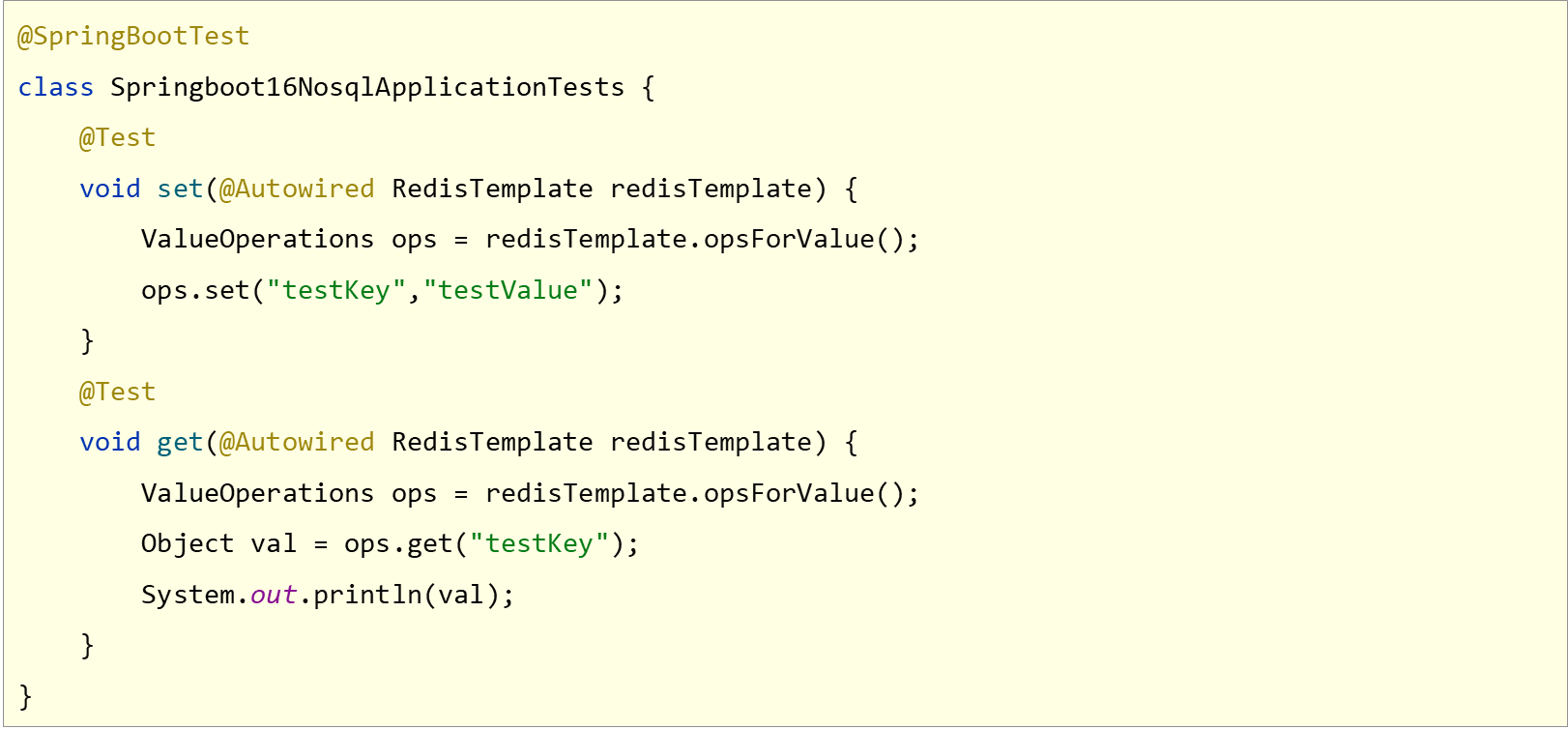
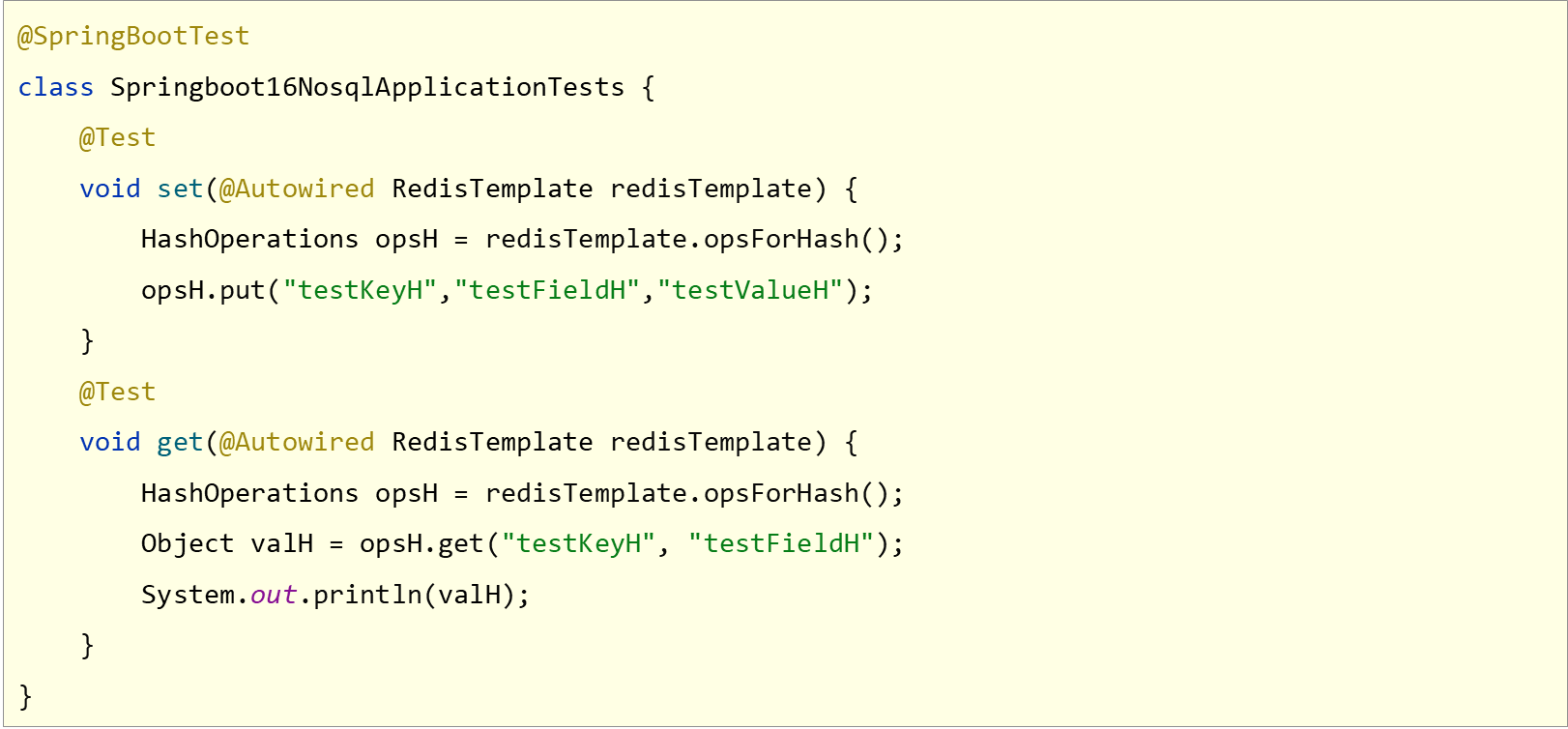
RedisTemplate提供操作各种数据存储类型的接口API

客户端:RedisTemplate
pom.xml
<?xml version="1.0" encoding="UTF-8"?>
<project xmlns="http://maven.apache.org/POM/4.0.0" xmlns:xsi="http://www.w3.org/2001/XMLSchema-instance"xsi:schemaLocation="http://maven.apache.org/POM/4.0.0 https://maven.apache.org/xsd/maven-4.0.0.xsd"><modelVersion>4.0.0</modelVersion><parent><groupId>org.springframework.boot</groupId><artifactId>spring-boot-starter-parent</artifactId><version>2.5.4</version><relativePath/> <!-- lookup parent from repository --></parent><groupId>com.example</groupId><artifactId>sprintboot_16_redis</artifactId><version>0.0.1-SNAPSHOT</version><name>sprintboot_16_redis</name><description>sprintboot_16_redis</description><properties><java.version>1.8</java.version></properties><dependencies><dependency><groupId>org.springframework.boot</groupId><artifactId>spring-boot-starter-data-redis</artifactId></dependency><dependency><groupId>org.springframework.boot</groupId><artifactId>spring-boot-starter-test</artifactId><scope>test</scope></dependency></dependencies><build><plugins><plugin><groupId>org.springframework.boot</groupId><artifactId>spring-boot-maven-plugin</artifactId><configuration><image><builder>paketobuildpacks/builder-jammy-base:latest</builder></image></configuration></plugin></plugins></build></project>
application.yml
spring:redis:host: localhostport: 6379
Springboot16RedisApplicationTests.class
package com.example.sprintboot_16_redis;import org.junit.jupiter.api.Test;
import org.springframework.beans.factory.annotation.Autowired;
import org.springframework.boot.test.context.SpringBootTest;
import org.springframework.data.redis.core.HashOperations;
import org.springframework.data.redis.core.RedisTemplate;
import org.springframework.data.redis.core.ValueOperations;@SpringBootTest
class Sprintboot16RedisApplicationTests {@Autowiredprivate RedisTemplate redisTemplate;@Testvoid set() {ValueOperations ops = redisTemplate.opsForValue();ops.set("age", "41");}@Testvoid get() {ValueOperations ops = redisTemplate.opsForValue();Object age = ops.get("age");System.out.println(age);}@Testvoid hset() {HashOperations ops = redisTemplate.opsForHash();ops.put("info", "a", "aa");}@Testvoid hget() {HashOperations ops = redisTemplate.opsForHash();Object val = ops.get("info", "a");System.out.println(val);}}
25.Springboot读写Redis的客户端
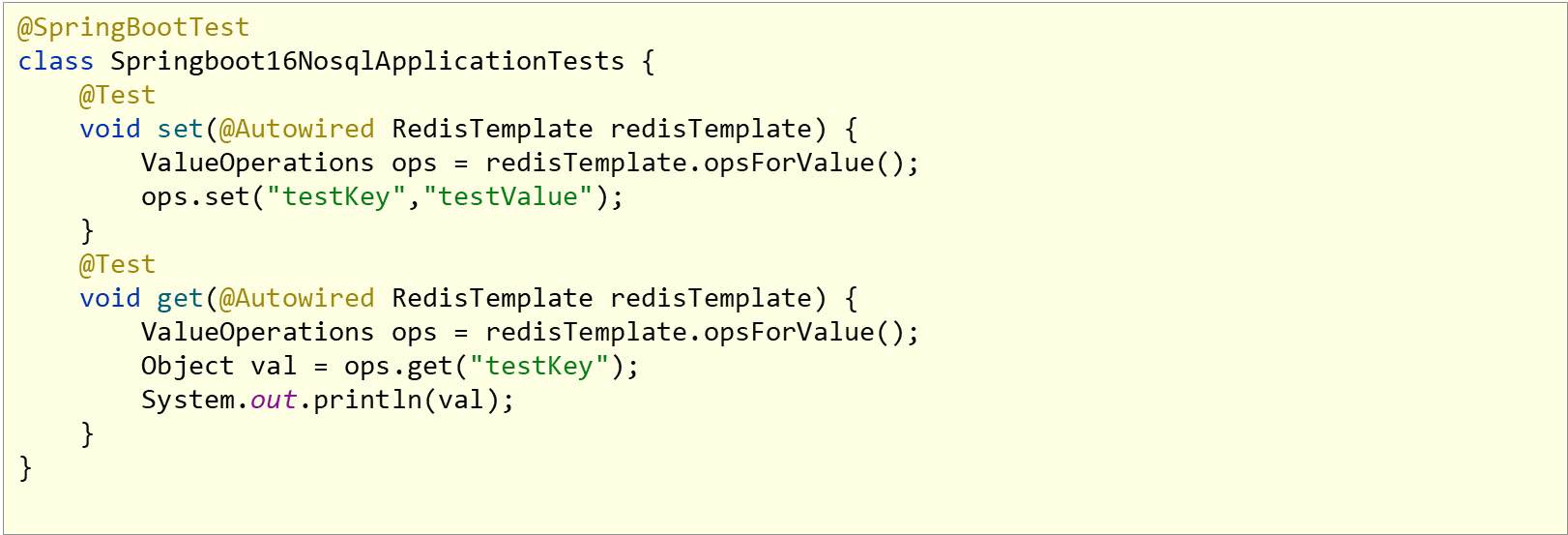
客户端:RedisTemplate以对象作为key和value,内部对数据进行序列化
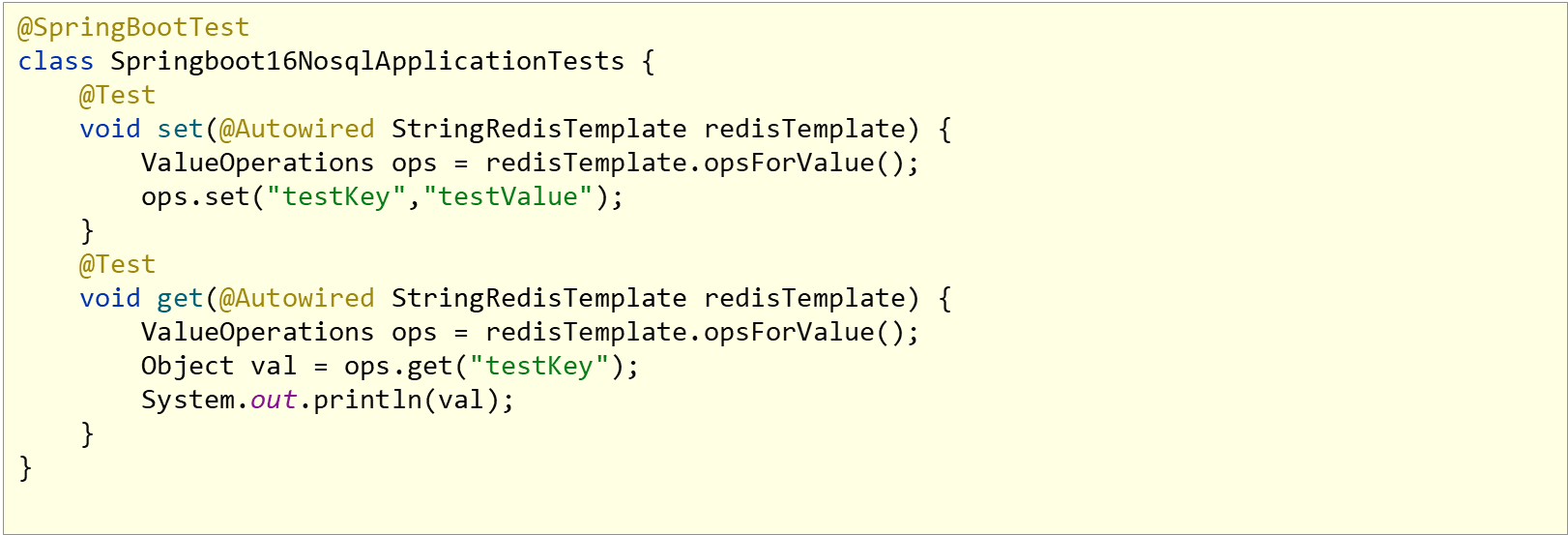
客户端: StringRedisTemplate以字符串作为key和value,与Redis客户端操作等效
StringRedisTemplateTest.class
package com.example.sprintboot_16_redis;import org.junit.jupiter.api.Test;
import org.springframework.beans.factory.annotation.Autowired;
import org.springframework.boot.test.context.SpringBootTest;
import org.springframework.data.redis.core.RedisTemplate;
import org.springframework.data.redis.core.StringRedisTemplate;
import org.springframework.data.redis.core.ValueOperations;@SpringBootTest
public class StringRedisTemplateTest {@Autowiredprivate RedisTemplate redisTemplate;@Autowiredprivate StringRedisTemplate stringRedisTemplate;@Testvoid get1() {ValueOperations<String, String> ops = stringRedisTemplate.opsForValue();String name = ops.get("name");System.out.println(name);}@Testvoid get2() {ValueOperations ops = redisTemplate.opsForValue();Object name = ops.get("name");System.out.println(name);}
}
26.Sprintboot操作Redis客户端实现技术切换(jedis)
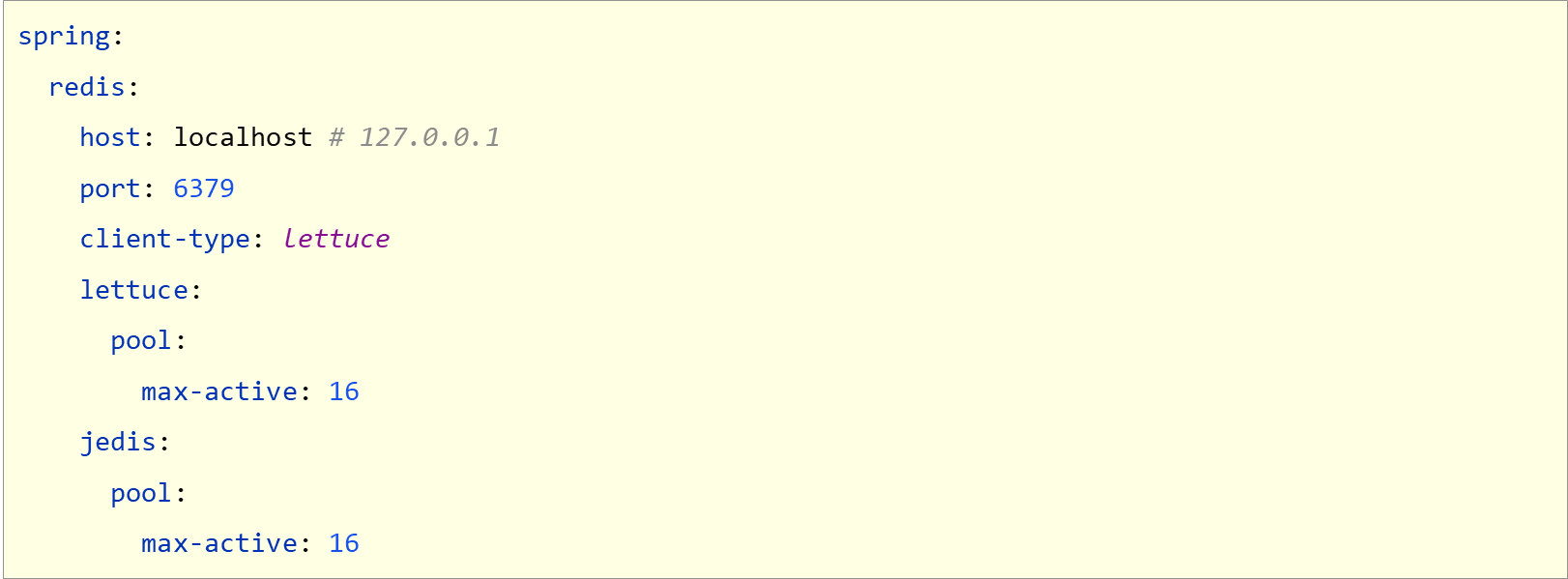
客户端选择:jedis

配置客户端

配置客户端专用属性
lettcus与jedis区别
- jedis连接Redis服务器是直连模式,当多线程模式下使用jedis会存在线程安全问题,解决方案可以通过配置连接池使每个连接专用,这样整体性能就大受影响。
- lettcus基于Netty框架进行与Redis服务器连接,底层设计中采用StatefulRedisConnectian。StatefulRedisConnection自身是线程安全的,可以保障并发访问安全问题,所以一个连接可以被多线程复用。当然lettcus也支持多连接实例一起工作.
相关文章:
[黑马程序员SpringBoot2]——开发实用篇1
目录: 手工启动热部署自动启动热部署热部署范围配置关闭热部署功能第三方bean属性绑定松散绑定常用计量单位应用bean属性校验进制数据转换规则加载测试专用属性加载测试专用配置测试类中启动web环境发送虚拟请求匹配响应执行状态匹配响应体匹配响应体(json)匹配响应…...
Python------列表 集合 字典 推导式(本文以 集合为主)
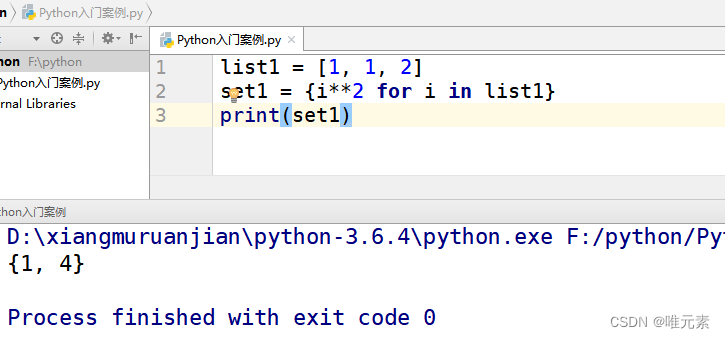
推导式: 推导式comprehensions(又称解析式),是Python的一种独有特性。推导式是可以从一个数据序列 构建 另一个 新的数据序列(一个有规律的列表或控制一个有规律列表)的结构体。 共有三种推导ÿ…...

网工内推 | Linux运维,六险二金,最高30K,IE认证优先
01 上海域起 招聘岗位:Linux运维工程师 职责描述: 1.负责游戏产品运维相关的工作,流程文档、技术文档、功能脚本的编写整理 2.负责分析并排除系统、数据库、网络、应用等游戏产品运维中出现的故障及错误 3.负责对游戏产品项目进行线上部署、…...
服务器集群配置LDAP统一认证高可用集群(配置tsl安全链接)-centos9stream-openldap2.6.2
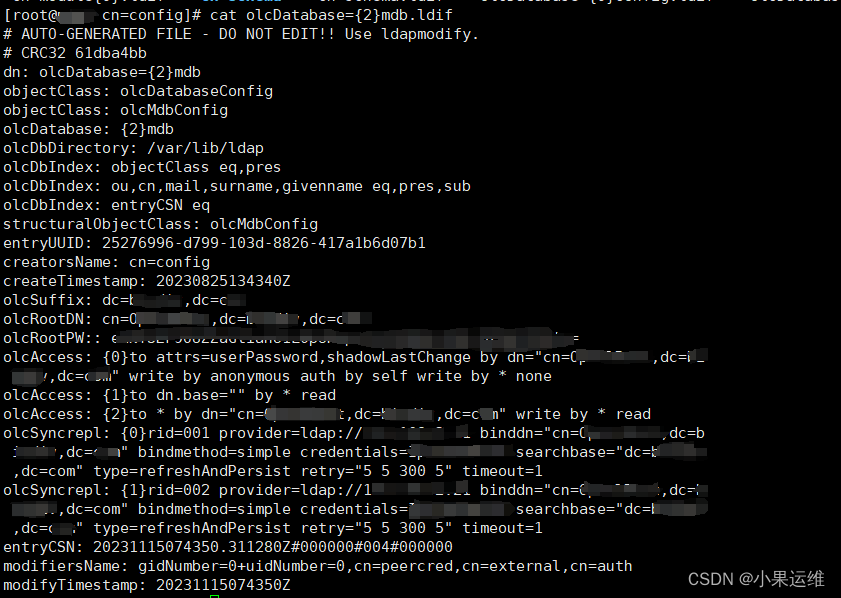
写在前面 因之前集群为centos6,已经很久没升级了,所以这次配置统一用户认证也是伴随系统升级到centos9时一起做的配套升级。新版的openldap配置大致与老版本比较相似,但有些地方配置还是有变化,另外,铺天盖地的帮助文…...

12-1- GAN -简单网络-线性网络
功能 随机噪声→生成器→MINIST图像。 训练方法 0 损失函数:gan的优化目标是一个对抗损失,是二分类问题,用BCELoss 1 判别器的训练,首先固定生成器参数不变,其次判别器应当将真实图像判别为1,生成图像判别为0 loss=loss(real_out, 1)+loss(fake_out, 0) 2 生成器的…...
Antv/G2 分组柱状图+折线图双轴图表
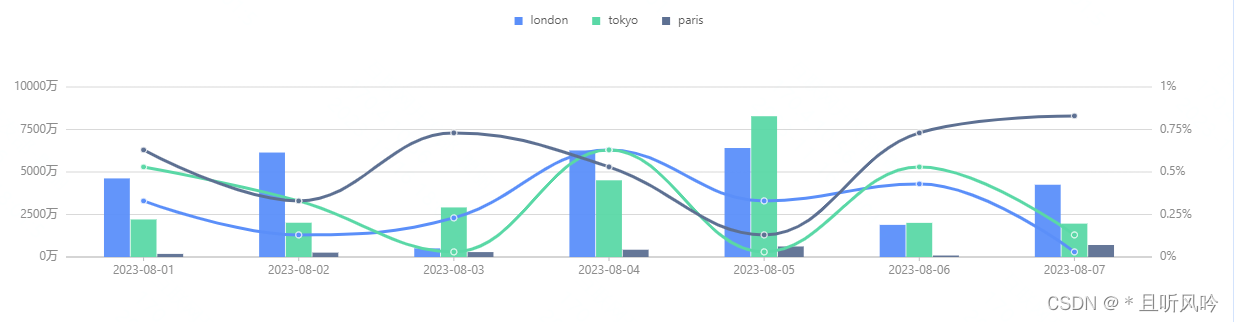
<!DOCTYPE html> <html lang"en"> <head><meta charset"UTF-8"><meta name"viewport" content"widthdevice-width,heightdevice-height"><title>分组柱状图折线图双轴图表</title><styl…...
springboot323基于Java的美妆购物网站的设计与实现
交流学习: 更多项目: 全网最全的Java成品项目列表 https://docs.qq.com/doc/DUXdsVlhIdVlsemdX 演示 项目功能演示: ————————————————...
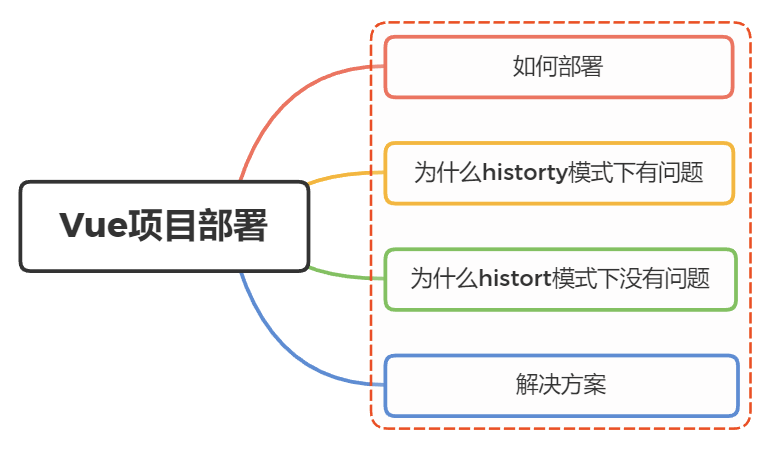
vue项目本地开发完成后部署到服务器后报404
vue项目本地开发完成后部署到服务器后报404是什么原因呢? 一、如何部署 前后端分离开发模式下,前后端是独立布署的,前端只需要将最后的构建物上传至目标服务器的web容器指定的静态目录下即可 我们知道vue项目在构建后,是生成一系…...
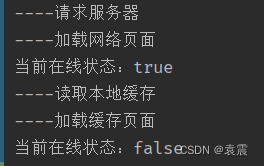
Android设计模式--状态模式
真知即所以为行,不行不足谓之知 一,定义 当一个对象的内在状态改变时,允许改变其行为,这个对象看起来像是改变了其类。 这么说可能很难理解,通俗来讲就是当一个对象它有多种状态的时候,把每一种状态的行为…...

C++关系运算符重载
#include<iostream> using namespace std;class Person { public:string name;int age;Person(string n, int a){name n;age a;}//friend bool operator(Person& p1, Person& p2); 使用友元//成员函数实现函数关系符重载bool operator(Person& p) {if (na…...
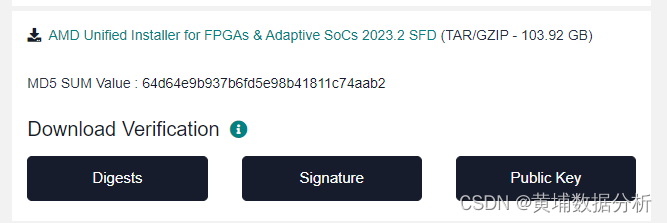
HLS基础issue
hls 是一个用C/c 来开发PL ,产生rtl的工具 hls是按照rtl code来运行的 , 但是rtl会在不同器件调用不同的源语; 可能产生的ip使用在vivado另外一个器件的话 会存在问题; Hls : vivado ip , vitis kernel 是…...

C#特性(Attribute)
C#特性(Attribute)是一种在程序中添加元数据的机制,它可以为代码提供额外的信息和指示。通过使用特性,我们可以为类、方法、属性等元素添加标记,以便在运行时进行更多的操作和决策。 C#特性是一种声明式编程的工具&…...

【设计模式】七大设计原则
七大设计原则 文章目录 七大设计原则一、概述二、单一职责原则三、接口隔离原则四、依赖倒转原则五、里氏替换原则六、开闭原则七、迪米特法则八、合成复用原则 一、概述 设计模式是为了让程序(软件),具有更好代码重用性,可读性,可扩展性&am…...
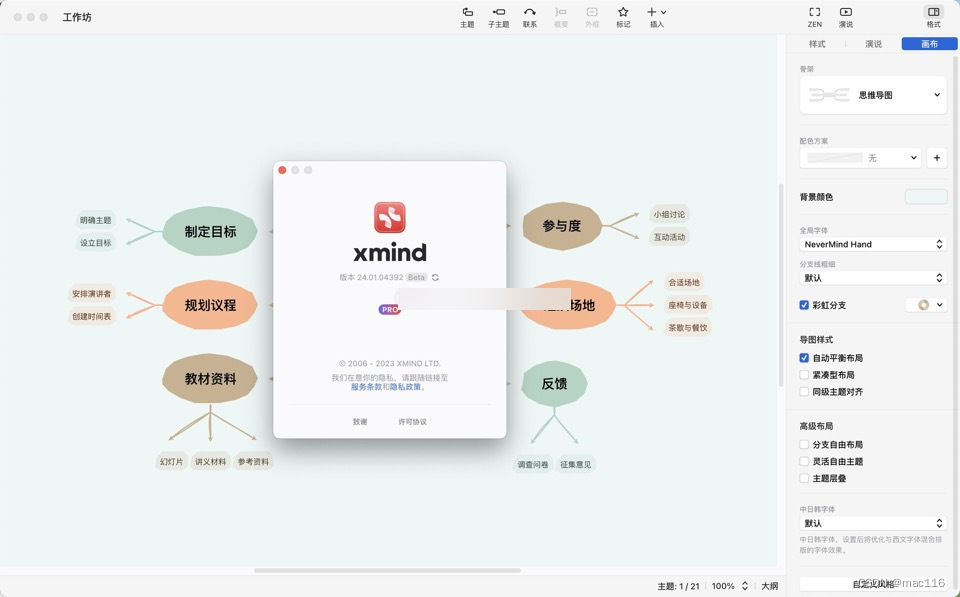
思维导图软件 Xmind mac中文版特点介绍
XMind 2022 mac是一款思维导图软件,可以帮助用户创建各种类型的思维导图和概念图。 XMind mac软件特点 - 多样化的导图类型:XMind提供了多种类型的导图,如鱼骨图、树形图、机构图等,可以满足不同用户的需求。 - 强大的功能和工具&…...
Day32力扣打卡
打卡记录 买卖股票的最佳时机 IV(状态机DP) 链接 class Solution:def maxProfit(self, k: int, prices: List[int]) -> int:n len(prices)max lambda x, y: x if x > y else yf [[-0x3f3f3f3f] * 2 for _ in range(k 2)]for i in range(k 2…...

抗击.Elbie勒索病毒:如何应对.Elbie病毒威胁,保卫您的数据
导言: .Elbie勒索病毒如今成为网络世界中的一大威胁,其狡猾性让用户防不胜防。本文将深入介绍.Elbie病毒的特点、对数据的威胁,提供被感染文件的恢复方法,并详述一系列强化网络安全的预防措施,让您远离.Elbie勒索病毒…...

Vue3 函数式弹窗
运行环境 vue3vitetselement-plus 开发与测试 1. 使用h、render函数创建Dialog 建议可在plugins目录下创建dialog文件夹,创建index.ts文件,代码如下 import { h, render } from "vue";/*** 函数式弹窗* param component 组件* param opti…...

如何解决 Critical dependency: the request of a dependency is an expression ?
更多ruoyi-nbcio功能请看演示系统 gitee源代码地址 前后端代码: ruoyi-nbcio: nbcio-boot的若依版本,基于ruoyi-flowable-plus和flowable6.7.2,目前处于开发功能完善阶段,目标是打造一个最好的若依平台上flowable流程管理系统开源版本&…...

挑战视觉边界,探索图形验证码背后的黑科技
在日常生活中,我们登录网站或者其他平台时,在填写完账号密码之后,还会让我们填写4或6位的数字或者英文字母等,填写正确才能请求登录。这个其实是防止某一个特定注册用户用特定程序暴力破解方式进行不断的登陆尝试,如下…...

【网络奇缘】- 计算机网络|网络类型|性能指标
🌈个人主页: Aileen_0v0🔥系列专栏: 一见倾心,再见倾城 --- 计算机网络~💫个人格言:"没有罗马,那就自己创造罗马~" 目录 计算机网络分类 1.根据范围分类 编辑 2.按使用者分编辑 3.按交换技术分 编辑4.按拓扑结构分 …...
)
置信区间不只是统计学:如何用它给你的深度学习模型预测‘上保险’?(以目标检测为例)
置信区间在深度学习中的实战应用:为目标检测模型预测加装"安全气囊" 当自动驾驶汽车在雨中识别模糊的交通标志时,当医疗AI系统标记疑似肿瘤区域时,模型输出的不仅是"是什么",更关键的是"有多确定"。…...

Linux Shell生成随机文件:dd、openssl等工具实战与性能优化
1. 项目概述:为什么我们需要一个“随机”的固定大小文件?在日常的系统管理、开发测试,甚至是性能基准评测中,我们经常会遇到一个看似简单却非常实用的需求:快速生成一个指定大小的文件,并且希望文件内容是随…...

一文搞懂MCP、Skill、Agent
理清AI大模型三大高阶概念:MCP、Skill、Agent 在现代AI工程体系中,随着大模型能力的爆发增长,围绕“AI工具化”和“AI自动化”的需求持续升级。MCP、Skill、Agent 是其中极为关键但又容易混淆的核心概念。掌握它们,不仅对AI开发者…...

收藏干货:MySQL/PG/人大金仓/达梦语法差异对照表
📌 专栏:国产数据库信创实战🔖 标签: #数据库语法差异 #MySQL转人大金仓 #MySQL转达梦 #PG语法适配 #信创数据库迁移 #SQL兼容改造 #国产数据库适配 #SpringBoot3数据库适配📝 文章摘要信创国产化迁移过程中࿰…...

Perplexity计算原理与业务落地脱节?——资深算法架构师亲授7步校准法,避免模型上线翻车
更多请点击: https://codechina.net 第一章:Perplexity的本质定义与数学直觉 Perplexity(困惑度)是衡量概率模型对未知序列预测能力的核心指标,其本质是交叉熵的指数形式,直观反映了模型在面对真实数据时的…...

Tina Linux嵌入式系统开发实战:从SDK结构到应用部署全解析
1. 项目概述:从零开始理解 Tina Linux 系统开发如果你正在为一个嵌入式设备寻找一个稳定、开源且高度可定制的操作系统,那么 Tina Linux 很可能已经进入了你的视野。它不是一个凭空出现的全新系统,而是基于 OpenWrt 和 Linux 内核深度定制而来…...

Claude Code 上下文管理机制深度拆解:超长 Agent 任务如何不崩盘
在一个真正复杂的企业级软件设计与编码任务里,Coding Agent 面对的从来不是一句简单的“帮我写个小游戏”。 它要理解用户的原始需求,要读取项目里的既有代码,要遵守架构约束、编码规范、接口协议,还要调用各种工具、加载不同的技能和规则,甚至记住用户十分钟前随口补充的…...
)
Python点云处理入门:从零开始用pypcd4库读取.pcd文件并可视化(附完整代码)
Python点云处理入门:从零开始用pypcd4库读取.pcd文件并可视化 点云数据正逐渐成为三维感知领域的通用语言,从自动驾驶的环境建模到工业质检的精密测量,这些由数百万个空间点构成的数据集正在重塑我们与物理世界交互的方式。对于刚接触这一领域…...

ControlPlane开发者指南:如何创建自定义证据源和动作插件
ControlPlane开发者指南:如何创建自定义证据源和动作插件 【免费下载链接】ControlPlane ControlPlane - context-sensitive computing for OS X 项目地址: https://gitcode.com/gh_mirrors/co/ControlPlane ControlPlane是一款功能强大的macOS上下文感知计算…...

10个实用技巧:PHP Font Lib 字体信息提取完全教程
10个实用技巧:PHP Font Lib 字体信息提取完全教程 【免费下载链接】php-font-lib A library to read, parse, export and make subsets of different types of font files. 项目地址: https://gitcode.com/gh_mirrors/ph/php-font-lib 想要在PHP项目中高效处…...