
【C++上层应用】4. 多线程
文章目录
- 【 1. 创建线程 】
- 【 2. 终止线程 】
- 【 3. 实例 】
- 【 4. 向线程传递参数 】
- 【 5. 连接和分离线程 】
- 多线程 是多任务处理的一种特殊形式,多任务处理允许让电脑同时运行两个或两个以上的程序。
- 一般情况下,两种类型的多任务处理:基于进程和基于线程
- 基于进程 的多任务处理是程序的并发执行。
- 基于线程 的多任务处理是同一程序的片段的并发执行。
- 多线程程序包含可以同时运行的两个或多个部分。这样的程序中的每个部分称为一个 线程,每个线程定义了一个单独的执行路径。
【 1. 创建线程 】
- 创建一个 POSIX 线程:
#include <pthread.h>
pthread_create (thread, attr, start_routine, arg)
- 在这里,pthread_create 创建一个新的线程,并让它可执行。下面是关于参数的说明:
| 参数 | 描述 |
|---|---|
| thread | 指向线程标识符指针。 |
| attr | 一个不透明的属性对象,可以被用来设置线程属性。您可以指定线程属性对象,也可以使用默认值 NULL。 |
| start_routine | 线程运行函数起始地址,一旦线程被创建就会执行。 |
| arg | 运行函数的参数。它必须通过把引用作为指针强制转换为 void 类型进行传递。如果没有传递参数,则使用 NULL。 |
- 创建线程成功时,函数返回 0,若返回值不为 0 则说明创建线程失败。
【 2. 终止线程 】
- pthread_exit 用于显式地退出一个线程。通常情况下,pthread_exit() 函数是在线程完成工作后无需继续存在时被调用。
#include <pthread.h>
pthread_exit (status)
- 如果 main() 是在它所创建的线程之前结束,并通过 pthread_exit() 退出,那么其他线程将继续执行。否则,它们将在 main() 结束时自动被终止。
【 3. 实例 】
- 实例1:
使用 pthread_create() 函数创建了 5 个线程,每个线程输出"Hello Nowcoder!"
#include <iostream>
// 必须的头文件
#include <pthread.h>using namespace std;#define NUM_THREADS 5// 线程的运行函数
void* say_hello(void* args)
{cout << "Hello Nowcoder!" << endl;return 0;
}int main()
{// 定义线程的 id 变量,多个变量使用数组pthread_t tids[NUM_THREADS];for(int i = 0; i < NUM_THREADS; ++i){//参数依次是:创建的线程id,线程参数,调用的函数,传入的函数参数int ret = pthread_create(&tids[i], NULL, say_hello, NULL);if (ret != 0){cout << "pthread_create error: error_code=" << ret << endl;}}//等各个线程退出后,进程才结束,否则进程强制结束了,线程可能还没反应过来;pthread_exit(NULL);
}
使用 -lpthread 库编译下面的程序:
$ g++ test.cpp -lpthread -o test.o
运行结果如下:
$ ./test.o
Hello Nowcoder!
Hello Nowcoder!
Hello Nowcoder!
Hello Nowcoder!
Hello Nowcoder!
- 实例2:
用 pthread_create() 函数创建了 5 个线程,并接收传入的参数。每个线程打印一个 “Hello Nowcoder!” 消息,并输出接收的参数,然后调用 pthread_exit() 终止线程。
//文件名:test.cpp#include <iostream>
#include <cstdlib>
#include <pthread.h>using namespace std;#define NUM_THREADS     5void *PrintHello(void *threadid)
{  // 对传入的参数进行强制类型转换,由无类型指针变为整形数指针,然后再读取int tid = *((int*)threadid);cout << "Hello Nowcoder! 线程 ID, " << tid << endl;pthread_exit(NULL);
}int main ()
{pthread_t threads[NUM_THREADS];int indexes[NUM_THREADS];// 用数组来保存i的值int rc;int i;for( i=0; i < NUM_THREADS; i++ ){      cout << "main() : 创建线程, " << i << endl;indexes[i] = i; //先保存i的值// 传入的时候必须强制转换为void* 类型,即无类型指针        rc = pthread_create(&threads[i], NULL, PrintHello, (void *)&(indexes[i]));if (rc){cout << "Error:无法创建线程," << rc << endl;exit(-1);}}pthread_exit(NULL);
}
编译并执行程序,将产生下列结果:
$ g++ test.cpp -lpthread -o test.o
$ ./test.o
main() : 创建线程, 0
main() : 创建线程, 1
Hello Nowcoder! 线程 ID, 0
main() : 创建线程, Hello Nowcoder! 线程 ID, 21main() : 创建线程, 3
Hello Nowcoder! 线程 ID, 2
main() : 创建线程, 4
Hello Nowcoder! 线程 ID, 3
Hello Nowcoder! 线程 ID, 4
【 4. 向线程传递参数 】
- 实例
通过结构传递多个参数。我们可以在线程回调中传递任意的数据类型,因为它指向 void
#include <iostream>
#include <cstdlib>
#include <pthread.h>using namespace std;#define NUM_THREADS     5struct thread_data{int  thread_id;char *message;
};void *PrintHello(void *threadarg)
{struct thread_data *my_data;my_data = (struct thread_data *) threadarg;cout << "Thread ID : " << my_data->thread_id ;cout << " Message : " << my_data->message << endl;pthread_exit(NULL);
}int main ()
{pthread_t threads[NUM_THREADS];struct thread_data td[NUM_THREADS];int rc;int i;for( i=0; i < NUM_THREADS; i++ ){cout <<"main() : creating thread, " << i << endl;td[i].thread_id = i;td[i].message = (char*)"This is message";rc = pthread_create(&threads[i], NULL,PrintHello, (void *)&td[i]);if (rc){cout << "Error:unable to create thread," << rc << endl;exit(-1);}}pthread_exit(NULL);
}
编译并执行程序,将产生下列结果:
$ g++ -Wno-write-strings test.cpp -lpthread -o test.o
$ ./test.o
main() : creating thread, 0
main() : creating thread, 1
Thread ID : 0 Message : This is message
main() : creating thread, Thread ID : 21Message : This is message
main() : creating thread, 3
Thread ID : 2 Message : This is message
main() : creating thread, 4
Thread ID : 3 Message : This is message
Thread ID : 4 Message : This is message
【 5. 连接和分离线程 】
- 使用以下两个函数可以连接或分离线程:
pthread_join (threadid, status)
pthread_detach (threadid)
pthread_join() 子程序阻碍调用程序,直到指定的 threadid 线程终止为止。当创建一个线程时,它的某个属性会定义它是否是可连接的(joinable)或可分离的(detached)。只有创建时定义为可连接的线程才可以被连接。如果线程创建时被定义为可分离的,则它永远也不能被连接。
- 实例:
使用 pthread_join() 函数来等待线程的完成。
#include <iostream>
#include <cstdlib>
#include <pthread.h>
#include <unistd.h>using namespace std;#define NUM_THREADS     5void *wait(void *t)
{int i;long tid;tid = (long)t;sleep(1);cout << "Sleeping in thread " << endl;cout << "Thread with id : " << tid << "  ...exiting " << endl;pthread_exit(NULL);
}int main ()
{int rc;int i;pthread_t threads[NUM_THREADS];pthread_attr_t attr;void *status;// 初始化并设置线程为可连接的(joinable)pthread_attr_init(&attr);pthread_attr_setdetachstate(&attr, PTHREAD_CREATE_JOINABLE);for( i=0; i < NUM_THREADS; i++ ){cout << "main() : creating thread, " << i << endl;rc = pthread_create(&threads[i], NULL, wait, (void *)&i );if (rc){cout << "Error:unable to create thread," << rc << endl;exit(-1);}}// 删除属性,并等待其他线程pthread_attr_destroy(&attr);for( i=0; i < NUM_THREADS; i++ ){rc = pthread_join(threads[i], &status);if (rc){cout << "Error:unable to join," << rc << endl;exit(-1);}cout << "Main: completed thread id :" << i ;cout << "  exiting with status :" << status << endl;}cout << "Main: program exiting." << endl;pthread_exit(NULL);
}
编译并执行程序,将产生下列结果:
main() : creating thread, 0
main() : creating thread, 1
main() : creating thread, 2
main() : creating thread, 3
main() : creating thread, 4
Sleeping in thread
Thread with id : 4  ...exiting
Sleeping in thread
Thread with id : 3  ...exiting
Sleeping in thread
Thread with id : 2  ...exiting
Sleeping in thread
Thread with id : 1  ...exiting
Sleeping in thread
Thread with id : 0  ...exiting
Main: completed thread id :0  exiting with status :0
Main: completed thread id :1  exiting with status :0
Main: completed thread id :2  exiting with status :0
Main: completed thread id :3  exiting with status :0
Main: completed thread id :4  exiting with status :0
Main: program exiting.
相关文章:

【C++上层应用】4. 多线程
文章目录 【 1. 创建线程 】【 2. 终止线程 】【 3. 实例 】【 4. 向线程传递参数 】【 5. 连接和分离线程 】 多线程 是多任务处理的一种特殊形式,多任务处理允许让电脑同时运行两个或两个以上的程序。一般情况下,两种类型的多任务处理:基于…...
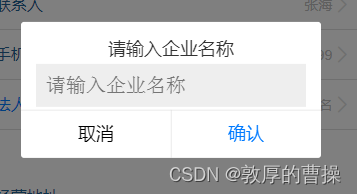
【uni-app】uniapp中弹出输入框的示例
uni.showModal({title: 请输入企业名称,content: ,editable: true, //是否显示输入框placeholderText: 请输入企业名称, //输入框提示内容confirmText: 确认,cancelText: 取消,success: (res) > {if (res.confirm) {this.checkDesc.name res.content;// console.log(输入的…...
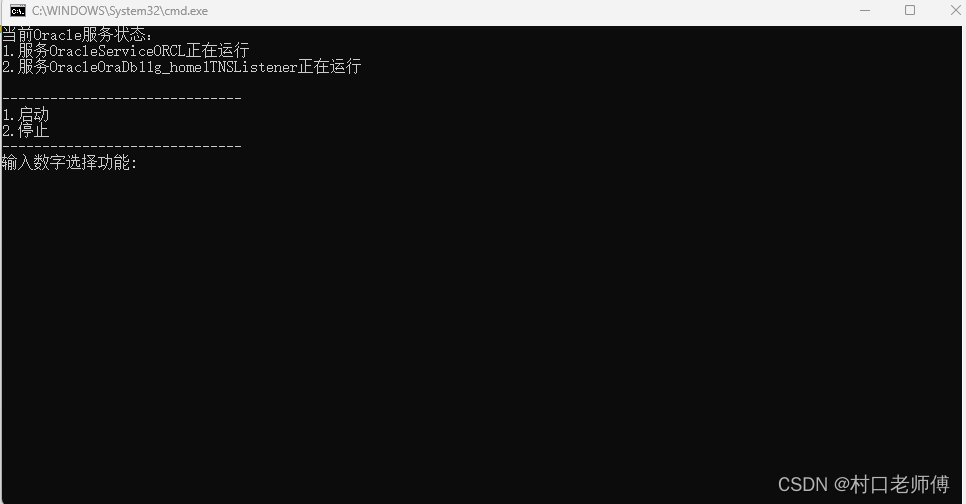
通过bat脚本控制Oracle服务启动停止
1、将Oracle服务全部设置为手动启动 初始安装Oracle之后服务启动状态: 2、服务功能介绍 3、构建服务启动/停止bat脚本 注意:编码选择ANSI(如果编码不是ANSI运行脚本会显示乱码) echo off :main cls echo 注:请保证该脚本是使用管理员权限…...
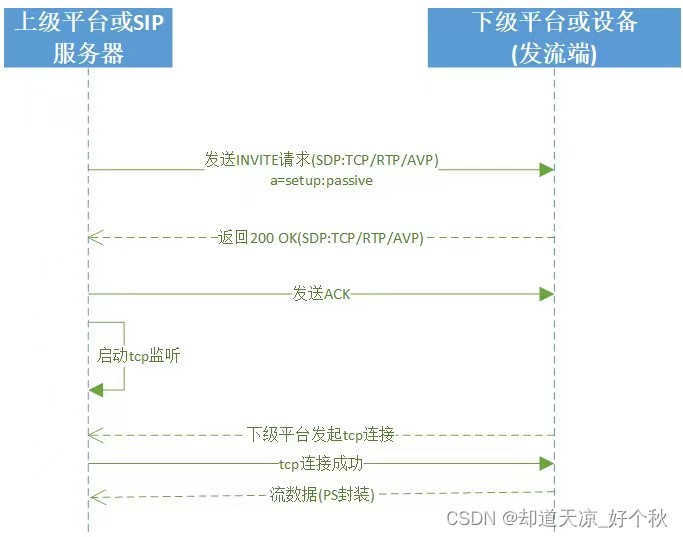
GB28181学习(十七)——基于jrtplib实现tcp被动和主动发流
前言 GB/T28181-2022实时流的传输方式介绍:https://blog.csdn.net/www_dong/article/details/134255185 基于jrtplib实现tcp被动和主动收流介绍:https://blog.csdn.net/www_dong/article/details/134451387 本文主要介绍下级平台或设备发流功能&#…...

RealSense深度相机在Ubuntu18.04的ros环境下,保存同一时刻下深度图像和彩色图像
背景:Ubuntu18.04 ROS Melodic 已安装配置好RealSense相关程序,链接D435i相机后,得到如下Rostopic: /camera/color/image_raw # 彩色图像信息 /camera/depth/image_rect_raw # 深度图像信息 于是写一个python程序&am…...

vue3 ref和reactive使用watch属性的方法和区别
在Vue 3中,您可以使用watch函数和watch选项来监视ref和reactive创建的响应式数据的变化。下面是它们的使用方法和区别: 使用方法: 使用ref和watch: import { ref, watch } from vue;const count ref(0);watch(count, (newVal,…...
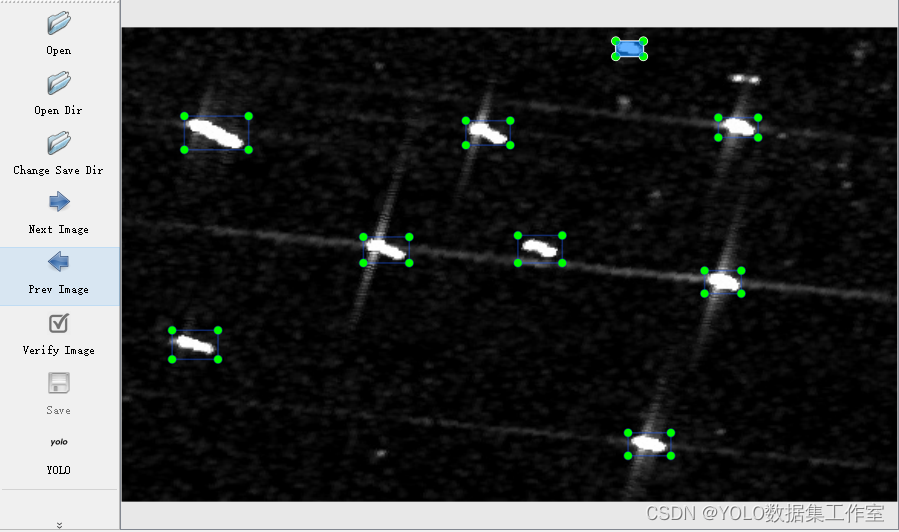
YOLO目标检测——卫星遥感舰船检测数据集下载分享【含对应voc、coco和yolo三种格式标签】
实际项目应用:卫星遥感舰船检测数据集说明:卫星遥感舰船检测数据集,真实场景的高质量图片数据,数据场景丰富,含船一个类别标签说明:使用lableimg标注软件标注,标注框质量高,含voc(xm…...

org.Hs.eg.db使用--持续修改
org.Hs.eg.db使用–持续修改 加载 library(org.Hs.eg.db)1 基本信息查询 1.1 display the columns columns(org.Hs.eg.db) [1] "ACCNUM" "ALIAS" "ENSEMBL" "ENSEMBLPROT" "ENSEMBLTRANS" "ENT…...
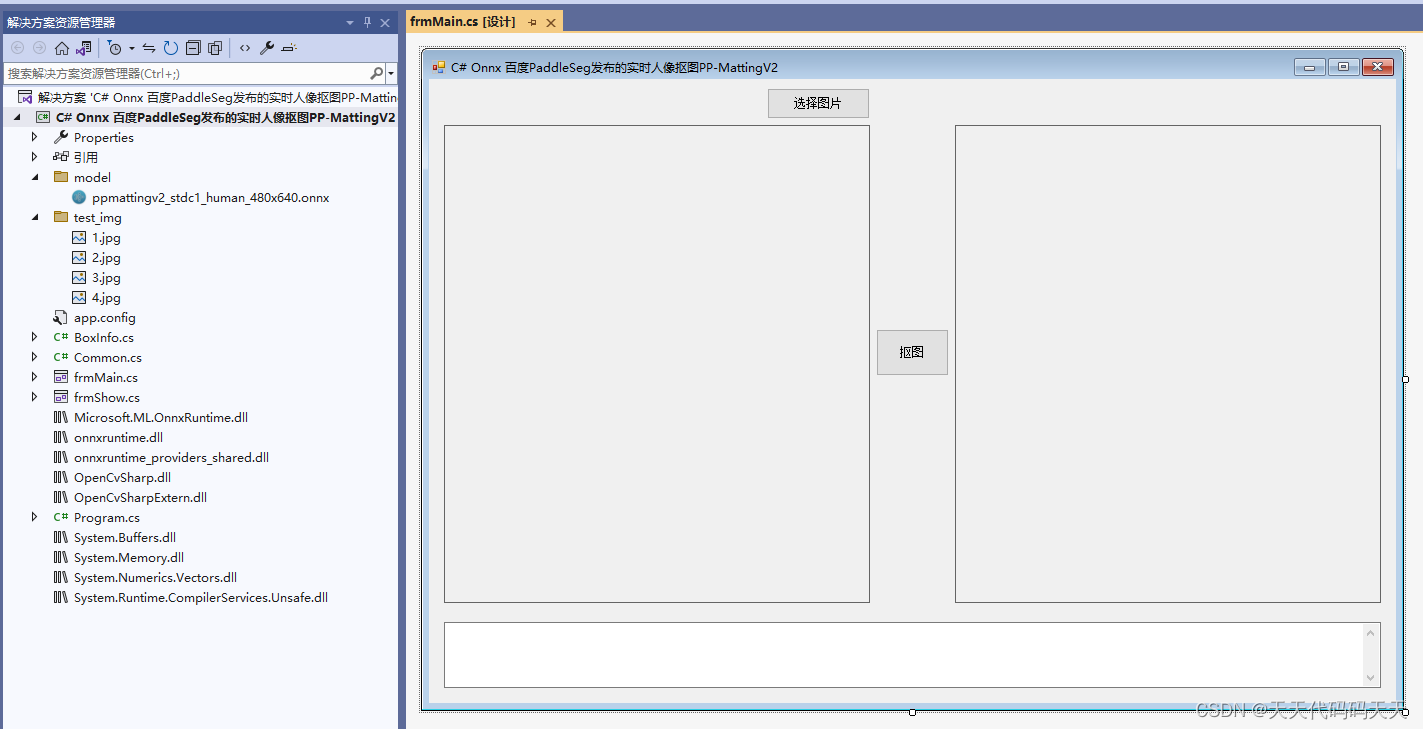
C# Onnx 百度PaddleSeg发布的实时人像抠图PP-MattingV2
目录 效果 模型信息 项目 代码 下载 效果 图片源自网络侵删 模型信息 Inputs ------------------------- name:img tensor:Float[1, 3, 480, 640] --------------------------------------------------------------- Outputs -----------------…...

linux shell操作 - 04 进程间通信
文章目录 Signal 信号信号定义信号的生命周期信号分类linux进程通信案例 Signal 信号 信号定义 Linux信号是进程间通信的一种方式,通过向目标进程发送一个特定的信号,让其执行相应的处理操作; 向目标进程发送信号时,内核会将信号…...
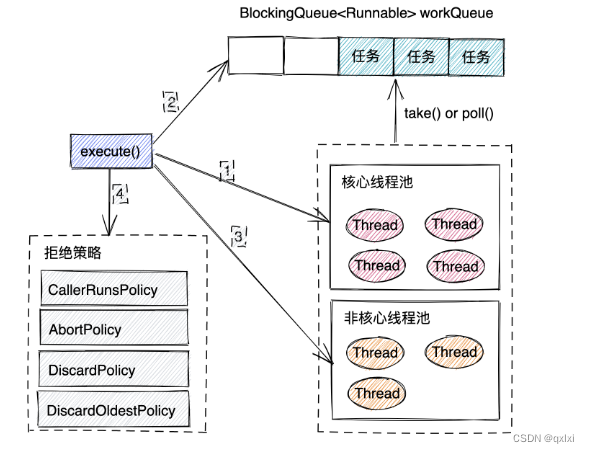
【Java并发】聊聊线程池原理以及实际应用
线程其实对于操作系统来说是宝贵的资源,java层面的线程其实本质还是依赖于操作系统内核的线程进行处理任务,如果频繁的创建、使用、销毁线程,那么势必会非常浪费资源以及性能不高,所以池化技术(数据库连接池、线程池&a…...

自然语言处理常用方法和评价指标
常用方法 文本分类:如情感分析、主题标签分类。使用方法如朴素贝叶斯、支持向量机、神经网络等。信息提取:从文本中提取结构化信息,如命名实体识别(NER)、关系提取。语义分析:理解文本的含义,包…...
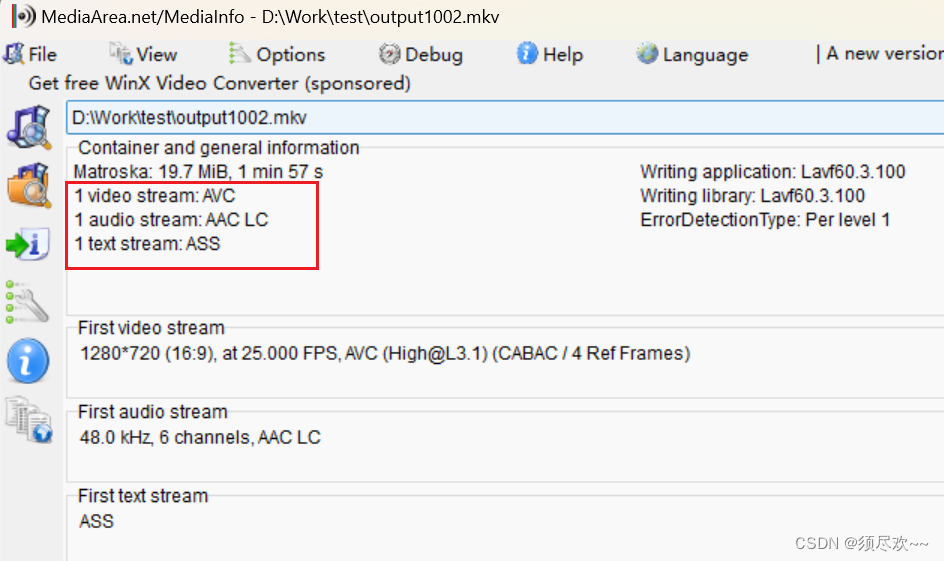
FFmpeg常用命令行讲解及实战一
文章目录 前言一、学习资料参考二、FFmpeg 选项1、主要选项①、主要命令选项②、举例 2、视频选项①、主要命令选项②、举例1)提取固定帧2)禁止输出视频3)指定视频的纵横比 3、音频选项①、主要命令选项②、举例 4、字幕选项①、主要命令选项…...

Java的ArrayList中关于删除的常用操作及方法
目录 remove(int index)方法 remove(Object o)方法 removeAll(Collection c)方法 removeIf(Predicate filter)方法 removeRange(int fromIndex, int toIndex)方法 remove(int index)方法 remove(int index)是ArrayList类中用于删除指定位置元素的方法。它接收一个整…...
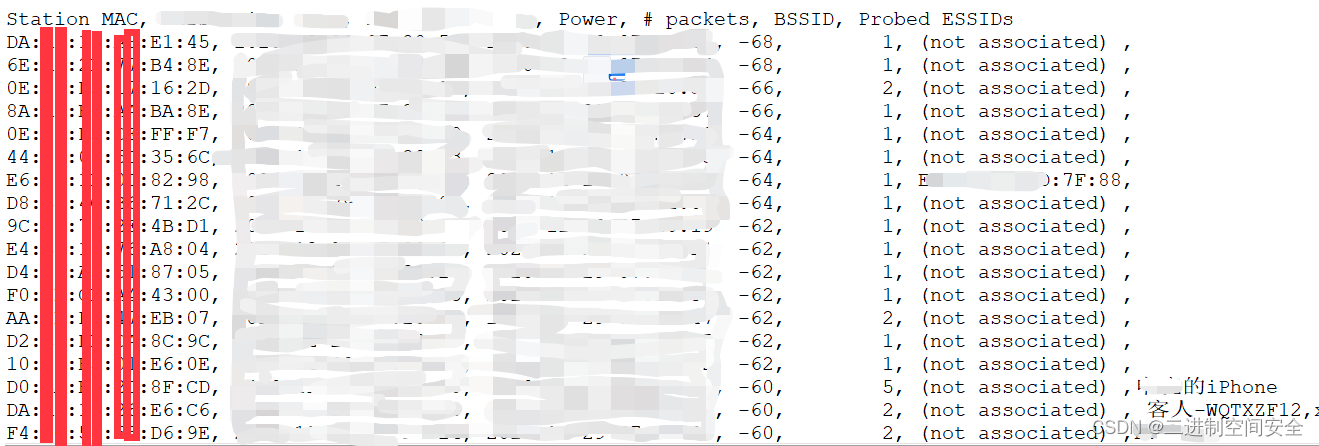
低成本打造便携式无线网络攻防学习环境
1.摘要 一直以来, 无线网络安全问题与大众的个人隐私息息相关, 例如: 为了节省流量, 连接到一个看似安全的免费WiFi, 在使用过程中泄露自己的各类密码信息甚至银行卡账号密码信息。随着家用智能电器的普及, 家中的各类智能设备连入家里的无线网络, 却突然失灵, 甚至无法正常连…...

Qt|QLabel显示刷新图像数据
参考:QImage、QClipboard(https://zhuanlan.zhihu.com/p/649611141) 获取图像数据并转换为QImage unsigned char *data 图像数据; QImage show_image_ QImage(data, imgInfo.width, imgInfo.height, imgInfo.width, QImage::Format_Grays…...

Java类加载那些事
Java源文件(.java文件)被编译器编译后变为字节码形式的类文件(.class文件),Java类加载的过程就是JVM加载.class的二进制文件并且放到内存中,将数据放到方法区,并且在堆区构造一个java.lang.clas…...

QSplitter分裂器
QSplitter QSplitter 是 Qt 框架提供的一个小部件(widget),用于在用户界面中创建可拖动的分割窗口,允许用户调整子部件的大小和布局。它可以将父部件分割为多个可调整大小的子部件,使用户能够自定义界面的布局和大小。…...

pgsql 时区查看和修改
建议使用UTC时区,或者和linux、后端程序的时区保持一致,否则容易出现时间的差别。 pgsql的时间字段有一个带时区的timestamp with time zone,如果业务涉及多个时区,建议使用这个字段。 相关链接参考: linux时区设置和…...

el-table 表格表头、单元格、滚动条样式修改
.2023.11.21今天我学习了如何对el-table表格样式进行修改,如图: 运用的两个样式主要是 1.header-cell-class-name(设置表头) 2.class-name(设置行单元格) 代码如下: <el-table :data&quo…...

douyin-downloader:基于策略模式的抖音内容批量下载与自动化处理解决方案
douyin-downloader:基于策略模式的抖音内容批量下载与自动化处理解决方案 【免费下载链接】douyin-downloader A practical Douyin downloader for both single-item and profile batch downloads, with progress display, retries, SQLite deduplication, and brow…...

QCraft 于北京 2026 年中国国际汽车展览会重磅发布物理 AI 模型及 500+ TOPS 智能驾驶解决方案
QPilot MAX 500 TOPS 城市导航解决方案基于世界模型与强化学习框架构建,性能表现达行业领先水准,其 AEB 误触发率远低于行业平均水平 全球自动驾驶领域领先企业 QCraft 今日在 2026 年北京国际汽车展览会(Auto China 2026)开幕活…...

DS4Windows终极指南:3步让PlayStation手柄在Windows电脑上完美运行
DS4Windows终极指南:3步让PlayStation手柄在Windows电脑上完美运行 【免费下载链接】DS4Windows Like those other ds4tools, but sexier 项目地址: https://gitcode.com/gh_mirrors/ds/DS4Windows 还在为PC游戏无法识别你的PlayStation手柄而烦恼吗…...

基于十二要素应用的智能体驱动架构:从单体到AI原生应用演进
1. 项目概述:从单体应用到智能体驱动的现代应用架构最近在梳理团队内部微服务治理规范时,我反复思考一个问题:当我们将一个庞大的单体应用拆解成数十个甚至上百个独立的微服务后,我们是否真的获得了预期的敏捷性与可维护性&#x…...

告别手忙脚乱!用立创EDA焊接辅助工具,像玩游戏一样轻松焊接你的PCB板
像玩游戏一样轻松焊接:立创EDA焊接辅助工具实战指南 焊接电路板对许多电子爱好者来说,既是创作的乐趣所在,也是容易出错的技术难点。传统焊接过程中,我们需要不断对照原理图、BOM表和实物板子,稍不留神就可能焊错元件或…...

终极指南:Spring Boot Demo版本管理规范从快照到发布的完整流程
终极指南:Spring Boot Demo版本管理规范从快照到发布的完整流程 【免费下载链接】spring-boot-demo 🚀一个用来深入学习并实战 Spring Boot 的项目。 项目地址: https://gitcode.com/gh_mirrors/sp/spring-boot-demo Spring Boot Demo 是一个用来…...

【2026最新版|建议收藏】程序员/小白转行大模型全攻略,从入门到实战
当ChatGPT持续迭代、GPT-4V、文心一言4.0、Llama 3等大模型深度渗透千行百业,生成式AI的技术革命已全面落地。从智能代码生成、文档自动摘要到多模态内容创作,从企业级智能客服到私有化部署解决方案,大模型正重构软件开发全流程,也…...
)
YOLO26管道泄漏识别检测系统(项目源码+YOLO数据集+模型权重+UI界面+python+深度学习+远程环境部署)
摘要 管道泄漏是石油、化工、城市供水及燃气输送系统中的主要安全隐患,传统人工巡检与基于压力、流量等参数的监测方法存在响应慢、定位难、误报率高等问题。本文基于YOLO26系列目标检测算法,构建了一套端到端的管道泄漏视觉识别检测系统。系统以管道场…...

Cognita开源RAG框架实战:构建企业级智能知识库的模块化方案
1. 项目概述:当向量数据库遇上RAG,Cognita如何重塑企业知识管理?最近在折腾企业级知识库和智能问答系统时,我几乎把所有主流的RAG(检索增强生成)框架都试了个遍。从早期的LangChain、LlamaIndex,…...

为什么你学了那么多新技术,依然感到焦虑?
在软件测试领域,一个普遍的现象正悄然蔓延:许多从业者勤奋不辍,追逐着每一个新兴的框架、工具和方法论,从自动化到AI辅助,从云原生到混沌工程,学习列表越列越长,然而,内心深处的不安…...